
WEB TECHNOLOGY CS 345 Learning Objectives Objectives of

WEB TECHNOLOGY CS 345

Learning Objectives • Objectives of this chapter are: –Learn AJAX
Outline • • Introduction How AJAX works? Example XMLHttp. Request Object
Introduction • AJAX = Asynchronous Java. Script And XML. • AJAX is not a programming language. • AJAX just uses a combination of: –A browser built-in XMLHttp. Request object (to request data from a web server) –Java. Script and HTML DOM (to display or use the data) • AJAX allows web pages to be updated asynchronously by exchanging data with a web server behind the scenes. This means that it is possible to update parts of a web page, without reloading the whole page.

How AJAX Works?

How AJAX Works? 1. An event occurs in a web page (the page is loaded, a button is clicked) 2. An XMLHttp. Request object is created by Java. Script 3. The XMLHttp. Request object sends a request to a web server 4. The server processes the request 5. The server sends a response back to the web page 6. The response is read by Java. Script 7. Proper action (like page update) is performed by Java. Script
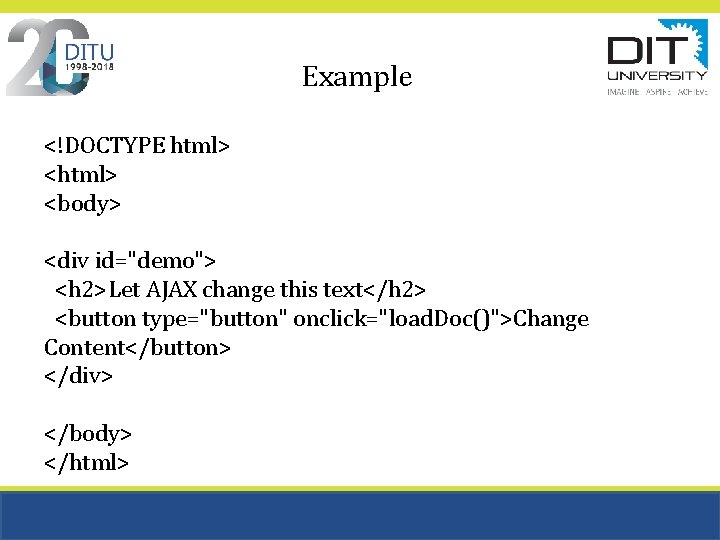
Example <!DOCTYPE html> <body> <div id="demo"> <h 2>Let AJAX change this text</h 2> <button type="button" onclick="load. Doc()">Change Content</button> </div> </body> </html>
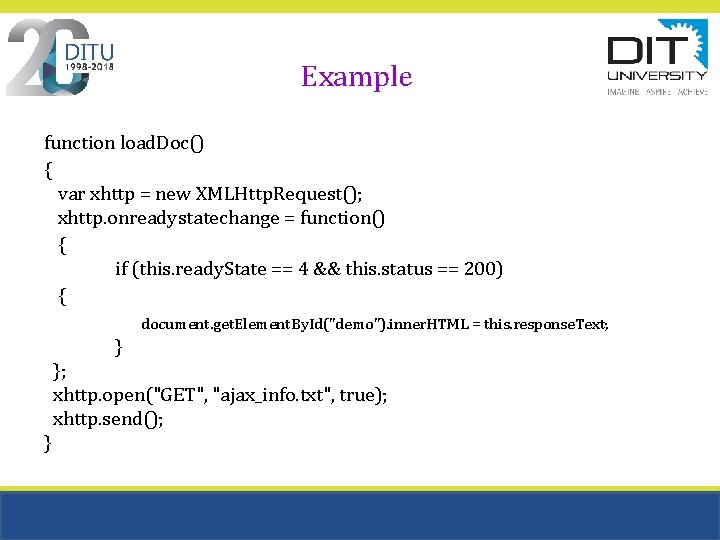
Example function load. Doc() { var xhttp = new XMLHttp. Request(); xhttp. onreadystatechange = function() { if (this. ready. State == 4 && this. status == 200) { document. get. Element. By. Id("demo"). inner. HTML = this. response. Text; } }; xhttp. open("GET", "ajax_info. txt", true); xhttp. send(); }

XMLHttp. Request Object • The XMLHttp. Request object can be used to exchange data with a web server behind the scenes. This means that it is possible to update parts of a web page, without reloading the whole page.
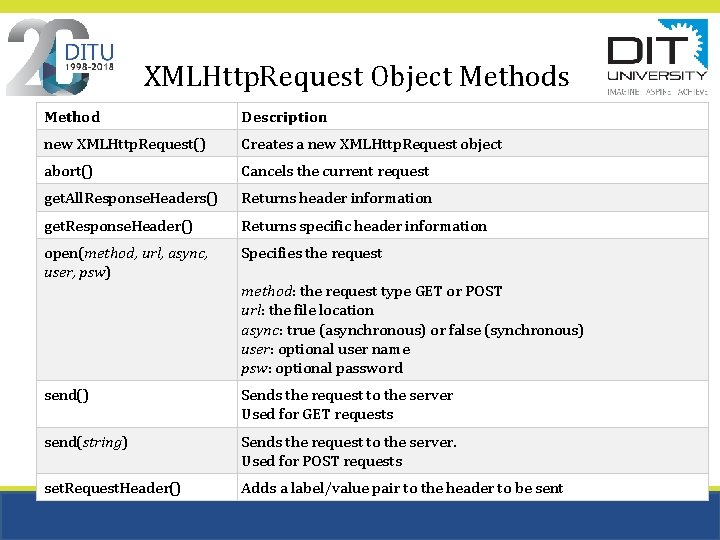
XMLHttp. Request Object Methods Method Description new XMLHttp. Request() Creates a new XMLHttp. Request object abort() Cancels the current request get. All. Response. Headers() Returns header information get. Response. Header() Returns specific header information open(method, url, async, user, psw) Specifies the request method: the request type GET or POST url: the file location async: true (asynchronous) or false (synchronous) user: optional user name psw: optional password send() Sends the request to the server Used for GET requests send(string) Sends the request to the server. Used for POST requests set. Request. Header() Adds a label/value pair to the header to be sent
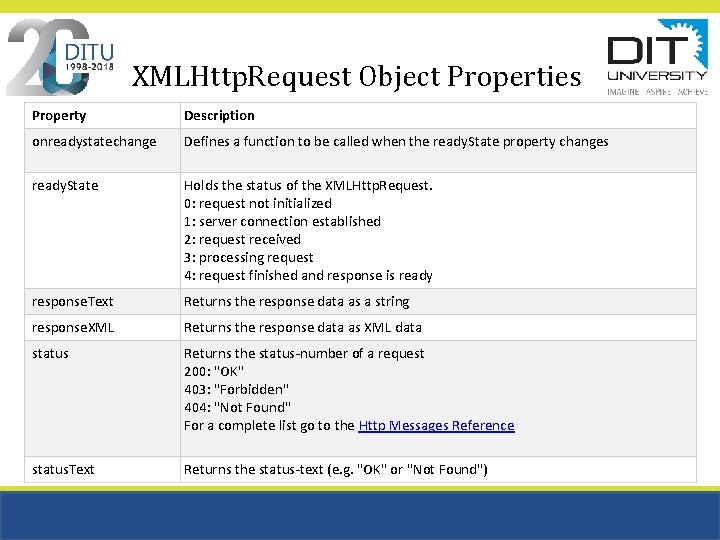
XMLHttp. Request Object Properties Property Description onreadystatechange Defines a function to be called when the ready. State property changes ready. State Holds the status of the XMLHttp. Request. 0: request not initialized 1: server connection established 2: request received 3: processing request 4: request finished and response is ready response. Text Returns the response data as a string response. XML Returns the response data as XML data status Returns the status-number of a request 200: "OK" 403: "Forbidden" 404: "Not Found" For a complete list go to the Http Messages Reference status. Text Returns the status-text (e. g. "OK" or "Not Found")
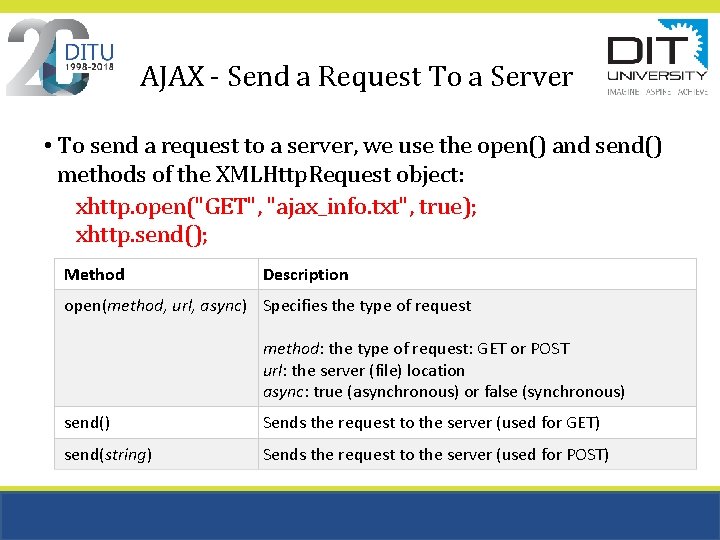
AJAX - Send a Request To a Server • To send a request to a server, we use the open() and send() methods of the XMLHttp. Request object: xhttp. open("GET", "ajax_info. txt", true); xhttp. send(); Method Description open(method, url, async) Specifies the type of request method: the type of request: GET or POST url: the server (file) location async: true (asynchronous) or false (synchronous) send() Sends the request to the server (used for GET) send(string) Sends the request to the server (used for POST)
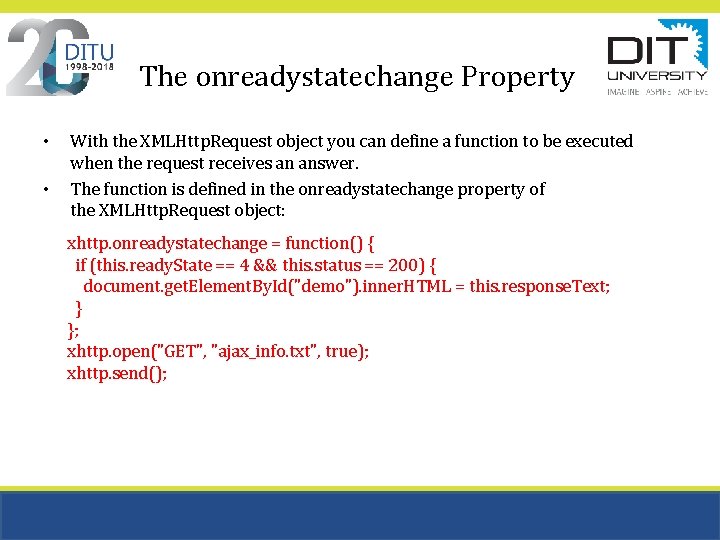
The onreadystatechange Property • • With the XMLHttp. Request object you can define a function to be executed when the request receives an answer. The function is defined in the onreadystatechange property of the XMLHttp. Request object: xhttp. onreadystatechange = function() { if (this. ready. State == 4 && this. status == 200) { document. get. Element. By. Id("demo"). inner. HTML = this. response. Text; } }; xhttp. open("GET", "ajax_info. txt", true); xhttp. send();
References • https: //www. w 3 schools. com/js/js_ajax_intro. asp Note: for example see example (. txt files)

THANK YOU
- Slides: 15