
WEB TECHNOLOGIES A COMPUTER SCIENCE PERSPECTIVE JEFFREY C
WEB TECHNOLOGIES A COMPUTER SCIENCE PERSPECTIVE JEFFREY C. JACKSON Chapter 2 Markup Languages: XHTML 1. 0 Jackson, Web Technologies: A Computer Science Perspective, © 2007 Prentice-Hall, Inc. All rights reserved. 0 -13 -185603 -0
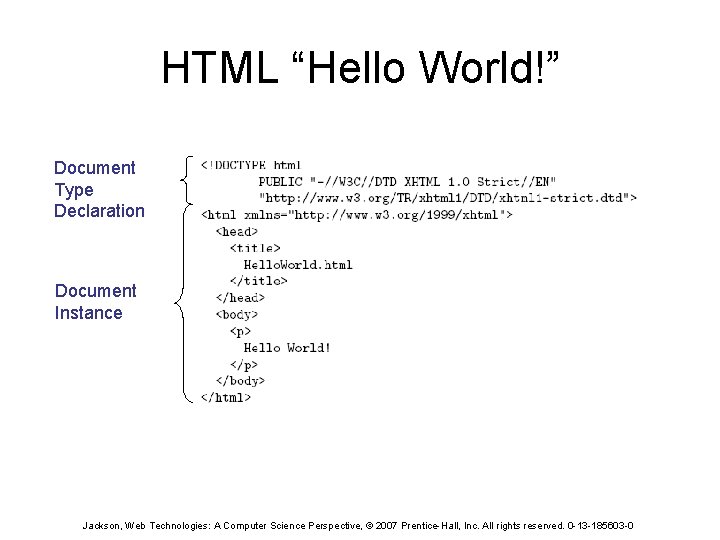
HTML “Hello World!” Document Type Declaration Document Instance Jackson, Web Technologies: A Computer Science Perspective, © 2007 Prentice-Hall, Inc. All rights reserved. 0 -13 -185603 -0
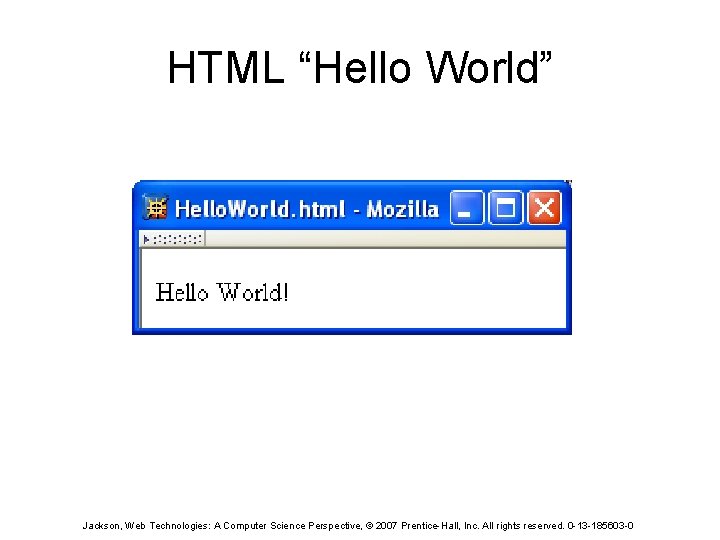
HTML “Hello World” Jackson, Web Technologies: A Computer Science Perspective, © 2007 Prentice-Hall, Inc. All rights reserved. 0 -13 -185603 -0
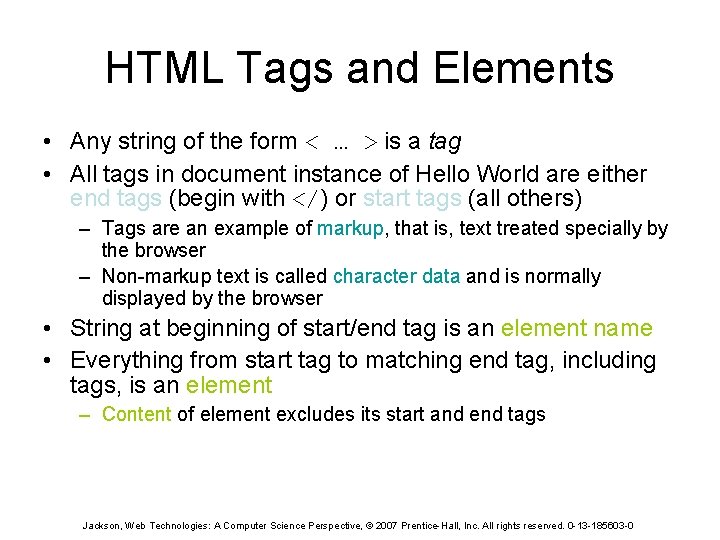
HTML Tags and Elements • Any string of the form < … > is a tag • All tags in document instance of Hello World are either end tags (begin with </) or start tags (all others) – Tags are an example of markup, that is, text treated specially by the browser – Non-markup text is called character data and is normally displayed by the browser • String at beginning of start/end tag is an element name • Everything from start tag to matching end tag, including tags, is an element – Content of element excludes its start and end tags Jackson, Web Technologies: A Computer Science Perspective, © 2007 Prentice-Hall, Inc. All rights reserved. 0 -13 -185603 -0
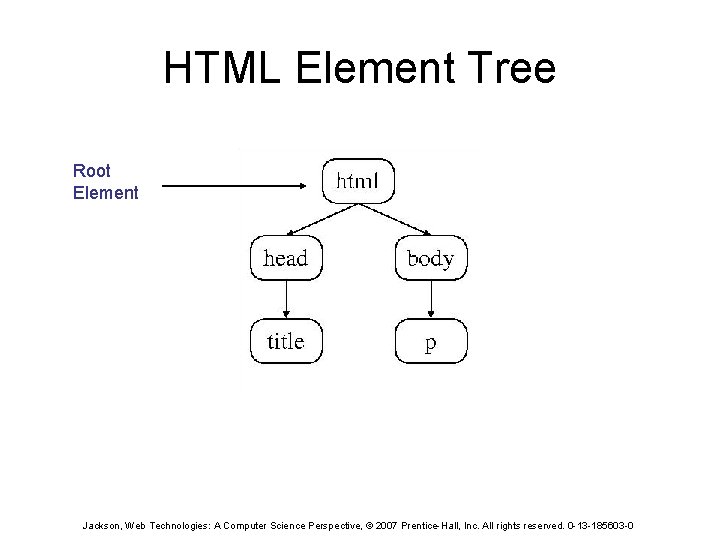
HTML Element Tree Root Element Jackson, Web Technologies: A Computer Science Perspective, © 2007 Prentice-Hall, Inc. All rights reserved. 0 -13 -185603 -0

HTML Root Element • Document type declaration specifies name of root element: <!DOCTYPE html • Root of HTML document must be html • XHTML 1. 0 (standard we will follow) requires that this element contain xmlns attribute specification (name/value pair) Jackson, Web Technologies: A Computer Science Perspective, © 2007 Prentice-Hall, Inc. All rights reserved. 0 -13 -185603 -0
HTML head and body Elements • The body element contains information displayed in the browser client area • The head element contains information used for other purposes by the browser: – title (shown in title bar of browser window) – scripts (client-side programs) – style (display) information – etc. Jackson, Web Technologies: A Computer Science Perspective, © 2007 Prentice-Hall, Inc. All rights reserved. 0 -13 -185603 -0
HTML History • 1990: HTML invented by Tim Berners-Lee • 1993: Mosaic browser adds support for images, sound, video to HTML • 1994 -~1997: “Browser wars” between Netscape and Microsoft, HTML defined operationally by browser support • ~1997 -present: Increasingly, World-Wide Web Consortium (W 3 C) recommendations define HTML Jackson, Web Technologies: A Computer Science Perspective, © 2007 Prentice-Hall, Inc. All rights reserved. 0 -13 -185603 -0
HTML Versions • HTML 4. 01 (Dec 1999) syntax defined using Standard Generalized Markup Language (SGML) • XHTML 1. 0 (Jan 2000) syntax defined using Extensible Markup Language (XML) • Primary differences: – HTML allows some tag omissions (e. g. , end tags) – XHTML element and attribute names are lower case (HTML names are case-insensitive) – XHTML requires that attribute values be quoted Jackson, Web Technologies: A Computer Science Perspective, © 2007 Prentice-Hall, Inc. All rights reserved. 0 -13 -185603 -0
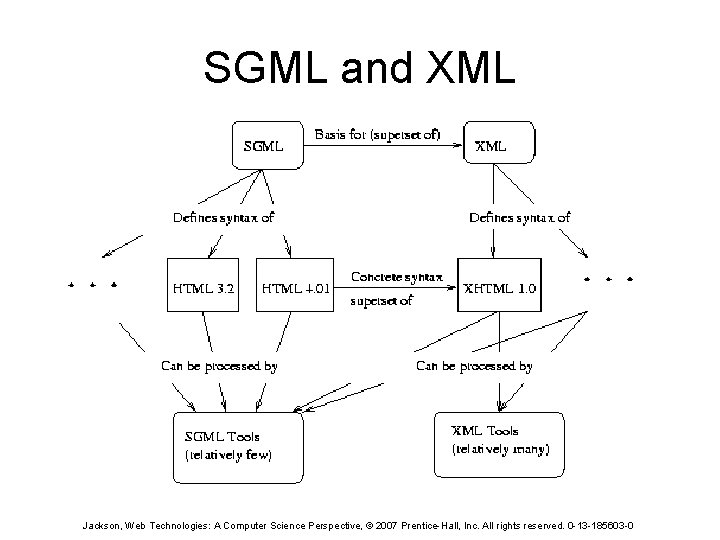
SGML and XML Jackson, Web Technologies: A Computer Science Perspective, © 2007 Prentice-Hall, Inc. All rights reserved. 0 -13 -185603 -0
HTML “Flavors” • For HTML 4. 01 and XHTML 1. 0, the document type declaration can be used to select one of three “flavors”: – Strict: W 3 C ideal – Transitional: Includes deprecated elements and attributes (W 3 C recommends use of style sheets instead) – Frameset: Supports frames (subwindows within the client area) Jackson, Web Technologies: A Computer Science Perspective, © 2007 Prentice-Hall, Inc. All rights reserved. 0 -13 -185603 -0
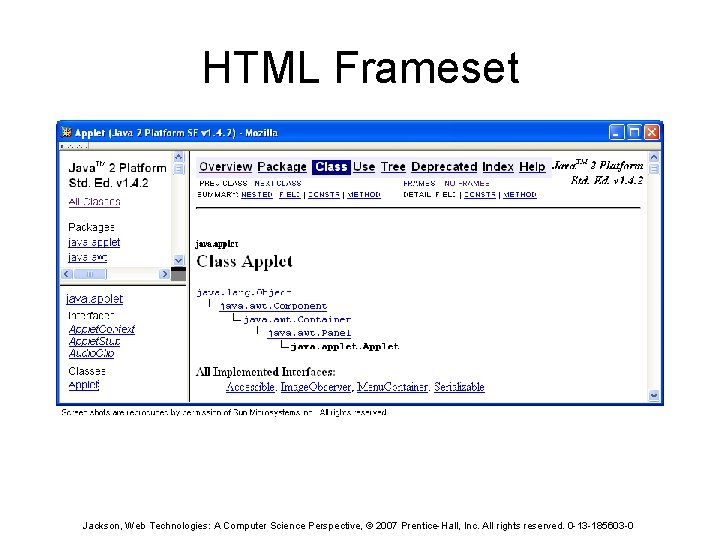
HTML Frameset Jackson, Web Technologies: A Computer Science Perspective, © 2007 Prentice-Hall, Inc. All rights reserved. 0 -13 -185603 -0
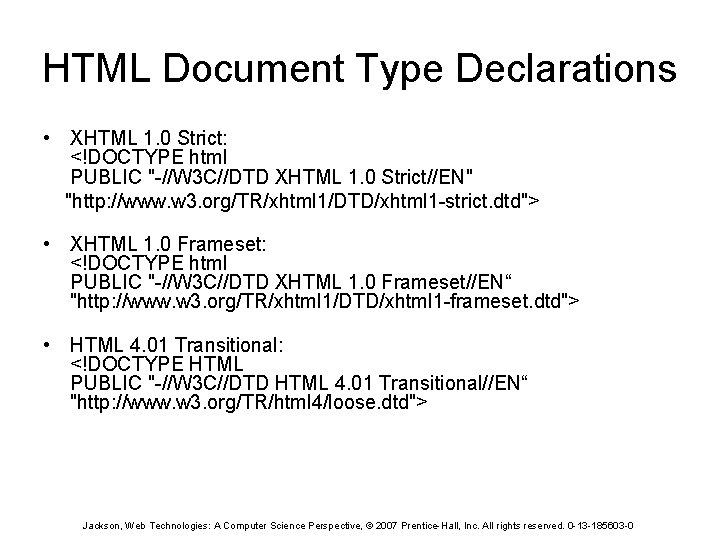
HTML Document Type Declarations • XHTML 1. 0 Strict: <!DOCTYPE html PUBLIC "-//W 3 C//DTD XHTML 1. 0 Strict//EN" "http: //www. w 3. org/TR/xhtml 1/DTD/xhtml 1 -strict. dtd"> • XHTML 1. 0 Frameset: <!DOCTYPE html PUBLIC "-//W 3 C//DTD XHTML 1. 0 Frameset//EN“ "http: //www. w 3. org/TR/xhtml 1/DTD/xhtml 1 -frameset. dtd"> • HTML 4. 01 Transitional: <!DOCTYPE HTML PUBLIC "-//W 3 C//DTD HTML 4. 01 Transitional//EN“ "http: //www. w 3. org/TR/html 4/loose. dtd"> Jackson, Web Technologies: A Computer Science Perspective, © 2007 Prentice-Hall, Inc. All rights reserved. 0 -13 -185603 -0
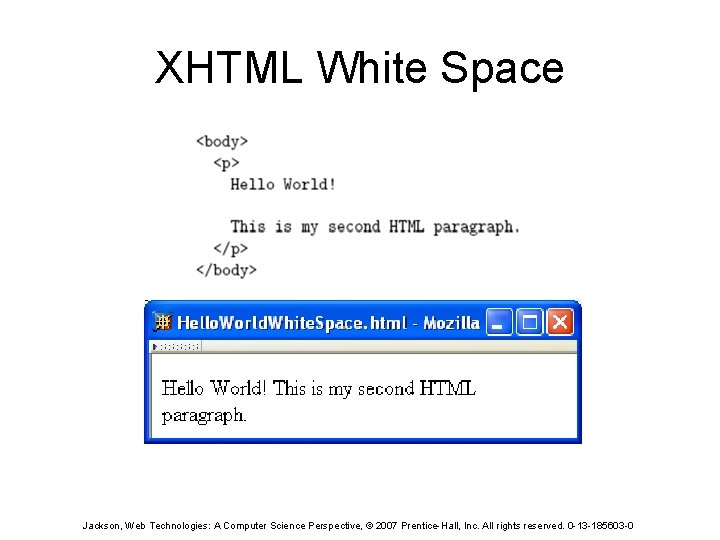
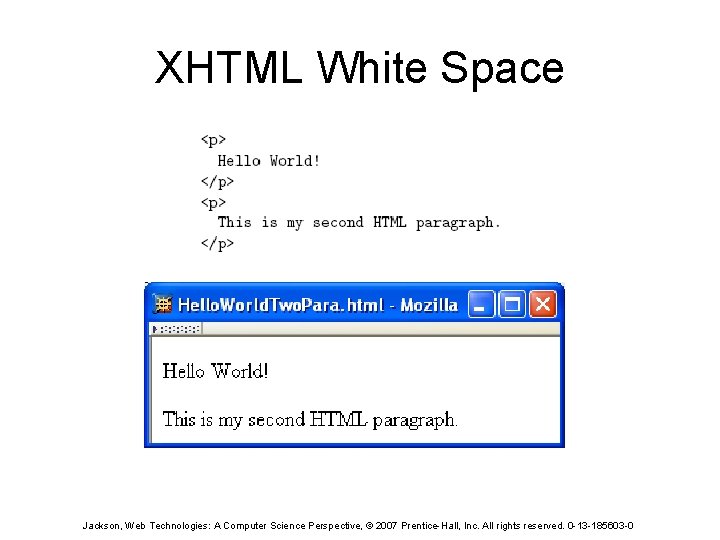
XHTML White Space • Four white space characters: carriage return, line feed, space, horizontal tab • Normally, character data is normalized: – All white space is converted to space characters – Leading and trailing spaces are trimmed – Multiple consecutive space characters are replaced by a single space character Jackson, Web Technologies: A Computer Science Perspective, © 2007 Prentice-Hall, Inc. All rights reserved. 0 -13 -185603 -0
XHTML White Space Jackson, Web Technologies: A Computer Science Perspective, © 2007 Prentice-Hall, Inc. All rights reserved. 0 -13 -185603 -0
XHTML White Space Jackson, Web Technologies: A Computer Science Perspective, © 2007 Prentice-Hall, Inc. All rights reserved. 0 -13 -185603 -0
Unrecognized HTML Elements Misspelled element name Jackson, Web Technologies: A Computer Science Perspective, © 2007 Prentice-Hall, Inc. All rights reserved. 0 -13 -185603 -0
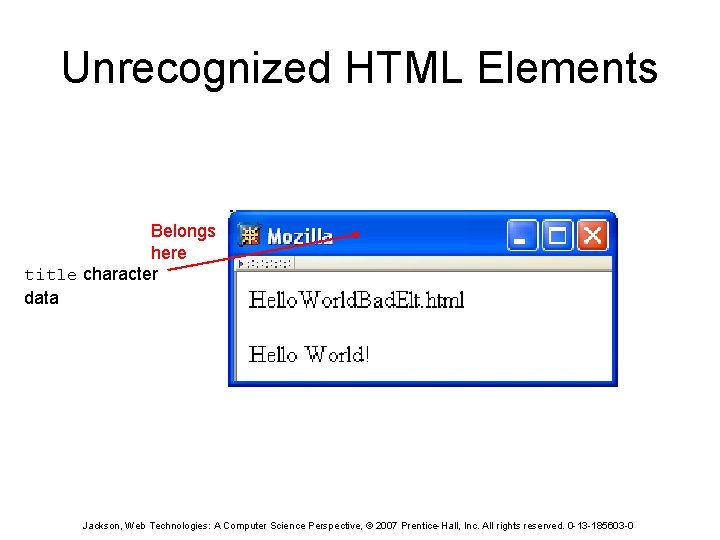
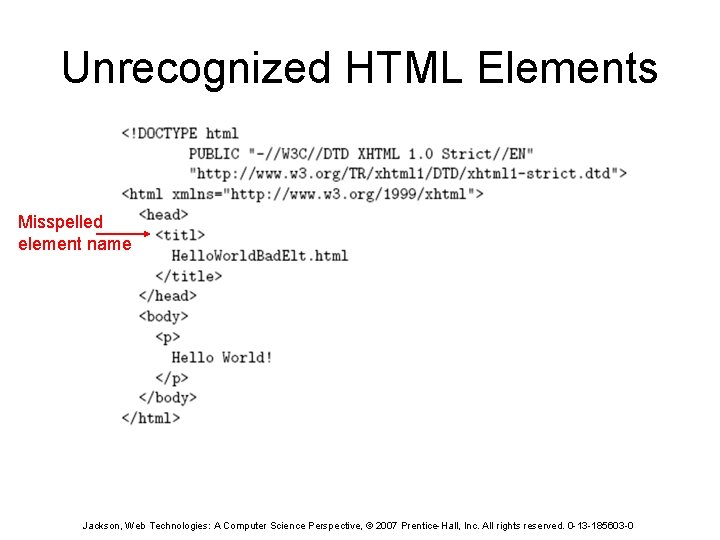
Unrecognized HTML Elements Belongs here title character data Jackson, Web Technologies: A Computer Science Perspective, © 2007 Prentice-Hall, Inc. All rights reserved. 0 -13 -185603 -0
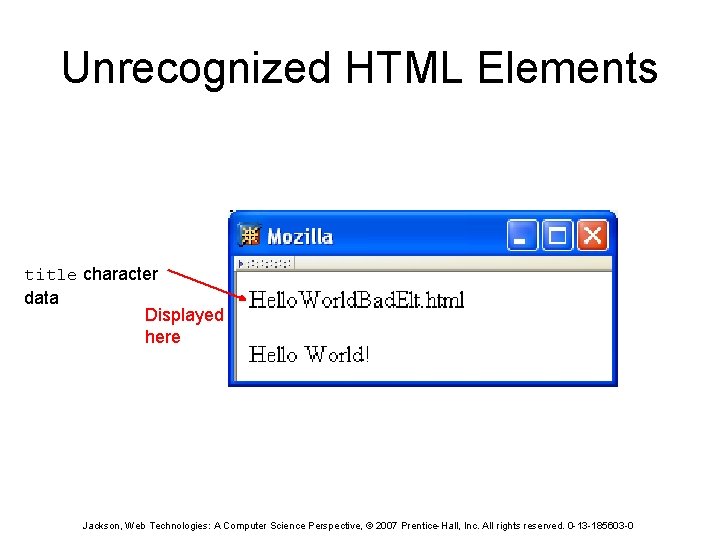
Unrecognized HTML Elements title character data Displayed here Jackson, Web Technologies: A Computer Science Perspective, © 2007 Prentice-Hall, Inc. All rights reserved. 0 -13 -185603 -0
Unrecognized HTML Elements • Browsers ignore tags with unrecognized element names, attribute specifications with unrecognized attribute names – Allows evolution of HTML while older browsers are still in use • Implication: an HTML document may have errors even if it displays properly • Should use an HTML validator to check syntax Jackson, Web Technologies: A Computer Science Perspective, © 2007 Prentice-Hall, Inc. All rights reserved. 0 -13 -185603 -0
HTML References • Since < marks the beginning of a tag, how do you include a < in an HTML document? • Use markup known as a reference • Two types: – Character reference specifies a character by its Unicode point • For <, use < or &#x 3 C; or &#x 3 c; – Entity reference specifies a character by an HTMLdefined name • For <, use < Jackson, Web Technologies: A Computer Science Perspective, © 2007 Prentice-Hall, Inc. All rights reserved. 0 -13 -185603 -0
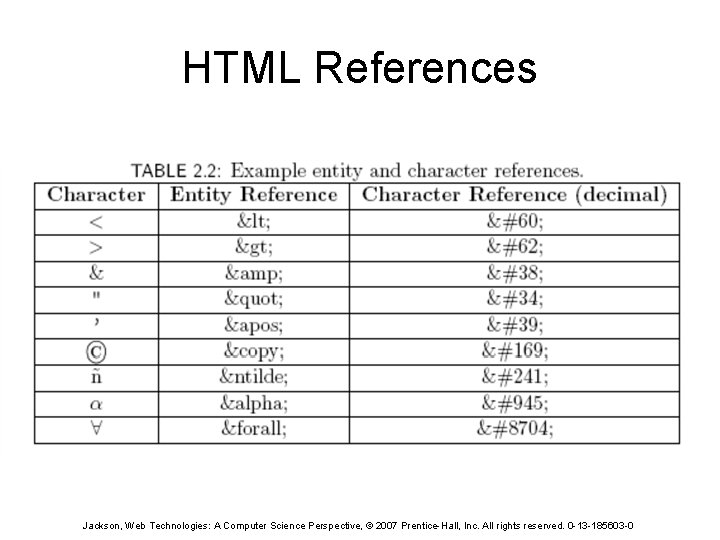
HTML References Jackson, Web Technologies: A Computer Science Perspective, © 2007 Prentice-Hall, Inc. All rights reserved. 0 -13 -185603 -0
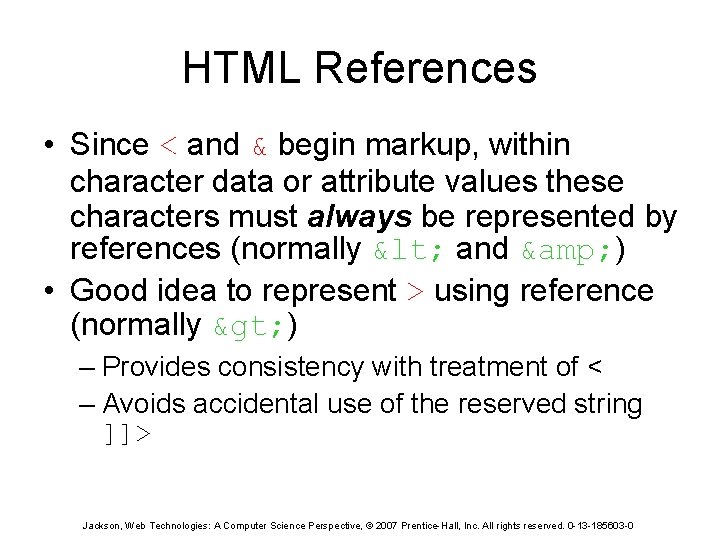
HTML References • Since < and & begin markup, within character data or attribute values these characters must always be represented by references (normally < and & ) • Good idea to represent > using reference (normally > ) – Provides consistency with treatment of < – Avoids accidental use of the reserved string ]]> Jackson, Web Technologies: A Computer Science Perspective, © 2007 Prentice-Hall, Inc. All rights reserved. 0 -13 -185603 -0
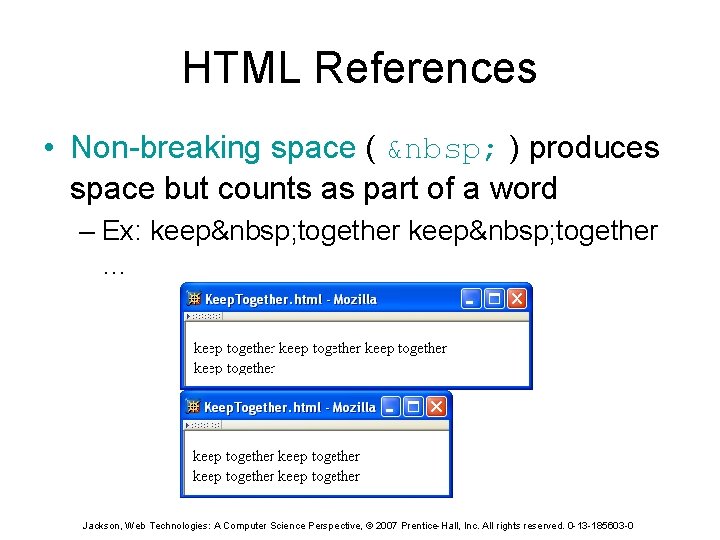
HTML References • Non-breaking space ( ) produces space but counts as part of a word – Ex: keep together … Jackson, Web Technologies: A Computer Science Perspective, © 2007 Prentice-Hall, Inc. All rights reserved. 0 -13 -185603 -0
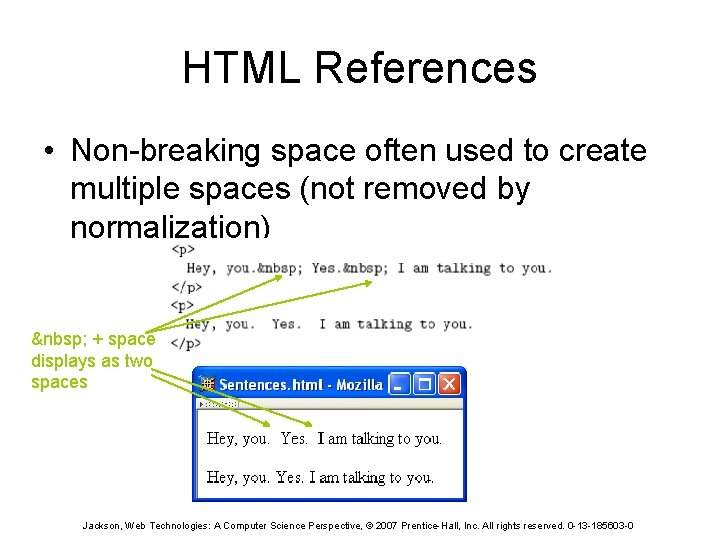
HTML References • Non-breaking space often used to create multiple spaces (not removed by normalization) + space displays as two spaces Jackson, Web Technologies: A Computer Science Perspective, © 2007 Prentice-Hall, Inc. All rights reserved. 0 -13 -185603 -0
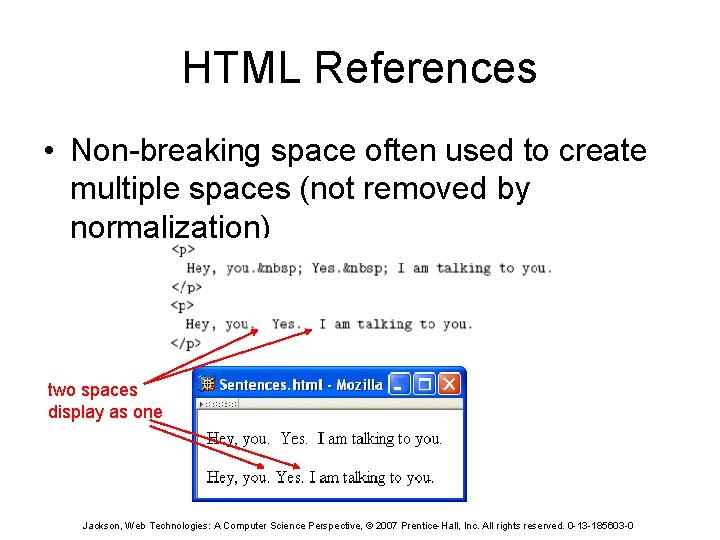
HTML References • Non-breaking space often used to create multiple spaces (not removed by normalization) two spaces display as one Jackson, Web Technologies: A Computer Science Perspective, © 2007 Prentice-Hall, Inc. All rights reserved. 0 -13 -185603 -0
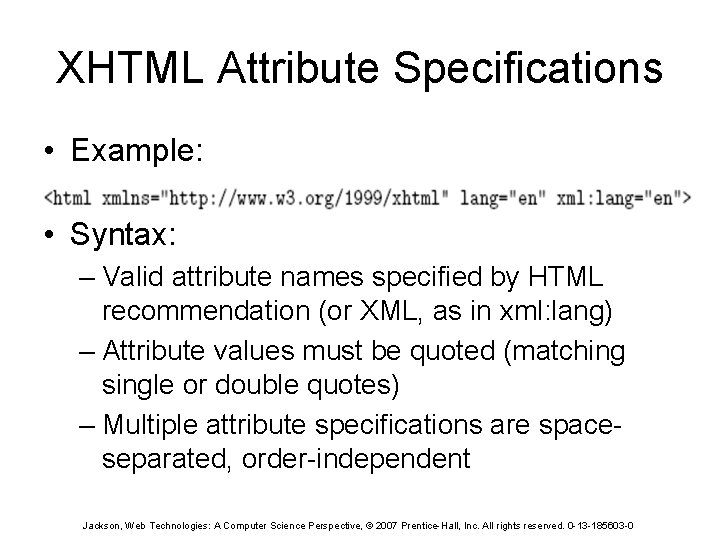
XHTML Attribute Specifications • Example: • Syntax: – Valid attribute names specified by HTML recommendation (or XML, as in xml: lang) – Attribute values must be quoted (matching single or double quotes) – Multiple attribute specifications are spaceseparated, order-independent Jackson, Web Technologies: A Computer Science Perspective, © 2007 Prentice-Hall, Inc. All rights reserved. 0 -13 -185603 -0
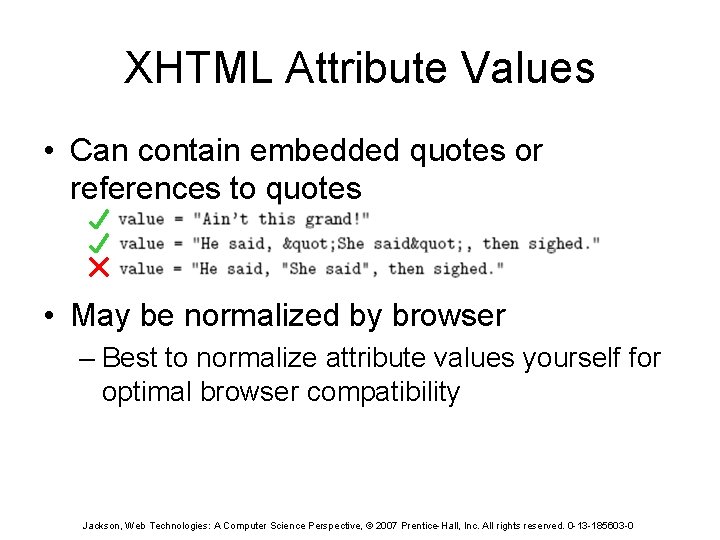
XHTML Attribute Values • Can contain embedded quotes or references to quotes • May be normalized by browser – Best to normalize attribute values yourself for optimal browser compatibility Jackson, Web Technologies: A Computer Science Perspective, © 2007 Prentice-Hall, Inc. All rights reserved. 0 -13 -185603 -0
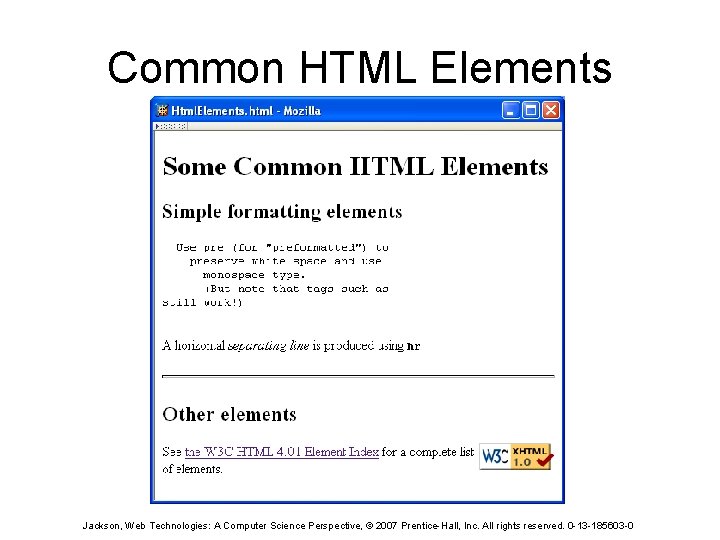
Common HTML Elements Jackson, Web Technologies: A Computer Science Perspective, © 2007 Prentice-Hall, Inc. All rights reserved. 0 -13 -185603 -0
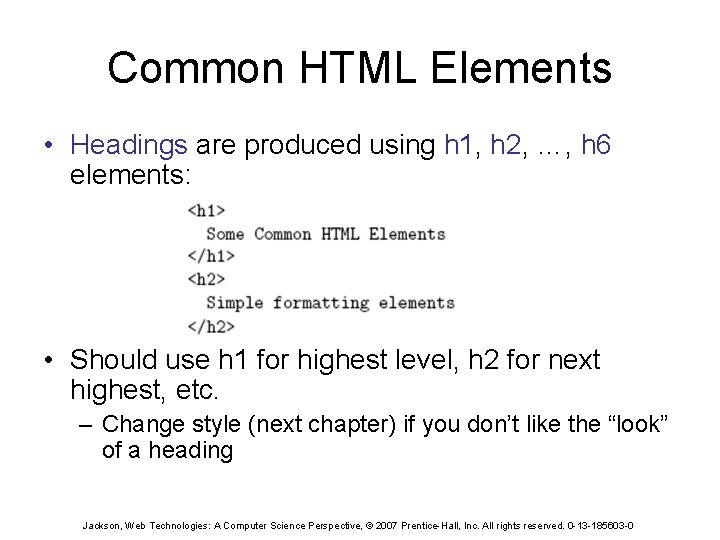
Common HTML Elements • Headings are produced using h 1, h 2, …, h 6 elements: • Should use h 1 for highest level, h 2 for next highest, etc. – Change style (next chapter) if you don’t like the “look” of a heading Jackson, Web Technologies: A Computer Science Perspective, © 2007 Prentice-Hall, Inc. All rights reserved. 0 -13 -185603 -0
Common HTML Elements Jackson, Web Technologies: A Computer Science Perspective, © 2007 Prentice-Hall, Inc. All rights reserved. 0 -13 -185603 -0
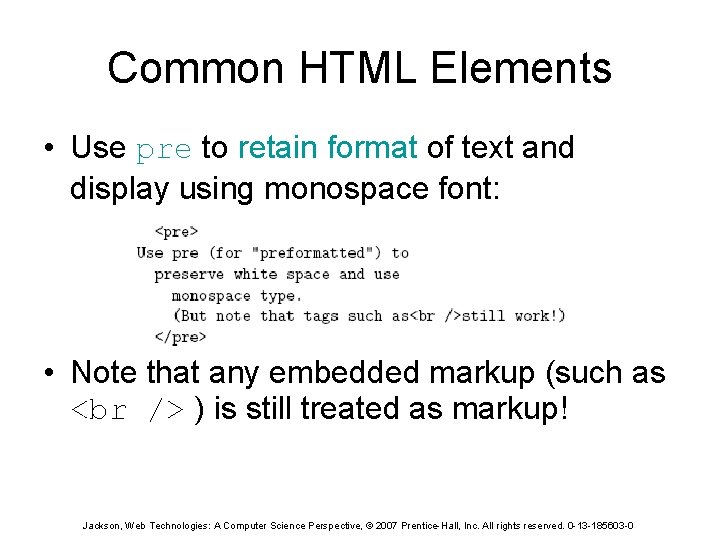
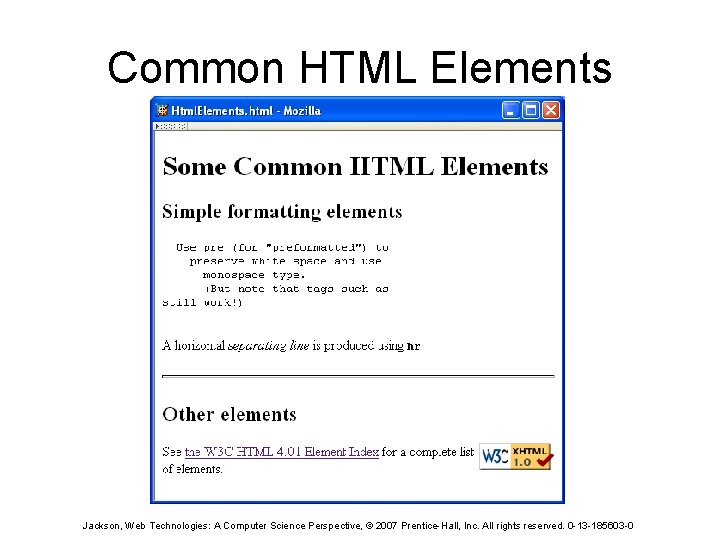
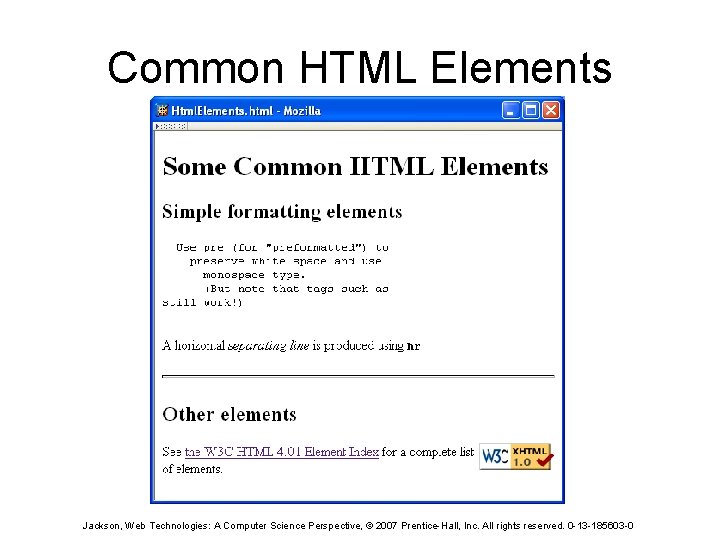
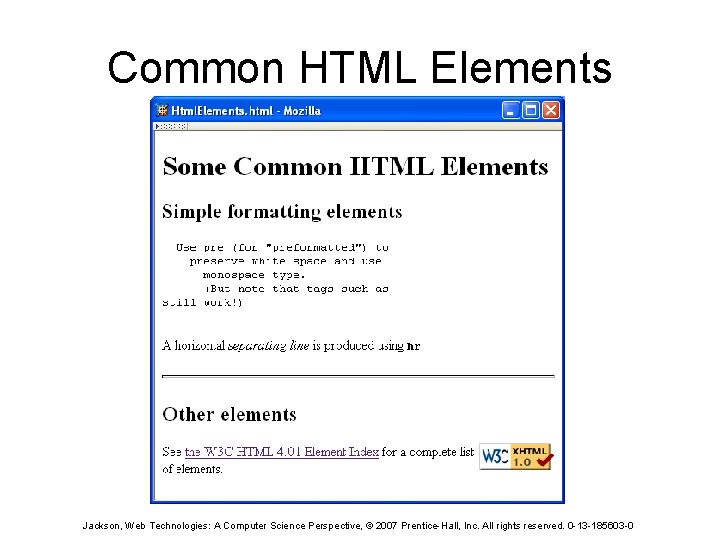
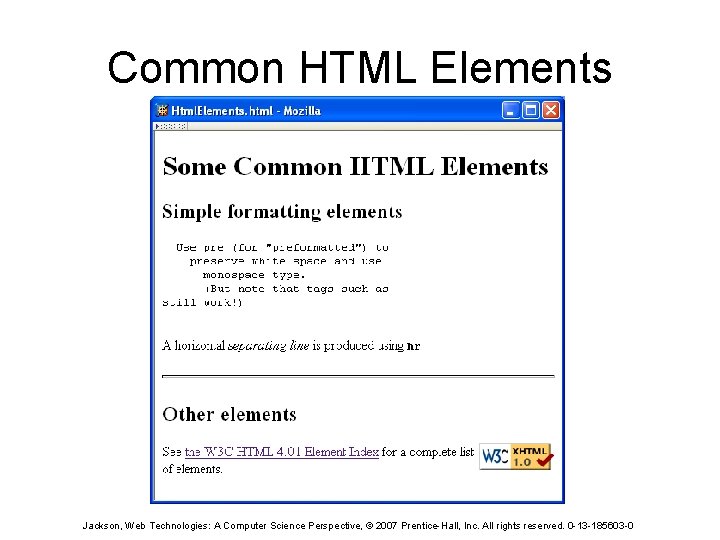
Common HTML Elements • Use pre to retain format of text and display using monospace font: • Note that any embedded markup (such as ) is still treated as markup! Jackson, Web Technologies: A Computer Science Perspective, © 2007 Prentice-Hall, Inc. All rights reserved. 0 -13 -185603 -0
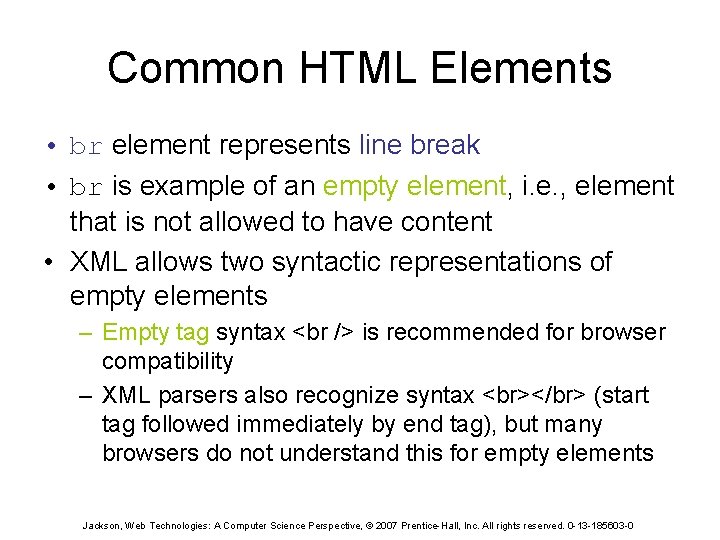
Common HTML Elements • br element represents line break • br is example of an empty element, i. e. , element that is not allowed to have content • XML allows two syntactic representations of empty elements – Empty tag syntax is recommended for browser compatibility – XML parsers also recognize syntax </br> (start tag followed immediately by end tag), but many browsers do not understand this for empty elements Jackson, Web Technologies: A Computer Science Perspective, © 2007 Prentice-Hall, Inc. All rights reserved. 0 -13 -185603 -0
Common HTML Elements Jackson, Web Technologies: A Computer Science Perspective, © 2007 Prentice-Hall, Inc. All rights reserved. 0 -13 -185603 -0
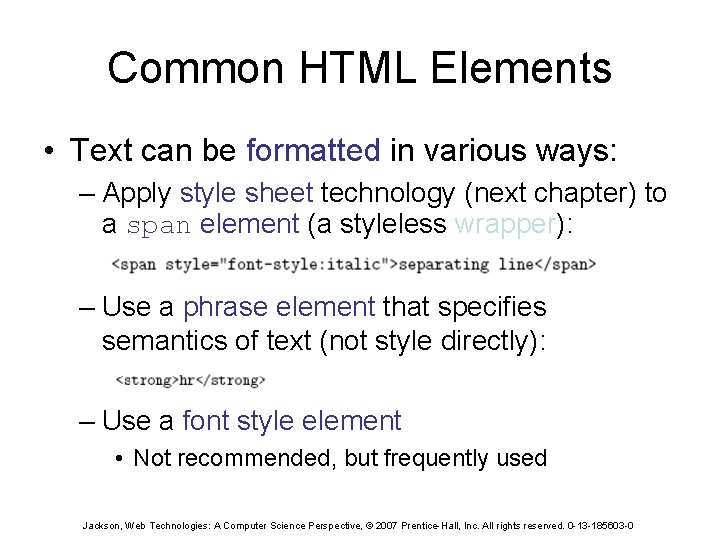
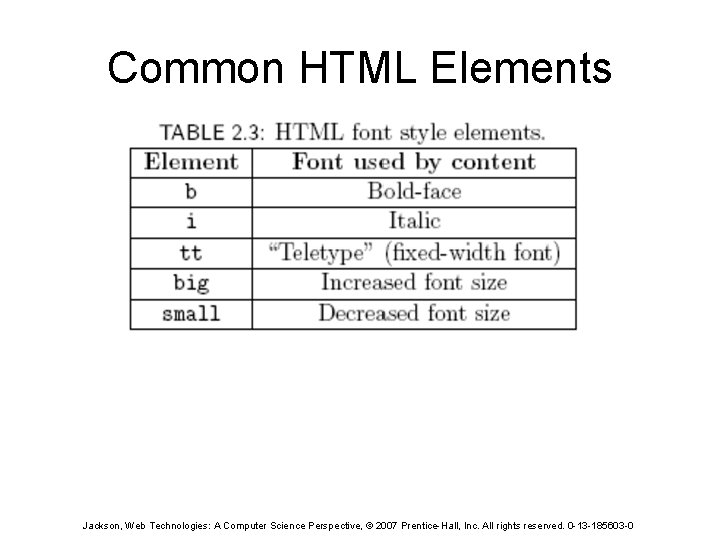
Common HTML Elements • Text can be formatted in various ways: – Apply style sheet technology (next chapter) to a span element (a styleless wrapper): – Use a phrase element that specifies semantics of text (not style directly): – Use a font style element • Not recommended, but frequently used Jackson, Web Technologies: A Computer Science Perspective, © 2007 Prentice-Hall, Inc. All rights reserved. 0 -13 -185603 -0
Common HTML Elements Jackson, Web Technologies: A Computer Science Perspective, © 2007 Prentice-Hall, Inc. All rights reserved. 0 -13 -185603 -0
Common HTML Elements Jackson, Web Technologies: A Computer Science Perspective, © 2007 Prentice-Hall, Inc. All rights reserved. 0 -13 -185603 -0
Common HTML Elements • Horizontal rule is produced using hr • Also an empty element • Style can be modified using style sheet technology Jackson, Web Technologies: A Computer Science Perspective, © 2007 Prentice-Hall, Inc. All rights reserved. 0 -13 -185603 -0
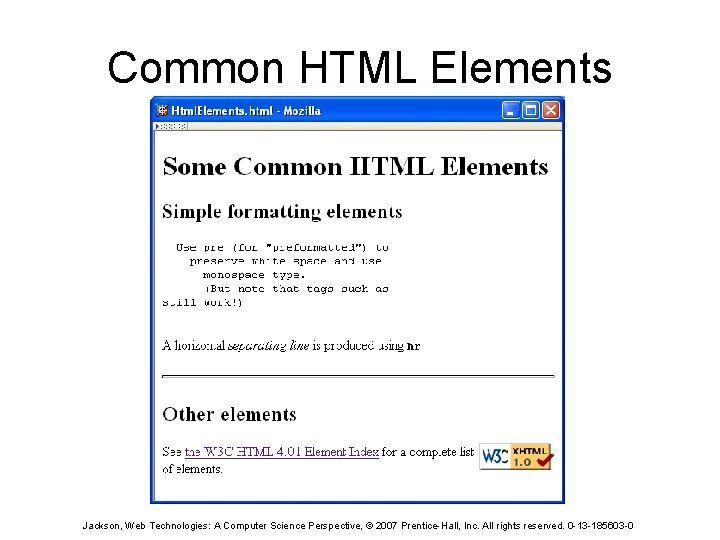
Common HTML Elements Jackson, Web Technologies: A Computer Science Perspective, © 2007 Prentice-Hall, Inc. All rights reserved. 0 -13 -185603 -0
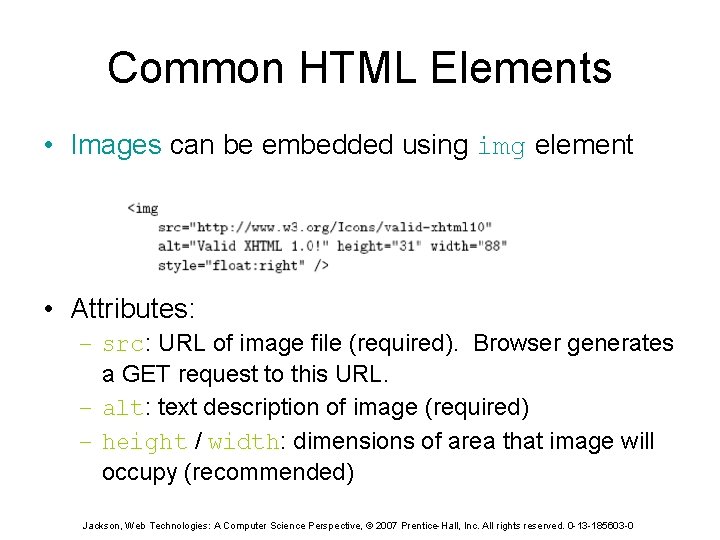
Common HTML Elements • Images can be embedded using img element • Attributes: – src: URL of image file (required). Browser generates a GET request to this URL. – alt: text description of image (required) – height / width: dimensions of area that image will occupy (recommended) Jackson, Web Technologies: A Computer Science Perspective, © 2007 Prentice-Hall, Inc. All rights reserved. 0 -13 -185603 -0
Common HTML Elements • If height and width not specified for image, then browser may need to rearrange the client area after downloading the image (poor user interface for Web page) • If height and width specified are not the same as the original dimensions of image, browser will resize the image • Default units for height and width are “picture elements” (pixels) – Can specify percentage of client area using string such as “ 50%” Jackson, Web Technologies: A Computer Science Perspective, © 2007 Prentice-Hall, Inc. All rights reserved. 0 -13 -185603 -0
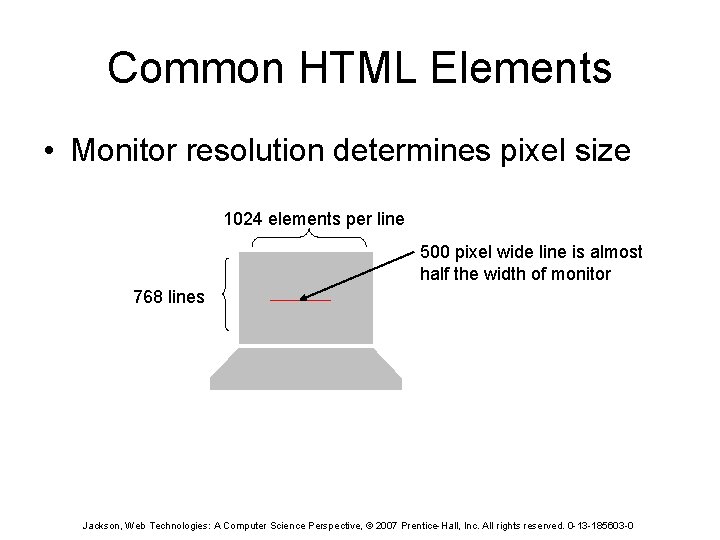
Common HTML Elements • Monitor resolution determines pixel size 1024 elements per line 500 pixel wide line is almost half the width of monitor 768 lines Jackson, Web Technologies: A Computer Science Perspective, © 2007 Prentice-Hall, Inc. All rights reserved. 0 -13 -185603 -0
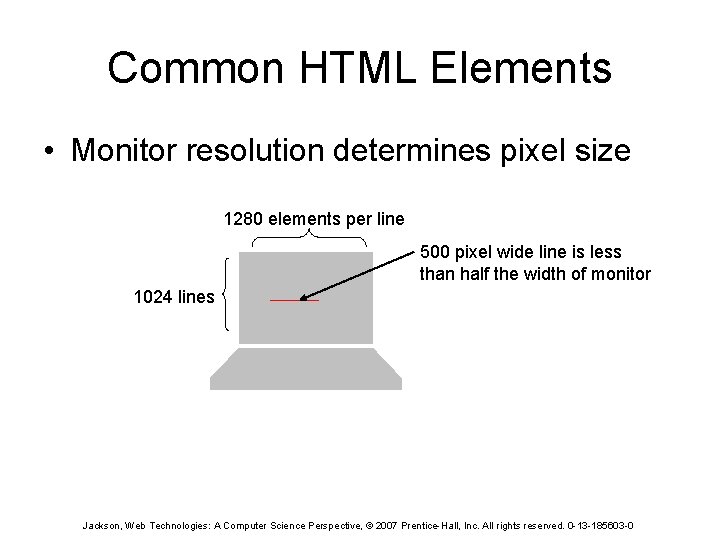
Common HTML Elements • Monitor resolution determines pixel size 1280 elements per line 500 pixel wide line is less than half the width of monitor 1024 lines Jackson, Web Technologies: A Computer Science Perspective, © 2007 Prentice-Hall, Inc. All rights reserved. 0 -13 -185603 -0
Common HTML Elements Jackson, Web Technologies: A Computer Science Perspective, © 2007 Prentice-Hall, Inc. All rights reserved. 0 -13 -185603 -0
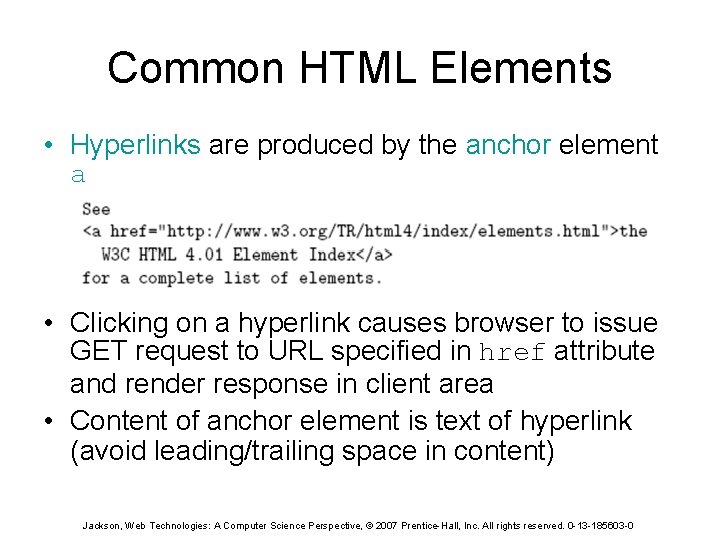
Common HTML Elements • Hyperlinks are produced by the anchor element a • Clicking on a hyperlink causes browser to issue GET request to URL specified in href attribute and render response in client area • Content of anchor element is text of hyperlink (avoid leading/trailing space in content) Jackson, Web Technologies: A Computer Science Perspective, © 2007 Prentice-Hall, Inc. All rights reserved. 0 -13 -185603 -0
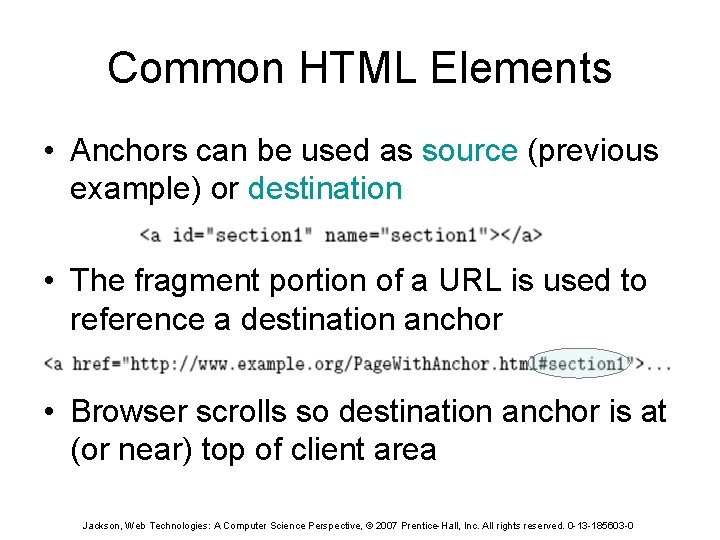
Common HTML Elements • Anchors can be used as source (previous example) or destination • The fragment portion of a URL is used to reference a destination anchor • Browser scrolls so destination anchor is at (or near) top of client area Jackson, Web Technologies: A Computer Science Perspective, © 2007 Prentice-Hall, Inc. All rights reserved. 0 -13 -185603 -0
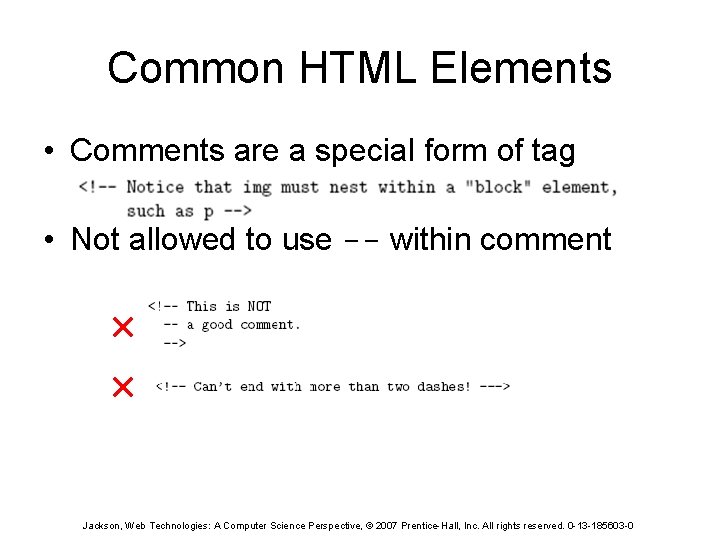
Common HTML Elements • Comments are a special form of tag • Not allowed to use -- within comment Jackson, Web Technologies: A Computer Science Perspective, © 2007 Prentice-Hall, Inc. All rights reserved. 0 -13 -185603 -0
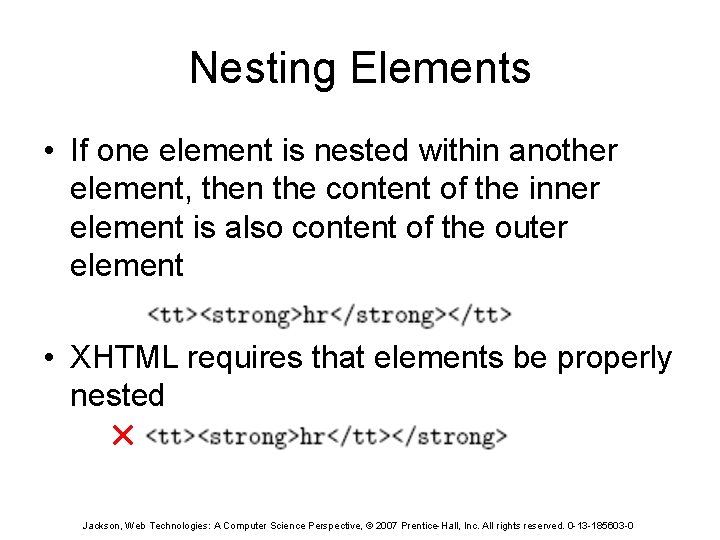
Nesting Elements • If one element is nested within another element, then the content of the inner element is also content of the outer element • XHTML requires that elements be properly nested Jackson, Web Technologies: A Computer Science Perspective, © 2007 Prentice-Hall, Inc. All rights reserved. 0 -13 -185603 -0
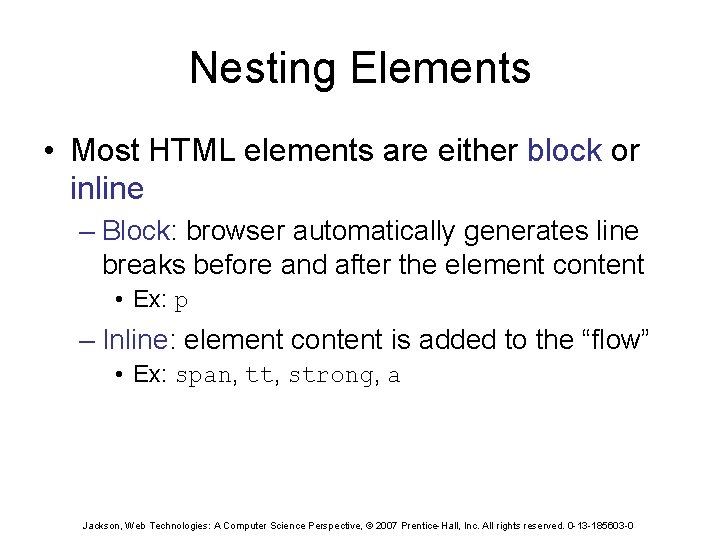
Nesting Elements • Most HTML elements are either block or inline – Block: browser automatically generates line breaks before and after the element content • Ex: p – Inline: element content is added to the “flow” • Ex: span, tt, strong, a Jackson, Web Technologies: A Computer Science Perspective, © 2007 Prentice-Hall, Inc. All rights reserved. 0 -13 -185603 -0
Nesting Elements • Syntactic rules of thumb: – Children of body must be blocks – Blocks can contain inline elements – Inline elements cannot contain blocks • Specific rules for each version of (X)HTML are defined using SGML or XML (covered later) Jackson, Web Technologies: A Computer Science Perspective, © 2007 Prentice-Hall, Inc. All rights reserved. 0 -13 -185603 -0
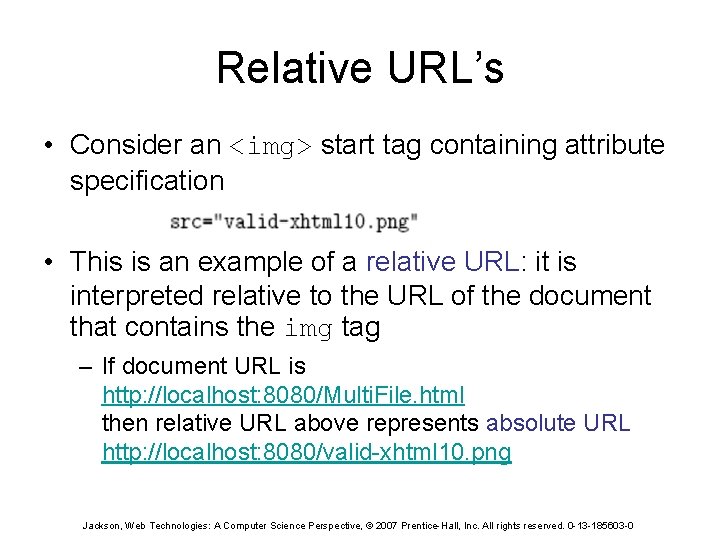
Relative URL’s • Consider an <img> start tag containing attribute specification • This is an example of a relative URL: it is interpreted relative to the URL of the document that contains the img tag – If document URL is http: //localhost: 8080/Multi. File. html then relative URL above represents absolute URL http: //localhost: 8080/valid-xhtml 10. png Jackson, Web Technologies: A Computer Science Perspective, © 2007 Prentice-Hall, Inc. All rights reserved. 0 -13 -185603 -0
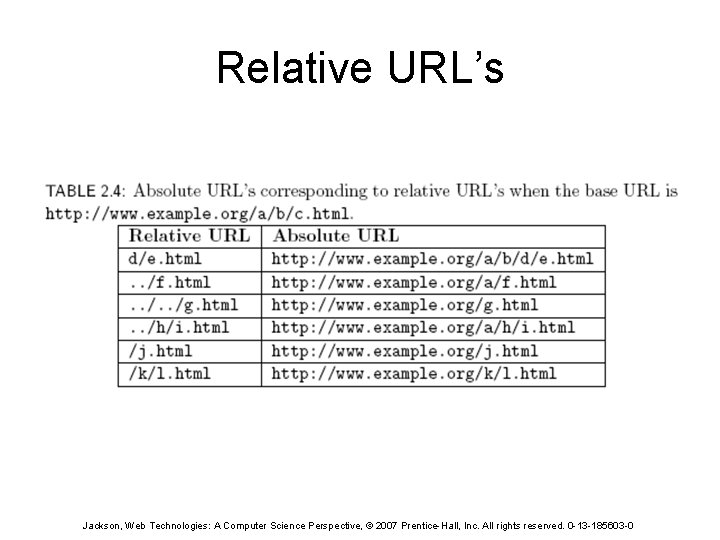
Relative URL’s Jackson, Web Technologies: A Computer Science Perspective, © 2007 Prentice-Hall, Inc. All rights reserved. 0 -13 -185603 -0
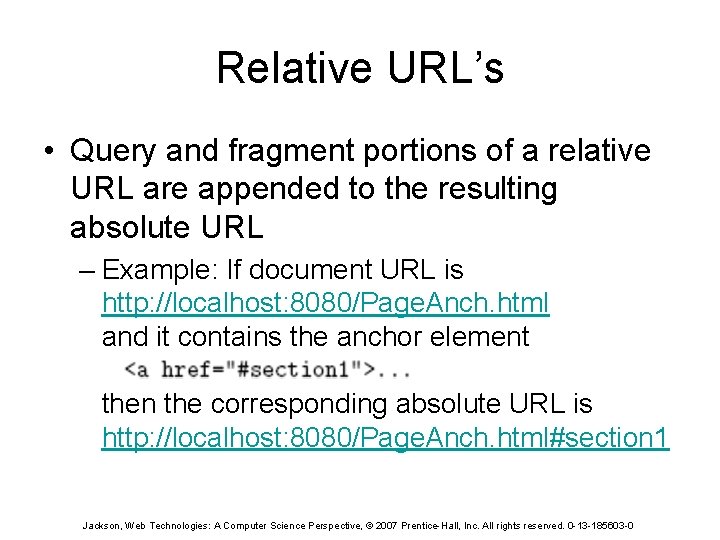
Relative URL’s • Query and fragment portions of a relative URL are appended to the resulting absolute URL – Example: If document URL is http: //localhost: 8080/Page. Anch. html and it contains the anchor element then the corresponding absolute URL is http: //localhost: 8080/Page. Anch. html#section 1 Jackson, Web Technologies: A Computer Science Perspective, © 2007 Prentice-Hall, Inc. All rights reserved. 0 -13 -185603 -0
Relative URL’s • Advantages: – Shorter than absolute URL’s – Primary: can change the URL of a document (e. g. , move document to a different directory or rename the server host) without needing to change URL’s within the document • Should use relative URL’s whenever possible Jackson, Web Technologies: A Computer Science Perspective, © 2007 Prentice-Hall, Inc. All rights reserved. 0 -13 -185603 -0
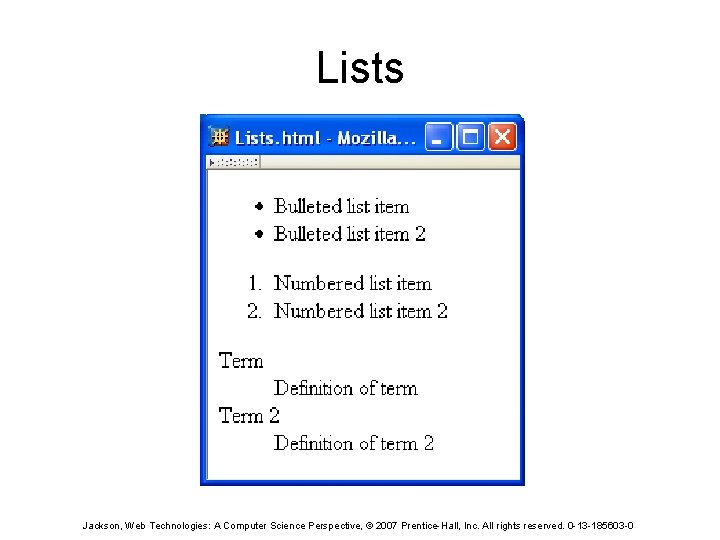
Lists Jackson, Web Technologies: A Computer Science Perspective, © 2007 Prentice-Hall, Inc. All rights reserved. 0 -13 -185603 -0
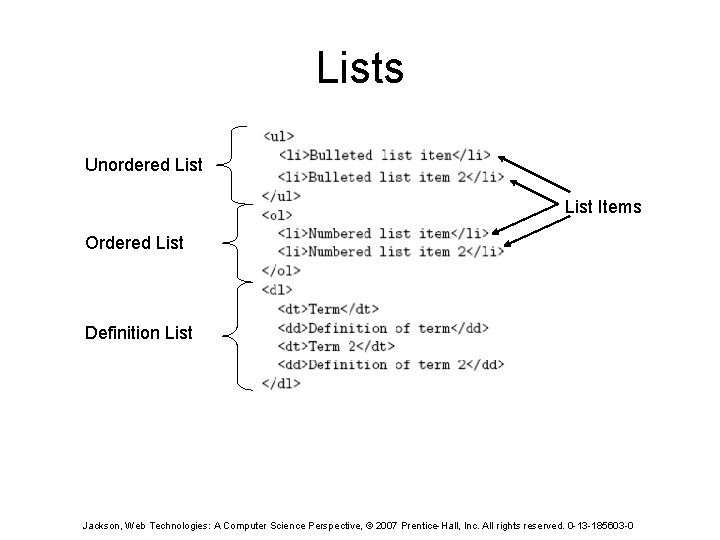
Lists Unordered List Items Ordered List Definition List Jackson, Web Technologies: A Computer Science Perspective, © 2007 Prentice-Hall, Inc. All rights reserved. 0 -13 -185603 -0
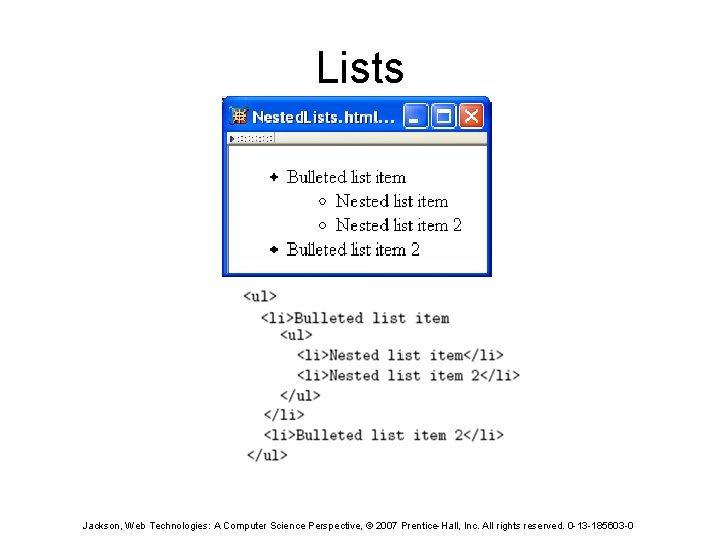
Lists Jackson, Web Technologies: A Computer Science Perspective, © 2007 Prentice-Hall, Inc. All rights reserved. 0 -13 -185603 -0
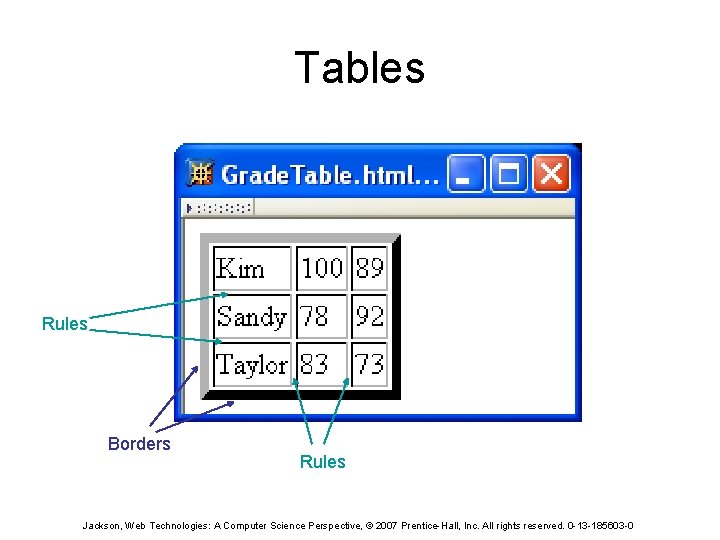
Tables Rules Borders Rules Jackson, Web Technologies: A Computer Science Perspective, © 2007 Prentice-Hall, Inc. All rights reserved. 0 -13 -185603 -0
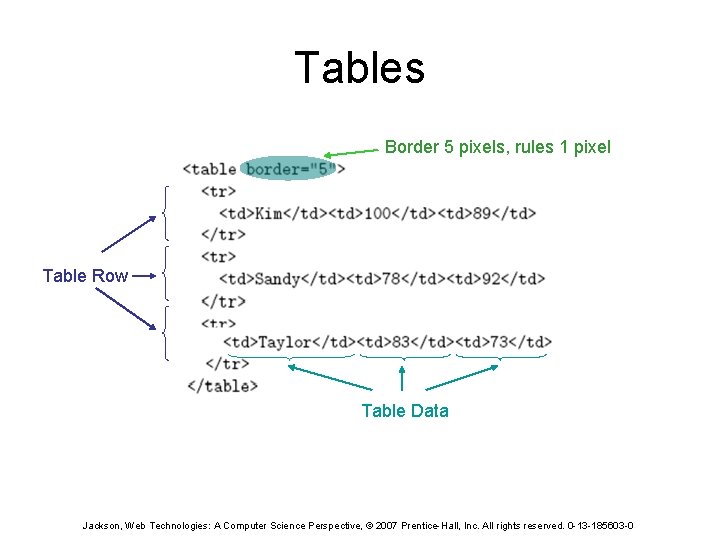
Tables Border 5 pixels, rules 1 pixel Table Row Table Data Jackson, Web Technologies: A Computer Science Perspective, © 2007 Prentice-Hall, Inc. All rights reserved. 0 -13 -185603 -0
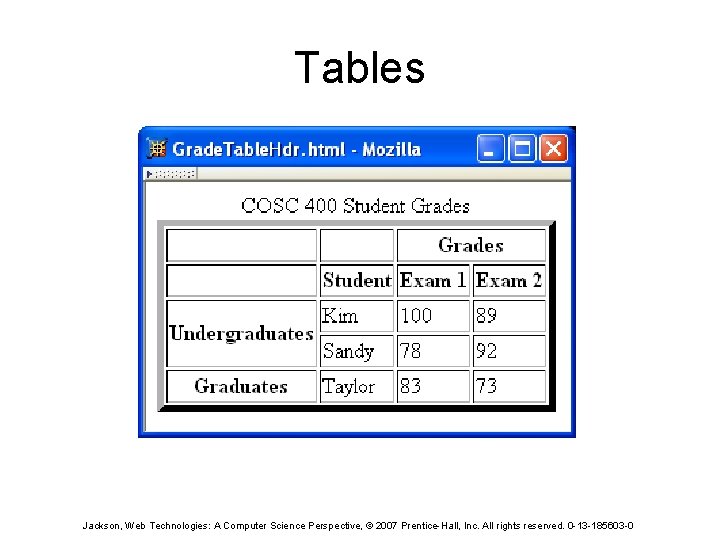
Tables Jackson, Web Technologies: A Computer Science Perspective, © 2007 Prentice-Hall, Inc. All rights reserved. 0 -13 -185603 -0
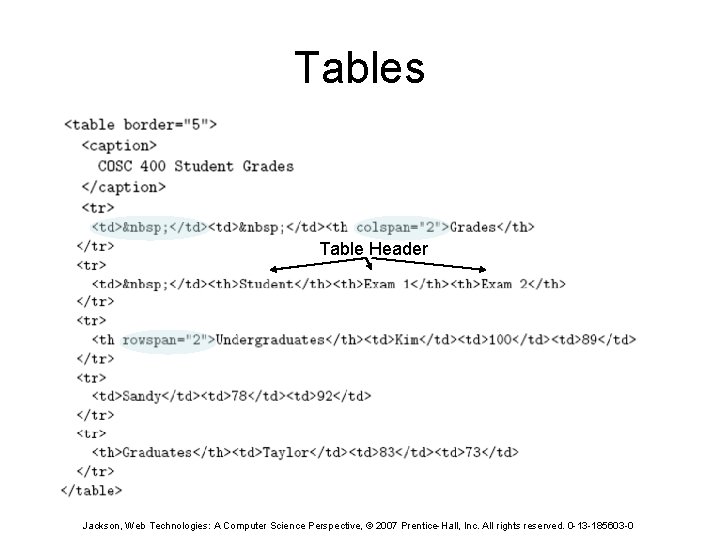
Tables Table Header Jackson, Web Technologies: A Computer Science Perspective, © 2007 Prentice-Hall, Inc. All rights reserved. 0 -13 -185603 -0
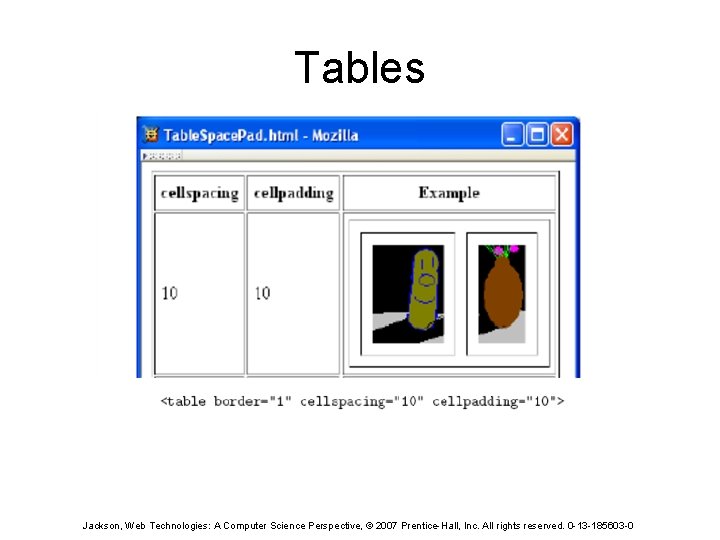
Tables Jackson, Web Technologies: A Computer Science Perspective, © 2007 Prentice-Hall, Inc. All rights reserved. 0 -13 -185603 -0
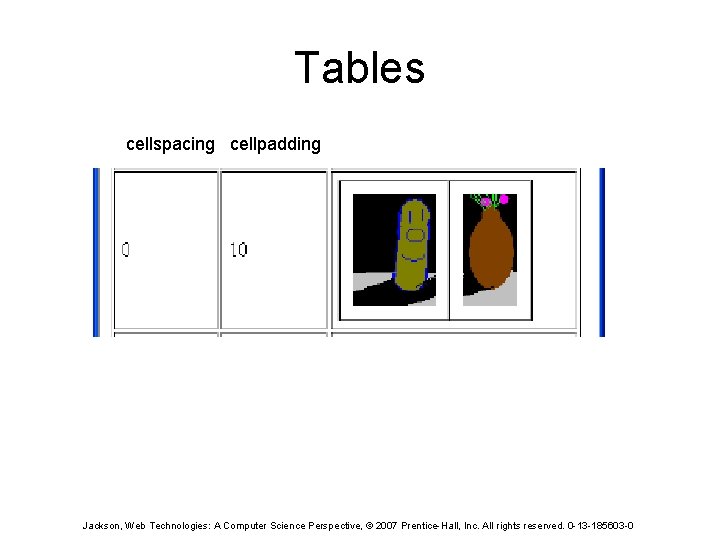
Tables cellspacing cellpadding Jackson, Web Technologies: A Computer Science Perspective, © 2007 Prentice-Hall, Inc. All rights reserved. 0 -13 -185603 -0
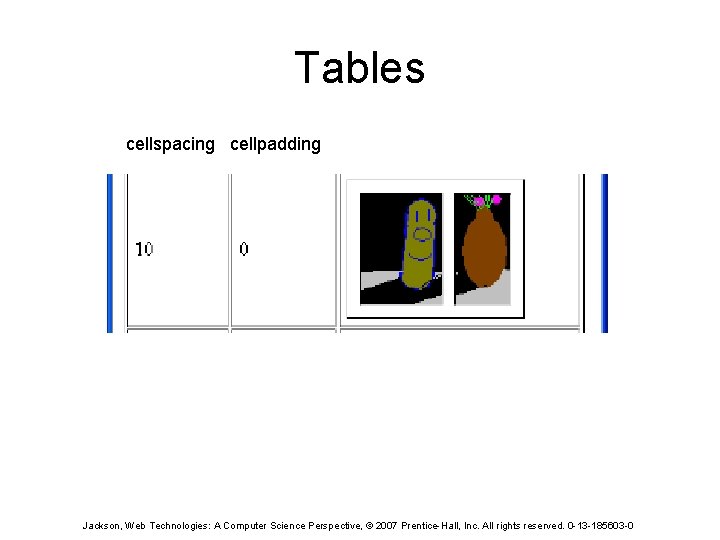
Tables cellspacing cellpadding Jackson, Web Technologies: A Computer Science Perspective, © 2007 Prentice-Hall, Inc. All rights reserved. 0 -13 -185603 -0
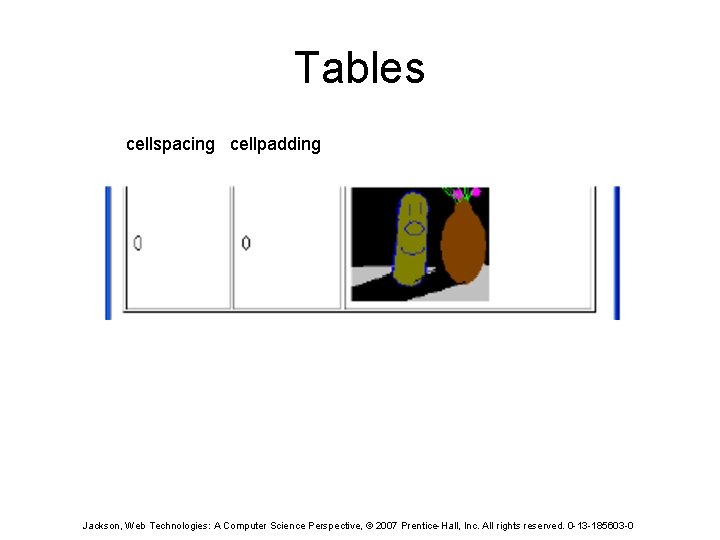
Tables cellspacing cellpadding Jackson, Web Technologies: A Computer Science Perspective, © 2007 Prentice-Hall, Inc. All rights reserved. 0 -13 -185603 -0
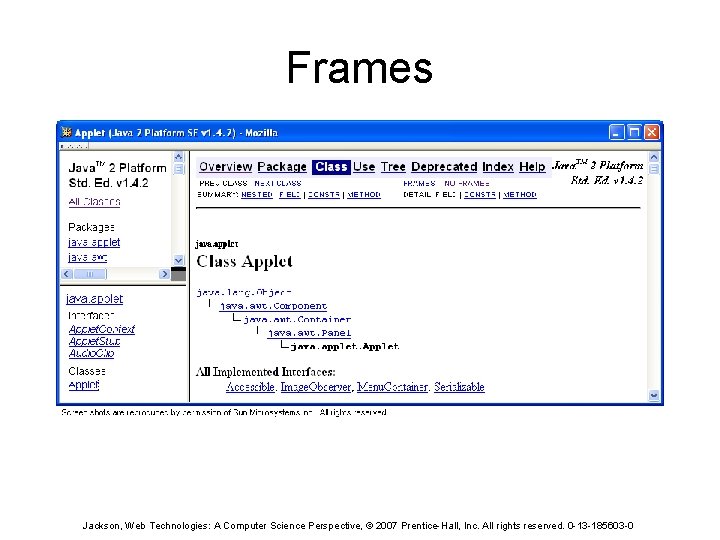
Frames Jackson, Web Technologies: A Computer Science Perspective, © 2007 Prentice-Hall, Inc. All rights reserved. 0 -13 -185603 -0
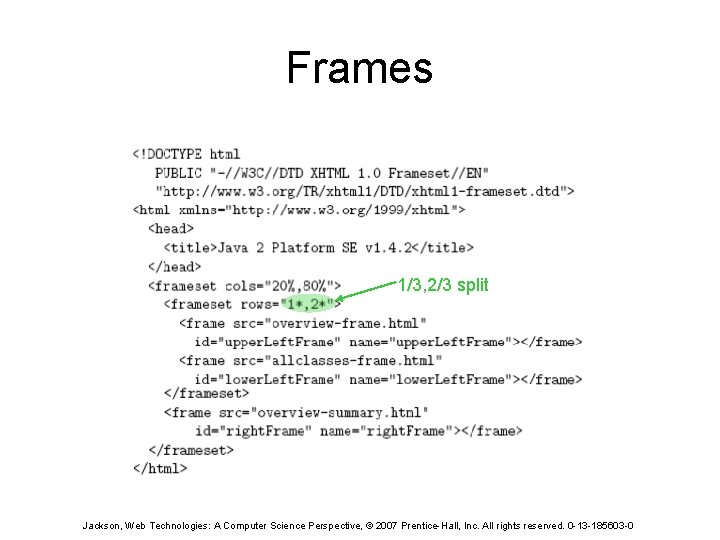
Frames 1/3, 2/3 split Jackson, Web Technologies: A Computer Science Perspective, © 2007 Prentice-Hall, Inc. All rights reserved. 0 -13 -185603 -0
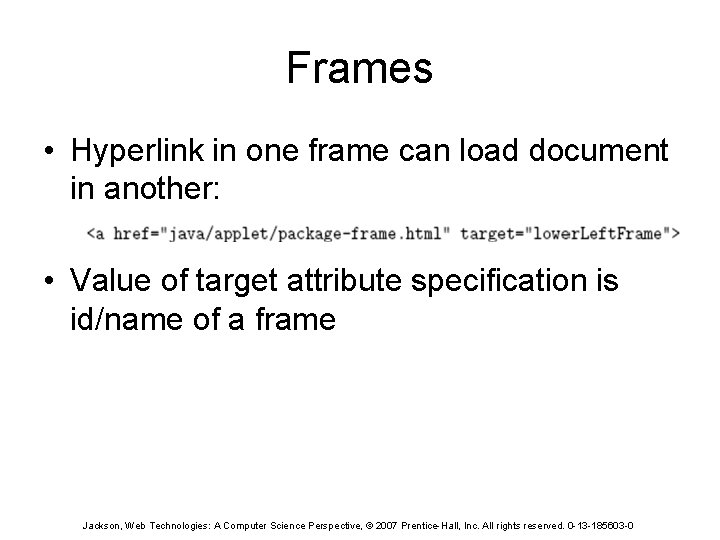
Frames • Hyperlink in one frame can load document in another: • Value of target attribute specification is id/name of a frame Jackson, Web Technologies: A Computer Science Perspective, © 2007 Prentice-Hall, Inc. All rights reserved. 0 -13 -185603 -0
Frames • User interface issues: – – What happens when the page is printed? What happens when the Back button is clicked? How should assistive technology “read” the page? How should the information be displayed on a small display? • Recommendation: avoid frames except for applications aimed at “power users” Jackson, Web Technologies: A Computer Science Perspective, © 2007 Prentice-Hall, Inc. All rights reserved. 0 -13 -185603 -0
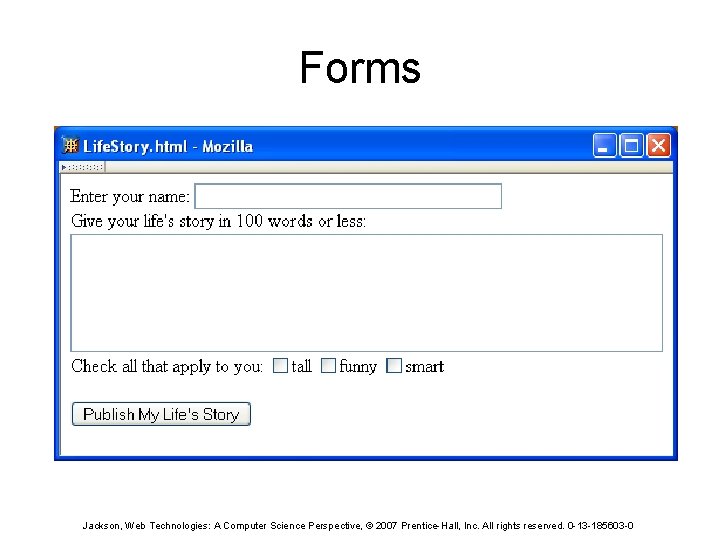
Forms Jackson, Web Technologies: A Computer Science Perspective, © 2007 Prentice-Hall, Inc. All rights reserved. 0 -13 -185603 -0
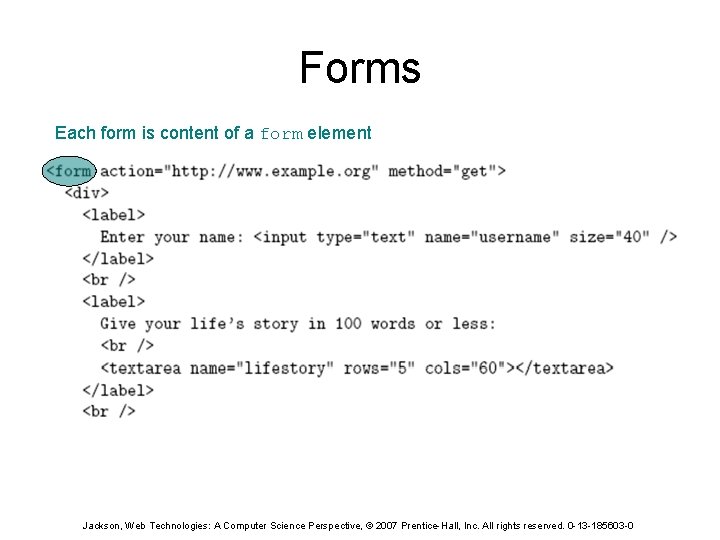
Forms Each form is content of a form element Jackson, Web Technologies: A Computer Science Perspective, © 2007 Prentice-Hall, Inc. All rights reserved. 0 -13 -185603 -0
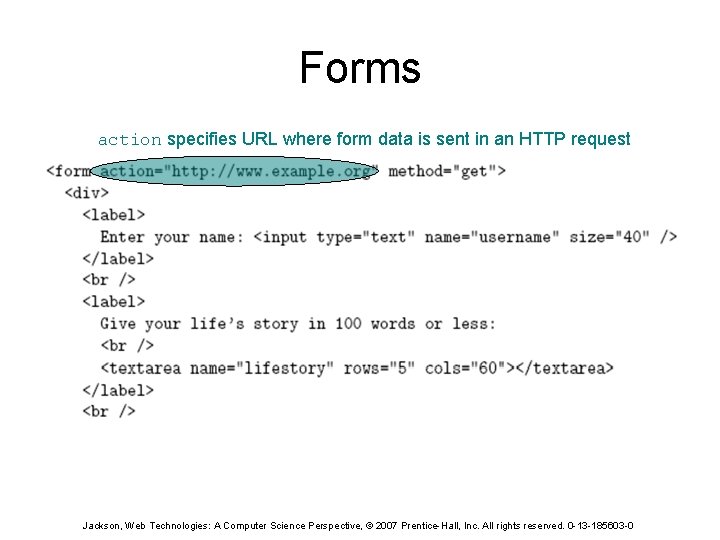
Forms action specifies URL where form data is sent in an HTTP request Jackson, Web Technologies: A Computer Science Perspective, © 2007 Prentice-Hall, Inc. All rights reserved. 0 -13 -185603 -0
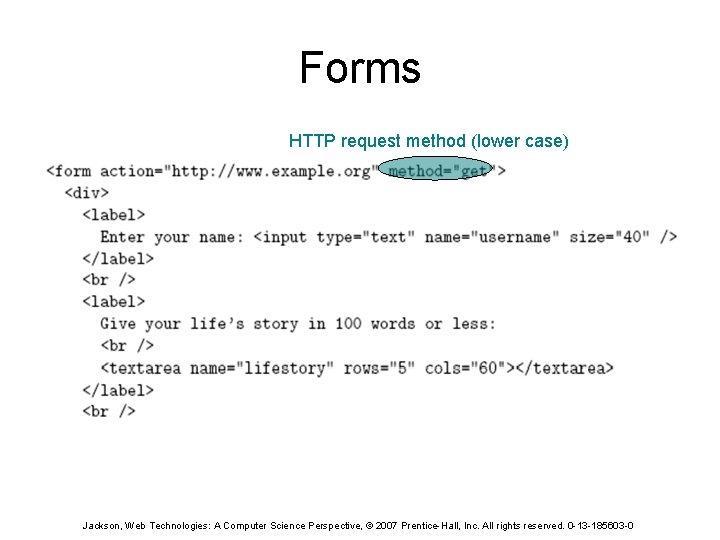
Forms HTTP request method (lower case) Jackson, Web Technologies: A Computer Science Perspective, © 2007 Prentice-Hall, Inc. All rights reserved. 0 -13 -185603 -0
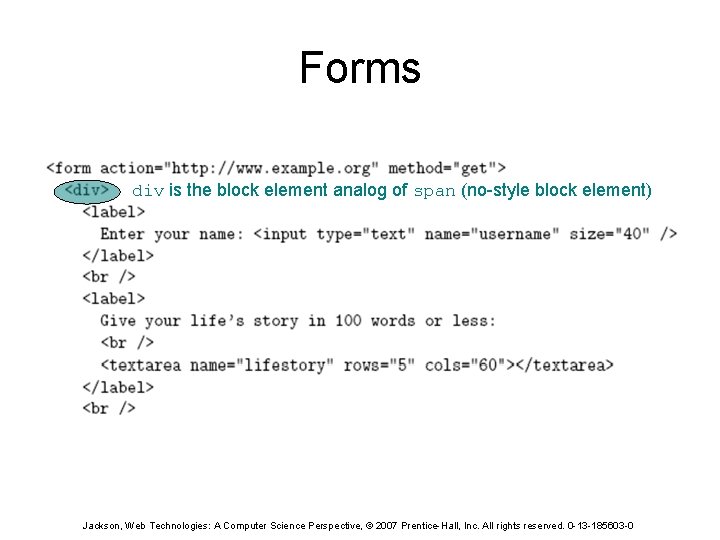
Forms div is the block element analog of span (no-style block element) Jackson, Web Technologies: A Computer Science Perspective, © 2007 Prentice-Hall, Inc. All rights reserved. 0 -13 -185603 -0
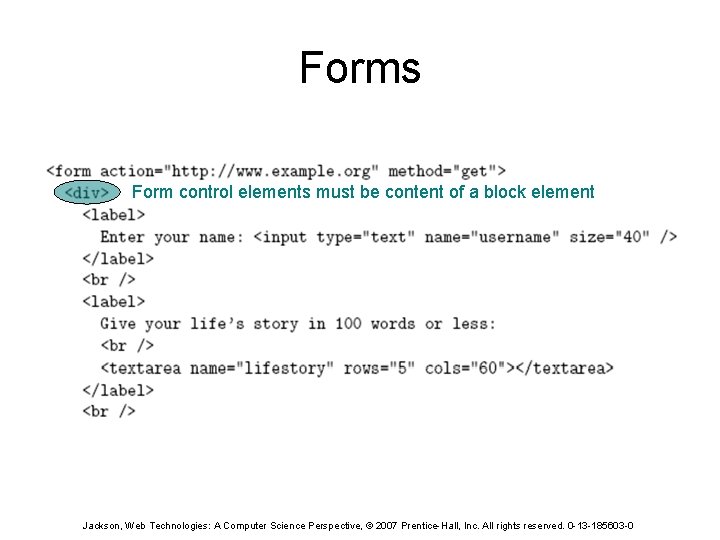
Forms Form control elements must be content of a block element Jackson, Web Technologies: A Computer Science Perspective, © 2007 Prentice-Hall, Inc. All rights reserved. 0 -13 -185603 -0
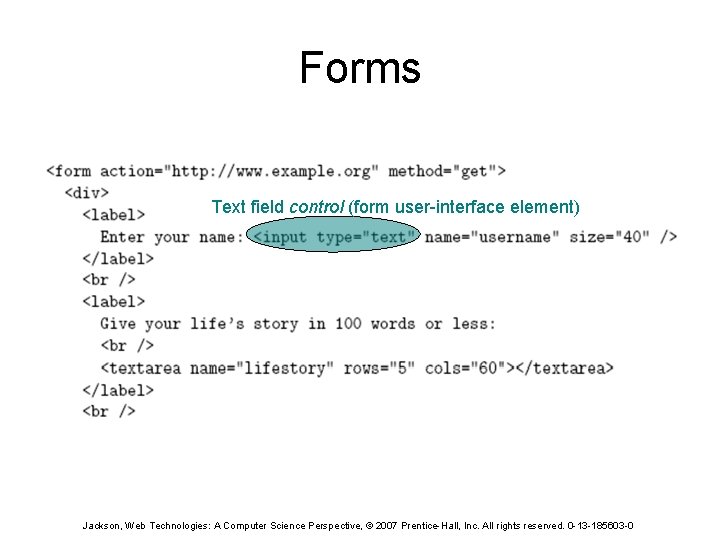
Forms Text field control (form user-interface element) Jackson, Web Technologies: A Computer Science Perspective, © 2007 Prentice-Hall, Inc. All rights reserved. 0 -13 -185603 -0
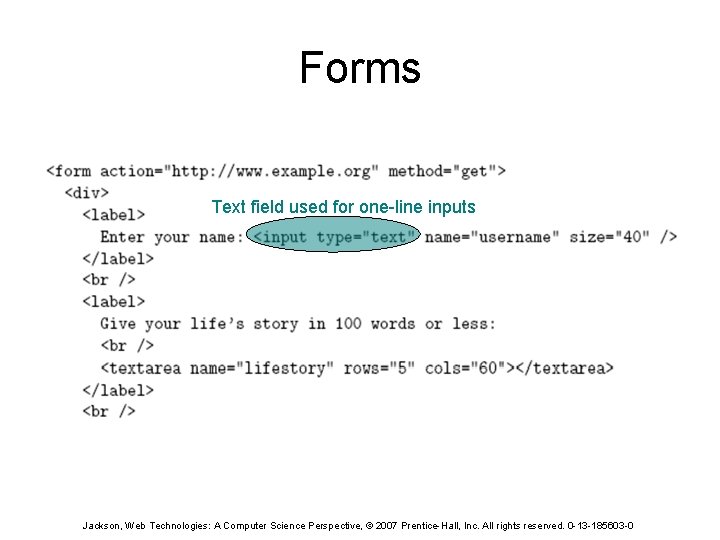
Forms Text field used for one-line inputs Jackson, Web Technologies: A Computer Science Perspective, © 2007 Prentice-Hall, Inc. All rights reserved. 0 -13 -185603 -0
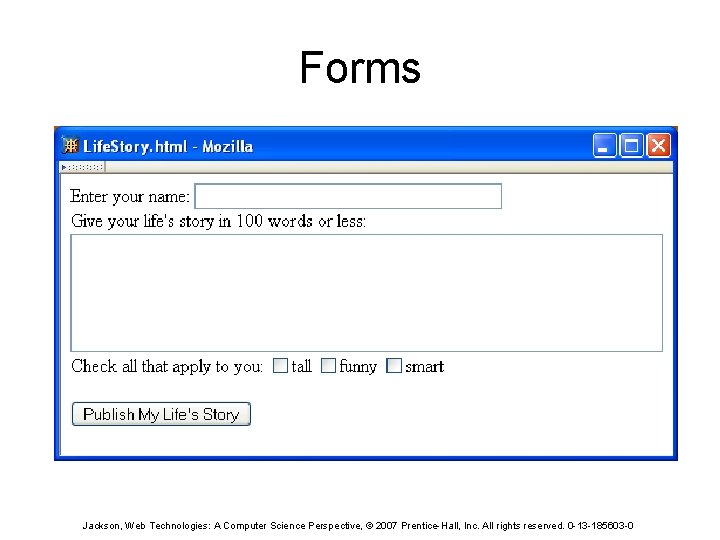
Forms Jackson, Web Technologies: A Computer Science Perspective, © 2007 Prentice-Hall, Inc. All rights reserved. 0 -13 -185603 -0
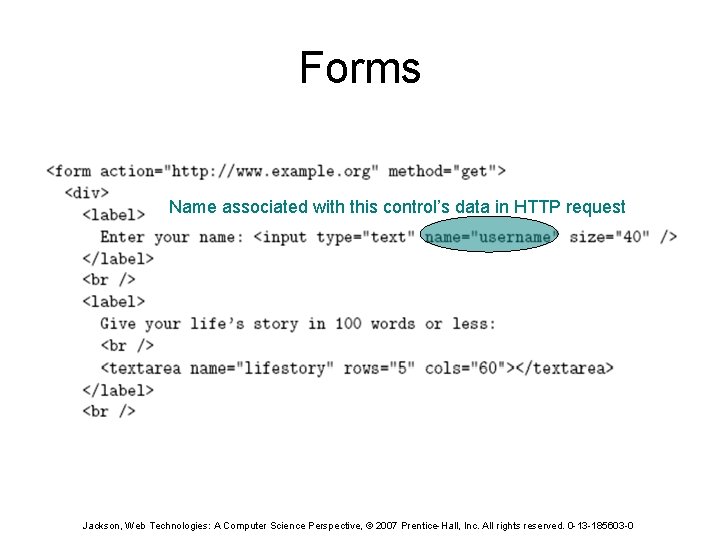
Forms Name associated with this control’s data in HTTP request Jackson, Web Technologies: A Computer Science Perspective, © 2007 Prentice-Hall, Inc. All rights reserved. 0 -13 -185603 -0
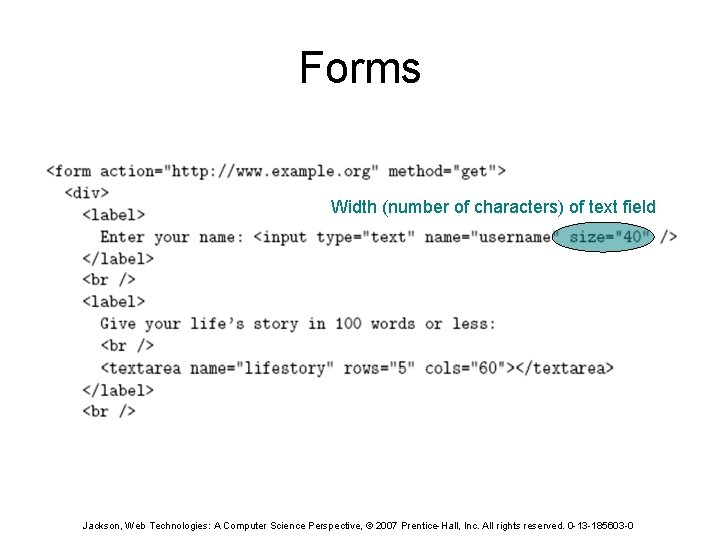
Forms Width (number of characters) of text field Jackson, Web Technologies: A Computer Science Perspective, © 2007 Prentice-Hall, Inc. All rights reserved. 0 -13 -185603 -0
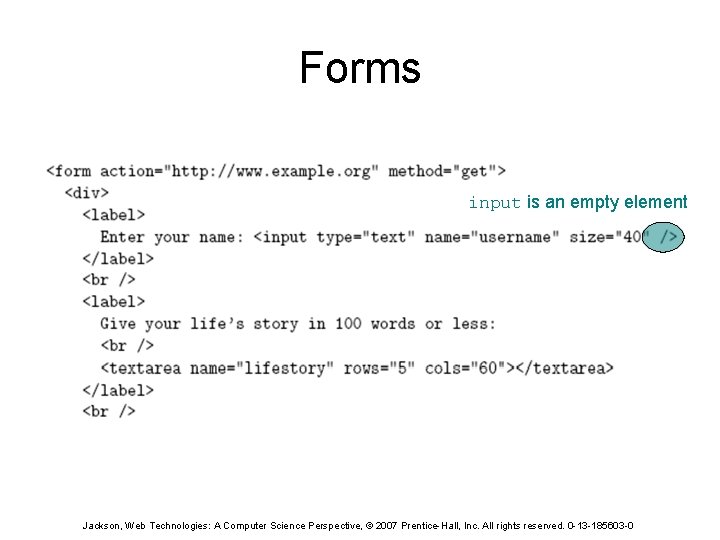
Forms input is an empty element Jackson, Web Technologies: A Computer Science Perspective, © 2007 Prentice-Hall, Inc. All rights reserved. 0 -13 -185603 -0
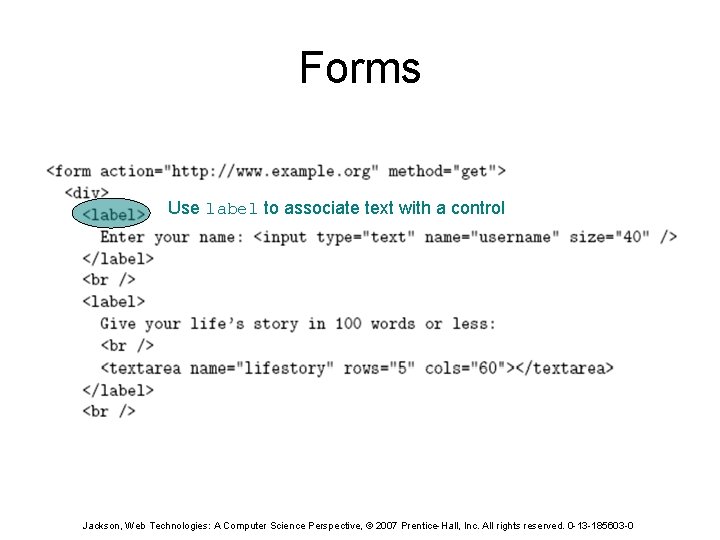
Forms Use label to associate text with a control Jackson, Web Technologies: A Computer Science Perspective, © 2007 Prentice-Hall, Inc. All rights reserved. 0 -13 -185603 -0
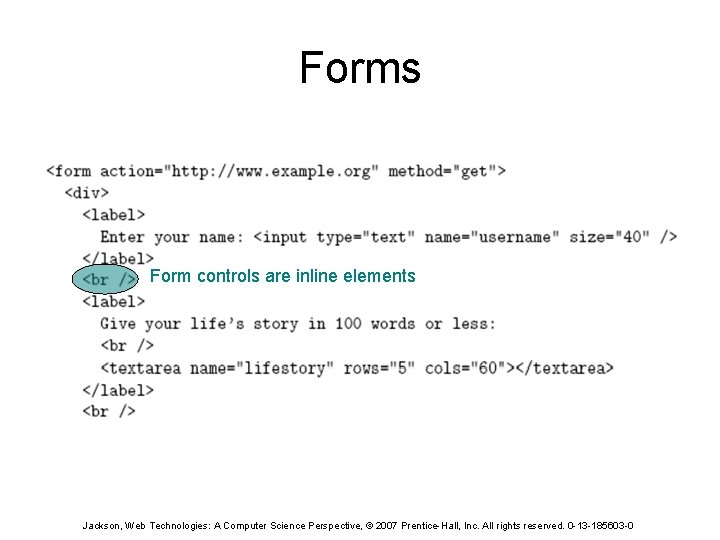
Forms Form controls are inline elements Jackson, Web Technologies: A Computer Science Perspective, © 2007 Prentice-Hall, Inc. All rights reserved. 0 -13 -185603 -0
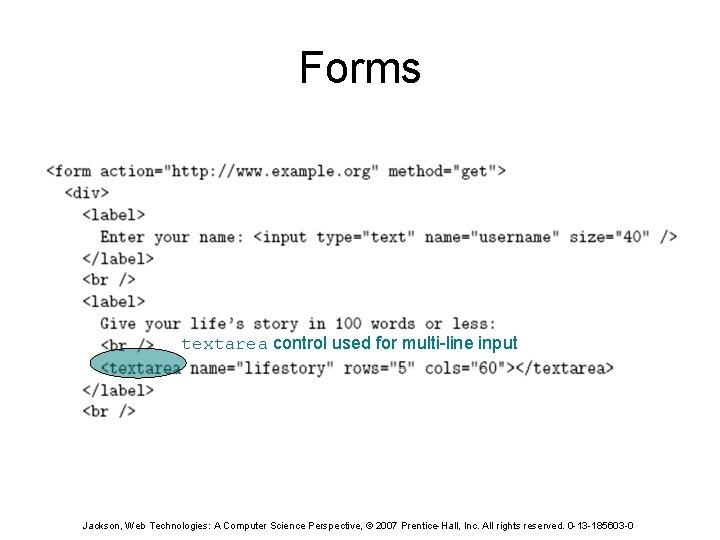
Forms textarea control used for multi-line input Jackson, Web Technologies: A Computer Science Perspective, © 2007 Prentice-Hall, Inc. All rights reserved. 0 -13 -185603 -0
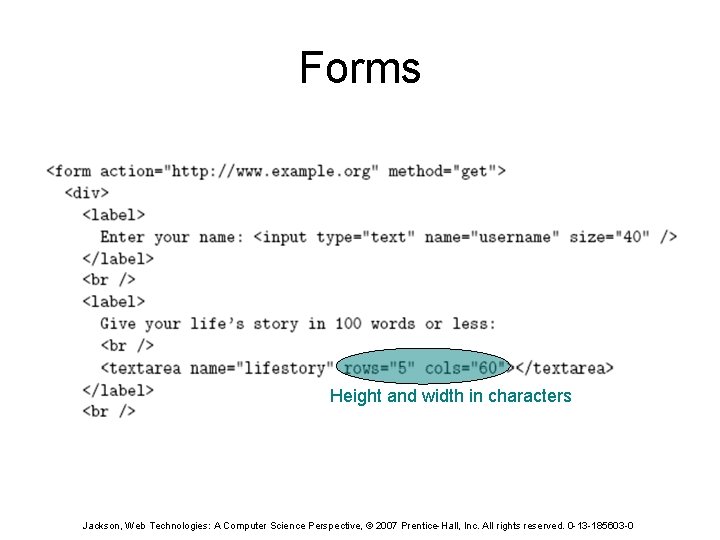
Forms Height and width in characters Jackson, Web Technologies: A Computer Science Perspective, © 2007 Prentice-Hall, Inc. All rights reserved. 0 -13 -185603 -0
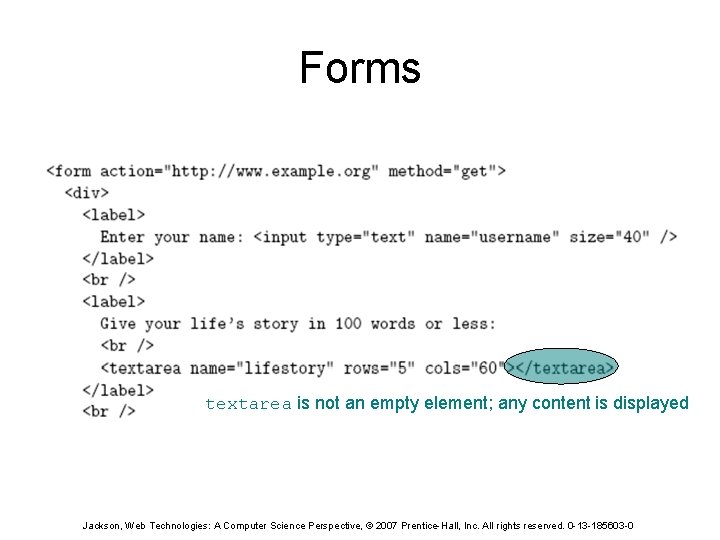
Forms textarea is not an empty element; any content is displayed Jackson, Web Technologies: A Computer Science Perspective, © 2007 Prentice-Hall, Inc. All rights reserved. 0 -13 -185603 -0
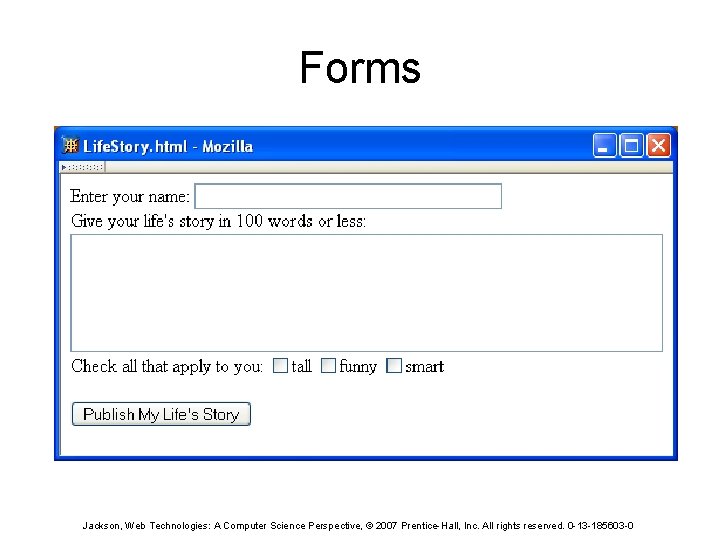
Forms Jackson, Web Technologies: A Computer Science Perspective, © 2007 Prentice-Hall, Inc. All rights reserved. 0 -13 -185603 -0
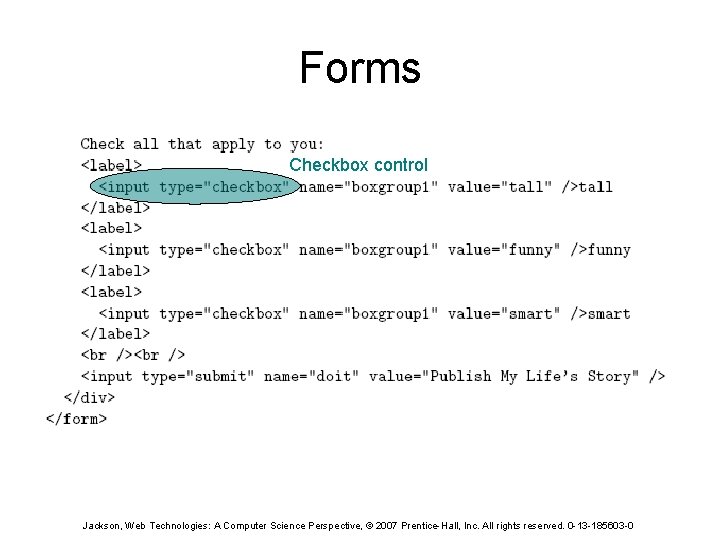
Forms Checkbox control Jackson, Web Technologies: A Computer Science Perspective, © 2007 Prentice-Hall, Inc. All rights reserved. 0 -13 -185603 -0
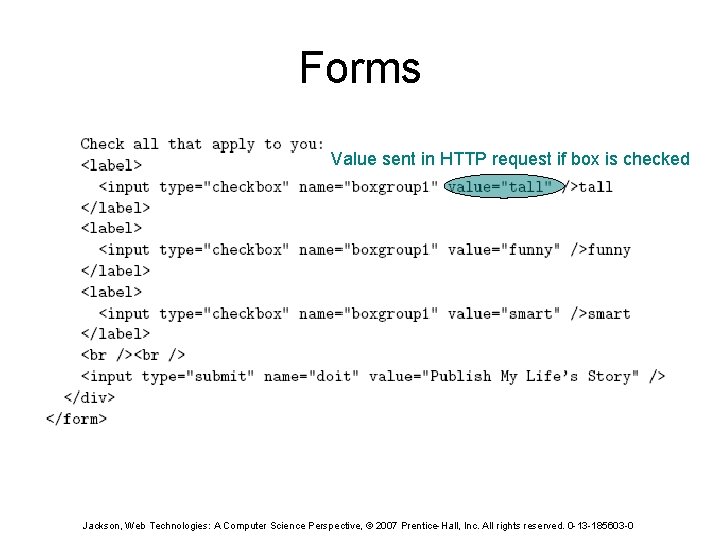
Forms Value sent in HTTP request if box is checked Jackson, Web Technologies: A Computer Science Perspective, © 2007 Prentice-Hall, Inc. All rights reserved. 0 -13 -185603 -0
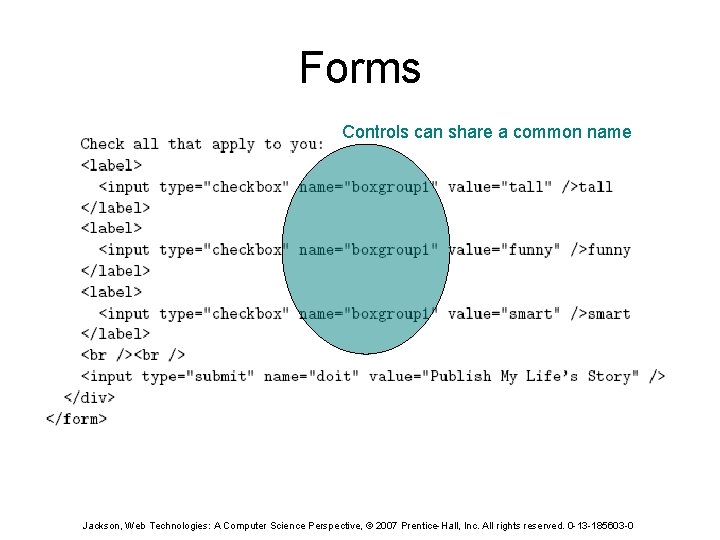
Forms Controls can share a common name Jackson, Web Technologies: A Computer Science Perspective, © 2007 Prentice-Hall, Inc. All rights reserved. 0 -13 -185603 -0
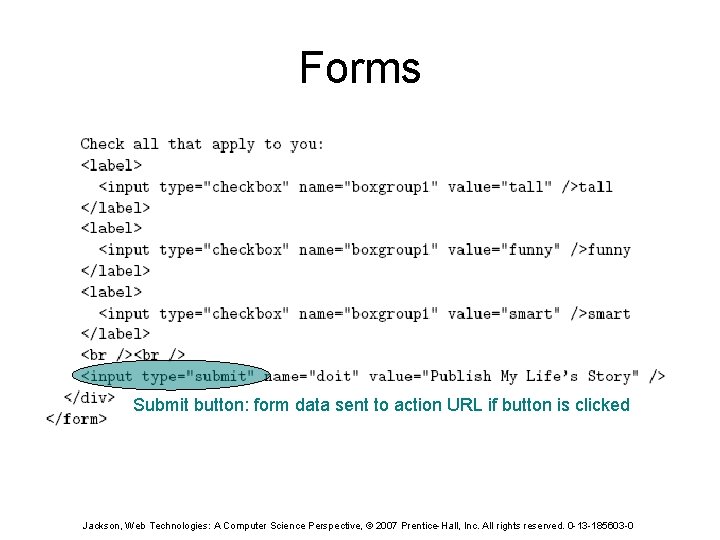
Forms Submit button: form data sent to action URL if button is clicked Jackson, Web Technologies: A Computer Science Perspective, © 2007 Prentice-Hall, Inc. All rights reserved. 0 -13 -185603 -0
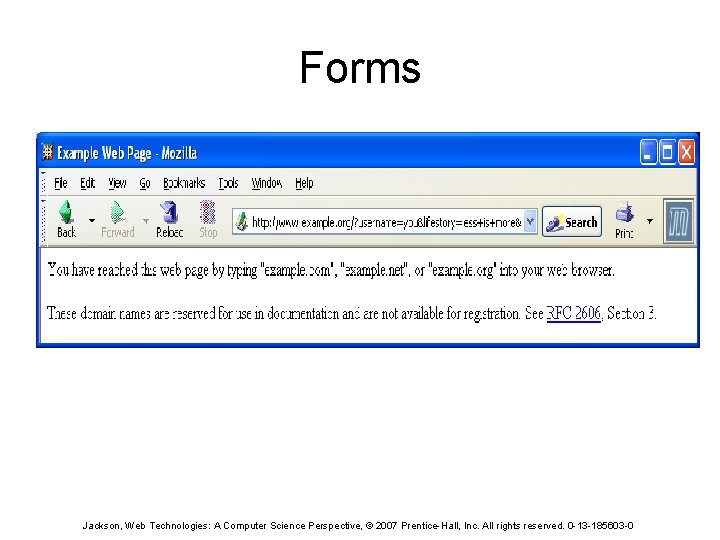
Forms Jackson, Web Technologies: A Computer Science Perspective, © 2007 Prentice-Hall, Inc. All rights reserved. 0 -13 -185603 -0
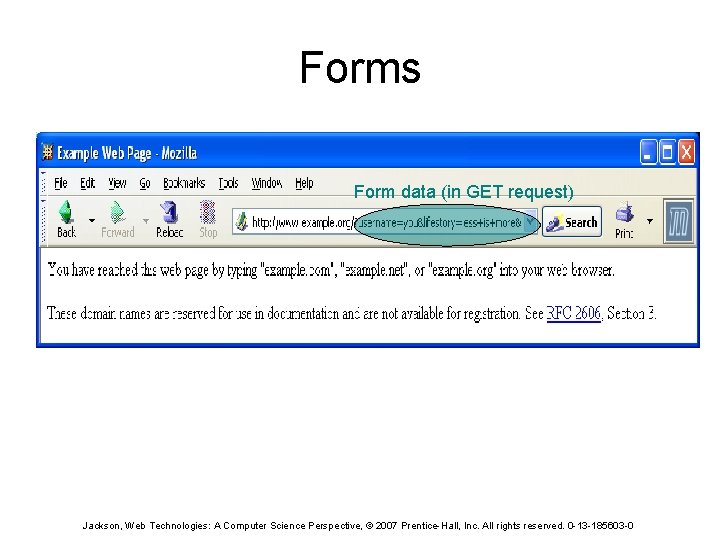
Forms Form data (in GET request) Jackson, Web Technologies: A Computer Science Perspective, © 2007 Prentice-Hall, Inc. All rights reserved. 0 -13 -185603 -0
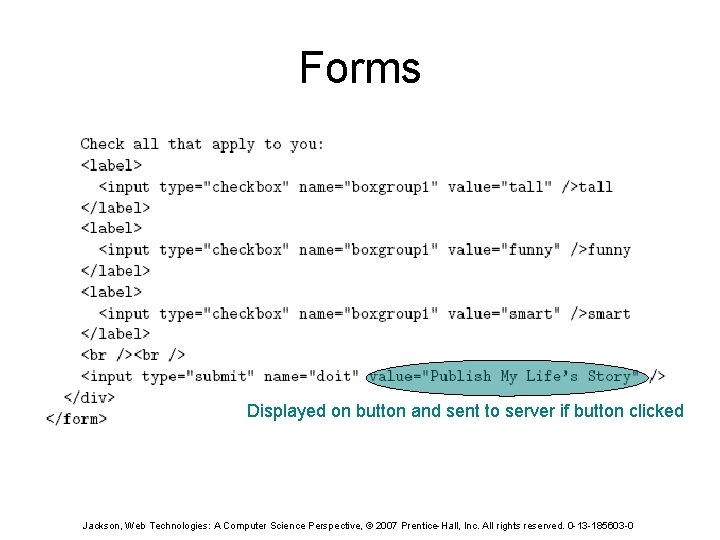
Forms Displayed on button and sent to server if button clicked Jackson, Web Technologies: A Computer Science Perspective, © 2007 Prentice-Hall, Inc. All rights reserved. 0 -13 -185603 -0
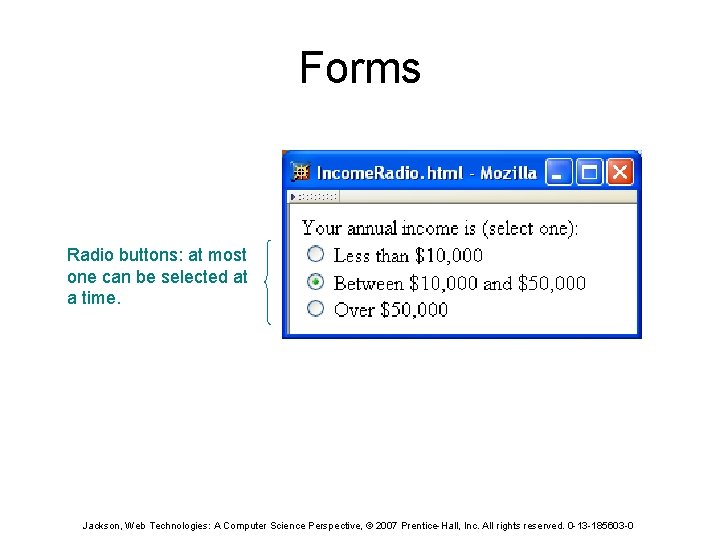
Forms Radio buttons: at most one can be selected at a time. Jackson, Web Technologies: A Computer Science Perspective, © 2007 Prentice-Hall, Inc. All rights reserved. 0 -13 -185603 -0
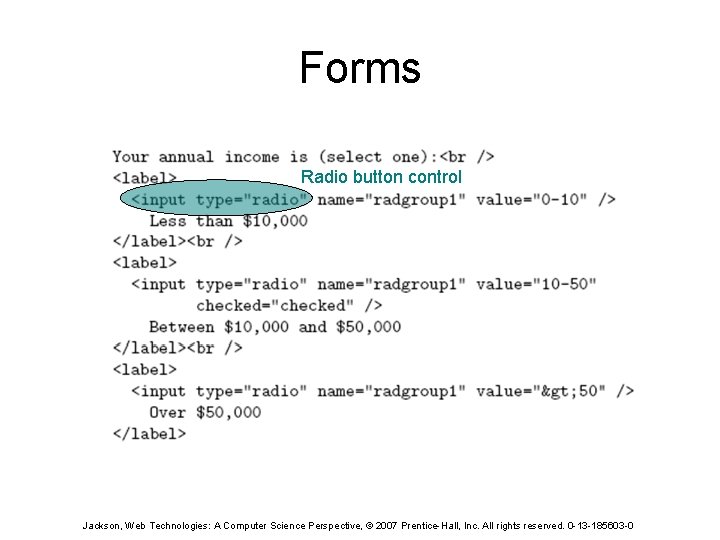
Forms Radio button control Jackson, Web Technologies: A Computer Science Perspective, © 2007 Prentice-Hall, Inc. All rights reserved. 0 -13 -185603 -0
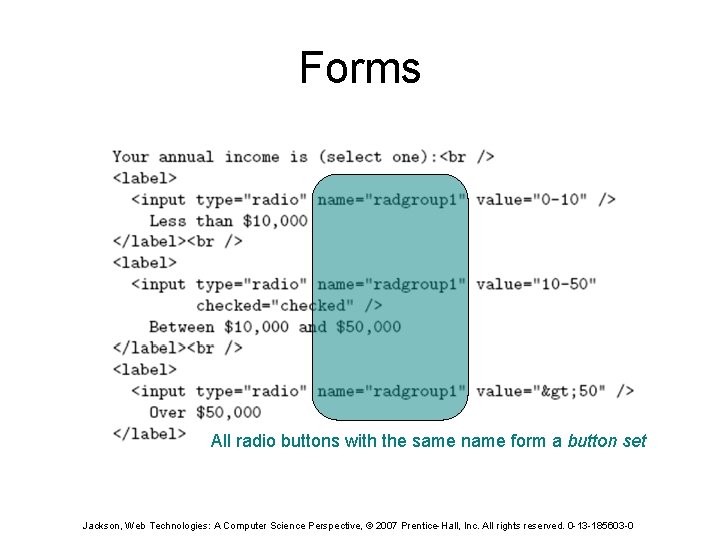
Forms All radio buttons with the same name form a button set Jackson, Web Technologies: A Computer Science Perspective, © 2007 Prentice-Hall, Inc. All rights reserved. 0 -13 -185603 -0
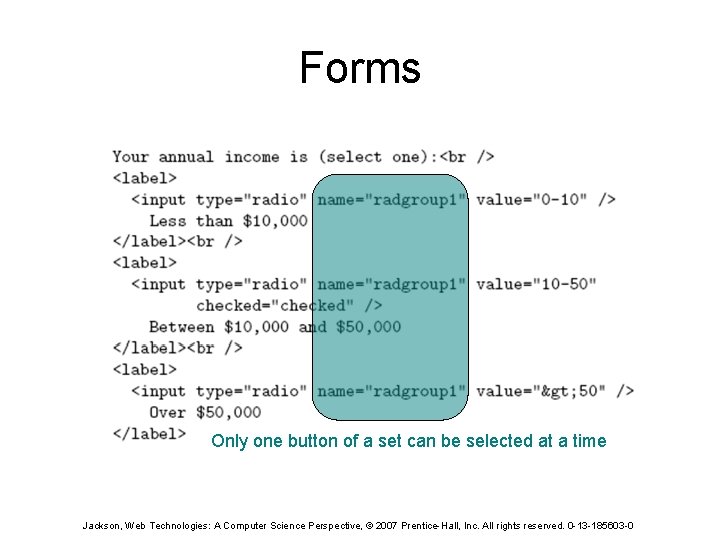
Forms Only one button of a set can be selected at a time Jackson, Web Technologies: A Computer Science Perspective, © 2007 Prentice-Hall, Inc. All rights reserved. 0 -13 -185603 -0
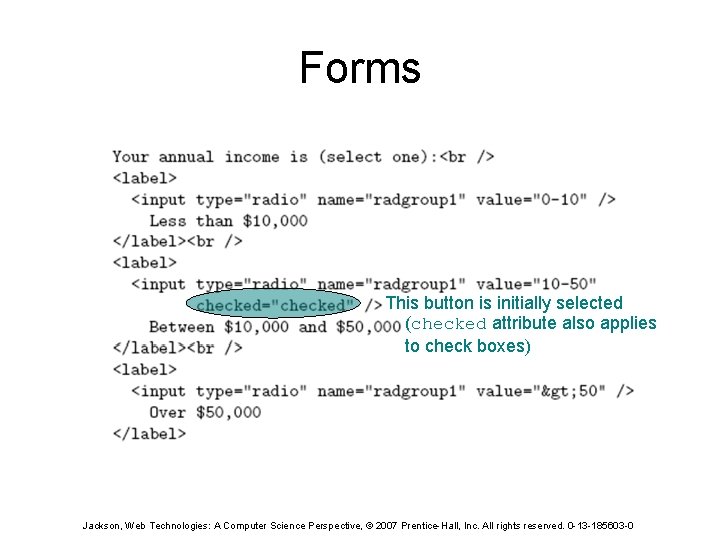
Forms This button is initially selected (checked attribute also applies to check boxes) Jackson, Web Technologies: A Computer Science Perspective, © 2007 Prentice-Hall, Inc. All rights reserved. 0 -13 -185603 -0
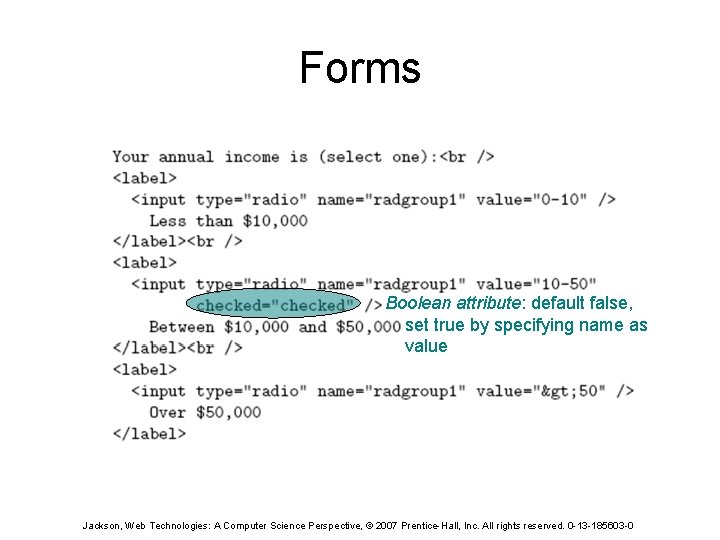
Forms Boolean attribute: default false, set true by specifying name as value Jackson, Web Technologies: A Computer Science Perspective, © 2007 Prentice-Hall, Inc. All rights reserved. 0 -13 -185603 -0
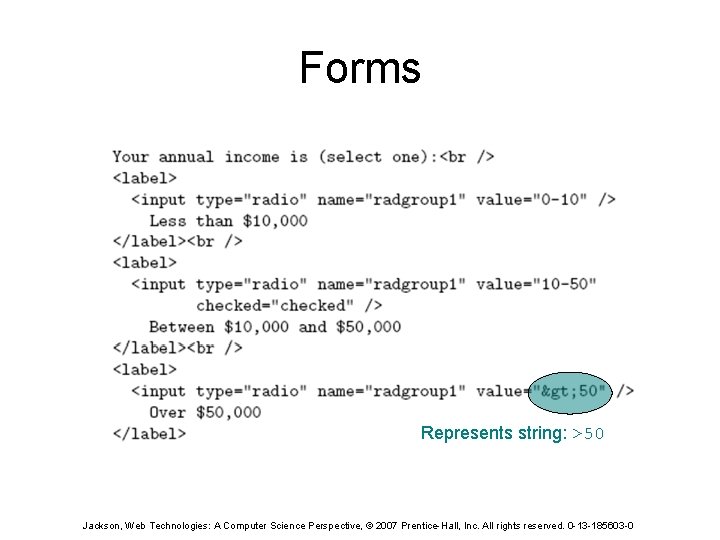
Forms Represents string: >50 Jackson, Web Technologies: A Computer Science Perspective, © 2007 Prentice-Hall, Inc. All rights reserved. 0 -13 -185603 -0
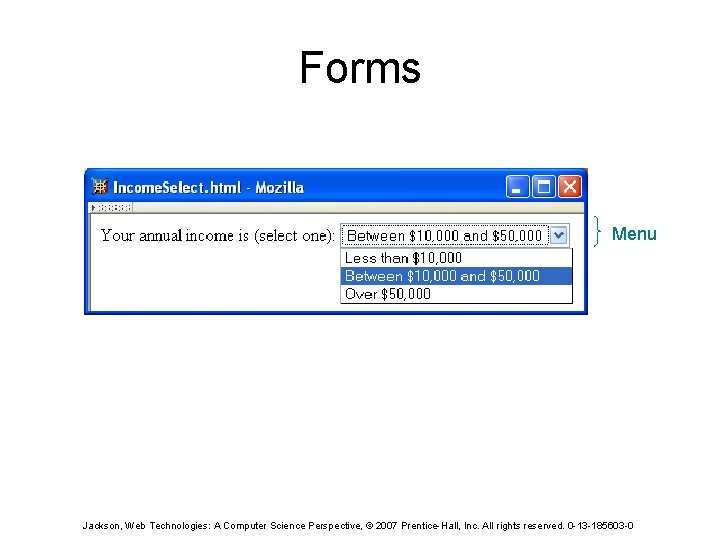
Forms Menu Jackson, Web Technologies: A Computer Science Perspective, © 2007 Prentice-Hall, Inc. All rights reserved. 0 -13 -185603 -0
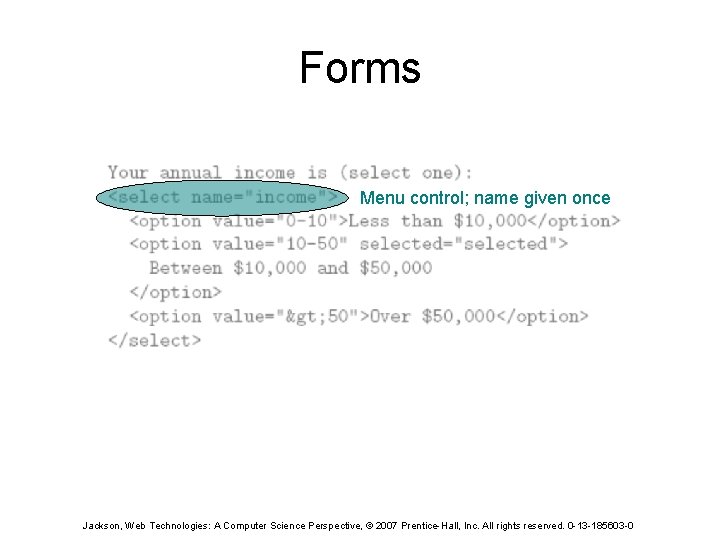
Forms Menu control; name given once Jackson, Web Technologies: A Computer Science Perspective, © 2007 Prentice-Hall, Inc. All rights reserved. 0 -13 -185603 -0
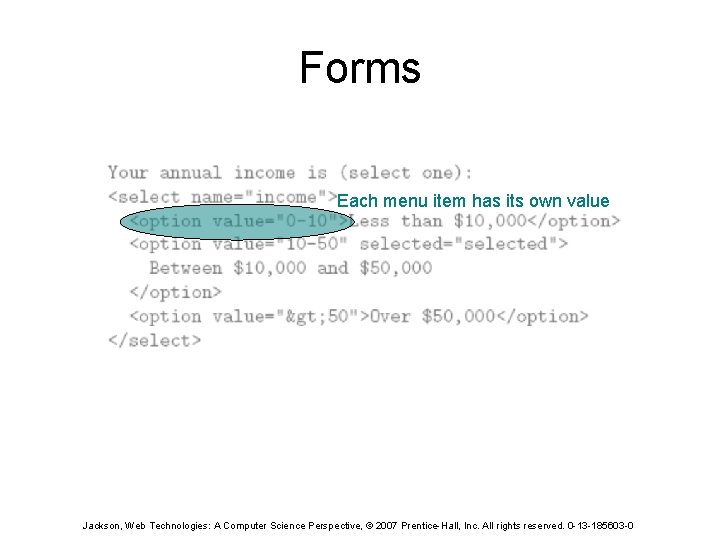
Forms Each menu item has its own value Jackson, Web Technologies: A Computer Science Perspective, © 2007 Prentice-Hall, Inc. All rights reserved. 0 -13 -185603 -0
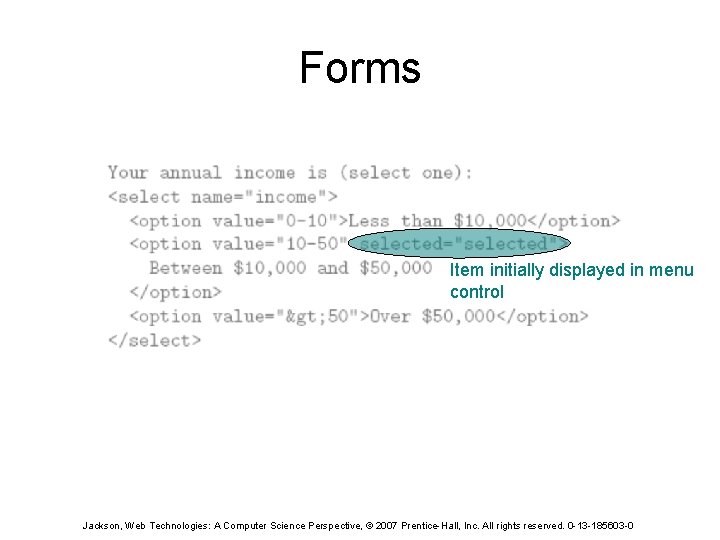
Forms Item initially displayed in menu control Jackson, Web Technologies: A Computer Science Perspective, © 2007 Prentice-Hall, Inc. All rights reserved. 0 -13 -185603 -0
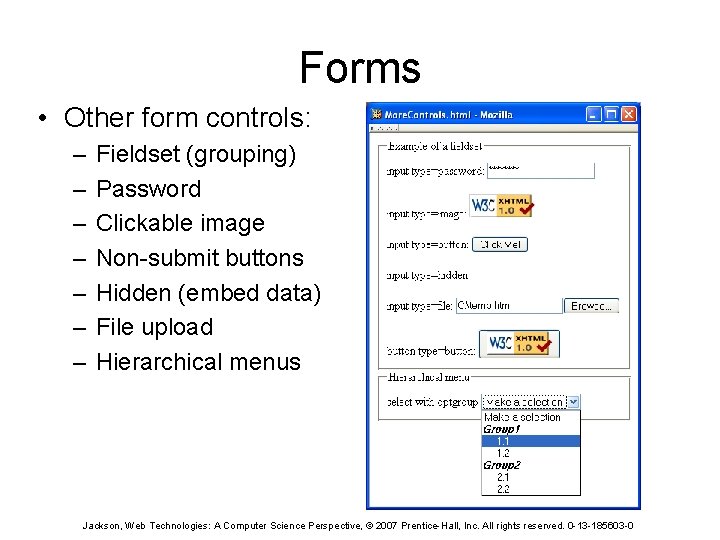
Forms • Other form controls: – – – – Fieldset (grouping) Password Clickable image Non-submit buttons Hidden (embed data) File upload Hierarchical menus Jackson, Web Technologies: A Computer Science Perspective, © 2007 Prentice-Hall, Inc. All rights reserved. 0 -13 -185603 -0
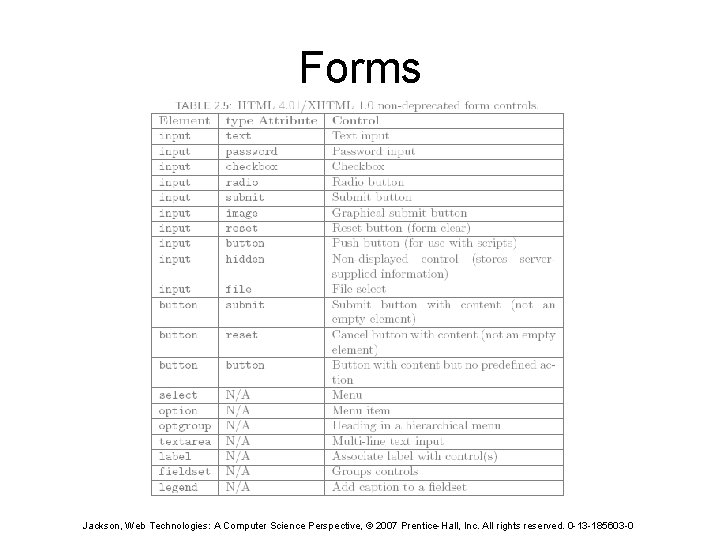
Forms Jackson, Web Technologies: A Computer Science Perspective, © 2007 Prentice-Hall, Inc. All rights reserved. 0 -13 -185603 -0
XML DTD • Recall that XML is used to define the syntax of XHTML • Set of XML files that define a language are known as the document type definition (DTD) • DTD primarily consists of declarations: – Element type: name and content of elements – Attribute list: attributes of an element – Entity: define meaning of, e. g. , > Jackson, Web Technologies: A Computer Science Perspective, © 2007 Prentice-Hall, Inc. All rights reserved. 0 -13 -185603 -0
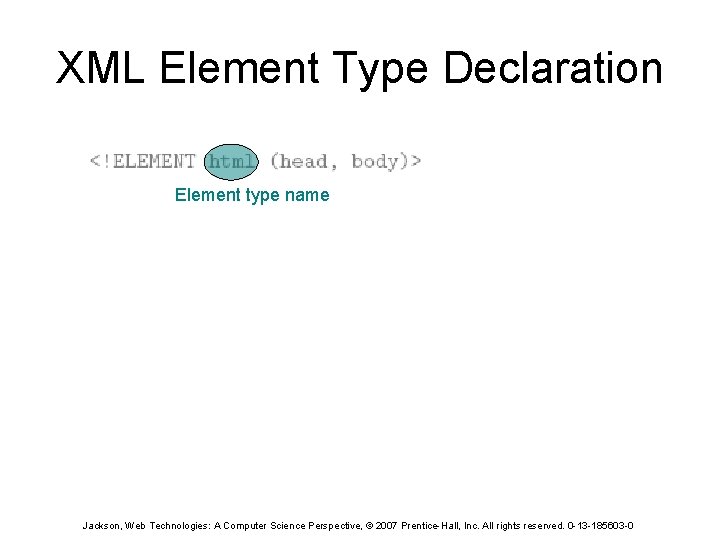
XML Element Type Declaration Element type name Jackson, Web Technologies: A Computer Science Perspective, © 2007 Prentice-Hall, Inc. All rights reserved. 0 -13 -185603 -0
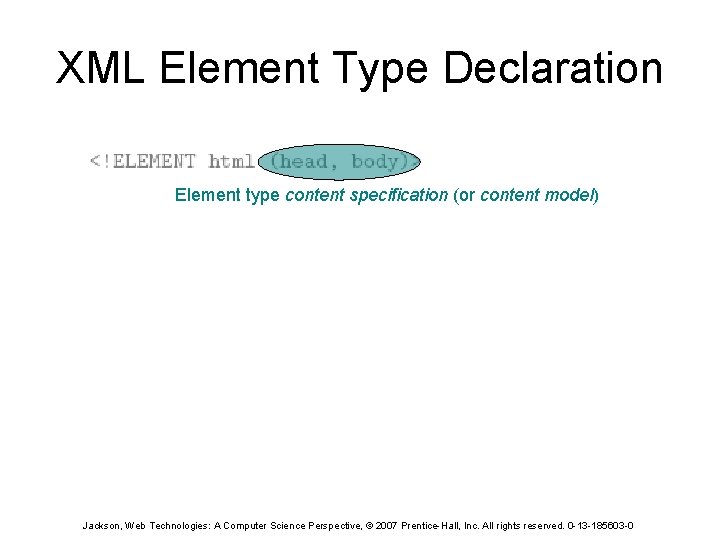
XML Element Type Declaration Element type content specification (or content model) Jackson, Web Technologies: A Computer Science Perspective, © 2007 Prentice-Hall, Inc. All rights reserved. 0 -13 -185603 -0
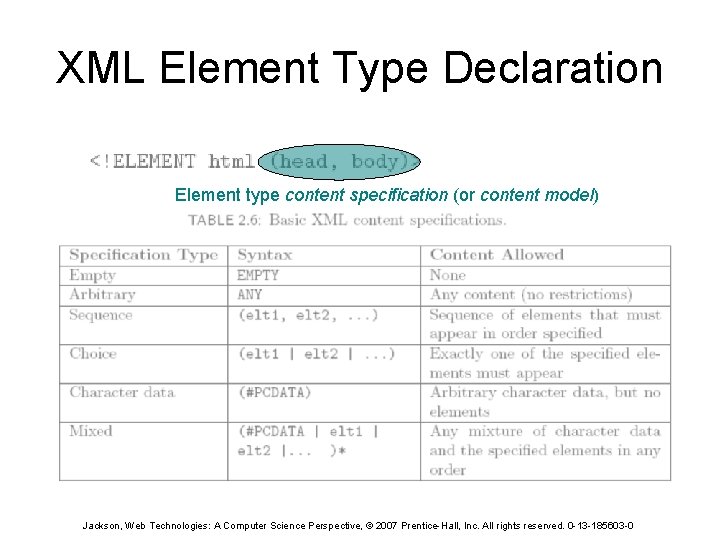
XML Element Type Declaration Element type content specification (or content model) Jackson, Web Technologies: A Computer Science Perspective, © 2007 Prentice-Hall, Inc. All rights reserved. 0 -13 -185603 -0
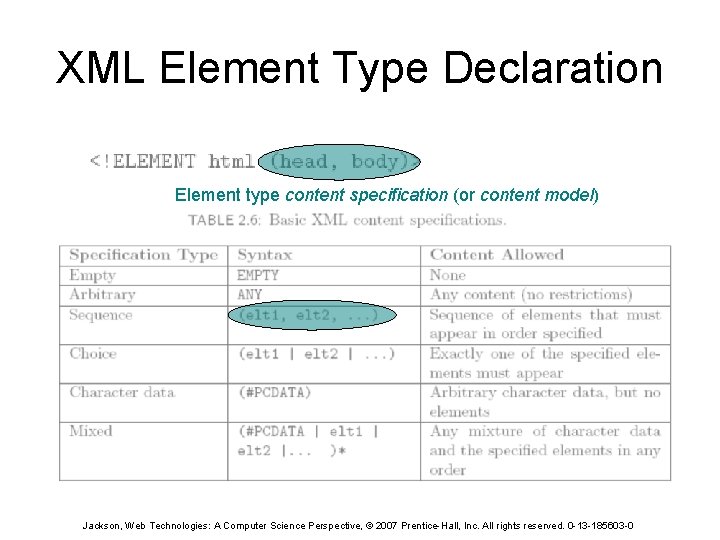
XML Element Type Declaration Element type content specification (or content model) Jackson, Web Technologies: A Computer Science Perspective, © 2007 Prentice-Hall, Inc. All rights reserved. 0 -13 -185603 -0
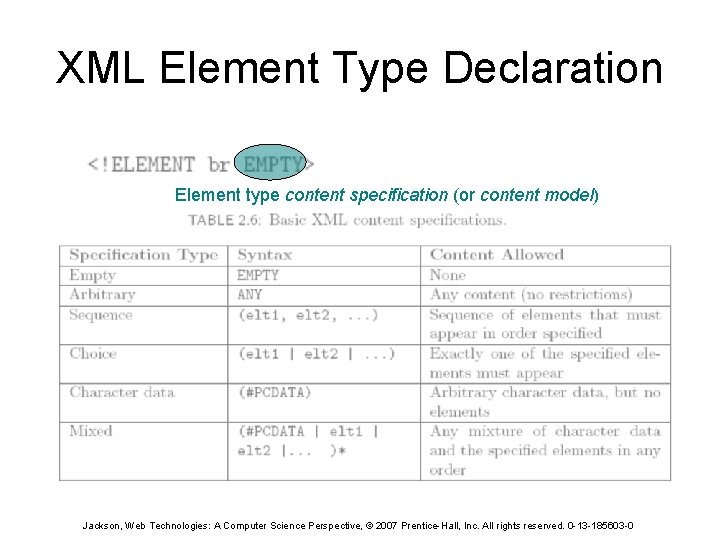
XML Element Type Declaration Element type content specification (or content model) Jackson, Web Technologies: A Computer Science Perspective, © 2007 Prentice-Hall, Inc. All rights reserved. 0 -13 -185603 -0
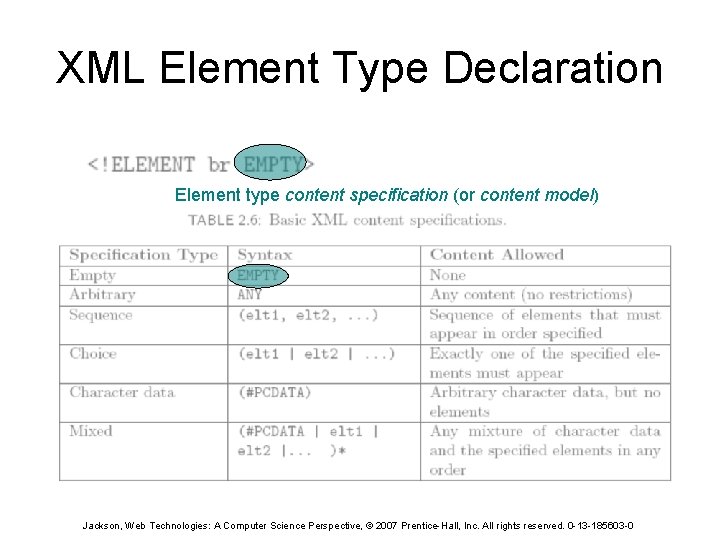
XML Element Type Declaration Element type content specification (or content model) Jackson, Web Technologies: A Computer Science Perspective, © 2007 Prentice-Hall, Inc. All rights reserved. 0 -13 -185603 -0
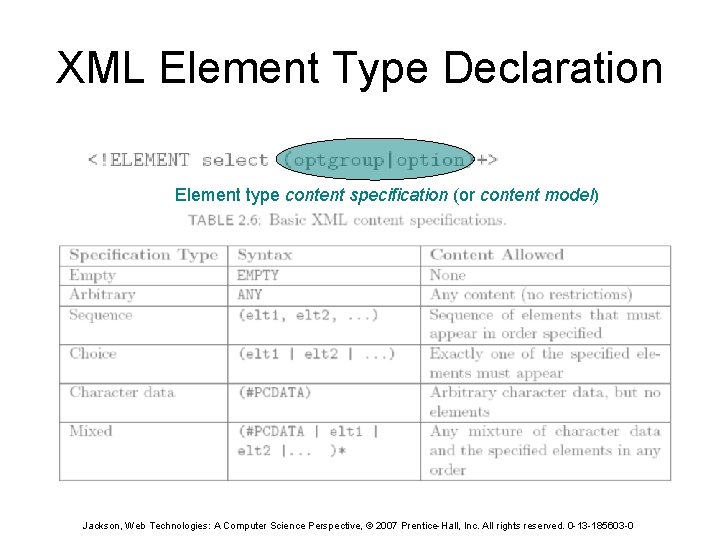
XML Element Type Declaration Element type content specification (or content model) Jackson, Web Technologies: A Computer Science Perspective, © 2007 Prentice-Hall, Inc. All rights reserved. 0 -13 -185603 -0
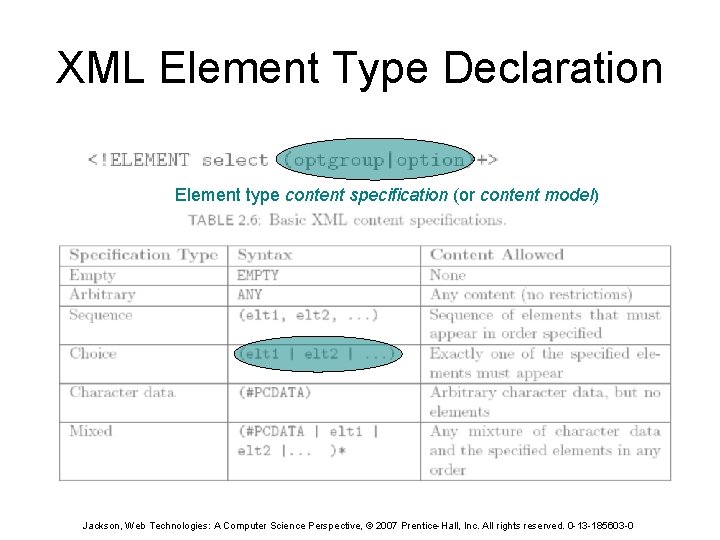
XML Element Type Declaration Element type content specification (or content model) Jackson, Web Technologies: A Computer Science Perspective, © 2007 Prentice-Hall, Inc. All rights reserved. 0 -13 -185603 -0
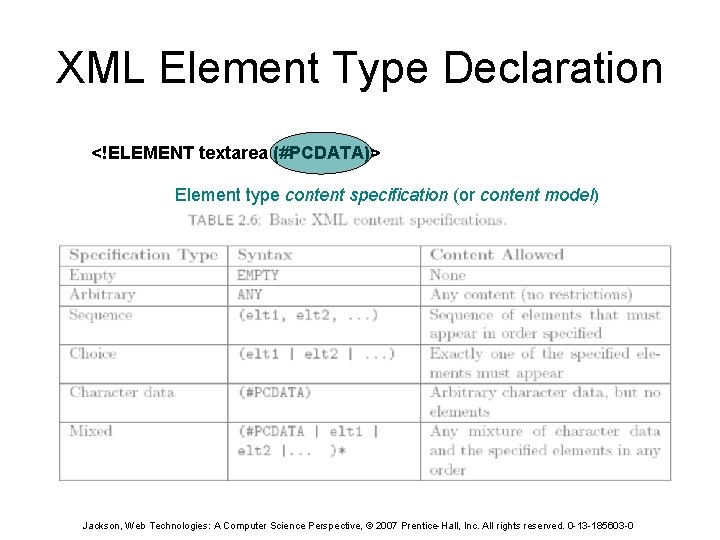
XML Element Type Declaration <!ELEMENT textarea (#PCDATA)> Element type content specification (or content model) Jackson, Web Technologies: A Computer Science Perspective, © 2007 Prentice-Hall, Inc. All rights reserved. 0 -13 -185603 -0
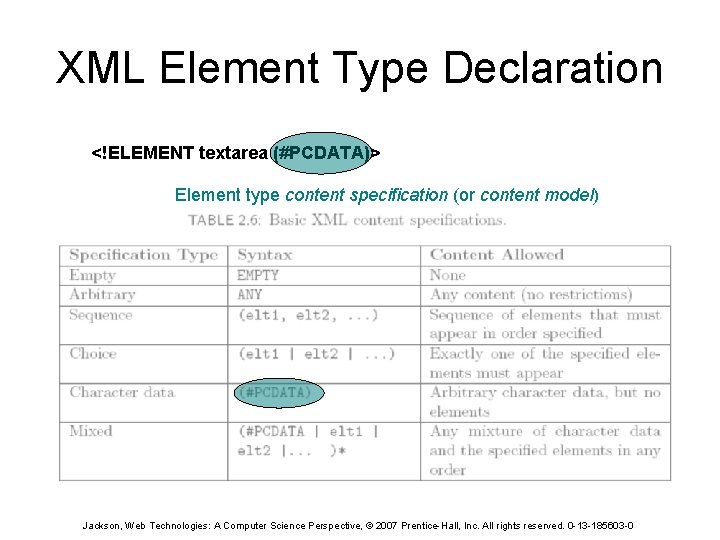
XML Element Type Declaration <!ELEMENT textarea (#PCDATA)> Element type content specification (or content model) Jackson, Web Technologies: A Computer Science Perspective, © 2007 Prentice-Hall, Inc. All rights reserved. 0 -13 -185603 -0
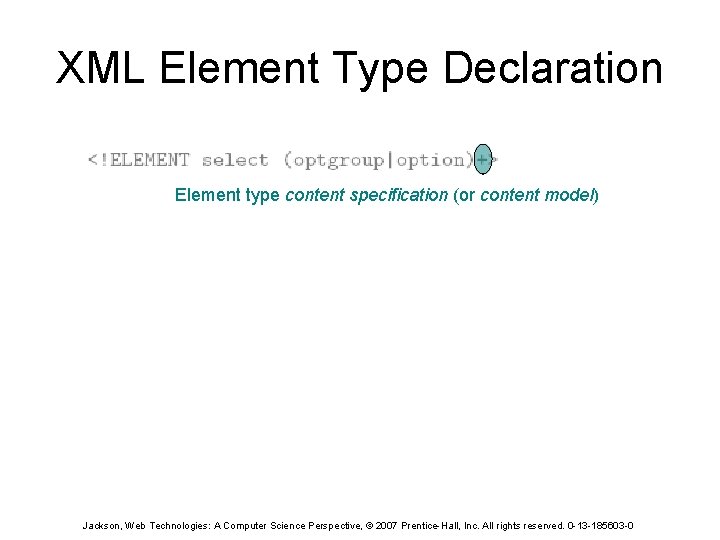
XML Element Type Declaration Element type content specification (or content model) Jackson, Web Technologies: A Computer Science Perspective, © 2007 Prentice-Hall, Inc. All rights reserved. 0 -13 -185603 -0
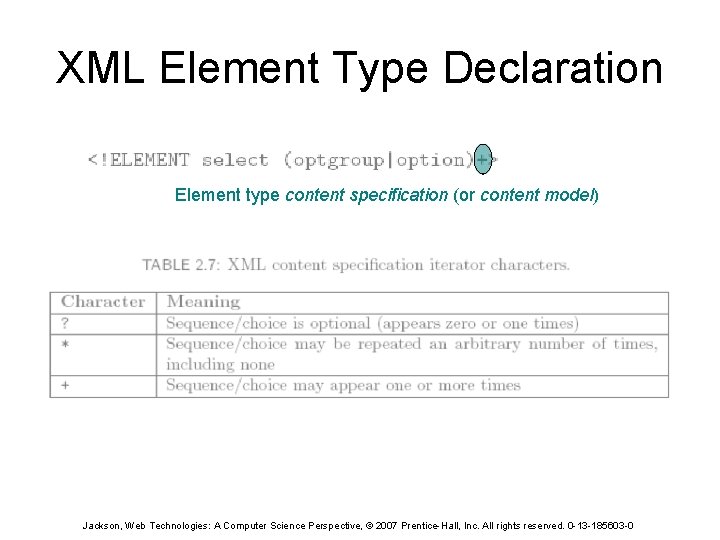
XML Element Type Declaration Element type content specification (or content model) Jackson, Web Technologies: A Computer Science Perspective, © 2007 Prentice-Hall, Inc. All rights reserved. 0 -13 -185603 -0
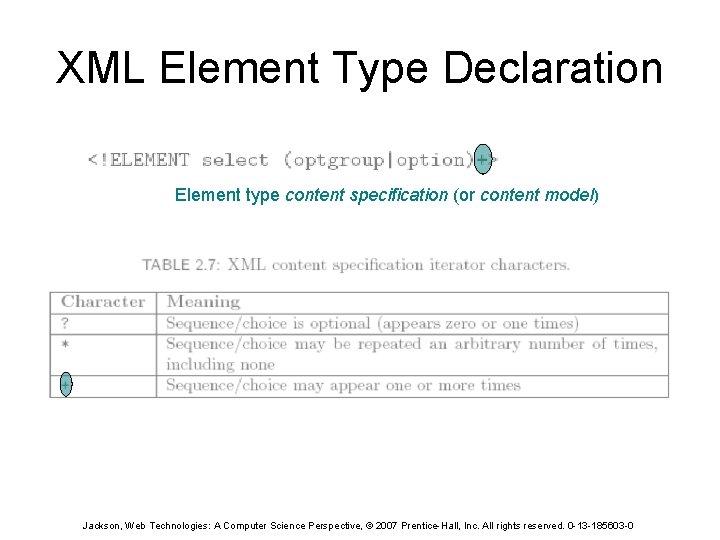
XML Element Type Declaration Element type content specification (or content model) Jackson, Web Technologies: A Computer Science Perspective, © 2007 Prentice-Hall, Inc. All rights reserved. 0 -13 -185603 -0
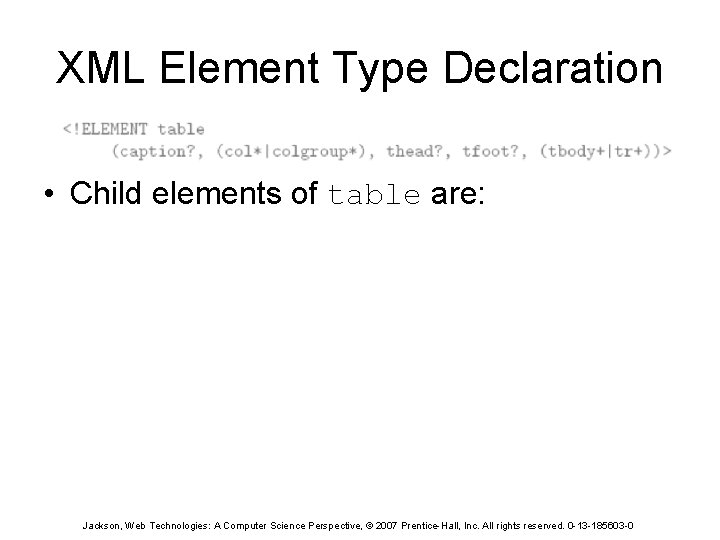
XML Element Type Declaration • Child elements of table are: Jackson, Web Technologies: A Computer Science Perspective, © 2007 Prentice-Hall, Inc. All rights reserved. 0 -13 -185603 -0
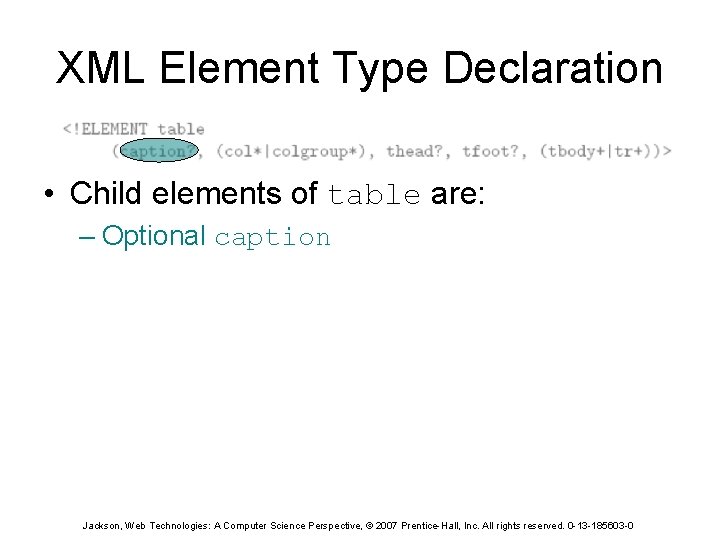
XML Element Type Declaration • Child elements of table are: – Optional caption Jackson, Web Technologies: A Computer Science Perspective, © 2007 Prentice-Hall, Inc. All rights reserved. 0 -13 -185603 -0
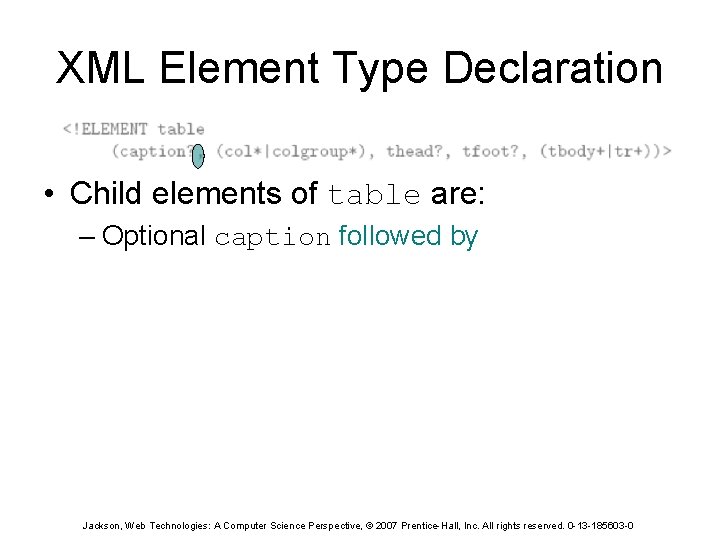
XML Element Type Declaration • Child elements of table are: – Optional caption followed by Jackson, Web Technologies: A Computer Science Perspective, © 2007 Prentice-Hall, Inc. All rights reserved. 0 -13 -185603 -0
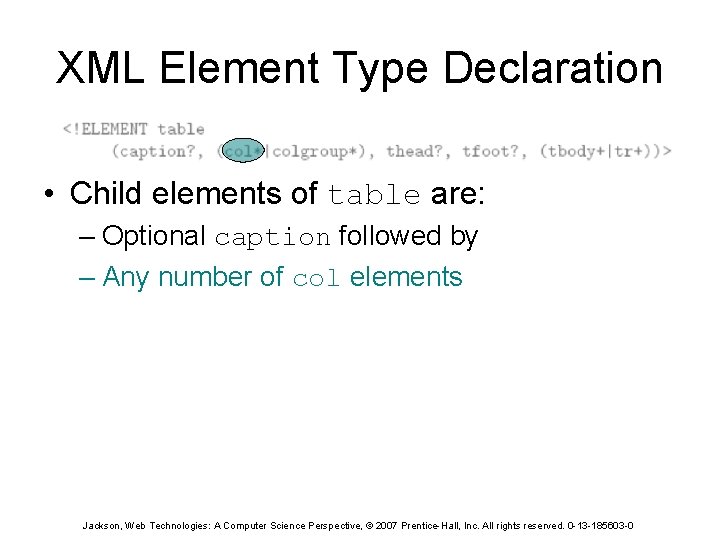
XML Element Type Declaration • Child elements of table are: – Optional caption followed by – Any number of col elements Jackson, Web Technologies: A Computer Science Perspective, © 2007 Prentice-Hall, Inc. All rights reserved. 0 -13 -185603 -0
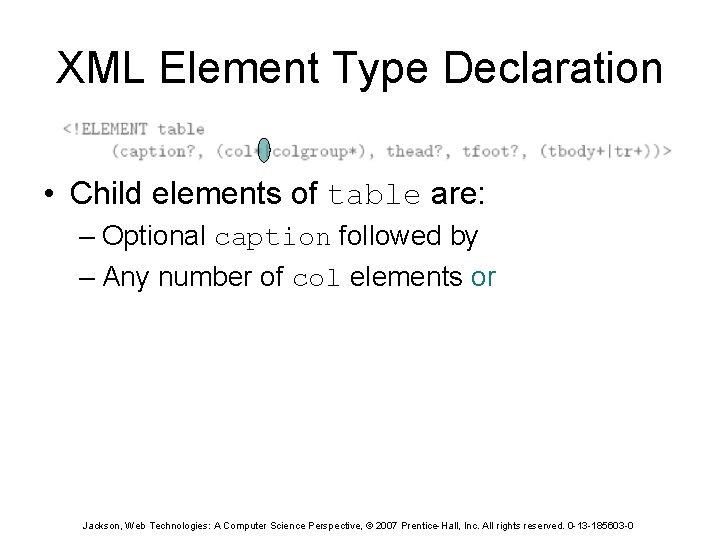
XML Element Type Declaration • Child elements of table are: – Optional caption followed by – Any number of col elements or Jackson, Web Technologies: A Computer Science Perspective, © 2007 Prentice-Hall, Inc. All rights reserved. 0 -13 -185603 -0
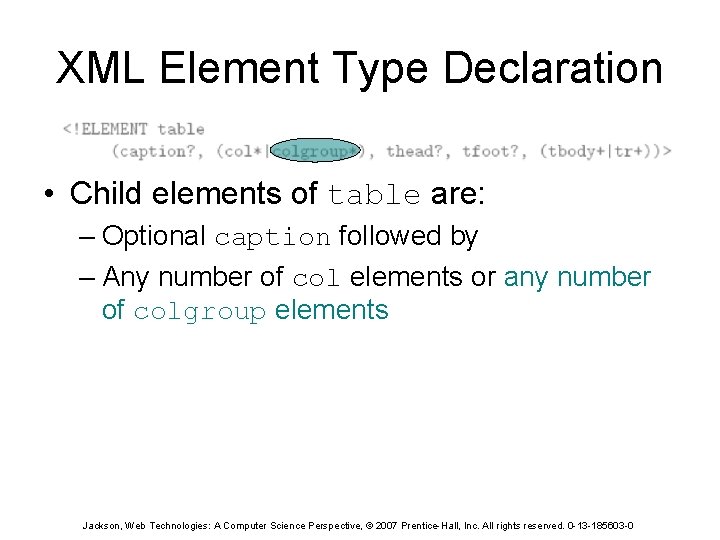
XML Element Type Declaration • Child elements of table are: – Optional caption followed by – Any number of col elements or any number of colgroup elements Jackson, Web Technologies: A Computer Science Perspective, © 2007 Prentice-Hall, Inc. All rights reserved. 0 -13 -185603 -0
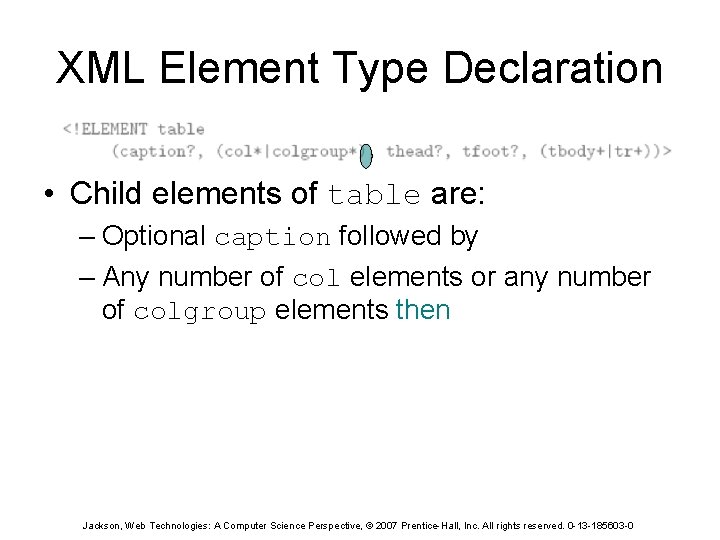
XML Element Type Declaration • Child elements of table are: – Optional caption followed by – Any number of col elements or any number of colgroup elements then Jackson, Web Technologies: A Computer Science Perspective, © 2007 Prentice-Hall, Inc. All rights reserved. 0 -13 -185603 -0
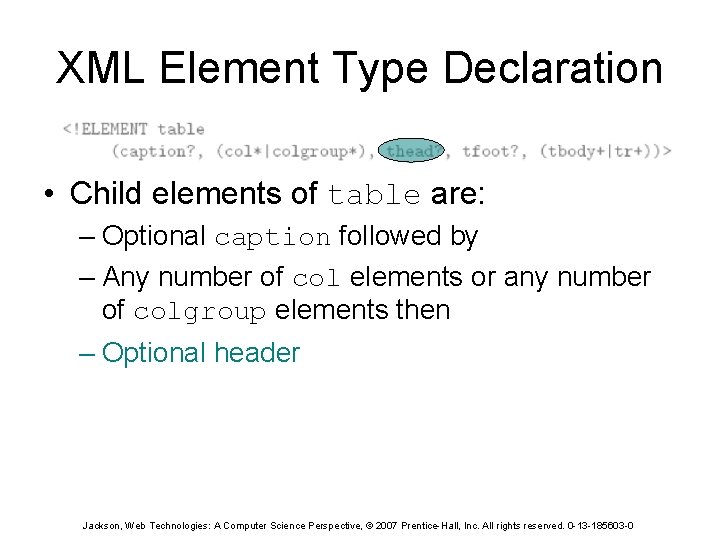
XML Element Type Declaration • Child elements of table are: – Optional caption followed by – Any number of col elements or any number of colgroup elements then – Optional header Jackson, Web Technologies: A Computer Science Perspective, © 2007 Prentice-Hall, Inc. All rights reserved. 0 -13 -185603 -0
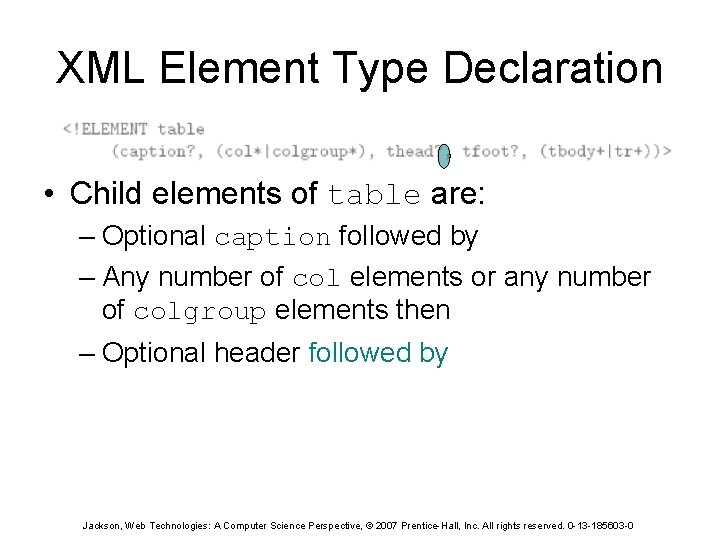
XML Element Type Declaration • Child elements of table are: – Optional caption followed by – Any number of col elements or any number of colgroup elements then – Optional header followed by Jackson, Web Technologies: A Computer Science Perspective, © 2007 Prentice-Hall, Inc. All rights reserved. 0 -13 -185603 -0
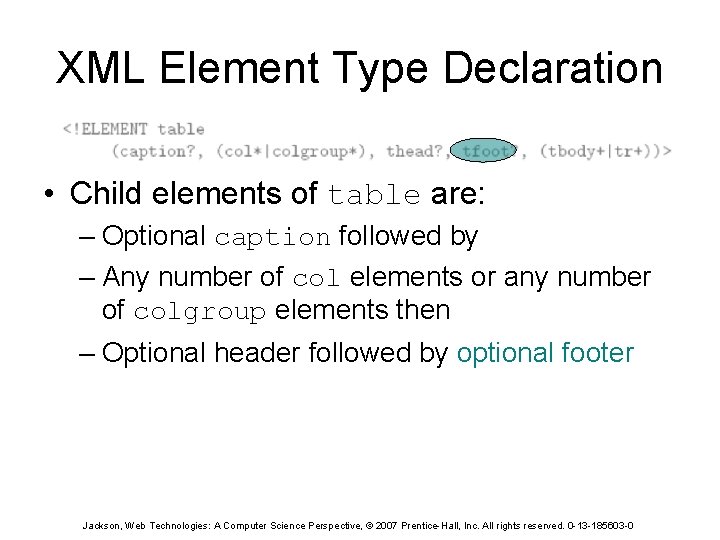
XML Element Type Declaration • Child elements of table are: – Optional caption followed by – Any number of col elements or any number of colgroup elements then – Optional header followed by optional footer Jackson, Web Technologies: A Computer Science Perspective, © 2007 Prentice-Hall, Inc. All rights reserved. 0 -13 -185603 -0
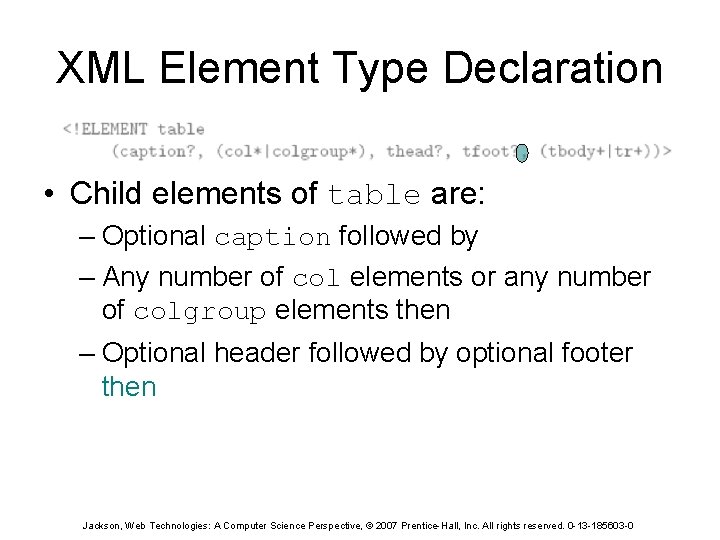
XML Element Type Declaration • Child elements of table are: – Optional caption followed by – Any number of col elements or any number of colgroup elements then – Optional header followed by optional footer then Jackson, Web Technologies: A Computer Science Perspective, © 2007 Prentice-Hall, Inc. All rights reserved. 0 -13 -185603 -0
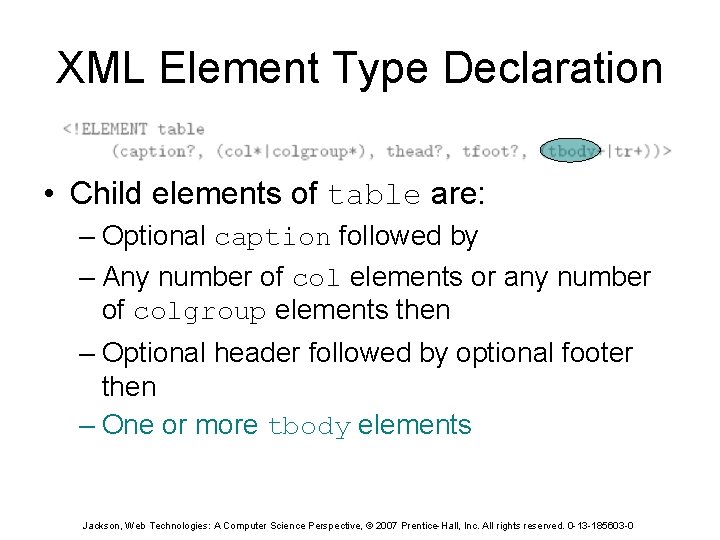
XML Element Type Declaration • Child elements of table are: – Optional caption followed by – Any number of col elements or any number of colgroup elements then – Optional header followed by optional footer then – One or more tbody elements Jackson, Web Technologies: A Computer Science Perspective, © 2007 Prentice-Hall, Inc. All rights reserved. 0 -13 -185603 -0
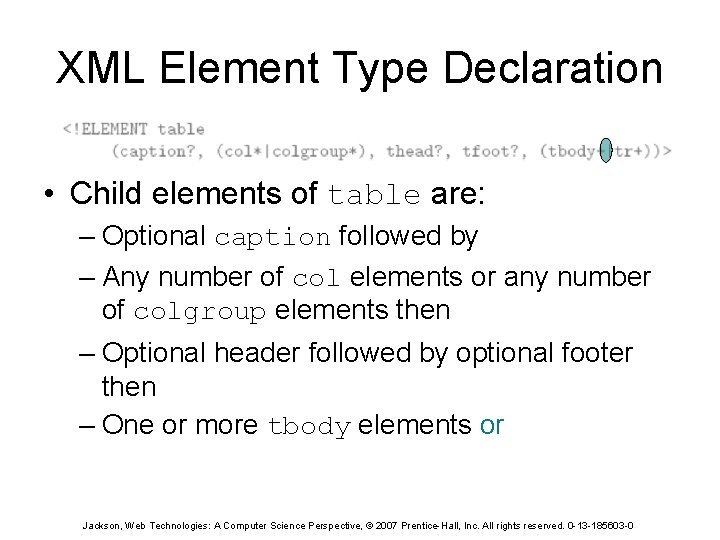
XML Element Type Declaration • Child elements of table are: – Optional caption followed by – Any number of col elements or any number of colgroup elements then – Optional header followed by optional footer then – One or more tbody elements or Jackson, Web Technologies: A Computer Science Perspective, © 2007 Prentice-Hall, Inc. All rights reserved. 0 -13 -185603 -0
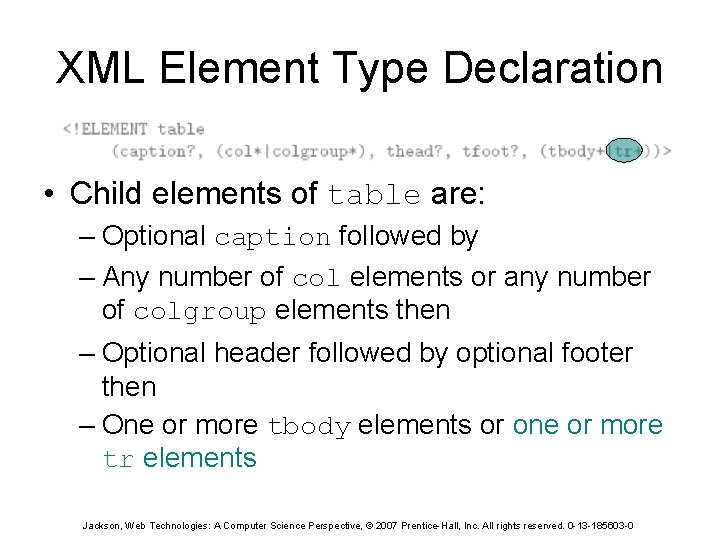
XML Element Type Declaration • Child elements of table are: – Optional caption followed by – Any number of col elements or any number of colgroup elements then – Optional header followed by optional footer then – One or more tbody elements or one or more tr elements Jackson, Web Technologies: A Computer Science Perspective, © 2007 Prentice-Hall, Inc. All rights reserved. 0 -13 -185603 -0
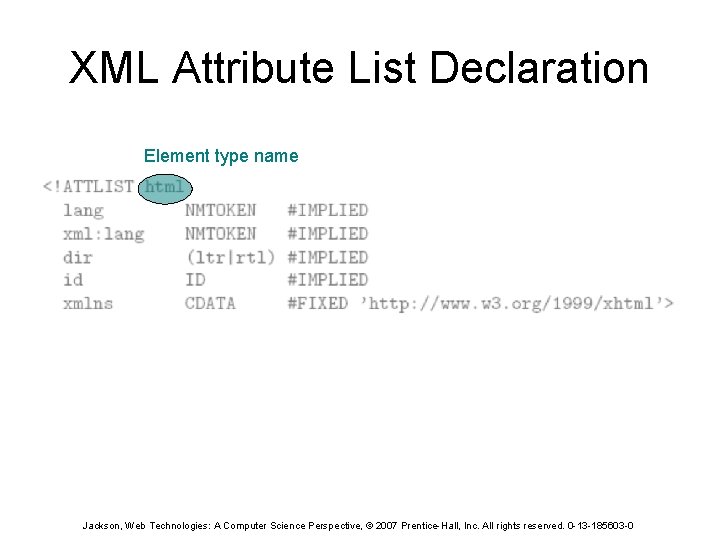
XML Attribute List Declaration Element type name Jackson, Web Technologies: A Computer Science Perspective, © 2007 Prentice-Hall, Inc. All rights reserved. 0 -13 -185603 -0
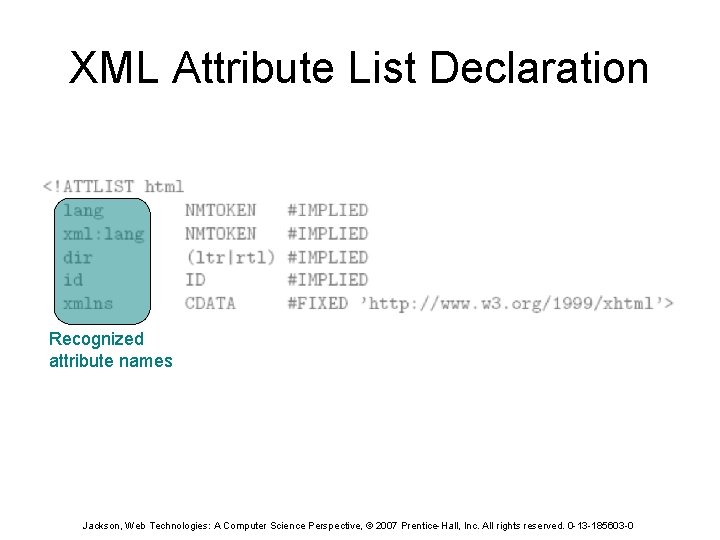
XML Attribute List Declaration Recognized attribute names Jackson, Web Technologies: A Computer Science Perspective, © 2007 Prentice-Hall, Inc. All rights reserved. 0 -13 -185603 -0
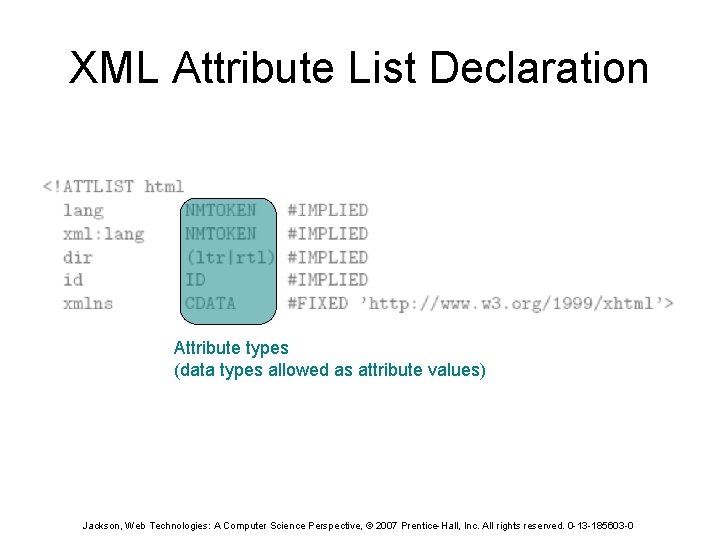
XML Attribute List Declaration Attribute types (data types allowed as attribute values) Jackson, Web Technologies: A Computer Science Perspective, © 2007 Prentice-Hall, Inc. All rights reserved. 0 -13 -185603 -0
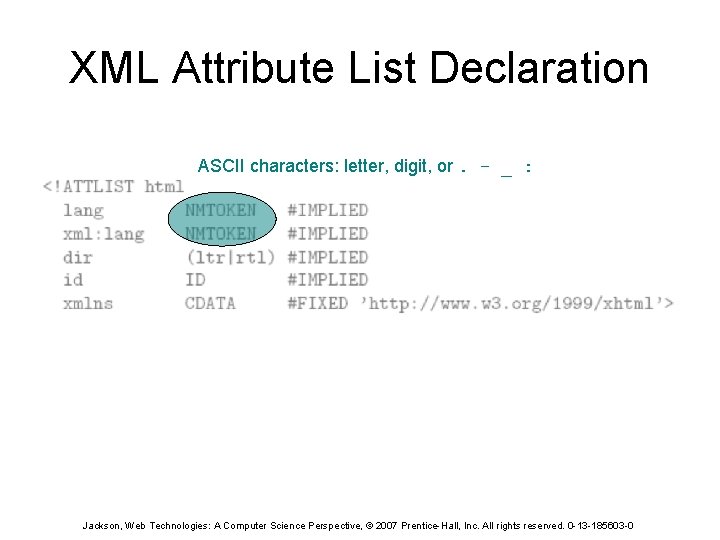
XML Attribute List Declaration ASCII characters: letter, digit, or. - _ : Jackson, Web Technologies: A Computer Science Perspective, © 2007 Prentice-Hall, Inc. All rights reserved. 0 -13 -185603 -0
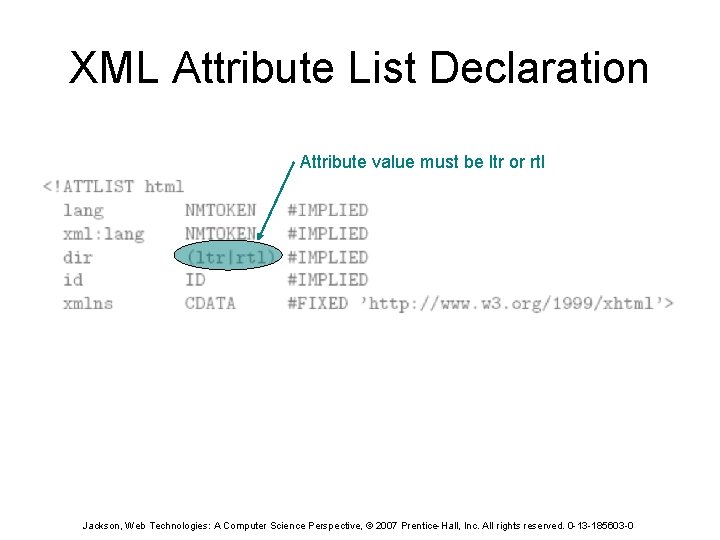
XML Attribute List Declaration Attribute value must be ltr or rtl Jackson, Web Technologies: A Computer Science Perspective, © 2007 Prentice-Hall, Inc. All rights reserved. 0 -13 -185603 -0
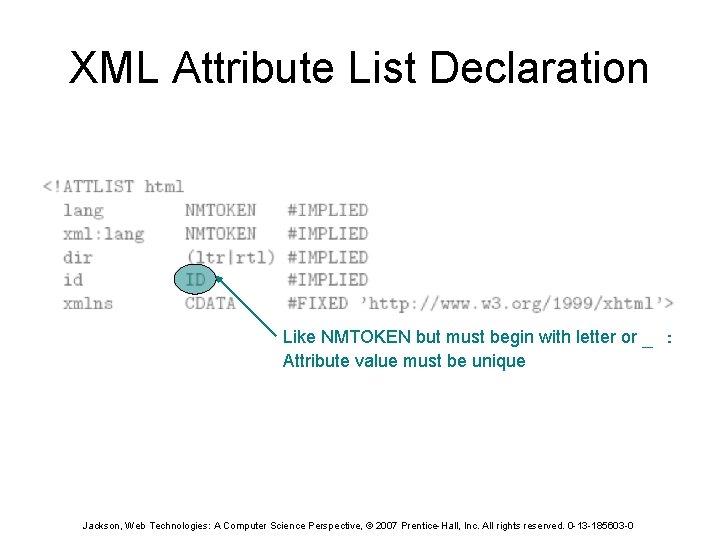
XML Attribute List Declaration Like NMTOKEN but must begin with letter or _ : Attribute value must be unique Jackson, Web Technologies: A Computer Science Perspective, © 2007 Prentice-Hall, Inc. All rights reserved. 0 -13 -185603 -0
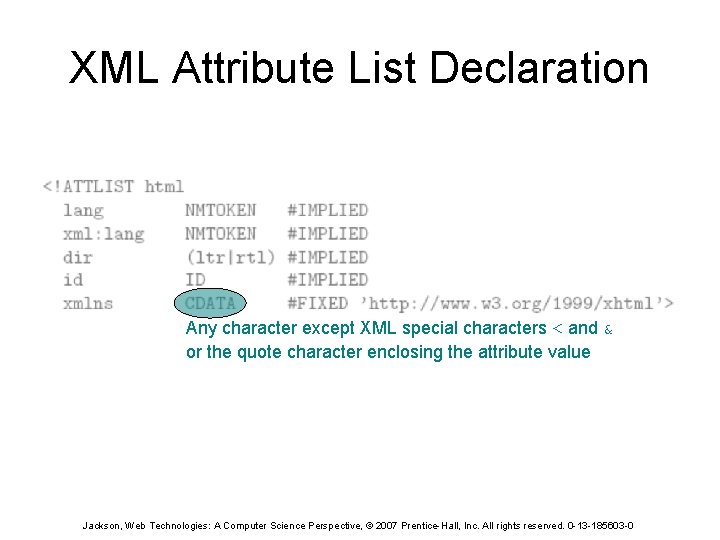
XML Attribute List Declaration Any character except XML special characters < and & or the quote character enclosing the attribute value Jackson, Web Technologies: A Computer Science Perspective, © 2007 Prentice-Hall, Inc. All rights reserved. 0 -13 -185603 -0
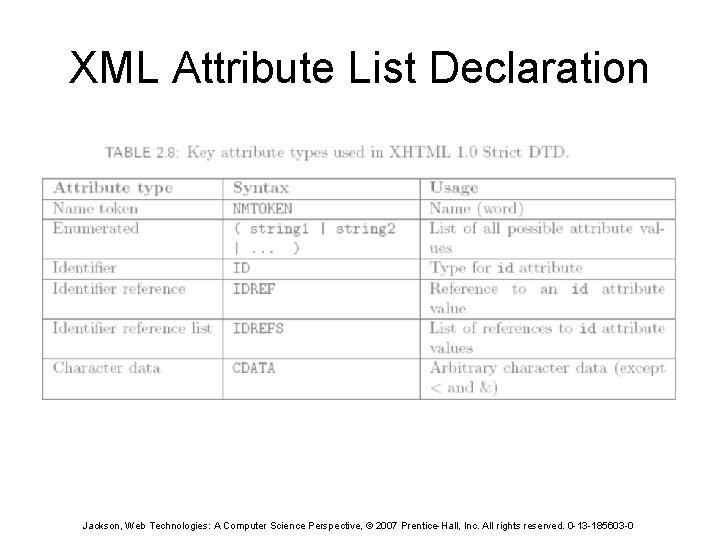
XML Attribute List Declaration Jackson, Web Technologies: A Computer Science Perspective, © 2007 Prentice-Hall, Inc. All rights reserved. 0 -13 -185603 -0
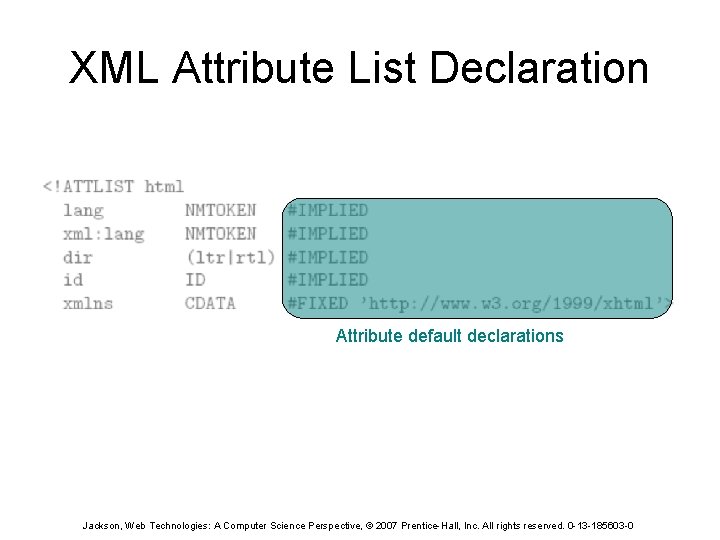
XML Attribute List Declaration Attribute default declarations Jackson, Web Technologies: A Computer Science Perspective, © 2007 Prentice-Hall, Inc. All rights reserved. 0 -13 -185603 -0
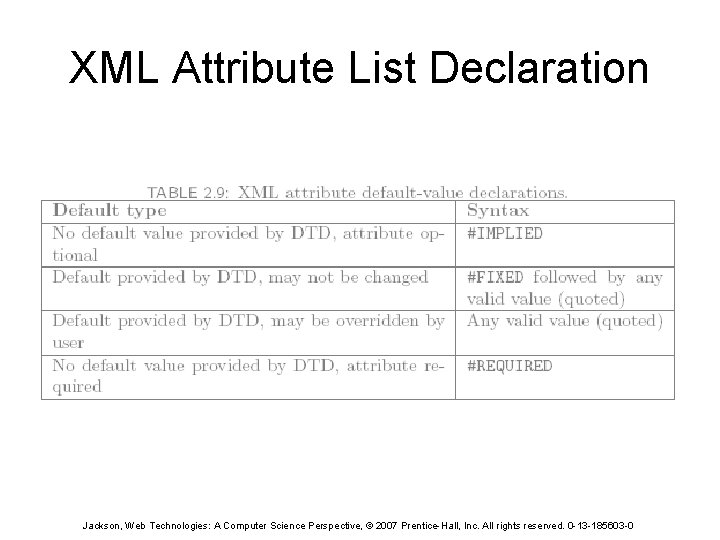
XML Attribute List Declaration Jackson, Web Technologies: A Computer Science Perspective, © 2007 Prentice-Hall, Inc. All rights reserved. 0 -13 -185603 -0
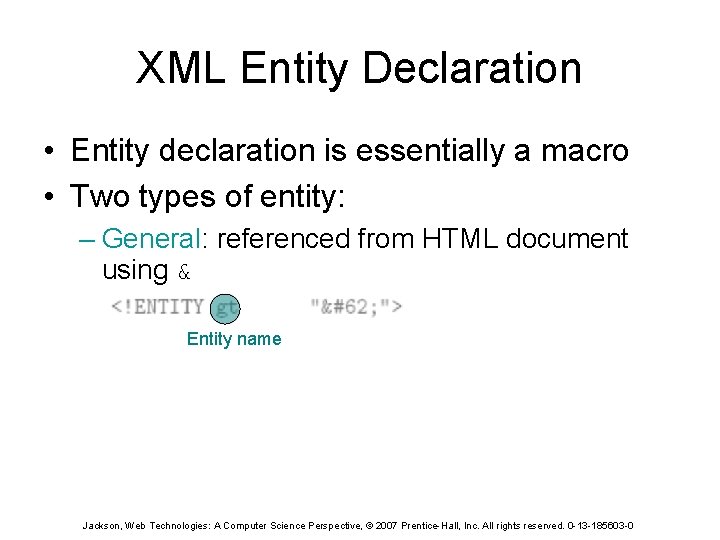
XML Entity Declaration • Entity declaration is essentially a macro • Two types of entity: – General: referenced from HTML document using & Entity name Jackson, Web Technologies: A Computer Science Perspective, © 2007 Prentice-Hall, Inc. All rights reserved. 0 -13 -185603 -0
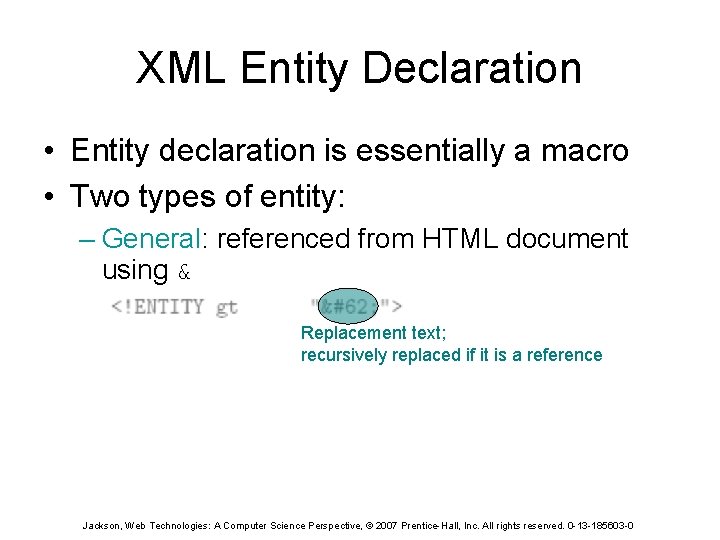
XML Entity Declaration • Entity declaration is essentially a macro • Two types of entity: – General: referenced from HTML document using & Replacement text; recursively replaced if it is a reference Jackson, Web Technologies: A Computer Science Perspective, © 2007 Prentice-Hall, Inc. All rights reserved. 0 -13 -185603 -0
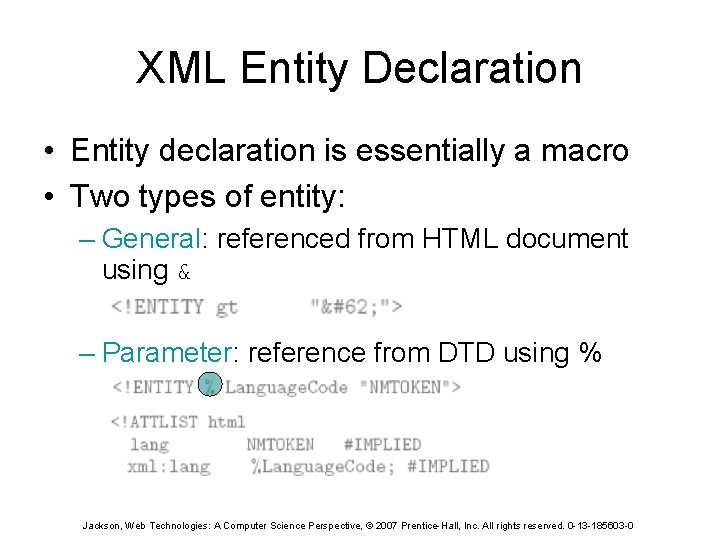
XML Entity Declaration • Entity declaration is essentially a macro • Two types of entity: – General: referenced from HTML document using & – Parameter: reference from DTD using % Jackson, Web Technologies: A Computer Science Perspective, © 2007 Prentice-Hall, Inc. All rights reserved. 0 -13 -185603 -0
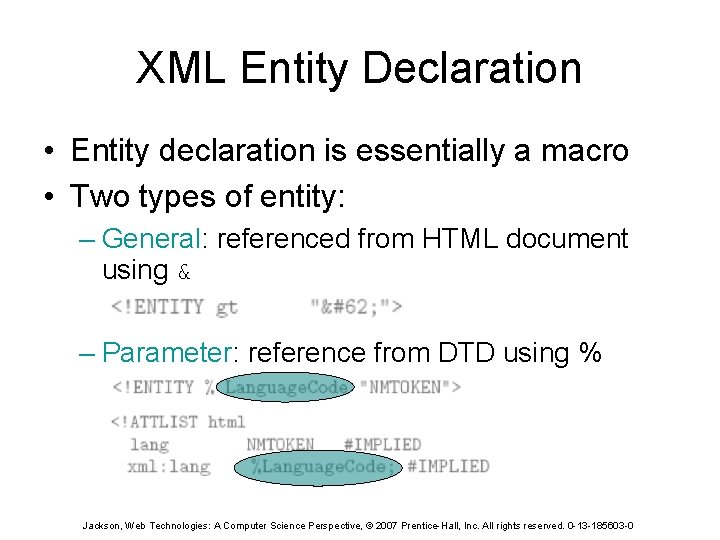
XML Entity Declaration • Entity declaration is essentially a macro • Two types of entity: – General: referenced from HTML document using & – Parameter: reference from DTD using % Jackson, Web Technologies: A Computer Science Perspective, © 2007 Prentice-Hall, Inc. All rights reserved. 0 -13 -185603 -0
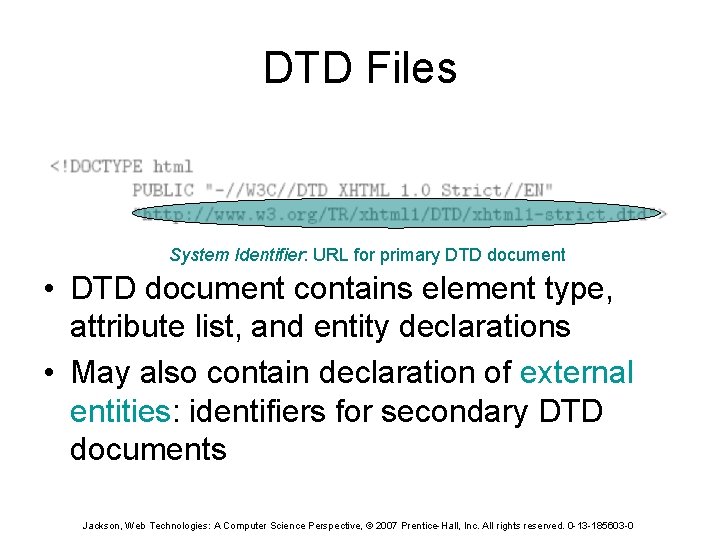
DTD Files System Identifier: URL for primary DTD document • DTD document contains element type, attribute list, and entity declarations • May also contain declaration of external entities: identifiers for secondary DTD documents Jackson, Web Technologies: A Computer Science Perspective, © 2007 Prentice-Hall, Inc. All rights reserved. 0 -13 -185603 -0
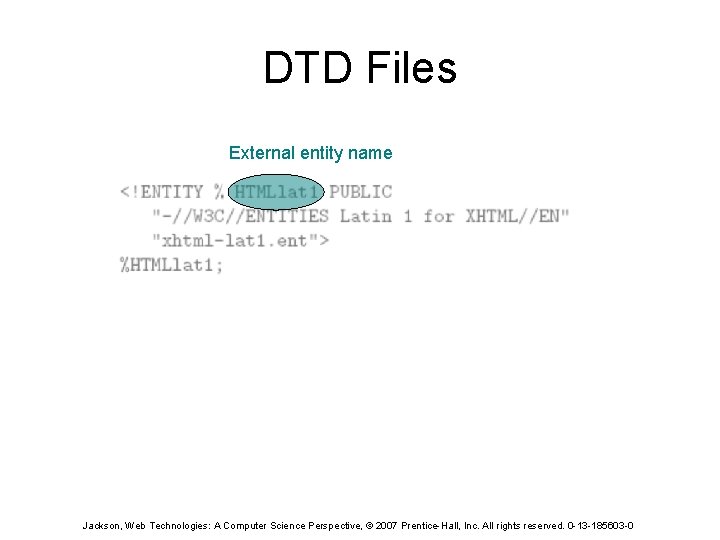
DTD Files External entity name Jackson, Web Technologies: A Computer Science Perspective, © 2007 Prentice-Hall, Inc. All rights reserved. 0 -13 -185603 -0
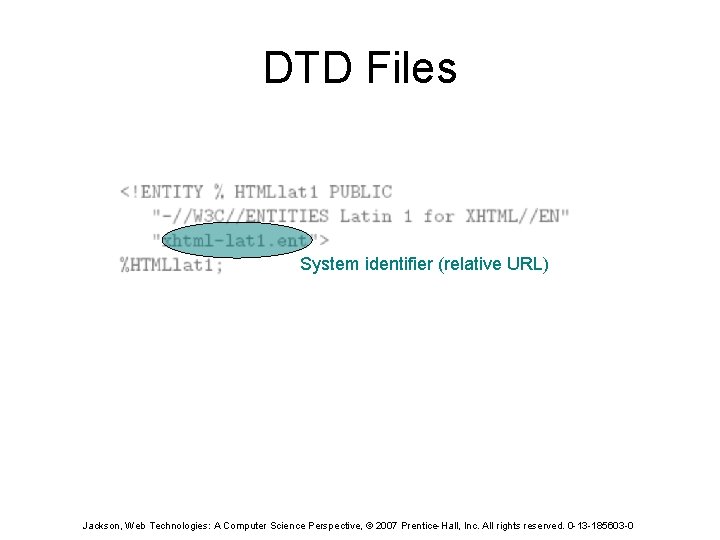
DTD Files System identifier (relative URL) Jackson, Web Technologies: A Computer Science Perspective, © 2007 Prentice-Hall, Inc. All rights reserved. 0 -13 -185603 -0
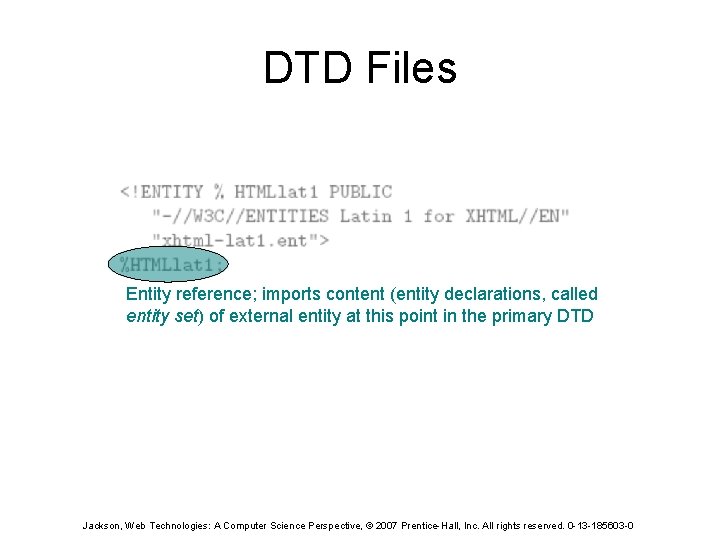
DTD Files Entity reference; imports content (entity declarations, called entity set) of external entity at this point in the primary DTD Jackson, Web Technologies: A Computer Science Perspective, © 2007 Prentice-Hall, Inc. All rights reserved. 0 -13 -185603 -0
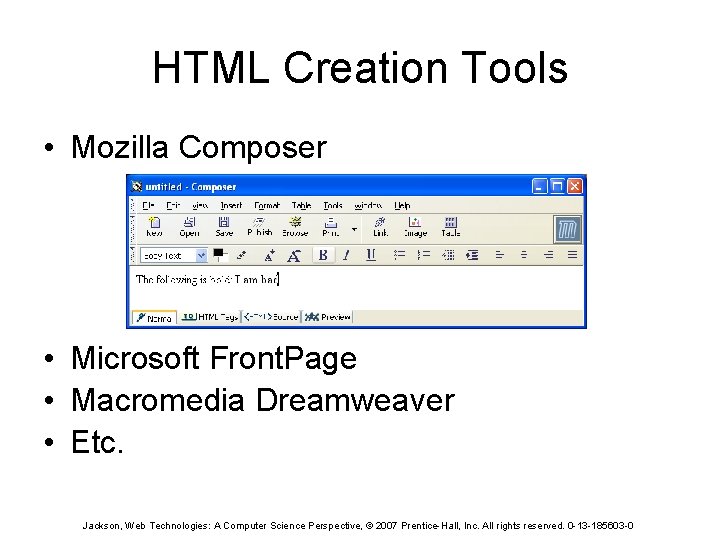
HTML Creation Tools • Mozilla Composer • Microsoft Front. Page • Macromedia Dreamweaver • Etc. Jackson, Web Technologies: A Computer Science Perspective, © 2007 Prentice-Hall, Inc. All rights reserved. 0 -13 -185603 -0
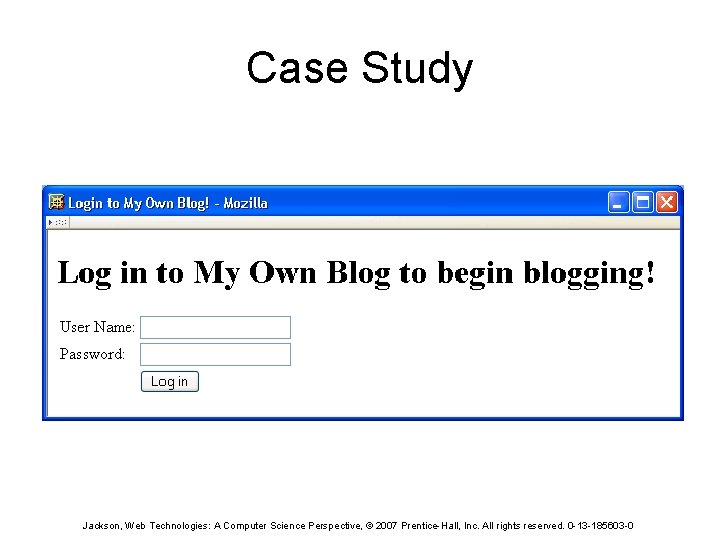
Case Study Jackson, Web Technologies: A Computer Science Perspective, © 2007 Prentice-Hall, Inc. All rights reserved. 0 -13 -185603 -0
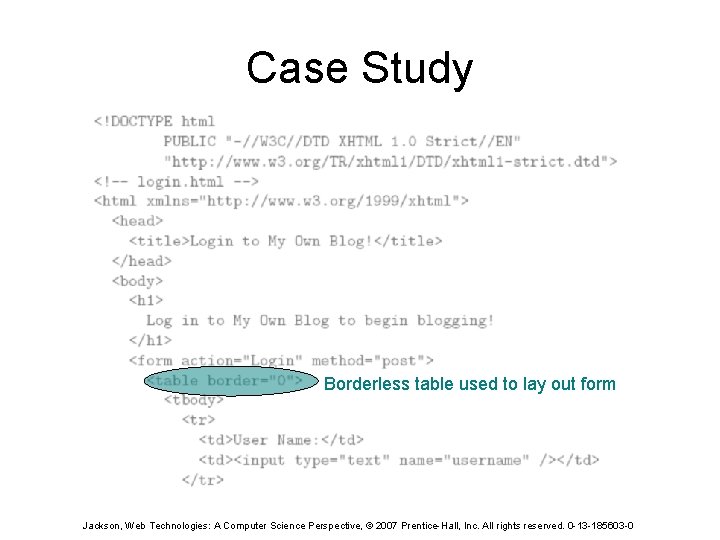
Case Study Borderless table used to lay out form Jackson, Web Technologies: A Computer Science Perspective, © 2007 Prentice-Hall, Inc. All rights reserved. 0 -13 -185603 -0
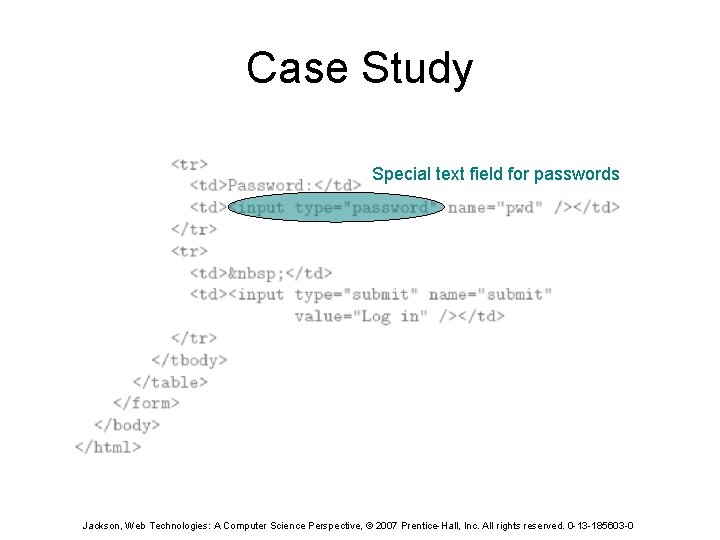
Case Study Special text field for passwords Jackson, Web Technologies: A Computer Science Perspective, © 2007 Prentice-Hall, Inc. All rights reserved. 0 -13 -185603 -0
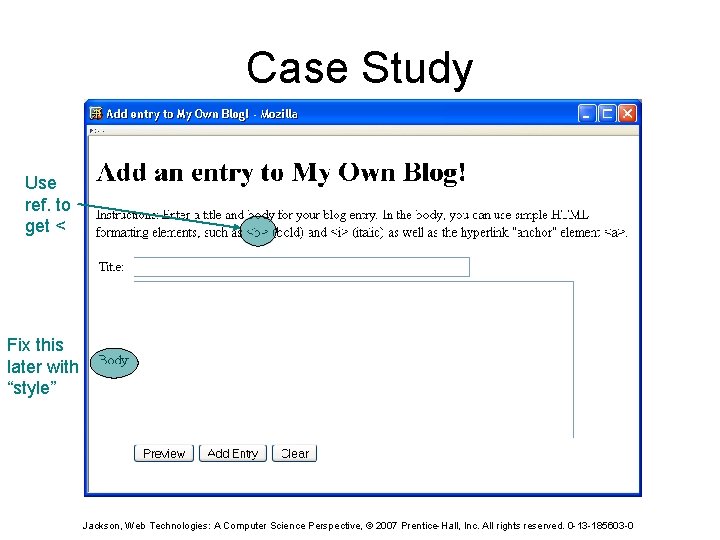
Case Study Use ref. to get < Fix this later with “style” Jackson, Web Technologies: A Computer Science Perspective, © 2007 Prentice-Hall, Inc. All rights reserved. 0 -13 -185603 -0
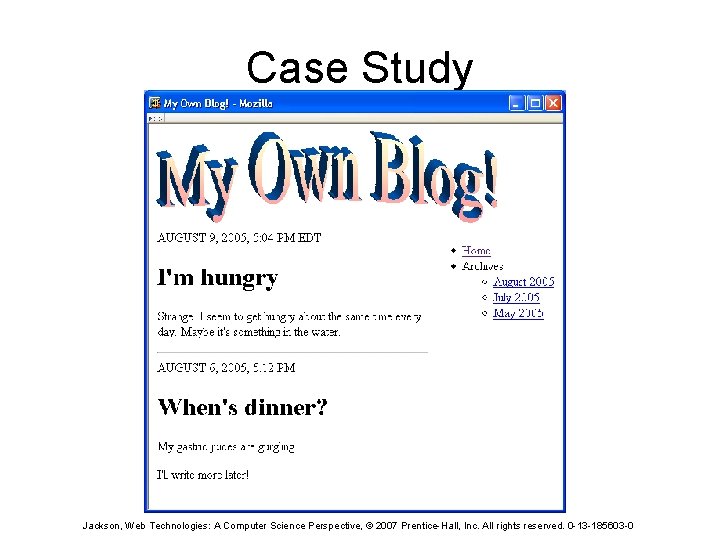
Case Study Jackson, Web Technologies: A Computer Science Perspective, © 2007 Prentice-Hall, Inc. All rights reserved. 0 -13 -185603 -0
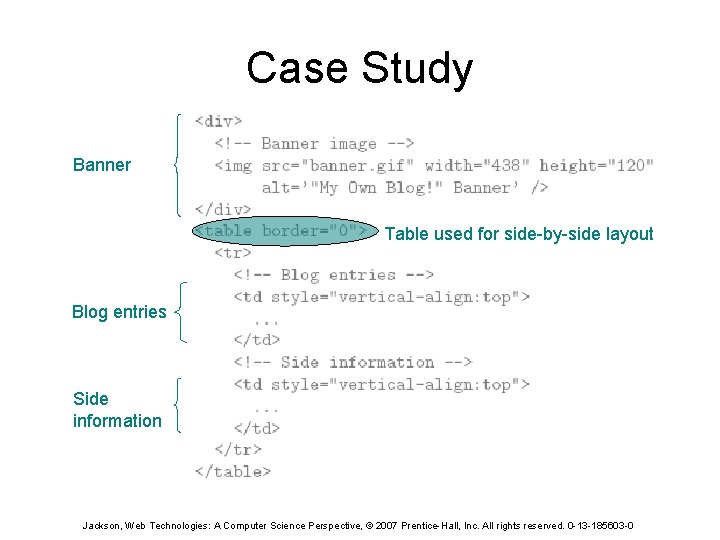
Case Study Banner Table used for side-by-side layout Blog entries Side information Jackson, Web Technologies: A Computer Science Perspective, © 2007 Prentice-Hall, Inc. All rights reserved. 0 -13 -185603 -0
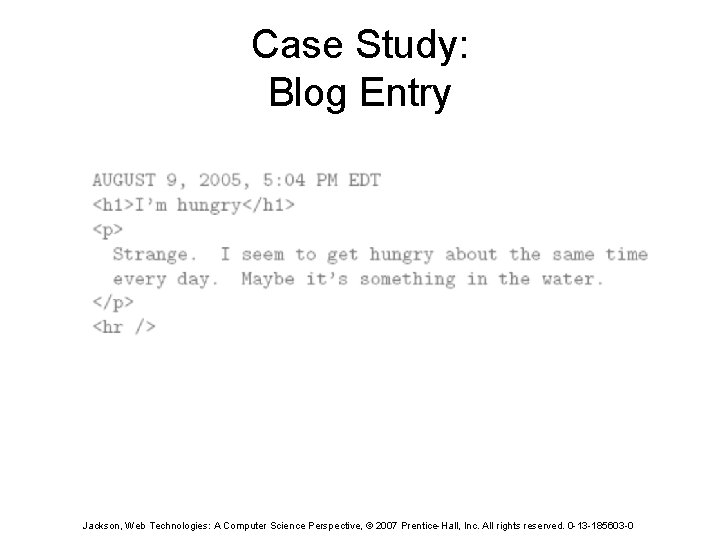
Case Study: Blog Entry Jackson, Web Technologies: A Computer Science Perspective, © 2007 Prentice-Hall, Inc. All rights reserved. 0 -13 -185603 -0
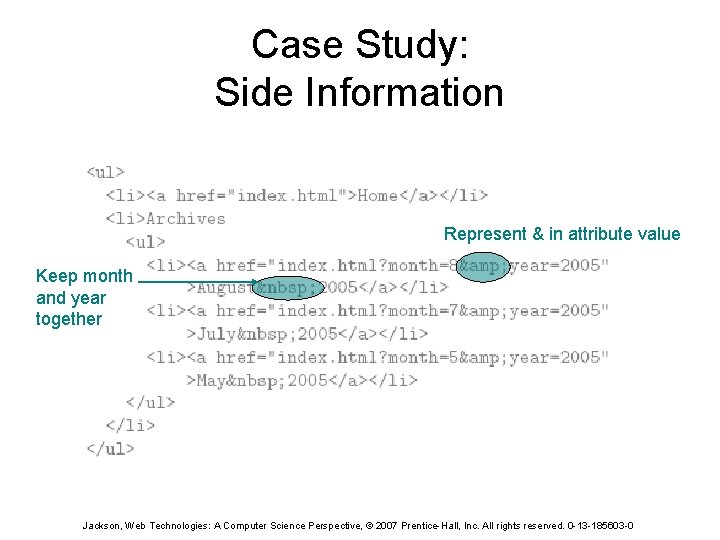
Case Study: Side Information Represent & in attribute value Keep month and year together Jackson, Web Technologies: A Computer Science Perspective, © 2007 Prentice-Hall, Inc. All rights reserved. 0 -13 -185603 -0
References • XHTML 1. 0 – Semantics: HTML 4. 01 • Index of all elements – Syntax restrictions: XHTML 1. 0 – Annotated DTD • Relative URL • Accessibility guidelines • XML 1. 0 Jackson, Web Technologies: A Computer Science Perspective, © 2007 Prentice-Hall, Inc. All rights reserved. 0 -13 -185603 -0
- Slides: 163