
Web http index html URL Index html HTTP

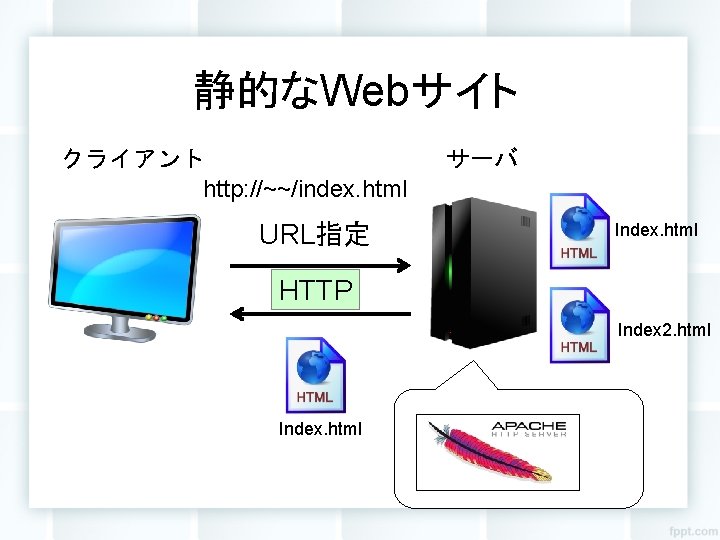
静的なWebサイト クライアント http: //~~/index. html URL指定 サーバ Index. html HTTP Index 2. html Index. html

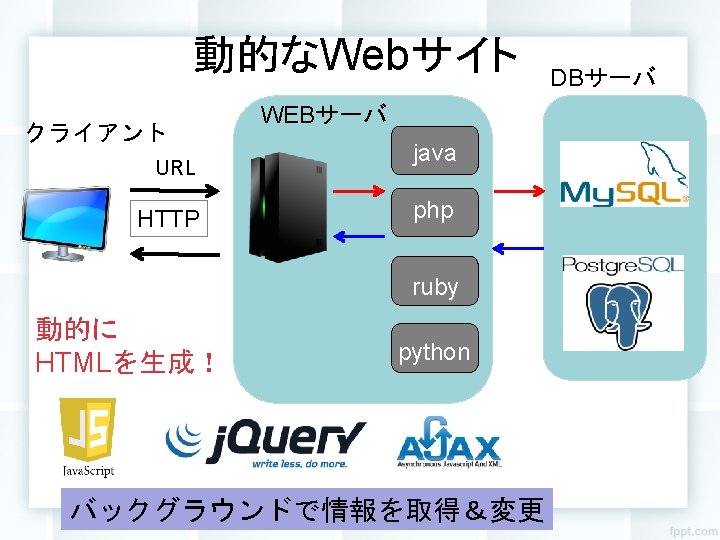
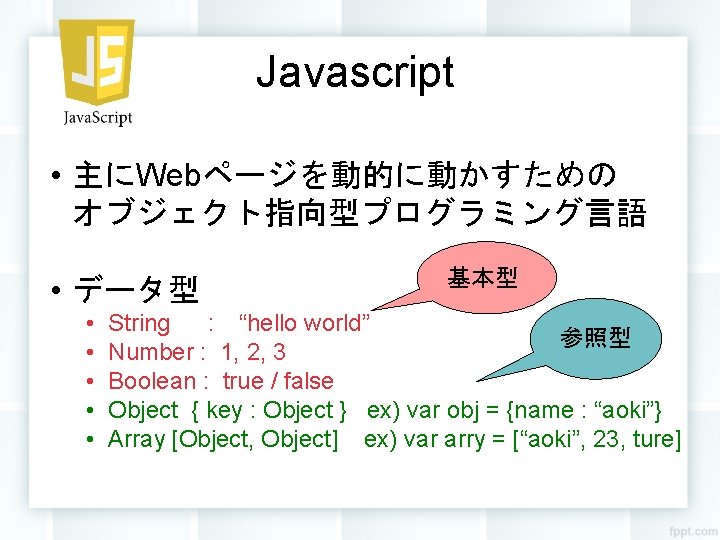
Javascript • 主にWebページを動的に動かすための オブジェクト指向型プログラミング言語 • データ型 • • • 基本型 String : “hello world” 参照型 Number : 1, 2, 3 Boolean : true / false Object { key : Object } ex) var obj = {name : “aoki”} Array [Object, Object] ex) var arry = [“aoki”, 23, ture]



j. Query • 例 html関数を使って、要素内の書き換え <html> <head> <script src=“js/jquery-1. 11. 2. min. js”></script> <script> $(function(){ $(“#test”). html(“Hello World!”) }); </script> Hello World! idがtestの <head> 要素を選択 <body> <div id=“test”></div> class指定 </body> なら「. test </html> 」
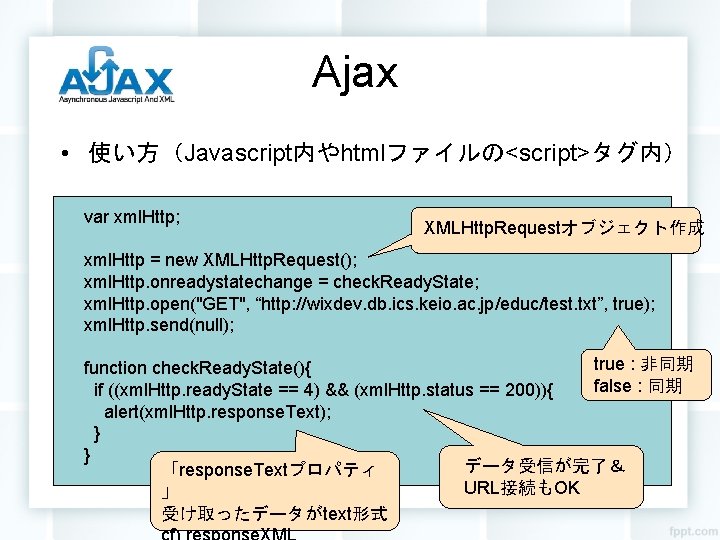
Ajax • 使い方(Javascript内やhtmlファイルの<script>タグ内) var xml. Http; XMLHttp. Requestオブジェクト作成 xml. Http = new XMLHttp. Request(); xml. Http. onreadystatechange = check. Ready. State; xml. Http. open("GET", “http: //wixdev. db. ics. keio. ac. jp/educ/test. txt”, true); xml. Http. send(null); true : 非同期 function check. Ready. State(){ false : 同期 if ((xml. Http. ready. State == 4) && (xml. Http. status == 200)){ alert(xml. Http. response. Text); } } データ受信が完了& 「response. Textプロパティ URL接続もOK 」 受け取ったデータがtext形式
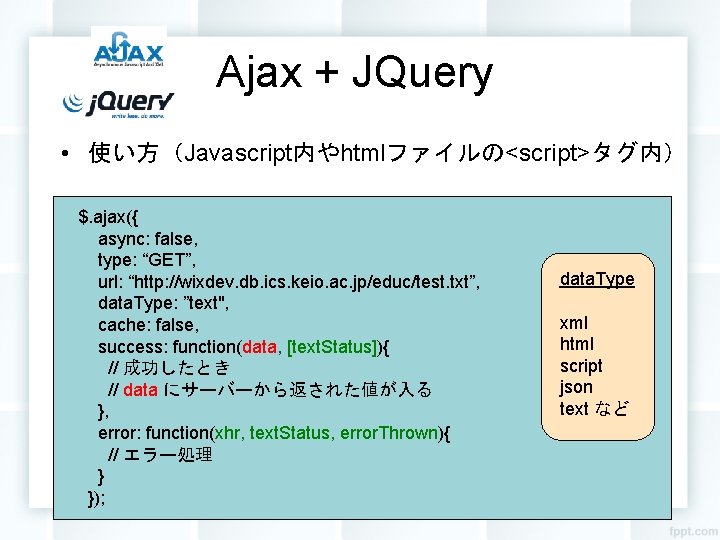
Ajax + JQuery • 使い方(Javascript内やhtmlファイルの<script>タグ内) $. ajax({ async: false, type: “GET”, url: “http: //wixdev. db. ics. keio. ac. jp/educ/test. txt”, data. Type: ”text", cache: false, success: function(data, [text. Status]){ // 成功したとき // data にサーバーから返された値が入る }, error: function(xhr, text. Status, error. Thrown){ // エラー処理 } }); data. Type xml html script json text など
- Slides: 14