
Web Graphics Colours and Display Graphics and Modems
Web Graphics

Colours and Display • Graphics and Modems • 28. 8 kbps = 3. 6 KB per second • 36 KB takes 10 seconds to load. • Pixels and color
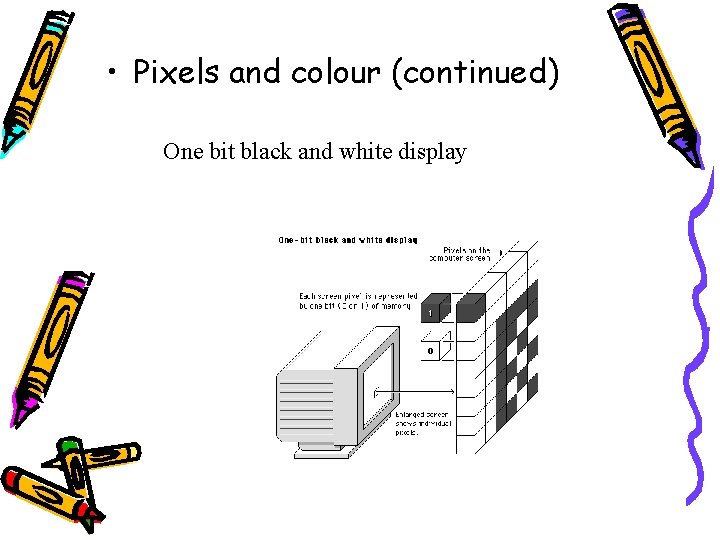
• Pixels and colour (continued) One bit black and white display

• Pixels and colour (continued) – 8 -bit or 256 colour displays
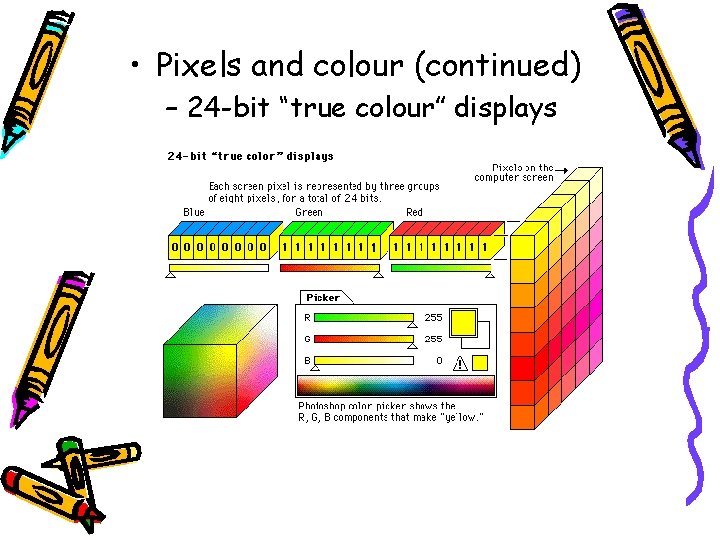
• Pixels and colour (continued) – 24 -bit “true colour” displays
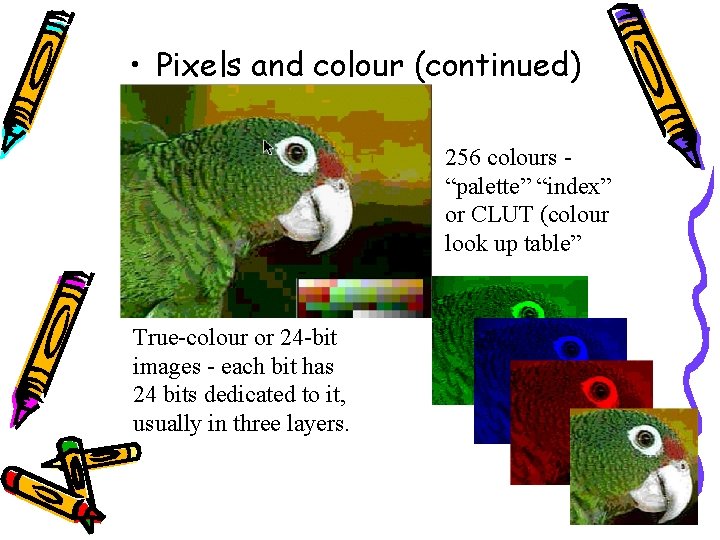
• Pixels and colour (continued) 256 colours “palette” “index” or CLUT (colour look up table” True-colour or 24 -bit images - each bit has 24 bits dedicated to it, usually in three layers.
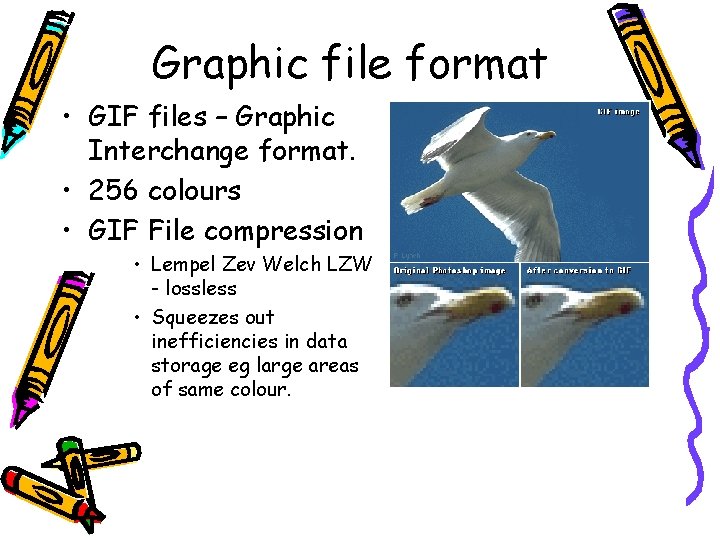
Graphic file format • GIF files – Graphic Interchange format. • 256 colours • GIF File compression • Lempel Zev Welch LZW - lossless • Squeezes out inefficiencies in data storage eg large areas of same colour.
• Non-interlaced GIF – downloads one line of pixels at a time • Interlaced – stored in a format that allows browsers to begin with low resolution
JPEG • Joint Photographic Experts Group • 24 bit or true colour • used when colour fidelity is paramount • degree of compression=degree of quality • JPEG discards “unnecessary” data lossy image technique
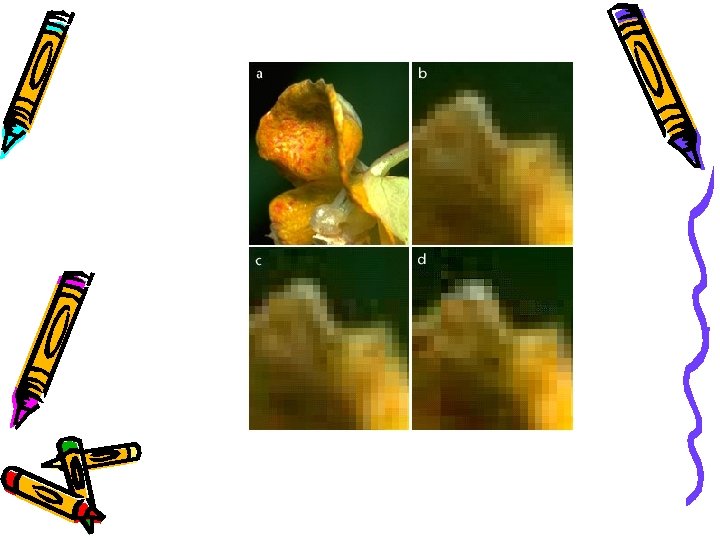
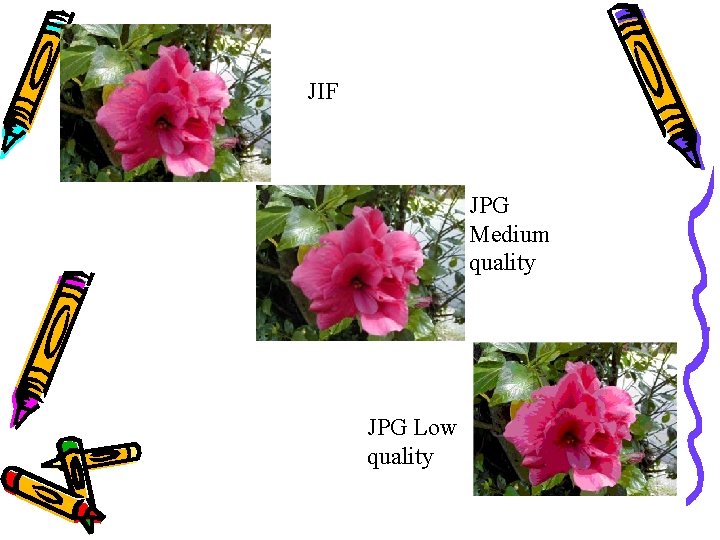
JIF JPG Medium quality JPG Low quality
Uses for GIF and JPEG – JPEG - complex photographic illustrations etc where compression does not degrade image quality. – Advantages of GIF • All graphics Web viewers support the GIF format • GIFs of diagrammatic images look better • GIF supports transparency and interlacing
Advantages of JPEG images • huge compression ratios for faster downloads • Gives excellent results for photographs and medical images • Supports full-colour images (24 -bit “true colour” images)
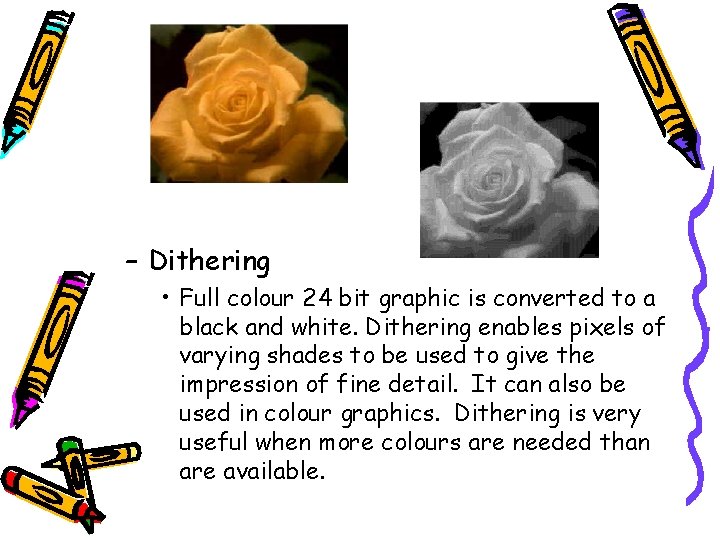
– Dithering • Full colour 24 bit graphic is converted to a black and white. Dithering enables pixels of varying shades to be used to give the impression of fine detail. It can also be used in colour graphics. Dithering is very useful when more colours are needed than are available.
Questions • What is one major consideration when displaying graphics on a web page? • How is colour typically displayed on a computer? • Describe one advantage of GIF. • Describe one advantage of JPEG. • Why is dithering used?
- Slides: 15