
Web Development in Java Andrew Simpson Overview Background
Web Development in Java Andrew Simpson
Overview • • • Background Language Details Java Server Pages (JSP) Servlets Database Connectivity (JDBC) Samples and Application
Background • Java is a compiled language • Can be server side or client side, servlets or applets • Java has many applications outside of web development • Java is syntactically very similar to C++ and other compiled languages
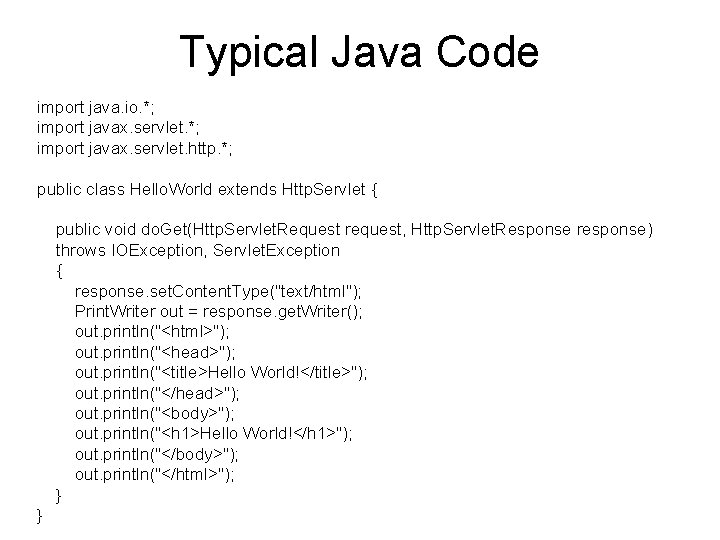
Typical Java Code import java. io. *; import javax. servlet. http. *; public class Hello. World extends Http. Servlet { public void do. Get(Http. Servlet. Request request, Http. Servlet. Response response) throws IOException, Servlet. Exception { response. set. Content. Type("text/html"); Print. Writer out = response. get. Writer(); out. println("<html>"); out. println("<head>"); out. println("<title>Hello World!</title>"); out. println("</head>"); out. println("<body>"); out. println("<h 1>Hello World!</h 1>"); out. println("</body>"); out. println("</html>"); } }

Primitive Data Types Keyword Description Size/Format Byte-length integer 8 -bit 2’s complement Short integer 16 -bit 2’s complement Integer 32 -bit 2’s complement Long integer 64 -bit 2’s complement Float Single precision float 32 -bit IEEE 754 Double precision float 64 -bit IEEE 754 Char A single character 16 bit Unicode char Boolean A boolean value True or false
Java’s Tools • Similar to the stdlib in C++, Java has many common data types and other procedures already implemented • Abstract. Collection, Abstract. List, Array, Bit. Set, Calendar, Collections, Currency, Date, Dictionary, Hash. Map, Hash. Set, Linked. Hash. Map, Properties, Stack, String. Tokenizer, Timer, Tree. Map, Tree. Set, Vector
Comparisons • The usual operators work on the primitive data types • Class defined comparisons are required for all other data types • Comparator lets the programmer define their own criteria • Comparator can be defined for Java to sort different structures automatically
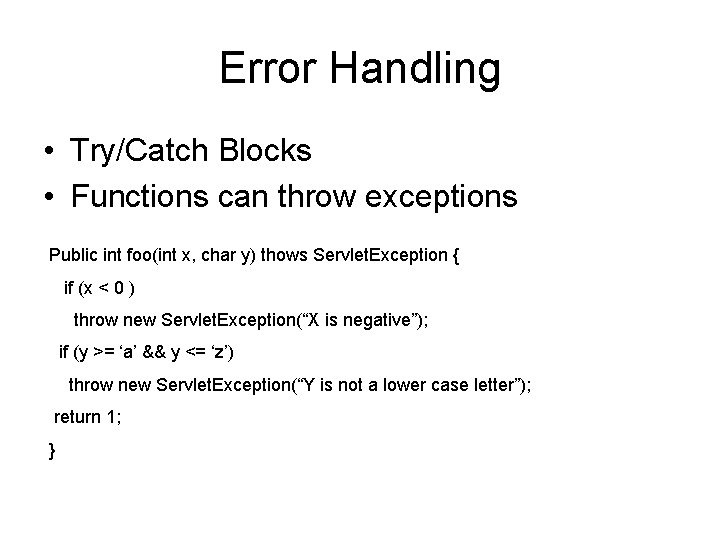
Error Handling • Try/Catch Blocks • Functions can throw exceptions Public int foo(int x, char y) thows Servlet. Exception { if (x < 0 ) throw new Servlet. Exception(“X is negative”); if (y >= ‘a’ && y <= ‘z’) throw new Servlet. Exception(“Y is not a lower case letter”); return 1; }
Java Server Pages (JSP) • Similar to Perl in that it is not compiled at first, but rather compiled on the server • Can contain static HTML/XML components • Uses “special” JSP tags • Optionally can have snippets of Java in the language called scriptlets
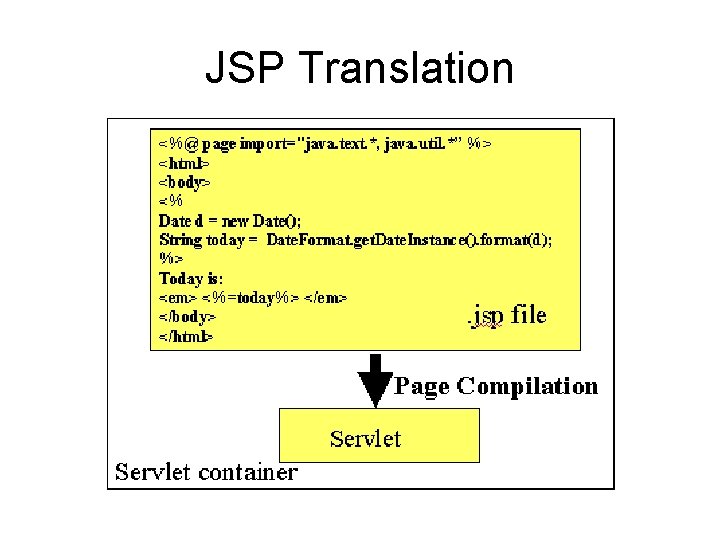
JSP Translation
JSP Syntax There are multiple styles that a JSP translator recognizes to writing a JSP • Embedding JAVA into static content • Creating new dynamic tags to do embedding • Embedding static content into JAVA
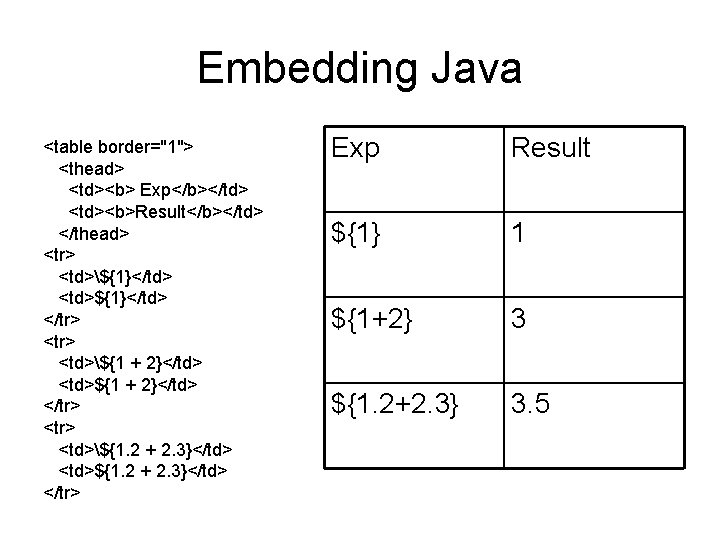
Embedding Java <table border="1"> <thead> <td><b> Exp</b></td> <td><b>Result</b></td> </thead> <tr> <td>${1}</td> <td>${1}</td> </tr> <td>${1 + 2}</td> <td>${1 + 2}</td> </tr> <td>${1. 2 + 2. 3}</td> <td>${1. 2 + 2. 3}</td> </tr> Exp Result ${1} 1 ${1+2} 3 ${1. 2+2. 3} 3. 5
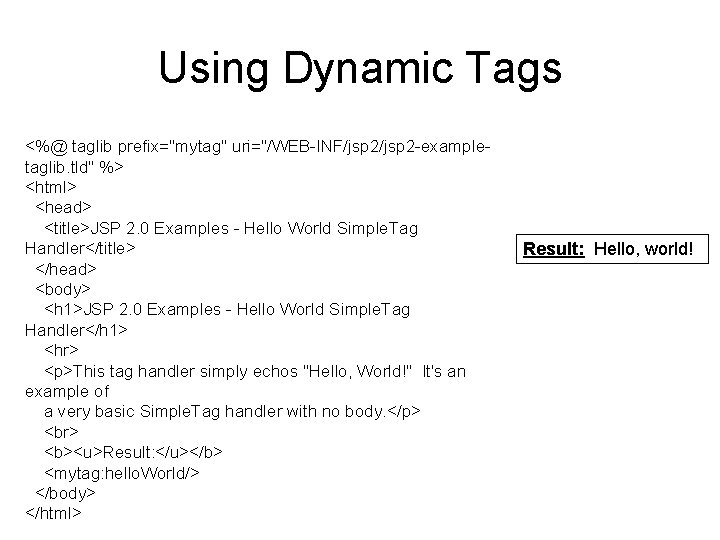
Using Dynamic Tags <%@ taglib prefix="mytag" uri="/WEB-INF/jsp 2 -exampletaglib. tld" %> <html> <head> <title>JSP 2. 0 Examples - Hello World Simple. Tag Handler</title> </head> <body> <h 1>JSP 2. 0 Examples - Hello World Simple. Tag Handler</h 1> <hr> <p>This tag handler simply echos "Hello, World!" It's an example of a very basic Simple. Tag handler with no body. </p> <b><u>Result: </u></b> <mytag: hello. World/> </body> </html> Result: Hello, world!
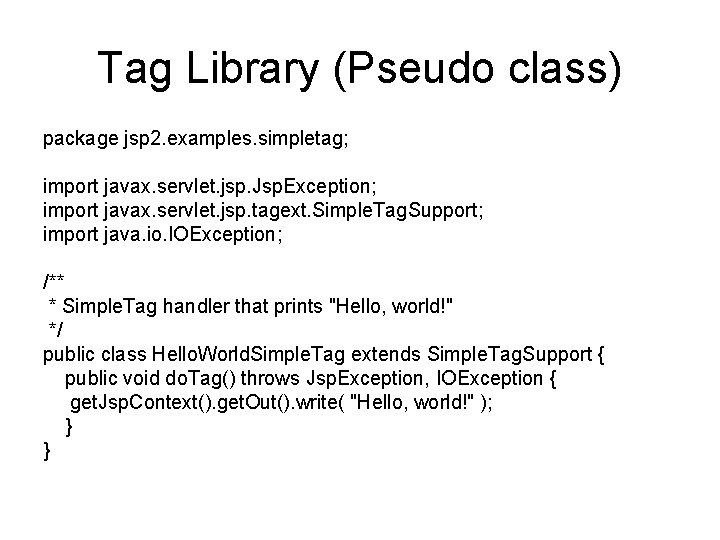
Tag Library (Pseudo class) package jsp 2. examples. simpletag; import javax. servlet. jsp. Jsp. Exception; import javax. servlet. jsp. tagext. Simple. Tag. Support; import java. io. IOException; /** * Simple. Tag handler that prints "Hello, world!" */ public class Hello. World. Simple. Tag extends Simple. Tag. Support { public void do. Tag() throws Jsp. Exception, IOException { get. Jsp. Context(). get. Out(). write( "Hello, world!" ); } }
Embedding HTML • This is the more common form that is actually used • This form is dominated mostly by scripting • HTML is a quick and easy output method far less verbose than trying to use a servlet to write out the entire output stream Refer to embedhtml. jsp file for example
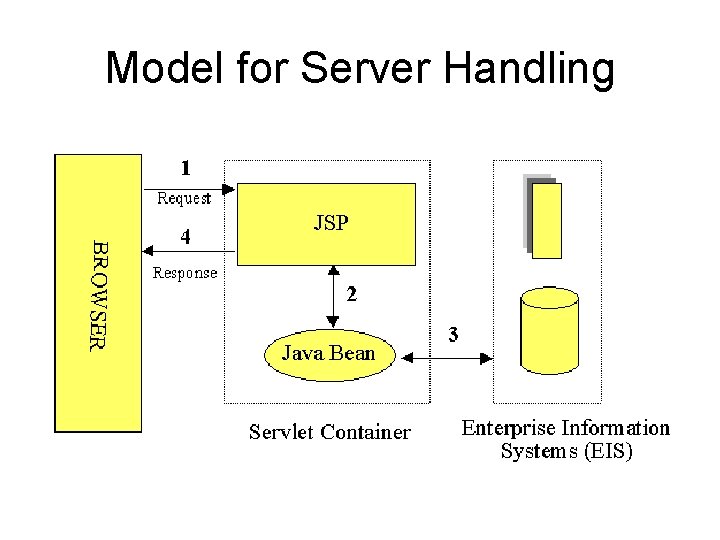
Model for Server Handling
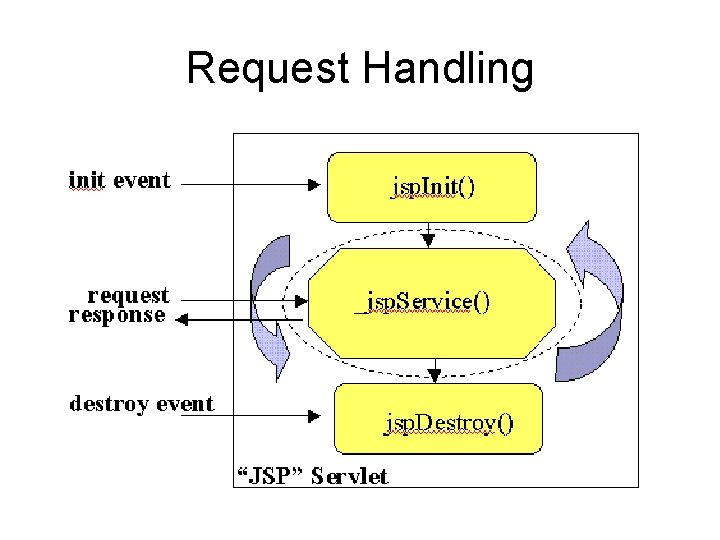
Request Handling
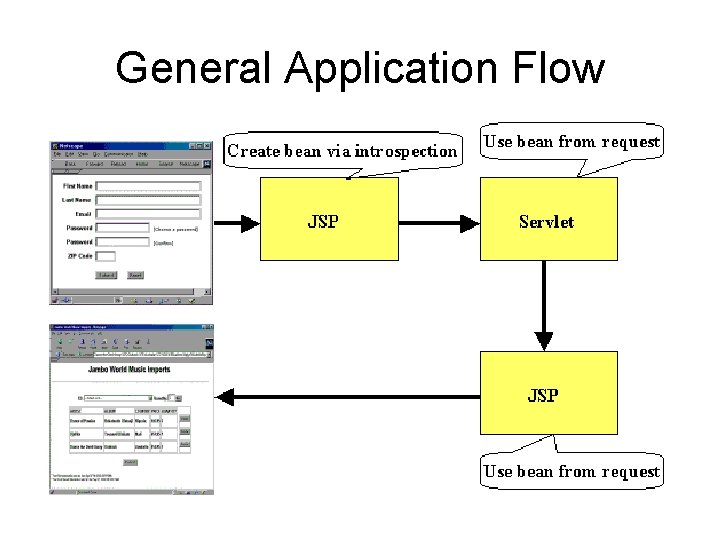
General Application Flow
Using A Java Servlet • Compiled to form a class before being put on the server • Does not allow embedded code • Functions very much like a class in C++ • Has several built in functions specific to web development that are very useful
JSP vs. Servlets • JSP is really just an extension of the Servlet API • Servlets should be used as an extension of web server technology, specialized controller components, database validation. • JSP handles text while Servlets can interface other programs
Servlets and HTML Forms • Post vs. Get Methods • Built in handling do. Post and do. Get • Good for taking in information in servlet request, processing it, generating a servlet response and returning it back to the browser • Notion that server always passes a separate class object for Requests and Responses between pages which carry a persisting Session object in many cases.
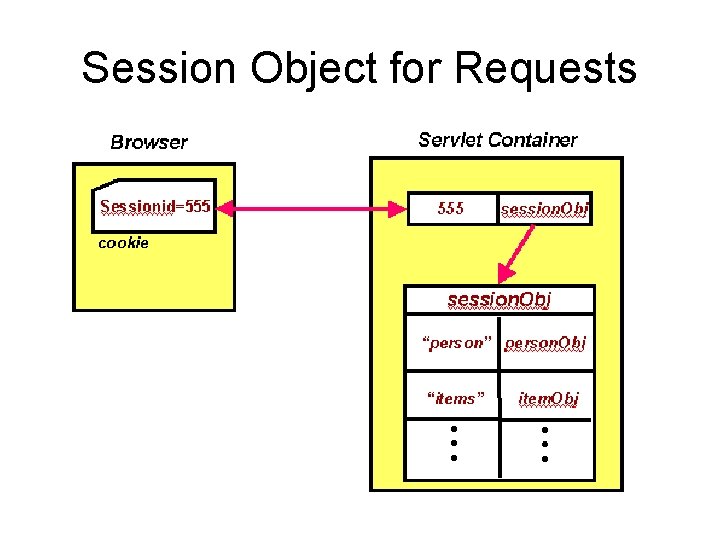
Session Object for Requests
General Servlet Info • • Similar to C++ class Member variables/functions Private and Public options Usually extension of some other class, new class inherits functions of extended class
JDBC • Java. sql. * package serves as that java ODBC equivalent • Basic Methods: Driver, Driver. Manager, Connection, Statement, Prepared. Statement, Callable Statement, Result. Set • Statements allow JDBC to execute SQL commands
Starting a Database • Connect by passing a driver to the Driver. Manager • Obtain a Connection with URL, username and password • Pass SQL commands with a Statement • Examine Result. Set if applicable • Close the database View dbsamp. jsp for startup sequence and simple query
Data Navigation and Extraction • • Result. next(); Result. get. Int(1); Result. get. String(“Customer”); Result. get. Date(4); (java. sql. Date not java. util. Date)
Prepared Statements pstmt. U = con. prepare. Statement( "UPDATE my. Table SET my. String. Column = ? " + "WHERE my. Int. Column = ? " ); pstmt. U. set. String( 1, "my. String" ); pstmt. U. set. Int( 2, 1024 ); pstmt. U. execute. Update();
Conclusion • This is a really general fast overview to outline the overarching concepts • Refer to http: //java. sun. com for lots of good documentation, API descriptions • Excellent collection of basic tutorials at, http: //www. jguru. com/learn/index. jsp • I will now go over a real example of a Java web based application
- Slides: 28