
Web Design vs GUI Design Professor James Landay
Web Design vs. GUI Design Professor James Landay Carnegie Mellon Updated by Melody Moore Jackson 11/15/06 3/6/2002 1
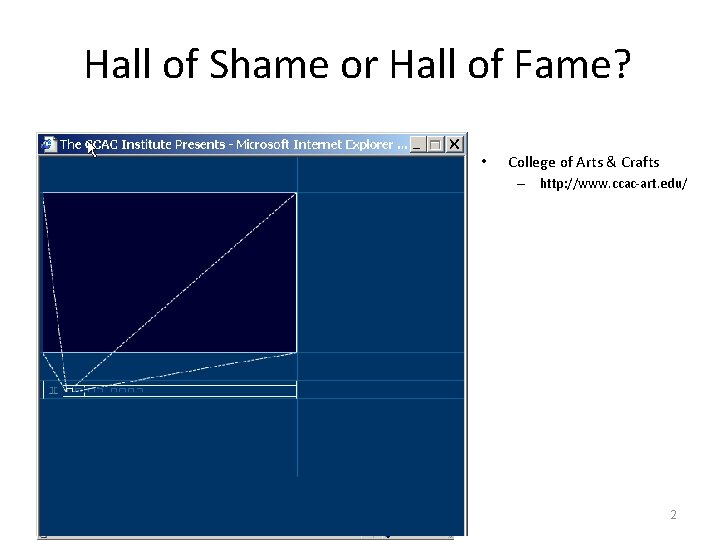
Hall of Shame or Hall of Fame? • College of Arts & Crafts – http: //www. ccac-art. edu/ 3/6/2002 2
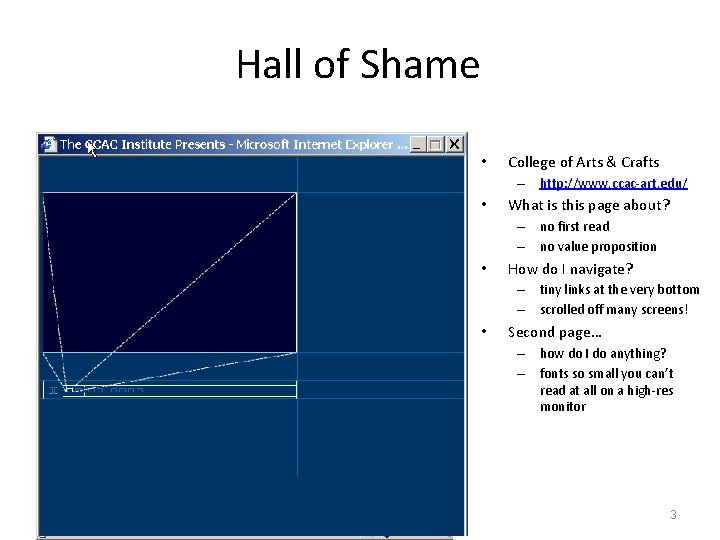
Hall of Shame • College of Arts & Crafts – http: //www. ccac-art. edu/ • What is this page about? – no first read – no value proposition • How do I navigate? – tiny links at the very bottom – scrolled off many screens! • Second page… – how do I do anything? – fonts so small you can’t read at all on a high-res monitor 3/6/2002 3
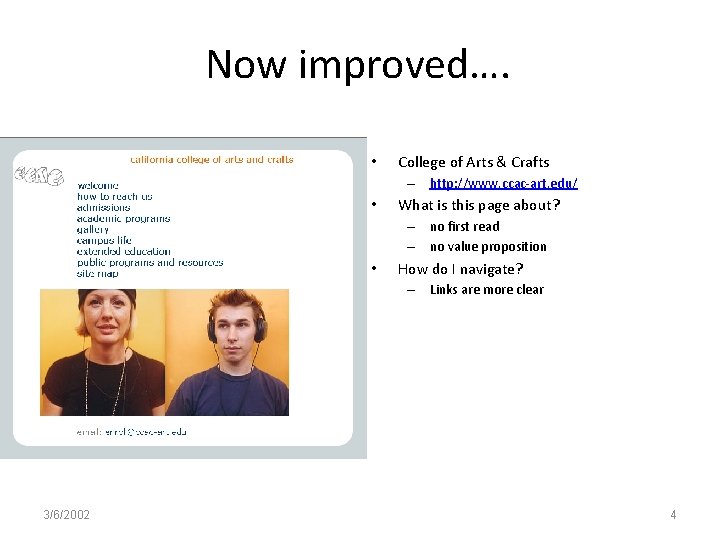
Now improved…. • College of Arts & Crafts – http: //www. ccac-art. edu/ • What is this page about? – no first read – no value proposition • How do I navigate? – Links are more clear 3/6/2002 4
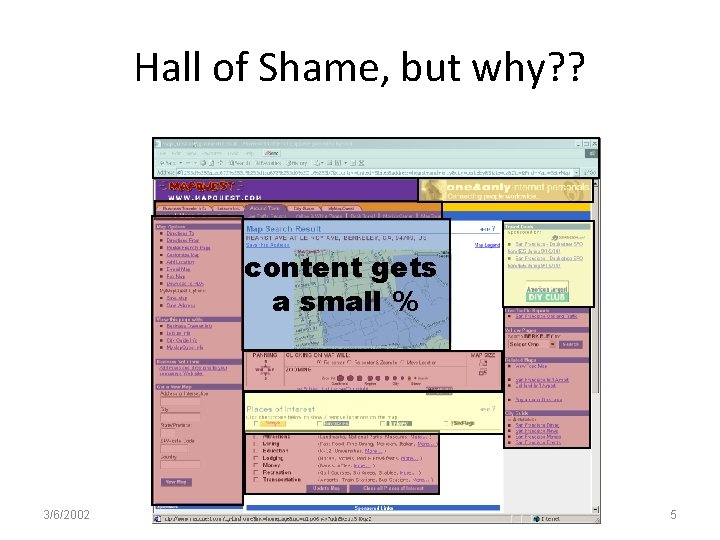
Hall of Shame, but why? ? content gets a small % 3/6/2002 5
Web Design vs. GUI Design • • Review Example of value of good web design Diffs between web & desktop UIs Top ten mistakes in web design 3/6/2002 6
Good Web Site Design can Lead to Healthy Sales • NY Times on IBM web site, 8/30/99 – “Most popular feature was … search … because people couldn't figure out how to navigate the site“ – “The second most popular feature was the help button, because the search technology was so ineffective. ” • After the redesign, use of the “help” button decreased 84 percent, while sales increased 400 percent • Good Web Site Design can Lead to Healthy Sales http: //www. nytimes. com/library/tech/99/08/cyber/commerce/30 commerce. html 3/6/2002 7
The Web Page Represents. . . 1) User's view of information on screen 2) Unit of navigation – what you get when you click a link / bookmark 3) Address to get info. over net (URL) 4) Storage of the information – on the server & the author's editing unit • except embedded objects like images • Page is an atomic unit unifying these concepts 3/6/2002 8
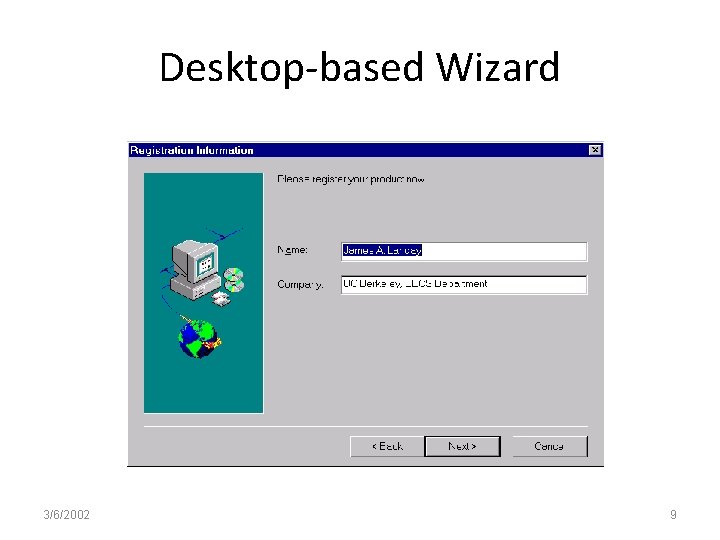
Desktop-based Wizard 3/6/2002 9
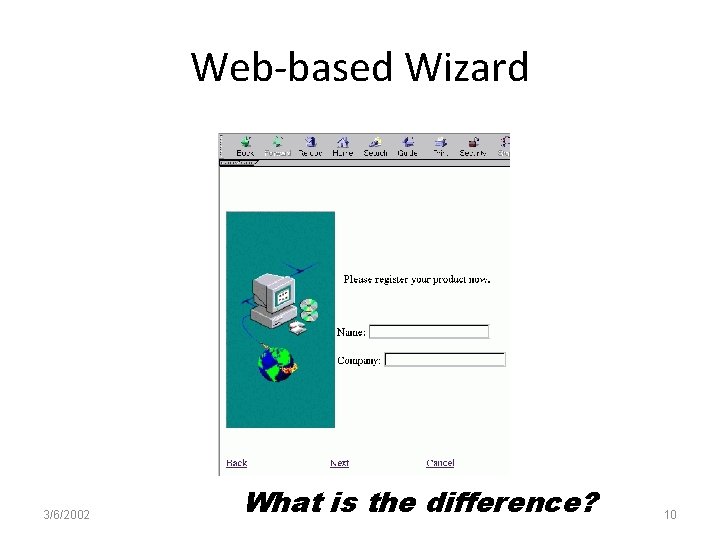
Web-based Wizard 3/6/2002 What is the difference? 10
Where is the Application & the State? • Back (previous) in desktop wizards – typically undoes any changes made on that step • Back on web pages – is it the “back” button of the browser? • server isn’t necessarily aware of it - no change to state – is it the “back” link on the page? • server could do something to state with this – can you keep the user from using browser’s back? • with some work… but not a good idea • Clearly defined exits are important – obvious on the desktop example, but not the web. . . 3/6/2002 11
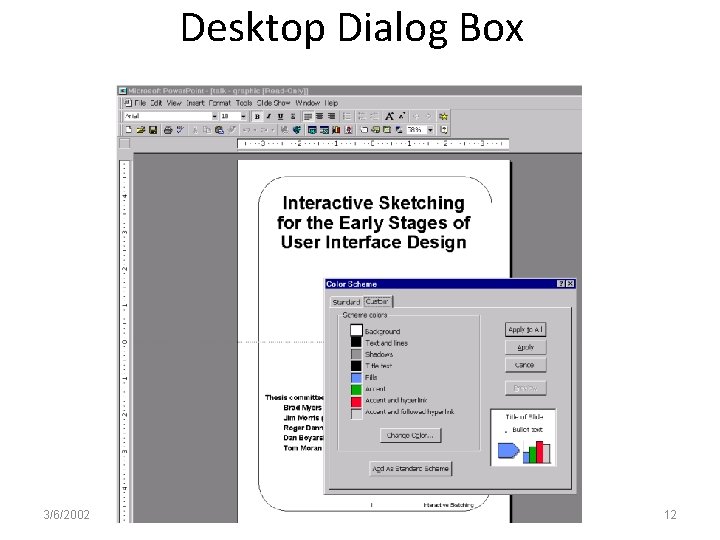
Desktop Dialog Box 3/6/2002 12
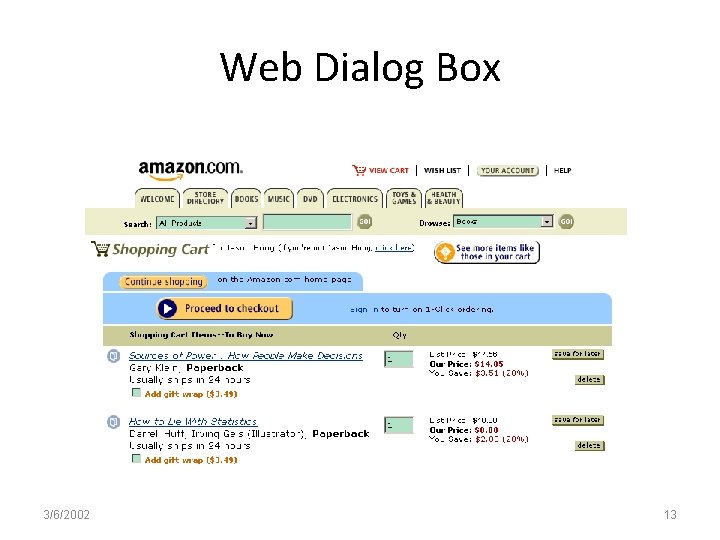
Web Dialog Box 3/6/2002 13
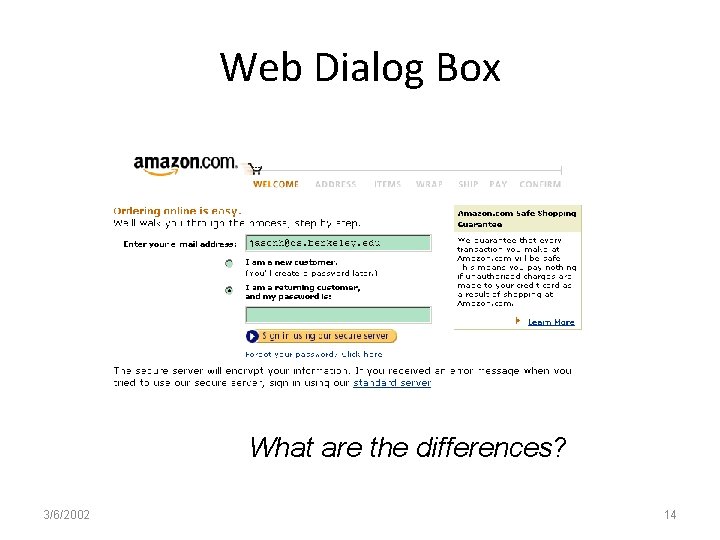
Web Dialog Box What are the differences? 3/6/2002 14
“What am I Buying? ” • Desktop apps bring up dialogs boxes – usually smaller than main window – leave you context (below) about your main task • Web apps bring you to a new page – need to move back & forth to get context • browser “forward” may lose old values after a “back” – often a LARGE delay between page loads • need to remember context over time! 3/6/2002 15
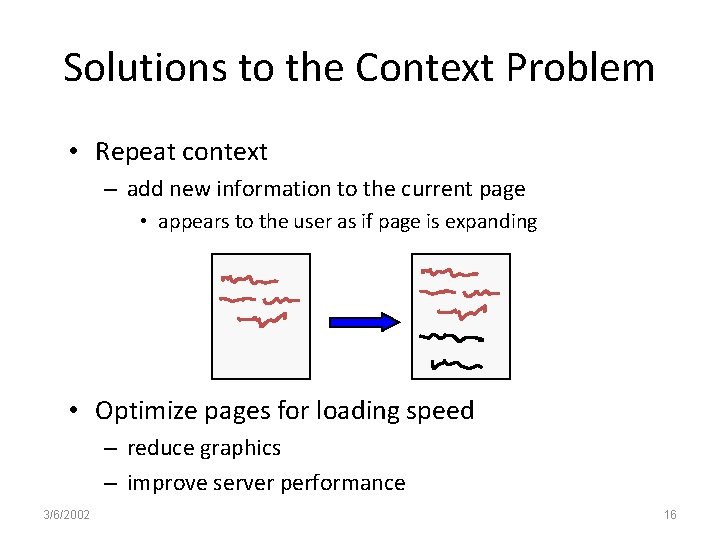
Solutions to the Context Problem • Repeat context – add new information to the current page • appears to the user as if page is expanding • Optimize pages for loading speed – reduce graphics – improve server performance 3/6/2002 16
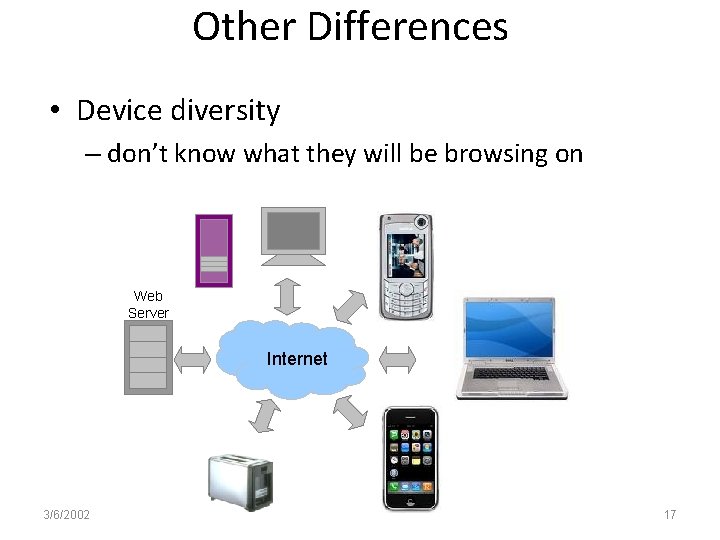
Other Differences • Device diversity – don’t know what they will be browsing on Web Server Internet 3/6/2002 17
Other Differences • The user controls navigation – – users can take paths you never intended come in via search engines directly to pages bookmark favorite pages email from friends • Can’t depend on people starting from homepage • Part of a whole experience – users move between sites – where are the borders? not as clear 3/6/2002 18
Top Ten Mistakes in Web Design Should be controversial - feel free to disagree Top Ten Mistakes in Web Design 1996, http: //www. useit. com/alertbox/9605. html 3/6/2002 19
10. Overly Long Download Times • 10 second rule – amount of wait time before users lose interest • traditional human factors studies back this up • 15 seconds may be acceptable on web – people are getting trained to endure – but only for a few key pages • True even for business sites – busy during day & surf at home for work info 3/6/2002 20
9. Outdated Information • Hire a web gardener for your team – “root out the weeds and replant the flowers” • Most people rather create content than do maintenance • Cheap way of enhancing content – still relevant link to new pages – otherwise remove them • Outdated content also leads to a lack of trust (important for e-commerce) 3/6/2002 21
8. Non-standard Link Colors • Links to – pages that haven’t been seen are blue – previously seen pages are purple/red • Don't mess with these colors – one of the few standard navigational aides – consistency is important for learning • don’t underline other objects with blue/red! – OBVIOUS LINKS (K 10) • What is unfortunate about this convention? 3/6/2002 22
7. Lack of Navigation Support • Users don’t know much about your site – they always have difficulty finding information – give a strong sense of structure and place • Communicate site structure – provide a site map • so users know where they are & where they can go – provide a good search feature • the best navigation support will never be enough • People now expect these – site logo in upper left linked to home page – LOCATION BREAD CRUMBS showing where you currently are 3/6/2002 23
Navigation • Left-justified or top-justified navigation rail – Needs to be a contrasting color – Fitt’s law – place navigation close to scroll bar – Content should start on the left http: //www. amazon. com 3/6/2002 24
Navigation • Location breadcrumb trail – Usually across top under navigation bar http: //www. usdf. org 3/6/2002 25
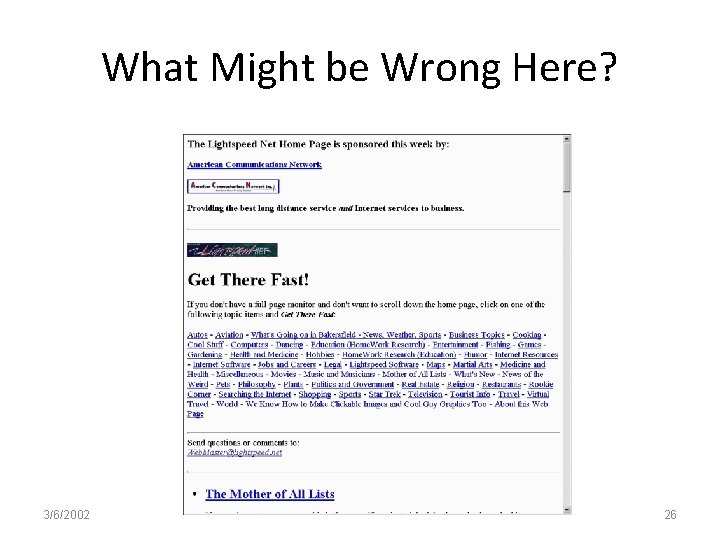
What Might be Wrong Here? 3/6/2002 26
Mystery Meat Navigation http: //www. customstaffinginc. com/ 3/6/2002 27
6. Long Scrolling Pages • Many users do not scroll beyond visible section when page comes up • All critical content & navigation should be ABOVE THE FOLD (I 2) • Leaf nodes can be longer – people who have that interest will be reading it – still good to be brief • Becoming less of an issue – top items will STILL dominate – should be careful not to go past 3 screens max. 3/6/2002 28
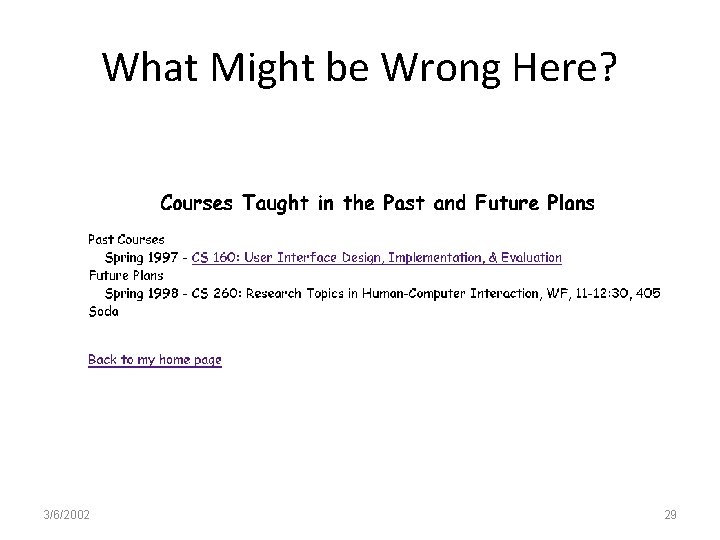
What Might be Wrong Here? 3/6/2002 29
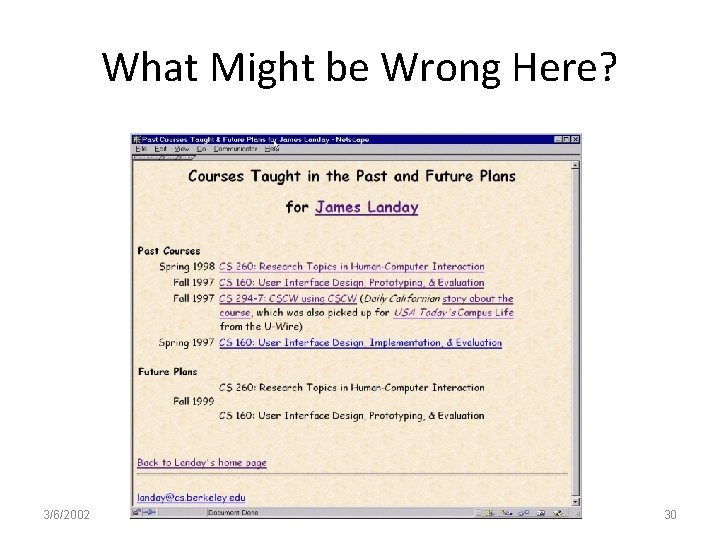
What Might be Wrong Here? 3/6/2002 30
5. Orphan Pages • All pages should have a clear indication of what web site they belong to – users may not come in through your home page • Every page should have – a link up to your home page – some indication of where they fit within the structure of your information space 3/6/2002 31
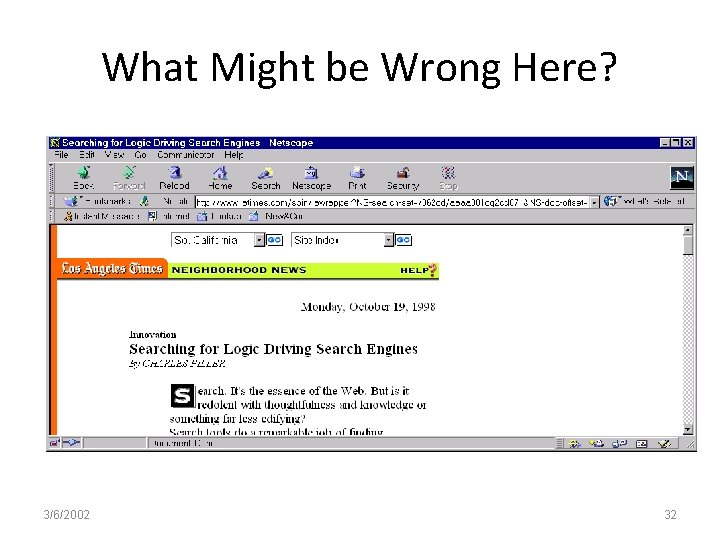
What Might be Wrong Here? 3/6/2002 32
4. Complex URLs • Shouldn’t have exposed machine address • Users try to decode URLs of pages – to infer the structure of web sites • lack of support for navigation & sense of location • URL should be human-readable – names should reflect nature of the info. space – sometimes need to type in URL->minimize typos • use lower-case, short names with no special chars – many people don't know how to type a ~ • Long URLs are hard to email properly – wrapping, etc. *** biggest issue today *** 3/6/2002 33
What Might be Wrong Here? http: //www. neiu. edu/~fldept/flanglab/ 3/6/2002 34
3. Constantly Running Animations • Don’t have elements that move incessantly – moving images have an overpowering effect on the human peripheral vision no animations, scrolling text, marquees • Users tune them out – so do not put anything important there! • Give your user some peace and quiet to actually read the text! 3/6/2002 35
What Might be Wrong Here? http: //www. mjau-mjau. com/classic. html 3/6/2002 36
2. Gratuitous use of Bleeding Edge Technology • Don’t try to attract people using it – you’ll get the nerd crowd, but mainstream users care about content and service • If their system crashes – they will never come back • E. g. , use VRML if your info maps to 3 d – architectural design or surgery planning • Caveat: appropriate if selling those products 3/6/2002 37
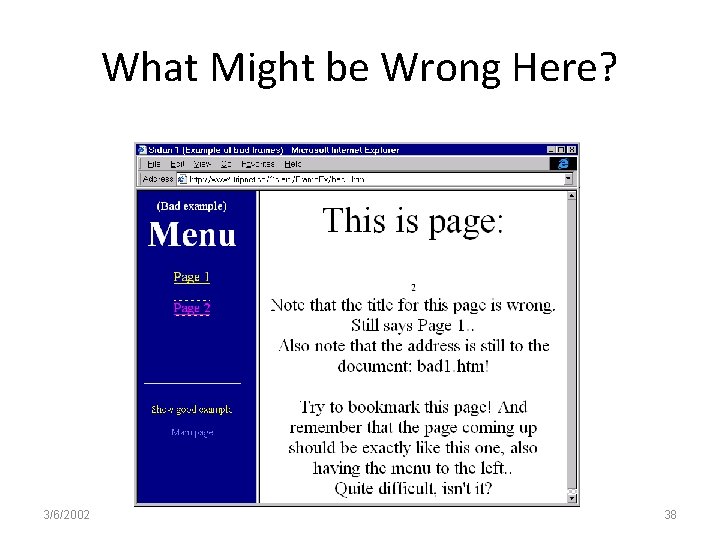
What Might be Wrong Here? 3/6/2002 38
1. Using Frames • Confusing for users – breaks the user model of the web page • sequence of actions rather than single act • unit of navigation no longer equal to unit of view • Lose predictability of user actions – what information appears where when you click? • can’t bookmark the current page & return to it – fixed in Explorer 5 • URLs stop working • can’t share with others (lose social filtering) – emailing links still doesn’t work. . . 3/6/2002 39
Frames (cont. ) • Search engines have problems w/ frames – what part of frames do you include in indexes? • Early surveys found most users preferred frame-less sites – recent surveys back this up ~70 -90% • Caveat: experienced designers can sometimes use frames to good effect 3/6/2002 40
References • Nielsen’s top 10 list (required reading) – http: //www. useit. com/alertbox/9605. html • Web pages that are interesting – http: //www. webpagesthatsuck. com/ • Net tips for designers – http: //www. dsiegel. com/tips/ • User Interface Engineering – http: //www. uie. com 3/6/2002 41
In-Class Exercise • Look through the site: • www. websitesthatsuck. com • Choose a “worst website” and evaluate it against the ten top website design mistakes 3/6/2002 42
- Slides: 42