
Web Design Principles and Why We Need Them
Web Design Principles and Why We Need Them…
Four Basic Principles n Contrast n Repetition n Alignment n Proximity
Contrast Created when two elements are different. n Adds visual interest to your page and helps organize your page. n For contrast to be effective, it must be strong (very different). n
Contrast: Assignment n Find an example of a web page that uses contrast and explain what elements are contrasting and how they add interest to the page.
Repetition Repeating some aspect of the design throughout the entire piece. n “Consistency” – it is a conscious effort to unify all parts of a design. n Can be any element that a viewer will visually recognize n
Repetition: Assignment n Find 2 examples of products that use repetition and label where the repetition is.
Alignment n n n Nothing should be placed on the page arbitrarily (without thinking about where it goes) Every item should have a visual connection with something else on the page. Creates a stronger cohesive unit; a visual tie between separate elements. Avoid using more than one text alignment on the page. Avoid centered alignment unless you are creating a more formal product.
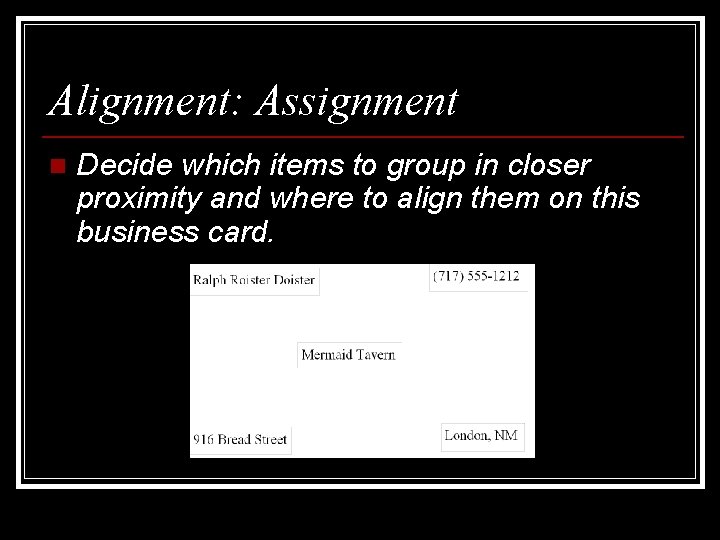
Alignment: Assignment n Decide which items to group in closer proximity and where to align them on this business card.
Proximity Group related items together (organize). n Items that are not related should not be in close proximity. n Gives the viewer an instant visual clue as to the organization and content of the page. n Avoid too many separate elements on a page. n
Proximity: Assignment n Find an example of a webpage that makes good use of proximity. n Find an example of a webpage that does not use proximity and needs to be more organized. Suggest 3 ways to use proximity to organize the information.
Tips on Designing Web Pages n Two of the most important factors are repetition and clarity. n n Repeat certain visual elements on every page. Use shorter line lengths than on paper. Verdana is a good choice of font for text (easily read on the web) Visitors shouldn’t have to figure out how to use your navigation system, where they are in the site, or if they have left your site.
- Slides: 11