
Web Design Development Lecture 3 Performing Basic Tasks
Web Design & Development Lecture 3
Performing Basic Tasks in Java
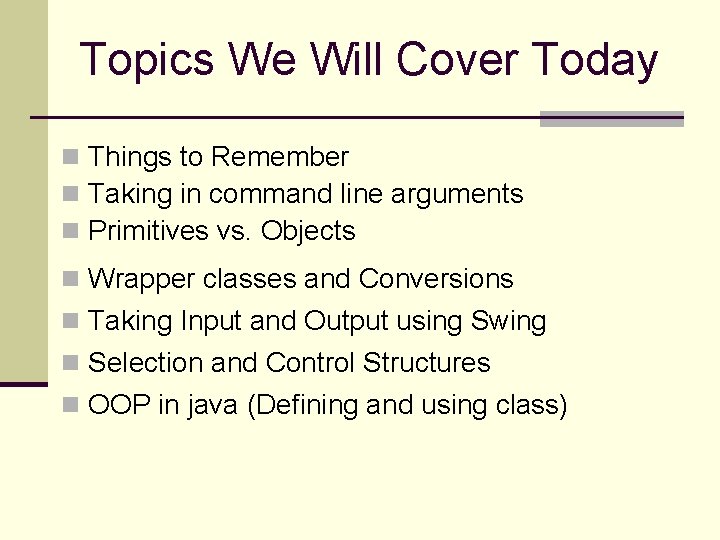
Topics We Will Cover Today n Things to Remember n Taking in command line arguments n Primitives vs. Objects n Wrapper classes and Conversions n Taking Input and Output using Swing n Selection and Control Structures n OOP in java (Defining and using class)
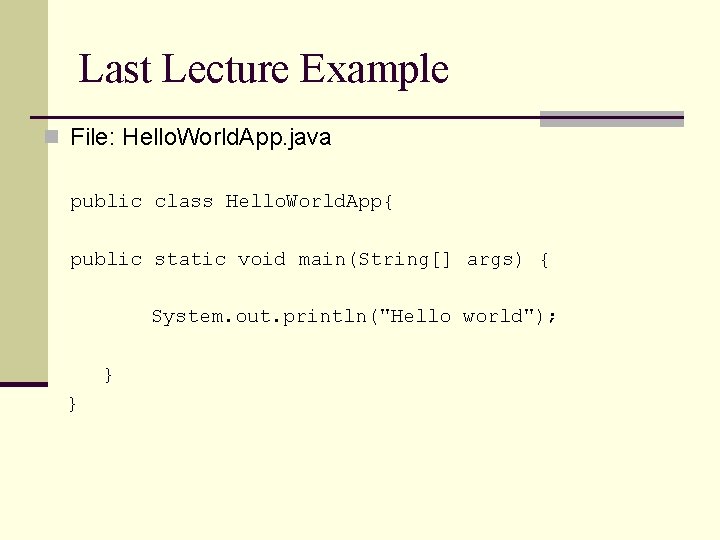
Last Lecture Example n File: Hello. World. App. java public class Hello. World. App{ public static void main(String[] args) { System. out. println("Hello world"); } }
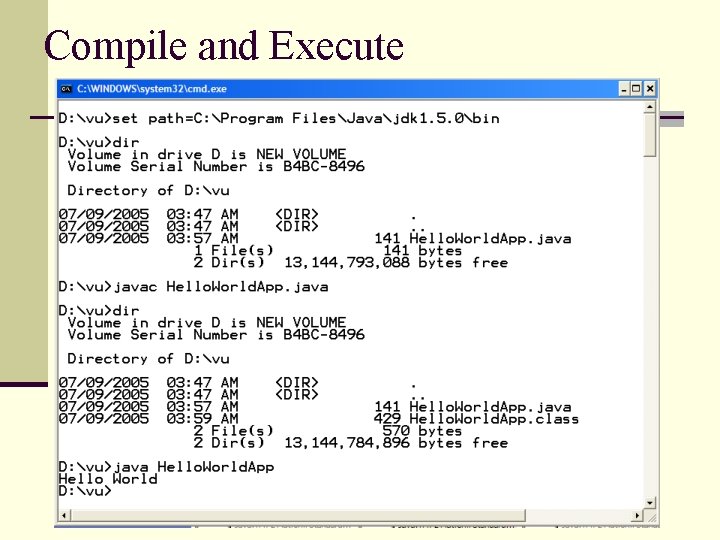
Compile and Execute
Things to remember n Name of file must match name of class n It is case sensitive n Processing starts in main n public static void main(String[] args) n Printing is done with System. out n System. out. println, System. out. print n Compile with “javac” n Open DOS/command prompt window; work from there n Supply full case-sensitive file name (with file extension) n Execute with “java” n Supply base class name (no file extension)
An idiom explained n You will see the following line of code often: n public static void main(String args[]) { …} n About main() n “main” is the function from which your program starts n Why public? n n Why static ? n n So that run time can call it from outside it is made static so that we can call it without creating an object What is String args[] ? n Way of specifying input at startup of application
Things to Remember n “+” operator when used with Strings concatenates them n System. out. pritln(“Hello” + “World”) will produce Hello World on console n String concatenated with any other data type such as int will also convert that datatype to String and the result will be a concatenated String displayed on console n n For Example § int i = 4 § int j = 5 ; § System. out. println (“Hello” + i) // will print Hello 4 on screen However § System, . out. . println( i+j) ; // will print 9 on the console n For comparing Strings never use == operator, use equals methos. n n == compares addresses (shallow comparison) while equals compares values (deep comparison) E. g string 1. equals(string 2)
![String Concatenation public class String. Test { public static void main(String[] args) { int](http://slidetodoc.com/presentation_image/1b7333623f4023c9394cd95c1a087d42/image-9.jpg "String Concatenation public class String. Test { public static void main(String[] args) { int")
String Concatenation public class String. Test { public static void main(String[] args) { int i = 4; int j = 5; System. out. println("Hello" + i); System. out. println(i + j); String s 1 = new String (“pakistan”); String s 2 = “pakistan”; if (s 1 == s 2) { System. out. println(“comparing string using == operator”); } if (s 1. equals( s 2) ) { System. out. println(“comparing string using equal method”); } } }

Compile and Execute
Taking in Command Line Arguments
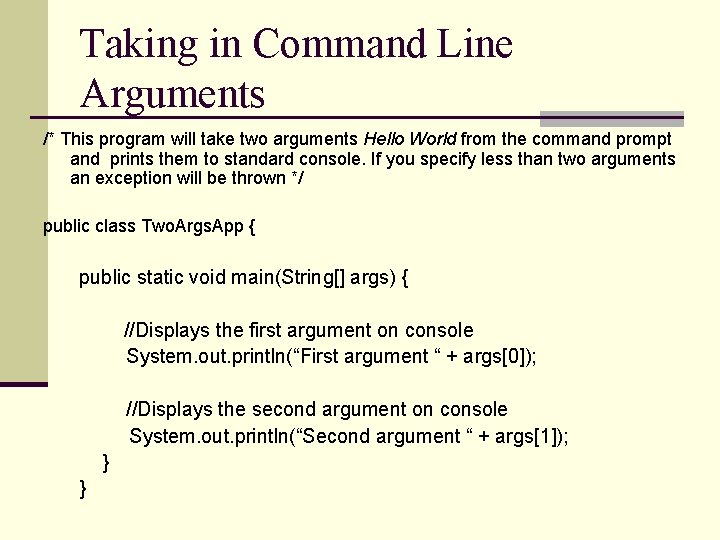
Taking in Command Line Arguments /* This program will take two arguments Hello World from the command prompt and prints them to standard console. If you specify less than two arguments an exception will be thrown */ public class Two. Args. App { public static void main(String[] args) { //Displays the first argument on console System. out. println(“First argument “ + args[0]); //Displays the second argument on console System. out. println(“Second argument “ + args[1]); } }
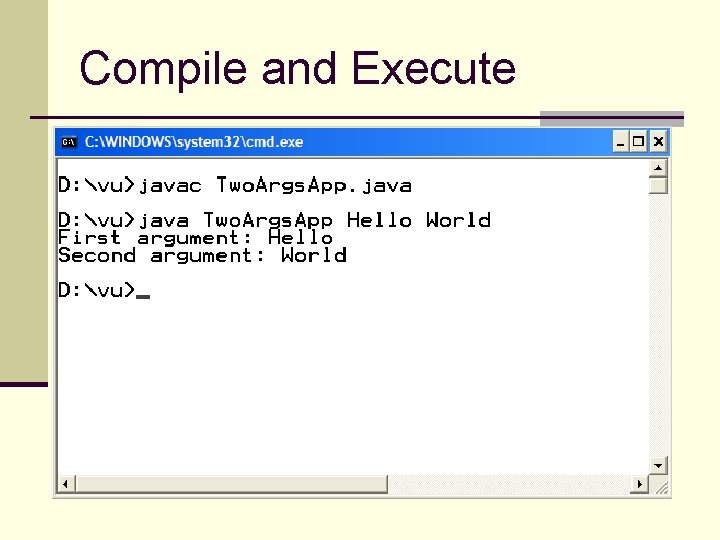
Compile and Execute
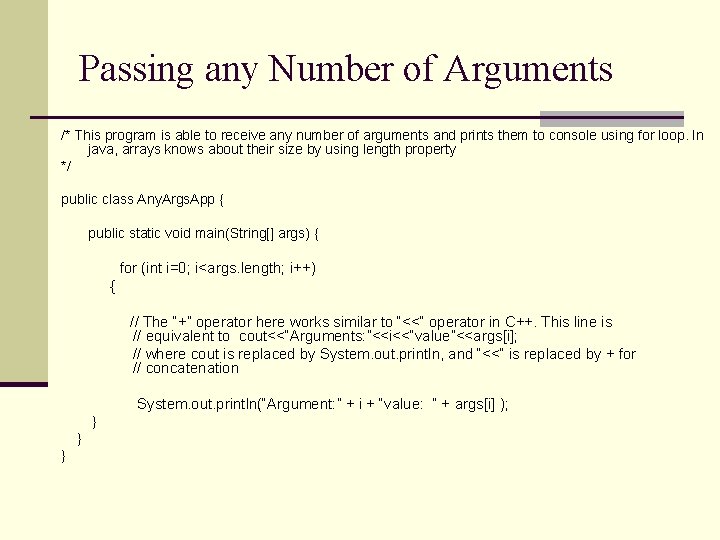
Passing any Number of Arguments /* This program is able to receive any number of arguments and prints them to console using for loop. In java, arrays knows about their size by using length property */ public class Any. Args. App { public static void main(String[] args) { for (int i=0; i<args. length; i++) { // The “+” operator here works similar to “<<“ operator in C++. This line is // equivalent to cout<<“Arguments: ”<<i<<“value”<<args[i]; // where cout is replaced by System. out. println, and “<<“ is replaced by + for // concatenation System. out. println(“Argument: ” + i + “value: ” + args[i] ); } } }
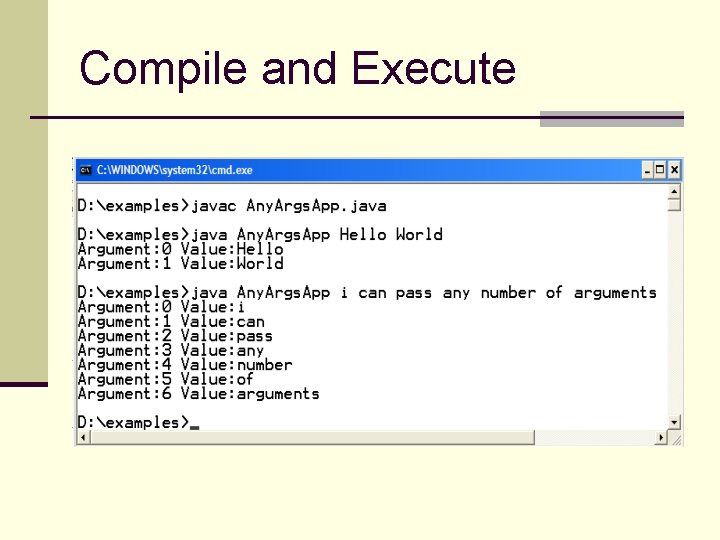
Compile and Execute
Primitives Vs. Objects
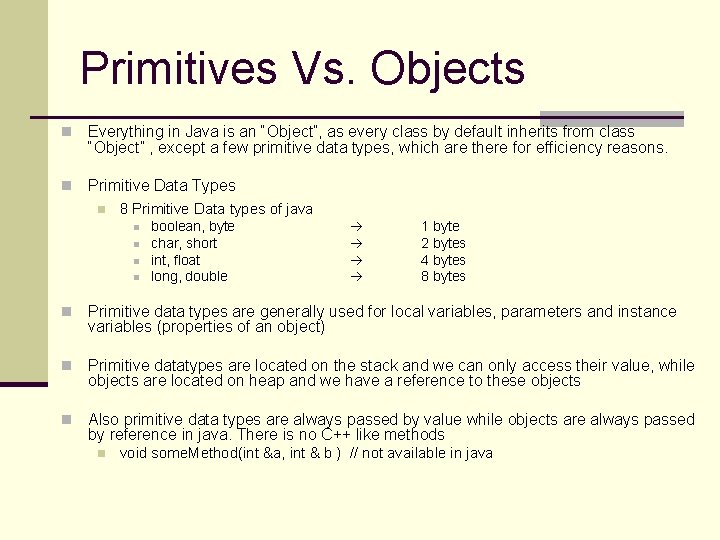
Primitives Vs. Objects n Everything in Java is an “Object”, as every class by default inherits from class “Object” , except a few primitive data types, which are there for efficiency reasons. n Primitive Data Types n 8 Primitive Data types of java n n boolean, byte char, short int, float long, double 1 byte 2 bytes 4 bytes 8 bytes n Primitive data types are generally used for local variables, parameters and instance variables (properties of an object) n Primitive datatypes are located on the stack and we can only access their value, while objects are located on heap and we have a reference to these objects n Also primitive data types are always passed by value while objects are always passed by reference in java. There is no C++ like methods n void some. Method(int &a, int & b ) // not available in java
![Stack vs. Heap public static void main(String args[]) { int num= 5; Student st](http://slidetodoc.com/presentation_image/1b7333623f4023c9394cd95c1a087d42/image-18.jpg "Stack vs. Heap public static void main(String args[]) { int num= 5; Student st")
Stack vs. Heap public static void main(String args[]) { int num= 5; Student st = new Student(); Stack Heap num 5 0 F 59 } name st 0 F 59 ali
Primitives (cont) n For all built-in primitive data types java uses lowercase. E. g int , float etc n Primitives can be stored in arrays n You cannot get a reference to a primitive n To do that you need an Object or a Wrapper class
Wrapper Classes
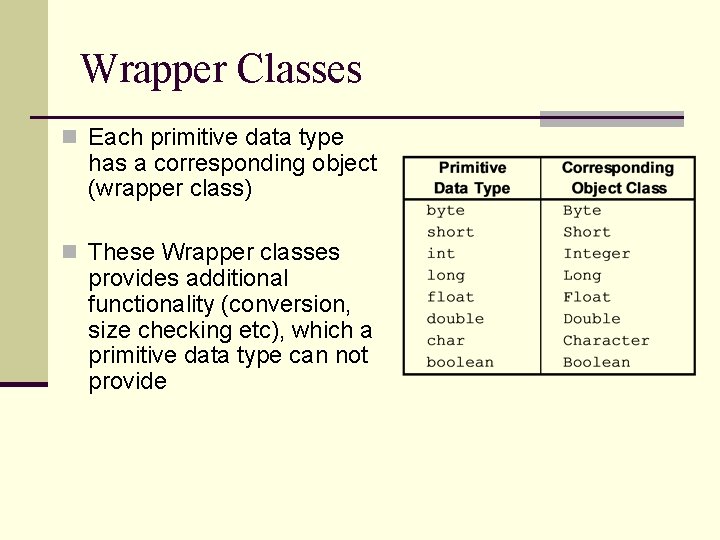
Wrapper Classes n Each primitive data type has a corresponding object (wrapper class) n These Wrapper classes provides additional functionality (conversion, size checking etc), which a primitive data type can not provide
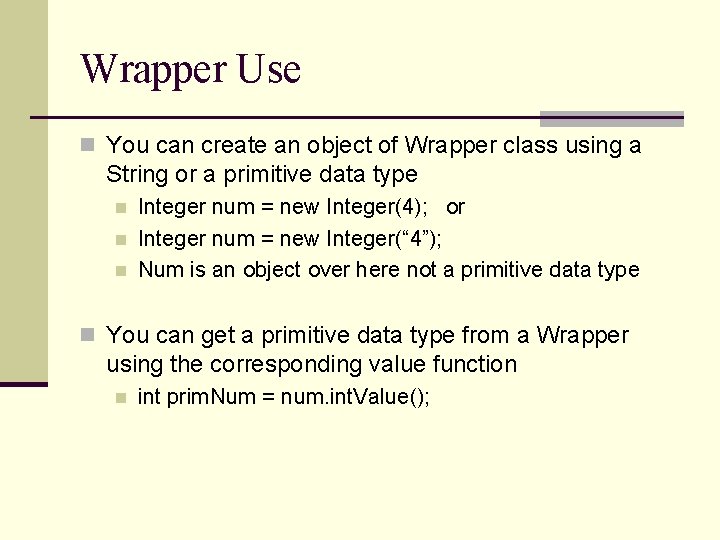
Wrapper Use n You can create an object of Wrapper class using a String or a primitive data type n n n Integer num = new Integer(4); or Integer num = new Integer(“ 4”); Num is an object over here not a primitive data type n You can get a primitive data type from a Wrapper using the corresponding value function n int prim. Num = num. int. Value();
![Stack vs. Heap Stack public static void main(String args[]) { int num= 5; Integer](http://slidetodoc.com/presentation_image/1b7333623f4023c9394cd95c1a087d42/image-23.jpg "Stack vs. Heap Stack public static void main(String args[]) { int num= 5; Integer")
Stack vs. Heap Stack public static void main(String args[]) { int num= 5; Integer num. Obj = new Integer (10); Heap num 5 } 04 E 2 num. Obj 04 E 2 10
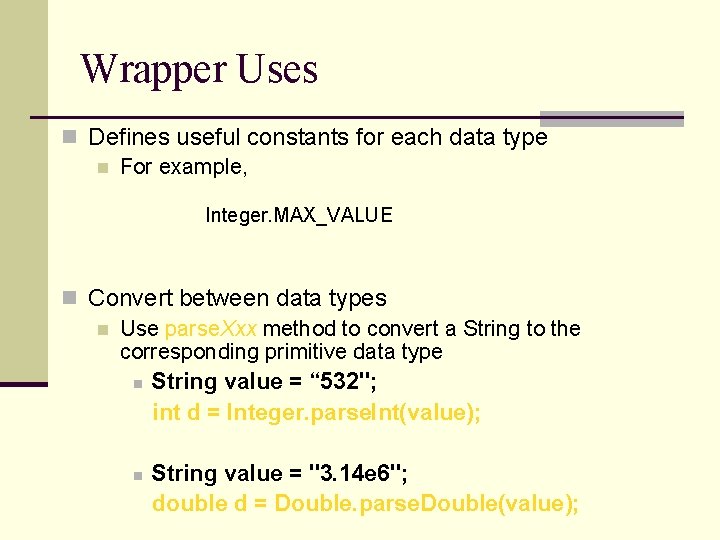
Wrapper Uses n Defines useful constants for each data type n For example, Integer. MAX_VALUE n Convert between data types n Use parse. Xxx method to convert a String to the corresponding primitive data type n String value = “ 532"; int d = Integer. parse. Int(value); n String value = "3. 14 e 6"; double d = Double. parse. Double(value);
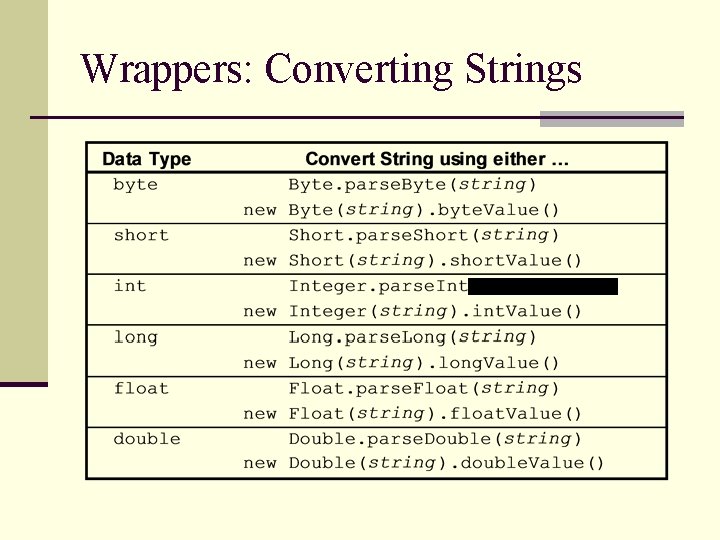
Wrappers: Converting Strings (string)
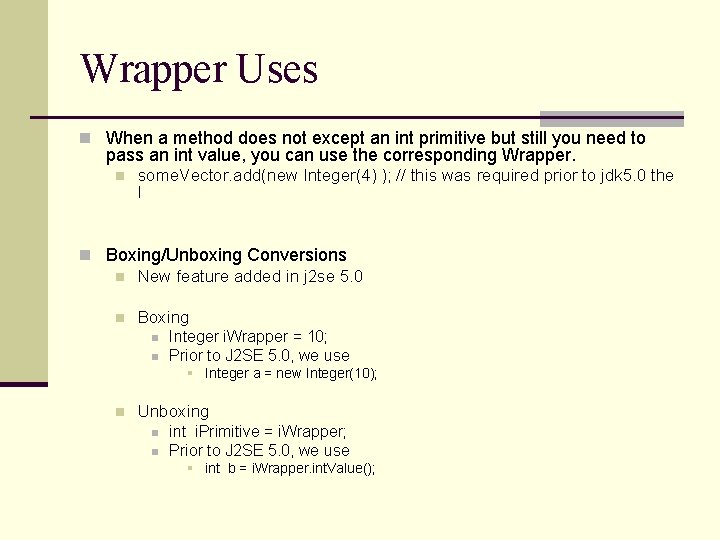
Wrapper Uses n When a method does not except an int primitive but still you need to pass an int value, you can use the corresponding Wrapper. n some. Vector. add(new Integer(4) ); // this was required prior to jdk 5. 0 the l n Boxing/Unboxing Conversions n New feature added in j 2 se 5. 0 n Boxing n n Integer i. Wrapper = 10; Prior to J 2 SE 5. 0, we use § Integer a = new Integer(10); n Unboxing n n int i. Primitive = i. Wrapper; Prior to J 2 SE 5. 0, we use § int b = i. Wrapper. int. Value();
Input / Output
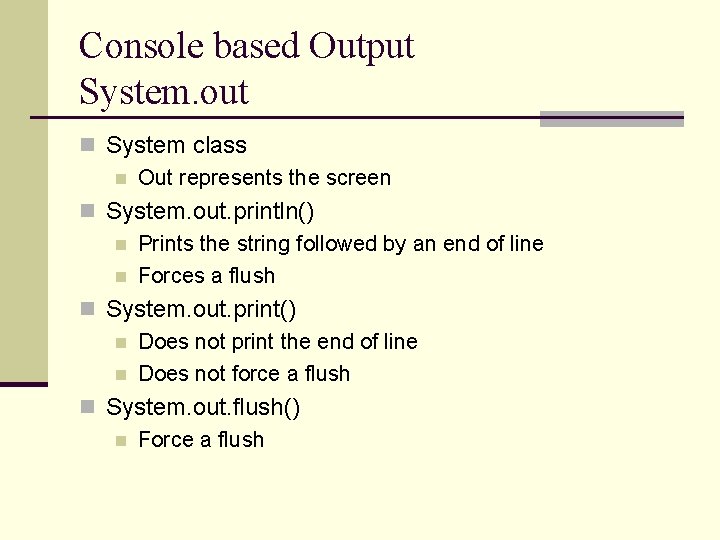
Console based Output System. out n System class n Out represents the screen n System. out. println() n Prints the string followed by an end of line n Forces a flush n System. out. print() n Does not print the end of line n Does not force a flush n System. out. flush() n Force a flush
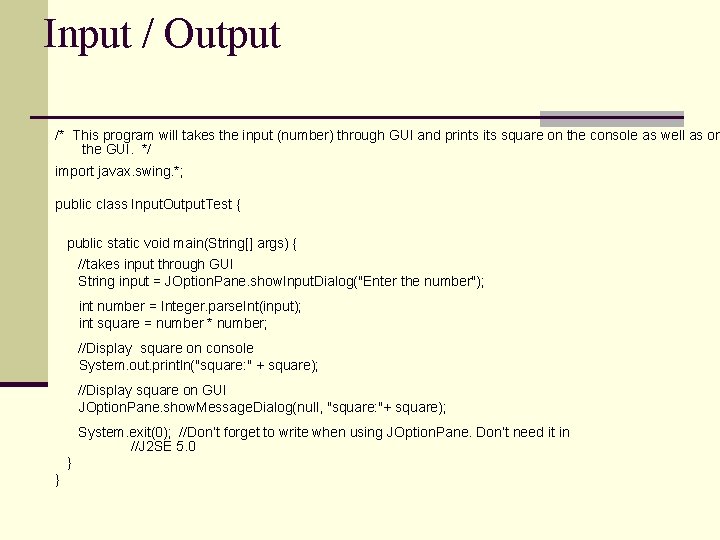
Input / Output /* This program will takes the input (number) through GUI and prints its square on the console as well as on the GUI. */ import javax. swing. *; public class Input. Output. Test { public static void main(String[] args) { //takes input through GUI String input = JOption. Pane. show. Input. Dialog("Enter the number"); int number = Integer. parse. Int(input); int square = number * number; //Display square on console System. out. println("square: " + square); //Display square on GUI JOption. Pane. show. Message. Dialog(null, "square: "+ square); System. exit(0); //Don’t forget to write when using JOption. Pane. Don’t need it in //J 2 SE 5. 0 } }
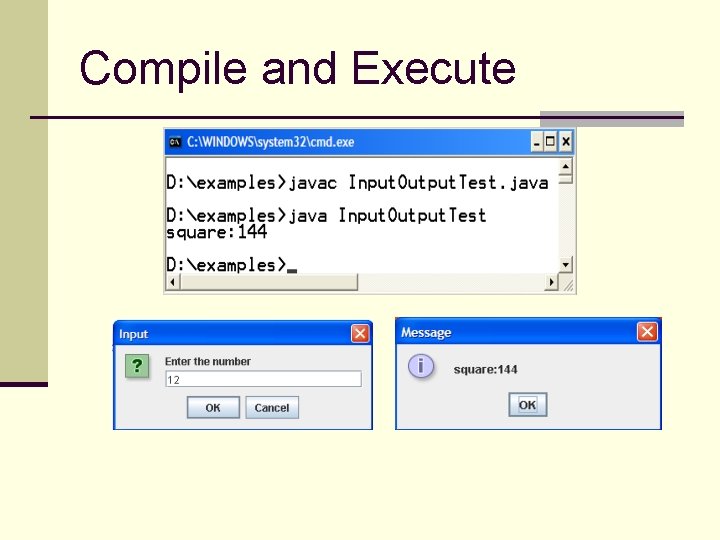
Compile and Execute
Selection Structures if-else and switch
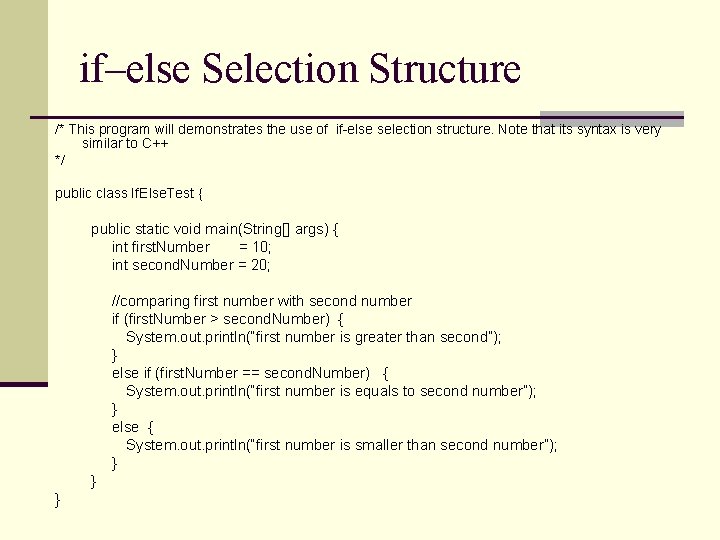
if–else Selection Structure /* This program will demonstrates the use of if-else selection structure. Note that its syntax is very similar to C++ */ public class If. Else. Test { public static void main(String[] args) { int first. Number = 10; int second. Number = 20; //comparing first number with second number if (first. Number > second. Number) { System. out. println(“first number is greater than second”); } else if (first. Number == second. Number) { System. out. println(“first number is equals to second number”); } else { System. out. println(“first number is smaller than second number”); } } }
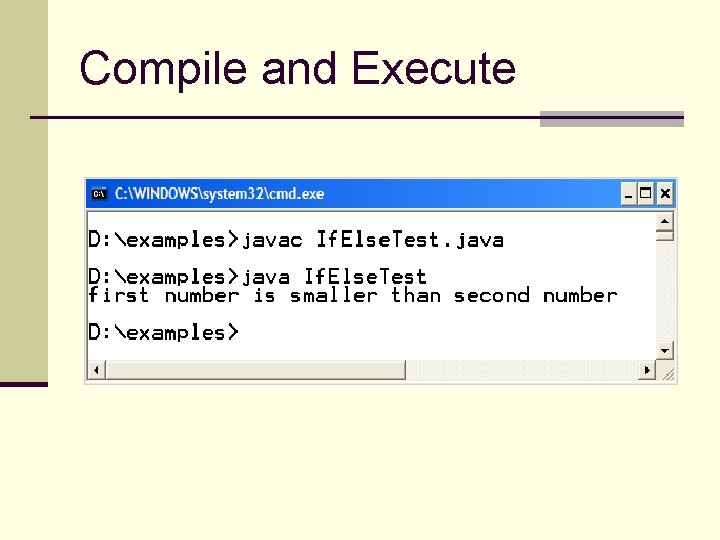
Compile and Execute
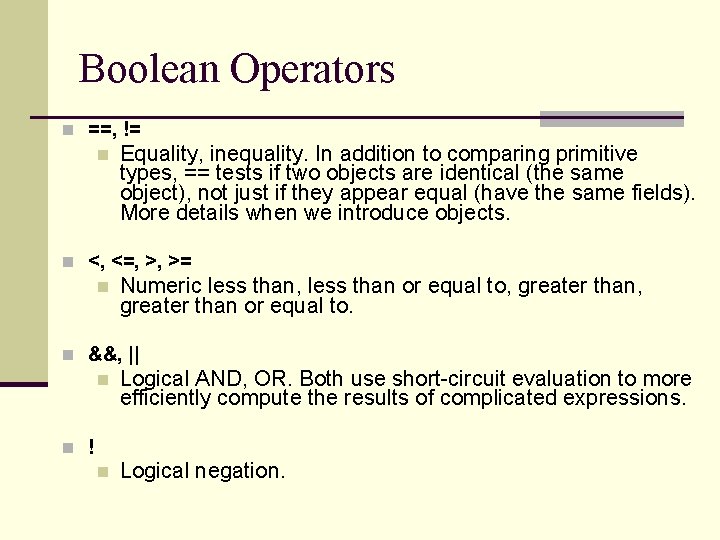
Boolean Operators n ==, != n Equality, inequality. In addition to comparing primitive types, == tests if two objects are identical (the same object), not just if they appear equal (have the same fields). More details when we introduce objects. n <, <=, >, >= n Numeric less than, less than or equal to, greater than or equal to. n &&, || n Logical AND, OR. Both use short-circuit evaluation to more efficiently compute the results of complicated expressions. n Logical negation. n !
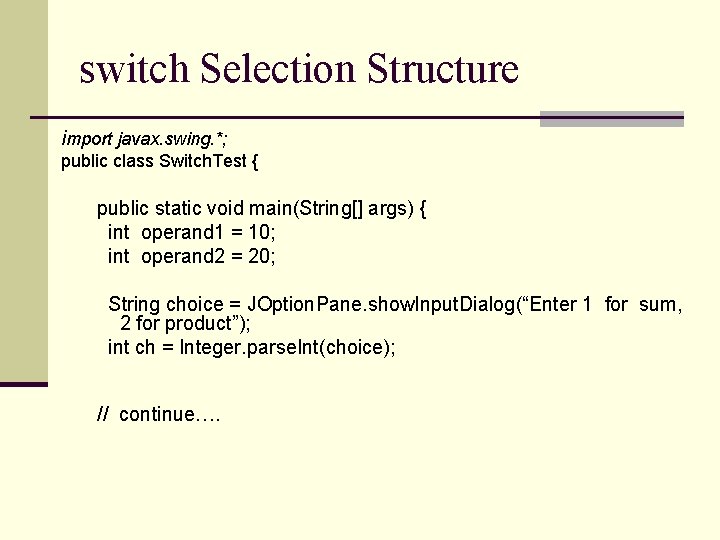
switch Selection Structure import javax. swing. *; public class Switch. Test { public static void main(String[] args) { int operand 1 = 10; int operand 2 = 20; String choice = JOption. Pane. show. Input. Dialog(“Enter 1 for sum, 2 for product”); int ch = Integer. parse. Int(choice); // continue….
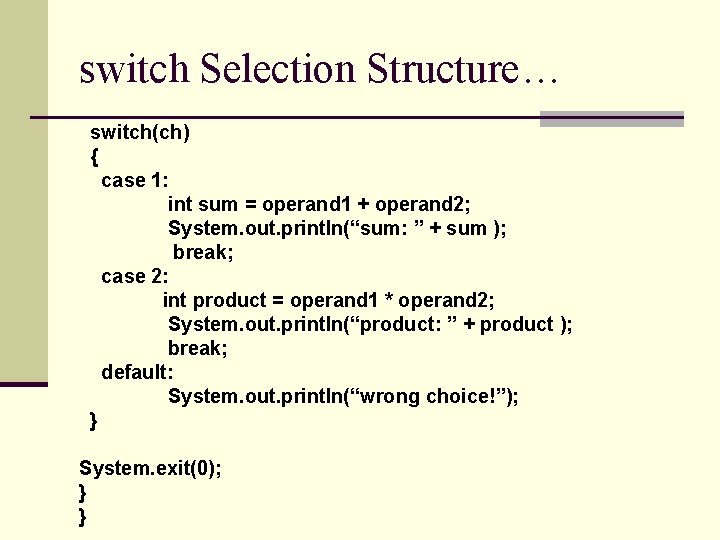
switch Selection Structure… switch(ch) { case 1: int sum = operand 1 + operand 2; System. out. println(“sum: ” + sum ); break; case 2: int product = operand 1 * operand 2; System. out. println(“product: ” + product ); break; default: System. out. println(“wrong choice!”); } System. exit(0); } }
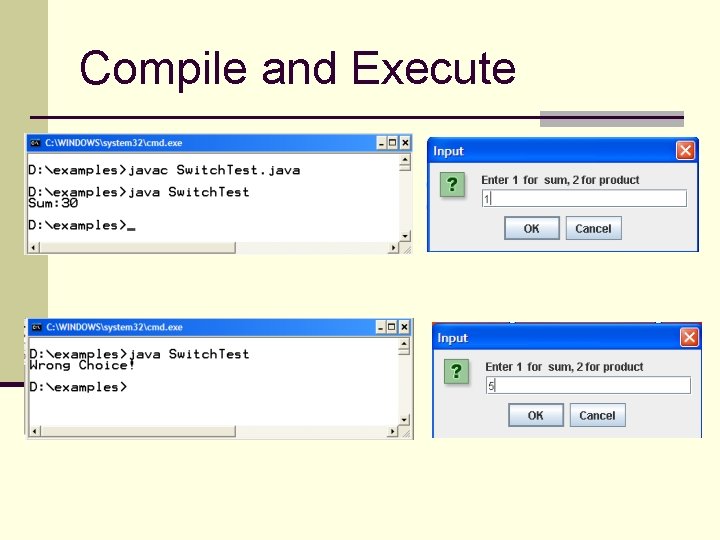
Compile and Execute
Control Structures for, while & do-while
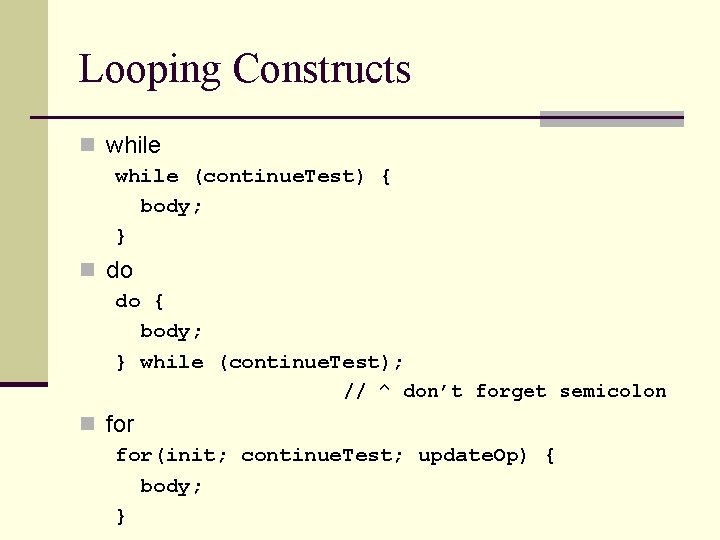
Looping Constructs n while (continue. Test) { body; } n do do { body; } while (continue. Test); // ^ don’t forget semicolon n for(init; continue. Test; update. Op) { body; }
![Control Structures public class Control. Struct. Test { public static void main(String[] args) {](http://slidetodoc.com/presentation_image/1b7333623f4023c9394cd95c1a087d42/image-40.jpg "Control Structures public class Control. Struct. Test { public static void main(String[] args) {")
Control Structures public class Control. Struct. Test { public static void main(String[] args) { // for loop for (int i=1; i<= 5; i++) { System. out. println("hello from for"); } // while loop int j = 1; while (j <= 5) { System. out. println("Hello from while"); j++; } //do while loop int k =1; do{ System. out. println("Hello from do-while"); k++; }while(k <= 5); } }
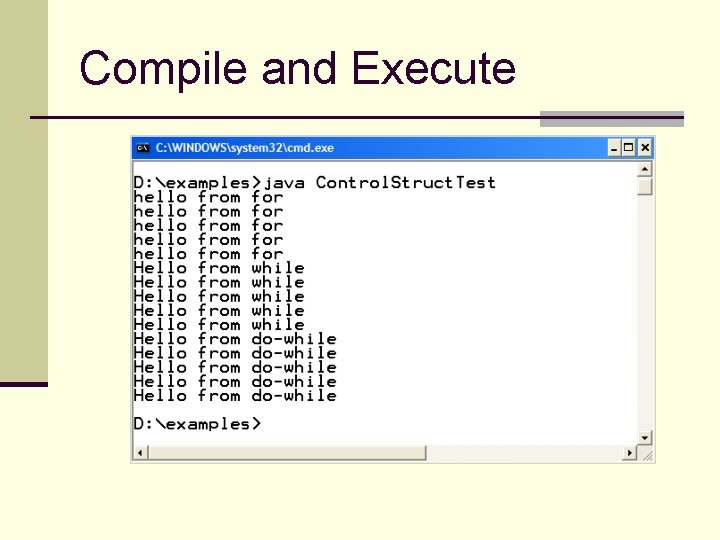
Compile and Execute
- Slides: 41