
Web Cryptography Workshop Charles Engelke and Laurie White
Web Cryptography Workshop Charles Engelke and Laurie White March 8, 2016 fluent@engelke. com fluent@lauriewhite. org

Workshop Materials • Clone or download Git. Hub repository • https: //github. com/engelke/fluent 2016 • Or get Zip or unzipped folder from USB key • W 3 C Web Cryptography API specification • https: //www. w 3. org/TR/Web. Crypto. API/ • Web. Crypto API “Cheat Sheet” • In repo, paper versions being passed out

Today’s Workshop • What the Web Cryptography API is, and why it’s important • Core concepts needed • A little crypto, a bit of Java. Script • Hands on with the API • Clone or download the Git. Hub repo to your machine • Each lab has its own subdirectory

The Web Cryptography API • www. w 3. org/TR/Web. Crypto. API/ • A W 3 C Candidate Recommendation • Next step is Proposed Recommendation • Waiting for more complete browser implementations • But enough of it is widely supported to use now • Provides access to native crypto libraries from the browser • Allowing end-to-end encryption and authentication

Why Not Code Crypto in Java. Script? • Cryptographic algorithms tend to be slow • Java. Script keeps getting faster and faster, but it’s still much slower than native code • Implementing secure cryptography is hard • It’s not enough that the code produce the right output • All kinds of security attacks are possible • The native crypto libraries used by the API aren’t just native, they’re also battle-tested

API Browser Availability Prefixed, Incomplete OS: Prefixed, Old API

Do We Need Crypto in the Browser? • Isn’t TLS enough? • And isn’t the browser completely insecure, anyway? • No, not for some use cases • TLS does not provide end-to-end security • Security of code in the browser not significantly lower than on auto-updating native platforms

Protect Secrets, Authenticate Others

HTTP is Not Secure Can intercept and alter

Add TLS (Lock)

HTTPS is Secure Can’t Eavesdrop

TLS Protects Connections, Not Messages Can’t Eavesdrop MITM Can Listen and Alter

End-to-End Cryptography • Senders sign and encrypt messages inside browser • Before it ever leaves their PCs • Recipients verify and decrypt inside browser • On a PC they control • Intermediaries can interfere with messages • But can’t alter them without detection • And can’t read them

Use the Web Cryptography API Protected with in-browser cryptography MITM Can’t Eavesdrop or Alter

So Replace TLS with Web Crypto? • No. TLS ensures that the right code is delivered to the user’s browser • Without it, attacker can deliver pages with crypto backdoors, allowing bypass of end-to-end protection • Chicken and egg problem • You can’t trust any connection not protected by an already trusted connection • Root certificates in the browser are ultimate check

Web Cryptography API Overview

API Lives in the Browser’s DOM • Not part of Java. Script, but usable by Java. Script • So, not in Node. js (though modules exist) • window. crypto object • window. crypto. get. Random. Values • Cryptographically strong random numbers • window. crypto. subtle • Most of the API consists of methods of this object

Try It Yourself • Go to a web page, open the console • Control-Shift-I for Chrome, Opera, or Firefox on Windows and Linux • F 12 for Edge • Try engelke. com • Redirects to secure page • API only functional for secure origins

Hands-on Via the Console

buf = new Uint 8 Array(16) • Creates a new buffer and points buf at it • Uint 8 Array is one kind of Typed Array • Not like a normal Java. Script array • More like a C array • 16 contiguous 8 -bit memory locations • We’ll usually call it a byte array in this workshop

window. crypto. get. Random. Values(buf) • get. Random. Values takes any Array. Buffer (abstraction of Typed Arrays) • Fills it with cryptographically strong random values • And returns the object it is given, now filled

How is this Crypto? • Many cryptographic operations require randomness in order to be secure • Common pseudorandom generators are often not “random” (unpredictable) enough; this is • Though this is synchronous, so it can’t wait for more system entropy, which can be a weakness

Subtle. Crypto – Most of the API • Lives in window. crypto. subtle • Called subtle because “many of these algorithms have subtle usage requirements” in order to be secure • Puts users on notice to be careful • All methods are asynchronous • May be slow, or may need to wait for more entropy • Return Promises instead of using callbacks

Subtle. Crypto Methods • generate. Key • import. Key • export. Key • derive. Bits • digest • encrypt • decrypt • sign • verify • wrap. Key • unwrap. Key

Hands-on
![p = window. crypto. subtle. generate. Key( {name: "AES-CBC", length: 256}, true, ["encrypt", "decrypt"]](http://slidetodoc.com/presentation_image/417c1bc1091a8a8564daa627cdd7d5d8/image-26.jpg "p = window. crypto. subtle. generate. Key( {name: \"AES-CBC\", length: 256}, true, [\"encrypt\", \"decrypt\"]")
p = window. crypto. subtle. generate. Key( {name: "AES-CBC", length: 256}, true, ["encrypt", "decrypt"] ) • Parameters are Algorithm. Identifier, Extractable, and Usages • Need to reference the spec to determine appropriate values • Returns a Promise, not the requested key

p. then(function(result) { key = result; }) • Promise’s then method takes a function • Invokes that function with the operation’s result, if and when the operation concludes successfully • In this case, we copy the result to a relatively global (key) variable for inspection • Note that the operation’s result is a Crypto. Key object

Don’t Do This in a Real Program! • The example never invoked the Promise’s catch method • Takes a function parameter that is called if and when an exception occurs • Never assume you don’t need to check this! p. catch(function(err){ // handle the error })

Some API Basics

Important Object Types • Array. Buffer • Abstract block of data. Used to return data from API. • Uint 8 Array • Block of data, addressable by index. Can give this type of data to API. • Crypto. Key • Opaque object created via the API • Actual value of the key not accessible from Java. Script • Key value can be exported, if the key creator allows it

Array. Buffer Tips • Can’t be manipulated directly • Only byte. Length property is readable • Cast to Uint 8 Array to use • Example: buf is Array. Buffer returned from API • byte. Array = new Uint 8 Array(buf); alert("First byte is " + byte. Array[0]); • You can provide a Uint 8 Array whenever API wants an Array. Buffer

Promise • Object representing a deferred result • The then method handles the result • then(on. Success, on. Rejection) • Parameters are functions invoked when appropriate • then(f) shorthand for then(f, ) • catch(f) shorthand for then( , f)
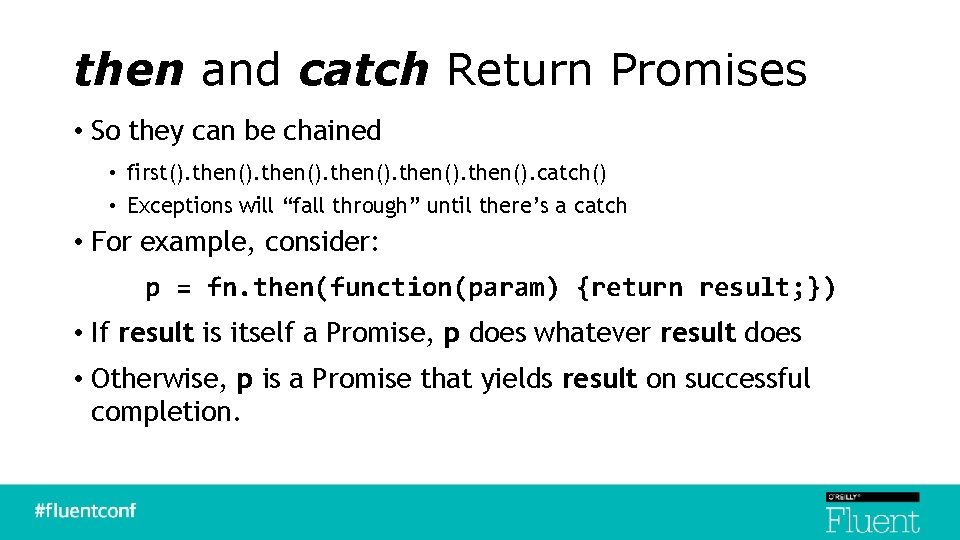
then and catch Return Promises • So they can be chained • first(). then(). catch() • Exceptions will “fall through” until there’s a catch • For example, consider: p = fn. then(function(param) {return result; }) • If result is itself a Promise, p does whatever result does • Otherwise, p is a Promise that yields result on successful completion.

Hands-on Labs
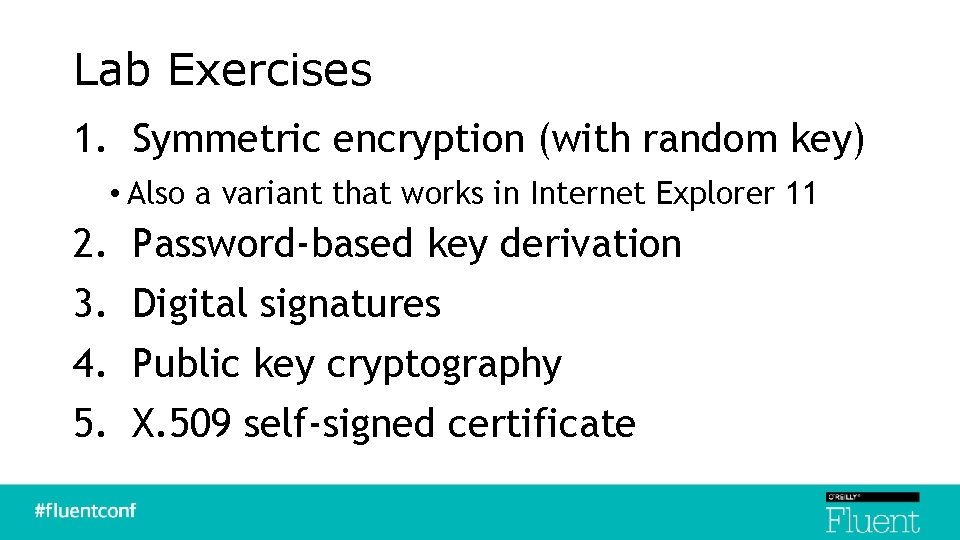
Lab Exercises 1. Symmetric encryption (with random key) • Also a variant that works in Internet Explorer 11 2. 3. 4. 5. Password-based key derivation Digital signatures Public key cryptography X. 509 self-signed certificate

Structure of Each Lab • Skeleton is provided to you in Labs/n • labn. html, labn. css for page structure • util. js has general-purpose helper functions • wiring. js places listeners on buttons, other projectspecific helpers • labn. js is for your solution • Working solutions available in Solutions/n

Lab 1 – Symmetric Encryption

Basic Concepts • Symmetric encryption uses one key (also known as the secret key) to encrypt and decrypt data • The original data is called plaintext • Encrypted data is called ciphertext • The secret key must be shared with all parties that are communicating

Symmetric Encryption secret key plaintext symmetric algorithm ciphertext

Symmetric Algorithms • Stream and Block ciphers • Stream ciphers include One-time pad, RC 4, Salsa 20 • Block ciphers include DES, IDEA, AES, Blowfish • Which to use? • You don’t have to choose, because there is no choice • The API supports only AES

Block Cipher Issues • They only encrypt fixed-size blocks of data • 16 byte blocks for AES • Naïve users have been known to use a single key to encrypt every block of data • But repeated plaintext leads to repeated ciphertext • Cipher modes tell how to pad incomplete blocks and encrypt each block in a unique way

Why Cipher Mode Matters AES Encrypt Original image courtesy lewing@isc. tamu. edu and The GIMP

AES Modes Supported by the API • AES-CBC is widely used and supported • It’s a good choice, with one major weakness: ciphertext can be changed undetectably • We will use it in today’s labs • AES-GCM is considered a better choice • But not universally supported yet • AES-CTR and AES-CFB not widely supported in browsers • Likely to be dropped from the API • AES-KW is a specialty mode, only for encrypting keys

Encryption With AES-CBC • Start with plaintext, a key, and an IV • Plaintext is a sequence of bytes • Key is a secret 128, 192, or 256 bits • IV (initialization vector) is 16 random bytes • IV is essential to security • Allows repeated use of the same key without exposing patterns that could break security • End up with ciphertext

Decryption with AES-CBC • Start with ciphertext and key, obviously • But you also need the IV (it’s not secret) • Use the key and IV to decrypt ciphertext • End up with the original plaintext

AES-CBC and the Web Crypto API • Logically, the key is a bit sequence • But the API requires keys to be Crypto. Key objects • generate. Key can create a good random key • import. Key and export. Key convert back and forth to bit sequences • All API data is in be Array. Buffers • Plaintext, IV, Ciphertext, exported Keys

Lab 1 Application • Three operations: • Generate Key • Encrypt • Decrypt • User can copy form data to other browsers • Results are interoperable

Skeleton in Lab/1 in Git. Hub Repo • Several non-crypto parts already filled out • lab 1. html, lab 1. css, wiring. js, utils. js • You fill in missing parts of lab 1. js • We will do the Generate Key step together first, and review that solution in depth • See Hints in lab 1. js skeleton for method specs

Generate Key Specification • On user click 1. 2. 3. 4. Create a random 256 -bit AES-CBC key Export the key (so it’s visible) Hex encode the key Put hex encoding in appropriate form element • Use helper functions • Convert between byte arrays and hex encoded strings

function generate. Key() { // Replace this alert with your solution window. alert("Generate. Key clicked. "); }

function generate. Key() { // 1 – generate. Key // 2 – export. Key // 3 – hex encode key // 4 – put hex encoding in form element }

function generate. Key() { window. crypto. subtle. generate. Key( {name: "AES-CBC", length: 256}, true, ["encrypt", "decrypt"] ) }

function generate. Key() { window. crypto. subtle. generate. Key( {name: "AES-CBC", length: 256}, true, ["encrypt", "decrypt"] ). then(function(key){ }) }

function generate. Key() { … ). then(function(key){ return window. crypto. subtle. export. Key( "raw", key ); }) }
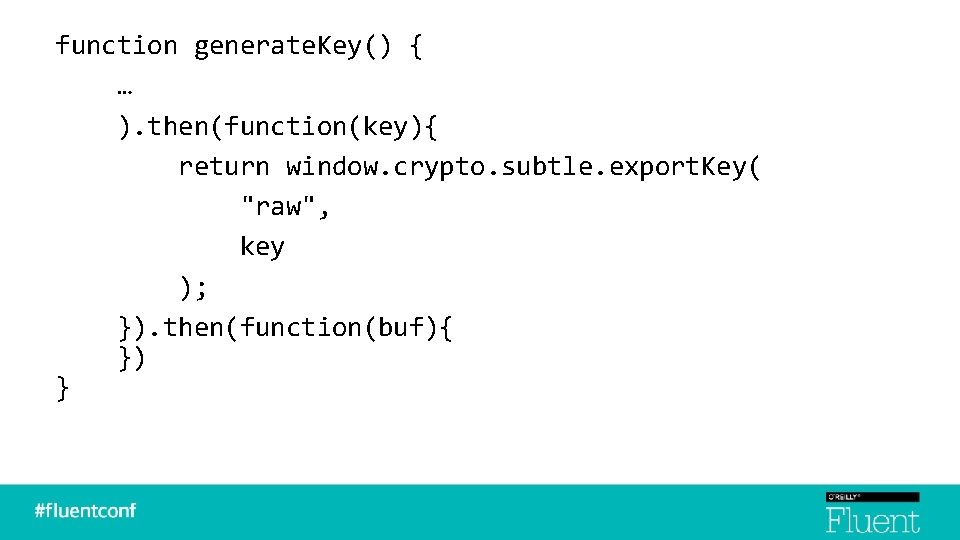
function generate. Key() { … ). then(function(key){ return window. crypto. subtle. export. Key( "raw", key ); }). then(function(buf){ }) }

function generate. Key() { … … }). then(function(buf){ var byte. Array = new Uint 8 Array(buf); var key. Field = document. get. Element. By. Id("key"); key. Field. value = byte. Array. To. Hex. String(byte. Array); }) }

function generate. Key() { … … }). then(function(buf){ var byte. Array = new Uint 8 Array(buf); var key. Field = document. get. Element. By. Id("key"); key. Field. value = byte. Array. To. Hex. String(byte. Array); }). catch(function(err){ }) }

function generate. Key() { … … … }). catch(function(err){ alert("Key generation error: " + err. message); }
Hands-on Exercise to Finish the Lab • Specifications shown next • Will review solution after a break

Encrypt Specification • Read hex encoded key from form element • Read plaintext string from form element into a byte array • Convert and import key bytes into a Crypto. Key • Create a random IV, save hex encoded in form • Encrypt plaintext with key and IV • Convert result to base 64 encoded string, place in ciphertext element

Decrypt Specification • Nearly identical to Encrypt operation • But decrypt ciphertext back into plaintext

Review Lab 1 Solution
Lab 1 Variant – Symmetric Encryption Using IE 11

Does Anybody Care? • Yes, depending on their user community • IE 11 is going to be around for a long time to come • And it will never get the latest Web Crypto spec • IE 11 has a pretty good Web Crypto implementation • It is just based on an early version of the spec • Prefixed, no Promises, plus many minor differences

Uses window. ms. Crypto. subtle • Very similar to standard subtle crypto • Main difference – no Promises • IE 11 doesn’t support them • Methods return Key. Operation or Crypto. Operation • Specify callbacks for operation properties

generate. Key Differences subtle = window. crypto. subtle; p = subtle. generate. Key( {name: "AES-CBC", length: 256}, true, ["encrypt", "decrypt"] ); p. then(function(key){ // use the new key }); p. catch(function(err){ // handle the error }); subtle = window. ms. Crypto. subtle; op = subtle. generate. Key( {name: "AES-CBC", length: 256}, true, ["encrypt", "decrypt"] ); op. onsuccess = function(evt){ key = evt. target. result; // use the new key } op. onerror = function(evt){ err = evt. target. result; // handle the error }
Converting Lab 1 to IE 11 • Pretty mechanical • Some algorithm objects have slightly different properties • For example, hash property for signing is provided to the sign method and not the generate. Key method • It’s possible to write a shim using a Promise polyfill that would allow identical code to run in IE and standard browsers • We won’t really do the lab today, just review the solution

Review Lab 1 for IE 11 Solution
Lab 2 – Password-Based Key Derivation

Why Derive a Key from a Password? • If Alice and Bob want to communicate securely, they need to share an AES key • People do not do well with 256 -bit hex numbers • They really want to share a password • Or, ideally, a longer pass phrase • Given a password, we want a key

Goals for Lab 2 • Derive a 256 -bit key from a password • AES-CBC encrypt plaintext with it • Encryption is like Lab 1, except: • We will read ciphertext and plaintext from files • Provide URL to download results • Package the IV with the ciphertext, instead of showing it separately

Lab 2 Application

Ways to Derive a Key From a Password • A password is just bytes, too, so use it as is • This is a terrible choice! Very susceptible to dictionary attack • Take the SHA-256 digest of the password • It’s the right length, but still subject to dictionary attack • Use a salted hash • Unless users share salt, a single fixed salt is only a little help • Use a key derivation algorithm

Ways to Derive a Key From a Password • A password is just bytes, too, so use it as is • This is a terrible choice! Very susceptible to dictionary attack • Take the SHA-256 digest of the password • It’s the right length, but still subject to dictionary attack • Use a salted hash • Unless users share salt, a single fixed salt is only a little help • Use a key derivation algorithm
Key Derivation Algorithms • Given a password, create a key • Avoid reversing or dictionary attacks • Typical method • Repeated salted hashing • Makes it too slow for effective dictionary attacks • Subtle. Crypto derive. Key method options • CONCAT, HKDF-CTR, and PBKDF 2 available in API

We Will Use PBKDF 2 • Subtle. Crypto method needs a base key to start • This is a Crypto. Key object representing the password • Use import. Key to create this • Must provide a salt • Very helpful for password verification • Not as useful for encryption key because you don’t want to have different salts for different passwords • Iteration count should be high • 1, 000 was recommended in 2000. We will use 1, 000.

Methods Used • import. Key • To create the PBKDF 2 “base key” • This base key is just a Crypto. Key object representing the password/pass phrase • derive. Key • To create a 256 -bit AES-CBC key from the base key • encrypt, decrypt • From file, to URL that can be saved as a file

New Background Needed • DOM File. Reader object • Can read file selected in a form field • No Promise, just traditional callback • Provide success handler, get Array. Buffer • DOM Blob object • Create from Array. Buffer, or concatenate Array. Buffers • Get URL, allowing download • See hints in lab 2. js for more details

Steps 1. Derive key from password 2. Set up File. Reader 1. Point success and error handlers to functions 3. Kick off File. Reader (read. As. Array. Buffer) 4. Success handler function: 1. 2. 3. Encrypt File. Reader Array. Buffer result Create Blob from IV + ciphertext Set window. location to Blob URL to download

Solution Review

Lab 3 – Digital Signing and Verification

What is a Digital Signature? • A piece of data derived from a key and a file that can show: • The signature was created using that file • With that key • Checking a signature is verification • Any change to file or use of wrong key will cause verification to fail

Basic Logical Mechanism • Sign 1. Take a digest (cryptographically strong hash) of file 2. Encrypt digest with the key. This is the signature. • Verify 1. Take a digest of the file 2. Decrypt the signature 3. Check that they match

Use Public Key Cryptography • Digital signatures usually use public key (asymmetric) cryptography • PKC uses key pairs, not one secret key • Public key and private key • Anything encrypted with one can only be decrypted with the other • Allows signature verification without being able to forge signature

Asymmetric Encryption public key encrypt plaintext ciphertext decrypt private key

Goals for Lab 3 • Generate a PKC key pair suitable for digital signatures • Export both public and private keys, display as base 64 in form elements • Sign file with private key, display signature as base 64 • Verify signed file with signature and public key

Lab 3 Application

Generating a Key Pair • generate. Key with appropriate algorithm • RSASSA-PKCS 1 -v 1_5 for signing • RSA-PSS is preferred but not yet widely available • RSA-OAEP for encrypting • There are other possible algorithms, but support is still spotty • Returned Promise yields Crypto. Key. Pair • Just an object with public. Key and private. Key properties
New Background Needed • Key formats for export and import • spki for public keys • pkcs 8 for private keys • Could use jwk (JSON object) but single buffer returned by other formats easier • RSA algorithm properties • modulus. Length – essentially key length in bits, use 2048 • public. Exponent – always use 65537 (0 x 10001) • hash – SHA-256 • See hints in lab 3. js

Signing Steps 1. Import private key 2. Set up File. Reader 1. Point success and error handlers to functions 3. Kick off File. Reader (read. As. Array. Buffer) 4. Success handler function: 1. 2. Sign File. Reader Array. Buffer result Put base 64 encoded signature in form element

Verifying Steps 1. Import public key 2. Set up File. Reader 1. Point success and error handlers to functions 3. Kick off File. Reader (read. As. Array. Buffer) 4. Success handler function: 1. 2. Get signature from form element Verify File. Reader Array. Buffer result

Solution Review

Lab 4 – Public Key Encryption and Decryption

PKC Has Limitations • Extremely slow • Message size limited by key size • So we can’t just encrypt plaintext using a PKC public key • This didn’t come up for signing, because there PKC is only used on a digest, not whole message
Need a Symmetric/Asymmetric Hybrid • Create a random symmetric key • This is called the session key • Encrypt the plaintext with the session key • Encrypt the session key with the public key using PKC • Decryption reverses this • Uses the private key to decrypt the session key

Goals for Lab 4 • Generate a key pair, export, base 64 encode, and display in form • Encrypt file by importing public key, then create and encrypt session key (and store in form), then encrypt file with session key • Decrypt file by import private key, decrypting session key with the private key, importing session key and using it for decryption

Lab 4 Application

New Background • Use RSA-OAEP public key algorithm • 2048 bit modulus • 65537 public exponent • SHA-256 hash • Use AES-CBC with 256 -bit key for symmetric algorithm • See hints in lab 4. js for more

Review Solution

Lab 5 – Self-signed X. 509 Certificate
What’s a Certificate? • A data structure containing a public key and identification of the owner of that key • Digitally signed by a Certificate Authority (CA) • Reliers trust the CA, so they trust that the identity in the certificate is correct

X. 509 • Standard format for certificates • Comes from X. 500 ITU-T and OSI standards • Created in the 1980 s • ASN. 1 “Abstract Syntax Notation” • Defines the data structure • BER and DER encoding into binary • Very compact, unambiguous, and horribly complex

Lab 5 Application

This Lab is Different • No new cryptographic algorithms • New kinds of data objects • Certificate signing request • Certificate • No hands-on today • There are too many details in X. 509 to cover them right now • Review the solution at a high level

We Won’t Do This from Scratch • Background needed for ASN. 1 and encodings is enormous • See blog. engelke. com/tag/x-509 if you really want to try this (it feels so good when you stop) • Instead, we will use PKIjs library • Excellent third-party library (PKIjs. org) • Built on top of web crypto API

PKIjs Concepts • org. pkijs. simpl name space • CERT is the x. 509 object constructor • Important properties • serial. Number – org. pkijs. asn 1. INTEGER • extensions – array of org. pkijs. simpl. EXTENSION • Many, more

Solution Review

Summing Up

Web Cryptography API • Enables end-to-end secrecy and authentication • Uses well-established native libraries • Faster and more secure than re-implementing in Java. Script • API is fairly stable • Some algorithms that no (or only one) browser supports will be dropped • Interoperability is good
Learn More About Cryptography • Coursera Cryptography I course • Excellent introduction to fundamentals • Next offering starts March 14 • https: //www. coursera. org/learn/crypto • Coursera Cryptography II course • https: //www. coursera. org/course/crypto 2 • Offered right after Lucy Van Pelt finally lets Charlie Brown kick the football

Resources • Web Cryptography API Candidate Recommendation • https: //www. w 3. org/TR/Web. Crypto. API/ • Browser Crypto API test page • https: //diafygi. github. io/webcrypto-examples/ • From last year’s shorter talk • https: //www. engelke. com/fluent/
- Slides: 111