
Web Browsers In this section of notes you
Web Browsers In this section of notes you will learn about the web browsing process, some of the important features of popular browsers and a bit of the history of the World Wide Web (WWW) James Tam
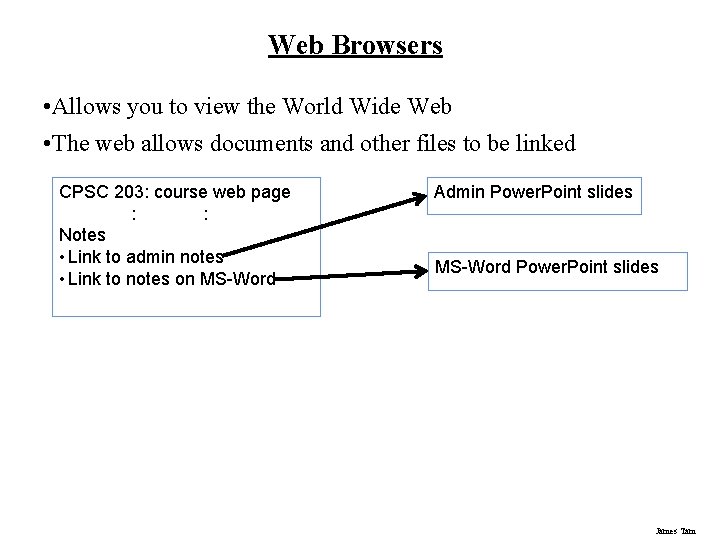
Web Browsers • Allows you to view the World Wide Web • The web allows documents and other files to be linked CPSC 203: course web page : : Notes • Link to admin notes • Link to notes on MS-Word Admin Power. Point slides MS-Word Power. Point slides James Tam
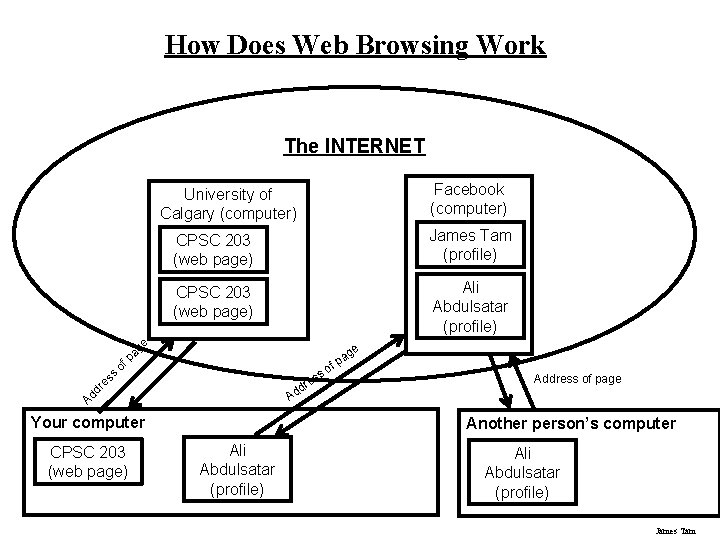
How Does Web Browsing Work The INTERNET Facebook (computer) University of Calgary (computer) CPSC 203 (web page) James Tam (profile) CPSC 203 (web page) Ali Abdulsatar (profile) of pa g e e ag p f so re ss es dr Ad d Ad Your computer CPSC 203 (web page) Address of page Another person’s computer Ali Abdulsatar (profile) James Tam
How Does Web Browsing Work Example, enter into the web browser: www. cpsc. ucalgary. ca/~tamj/203/index. html 1. You enter the address of the server computer that you wish to access e. g. , www. cpsc. ucalgary. ca 2. You can specify the name of the document that you wish to view on your computer e. g. , On the server in the 203 folder of user “tamj”, view the document called index. html (thus the “ 203/index. html” part) 3. The document “index. html” is transferred across the Internet back to your computer. James Tam
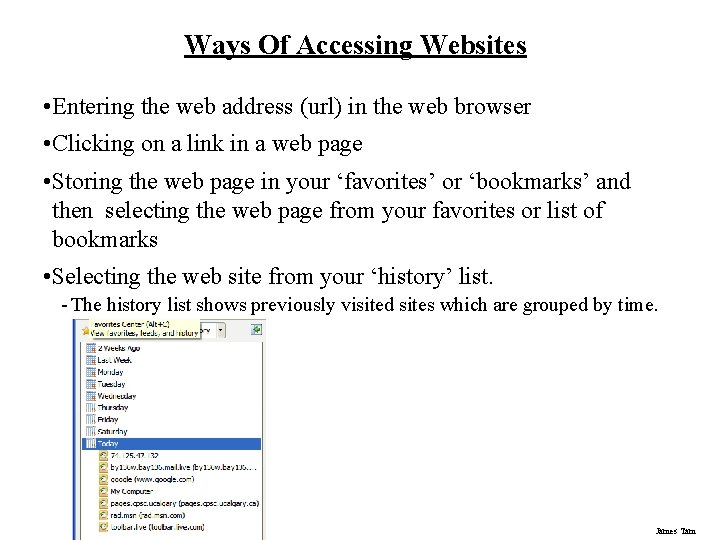
Ways Of Accessing Websites • Entering the web address (url) in the web browser • Clicking on a link in a web page • Storing the web page in your ‘favorites’ or ‘bookmarks’ and then selecting the web page from your favorites or list of bookmarks • Selecting the web site from your ‘history’ list. - The history list shows previously visited sites which are grouped by time. James Tam
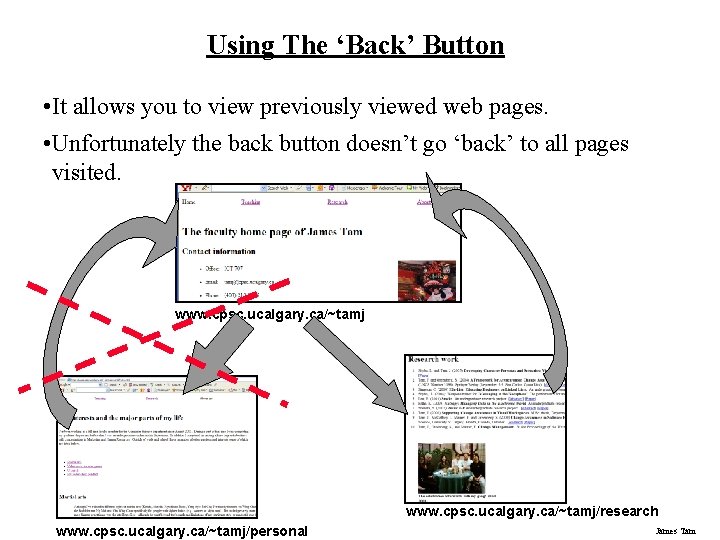
Using The ‘Back’ Button • It allows you to view previously viewed web pages. • Unfortunately the back button doesn’t go ‘back’ to all pages visited. www. cpsc. ucalgary. ca/~tamj/research www. cpsc. ucalgary. ca/~tamj/personal James Tam
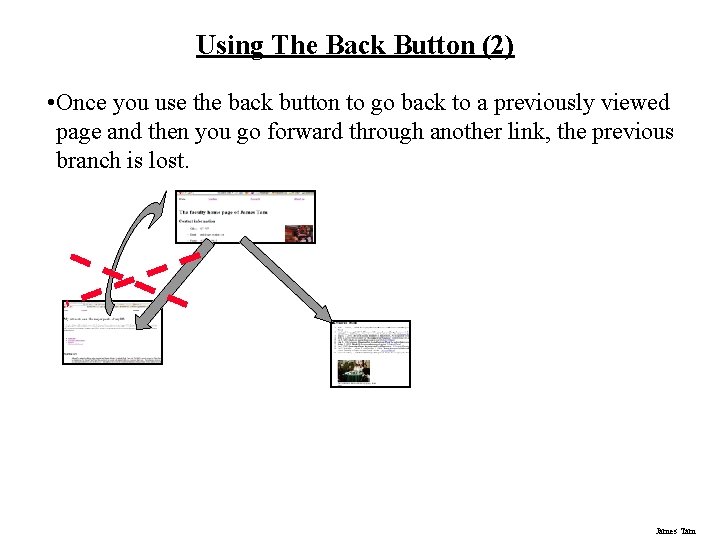
Using The Back Button (2) • Once you use the back button to go back to a previously viewed page and then you go forward through another link, the previous branch is lost. James Tam
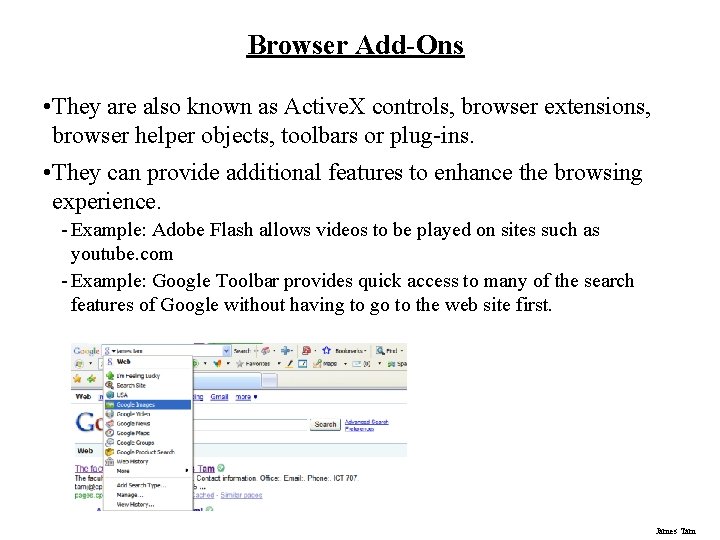
Browser Add-Ons • They are also known as Active. X controls, browser extensions, browser helper objects, toolbars or plug-ins. • They can provide additional features to enhance the browsing experience. - Example: Adobe Flash allows videos to be played on sites such as youtube. com - Example: Google Toolbar provides quick access to many of the search features of Google without having to go to the web site first. James Tam
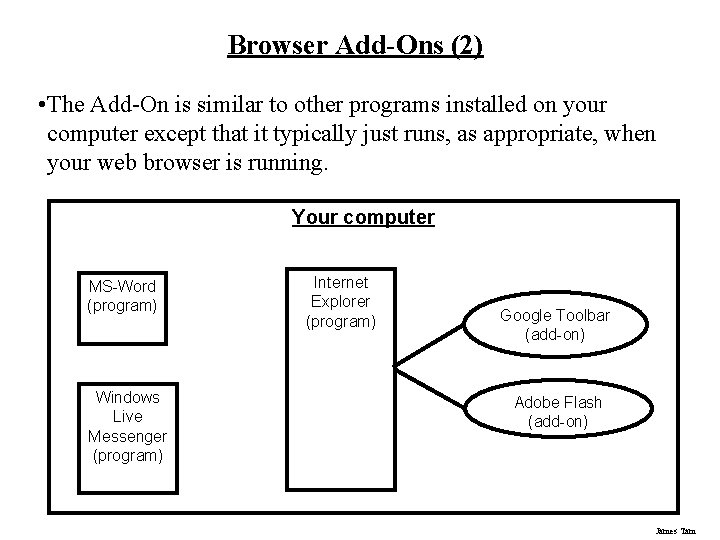
Browser Add-Ons (2) • The Add-On is similar to other programs installed on your computer except that it typically just runs, as appropriate, when your web browser is running. Your computer MS-Word (program) Windows Live Messenger (program) Internet Explorer (program) Google Toolbar (add-on) Adobe Flash (add-on) James Tam
Browser Add-Ons (3) • Add-Ons are a specialized form of computer program. • Like other programs you should be cautious about: - Installing unknown add-ons - Installing an add-on that you’re familiar with but comes from an unfamiliar web site. James Tam
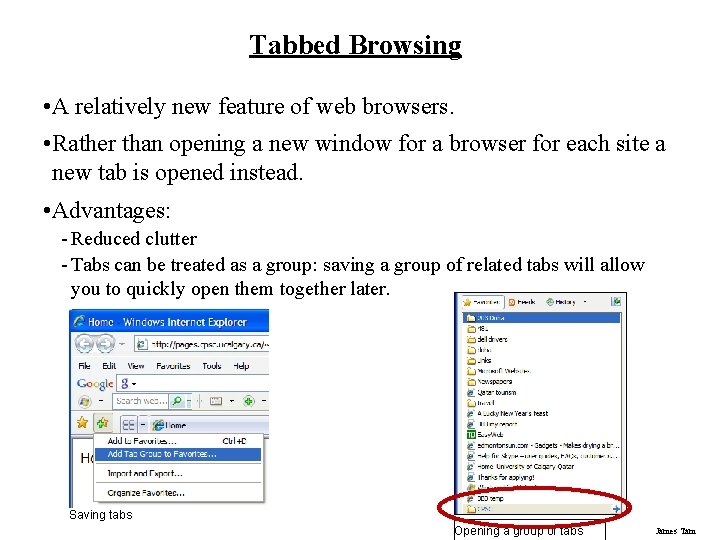
Tabbed Browsing • A relatively new feature of web browsers. • Rather than opening a new window for a browser for each site a new tab is opened instead. • Advantages: - Reduced clutter - Tabs can be treated as a group: saving a group of related tabs will allow you to quickly open them together later. Saving tabs Opening a group of tabs James Tam
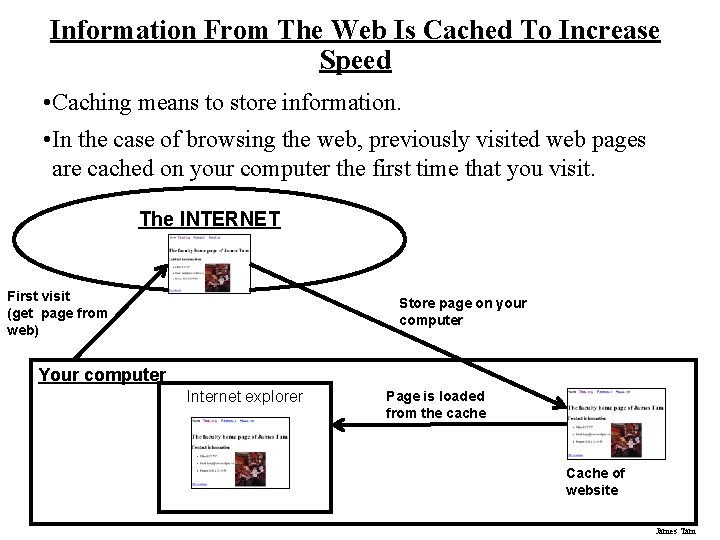
Information From The Web Is Cached To Increase Speed • Caching means to store information. • In the case of browsing the web, previously visited web pages are cached on your computer the first time that you visit. The INTERNET First visit (get page from web) Store page on your computer Your computer Internet explorer Page is loaded from the cache Cache of website James Tam
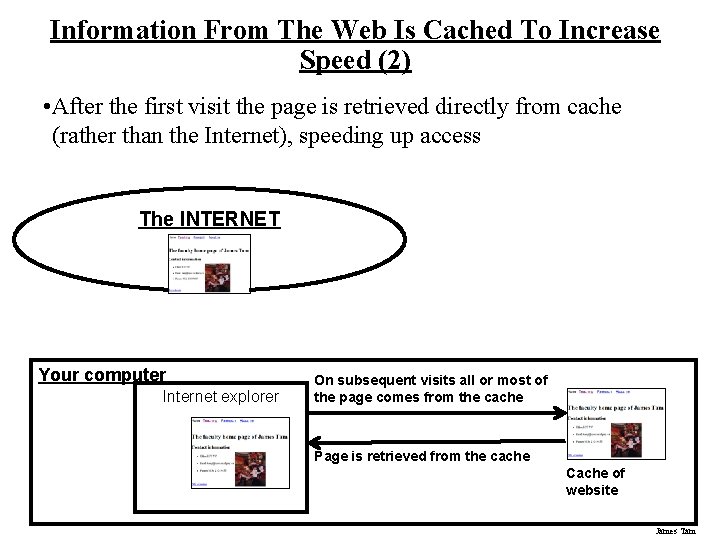
Information From The Web Is Cached To Increase Speed (2) • After the first visit the page is retrieved directly from cache (rather than the Internet), speeding up access The INTERNET Your computer Internet explorer On subsequent visits all or most of the page comes from the cache Page is retrieved from the cache Cache of website James Tam
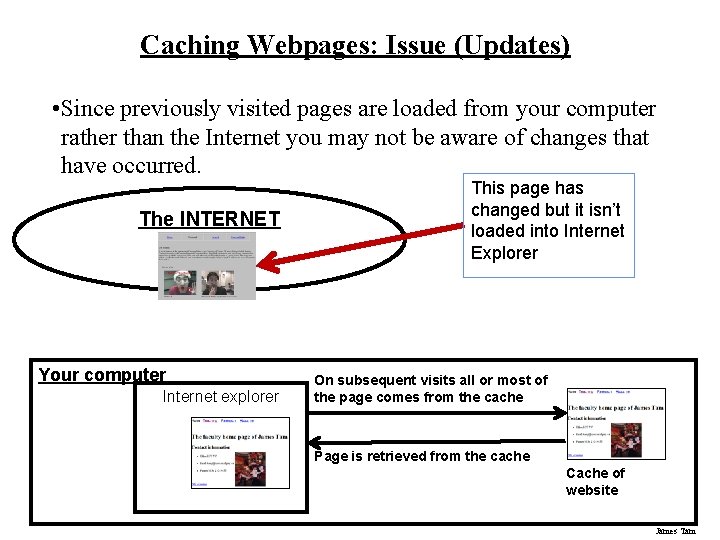
Caching Webpages: Issue (Updates) • Since previously visited pages are loaded from your computer rather than the Internet you may not be aware of changes that have occurred. The INTERNET Your computer Internet explorer This page has changed but it isn’t loaded into Internet Explorer On subsequent visits all or most of the page comes from the cache Page is retrieved from the cache Cache of website James Tam
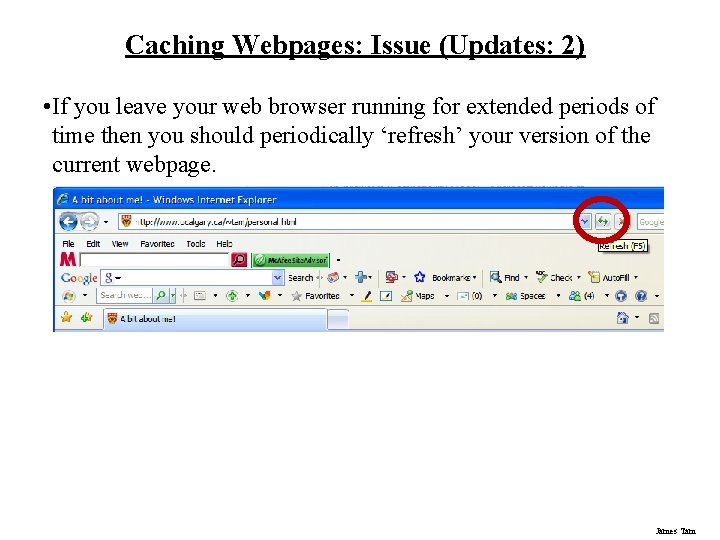
Caching Webpages: Issue (Updates: 2) • If you leave your web browser running for extended periods of time then you should periodically ‘refresh’ your version of the current webpage. James Tam
Java And Javascript • Can be enabled for most/all popular web browsers. • They both allow web designers to additional features to a web page. • Javascript - Makes it easy to add some interaction to a web page (user can type in some text or click on some simple controls and see a result e. g. , for a currency or a temperature converter). - It’s too rudamentary to develop more than a very simple program • Java - More complex but it can be used to develop full programs that can be used on the web (e. g. , a chat website with sound and video). • Both: - Involve running a program on your computer from the Internet which may result in some potential security problems. (e. g. , the program can be a virus). James Tam
Browsers Are Not Just For The Web • A browser like Internet Explorer can also be used to browse the files and folders on your computer in the same way that it can be used to browse the web. • Advantages of using a web browser: - The interface is familiar - The powerful features of a web browser can be utilized (e. g. , add a folder or a file to the favorites list). James Tam
Commonly Used Web Browsers • Microsoft: Internet Explorer • Mozilla: Firefox • Opera software: Opera • Google: Chrome James Tam
Features Of Internet Explorer • Advanced printing (to resize large pages to fit on the page). • Zooming (images and text) • RSS feeds (updates when certain web pages change) • Private browsing mode: removes information about your web browsing habits. • The latest released version just added tabbed browsing. • Increased security from the last version. James Tam
Features Of Firefox • Security features have been implemented in the browser (similar to Internet Explorer) • Private browsing mode (removes traces of your web browsing activities) • Built in spell checker • Supports multiple tabs • Able to restore your browsing session after the program crashes (fails) • Includes a download manager: track and manage downloads James Tam
Features Of Opera • Security features have been implemented • Supports multiple tabs • Allows zooming into web pages • Includes a download manager: track and manage downloads • Doesn’t support anonymous browsing (? ) but information about your web surfing can be easily removed. James Tam
Features Of Chrome • Supports browsing with multiple tabs - Each tab is insulated from the others to increase the security and the stability of the browser • Includes a download manager • Provides the ability to browse the web anonymously • Zooming has been implemented but it may not be stable (bugs? ) James Tam
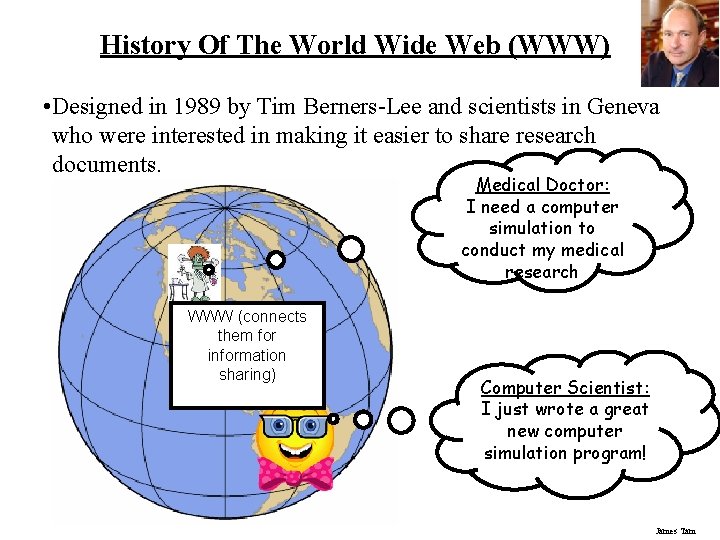
History Of The World Wide Web (WWW) • Designed in 1989 by Tim Berners-Lee and scientists in Geneva who were interested in making it easier to share research documents. Medical Doctor: I need a computer simulation to conduct my medical research WWW (connects them for information sharing) Computer Scientist: I just wrote a great new computer simulation program! James Tam
History Of The World Wide Web (WWW: 2) • Documents could be linked through a protocol (a set of rules for linking documents) called http (hyper text transfer protocol). • Documents were made available for free browsing and downloading from the web (substantially easier than the alternative). • 1990 the first web browser “World. Wide. Web” was written. • 1993 Mark Andreesen of NCSA (National Center for Super Computing Applications) launched Mosaic X the first popular web browser. • Some of today’s web browsers are based upon the original Mosaic program (e. g. , Internet Explorer) James Tam
After This Section You Should Now Know • How the process of browsing the web and viewing web pages work • Different ways of reaching a website • How does the history mechanism and the back button allow you to revisit previously viewed websites • What is a browser add-on, how can you reduce your security risk when installing an add-on • What is tabbed browsing, what are the advantages of using tabs • What is caching • How does caching increase speed when browsing the web and what issue may arise when viewing a cached version of a web page and how this may be mitigated James Tam
After This Section You Should Now Know (2) • How Java and Javascript can enhance a web page, what are their limits and risks • How a browser can be used to browse the contents of your computer • What are some commonly used browsers and some of the features of the latest versions • A brief history of the World Wide Web James Tam
- Slides: 26