
Web Application Development Introduction to Java Slides Credit
Web Application Development Introduction to Java Slides Credit Umair Javed LUMS
Topics We Will Cover Today �History of Java �Why Java ? �Some Sample Java Based Applications �Writing a Basic Java Program �Java Program Development and Execution Steps
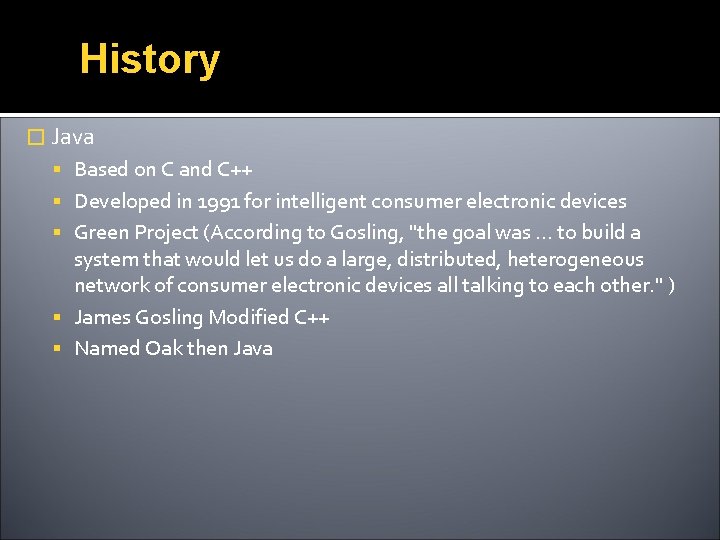
History � Java Based on C and C++ Developed in 1991 for intelligent consumer electronic devices Green Project (According to Gosling, "the goal was. . . to build a system that would let us do a large, distributed, heterogeneous network of consumer electronic devices all talking to each other. " ) James Gosling Modified C++ Named Oak then Java
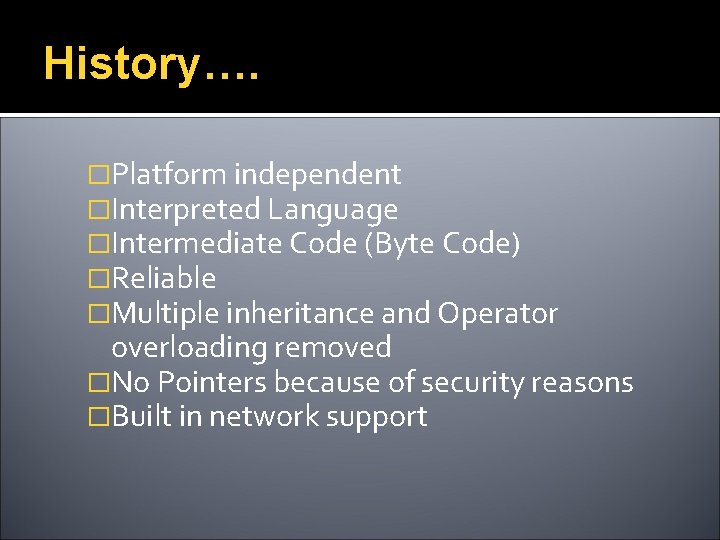
History…. �Platform independent �Interpreted Language �Intermediate Code (Byte Code) �Reliable �Multiple inheritance and Operator overloading removed �No Pointers because of security reasons �Built in network support
History… Internet exploded in 1993, saved project ▪ Reliability ▪ Security ▪ Platform Independence Java formally announced in 1995 Now used to create interactive web applications, distributed enterprise application for consumer devices (pagers, cell phones) and much more. .
Why Java? ? ?
Motivation � Portable WORA!!!!!! � Simple � “Pure” Object Oriented Language � Support for Distributed and Web Applications � Rich Libraries Multithreading , Swing , RMI , NET , SQL …. . � Automatic Garbage Collection � More Robust
Portable �“Write-Once Run-Anywhere” �The Java Virtual Machine becomes the common denominator Bytecodes are common across all platforms JVM hides the complexity of working on a particular platform ▪ Difficult to implement a JVM ▪ But simpler for the application developer �Java does this well
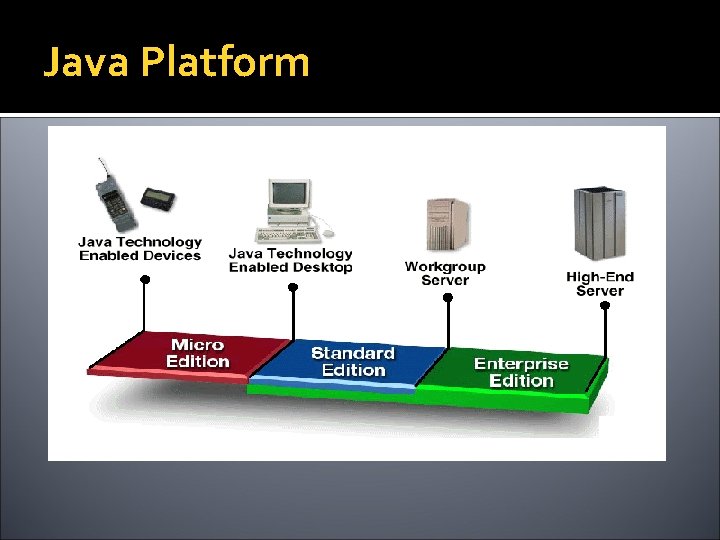
Java Platform
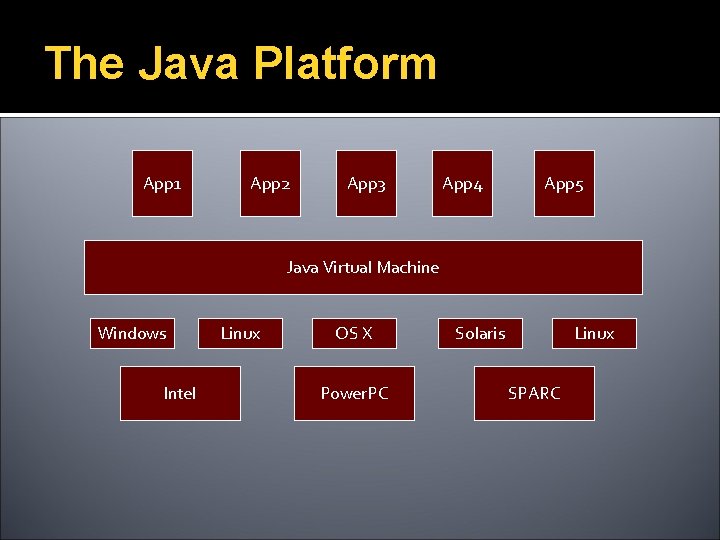
The Java Platform App 1 App 2 App 3 App 4 App 5 Java Virtual Machine Windows Intel Linux OS X Power. PC Solaris Linux SPARC
Simple � Similar to C/C++ in syntax � In-fact Java is C++ minus operator overloading direct pointer manipulation or pointer arithmetic multiple inheritance Destructors (Garbage Collector– handles memory automatically) No Templates Header/make files � Lots of other things which make Java more attractive.
Object-Oriented � Fundamentally based on OOP � All functions belong to classes or objects. No global variables or functions exist � All classes by default inherit from a common ancestor known as “Object” � “Almost” all data types are objects � OOP will be covered in a little more detail later.
Distributed / Network Oriented �Java grew up in the days of the Internet Inherently network friendly Original release of Java came with Networking libraries Newer releases contain even more for handling distributed applications RMI, Transactions
Support for Web and Enterprise Applications � Given below are some of the Java technologies that can be used for web and enterprise application development Servlets JSP Applets JDBC RMI EJBs JSF And many more…
Robust / Secure / Safe � Designed with the intention of being secure No pointer arithmetic or memory management! The JVM “verifier” Checks integrity of byte-codes Dynamic runtime checking for pointer and array access No buffer overflow bugs! Security. Manager to check which operations a piece of code is allowed to do “Sandbox” operation for applets and other untrusted code Limited set of operations or resources made available Contrast to Active. X
Rich Set of Libraries �Multithreading �Swing �Regular Expression �NET �SQL �Util �Serialization …………….
Java Programmer Efficiency �Faster Development More programmer friendly Less error prone �OOP Easier to manage large development projects �Robust memory system No pointer arithmetic and manual memory management. Garbage collector! �Libraries Re-use of code
Disadvantages � Java performance IS slower than C/C++ Tradeoff between development time vs. run time Additional checks in Java which make is secure and robust and network aware etc, all have a small cost. � BUT JIT compilation and Hot. Spot Dynamic compilation of bytecode to native code at runtime to improve performance Hot. Spot optimizes code on the fly based on dynamic execution patterns Can sometimes be even faster than compiled C code! � Increasing processing speeds helps in overcoming this short fall
Microsoft vs. Java �Java is platform independent Was considered a threat to Microsoft’s dominance Sun vs. Microsoft Law Suit �Microsoft’s latest response to Java C# Very similar to Java in structure and style Some improvements over past releases of Java (which have now emerged in Java 1. 5)
Some Sample Java Based Applications
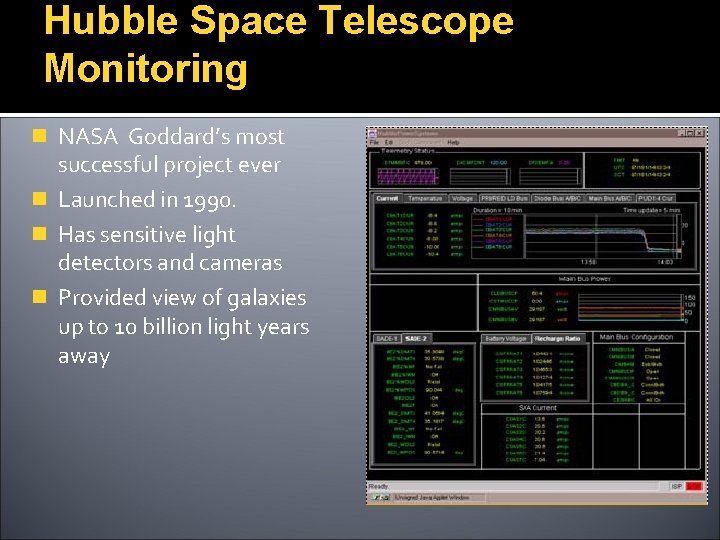
Hubble Space Telescope Monitoring n NASA Goddard’s most successful project ever n Launched in 1990. n Has sensitive light detectors and cameras n Provided view of galaxies up to 10 billion light years away
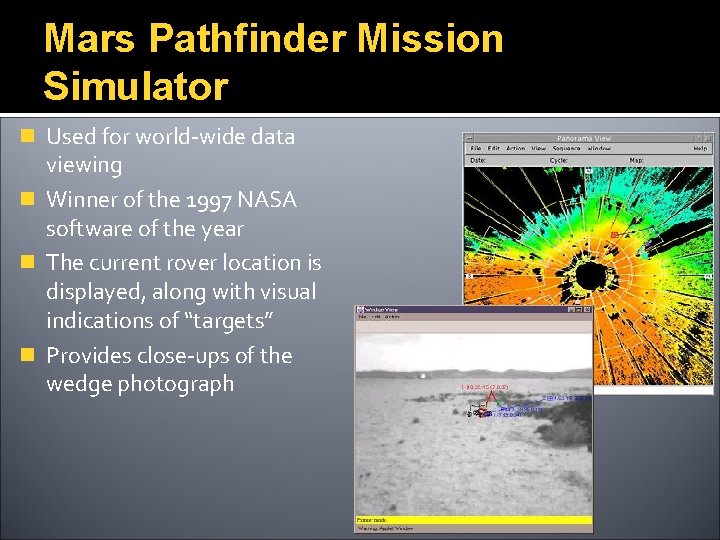
Mars Pathfinder Mission Simulator n Used for world-wide data viewing n Winner of the 1997 NASA software of the year n The current rover location is displayed, along with visual indications of “targets” n Provides close-ups of the wedge photograph
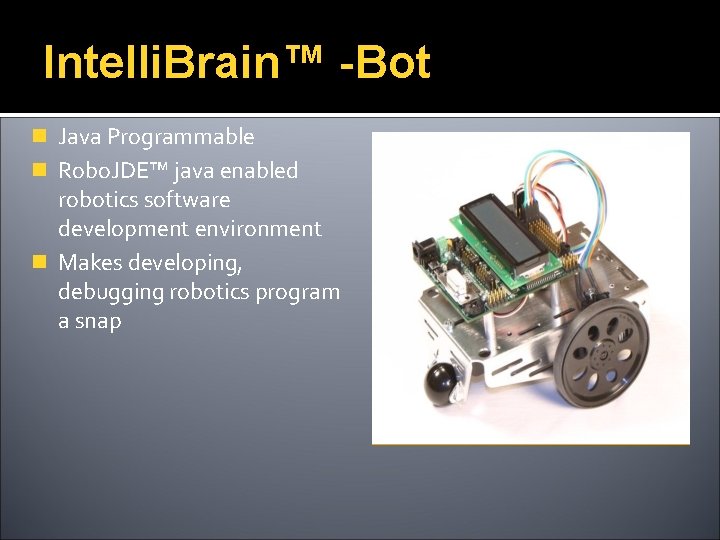
Intelli. Brain™ -Bot n Java Programmable n Robo. JDE™ java enabled robotics software development environment n Makes developing, debugging robotics program a snap
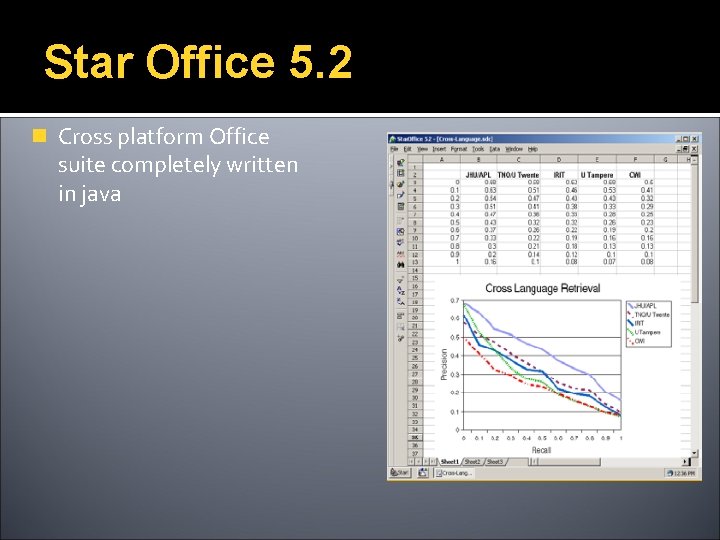
Star Office 5. 2 n Cross platform Office suite completely written in java
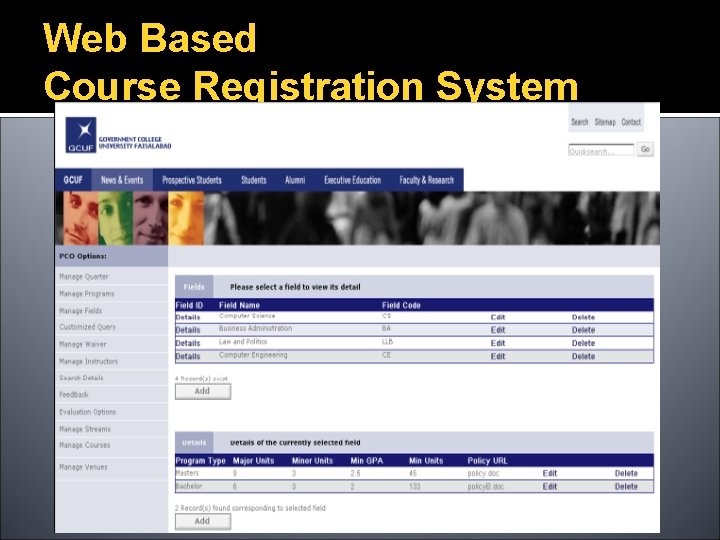
Web Based Course Registration System
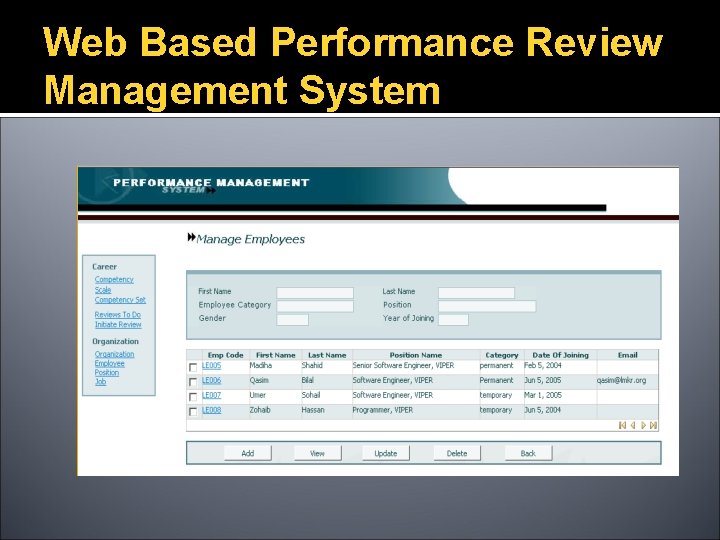
Web Based Performance Review Management System
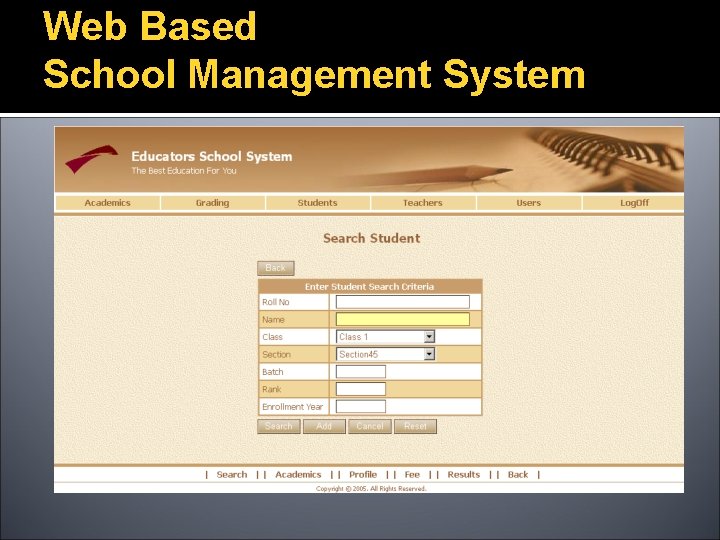
Web Based School Management System
Writing Basic Java Program Syntax for C++ programmers
Software Requirements �For the start following software will do the job You need to have the latest version of JDK. (J 2 SE 6. 0) You can download it for free from http: //java. sun. com/j 2 se/ A little older versions such as JDK 5 ( JDK 1. 5) or 1. 4 will also work Notepad And you should set your path variable.
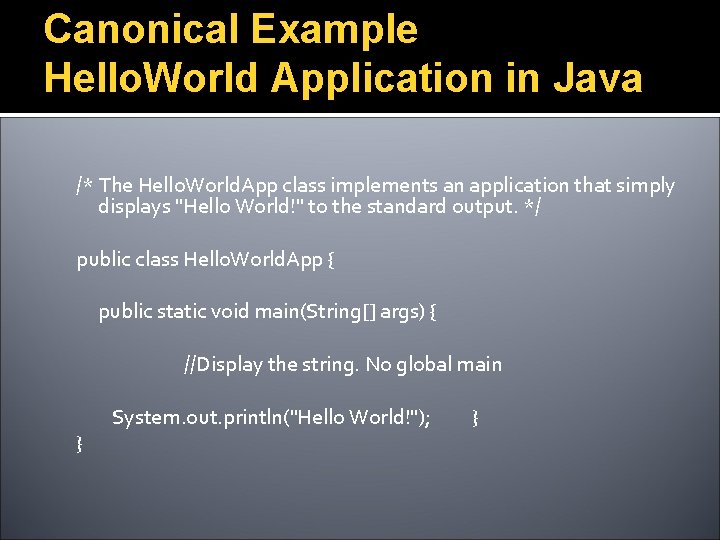
Canonical Example Hello. World Application in Java /* The Hello. World. App class implements an application that simply displays "Hello World!" to the standard output. */ public class Hello. World. App { public static void main(String[] args) { //Display the string. No global main } System. out. println("Hello World!"); }
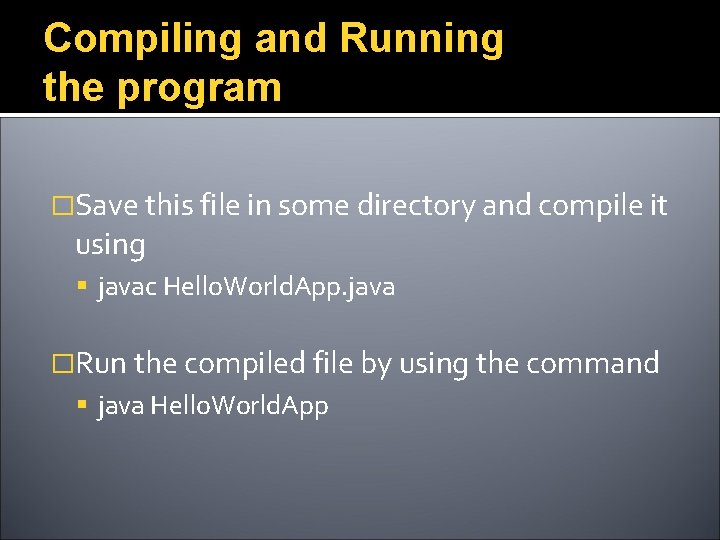
Compiling and Running the program �Save this file in some directory and compile it using javac Hello. World. App. java �Run the compiled file by using the command java Hello. World. App
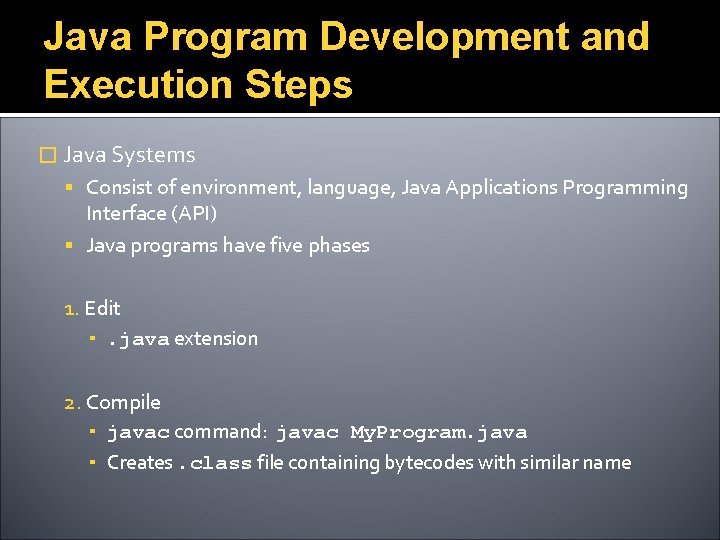
Java Program Development and Execution Steps � Java Systems Consist of environment, language, Java Applications Programming Interface (API) Java programs have five phases 1. Edit ▪. java extension 2. Compile ▪ javac command: javac My. Program. java ▪ Creates. class file containing bytecodes with similar name
Java Program Development and Execution Steps… 3. Loading ▪ Class loader transfers. class file into memory ▪ Classes loaded and executed by interpreter with java command ▪ To load, java My. Program
Java Program Development and Execution Steps… 4. Verify ▪ Bytecode verifier makes sure bytecodes are valid and do not violate security 5. Execute ▪ Computer interprets program one bytecode at a time ▪ Performs actions specified in program
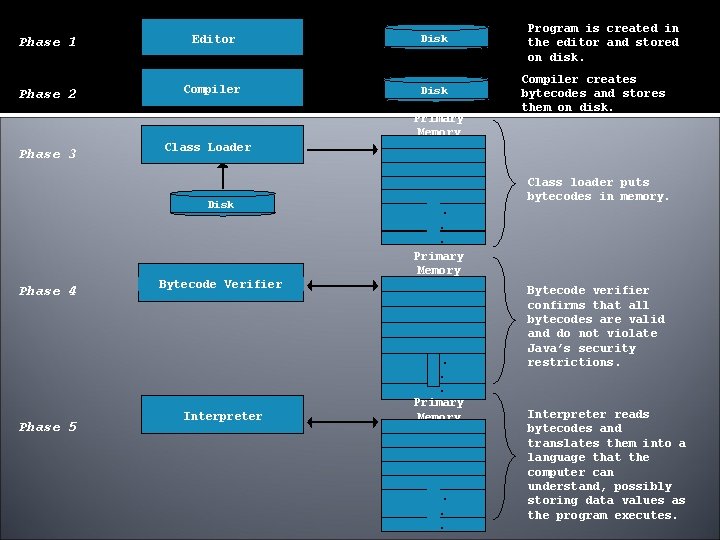
Phase 1 Editor Disk Phase 2 Compiler Disk Primary Memory Phase 3 Phase 5 Compiler creates bytecodes and stores them on disk. Class Loader Disk Phase 4 Program is created in the editor and stored on disk. Class loader puts bytecodes in memory. . . . Primary Memory Bytecode Verifier Interpreter . . . Primary Memory . . . Bytecode verifier confirms that all bytecodes are valid and do not violate Java’s security restrictions. Interpreter reads bytecodes and translates them into a language that the computer can understand, possibly storing data values as the program executes.
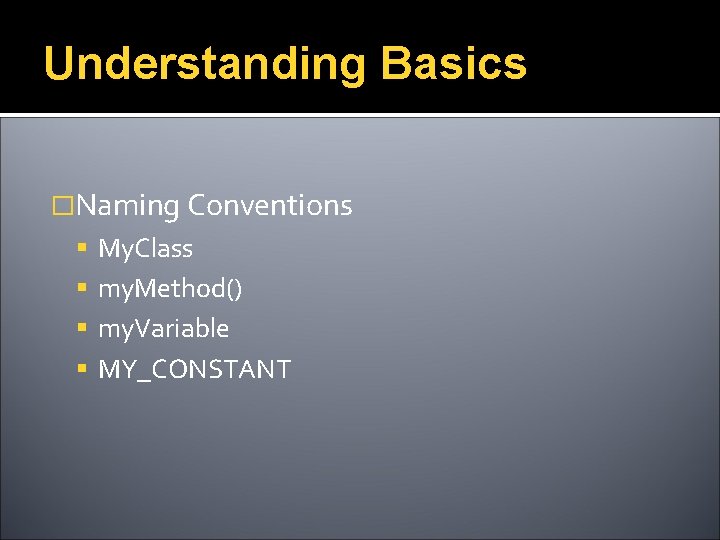
Understanding Basics �Naming Conventions My. Class my. Method() my. Variable MY_CONSTANT
Performing Basic Tasks in Java
Topics We Will Cover Today �Things to Remember �Taking in command line arguments �Primitives vs. Objects �Wrapper classes and Conversions �Taking Input and Output using Swing �Selection and Control Structures
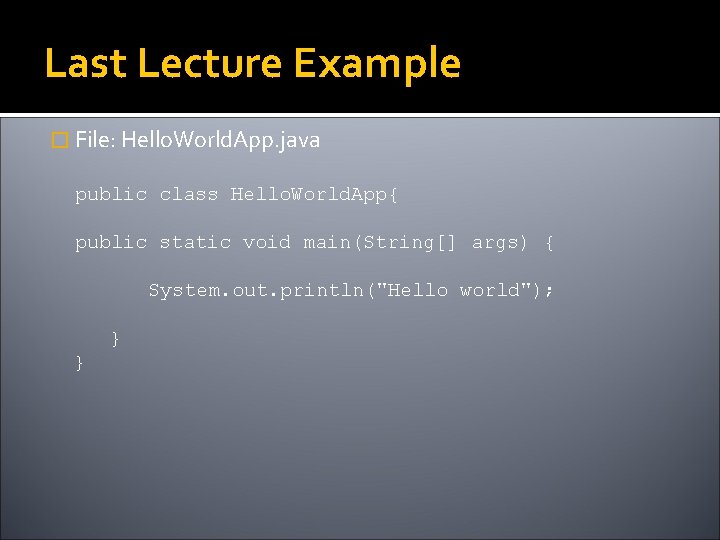
Last Lecture Example � File: Hello. World. App. java public class Hello. World. App{ public static void main(String[] args) { System. out. println("Hello world"); } }
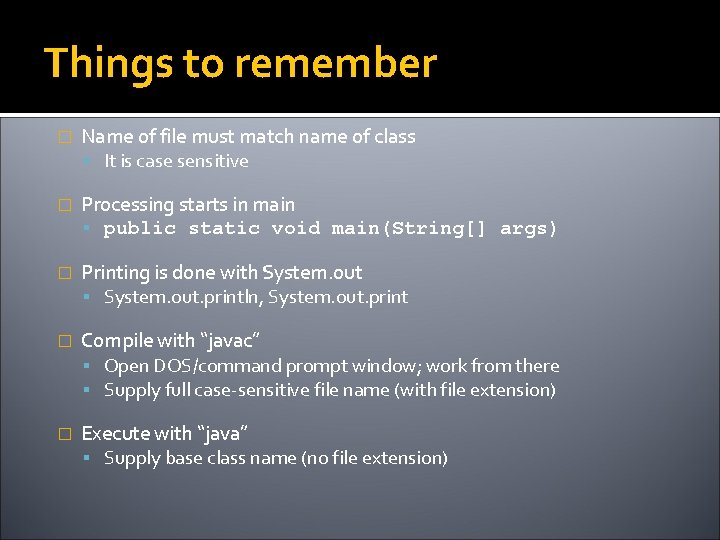
Things to remember � Name of file must match name of class It is case sensitive � Processing starts in main public static void main(String[] args) � Printing is done with System. out. println, System. out. print � Compile with “javac” Open DOS/command prompt window; work from there Supply full case-sensitive file name (with file extension) � Execute with “java” Supply base class name (no file extension)
An idiom explained � You will see the following line of code often: public static void main(String args[]) { …} � About main() “main” is the function from which your program starts Why public? ▪ So that run time can call it from outside Why static ? ▪ it is made static so that we can call it without creating an object What is String args[] ? ▪ Way of specifying input at startup of application
Things to Remember � “+” operator when used with Strings concatenates them System. out. pritln(“Hello” + “World”) will produce Hello World on console String concatenated with any other data type such as int will also convert that datatype to String and the result will be a concatenated String displayed on console ▪ For Example ▪ int i = 4 ▪ int j = 5 ; ▪ System. out. println (“Hello” + i) // will print Hello 4 on screen ▪ However ▪ System, . out. . println( i+j) ; // will print 9 on the console For comparing Strings never use == operator, use equals method. ▪ == compares addresses (shallow comparison) while equals compares values (deep comparison) ▪ E. g string 1. equals(string 2)
![String Concatenation public class String. Test { public static void main(String[] args) { int](http://slidetodoc.com/presentation_image_h2/05c713306b041869bc0e37796a1b0a25/image-43.jpg "String Concatenation public class String. Test { public static void main(String[] args) { int")
String Concatenation public class String. Test { public static void main(String[] args) { int i = 4; int j = 5; System. out. println("Hello" + i); System. out. println(i + j); String s 1 = new String (“pakistan”); String s 2 = “pakistan”; if (s 1 == s 2) { System. out. println(“comparing string using == operator”); } } if (s 1. equals( s 2) ) { System. out. println(“comparing string using equal method”); } }
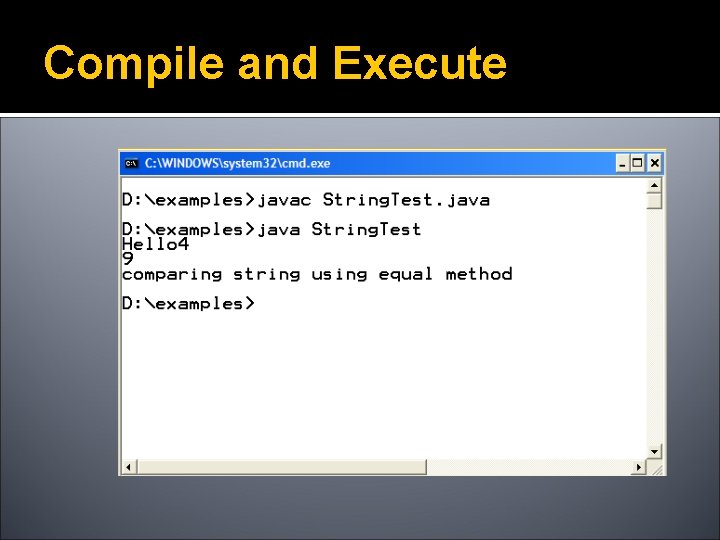
Compile and Execute
Taking in Command Line Arguments
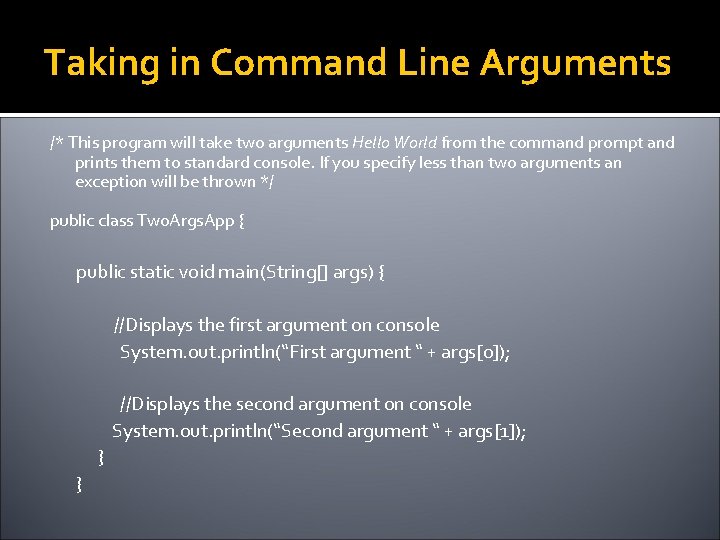
Taking in Command Line Arguments /* This program will take two arguments Hello World from the command prompt and prints them to standard console. If you specify less than two arguments an exception will be thrown */ public class Two. Args. App { public static void main(String[] args) { //Displays the first argument on console System. out. println(“First argument “ + args[0]); //Displays the second argument on console System. out. println(“Second argument “ + args[1]); } }
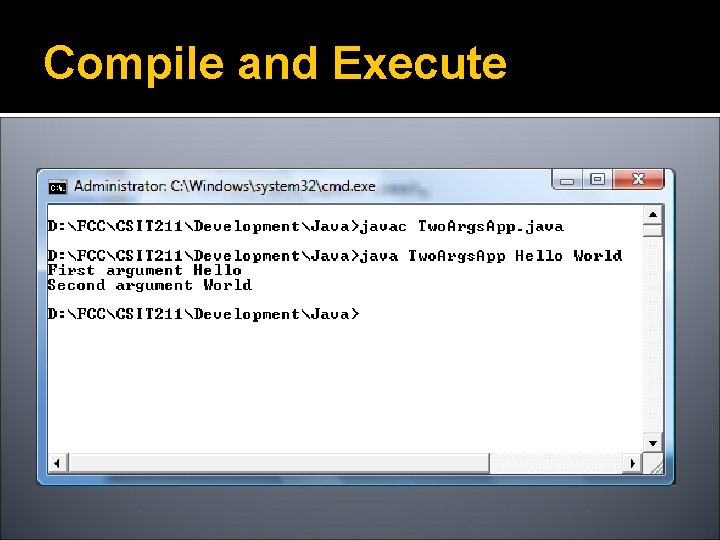
Compile and Execute
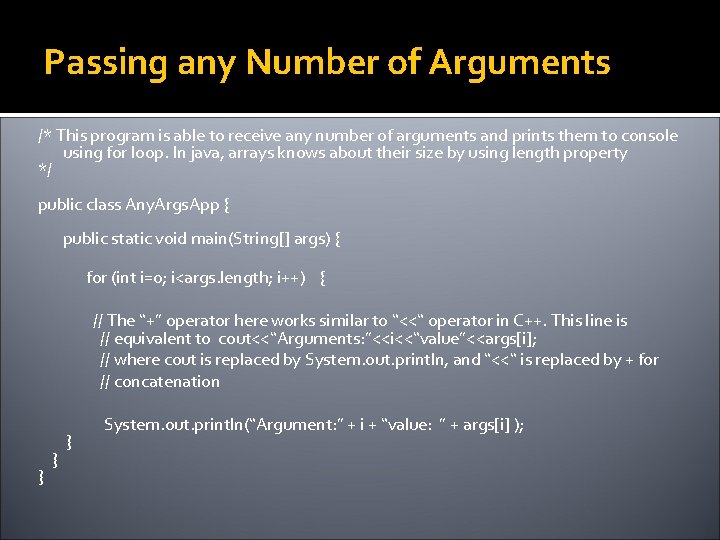
Passing any Number of Arguments /* This program is able to receive any number of arguments and prints them to console using for loop. In java, arrays knows about their size by using length property */ public class Any. Args. App { public static void main(String[] args) { for (int i=0; i<args. length; i++) { // The “+” operator here works similar to “<<“ operator in C++. This line is // equivalent to cout<<“Arguments: ”<<i<<“value”<<args[i]; // where cout is replaced by System. out. println, and “<<“ is replaced by + for // concatenation } } } System. out. println(“Argument: ” + i + “value: ” + args[i] );
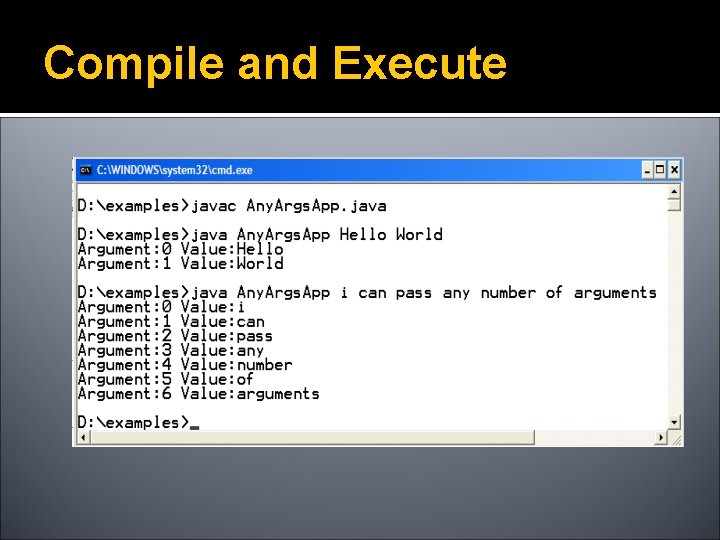
Compile and Execute
Primitives Vs. Objects
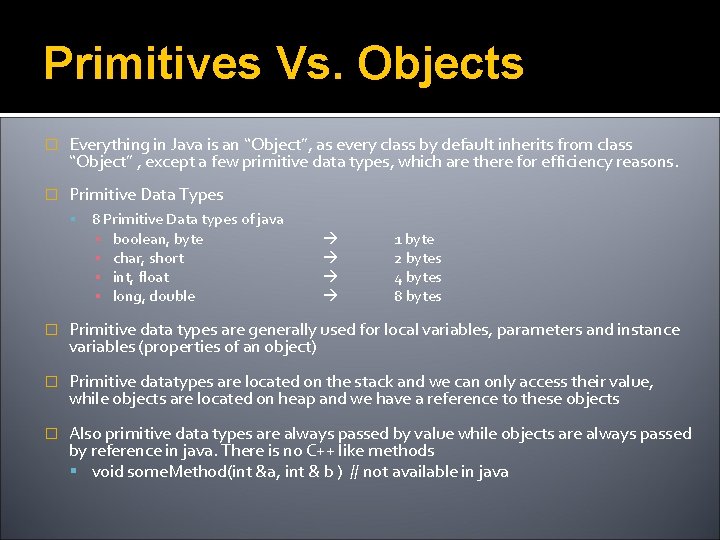
Primitives Vs. Objects � Everything in Java is an “Object”, as every class by default inherits from class “Object” , except a few primitive data types, which are there for efficiency reasons. � Primitive Data Types 8 Primitive Data types of java ▪ ▪ boolean, byte char, short int, float long, double 1 byte 2 bytes 4 bytes 8 bytes � Primitive data types are generally used for local variables, parameters and instance variables (properties of an object) � Primitive datatypes are located on the stack and we can only access their value, while objects are located on heap and we have a reference to these objects � Also primitive data types are always passed by value while objects are always passed by reference in java. There is no C++ like methods void some. Method(int &a, int & b ) // not available in java
![Stack vs. Heap public static void main(String args[]) { int num= 5; Student st](http://slidetodoc.com/presentation_image_h2/05c713306b041869bc0e37796a1b0a25/image-52.jpg "Stack vs. Heap public static void main(String args[]) { int num= 5; Student st")
Stack vs. Heap public static void main(String args[]) { int num= 5; Student st = new Student(); Stack Heap num 5 0 F 59 } name st 0 F 59 ali
Primitives (cont) �For all built-in primitive data types java uses lowercase. E. g int , float etc �Primitives can be stored in arrays �You cannot get a reference to a primitive To do that you need an Object or a Wrapper class
Wrapper Classes
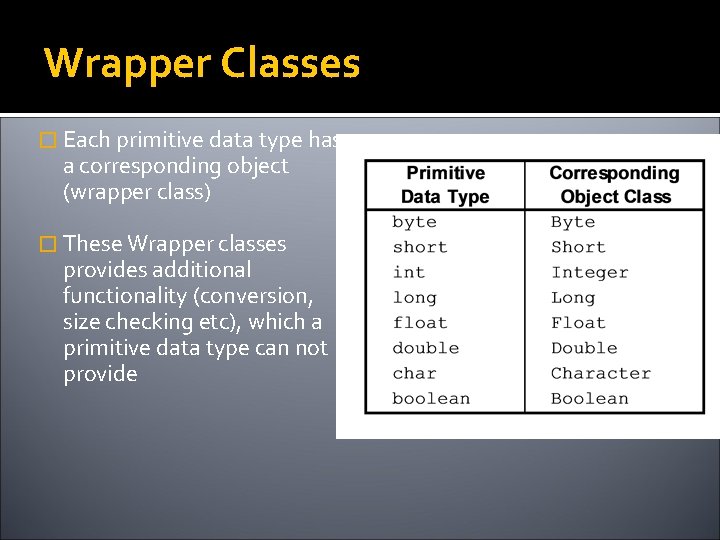
Wrapper Classes � Each primitive data type has a corresponding object (wrapper class) � These Wrapper classes provides additional functionality (conversion, size checking etc), which a primitive data type can not provide
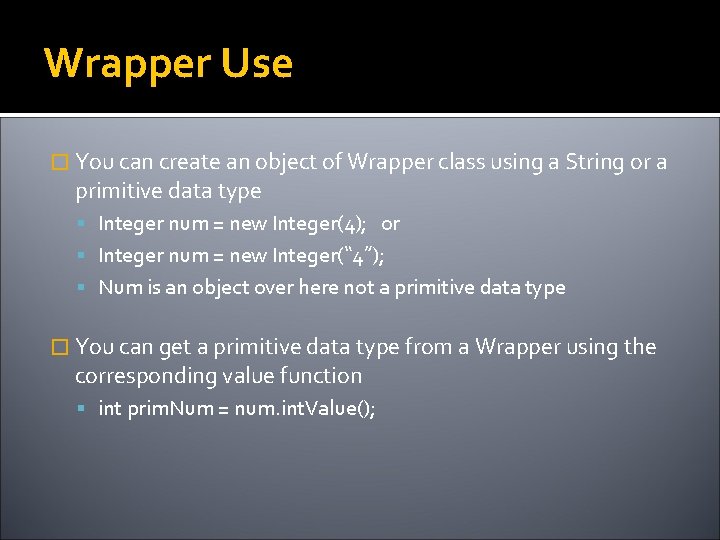
Wrapper Use � You can create an object of Wrapper class using a String or a primitive data type Integer num = new Integer(4); or Integer num = new Integer(“ 4”); Num is an object over here not a primitive data type � You can get a primitive data type from a Wrapper using the corresponding value function int prim. Num = num. int. Value();
![Stack vs. Heap public static void main(String args[]) { int num= 5; } Stack](http://slidetodoc.com/presentation_image_h2/05c713306b041869bc0e37796a1b0a25/image-57.jpg "Stack vs. Heap public static void main(String args[]) { int num= 5; } Stack")
Stack vs. Heap public static void main(String args[]) { int num= 5; } Stack Heap num 5 Integer num. Obj = new Integer (10); 04 E 2 num. Obj 04 E 2 10
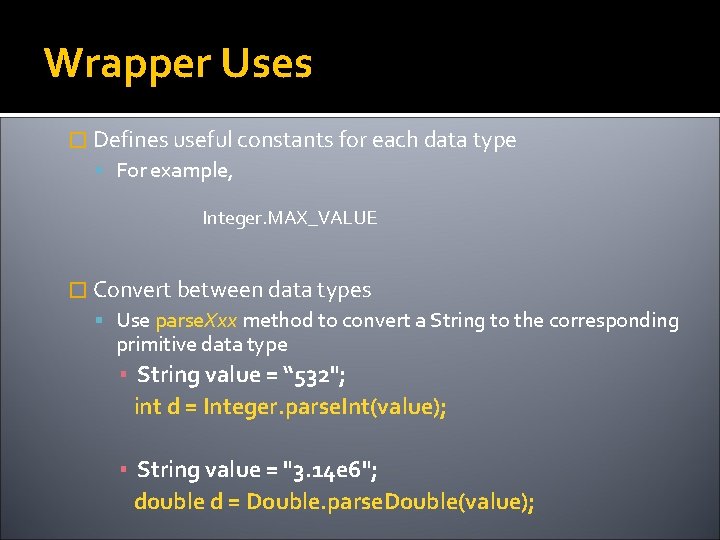
Wrapper Uses � Defines useful constants for each data type For example, Integer. MAX_VALUE � Convert between data types Use parse. Xxx method to convert a String to the corresponding primitive data type ▪ String value = “ 532"; int d = Integer. parse. Int(value); ▪ String value = "3. 14 e 6"; double d = Double. parse. Double(value);
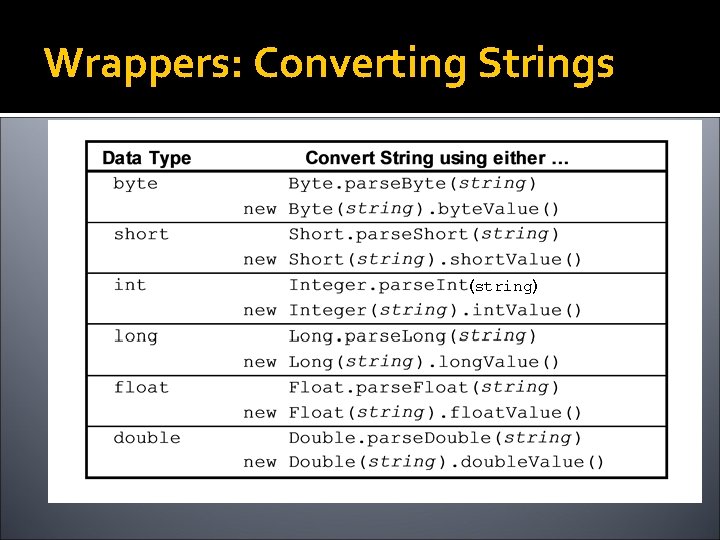
Wrappers: Converting Strings (string)
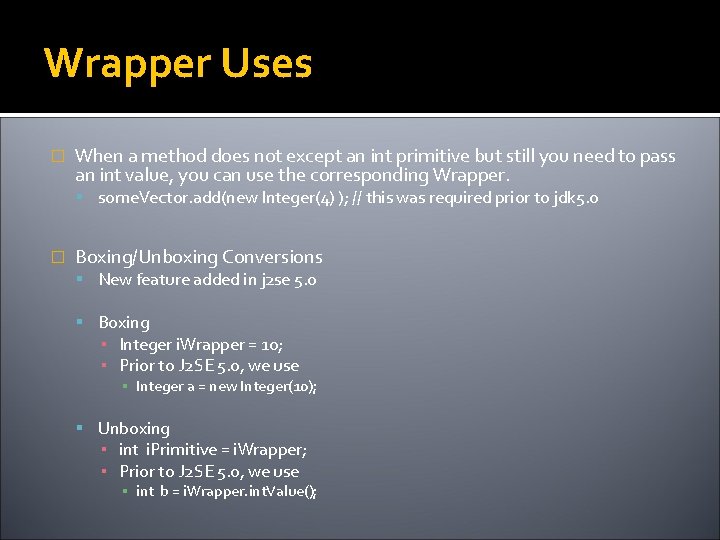
Wrapper Uses � When a method does not except an int primitive but still you need to pass an int value, you can use the corresponding Wrapper. some. Vector. add(new Integer(4) ); // this was required prior to jdk 5. 0 � Boxing/Unboxing Conversions New feature added in j 2 se 5. 0 Boxing ▪ Integer i. Wrapper = 10; ▪ Prior to J 2 SE 5. 0, we use ▪ Integer a = new Integer(10); Unboxing ▪ int i. Primitive = i. Wrapper; ▪ Prior to J 2 SE 5. 0, we use ▪ int b = i. Wrapper. int. Value();
Input / Output
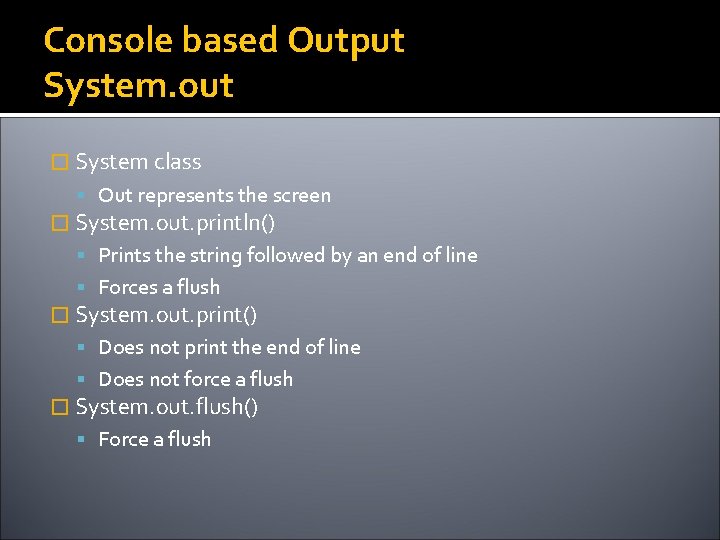
Console based Output System. out � System class Out represents the screen � System. out. println() Prints the string followed by an end of line Forces a flush � System. out. print() Does not print the end of line Does not force a flush � System. out. flush() Force a flush
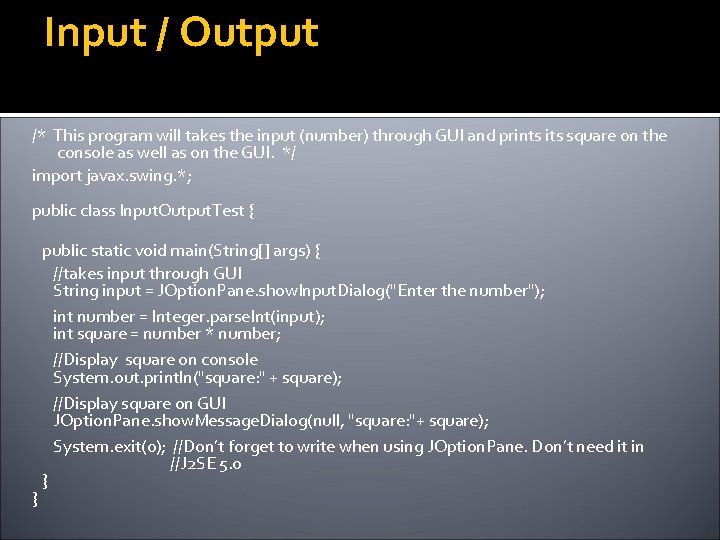
Input / Output /* This program will takes the input (number) through GUI and prints its square on the console as well as on the GUI. */ import javax. swing. *; public class Input. Output. Test { } public static void main(String[] args) { //takes input through GUI String input = JOption. Pane. show. Input. Dialog("Enter the number"); int number = Integer. parse. Int(input); int square = number * number; //Display square on console System. out. println("square: " + square); //Display square on GUI JOption. Pane. show. Message. Dialog(null, "square: "+ square); System. exit(0); //Don’t forget to write when using JOption. Pane. Don’t need it in //J 2 SE 5. 0 }
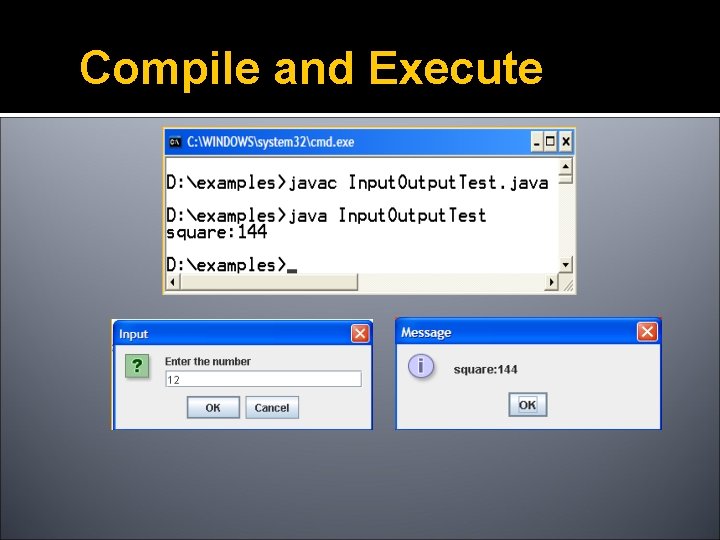
Compile and Execute
Selection Structures if-else and switch
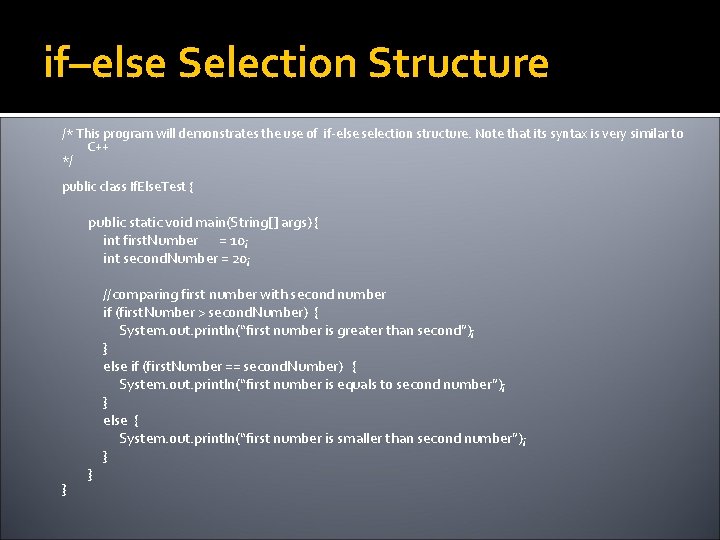
if–else Selection Structure /* This program will demonstrates the use of if-else selection structure. Note that its syntax is very similar to C++ */ public class If. Else. Test { public static void main(String[] args) { int first. Number = 10; int second. Number = 20; } } //comparing first number with second number if (first. Number > second. Number) { System. out. println(“first number is greater than second”); } else if (first. Number == second. Number) { System. out. println(“first number is equals to second number”); } else { System. out. println(“first number is smaller than second number”); }
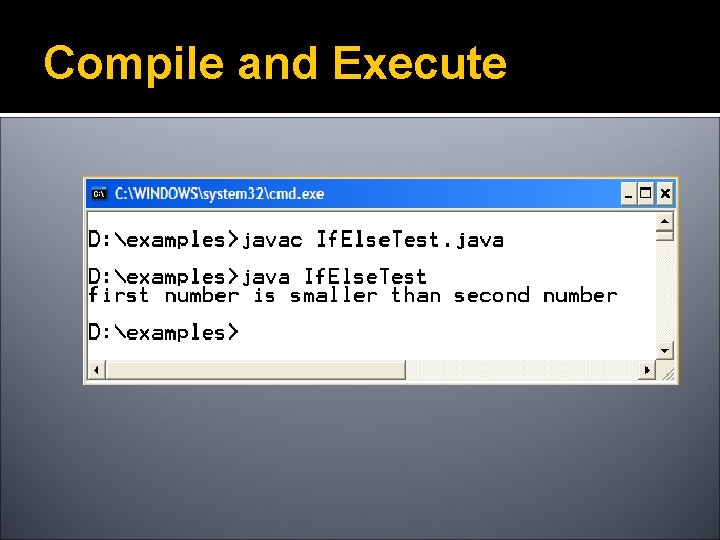
Compile and Execute
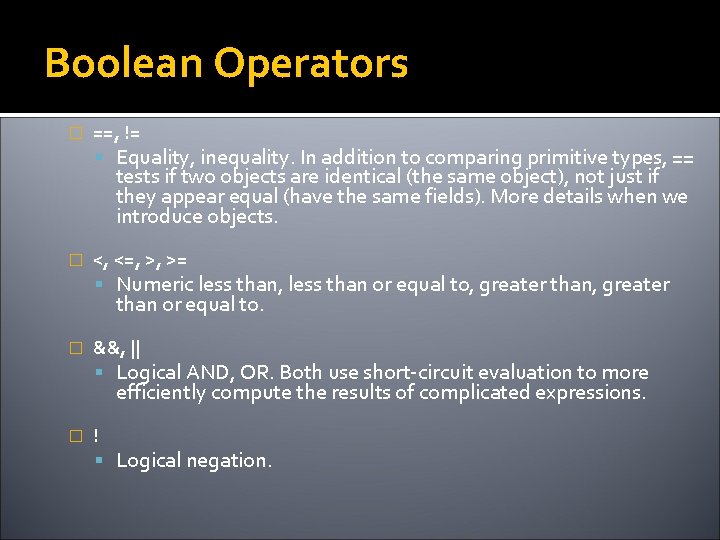
Boolean Operators � ==, != Equality, inequality. In addition to comparing primitive types, == tests if two objects are identical (the same object), not just if they appear equal (have the same fields). More details when we introduce objects. � <, <=, >, >= Numeric less than, less than or equal to, greater than or equal to. � &&, || Logical AND, OR. Both use short-circuit evaluation to more efficiently compute the results of complicated expressions. � ! Logical negation.
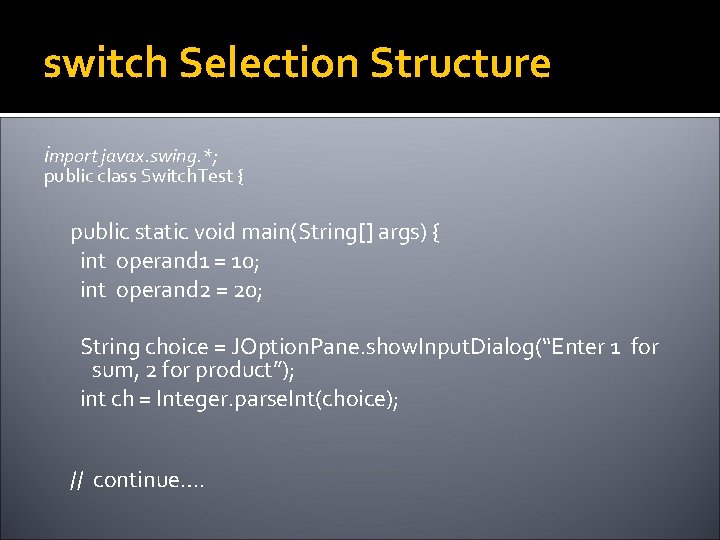
switch Selection Structure import javax. swing. *; public class Switch. Test { public static void main(String[] args) { int operand 1 = 10; int operand 2 = 20; String choice = JOption. Pane. show. Input. Dialog(“Enter 1 for sum, 2 for product”); int ch = Integer. parse. Int(choice); // continue….
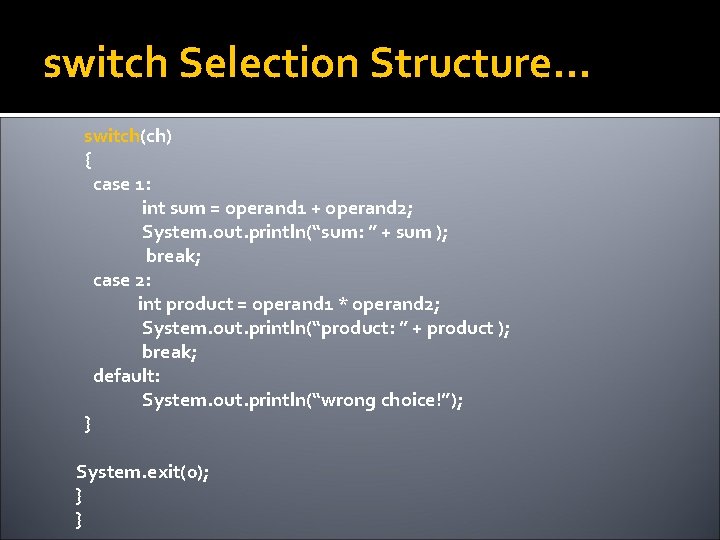
switch Selection Structure… switch(ch) { case 1: int sum = operand 1 + operand 2; System. out. println(“sum: ” + sum ); break; case 2: int product = operand 1 * operand 2; System. out. println(“product: ” + product ); break; default: System. out. println(“wrong choice!”); } System. exit(0); } }
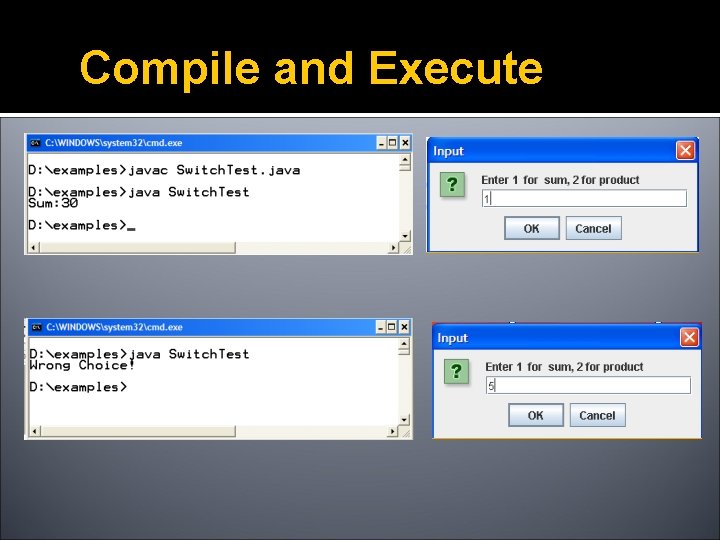
Compile and Execute
Control Structures for, while & do-while
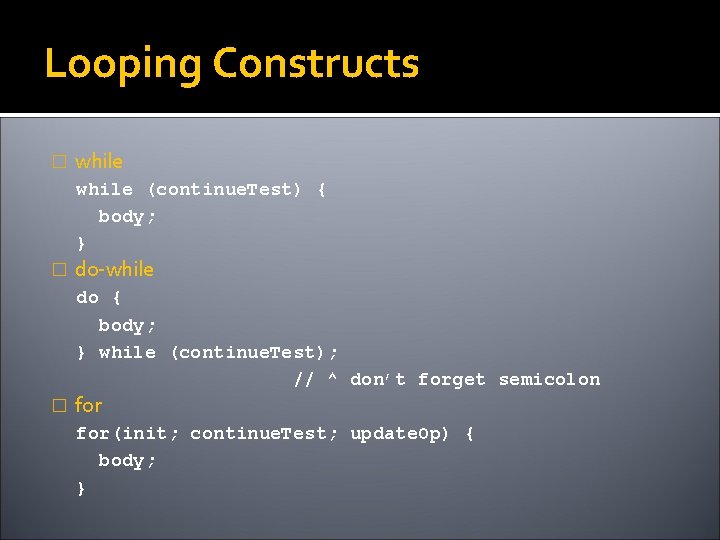
Looping Constructs � while (continue. Test) { body; } � do-while do { body; } while (continue. Test); // ^ don’t forget semicolon � for(init; continue. Test; update. Op) { body; }
![Control Structures public class Control. Struct. Test { public static void main(String[] args) {](http://slidetodoc.com/presentation_image_h2/05c713306b041869bc0e37796a1b0a25/image-74.jpg "Control Structures public class Control. Struct. Test { public static void main(String[] args) {")
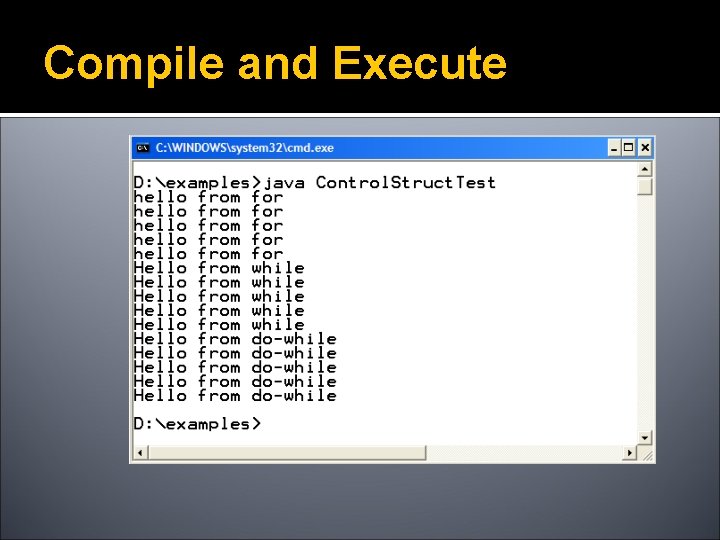
Control Structures public class Control. Struct. Test { public static void main(String[] args) { // for loop for (int i=1; i<= 5; i++) { System. out. println("hello from for"); } // while loop int j = 1; while (j <= 5) { System. out. println("Hello from while"); j++; } //do while loop int k =1; do{ System. out. println("Hello from do-while"); k++; }while(k <= 5); } }
Compile and Execute
- Slides: 75