
Web Accessibility What is it Why is it
Web Accessibility What is it? Why is it important? Sharon Trerise Coordinator of Accessible IT Northeast ADA & IT Center Employment and Disability Institute www. edi. cornell. edu
Who defines web accessibility? • World Wide Web Consortium – Web Content Accessibility Guidelines (WCAG) version 1 (current) & version 2 (draft) – 14 Guidelines: Priority Levels 1, 2 & 3 (Priority 1: must do, Priority 2: should do, Priority 3: may do to improve accessibility) • Federal Government – Section 508 of the Rehabilitation Act - § 1194. 22 Web-based intranet and internet information and applications – 16 Standards
Who defines web accessibility? • New York State – New York State's Official Policy/Standards "Accessibility of State Agency Web-based Intranet and Internet Information and Applications" • NYS Statewide Technology Policy P 04 -002 http: //www. oft. state. ny. us/policy/p 04 -002/index. htm • NYS Mandatory Technology Standard S 04 -001 http: //www. oft. state. ny. us/policy/s 04 -001/index. htm
Who defines web accessibility? • Your university system • Your individual college • Your department
What does an accessible web design mean to a person with a disability? • • • People who are blind or visually impaired People who are color blind People who are deaf or hearing impaired People with mobility impairments People with cognitive impairments
People who are blind • Do not use a mouse • May use a screen reader to listen to the content • May use a refreshable Braille display üAll content must be accessible from the keyboard only üImages, photos and graphics are unusable üColors are unusable üNavigation may be difficult / confusing
Blindness: Simulation • Using JAWS screen reader – Accessible web page – Inaccessible web page
WCAG 1. 1: Text Equivalents (Priority 1) • Provide a text equivalent for every non-text element (e. g. via “alt”, “longdesc” or in element content). • Images • Graphical representations of text • Image map regions • Animations • Applets & programmatic objects • Frames • Scripts • Images used as bullets • Spacers • Graphical buttons • Sounds • Audio files • Audio tracks of video
WCAG 2. 1: Use of Color (Priority 1) • Ensure that all information conveyed with color is also available without color, for example from context or markup WCAG 8. 1: Scripts & applets (Priority 1) • Make programmatic elements such as scripts and applets directly accessible or compatible with assistive technologies
WCAG 3. 5: Document Structure (Priority 2) • Use header elements to convey document structure and use them according to specification
People with Low Vision • May use screen magnification software üImages, photos and graphics may become unusable when enlarged üNavigation may be difficult / confusing
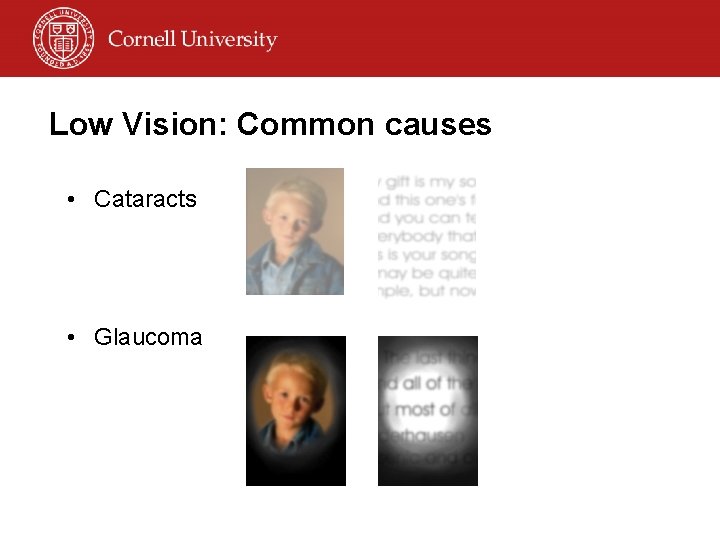
Low Vision: Common causes • Cataracts • Glaucoma
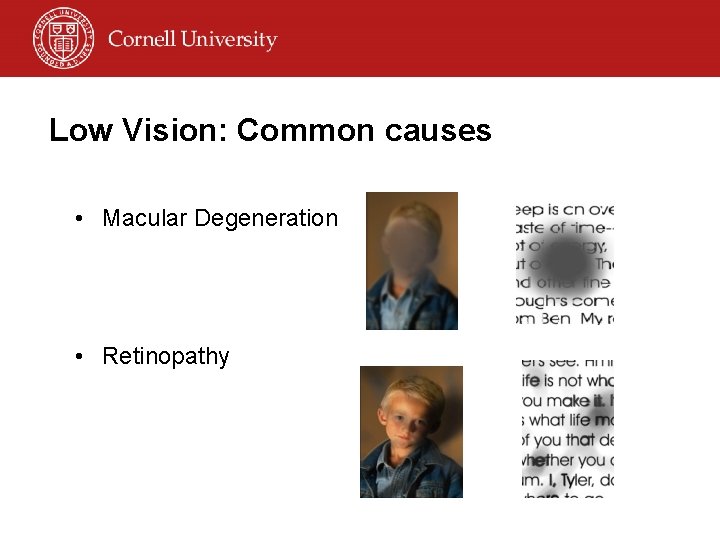
Low Vision: Common causes • Macular Degeneration • Retinopathy

Low Vision: Simulation
Low Vision: Simulation • Magnification – Accessible example – Less accessible example • IE v. 6. 0 – Enlarge fonts
WCAG 3. 4: Relative sizing (Priority 2) • Use relative rather than absolute units in markup language attribute values and style sheet property values WCAG 2. 2: Color contrast (Priority 2 & 3) • Ensure that foreground & background color combinations provide sufficient contrast when viewed by someone having color deficits or when viewed on a black & white screen
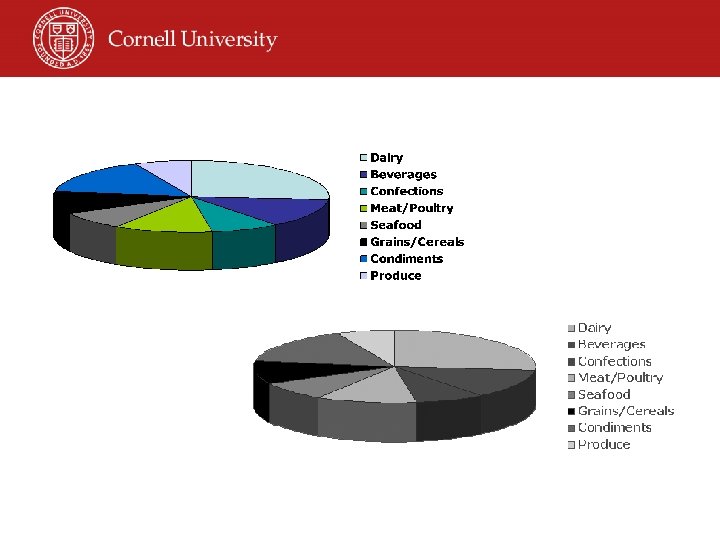
Color Blindness • Approximately 8 -10% of the male population and about 0. 5% of the female population experience some form of color deficiency • Cell phone, PDA and text browser users may not display color üReds & greens are often indistinguishable üOther colors may be indistinguishable
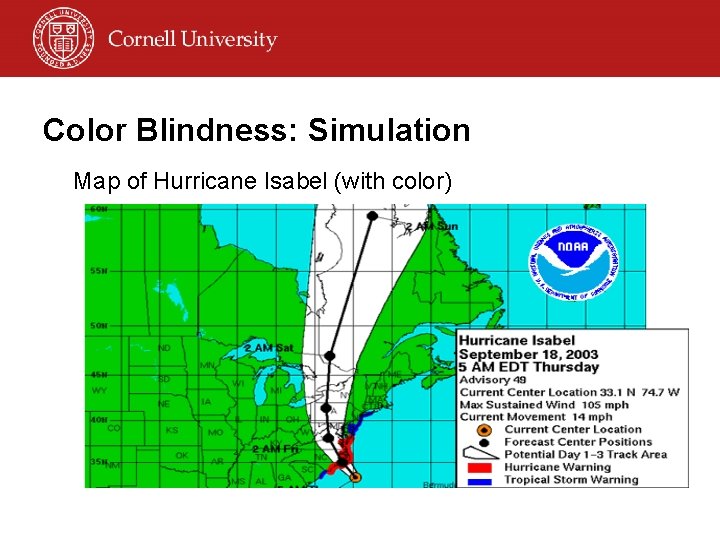
Color Blindness: Simulation Map of Hurricane Isabel (with color)
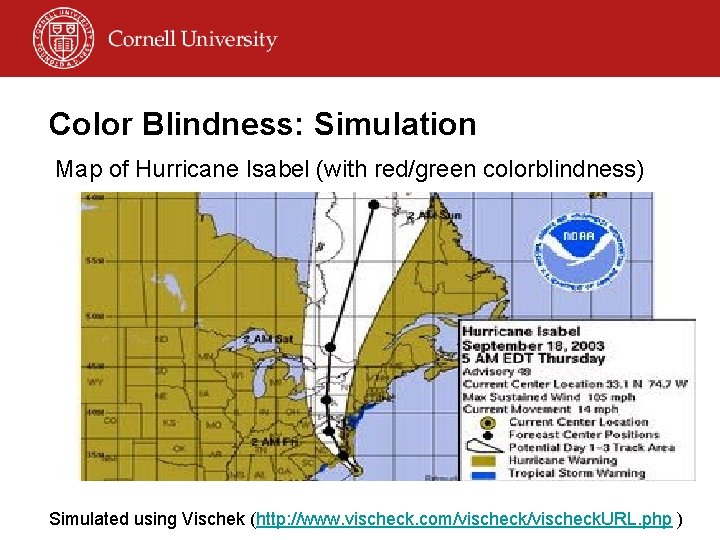
Color Blindness: Simulation Map of Hurricane Isabel (with red/green colorblindness) Simulated using Vischek (http: //www. vischeck. com/vischeck. URL. php )
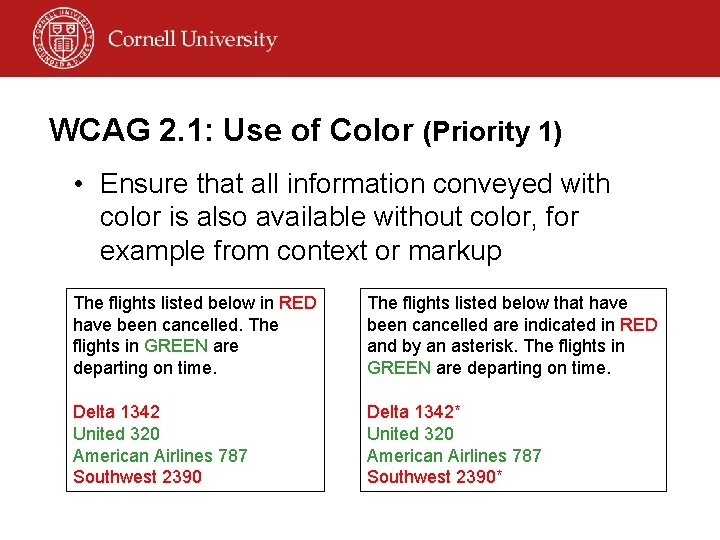
WCAG 2. 1: Use of Color (Priority 1) • Ensure that all information conveyed with color is also available without color, for example from context or markup The flights listed below in RED have been cancelled. The flights in GREEN are departing on time. The flights listed below that have been cancelled are indicated in RED and by an asterisk. The flights in GREEN are departing on time. Delta 1342 United 320 American Airlines 787 Southwest 2390 Delta 1342* United 320 American Airlines 787 Southwest 2390*
People with mobility impairments • May use only the keyboard for navigation • May tire quickly • May not have fine motor control üAll content must be accessible from the keyboard üLengthy navigation may cause fatigue üSmall or moving links are difficult to select
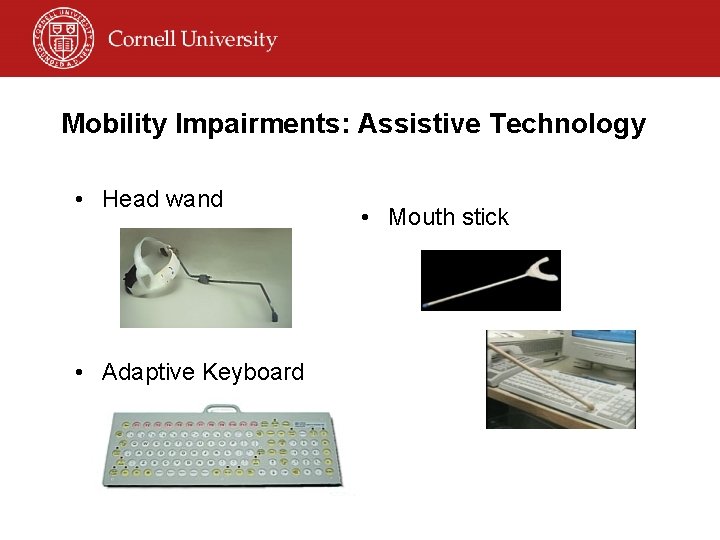
Mobility Impairments: Assistive Technology • Head wand • Adaptive Keyboard • Mouth stick
Mobility Impairment: Simulation Provide a way to skip over lengthy lists of navigation • Inaccessible example • Accessible example Ensure the page can be navigated using the keyboard only • Inaccessible example
WCAG 6. 3: Scripts & Applets (Priority 1) • Ensure that pages are usable when scripts, applets and other programmatic objects are turned off or not supported. – If this is not possible, provide equivalent information on an alternative accessible page. WCAG 6. 4: Device Independence (Priority 2) • For scripts and applets, ensure that event handlers are input device-independent.
WCAG 7. 3: Moving Content (Priority 2) • Until user agents allow users to freeze moving content, avoid movement in pages. Section 508, Standard (o): Skip navigation • A method shall be provided that permits users to skip repetitive navigation links.
People who are deaf or hearing impaired • Audio is unusable üVideo clips that include audio are unusable üAudio clips are unusable
WCAG 1. 4: (Priority 1) • For any time-based multimedia presentation (e. g. movie or animation), synchronize equivalent alternatives (e. g. captions or auditory descriptions of the visual track) with the presentation • Many people benefit – – – Students in library w/o headset People with learning disabilities People for whom English is not their primary language People in a noisy environment Everyone (content is presented in >1 medium)
People with cognitive impairments • Users may have difficulty focusing on or comprehending lengthy sections of text • Complex layouts or inconsistent navigational schemes may be confusing • May need content in >1 form üAnimated images may be distracting üComplex layouts may lead to confusion üText-only content may be limiting
Cognitive Impairments: Example • Complex layouts: – www. msnbc. com – www. cnn. com
WCAG 14. 1: Language (Priority 1) • Use the clearest and simplest language appropriate for a site’s content. WCAG 7. 2: Use of Blinking (Priority 2) • Until user agents allow users to control blinking, avoid causing content to blink
WCAG 12. 3: Large block of text (Priority 2) • Divide large blocks of information into more manageable groups where natural and appropriate
Why make your web pages accessible? • Who does your audience consist of? – – – – Students (current and prospective) Faculty Staff Alumni Parents Community World EVERYONE
Disability as a Function of Age Source: U. S. Census Bureau Report on Americans with Disabilities: 1994 -95, P 7061 (August 1997) Based on Survey of Income and Program Participation, Oct. 1994 -Jan. 1995
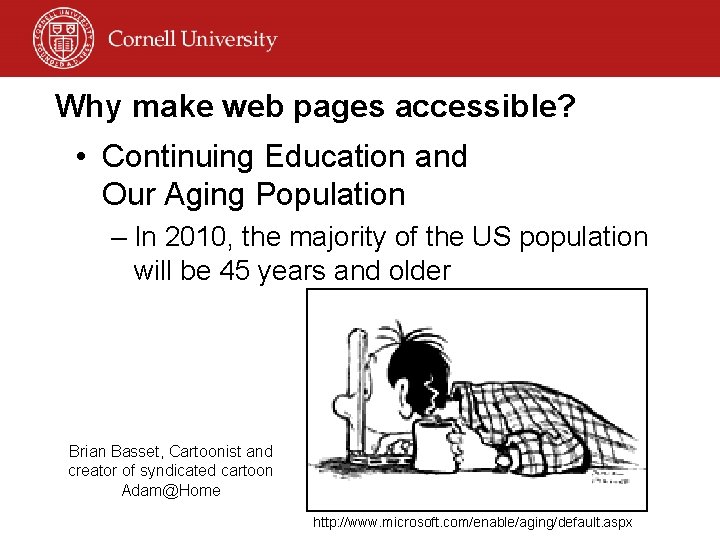
Why make web pages accessible? • Continuing Education and Our Aging Population – In 2010, the majority of the US population will be 45 years and older Brian Basset, Cartoonist and creator of syndicated cartoon Adam@Home http: //www. microsoft. com/enable/aging/default. aspx
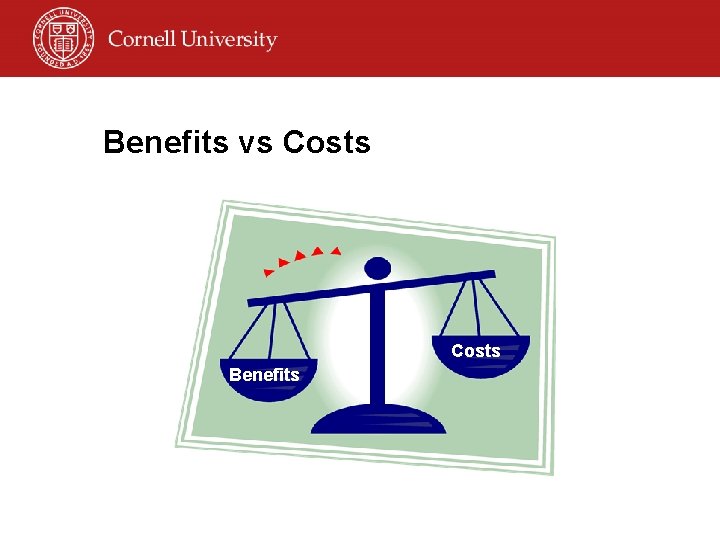
Benefits and Costs of Implementation • Benefits of accessible web design – – Social Technical Financial Legal & policy • Costs – Primarily up-front – Ways to reduce costs
Social Benefits of accessible design • People with disabilities can actively participate (equal opportunity) • Improved access for other populations: – Older people – Speakers of other languages – People with low bandwidth connections (rural connection, internet congestion, connection technology, financial) – People using older technology
Technical Benefits of accessible design • Reduces site development & maintenance time • Reduces server load • Enables content to be delivered accurately on different configurations • Better prepared for future web technologies • Meet recognized international standards (W 3 C WAI)
Financial Benefits of accessible design • Increased number of users and use – Rank higher in search engines – Usable in more situations (noisy environment) – Increased usability (effective and efficient) • Payback from positive social image for organization • Decreased risk of legal action • Decreased cost for alternative formatted materials
Legal & policy benefits • What broader accessibility policies apply? • Considerations for future policy requirements – More cost effective to build in accessibility now than retrofit later
Cost considerations • Initial investments – Acquiring knowledge – Establishing processes – Increased development & testing time
Cost Considerations • Personnel-related – Training & skills development – Hiring expertise (testers, consultants) – Incorporate accessibility into protocols & procedures – Evaluating accessibility of existing site
Cost Considerations • Potential Initial Capital Costs – Purchasing evaluation tools – Purchasing Assistive Technology for testing – Upgrading technology & tools that support accessibility
Cost Considerations • On-going Costs – Some additional development time • Ex. Captioning video – Additional testing time • Testing prototypes with Assistive Technology • Reviewing for conformance with standards • Quality assurance testing (alt text)
Ways to Decrease Costs • Incorporate accessibility from the beginning – Easier – Less expensive – More effective • Share accessibility resources across organization – Make investments in necessary technology at the organizational level rather than for each individual project
Benefits vs Costs Benefits
College Web Accessibility Policies • California Community College system – Section 508 standards • Southwest Missouri State University – SMSU Web Policy – SMSU Web Access Action Plan • Ohio State University – Web Accessibility Policy and Minimum Web Accessibility Standards – OSU Web Accessibility Center
Web Accessibility: Designing for Everyone • • • People using different web browsers People using different screen resolutions People using phone web services People using handheld display units People using car computing systems People using screen readers People who are deaf or hard of hearing People who can’t use a mouse People who are color blind People with differences in attention/perception
Resources • Access. IT (National Center on Accessible Information Technology in Education) – www. washington. edu/accessit • ITTATC (Information Technology Technical Assistance and Training Center) – www. ittatc. org • Web. AIM (Web Accessibility in Mind) – www. webaim. org
- Slides: 49