
Web Accessibility Enabling Technologies Uni MC ELearning Uni
Web Accessibility & Enabling Technologies @Uni. MC
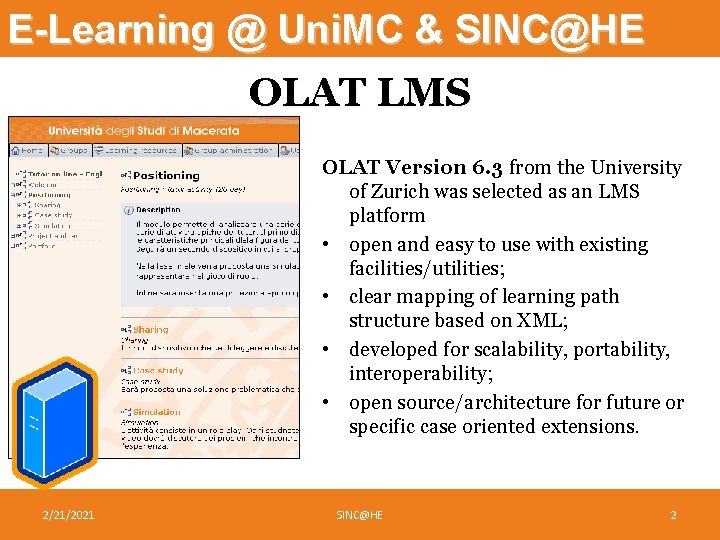
E-Learning @ Uni. MC & SINC@HE OLAT LMS OLAT Version 6. 3 from the University of Zurich was selected as an LMS platform • open and easy to use with existing facilities/utilities; • clear mapping of learning path structure based on XML; • developed for scalability, portability, interoperability; • open source/architecture for future or specific case oriented extensions. 2/21/2021 SINC@HE 2
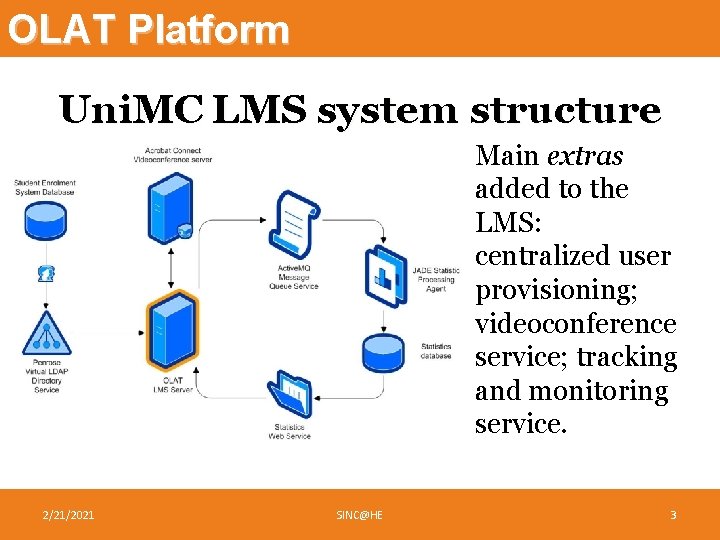
OLAT Platform Uni. MC LMS system structure Main extras added to the LMS: centralized user provisioning; videoconference service; tracking and monitoring service. 2/21/2021 SINC@HE 3
OLAT & Accessibility • OLAT is optimized to support accessibility to visually impaired people – Access keys for a quick navigation – Font sizes – Web 2. a Mode (Accessibility) 2/21/2021 SINC@HE 4
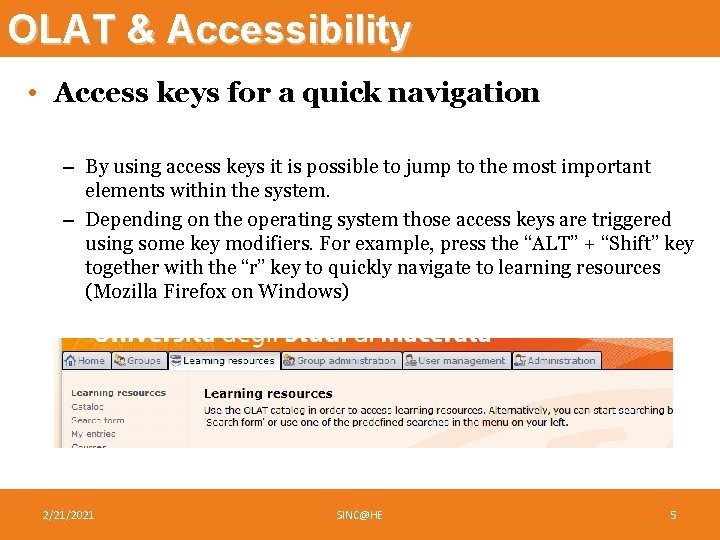
OLAT & Accessibility • Access keys for a quick navigation – By using access keys it is possible to jump to the most important elements within the system. – Depending on the operating system those access keys are triggered using some key modifiers. For example, press the “ALT” + “Shift” key together with the “r” key to quickly navigate to learning resources (Mozilla Firefox on Windows) 2/21/2021 SINC@HE 5
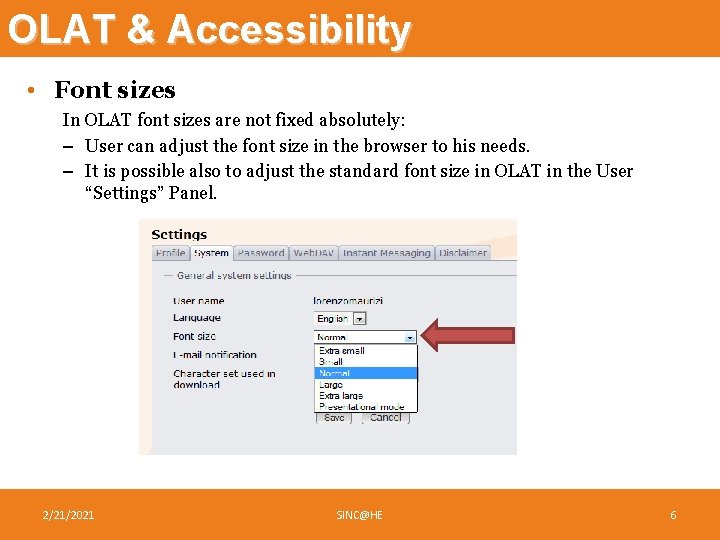
OLAT & Accessibility • Font sizes In OLAT font sizes are not fixed absolutely: – User can adjust the font size in the browser to his needs. – It is possible also to adjust the standard font size in OLAT in the User “Settings” Panel. 2/21/2021 SINC@HE 6
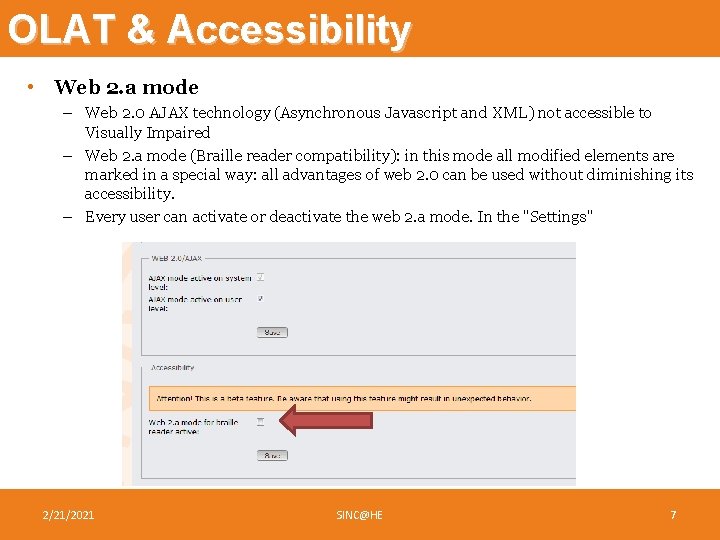
OLAT & Accessibility • Web 2. a mode – Web 2. 0 AJAX technology (Asynchronous Javascript and XML) not accessible to Visually Impaired – Web 2. a mode (Braille reader compatibility): in this mode all modified elements are marked in a special way: all advantages of web 2. 0 can be used without diminishing its accessibility. – Every user can activate or deactivate the web 2. a mode. In the "Settings" 2/21/2021 SINC@HE 7
E-Learning as enabling technology • E-Learning as flexible and asynchronous learning path • Enabling impaired students: – Hearing impaired • Written interaction (forums, chats…) – Physical disabled / Homebound • Possibility to attend the courses from remote location 2/21/2021 SINC@HE 8
Asynchronous & Synchronous • Not all activities can be done with asynchronous approach: – Q&A with teachers / tutors – Seminars – Tests, assessments • Let’s get synchronous! Videoconferencing 2/21/2021 SINC@HE 9
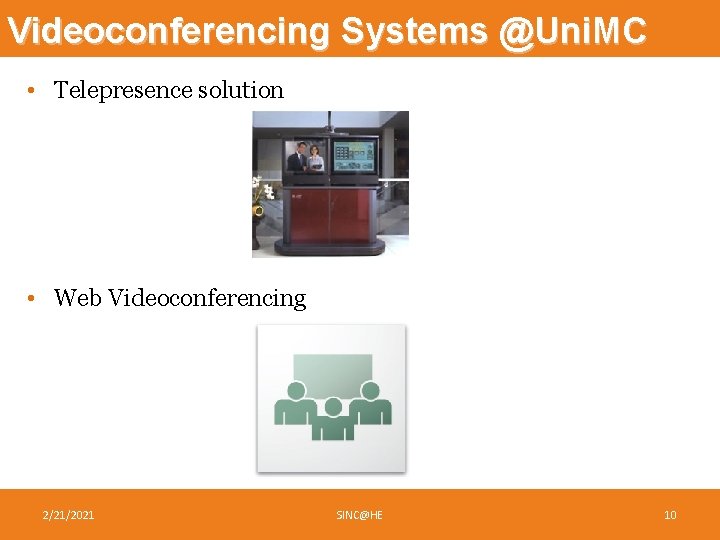
Videoconferencing Systems @Uni. MC • Telepresence solution • Web Videoconferencing 2/21/2021 SINC@HE 10
Telepresence • Used to connect branches to Uni. MC headquarters • Used for Didactical Synchronous activities: Degree and Post-Degree courses • Advantages – Optimized for dedicated / slow communication lines (ISDN, IP) – Very reliable • Disadvantages – – – Need of a dedicated hardware Expensive Need of configuration in each endpoint One to one when on switched lines (ISDN) Participants must be in fixed locations 2/21/2021 SINC@HE 11
Web Videoconfence: Adobe Acrobat Connect • Used to connect all participants simply through an internet connection without dedicated hardware • Used into the e-Learning platform for synchronous meetings • Advantages – Everyone with an internet browser and the Flash Player plugin can use it – Available for all Uni. MC undergraduate and post-graduate students / teachers – No need to be on fixed location, users can be anywhere • Disadvantages – Need of a Broadband Internet Connection – Quite expensive, with connection limitations due to license constraints (50 concurrent users in the Uni. MC installation) – Need of a test before the first actual meeting to check multimedia settings of personal computer 2/21/2021 SINC@HE 12
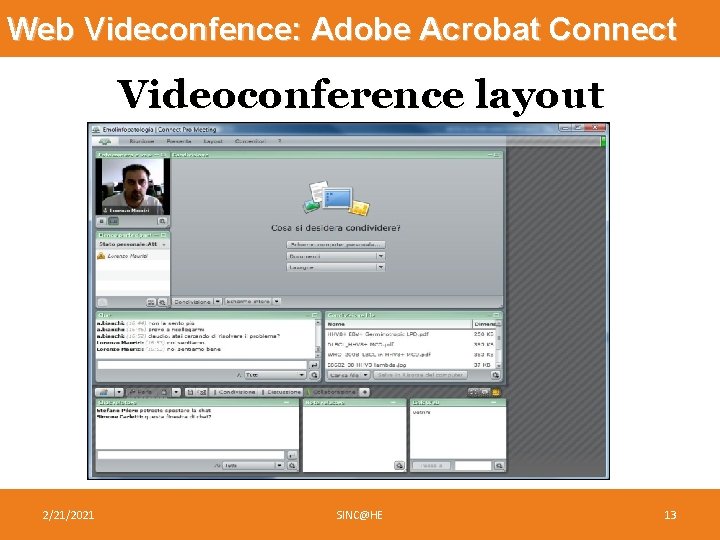
Web Videconfence: Adobe Acrobat Connect Videoconference layout 2/21/2021 SINC@HE 13
Case Study: Luca Bernardi • Luca is from Jesi, hometown of Frederick II of Swabia (40 km from Macerata), he is 25 y. o. and he is suffering from Duchenne muscular dystrophy. He can’t walk, he can’t move, he can’t breathe autonomously: he needs a mechanical ventilator to support his lungs, and lives on bed 24 hours a day. • Luca is enrolled at the Online History Degree Course, and he attends lessons from his computer, next to his bed • But how to enable Luca to take his exams? . . . 2/21/2021 SINC@HE 14
Case Study: Luca Bernardi • Unimc arranged a tailored procedure for his exams: 1. He asked for support @ unimc student support office 2. E-learning centre has been involved to provide the necessary technologies 3. A protocol has been proposed, defining technologies and procedures • • • The online exam takes place by videoconference between Luca and the teachers Adobe Acrobat Connect is the selected tool for the online exam The physical presence of an Uni. MC staff member at Luca’s house to certify the regularity of the exam 4. Technologies and procedures has been approved by all the stakeholders 2/21/2021 SINC@HE 15
Case Study: Luca Bernardi • http: //connect. unimc. it/p 36817440/ • http: //connect. unimc. it/p 52789969/ 2/21/2021 SINC@HE 16
Thank you! Lorenzo Maurizi Innovation centre University of Macerata Italy lorenzo. maurizi@unimc. it
- Slides: 17