
Washington State University AIS Account BALANCES September 20
Washington State University AIS Account BALANCES September 20, 2016
Presenters • Karen Breese (kbreese@wsu. edu) • • Controllers Office 335 -2056 • Kathleen Hagen (khagen@wsu. edu) • • Vet Med 335 -2232
What Is Account BALANCES ? • Account Balances is a legacy mainframe application which allows the user to query WSU accounting and financial information. • Get access by filling out a form and sending it to the Controller’s Office, mail code 1025. • BPPM 30. 07 covers BALANCES plus some financial rules. • Originally developed in the 1980 s and continues to be updated and maintained. • USE BALANCES TO QUERY. You can’t break it!
WSU AIS Accounting System
Terminal Emulator Software • Entire Connection (full functions but hefty cost). • WC 3270 – old version…cannot copy-and-paste. • QWS 3270 – free version; get what you pay for. • TN 3270 Plus – www. sdisw. com also free, but better than QWS 3270 (Controller’s Office uses this one. ) • QWS 3270 Secure – purchase from www. jollygiant. com (currently $69) (Kathleen’s recommendation)
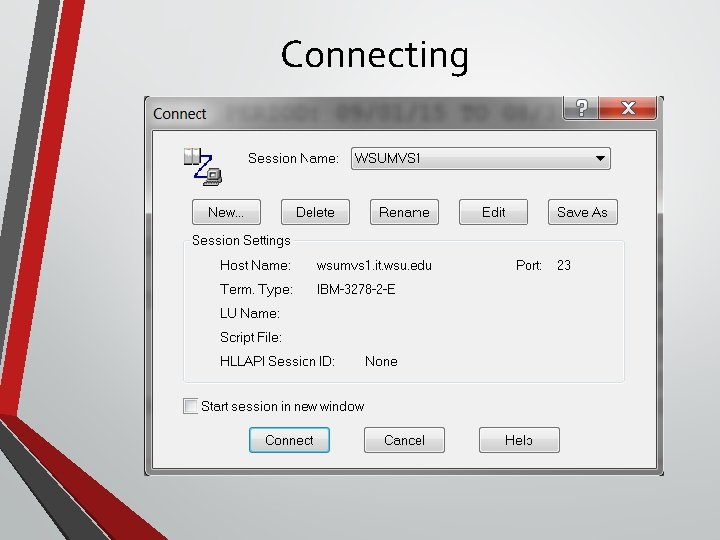
Connecting
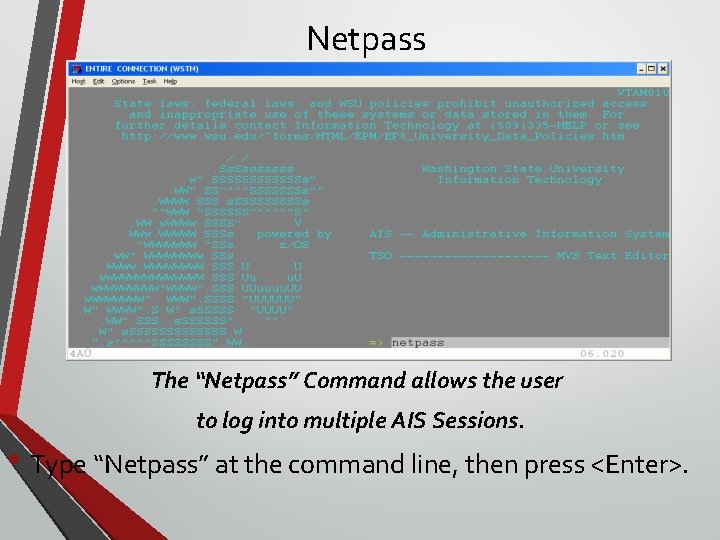
Netpass The “Netpass” Command allows the user to log into multiple AIS Sessions. • Type “Netpass” at the command line, then press <Enter>.
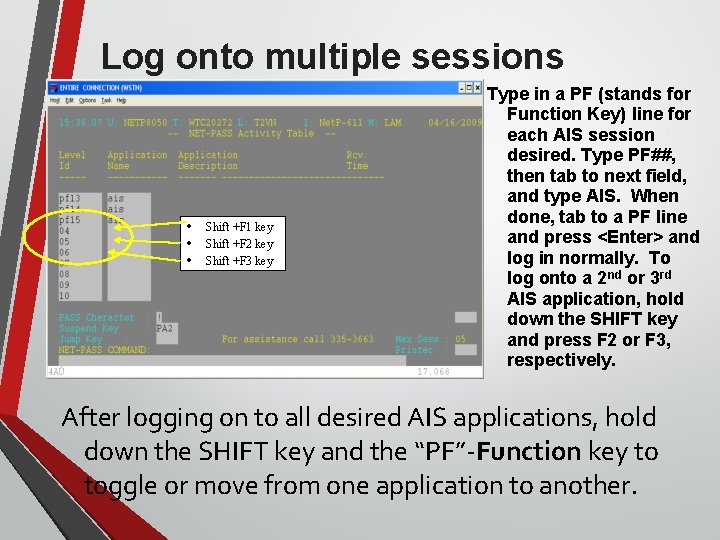
Log onto multiple sessions • • • Shift +F 1 key Shift +F 2 key Shift +F 3 key Type in a PF (stands for Function Key) line for each AIS session desired. Type PF##, then tab to next field, and type AIS. When done, tab to a PF line and press <Enter> and log in normally. To log onto a 2 nd or 3 rd AIS application, hold down the SHIFT key and press F 2 or F 3, respectively. After logging on to all desired AIS applications, hold down the SHIFT key and the “PF”-Function key to toggle or move from one application to another.
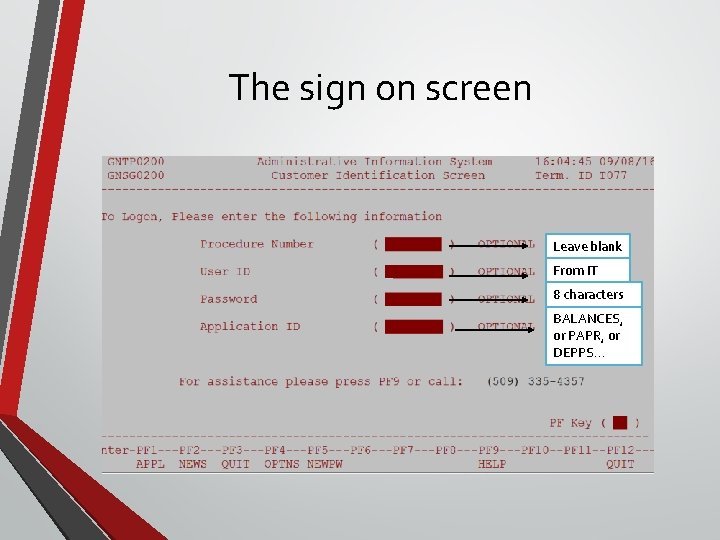
The sign on screen Leave blank From IT 8 characters BALANCES, or PAPR, or DEPPS…
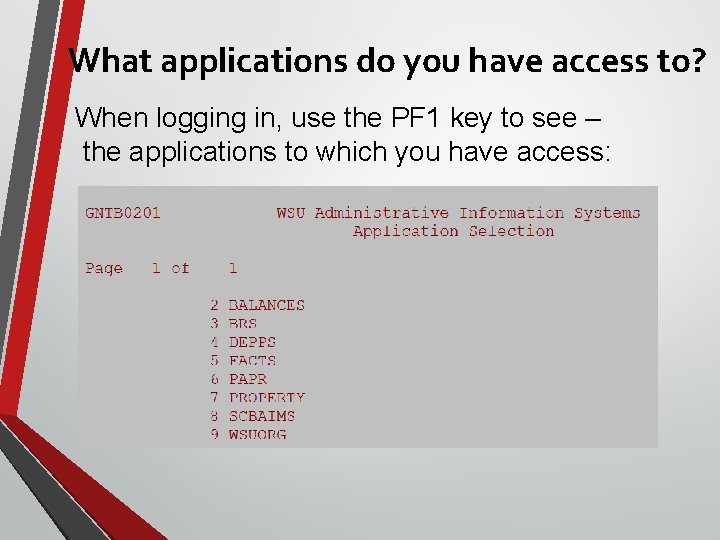
What applications do you have access to? When logging in, use the PF 1 key to see – the applications to which you have access:
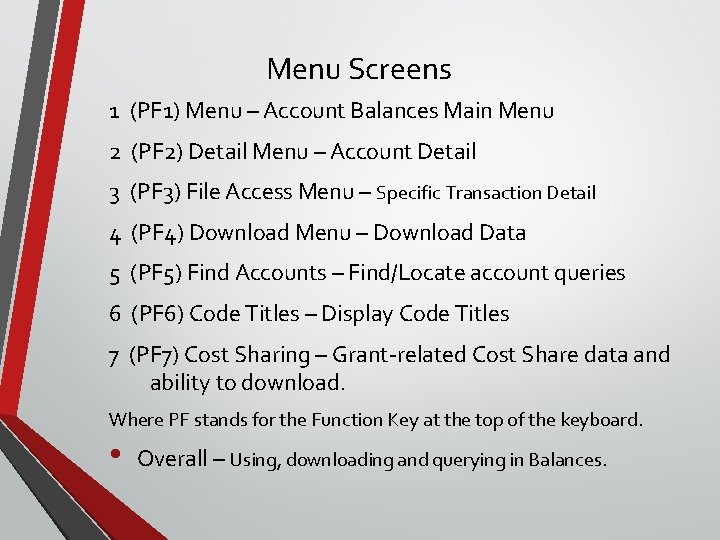
Menu Screens 1 (PF 1) Menu – Account Balances Main Menu 2 (PF 2) Detail Menu – Account Detail 3 (PF 3) File Access Menu – Specific Transaction Detail 4 (PF 4) Download Menu – Download Data 5 (PF 5) Find Accounts – Find/Locate account queries 6 (PF 6) Code Titles – Display Code Titles 7 (PF 7) Cost Sharing – Grant-related Cost Share data and ability to download. Where PF stands for the Function Key at the top of the keyboard. • Overall – Using, downloading and querying in Balances.
Main Menu: pf 1 Key • The ‘Home’ screen: Main Balances Menu • Report 01 and Report 15 are used the most. • Report 12 is handy for Departments. • Explanation on two other Report 15 screens: • 15 S • 15 X
Detail Menu: pf 2 Menu • More detailed data compared to Main Menu • Adds date range to query • Holds only previous 18 months detail and 3 years plus current fiscal year for the “All” parameter.
And – ‘Now for Something Completely Different” pf 3 Full File Access Menu Generally used by Central Offices to report to various agencies, i. e. Washington State, granting agencies. Not very useful for departments
pf 4 Download Menu Download to Your Personal Computer: View on-screen or Download as Data • The Financial Data Warehouse: • Access to all Financial Data. • Can export data to manipulate. • There is no charge to use - it’s FREE!
The new ways to upload & download The first way: www. WSUMVS 1. wsu. edu/webuplde/wbbb/dfh • Can access through SCBAIMS, FACTS, maybe more
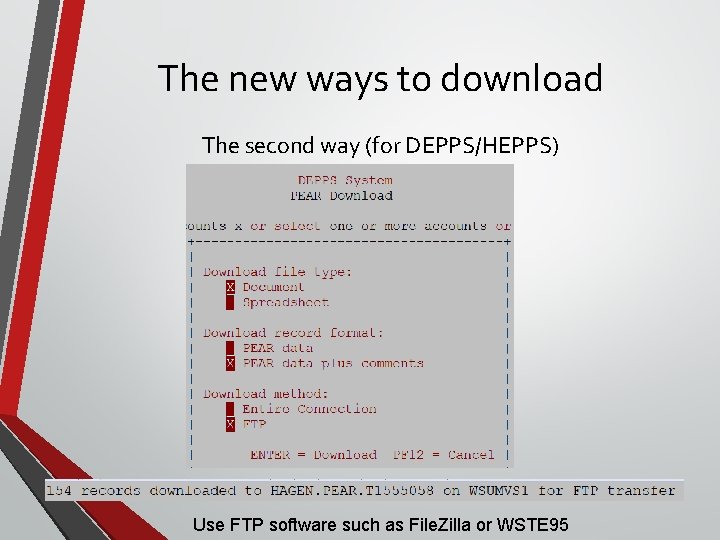
The new ways to download The second way (for DEPPS/HEPPS) Use FTP software such as File. Zilla or WSTE 95
pf 5 - Find Accounts • Locate budgets by name, or by entering a budget to find all the projects associated with it. • To find accounts that have the word “Revenue” in it, choose report 10 and select the word Revenue as the search criteria.
pf 6 Code Titles Menu • To find information about objects, sources, funds, programs, and other data. • This will bring you to a report screen to choose a display of various titles.
Cost Sharing: pf 7 key Cost Share Inquiry Menu • From any main menu, • Click PF 7 to get to the cost sharing query menus
Shadow Systems • They exist from simple (i. e. Excel) to complex (i. e. Access database) • Can be a “check register” to verify, confirm, or correction information in the WSU Accounting System. • If your written/published departmental procedures address maintaining a shadow system, it may be subject to audit. • In the end, AIS BALANCES is the official accounting record of WSU.
• This concludes AIS BALANCES training. • Any questions or comments? • Feel free to contact us with any questions or concerns: Karen Breese 335 -2056 Kathleen Hagen 335 -2232
This has been a WSU Training Videoconference If you wish to have your attendance documented in your training history, please notify Human Resource Services within 24 hours of today's date: hrstraining@wsu. edu
- Slides: 23