
WAN Backup Paul Flynn Dial Backup Missioncritical applications
WAN Backup Paul Flynn
Dial Backup • Mission-critical applications require additional WAN links in order to prevent downtime. • Multiple T 1 s may be provisioned for a particular application and even backed up by a Frame Relay PVC. • Although the additional lines may have been leased for backup purposes, these lines can also be used for load balancing or to route certain traffic. • Strictly speaking, such links are extra links, not backup links. 2
• The primary link is typically a Frame Relay PVC, or a leased line. • Backup interfaces can be a physical interface or a logical interface such as a dialer profile. • Typical backup interfaces include Integrated Services Digital Network Basic rate Interface (ISDN BRI) and asynchronous interfaces. • Serial interfaces connected to either an asynchronous modem or ISDN BRI can also be backup interfaces. • The backup interface is also called the secondary link 3
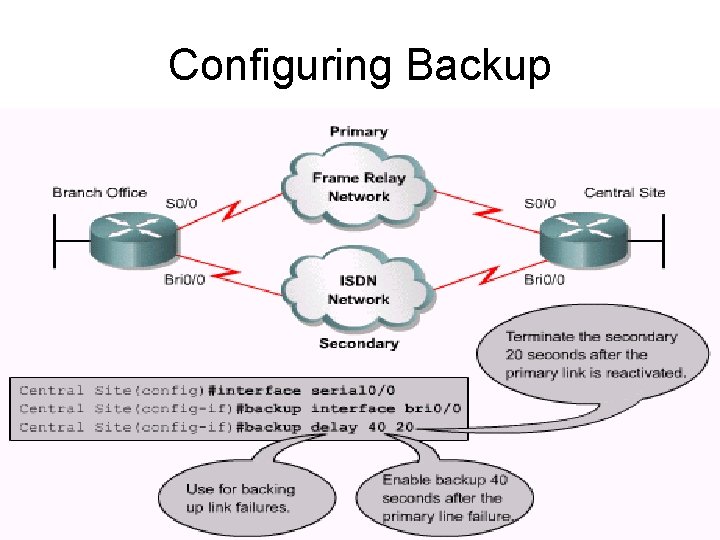
Configuring Backup 4

5
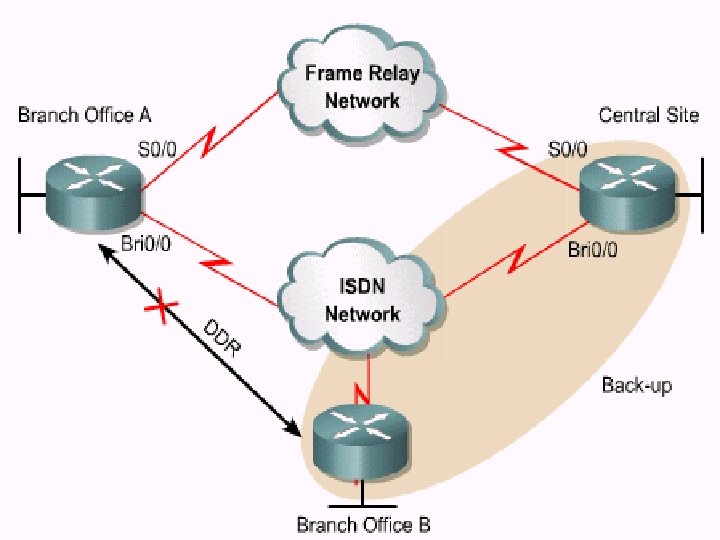
Backup Interface Options • If a physical link is used as a backup to a primary connection, it is in standby mode and cannot be used as a link to another site. • Next Slide illustrates a potential drawback of placing an interface in standby mode. • Branch Office A wants to back up its Frame Relay connection with an ISDN BRI. • However, Branch Office A also wants to use the same BRI interface as a DDR link to Branch Office B. 6
• If Branch Office A places the physical BRI link in standby mode, it is deactivated. • The link does not activate until the primary line fails or reaches a specified threshold. • Therefore, the BRI link cannot be used to connect to Branch Office B. 7
8
Dialer profiles and backup • Configure one dialer profile to act as the backup line. • This profile is in standby mode until engaged. • Configure another dialer profile for DDR between the Branch Office A and Branch Office B. • Then make the physical BRI interface a member of both dialer pools. 9
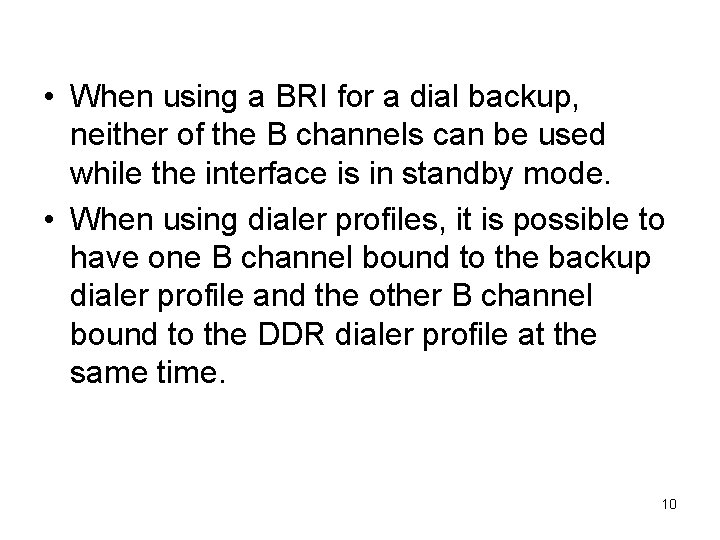
• When using a BRI for a dial backup, neither of the B channels can be used while the interface is in standby mode. • When using dialer profiles, it is possible to have one B channel bound to the backup dialer profile and the other B channel bound to the DDR dialer profile at the same time. 10
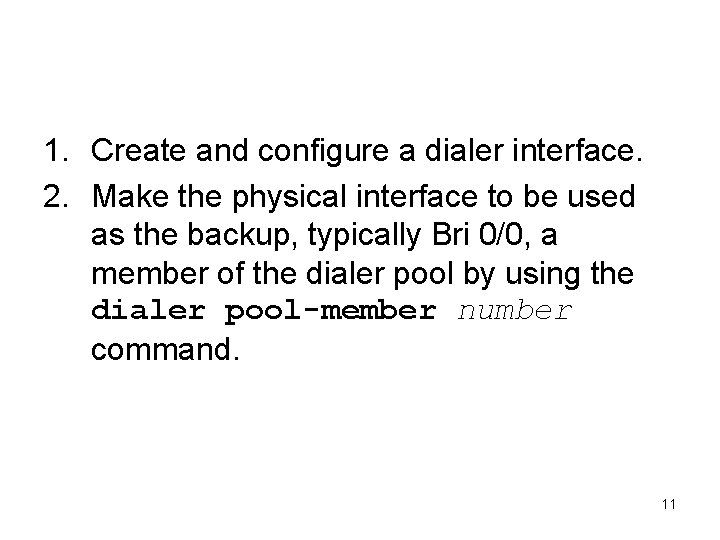
Configuring dial backups with dialer profiles 1. Create and configure a dialer interface. 2. Make the physical interface to be used as the backup, typically Bri 0/0, a member of the dialer pool by using the dialer pool-member number command. 11

3. Configure the primary interface to use a backup: – Enter interface configuration mode for the primary interface. – Assign a Layer 3 address to the primary interface. – Specify the backup interface dialer to be used with the backup interface dialer number command. 12

13
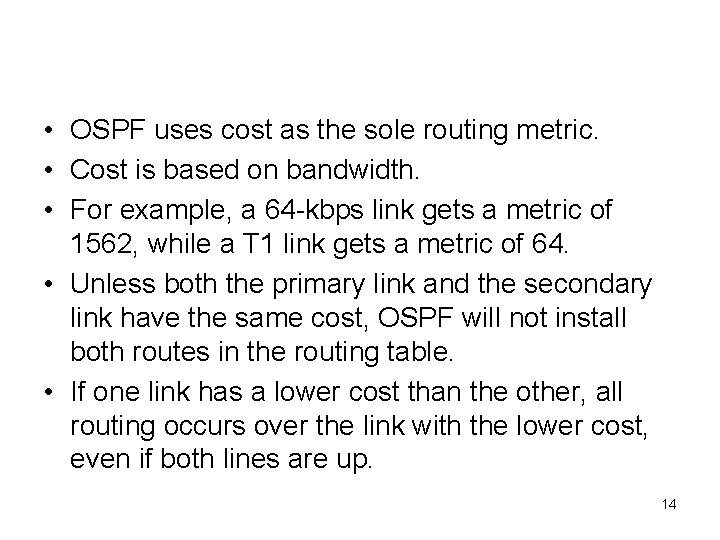
Load backup with OSPF • OSPF uses cost as the sole routing metric. • Cost is based on bandwidth. • For example, a 64 -kbps link gets a metric of 1562, while a T 1 link gets a metric of 64. • Unless both the primary link and the secondary link have the same cost, OSPF will not install both routes in the routing table. • If one link has a lower cost than the other, all routing occurs over the link with the lower cost, even if both lines are up. 14
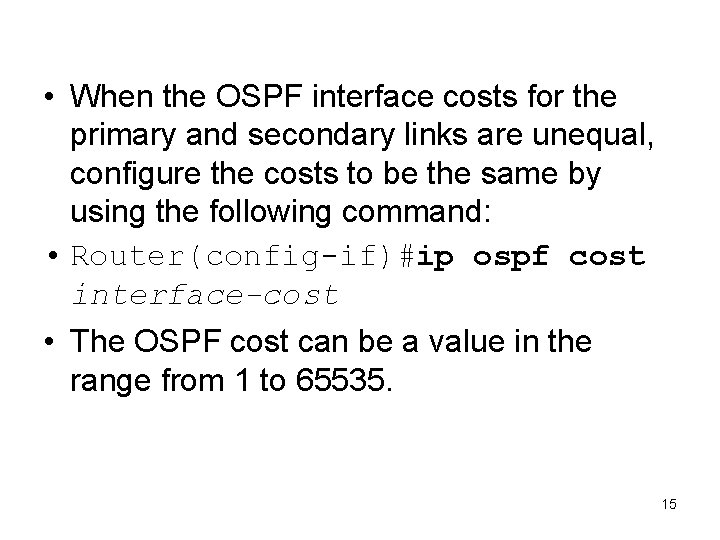
• When the OSPF interface costs for the primary and secondary links are unequal, configure the costs to be the same by using the following command: • Router(config-if)#ip ospf cost interface-cost • The OSPF cost can be a value in the range from 1 to 65535. 15
Load backup with IGRP and EIGRP • With IGRP and EIGRP, unequal-cost load balancing can be configured. • Use the variance multiplier command to configure unequal-cost load balancing by defining the difference between the best metric and the worst acceptable metric. 16
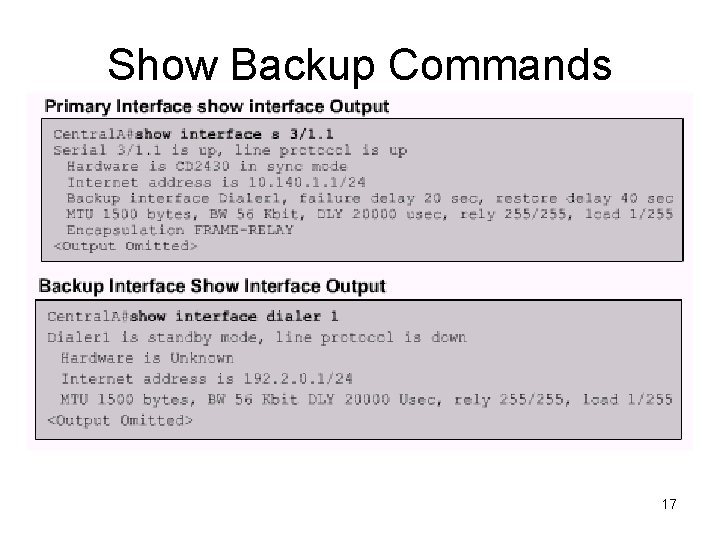
Show Backup Commands 17
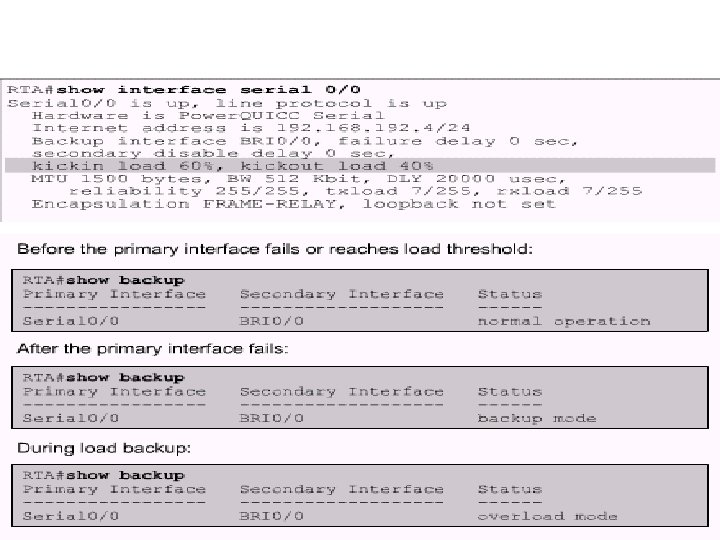
18
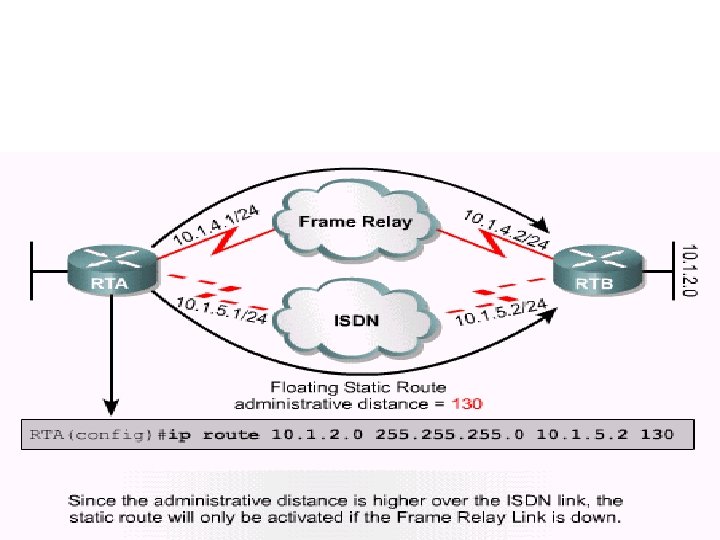
Floating static routes as backup 19
Dialer watch • The router monitors the existence of a specified route in the routing table. • If that route is not present, the router initiates the dialup backup link. • Unlike the other backup methods, such as backup interface or floating static routes, dialer watch does not require interesting traffic to trigger the dial. 20
- Slides: 20