
Walter Boring IV HPE hemna hemna Jay Bryant
Walter Boring IV - HPE hemna - @hemna Jay Bryant - IBM jungleboyj - @jungleboyj Sean Mc. Ginnis - Dell smcginnis - @seantmcginnis Kendall Nelson - IBM diablo_rojo - @knelson 92
Agenda ● ● ● What is Cinder? How Does Cinder Fit? Attaching a Volume Examples Cinder Architecture Cinder Services Cinder. conf Cinder Drivers Multiple Backends!! Volume Types Retype vs. Migration Future Plans
What is Cinder? ● Created in Folsom Release (~4 years ago) ○ Spun off from Nova volume ● Cinder manages block storage ○ Different from file level storage- that’s Manila ○ Different from object storage- that’s Swift ○ Focuses on ■ Attaching volumes to VM instances ■ Booting from volumes ● Volumes have life cycles independent of VM instances
How Does Cinder Fit? ● Cinder provides all commands and API’s to interact with vendors’ storage backends ● Exposes vendors storage hardware to the cloud ● Provides persistent storage to VM’s ● Enables user to manage their storage ○ ○ Create Snapshot Backup Attach/Detach
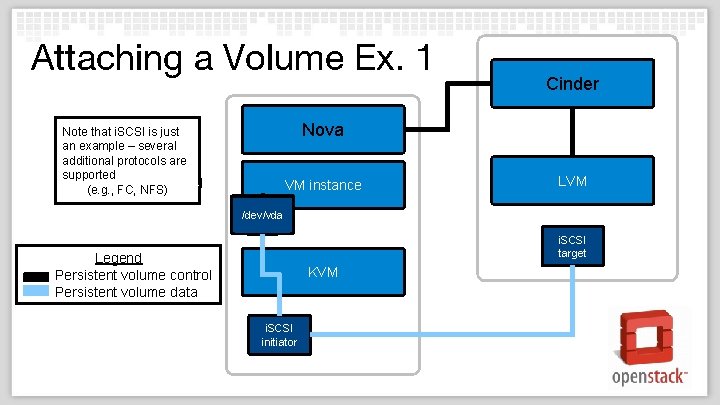
Attaching a Volume Ex. 1 Cinder Nova Note that i. SCSI is just an example – several additional protocols are supported (e. g. , FC, NFS) VM instance LVM /dev/vda i. SCSI target Legend Persistent volume control Persistent volume data KVM i. SCSI initiator
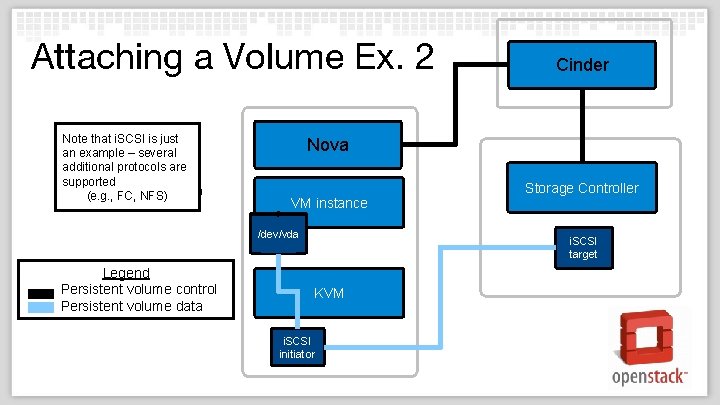
Attaching a Volume Ex. 2 Note that i. SCSI is just an example – several additional protocols are supported (e. g. , FC, NFS) Nova VM instance /dev/vda Legend Persistent volume control Persistent volume data Cinder Storage Controller i. SCSI target KVM i. SCSI initiator
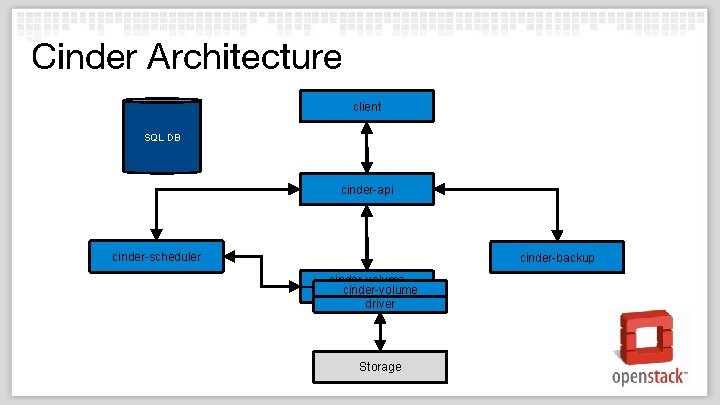
Cinder Architecture client SQL DB REST cinder-api cinder-scheduler cinder-backup cinder-volume driver Storage
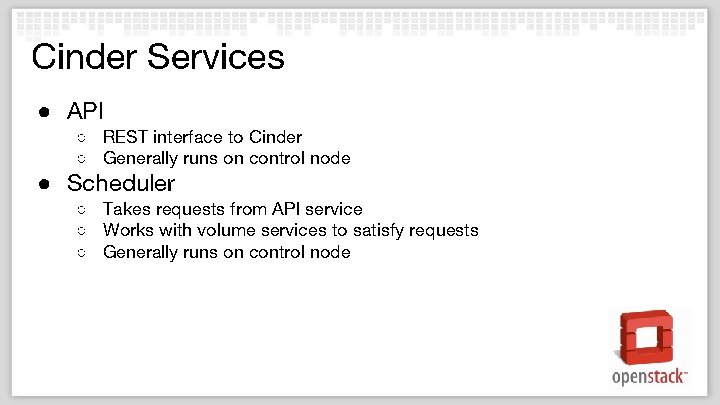
Cinder Services ● API ○ REST interface to Cinder ○ Generally runs on control node ● Scheduler ○ Takes requests from API service ○ Works with volume services to satisfy requests ○ Generally runs on control node
Cinder Services cont. ● Volume ○ Interacts with vendor storage backends ■ Create ■ Manage ■ Export ○ Can run on control node, or some other node ● Backup ○ Interface from backup volumes to storage like Swift, TSM, etc.
Cinder Client /Open. Stack Client ● Cinder Client ○ python-cinderclient is the command line interface to Cinder ■ ‘ cinder <command> ’ ■ Uses REST to communicate with the cinder-api service ○ Generally runs of control node ● Open. Stack Client ○ All projects moving towards using the Open. Stack Client ○ Deprecating all individual project CLI’s
Cinder Client / API ● Volume create/delete/list/show ● ● ● ○ Create from image/snapshot/volume ○ Attach/detach (called in Nova) Snapshot create/delete/list/show Backup create/delete/list/show/restore/import/export Volume types create/update/delete Qo. S Quotas
cinder. conf ● Used by all of Cinder's services ● Multi-backend support is enabled by a different section for each driver ● enabled_backends is used to set which drivers you want actually running for your system ○ enabled_backends = lvmdriver-1, lvmdriver-2, lvmdriver-3
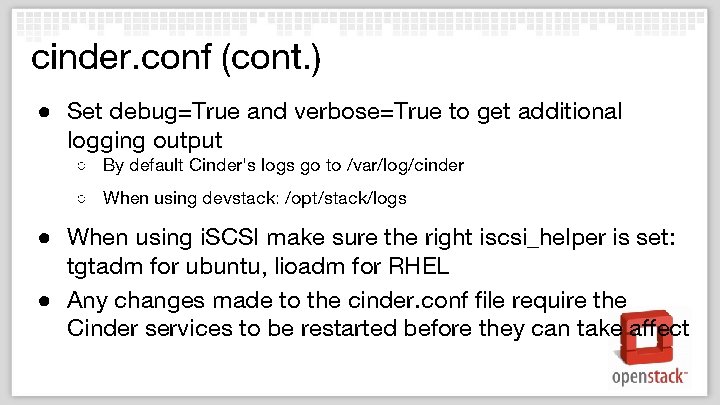
cinder. conf (cont. ) ● Set debug=True and verbose=True to get additional logging output ○ By default Cinder's logs go to /var/log/cinder ○ When using devstack: /opt/stack/logs ● When using i. SCSI make sure the right iscsi_helper is set: tgtadm for ubuntu, lioadm for RHEL ● Any changes made to the cinder. conf file require the Cinder services to be restarted before they can take affect
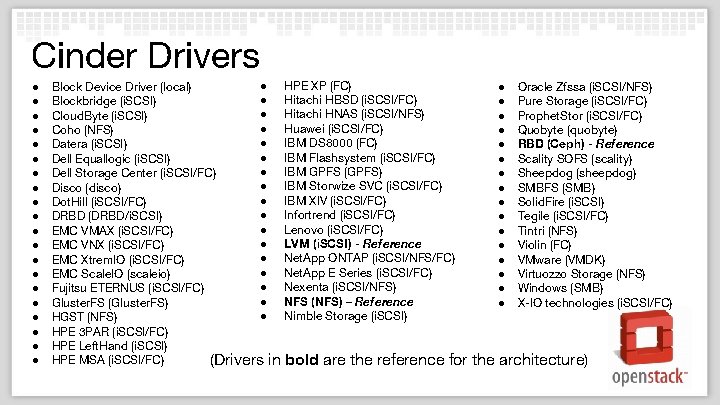
Cinder Drivers ● ● ● ● ● ● HPE XP (FC) Block Device Driver (local) ● Hitachi HBSD (i. SCSI/FC) Blockbridge (i. SCSI) ● Hitachi HNAS (i. SCSI/NFS) Cloud. Byte (i. SCSI) ● Huawei (i. SCSI/FC) Coho (NFS) ● IBM DS 8000 (FC) Datera (i. SCSI) ● IBM Flashsystem (i. SCSI/FC) Dell Equallogic (i. SCSI) ● IBM GPFS (GPFS) Dell Storage Center (i. SCSI/FC) ● IBM Storwize SVC (i. SCSI/FC) Disco (disco) ● IBM XIV (i. SCSI/FC) Dot. Hill (i. SCSI/FC) ● Infortrend (i. SCSI/FC) DRBD (DRBD/i. SCSI) ● Lenovo (i. SCSI/FC) EMC VMAX (i. SCSI/FC) ● LVM (i. SCSI) - Reference EMC VNX (i. SCSI/FC) ● Net. App ONTAP (i. SCSI/NFS/FC) EMC Xtrem. IO (i. SCSI/FC) ● Net. App E Series (i. SCSI/FC) EMC Scale. IO (scaleio) ● Nexenta (i. SCSI/NFS) Fujitsu ETERNUS (i. SCSI/FC) ● NFS (NFS) – Reference Gluster. FS (Gluster. FS) ● Nimble Storage (i. SCSI) HGST (NFS) HPE 3 PAR (i. SCSI/FC) HPE Left. Hand (i. SCSI) HPE MSA (i. SCSI/FC) (Drivers in bold are the reference for ● ● ● ● Oracle Zfssa (i. SCSI/NFS) Pure Storage (i. SCSI/FC) Prophet. Stor (i. SCSI/FC) Quobyte (quobyte) RBD (Ceph) - Reference Scality SOFS (scality) Sheepdog (sheepdog) SMBFS (SMB) Solid. Fire (i. SCSI) Tegile (i. SCSI/FC) Tintri (NFS) Violin (FC) VMware (VMDK) Virtuozzo Storage (NFS) Windows (SMB) X-IO technologies (i. SCSI/FC) the architecture)
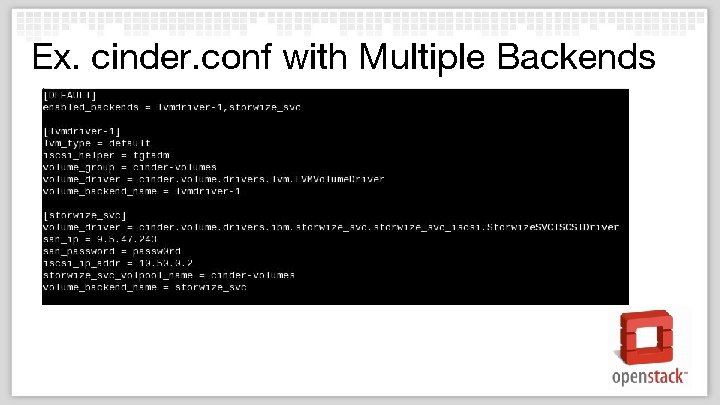
Ex. cinder. conf with Multiple Backends
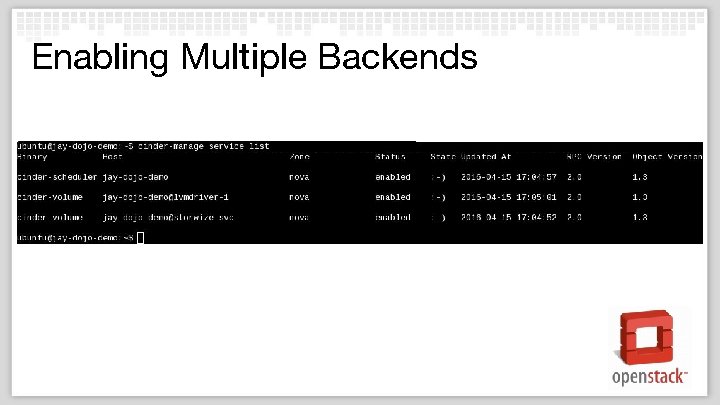
Enabling Multiple Backends
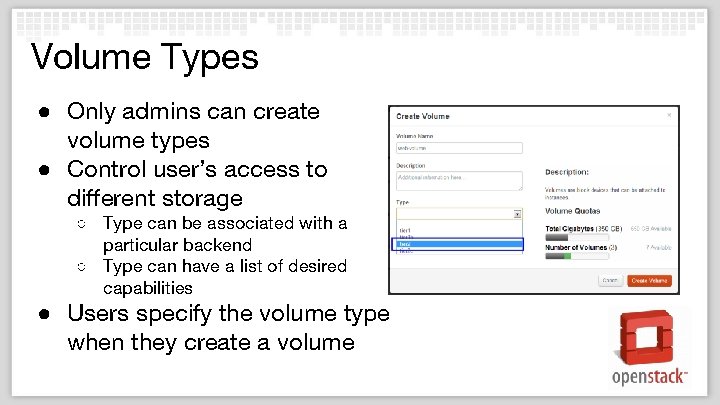
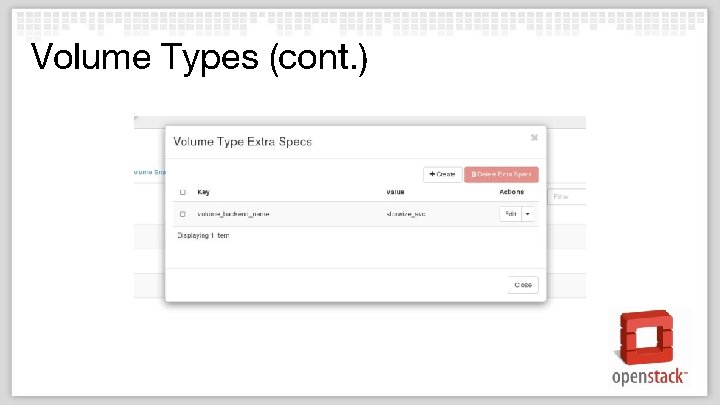
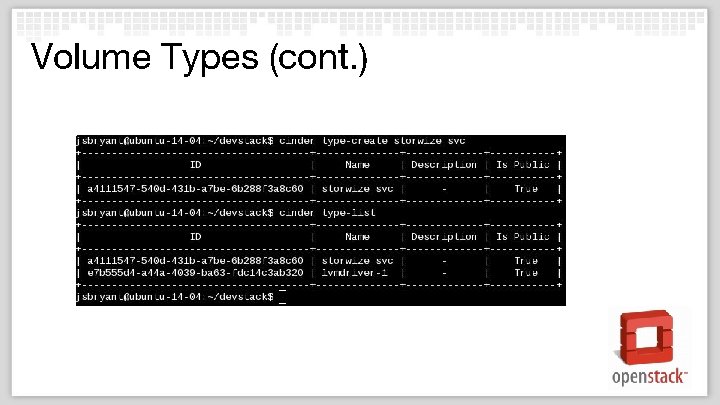
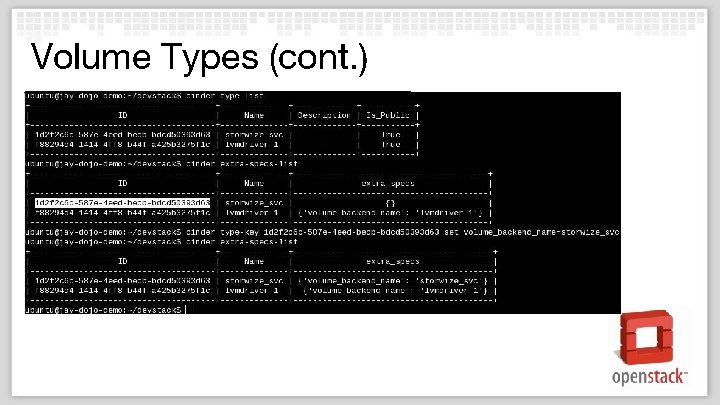
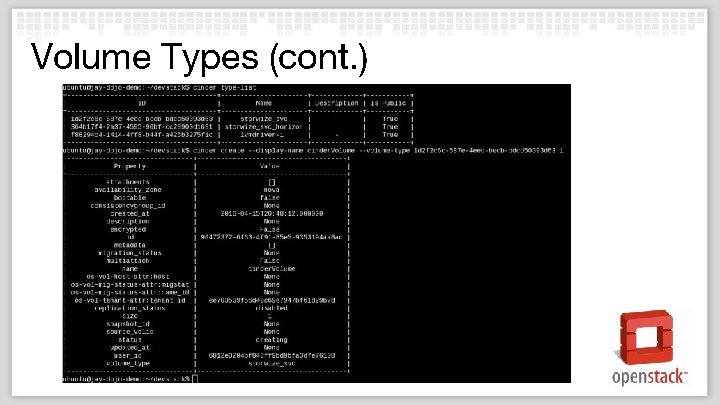
Volume Types ● Only admins can create volume types ● Control user’s access to different storage ○ Type can be associated with a particular backend ○ Type can have a list of desired capabilities ● Users specify the volume type when they create a volume
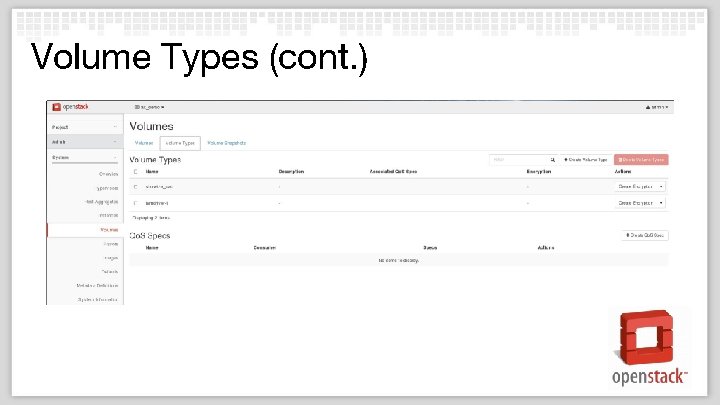
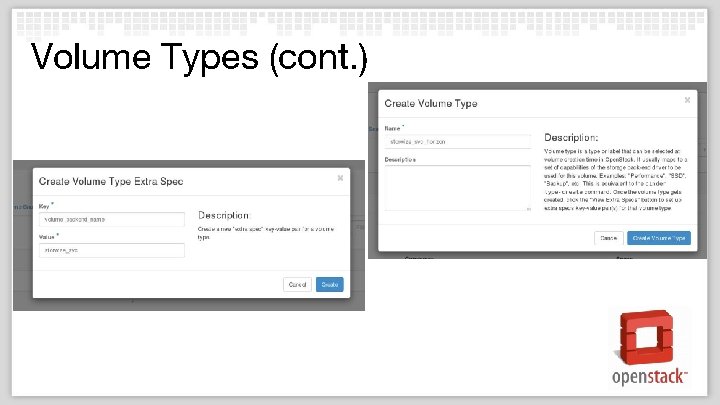
Volume Types (cont. ) ● ● In Horizon you can: ○ Create vol types ○ List vol_types ○ Set keys for a type ○ Show the keys set for a type Using Cinder. Client you can: ○ Create vol types ○ List vol_types ○ Set keys for a type ○ Show the keys set for a type
Volume Types (cont. )
Volume Types (cont. )
Volume Types (cont. )
Volume Types (cont. )
Volume Types (cont. )
Volume Types (cont. )
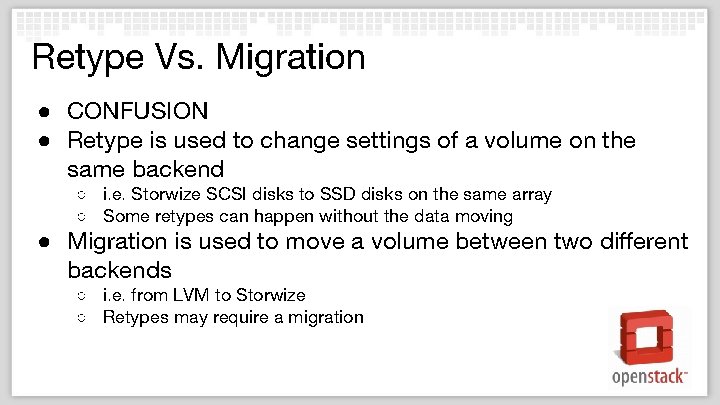
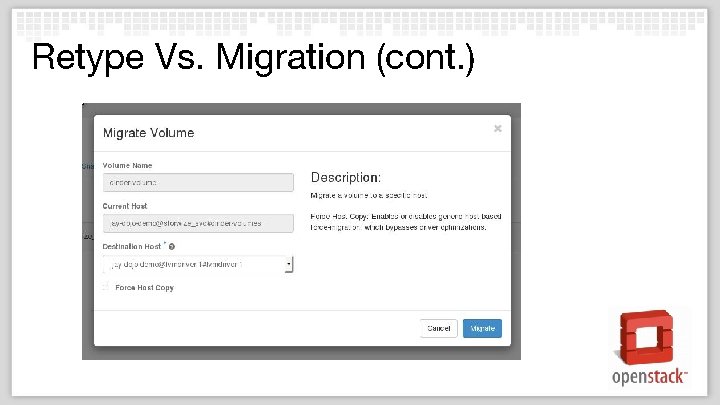
Retype Vs. Migration ● CONFUSION ● Retype is used to change settings of a volume on the same backend ○ i. e. Storwize SCSI disks to SSD disks on the same array ○ Some retypes can happen without the data moving ● Migration is used to move a volume between two different backends ○ i. e. from LVM to Storwize ○ Retypes may require a migration
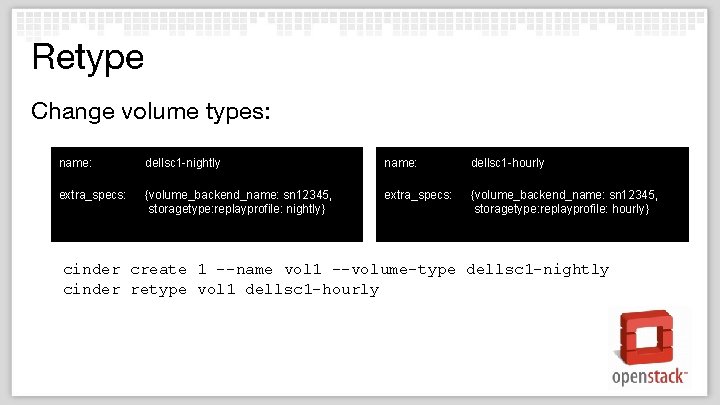
Retype Change volume types: name: dellsc 1 -nightly name: dellsc 1 -hourly extra_specs: {volume_backend_name: sn 12345, storagetype: replayprofile: nightly} extra_specs: {volume_backend_name: sn 12345, storagetype: replayprofile: hourly} cinder create 1 --name vol 1 --volume-type dellsc 1 -nightly cinder retype vol 1 dellsc 1 -hourly
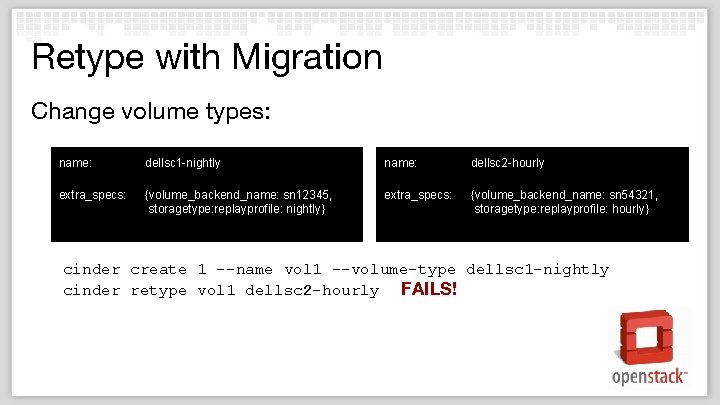
Retype with Migration Change volume types: name: dellsc 1 -nightly name: dellsc 2 -hourly extra_specs: {volume_backend_name: sn 12345, storagetype: replayprofile: nightly} extra_specs: {volume_backend_name: sn 54321, storagetype: replayprofile: hourly} cinder create 1 --name vol 1 --volume-type dellsc 1 -nightly cinder retype vol 1 dellsc 2 -hourly FAILS!
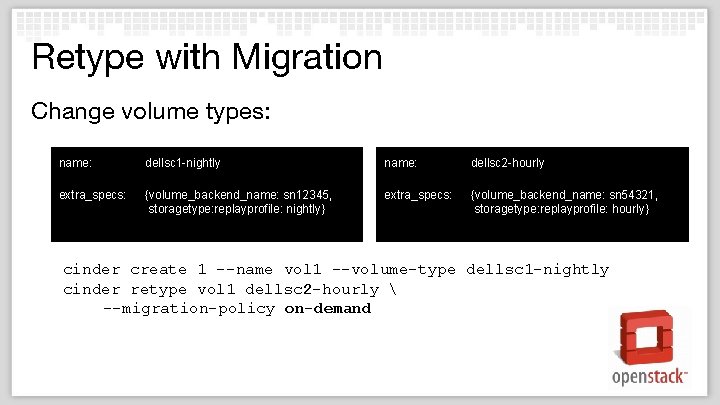
Retype with Migration Change volume types: name: dellsc 1 -nightly name: dellsc 2 -hourly extra_specs: {volume_backend_name: sn 12345, storagetype: replayprofile: nightly} extra_specs: {volume_backend_name: sn 54321, storagetype: replayprofile: hourly} cinder create 1 --name vol 1 --volume-type dellsc 1 -nightly cinder retype vol 1 dellsc 2 -hourly --migration-policy on-demand
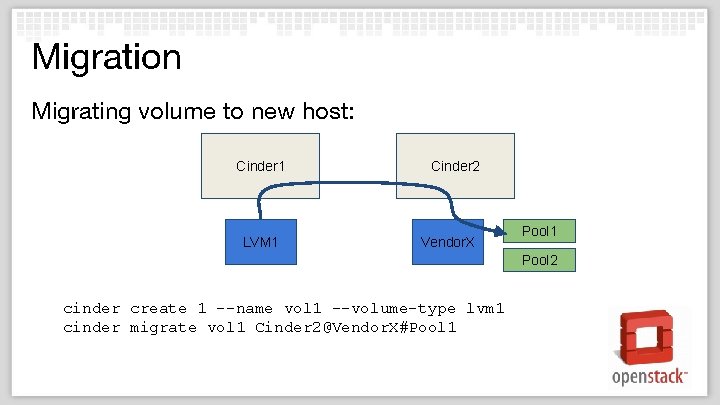
Migration Migrating volume to new host: Cinder 1 LVM 1 Cinder 2 Vendor. X Pool 1 Pool 2 cinder create 1 --name vol 1 --volume-type lvm 1 cinder migrate vol 1 Cinder 2@Vendor. X#Pool 1
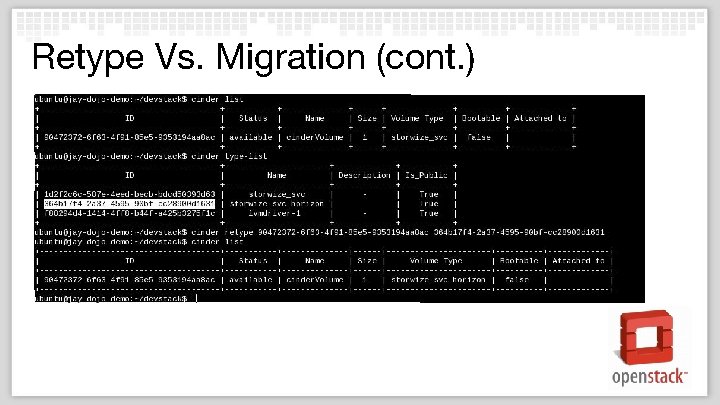
Retype Vs. Migration (cont. )
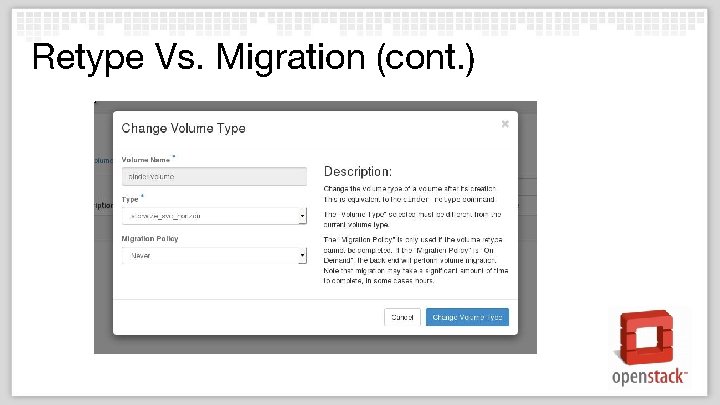
Retype Vs. Migration (cont. )
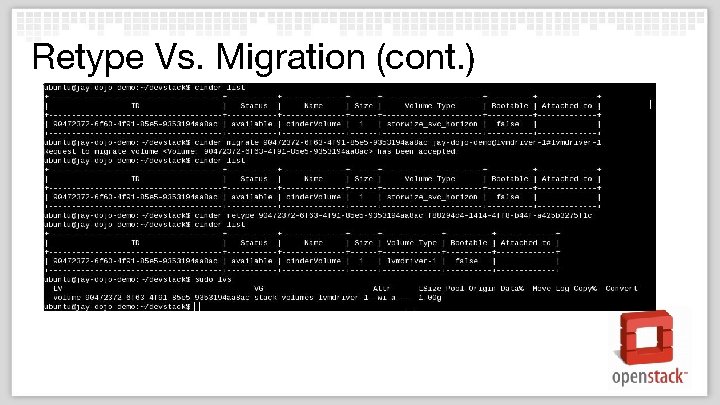
Retype Vs. Migration (cont. )
Retype Vs. Migration (cont. )
The Future! DISCLAIMER: These are things being currently worked, but may not necessarily make it into Newton ● Active/Active High Availability ○ Two cinder-volume services managing the same backend storage ● Multi-attach ○ Attach the same volume to more than one host/instance ● Scaleable Backup ● Containerizing Cinder Services ● Capability Reporting
Thank You!
- Slides: 35