
Wake One Instructions for Scheduling Participants How to




- Slides: 20
Wake One Instructions for Scheduling Participants
How to Check Room and Staff Availability Wake Forest Baptist Medical Center
Under Epic Tab Scheduling View Sched Wake Forest Baptist Medical Center
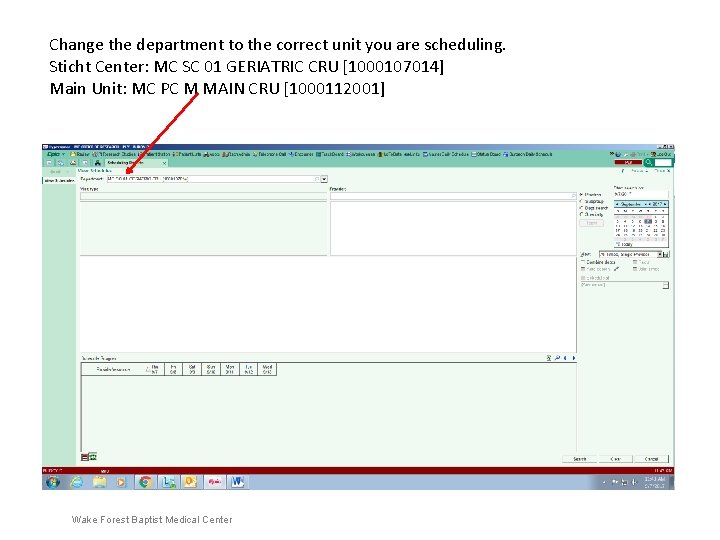
Change the department to the correct unit you are scheduling. Sticht Center: MC SC 01 GERIATRIC CRU [1000107014] Main Unit: MC PC M MAIN CRU [1000112001] Wake Forest Baptist Medical Center
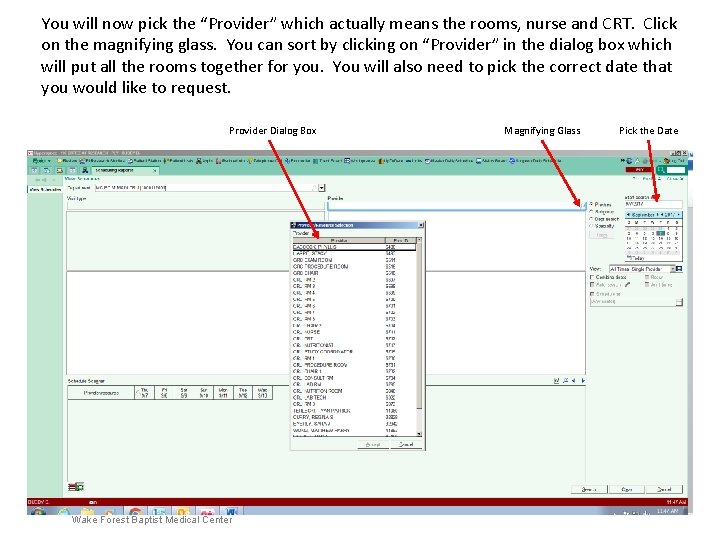
You will now pick the “Provider” which actually means the rooms, nurse and CRT. Click on the magnifying glass. You can sort by clicking on “Provider” in the dialog box which will put all the rooms together for you. You will also need to pick the correct date that you would like to request. Provider Dialog Box Wake Forest Baptist Medical Center Magnifying Glass Pick the Date
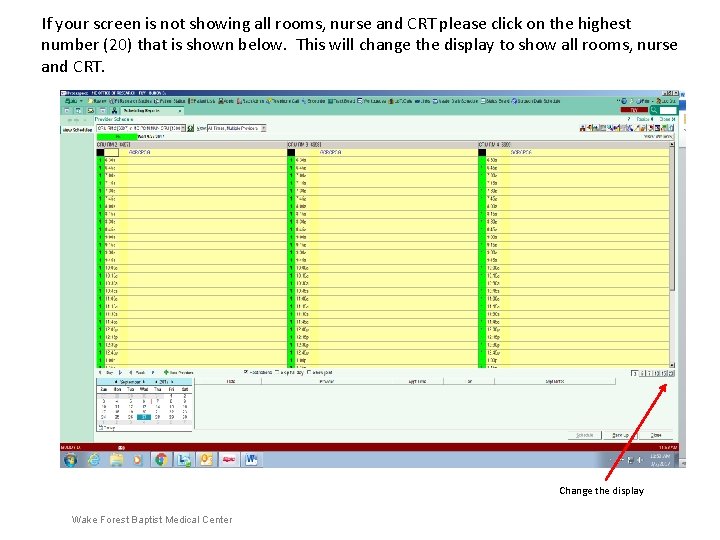
If your screen is not showing all rooms, nurse and CRT please click on the highest number (20) that is shown below. This will change the display to show all rooms, nurse and CRT. Change the display Wake Forest Baptist Medical Center
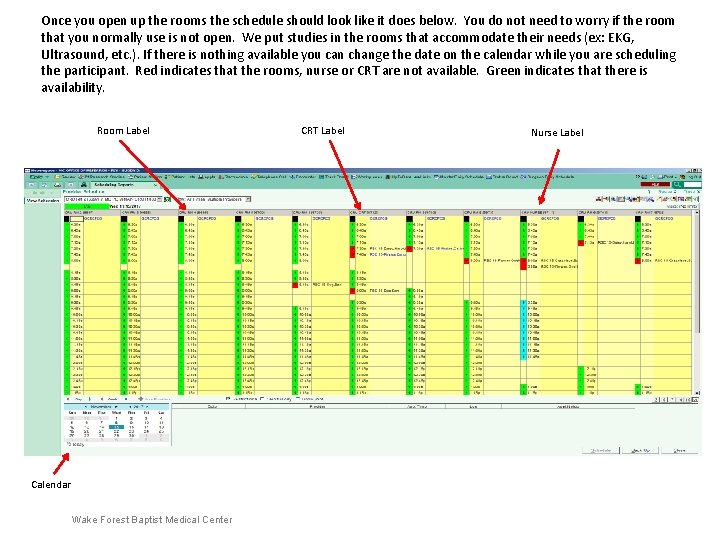
Once you open up the rooms the schedule should look like it does below. You do not need to worry if the room that you normally use is not open. We put studies in the rooms that accommodate their needs (ex: EKG, Ultrasound, etc. ). If there is nothing available you can change the date on the calendar while you are scheduling the participant. Red indicates that the rooms, nurse or CRT are not available. Green indicates that there is availability. Room Label Calendar Wake Forest Baptist Medical Center CRT Label Nurse Label
Scheduling Participants Wake Forest Baptist Medical Center
Click on the In Basket then the New Message button. New Message In Basket Wake Forest Baptist Medical Center
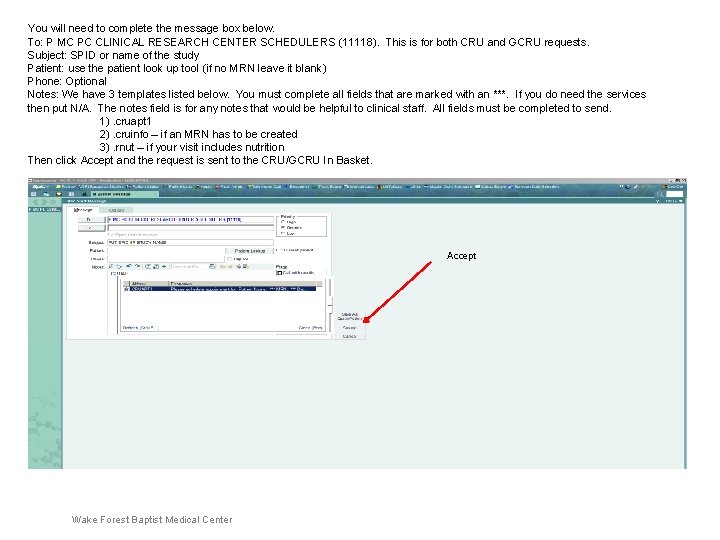
You will need to complete the message box below. To: P MC PC CLINICAL RESEARCH CENTER SCHEDULERS (11118). This is for both CRU and GCRU requests. Subject: SPID or name of the study Patient: use the patient look up tool (if no MRN leave it blank) Phone: Optional Notes: We have 3 templates listed below. You must complete all fields that are marked with an ***. If you do need the services then put N/A. The notes field is for any notes that would be helpful to clinical staff. All fields must be completed to send. 1). cruapt 1 2). cruinfo – if an MRN has to be created 3). rnut – if your visit includes nutrition Then click Accept and the request is sent to the CRU/GCRU In Basket. Accept Wake Forest Baptist Medical Center
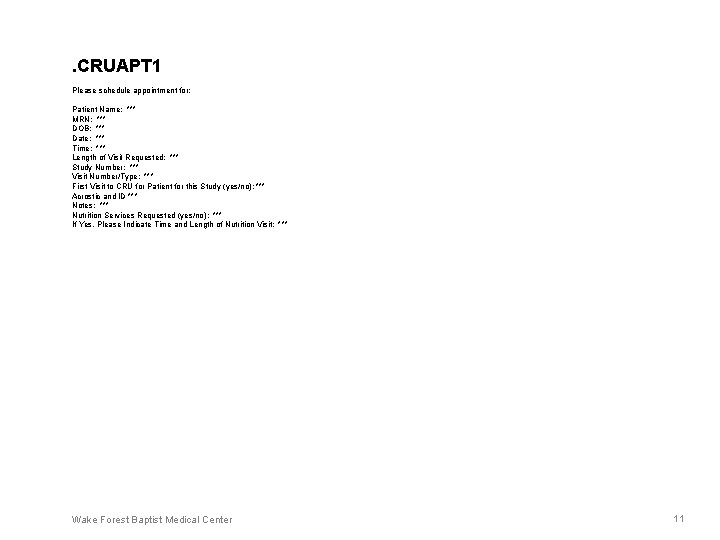
. CRUAPT 1 Please schedule appointment for: Patient Name: *** MRN: *** DOB: *** Date: *** Time: *** Length of Visit Requested: *** Study Number: *** Visit Number/Type: *** First Visit to CRU for Patient for this Study (yes/no): *** Acrostic and ID *** Notes: *** Nutrition Services Requested (yes/no): *** If Yes, Please Indicate Time and Length of Nutrition Visit: *** Wake Forest Baptist Medical Center 11
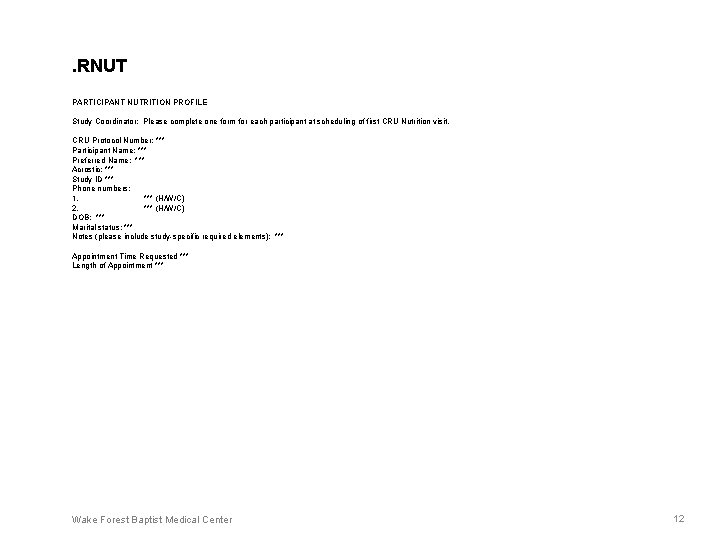
. RNUT PARTICIPANT NUTRITION PROFILE Study Coordinator: Please complete one form for each participant at scheduling of first CRU Nutrition visit. CRU Protocol Number: *** Participant Name: *** Preferred Name: *** Acrostic: *** Study ID *** Phone numbers: 1. *** (H/W/C) 2. *** (H/W/C) DOB: *** Marital status: *** Notes (please include study-specific required elements): *** Appointment Time Requested *** Length of Appointment *** Wake Forest Baptist Medical Center 12
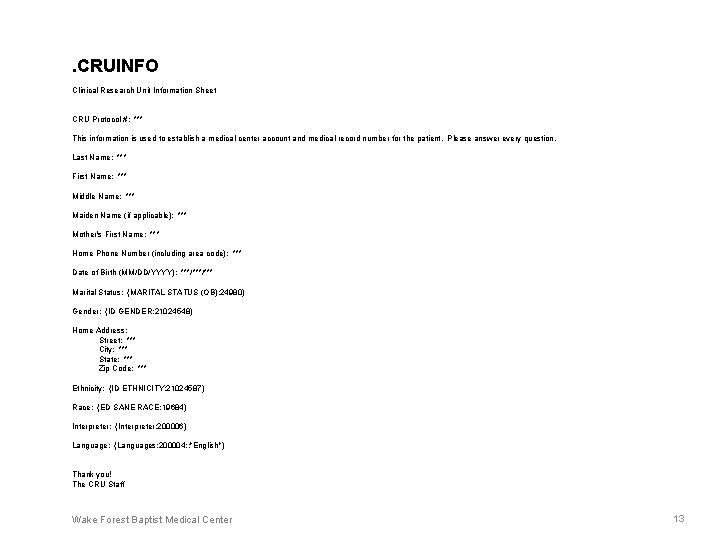
. CRUINFO Clinical Research Unit Information Sheet CRU Protocol #: *** This information is used to establish a medical center account and medical record number for the patient. Please answer every question. Last Name: *** First Name: *** Middle Name: *** Maiden Name (if applicable): *** Mother's First Name: *** Home Phone Number (including area code): *** Date of Birth (MM/DD/YYYY): ***/*** Marital Status: {MARITAL STATUS (OB): 24980} Gender: {ID GENDER: 21024548} Home Address: Street: *** City: *** State: *** Zip Code: *** Ethnicity: {ID ETHNICITY: 21024587} Race: {ED SANE RACE: 19684} Interpreter: {Interpreter: 200006} Language: {Languages: 200004: : "English"} Thank you! The CRU Staff Wake Forest Baptist Medical Center 13
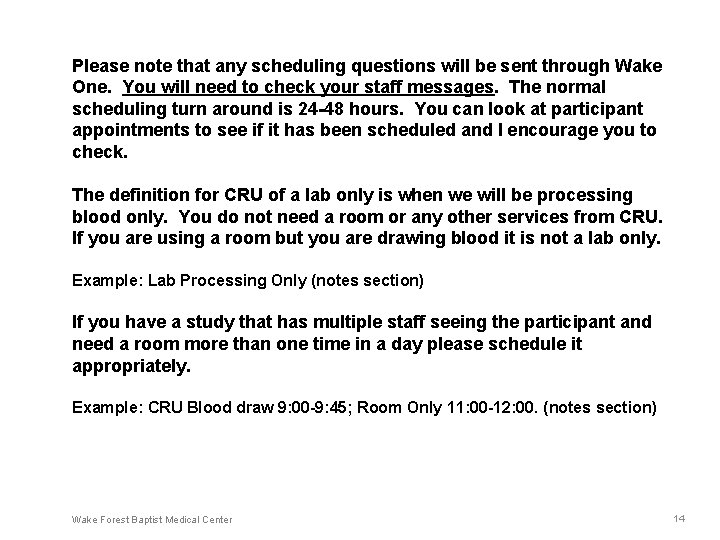
Please note that any scheduling questions will be sent through Wake One. You will need to check your staff messages. The normal scheduling turn around is 24 -48 hours. You can look at participant appointments to see if it has been scheduled and I encourage you to check. The definition for CRU of a lab only is when we will be processing blood only. You do not need a room or any other services from CRU. If you are using a room but you are drawing blood it is not a lab only. Example: Lab Processing Only (notes section) If you have a study that has multiple staff seeing the participant and need a room more than one time in a day please schedule it appropriately. Example: CRU Blood draw 9: 00 -9: 45; Room Only 11: 00 -12: 00. (notes section) Wake Forest Baptist Medical Center 14
Canceling/Rescheduling Participants Wake Forest Baptist Medical Center
• There are two methods to cancel/reschedule participants in the CRU. • Wake One • CRU Mailbox (cru@wakehealth. edu) Please note if you have access to Wake One please use Wake One. We still have some coordinators that do not have access to Wake One but that is the preferred method. Wake Forest Baptist Medical Center
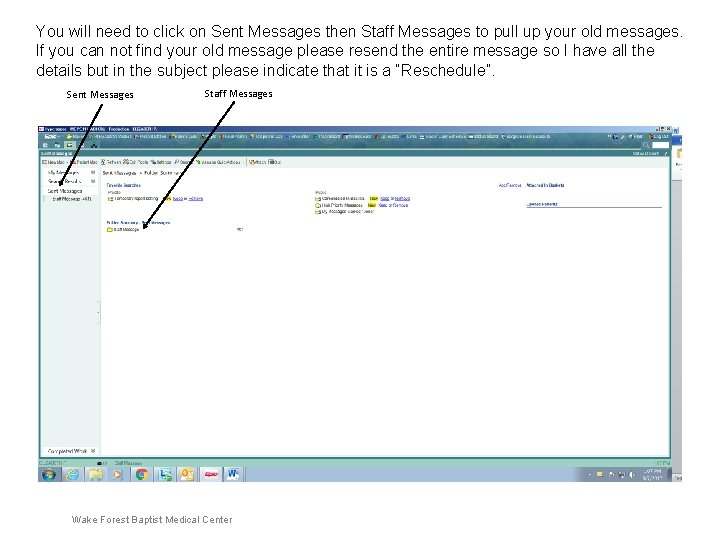
You will need to click on Sent Messages then Staff Messages to pull up your old messages. If you can not find your old message please resend the entire message so I have all the details but in the subject please indicate that it is a “Reschedule”. Sent Messages Staff Messages Wake Forest Baptist Medical Center
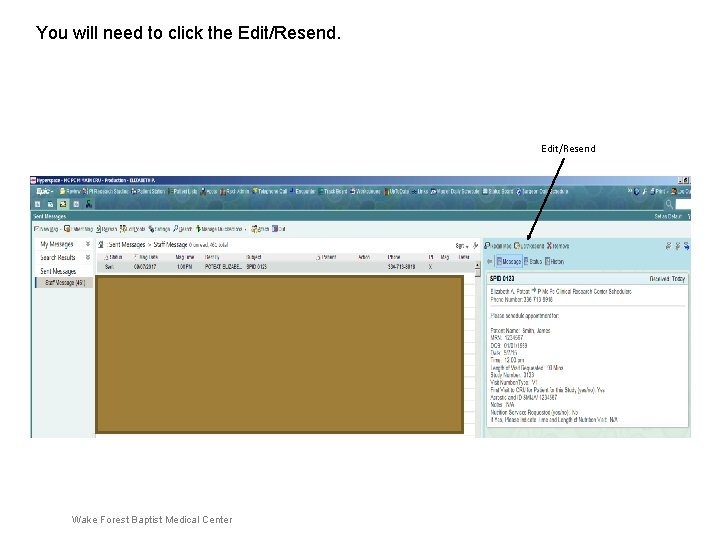
You will need to click the Edit/Resend Wake Forest Baptist Medical Center
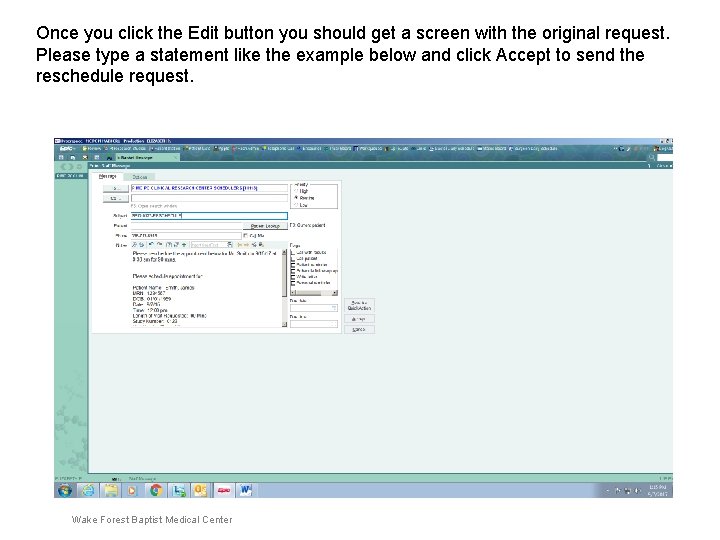
Once you click the Edit button you should get a screen with the original request. Please type a statement like the example below and click Accept to send the reschedule request. Edit/Resend Wake Forest Baptist Medical Center
• For both methods please make sure the name, medical record and date of birth are all included. We cannot use the acrostic or ID to lookup participants in Wake One. Please send all requests by using one of these 2 methods. There is no need to call unless it is after 3: 00 pm and the participant is cancelling or scheduling the next day. Even if you call please put all requests in Wake One or cru@wakehealth. edu. • Please do not send any scheduling requests to CRU staff emails. All CRU staff have access to the general mailbox and Wake One In Basket. Does anyone have any questions? Thank You! Wake Forest Baptist Medical Center