
Vulnerabilities 10 Local Remote Access This document is
Vulnerabilities 10. Local & Remote Access This document is licensed with a Creative Commons Attribution 4. 0 International License © 2017
Learning Outcomes Upon completion of this unit, students will be able to: • Students will possess a thorough understanding of the various types of vulnerabilities (design and/or implementation weaknesses), their underlying causes, their identifying characteristics, the ways in which they are exploited, and potential mitigation strategies. They will also know how to apply fundamental security design principles during system design, development and implementation to minimize vulnerabilities. • Students will understand how a vulnerability in a given context may be applied to alternative contexts and to adapt vulnerabilities so that lessons from them can be applied to alternative contexts. This document is licensed with a Creative Commons Attribution 4. 0 International License © 2017
Local Access • Being physically at a system to gain access • Also called “privilege escalation attacks” • Two types: • Horizontal – doesn’t gain more privileges (i. e. bank account users) • Vertical – gains more privileges (bypassing the lock screen on a smartphone) This document is licensed with a Creative Commons Attribution 4. 0 International License © 2017
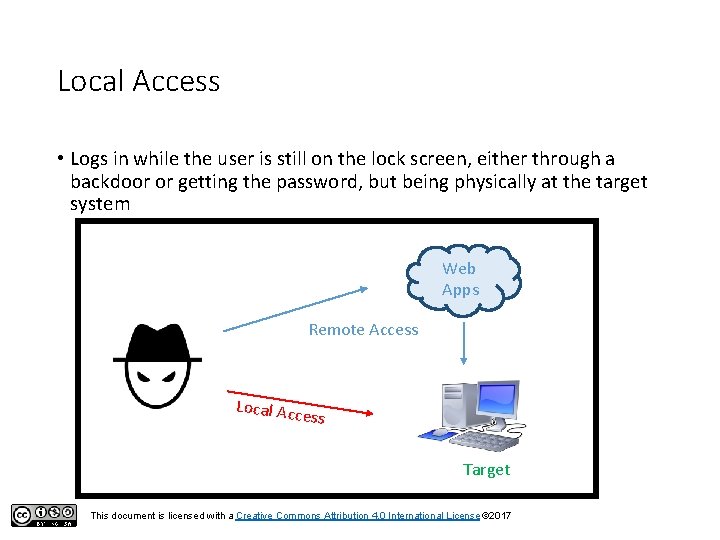
Local Access • Logs in while the user is still on the lock screen, either through a backdoor or getting the password, but being physically at the target system Web Apps Remote Access Local Acc ess Target This document is licensed with a Creative Commons Attribution 4. 0 International License © 2017
Remote Access • Gaining authorization on a system without being physically present • Usually used in corporate facilities and with servers • LAN file sharing on a home network is not considered remote access • Different aspects of remote access: • • Passive attacks (sniffing) Identity spoofing Social engineering (can also be local) Administrator fault This document is licensed with a Creative Commons Attribution 4. 0 International License © 2017
Remote Access Activity 1. Allow remote connections to this computer 2. Find PC name 3. Connect through Remote Desktop Connection This document is licensed with a Creative Commons Attribution 4. 0 International License © 2017
- Slides: 6