
VSAM Virtual Storage Access Method Concepts Overview Copyright


![IDCAMS Listcat Ø Listcat LISTCAT [ENTRIES (entry-name)] NAME HISTRORY VOLUME ALLOCATION ALL Detailed info](https://slidetodoc.com/presentation_image_h2/bd32015ea5ccd67c001fe561ad9412f8/image-43.jpg "IDCAMS Listcat Ø Listcat LISTCAT [ENTRIES (entry-name)] NAME HISTRORY VOLUME ALLOCATION ALL Detailed info")

![IDCAMS Alter Ø ALTER entry-name INDATASET (entry-name) [NEWNAME (entry-name)] [ADDVOLUMES (vol-ser)] [REMOVEVOLUMES (vol-ser)] [NULLIFY](https://slidetodoc.com/presentation_image_h2/bd32015ea5ccd67c001fe561ad9412f8/image-46.jpg "IDCAMS Alter Ø ALTER entry-name INDATASET (entry-name) [NEWNAME (entry-name)] [ADDVOLUMES (vol-ser)] [REMOVEVOLUMES (vol-ser)] [NULLIFY")
![IDCAMS Delete Ø DELETE entry-name [FORCE | NOFORCE] [PURGE | NOPURGE] [ERASE | NOERASE]](https://slidetodoc.com/presentation_image_h2/bd32015ea5ccd67c001fe561ad9412f8/image-48.jpg "IDCAMS Delete Ø DELETE entry-name [FORCE | NOFORCE] [PURGE | NOPURGE] [ERASE | NOERASE]")

![COBOL Programming Tips: Using KSDS - READ Statement Ø Sequential read READ file-name [NEXT]](https://slidetodoc.com/presentation_image_h2/bd32015ea5ccd67c001fe561ad9412f8/image-63.jpg "COBOL Programming Tips: Using KSDS - READ Statement Ø Sequential read READ file-name [NEXT]")
![COBOL Programming Tips: Using KSDS - WRITE statement Ø Write WRITE record-name [FROM identifier]](https://slidetodoc.com/presentation_image_h2/bd32015ea5ccd67c001fe561ad9412f8/image-64.jpg "COBOL Programming Tips: Using KSDS - WRITE statement Ø Write WRITE record-name [FROM identifier]")
![COBOL Programming Tips: Using ESDS - WRITE statement Ø Write WRITE record-name [FROM data-name]](https://slidetodoc.com/presentation_image_h2/bd32015ea5ccd67c001fe561ad9412f8/image-69.jpg "COBOL Programming Tips: Using ESDS - WRITE statement Ø Write WRITE record-name [FROM data-name]")
![COBOL Programming Tips: Using KSDS - READ statement Ø Sequential read READ file-name [NEXT]](https://slidetodoc.com/presentation_image_h2/bd32015ea5ccd67c001fe561ad9412f8/image-72.jpg "COBOL Programming Tips: Using KSDS - READ statement Ø Sequential read READ file-name [NEXT]")
![COBOL Programming Tips: Using RRDS - WRITE statement Ø Write WRITE record-name [FROM identifier]](https://slidetodoc.com/presentation_image_h2/bd32015ea5ccd67c001fe561ad9412f8/image-73.jpg "COBOL Programming Tips: Using RRDS - WRITE statement Ø Write WRITE record-name [FROM identifier]")


- Slides: 77
VSAM (Virtual Storage Access Method ) Concepts & Overview Copyright © 2006 Accenture All Rights Reserved. Accenture, its logo, and Accenture High Performance Delivered are trademarks of Accenture.
Topics Covered Ø Introduction Dataset Organization What is VSAM Advantages & Disadvantages of VSAM datasets Ø Inside VSAM Record Management Control Interval and Spanned records Control Interval split Control Area Clusters Copyright © 2006 Accenture All Rights Reserved. 2
Topics Covered Ø Types of VSAM KSDS RRDS ESDS LDS Ø IDCAMS ( Access Method Services) Define Cluster Define Alternate Index Define Path Build Index Listcat Repro Copyright © 2006 Accenture All Rights Reserved. 3
Topics Covered Alter Print Delete Export & Import Ø Using VSAM datasets in COBOL Language KSDS RRDS ESDS Alternate Index processing Copyright © 2006 Accenture All Rights Reserved. 4
Introduction Ø Dataset Organization Data organization is broadly divided into two categories 1. Non VSAM Data Organization 2. VSAM data Organization On IBM Mainframe organization of data would be 1. Sequential 2. Indexed 3. Direct Organizations. Copyright © 2006 Accenture All Rights Reserved. 5
Introduction Ø Dataset Organization (contd…) To support these file organizations, IBM provides variety of access methods like Native access methods and VSAM. An Access Method is a software interface that lets application program maintain files in particular format. Copyright © 2006 Accenture All Rights Reserved. 6
What is VSAM ? Ø VSAM ( Virtual Storage Access Method) is a advanced and powerful data Management facility under MVS to organize and access special type of datasets known as VSAM Datasets. Ø VSAM is not a Database Management System such as DB 2 and VSAM is not a programming language. Ø A Database System such as DB 2 or IMS is often implemented using VSAM. Copyright © 2006 Accenture All Rights Reserved. 7
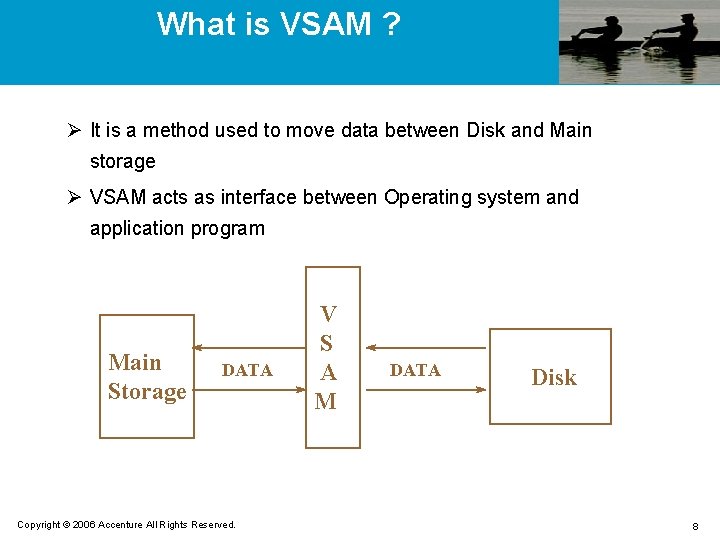
What is VSAM ? Ø It is a method used to move data between Disk and Main storage Ø VSAM acts as interface between Operating system and application program Main Storage DATA Copyright © 2006 Accenture All Rights Reserved. V S A M DATA Disk 8
What is VSAM ? Ø All VSAM Datasets are stored on DASD. Ø Applications programmers use the VSAM to Write IDCAMS commands in JCL to create VSAM datasets Write Application programs in languages such as COBOL, PL/I and Assembler using the statements provided by these languages. Code DD statement to use VSAM in Batch jobs. List, Print, backup, Import and export using IDCAMS in JCL. Copyright © 2006 Accenture All Rights Reserved. 9
Advantages & Disadvantages Ø Advantages Easily defined Data can be accessed faster Flexible Easily used Portable Secure Controlled Adaptable Modular Copyright © 2006 Accenture All Rights Reserved. 10
Advantages (Continued) Records can be inserted in more efficient manner Deletion of records results in them being physically removed from the disk. Thus free space is more easily available Records can be accessed sequentially or randomly VSAM datasets are device independent thus can be easily transported between operating systems. JCL required to access VSAM data sets is much simpler than JCL for other file structures Copyright © 2006 Accenture All Rights Reserved. 11
Disadvantages Ø Disadvantages Free Space For KSDS, primary key cannot be changed No duplicate entries on the primary key Performance can be slow because of the complexity of the index Only resides on DISK Copyright © 2006 Accenture All Rights Reserved. 12
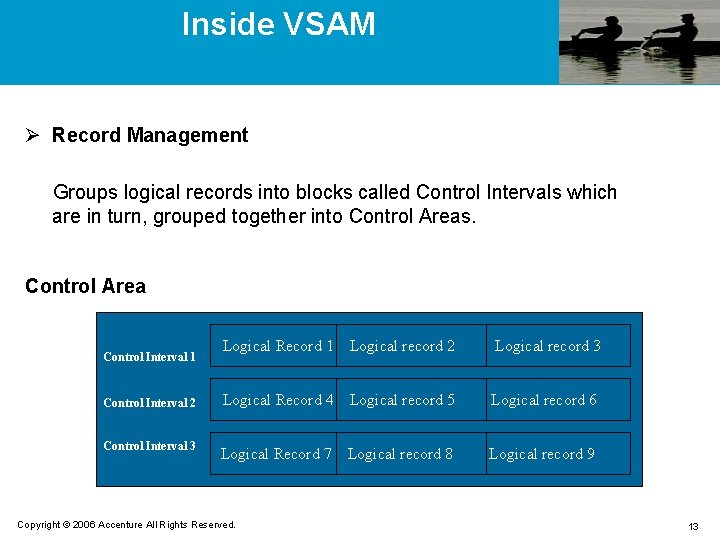
Inside VSAM Ø Record Management Groups logical records into blocks called Control Intervals which are in turn, grouped together into Control Areas. Control Area Logical Record 1 Logical record 2 Logical record 3 Control Interval 2 Logical Record 4 Logical record 5 Logical record 6 Control Interval 3 Logical Record 7 Logical record 8 Logical record 9 Control Interval 1 Copyright © 2006 Accenture All Rights Reserved. 13
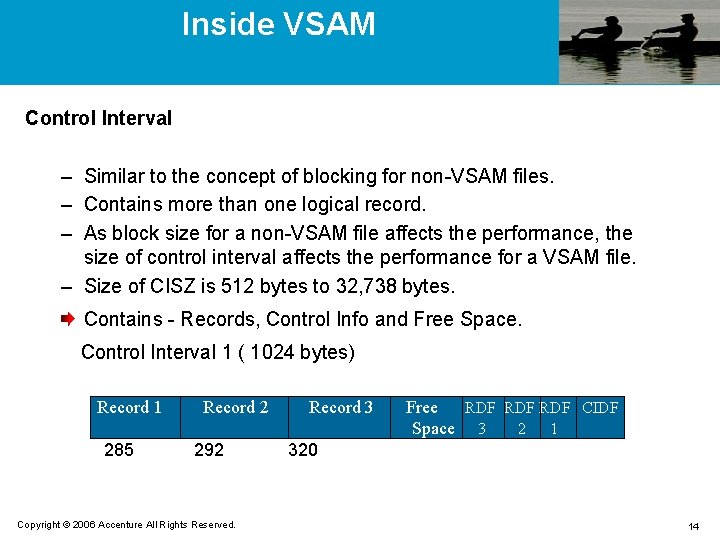
Inside VSAM Control Interval – Similar to the concept of blocking for non-VSAM files. – Contains more than one logical record. – As block size for a non-VSAM file affects the performance, the size of control interval affects the performance for a VSAM file. – Size of CISZ is 512 bytes to 32, 738 bytes. Contains - Records, Control Info and Free Space. Control Interval 1 ( 1024 bytes) Record 1 285 Record 2 292 Copyright © 2006 Accenture All Rights Reserved. Record 3 Free RDF RDF CIDF Space 3 2 1 320 14
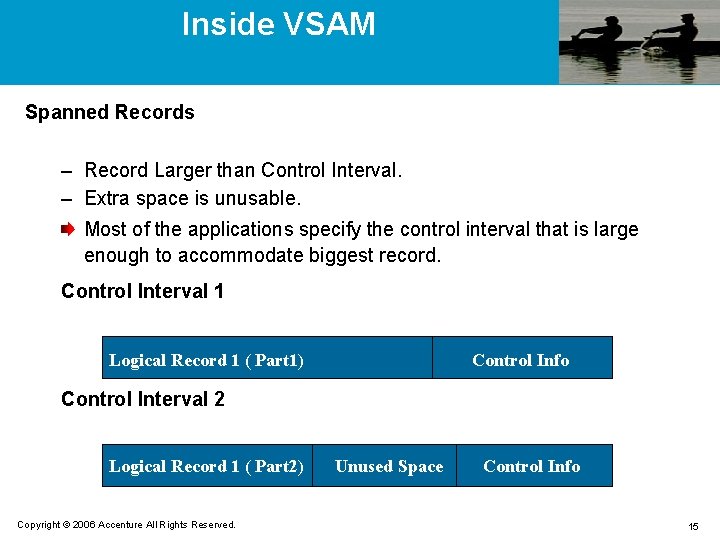
Inside VSAM Spanned Records – Record Larger than Control Interval. – Extra space is unusable. Most of the applications specify the control interval that is large enough to accommodate biggest record. Control Interval 1 Logical Record 1 ( Part 1) Control Info Control Interval 2 Logical Record 1 ( Part 2) Copyright © 2006 Accenture All Rights Reserved. Unused Space Control Info 15
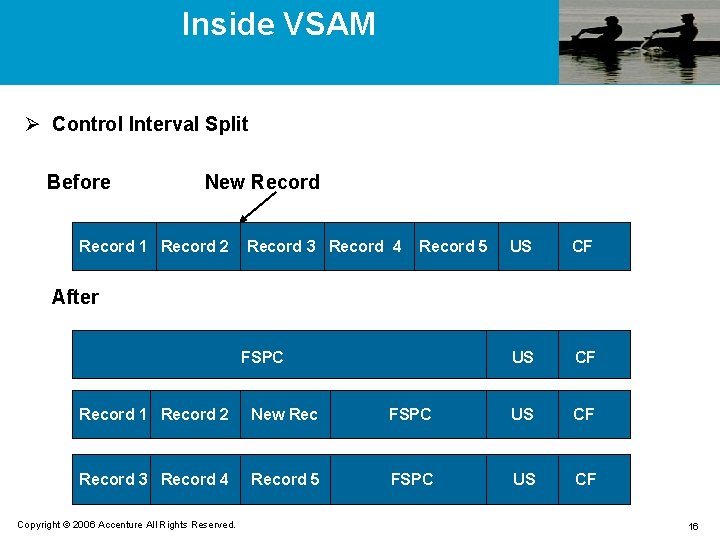
Inside VSAM Ø Control Interval Split Before New Record 1 Record 2 Record 3 Record 4 Record 5 US CF After FSPC Record 1 Record 2 New Rec FSPC US CF Record 3 Record 4 Record 5 FSPC US CF Copyright © 2006 Accenture All Rights Reserved. 16
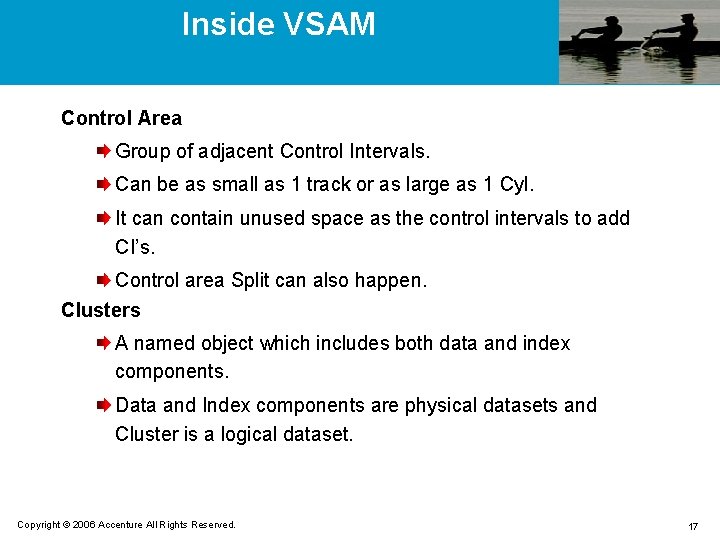
Inside VSAM Control Area Group of adjacent Control Intervals. Can be as small as 1 track or as large as 1 Cyl. It can contain unused space as the control intervals to add CI’s. Control area Split can also happen. Clusters A named object which includes both data and index components. Data and Index components are physical datasets and Cluster is a logical dataset. Copyright © 2006 Accenture All Rights Reserved. 17
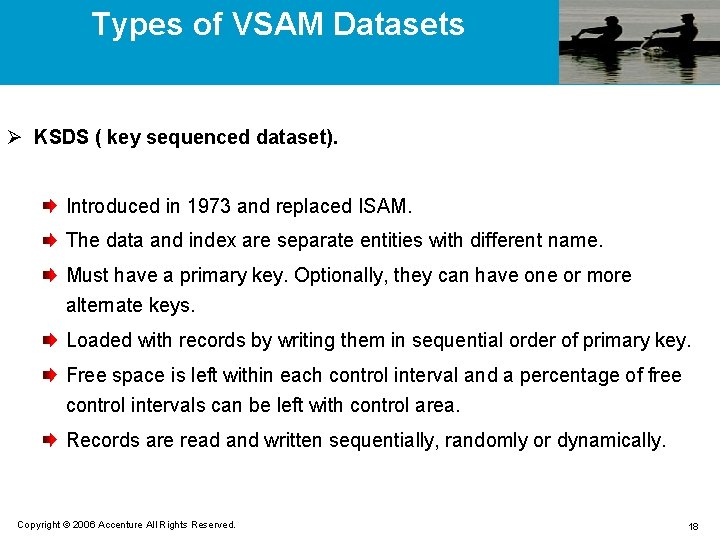
Types of VSAM Datasets Ø KSDS ( key sequenced dataset). Introduced in 1973 and replaced ISAM. The data and index are separate entities with different name. Must have a primary key. Optionally, they can have one or more alternate keys. Loaded with records by writing them in sequential order of primary key. Free space is left within each control interval and a percentage of free control intervals can be left with control area. Records are read and written sequentially, randomly or dynamically. Copyright © 2006 Accenture All Rights Reserved. 18
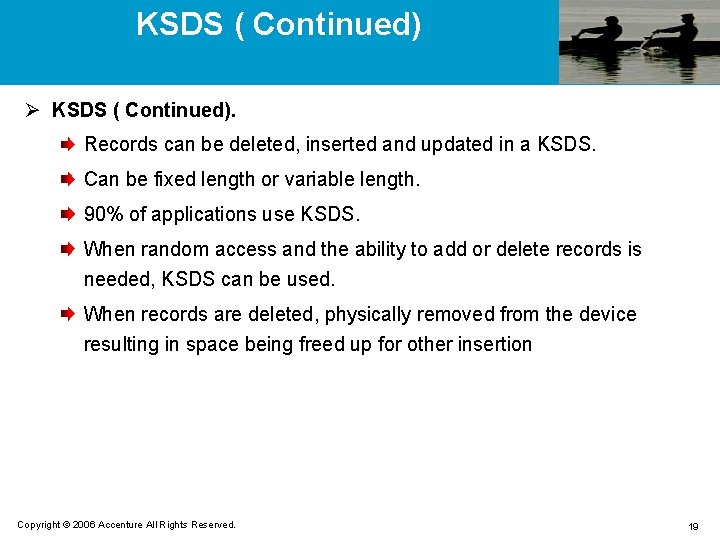
KSDS ( Continued) Ø KSDS ( Continued). Records can be deleted, inserted and updated in a KSDS. Can be fixed length or variable length. 90% of applications use KSDS. When random access and the ability to add or delete records is needed, KSDS can be used. When records are deleted, physically removed from the device resulting in space being freed up for other insertion Copyright © 2006 Accenture All Rights Reserved. 19
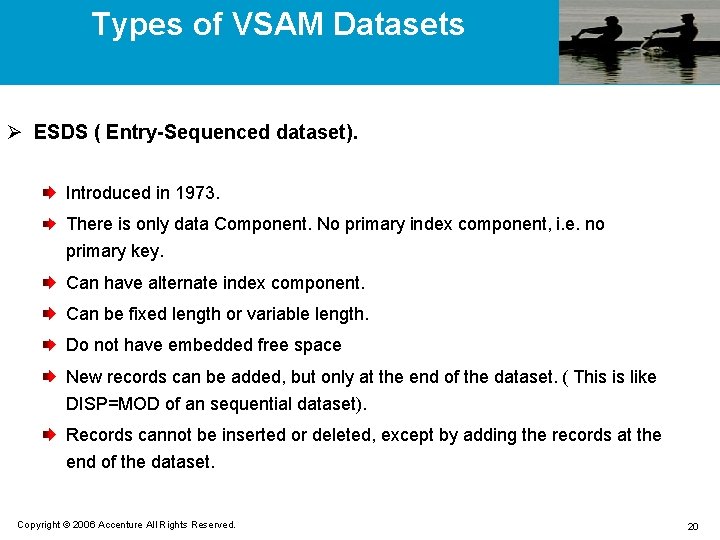
Types of VSAM Datasets Ø ESDS ( Entry-Sequenced dataset). Introduced in 1973. There is only data Component. No primary index component, i. e. no primary key. Can have alternate index component. Can be fixed length or variable length. Do not have embedded free space New records can be added, but only at the end of the dataset. ( This is like DISP=MOD of an sequential dataset). Records cannot be inserted or deleted, except by adding the records at the end of the dataset. Copyright © 2006 Accenture All Rights Reserved. 20
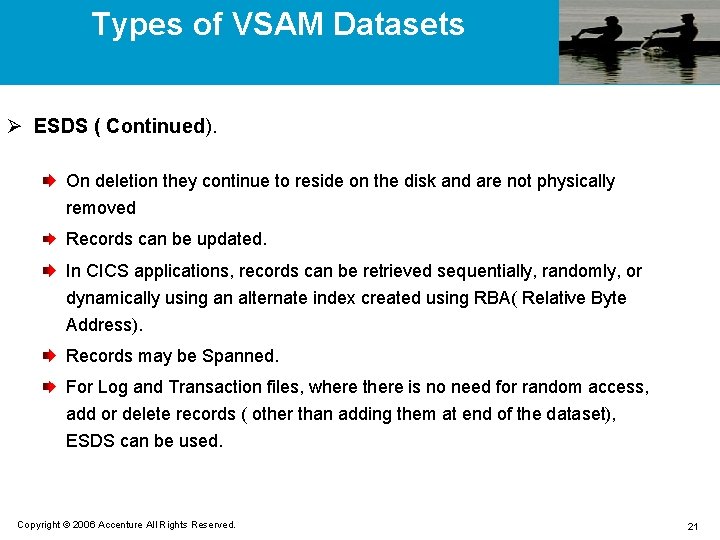
Types of VSAM Datasets Ø ESDS ( Continued). On deletion they continue to reside on the disk and are not physically removed Records can be updated. In CICS applications, records can be retrieved sequentially, randomly, or dynamically using an alternate index created using RBA( Relative Byte Address). Records may be Spanned. For Log and Transaction files, where there is no need for random access, add or delete records ( other than adding them at end of the dataset), ESDS can be used. Copyright © 2006 Accenture All Rights Reserved. 21
Types of VSAM Datasets Ø RRDS ( Relative Record dataset). Introduced in 1975. Equivalent of a table or array. No Primary key. But, each record has an implicit RRN( Relative Record Number) that represents the position in the dataset. Records are accessed by their position in the file relative to the first slot Are always of fixed length Records may not be spanned. Can be retrieved randomly by RRN. Copyright © 2006 Accenture All Rights Reserved. 22
Types of VSAM Datasets Ø RRDS ( Continued). Space is allocated for a fixed number of records or slots. Records cannot be inserted unless an empty slot has been reserved. Records can be deleted or updated. Records are read and written sequentially, randomly or dynamically. No provision for Alternate indexes. Contain only data component, no index component. For the applications fast random access is needed and there is not much need to add or delete records, and you have some convenient means of determining a RRN. Copyright © 2006 Accenture All Rights Reserved. 23
Types of VSAM Datasets Ø LDS ( Linear Dataset). Introduced in 1987. Least used among all VSAM datasets. No primary index, no alternate index. Contain a data component only Control interval is 4 K by default and consists only data. CISZ, RECORDSIZE, SPANNED, KEYS, FREESPACE and any other parameters related to keys or indexes are not coded. Copyright © 2006 Accenture All Rights Reserved. 24
Types of VSAM Datasets Ø LDS ( Continued). Similar to ESDS in terms of organization Used for fast random access to large data. DB 2 is often implemented using LDS. For the applications where you want large work files or virtual storage for large tables or arrays with fast access, you use an LDS. Copyright © 2006 Accenture All Rights Reserved. 25
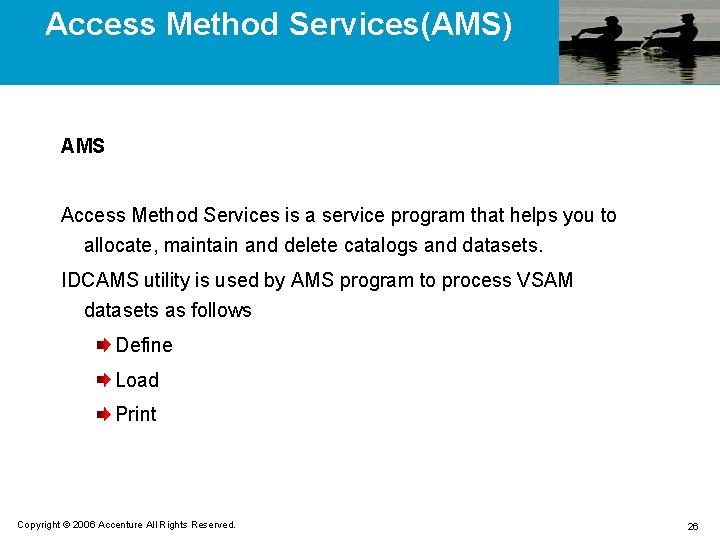
Access Method Services(AMS) AMS Access Method Services is a service program that helps you to allocate, maintain and delete catalogs and datasets. IDCAMS utility is used by AMS program to process VSAM datasets as follows Define Load Print Copyright © 2006 Accenture All Rights Reserved. 26
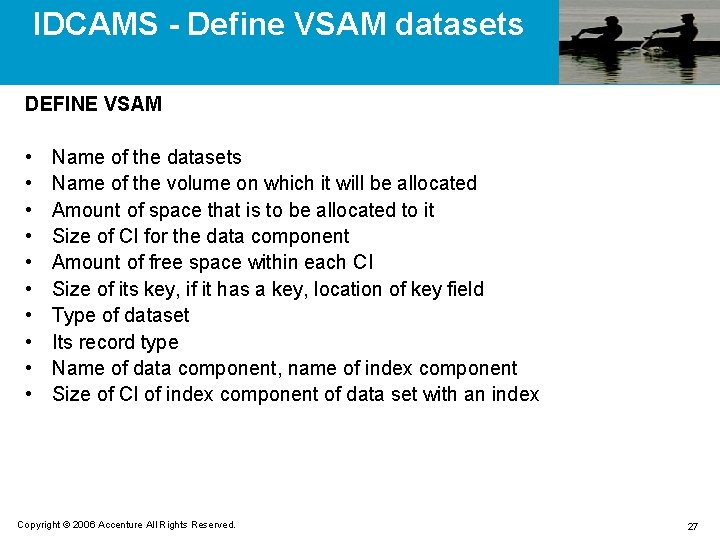
IDCAMS - Define VSAM datasets DEFINE VSAM • • • Name of the datasets Name of the volume on which it will be allocated Amount of space that is to be allocated to it Size of CI for the data component Amount of free space within each CI Size of its key, if it has a key, location of key field Type of dataset Its record type Name of data component, name of index component Size of CI of index component of data set with an index Copyright © 2006 Accenture All Rights Reserved. 27
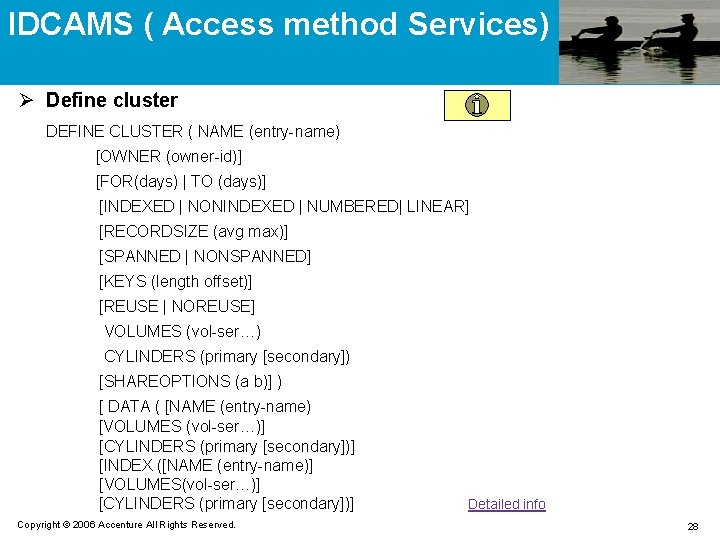
IDCAMS ( Access method Services) Ø Define cluster DEFINE CLUSTER ( NAME (entry-name) [OWNER (owner-id)] [FOR(days) | TO (days)] [INDEXED | NONINDEXED | NUMBERED| LINEAR] [RECORDSIZE (avg max)] [SPANNED | NONSPANNED] [KEYS (length offset)] [REUSE | NOREUSE] VOLUMES (vol-ser…) CYLINDERS (primary [secondary]) [SHAREOPTIONS (a b)] ) [ DATA ( [NAME (entry-name) [VOLUMES (vol-ser…)] [CYLINDERS (primary [secondary])] [INDEX ([NAME (entry-name)] [VOLUMES(vol-ser…)] [CYLINDERS (primary [secondary])] Copyright © 2006 Accenture All Rights Reserved. Detailed info 28
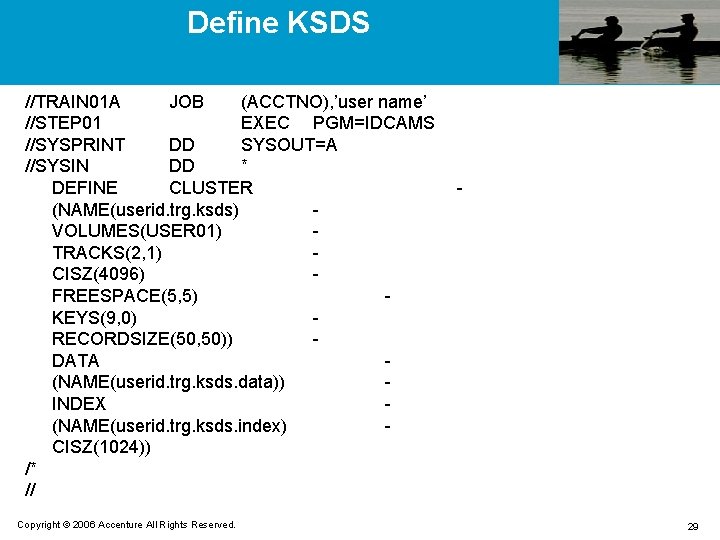
Define KSDS //TRAIN 01 A JOB (ACCTNO), ’user name’ //STEP 01 EXEC PGM=IDCAMS //SYSPRINT DD SYSOUT=A //SYSIN DD * DEFINE CLUSTER (NAME(userid. trg. ksds) VOLUMES(USER 01) TRACKS(2, 1) CISZ(4096) FREESPACE(5, 5) KEYS(9, 0) RECORDSIZE(50, 50)) DATA (NAME(userid. trg. ksds. data)) INDEX (NAME(userid. trg. ksds. index) CISZ(1024)) /* // Copyright © 2006 Accenture All Rights Reserved. - 29
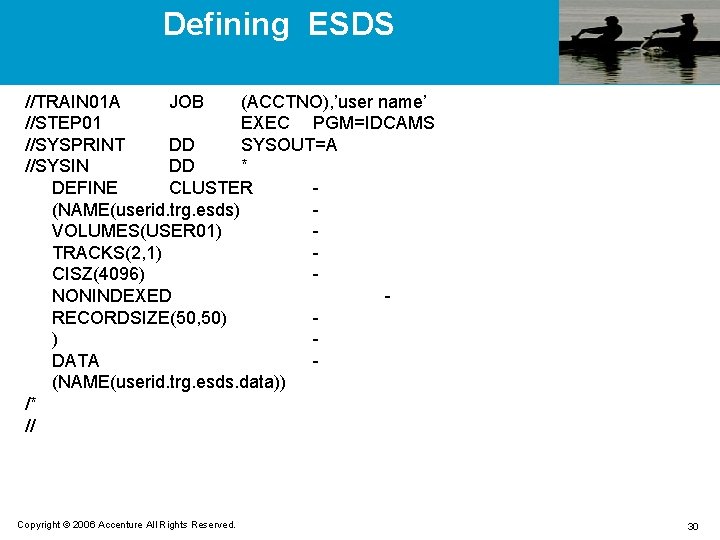
Defining ESDS //TRAIN 01 A JOB (ACCTNO), ’user name’ //STEP 01 EXEC PGM=IDCAMS //SYSPRINT DD SYSOUT=A //SYSIN DD * DEFINE CLUSTER (NAME(userid. trg. esds) VOLUMES(USER 01) TRACKS(2, 1) CISZ(4096) NONINDEXED RECORDSIZE(50, 50) ) DATA (NAME(userid. trg. esds. data)) /* // Copyright © 2006 Accenture All Rights Reserved. 30
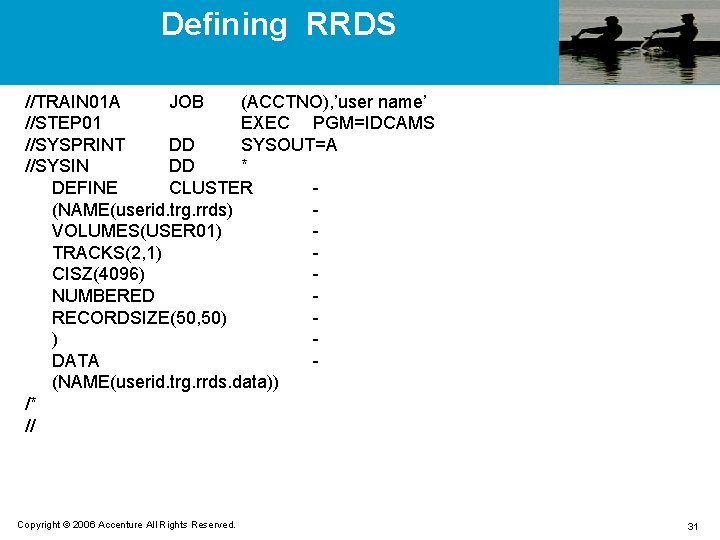
Defining RRDS //TRAIN 01 A JOB (ACCTNO), ’user name’ //STEP 01 EXEC PGM=IDCAMS //SYSPRINT DD SYSOUT=A //SYSIN DD * DEFINE CLUSTER (NAME(userid. trg. rrds) VOLUMES(USER 01) TRACKS(2, 1) CISZ(4096) NUMBERED RECORDSIZE(50, 50) ) DATA (NAME(userid. trg. rrds. data)) /* // Copyright © 2006 Accenture All Rights Reserved. 31
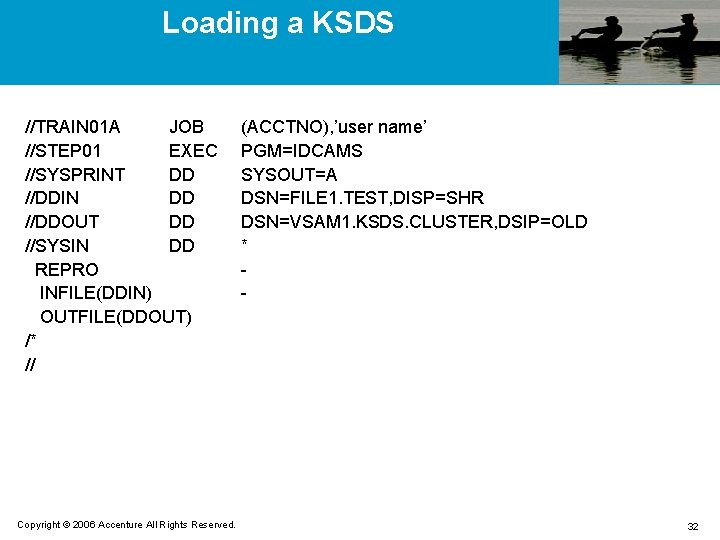
Loading a KSDS //TRAIN 01 A JOB //STEP 01 EXEC //SYSPRINT DD //DDIN DD //DDOUT DD //SYSIN DD REPRO INFILE(DDIN) OUTFILE(DDOUT) /* // Copyright © 2006 Accenture All Rights Reserved. (ACCTNO), ’user name’ PGM=IDCAMS SYSOUT=A DSN=FILE 1. TEST, DISP=SHR DSN=VSAM 1. KSDS. CLUSTER, DSIP=OLD * - 32
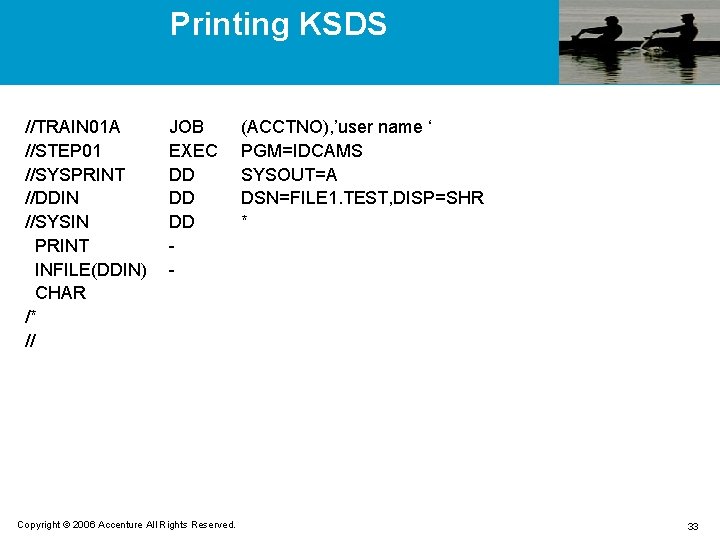
Printing KSDS //TRAIN 01 A //STEP 01 //SYSPRINT //DDIN //SYSIN PRINT INFILE(DDIN) CHAR /* // JOB EXEC DD DD DD - Copyright © 2006 Accenture All Rights Reserved. (ACCTNO), ’user name ‘ PGM=IDCAMS SYSOUT=A DSN=FILE 1. TEST, DISP=SHR * 33
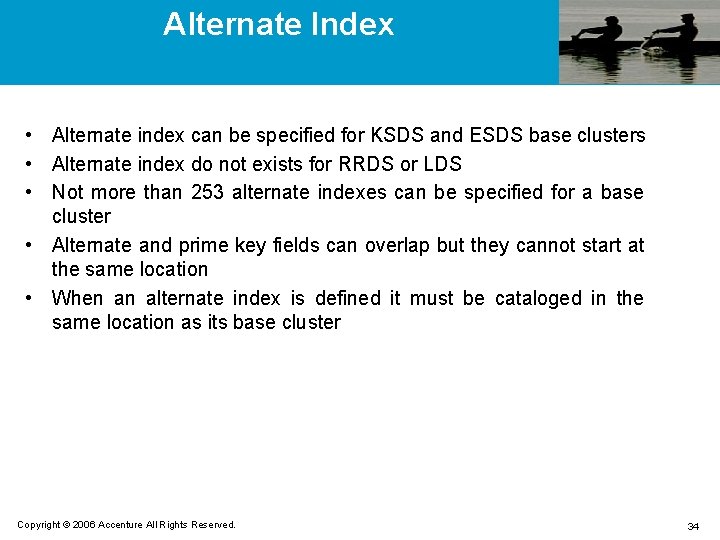
Alternate Index • Alternate index can be specified for KSDS and ESDS base clusters • Alternate index do not exists for RRDS or LDS • Not more than 253 alternate indexes can be specified for a base cluster • Alternate and prime key fields can overlap but they cannot start at the same location • When an alternate index is defined it must be cataloged in the same location as its base cluster Copyright © 2006 Accenture All Rights Reserved. 34
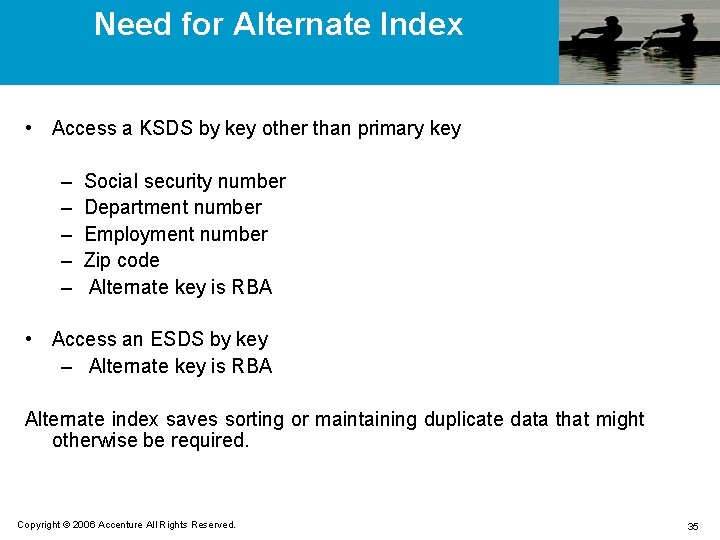
Need for Alternate Index • Access a KSDS by key other than primary key – – – Social security number Department number Employment number Zip code Alternate key is RBA • Access an ESDS by key – Alternate key is RBA Alternate index saves sorting or maintaining duplicate data that might otherwise be required. Copyright © 2006 Accenture All Rights Reserved. 35
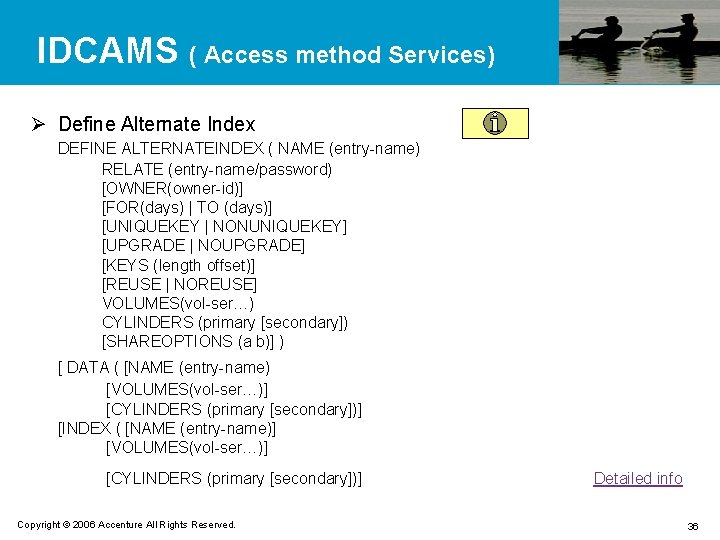
IDCAMS ( Access method Services) Ø Define Alternate Index DEFINE ALTERNATEINDEX ( NAME (entry-name) RELATE (entry-name/password) [OWNER(owner-id)] [FOR(days) | TO (days)] [UNIQUEKEY | NONUNIQUEKEY] [UPGRADE | NOUPGRADE] [KEYS (length offset)] [REUSE | NOREUSE] VOLUMES(vol-ser…) CYLINDERS (primary [secondary]) [SHAREOPTIONS (a b)] ) [ DATA ( [NAME (entry-name) [VOLUMES(vol-ser…)] [CYLINDERS (primary [secondary])] [INDEX ( [NAME (entry-name)] [VOLUMES(vol-ser…)] [CYLINDERS (primary [secondary])] Copyright © 2006 Accenture All Rights Reserved. Detailed info 36
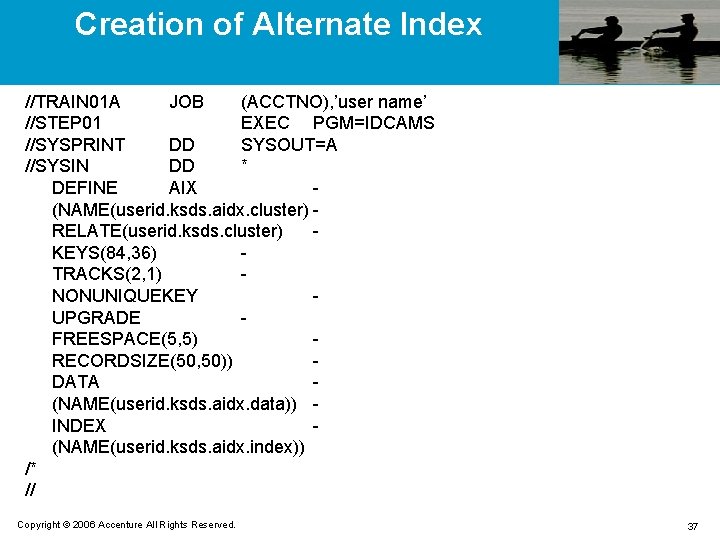
Creation of Alternate Index //TRAIN 01 A JOB (ACCTNO), ’user name’ //STEP 01 EXEC PGM=IDCAMS //SYSPRINT DD SYSOUT=A //SYSIN DD * DEFINE AIX (NAME(userid. ksds. aidx. cluster) RELATE(userid. ksds. cluster) KEYS(84, 36) TRACKS(2, 1) NONUNIQUEKEY UPGRADE FREESPACE(5, 5) RECORDSIZE(50, 50)) DATA (NAME(userid. ksds. aidx. data)) INDEX (NAME(userid. ksds. aidx. index)) /* // Copyright © 2006 Accenture All Rights Reserved. 37
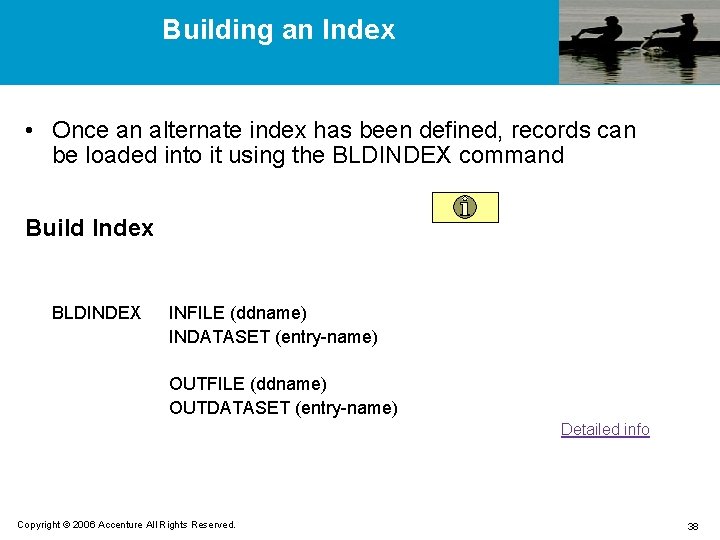
Building an Index • Once an alternate index has been defined, records can be loaded into it using the BLDINDEX command Build Index BLDINDEX INFILE (ddname) INDATASET (entry-name) OUTFILE (ddname) OUTDATASET (entry-name) Detailed info Copyright © 2006 Accenture All Rights Reserved. 38
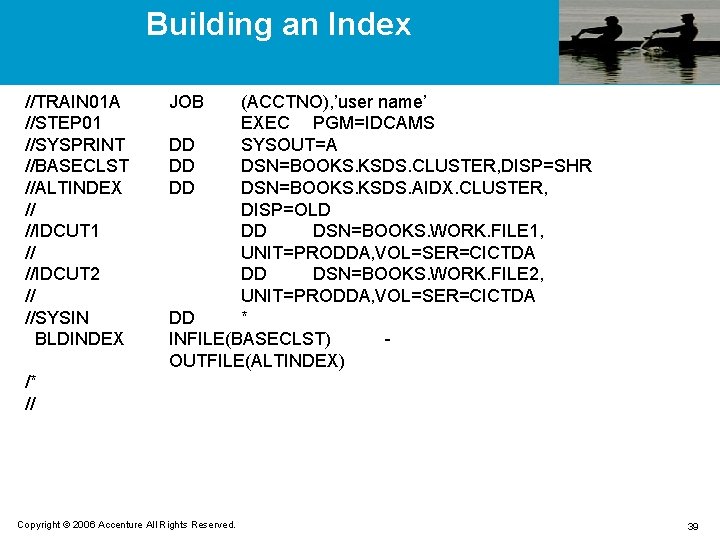
Building an Index //TRAIN 01 A //STEP 01 //SYSPRINT //BASECLST //ALTINDEX // //IDCUT 1 // //IDCUT 2 // //SYSIN BLDINDEX JOB (ACCTNO), ’user name’ EXEC PGM=IDCAMS DD SYSOUT=A DD DSN=BOOKS. KSDS. CLUSTER, DISP=SHR DD DSN=BOOKS. KSDS. AIDX. CLUSTER, DISP=OLD DD DSN=BOOKS. WORK. FILE 1, UNIT=PRODDA, VOL=SER=CICTDA DD DSN=BOOKS. WORK. FILE 2, UNIT=PRODDA, VOL=SER=CICTDA DD * INFILE(BASECLST) OUTFILE(ALTINDEX) /* // Copyright © 2006 Accenture All Rights Reserved. 39
PATH • Path results in the establishment of a logical link between the alternate and base index clusters in the VSAM catalog. • An actual record is not created, instead, only a relationship is established. Copyright © 2006 Accenture All Rights Reserved. 40
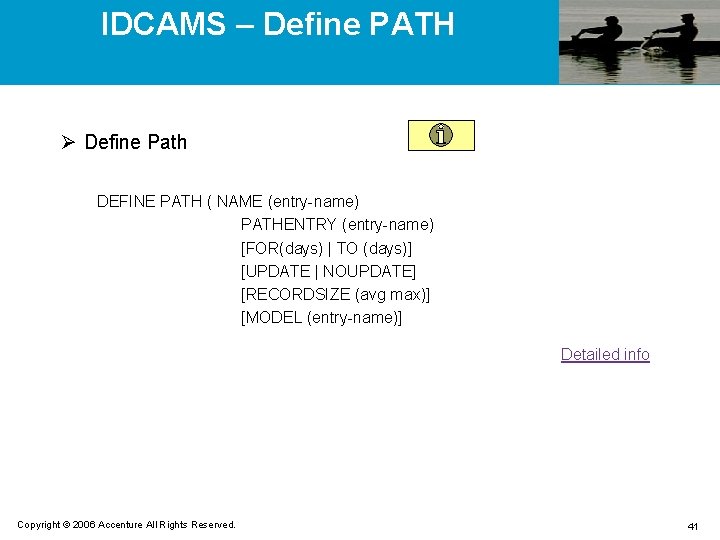
IDCAMS – Define PATH Ø Define Path DEFINE PATH ( NAME (entry-name) PATHENTRY (entry-name) [FOR(days) | TO (days)] [UPDATE | NOUPDATE] [RECORDSIZE (avg max)] [MODEL (entry-name)] Detailed info Copyright © 2006 Accenture All Rights Reserved. 41
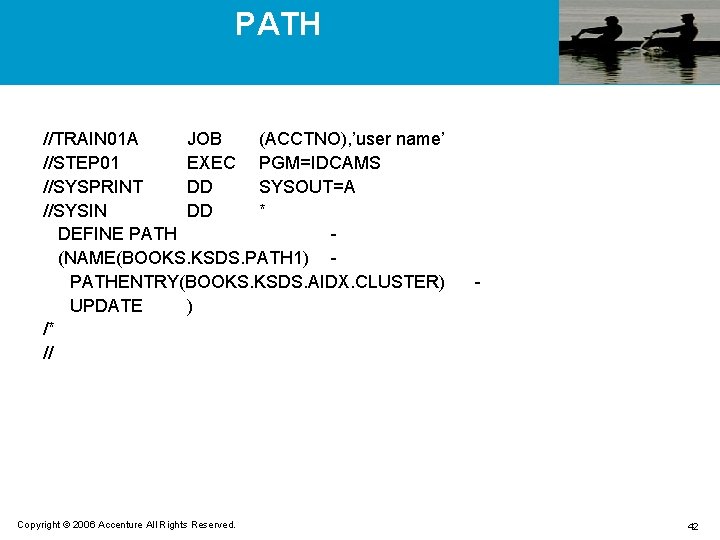
PATH //TRAIN 01 A JOB (ACCTNO), ’user name’ //STEP 01 EXEC PGM=IDCAMS //SYSPRINT DD SYSOUT=A //SYSIN DD * DEFINE PATH (NAME(BOOKS. KSDS. PATH 1) PATHENTRY(BOOKS. KSDS. AIDX. CLUSTER) UPDATE ) /* // Copyright © 2006 Accenture All Rights Reserved. - 42
IDCAMS Listcat Ø Listcat LISTCAT [ENTRIES (entry-name)] NAME HISTRORY VOLUME ALLOCATION ALL Detailed info Copyright © 2006 Accenture All Rights Reserved. 43
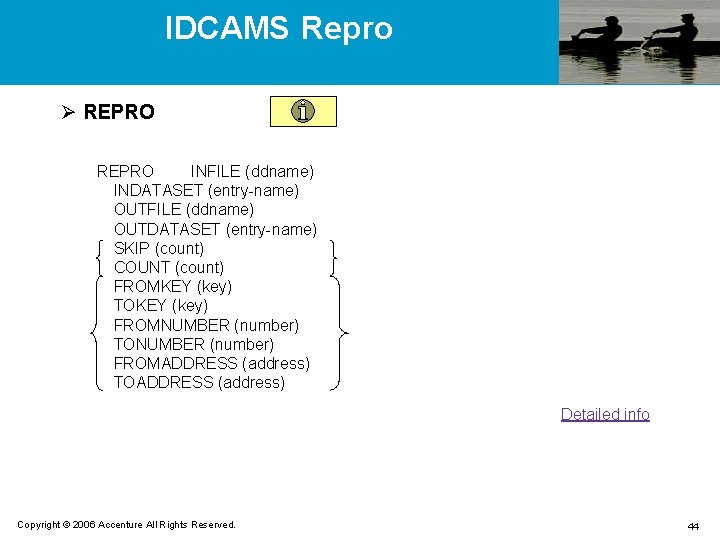
IDCAMS Repro Ø REPRO INFILE (ddname) INDATASET (entry-name) OUTFILE (ddname) OUTDATASET (entry-name) SKIP (count) COUNT (count) FROMKEY (key) TOKEY (key) FROMNUMBER (number) TONUMBER (number) FROMADDRESS (address) TOADDRESS (address) Detailed info Copyright © 2006 Accenture All Rights Reserved. 44
IDCAMS Print Ø PRINT INFILE (ddname) INDATASET (entry-name) OUTFILE (ddname) OUTDATASET (entry-name) CHARACTER HEX DUMP Detailed info Copyright © 2006 Accenture All Rights Reserved. 45
IDCAMS Alter Ø ALTER entry-name INDATASET (entry-name) [NEWNAME (entry-name)] [ADDVOLUMES (vol-ser)] [REMOVEVOLUMES (vol-ser)] [NULLIFY (security parameters)] [INHIBIT | UNINHIBIT] Detailed info Copyright © 2006 Accenture All Rights Reserved. 46
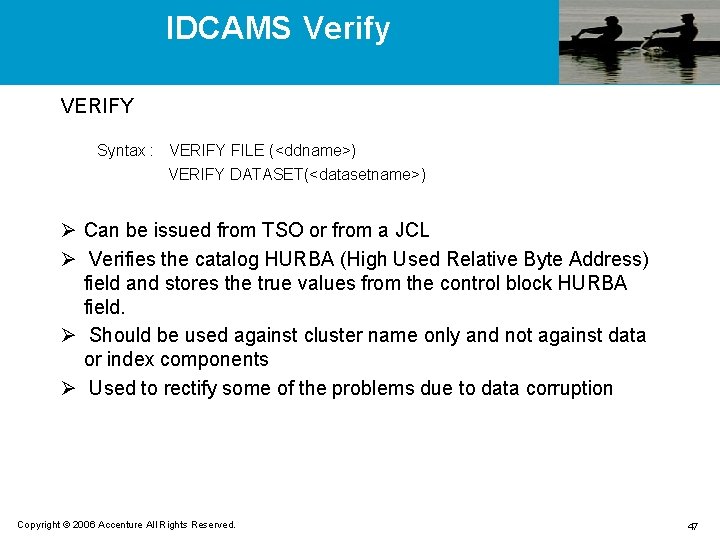
IDCAMS Verify VERIFY Syntax : VERIFY FILE (<ddname>) VERIFY DATASET(<datasetname>) Ø Can be issued from TSO or from a JCL Ø Verifies the catalog HURBA (High Used Relative Byte Address) field and stores the true values from the control block HURBA field. Ø Should be used against cluster name only and not against data or index components Ø Used to rectify some of the problems due to data corruption Copyright © 2006 Accenture All Rights Reserved. 47
IDCAMS Delete Ø DELETE entry-name [FORCE | NOFORCE] [PURGE | NOPURGE] [ERASE | NOERASE] Ø EXPORT/IMPORT Ø Same as REPRO. But, the information easily ported to other systems. Copyright © 2006 Accenture All Rights Reserved. 48
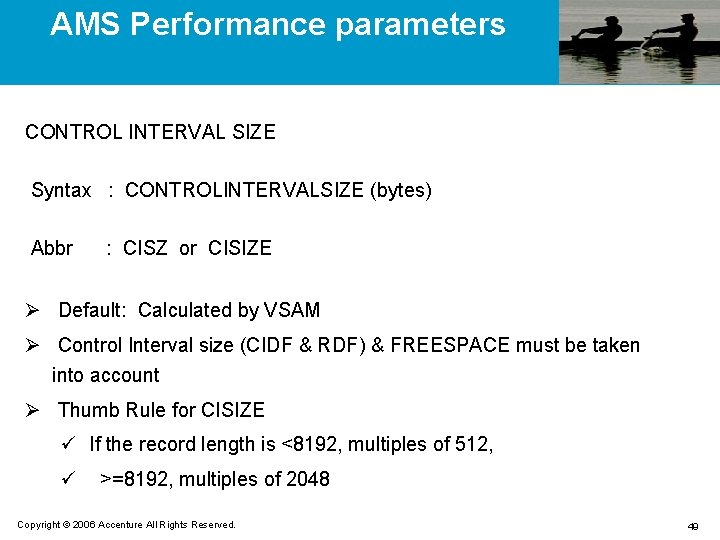
AMS Performance parameters CONTROL INTERVAL SIZE Syntax : CONTROLINTERVALSIZE (bytes) Abbr : CISZ or CISIZE Ø Default: Calculated by VSAM Ø Control Interval size (CIDF & RDF) & FREESPACE must be taken into account Ø Thumb Rule for CISIZE ü If the record length is <8192, multiples of 512, ü >=8192, multiples of 2048 Copyright © 2006 Accenture All Rights Reserved. 49
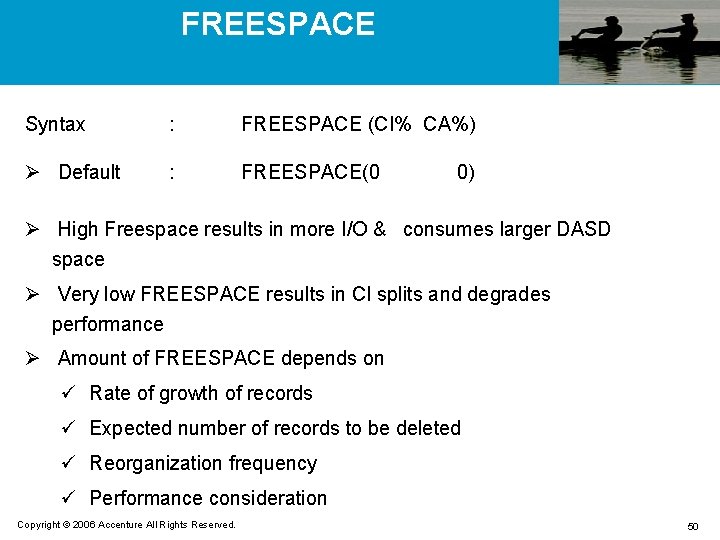
FREESPACE Syntax : FREESPACE (CI% CA%) Ø Default : FREESPACE(0 0) Ø High Freespace results in more I/O & consumes larger DASD space Ø Very low FREESPACE results in CI splits and degrades performance Ø Amount of FREESPACE depends on ü Rate of growth of records ü Expected number of records to be deleted ü Reorganization frequency ü Performance consideration Copyright © 2006 Accenture All Rights Reserved. 50
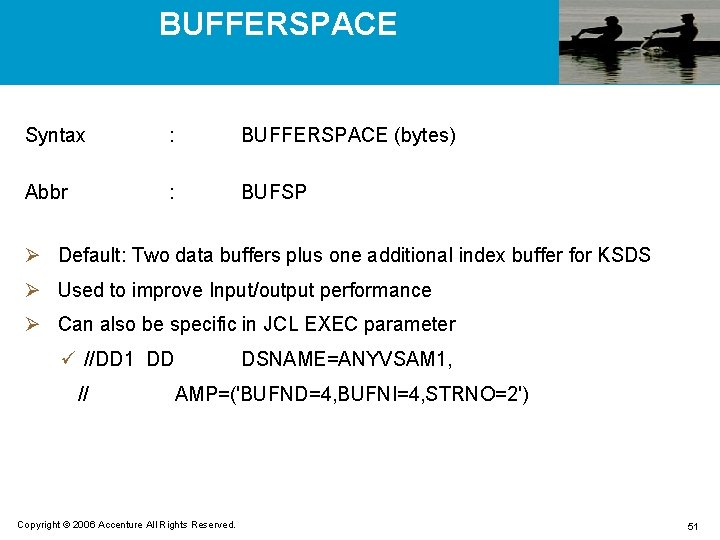
BUFFERSPACE Syntax : BUFFERSPACE (bytes) Abbr : BUFSP Ø Default: Two data buffers plus one additional index buffer for KSDS Ø Used to improve Input/output performance Ø Can also be specific in JCL EXEC parameter ü //DD 1 DD // DSNAME=ANYVSAM 1, AMP=('BUFND=4, BUFNI=4, STRNO=2') Copyright © 2006 Accenture All Rights Reserved. 51
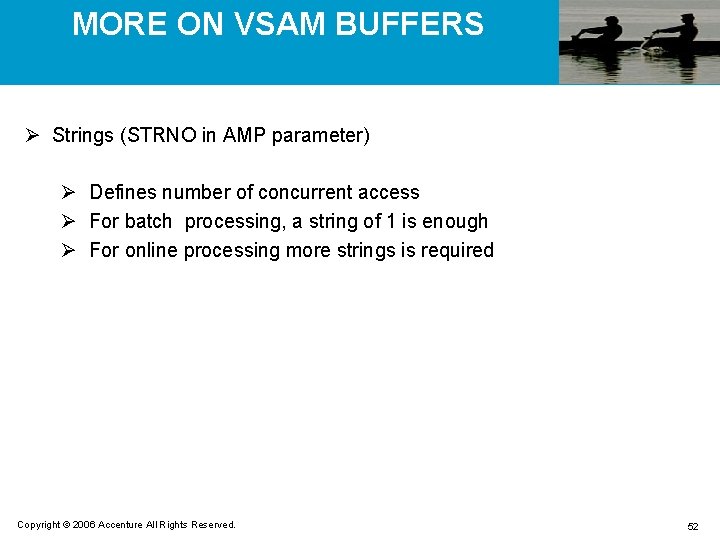
MORE ON VSAM BUFFERS Ø Strings (STRNO in AMP parameter) Ø Defines number of concurrent access Ø For batch processing, a string of 1 is enough Ø For online processing more strings is required Copyright © 2006 Accenture All Rights Reserved. 52
MORE ON VSAM BUFFERS (Contd. . ) Ø Data Buffers (BUFND in AMP parameter) Ø Random Access ü Minimum of 2 (One for normal access and one for split processing) is required Ø Sequential Access ü Ideal to process a track ü Allocate number of buffers based on the number of CI/TRK ü For READ add 1 more buffer and for WRITE add 2 more buffers Copyright © 2006 Accenture All Rights Reserved. 53
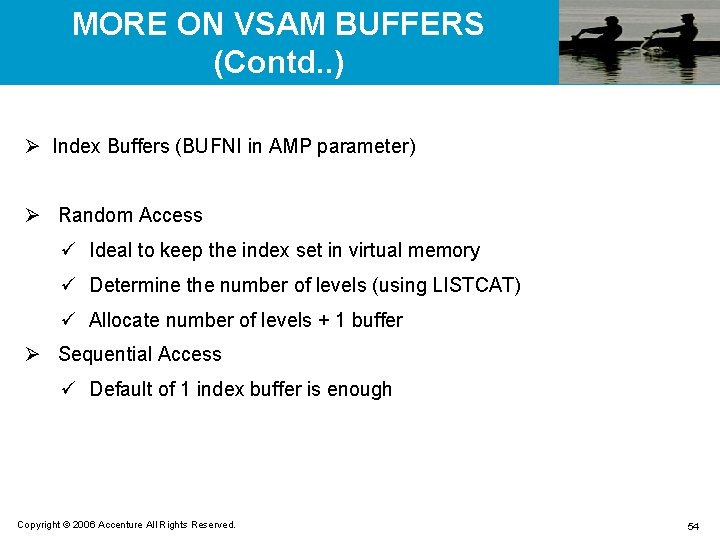
MORE ON VSAM BUFFERS (Contd. . ) Ø Index Buffers (BUFNI in AMP parameter) Ø Random Access ü Ideal to keep the index set in virtual memory ü Determine the number of levels (using LISTCAT) ü Allocate number of levels + 1 buffer Ø Sequential Access ü Default of 1 index buffer is enough Copyright © 2006 Accenture All Rights Reserved. 54
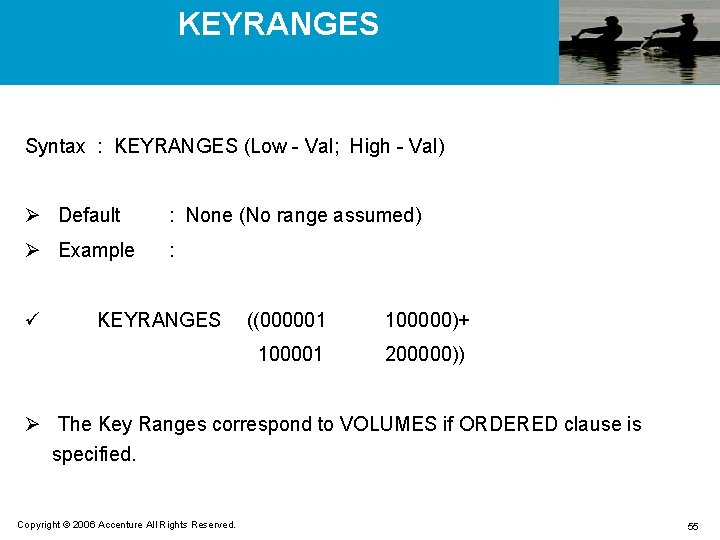
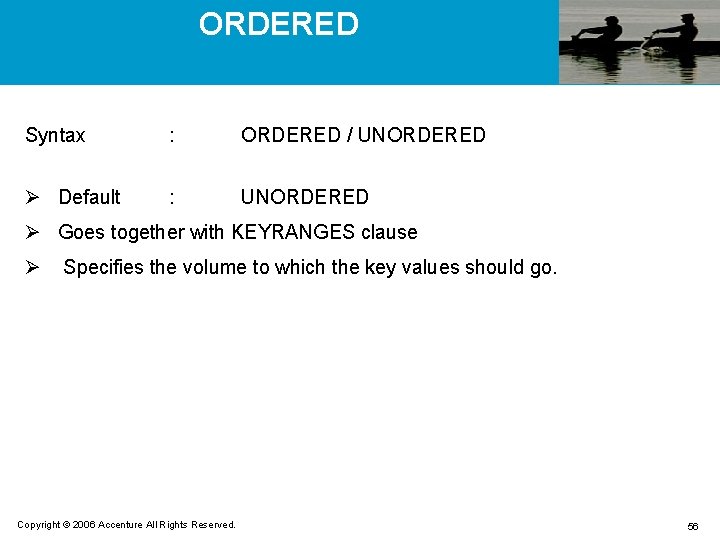
KEYRANGES Syntax : KEYRANGES (Low - Val; High - Val) Ø Default : None (No range assumed) Ø Example : ü KEYRANGES ((000001 100000)+ 100001 200000)) Ø The Key Ranges correspond to VOLUMES if ORDERED clause is specified. Copyright © 2006 Accenture All Rights Reserved. 55
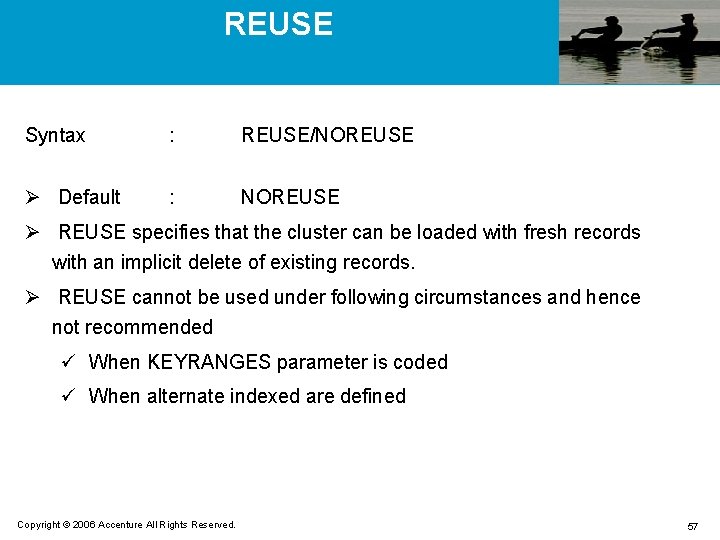
ORDERED Syntax : ORDERED / UNORDERED Ø Default : UNORDERED Ø Goes together with KEYRANGES clause Ø Specifies the volume to which the key values should go. Copyright © 2006 Accenture All Rights Reserved. 56
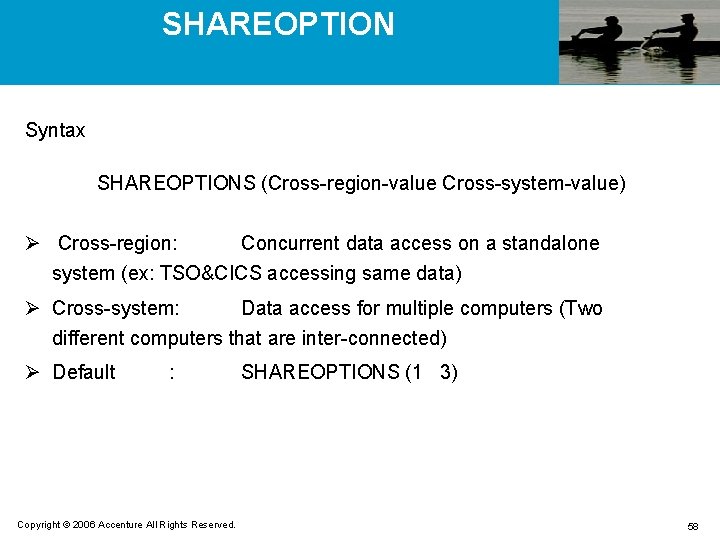
REUSE Syntax : REUSE/NOREUSE Ø Default : NOREUSE Ø REUSE specifies that the cluster can be loaded with fresh records with an implicit delete of existing records. Ø REUSE cannot be used under following circumstances and hence not recommended ü When KEYRANGES parameter is coded ü When alternate indexed are defined Copyright © 2006 Accenture All Rights Reserved. 57
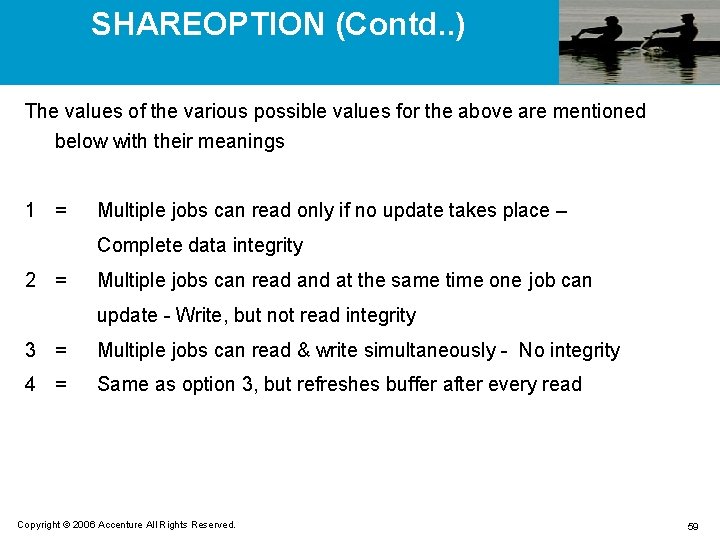
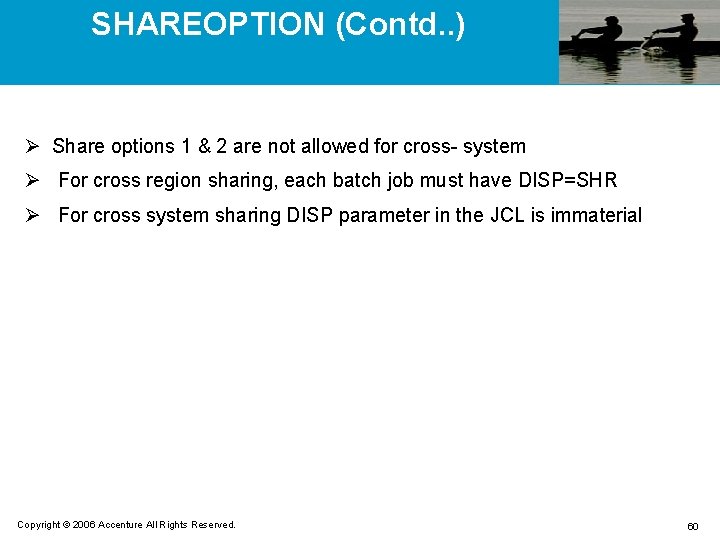
SHAREOPTION Syntax SHAREOPTIONS (Cross-region-value Cross-system-value) Ø Cross-region: Concurrent data access on a standalone system (ex: TSO&CICS accessing same data) Ø Cross-system: Data access for multiple computers (Two different computers that are inter-connected) Ø Default : Copyright © 2006 Accenture All Rights Reserved. SHAREOPTIONS (1 3) 58
SHAREOPTION (Contd. . ) The values of the various possible values for the above are mentioned below with their meanings 1 = Multiple jobs can read only if no update takes place – Complete data integrity 2 = Multiple jobs can read and at the same time one job can update - Write, but not read integrity 3 = Multiple jobs can read & write simultaneously - No integrity 4 = Same as option 3, but refreshes buffer after every read Copyright © 2006 Accenture All Rights Reserved. 59
SHAREOPTION (Contd. . ) Ø Share options 1 & 2 are not allowed for cross- system Ø For cross region sharing, each batch job must have DISP=SHR Ø For cross system sharing DISP parameter in the JCL is immaterial Copyright © 2006 Accenture All Rights Reserved. 60
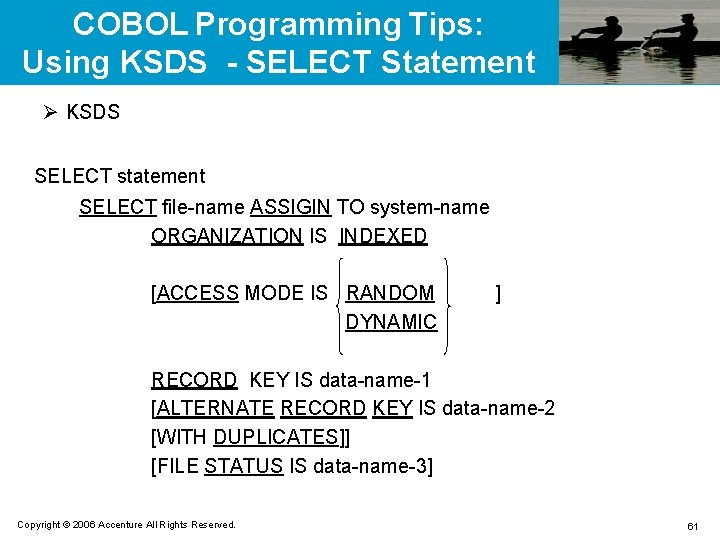
COBOL Programming Tips: Using KSDS - SELECT Statement Ø KSDS SELECT statement SELECT file-name ASSIGIN TO system-name ORGANIZATION IS INDEXED [ACCESS MODE IS RANDOM DYNAMIC ] RECORD KEY IS data-name-1 [ALTERNATE RECORD KEY IS data-name-2 [WITH DUPLICATES]] [FILE STATUS IS data-name-3] Copyright © 2006 Accenture All Rights Reserved. 61
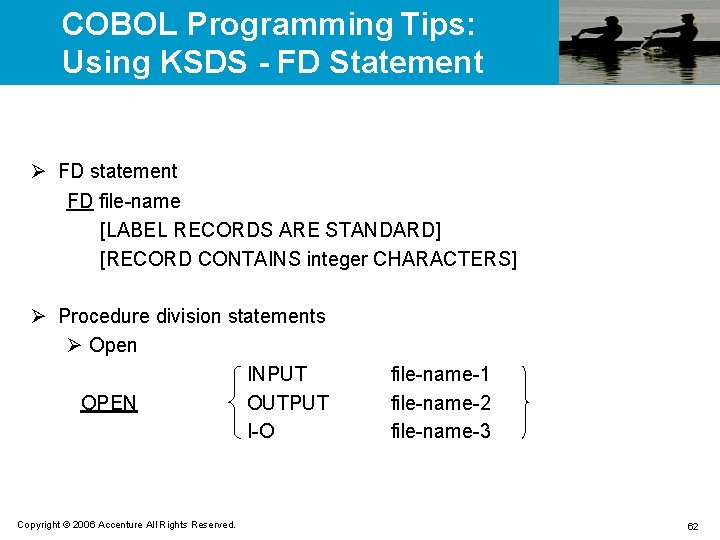
COBOL Programming Tips: Using KSDS - FD Statement Ø FD statement FD file-name [LABEL RECORDS ARE STANDARD] [RECORD CONTAINS integer CHARACTERS] Ø Procedure division statements Ø Open INPUT OPEN OUTPUT I-O Copyright © 2006 Accenture All Rights Reserved. file-name-1 file-name-2 file-name-3 62
COBOL Programming Tips: Using KSDS - READ Statement Ø Sequential read READ file-name [NEXT] RECORD [INTO identifier] [AT END imperative-statement-1] [NOT AT END imperative-statement-2] [END-READ] Ø Random read READ file-name RECORD [INTO identifier] [KEY IS data-name] [INVALID KEY imperative-statement-1] [NOT INVALID KEY imperative-statement-2] [END-READ] Copyright © 2006 Accenture All Rights Reserved. 63
COBOL Programming Tips: Using KSDS - WRITE statement Ø Write WRITE record-name [FROM identifier] [INVALID KEY imperative-statement-1] [NOT INVALID KEY imperative-statement-2] [END-WRITE] Ø Rewrite REWRITE record-name [FROM identifier] [INVALID KEY imperative-statement-1] [NOT INVALID KEY imperative-statement-2] [END-WRITE] Copyright © 2006 Accenture All Rights Reserved. 64
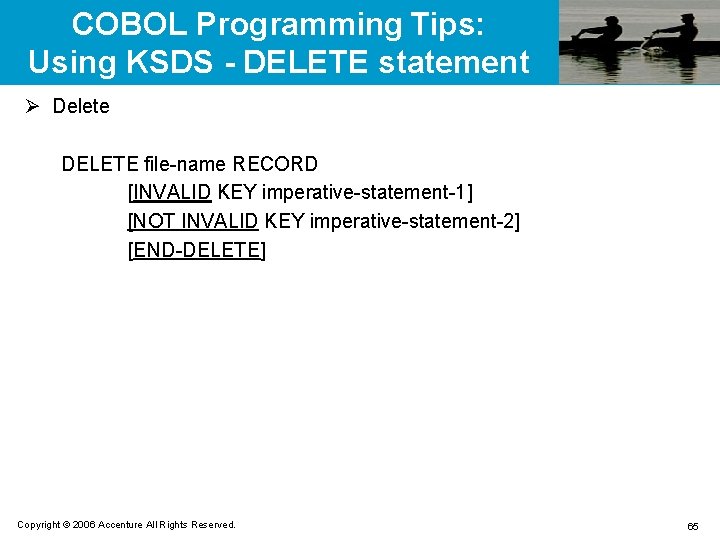
COBOL Programming Tips: Using KSDS - DELETE statement Ø Delete DELETE file-name RECORD [INVALID KEY imperative-statement-1] [NOT INVALID KEY imperative-statement-2] [END-DELETE] Copyright © 2006 Accenture All Rights Reserved. 65
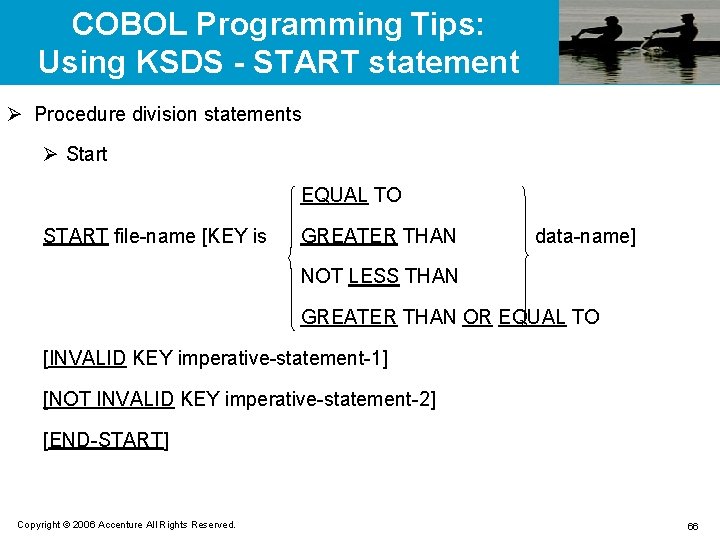
COBOL Programming Tips: Using KSDS - START statement Ø Procedure division statements Ø Start EQUAL TO START file-name [KEY is GREATER THAN data-name] NOT LESS THAN GREATER THAN OR EQUAL TO [INVALID KEY imperative-statement-1] [NOT INVALID KEY imperative-statement-2] [END-START] Copyright © 2006 Accenture All Rights Reserved. 66
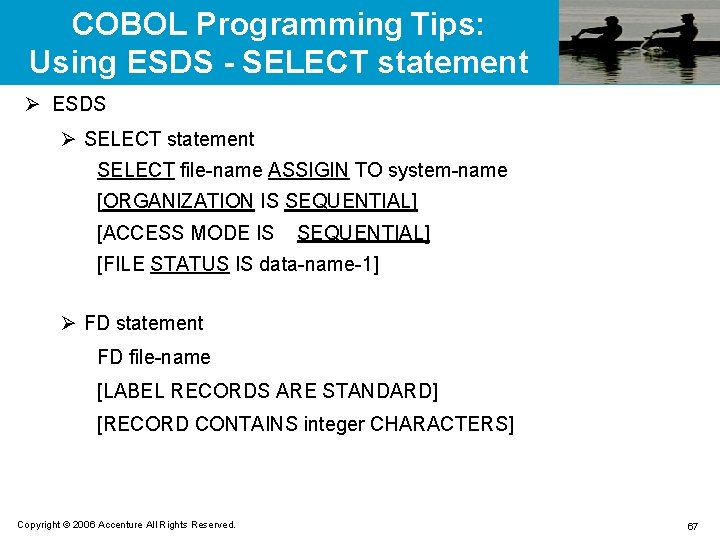
COBOL Programming Tips: Using ESDS - SELECT statement Ø ESDS Ø SELECT statement SELECT file-name ASSIGIN TO system-name [ORGANIZATION IS SEQUENTIAL] [ACCESS MODE IS SEQUENTIAL] [FILE STATUS IS data-name-1] Ø FD statement FD file-name [LABEL RECORDS ARE STANDARD] [RECORD CONTAINS integer CHARACTERS] Copyright © 2006 Accenture All Rights Reserved. 67
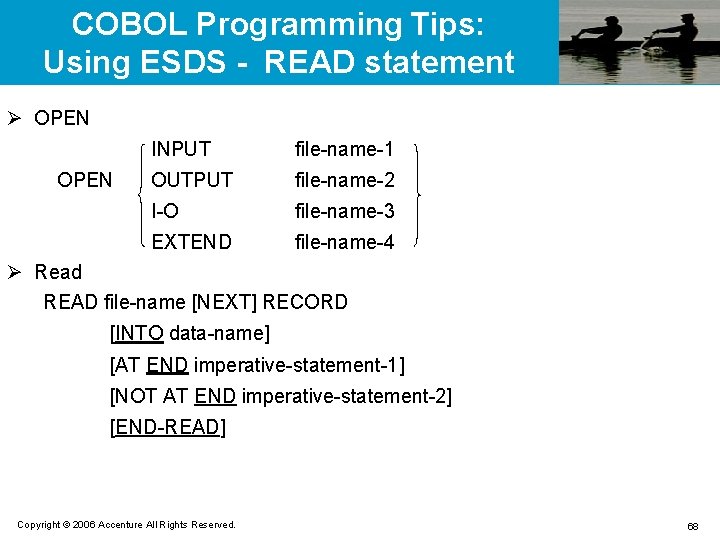
COBOL Programming Tips: Using ESDS - READ statement Ø OPEN INPUT file-name-1 OUTPUT file-name-2 I-O file-name-3 EXTEND file-name-4 Ø Read READ file-name [NEXT] RECORD [INTO data-name] [AT END imperative-statement-1] [NOT AT END imperative-statement-2] [END-READ] Copyright © 2006 Accenture All Rights Reserved. 68
COBOL Programming Tips: Using ESDS - WRITE statement Ø Write WRITE record-name [FROM data-name] [END-WRITE] Ø Rewrite WRITE record-name [FROM data-name] [END-REWRITE] Ø Close CLOSE file-name Copyright © 2006 Accenture All Rights Reserved. 69
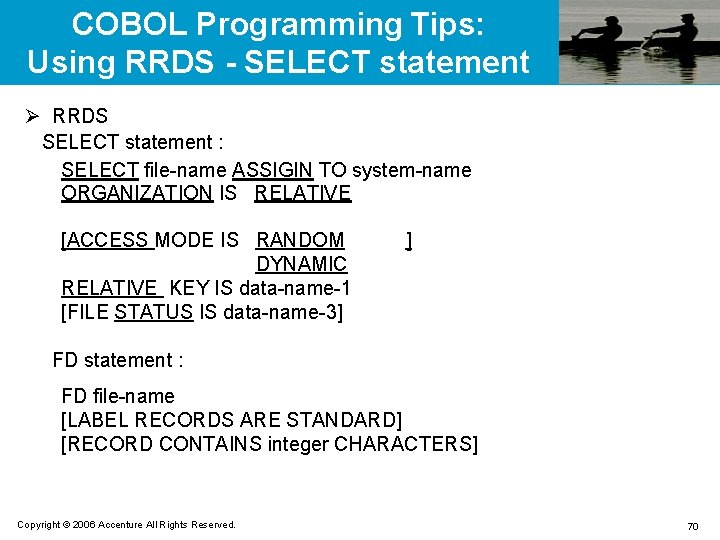
COBOL Programming Tips: Using RRDS - SELECT statement Ø RRDS SELECT statement : SELECT file-name ASSIGIN TO system-name ORGANIZATION IS RELATIVE [ACCESS MODE IS RANDOM DYNAMIC RELATIVE KEY IS data-name-1 [FILE STATUS IS data-name-3] ] FD statement : FD file-name [LABEL RECORDS ARE STANDARD] [RECORD CONTAINS integer CHARACTERS] Copyright © 2006 Accenture All Rights Reserved. 70
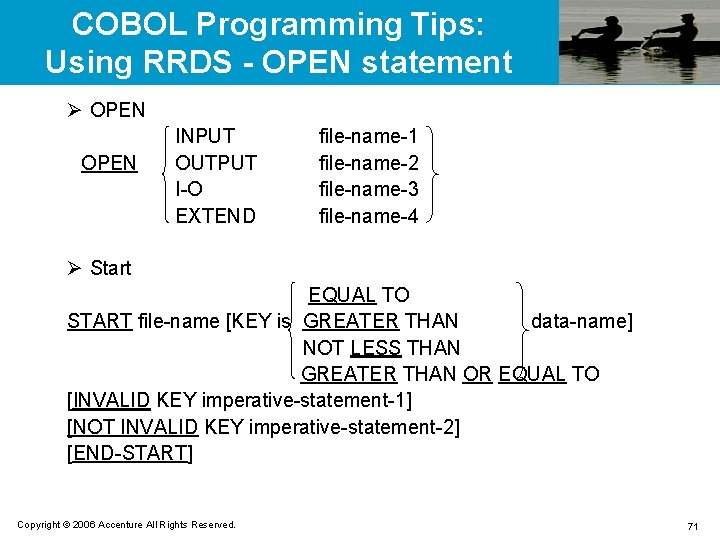
COBOL Programming Tips: Using RRDS - OPEN statement Ø OPEN INPUT OUTPUT I-O EXTEND file-name-1 file-name-2 file-name-3 file-name-4 Ø Start EQUAL TO START file-name [KEY is GREATER THAN data-name] NOT LESS THAN GREATER THAN OR EQUAL TO [INVALID KEY imperative-statement-1] [NOT INVALID KEY imperative-statement-2] [END-START] Copyright © 2006 Accenture All Rights Reserved. 71
COBOL Programming Tips: Using KSDS - READ statement Ø Sequential read READ file-name [NEXT] RECORD [INTO data-name] [AT END imperative-statement-1] [NOT AT END imperative-statement-2] [END-READ] Ø Random read READ file-name RECORD [INTO data-name] [INVALID KEY imperative-statement-1] [NOT INVALID KEY imperative-statement-2] [END-READ] Copyright © 2006 Accenture All Rights Reserved. 72
COBOL Programming Tips: Using RRDS - WRITE statement Ø Write WRITE record-name [FROM identifier] [INVALID KEY imperative-statement-1] [NOT INVALID KEY imperative-statement-2] [END-WRITE] Ø Rewrite REWRITE record-name [FROM identifier] [INVALID KEY imperative-statement-1] [NOT INVALID KEY imperative-statement-2] [END-WRITE] Copyright © 2006 Accenture All Rights Reserved. 73
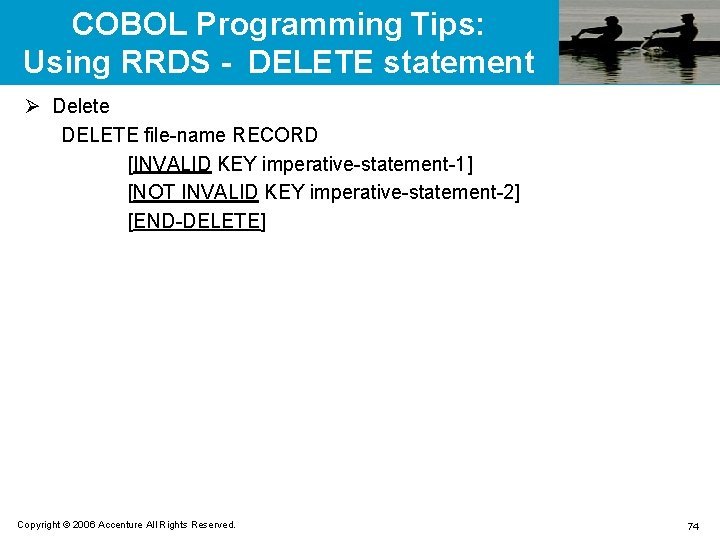
COBOL Programming Tips: Using RRDS - DELETE statement Ø Delete DELETE file-name RECORD [INVALID KEY imperative-statement-1] [NOT INVALID KEY imperative-statement-2] [END-DELETE] Copyright © 2006 Accenture All Rights Reserved. 74
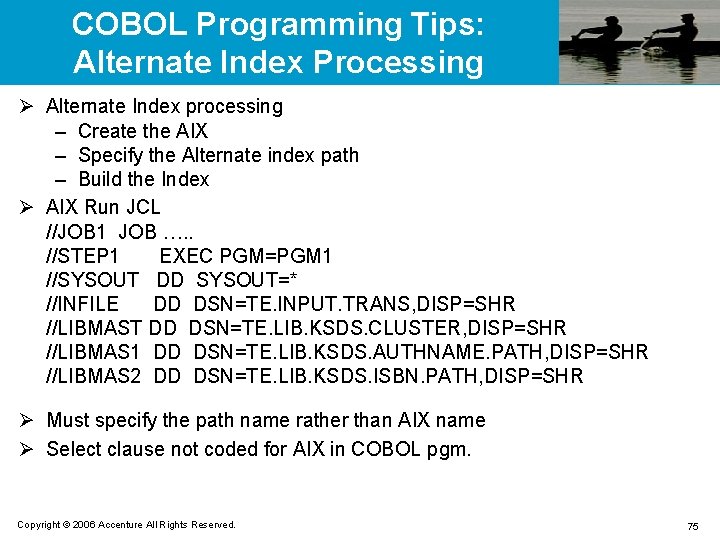
COBOL Programming Tips: Alternate Index Processing Ø Alternate Index processing – Create the AIX – Specify the Alternate index path – Build the Index Ø AIX Run JCL //JOB 1 JOB …. . //STEP 1 EXEC PGM=PGM 1 //SYSOUT DD SYSOUT=* //INFILE DD DSN=TE. INPUT. TRANS, DISP=SHR //LIBMAST DD DSN=TE. LIB. KSDS. CLUSTER, DISP=SHR //LIBMAS 1 DD DSN=TE. LIB. KSDS. AUTHNAME. PATH, DISP=SHR //LIBMAS 2 DD DSN=TE. LIB. KSDS. ISBN. PATH, DISP=SHR Ø Must specify the path name rather than AIX name Ø Select clause not coded for AIX in COBOL pgm. Copyright © 2006 Accenture All Rights Reserved. 75
QUESTIONS Questions from participants are welcomed Copyright © 2006 Accenture All Rights Reserved. 76
Thank you! Copyright © 2006 Accenture All Rights Reserved.