
Voxtron Communication Center Product Presentation Voxtron Communication Center


- Slides: 119
Voxtron Communication Center Product Presentation Voxtron Communication Center Launch Vienna, 30. 09. 2010
Content If you want to go to a specific section, click the corresponding button. Introduction 1. Architecture 7. Redundancy 2. Installation Center 8. Users 3. Client Software 9. Integrations 4. Core modules 10. Editions 5. Operational modules 11. Requirements 6. Audit Trail and Installation Monitoring 12. Upgrade paths Summary September 2010 Voxtron Communication Center 2
About Voxtron • • • Voxtron (1994) is an international company, headquartered in Belgium and having sales offices in Belgium, Germany, Italy, Portugal, Turkey, Tunisia, UAE and Thailand. Voxtron delivers state-of-the-art Customer Interaction Solutions for enterprises. Voxtron offers a cost-efficient answer to your communication challenges! September 2010 Voxtron Communication Center 3
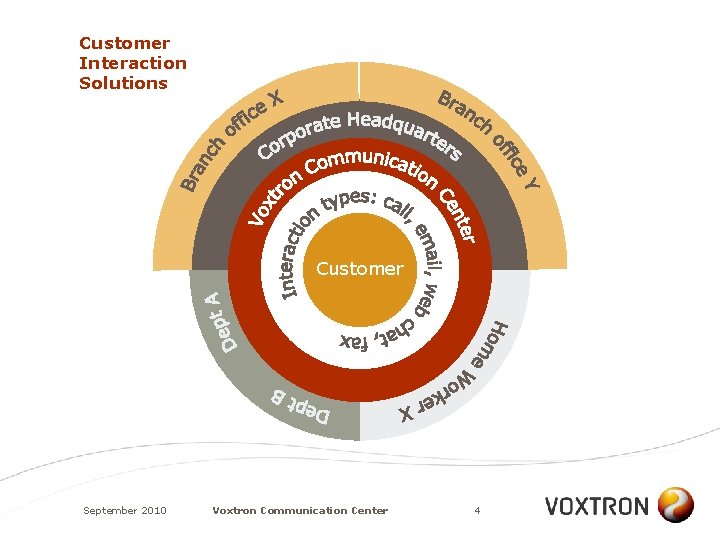
Customer Interaction Solutions Customer September 2010 Voxtron Communication Center 4
What is Voxtron Communication Center? • • Voxtron Communication Center is the new Multimedia Customer Interaction Solution of Voxtron Thanks to its unique architecture, it addresses the needs for both the Enterprise market and the market for Small to Medium sized Businesses (SMB) Voxtron Communication Center offers a straightforward administration and configuration and yet is able to answer (very) complex installation demands It supports innovative license and pricing models September 2010 Voxtron Communication Center 5
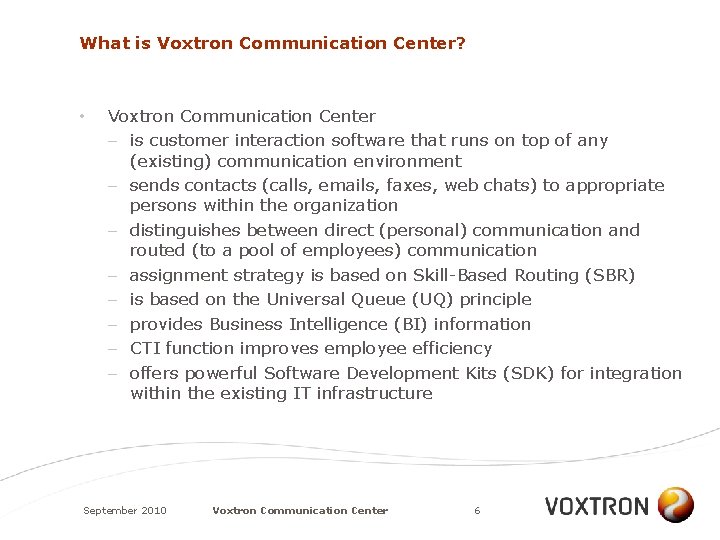
What is Voxtron Communication Center? • Voxtron Communication Center – is customer interaction software that runs on top of any (existing) communication environment – sends contacts (calls, emails, faxes, web chats) to appropriate persons within the organization – distinguishes between direct (personal) communication and routed (to a pool of employees) communication – assignment strategy is based on Skill-Based Routing (SBR) – is based on the Universal Queue (UQ) principle – provides Business Intelligence (BI) information – CTI function improves employee efficiency – offers powerful Software Development Kits (SDK) for integration within the existing IT infrastructure September 2010 Voxtron Communication Center 6
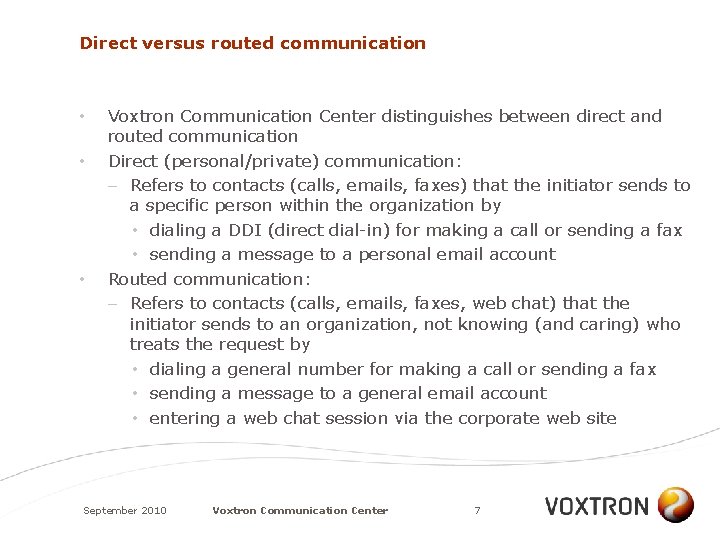
Direct versus routed communication • • • Voxtron Communication Center distinguishes between direct and routed communication Direct (personal/private) communication: – Refers to contacts (calls, emails, faxes) that the initiator sends to a specific person within the organization by • dialing a DDI (direct dial-in) for making a call or sending a fax • sending a message to a personal email account Routed communication: – Refers to contacts (calls, emails, faxes, web chat) that the initiator sends to an organization, not knowing (and caring) who treats the request by • dialing a general number for making a call or sending a fax • sending a message to a general email account • entering a web chat session via the corporate web site September 2010 Voxtron Communication Center 7
ARCHITECTURE September 2010 Voxtron Communication Center 8
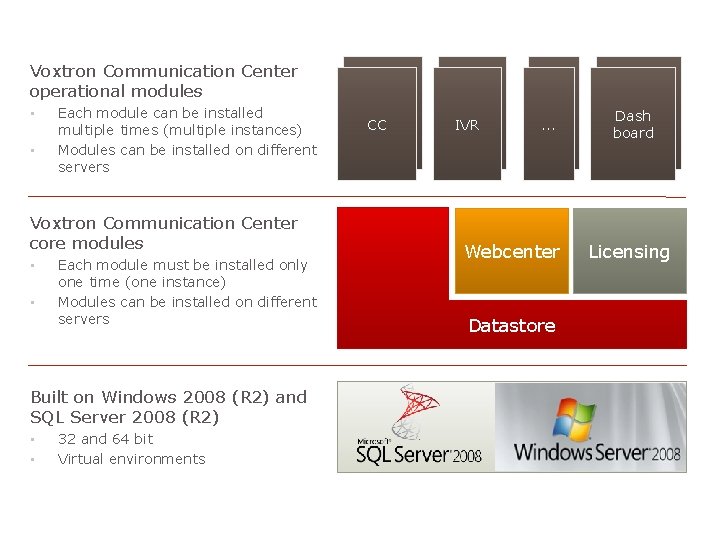
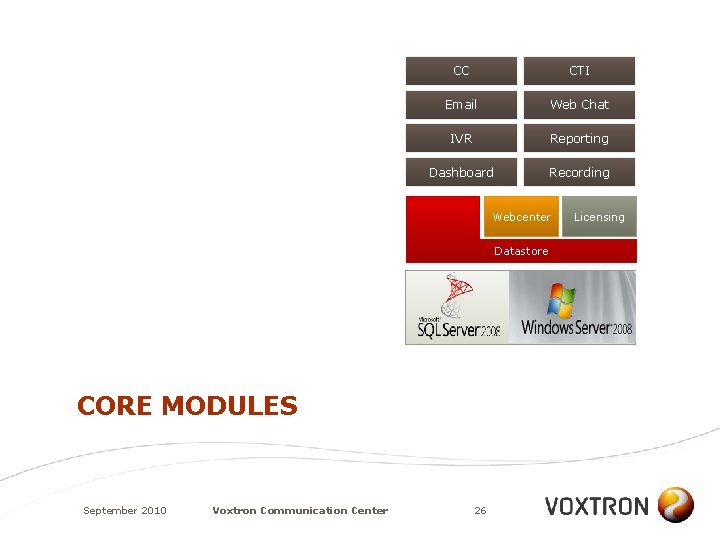
Voxtron Communication Center operational modules • • Each module can be installed multiple times (multiple instances) Modules can be installed on different servers Contact center CC (routing) Voxtron Communication Center core modules • • Each module must be installed only one time (one instance) Modules can be installed on different servers . . . Dashboar Dash d board Webcenter Licensing IVR Datastore Built on Windows 2008 (R 2) and SQL Server 2008 (R 2) • • 32 and 64 bit Virtual environments September 2010 Voxtron Communication Center 9
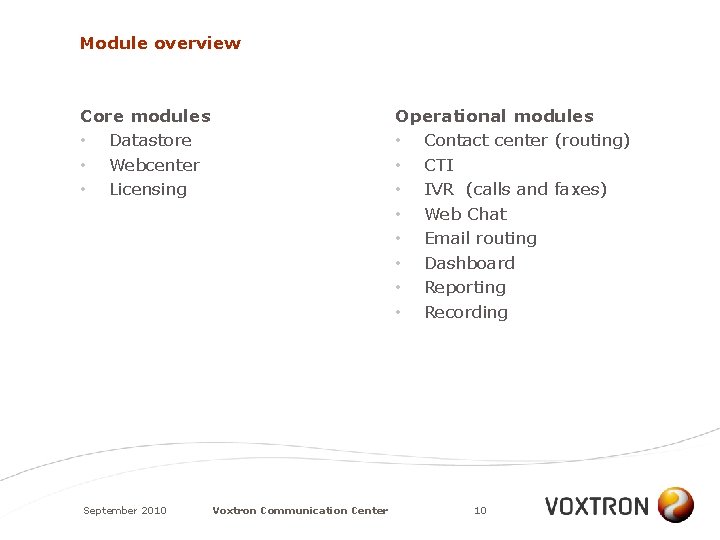
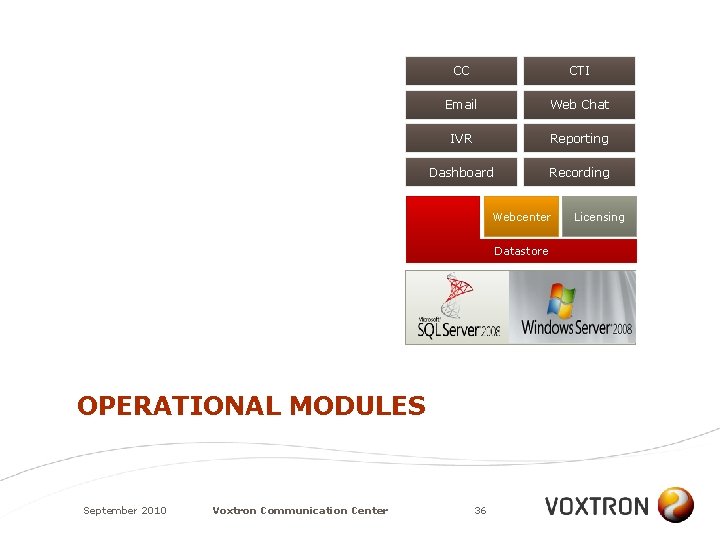
Module overview Core modules • Datastore • Webcenter • Licensing September 2010 Operational modules • Contact center (routing) • CTI • IVR (calls and faxes) • Web Chat • Email routing • Dashboard • Reporting • Recording Voxtron Communication Center 10
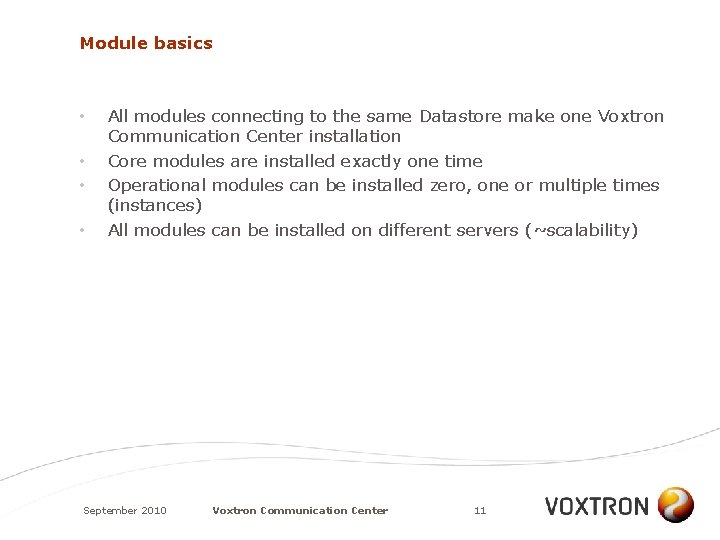
Module basics • • All modules connecting to the same Datastore make one Voxtron Communication Center installation Core modules are installed exactly one time Operational modules can be installed zero, one or multiple times (instances) All modules can be installed on different servers (~scalability) September 2010 Voxtron Communication Center 11
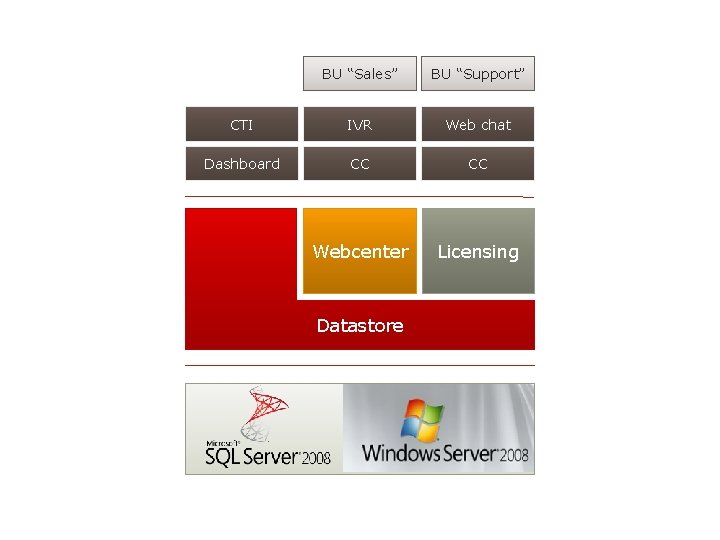
ARCHITECTURE EXAMPLE A September 2010 Voxtron Communication Center 12
BU “Sales” BU “Support” CTI IVR Web chat Dashboard CC CC Webcenter Licensing Datastore September 2010 Voxtron Communication Center 13
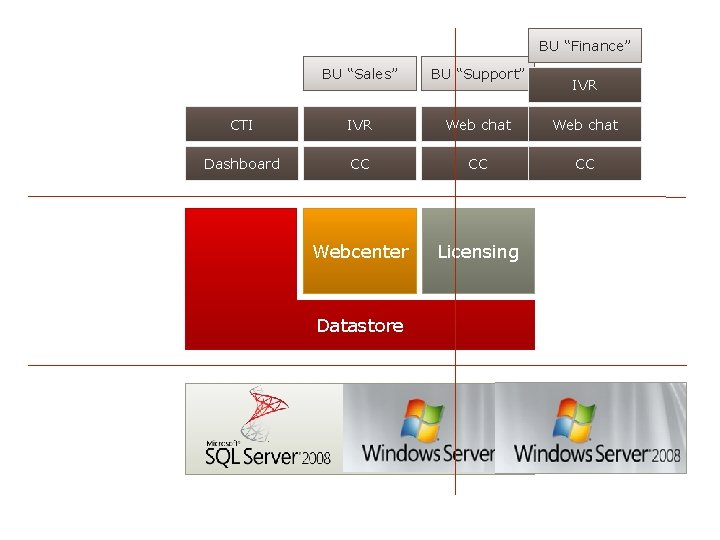
ARCHITECTURE EXAMPLE B A new business unit is added; An extra server is made operational September 2010 Voxtron Communication Center 14
BU “Finance” BU “Sales” BU “Support” CTI IVR Web chat Dashboard CC CC CC Webcenter Licensing Datastore September 2010 Voxtron Communication Center 15 IVR
INSTALLATION CENTER September 2010 Voxtron Communication Center 16
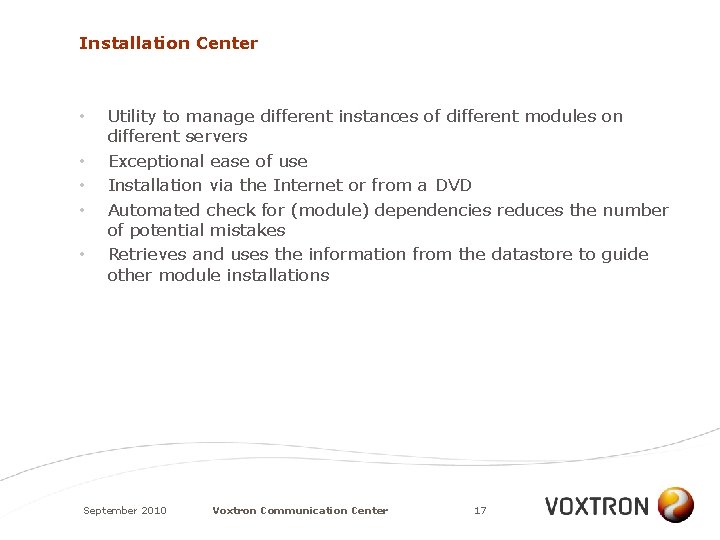
Installation Center • • • Utility to manage different instances of different modules on different servers Exceptional ease of use Installation via the Internet or from a DVD Automated check for (module) dependencies reduces the number of potential mistakes Retrieves and uses the information from the datastore to guide other module installations September 2010 Voxtron Communication Center 17
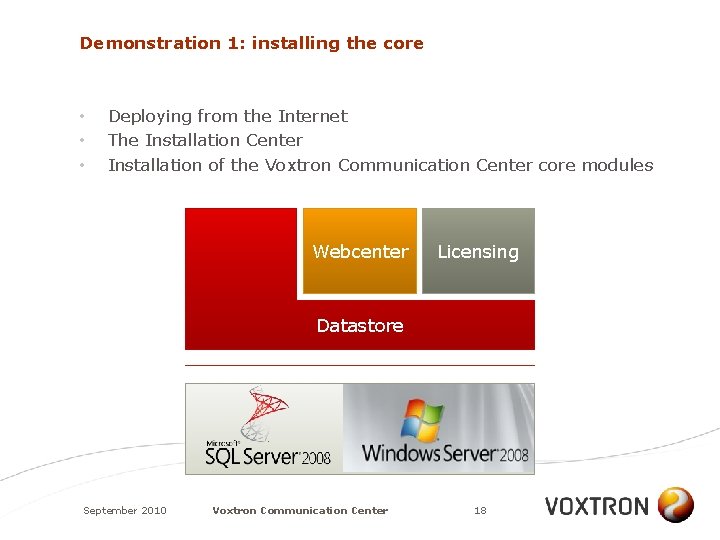
Demonstration 1: installing the core • • • Deploying from the Internet The Installation Center Installation of the Voxtron Communication Center core modules Webcenter Licensing Datastore September 2010 Voxtron Communication Center 18
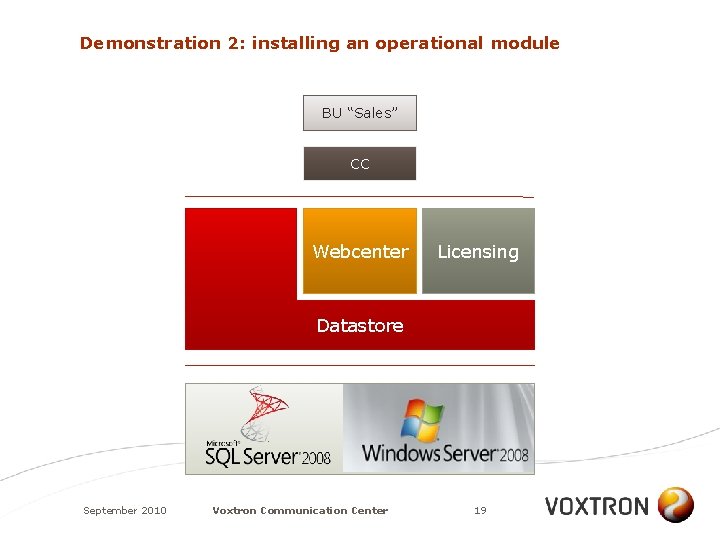
Demonstration 2: installing an operational module BU “Sales” CC Webcenter Licensing Datastore September 2010 Voxtron Communication Center 19
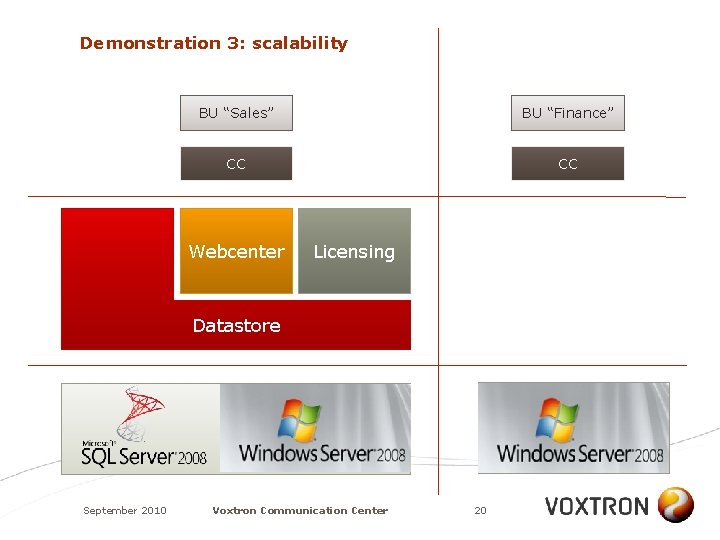
Demonstration 3: scalability BU “Sales” BU “Finance” CC CC Webcenter Licensing Datastore September 2010 Voxtron Communication Center 20
CLIENT SOFTWARE September 2010 Voxtron Communication Center 21
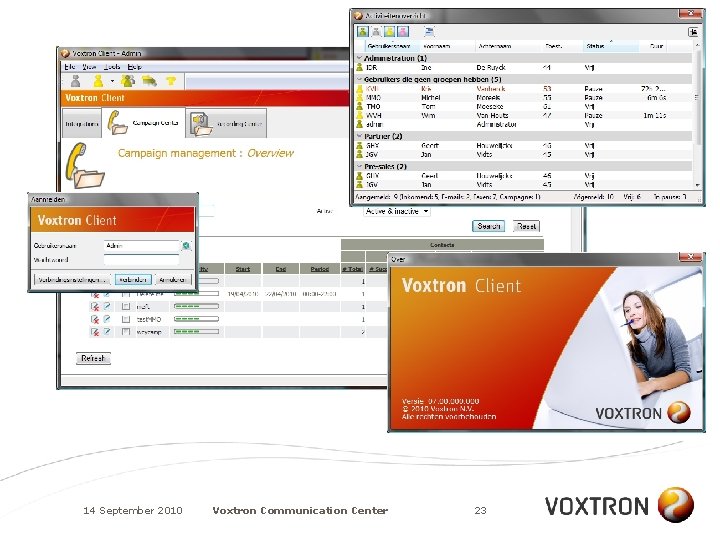
One client for the agent and the backoffice worker • • Only one: “Voxtron Client” Provides CTI functionality Provides fax printer driver for outgoing faxes Adds agent functionality in the contact center Easy integration with your business applications Local installation or distribution of MSI via Group Policy Objects Partial installations possible (e. g. no fax driver) 14 September 2010 Voxtron Communication Center 22
14 September 2010 Voxtron Communication Center 23
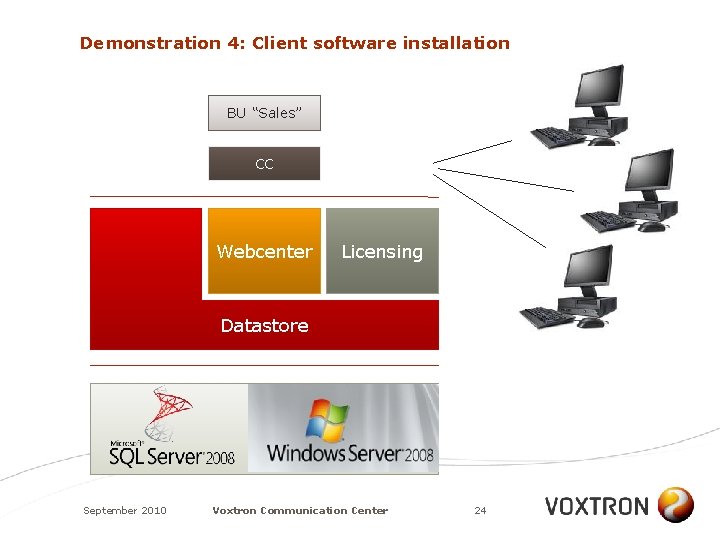
Demonstration 4: Client software installation BU “Sales” CC Webcenter Licensing Datastore September 2010 Voxtron Communication Center 24
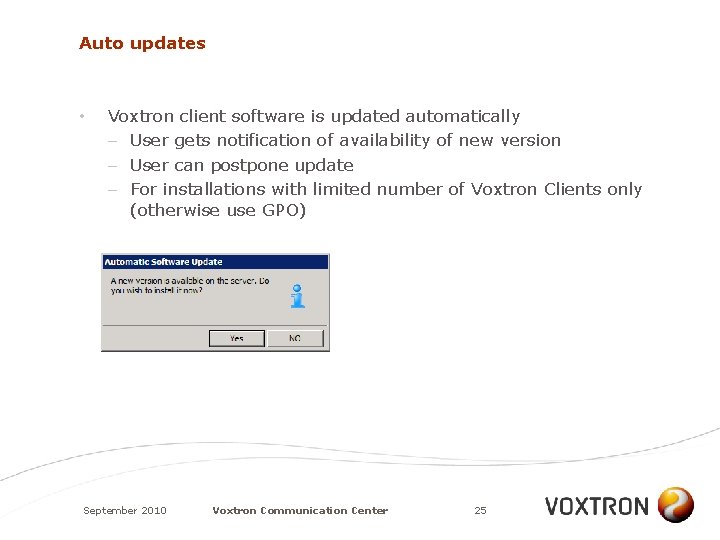
Auto updates • Voxtron client software is updated automatically – User gets notification of availability of new version – User can postpone update – For installations with limited number of Voxtron Clients only (otherwise use GPO) September 2010 Voxtron Communication Center 25
CC CTI Email Web Chat IVR Reporting Dashboard Recording Webcenter Datastore CORE MODULES September 2010 Voxtron Communication Center 26 Licensing
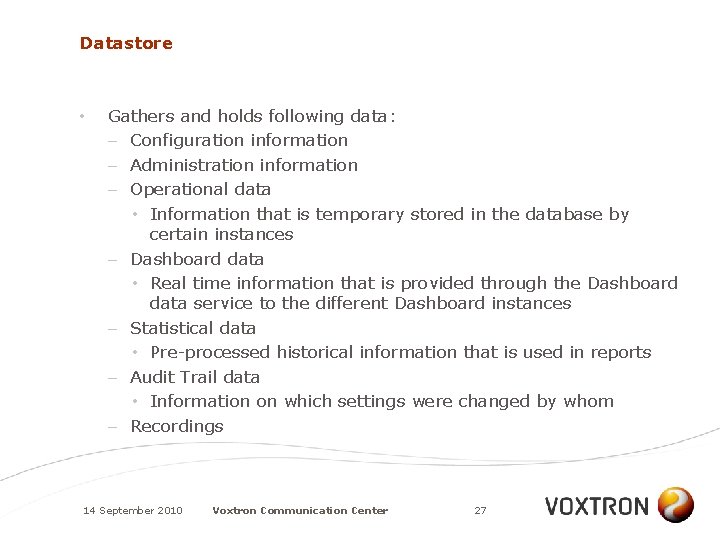
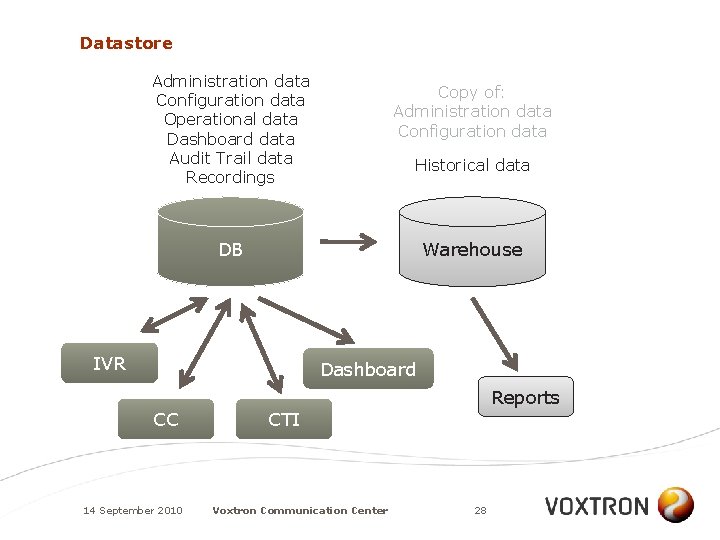
Datastore • Gathers and holds following data: – Configuration information – Administration information – Operational data • Information that is temporary stored in the database by certain instances – Dashboard data • Real time information that is provided through the Dashboard data service to the different Dashboard instances – Statistical data • Pre-processed historical information that is used in reports – Audit Trail data • Information on which settings were changed by whom – Recordings 14 September 2010 Voxtron Communication Center 27
Datastore Administration data Configuration data Operational data Dashboard data Audit Trail data Recordings Copy of: Administration data Configuration data Historical data DB Warehouse IVR Dashboard Reports CC 14 September 2010 CTI Voxtron Communication Center 28
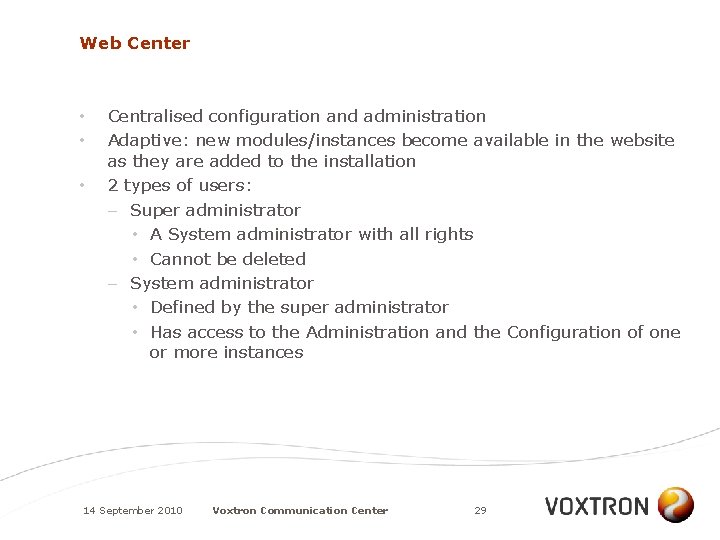
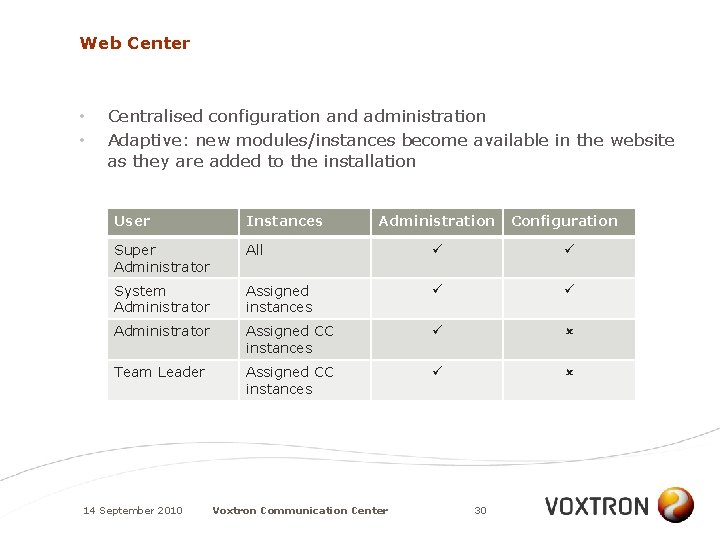
Web Center • • • Centralised configuration and administration Adaptive: new modules/instances become available in the website as they are added to the installation 2 types of users: – Super administrator • A System administrator with all rights • Cannot be deleted – System administrator • Defined by the super administrator • Has access to the Administration and the Configuration of one or more instances 14 September 2010 Voxtron Communication Center 29
Web Center • • Centralised configuration and administration Adaptive: new modules/instances become available in the website as they are added to the installation User Instances Super Administrator All System Administrator Assigned instances Administrator Assigned CC instances Team Leader Assigned CC instances 14 September 2010 Administration Voxtron Communication Center 30 Configuration
Web Center 14 September 2010 Voxtron Communication Center 31
Demonstration 5: Web Center & User roles September 2010 Voxtron Communication Center 32
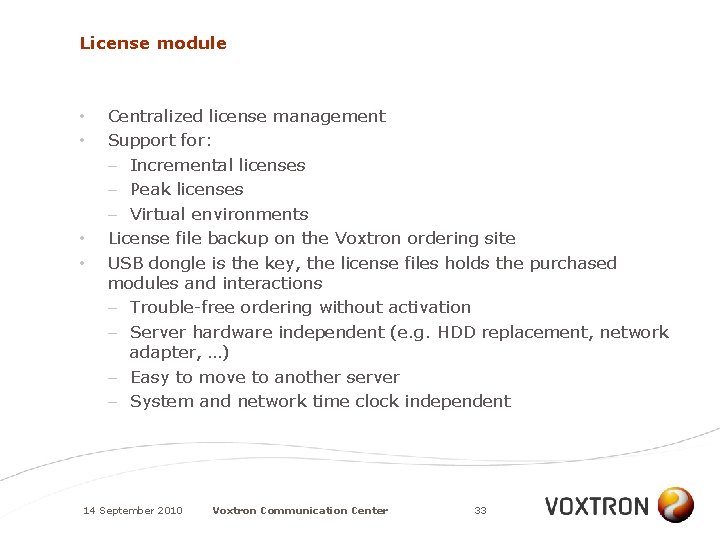
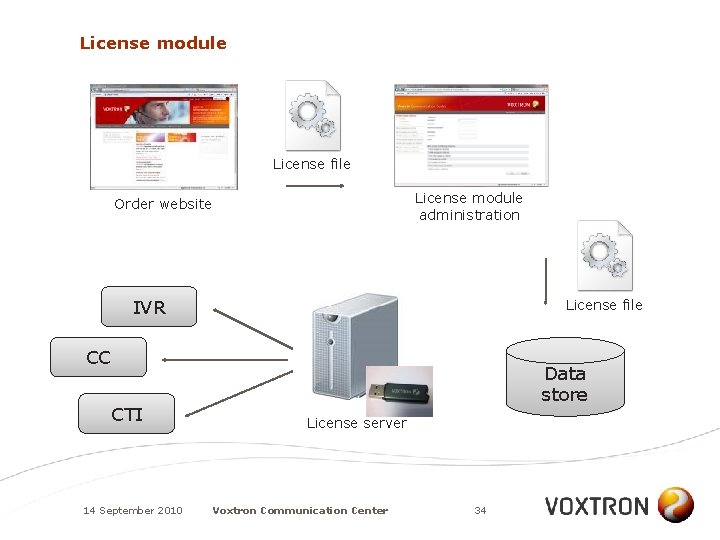
License module • • Centralized license management Support for: – Incremental licenses – Peak licenses – Virtual environments License file backup on the Voxtron ordering site USB dongle is the key, the license files holds the purchased modules and interactions – Trouble-free ordering without activation – Server hardware independent (e. g. HDD replacement, network adapter, …) – Easy to move to another server – System and network time clock independent 14 September 2010 Voxtron Communication Center 33
License module License file License module administration Order website IVR License file CC CTI 14 September 2010 Data store License server Voxtron Communication Center 34
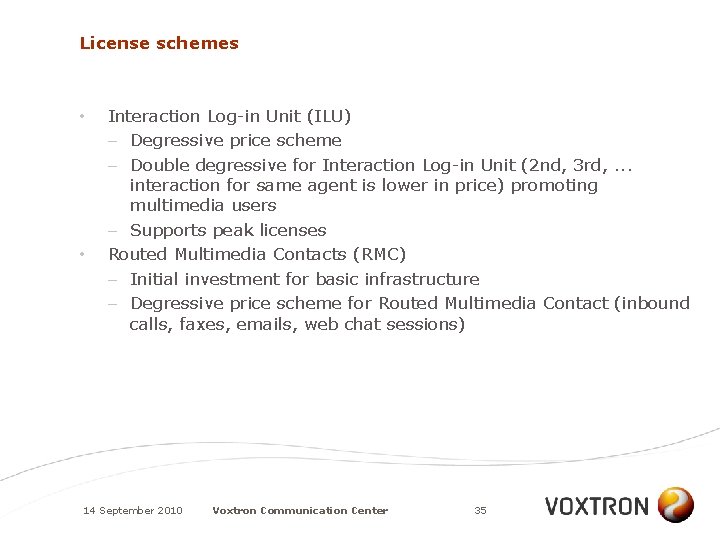
License schemes • • Interaction Log-in Unit (ILU) – Degressive price scheme – Double degressive for Interaction Log-in Unit (2 nd, 3 rd, . . . interaction for same agent is lower in price) promoting multimedia users – Supports peak licenses Routed Multimedia Contacts (RMC) – Initial investment for basic infrastructure – Degressive price scheme for Routed Multimedia Contact (inbound calls, faxes, emails, web chat sessions) 14 September 2010 Voxtron Communication Center 35
CC CTI Email Web Chat IVR Reporting Dashboard Recording Webcenter Datastore OPERATIONAL MODULES September 2010 Voxtron Communication Center 36 Licensing
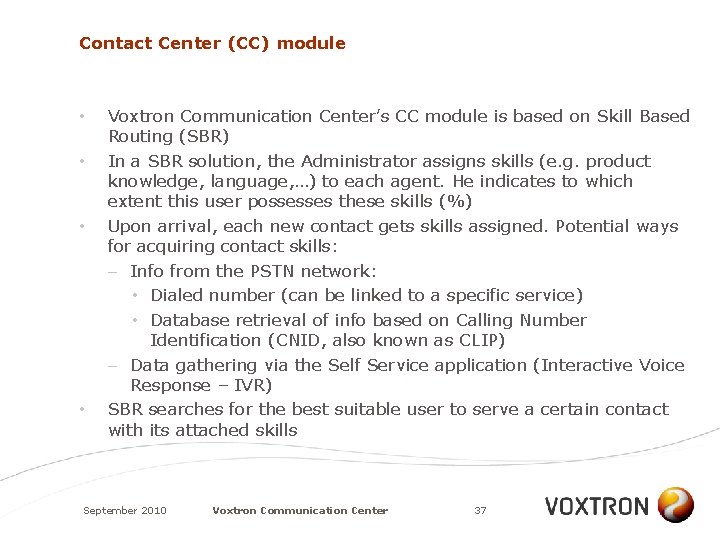
Contact Center (CC) module • • Voxtron Communication Center’s CC module is based on Skill Based Routing (SBR) In a SBR solution, the Administrator assigns skills (e. g. product knowledge, language, …) to each agent. He indicates to which extent this user possesses these skills (%) Upon arrival, each new contact gets skills assigned. Potential ways for acquiring contact skills: – Info from the PSTN network: • Dialed number (can be linked to a specific service) • Database retrieval of info based on Calling Number Identification (CNID, also known as CLIP) – Data gathering via the Self Service application (Interactive Voice Response – IVR) SBR searches for the best suitable user to serve a certain contact with its attached skills September 2010 Voxtron Communication Center 37
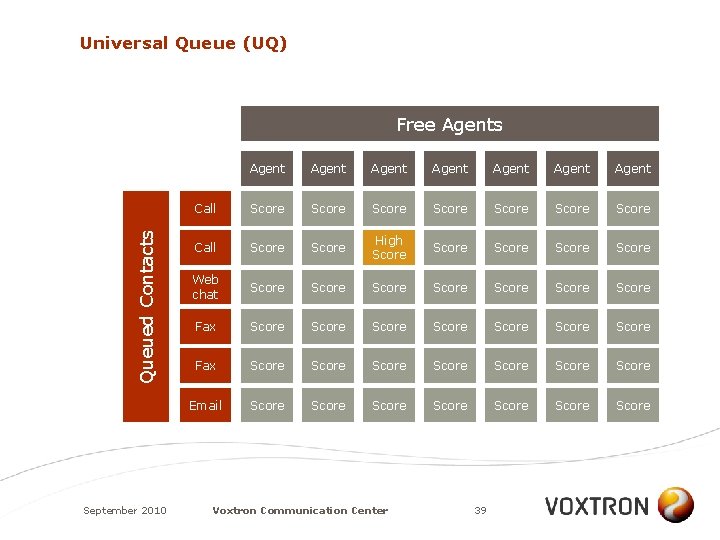
Universal Queue • • • Voxtron Communication Center performs SBR based on the Universal Queue (UQ) principle This means that all contacts (incoming calls, faxes, emails, web chat sessions) are sent to this UQ When an agent becomes available, the system calculates the score matrix as shown in following slide The contact with the highest score is transferred to the available agent The complex algorithm takes into account skills but also: – Time: a contact gets more important the longer it is in the UQ – Agent: contacts can be assigned to an agent when • this agent had no contacts for a long time • this agent has the smallest load • this agent handled a previous contact of the same customer September 2010 Voxtron Communication Center 38
Universal Queue (UQ) Queued Contacts Free Agents September 2010 Agent Agent Call Score Score Call Score High Score Score Web chat Score Score Score Score Fax Score Score Email Score Score Voxtron Communication Center 39
IVR module • • • Voxtron Communication Center contains a powerful, multilingual IVR (Interactive Voice Response) IVR is typically used to identify and segment callers (i. e. assign skills) By extension it is also used – to resolve caller’s queries without transferring to an agent – to register call back requests from people who don’t want to continue to wait for a free agent – to link to customer data – to send and receive faxes – to store and retrieve voice messages (voice mail) – for conferencing Supports telephone touchtone keypad input and speech recognition Responds with pre-recorded or dynamically generated (TTS) audio September 2010 Voxtron Communication Center 40
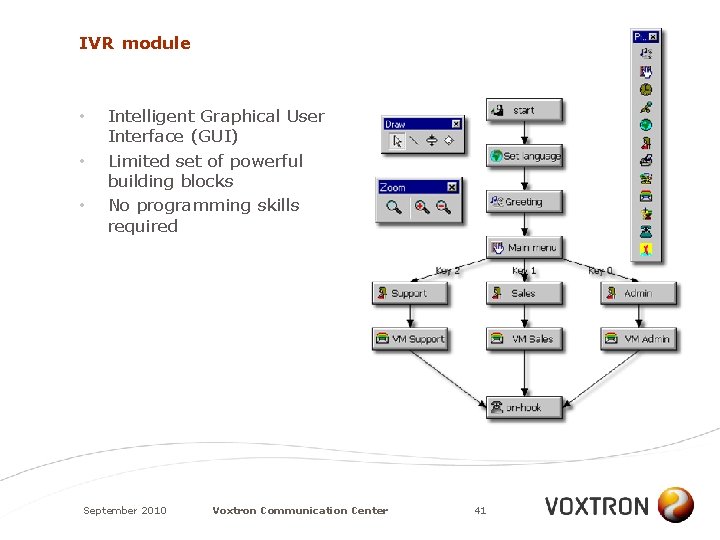
IVR module • • • Intelligent Graphical User Interface (GUI) Limited set of powerful building blocks No programming skills required September 2010 Voxtron Communication Center 41
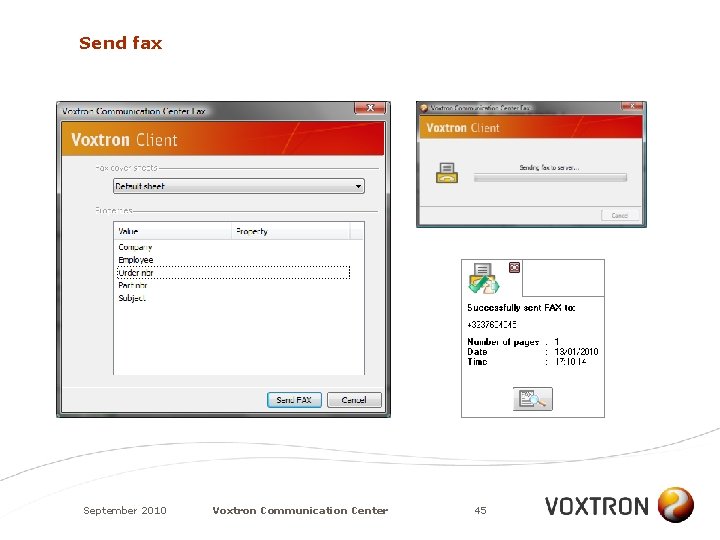
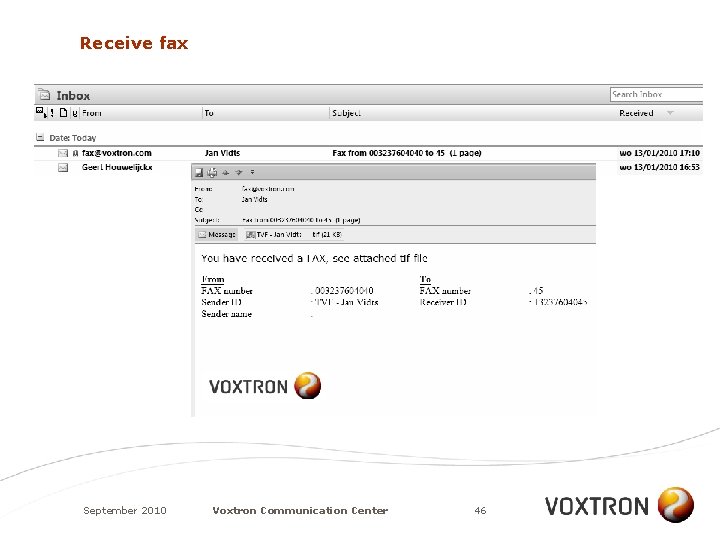
Faxes • • With Voxtron Communication Center one can – Receive direct (personal) and routed faxes – Send private faxes and ‘contact center’ faxes – Add one of the many (customizable) cover sheets – Look for archived faxes in the Fax Center Delivery of faxes to the user can happen in two ways: – Within the client interface (immediate view) – As an attachment to an email message A user can send faxes from any Windows application that supports the “Print” function Voxtron Communication Center sends status delivery reports to the user September 2010 Voxtron Communication Center 42
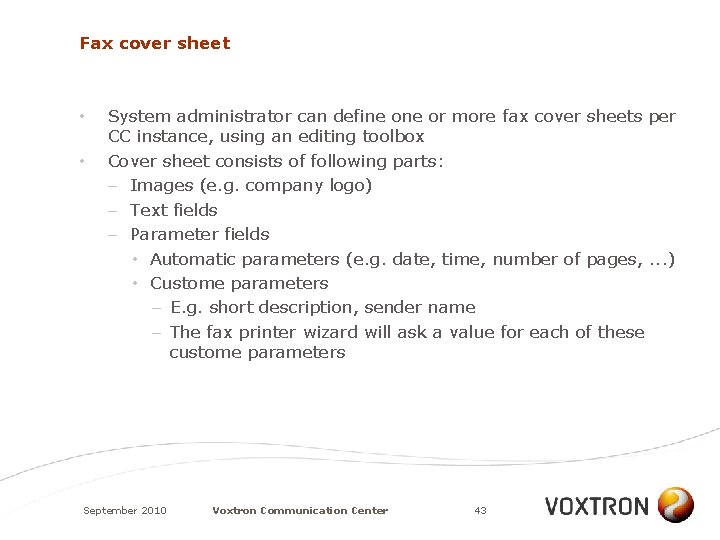
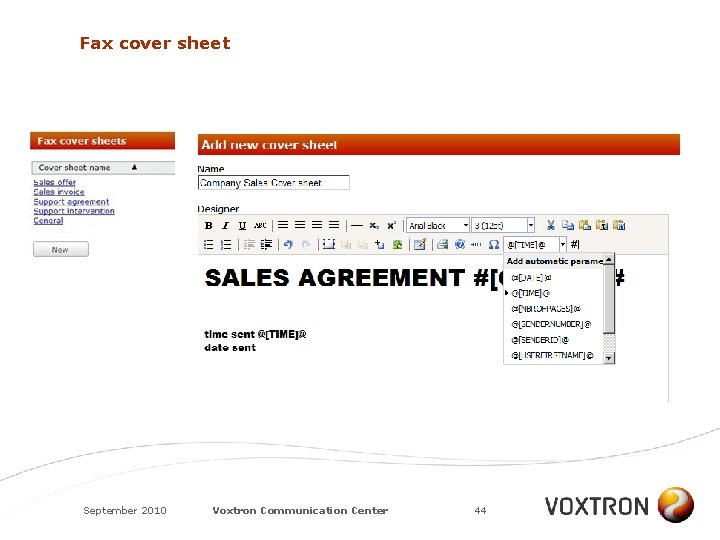
Fax cover sheet • • System administrator can define or more fax cover sheets per CC instance, using an editing toolbox Cover sheet consists of following parts: – Images (e. g. company logo) – Text fields – Parameter fields • Automatic parameters (e. g. date, time, number of pages, . . . ) • Custome parameters – E. g. short description, sender name – The fax printer wizard will ask a value for each of these custome parameters September 2010 Voxtron Communication Center 43
Fax cover sheet September 2010 Voxtron Communication Center 44
Send fax September 2010 Voxtron Communication Center 45
Receive fax September 2010 Voxtron Communication Center 46
Fax Center September 2010 Voxtron Communication Center 47
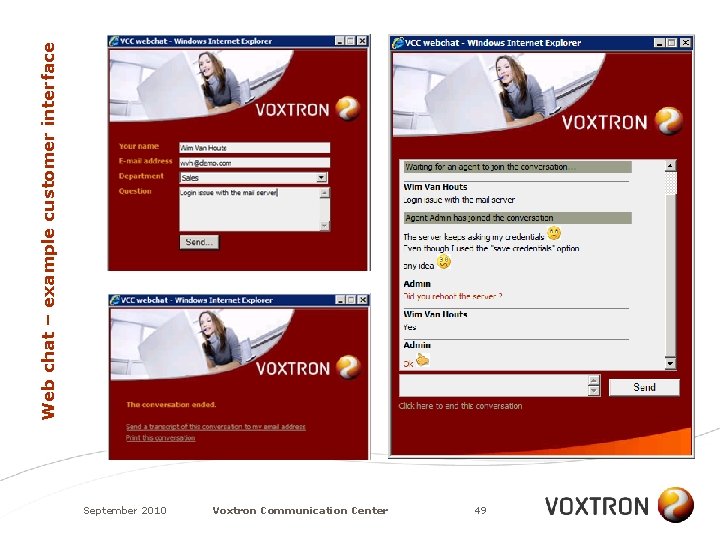
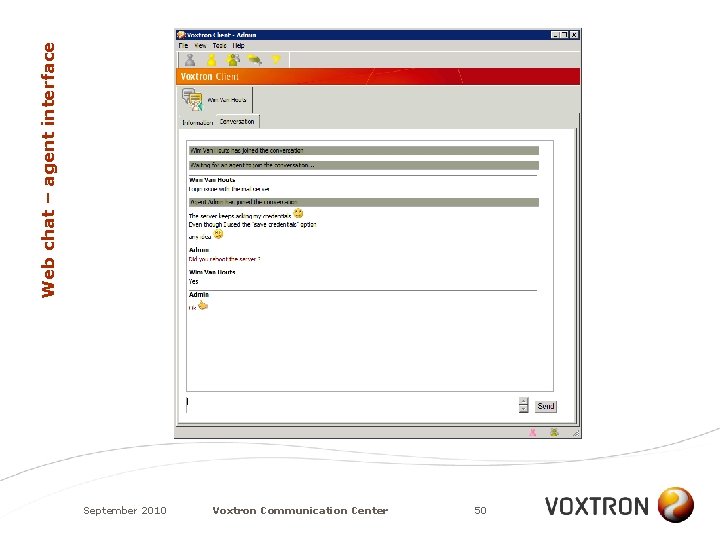
Web chat • • • Voxtron Communication Center allows users to communicate with agents in real time using just a web browser No need for 3 rd party IM application Instant accessability Free of charge for the user Components for building it into the company’s web site available in both ASP. NET and PHP September 2010 Voxtron Communication Center 48
Web chat – example customer interface September 2010 Voxtron Communication Center 49
Web chat – agent interface September 2010 Voxtron Communication Center 50
Demonstration 6: Web Chat September 2010 Voxtron Communication Center 51
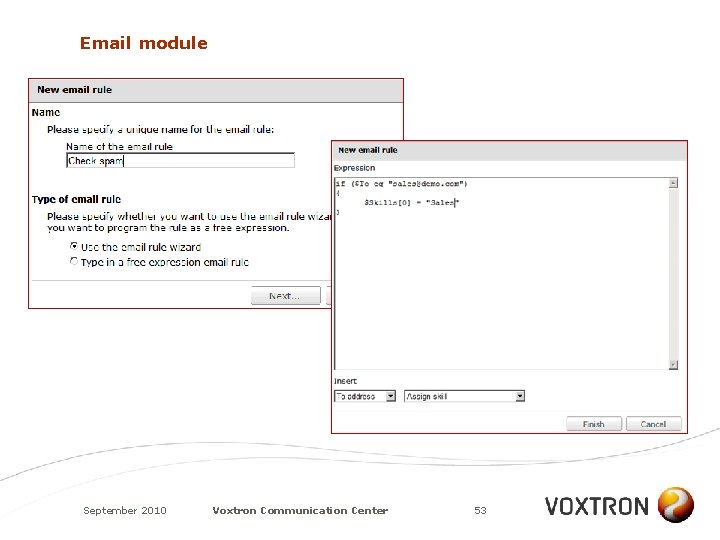
Email module • Voxtron Communication Center supports email routing – Skills and a priority are assigned to an email using • the email rule wizard (perform actions based on the subject, “to” field, “from” field, . . . ) • advanced PERL scripting – Email routing has its own settings (e. g. thresholds) – Email is forwarded to the most appropriate agent – The agent’s standard email client (e. g. Outlook) is used to send/receive contact center emails – Auto detect reply email (wrap-up starts) – Personal email address masking – Support for PERL libs allowing to trigger al kind of events upon arrival of a new mail (e. g. auto-reply message) September 2010 Voxtron Communication Center 52
Email module September 2010 Voxtron Communication Center 53
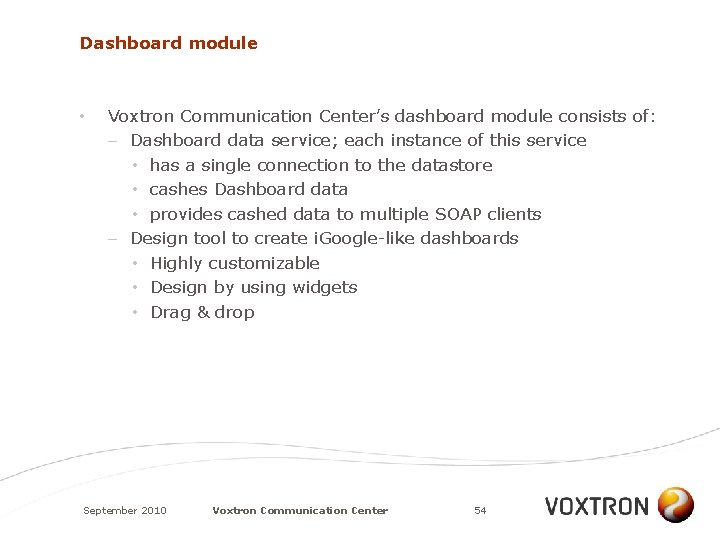
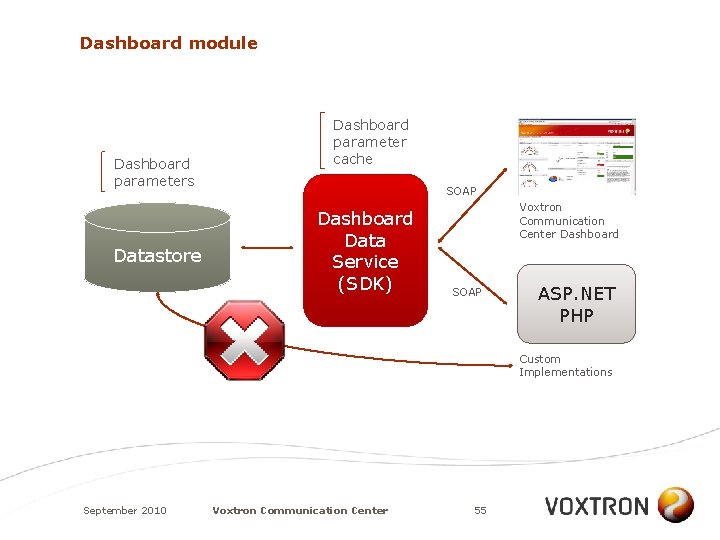
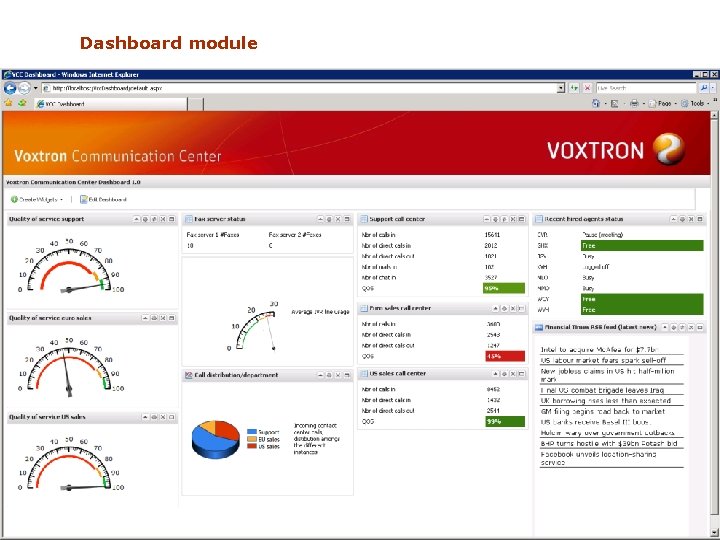
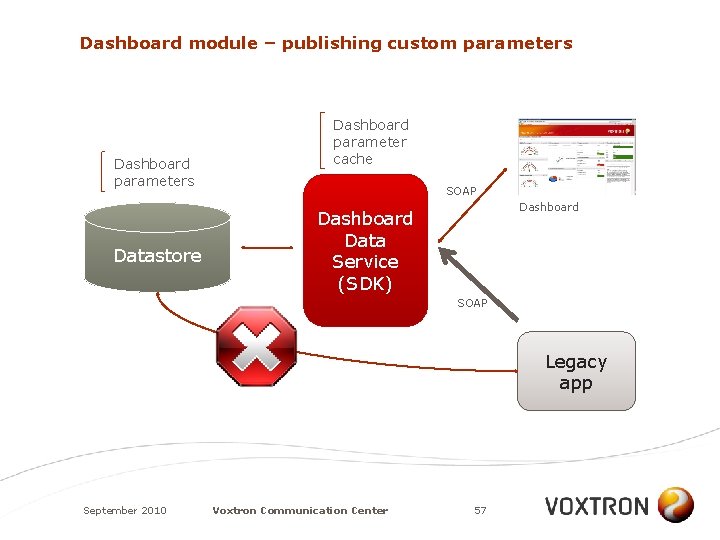
Dashboard module • Voxtron Communication Center’s dashboard module consists of: – Dashboard data service; each instance of this service • has a single connection to the datastore • cashes Dashboard data • provides cashed data to multiple SOAP clients – Design tool to create i. Google-like dashboards • Highly customizable • Design by using widgets • Drag & drop September 2010 Voxtron Communication Center 54
Dashboard module Dashboard parameters Datastore Dashboard parameter cache SOAP Dashboard Data Service (SDK) Voxtron Communication Center Dashboard SOAP ASP. NET PHP Custom Implementations September 2010 Voxtron Communication Center 55
Dashboard module September 2010 Voxtron Communication Center 56
Dashboard module – publishing custom parameters Dashboard parameters Datastore Dashboard parameter cache SOAP Dashboard Data Service (SDK) SOAP Legacy app September 2010 Voxtron Communication Center 57
Demonstration 7: dashboard September 2010 Voxtron Communication Center 58
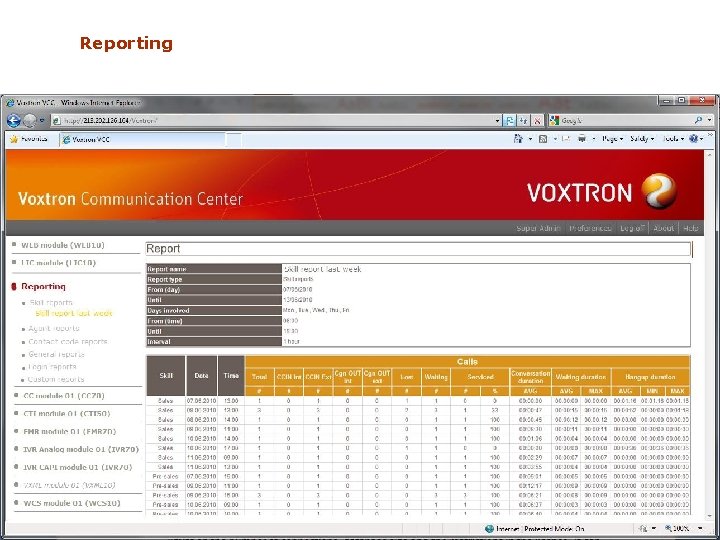
Reporting • • Part of the Web Center Standard reports are defined for a particular CC instance Consolidated reports available via “Custom Reports” Based on the pre-processed data in the Warehouse; therefore – having no impact on the modules that are using the active data in the datastore – less IO, resources and thus time needed to generate September 2010 Voxtron Communication Center 59
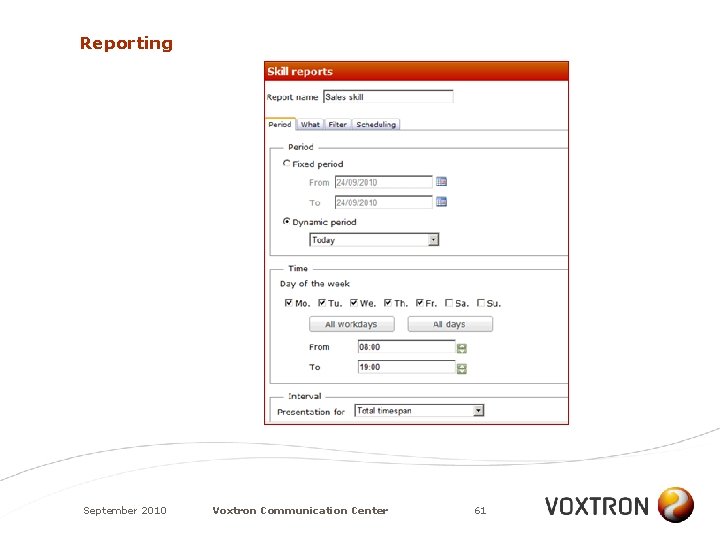
Reporting • • Accessible by team leaders, administrators and system administrators – Skill reports – Agent reports – Contact code reports – General reports – Login reports – Custom reports Time interval for each of these reports can be changed All reports can be exported to. csv or. html file Scheduled reporting: – Send to an email address – Save to a folder September 2010 Voxtron Communication Center 60
Reporting September 2010 Voxtron Communication Center 61
Reporting September 2010 Voxtron Communication Center 62
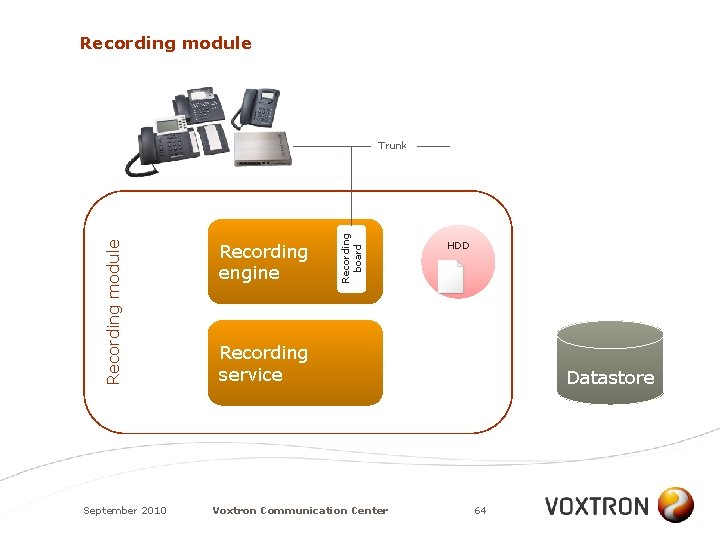
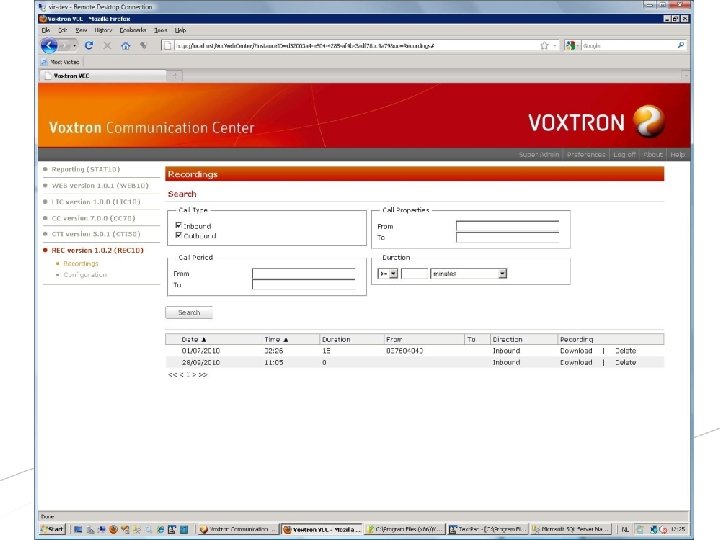
Recording module • • • Recording in Voxtron Communication Center is an independent module and therefore enables stand-alone, distributed recording solutions Recordings are stored in the (central) Datastore Lookup and retrieval of the recordings is done via the Web Center September 2010 Voxtron Communication Center 63
Recording module September 2010 Recording engine Recording board Recording module Trunk HDD Recording service Voxtron Communication Center Datastore 64
Recording module • • Web Center is the central place to lookup recordings Search criteria: – CLIP (or part of it) – Dialed number (or part of it) – Recording started after/before a specific date and time – Duration longer or shorter than a given duration – (and all combinations of the above criteria) September 2010 Voxtron Communication Center 65
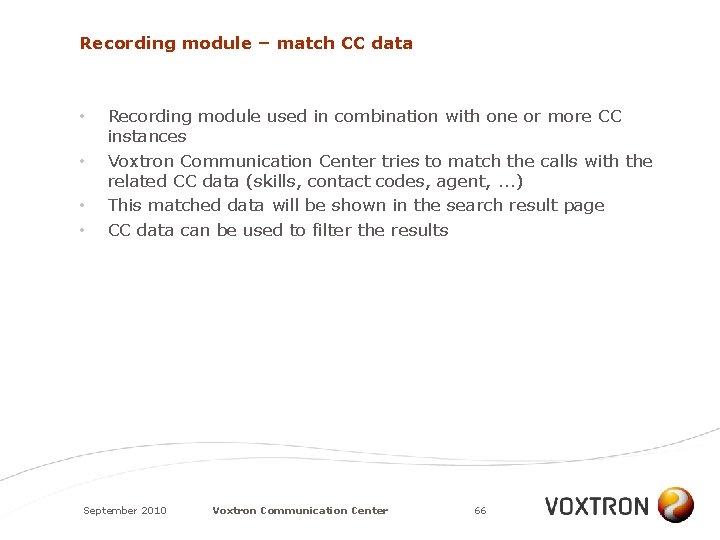
Recording module – match CC data • • Recording module used in combination with one or more CC instances Voxtron Communication Center tries to match the calls with the related CC data (skills, contact codes, agent, . . . ) This matched data will be shown in the search result page CC data can be used to filter the results September 2010 Voxtron Communication Center 66
September 2010 Voxtron Communication Center 67
AUDIT TRAIL & INSTALLATION MONITORING September 2010 Voxtron Communication Center 68
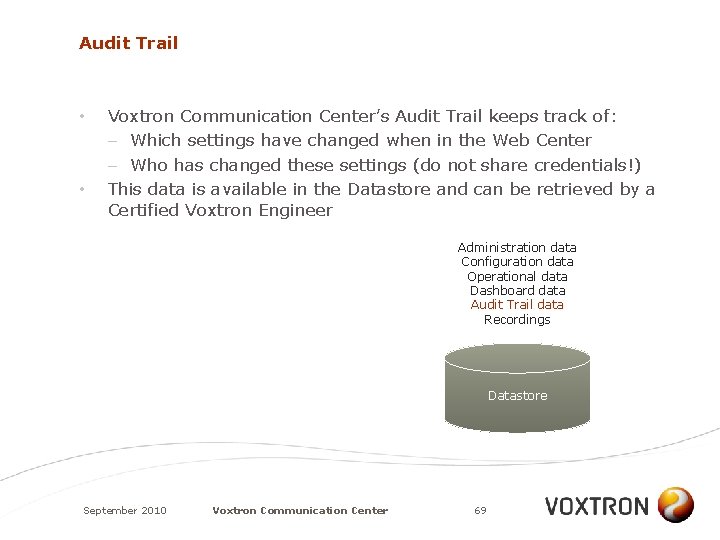
Audit Trail • • Voxtron Communication Center’s Audit Trail keeps track of: – Which settings have changed when in the Web Center – Who has changed these settings (do not share credentials!) This data is available in the Datastore and can be retrieved by a Certified Voxtron Engineer Administration data Configuration data Operational data Dashboard data Audit Trail data Recordings Datastore September 2010 Voxtron Communication Center 69
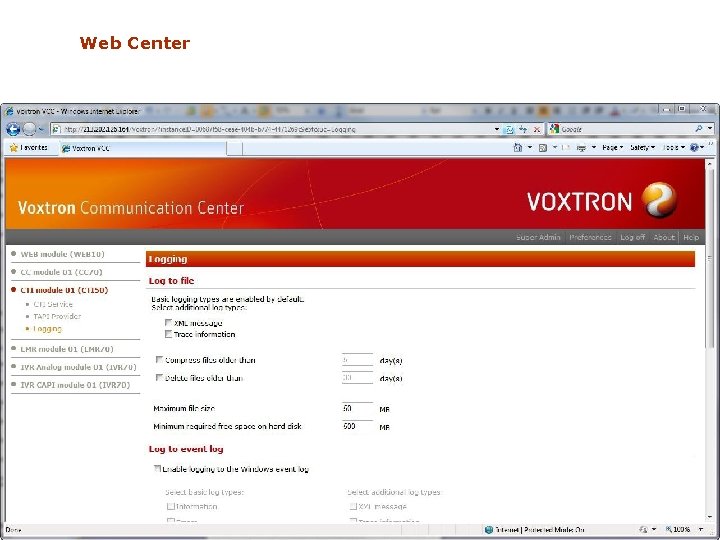
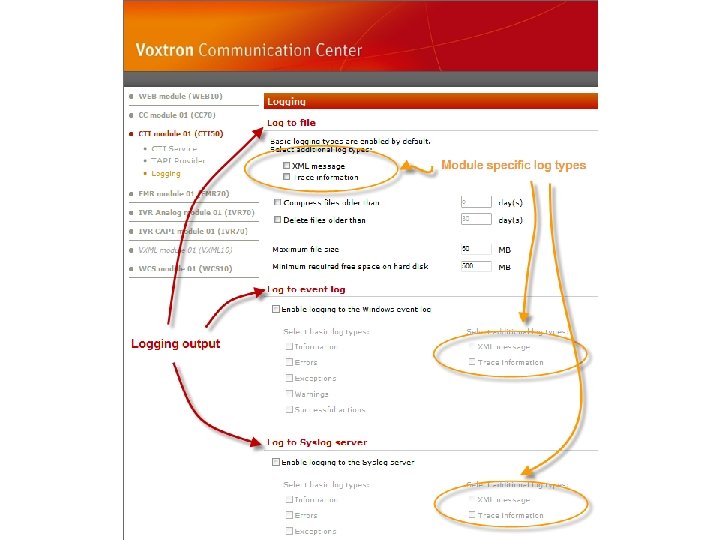
Configuration of logging • • • In the Web Center, each module has the same page for configuration of the logging settings Each module has the same set of base logging types: information, errors, exceptions, warnings, successful actions A module can have additional (module related) logging types (e. g. Email module has SMTP logging) September 2010 Voxtron Communication Center 70
September 2010 Voxtron Communication Center 71
Compression • In order to save valuable disk space: – Log files stay uncompressed for a configurable number of days – Log files are compressed saving up to 95% of the original size – The compression process runs overnight – Logging files can be deleted automatically after a configurable number of days September 2010 Voxtron Communication Center 72
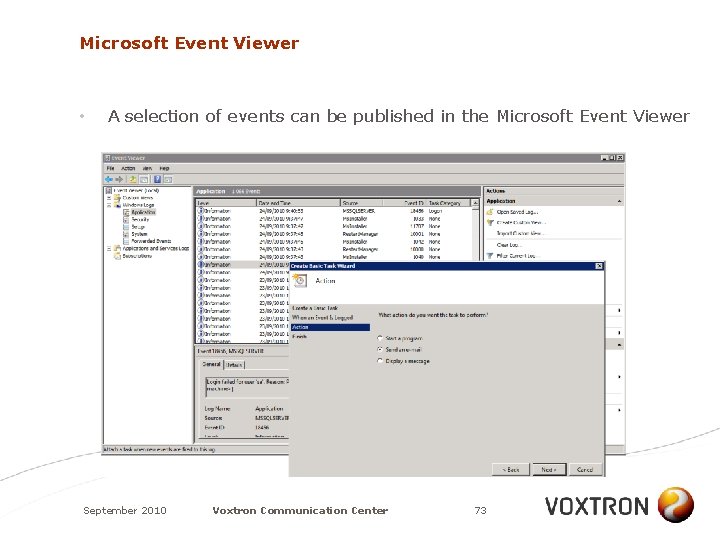
Microsoft Event Viewer • A selection of events can be published in the Microsoft Event Viewer September 2010 Voxtron Communication Center 73
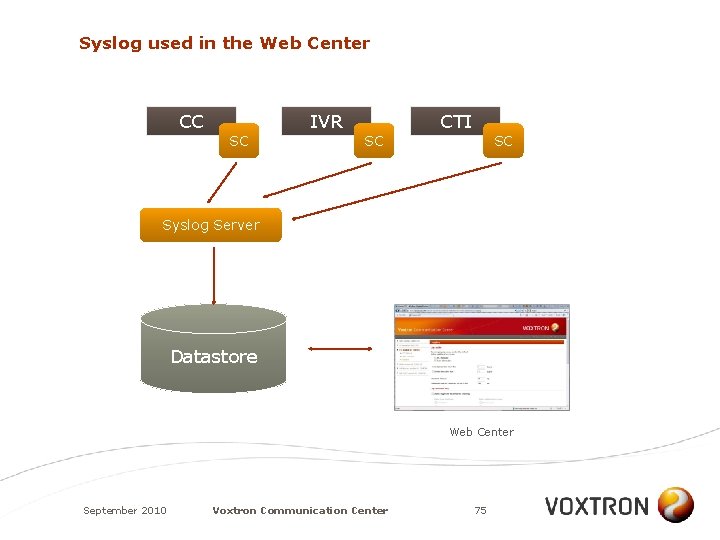
Syslog • • Syslog protocol emerged in the Unix & Linux world (~ Microsoft Event Viewer) A lightweight protocol that uses UDP packages to send events from a Syslog client to a Syslog server Upon receipt, the Syslog server can take different actions: – Send email, SMS, IM message – Generate SNMP trap – Pop-up a message – Add a record to a database –. . . Voxtron Communication Center does not include a Syslog server (products available on the market; e. g. http: //www. kiwisyslog. com/) September 2010 Voxtron Communication Center 74
Syslog used in the Web Center CC SC IVR SC CTI SC Syslog Server Datastore Web Center September 2010 Voxtron Communication Center 75
Demonstration 8: Syslog September 2010 Voxtron Communication Center 76
REDUNDANCY September 2010 Voxtron Communication Center 77
Redundancy • • Redundancy is not an exact science! Redundancy is often guided by the customer (in line with his existing IT infrastucture and knowledge) When talking about redundancy, we talk about – High-Availability (HA) Clusters – Blade systems – Virtualisation – Disk arrays – NAT – DNS –. . . A redundancy solution can be based on one or more of these techniques; and therefore a big variety is possible September 2010 Voxtron Communication Center 78
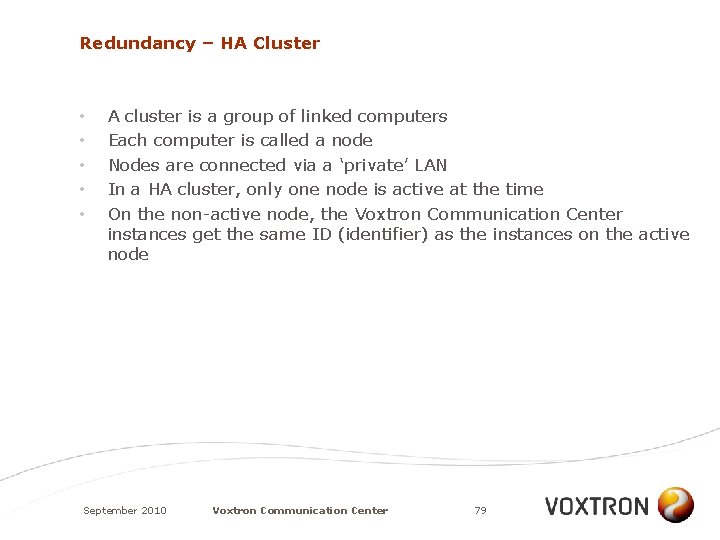
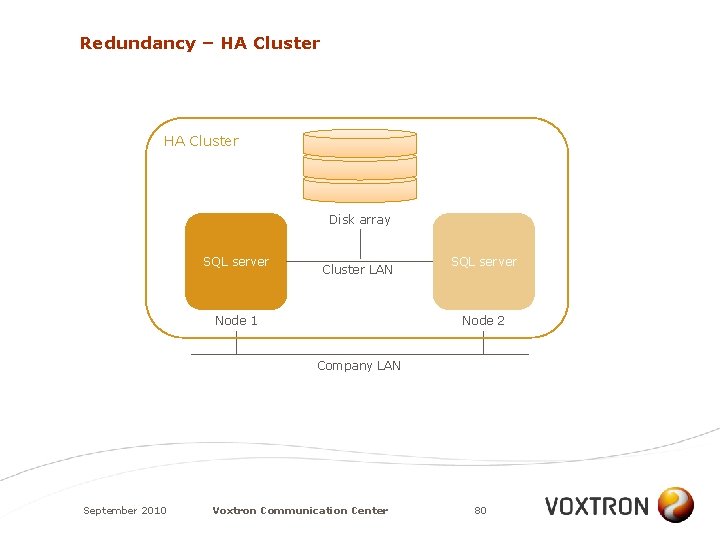
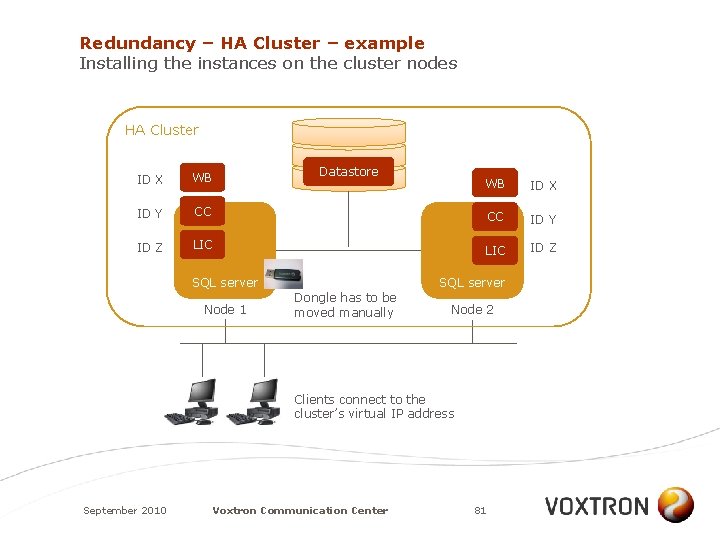
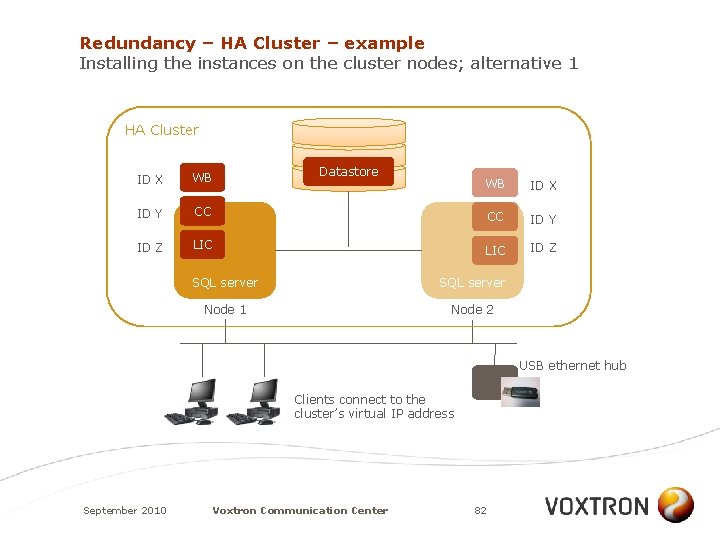
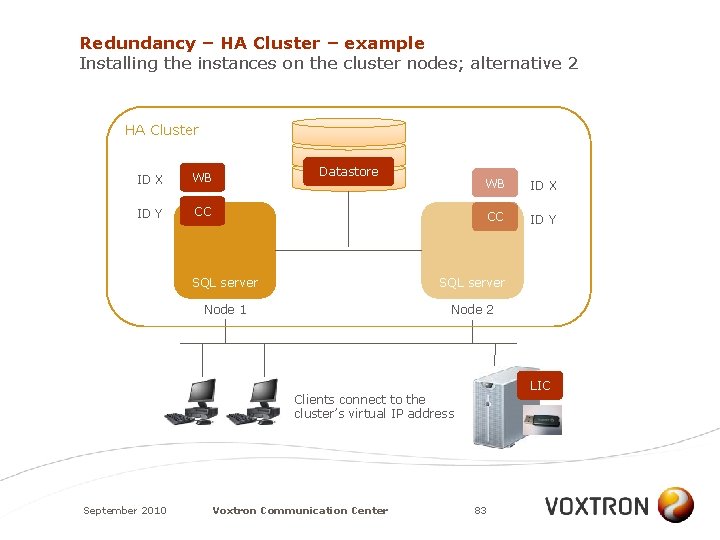
Redundancy – HA Cluster • • • A cluster is a group of linked computers Each computer is called a node Nodes are connected via a ‘private’ LAN In a HA cluster, only one node is active at the time On the non-active node, the Voxtron Communication Center instances get the same ID (identifier) as the instances on the active node September 2010 Voxtron Communication Center 79
Redundancy – HA Cluster Disk array SQL server Cluster LAN Node 1 SQL server Node 2 Company LAN September 2010 Voxtron Communication Center 80
Redundancy – HA Cluster – example Installing the instances on the cluster nodes HA Cluster ID X WB ID Y ID Z Datastore WB ID X CC CC ID Y LIC ID Z SQL server Node 1 SQL server Dongle has to be moved manually Node 2 Clients connect to the cluster’s virtual IP address September 2010 Voxtron Communication Center 81
Redundancy – HA Cluster – example Installing the instances on the cluster nodes; alternative 1 HA Cluster ID X WB ID Y ID Z Datastore WB ID X CC CC ID Y LIC ID Z SQL server Node 1 Node 2 USB ethernet hub Clients connect to the cluster’s virtual IP address September 2010 Voxtron Communication Center 82
Redundancy – HA Cluster – example Installing the instances on the cluster nodes; alternative 2 HA Cluster ID X WB ID Y CC Datastore WB ID X CC ID Y SQL server Node 1 Node 2 LIC Clients connect to the cluster’s virtual IP address September 2010 Voxtron Communication Center 83
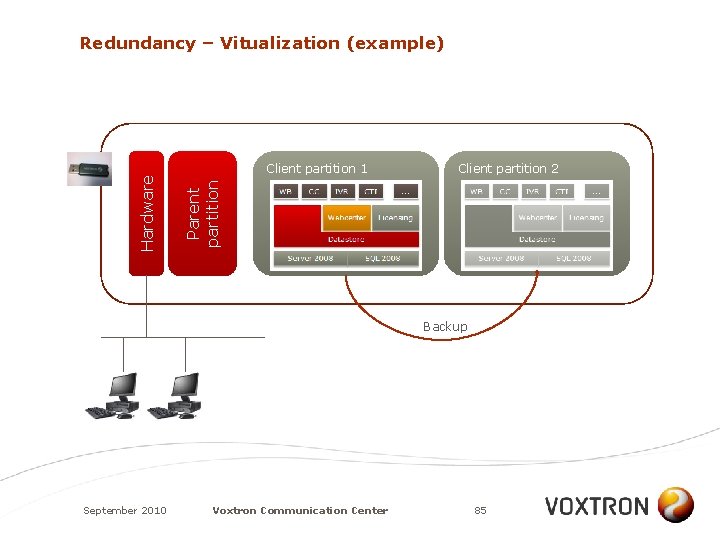
Redundancy – Virtualization • Examples: – Microsoft Hyper-V – VMware – Blade systems • A blade system is a set of blade servers gathered in one blade enclosure • A blade server is a stripped down server computer • The blade enclosure provides power, cooling, networking, interconnect and management September 2010 Voxtron Communication Center 84
Client partition 1 Client partition 2 Parent partition Hardware Redundancy – Vitualization (example) Backup September 2010 Voxtron Communication Center 85
USERS September 2010 Voxtron Communication Center 86
Users • • The types of users in Voxtron Communication Center: – Super Administrator – System Administrator – Team leader – Agent – (Back)Office Worker All of them can work from home/anywhere, provided that a suitable phone and data connection is available September 2010 Voxtron Communication Center 87
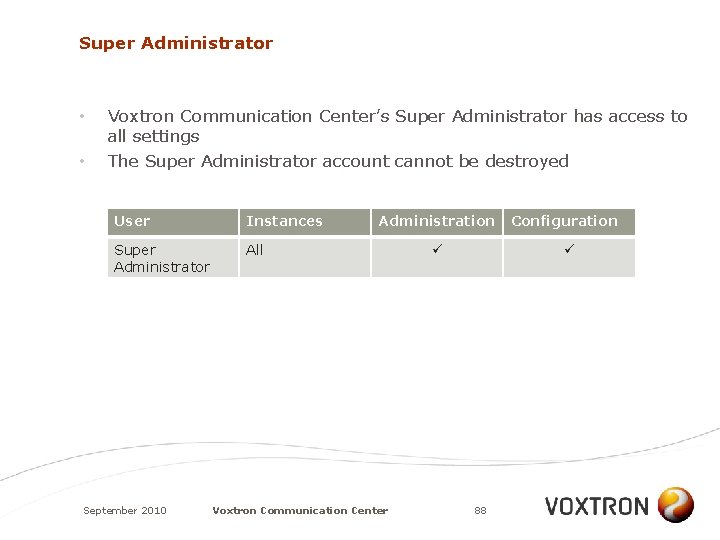
Super Administrator • • Voxtron Communication Center’s Super Administrator has access to all settings The Super Administrator account cannot be destroyed User Instances Super Administrator All September 2010 Administration Voxtron Communication Center Configuration 88
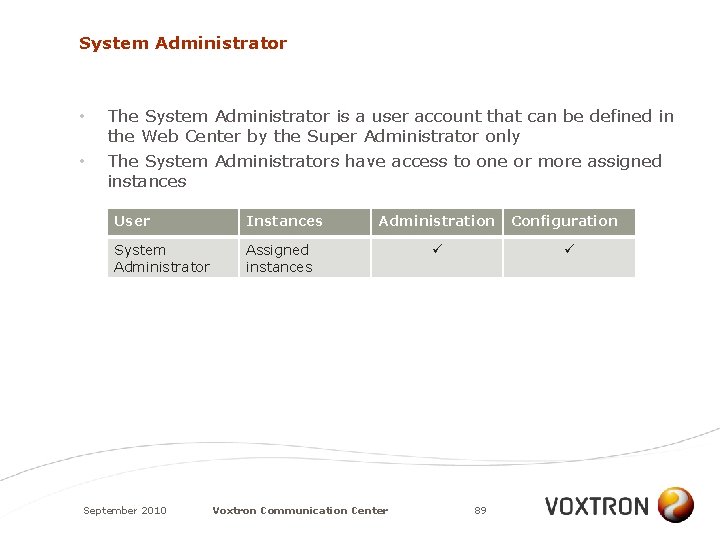
System Administrator • • The System Administrator is a user account that can be defined in the Web Center by the Super Administrator only The System Administrators have access to one or more assigned instances User Instances System Administrator Assigned instances September 2010 Administration Voxtron Communication Center Configuration 89
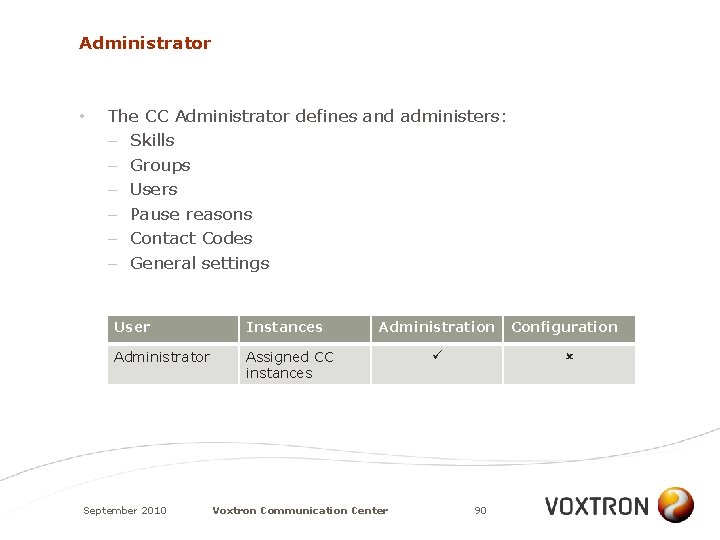
Administrator • The CC Administrator defines and administers: – Skills – Groups – Users – Pause reasons – Contact Codes – General settings User Instances Administrator Assigned CC instances September 2010 Administration Voxtron Communication Center Configuration 90
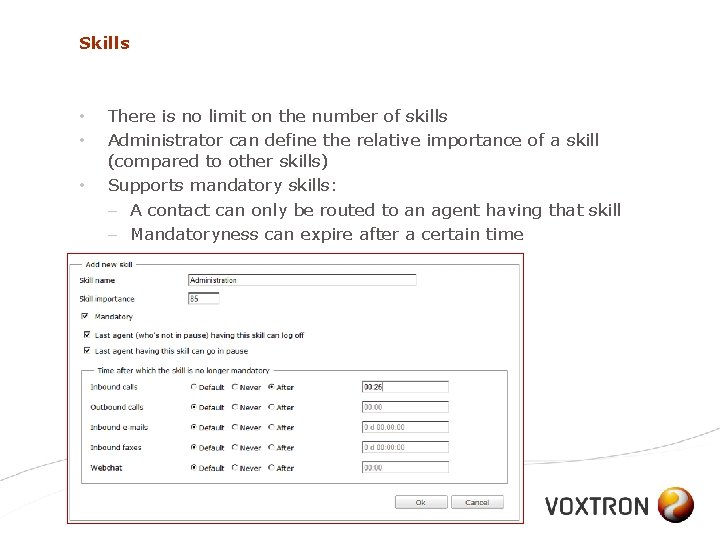
Skills • • • There is no limit on the number of skills Administrator can define the relative importance of a skill (compared to other skills) Supports mandatory skills: – A contact can only be routed to an agent having that skill – Mandatoryness can expire after a certain time September 2010 Voxtron Communication Center 91
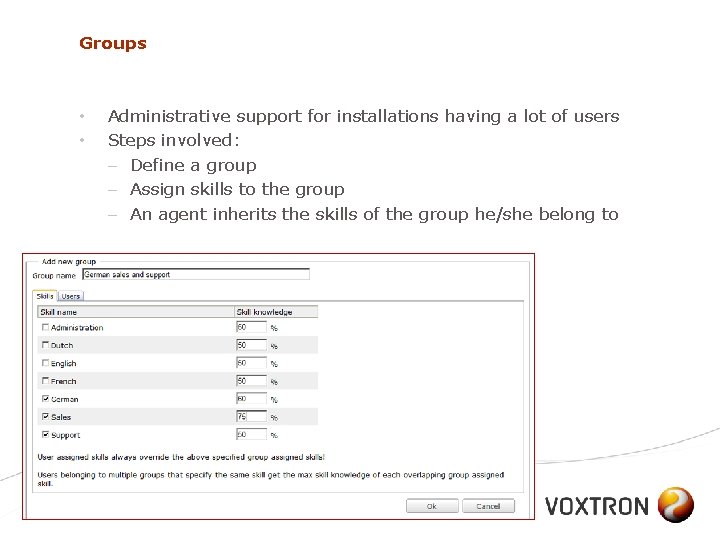
Groups • • Administrative support for installations having a lot of users Steps involved: – Define a group – Assign skills to the group – An agent inherits the skills of the group he/she belong to September 2010 Voxtron Communication Center 92
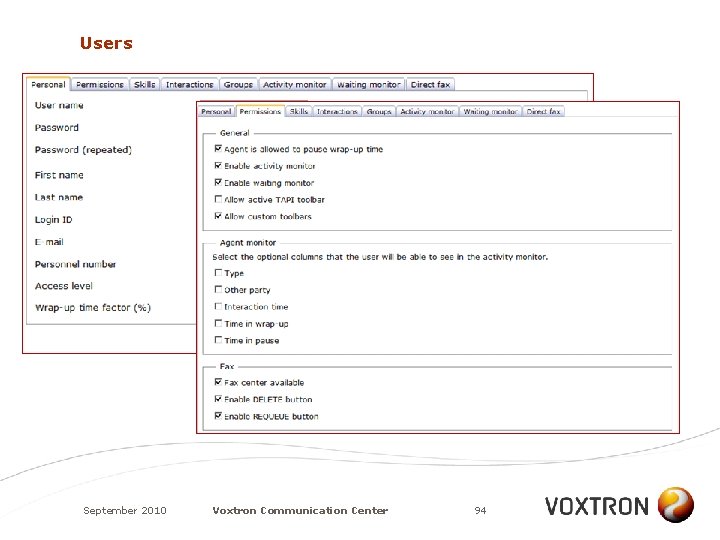
Users • The administrator adds a user by running through different parameter sets: – Personal settings (name, email address, . . . ) – Permissions (with respect to monitors, fax center, email handling, . . . ) – Skills (select & assign a knowledge percentage) – Interactions (free seating, types of interactions, . . . ) – Filter display info in activity and agent monitor – Fax (enable/disable, sender/receiver number, archive (yes/no), . . . ) September 2010 Voxtron Communication Center 93
Users September 2010 Voxtron Communication Center 94
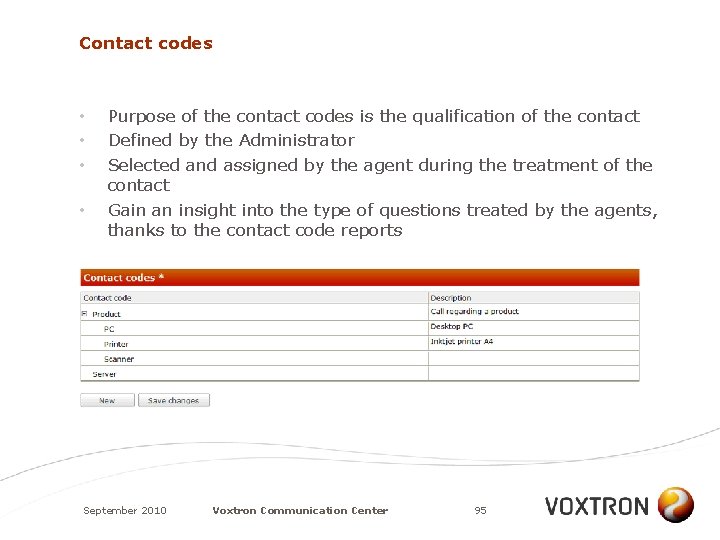
Contact codes • • Purpose of the contact codes is the qualification of the contact Defined by the Administrator Selected and assigned by the agent during the treatment of the contact Gain an insight into the type of questions treated by the agents, thanks to the contact code reports September 2010 Voxtron Communication Center 95
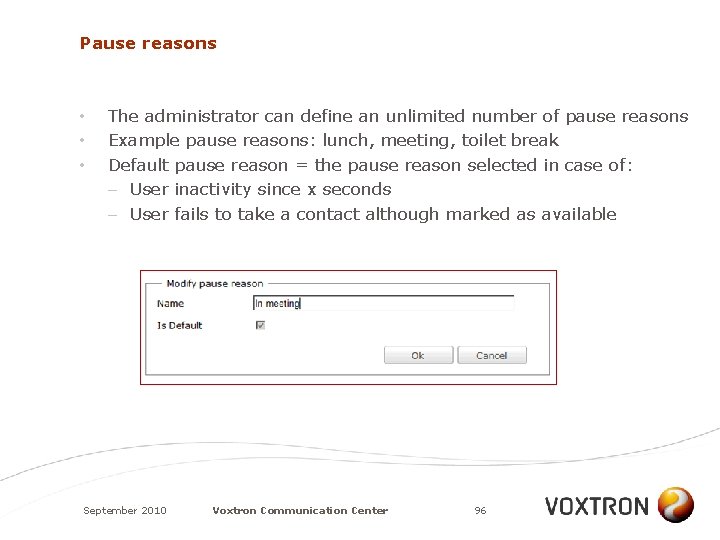
Pause reasons • • • The administrator can define an unlimited number of pause reasons Example pause reasons: lunch, meeting, toilet break Default pause reason = the pause reason selected in case of: – User inactivity since x seconds – User fails to take a contact although marked as available September 2010 Voxtron Communication Center 96
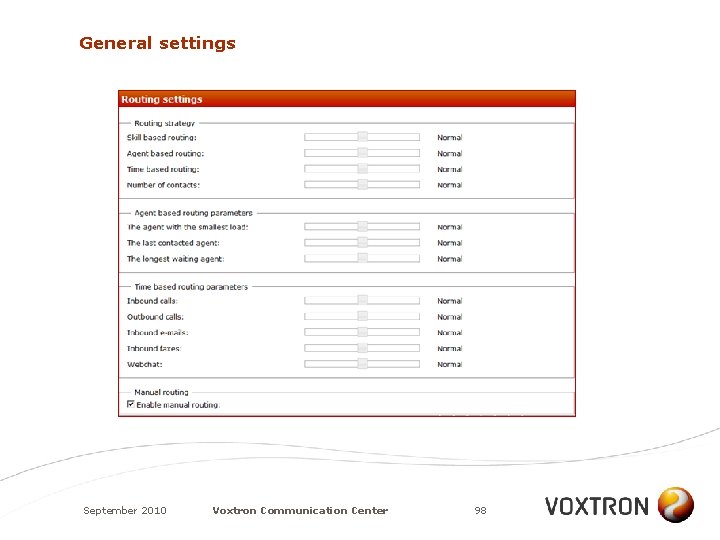
General settings • • • Timers (default wrap-up times, thresholds) Agent specific (log-off/pause of last agent (y/n), pause wrap-up (y/n), . . . ) Routing strategy (define the mixture between skills-based routing, time based routing and agent based routing by using slider bars) Advanced routing strategy (enable multiple simultaneous contacts per agent) Mandatory skills (time after which the mandatoryness is obsolete) September 2010 Voxtron Communication Center 97
General settings September 2010 Voxtron Communication Center 98
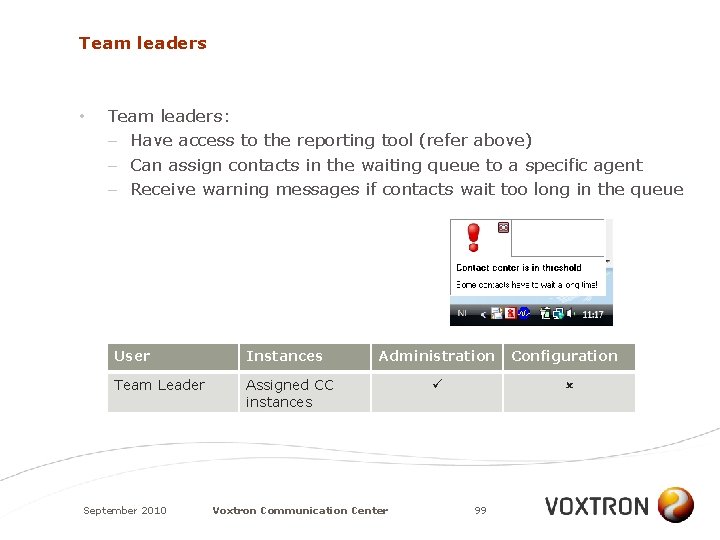
Team leaders • Team leaders: – Have access to the reporting tool (refer above) – Can assign contacts in the waiting queue to a specific agent – Receive warning messages if contacts wait too long in the queue User Instances Team Leader Assigned CC instances September 2010 Administration Voxtron Communication Center Configuration 99
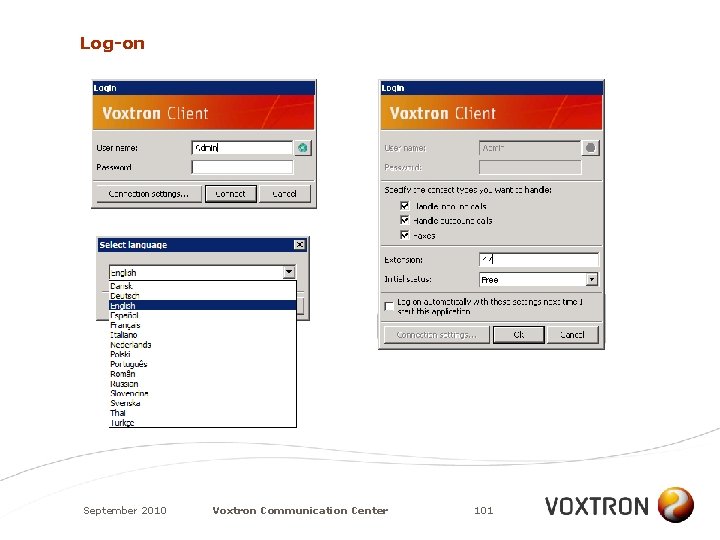
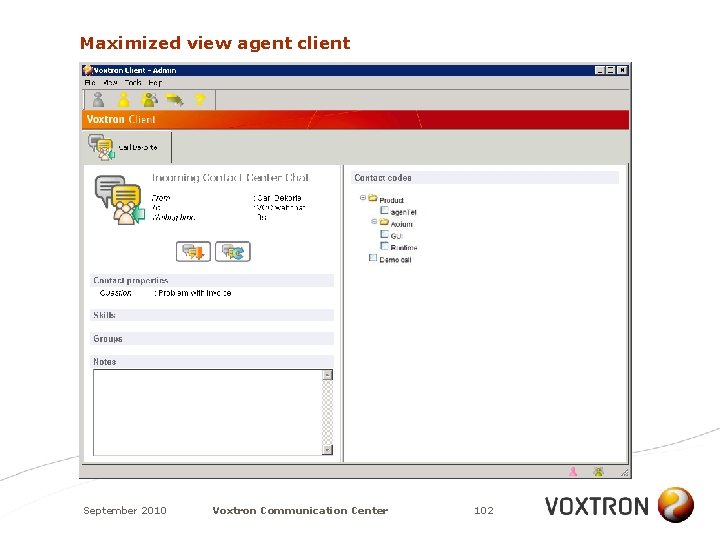
Users • Major functions available for the users: – Free seating – Multilingual – Auto logon when starting Windows – Selection of type of contacts that he/she will treat – Work in full screen or minimize to system tray – Screen pop-ups – Select pause reason – Quick dial – Send faxes from any Windows application – Show web pages in the Voxtron Client September 2010 Voxtron Communication Center 100
Log-on September 2010 Voxtron Communication Center 101
Maximized view agent client September 2010 Voxtron Communication Center 102
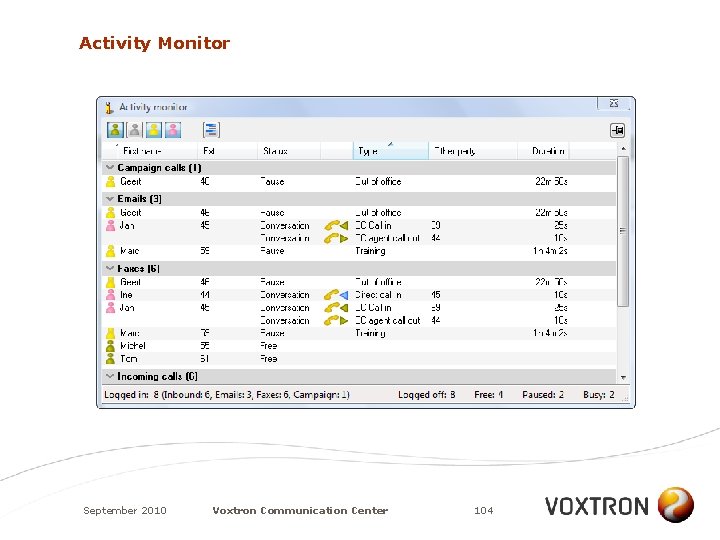
Activity and waiting monitor • • Waiting monitor: – Provides an overview of all contacts that are waiting in the UQ – Allows sorting, filtering and grouping based on selectable fields (contact type, status, waiting time, . . . ) Activity monitor: presence – Provides an overview of all agents and (back)office workers – Allows sorting, filtering and grouping based on selectable fields (name, status, extension, duration, . . . ) – The Administrator decides which other agents an agent can see September 2010 Voxtron Communication Center 103
Activity Monitor September 2010 Voxtron Communication Center 104
INTEGRATIONS September 2010 Voxtron Communication Center 105
Integrations • Voxtron Communication Center has a set of powerful SDKs allowing you to integrate with almost any business environment: – IVR plug-ins – Perl scripting for incoming emails – client SDK • COM interface • Custom toolbar • HTML – server SDK • Custom statistics • Custom Dashboard September 2010 Voxtron Communication Center 106
EDITIONS September 2010 Voxtron Communication Center 107
Voxtron Communication Center Enterprise • • • This edition of Voxtron Communication Center targets the Enterprise market No commercial limitations on number of instances and number of users / ports High end integrations (e. g. Microsoft Lync, SAP, . . . ) will be implemented on this edition of Voxtron Communication Center September 2010 Voxtron Communication Center 108
Voxtron Communication Center Express • • This edition of Voxtron Communication Center targets the SMB market Each operational module can be installed only ONCE, except for the IVR module September 2010 Voxtron Communication Center 109
REQUIREMENTS September 2010 Voxtron Communication Center 110
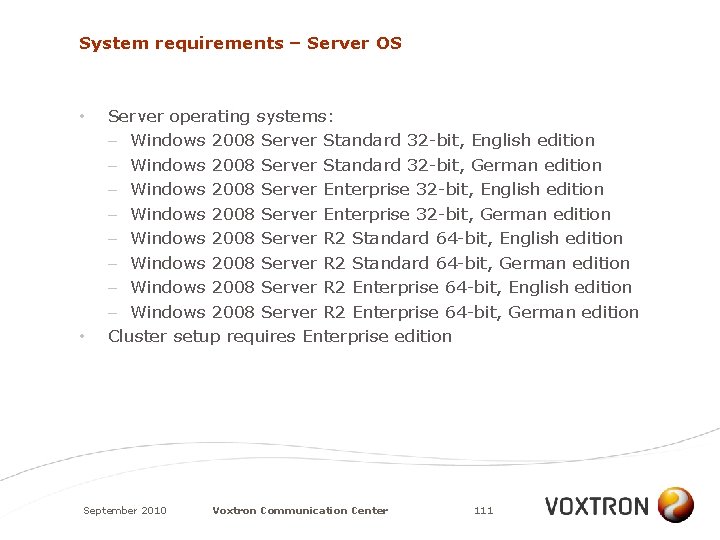
System requirements – Server OS • • Server operating systems: – Windows 2008 Server Standard 32 -bit, English edition – Windows 2008 Server Standard 32 -bit, German edition – Windows 2008 Server Enterprise 32 -bit, English edition – Windows 2008 Server Enterprise 32 -bit, German edition – Windows 2008 Server R 2 Standard 64 -bit, English edition – Windows 2008 Server R 2 Standard 64 -bit, German edition – Windows 2008 Server R 2 Enterprise 64 -bit, English edition – Windows 2008 Server R 2 Enterprise 64 -bit, German edition Cluster setup requires Enterprise edition September 2010 Voxtron Communication Center 111
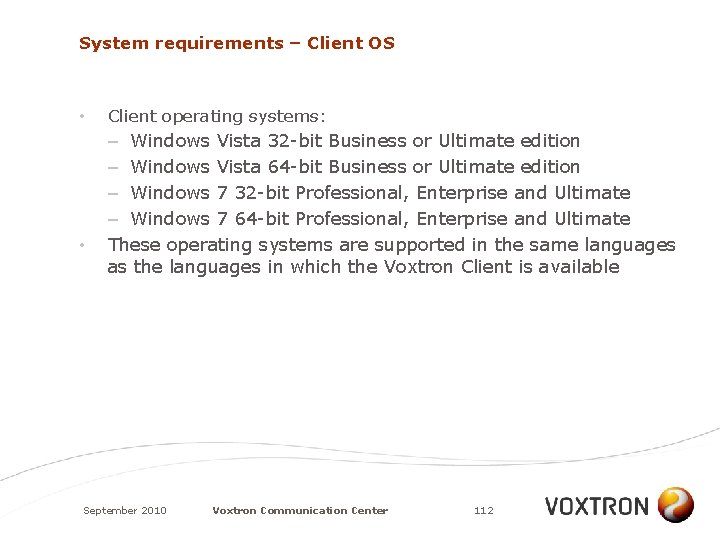
System requirements – Client OS • • Client operating systems: – Windows Vista 32 -bit Business or Ultimate edition – Windows Vista 64 -bit Business or Ultimate edition – Windows 7 32 -bit Professional, Enterprise and Ultimate – Windows 7 64 -bit Professional, Enterprise and Ultimate These operating systems are supported in the same languages as the languages in which the Voxtron Client is available September 2010 Voxtron Communication Center 112
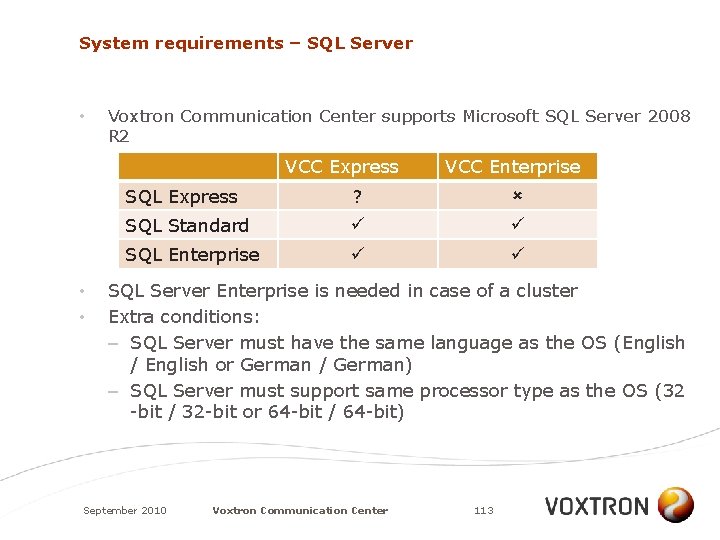
System requirements – SQL Server • Voxtron Communication Center supports Microsoft SQL Server 2008 R 2 VCC Express • • VCC Enterprise SQL Express ? SQL Standard SQL Enterprise SQL Server Enterprise is needed in case of a cluster Extra conditions: – SQL Server must have the same language as the OS (English / English or German / German) – SQL Server must support same processor type as the OS (32 -bit / 32 -bit or 64 -bit / 64 -bit) September 2010 Voxtron Communication Center 113
System Requirements – SQL server • • SQL Express is limited in data storage and memory Each module makes connection with the datastore and therefore consumes an amount of memory Microsoft does not publish figures about the memory consumption (it depends on the connection and traffic) As a result, Voxtron even cannot guarantee that a Voxtron Communication Center Express in all of its configurations will work on a SQL Server Express September 2010 Voxtron Communication Center 114
UPGRADE PATH September 2010 Voxtron Communication Center 115
Upgrade path • • Voxtron Communication Center is because of it’s new architecture a different product from agen. Tel There is no upgrade procedure for customers having agen. Tel and wanting to move to Voxtron Communication Center Express Voxtron will make available a data import tool within 4 months after release. This data import tool gathers the agen. Tel administration and configuration data and loads them into the Voxtron Communication Center Datastore Reporting modules in Voxtron Communication Center and agen. Tel are not compatible; therefore the data import tool will not include the statistical data September 2010 Voxtron Communication Center 116
SUMMARY September 2010 Voxtron Communication Center 117
Installation Center accelerates the time to deployment Multi-tenancy Advanced, modular architecture Scalable Central administration and configuration RIA Dashboard Audit Trail and installation monitoring Multimedia Flexible licensing enables targeting different markets September 2010 Voxtron Communication Center 118