
Volume Analysis Intro Chapter 4 Carrier 1 Volume
![Use fdisk to View Table root@ttyp 0[knoppix]# fdisk /dev/hda Command (m for help): p](https://slidetodoc.com/presentation_image_h/21c630740899821a0769ab3dd0c12720/image-37.jpg "Use fdisk to View Table root@ttyp 0[knoppix]# fdisk /dev/hda Command (m for help): p")
- Slides: 39
Volume Analysis – Intro Chapter 4, Carrier 1. Volume structure 2. Volume analysis 3. Volume recovery http: //blogs. sans. org/computer-forensics/2010/07/28/windows-7 -mbr-advanced-format-drivese 512/? utm_source=rss&utm_medium=rss&utm_campaign=windows-7 -mbr-advanced-formatdrives-e 512 st. txt
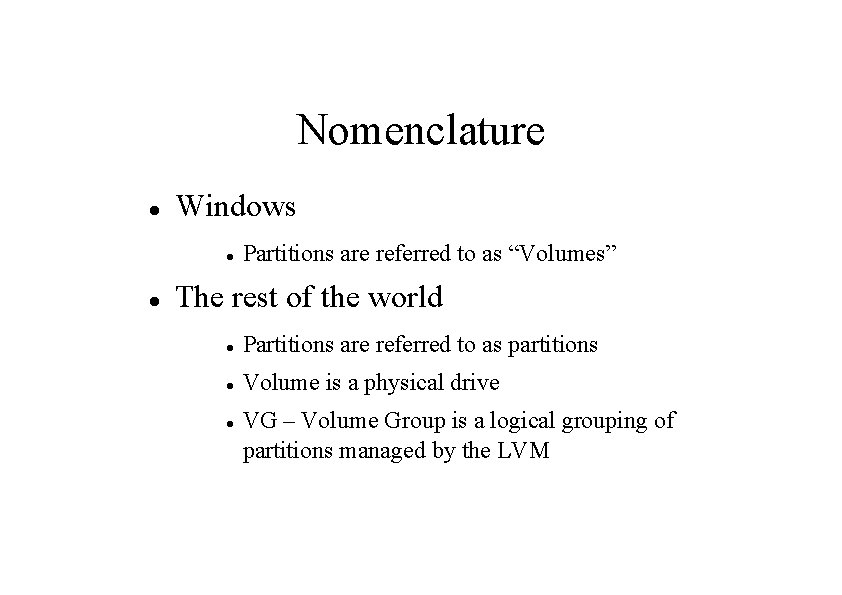
Nomenclature Windows Partitions are referred to as “Volumes” The rest of the world Partitions are referred to as partitions Volume is a physical drive VG – Volume Group is a logical grouping of partitions managed by the LVM
Volume Functions A volume is a collection of addressable sectors that can be used for storage Assemble multiple storage volumes into one. Partition a storage volume into independent partitions
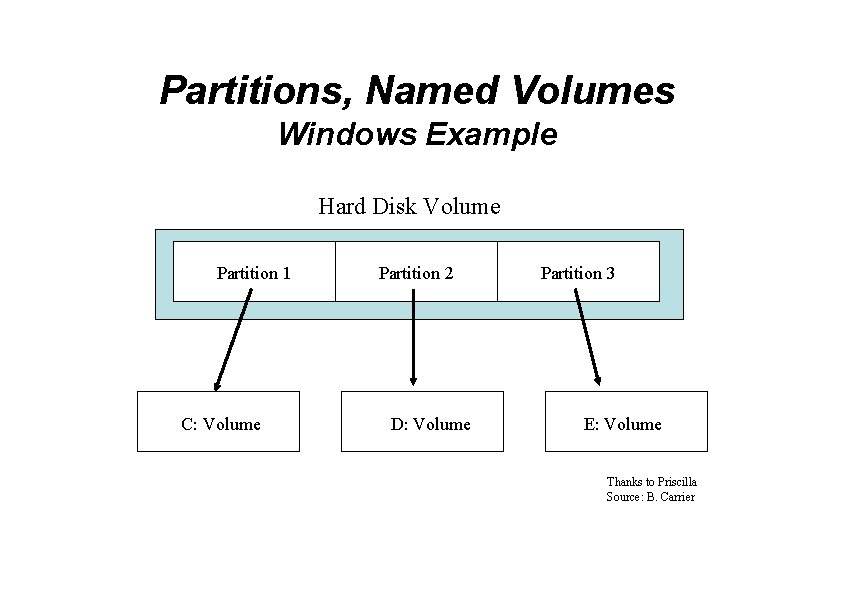
Partitions, Named Volumes Windows Example Hard Disk Volume Partition 1 C: Volume Partition 2 D: Volume Partition 3 E: Volume Thanks to Priscilla Source: B. Carrier
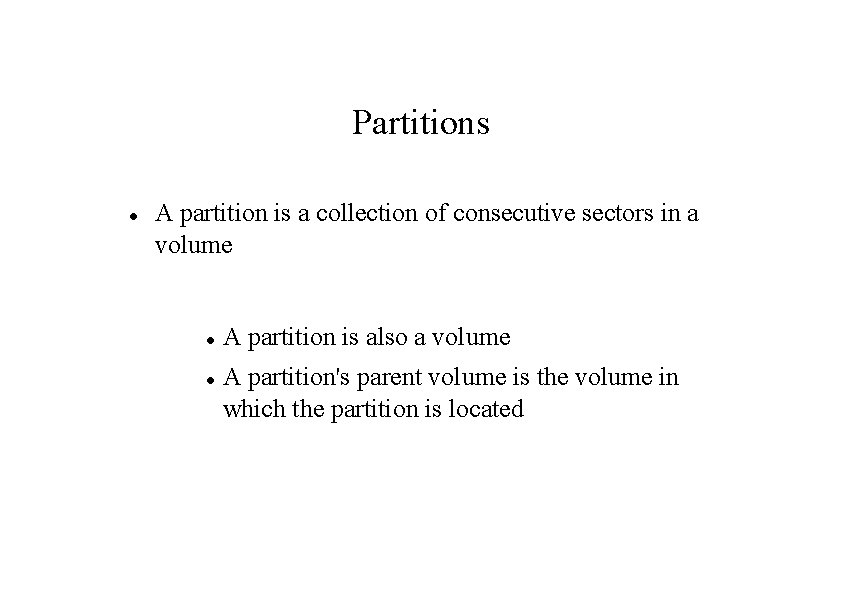
Partitions A partition is a collection of consecutive sectors in a volume A partition is also a volume A partition's parent volume is the volume in which the partition is located
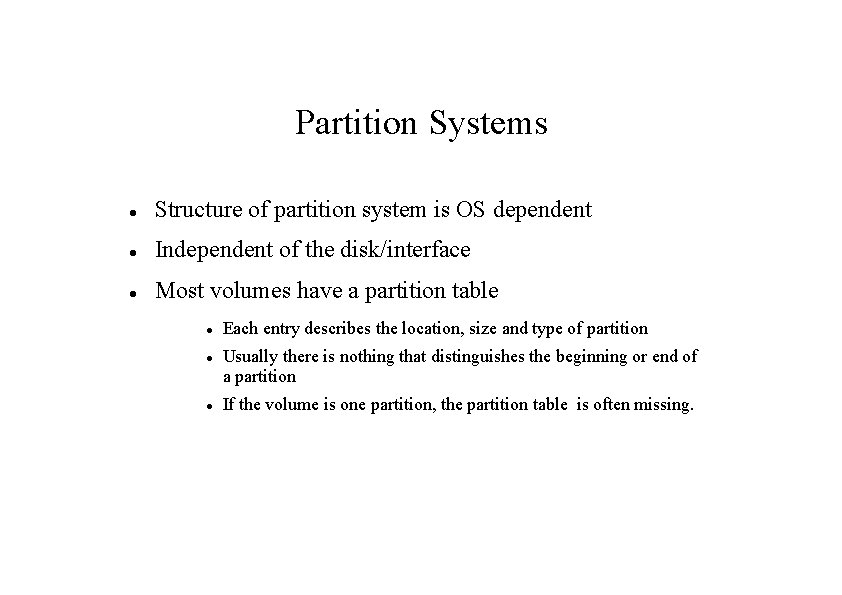
Partition Systems Structure of partition system is OS dependent Independent of the disk/interface Most volumes have a partition table Each entry describes the location, size and type of partition Usually there is nothing that distinguishes the beginning or end of a partition If the volume is one partition, the partition table is often missing.
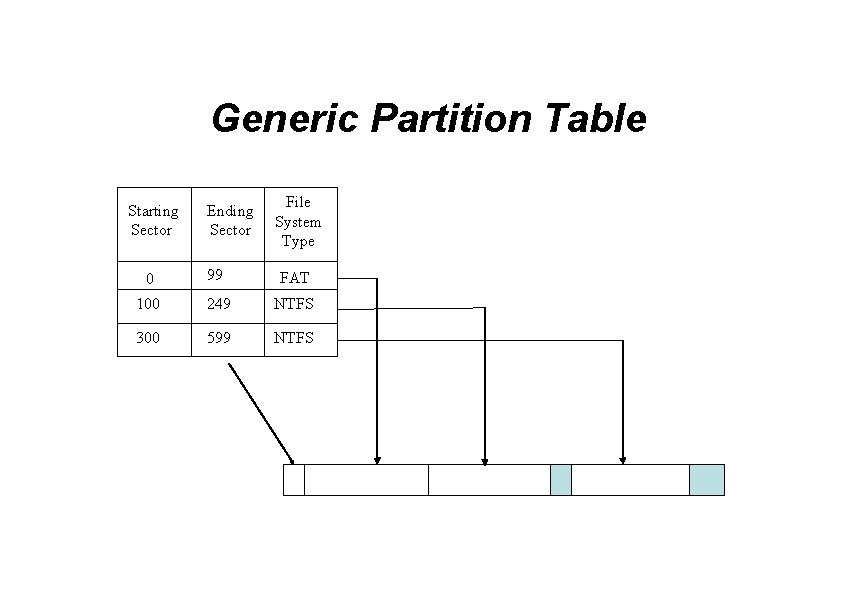
Generic Partition Table Ending Sector File System Type 0 99 FAT 100 249 NTFS 300 599 NTFS Starting Sector
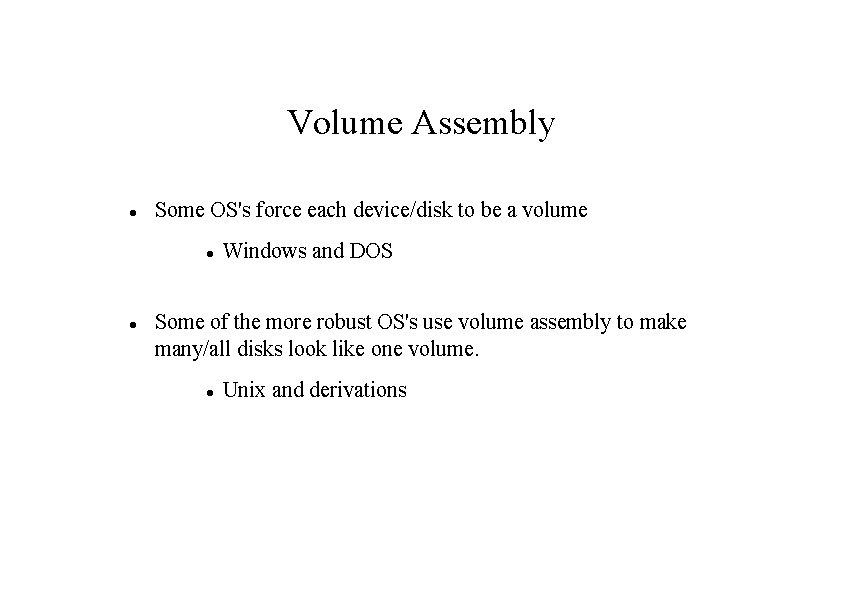
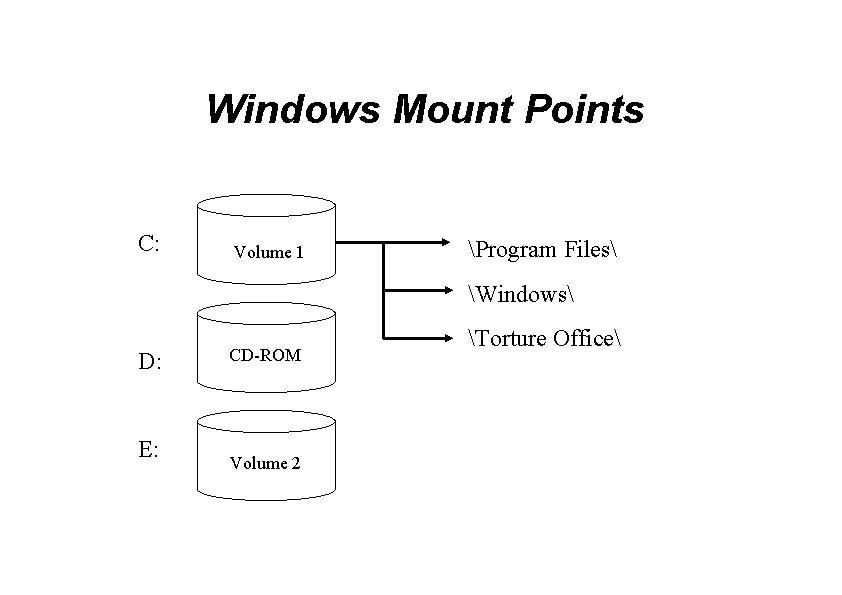
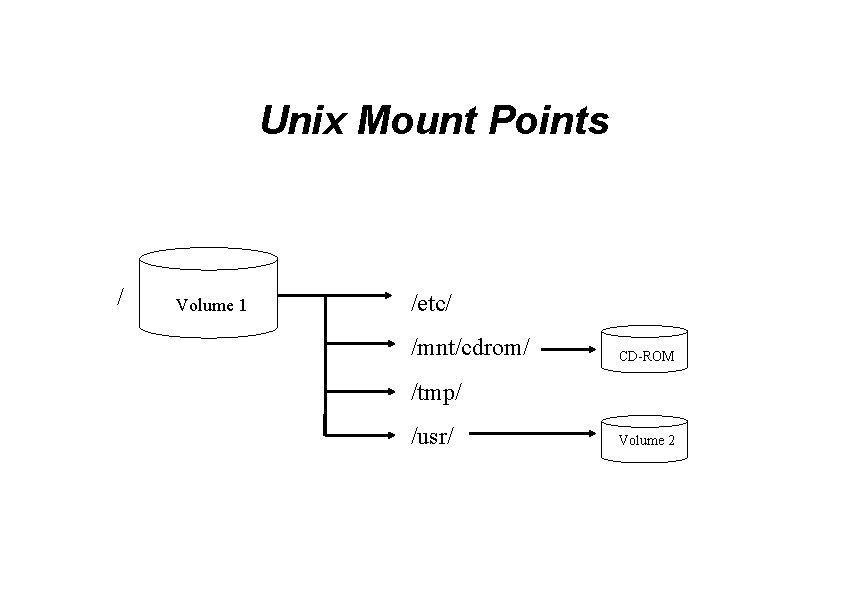
Volume Assembly Some OS's force each device/disk to be a volume Windows and DOS Some of the more robust OS's use volume assembly to make many/all disks look like one volume. Unix and derivations
Windows Mount Points C: Volume 1 Program Files Windows D: E: CD-ROM Volume 2 Torture Office
Unix Mount Points / Volume 1 /etc/ /mnt/cdrom/ CD-ROM /tmp/ /usr/ Volume 2
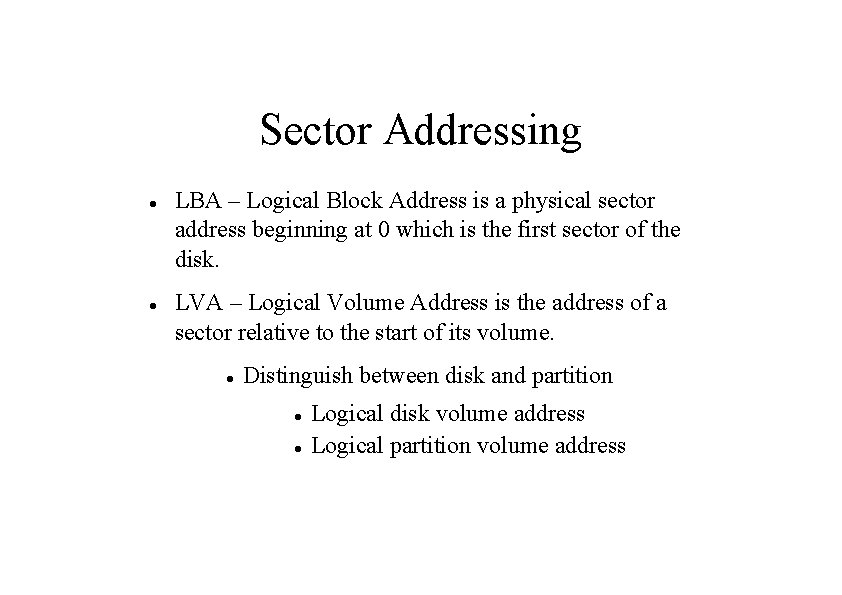
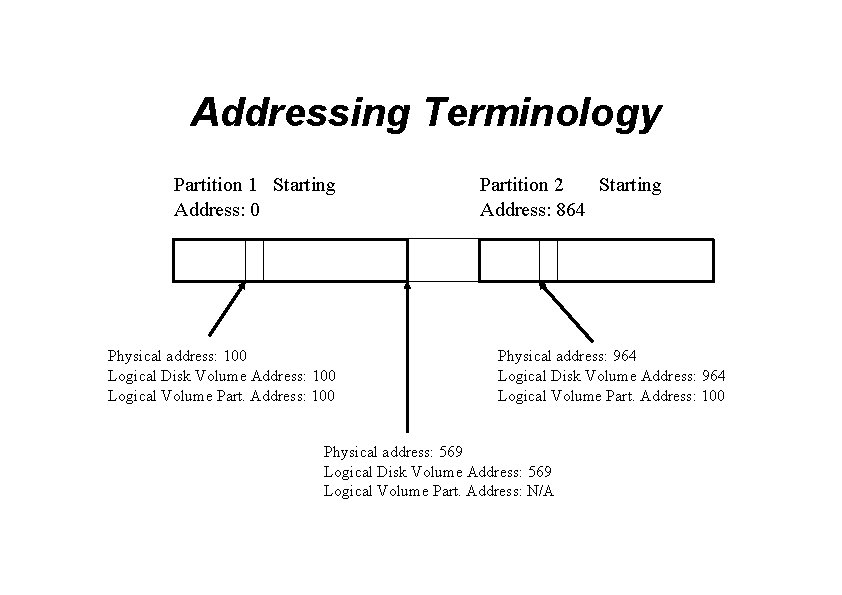
Sector Addressing LBA – Logical Block Address is a physical sector address beginning at 0 which is the first sector of the disk. LVA – Logical Volume Address is the address of a sector relative to the start of its volume. Distinguish between disk and partition Logical disk volume address Logical partition volume address
Addressing Terminology Partition 1 Starting Address: 0 Physical address: 100 Logical Disk Volume Address: 100 Logical Volume Part. Address: 100 Partition 2 Starting Address: 864 Physical address: 964 Logical Disk Volume Address: 964 Logical Volume Part. Address: 100 Physical address: 569 Logical Disk Volume Address: 569 Logical Volume Part. Address: N/A
Volume Analysis Partition layout of the volume is important Consistency Corruption Unallocated space Evidence Recovery
Techniques Data in a partition is likely to be a file system. Data in sectors not in a partition is likely to be data left over from a previous life Using dd we can create a file for each partition Using dd we can also create files of consecutive unallocated sectors
Consistency Checks Consecutive collections of sectors, utilizing the entire disk/device Consecutive collections of sectors, not utilizing the entire disk/device Over lapping collections of sectors Missing partition tables or corrupted tables, intentional or accidental
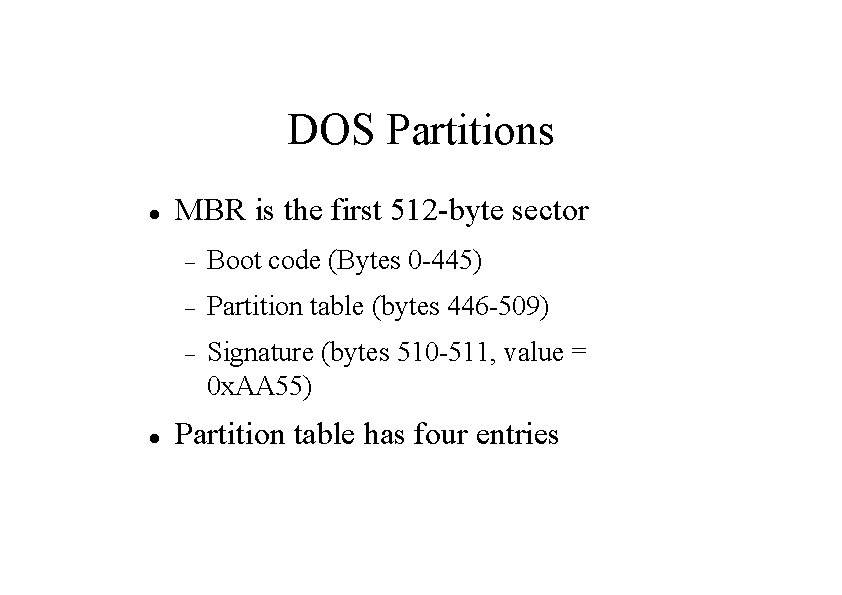
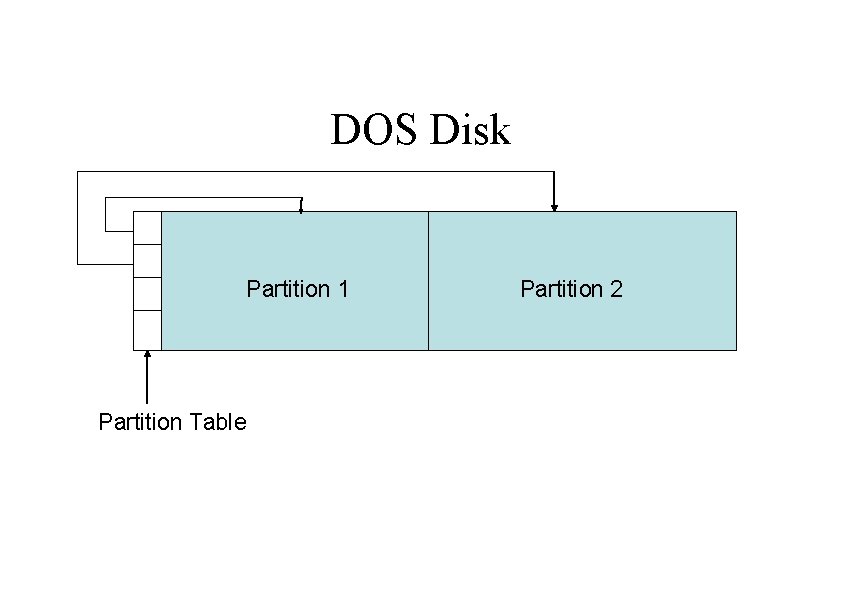
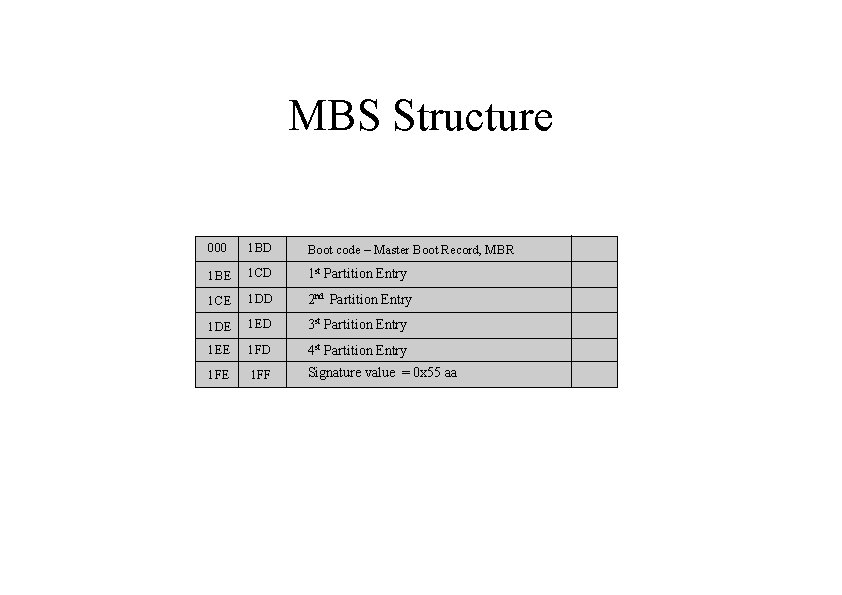
DOS Partitions MBR is the first 512 -byte sector Boot code (Bytes 0 -445) Partition table (bytes 446 -509) Signature (bytes 510 -511, value = 0 x. AA 55) Partition table has four entries
DOS Disk Partition 1 Partition Table Partition 2
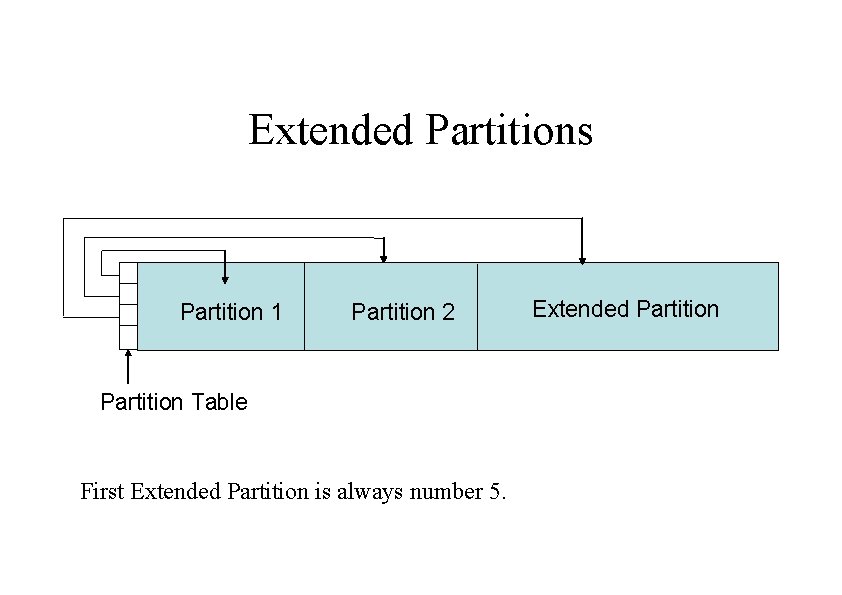
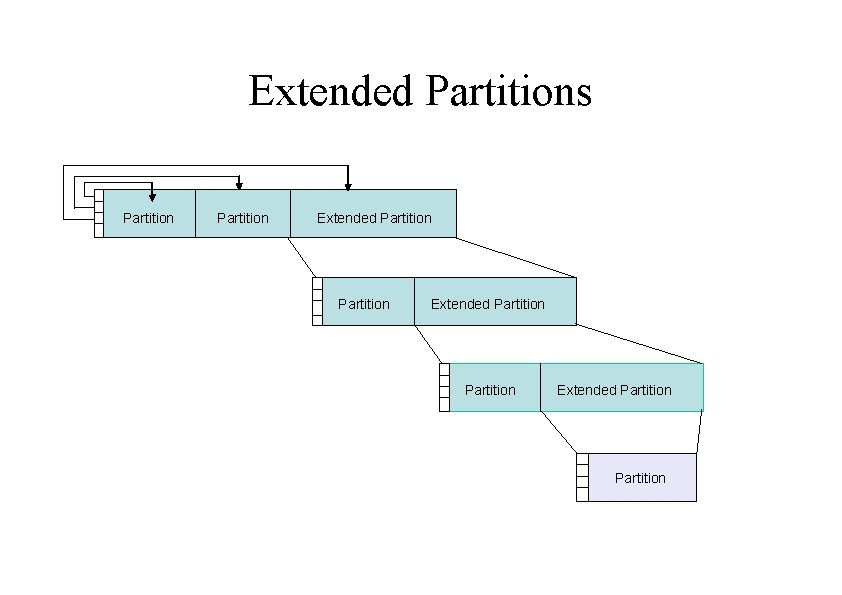
Extended Partitions Partition 1 Partition 2 Partition Table First Extended Partition is always number 5. Extended Partition
Extended Partitions Partition Extended Partition
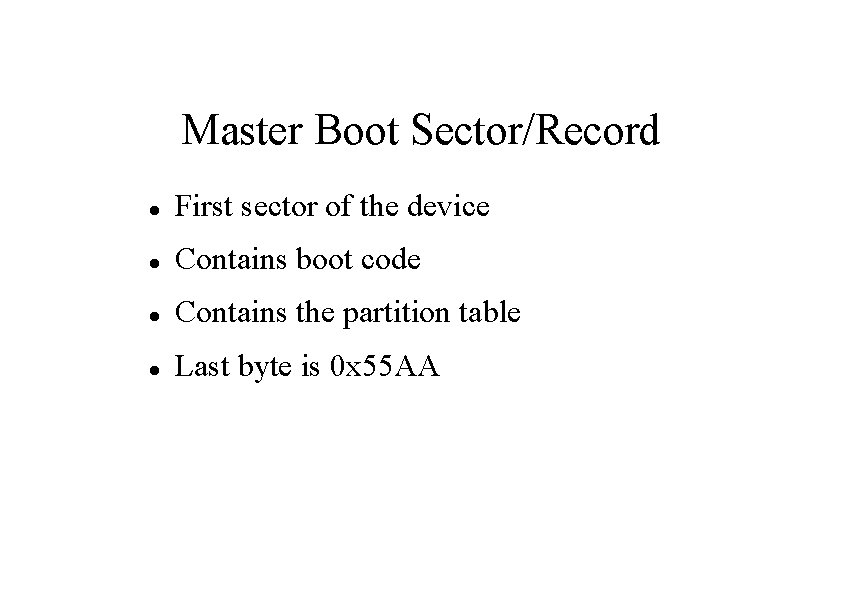
Master Boot Sector/Record First sector of the device Contains boot code Contains the partition table Last byte is 0 x 55 AA
MBS Structure 000 1 BD Boot code – Master Boot Record, MBR 1 BE 1 CD 1 st Partition Entry 1 CE 1 DD 2 nd Partition Entry 1 DE 1 ED 3 st Partition Entry 1 EE 1 FD 4 st Partition Entry 1 FE 1 FF Signature value = 0 x 55 aa
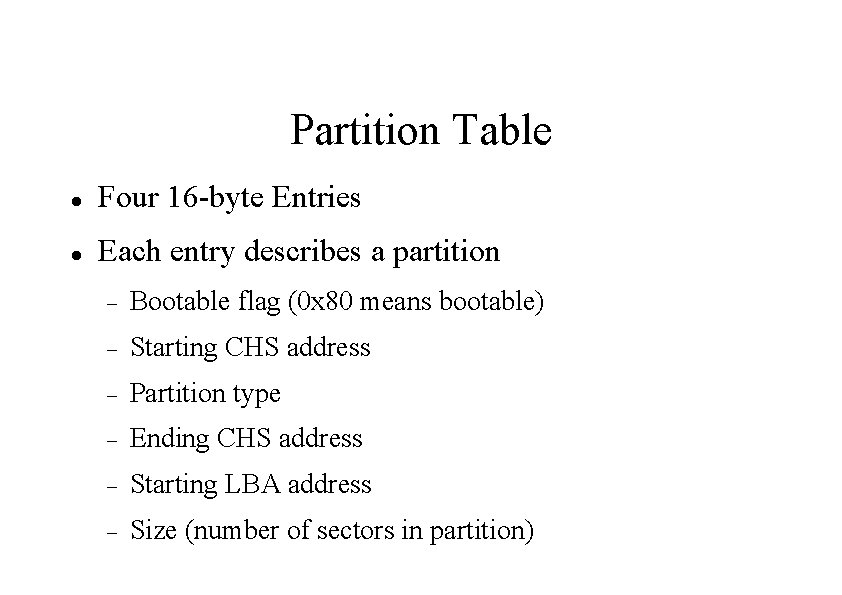
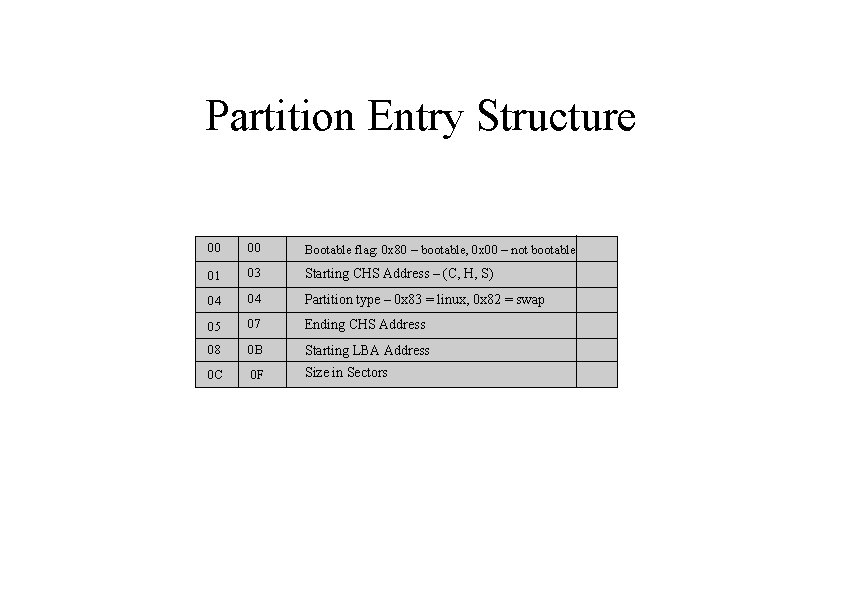
Partition Table Four 16 -byte Entries Each entry describes a partition Bootable flag (0 x 80 means bootable) Starting CHS address Partition type Ending CHS address Starting LBA address Size (number of sectors in partition)
Partition Entry Structure 00 00 Bootable flag: 0 x 80 – bootable, 0 x 00 – not bootable 01 03 Starting CHS Address – (C, H, S) 04 04 Partition type – 0 x 83 = linux, 0 x 82 = swap 05 07 Ending CHS Address 08 0 B Starting LBA Address 0 C 0 F Size in Sectors
0 Empty 1 e Hidden W 95 FAT 1 80 Old Minix 1 FAT 12 24 NEC DOS 81 Minix / old Lin bf Solaris 2 XENIX root 39 Plan 9 82 Linux swap / So c 1 DRDOS/sec (FAT- 3 XENIX usr 3 c Partition. Magic 83 Linux c 4 DRDOS/sec (FAT- 4 FAT 16 <32 M 40 Venix 80286 84 OS/2 hidden C: c 6 DRDOS/sec (FAT- 5 Extended 41 PPC PRe. P Boot 85 Linux extended c 7 Syrinx 6 FAT 16 42 SFS 86 NTFS volume set da Non-FS data 7 HPFS/NTFS 4 d QNX 4. x 87 NTFS volume set db CP/M / CTOS /. 8 AIX 4 e QNX 4. x 2 nd part 88 Linux plaintext de Dell Utility 9 AIX bootable 4 f QNX 4. x 3 rd part 8 e Linux LVM df Boot. It a OS/2 Boot Manag 50 On. Track DM Amoeba e 1 DOS access b W 95 FAT 32 On. Track DM 6 Aux 94 Amoeba BBT e 3 DOS R/O c W 95 FAT 32 (LBA) 52 CP/M BSD/OS e 4 Speed. Stor e W 95 FAT 16 (LBA) 53 On. Track DM 6 Aux a 0 IBM Thinkpad hi eb Be. OS fs f W 95 Ext'd (LBA) 54 On. Track. DM 6 a 5 Free. BSD ee EFI GPT 10 OPUS 55 EZ-Drive a 6 Open. BSD ef EFI (FAT-12/16/ 11 Hidden FAT 12 56 Golden Bow a 7 Ne. XTSTEP f 0 Linux/PA-RISC b 12 Compaq diagnost 5 c Priam Edisk a 8 Darwin UFS f 1 Speed. Stor 14 Hidden FAT 16 <3 61 Speed. Stor a 9 Net. BSD f 4 Speed. Stor 16 Hidden FAT 16 GNU HURD or Sys ab Darwin boot f 2 DOS secondary 17 Hidden HPFS/NTF 64 Novell Netware b 7 BSDI fs fd Linux raid auto 18 AST Smart. Sleep Novell Netware b 8 BSDI swap fe LANstep 1 b Hidden W 95 FAT 3 70 Disk. Secure Mult bb 1 c Hidden W 95 FAT 3 75 PC/IX 51 63 65 93 9 f be Boot Wizard hid ff Solaris boot BBT Partition Types
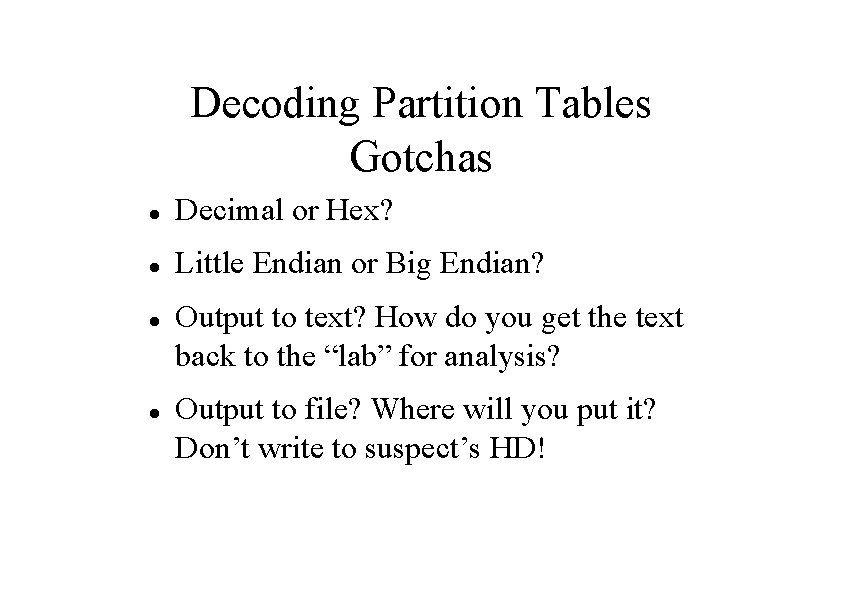
Decoding Partition Tables Gotchas Decimal or Hex? Little Endian or Big Endian? Output to text? How do you get the text back to the “lab” for analysis? Output to file? Where will you put it? Don’t write to suspect’s HD!
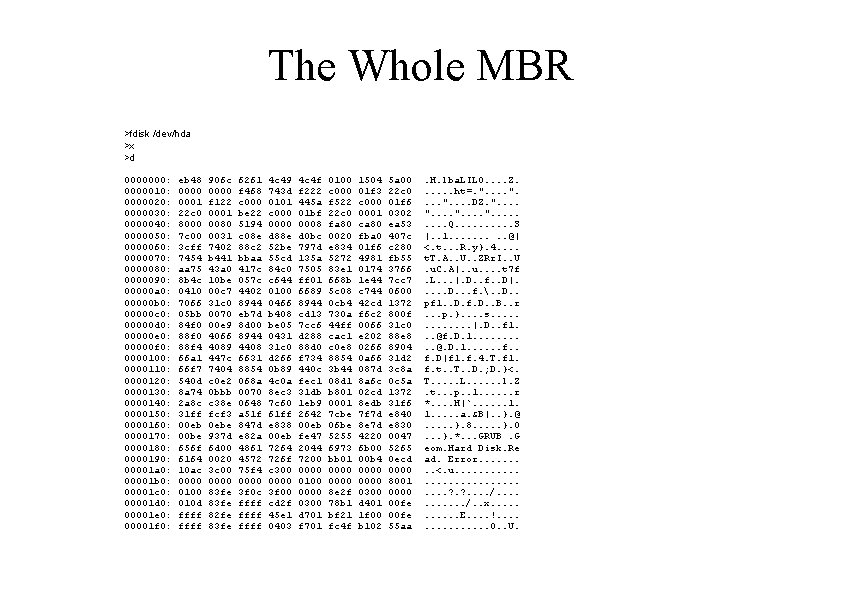
The Whole MBR >fdisk /dev/hda >x >d 0000000: 0000010: 0000020: 0000030: 0000040: 0000050: 0000060: 0000070: 0000080: 0000090: 00000 a 0: 00000 b 0: 00000 c 0: 00000 d 0: 00000 e 0: 00000 f 0: 0000100: 0000110: 0000120: 0000130: 0000140: 0000150: 0000160: 0000170: 0000180: 0000190: 00001 a 0: 00001 b 0: 00001 c 0: 00001 d 0: 00001 e 0: 00001 f 0: eb 48 0000 0001 22 c 0 8000 7 c 00 3 cff 7454 aa 75 8 b 4 c 0410 7066 05 bb 84 f 0 88 f 4 66 a 1 66 f 7 540 d 8 a 74 2 a 8 c 31 ff 00 eb 00 be 656 f 6164 10 ac 0000 010 d ffff 906 c 0000 f 122 0001 0080 0031 7402 b 441 43 a 0 10 be 00 c 7 31 c 0 0070 00 e 9 4066 4089 447 c 7404 c 0 e 2 0 bbb c 38 e fcf 3 0 ebe 937 d 6 d 00 0020 3 c 00 0000 83 fe 82 fe 83 fe 6261 f 468 c 000 be 22 5194 c 08 e 88 c 2 bbaa 417 c 057 c 4402 8944 eb 7 d 8 d 00 8944 4408 6631 8854 068 a 0070 0648 a 51 f 847 d e 82 a 4861 4572 75 f 4 0000 3 f 0 c ffff 4 c 49 743 d 0101 c 0000 d 88 e 52 be 55 cd 84 c 0 c 644 0100 0466 b 408 be 05 0431 31 c 0 d 266 0 b 89 4 c 0 a 8 ec 3 7 c 60 61 ff e 838 00 eb 7264 726 f c 300 0000 3 f 00 cd 2 f 45 e 1 0403 4 c 4 f f 222 445 a 01 bf 0008 d 0 bc 797 d 135 a 7505 ff 01 6689 8944 cd 13 7 cc 6 d 288 88 d 0 f 734 440 c fec 1 31 db 1 eb 9 2642 00 eb fe 47 2044 7200 0000 0100 0000 0300 d 701 f 701 0100 c 000 f 522 22 c 0 fa 80 0020 e 834 5272 83 e 1 668 b 5 c 08 0 cb 4 730 a 44 ff cac 1 c 0 e 8 8854 3 b 44 08 d 1 b 801 0001 7 cbe 06 be 5255 6973 bb 01 0000 8 e 2 f 78 b 1 bf 21 fc 4 f 1504 01 f 3 c 0001 ca 80 fba 0 01 f 6 4981 0174 1 e 44 c 744 42 cd f 6 c 2 0066 e 202 0266 0 a 66 087 d 8 a 6 c 02 cd 8 edb 7 f 7 d 8 e 7 d 4220 6 b 00 00 b 4 0000 0300 d 401 1 f 00 b 102 5 a 00 22 c 0 01 f 6 0302 ea 53 407 c c 280 fb 55 3766 7 cc 7 0600 1372 800 f 31 c 0 88 e 8 8904 31 d 2 3 c 8 a 0 c 5 a 1372 31 f 6 e 840 e 830 0047 5265 0 ecd 0000 8001 0000 00 fe 55 aa . H. lba. LILO. . Z. . . ht=. ". . DZ. ". . . Q. . S |. . 1. . @| <. t. . . R. y}. 4. . t. T. A. . U. . ZRr. I. . U. u. C. A|. . u. . t 7 f. L. . . |. D. . f. . D|. . . D. . . f. . . D. . pf 1. . D. f. D. . B. . r. . . p. }. . s. . . |. D. . f 1. . . @f. D. 1. . @. D. 1. . . f. D|f 1. f. 4. T. f 1. f. t. . T. . D. ; D. }<. T. . . L. . . l. Z. t. . . p. . 1. . . r *. . H|`. . . 1. 1. . . a. &B|. . }. @. . . }. 8. . . }. 0. . . }. *. . . GRUB. G eom. Hard Disk. Re ad. Error. . <. u. . . . ? . . /. . x. . . E. . !. . . . O. . U.
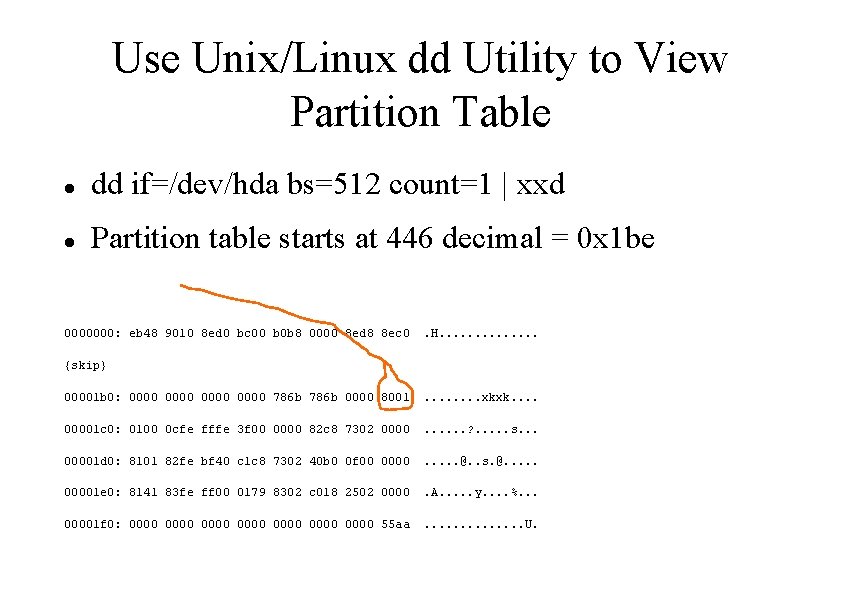
Use Unix/Linux dd Utility to View Partition Table dd if=/dev/hda bs=512 count=1 | xxd Partition table starts at 446 decimal = 0 x 1 be 0000000: eb 48 9010 8 ed 0 bc 00 b 0 b 8 0000 8 ed 8 8 ec 0 . H. . . {skip} 00001 b 0: 0000 786 b 0000 8001 . . . . xkxk. . 00001 c 0: 0100 0 cfe fffe 3 f 00 0000 82 c 8 7302 0000 . . . ? . . . s. . . 00001 d 0: 8101 82 fe bf 40 c 1 c 8 7302 40 b 0 0 f 00 0000 . . . @. . s. @. . . 00001 e 0: 8141 83 fe ff 00 0179 8302 c 018 2502 0000 . A. . . y. . %. . . 00001 f 0: 0000 0000 55 aa . . . U.
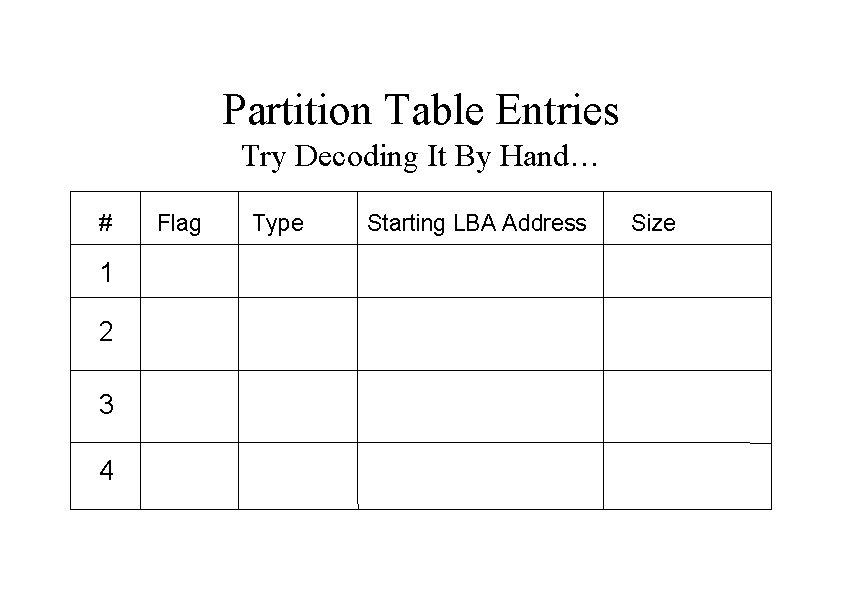
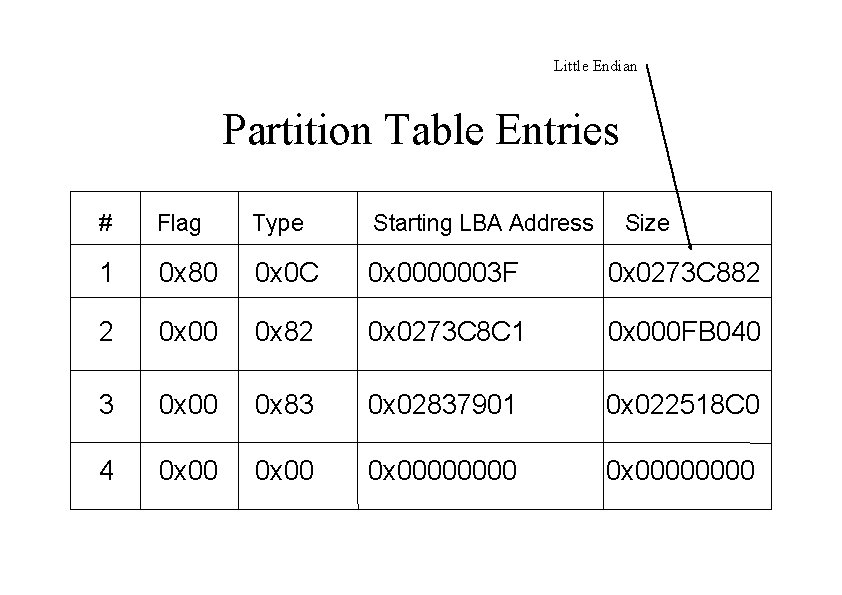
Partition Table Entries Try Decoding It By Hand… # 1 2 3 4 Flag Type Starting LBA Address Size
Little Endian Partition Table Entries # Flag Type Starting LBA Address Size 1 0 x 80 0 x 0 C 0 x 0000003 F 0 x 0273 C 882 2 0 x 00 0 x 82 0 x 0273 C 8 C 1 0 x 000 FB 040 3 0 x 00 0 x 83 0 x 02837901 0 x 022518 C 0 4 0 x 00000000
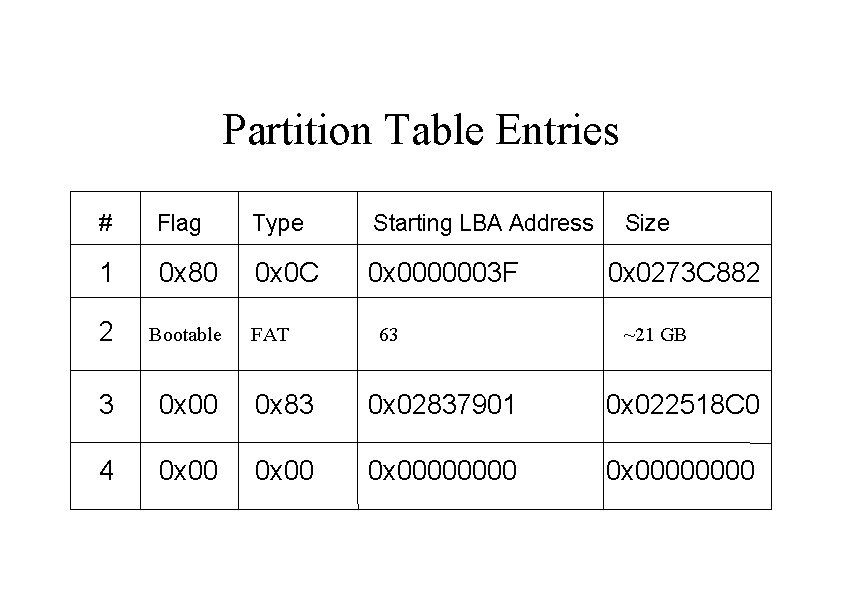
Partition Table Entries # Flag Type Starting LBA Address 1 0 x 80 0 x 0 C 0 x 0000003 F 2 Bootable 3 0 x 00 0 x 83 0 x 02837901 0 x 022518 C 0 4 0 x 00000000 FAT 63 Size 0 x 0273 C 882 ~21 GB
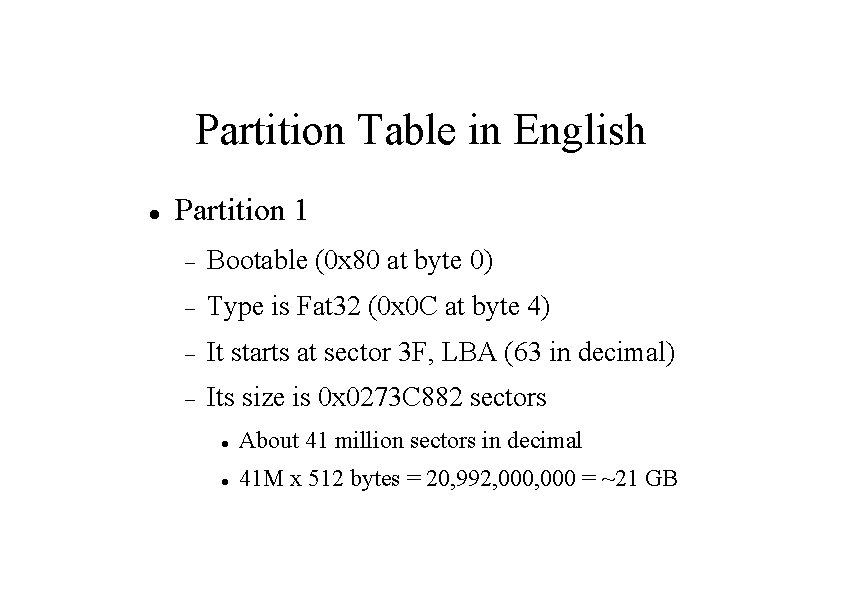
Partition Table in English Partition 1 Bootable (0 x 80 at byte 0) Type is Fat 32 (0 x 0 C at byte 4) It starts at sector 3 F, LBA (63 in decimal) Its size is 0 x 0273 C 882 sectors About 41 million sectors in decimal 41 M x 512 bytes = 20, 992, 000 = ~21 GB
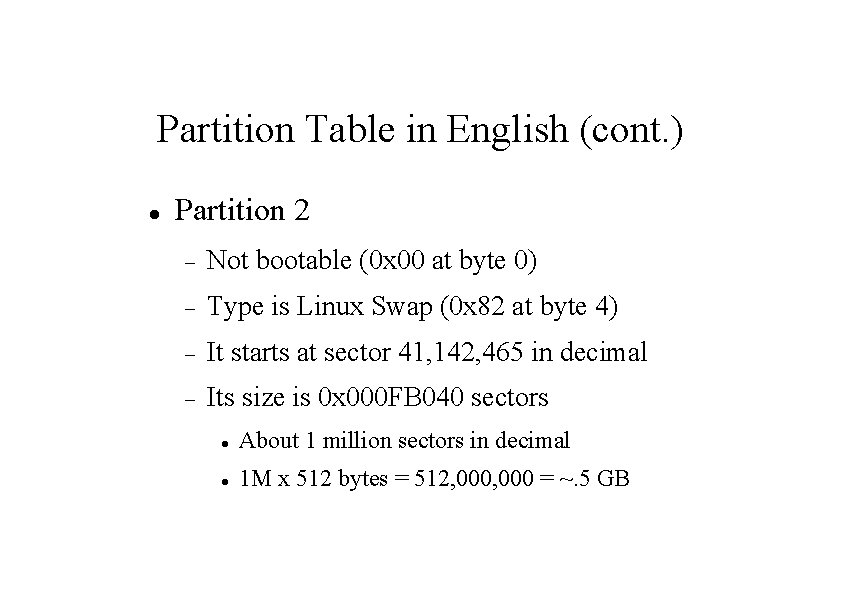
Partition Table in English (cont. ) Partition 2 Not bootable (0 x 00 at byte 0) Type is Linux Swap (0 x 82 at byte 4) It starts at sector 41, 142, 465 in decimal Its size is 0 x 000 FB 040 sectors About 1 million sectors in decimal 1 M x 512 bytes = 512, 000 = ~. 5 GB
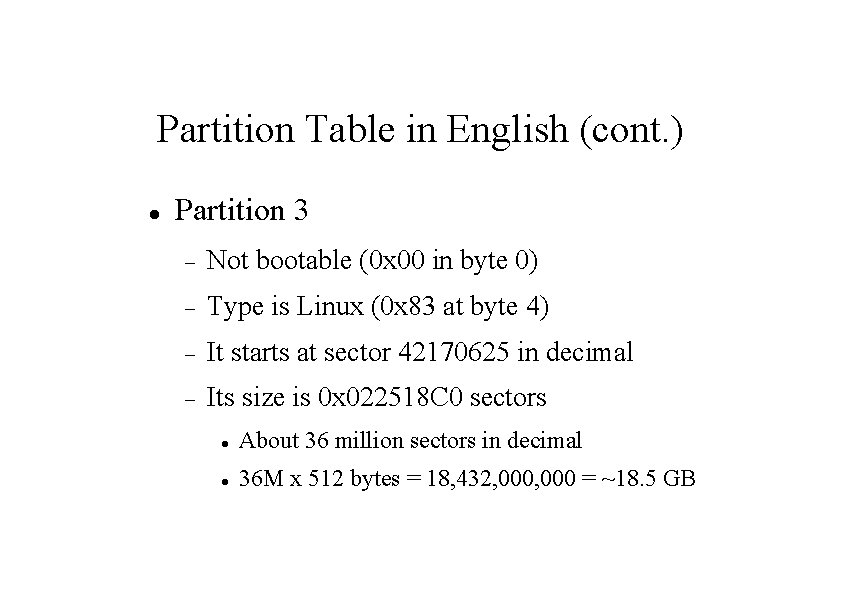
Partition Table in English (cont. ) Partition 3 Not bootable (0 x 00 in byte 0) Type is Linux (0 x 83 at byte 4) It starts at sector 42170625 in decimal Its size is 0 x 022518 C 0 sectors About 36 million sectors in decimal 36 M x 512 bytes = 18, 432, 000 = ~18. 5 GB
Partition Types Info http: //www. win. tue. nl/~aeb/partitions/partition_types-1. html
Real Example FAT 32 thumb drive, . 5 Gb
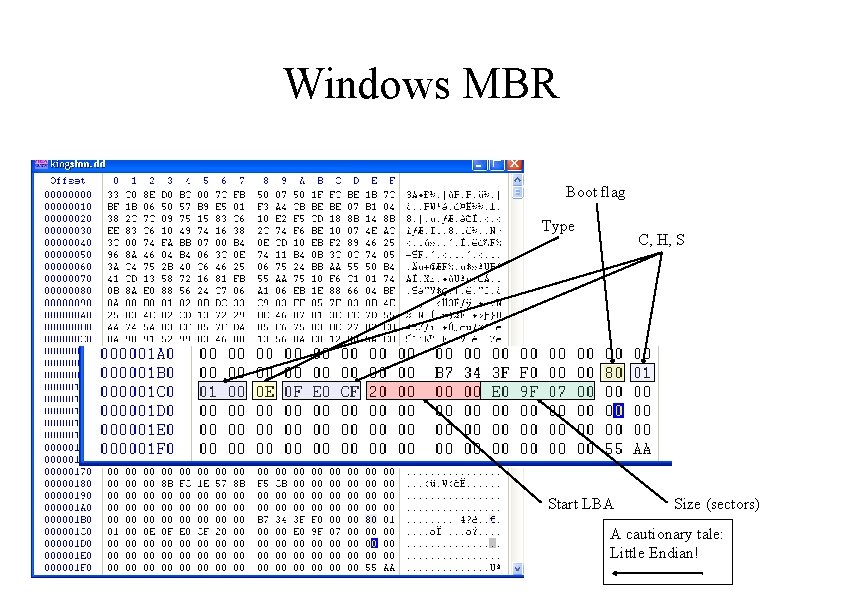
Windows MBR Boot flag Type C, H, S Start LBA Size (sectors) A cautionary tale: Little Endian!
Use fdisk to View Table root@ttyp 0[knoppix]# fdisk /dev/hda Command (m for help): p Disk /dev/hda: 255 heads, 63 sectors, 4865 cylinders Nr AF Hd Sec Cyl Size ID 1 80 1 1 0 254 2 00 0 1 513 254 63 576 41142465 3 00 0 1 577 254 63 768 42170625 35985600 83 4 00 0 0 63 1022 Start 0 0 63 41142402 0 c 0 1028160 82 0 00
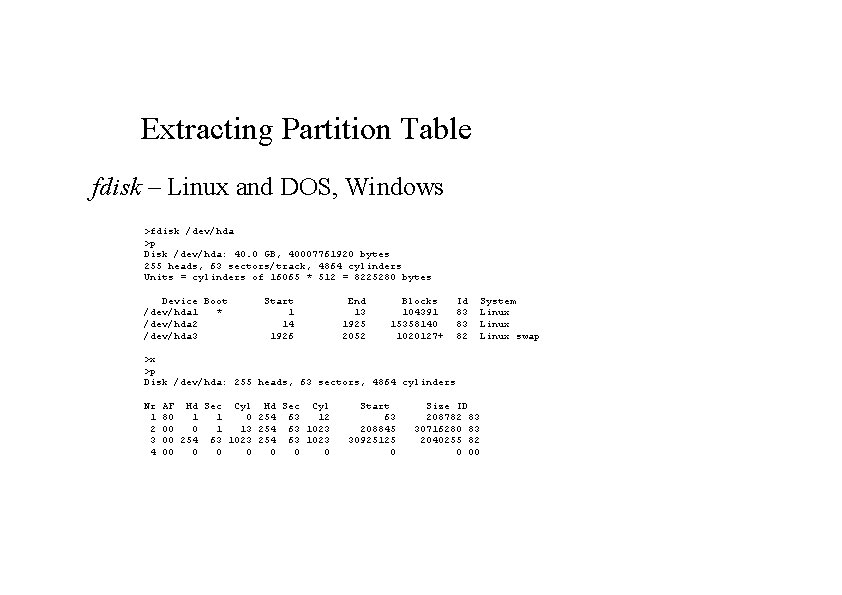
Extracting Partition Table fdisk – Linux and DOS, Windows >fdisk /dev/hda >p Disk /dev/hda: 40. 0 GB, 40007761920 bytes 255 heads, 63 sectors/track, 4864 cylinders Units = cylinders of 16065 * 512 = 8225280 bytes Device Boot /dev/hda 1 * /dev/hda 2 /dev/hda 3 Start 1 14 1926 End 13 1925 2052 Blocks 104391 15358140 1020127+ Id 83 83 82 >x >p Disk /dev/hda: 255 heads, 63 sectors, 4864 cylinders System Linux swap Nr 1 2 3 4 AF Hd Sec Cyl 80 1 1 0 254 63 12 00 0 1 13 254 63 1023 00 0 0 0 Start 63 208845 30925125 0 Size ID 208782 83 30716280 83 2040255 82 0 00
Lab Image the MBR of the RED USB drive in the lab Show why it is a MBR Decode the partition table