
VMware v Sphere 4 0 Overview Product Support

- Slides: 44
VMware v. Sphere 4. 0 Overview Product Support Engineering VI 4 - Mod 0 - Slide 1 VMware Confidential
Agenda Module 0 - Product Overview Module 1 - v. Sphere Installation/Upgrade Module 2 – v. Center Server Module 3 - Storage Module 4 - Networking VI 4 - Mod 0 - Slide 2
Module 0 Lessons Lesson 1 – Overview of new features in v. Sphere 4. 0 What is v. Sphere 4. 0? VMware is renaming its flagship VMware Infrastructure product to VMware v. Sphere 4. 0 corresponds directly to the next major version of VMware Infrastructure 3, the virtual datacenter operating system from VMware. VI 4 - Mod 0 - Slide 3
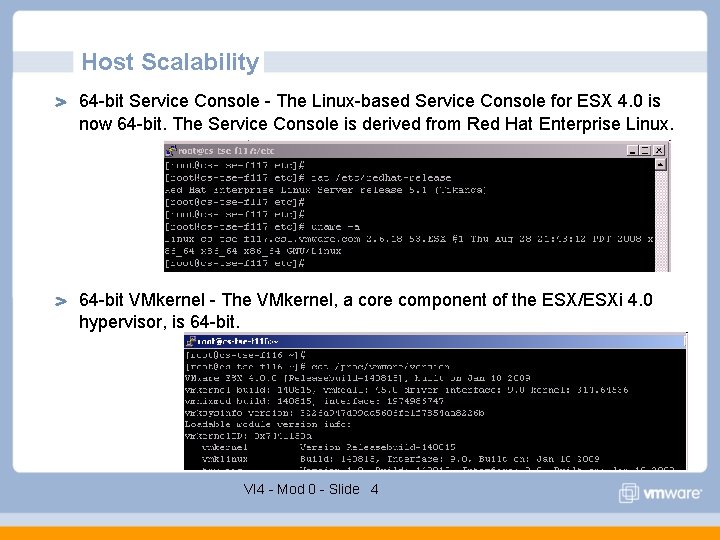
Host Scalability 64 -bit Service Console - The Linux-based Service Console for ESX 4. 0 is now 64 -bit. The Service Console is derived from Red Hat Enterprise Linux. 64 -bit VMkernel - The VMkernel, a core component of the ESX/ESXi 4. 0 hypervisor, is 64 -bit. VI 4 - Mod 0 - Slide 4
Host Scalability 512 GB Host Memory ESX/ESXi 4. 0 supports systems with up to 512 GB of RAM. See the Systems Compatibility Guide Additions and Modifications for a list of systems for which 512 GB host memory is supported. 64 Logical CPU’s and 256 Virtual CPUs Per Host Providing headroom for more virtual machines per host The ability to achieve even higher consolidation ratios on larger machines. VI 4 - Mod 0 - Slide 5
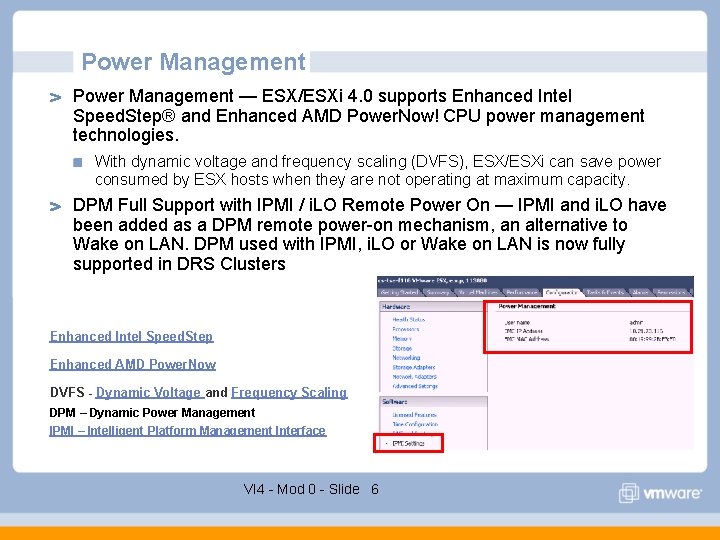
Power Management — ESX/ESXi 4. 0 supports Enhanced Intel Speed. Step® and Enhanced AMD Power. Now! CPU power management technologies. With dynamic voltage and frequency scaling (DVFS), ESX/ESXi can save power consumed by ESX hosts when they are not operating at maximum capacity. DPM Full Support with IPMI / i. LO Remote Power On — IPMI and i. LO have been added as a DPM remote power-on mechanism, an alternative to Wake on LAN. DPM used with IPMI, i. LO or Wake on LAN is now fully supported in DRS Clusters Enhanced Intel Speed. Step Enhanced AMD Power. Now DVFS - Dynamic Voltage and Frequency Scaling DPM – Dynamic Power Management IPMI – Intelligent Platform Management Interface VI 4 - Mod 0 - Slide 6
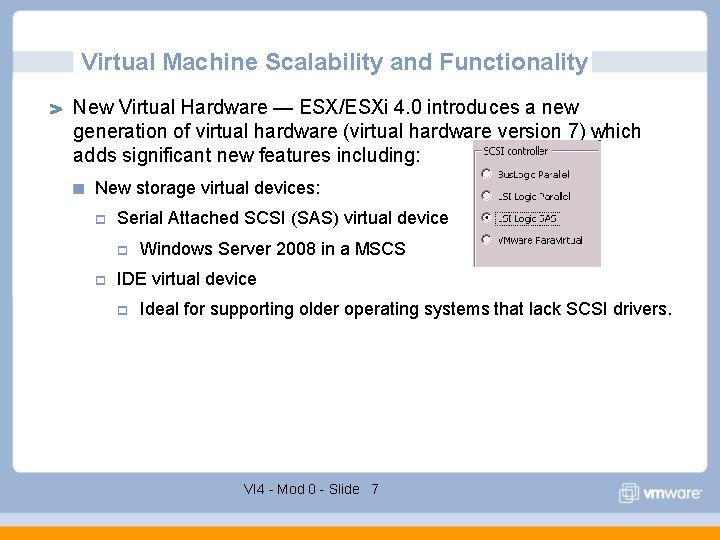
Virtual Machine Scalability and Functionality New Virtual Hardware — ESX/ESXi 4. 0 introduces a new generation of virtual hardware (virtual hardware version 7) which adds significant new features including: New storage virtual devices: p Serial Attached SCSI (SAS) virtual device p p Windows Server 2008 in a MSCS IDE virtual device p Ideal for supporting older operating systems that lack SCSI drivers. VI 4 - Mod 0 - Slide 7
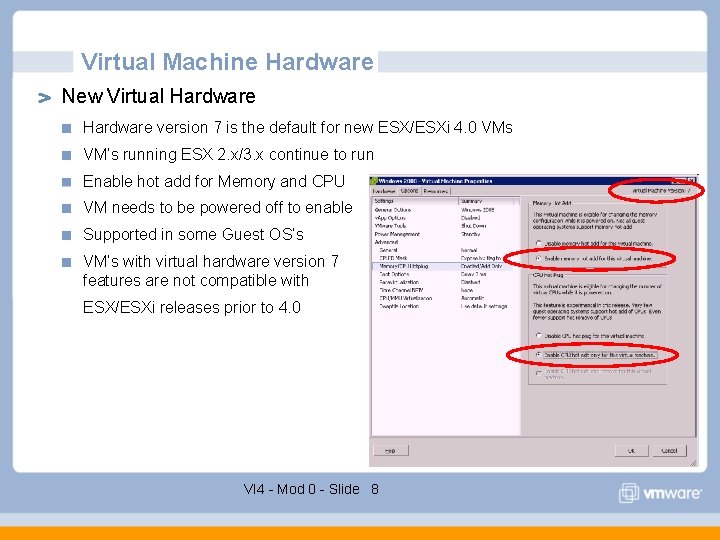
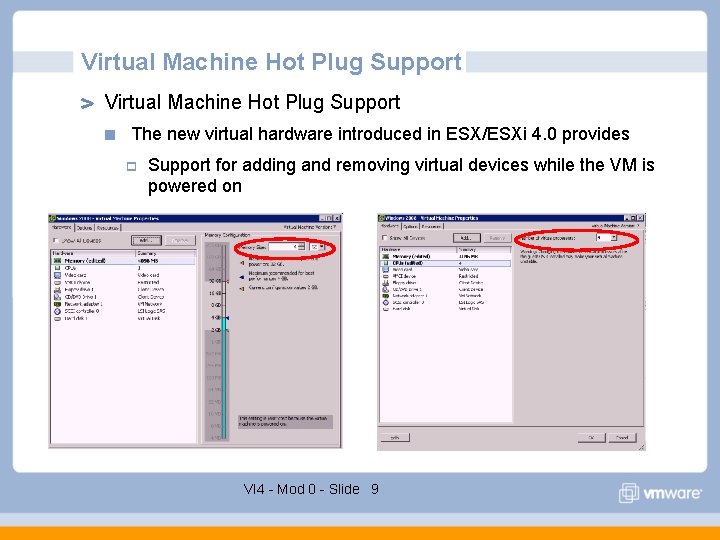
Virtual Machine Hardware New Virtual Hardware version 7 is the default for new ESX/ESXi 4. 0 VMs VM’s running ESX 2. x/3. x continue to run Enable hot add for Memory and CPU VM needs to be powered off to enable Supported in some Guest OS’s VM’s with virtual hardware version 7 features are not compatible with ESX/ESXi releases prior to 4. 0 VI 4 - Mod 0 - Slide 8
Virtual Machine Hot Plug Support The new virtual hardware introduced in ESX/ESXi 4. 0 provides p Support for adding and removing virtual devices while the VM is powered on VI 4 - Mod 0 - Slide 9
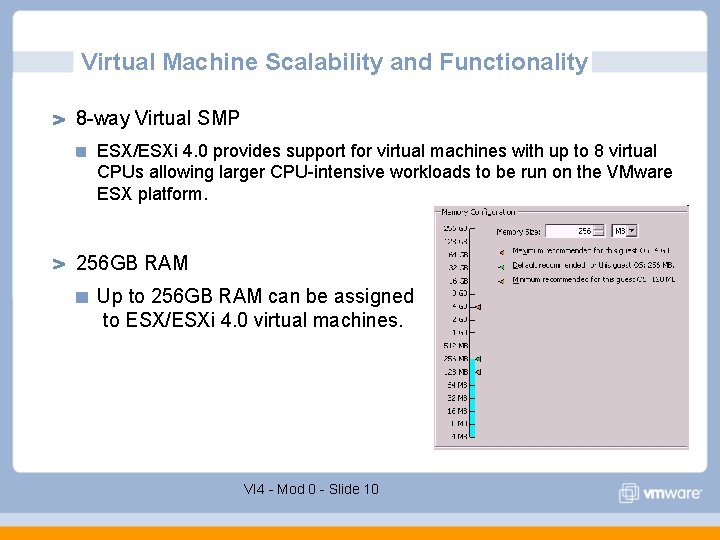
Virtual Machine Scalability and Functionality 8 -way Virtual SMP ESX/ESXi 4. 0 provides support for virtual machines with up to 8 virtual CPUs allowing larger CPU-intensive workloads to be run on the VMware ESX platform. 256 GB RAM Up to 256 GB RAM can be assigned to ESX/ESXi 4. 0 virtual machines. VI 4 - Mod 0 - Slide 10
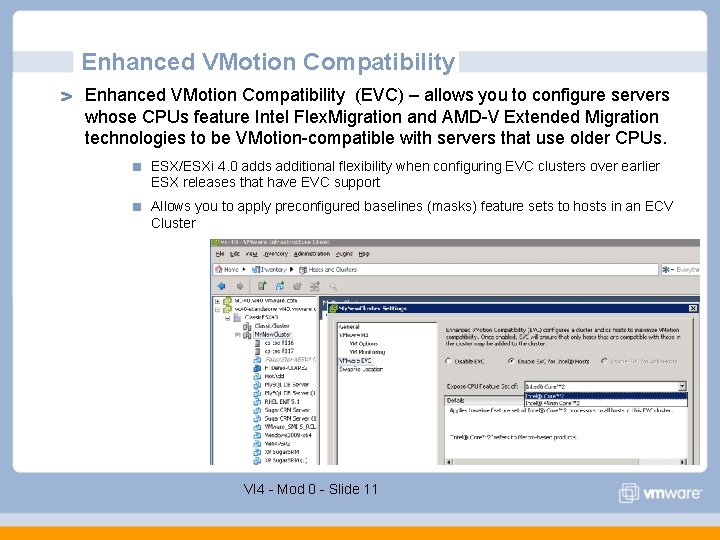
Enhanced VMotion Compatibility (EVC) – allows you to configure servers whose CPUs feature Intel Flex. Migration and AMD-V Extended Migration technologies to be VMotion-compatible with servers that use older CPUs. ESX/ESXi 4. 0 adds additional flexibility when configuring EVC clusters over earlier ESX releases that have EVC support Allows you to apply preconfigured baselines (masks) feature sets to hosts in an ECV Cluster VI 4 - Mod 0 - Slide 11
VMDirect. Path for Virtual Machines — VMDirect. Path I/O device access is primarily targeted to those applications that can benefit from direct access by the guest operating system to the I/O devices. Other virtualization features, such as VMotion, hardware independence and sharing of physical I/O devices will not be available to the virtual machines using this feature. VMDirect. Path I/O is supported p Fully for Networking I/O with the Intel 82598 10 Gigabit Ethernet Controller p Experimentally for Storage I/O devices with the QLogic QLA 25 xx 8 Gb Fibre Channel and the LSI 3442 e-R and 3801 e (1068 chip based) 3 Gb SAS adapters. Supported on Intel Nehalem platform and up to two passthrough devices VI 4 - Mod 0 - Slide 12
Storage Optimization Thin Provisioning — VMware thin provisioning enables virtual machines to utilize storage space on an as-needed basis, further reducing the cost of storage for virtual environments. It provides alarms and reports that specifically track allocation versus current usage of storage capacity allowing storage administrators to optimize the allocation of storage for virtual environments. Thin provisioning allows users to optimally but safely utilize available storage space by using advanced concepts such as over allocation. Storage Stack Performance and Scalability — The combination of the new in-guest virtualization-optimized SCSI driver, and additional ESX kernellevel storage stack optimizations dramatically improves storage I/O performance Making even the most I/O intensive applications such as databases and messaging applications prime candidates for virtualization. VI 4 - Mod 0 - Slide 13
Storage Optimization i. SCSI Support Improvements An update of the i. SCSI stack offers improvements to both software i. SCSI (i. SCSI initiator runs at the ESX layer) and hardware i. SCSI (ESX leverages a hardware-optimized i. SCSI HBA). For both software and hardware i. SCSI p CHAP support, digest acceleration and performance are dramatically improved. With software i. SCSI in particular, improvements have been made to significantly reduce the associated CPU overhead. VI 4 - Mod 0 - Slide 14
Storage Optimization Volume Grow - v. Center Sever 4 allows dynamic expansion of a volume partition to add capacity to a running VMFS. Volume Grow is a new method for expanding a VMFS datastore without disrupting running virtual machines. Once a LUN backing that datastore has been grown through an array management utility, the v. Sphere administrator uses Volume Grow to expand the VMFS partition on the expanded LUN. The newly available space appears as a larger VMFS volume along with an associated grow event in VMware v. Center Server. Hot VMDK Extend - Hot extend is supported for VMFS flat virtual disks in persistent mode and without any VMFS snapshots. Used in conjunction with the new Volume Grow capability, the user has maximum flexibility in managing growing capacity in VI 4 - Mod 0 - Slide 15
Storage Optimization Native SATA - ESX/ESXi 4. 0 further increases storage choices for customers by providing support for internal disks connected through the SATA interface. This choice allows administrators to reduce storage costs by supporting the lowest cost type of disk storage available. Pluggable Storage Architecture (PSA) Support - A storage partner plug-in framework enabling greater array certification flexibility and improved array-optimized performance. PSA is a multipath I/O framework that allows storage partners to enable and certify their arrays relative to ESX release schedules and deliver performance-enhancing multipath load-balancing behaviors that are optimized per array. PSA includes initial support for 3 rd party multipathing software. p EMC is one of the pioneering partners in this space and is planning the upcoming release of EMC Power. Path ESX. VI 4 - Mod 0 - Slide 16
Network Optimization v. Network Distributed Switch (v. DS) - is VMware's next generation virtual networking management solution. v. Network Distributed Switch (v. DS) spans many ESX/ESXi hosts allowing you to reduce on-going network maintenance activities and quickly scale up networking capacity. v. Network embeds new network VMotion technology and associated set of APIs that enables partners to build rich, VMotion-aware networking applications on top of v. Sphere. DVN includes: p Private VLAN Support - Private VLAN support enables broader compatibility with existing networking environments deploying Private VLAN technology. p Network VMotion - v. DS enables tracking of a virtual machine's networking state as it moves around in the virtual infrastructure, greatly simplifying network monitoring and troubleshooting activities. p 3 rd Party Virtual Switch Support - VDS includes initial support for 3 rd party virtual switches from Cisco VI 4 - Mod 0 - Slide 17
Network Optimization VMXNET Generation 3 — VMXNET 3 is the third generation virtual NIC emulation from VMware. VMXNET 3 builds on Enhanced VMXNET, VMware's second generation virtual NIC emulation which was made available in VMware Infrastructure 3. 5. VMXNET 3 features include: p MSI/MSI-X support (subject to guest kernel support) p Receive Side Scaling (supported in Windows 2008) p IPv 6 checksum and TCP segmentation offloading (TSO) over IPv 6 p VLAN off-loading VI 4 - Mod 0 - Slide 18
Network Optimization IPv 6 Support - v. Sphere 4. 0 adds new support for IPv 6 for the Service Console and VMkernel. IPv 6 support is limited for ESX 4. 0 when you are logged in to the ESX 4. 0 using the v. Sphere Client. IPv 6 is not supported for v. Center Server Refer to the ESX 4. 0 and ESXi 4. 0 configuration Guides VI 4 - Mod 0 - Slide 19
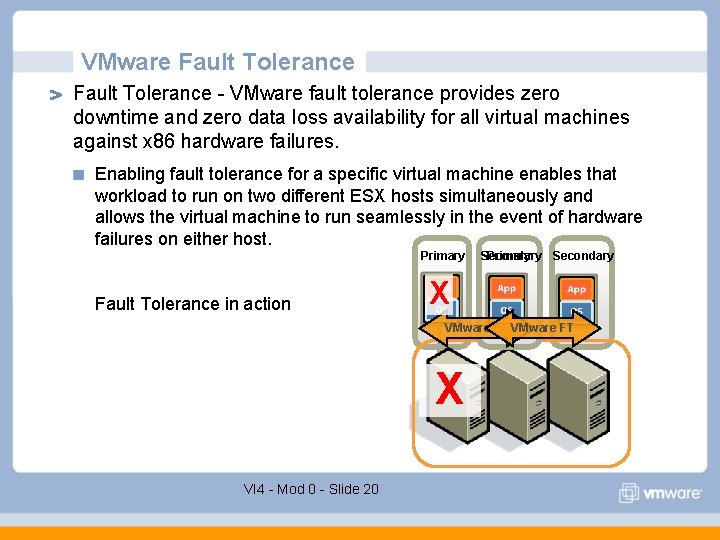
VMware Fault Tolerance - VMware fault tolerance provides zero downtime and zero data loss availability for all virtual machines against x 86 hardware failures. Enabling fault tolerance for a specific virtual machine enables that workload to run on two different ESX hosts simultaneously and allows the virtual machine to run seamlessly in the event of hardware failures on either host. Primary Fault Tolerance in action Secondary Primary Secondary X VMware FT X VI 4 - Mod 0 - Slide 20
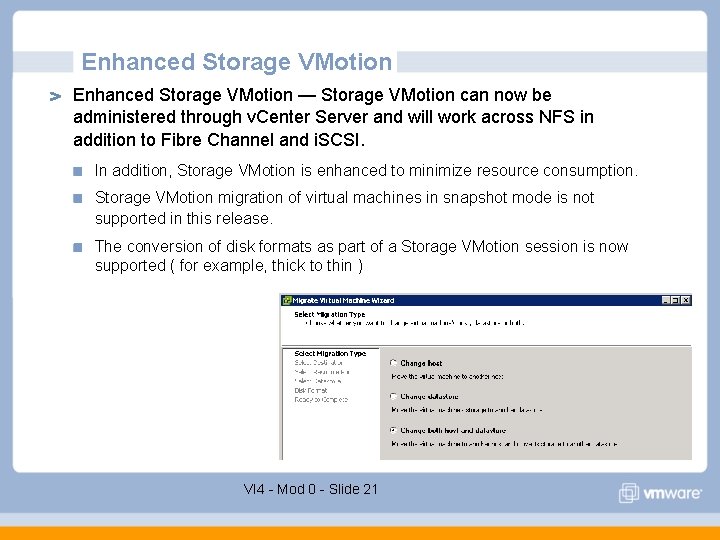
Enhanced Storage VMotion — Storage VMotion can now be administered through v. Center Server and will work across NFS in addition to Fibre Channel and i. SCSI. In addition, Storage VMotion is enhanced to minimize resource consumption. Storage VMotion migration of virtual machines in snapshot mode is not supported in this release. The conversion of disk formats as part of a Storage VMotion session is now supported ( for example, thick to thin ) VI 4 - Mod 0 - Slide 21
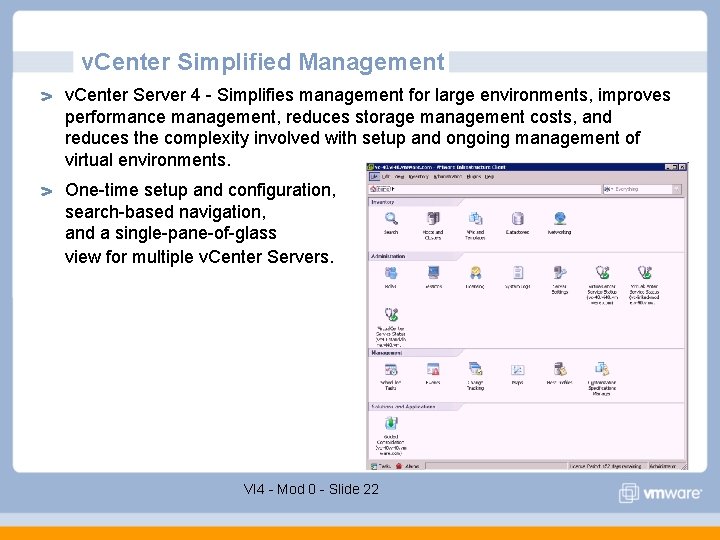
v. Center Simplified Management v. Center Server 4 - Simplifies management for large environments, improves performance management, reduces storage management costs, and reduces the complexity involved with setup and ongoing management of virtual environments. One-time setup and configuration, search-based navigation, and a single-pane-of-glass view for multiple v. Center Servers. VI 4 - Mod 0 - Slide 22
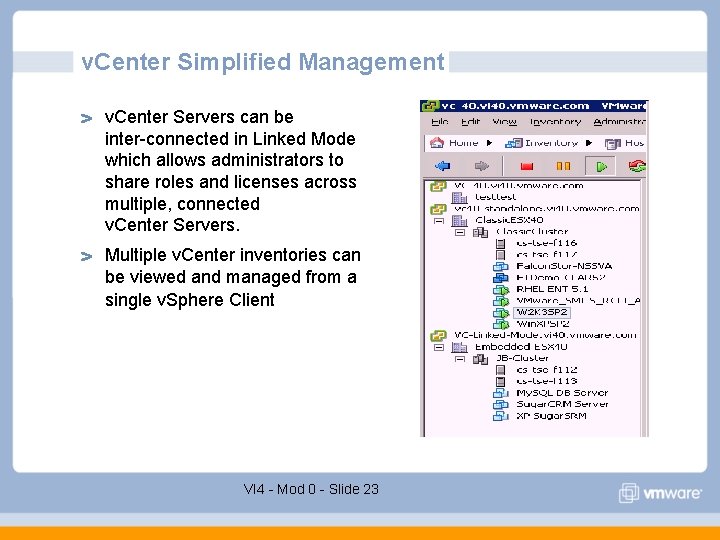
v. Center Simplified Management v. Center Servers can be inter-connected in Linked Mode which allows administrators to share roles and licenses across multiple, connected v. Center Servers. Multiple v. Center inventories can be viewed and managed from a single v. Sphere Client VI 4 - Mod 0 - Slide 23
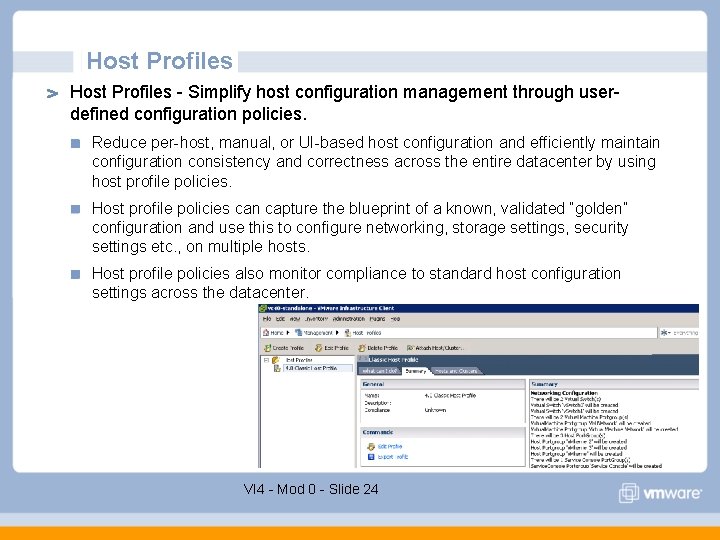
Host Profiles - Simplify host configuration management through userdefined configuration policies. Reduce per-host, manual, or UI-based host configuration and efficiently maintain configuration consistency and correctness across the entire datacenter by using host profile policies. Host profile policies can capture the blueprint of a known, validated “golden” configuration and use this to configure networking, storage settings, security settings etc. , on multiple hosts. Host profile policies also monitor compliance to standard host configuration settings across the datacenter. VI 4 - Mod 0 - Slide 24
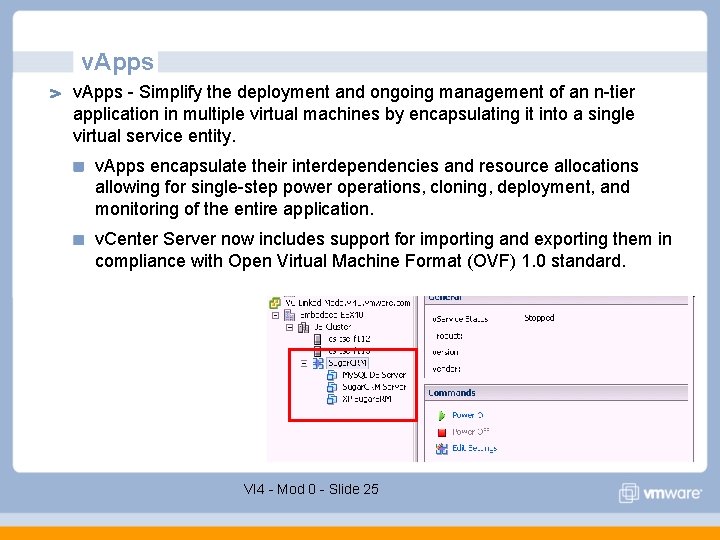
v. Apps - Simplify the deployment and ongoing management of an n-tier application in multiple virtual machines by encapsulating it into a single virtual service entity. v. Apps encapsulate their interdependencies and resource allocations allowing for single-step power operations, cloning, deployment, and monitoring of the entire application. v. Center Server now includes support for importing and exporting them in compliance with Open Virtual Machine Format (OVF) 1. 0 standard. VI 4 - Mod 0 - Slide 25
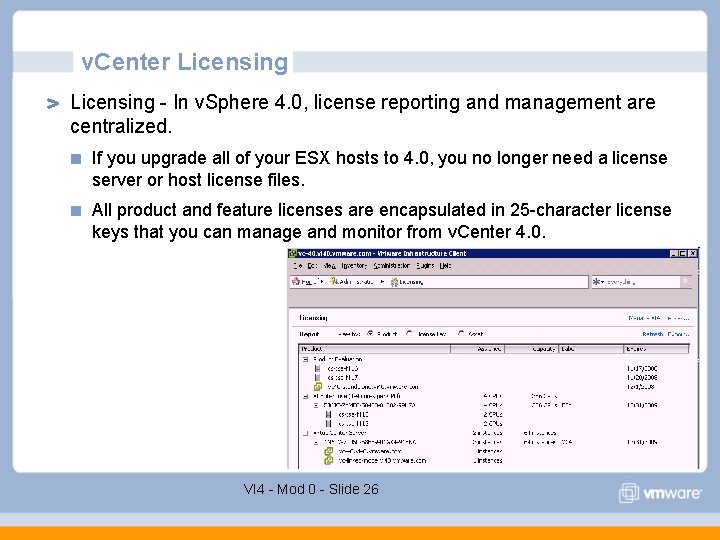
v. Center Licensing - In v. Sphere 4. 0, license reporting and management are centralized. If you upgrade all of your ESX hosts to 4. 0, you no longer need a license server or host license files. All product and feature licenses are encapsulated in 25 -character license keys that you can manage and monitor from v. Center 4. 0. VI 4 - Mod 0 - Slide 26
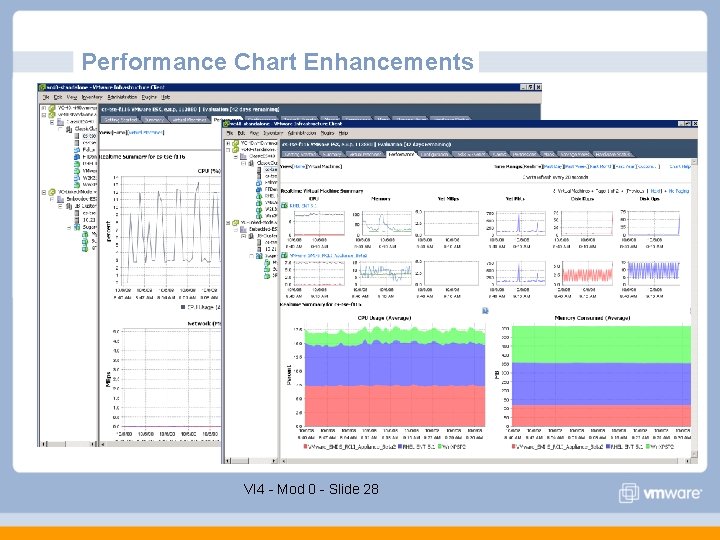
Performance Chart Enhancements Performance Charts Enhancements — Performance charts have been enhanced to provide a single view of all performance metrics such as CPU, memory, disk, and network without navigating through multiple charts. The performance charts also include the following improvements: Aggregated charts show high-level summaries of resource distribution that is useful to identify the top consumers. Thumbnail views of hosts, resource pools, clusters, and datastores allow for easy navigation to the individual charts. Drill down capability across multiple levels in the inventory helps in isolating the root-cause of performance problems quickly. Detailed datastore level views show utilization by file type and unused capacity. VI 4 - Mod 0 - Slide 27
Performance Chart Enhancements VI 4 - Mod 0 - Slide 28
Events and Alarms Enhancements — Expanded support for v. Center Server alarms on managed entities, such as datastores and clusters, provides better monitoring of infrastructure resources. VI 4 - Mod 0 - Slide 29
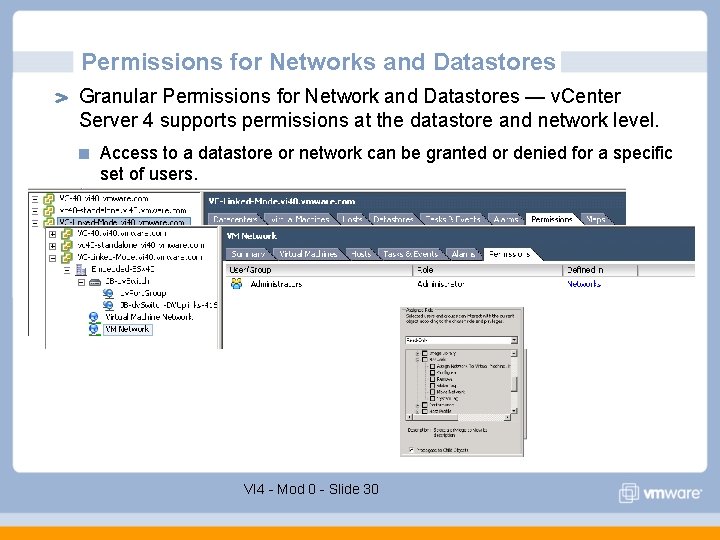
Permissions for Networks and Datastores Granular Permissions for Network and Datastores — v. Center Server 4 supports permissions at the datastore and network level. Access to a datastore or network can be granted or denied for a specific set of users. VI 4 - Mod 0 - Slide 30
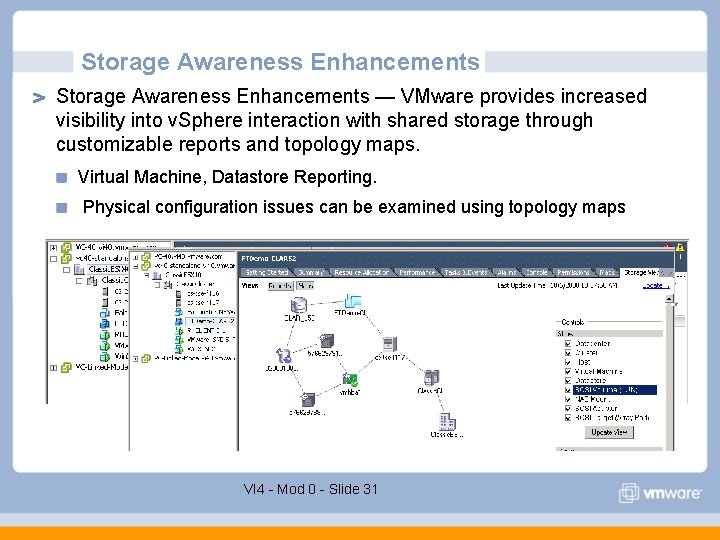
Storage Awareness Enhancements — VMware provides increased visibility into v. Sphere interaction with shared storage through customizable reports and topology maps. Virtual Machine, Datastore Reporting. Physical configuration issues can be examined using topology maps VI 4 - Mod 0 - Slide 31
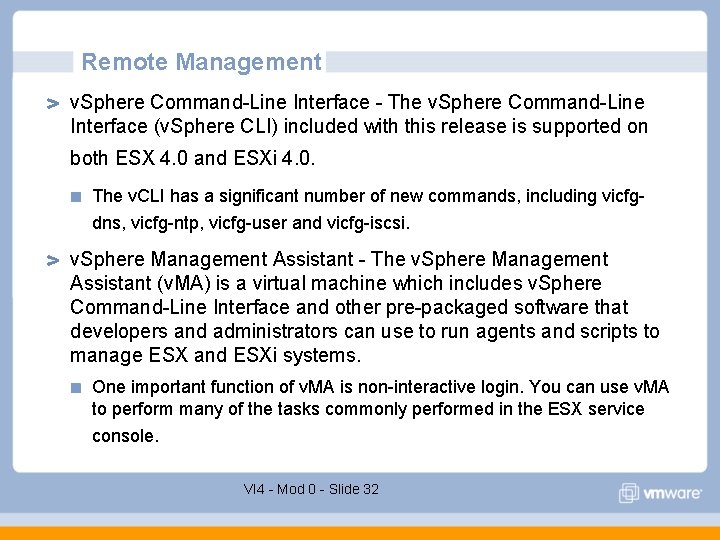
Remote Management v. Sphere Command-Line Interface - The v. Sphere Command-Line Interface (v. Sphere CLI) included with this release is supported on both ESX 4. 0 and ESXi 4. 0. The v. CLI has a significant number of new commands, including vicfgdns, vicfg-ntp, vicfg-user and vicfg-iscsi. v. Sphere Management Assistant - The v. Sphere Management Assistant (v. MA) is a virtual machine which includes v. Sphere Command-Line Interface and other pre-packaged software that developers and administrators can use to run agents and scripts to manage ESX and ESXi systems. One important function of v. MA is non-interactive login. You can use v. MA to perform many of the tasks commonly performed in the ESX service console. VI 4 - Mod 0 - Slide 32
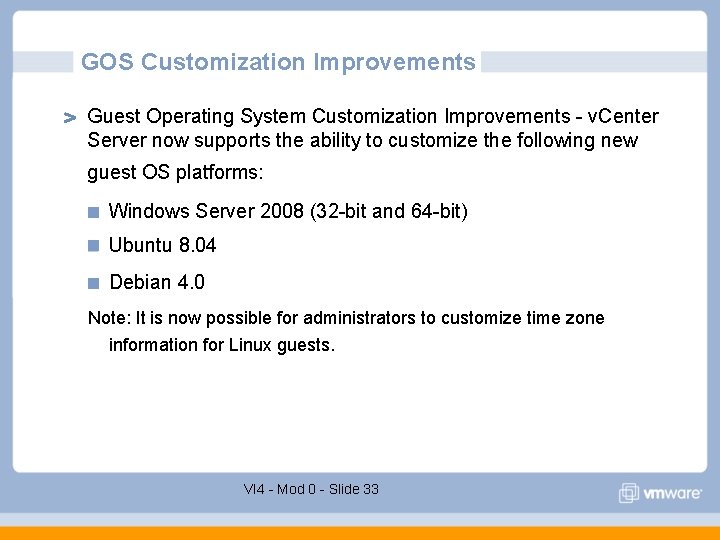
GOS Customization Improvements Guest Operating System Customization Improvements - v. Center Server now supports the ability to customize the following new guest OS platforms: Windows Server 2008 (32 -bit and 64 -bit) Ubuntu 8. 04 Debian 4. 0 Note: It is now possible for administrators to customize time zone information for Linux guests. VI 4 - Mod 0 - Slide 33
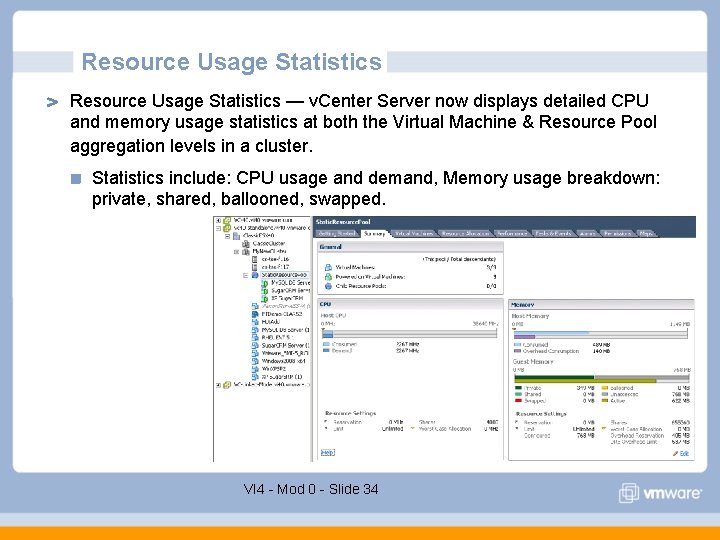
Resource Usage Statistics — v. Center Server now displays detailed CPU and memory usage statistics at both the Virtual Machine & Resource Pool aggregation levels in a cluster. Statistics include: CPU usage and demand, Memory usage breakdown: private, shared, ballooned, swapped. VI 4 - Mod 0 - Slide 34
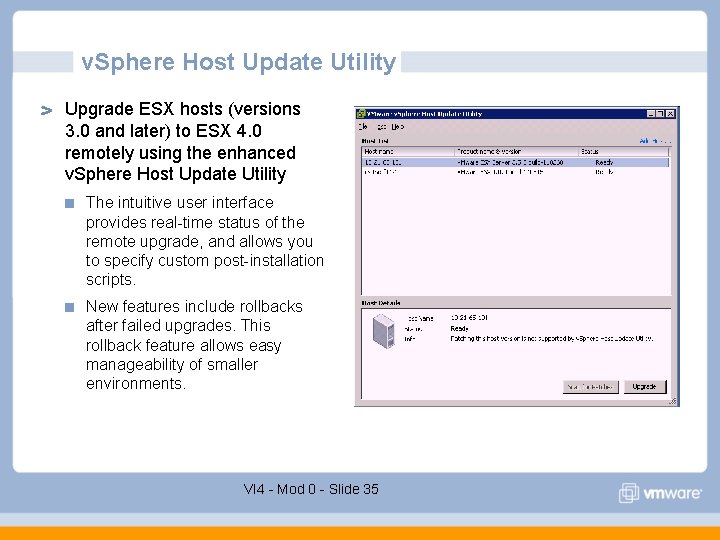
v. Sphere Host Update Utility Upgrade ESX hosts (versions 3. 0 and later) to ESX 4. 0 remotely using the enhanced v. Sphere Host Update Utility The intuitive user interface provides real-time status of the remote upgrade, and allows you to specify custom post-installation scripts. New features include rollbacks after failed upgrades. This rollback feature allows easy manageability of smaller environments. VI 4 - Mod 0 - Slide 35
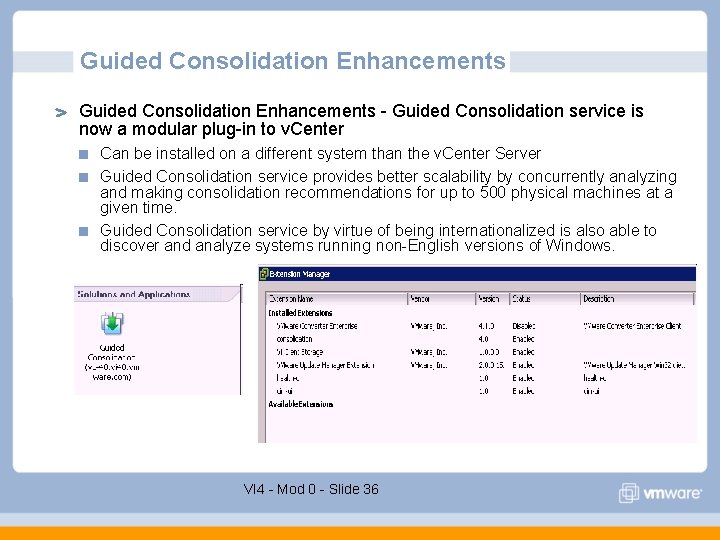
Guided Consolidation Enhancements - Guided Consolidation service is now a modular plug-in to v. Center Can be installed on a different system than the v. Center Server Guided Consolidation service provides better scalability by concurrently analyzing and making consolidation recommendations for up to 500 physical machines at a given time. Guided Consolidation service by virtue of being internationalized is also able to discover and analyze systems running non-English versions of Windows. VI 4 - Mod 0 - Slide 36
VMFS Volume Management Managing VMFS Volumes with Array-based LUN Snapshots The mounting of array-based LUN snapshots (and array-based LUN clones) now occurs easily and in well-managed way in v. Sphere 4. 0 These LUNs are automatically discovered after a storage "rescan" and single snapshots or clones may be selected for mounting and use by the ESX host. p For disaster recovery scenarios, in which the replicated volume is not in the same datacenter, LUNs can be mounted without writing a new signature. VI 4 - Mod 0 - Slide 37
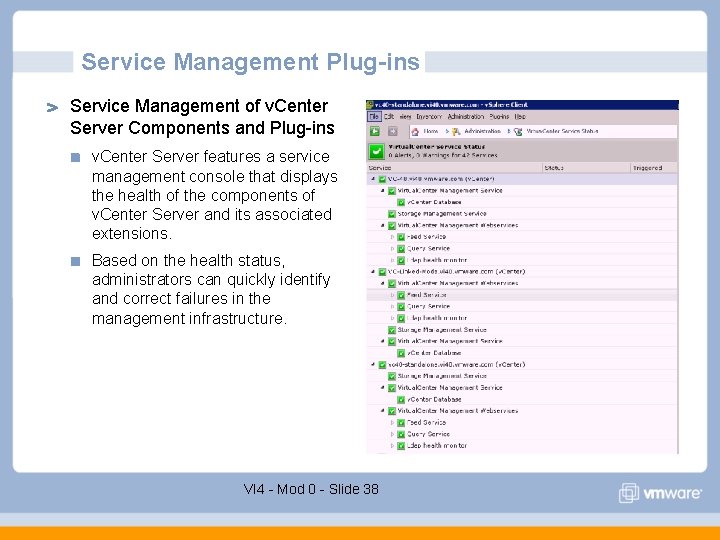
Service Management Plug-ins Service Management of v. Center Server Components and Plug-ins v. Center Server features a service management console that displays the health of the components of v. Center Server and its associated extensions. Based on the health status, administrators can quickly identify and correct failures in the management infrastructure. VI 4 - Mod 0 - Slide 38
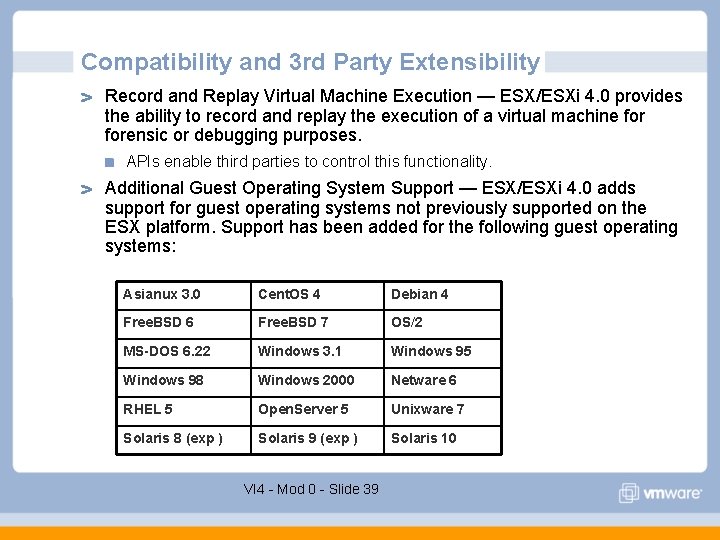
Compatibility and 3 rd Party Extensibility Record and Replay Virtual Machine Execution — ESX/ESXi 4. 0 provides the ability to record and replay the execution of a virtual machine forensic or debugging purposes. APIs enable third parties to control this functionality. Additional Guest Operating System Support — ESX/ESXi 4. 0 adds support for guest operating systems not previously supported on the ESX platform. Support has been added for the following guest operating systems: Asianux 3. 0 Cent. OS 4 Debian 4 Free. BSD 6 Free. BSD 7 OS/2 MS-DOS 6. 22 Windows 3. 1 Windows 95 Windows 98 Windows 2000 Netware 6 RHEL 5 Open. Server 5 Unixware 7 Solaris 8 (exp ) Solaris 9 (exp ) Solaris 10 VI 4 - Mod 0 - Slide 39
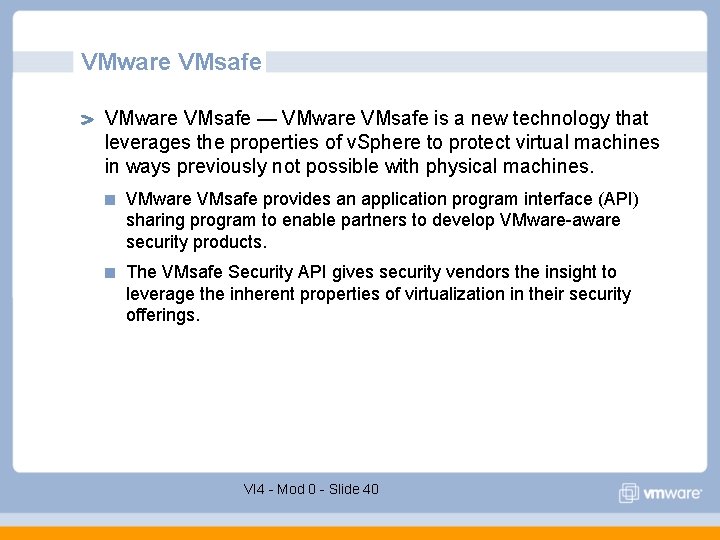
VMware VMsafe — VMware VMsafe is a new technology that leverages the properties of v. Sphere to protect virtual machines in ways previously not possible with physical machines. VMware VMsafe provides an application program interface (API) sharing program to enable partners to develop VMware-aware security products. The VMsafe Security API gives security vendors the insight to leverage the inherent properties of virtualization in their security offerings. VI 4 - Mod 0 - Slide 40
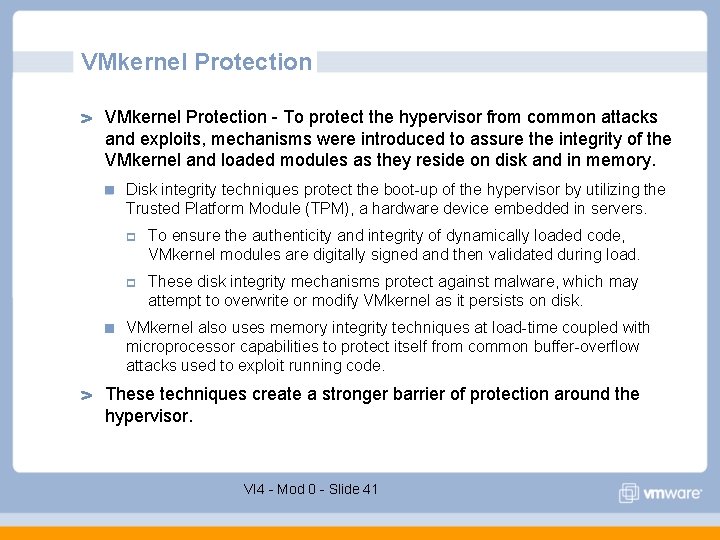
VMkernel Protection - To protect the hypervisor from common attacks and exploits, mechanisms were introduced to assure the integrity of the VMkernel and loaded modules as they reside on disk and in memory. Disk integrity techniques protect the boot-up of the hypervisor by utilizing the Trusted Platform Module (TPM), a hardware device embedded in servers. p To ensure the authenticity and integrity of dynamically loaded code, VMkernel modules are digitally signed and then validated during load. p These disk integrity mechanisms protect against malware, which may attempt to overwrite or modify VMkernel as it persists on disk. VMkernel also uses memory integrity techniques at load-time coupled with microprocessor capabilities to protect itself from common buffer-overflow attacks used to exploit running code. These techniques create a stronger barrier of protection around the hypervisor. VI 4 - Mod 0 - Slide 41
Virtual Machine Communication Interface (VMCI) - ESX/ESXi 4. 0 introduces a new virtual device which facilitates high-speed communication between the virtual machine and the hypervisor as well as between virtual machines. VMCI does not rely on guest networking. The VMCI Sockets library provides a convenient interface for using this device. Virtual Machine Communication Interface Sockets API - VMCI Sockets is a convenience Application Programming Interface (API) for the Virtual Machine Communication Interface (VMCI). Virtual Infrastructure Component Framework - Virtual Infrastructure Component Framework (VICF) is a secure, standards-compliant, language and platform neutral application framework for writing distributed applications in guest virtual machines. VI 4 - Mod 0 - Slide 42
Compatibility and 3 rd Party Extensibility Virtual Assertions —ESX/ESXi provides ISVs and developers with a new tool for improving code quality through the use of virtual assertions (VAsserts). Unlike traditional assertions, VAsserts can be left in shipping code and operate only when replaying a recorded virtual machine. CIM SMASH — VMware hypervisors implement the industrystandard Common Information Model (CIM) interface to monitor and manage the health of server hardware. The implementation is based on the System Management Architecture for Server Hardware (SMASH) profiles defined by DMTF - http: //www. dmtf. org/home This interface is supported on ESX/ESXi 4. 0. Please refer to the CIM SMASH/Server Management API Programming Guide for more information. VI 4 - Mod 0 - Slide 43
Lesson 1 Summary 64 -bit Service Console and VMkernel. 512 GB host Memory and 64 Logical CPU’s and 256 Virtual CPUs Per Host 8 -way Virtual SMP and 256 GB RAM per VM Hot Plug Support for Memory and CPU Storage – Volume Grow, Hot VMDK Extend v. Network Distributed Switch Fault Tolerant Virtual Machines Enhancements to Storage v. Motion and v. Motion Compatibility Host Profiles v. Apps Licensing Changes VI 4 - Mod 0 - Slide 44