
VMware Backup Free edition Vembu Technologies Experience Vembu
VMware Backup- Free edition
Vembu Technologies Experience © Vembu Technologies 100+ Countries 2 Headquartered in Chennai www. vembu. com
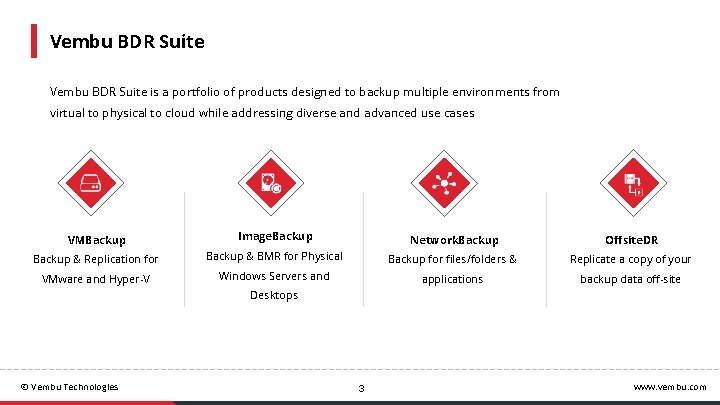
Vembu BDR Suite is a portfolio of products designed to backup multiple environments from virtual to physical to cloud while addressing diverse and advanced use cases VMBackup Image. Backup Network. Backup Offsite. DR Backup & Replication for Backup & BMR for Physical Backup for files/folders & Replicate a copy of your VMware and Hyper-V Windows Servers and applications backup data off-site Desktops © Vembu Technologies 3 www. vembu. com
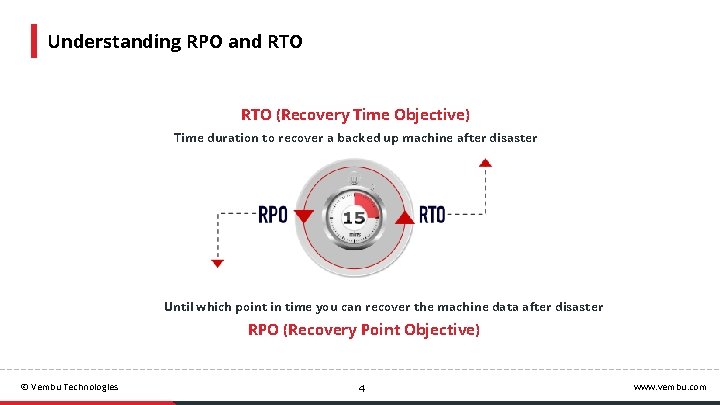
Understanding RPO and RTO (Recovery Time Objective) Time duration to recover a backed up machine after disaster Until which point in time you can recover the machine data after disaster RPO (Recovery Point Objective) © Vembu Technologies 4 www. vembu. com
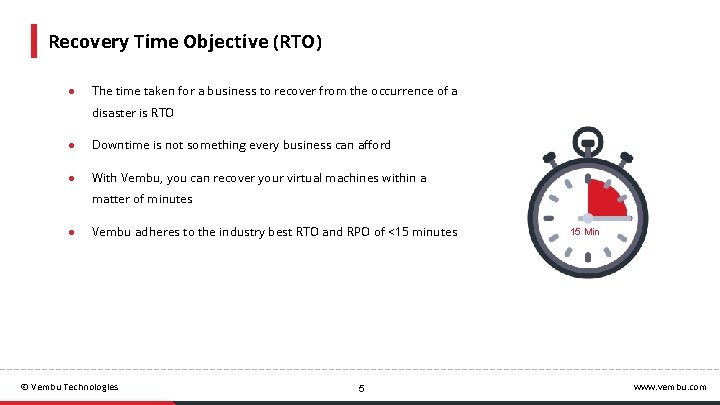
Recovery Time Objective (RTO) ● The time taken for a business to recover from the occurrence of a disaster is RTO ● Downtime is not something every business can afford ● With Vembu, you can recover your virtual machines within a matter of minutes ● Vembu adheres to the industry best RTO and RPO of <15 minutes © Vembu Technologies 5 15 Min www. vembu. com
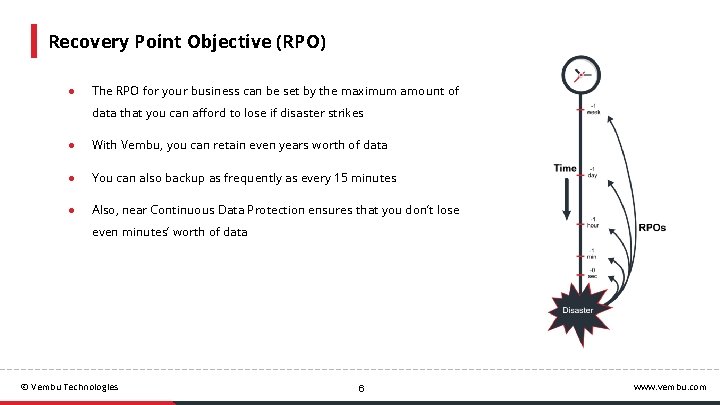
Recovery Point Objective (RPO) ● The RPO for your business can be set by the maximum amount of data that you can afford to lose if disaster strikes ● With Vembu, you can retain even years worth of data ● You can also backup as frequently as every 15 minutes ● Also, near Continuous Data Protection ensures that you don’t lose even minutes’ worth of data © Vembu Technologies 6 www. vembu. com
Deployment © Vembu Technologies www. vembu. com
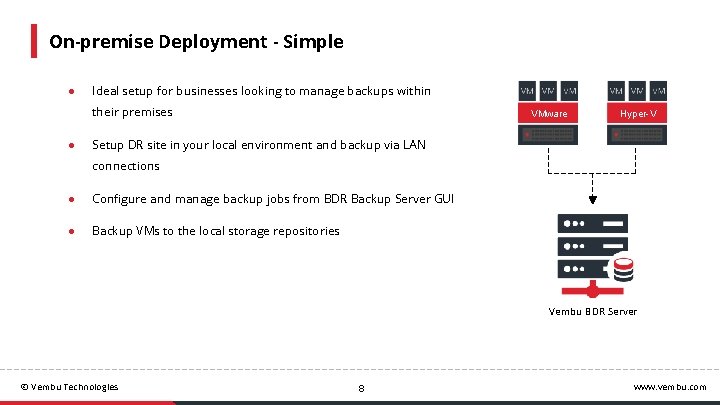
On-premise Deployment - Simple ● Ideal setup for businesses looking to manage backups within their premises ● VMware Hyper-V Setup DR site in your local environment and backup via LAN connections ● Configure and manage backup jobs from BDR Backup Server GUI ● Backup VMs to the local storage repositories Vembu BDR Server © Vembu Technologies 8 www. vembu. com
Product Highlights © Vembu Technologies www. vembu. com
Application Aware Process Application-aware process is to create consistent database snapshots. ● This option allows you to stop the backup if any of the MS application writers are in an unstable state ● Transaction log files can also be truncated. If not, then they can accumulate until they fill all the available disk space. © Vembu Technologies 10 www. vembu. com
Compression and Encryption ● The backup data is compressed to reduce the storage needs ● The backup data is also encrypted using AES 256 algorithm both inflight and at rest ● Users can save multiple customized encryption passwords along with a unique hint to ensure double protection for the backed up data © Vembu Technologies 11 www. vembu. com
Efficient Storage Management Vembu BDR Backup Server utilizes Vembu. HIVE™ file system to effectively manage storage repositories. ● Supports SAN, NAS and DAS ● Automatically scale up/scale out the storage devices ● In-built version control and error correction ● In-built Compression & Encryption © Vembu Technologies 12 www. vembu. com
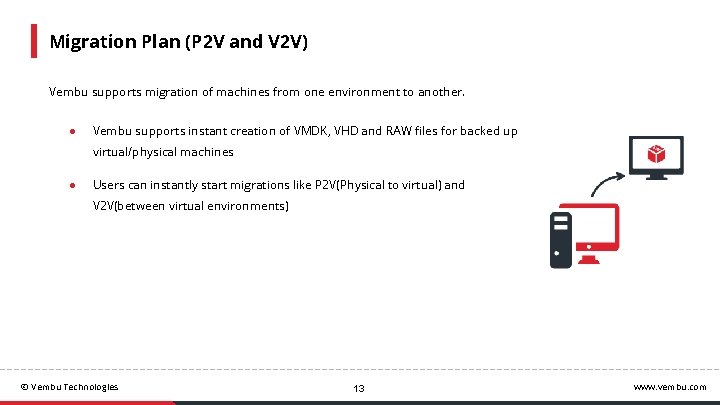
Migration Plan (P 2 V and V 2 V) Vembu supports migration of machines from one environment to another. ● Vembu supports instant creation of VMDK, VHD and RAW files for backed up virtual/physical machines ● Users can instantly start migrations like P 2 V(Physical to virtual) and V 2 V(between virtual environments) © Vembu Technologies 13 www. vembu. com
Vembu Universal Explorer It is a tool that helps you recover individual items from various Microsoft Application backups like Exchange, SQL, Share. Point and AD. ● Instantly restore emails/mailboxes from MS Exchange ● Instantly restore MS SQL databases and tables ● Restore documents of MS Share. Point ● Granularly recover MS Active Directory items © Vembu Technologies 14 www. vembu. com
Architecture © Vembu Technologies www. vembu. com
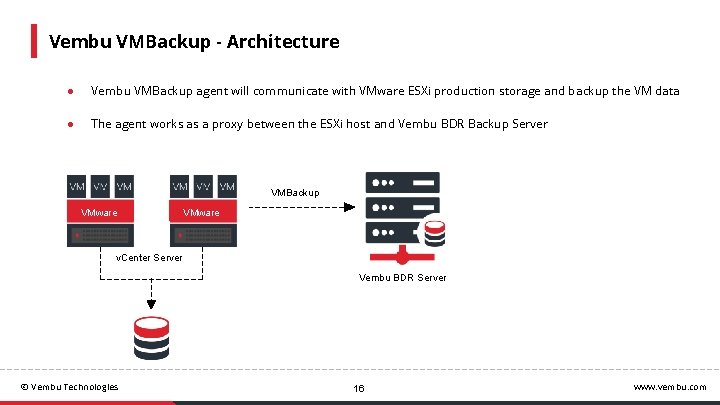
Vembu VMBackup - Architecture ● Vembu VMBackup agent will communicate with VMware ESXi production storage and backup the VM data ● The agent works as a proxy between the ESXi host and Vembu BDR Backup Server VMBackup VMware v. Center Server Vembu BDR Server © Vembu Technologies 16 www. vembu. com
Backup Transport Modes © Vembu Technologies www. vembu. com
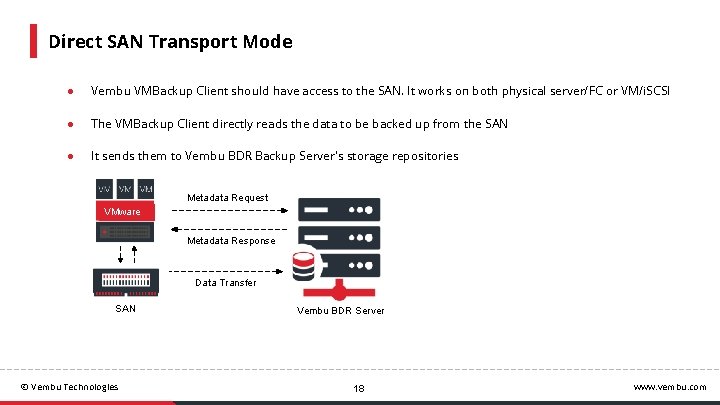
Direct SAN Transport Mode ● Vembu VMBackup Client should have access to the SAN. It works on both physical server/FC or VM/i. SCSI ● The VMBackup Client directly reads the data to be backed up from the SAN ● It sends them to Vembu BDR Backup Server's storage repositories Metadata Request VMware Metadata Response Data Transfer SAN © Vembu Technologies Vembu BDR Server 18 www. vembu. com
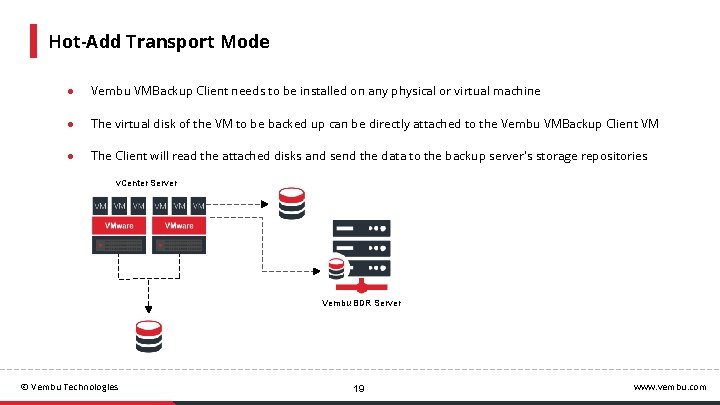
Hot-Add Transport Mode ● Vembu VMBackup Client needs to be installed on any physical or virtual machine ● The virtual disk of the VM to be backed up can be directly attached to the Vembu VMBackup Client VM ● The Client will read the attached disks and send the data to the backup server's storage repositories v. Center Server Vembu BDR Server © Vembu Technologies 19 www. vembu. com
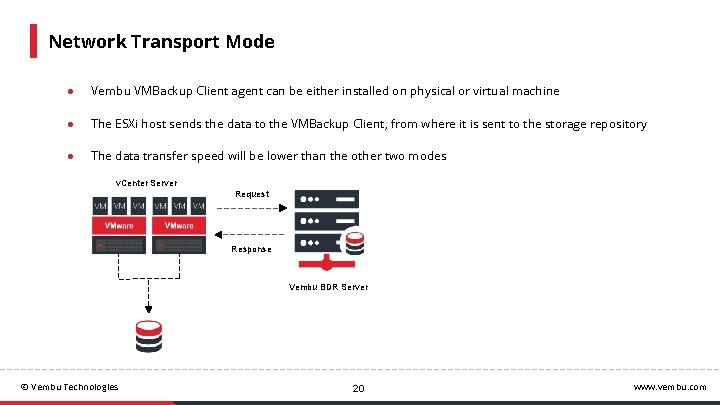
Network Transport Mode ● Vembu VMBackup Client agent can be either installed on physical or virtual machine ● The ESXi host sends the data to the VMBackup Client, from where it is sent to the storage repository ● The data transfer speed will be lower than the other two modes v. Center Server Request Response Vembu BDR Server © Vembu Technologies 20 www. vembu. com
Disaster Recovery Scenarios © Vembu Technologies 24/7 www. vembu. com
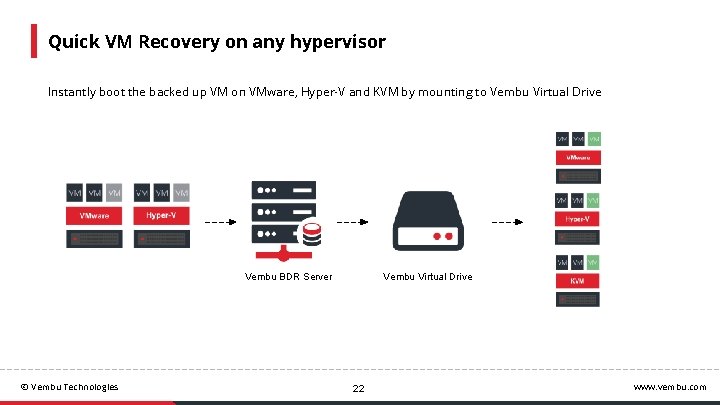
Quick VM Recovery on any hypervisor Instantly boot the backed up VM on VMware, Hyper-V and KVM by mounting to Vembu Virtual Drive Vembu BDR Server © Vembu Technologies Vembu Virtual Drive 22 www. vembu. com
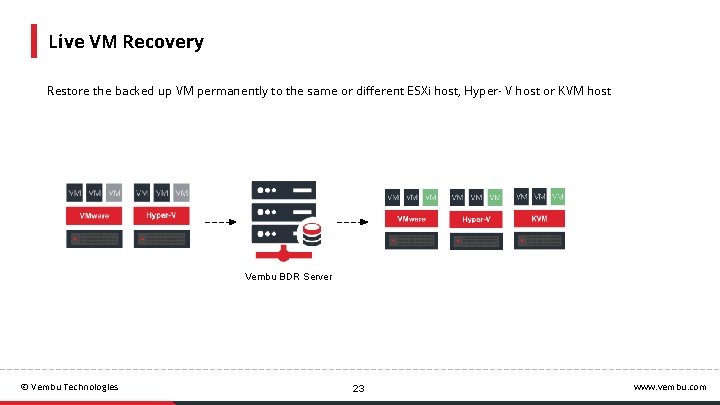
Live VM Recovery Restore the backed up VM permanently to the same or different ESXi host, Hyper- V host or KVM host Vembu BDR Server © Vembu Technologies 23 www. vembu. com
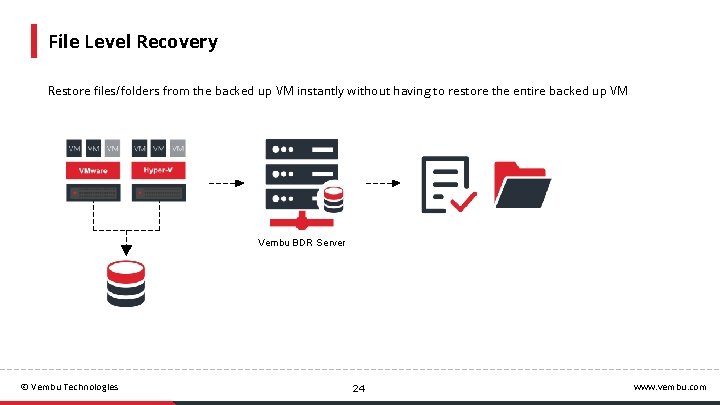
File Level Recovery Restore files/folders from the backed up VM instantly without having to restore the entire backed up VM Vembu BDR Server © Vembu Technologies 24 www. vembu. com
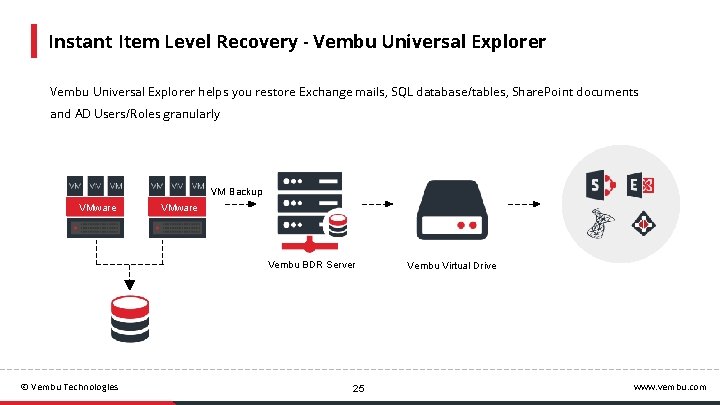
Instant Item Level Recovery - Vembu Universal Explorer helps you restore Exchange mails, SQL database/tables, Share. Point documents and AD Users/Roles granularly VM Backup VMware Vembu BDR Server © Vembu Technologies 25 Vembu Virtual Drive www. vembu. com
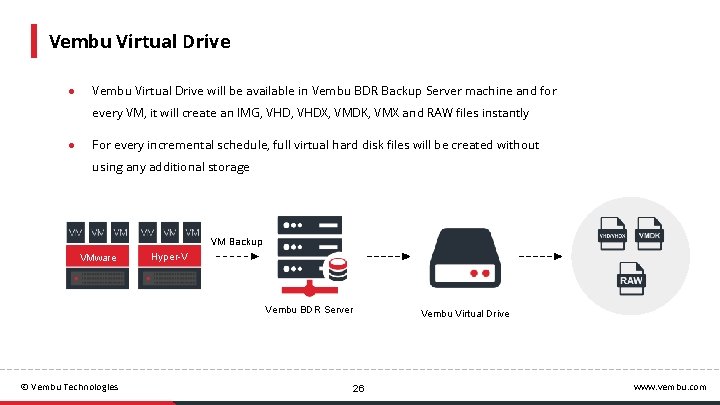
Vembu Virtual Drive ● Vembu Virtual Drive will be available in Vembu BDR Backup Server machine and for every VM, it will create an IMG, VHDX, VMDK, VMX and RAW files instantly ● For every incremental schedule, full virtual hard disk files will be created without using any additional storage VM Backup VMware Hyper-V Vembu BDR Server © Vembu Technologies Vembu Virtual Drive 26 www. vembu. com
Licensing & Pricing © Vembu Technologies www. vembu. com
Licensing Available Editions Subscription ● Vembu offers licensing options for 1, 2, 3 and 5 years ● Free ● 24/7 support and major/minor upgrades included ● Standard Essentials ● Enterprise Essentials Perpetual ● One time purchase with upgrades and support for one year ● AMC of 20% of license fee to be paid for continued support & updates © Vembu Technologies 28 www. vembu. com
Pricing ● Vembu offers five pricing editions with features that cater to different levels of business requirements ● Check pricing here https: //www. vembu. com/vembu-bdr-suite-pricing/ © Vembu Technologies 29 www. vembu. com

- Slides: 30