
VLT Diagnostics Click on the button above your
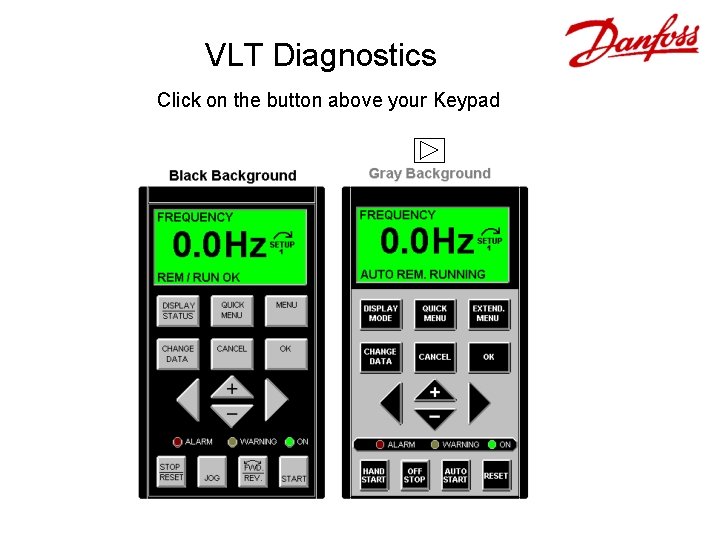
VLT Diagnostics Click on the button above your Keypad
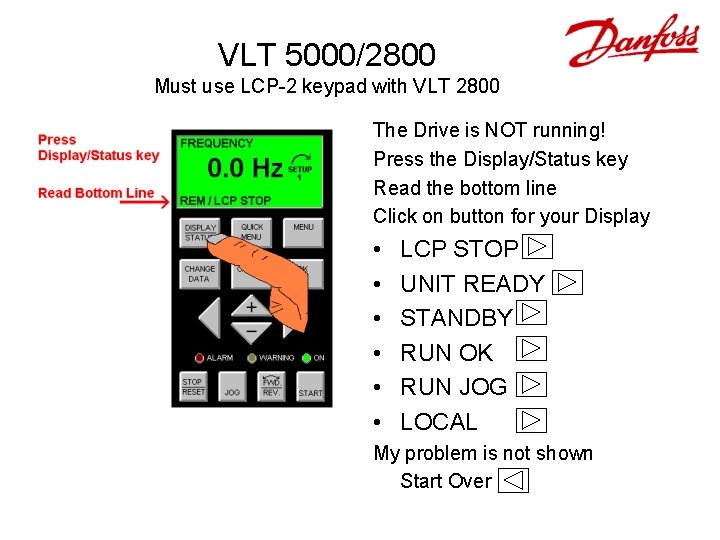
VLT 5000/2800 Must use LCP-2 keypad with VLT 2800 The Drive is NOT running! Press the Display/Status key Read the bottom line Click on button for your Display • • • LCP STOP UNIT READY STANDBY RUN OK RUN JOG LOCAL My problem is not shown Start Over

LCP STOP • Main Display 0. 0 Hz is FLASHING • Press the START key on the keypad. • Still doesn’t Run? – go back to VLT 5000 page.
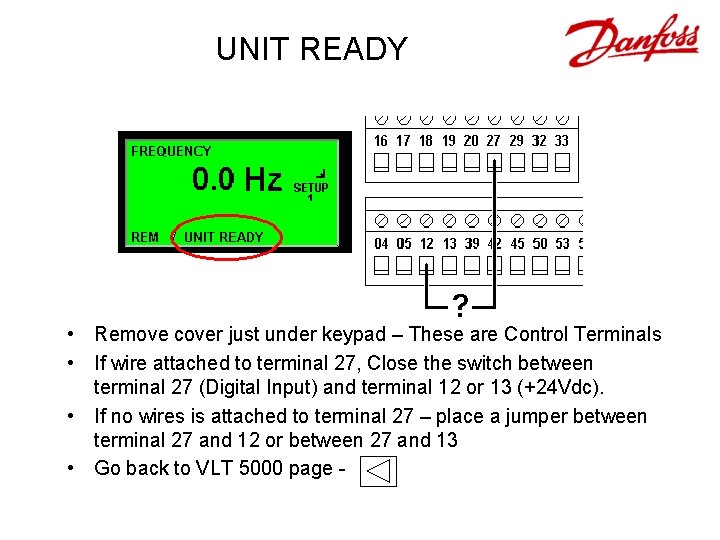
UNIT READY • Remove cover just under keypad – These are Control Terminals • If wire attached to terminal 27, Close the switch between terminal 27 (Digital Input) and terminal 12 or 13 (+24 Vdc). • If no wires is attached to terminal 27 – place a jumper between terminal 27 and 12 or between 27 and 13 • Go back to VLT 5000 page -
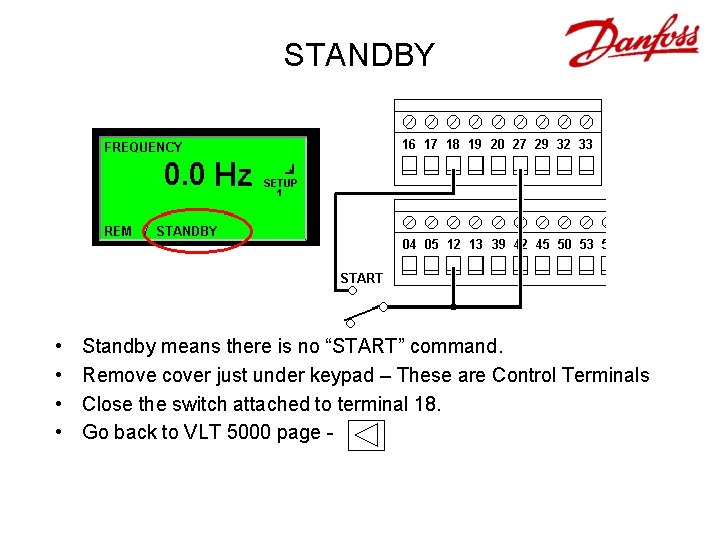
STANDBY • • Standby means there is no “START” command. Remove cover just under keypad – These are Control Terminals Close the switch attached to terminal 18. Go back to VLT 5000 page -
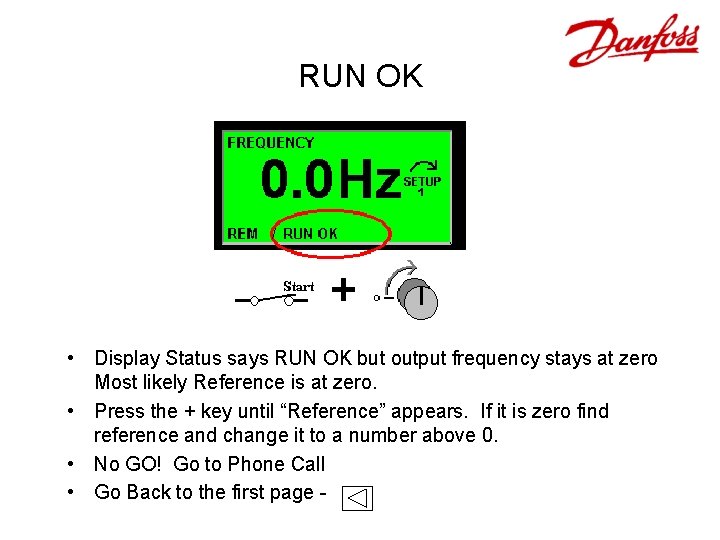
RUN OK • Display Status says RUN OK but output frequency stays at zero Most likely Reference is at zero. • Press the + key until “Reference” appears. If it is zero find reference and change it to a number above 0. • No GO! Go to Phone Call • Go Back to the first page -
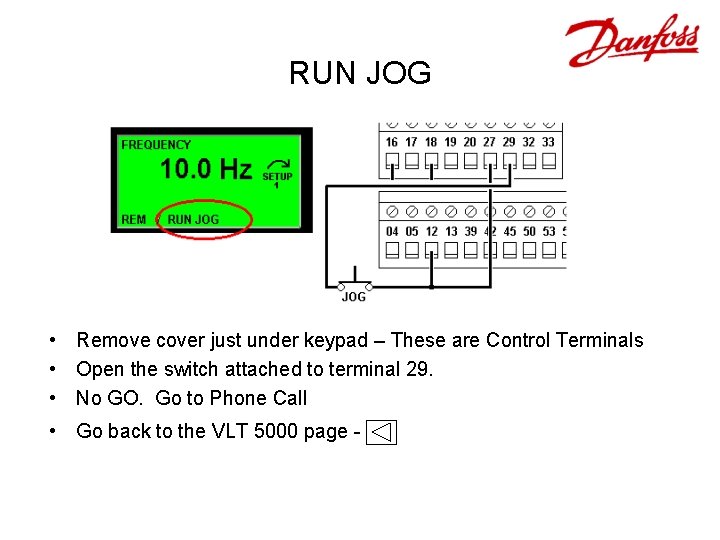
RUN JOG • Remove cover just under keypad – These are Control Terminals • Open the switch attached to terminal 29. • No GO. Go to Phone Call • Go back to the VLT 5000 page -
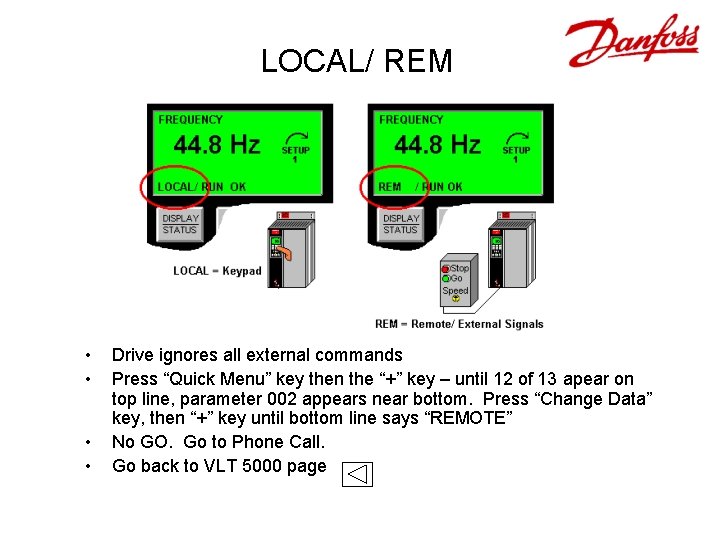
LOCAL/ REM • • Drive ignores all external commands Press “Quick Menu” key then the “+” key – until 12 of 13 apear on top line, parameter 002 appears near bottom. Press “Change Data” key, then “+” key until bottom line says “REMOTE” No GO. Go to Phone Call. Go back to VLT 5000 page
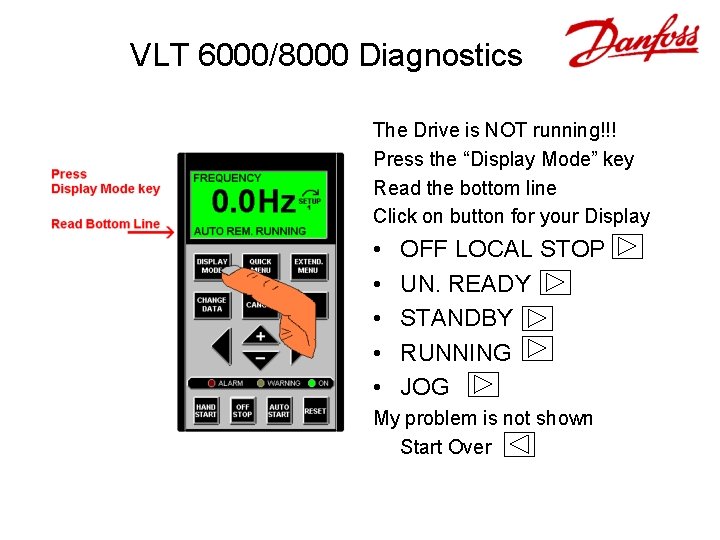
VLT 6000/8000 Diagnostics The Drive is NOT running!!! Press the “Display Mode” key Read the bottom line Click on button for your Display • • • OFF LOCAL STOP UN. READY STANDBY RUNNING JOG My problem is not shown Start Over

HAND LOCAL • • • Drive ignores all commands “Hand Local” means Keypad is in control Press “Auto Start” key – “Auto Rem. ” appears. No GO. Go to Phone Call Go back to VLT 6000 page
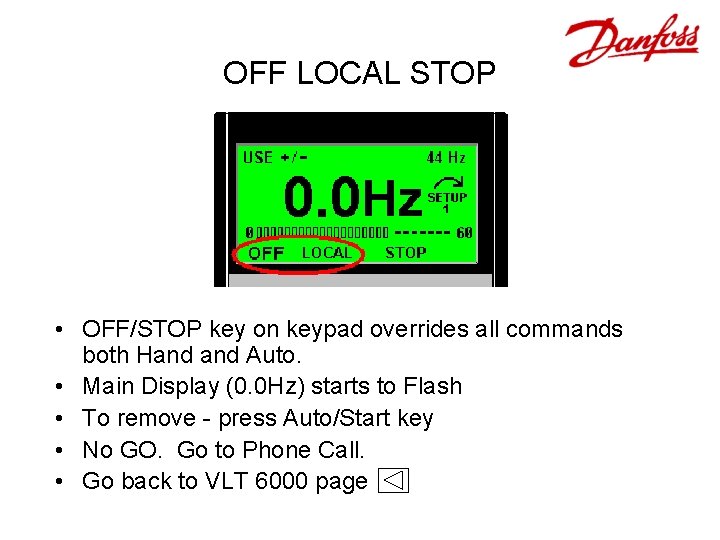
OFF LOCAL STOP • OFF/STOP key on keypad overrides all commands both Hand Auto. • Main Display (0. 0 Hz) starts to Flash • To remove - press Auto/Start key • No GO. Go to Phone Call. • Go back to VLT 6000 page
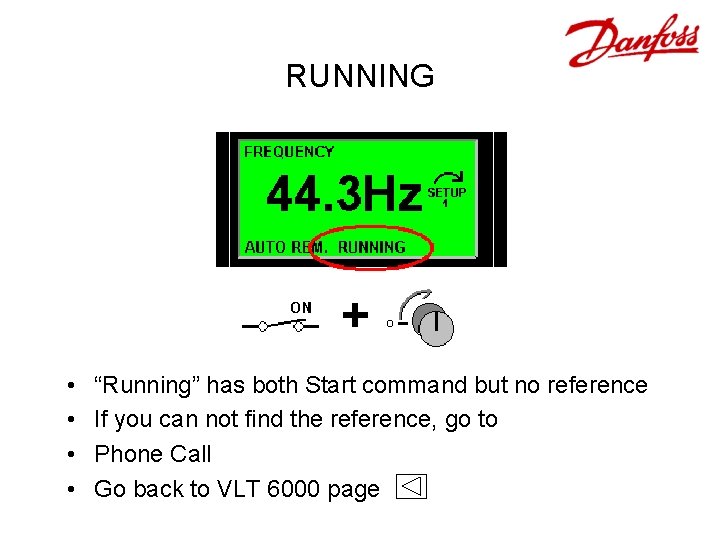
RUNNING • • “Running” has both Start command but no reference If you can not find the reference, go to Phone Call Go back to VLT 6000 page
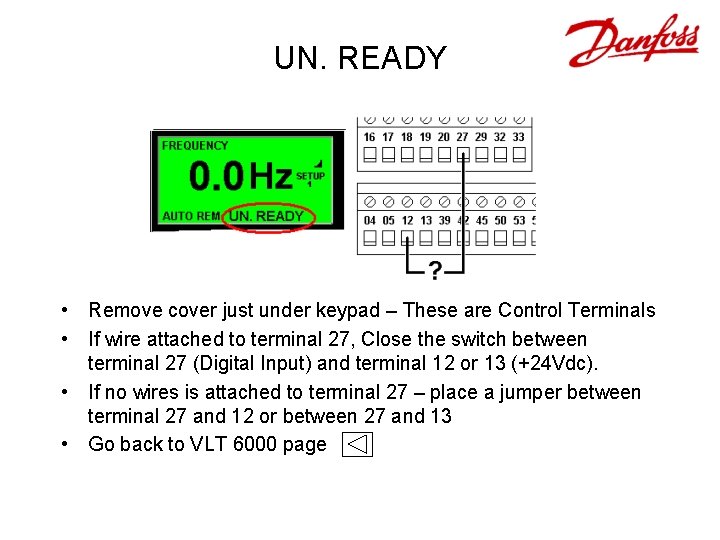
UN. READY • Remove cover just under keypad – These are Control Terminals • If wire attached to terminal 27, Close the switch between terminal 27 (Digital Input) and terminal 12 or 13 (+24 Vdc). • If no wires is attached to terminal 27 – place a jumper between terminal 27 and 12 or between 27 and 13 • Go back to VLT 6000 page
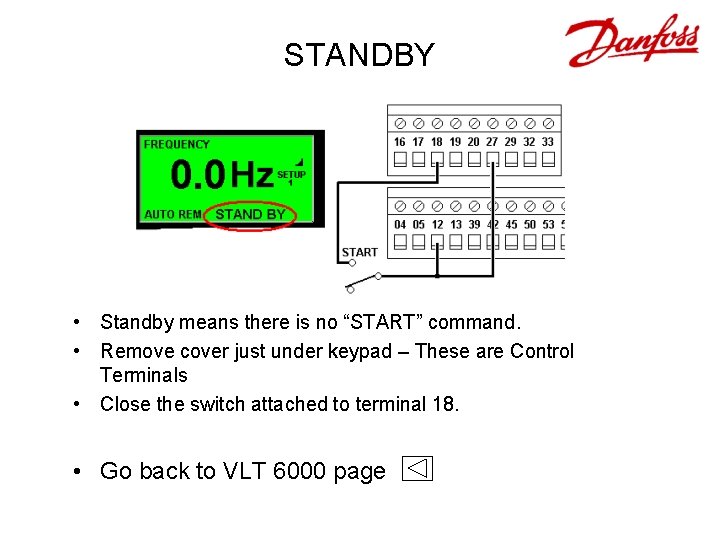
STANDBY • Standby means there is no “START” command. • Remove cover just under keypad – These are Control Terminals • Close the switch attached to terminal 18. • Go back to VLT 6000 page
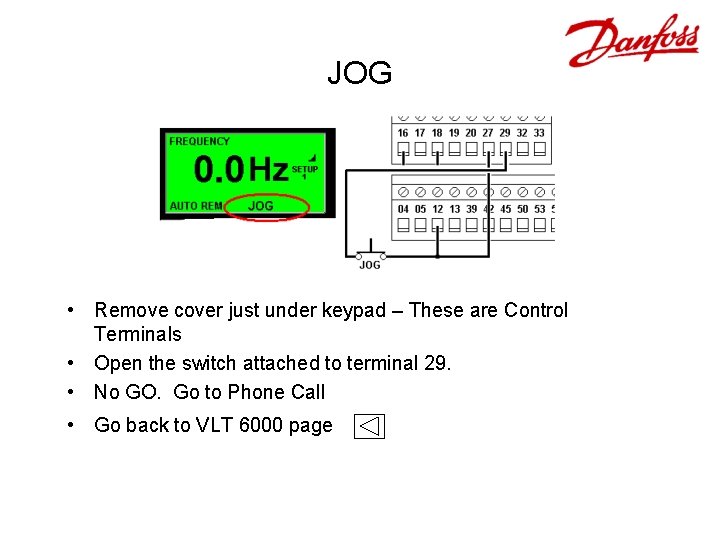
JOG • Remove cover just under keypad – These are Control Terminals • Open the switch attached to terminal 29. • No GO. Go to Phone Call • Go back to VLT 6000 page
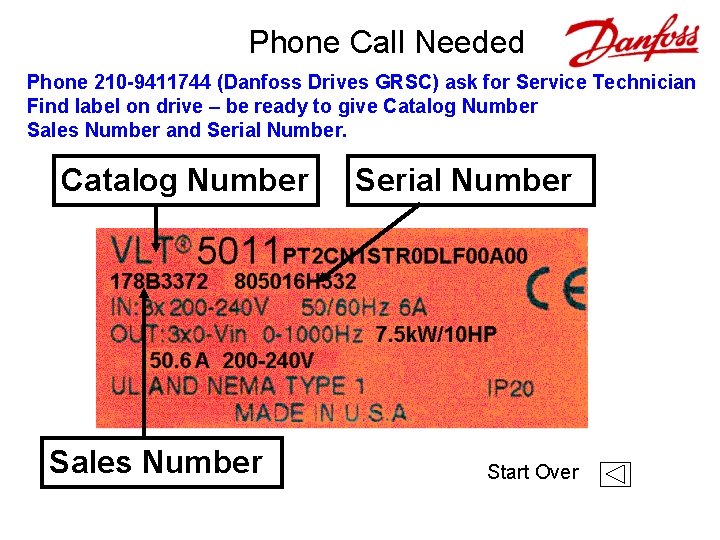
Phone Call Needed Phone 210 -9411744 (Danfoss Drives GRSC) ask for Service Technician Find label on drive – be ready to give Catalog Number Sales Number and Serial Number. Catalog Number Sales Number Serial Number Start Over
- Slides: 16