
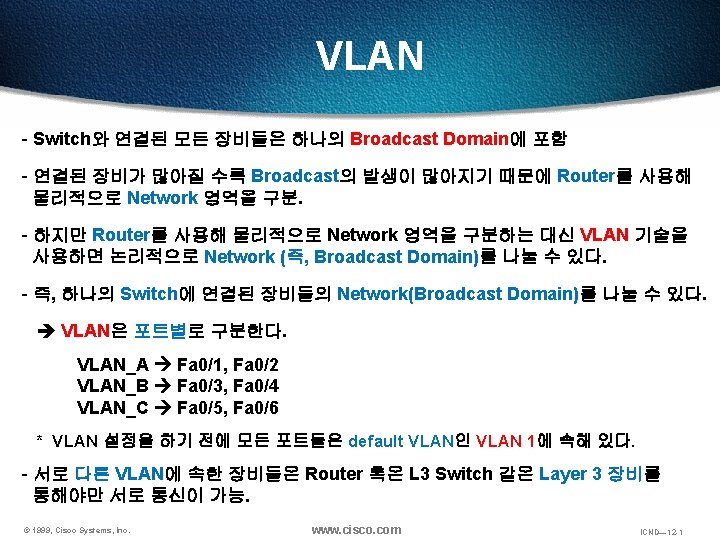
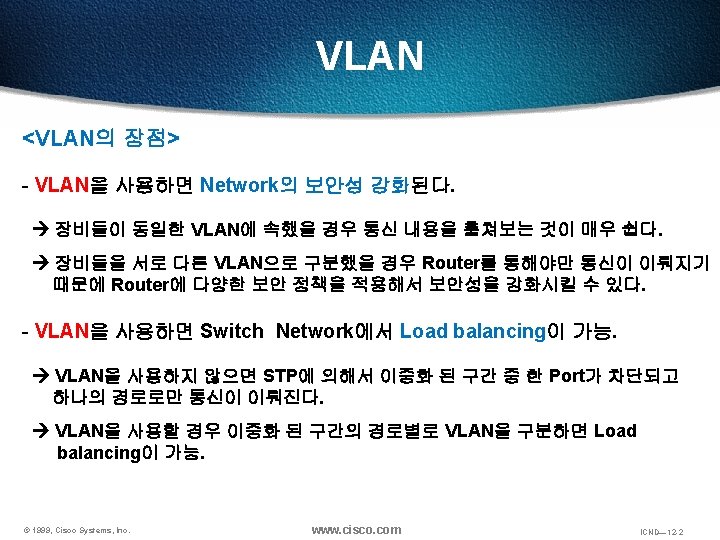
VLAN VLAN VLAN ID VLAN 1 4094 VLAN
- Slides: 26
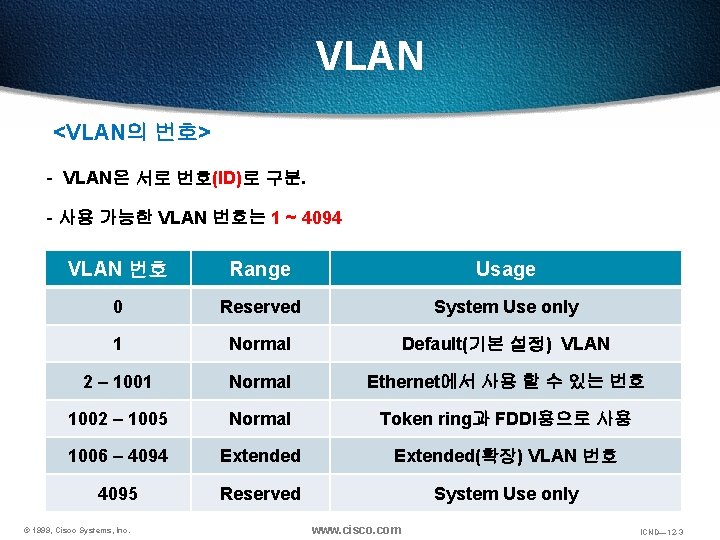
VLAN <VLAN의 번호> - VLAN은 서로 번호(ID)로 구분. - 사용 가능한 VLAN 번호는 1 ~ 4094 VLAN 번호 Range Usage 0 Reserved System Use only 1 Normal Default(기본 설정) VLAN 2 – 1001 Normal Ethernet에서 사용 할 수 있는 번호 1002 – 1005 Normal Token ring과 FDDI용으로 사용 1006 – 4094 Extended(확장) VLAN 번호 4095 Reserved System Use only © 1999, Cisco Systems, Inc. www. cisco. com ICND— 12 -3
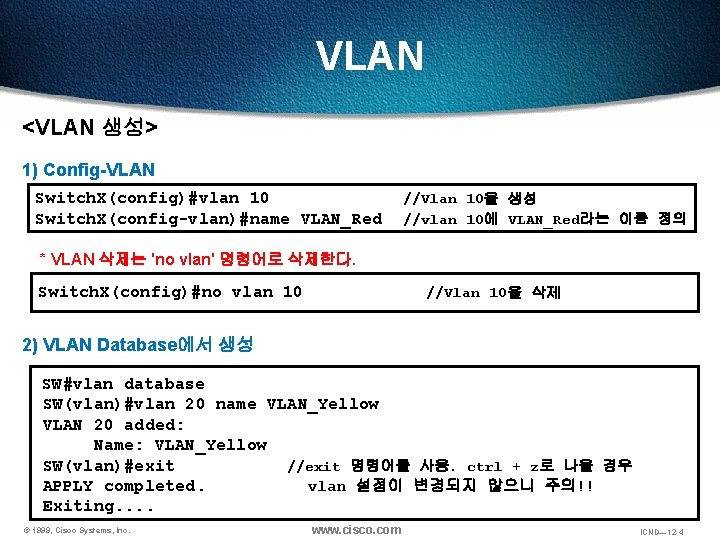
VLAN <VLAN 생성> 1) Config-VLAN Switch. X(config)#vlan 10 Switch. X(config-vlan)#name VLAN_Red //Vlan 10을 생성 //vlan 10에 VLAN_Red라는 이름 정의 * VLAN 삭제는 'no vlan' 명령어로 삭제한다. Switch. X(config)#no vlan 10 //Vlan 10을 삭제 2) VLAN Database에서 생성 SW#vlan database SW(vlan)#vlan 20 name VLAN_Yellow VLAN 20 added: Name: VLAN_Yellow SW(vlan)#exit //exit 명령어를 사용. ctrl + z로 나올 경우 APPLY completed. vlan 설정이 변경되지 않으니 주의!! Exiting. . © 1999, Cisco Systems, Inc. www. cisco. com ICND— 12 -4
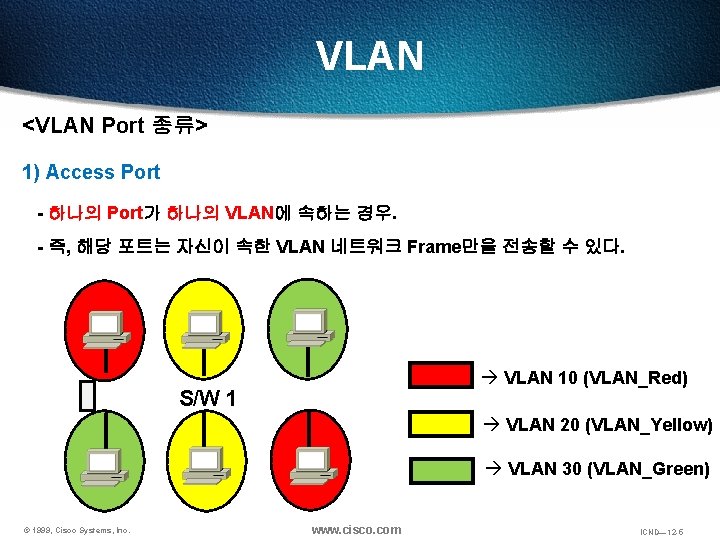
VLAN <VLAN Port 종류> 1) Access Port - 하나의 Port가 하나의 VLAN에 속하는 경우. - 즉, 해당 포트는 자신이 속한 VLAN 네트워크 Frame만을 전송할 수 있다. à VLAN 10 (VLAN_Red) S/W 1 à VLAN 20 (VLAN_Yellow) à VLAN 30 (VLAN_Green) © 1999, Cisco Systems, Inc. www. cisco. com ICND— 12 -5
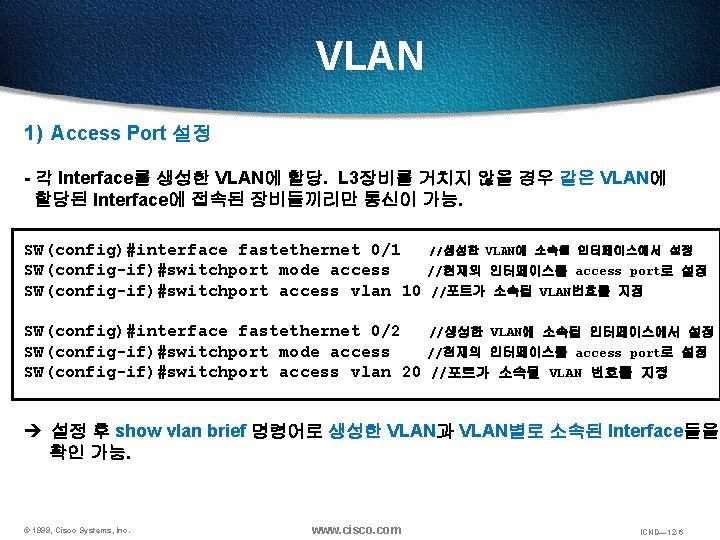
VLAN 1) Access Port 설정 - 각 Interface를 생성한 VLAN에 할당. L 3장비를 거치지 않을 경우 같은 VLAN에 할당된 Interface에 접속된 장비들끼리만 통신이 가능. SW(config)#interface fastethernet 0/1 SW(config-if)#switchport mode access SW(config-if)#switchport access vlan 10 //생성한 VLAN에 소속될 인터페이스에서 설정 //현재의 인터페이스를 access port로 설정 //포트가 소속될 VLAN번호를 지정 SW(config)#interface fastethernet 0/2 //생성한 VLAN에 소속될 인터페이스에서 설정 SW(config-if)#switchport mode access //현재의 인터페이스를 access port로 설정 SW(config-if)#switchport access vlan 20 //포트가 소속될 VLAN 번호를 지정 è 설정 후 show vlan brief 명령어로 생성한 VLAN과 VLAN별로 소속된 Interface들을 확인 가능. © 1999, Cisco Systems, Inc. www. cisco. com ICND— 12 -6
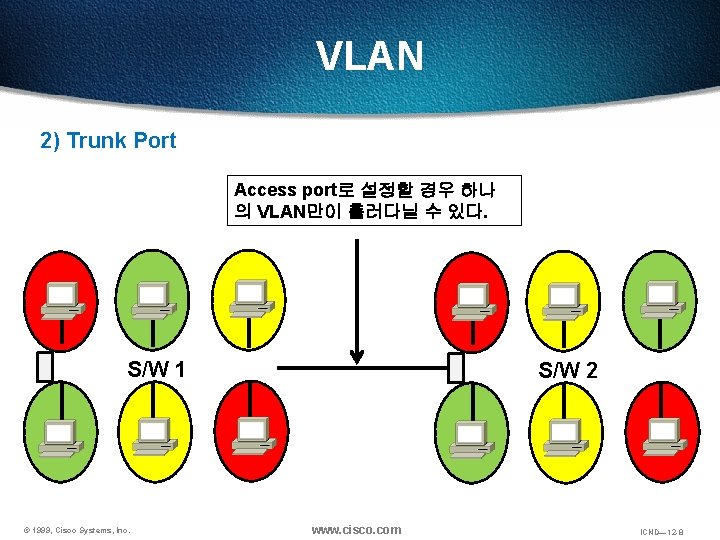
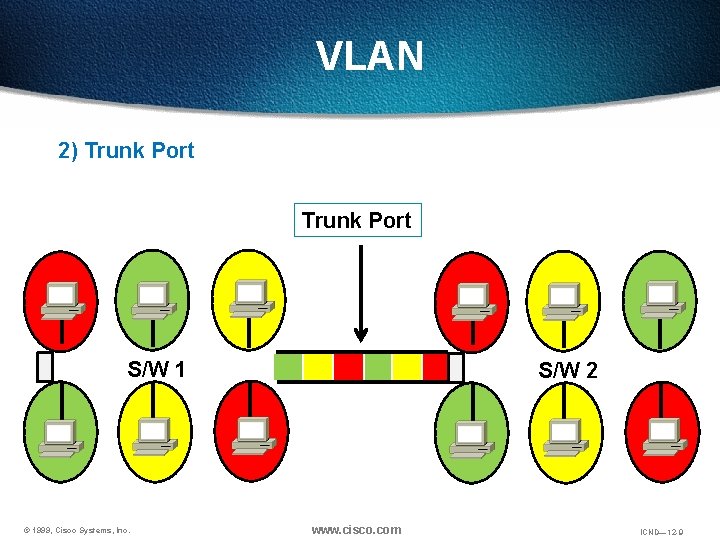
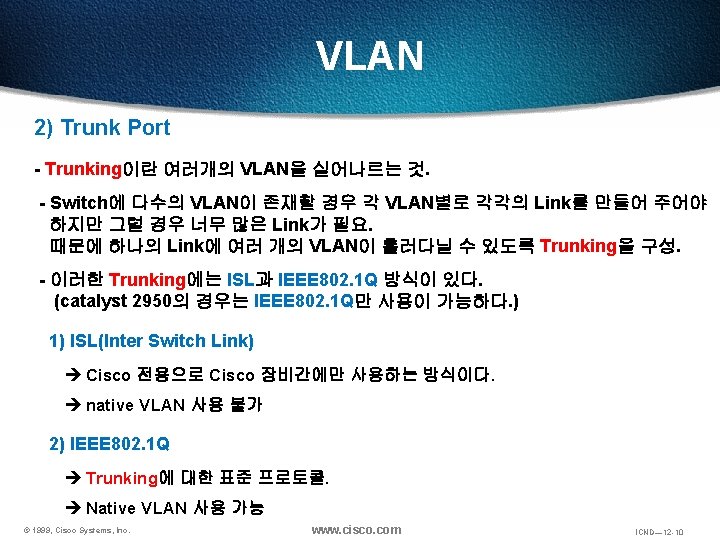
VLAN 2) Trunk Port Access port로 설정할 경우 하나 의 VLAN만이 흘러다닐 수 있다. S/W 1 © 1999, Cisco Systems, Inc. S/W 2 www. cisco. com ICND— 12 -8
VLAN 2) Trunk Port S/W 1 © 1999, Cisco Systems, Inc. S/W 2 www. cisco. com ICND— 12 -9
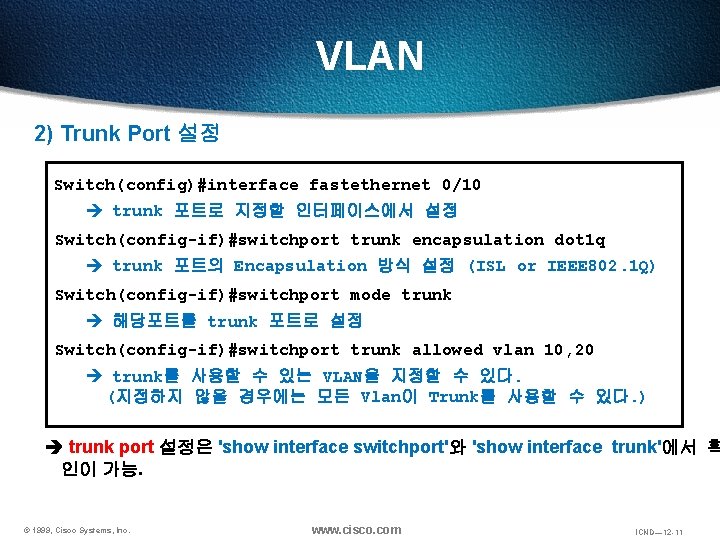
VLAN 2) Trunk Port 설정 Switch(config)#interface fastethernet 0/10 trunk 포트로 지정할 인터페이스에서 설정 Switch(config-if)#switchport trunk encapsulation dot 1 q trunk 포트의 Encapsulation 방식 설정 (ISL or IEEE 802. 1 Q) Switch(config-if)#switchport mode trunk 해당포트를 trunk 포트로 설정 Switch(config-if)#switchport trunk allowed vlan 10, 20 trunk를 사용할 수 있는 VLAN을 지정할 수 있다. (지정하지 않을 경우에는 모든 Vlan이 Trunk를 사용할 수 있다. ) trunk port 설정은 'show interface switchport'와 'show interface trunk'에서 확 인이 가능. © 1999, Cisco Systems, Inc. www. cisco. com ICND— 12 -11
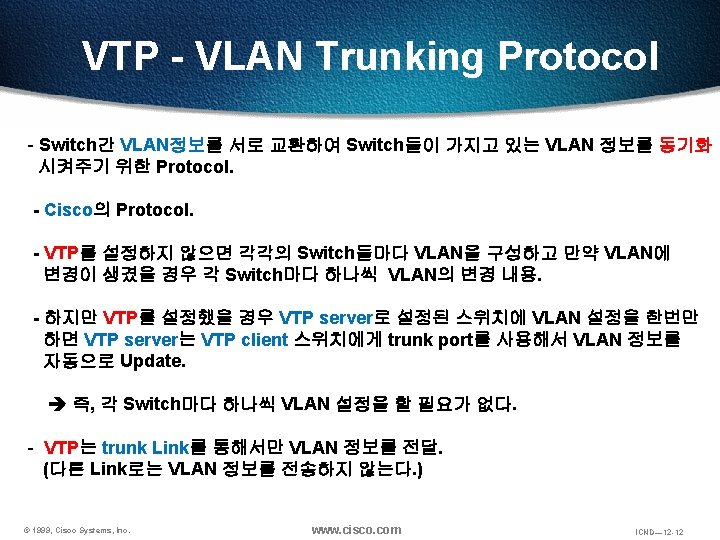
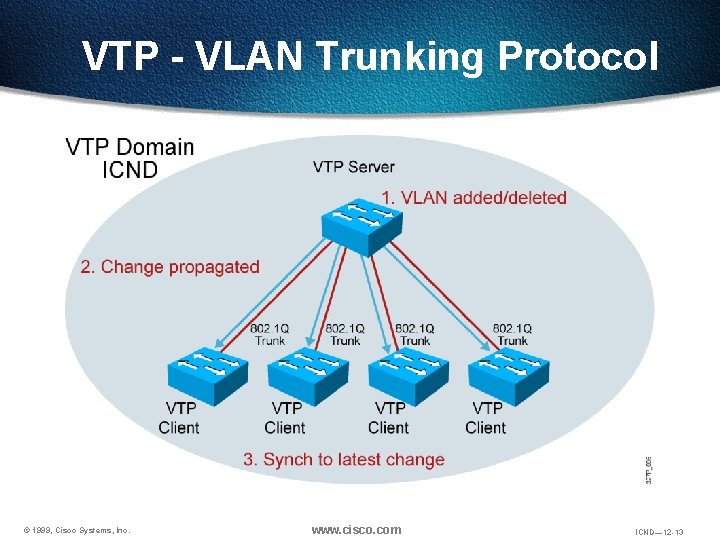
VTP - VLAN Trunking Protocol © 1999, Cisco Systems, Inc. www. cisco. com ICND— 12 -13
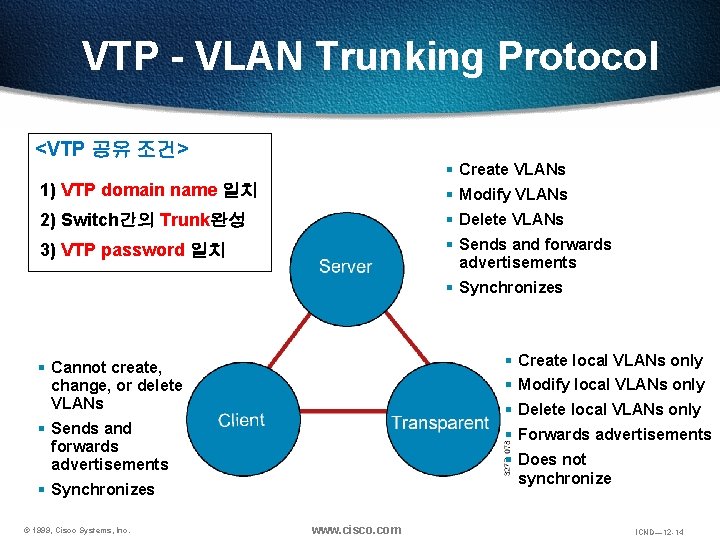
VTP - VLAN Trunking Protocol <VTP 공유 조건> § Create VLANs 1) VTP domain name 일치 § Modify VLANs 2) Switch간의 Trunk완성 § Delete VLANs 3) VTP password 일치 § Sends and forwards advertisements § Synchronizes § Cannot create, change, or delete VLANs § Create local VLANs only § Sends and forwards advertisements § Forwards advertisements § Modify local VLANs only § Delete local VLANs only § Does not synchronize § Synchronizes © 1999, Cisco Systems, Inc. www. cisco. com ICND— 12 -14
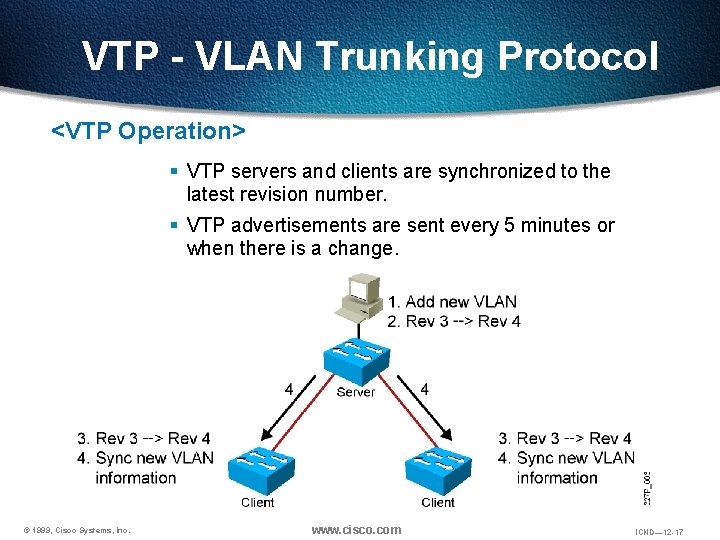
VTP - VLAN Trunking Protocol <VTP Operation> § VTP servers and clients are synchronized to the latest revision number. § VTP advertisements are sent every 5 minutes or when there is a change. © 1999, Cisco Systems, Inc. www. cisco. com ICND— 12 -17
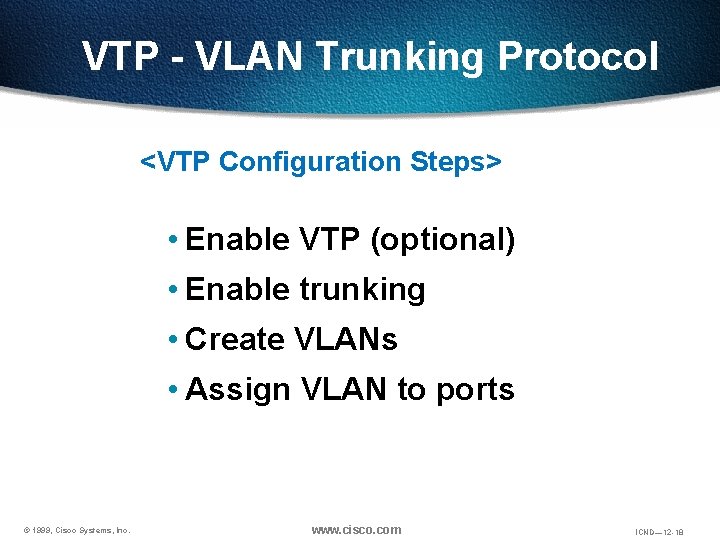
VTP - VLAN Trunking Protocol <VTP Configuration Steps> • Enable VTP (optional) • Enable trunking • Create VLANs • Assign VLAN to ports © 1999, Cisco Systems, Inc. www. cisco. com ICND— 12 -18
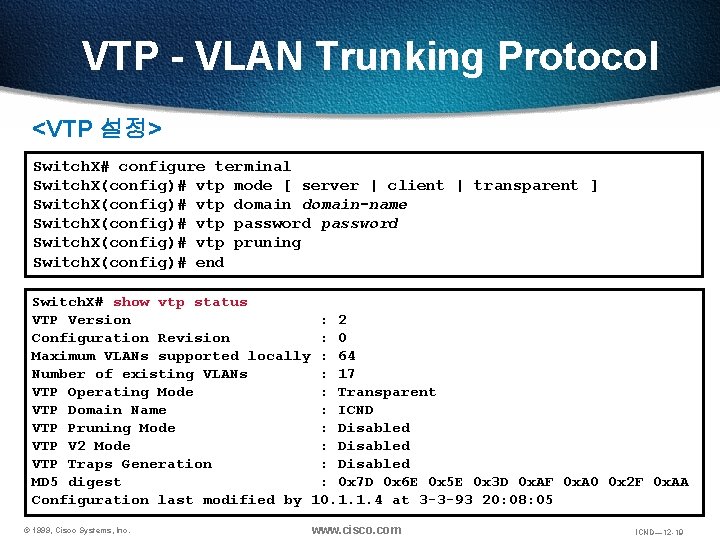
VTP - VLAN Trunking Protocol <VTP 설정> Switch. X# configure terminal Switch. X(config)# vtp mode [ server | client | transparent ] Switch. X(config)# vtp domain-name Switch. X(config)# vtp password Switch. X(config)# vtp pruning Switch. X(config)# end Switch. X# show vtp status VTP Version : 2 Configuration Revision : 0 Maximum VLANs supported locally : 64 Number of existing VLANs : 17 VTP Operating Mode : Transparent VTP Domain Name : ICND VTP Pruning Mode : Disabled VTP V 2 Mode : Disabled VTP Traps Generation : Disabled MD 5 digest : 0 x 7 D 0 x 6 E 0 x 5 E 0 x 3 D 0 x. AF 0 x. A 0 0 x 2 F 0 x. AA Configuration last modified by 10. 1. 1. 4 at 3 -3 -93 20: 08: 05 © 1999, Cisco Systems, Inc. www. cisco. com ICND— 12 -19
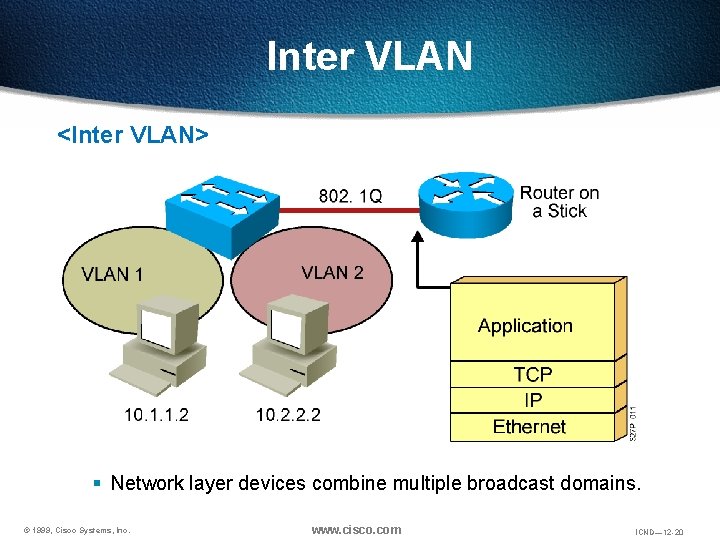
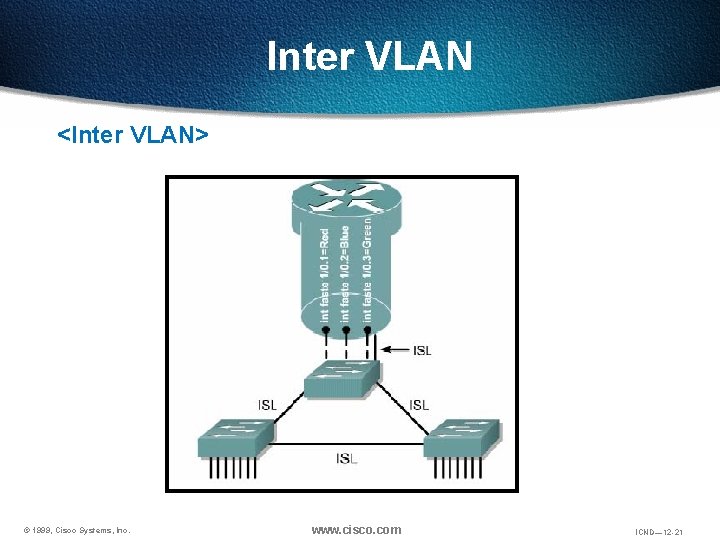
Inter VLAN <Inter VLAN> § Network layer devices combine multiple broadcast domains. © 1999, Cisco Systems, Inc. www. cisco. com ICND— 12 -20
Inter VLAN <Inter VLAN> © 1999, Cisco Systems, Inc. www. cisco. com ICND— 12 -21
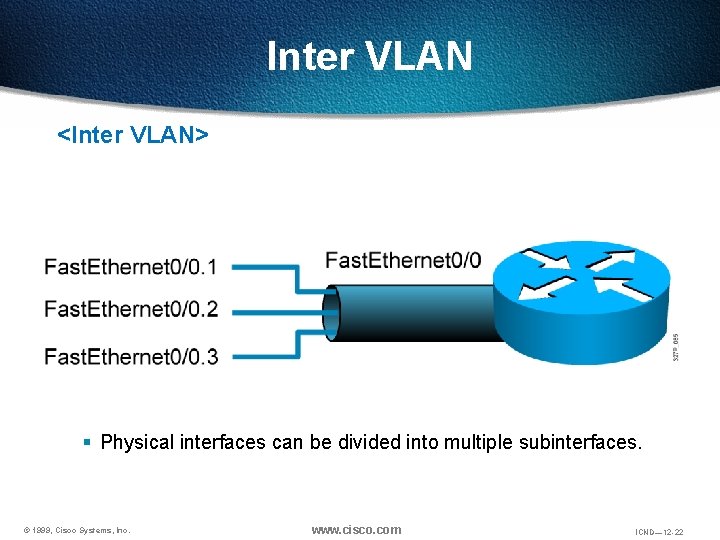
Inter VLAN <Inter VLAN> § Physical interfaces can be divided into multiple subinterfaces. © 1999, Cisco Systems, Inc. www. cisco. com ICND— 12 -22
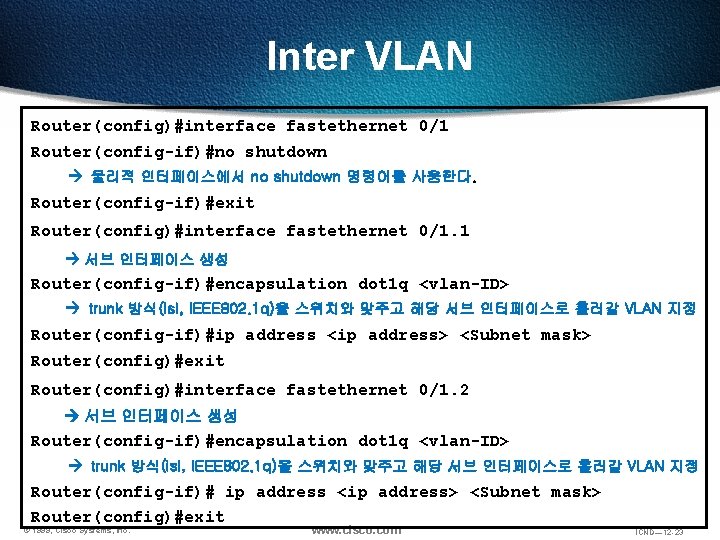
Inter VLAN Router(config)#interface fastethernet 0/1 Router(config-if)#no shutdown 물리적 인터페이스에서 no shutdown 명령어를 사용한다. Router(config-if)#exit Router(config)#interface fastethernet 0/1. 1 서브 인터페이스 생성 Router(config-if)#encapsulation dot 1 q <vlan-ID> trunk 방식(isl, IEEE 802. 1 q)을 스위치와 맞주고 해당 서브 인터페이스로 흘러갈 VLAN 지정 Router(config-if)#ip address <ip address> <Subnet mask> Router(config)#exit Router(config)#interface fastethernet 0/1. 2 서브 인터페이스 생성 Router(config-if)#encapsulation dot 1 q <vlan-ID> trunk 방식(isl, IEEE 802. 1 q)을 스위치와 맞주고 해당 서브 인터페이스로 흘러갈 VLAN 지정 Router(config-if)# ip address <ip address> <Subnet mask> Router(config)#exit © 1999, Cisco Systems, Inc. www. cisco. com ICND— 12 -23
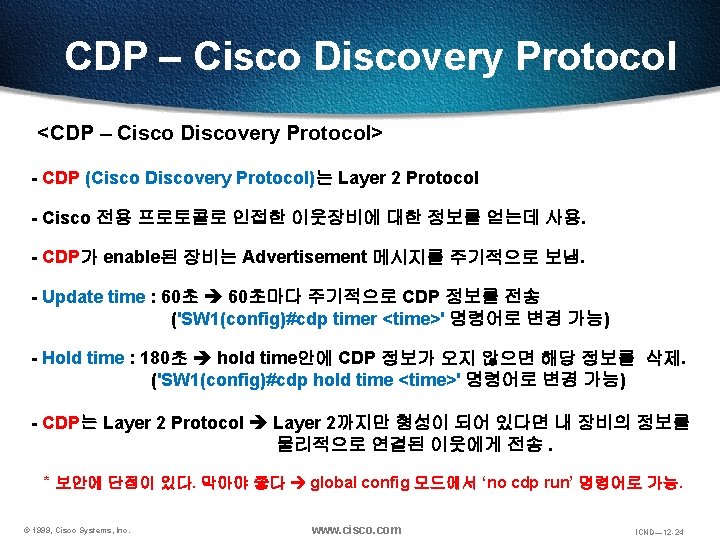
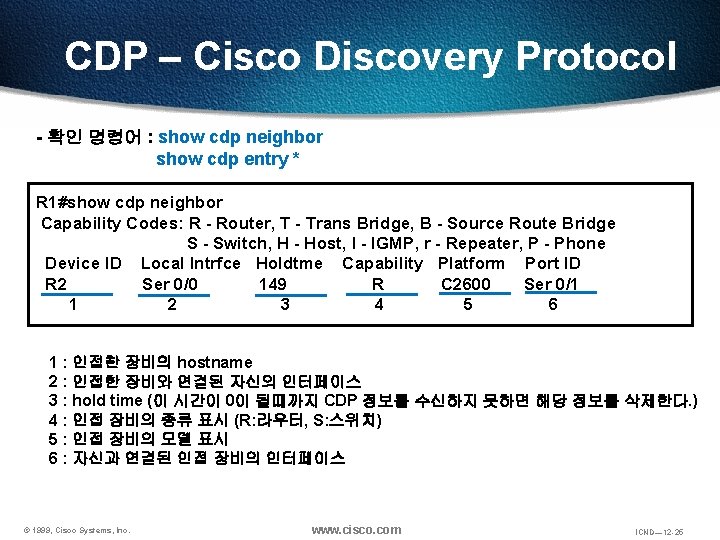
CDP – Cisco Discovery Protocol <CDP – Cisco Discovery Protocol> - CDP (Cisco Discovery Protocol)는 Layer 2 Protocol - Cisco 전용 프로토콜로 인접한 이웃장비에 대한 정보를 얻는데 사용. - CDP가 enable된 장비는 Advertisement 메시지를 주기적으로 보냄. - Update time : 60초마다 주기적으로 CDP 정보를 전송 ('SW 1(config)#cdp timer <time>' 명령어로 변경 가능) - Hold time : 180초 hold time안에 CDP 정보가 오지 않으면 해당 정보를 삭제. ('SW 1(config)#cdp hold time <time>' 명령어로 변경 가능) - CDP는 Layer 2 Protocol Layer 2까지만 형성이 되어 있다면 내 장비의 정보를 물리적으로 연결된 이웃에게 전송. * 보안에 단점이 있다. 막아야 좋다 global config 모드에서 ‘no cdp run’ 명령어로 가능. © 1999, Cisco Systems, Inc. www. cisco. com ICND— 12 -24
CDP – Cisco Discovery Protocol - 확인 명령어 : show cdp neighbor show cdp entry * R 1#show cdp neighbor Capability Codes: R - Router, T - Trans Bridge, B - Source Route Bridge S - Switch, H - Host, I - IGMP, r - Repeater, P - Phone Device ID Local Intrfce Holdtme Capability Platform Port ID R 2 Ser 0/0 149 R C 2600 Ser 0/1 1 2 3 4 5 6 1 : 인접한 장비의 hostname 2 : 인접한 장비와 연결된 자신의 인터페이스 3 : hold time (이 시간이 0이 될때까지 CDP 정보를 수신하지 못하면 해당 정보를 삭제한다. ) 4 : 인접 장비의 종류 표시 (R: 라우터, S: 스위치) 5 : 인접 장비의 모델 표시 6 : 자신과 연결된 인접 장비의 인터페이스 © 1999, Cisco Systems, Inc. www. cisco. com ICND— 12 -25
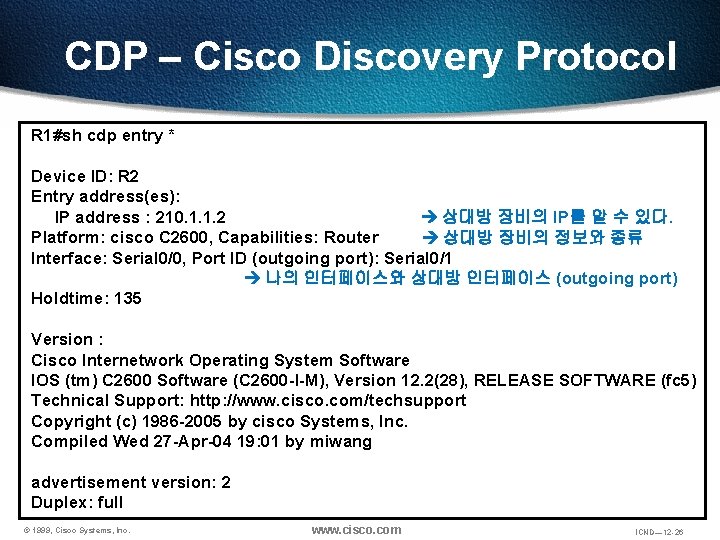
CDP – Cisco Discovery Protocol R 1#sh cdp entry * Device ID: R 2 Entry address(es): IP address : 210. 1. 1. 2 상대방 장비의 IP를 알 수 있다. Platform: cisco C 2600, Capabilities: Router 상대방 장비의 정보와 종류 Interface: Serial 0/0, Port ID (outgoing port): Serial 0/1 나의 인터페이스와 상대방 인터페이스 (outgoing port) Holdtime: 135 Version : Cisco Internetwork Operating System Software IOS (tm) C 2600 Software (C 2600 -I-M), Version 12. 2(28), RELEASE SOFTWARE (fc 5) Technical Support: http: //www. cisco. com/techsupport Copyright (c) 1986 -2005 by cisco Systems, Inc. Compiled Wed 27 -Apr-04 19: 01 by miwang advertisement version: 2 Duplex: full © 1999, Cisco Systems, Inc. www. cisco. com ICND— 12 -26