
VIVO Team Cornell University Dean Krafft Cornell PI
- Slides: 95
VIVO Team: Cornell University: Dean Krafft (Cornell PI), Manolo Bevia, Jim Blake, Nick Cappadona, Brian Caruso, Jon Corson -Rikert, Elly Cramer, Medha Devare, John Fereira, Brian Lowe, Stella Mitchell, Holly Mistlebauer, Anup Sawant, Christopher Westling, Rebecca Younes. University of Florida: Mike Conlon (VIVO and UF PI), Cecilia Botero, Kerry Britt, Erin Brooks, Amy Buhler, Ellie Bushhousen, Chris Case, Valrie Davis, Nita Ferree, Chris Haines, Rae Jesano, Margeaux Johnson, Sara Kreinest, Yang Li, Paula Markes, Sara Russell Gonzalez, Alexander Rockwell, Nancy Schaefer, Michele R. Tennant, George Hack, Chris Barnes, Narayan Raum, Brenda Stevens, Alicia Turner, Stephen Williams. Indiana University: Katy Borner (IU PI), William Barnett, Shanshan Chen, Ying Ding, Russell Duhon, Jon Dunn, Micah Linnemeier, Nianli Ma, Robert Mc. Donald, Barbara Ann O'Leary, Mark Price, Yuyin Sun, Alan Walsh, Brian Wheeler, Angela Zoss. Ponce School of Medicine: Richard Noel (Ponce PI), Ricardo Espada, Damaris Torres. The Scripps Research Institute: Gerald Joyce (Scripps PI), Greg Dunlap, Catherine Dunn, Brant Kelley, Paula King, Angela Murrell, Barbara Noble, Cary Thomas, Michaeleen Trimarchi. Washington University, St. Louis: Rakesh Nagarajan (WUSTL PI), Kristi L. Holmes, Sunita B. Koul, Leslie D. Mc. Intosh. Weill Cornell Medical College: Curtis Cole (Weill PI), Paul Albert, Victor Brodsky, Adam Cheriff, Oscar Cruz, Dan Dickinson, Chris Huang, Itay Klaz, Peter Michelini, Grace Migliorisi, John Ruffing, Jason Specland, Tru Tran, Jesse Turner, Vinay Varughese.
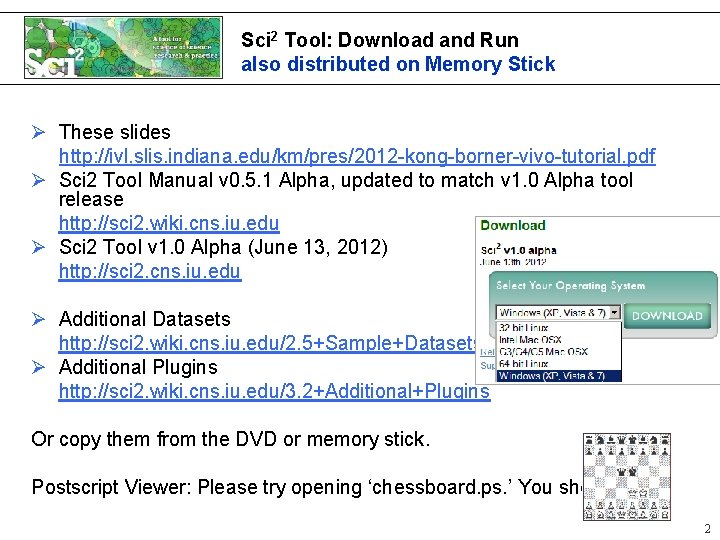
Sci 2 Tool: Download and Run also distributed on Memory Stick Ø These slides http: //ivl. slis. indiana. edu/km/pres/2012 -kong-borner-vivo-tutorial. pdf Ø Sci 2 Tool Manual v 0. 5. 1 Alpha, updated to match v 1. 0 Alpha tool release http: //sci 2. wiki. cns. iu. edu Ø Sci 2 Tool v 1. 0 Alpha (June 13, 2012) http: //sci 2. cns. iu. edu Ø Additional Datasets http: //sci 2. wiki. cns. iu. edu/2. 5+Sample+Datasets Ø Additional Plugins http: //sci 2. wiki. cns. iu. edu/3. 2+Additional+Plugins Or copy them from the DVD or memory stick. Postscript Viewer: Please try opening ‘chessboard. ps. ’ You should see 2
3
4
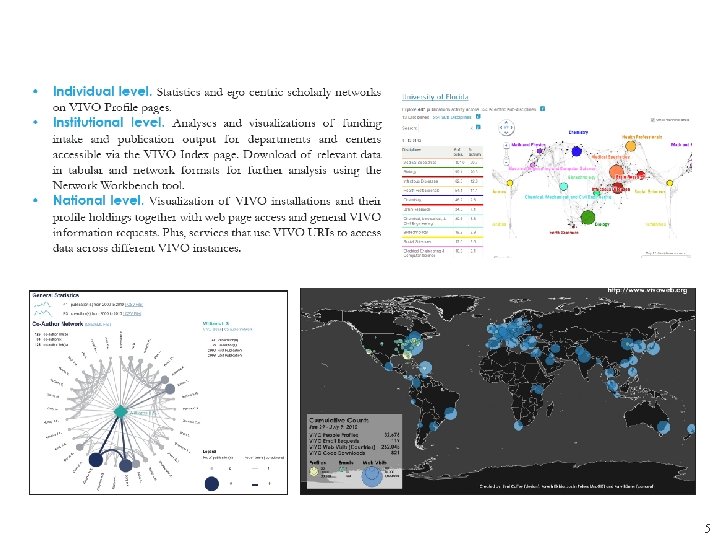
5
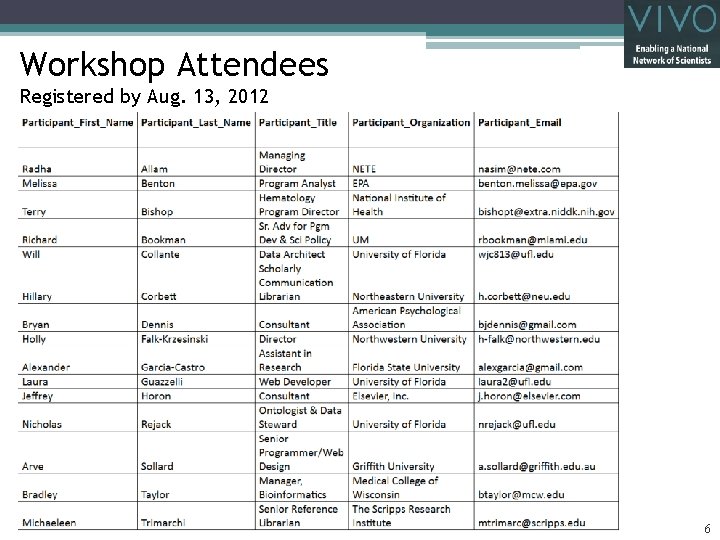
Workshop Attendees Registered by Aug. 13, 2012 6
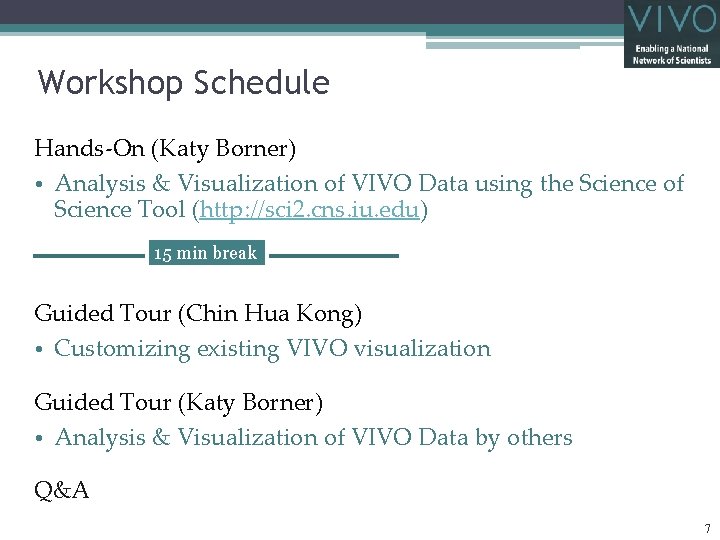
Workshop Schedule Hands-On (Katy Borner) • Analysis & Visualization of VIVO Data using the Science of Science Tool (http: //sci 2. cns. iu. edu) 15 min break Guided Tour (Chin Hua Kong) • Customizing existing VIVO visualization Guided Tour (Katy Borner) • Analysis & Visualization of VIVO Data by others Q&A 7
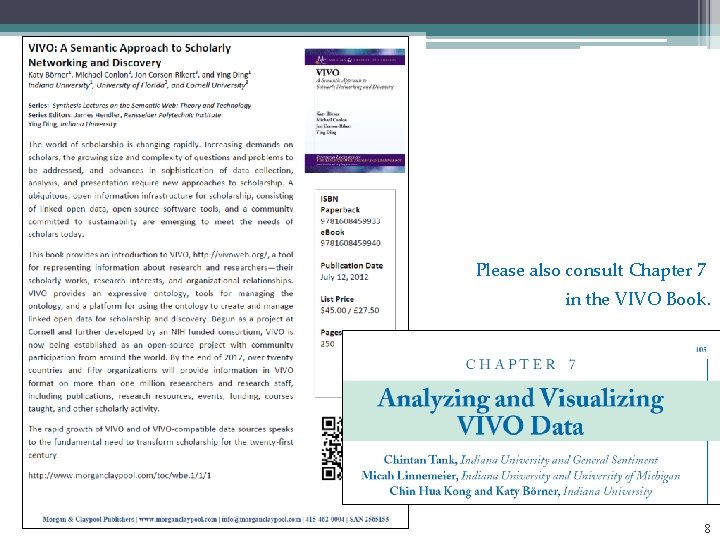
Please also consult Chapter 7 in the VIVO Book. 8
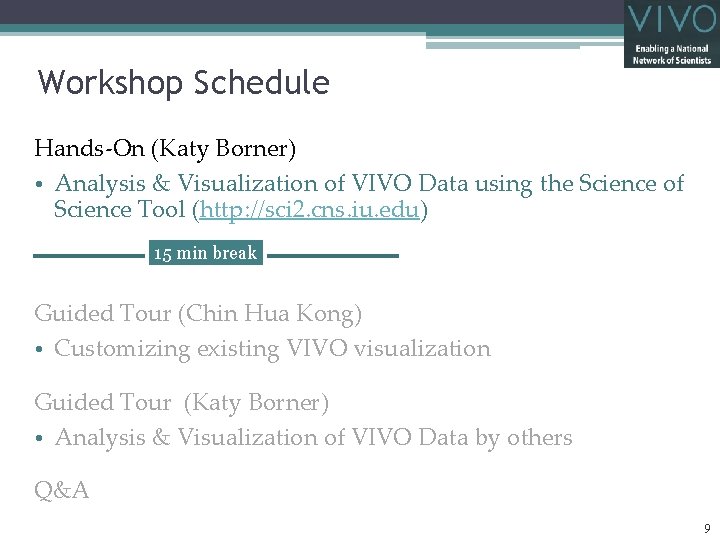
Workshop Schedule Hands-On (Katy Borner) • Analysis & Visualization of VIVO Data using the Science of Science Tool (http: //sci 2. cns. iu. edu) 15 min break Guided Tour (Chin Hua Kong) • Customizing existing VIVO visualization Guided Tour (Katy Borner) • Analysis & Visualization of VIVO Data by others Q&A 9
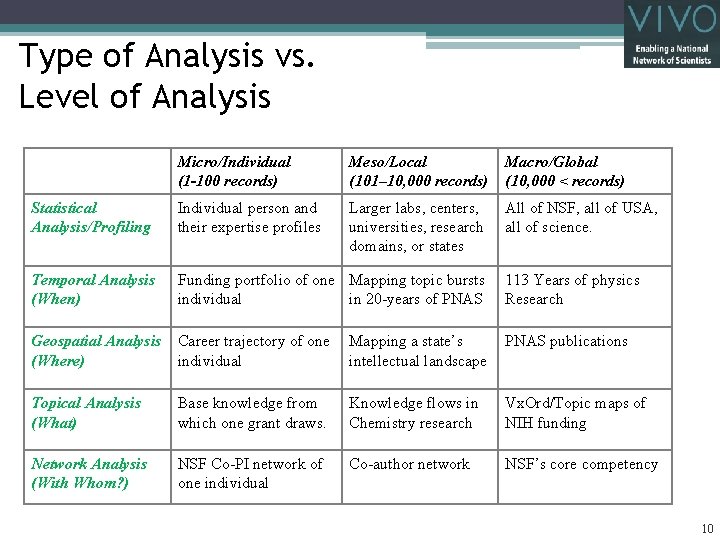
Type of Analysis vs. Level of Analysis Micro/Individual (1 -100 records) Meso/Local (101– 10, 000 records) Macro/Global (10, 000 < records) Statistical Analysis/Profiling Individual person and their expertise profiles Larger labs, centers, universities, research domains, or states All of NSF, all of USA, all of science. Temporal Analysis (When) Funding portfolio of one Mapping topic bursts individual in 20 -years of PNAS 113 Years of physics Research Geospatial Analysis (Where) Career trajectory of one individual Mapping a state’s intellectual landscape PNAS publications Topical Analysis (What) Base knowledge from which one grant draws. Knowledge flows in Chemistry research Vx. Ord/Topic maps of NIH funding Network Analysis (With Whom? ) NSF Co-PI network of one individual Co-author network NSF’s core competency 10
11
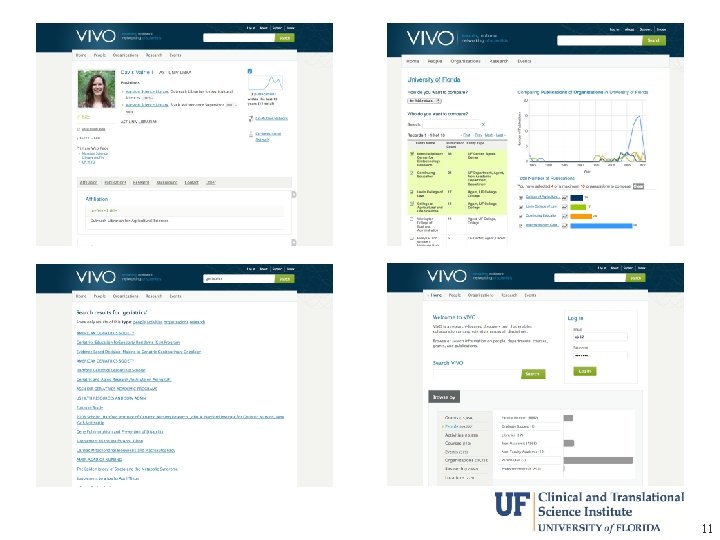
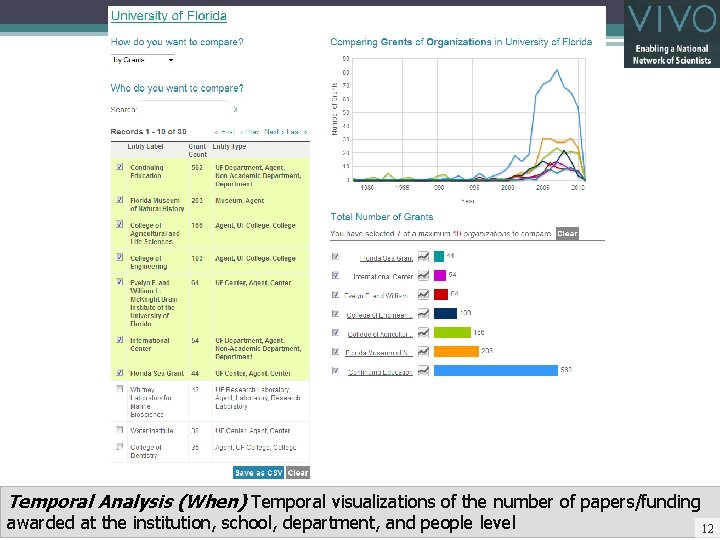
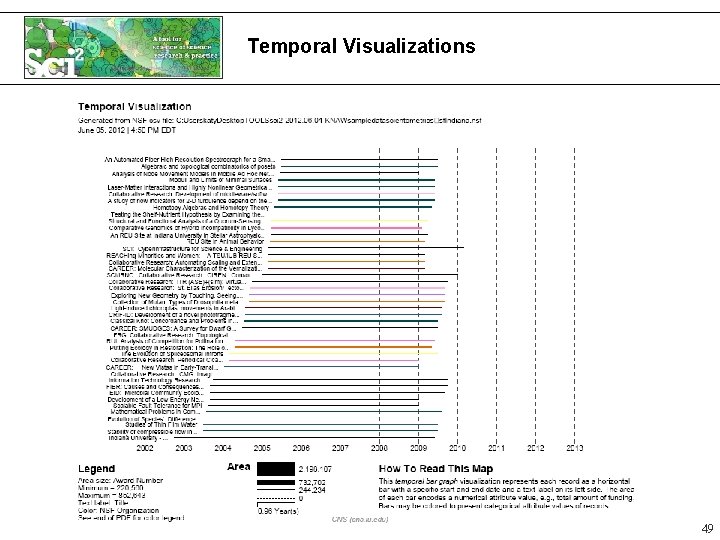
Temporal Analysis (When) Temporal visualizations of the number of papers/funding awarded at the institution, school, department, and people level 12
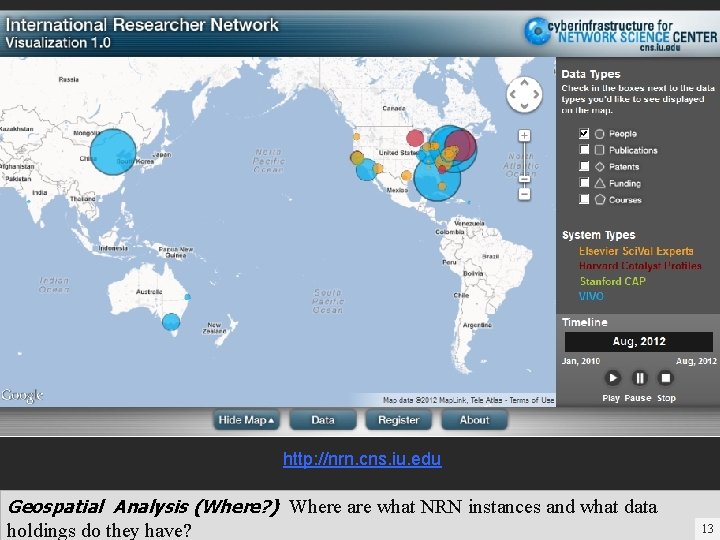
http: //nrn. cns. iu. edu Geospatial Analysis (Where? ) Where are what NRN instances and what data holdings do they have? 13
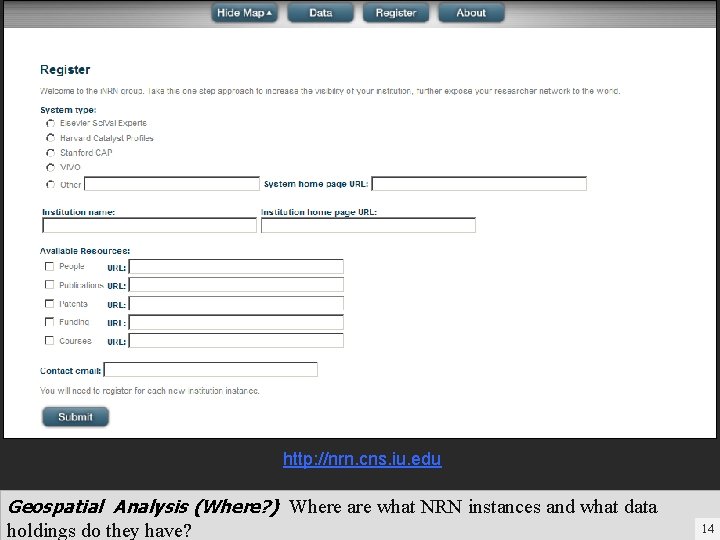
http: //nrn. cns. iu. edu Geospatial Analysis (Where? ) Where are what NRN instances and what data holdings do they have? 14
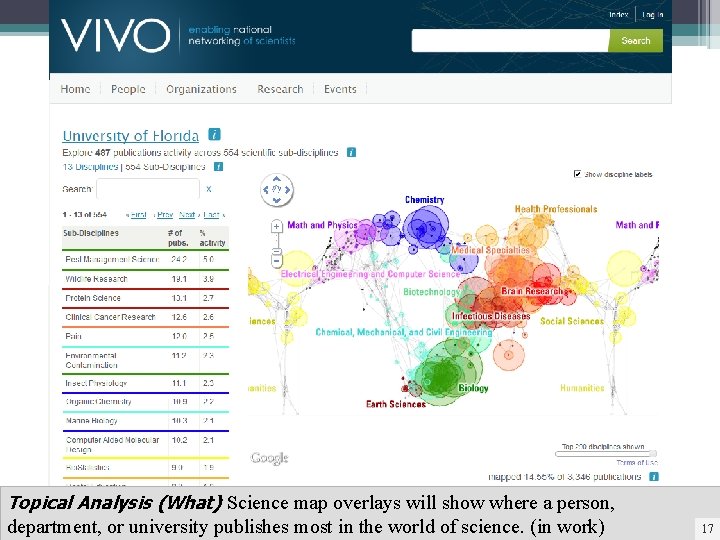
Topical Analysis (What) Science map overlays will show where a person, department, or university publishes most in the world of science. (in work) 17
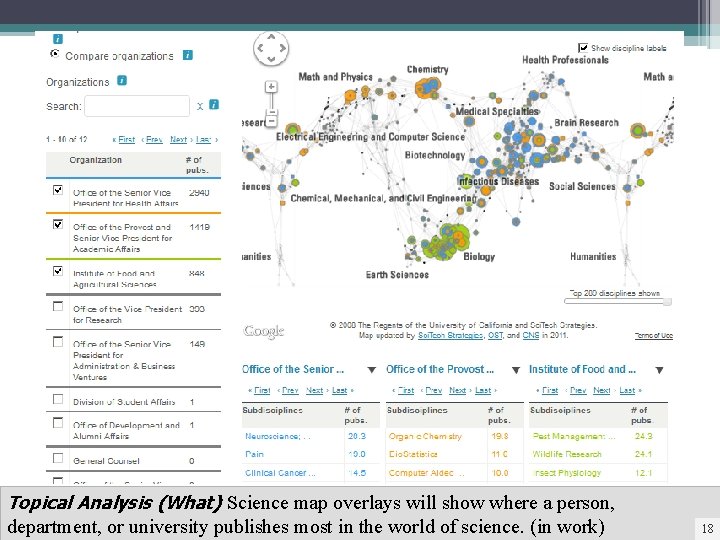
Topical Analysis (What) Science map overlays will show where a person, department, or university publishes most in the world of science. (in work) 18
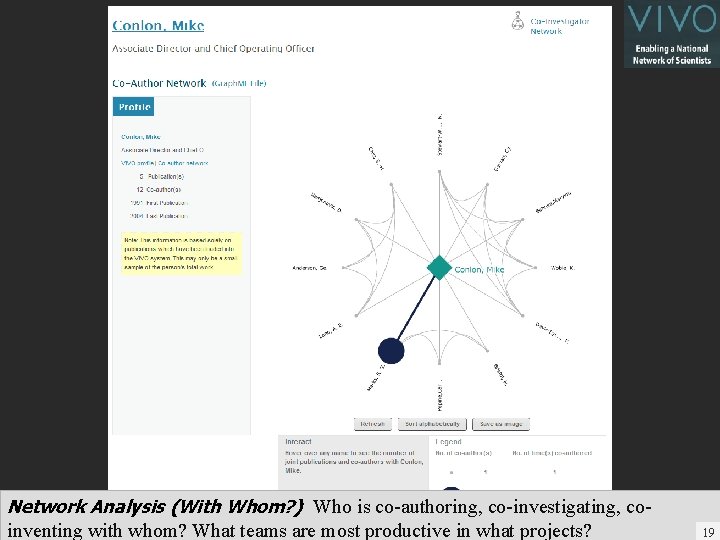
Network Analysis (With Whom? ) Who is co-authoring, co-investigating, coinventing with whom? What teams are most productive in what projects? 19 19
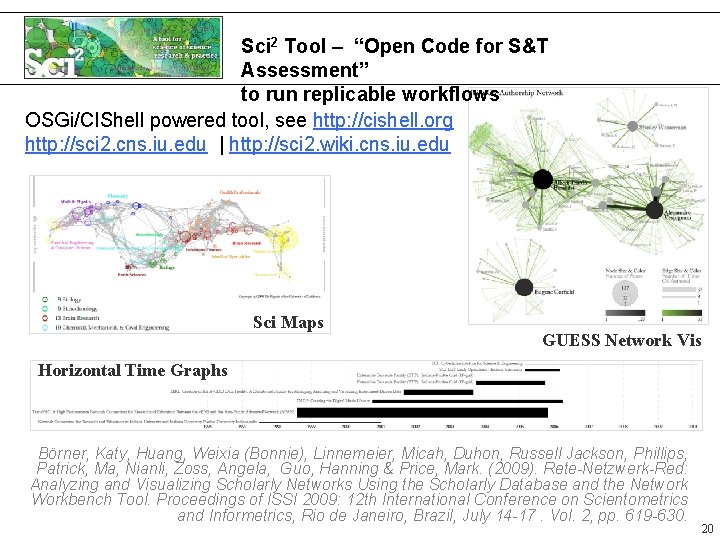
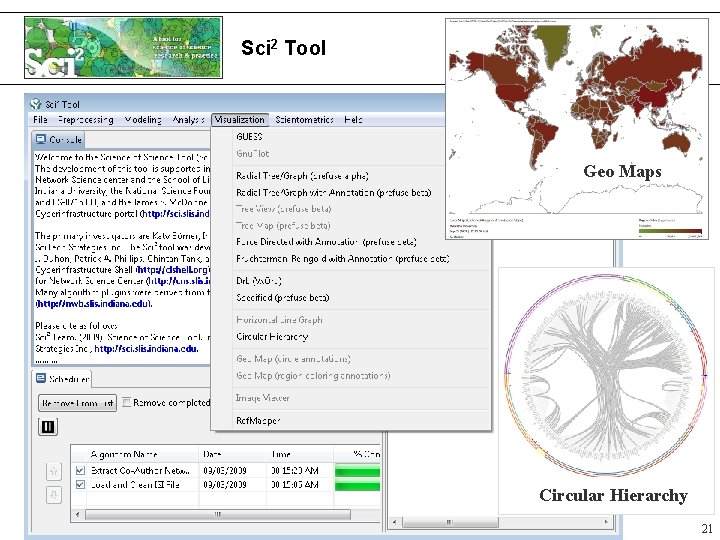
Sci 2 Tool – “Open Code for S&T Assessment” to run replicable workflows OSGi/CIShell powered tool, see http: //cishell. org http: //sci 2. cns. iu. edu | http: //sci 2. wiki. cns. iu. edu Sci Maps GUESS Network Vis Horizontal Time Graphs Börner, Katy, Huang, Weixia (Bonnie), Linnemeier, Micah, Duhon, Russell Jackson, Phillips, Patrick, Ma, Nianli, Zoss, Angela, Guo, Hanning & Price, Mark. (2009). Rete-Netzwerk-Red: Analyzing and Visualizing Scholarly Networks Using the Scholarly Database and the Network Workbench Tool. Proceedings of ISSI 2009: 12 th International Conference on Scientometrics and Informetrics, Rio de Janeiro, Brazil, July 14 -17. Vol. 2, pp. 619 -630. 20
Sci 2 Tool Geo Maps Circular Hierarchy 21
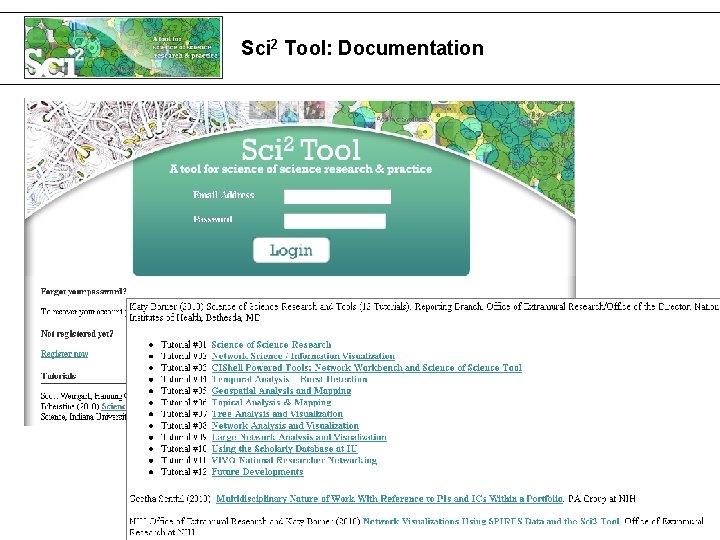
Sci 2 Tool: Documentation
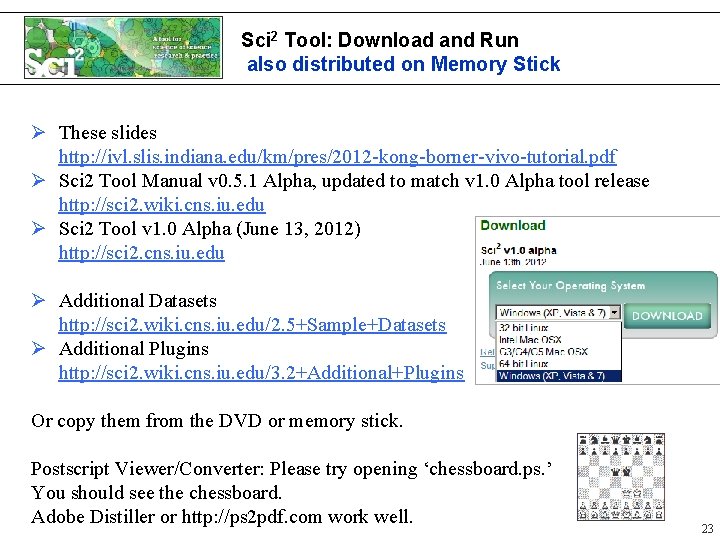
Sci 2 Tool: Download and Run also distributed on Memory Stick Ø These slides http: //ivl. slis. indiana. edu/km/pres/2012 -kong-borner-vivo-tutorial. pdf Ø Sci 2 Tool Manual v 0. 5. 1 Alpha, updated to match v 1. 0 Alpha tool release http: //sci 2. wiki. cns. iu. edu Ø Sci 2 Tool v 1. 0 Alpha (June 13, 2012) http: //sci 2. cns. iu. edu Ø Additional Datasets http: //sci 2. wiki. cns. iu. edu/2. 5+Sample+Datasets Ø Additional Plugins http: //sci 2. wiki. cns. iu. edu/3. 2+Additional+Plugins Or copy them from the DVD or memory stick. Postscript Viewer/Converter: Please try opening ‘chessboard. ps. ’ You should see the chessboard. Adobe Distiller or http: //ps 2 pdf. com work well. 23
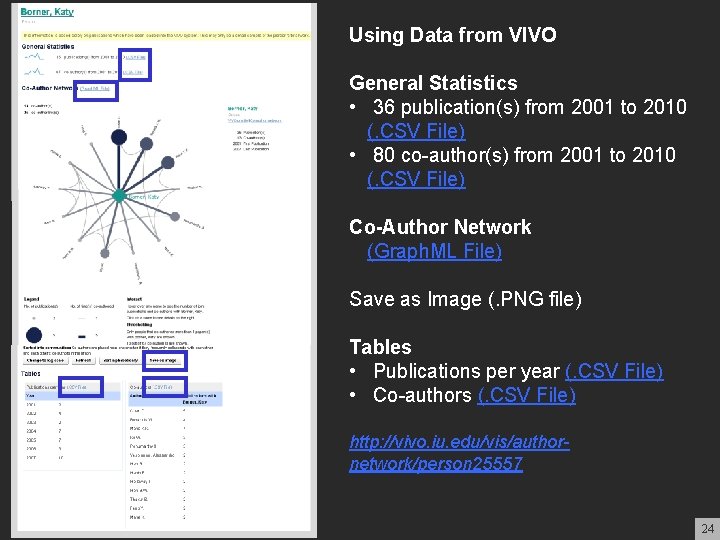
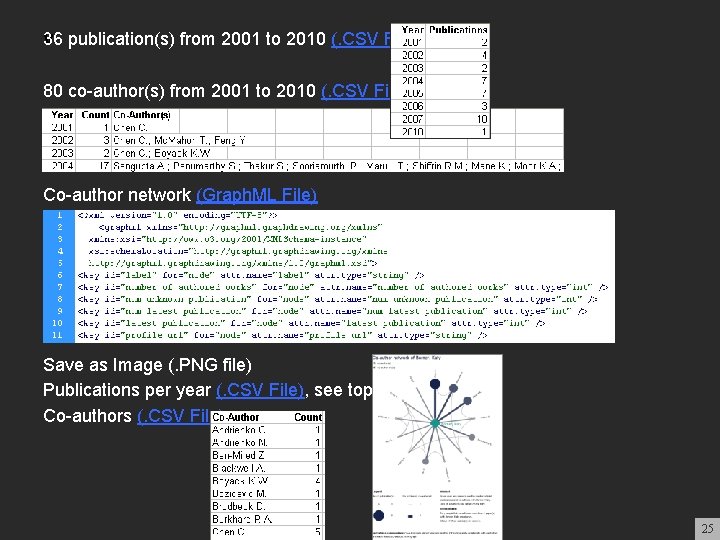
Using Data from VIVO General Statistics • 36 publication(s) from 2001 to 2010 (. CSV File) • 80 co-author(s) from 2001 to 2010 (. CSV File) Co-Author Network (Graph. ML File) Save as Image (. PNG file) Tables • Publications per year (. CSV File) • Co-authors (. CSV File) http: //vivo. iu. edu/vis/authornetwork/person 25557 24
v 36 publication(s) from 2001 to 2010 (. CSV File) 80 co-author(s) from 2001 to 2010 (. CSV File) Co-author network (Graph. ML File) Save as Image (. PNG file) Publications per year (. CSV File), see top file. Co-authors (. CSV File) 25
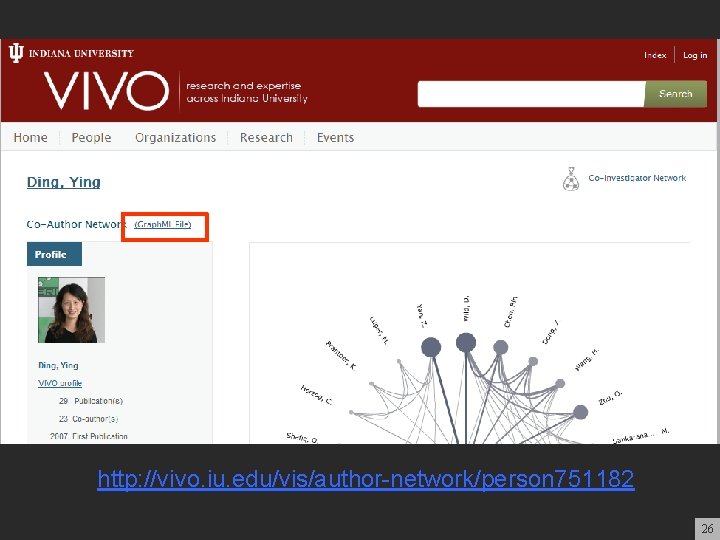
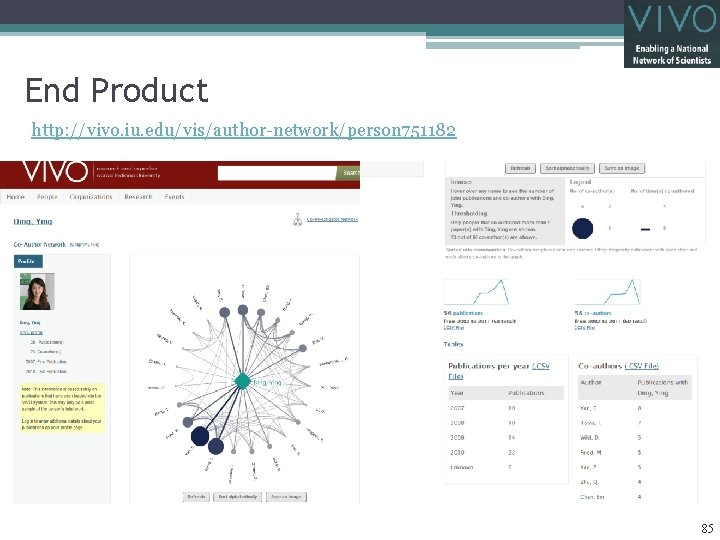
http: //vivo. iu. edu/vis/author-network/person 751182 26
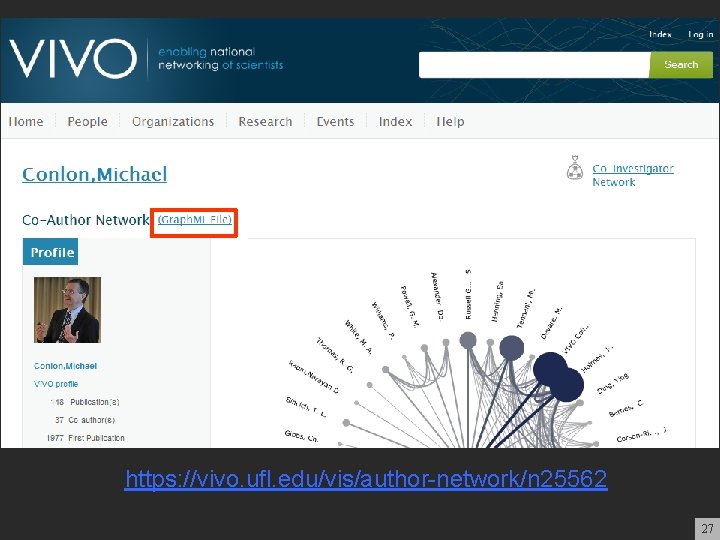
https: //vivo. ufl. edu/vis/author-network/n 25562 27
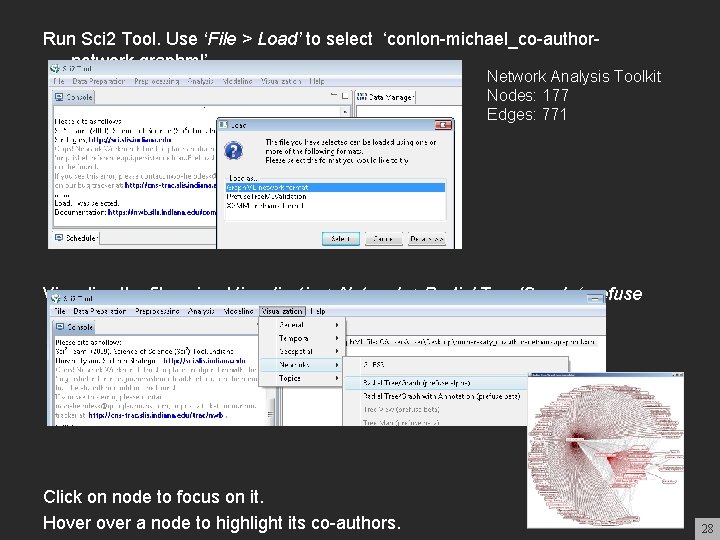
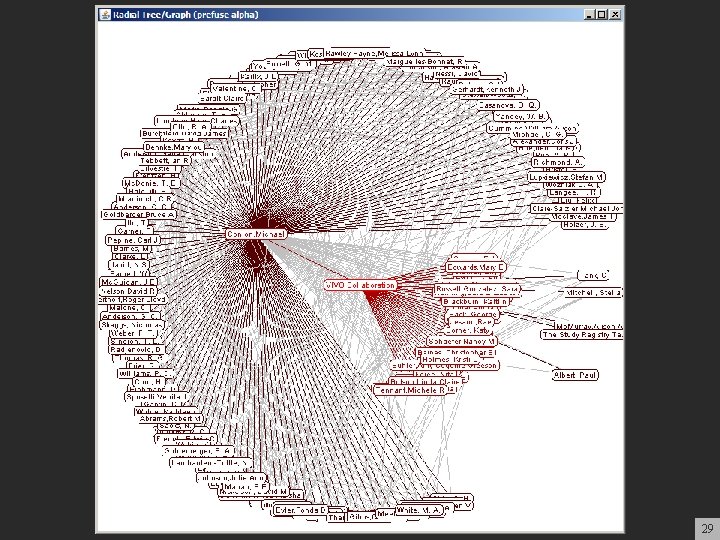
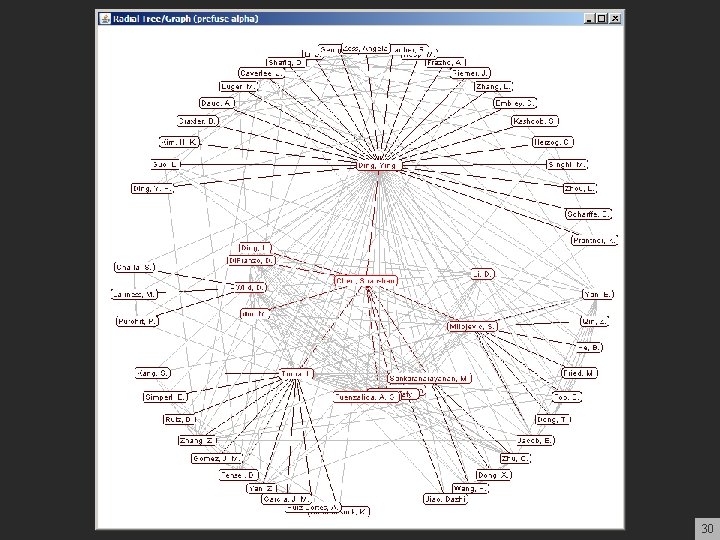
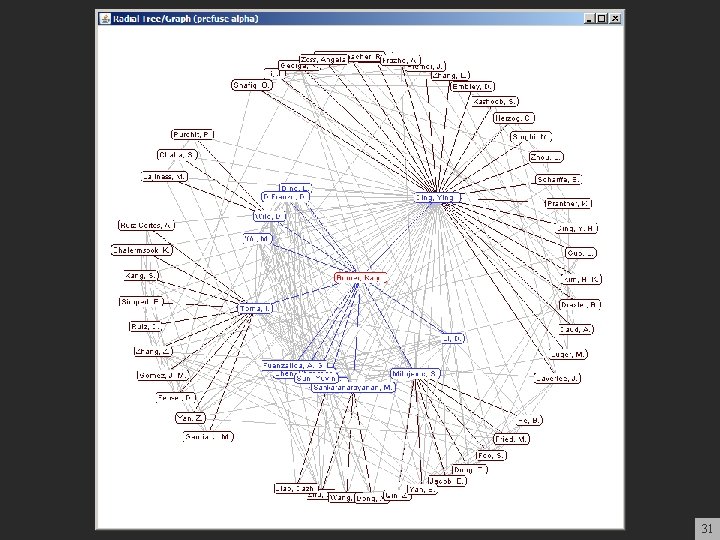
Run Sci 2 Tool. Use ‘File > Load’ to select ‘conlon-michael_co-authornetwork. graphml’ Network Analysis Toolkit Nodes: 177 Edges: 771 Visualize the file using Visualization>Networks>Radial Tree/Graph (prefuse alpha) Click on node to focus on it. Hover a node to highlight its co-authors. 28
29
30
31
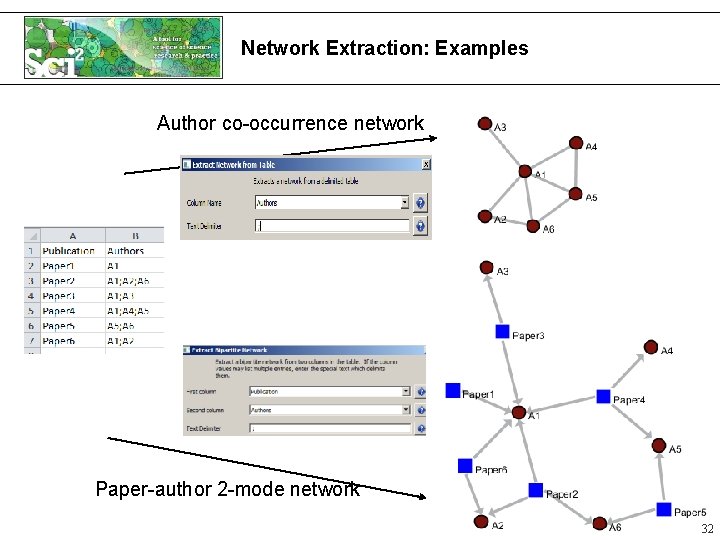
Network Extraction: Examples Author co-occurrence network Paper-author 2 -mode network 32
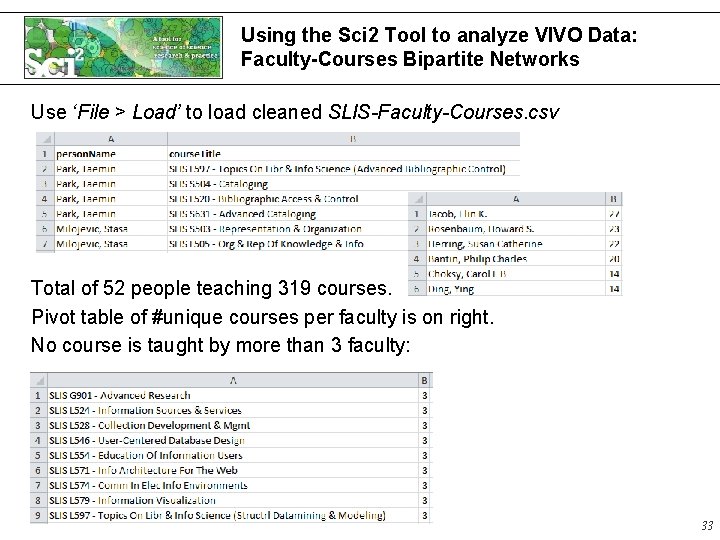
Using the Sci 2 Tool to analyze VIVO Data: Faculty-Courses Bipartite Networks Use ‘File > Load’ to load cleaned SLIS-Faculty-Courses. csv Total of 52 people teaching 319 courses. Pivot table of #unique courses per faculty is on right. No course is taught by more than 3 faculty: 33
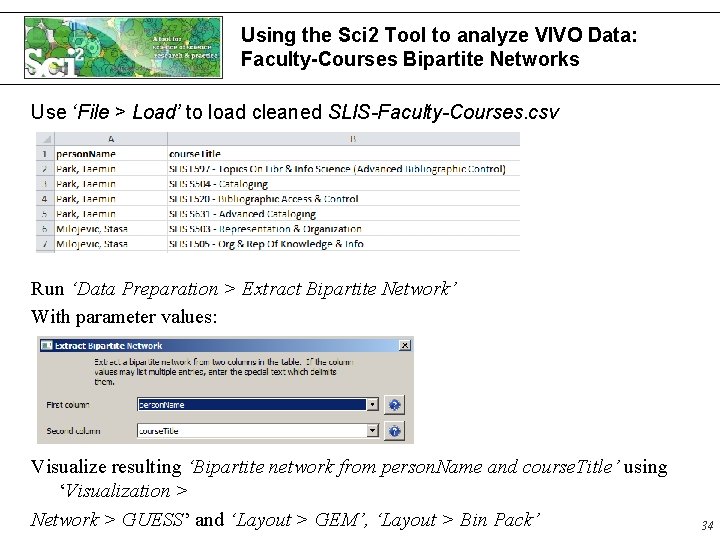
Using the Sci 2 Tool to analyze VIVO Data: Faculty-Courses Bipartite Networks Use ‘File > Load’ to load cleaned SLIS-Faculty-Courses. csv Run ‘Data Preparation > Extract Bipartite Network’ With parameter values: Visualize resulting ‘Bipartite network from person. Name and course. Title’ using ‘Visualization > Network > GUESS’ and ‘Layout > GEM’, ‘Layout > Bin Pack’ 34
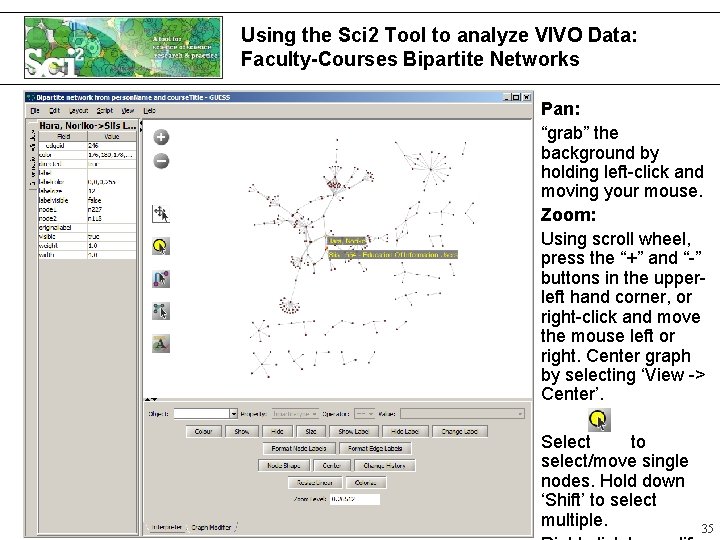
Using the Sci 2 Tool to analyze VIVO Data: Faculty-Courses Bipartite Networks Pan: “grab” the background by holding left-click and moving your mouse. Zoom: Using scroll wheel, press the “+” and “-” buttons in the upperleft hand corner, or right-click and move the mouse left or right. Center graph by selecting ‘View -> Center’. Select to select/move single nodes. Hold down ‘Shift’ to select multiple. 35 35
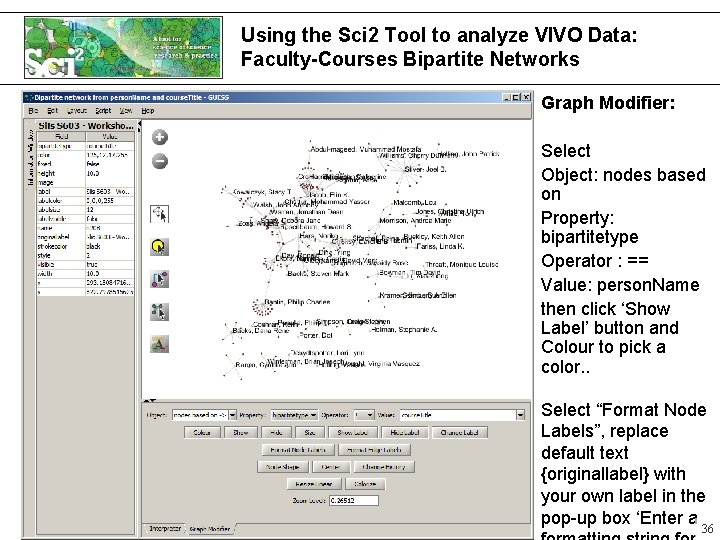
Using the Sci 2 Tool to analyze VIVO Data: Faculty-Courses Bipartite Networks Graph Modifier: Select Object: nodes based on Property: bipartitetype Operator : == Value: person. Name then click ‘Show Label’ button and Colour to pick a color. . Select “Format Node Labels”, replace default text {originallabel} with your own label in the pop-up box ‘Enter a 36 36
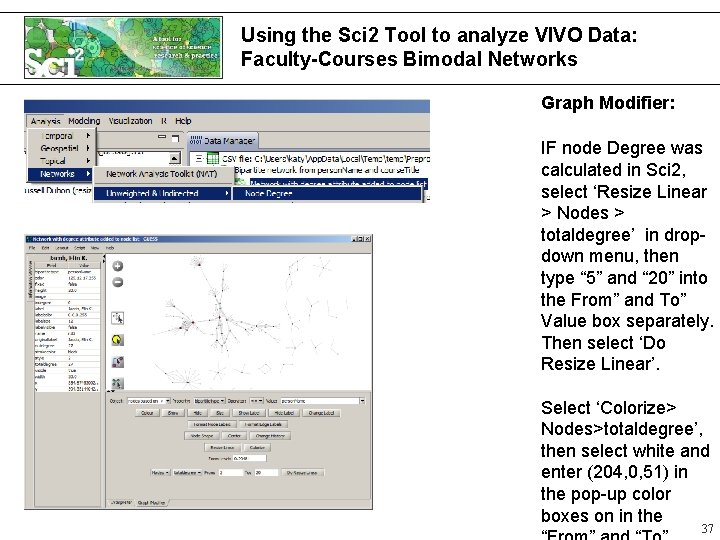
Using the Sci 2 Tool to analyze VIVO Data: Faculty-Courses Bimodal Networks Graph Modifier: IF node Degree was calculated in Sci 2, select ‘Resize Linear > Nodes > totaldegree’ in dropdown menu, then type “ 5” and “ 20” into the From” and To” Value box separately. Then select ‘Do Resize Linear’. Select ‘Colorize> Nodes>totaldegree’, then select white and enter (204, 0, 51) in the pop-up color boxes on in the 37 37
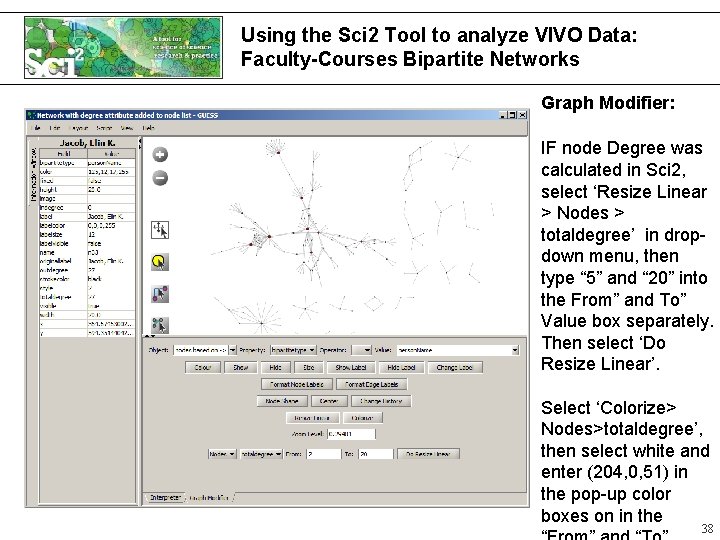
Using the Sci 2 Tool to analyze VIVO Data: Faculty-Courses Bipartite Networks Graph Modifier: IF node Degree was calculated in Sci 2, select ‘Resize Linear > Nodes > totaldegree’ in dropdown menu, then type “ 5” and “ 20” into the From” and To” Value box separately. Then select ‘Do Resize Linear’. Select ‘Colorize> Nodes>totaldegree’, then select white and enter (204, 0, 51) in the pop-up color boxes on in the 38 38
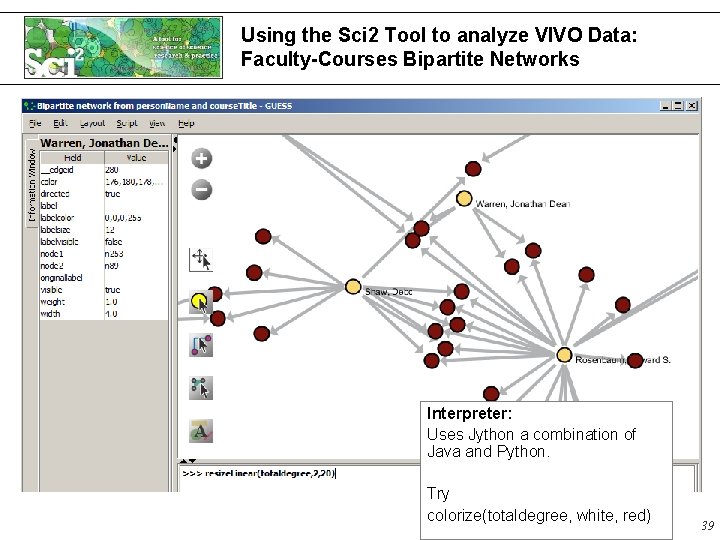
Using the Sci 2 Tool to analyze VIVO Data: Faculty-Courses Bipartite Networks Interpreter: Uses Jython a combination of Java and Python. Try colorize(totaldegree, white, red) 39
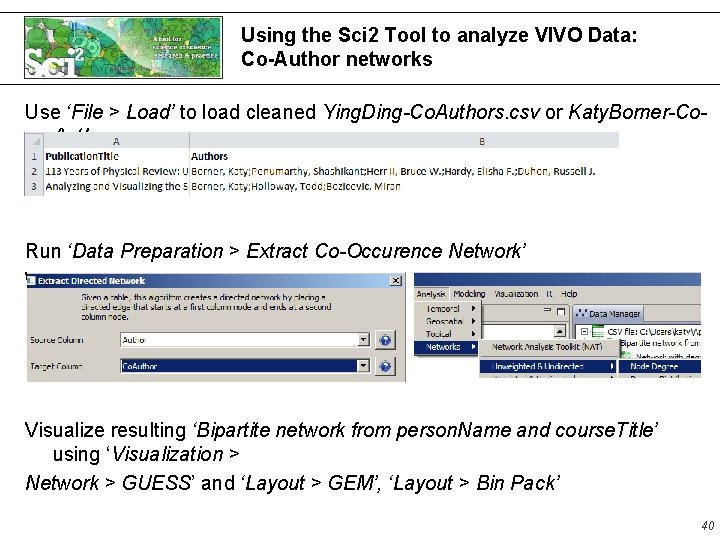
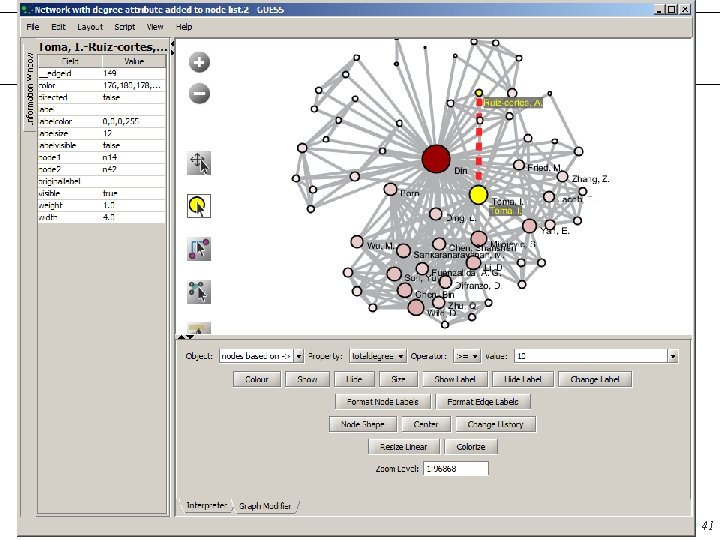
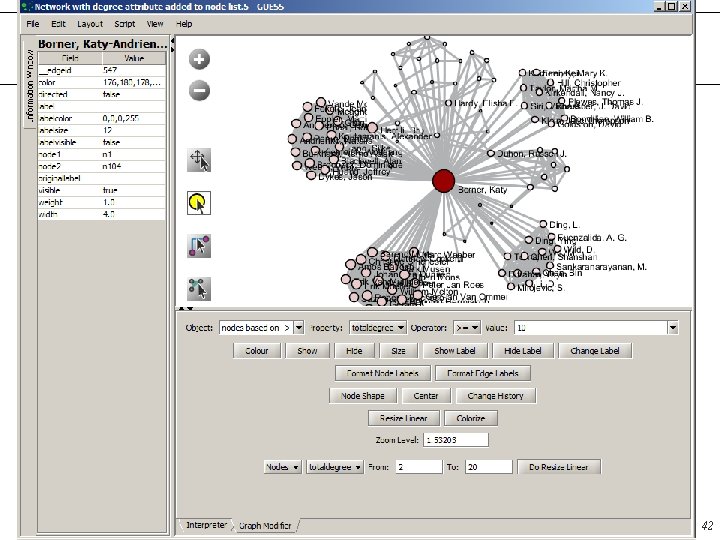
Using the Sci 2 Tool to analyze VIVO Data: Co-Author networks Use ‘File > Load’ to load cleaned Ying. Ding-Co. Authors. csv or Katy. Borner-Co. Authors. csv Run ‘Data Preparation > Extract Co-Occurence Network’ With parameter values: Visualize resulting ‘Bipartite network from person. Name and course. Title’ using ‘Visualization > Network > GUESS’ and ‘Layout > GEM’, ‘Layout > Bin Pack’ 40
Using the Sci 2 Tool to analyze VIVO Data: Co-Author networks 41
Using the Sci 2 Tool to analyze VIVO Data: Co-Author networks 42
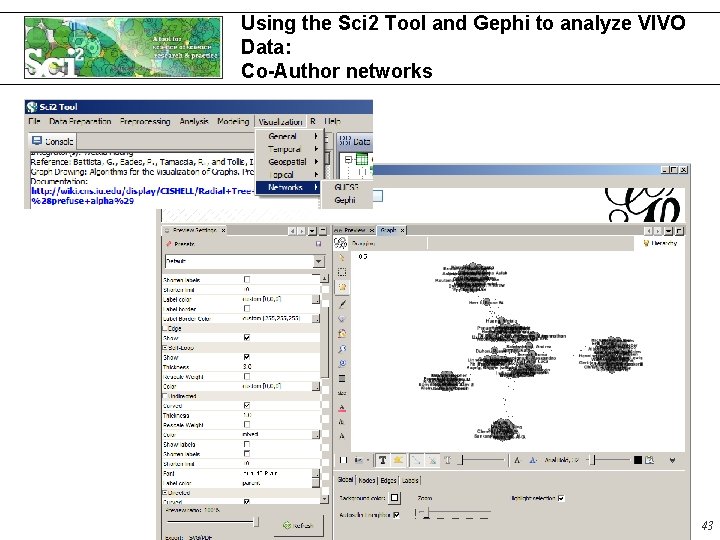
Using the Sci 2 Tool and Gephi to analyze VIVO Data: Co-Author networks 43
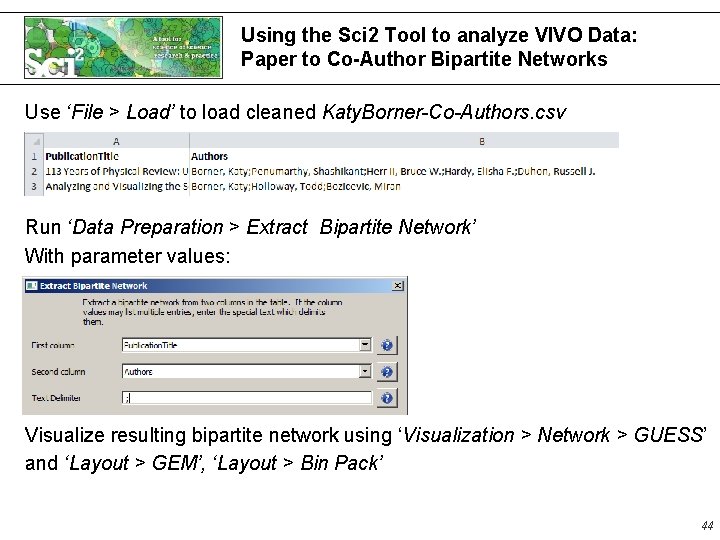
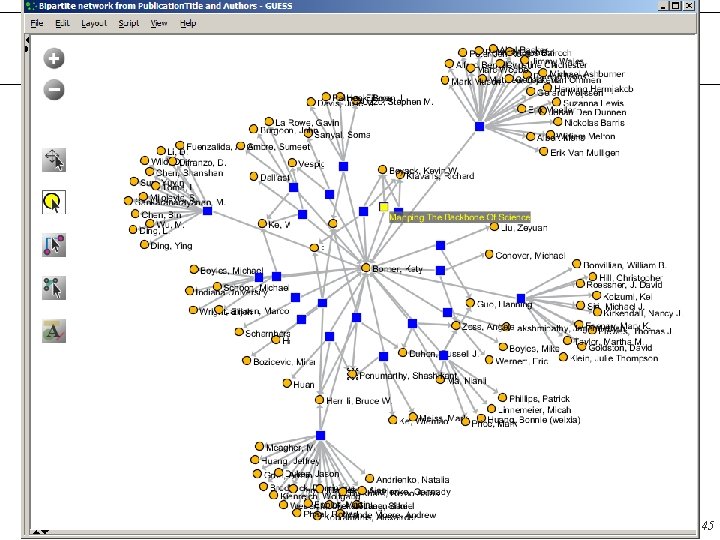
Using the Sci 2 Tool to analyze VIVO Data: Paper to Co-Author Bipartite Networks Use ‘File > Load’ to load cleaned Katy. Borner-Co-Authors. csv Run ‘Data Preparation > Extract Bipartite Network’ With parameter values: Visualize resulting bipartite network using ‘Visualization > Network > GUESS’ and ‘Layout > GEM’, ‘Layout > Bin Pack’ 44
45
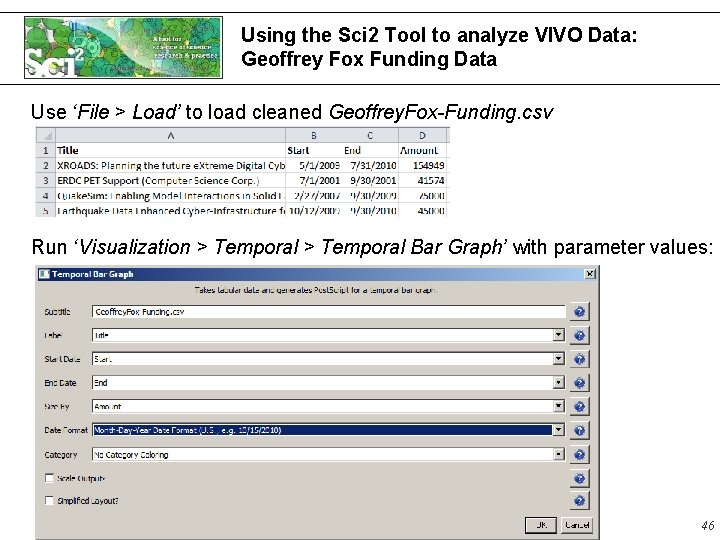
Using the Sci 2 Tool to analyze VIVO Data: Geoffrey Fox Funding Data Use ‘File > Load’ to load cleaned Geoffrey. Fox-Funding. csv Run ‘Visualization > Temporal Bar Graph’ with parameter values: 46
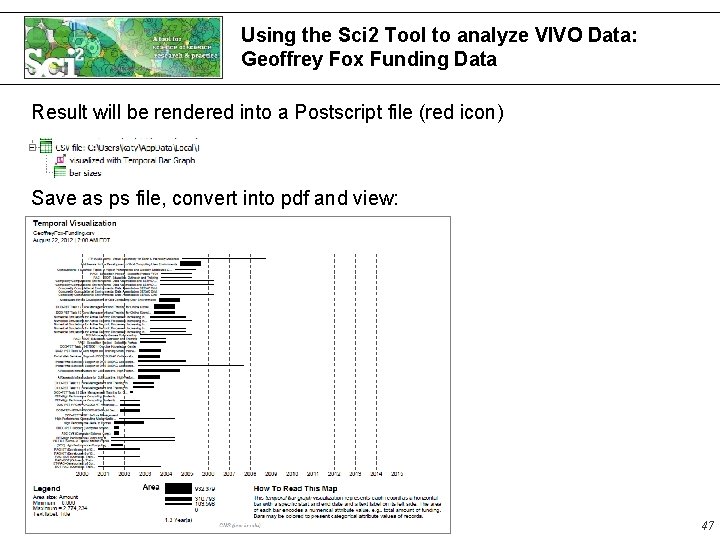
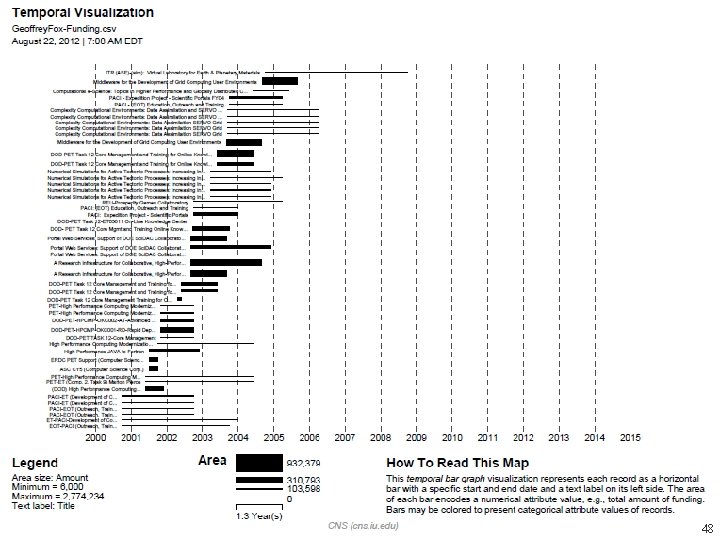
Using the Sci 2 Tool to analyze VIVO Data: Geoffrey Fox Funding Data Result will be rendered into a Postscript file (red icon) Save as ps file, convert into pdf and view: 47
48 48
Temporal Visualizations 49
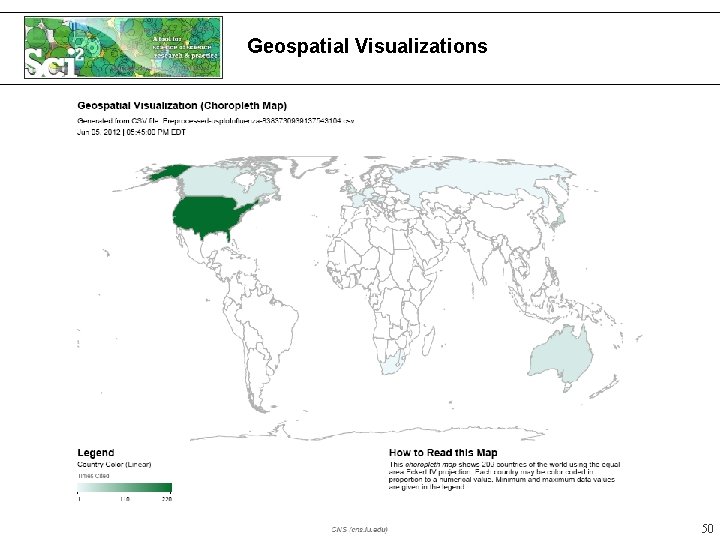
Geospatial Visualizations 50
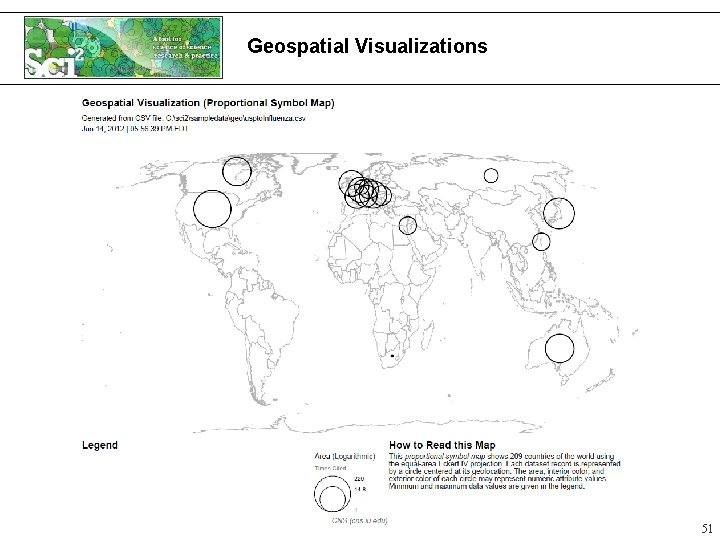
Geospatial Visualizations 51
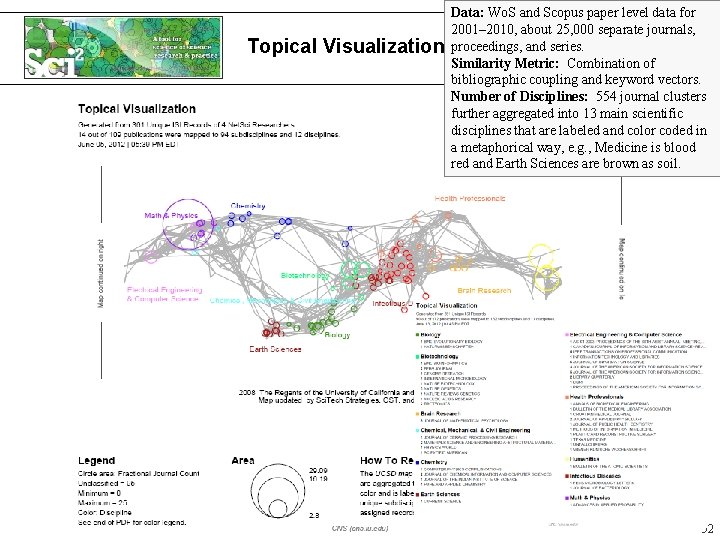
Topical Visualization Data: Wo. S and Scopus paper level data for 2001– 2010, about 25, 000 separate journals, proceedings, and series. Similarity Metric: Combination of bibliographic coupling and keyword vectors. Number of Disciplines: 554 journal clusters further aggregated into 13 main scientific disciplines that are labeled and color coded in a metaphorical way, e. g. , Medicine is blood red and Earth Sciences are brown as soil. 52
Workshop Schedule Hands-On (Katy Borner) • Analysis & Visualization of VIVO Data using the Science of Science Tool (http: //sci 2. cns. iu. edu) 15 min break Guided Tour (Chin Hua Kong) • Walk through Co-author Network visualization Guided Tour (Katy Borner) • Analysis & Visualization of VIVO Data by others Q&A 53
Workshop Review § 2011 VIVO visualization workshop § http: //wiki. cns. iu. edu/display/PRES/VIVO+Presentation § Visualizing organization hierarchy data § Creating a new VIVO visualization § 2012 VIVO visualization workshop § http: //wiki. cns. iu. edu/display/PRES/VIVO+Presentation § Learn from 2011 visualization workshop and new requests from vivo development mailing list § Visualizing data downloaded from VIVO visualization page § Visualizing publication and teaching data from VIVO § Learn how to customize the ego-centric network visualization (used for coauthor network and co-investigator network) 54
VIVO Visualization • Accessing VIVO Data • Architecture • Pipeline Explanation 55
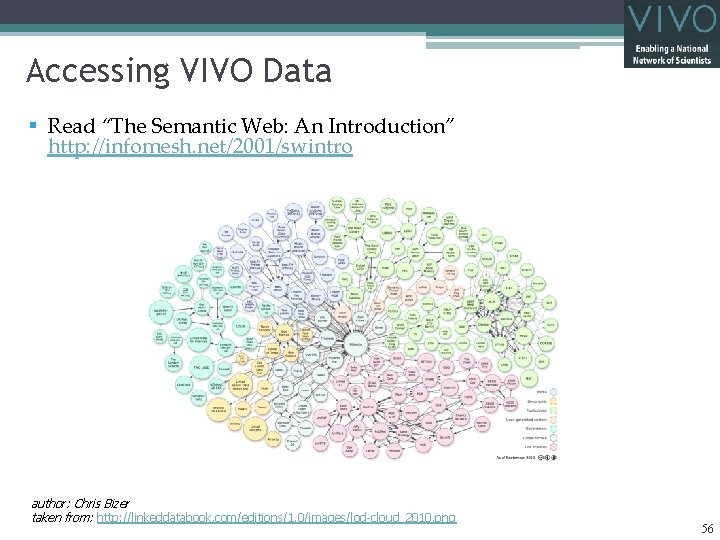
Accessing VIVO Data § Read “The Semantic Web: An Introduction” http: //infomesh. net/2001/swintro author: Chris Bizer taken from: http: //linkeddatabook. com/editions/1. 0/images/lod-cloud_2010. png 56
Linked Open Data (via RDF or N 3) § Accessible to anyone on the Web. § It can be a bit tedious to work with large amounts of data quickly/easily. § N 3 example: § http: //vivo. iu. edu/individual/person 25557. n 3 § RDF example: § http: //vivo. iu. edu/individual/person 25557. rdf § VIVO Ontology § http: //sourceforge. net/apps/mediawiki/vivo/index. php? title=Ontology 57
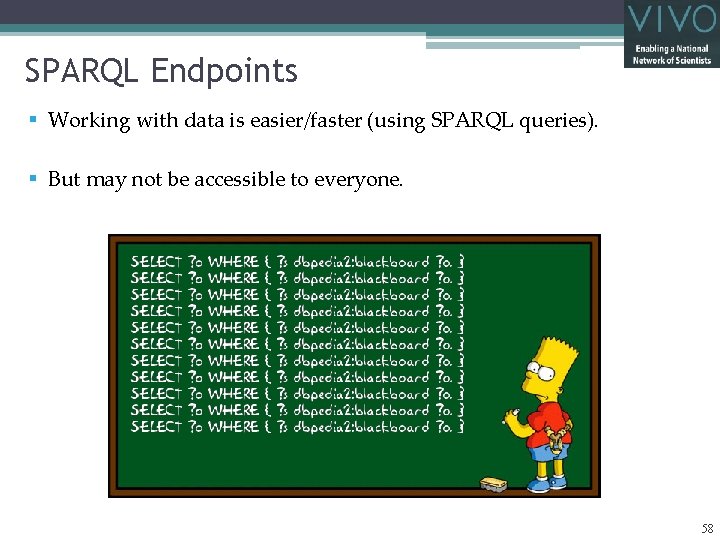
SPARQL Endpoints § Working with data is easier/faster (using SPARQL queries). § But may not be accessible to everyone. 58
VIVO Visualization • Accessing VIVO Data • Architecture • Pipeline Explanation 59
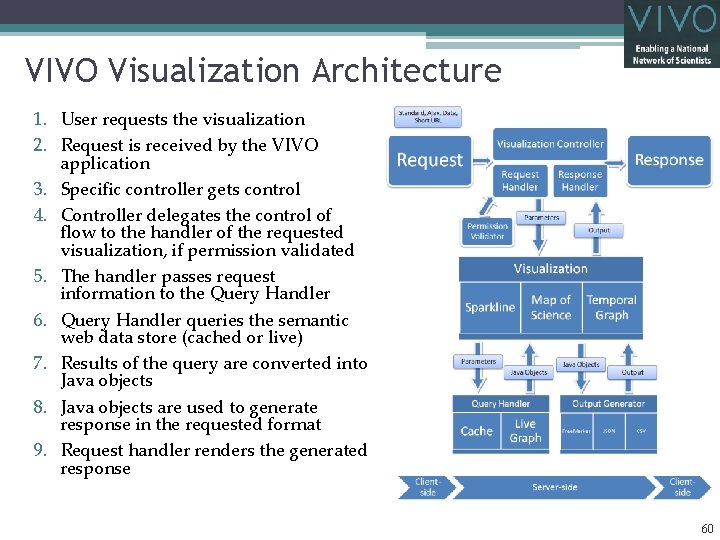
VIVO Visualization Architecture 1. User requests the visualization 2. Request is received by the VIVO application 3. Specific controller gets control 4. Controller delegates the control of flow to the handler of the requested visualization, if permission validated 5. The handler passes request information to the Query Handler 6. Query Handler queries the semantic web data store (cached or live) 7. Results of the query are converted into Java objects 8. Java objects are used to generate response in the requested format 9. Request handler renders the generated response 60
VIVO Visualization • Accessing VIVO Data • Architecture • Pipeline Explanation 61
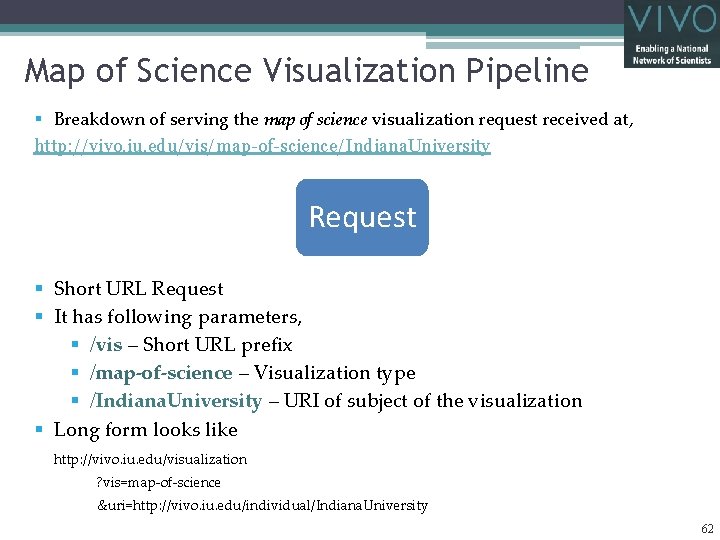
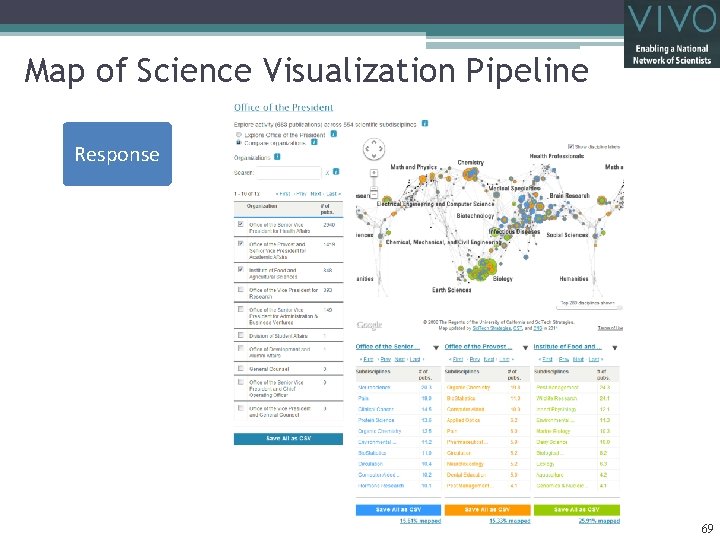
Map of Science Visualization Pipeline § Breakdown of serving the map of science visualization request received at, http: //vivo. iu. edu/vis/map-of-science/Indiana. University Request § Short URL Request § It has following parameters, § /vis – Short URL prefix § /map-of-science – Visualization type § /Indiana. University – URI of subject of the visualization § Long form looks like http: //vivo. iu. edu/visualization ? vis=map-of-science &uri=http: //vivo. iu. edu/individual/Indiana. University 62
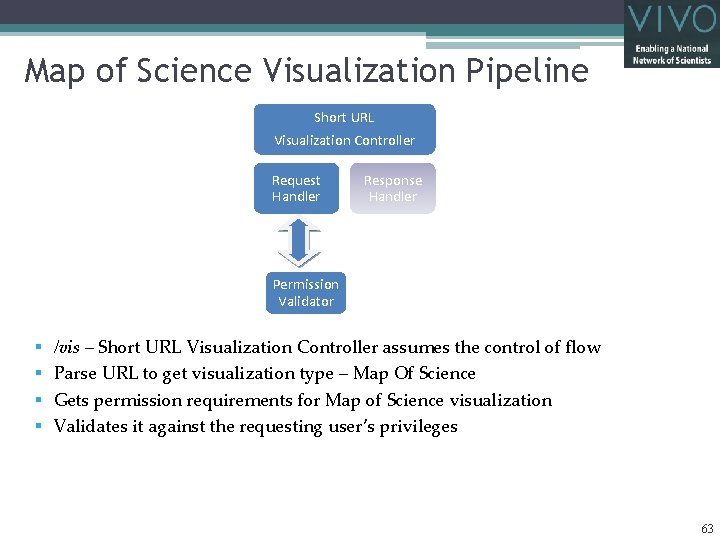
Map of Science Visualization Pipeline Short URL Visualization Controller Request Handler Response Handler Permission Validator § § /vis – Short URL Visualization Controller assumes the control of flow Parse URL to get visualization type – Map Of Science Gets permission requirements for Map of Science visualization Validates it against the requesting user’s privileges 63
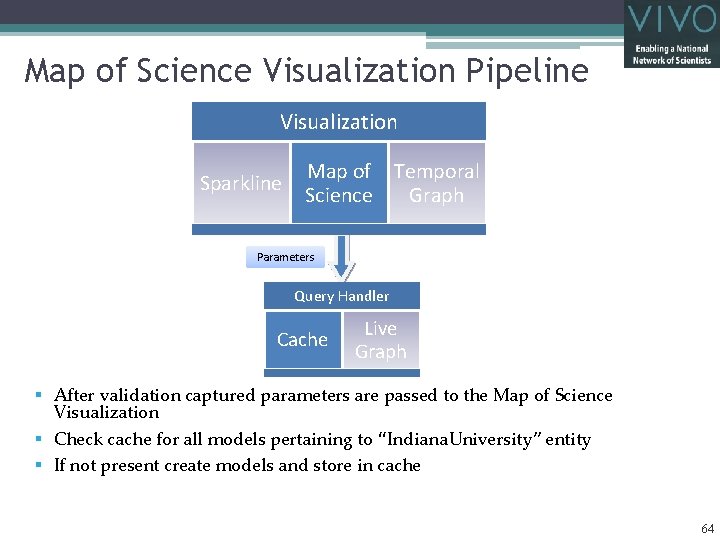
Map of Science Visualization Pipeline Visualization Sparkline Map of Temporal Science Graph Parameters Query Handler Cache Live Graph § After validation captured parameters are passed to the Map of Science Visualization § Check cache for all models pertaining to “Indiana. University” entity § If not present create models and store in cache 64
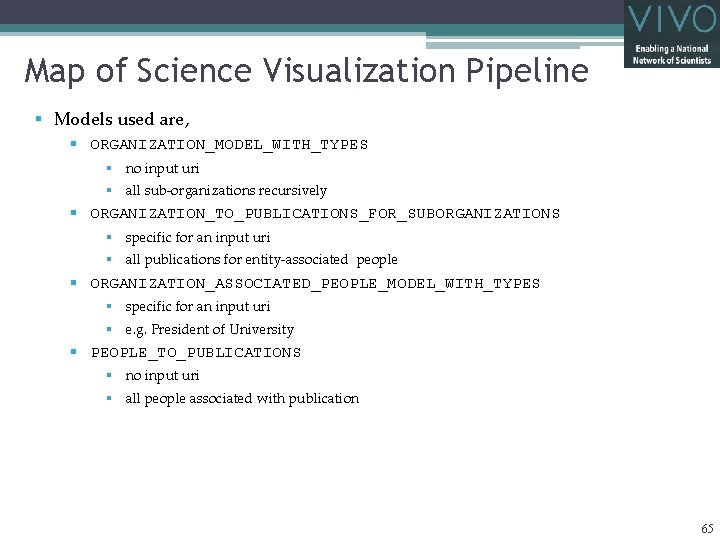
Map of Science Visualization Pipeline § Models used are, § ORGANIZATION_MODEL_WITH_TYPES § no input uri § all sub-organizations recursively § ORGANIZATION_TO_PUBLICATIONS_FOR_SUBORGANIZATIONS § specific for an input uri § all publications for entity-associated people § ORGANIZATION_ASSOCIATED_PEOPLE_MODEL_WITH_TYPES § specific for an input uri § e. g. President of University § PEOPLE_TO_PUBLICATIONS § no input uri § all people associated with publication 65
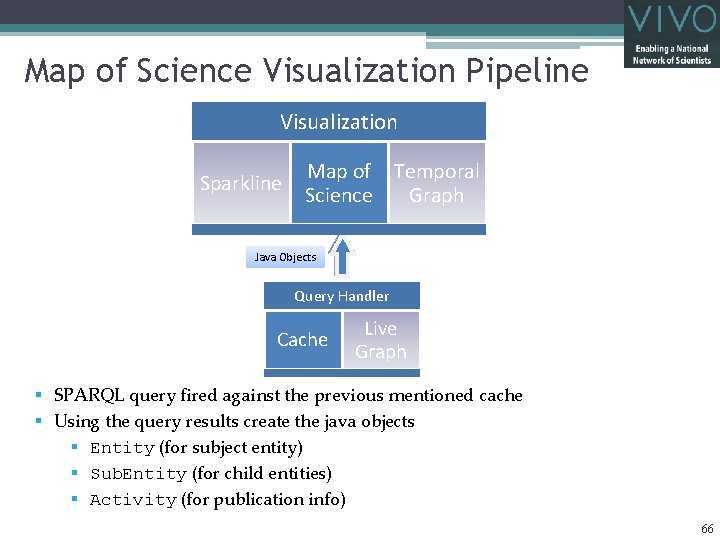
Map of Science Visualization Pipeline Visualization Sparkline Map of Temporal Science Graph Java Objects Query Handler Cache Live Graph § SPARQL query fired against the previous mentioned cache § Using the query results create the java objects § Entity (for subject entity) § Sub. Entity (for child entities) § Activity (for publication info) 66
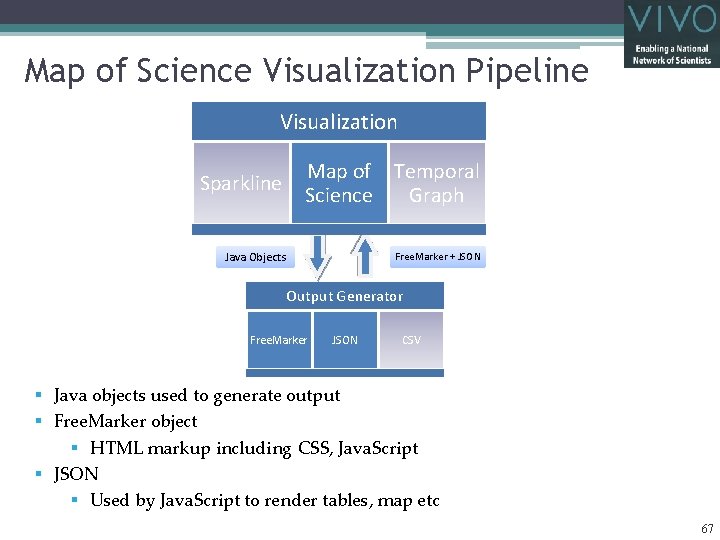
Map of Science Visualization Pipeline Visualization Sparkline Map of Temporal Science Graph Java Objects Free. Marker + JSON Output Generator Free. Marker JSON CSV § Java objects used to generate output § Free. Marker object § HTML markup including CSS, Java. Script § JSON § Used by Java. Script to render tables, map etc 67
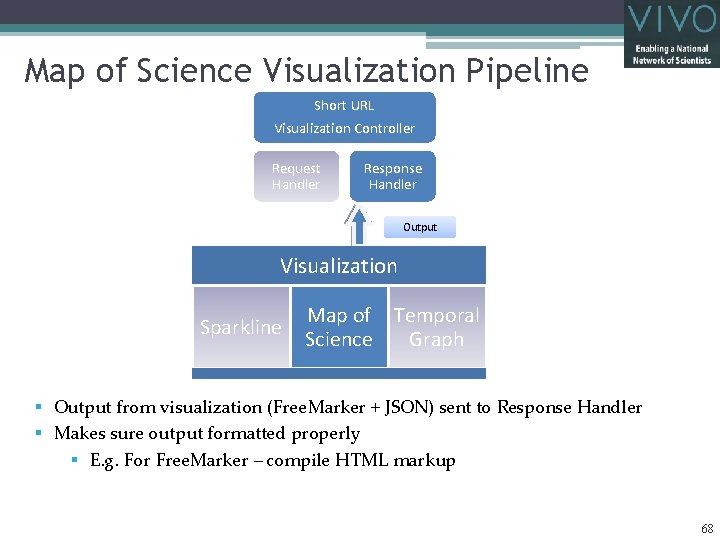
Map of Science Visualization Pipeline Short URL Visualization Controller Request Handler Response Handler Output Visualization Sparkline Map of Temporal Science Graph § Output from visualization (Free. Marker + JSON) sent to Response Handler § Makes sure output formatted properly § E. g. For Free. Marker – compile HTML markup 68
Map of Science Visualization Pipeline Response 69
Workshop Schedule Hands-On (Katy Borner) • Analysis & Visualization of VIVO Data using the Science of Science Tool (http: //sci 2. cns. iu. edu) 15 min break Guided Tour (Chin Hua Kong) • Walk through Co-author Network visualization Guided Tour (Katy Borner) • Analysis & Visualization of VIVO Data by others Q&A 70
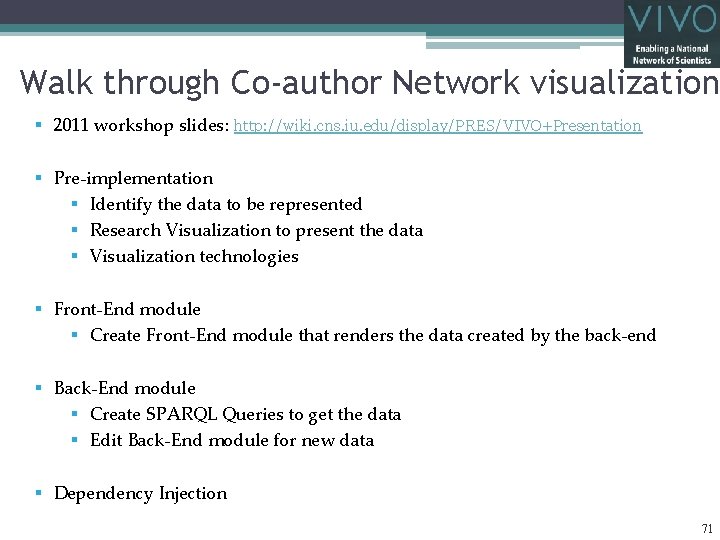
Walk through Co-author Network visualization § 2011 workshop slides: http: //wiki. cns. iu. edu/display/PRES/VIVO+Presentation § Pre-implementation § Identify the data to be represented § Research Visualization to present the data § Visualization technologies § Front-End module § Create Front-End module that renders the data created by the back-end § Back-End module § Create SPARQL Queries to get the data § Edit Back-End module for new data § Dependency Injection 71
Identify the data to be represented § What data is available? § Who is the target audience? § What story do you want to tell? § Why is the story important for your users? § Integrity of the data. 72
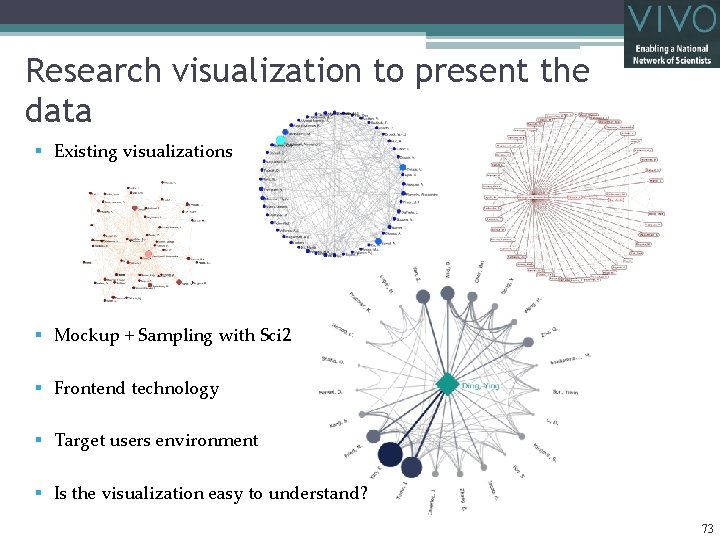
Research visualization to present the data § Existing visualizations § Mockup + Sampling with Sci 2 § Frontend technology § Target users environment § Is the visualization easy to understand? 73
Visualization Technologies § Front-End § HTML § FLASH § JSON § CSV § GRAPHML § Java. Script § Back-End § Java § Free. Marker § SPARQL § Ontology 74
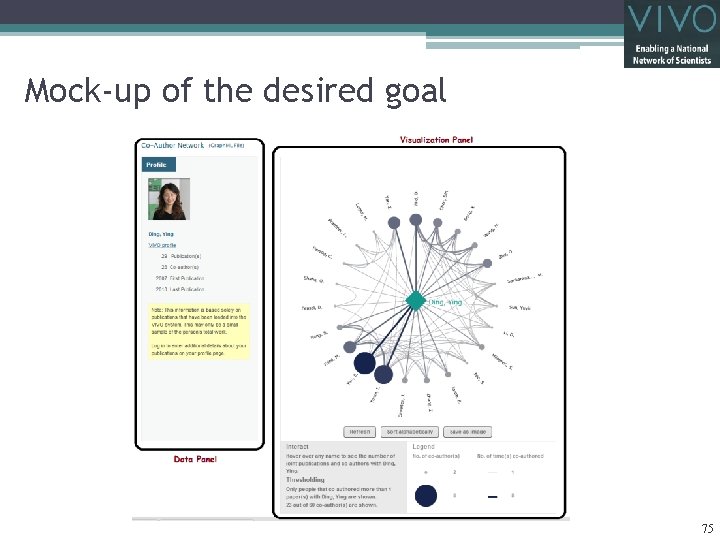
Mock-up of the desired goal 75
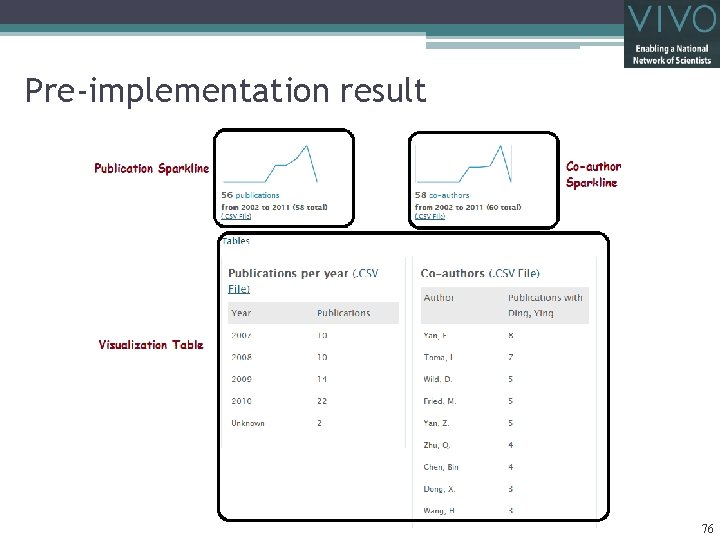
Pre-implementation result 76
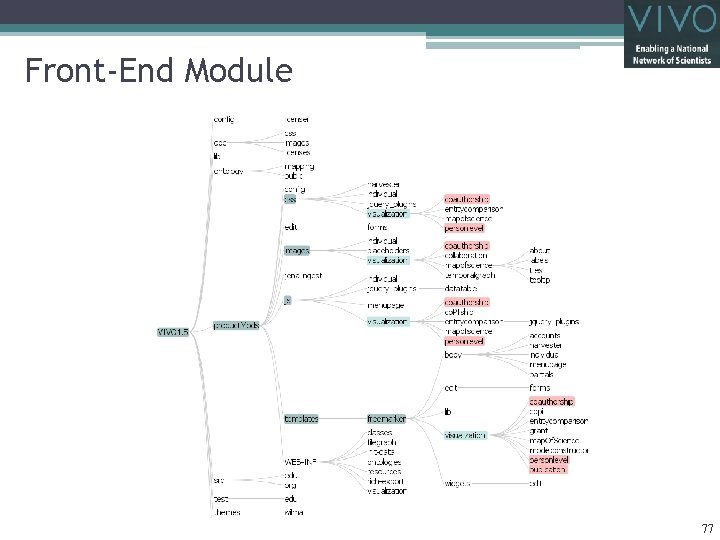
Front-End Module 77
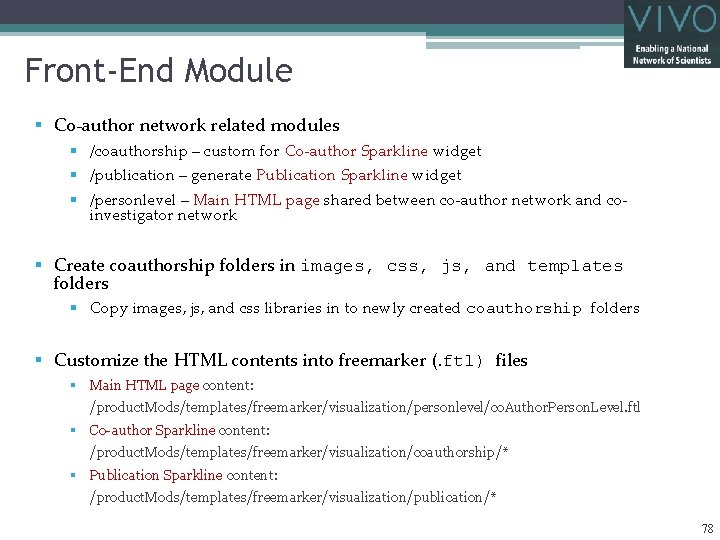
Front-End Module § Co-author network related modules § /coauthorship – custom for Co-author Sparkline widget § /publication – generate Publication Sparkline widget § /personlevel – Main HTML page shared between co-author network and coinvestigator network § Create coauthorship folders in images, css, js, and templates folders § Copy images, js, and css libraries in to newly created coauthorship folders § Customize the HTML contents into freemarker (. ftl) files § Main HTML page content: /product. Mods/templates/freemarker/visualization/personlevel/co. Author. Person. Level. ftl § Co-author Sparkline content: /product. Mods/templates/freemarker/visualization/coauthorship/* § Publication Sparkline content: /product. Mods/templates/freemarker/visualization/publication/* 78
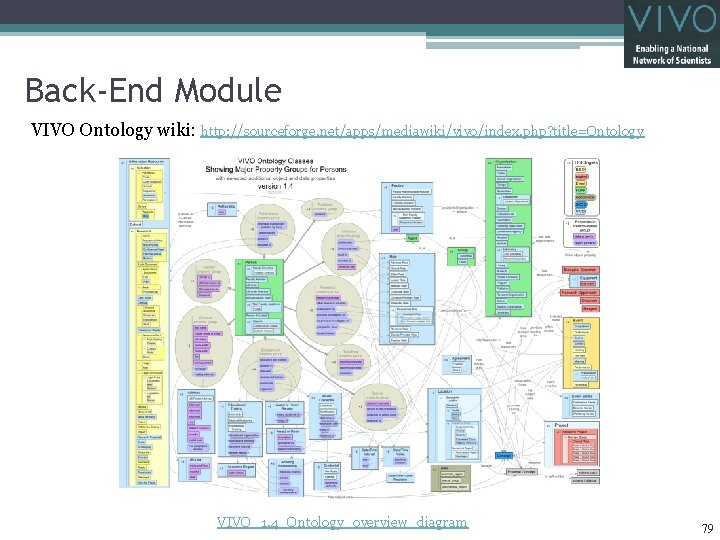
Back-End Module VIVO Ontology wiki: http: //sourceforge. net/apps/mediawiki/vivo/index. php? title=Ontology VIVO_1. 4_Ontology_overview_diagram 79
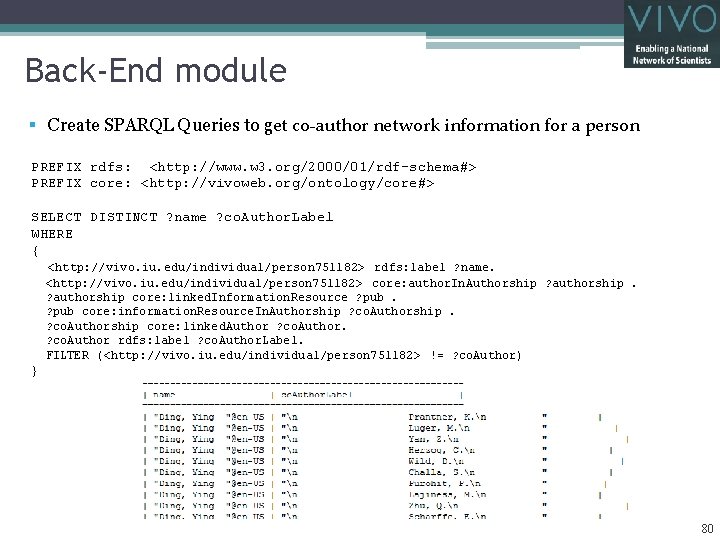
Back-End module § Create SPARQL Queries to get co-author network information for a person PREFIX rdfs: <http: //www. w 3. org/2000/01/rdf-schema#> PREFIX core: <http: //vivoweb. org/ontology/core#> SELECT DISTINCT ? name ? co. Author. Label WHERE { <http: //vivo. iu. edu/individual/person 751182> rdfs: label ? name. <http: //vivo. iu. edu/individual/person 751182> core: author. In. Authorship ? authorship core: linked. Information. Resource ? pub core: information. Resource. In. Authorship ? co. Authorship core: linked. Author ? co. Author rdfs: label ? co. Author. Label. FILTER (<http: //vivo. iu. edu/individual/person 751182> != ? co. Author) } 80
Back-End Module 81
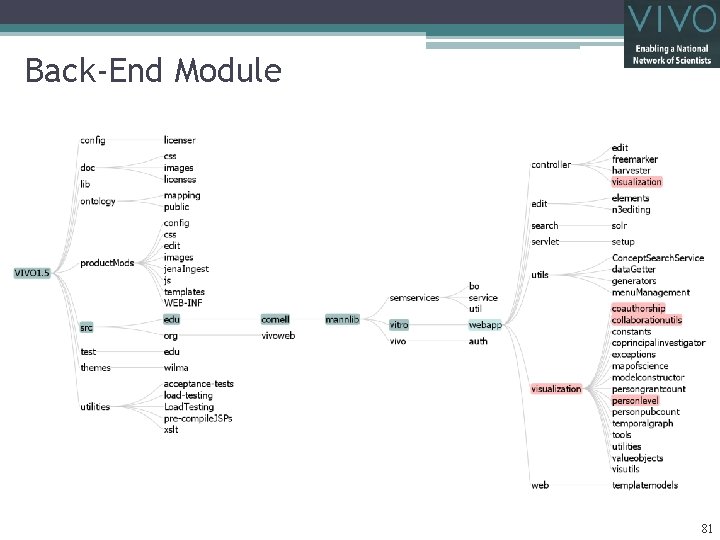
Back-End Module § Create package for “coauthorship” along with other visualizations § Query Runner § SPARQL Query edu. cornell. mannlib. vitro. webapp. visualization. coauthorship. Co. Authorship. Query. Runner § Java Objects: edu. cornell. mannlib. vitro. webapp. visualization. collaborationutils. Co. Authorship. Data § Visualization Request Handler edu. cornell. mannlib. vitro. webapp. controller. visualization. Person. Level. Request. Handler edu. cornell. mannlib. vitro. webapp. visualization. coauthorship. Co. Authorship. Request. Handler § Get input from controller: Person. Level. Request. Handler § Requests Query Runner to get data (Model to be cached? ) § See Jena model tutorial at http: //jena. sourceforge. net/tutorial/ § Prepares data § Free. Marker config: Person. Level. Request. Handler § JSON output: Co. Authorship. Request. Handler § Graphml output (Specified for ego-centric): Co. Authorship. Request. Handler 82
Dependency Injection 83
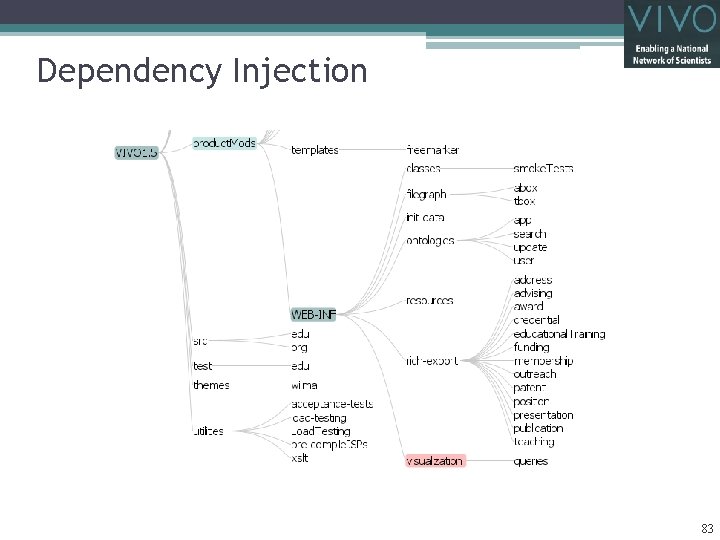
Dependency Injection § Wire pieces to get a complete pipeline § Request. Handler injection § File: product. Mods/WEB-INF/visualizations-bean-injection-fm. xml § Register request handler with ID <bean id="person_level“ class="edu. cornell. mannlib. vitro. webapp. visualization. personlevel. Person. Level. Reques t. Handler" /> § Define request handler for vis mode <entry key="author-network"> <ref bean="person_level"></ref> </entry> 84
End Product http: //vivo. iu. edu/vis/author-network/person 751182 85
Workshop Schedule Hands-On (Katy Borner) • Analysis & Visualization of VIVO Data using the Science of Science Tool (http: //sci 2. cns. iu. edu) Guided Tour (Chin Hua Kong) • Walk through Co-author Network visualization 15 min break Guided Tour (Katy Borner) • Analysis & Visualization of VIVO Data by others Q&A 86
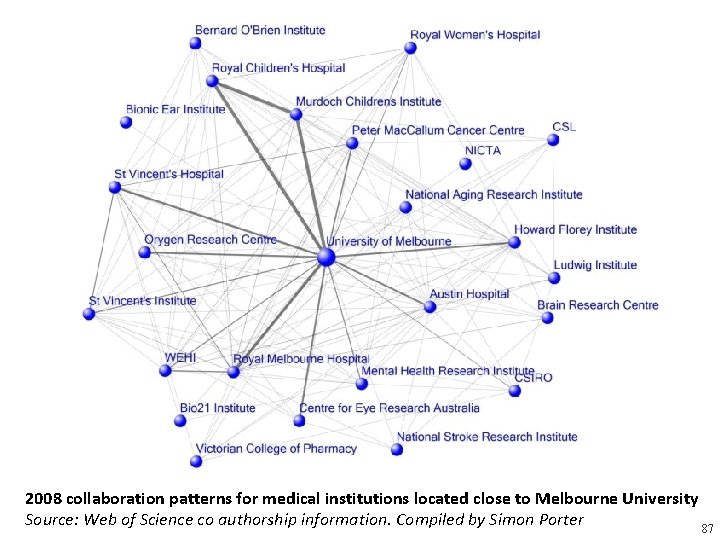
2008 collaboration patterns for medical institutions located close to Melbourne University Source: Web of Science co authorship information. Compiled by Simon Porter 87
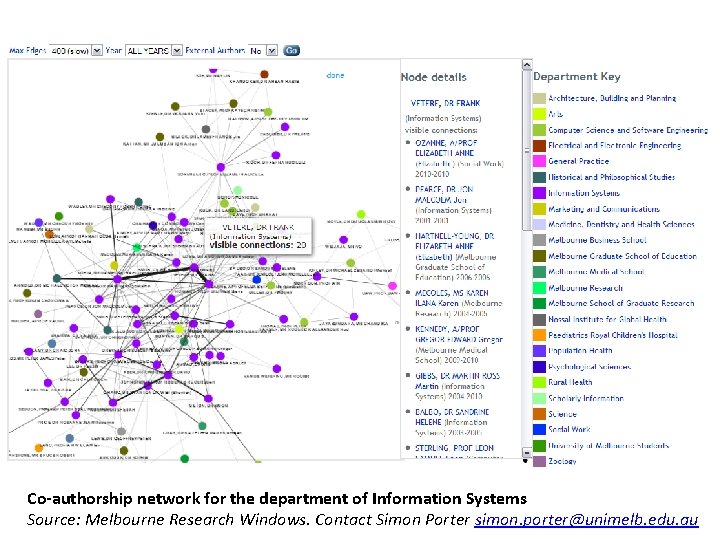
Co‐authorship network for the department of Information Systems Source: Melbourne Research Windows. Contact Simon Porter simon. porter@unimelb. edu. au
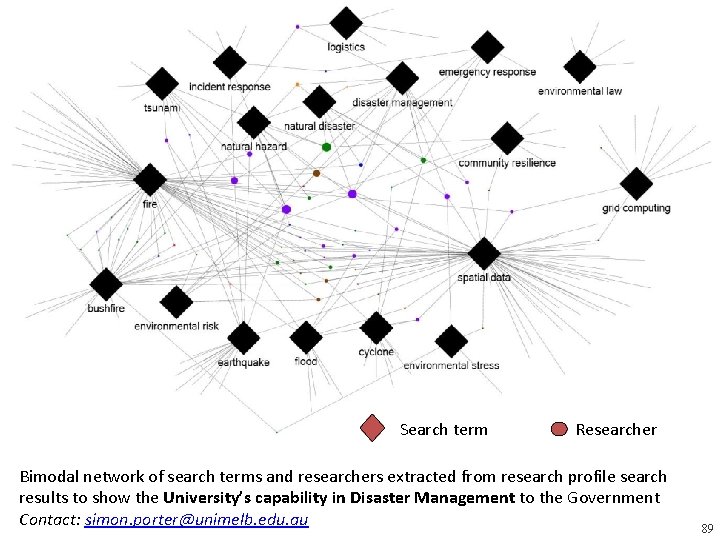
Search term Researcher Bimodal network of search terms and researchers extracted from research profile search results to show the University’s capability in Disaster Management to the Government Contact: simon. porter@unimelb. edu. au 89
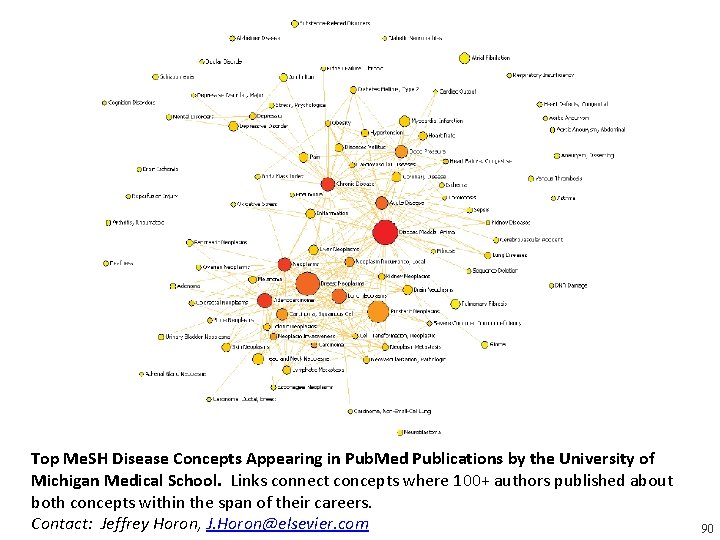
Top Me. SH Disease Concepts Appearing in Pub. Med Publications by the University of Michigan Medical School. Links connect concepts where 100+ authors published about both concepts within the span of their careers. Contact: Jeffrey Horon, J. Horon@elsevier. com 90
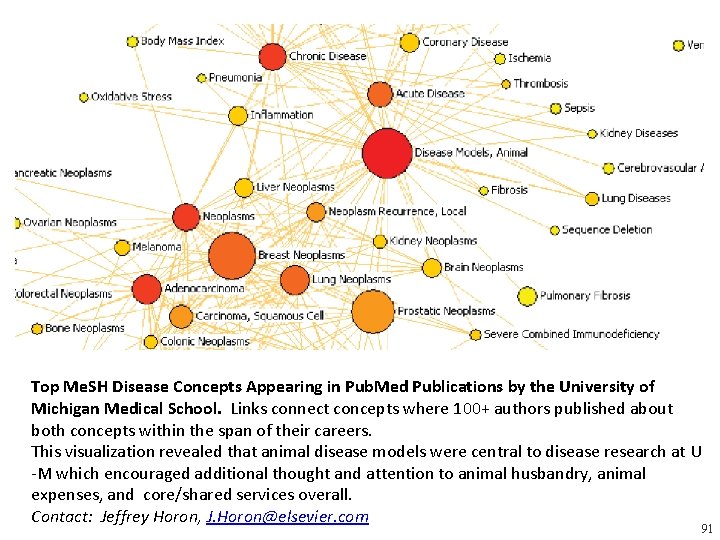
Top Me. SH Disease Concepts Appearing in Pub. Med Publications by the University of Michigan Medical School. Links connect concepts where 100+ authors published about both concepts within the span of their careers. This visualization revealed that animal disease models were central to disease research at U -M which encouraged additional thought and attention to animal husbandry, animal expenses, and core/shared services overall. Contact: Jeffrey Horon, J. Horon@elsevier. com 91
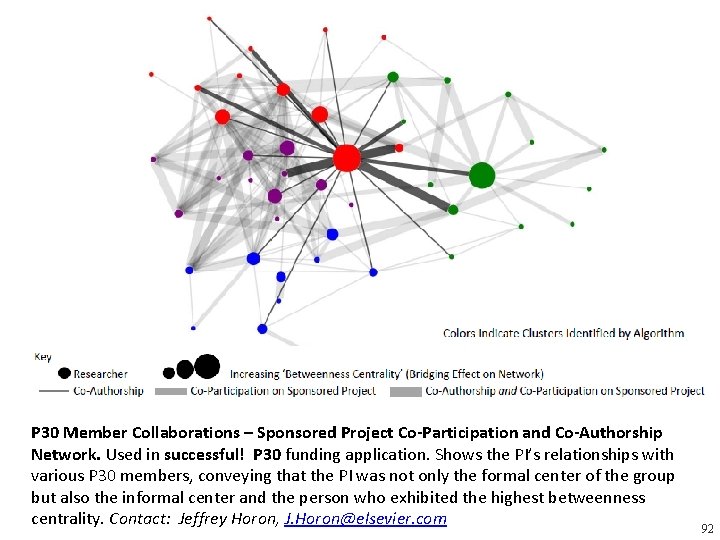
P 30 Member Collaborations – Sponsored Project Co‐Participation and Co‐Authorship Network. Used in successful! P 30 funding application. Shows the PI’s relationships with various P 30 members, conveying that the PI was not only the formal center of the group but also the informal center and the person who exhibited the highest betweenness centrality. Contact: Jeffrey Horon, J. Horon@elsevier. com 92
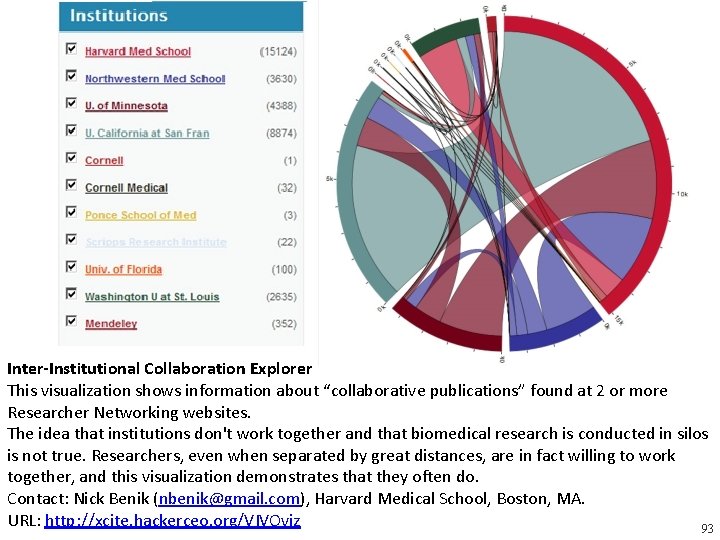
Inter‐Institutional Collaboration Explorer This visualization shows information about “collaborative publications” found at 2 or more Researcher Networking websites. The idea that institutions don't work together and that biomedical research is conducted in silos is not true. Researchers, even when separated by great distances, are in fact willing to work together, and this visualization demonstrates that they often do. Contact: Nick Benik (nbenik@gmail. com), Harvard Medical School, Boston, MA. URL: http: //xcite. hackerceo. org/VIVOviz 93
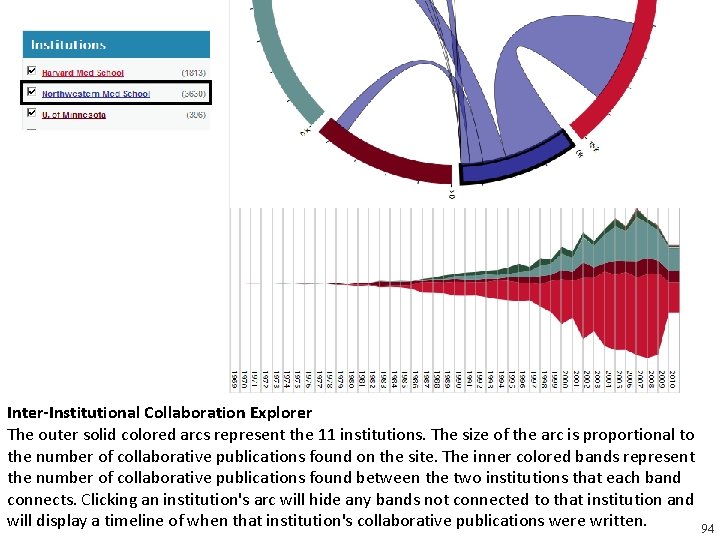
Inter‐Institutional Collaboration Explorer The outer solid colored arcs represent the 11 institutions. The size of the arc is proportional to the number of collaborative publications found on the site. The inner colored bands represent the number of collaborative publications found between the two institutions that each band connects. Clicking an institution's arc will hide any bands not connected to that institution and will display a timeline of when that institution's collaborative publications were written. 94
Workshop Schedule Hands-On (Katy Borner) • Analysis & Visualization of VIVO Data using the Science of Science Tool (http: //sci 2. cns. iu. edu) Guided Tour (Chin Hua Kong) • Customizing existing VIVO visualization Guided Tour (Katy Borner) • Analysis & Visualization of VIVO Data by others Q&A 95