
Visualizations in Drupal with d 3 js Alan
![d 3. myvisualization. libraries. info name = 'My Visualization' files[js][] = 'myvisualization. js' files[js][]](https://slidetodoc.com/presentation_image_h2/4faf19c35a0232b040eeeba48b9c8b75/image-20.jpg "d 3. myvisualization. libraries. info name = 'My Visualization' files[js][] = 'myvisualization. js' files[js][]")
![d 3. myvisualization. libraries. info name = 'My Visualization' files[js][] = 'myvisualization. js' files[js][]](https://slidetodoc.com/presentation_image_h2/4faf19c35a0232b040eeeba48b9c8b75/image-21.jpg "d 3. myvisualization. libraries. info name = 'My Visualization' files[js][] = 'myvisualization. js' files[js][]")
![d 3. myvisualization. libraries. info name = 'My Visualization' files[js][] = 'myvisualization. js' files[js][]](https://slidetodoc.com/presentation_image_h2/4faf19c35a0232b040eeeba48b9c8b75/image-22.jpg "d 3. myvisualization. libraries. info name = 'My Visualization' files[js][] = 'myvisualization. js' files[js][]")
![d 3. myvisualization. libraries. info name = 'My Visualization' files[js][] = 'myvisualization. js' files[js][]](https://slidetodoc.com/presentation_image_h2/4faf19c35a0232b040eeeba48b9c8b75/image-23.jpg "d 3. myvisualization. libraries. info name = 'My Visualization' files[js][] = 'myvisualization. js' files[js][]")
![d 3. myvisualization. libraries. info name = 'My Visualization' files[js][] = 'myvisualization. js' files[js][]](https://slidetodoc.com/presentation_image_h2/4faf19c35a0232b040eeeba48b9c8b75/image-24.jpg "d 3. myvisualization. libraries. info name = 'My Visualization' files[js][] = 'myvisualization. js' files[js][]")
- Slides: 29
Visualizations in Drupal with d 3. js – Alan Sherry What this session will cover ● ● Why we created the d 3 module Choosing a visualization engine, and a visualization module in Drupal How to get started with the d 3 Drupal module Next steps for d 3. js and related modules What this session will NOT cover ● Writing javascript code for d 3. js ● Visualization tools for site builders
D 3 module: Background
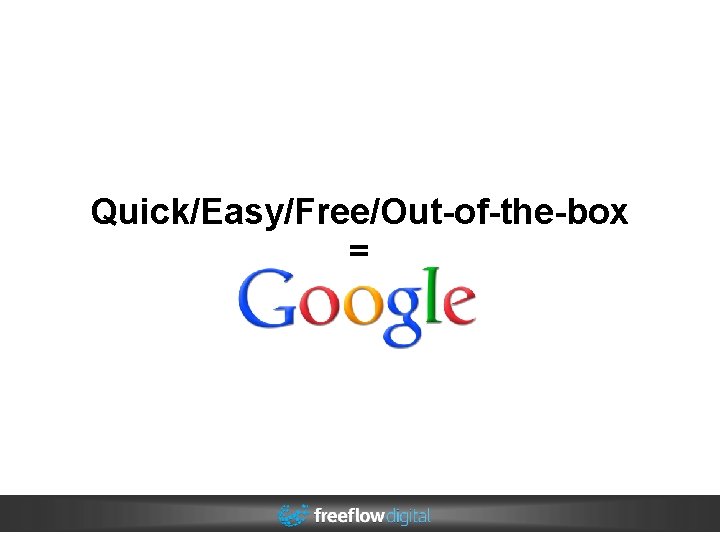
Quick/Easy/Free/Out-of-the-box =
Drupal Chart module ● Old Google image API ● Minimally maintained
Drupal Charts module ● Ported to Drupal 7 in late July ● Added Google support in late July
Drupal Google Chart Tools module ● GCT fully released in August, 2012 ● Project build date is July, 2012
State of visualizations – End of 2012 ● Multiple advanced JS libraries ● Minimal integration with Drupal ● No integration with d 3. js ● Focus on (vis) engine agnostic modules
Engine agnostic / Abstracted ● Module is usable with any chart engine ● Consistent PHP API ● No JS
D 3 module v 1 (not really though) ● ● Basically what the charts module does now – except not releasable Incorporated d 3 and google charts
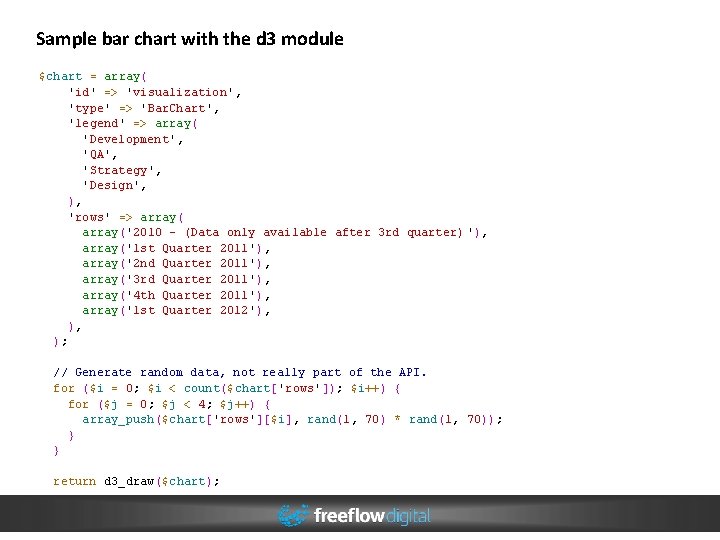
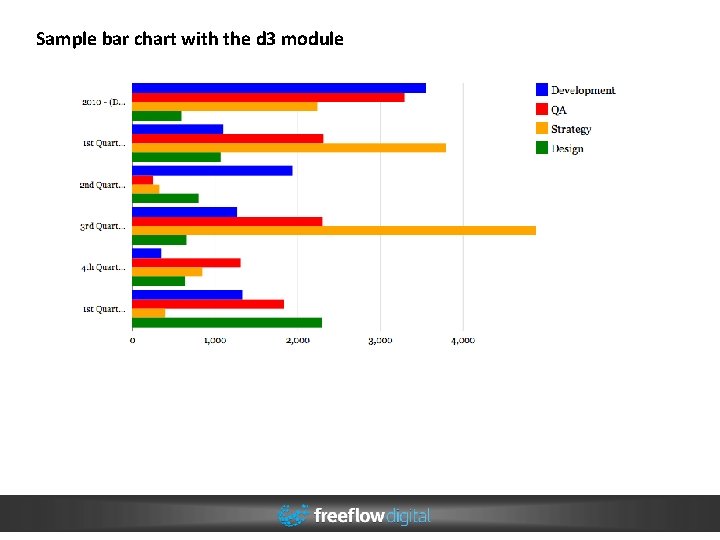
Sample bar chart with the d 3 module $chart = array( 'id' => 'visualization', 'type' => 'Bar. Chart', 'legend' => array( 'Development', 'QA', 'Strategy', 'Design', ), 'rows' => array('2010 - (Data only available after 3 rd quarter) '), array('1 st Quarter 2011'), array('2 nd Quarter 2011'), array('3 rd Quarter 2011'), array('4 th Quarter 2011'), array('1 st Quarter 2012'), ), ); // Generate random data, not really part of the API. for ($i = 0; $i < count($chart['rows']); $i++) { for ($j = 0; $j < 4; $j++) { array_push($chart['rows'][$i], rand(1, 70) * rand(1, 70)); } } return d 3_draw($chart);
Sample bar chart with the d 3 module
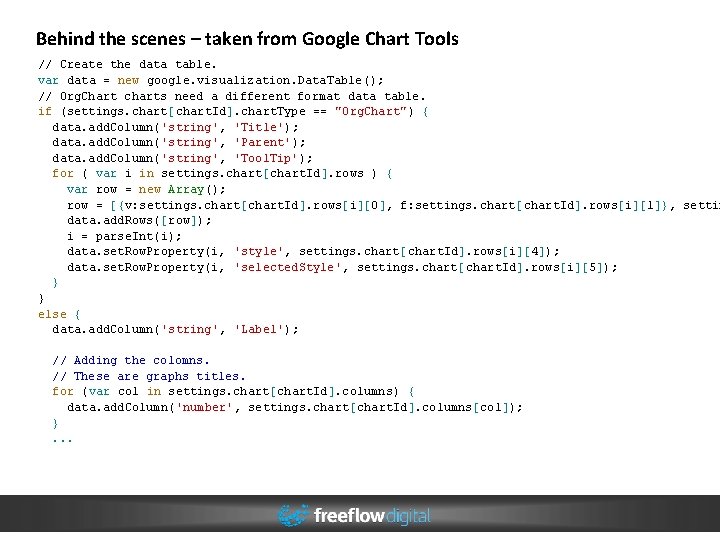
Behind the scenes – taken from Google Chart Tools // Create the data table. var data = new google. visualization. Data. Table(); // Org. Chart charts need a different format data table. if (settings. chart[chart. Id]. chart. Type == "Org. Chart") { data. add. Column('string', 'Title'); data. add. Column('string', 'Parent'); data. add. Column('string', 'Tool. Tip'); for ( var i in settings. chart[chart. Id]. rows ) { var row = new Array(); row = [{v: settings. chart[chart. Id]. rows[i][0], f: settings. chart[chart. Id]. rows[i][1]}, settin data. add. Rows([row]); i = parse. Int(i); data. set. Row. Property(i, 'style', settings. chart[chart. Id]. rows[i][4]); data. set. Row. Property(i, 'selected. Style', settings. chart[chart. Id]. rows[i][5]); } } else { data. add. Column('string', 'Label'); // Adding the colomns. // These are graphs titles. for (var col in settings. chart[chart. Id]. columns) { data. add. Column('number', settings. chart[chart. Id]. columns[col]); }. . .
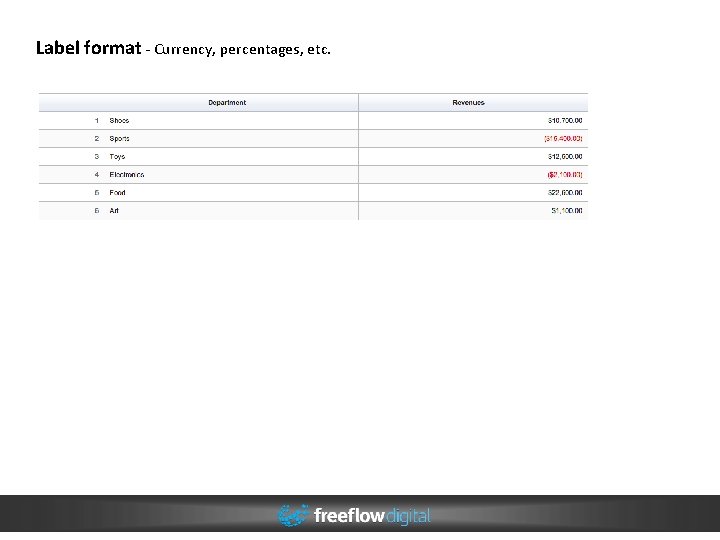
Label format - Currency, percentages, etc.
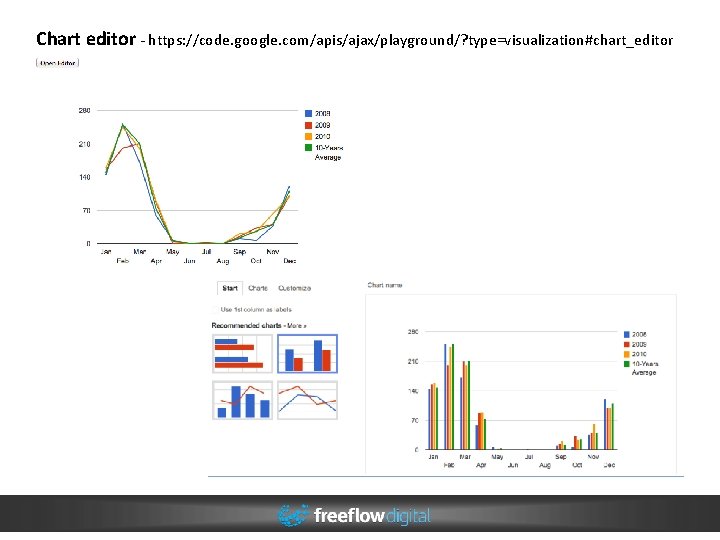
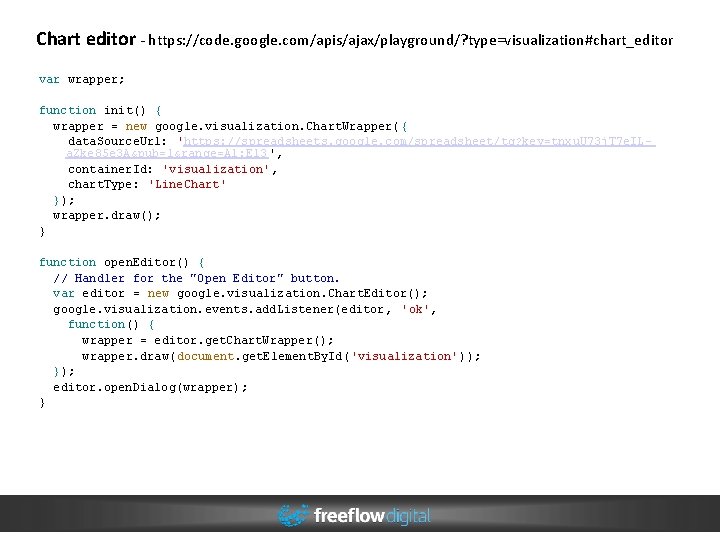
Chart editor - https: //code. google. com/apis/ajax/playground/? type=visualization#chart_editor
Chart editor - https: //code. google. com/apis/ajax/playground/? type=visualization#chart_editor var wrapper; function init() { wrapper = new google. visualization. Chart. Wrapper( { data. Source. Url: 'https: //spreadsheets. google. com/spreadsheet/tq? key=tnxu. U 73 j. T 7 e. ILa. Zke 85 e 3 A&pub=1&range=A 1: E 13 ', container. Id: 'visualization', chart. Type: 'Line. Chart' }); wrapper. draw(); } function open. Editor() { // Handler for the "Open Editor" button. var editor = new google. visualization. Chart. Editor(); google. visualization. events. add. Listener(editor, 'ok', function() { wrapper = editor. get. Chart. Wrapper(); wrapper. draw(document. get. Element. By. Id('visualization')); }); editor. open. Dialog(wrapper); }
Engine agnostic / Abstracted ● ● ● API changes often result in significant module rewrites Some alterations and custom requests are simply not possible One chart per dataset
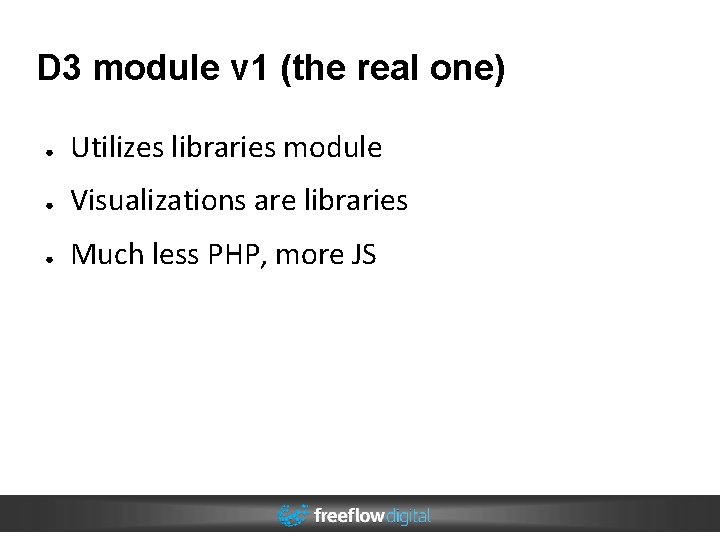
D 3 module v 1 (the real one) ● Utilizes libraries module ● Visualizations are libraries ● Much less PHP, more JS
D 3 module: Getting Started
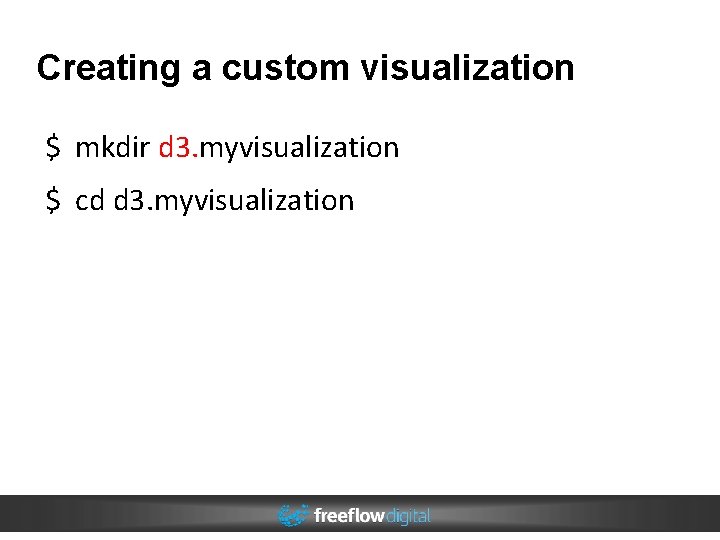
Creating a custom visualization $ mkdir d 3. myvisualization $ cd d 3. myvisualization
d 3. myvisualization. libraries. info name = 'My Visualization' files[js][] = 'myvisualization. js' files[js][] = 'data. json' files[css][] = 'myvisualization. css' version = 1 dependencies[] = d 3 template = 'myvisualization'
d 3. myvisualization. libraries. info name = 'My Visualization' files[js][] = 'myvisualization. js' files[js][] = 'data. json' files[css][] = 'myvisualization. css' version = 1 dependencies[] = d 3 template = 'myvisualization'
d 3. myvisualization. libraries. info name = 'My Visualization' files[js][] = 'myvisualization. js' files[js][] = 'data. json' files[css][] = 'myvisualization. css' version = 1 dependencies[] = d 3 template = 'myvisualization'
d 3. myvisualization. libraries. info name = 'My Visualization' files[js][] = 'myvisualization. js' files[js][] = 'data. json' files[css][] = 'myvisualization. css' version = 1 dependencies[] = d 3 template = 'myvisualization'
d 3. myvisualization. libraries. info name = 'My Visualization' files[js][] = 'myvisualization. js' files[js][] = 'data. json' files[css][] = 'myvisualization. css' version = 1 dependencies[] = d 3 template = 'myvisualization'
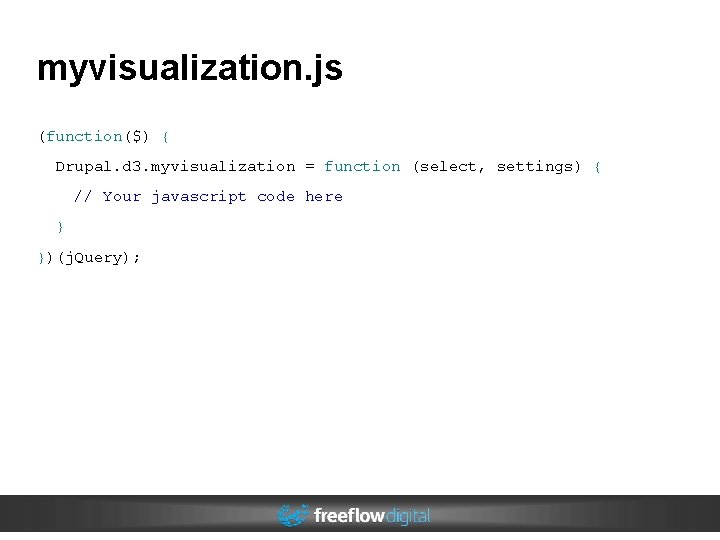
myvisualization. js (function($) { Drupal. d 3. myvisualization = function (select, settings) { // Your javascript code here } })(j. Query);
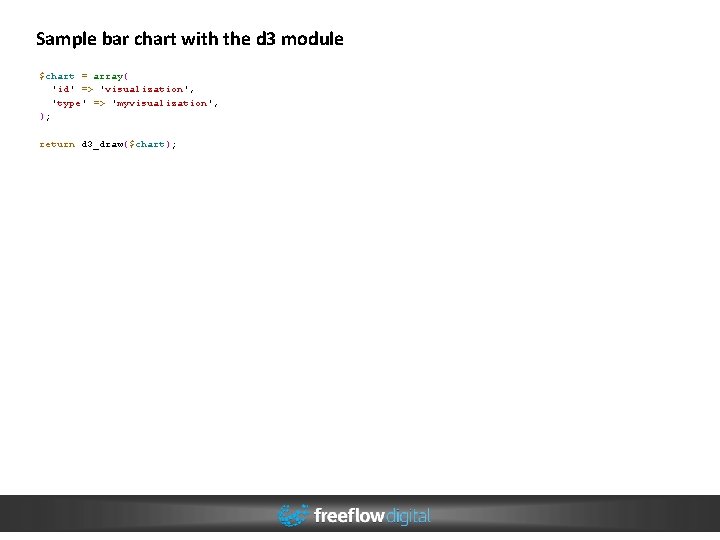
Sample bar chart with the d 3 module $chart = array( 'id' => 'visualization', 'type' => 'myvisualization', ); return d 3_draw($chart);
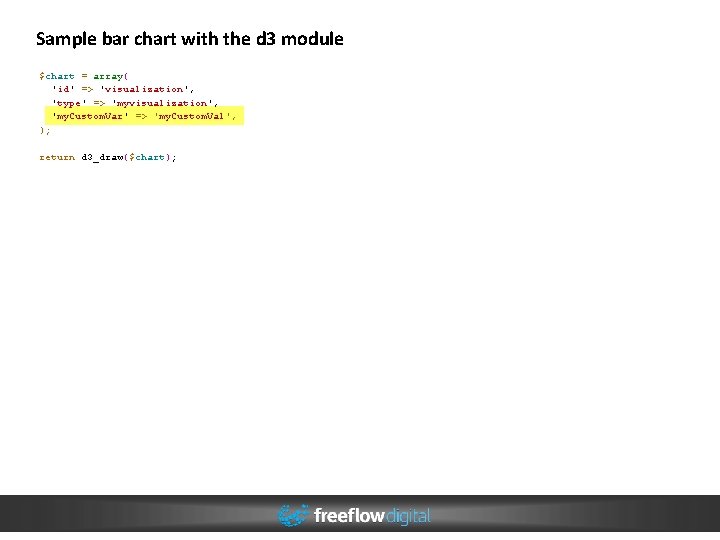
Sample bar chart with the d 3 module $chart = array( 'id' => 'visualization', 'type' => 'myvisualization', 'my. Custom. Var' => 'my. Custom. Val', ); return d 3_draw($chart);
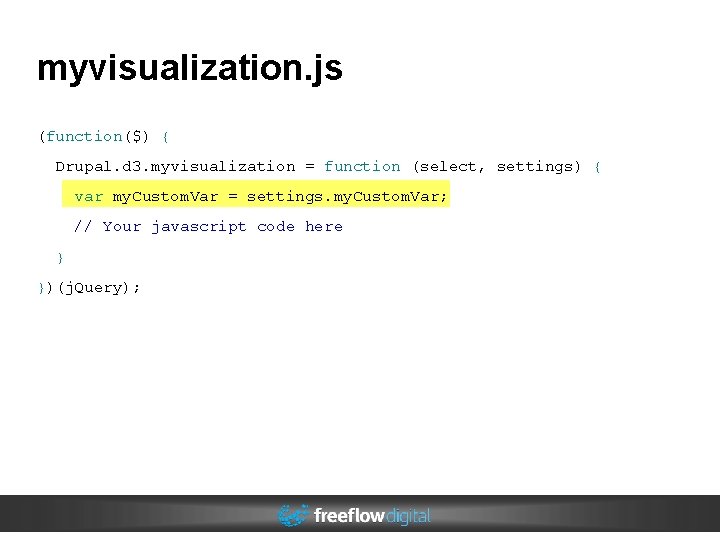
myvisualization. js (function($) { Drupal. d 3. myvisualization = function (select, settings) { var my. Custom. Var = settings. my. Custom. Var; // Your javascript code here } })(j. Query);
Conclusion / Next steps ● 'A' solution not 'The' solution ● UI tools ● Testing / Contributors Alan Sherry alan. sherry@freeflowdigital. com d. o - asherry