
Visualization Features Build and create your own visualization
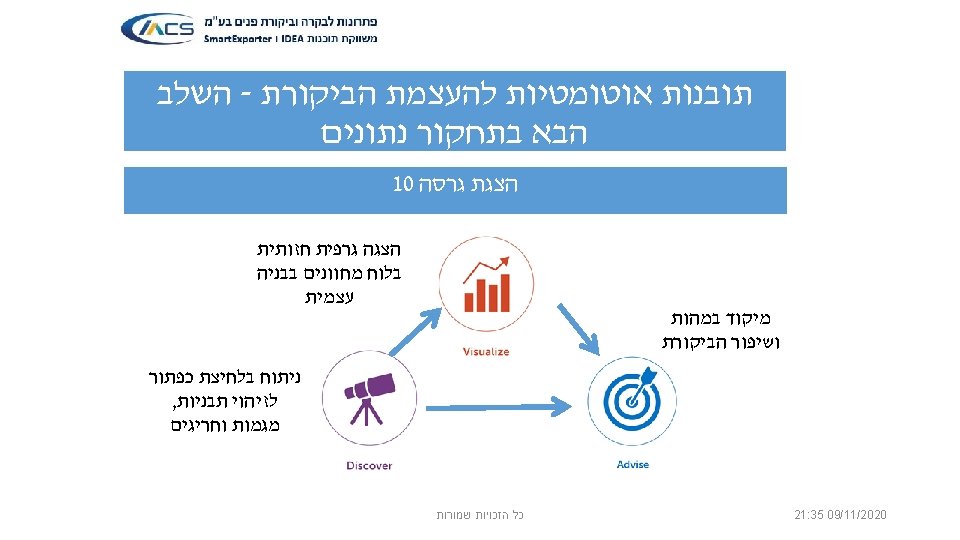
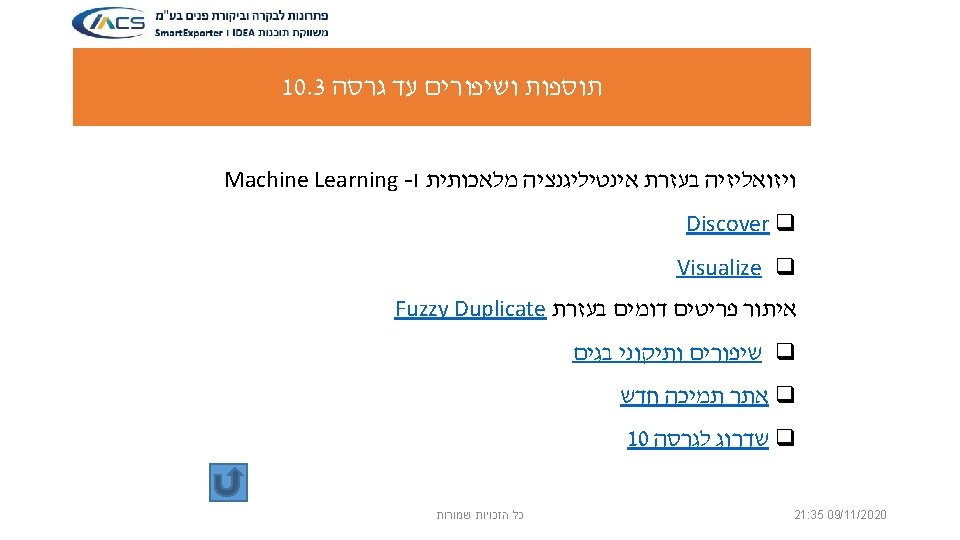
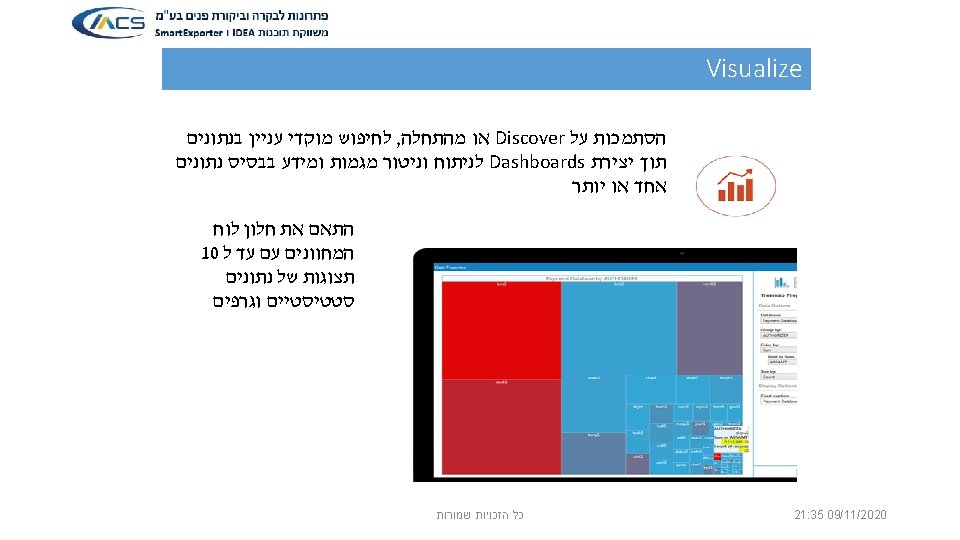
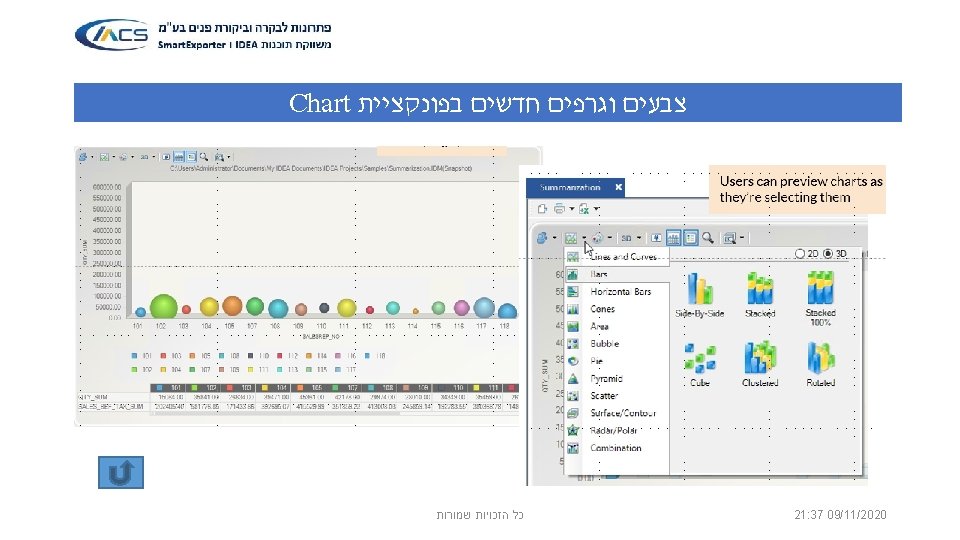
Visualization Features ü Build and create your own visualization dashboards using one or multiple databases. ü Users can first explore in their data visually before selecting a dashboard template for final result. ü Create fields statistic on the fields of your choice ü Provide various types of summarization on numeric, date and character fields (Sum, Average, Count) ü Execute automatic stratification on numeric and date fields. ü Ability to drill down with a grid view and extract insights of any particular slice, bar, column or area of a chart. ü Create charts like Bar, Column, Pie, Line, Tree map on any given database ü Maximize views of any individual chart and toggle between chart view and grid view of the database used. ü Imports of IDEA v 9 database, with support of virtual fields. ü Save and share the dashboard. ü Copy chart to clipboard כל הזכויות שמורות 21: 35 09/11/2020
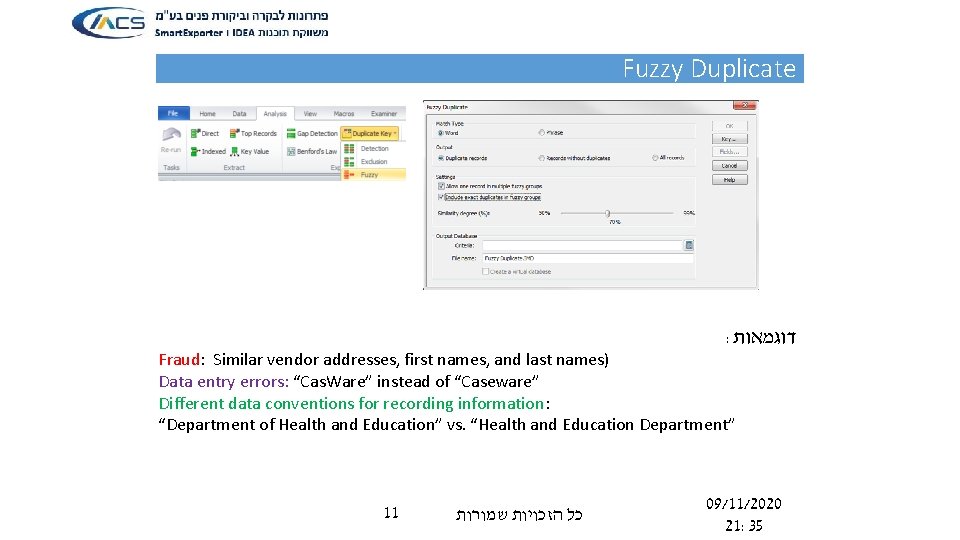
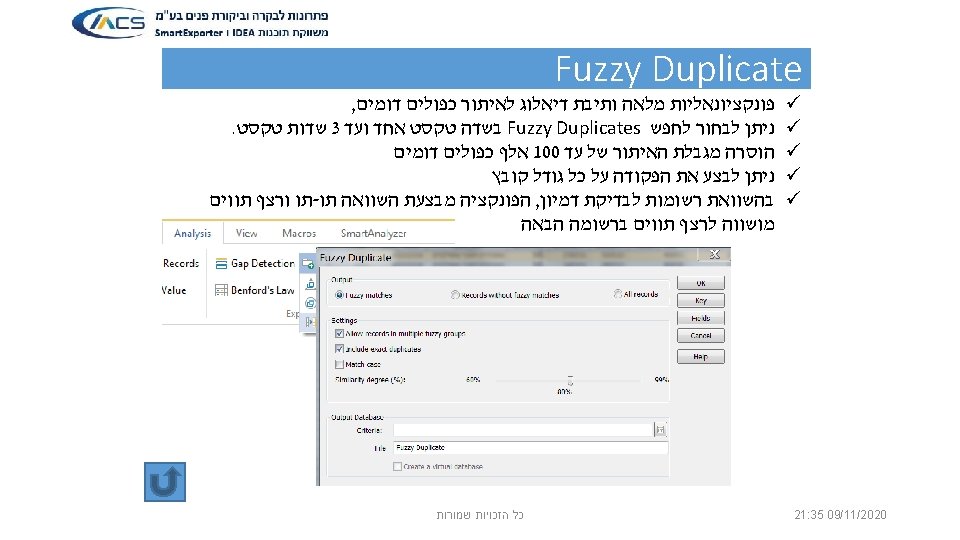
Fuzzy Duplicate : דוגמאות Fraud: Similar vendor addresses, first names, and last names) Data entry errors: “Cas. Ware” instead of “Caseware” Different data conventions for recording information: “Department of Health and Education” vs. “Health and Education Department” 11 כל הזכויות שמורות 09/11/2020 21: 35
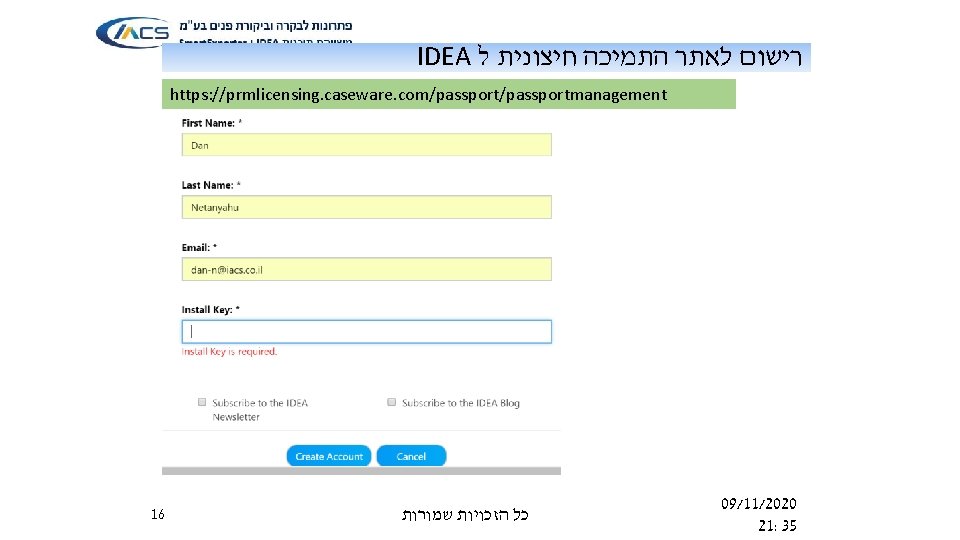
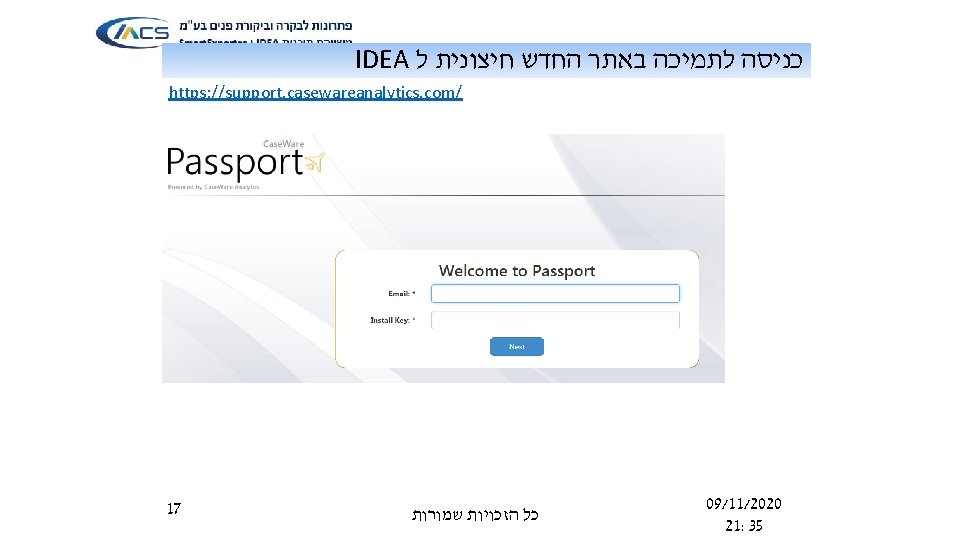
IDEA רישום לאתר התמיכה חיצונית ל https: //prmlicensing. caseware. com/passportmanagement 16 כל הזכויות שמורות 09/11/2020 21: 35

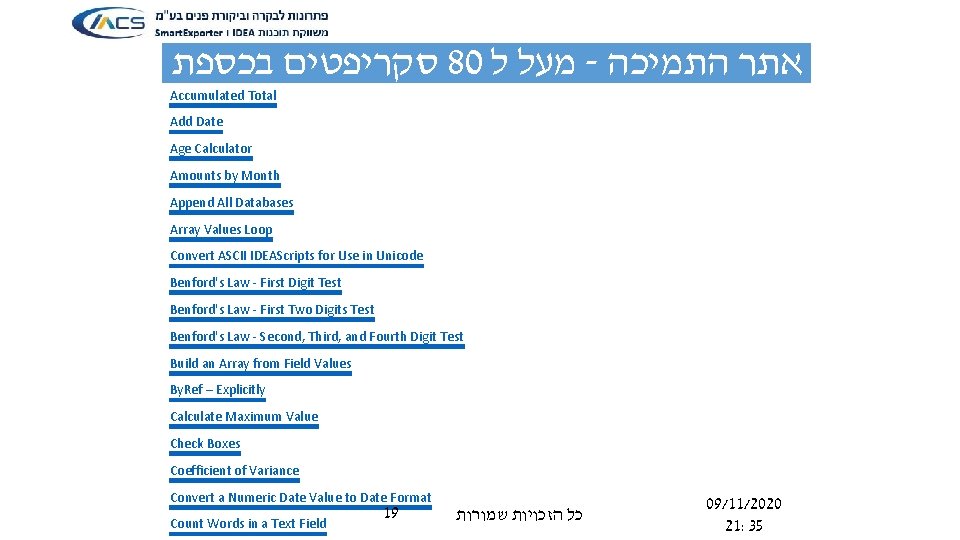
סקריפטים בכספת 80 מעל ל - אתר התמיכה Accumulated Total Add Date Age Calculator Amounts by Month Append All Databases Array Values Loop Convert ASCII IDEAScripts for Use in Unicode Benford's Law - First Digit Test Benford's Law - First Two Digits Test Benford's Law - Second, Third, and Fourth Digit Test Build an Array from Field Values By. Ref – Explicitly Calculate Maximum Value Check Boxes Coefficient of Variance Convert a Numeric Date Value to Date Format Count Words in a Text Field 19 כל הזכויות שמורות 09/11/2020 21: 35
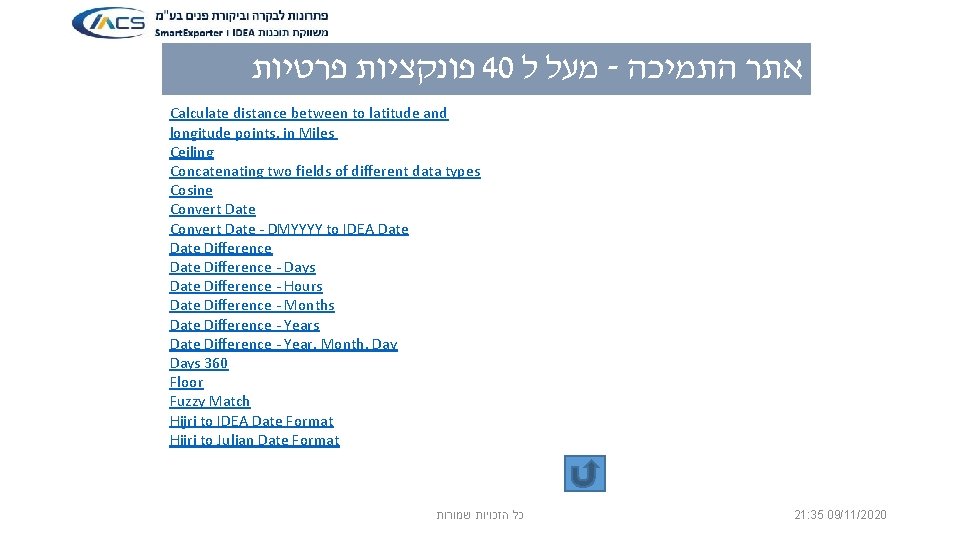
פונקציות פרטיות 40 מעל ל - אתר התמיכה Calculate distance between to latitude and longitude points, in Miles Ceiling Concatenating two fields of different data types Cosine Convert Date - DMYYYY to IDEA Date Difference - Days Date Difference - Hours Date Difference - Months Date Difference - Year, Month, Days 360 Floor Fuzzy Match Hijri to IDEA Date Format Hijri to Julian Date Format כל הזכויות שמורות 21: 35 09/11/2020
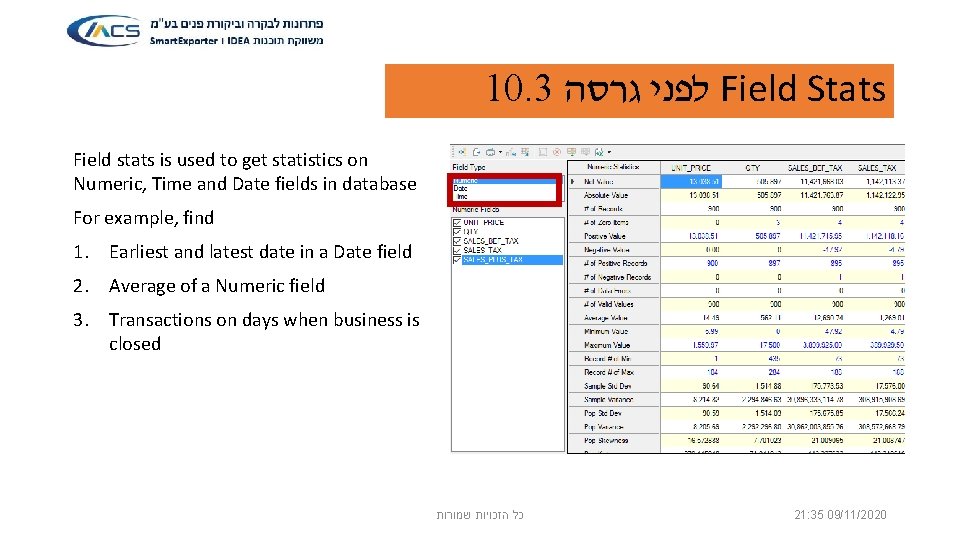
10. 3 לפני גרסה Field Stats Field stats is used to get statistics on Numeric, Time and Date fields in database For example, find 1. Earliest and latest date in a Date field 2. Average of a Numeric field 3. Transactions on days when business is closed כל הזכויות שמורות 21: 35 09/11/2020
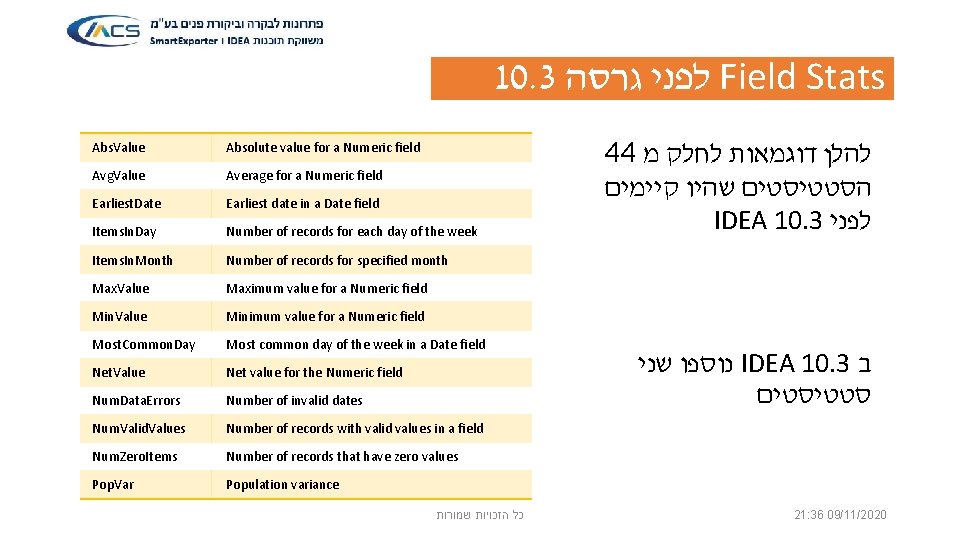
10. 3 לפני גרסה Field Stats Abs. Value Absolute value for a Numeric field Avg. Value Average for a Numeric field Earliest. Date Earliest date in a Date field Items. In. Day Number of records for each day of the week Items. In. Month Number of records for specified month Max. Value Maximum value for a Numeric field Min. Value Minimum value for a Numeric field Most. Common. Day Most common day of the week in a Date field Net. Value Net value for the Numeric field Num. Data. Errors Number of invalid dates Num. Valid. Values Number of records with valid values in a field Num. Zero. Items Number of records that have zero values Pop. Var Population variance כל הזכויות שמורות 44 להלן דוגמאות לחלק מ הסטטיסטים שהיו קיימים IDEA 10. 3 לפני נוספו שני IDEA 10. 3 ב סטטיסטים 21: 36 09/11/2020
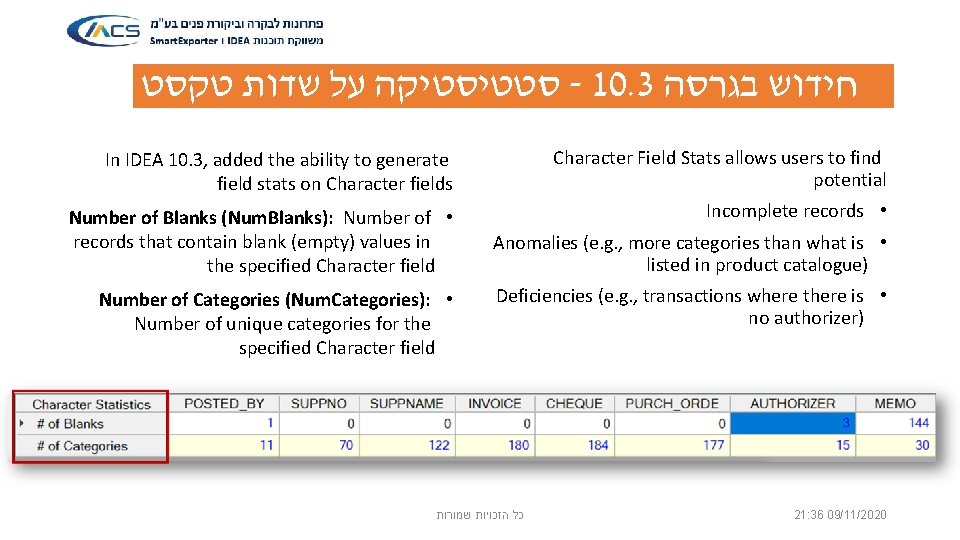
סטטיסטיקה על שדות טקסט - 10. 3 חידוש בגרסה In IDEA 10. 3, added the ability to generate field stats on Character fields Character Field Stats allows users to find potential Number of Blanks (Num. Blanks): Number of • records that contain blank (empty) values in the specified Character field Incomplete records • Number of Categories (Num. Categories): • Number of unique categories for the specified Character field Anomalies (e. g. , more categories than what is • listed in product catalogue) Deficiencies (e. g. , transactions where there is • no authorizer) כל הזכויות שמורות 21: 36 09/11/2020
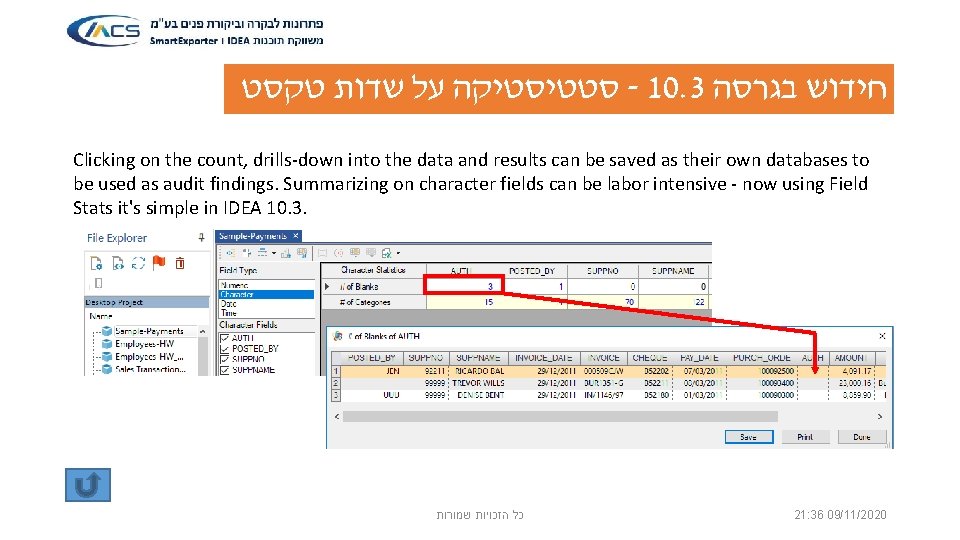
סטטיסטיקה על שדות טקסט - 10. 3 חידוש בגרסה Clicking on the count, drills-down into the data and results can be saved as their own databases to be used as audit findings. Summarizing on character fields can be labor intensive - now using Field Stats it's simple in IDEA 10. 3. כל הזכויות שמורות 21: 36 09/11/2020
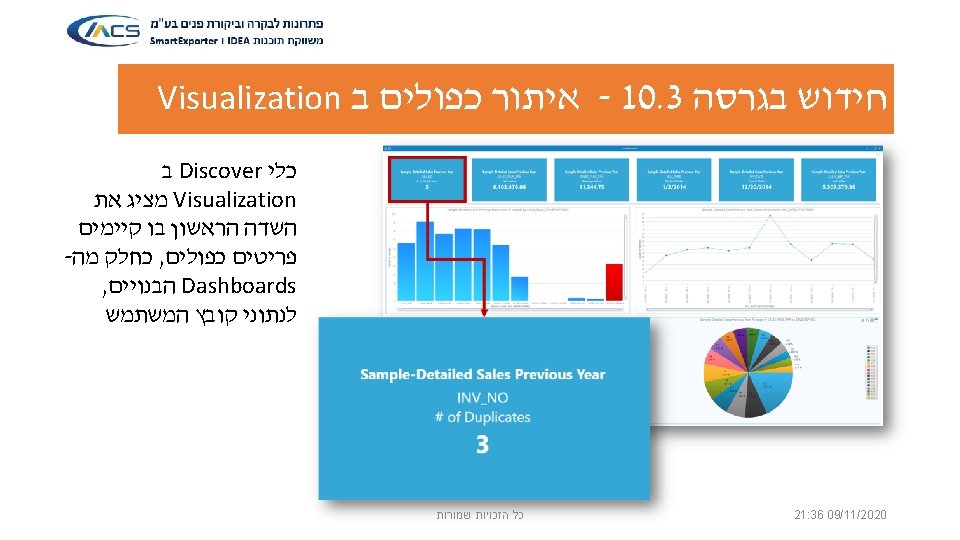
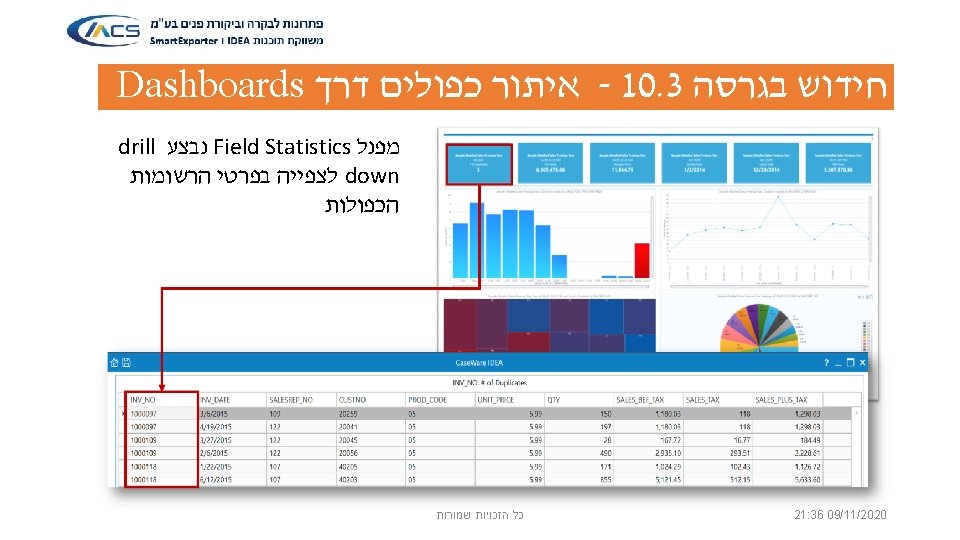
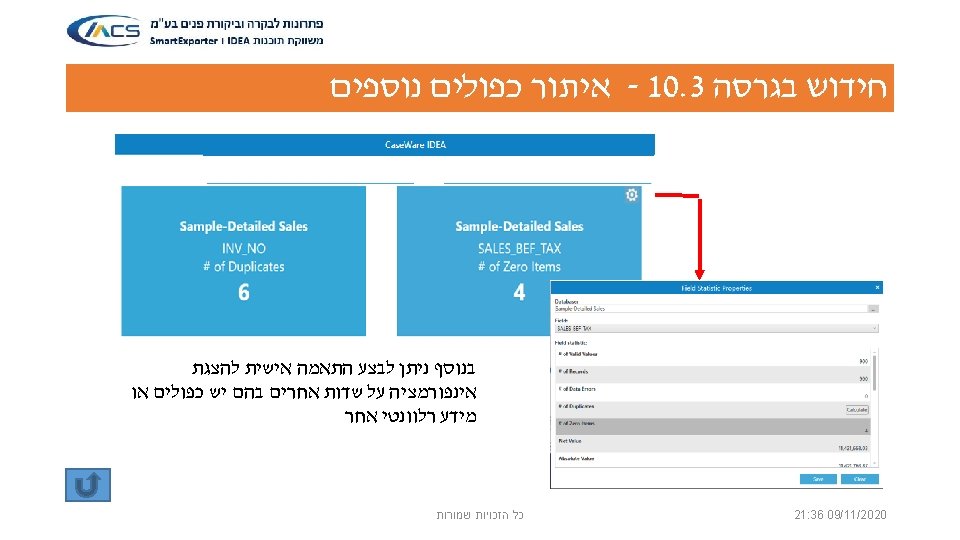
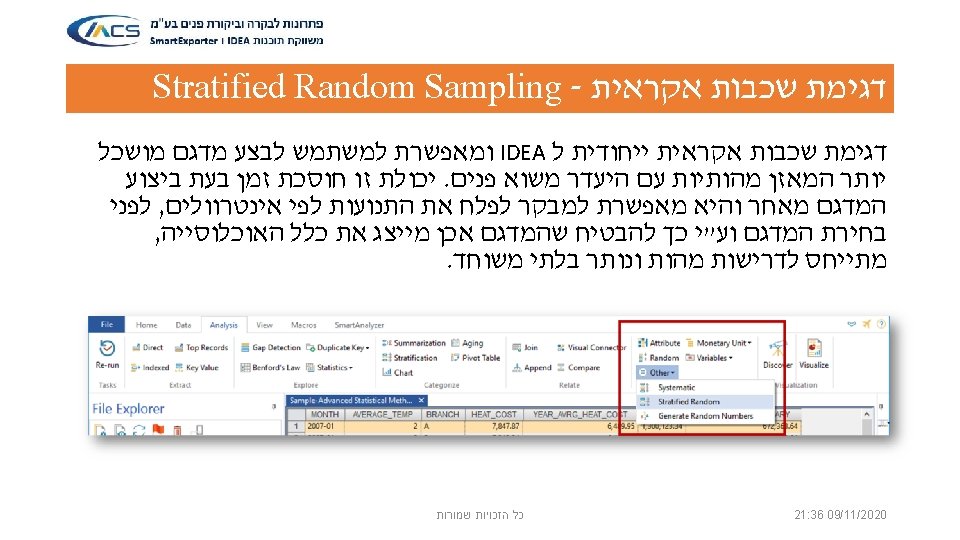
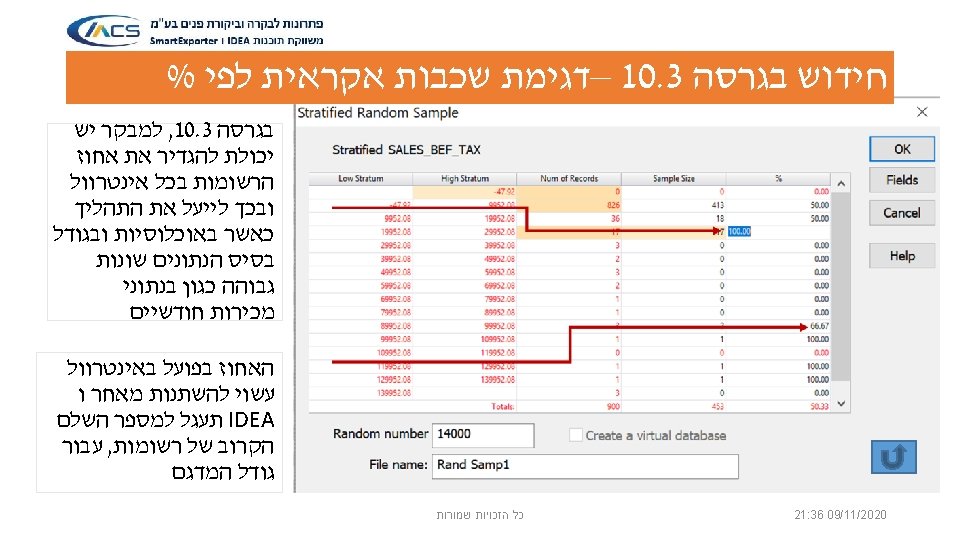

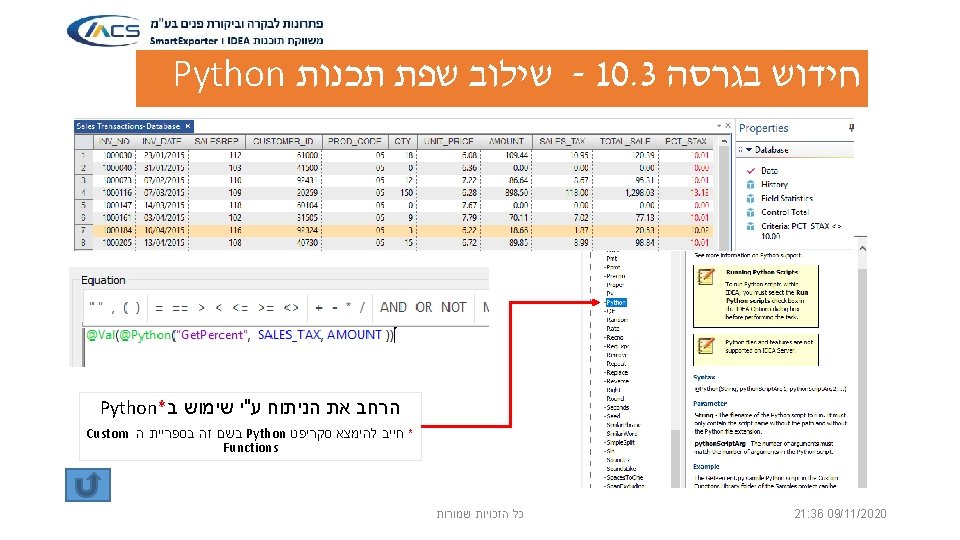
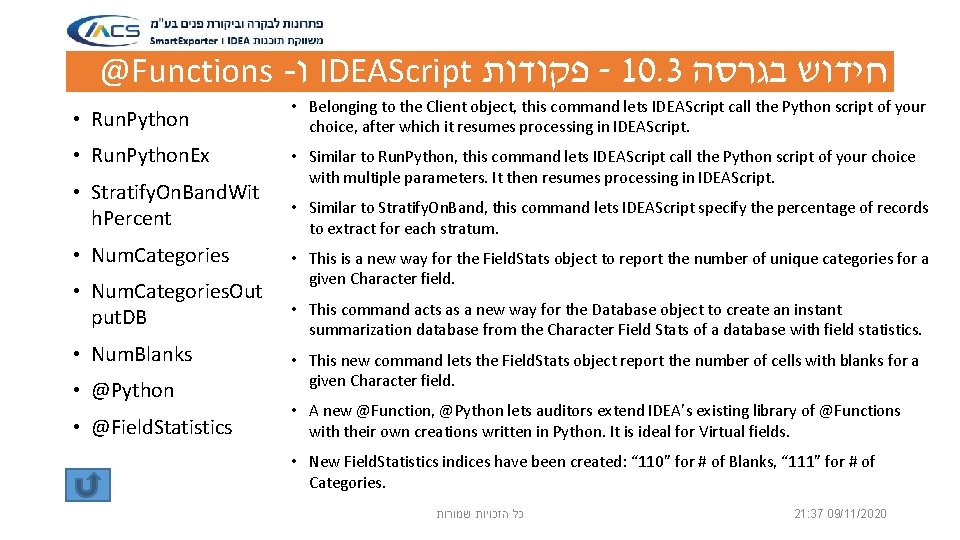
@Functions - ו IDEAScript פקודות - 10. 3 חידוש בגרסה • Run. Python. Ex • Stratify. On. Band. Wit h. Percent • Num. Categories. Out put. DB • Num. Blanks • @Python • @Field. Statistics • Belonging to the Client object, this command lets IDEAScript call the Python script of your choice, after which it resumes processing in IDEAScript. • Similar to Run. Python, this command lets IDEAScript call the Python script of your choice with multiple parameters. It then resumes processing in IDEAScript. • Similar to Stratify. On. Band, this command lets IDEAScript specify the percentage of records to extract for each stratum. • This is a new way for the Field. Stats object to report the number of unique categories for a given Character field. • This command acts as a new way for the Database object to create an instant summarization database from the Character Field Stats of a database with field statistics. • This new command lets the Field. Stats object report the number of cells with blanks for a given Character field. • A new @Function, @Python lets auditors extend IDEA’s existing library of @Functions with their own creations written in Python. It is ideal for Virtual fields. • New Field. Statistics indices have been created: “ 110” for # of Blanks, “ 111” for # of Categories. כל הזכויות שמורות 21: 37 09/11/2020
– שיפורים אחרים 10. 3 חידוש בגרסה • Citrix Xen. App: 7. 6 and 7. 12 now supported for IDEA. • UTF-8: IDEA 10. 3 automatically detects files with international characters encoded in UTF-8 format, and imports data correctly without the need to change the encoding of the source files before importing into IDEA. This simplifies the review of international data for users with operations around the world. • Report Reader: We now support imports of PDF formats listed as PDF/A (objects within PDF). Users also now have the option to preserve as a text file when importing a PDF file to IDEA to save time in subsequent imports. • Improved Indexing Performance: IDEA’s processing engine has been upgraded, reducing processing time in many cases, depending on file size, data structure, the nature of data and the hardware being used. • Send to Excel: Now save Results outputs to the Results Library group. It will also support any locally installed spreadsheet software associated with the. XLS extension, not just Microsoft Office. • Smart. Analyzer Enhancements: Many enhancements included in IDEA 10. 3 (see What’s New document). Also with IDEA 10. 3 and Smart. Analyzer App SDK 3. 2, apps can be generated that are FIPS compliant. כל הזכויות שמורות 21: 37 09/11/2020
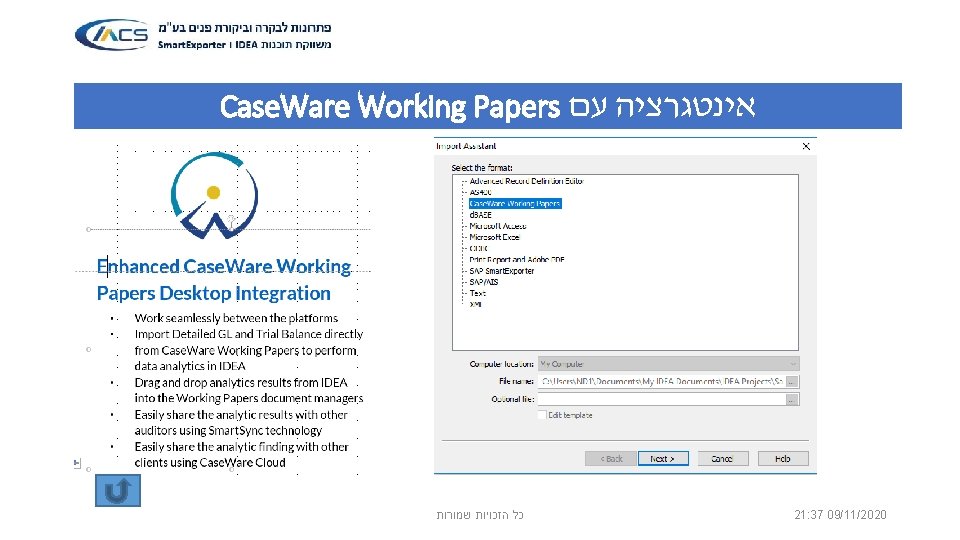
אינטגרציה עם Case. Ware Working Papers 21: 37 09/11/2020 כל הזכויות שמורות


- Slides: 41