
Visualization Analysis Design FullDay Tutorial Session 3 Tamara
- Slides: 52
Visualization Analysis & Design Full-Day Tutorial Session 3 Tamara Munzner Department of Computer Science University of British Columbia Sanger Institute / European Bioinformatics Institute June 2014, Cambridge UK http: //www. cs. ubc. ca/~tmm/talks. html#minicours e 14
Outline • Visualization Analysis Framework Session 1 9: 30 -10: 45 am – Introduction: Definitions – Analysis: What, Why, How – Marks and Channels • Idiom Design Choices, Part 2 Session 3 1: 15 pm-2: 45 pm – Manipulate: Change, Select, Navigate – Facet: Juxtapose, Partition, Superimpose – Reduce: Filter, Aggregate, Embed • Idiom Design Choices Session 2 11: 00 am-12: 15 pm – Arrange Tables http: //www. cs. ubc. ca/~tmm/talks. html#minicourse 14 2
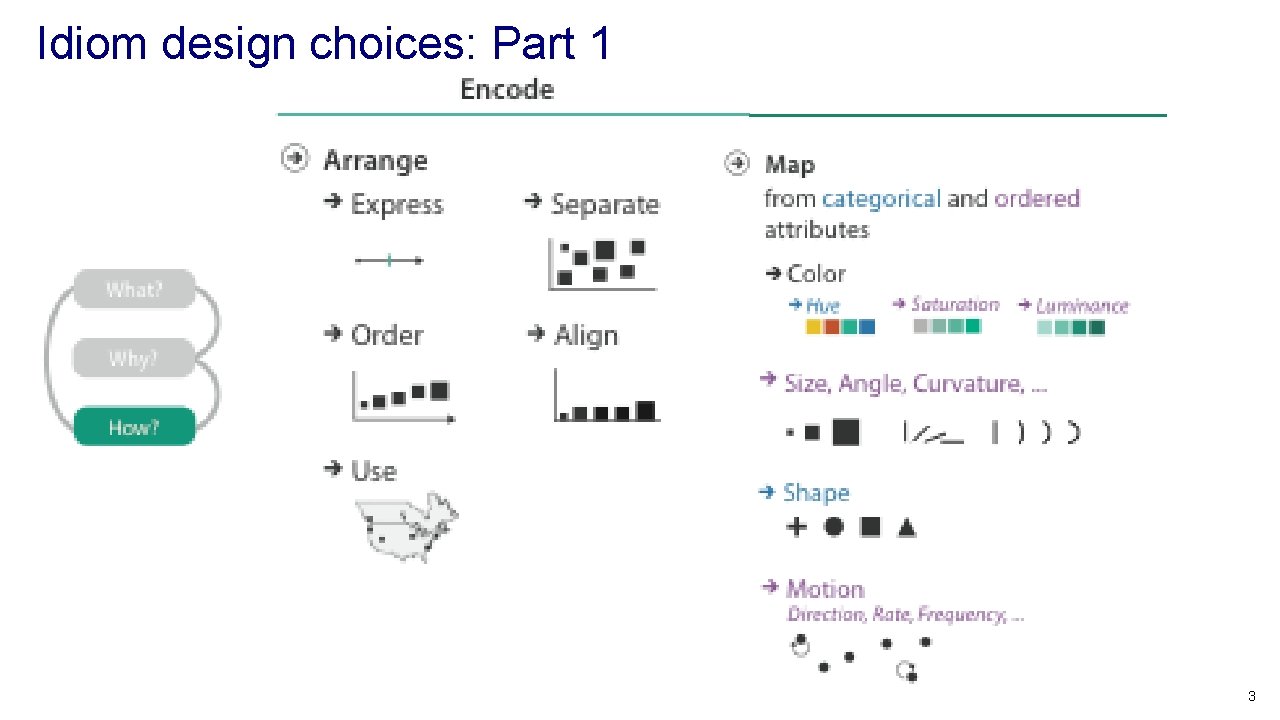
Idiom design choices: Part 1 3
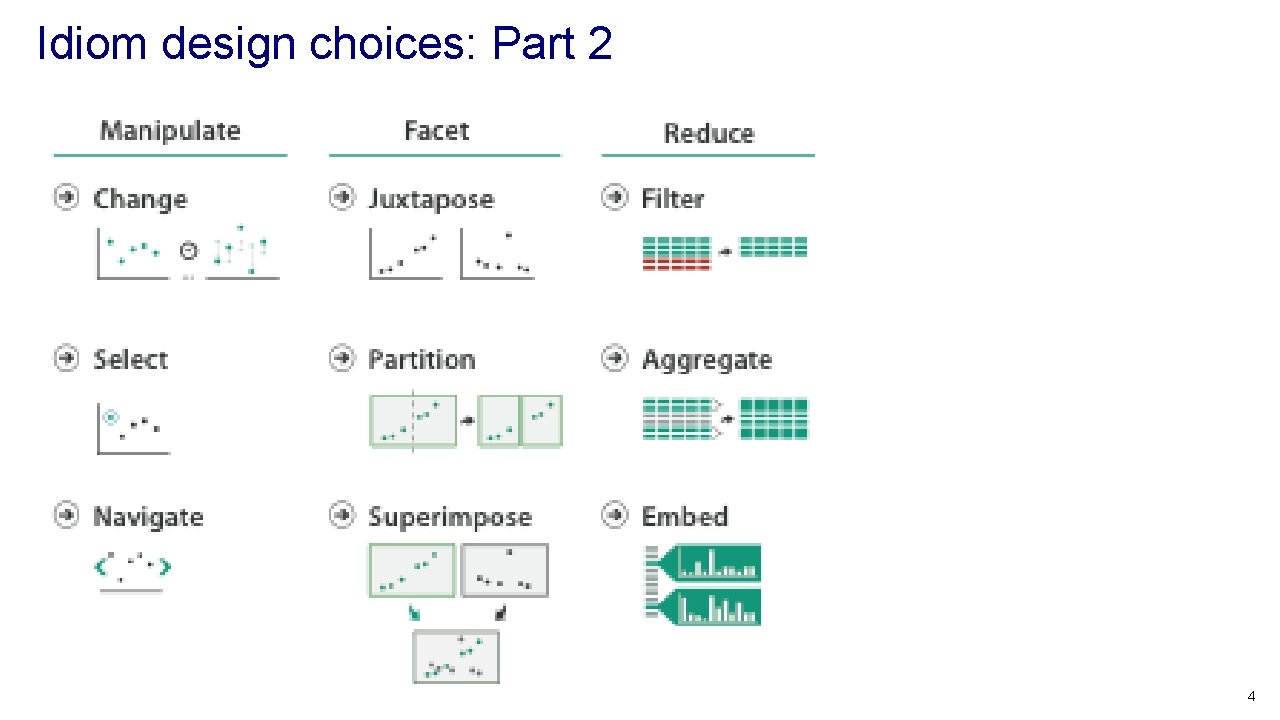
Idiom design choices: Part 2 4
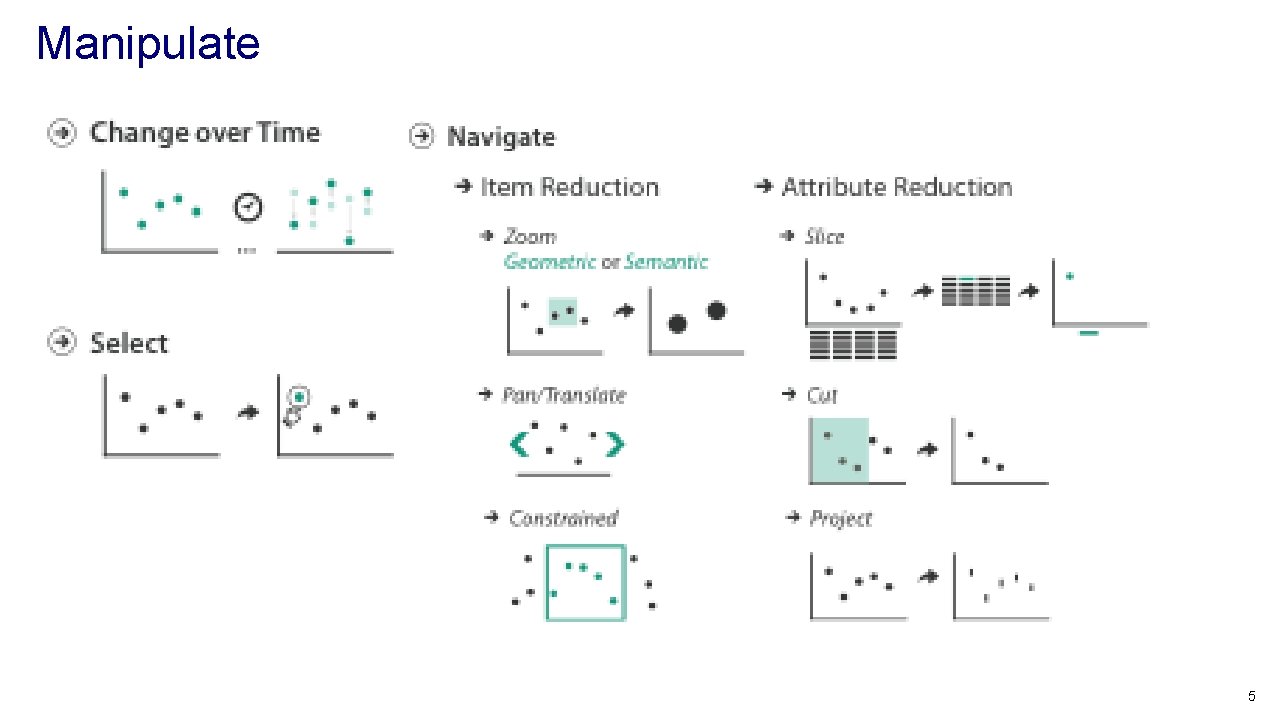
Manipulate 5
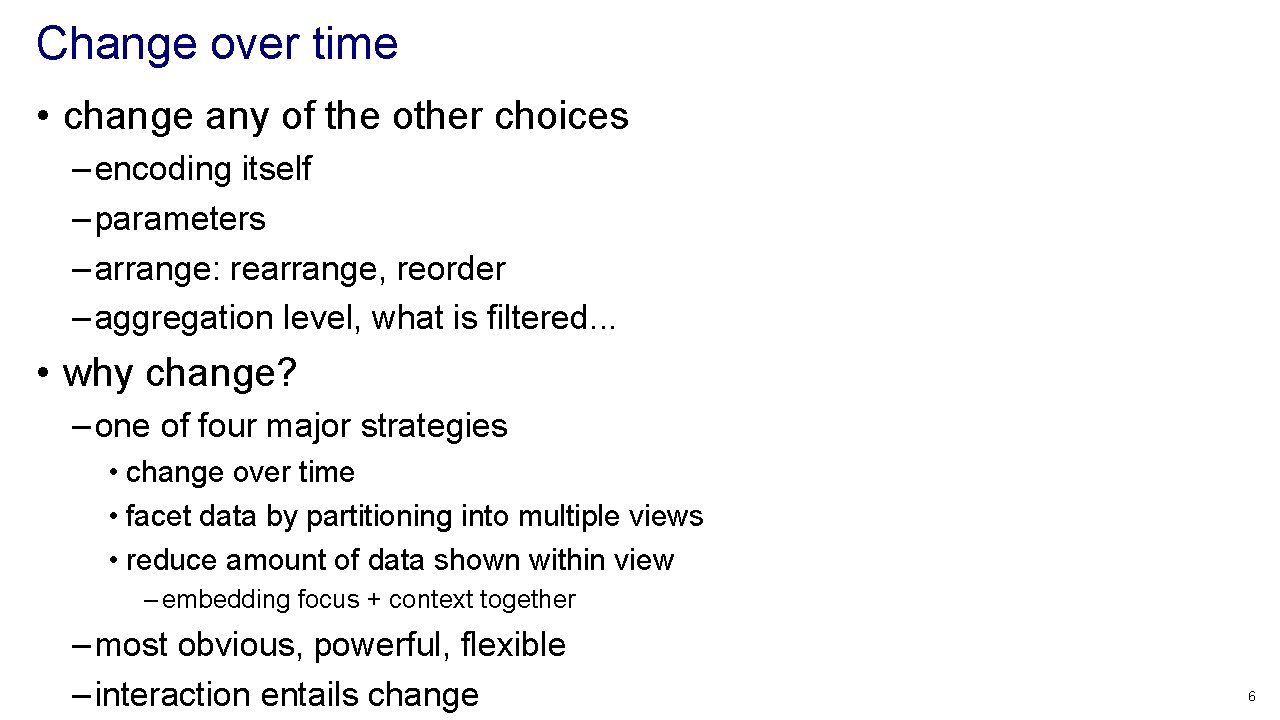
Change over time • change any of the other choices – encoding itself – parameters – arrange: rearrange, reorder – aggregation level, what is filtered. . . • why change? – one of four major strategies • change over time • facet data by partitioning into multiple views • reduce amount of data shown within view – embedding focus + context together – most obvious, powerful, flexible – interaction entails change 6
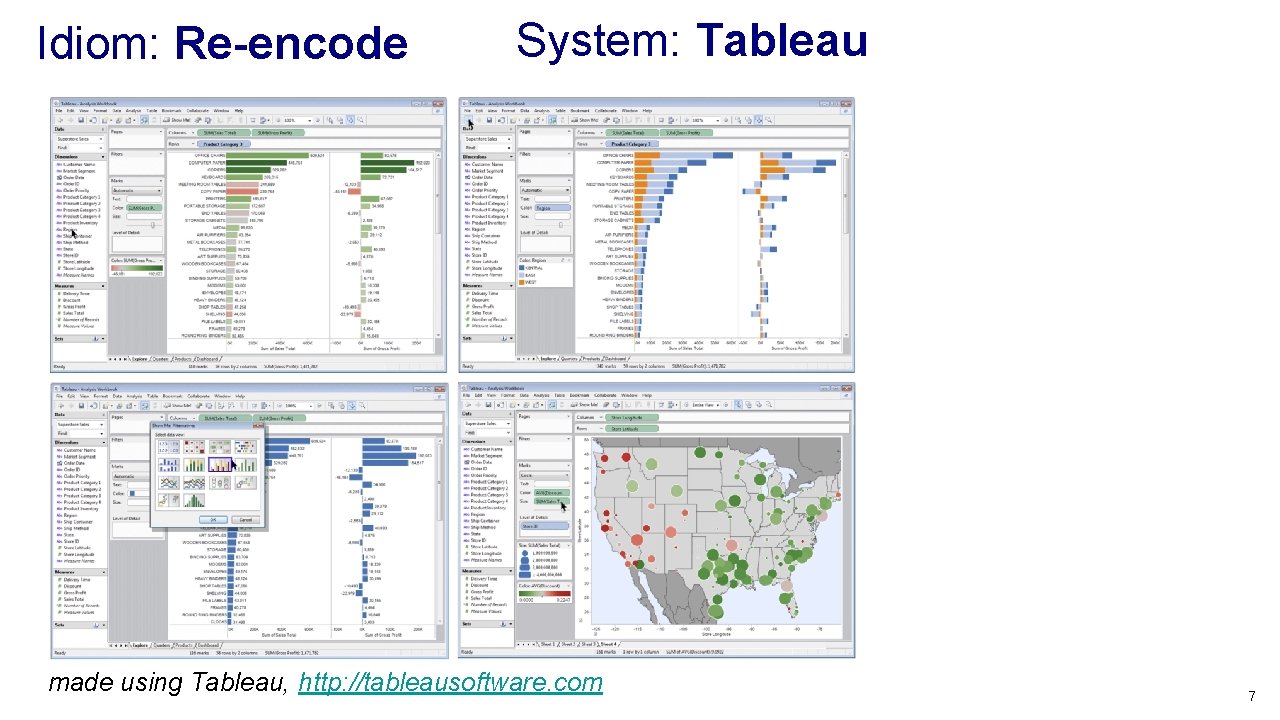
Idiom: Re-encode System: Tableau made using Tableau, http: //tableausoftware. com 7
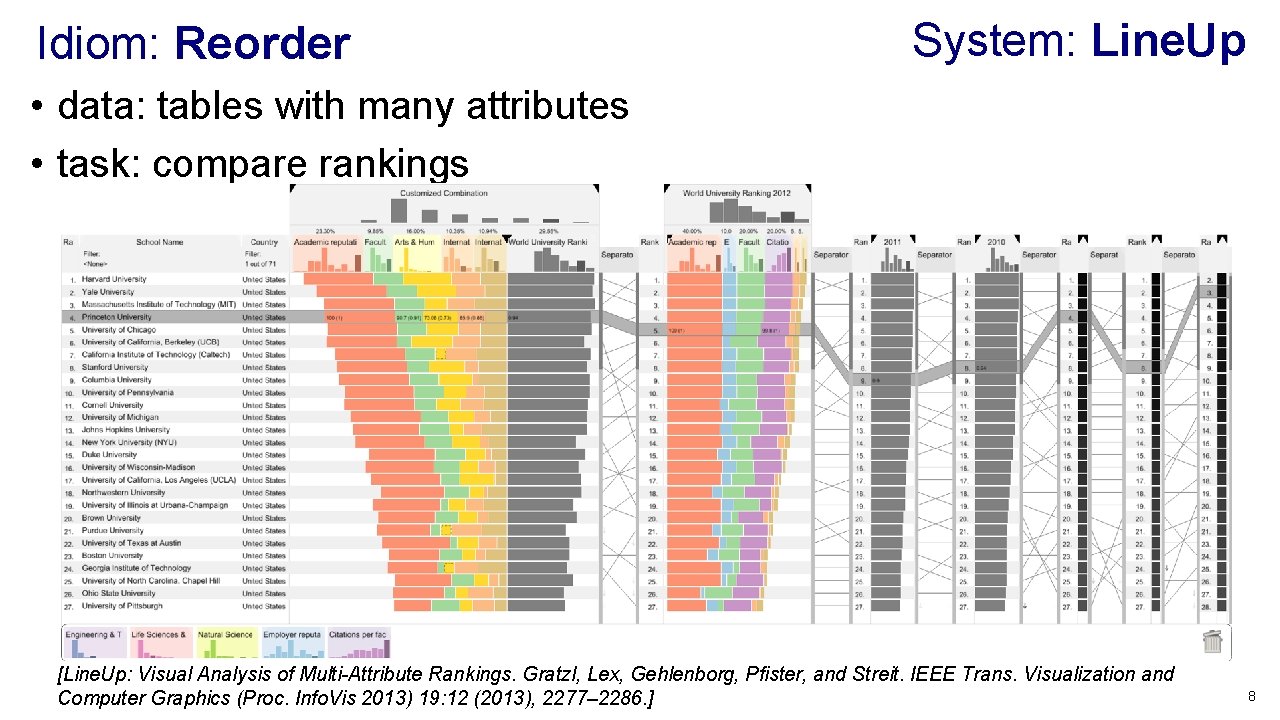
Idiom: Reorder System: Line. Up • data: tables with many attributes • task: compare rankings [Line. Up: Visual Analysis of Multi-Attribute Rankings. Gratzl, Lex, Gehlenborg, Pfister, and Streit. IEEE Trans. Visualization and Computer Graphics (Proc. Info. Vis 2013) 19: 12 (2013), 2277– 2286. ] 8
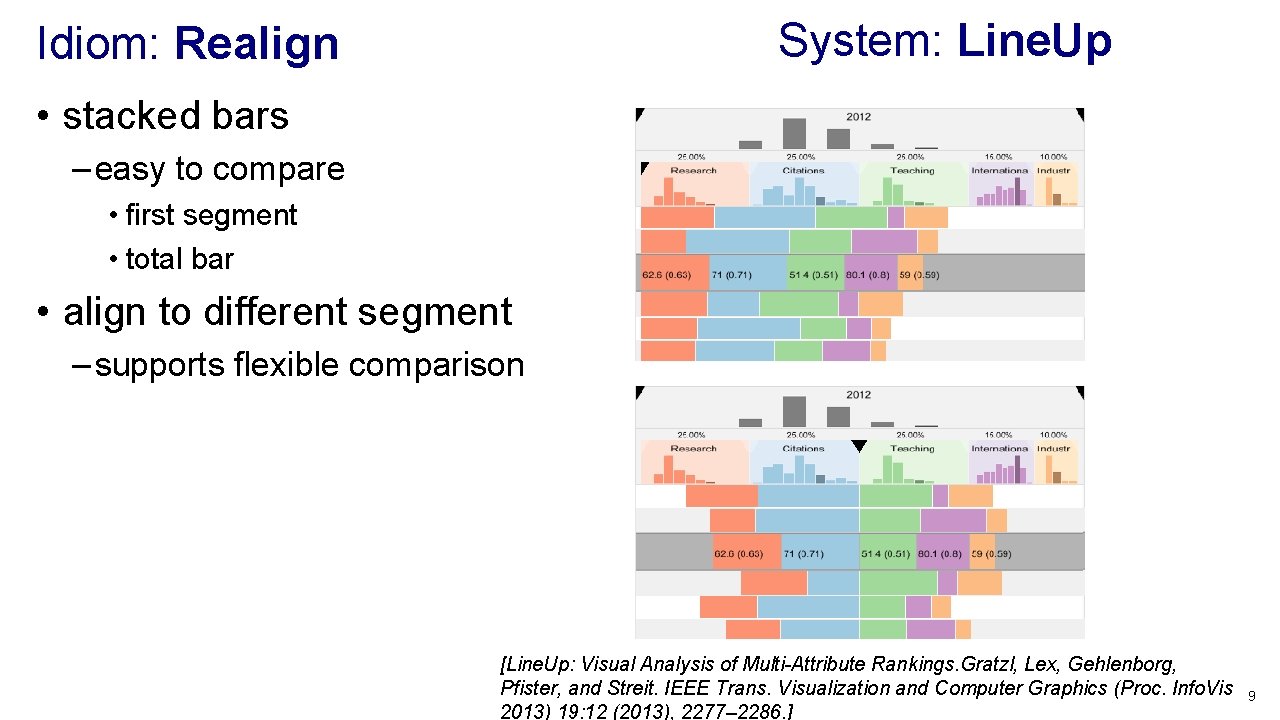
System: Line. Up Idiom: Realign • stacked bars – easy to compare • first segment • total bar • align to different segment – supports flexible comparison [Line. Up: Visual Analysis of Multi-Attribute Rankings. Gratzl, Lex, Gehlenborg, Pfister, and Streit. IEEE Trans. Visualization and Computer Graphics (Proc. Info. Vis 2013) 19: 12 (2013), 2277– 2286. ] 9
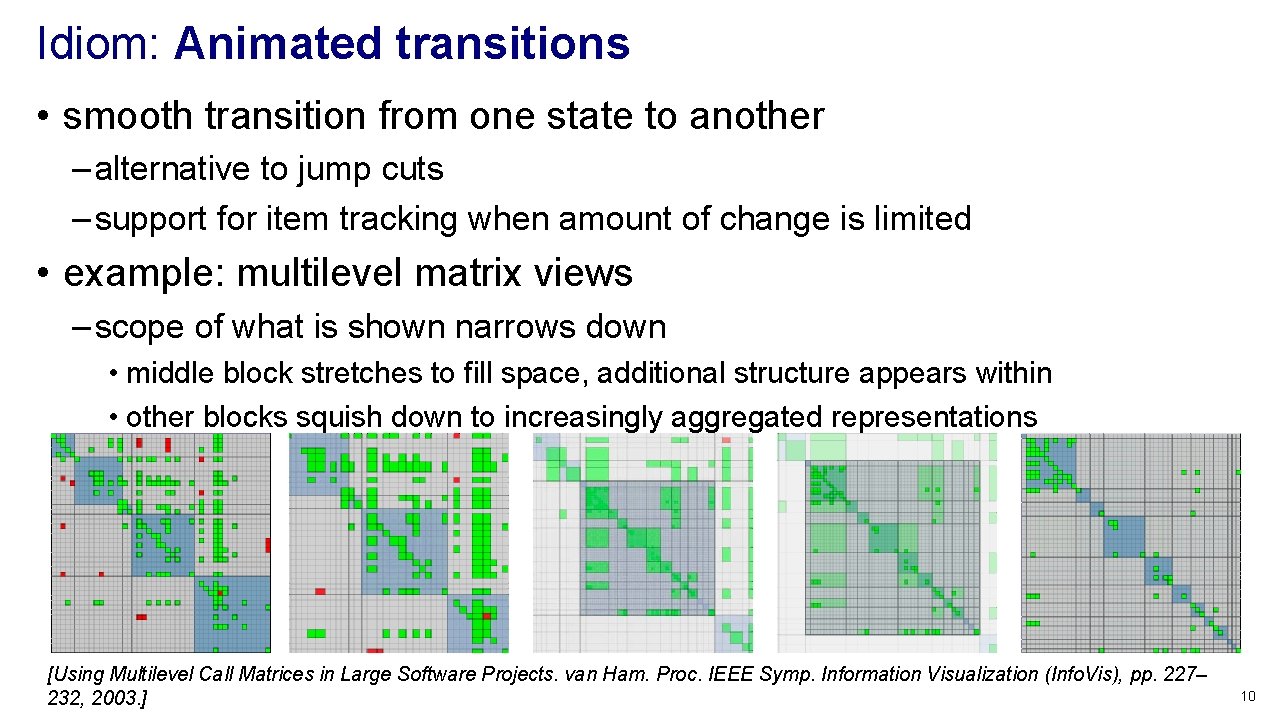
Idiom: Animated transitions • smooth transition from one state to another – alternative to jump cuts – support for item tracking when amount of change is limited • example: multilevel matrix views – scope of what is shown narrows down • middle block stretches to fill space, additional structure appears within • other blocks squish down to increasingly aggregated representations [Using Multilevel Call Matrices in Large Software Projects. van Ham. Proc. IEEE Symp. Information Visualization (Info. Vis), pp. 227– 232, 2003. ] 10
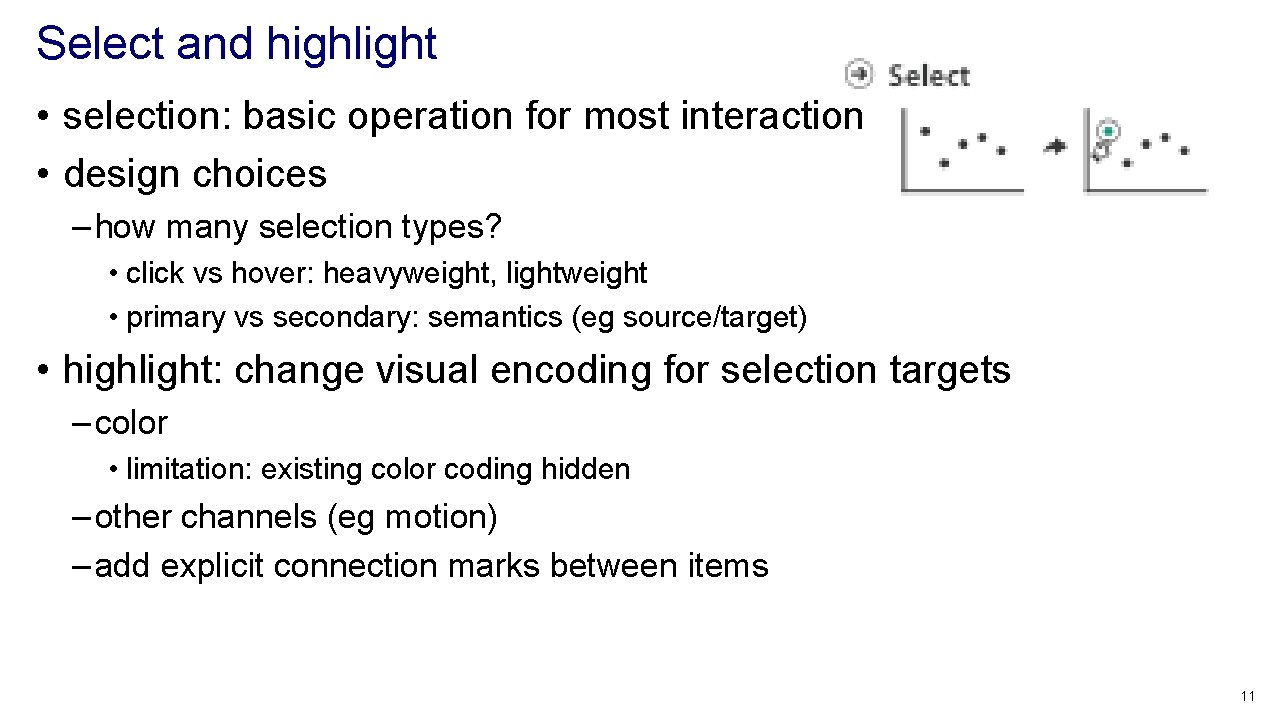
Select and highlight • selection: basic operation for most interaction • design choices – how many selection types? • click vs hover: heavyweight, lightweight • primary vs secondary: semantics (eg source/target) • highlight: change visual encoding for selection targets – color • limitation: existing color coding hidden – other channels (eg motion) – add explicit connection marks between items 11
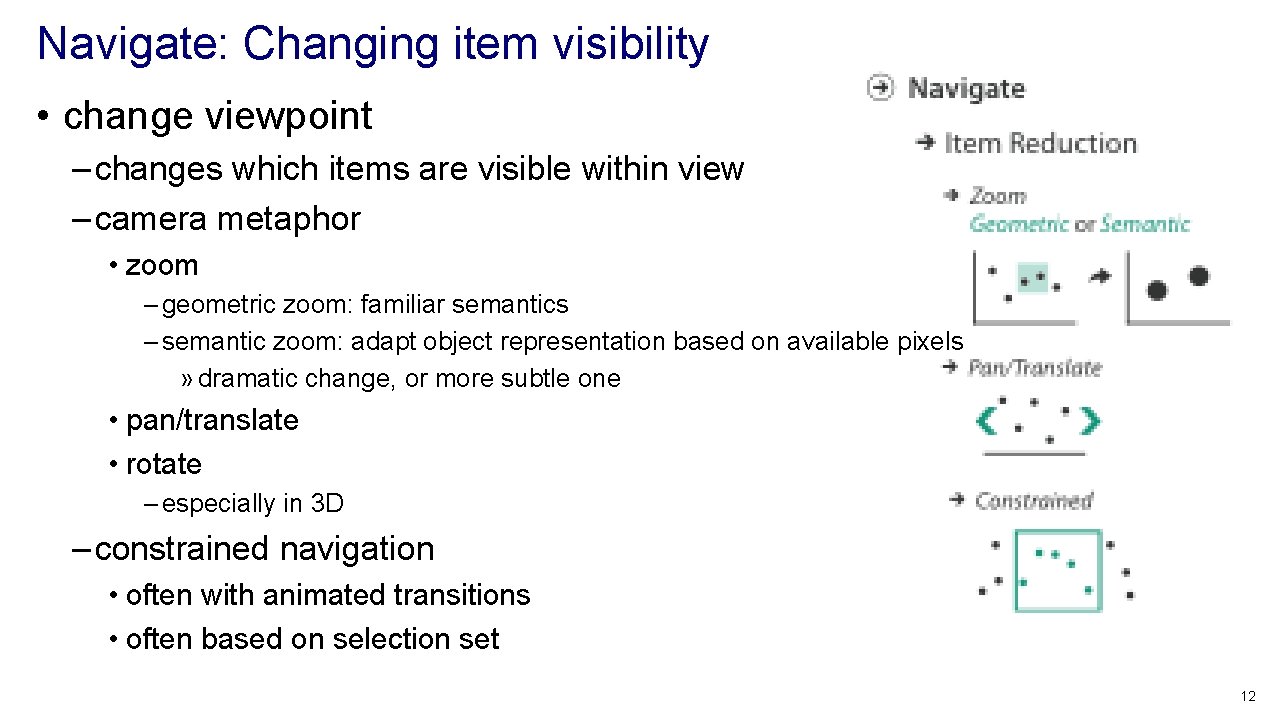
Navigate: Changing item visibility • change viewpoint – changes which items are visible within view – camera metaphor • zoom – geometric zoom: familiar semantics – semantic zoom: adapt object representation based on available pixels » dramatic change, or more subtle one • pan/translate • rotate – especially in 3 D – constrained navigation • often with animated transitions • often based on selection set 12
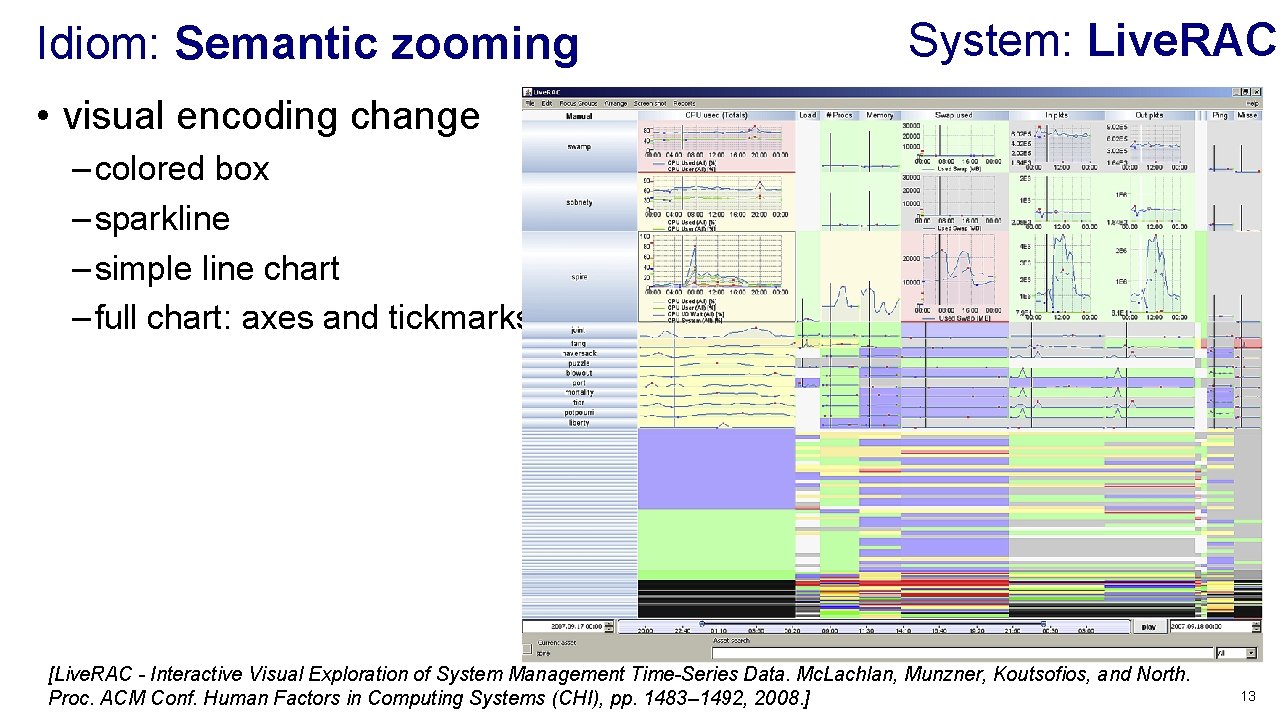
Idiom: Semantic zooming System: Live. RAC • visual encoding change – colored box – sparkline – simple line chart – full chart: axes and tickmarks [Live. RAC - Interactive Visual Exploration of System Management Time-Series Data. Mc. Lachlan, Munzner, Koutsofios, and North. Proc. ACM Conf. Human Factors in Computing Systems (CHI), pp. 1483– 1492, 2008. ] 13
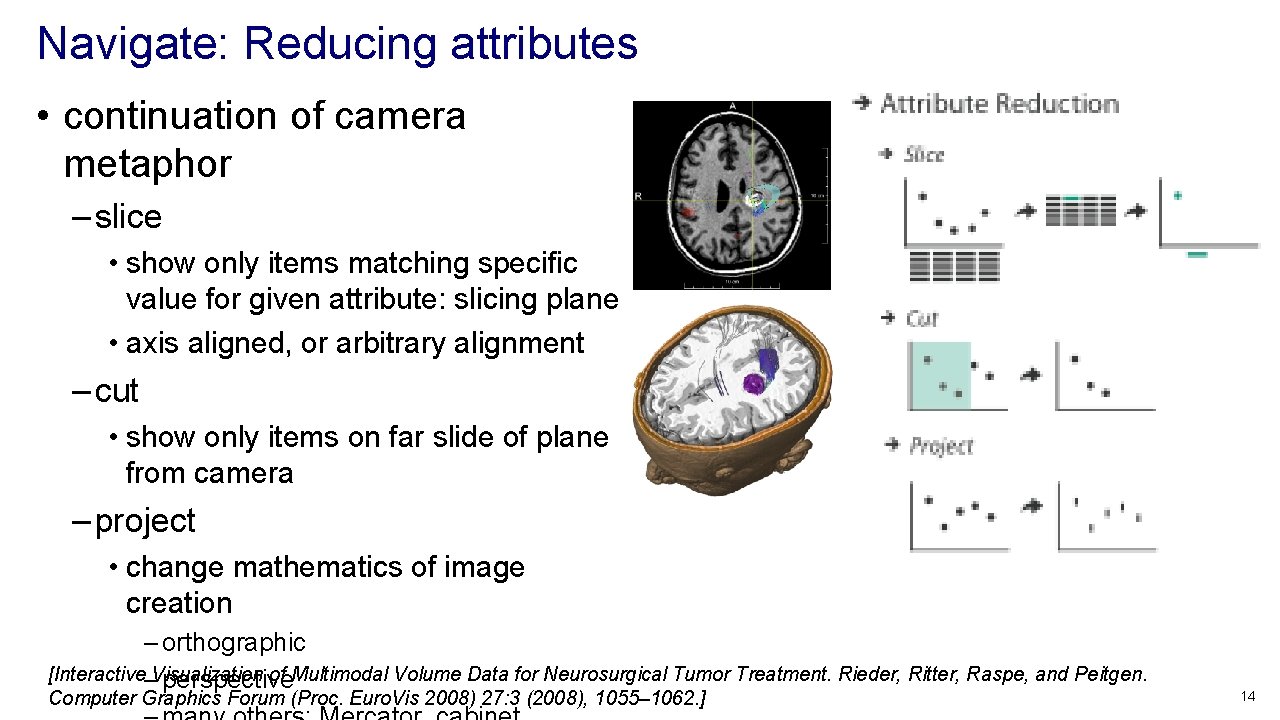
Navigate: Reducing attributes • continuation of camera metaphor – slice • show only items matching specific value for given attribute: slicing plane • axis aligned, or arbitrary alignment – cut • show only items on far slide of plane from camera – project • change mathematics of image creation – orthographic [Interactive–Visualization of Multimodal Volume Data for Neurosurgical Tumor Treatment. Rieder, Ritter, Raspe, and Peitgen. perspective Computer Graphics Forum (Proc. Euro. Vis 2008) 27: 3 (2008), 1055– 1062. ] 14
Further reading • Visualization Analysis and Design. Munzner. AK Peters / CRC Press, Oct 2014. – Chap 11: Manipulate View • Animated Transitions in Statistical Data Graphics. Heer and Robertson. IEEE Trans. on Visualization and Computer Graphics (Proc. Info. Vis 07) 13: 6 (2007), 1240– 1247. • Selection: 524, 288 Ways to Say “This is Interesting”. Wills. Proc. IEEE Symp. Information Visualization (Info. Vis), pp. 54– 61, 1996. • Smooth and efficient zooming and panning. van Wijk and Nuij. Proc. IEEE Symp. Information Visualization (Info. Vis), pp. 15– 22, 2003. • Starting Simple - adding value to static visualisation through simple interaction. Dix and Ellis. Proc. Advanced Visual Interfaces (AVI), pp. 124– 134, 1998. 15
Outline • Visualization Analysis Framework Session 1 9: 30 -10: 45 am – Introduction: Definitions – Analysis: What, Why, How – Marks and Channels • Idiom Design Choices, Part 2 Session 3 1: 15 pm-2: 45 pm – Manipulate: Change, Select, Navigate – Facet: Juxtapose, Partition, Superimpose – Reduce: Filter, Aggregate, Embed • Idiom Design Choices Session 2 11: 00 am-12: 15 pm – Arrange Tables http: //www. cs. ubc. ca/~tmm/talks. html#minicourse 14 16
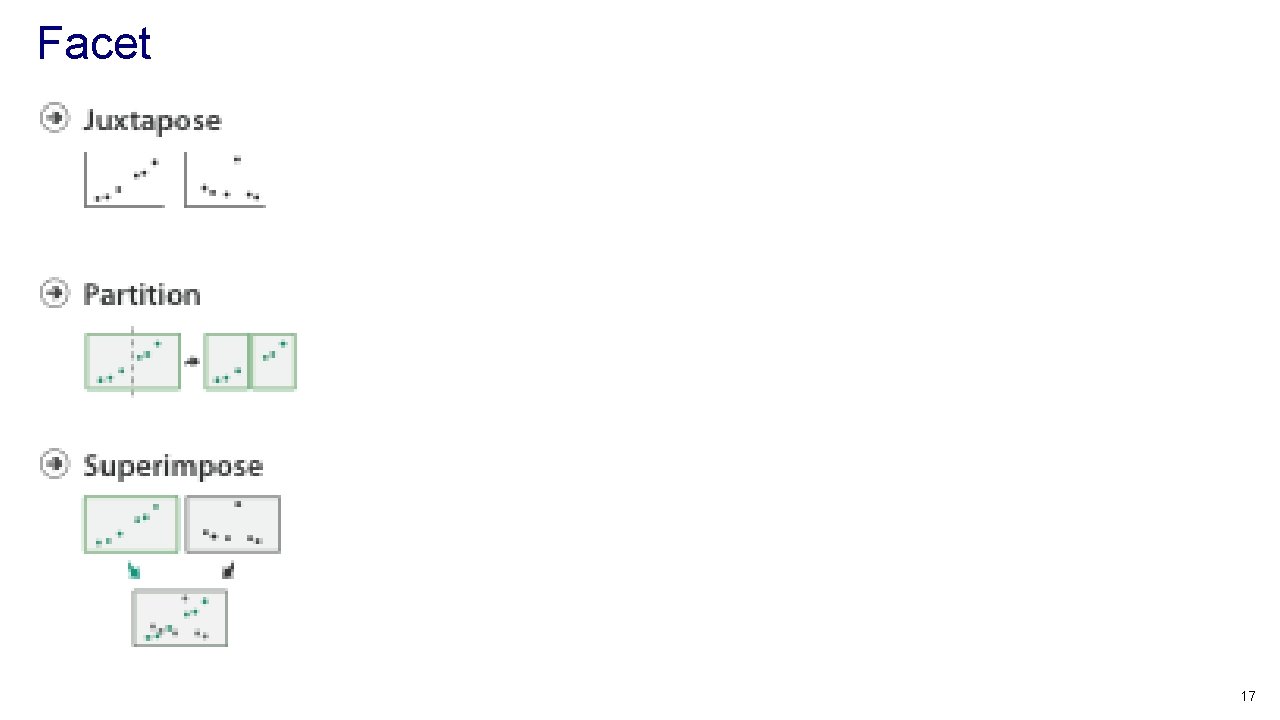
Facet 17
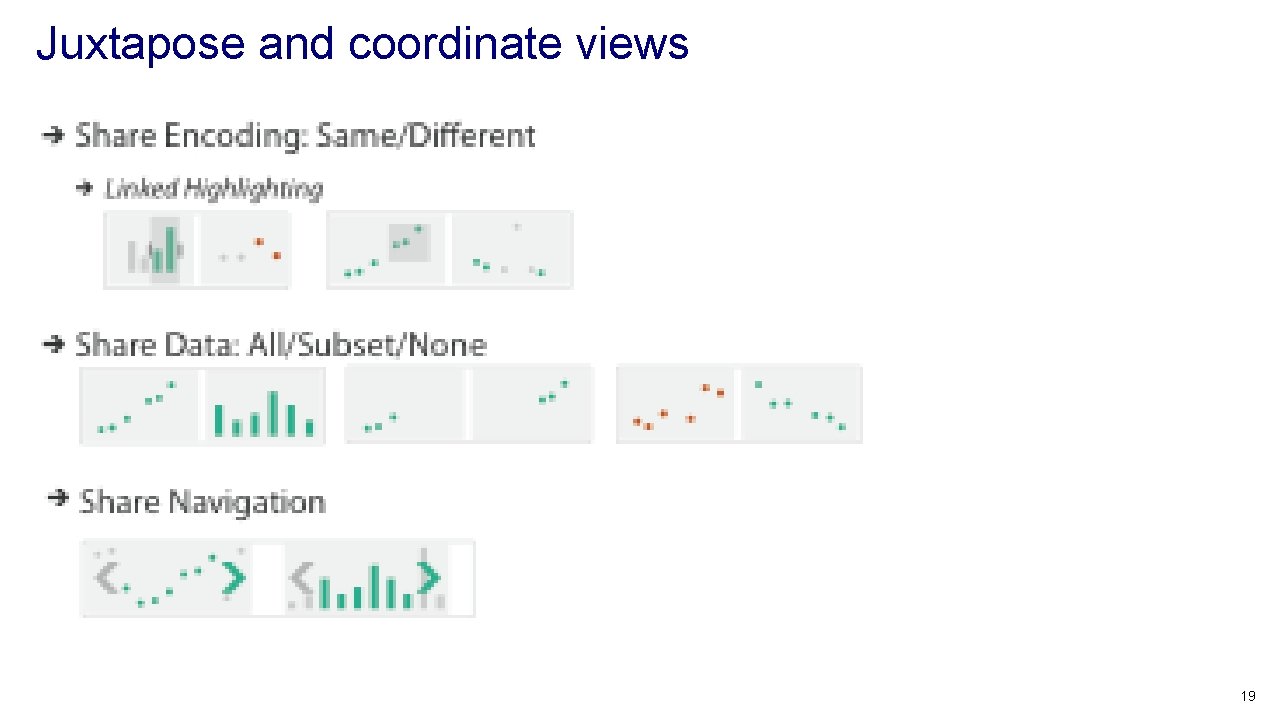
Juxtapose and coordinate views 19
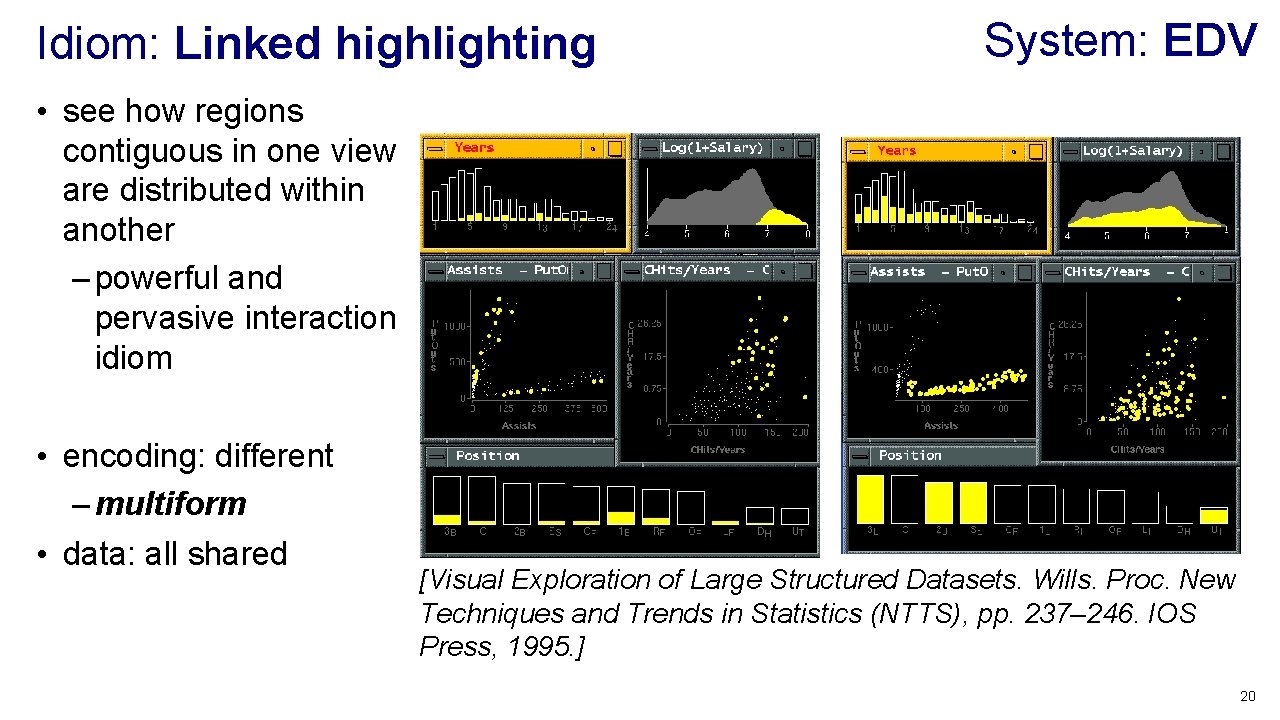
Idiom: Linked highlighting System: EDV • see how regions contiguous in one view are distributed within another – powerful and pervasive interaction idiom • encoding: different – multiform • data: all shared [Visual Exploration of Large Structured Datasets. Wills. Proc. New Techniques and Trends in Statistics (NTTS), pp. 237– 246. IOS Press, 1995. ] 20
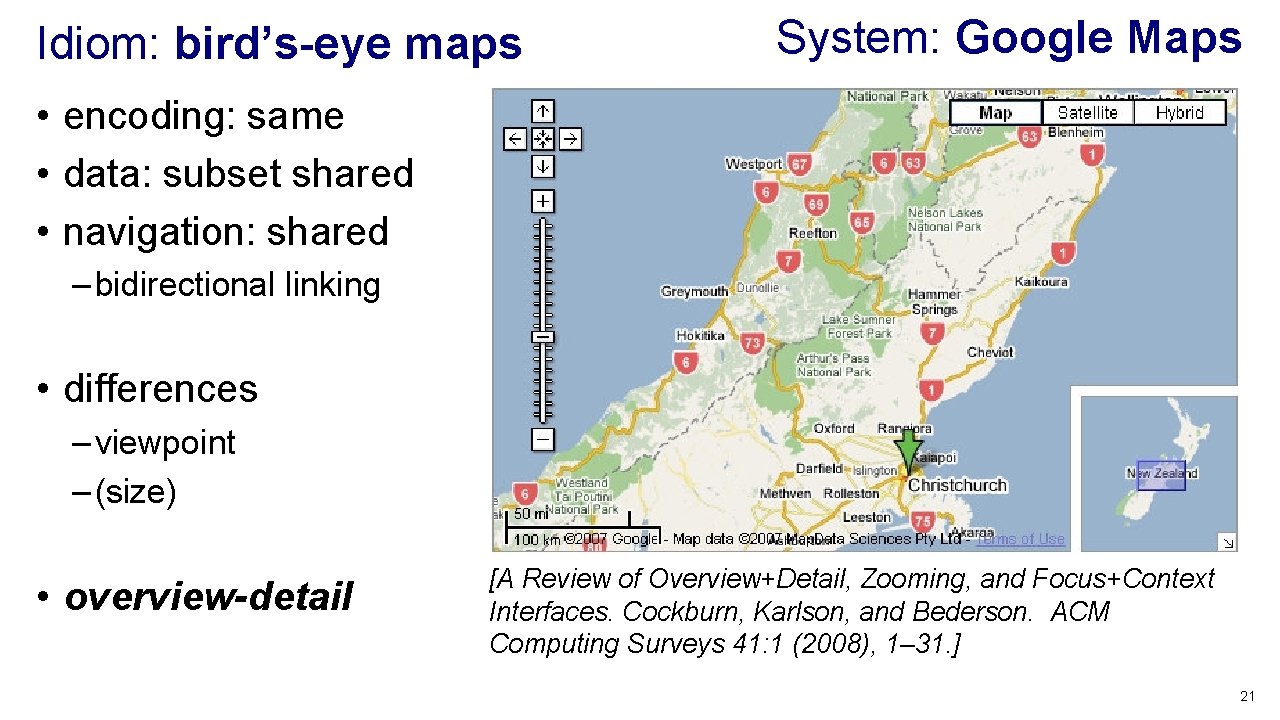
Idiom: bird’s-eye maps System: Google Maps • encoding: same • data: subset shared • navigation: shared – bidirectional linking • differences – viewpoint – (size) • overview-detail [A Review of Overview+Detail, Zooming, and Focus+Context Interfaces. Cockburn, Karlson, and Bederson. ACM Computing Surveys 41: 1 (2008), 1– 31. ] 21
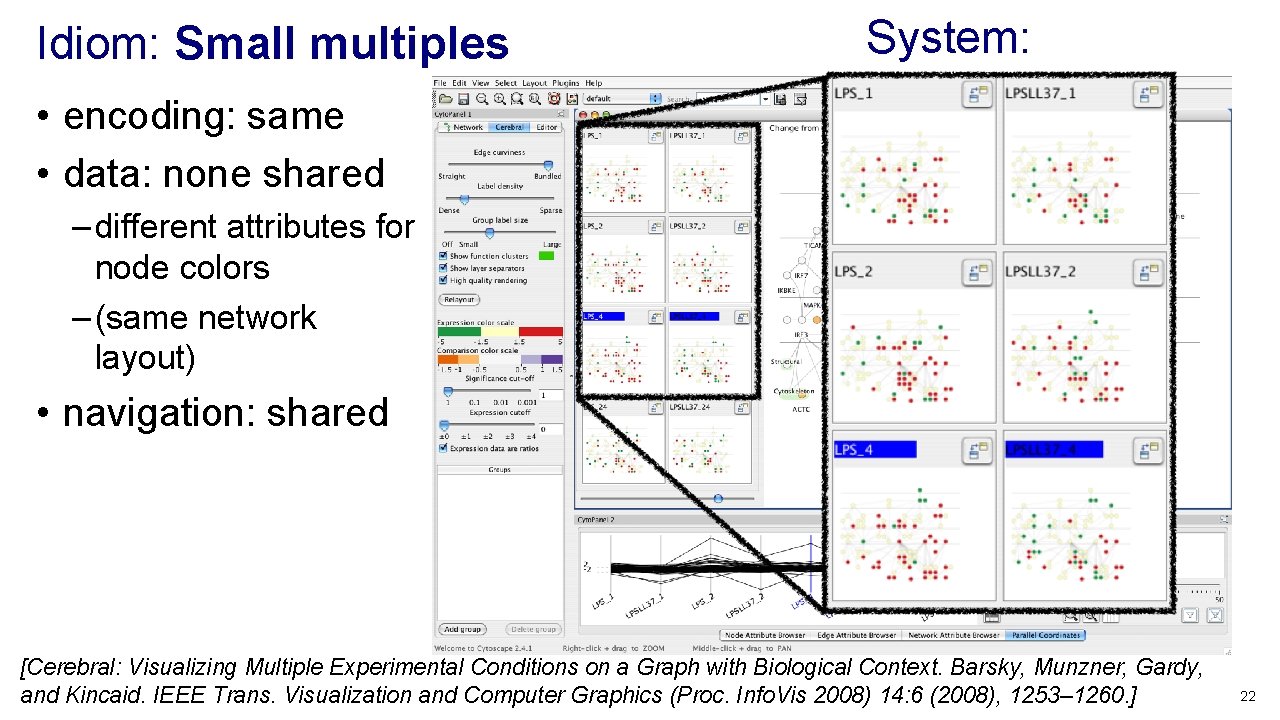
Idiom: Small multiples • encoding: same • data: none shared System: Cerebral – different attributes for node colors – (same network layout) • navigation: shared [Cerebral: Visualizing Multiple Experimental Conditions on a Graph with Biological Context. Barsky, Munzner, Gardy, and Kincaid. IEEE Trans. Visualization and Computer Graphics (Proc. Info. Vis 2008) 14: 6 (2008), 1253– 1260. ] 22
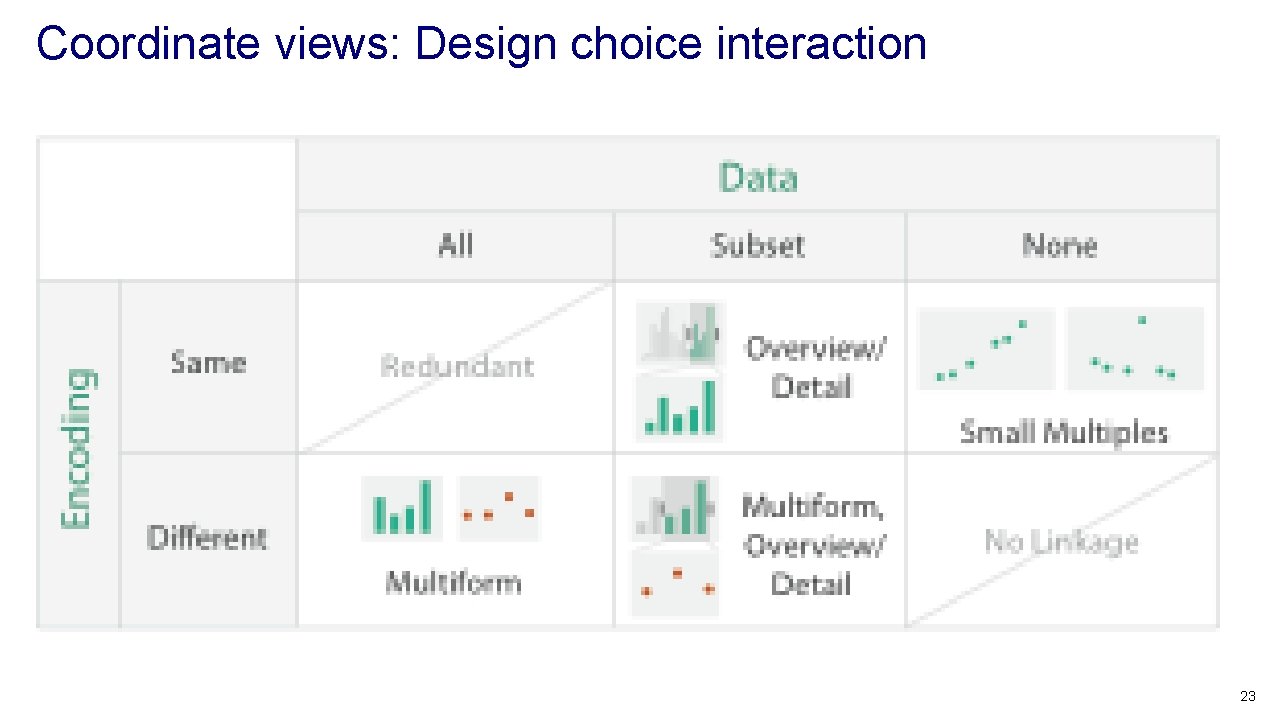
Coordinate views: Design choice interaction 23
Juxtapose design choices • design choices – view count • few vs many – how many is too many? open research question – view visibility • always side by side vs temporary popups – view arrangement • user managed vs system arranges/aligns • why juxtapose views? – benefits: eyes vs memory • lower cognitive load to move eyes between 2 views than remembering previous state with 1 – costs: display area 24
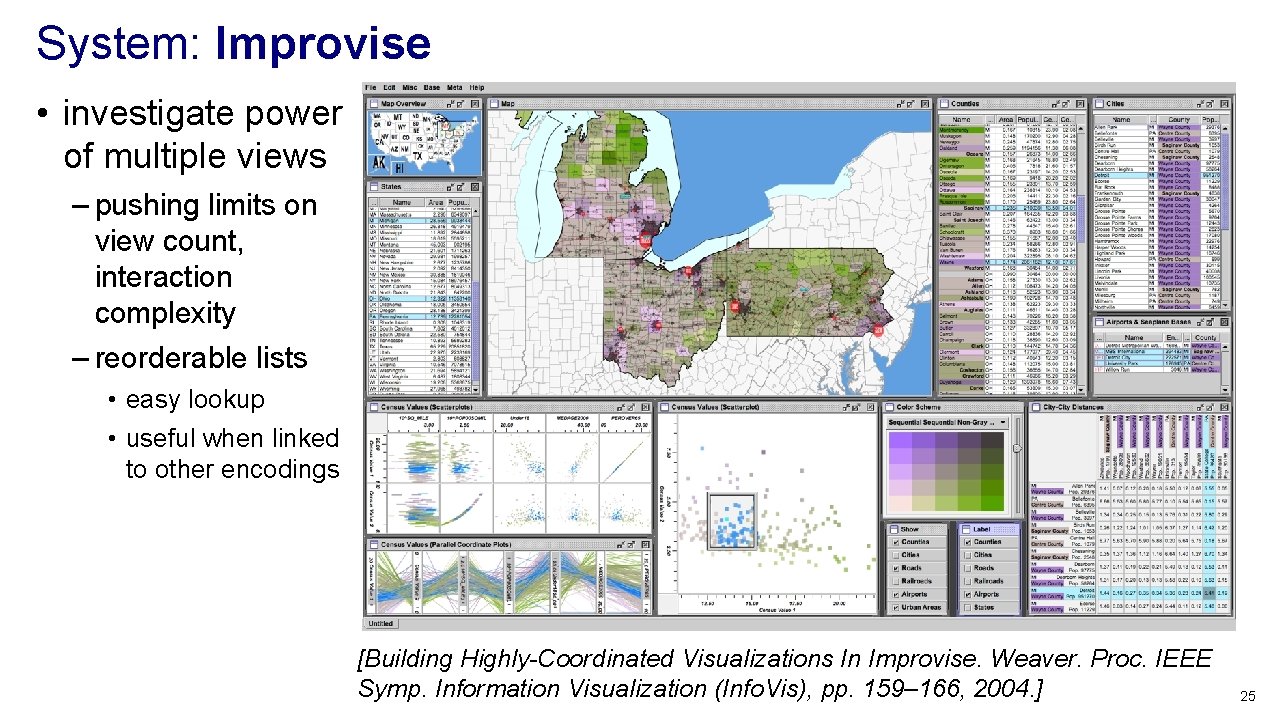
System: Improvise • investigate power of multiple views – pushing limits on view count, interaction complexity – reorderable lists • easy lookup • useful when linked to other encodings [Building Highly-Coordinated Visualizations In Improvise. Weaver. Proc. IEEE Symp. Information Visualization (Info. Vis), pp. 159– 166, 2004. ] 25
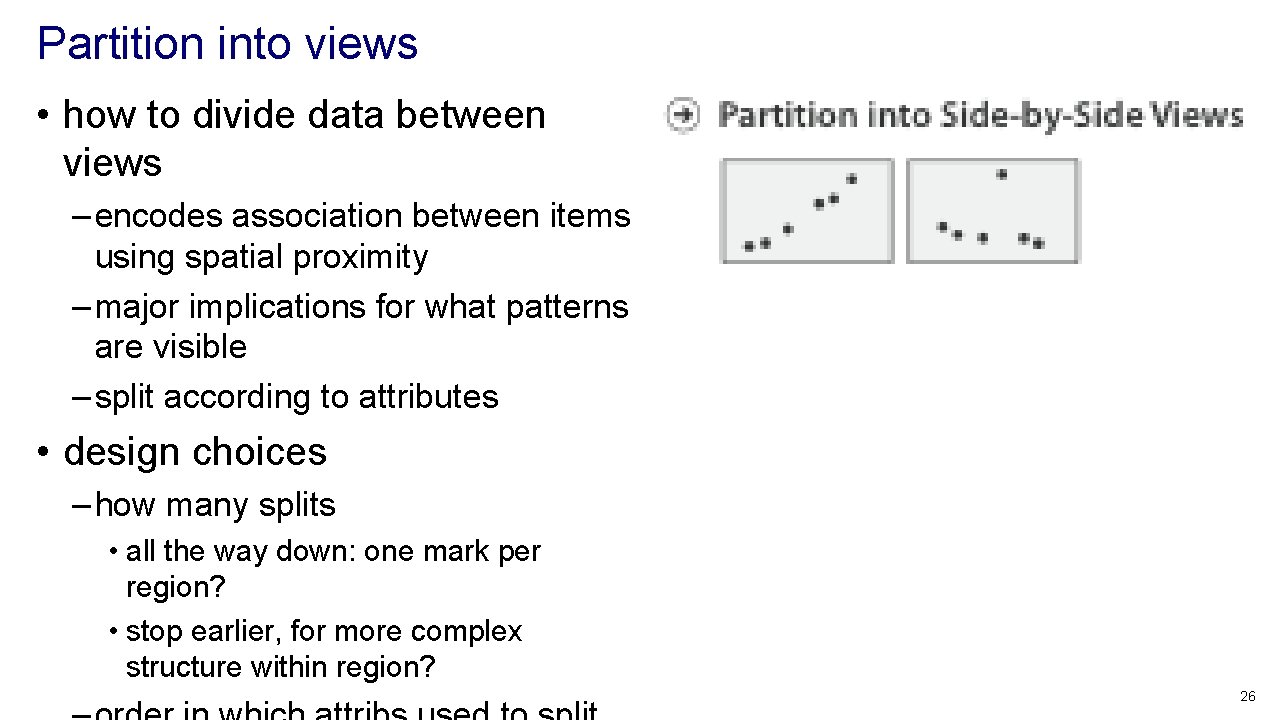
Partition into views • how to divide data between views – encodes association between items using spatial proximity – major implications for what patterns are visible – split according to attributes • design choices – how many splits • all the way down: one mark per region? • stop earlier, for more complex structure within region? 26
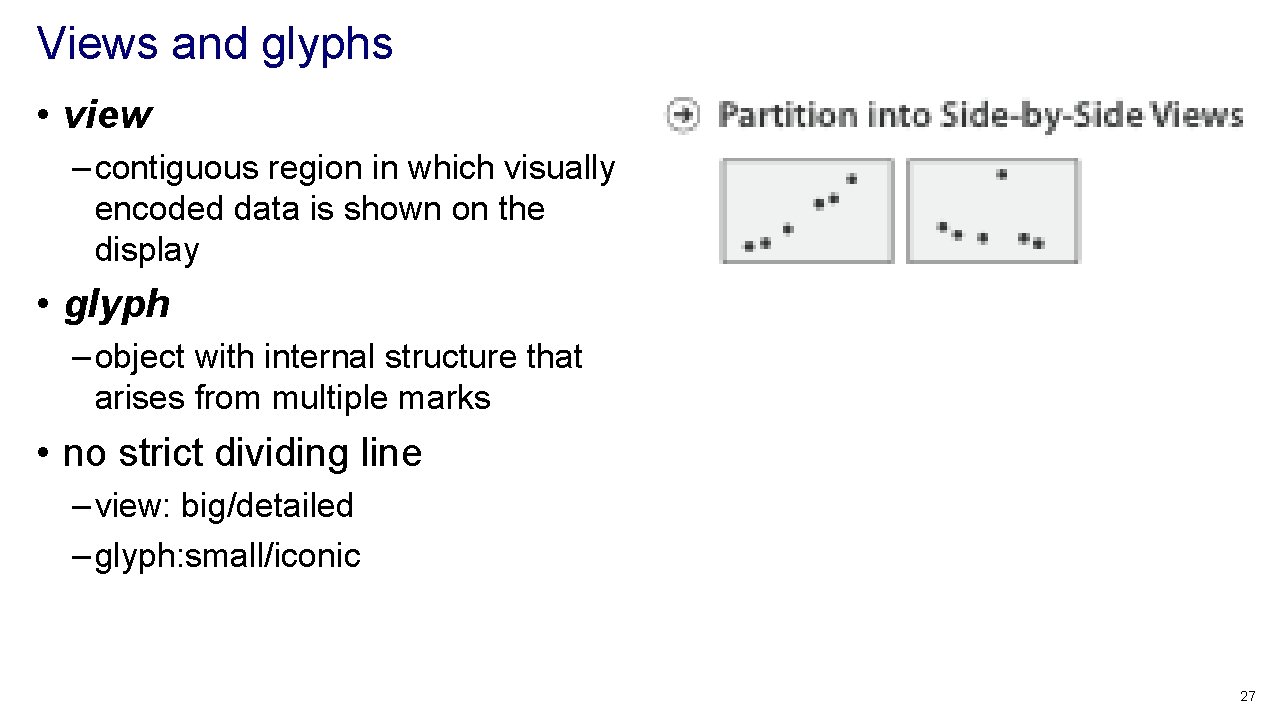
Views and glyphs • view – contiguous region in which visually encoded data is shown on the display • glyph – object with internal structure that arises from multiple marks • no strict dividing line – view: big/detailed – glyph: small/iconic 27
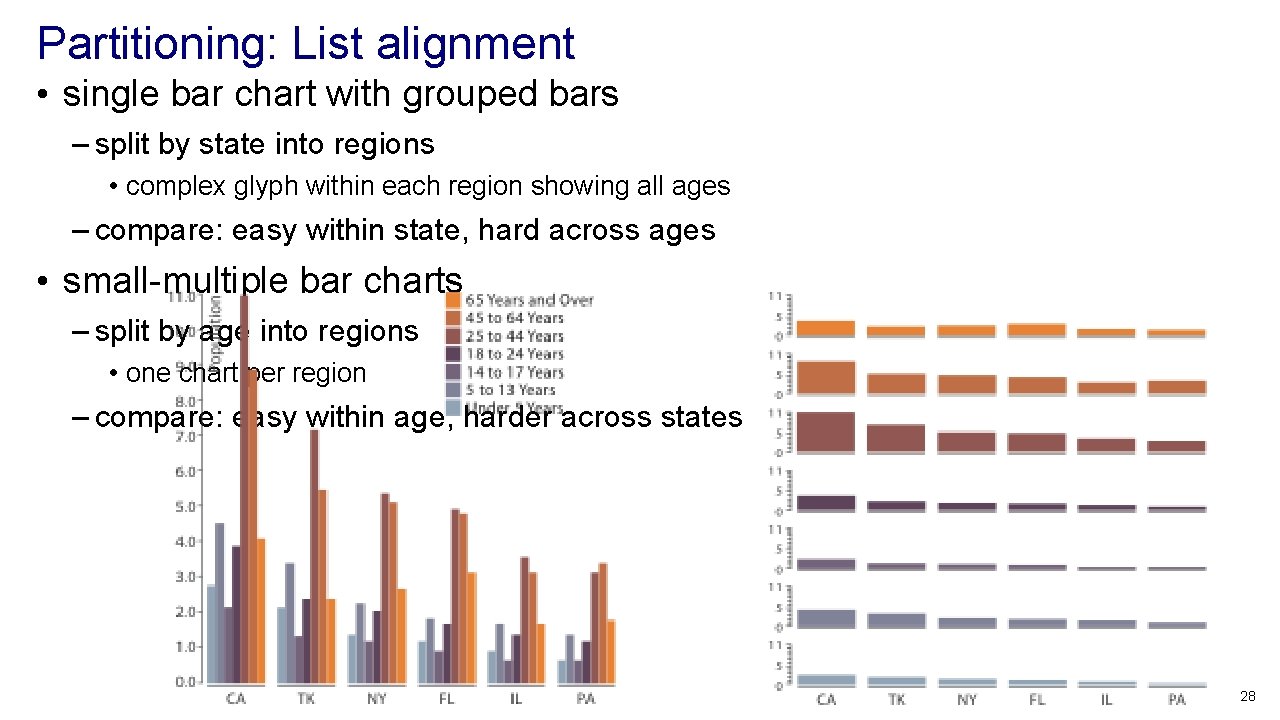
Partitioning: List alignment • single bar chart with grouped bars – split by state into regions • complex glyph within each region showing all ages – compare: easy within state, hard across ages • small-multiple bar charts – split by age into regions • one chart per region – compare: easy within age, harder across states 28
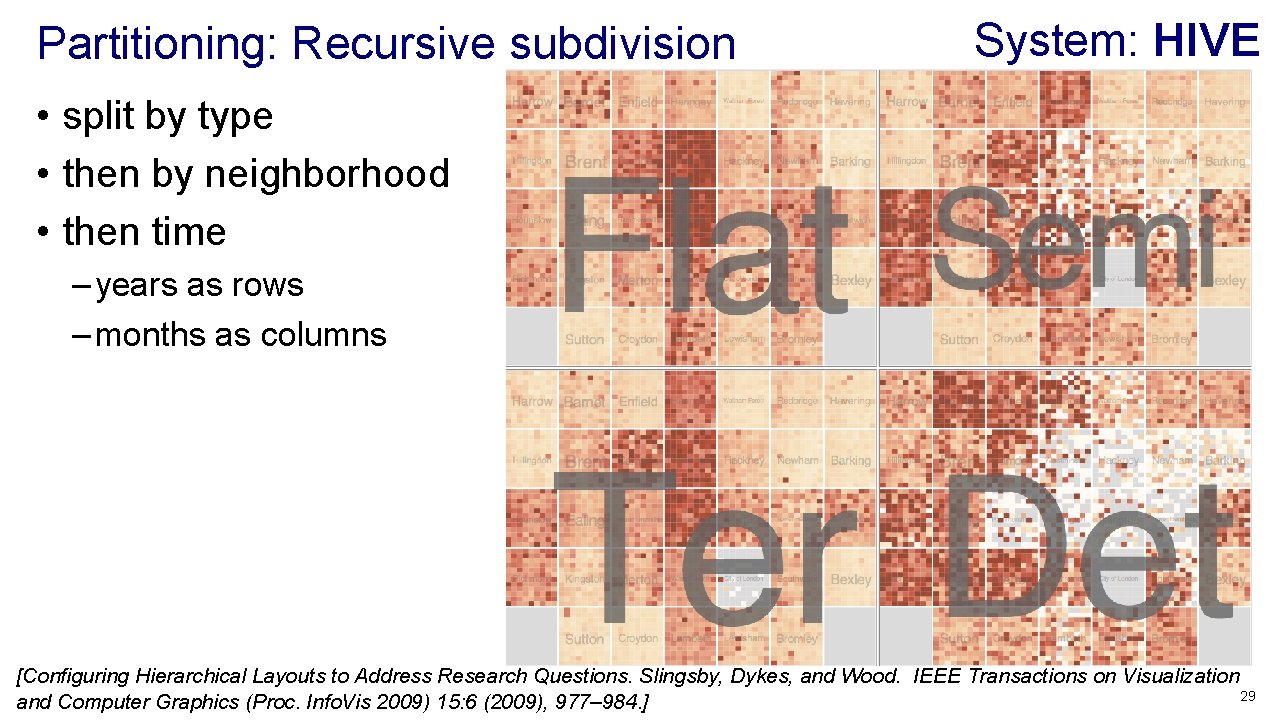
Partitioning: Recursive subdivision System: HIVE • split by type • then by neighborhood • then time – years as rows – months as columns [Configuring Hierarchical Layouts to Address Research Questions. Slingsby, Dykes, and Wood. IEEE Transactions on Visualization 29 and Computer Graphics (Proc. Info. Vis 2009) 15: 6 (2009), 977– 984. ]
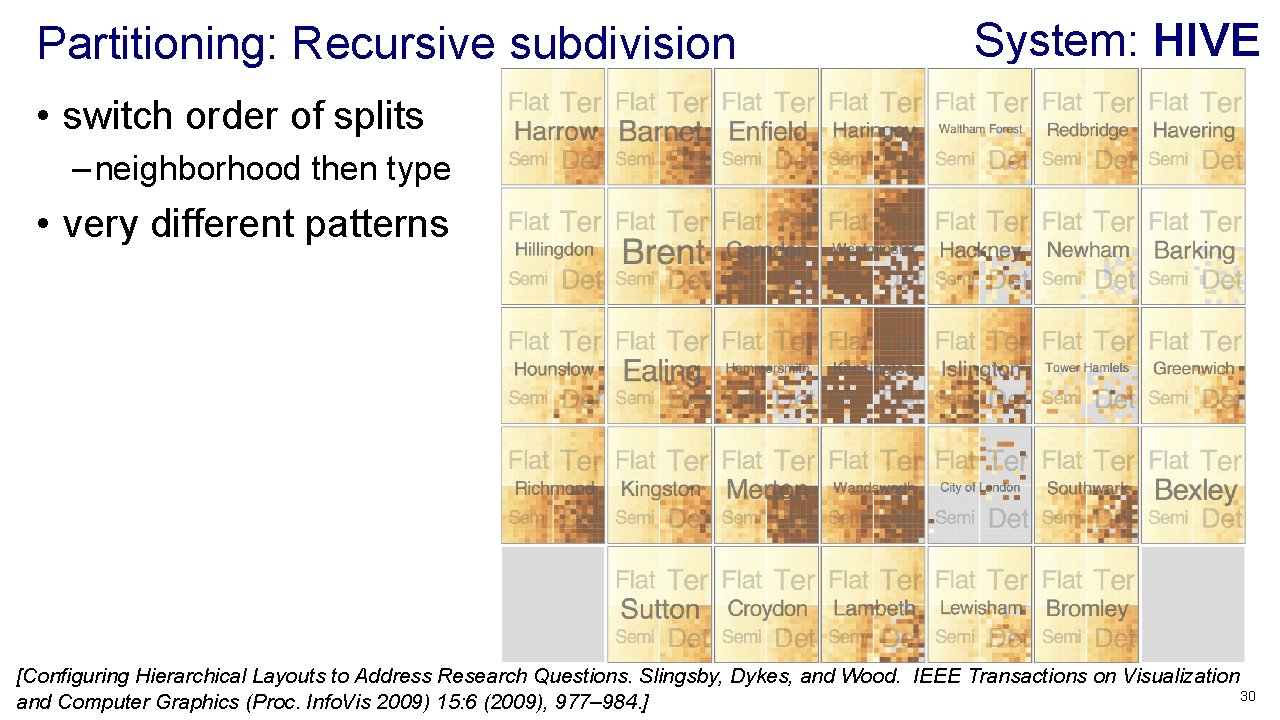
Partitioning: Recursive subdivision System: HIVE • switch order of splits – neighborhood then type • very different patterns [Configuring Hierarchical Layouts to Address Research Questions. Slingsby, Dykes, and Wood. IEEE Transactions on Visualization 30 and Computer Graphics (Proc. Info. Vis 2009) 15: 6 (2009), 977– 984. ]
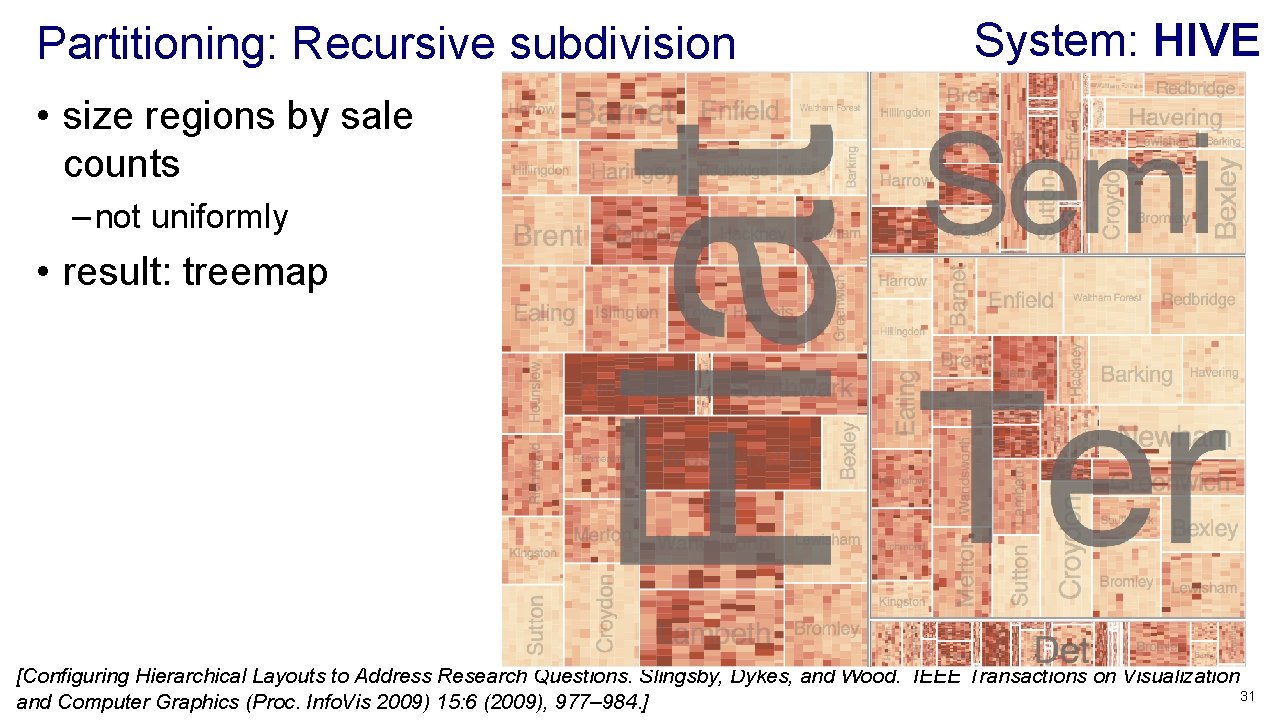
Partitioning: Recursive subdivision System: HIVE • size regions by sale counts – not uniformly • result: treemap [Configuring Hierarchical Layouts to Address Research Questions. Slingsby, Dykes, and Wood. IEEE Transactions on Visualization 31 and Computer Graphics (Proc. Info. Vis 2009) 15: 6 (2009), 977– 984. ]
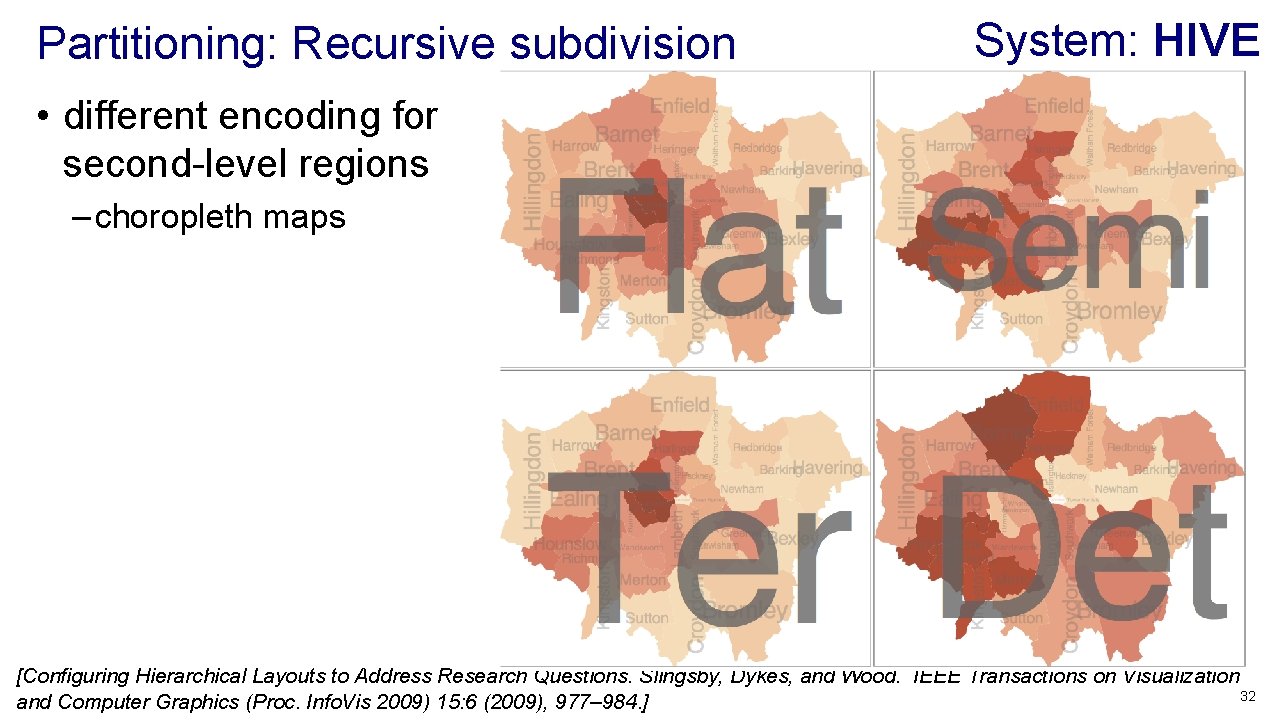
Partitioning: Recursive subdivision System: HIVE • different encoding for second-level regions – choropleth maps [Configuring Hierarchical Layouts to Address Research Questions. Slingsby, Dykes, and Wood. IEEE Transactions on Visualization 32 and Computer Graphics (Proc. Info. Vis 2009) 15: 6 (2009), 977– 984. ]
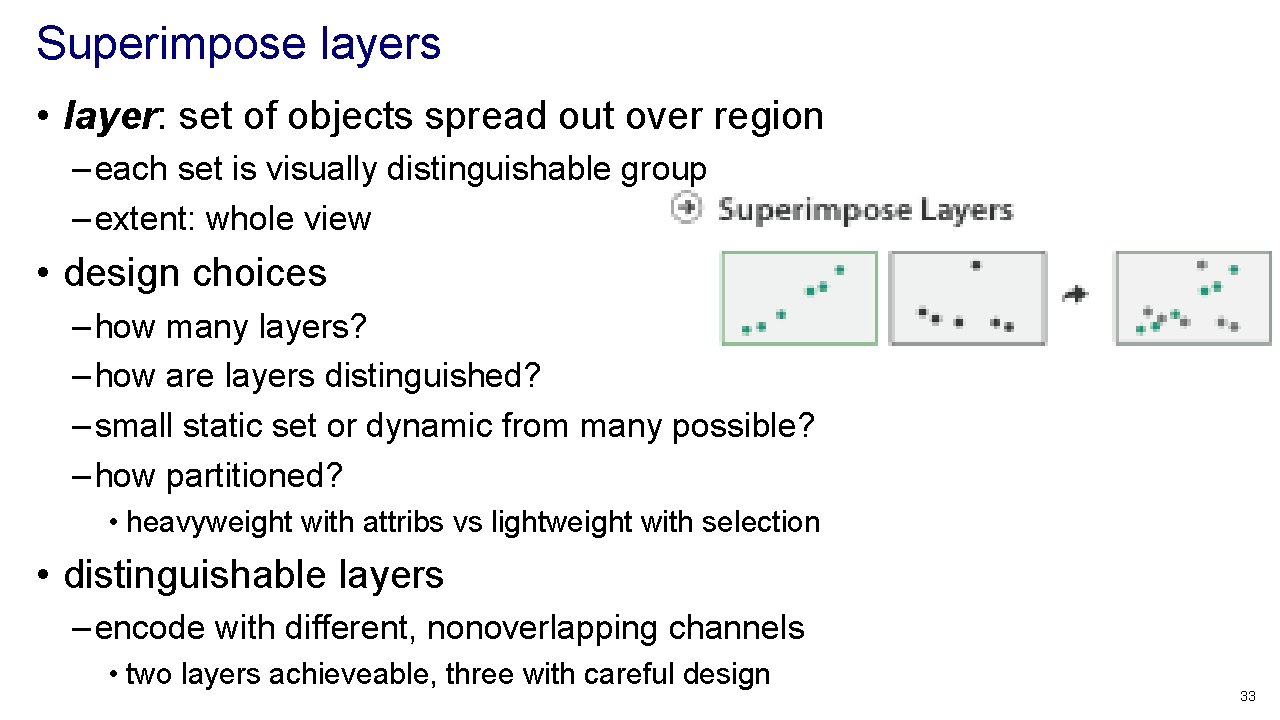
Superimpose layers • layer: set of objects spread out over region – each set is visually distinguishable group – extent: whole view • design choices – how many layers? – how are layers distinguished? – small static set or dynamic from many possible? – how partitioned? • heavyweight with attribs vs lightweight with selection • distinguishable layers – encode with different, nonoverlapping channels • two layers achieveable, three with careful design 33
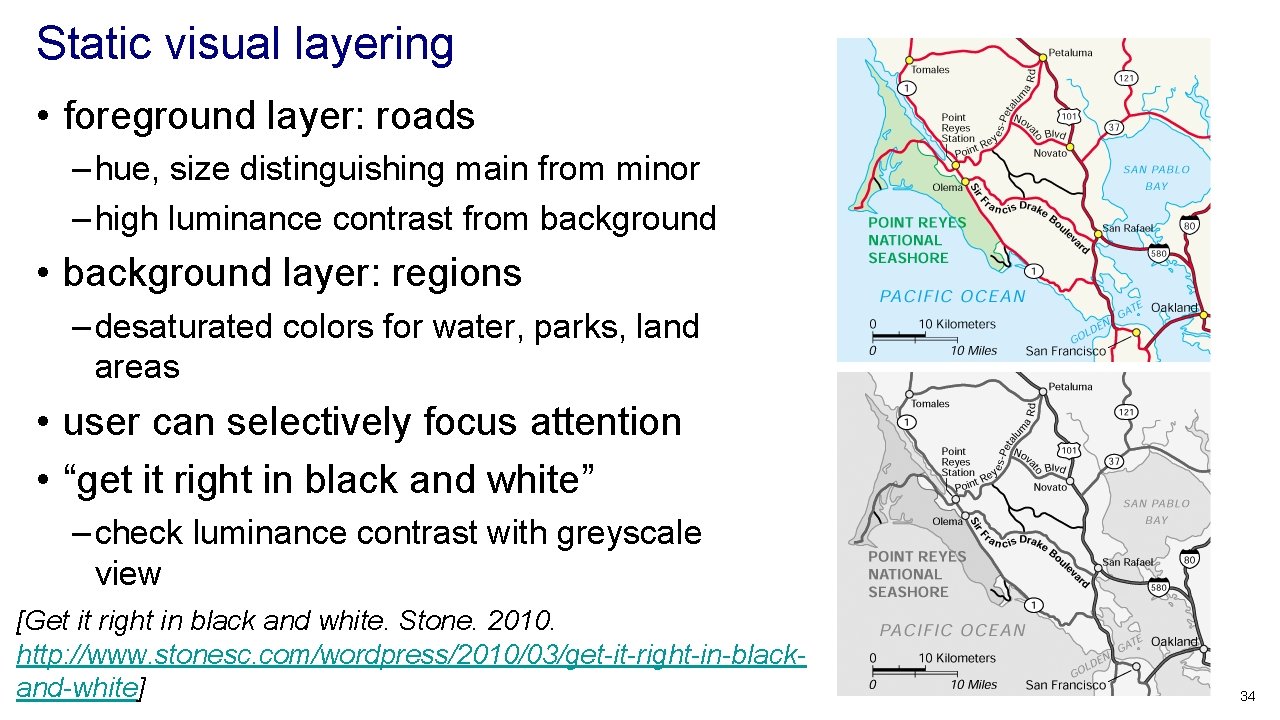
Static visual layering • foreground layer: roads – hue, size distinguishing main from minor – high luminance contrast from background • background layer: regions – desaturated colors for water, parks, land areas • user can selectively focus attention • “get it right in black and white” – check luminance contrast with greyscale view [Get it right in black and white. Stone. 2010. http: //www. stonesc. com/wordpress/2010/03/get-it-right-in-blackand-white] 34
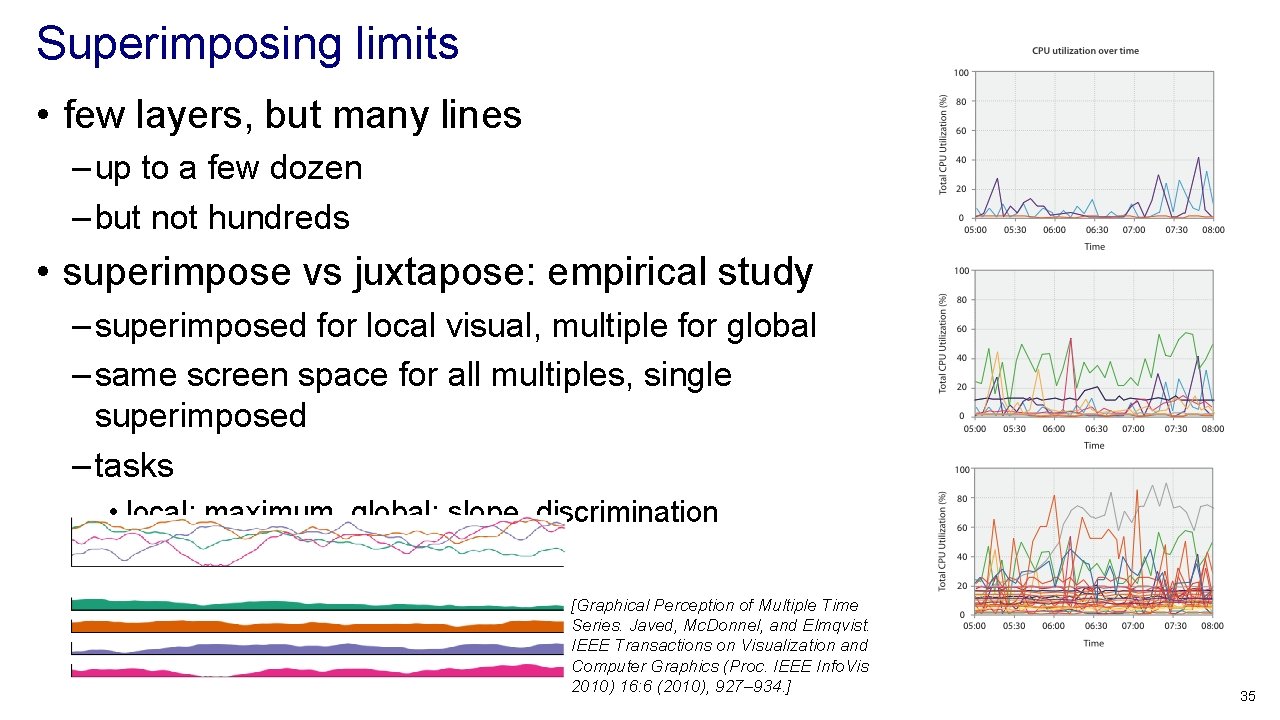
Superimposing limits • few layers, but many lines – up to a few dozen – but not hundreds • superimpose vs juxtapose: empirical study – superimposed for local visual, multiple for global – same screen space for all multiples, single superimposed – tasks • local: maximum, global: slope, discrimination [Graphical Perception of Multiple Time Series. Javed, Mc. Donnel, and Elmqvist. IEEE Transactions on Visualization and Computer Graphics (Proc. IEEE Info. Vis 2010) 16: 6 (2010), 927– 934. ] 35
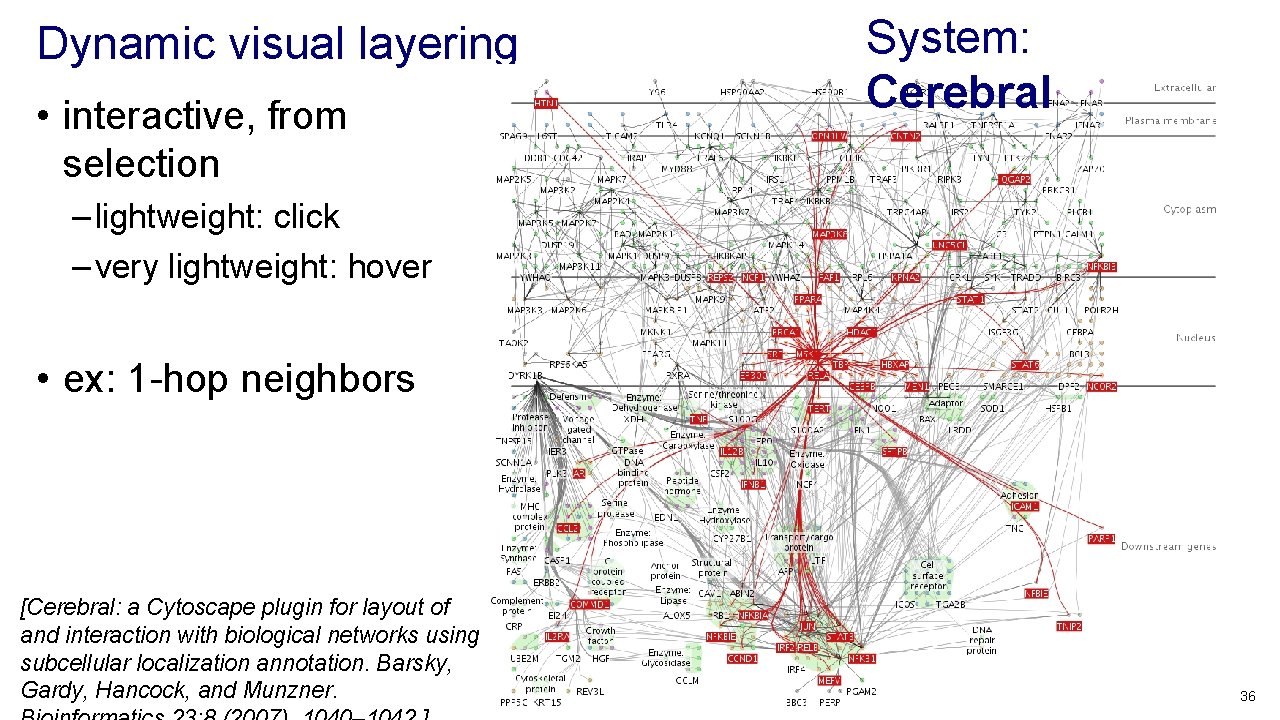
Dynamic visual layering • interactive, from selection System: Cerebral – lightweight: click – very lightweight: hover • ex: 1 -hop neighbors [Cerebral: a Cytoscape plugin for layout of and interaction with biological networks using subcellular localization annotation. Barsky, Gardy, Hancock, and Munzner. 36
Further reading • Visualization Analysis and Design. Munzner. AK Peters / CRC Press, Oct 2014. – Chap 12: Facet Into Multiple Views • A Review of Overview+Detail, Zooming, and Focus+Context Interfaces. Cockburn, Karlson, and Bederson. ACM Computing Surveys 41: 1 (2008), 1– 31. • A Guide to Visual Multi-Level Interface Design From Synthesis of Empirical Study Evidence. Lam and Munzner. Synthesis Lectures on Visualization Series, Morgan Claypool, 2010. • Zooming versus multiple window interfaces: Cognitive costs of visual comparisons. Plumlee and Ware. ACM Trans. on Computer-Human Interaction (To. CHI) 13: 2 (2006), 179– 209. • Exploring the Design Space of Composite Visualization. Javed and Elmqvist. Proc. Pacific Visualization Symp. (Pacific. Vis), pp. 1– 9, 2012. • Visual Comparison for Information Visualization. Gleicher, Albers, Walker, Jusufi, Hansen, and Roberts. Information Visualization 10: 4 (2011), 289– 309. • Guidelines for Using Multiple Views in Information Visualizations. Baldonado, Woodruff, and Kuchinsky. In Proc. ACM Advanced Visual Interfaces (AVI), pp. 110– 119, 2000. • Cross-Filtered Views for Multidimensional Visual Analysis. Weaver. IEEE Trans. Visualization and Computer Graphics 16: 2 (Proc. Info. Vis 2010), 192– 204, 2010. • Linked Data Views. Wills. In Handbook of Data Visualization, Computational Statistics, edited by Unwin, Chen, and Härdle, pp. 216– 241. Springer-Verlag, 2008. • Glyph-based Visualization: Foundations, Design Guidelines, Techniques and Applications. Borgo, Kehrer, Chung, Maguire, Laramee, Hauser, Ward, and Chen. In Eurographics State of the Art Reports, pp. 39– 63, 2013. 37
Outline • Visualization Analysis Framework Session 1 9: 30 -10: 45 am – Introduction: Definitions – Analysis: What, Why, How – Marks and Channels • Idiom Design Choices, Part 2 Session 3 1: 15 pm-2: 45 pm – Manipulate: Change, Select, Navigate – Facet: Juxtapose, Partition, Superimpose – Reduce: Filter, Aggregate, Embed • Idiom Design Choices Session 2 11: 00 am-12: 15 pm – Arrange Tables http: //www. cs. ubc. ca/~tmm/talks. html#minicourse 14 38
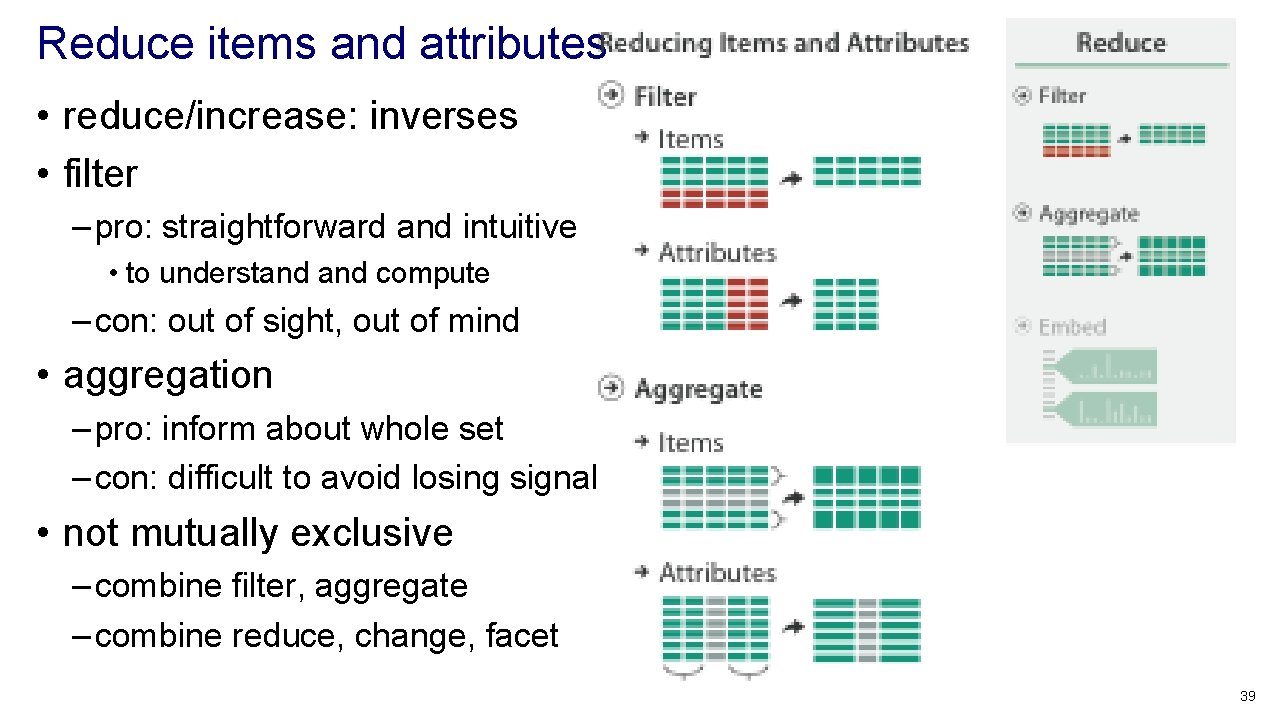
Reduce items and attributes • reduce/increase: inverses • filter – pro: straightforward and intuitive • to understand compute – con: out of sight, out of mind • aggregation – pro: inform about whole set – con: difficult to avoid losing signal • not mutually exclusive – combine filter, aggregate – combine reduce, change, facet 39
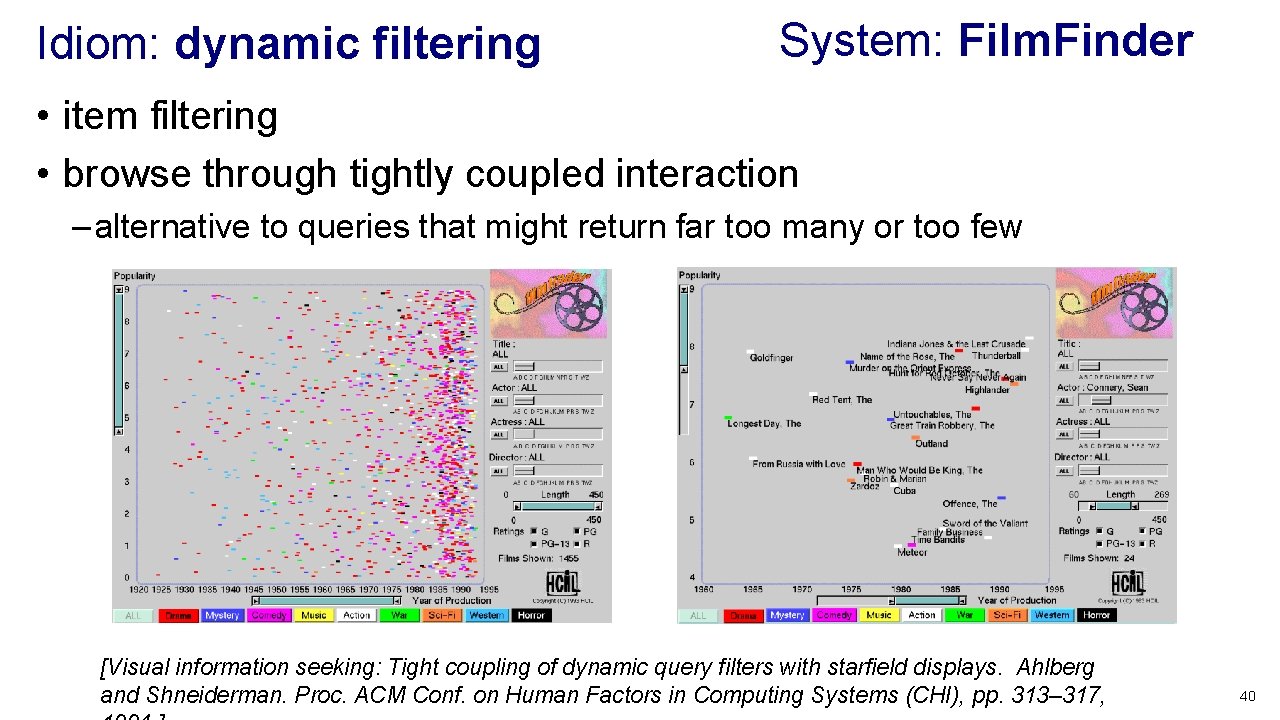
Idiom: dynamic filtering System: Film. Finder • item filtering • browse through tightly coupled interaction – alternative to queries that might return far too many or too few [Visual information seeking: Tight coupling of dynamic query filters with starfield displays. Ahlberg and Shneiderman. Proc. ACM Conf. on Human Factors in Computing Systems (CHI), pp. 313– 317, 40
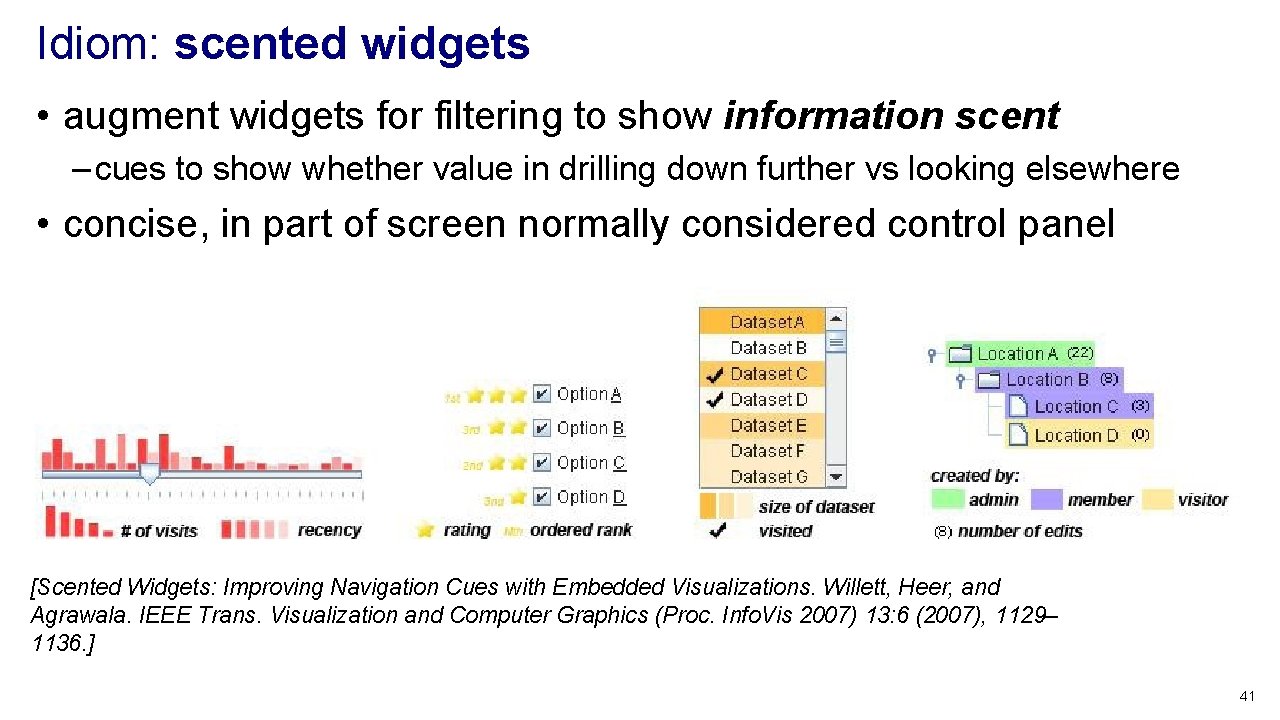
Idiom: scented widgets • augment widgets for filtering to show information scent – cues to show whether value in drilling down further vs looking elsewhere • concise, in part of screen normally considered control panel [Scented Widgets: Improving Navigation Cues with Embedded Visualizations. Willett, Heer, and Agrawala. IEEE Trans. Visualization and Computer Graphics (Proc. Info. Vis 2007) 13: 6 (2007), 1129– 1136. ] 41
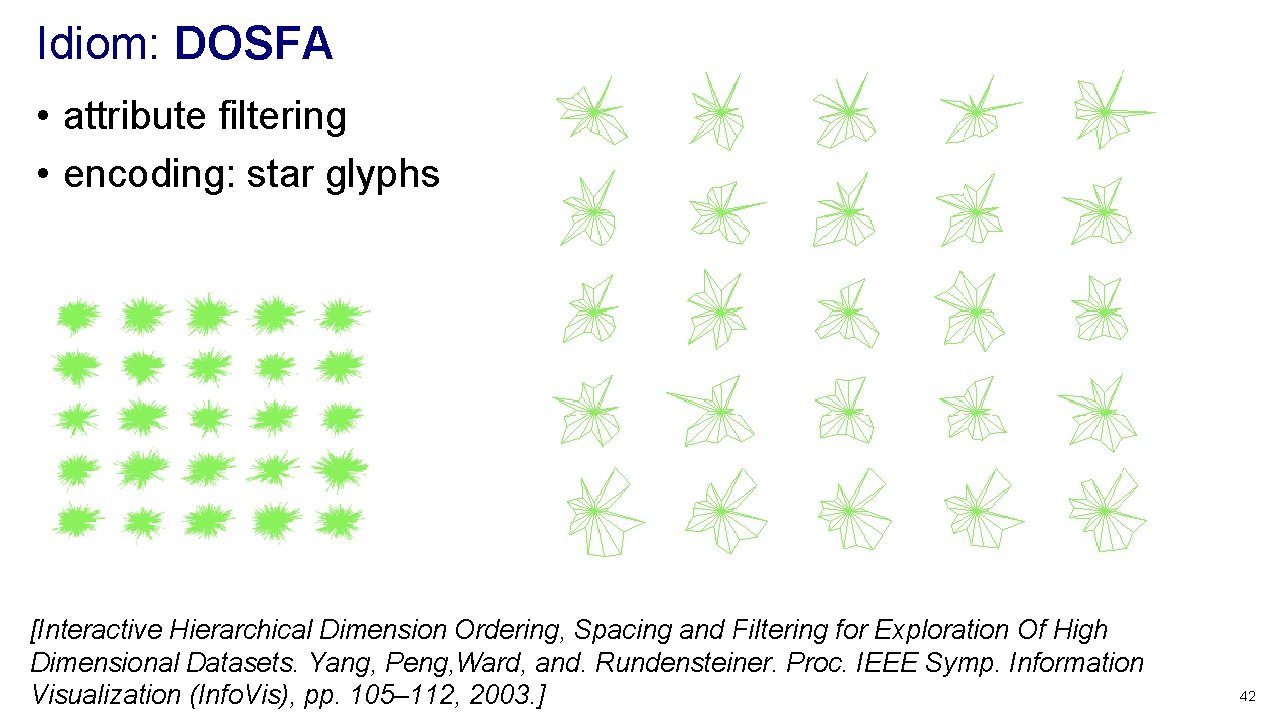
Idiom: DOSFA • attribute filtering • encoding: star glyphs [Interactive Hierarchical Dimension Ordering, Spacing and Filtering for Exploration Of High Dimensional Datasets. Yang, Peng, Ward, and. Rundensteiner. Proc. IEEE Symp. Information Visualization (Info. Vis), pp. 105– 112, 2003. ] 42
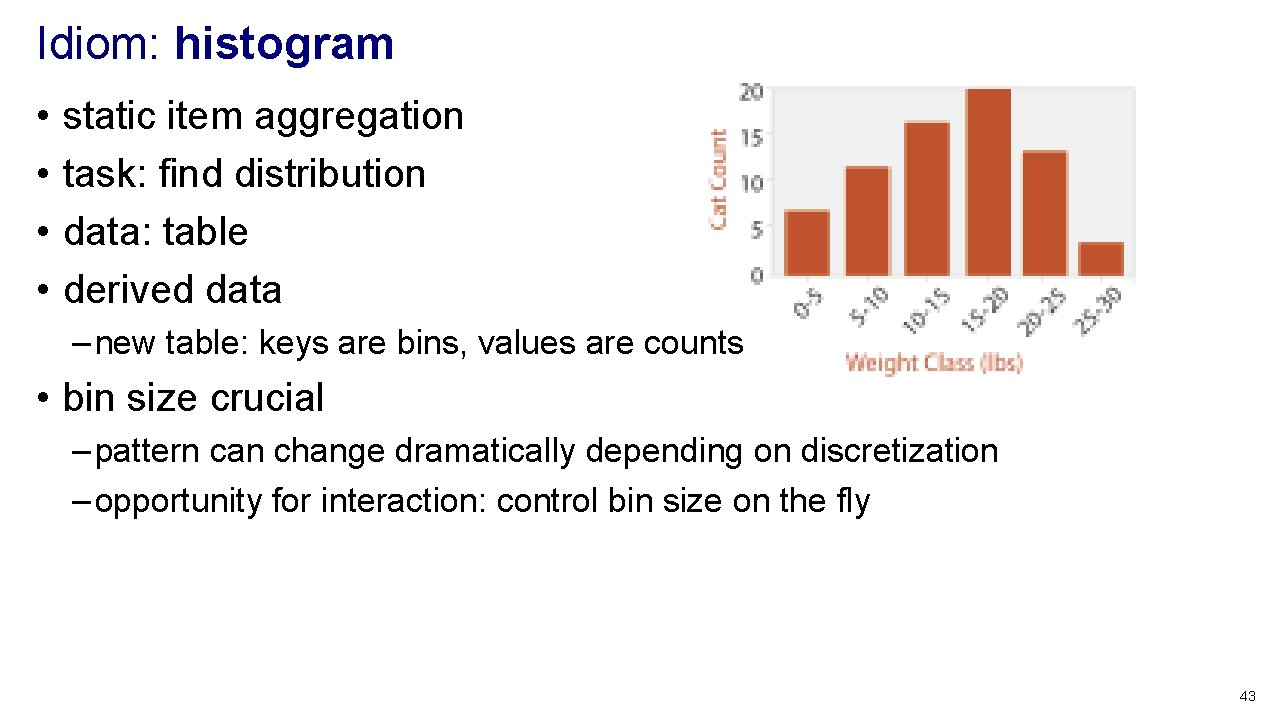
Idiom: histogram • • static item aggregation task: find distribution data: table derived data – new table: keys are bins, values are counts • bin size crucial – pattern can change dramatically depending on discretization – opportunity for interaction: control bin size on the fly 43
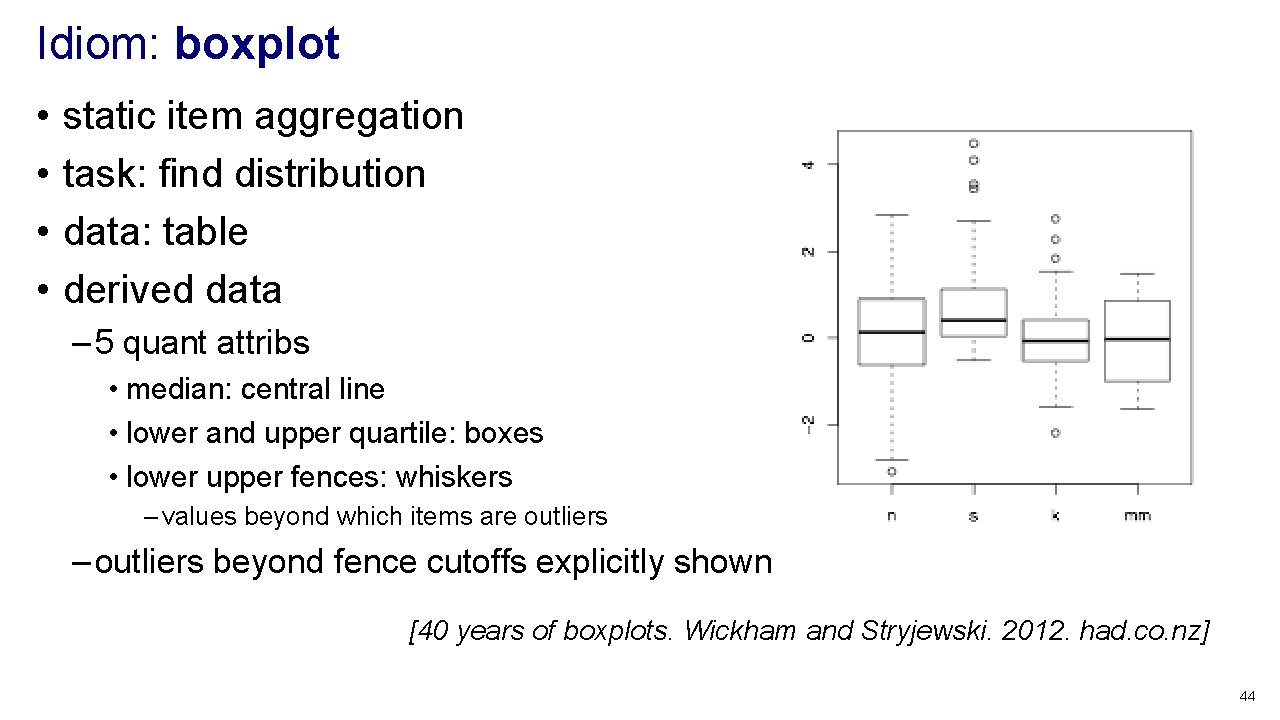
Idiom: boxplot • • static item aggregation task: find distribution data: table derived data – 5 quant attribs • median: central line • lower and upper quartile: boxes • lower upper fences: whiskers – values beyond which items are outliers – outliers beyond fence cutoffs explicitly shown [40 years of boxplots. Wickham and Stryjewski. 2012. had. co. nz] 44
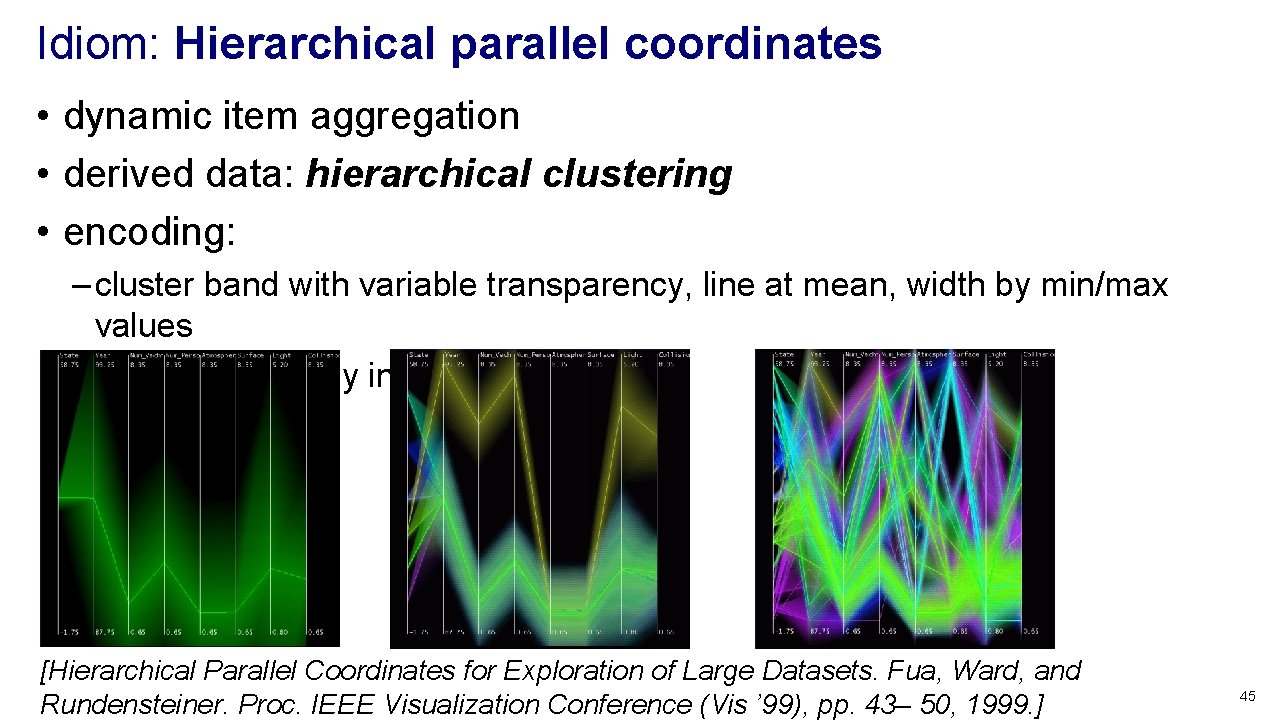
Idiom: Hierarchical parallel coordinates • dynamic item aggregation • derived data: hierarchical clustering • encoding: – cluster band with variable transparency, line at mean, width by min/max values – color by proximity in hierarchy [Hierarchical Parallel Coordinates for Exploration of Large Datasets. Fua, Ward, and Rundensteiner. Proc. IEEE Visualization Conference (Vis ’ 99), pp. 43– 50, 1999. ] 45
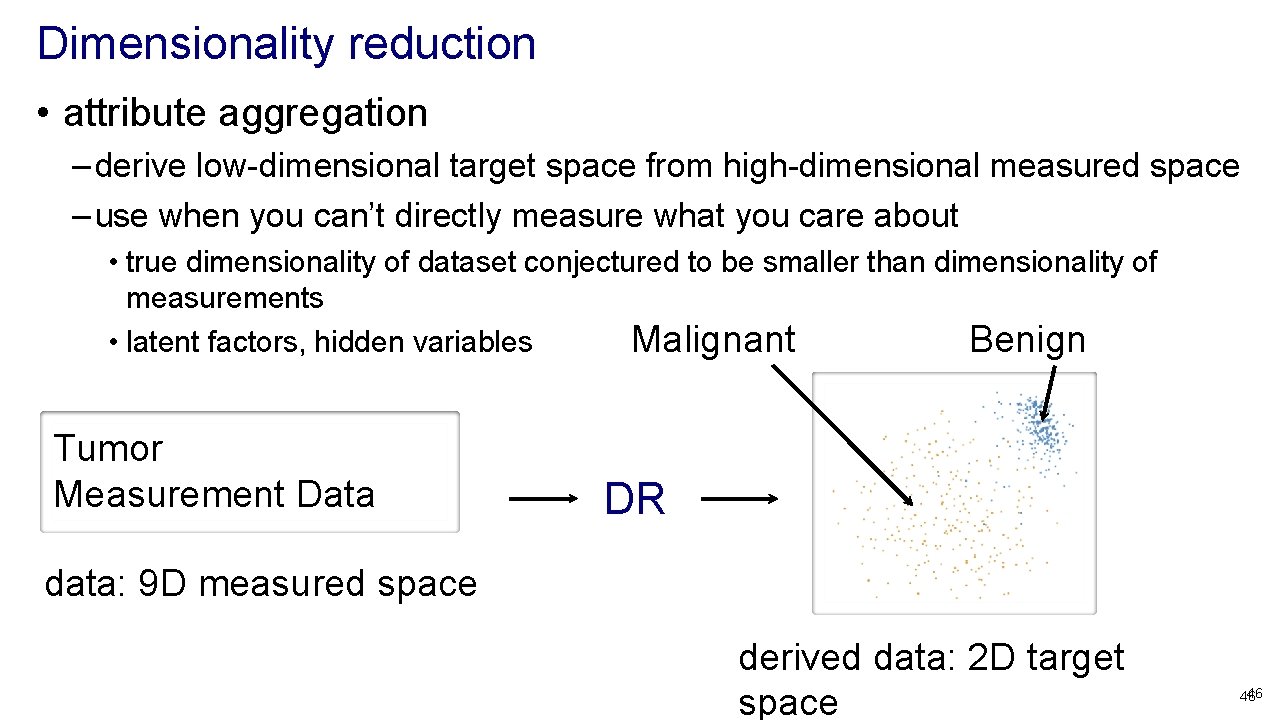
Dimensionality reduction • attribute aggregation – derive low-dimensional target space from high-dimensional measured space – use when you can’t directly measure what you care about • true dimensionality of dataset conjectured to be smaller than dimensionality of measurements • latent factors, hidden variables Malignant Benign Tumor Measurement Data DR data: 9 D measured space derived data: 2 D target space 46 46
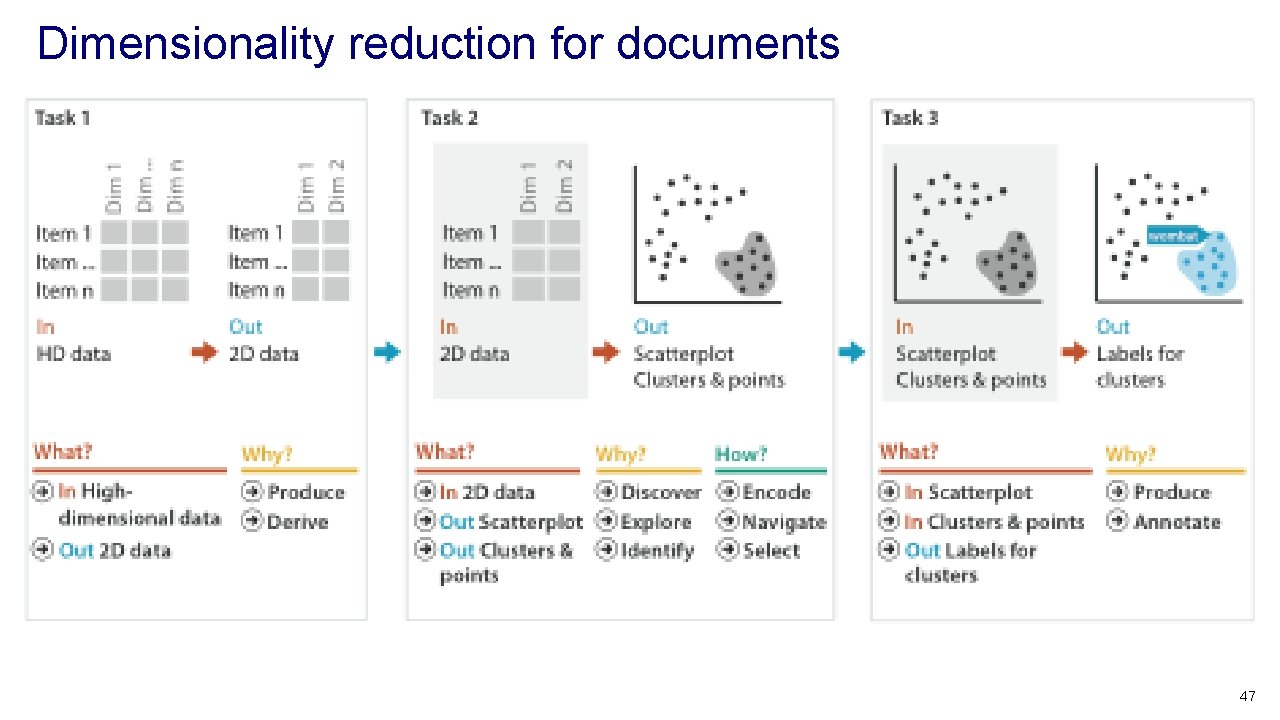
Dimensionality reduction for documents 47
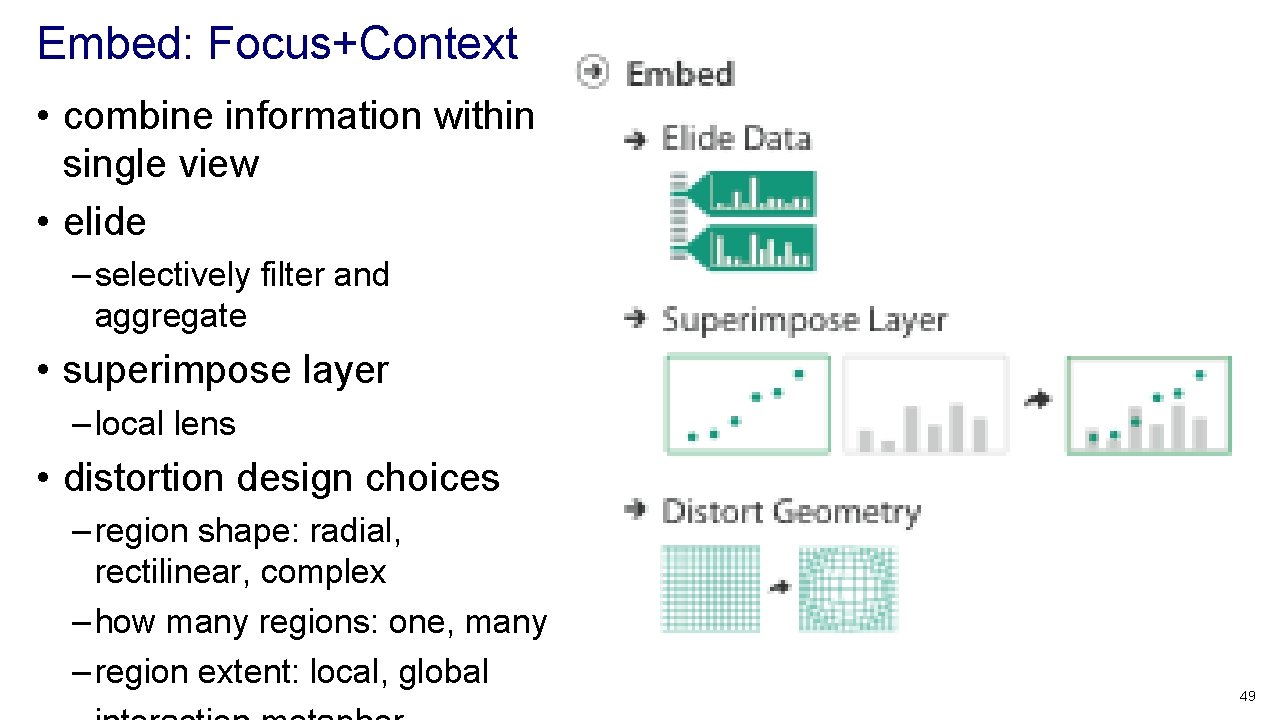
Embed: Focus+Context • combine information within single view • elide – selectively filter and aggregate • superimpose layer – local lens • distortion design choices – region shape: radial, rectilinear, complex – how many regions: one, many – region extent: local, global 49
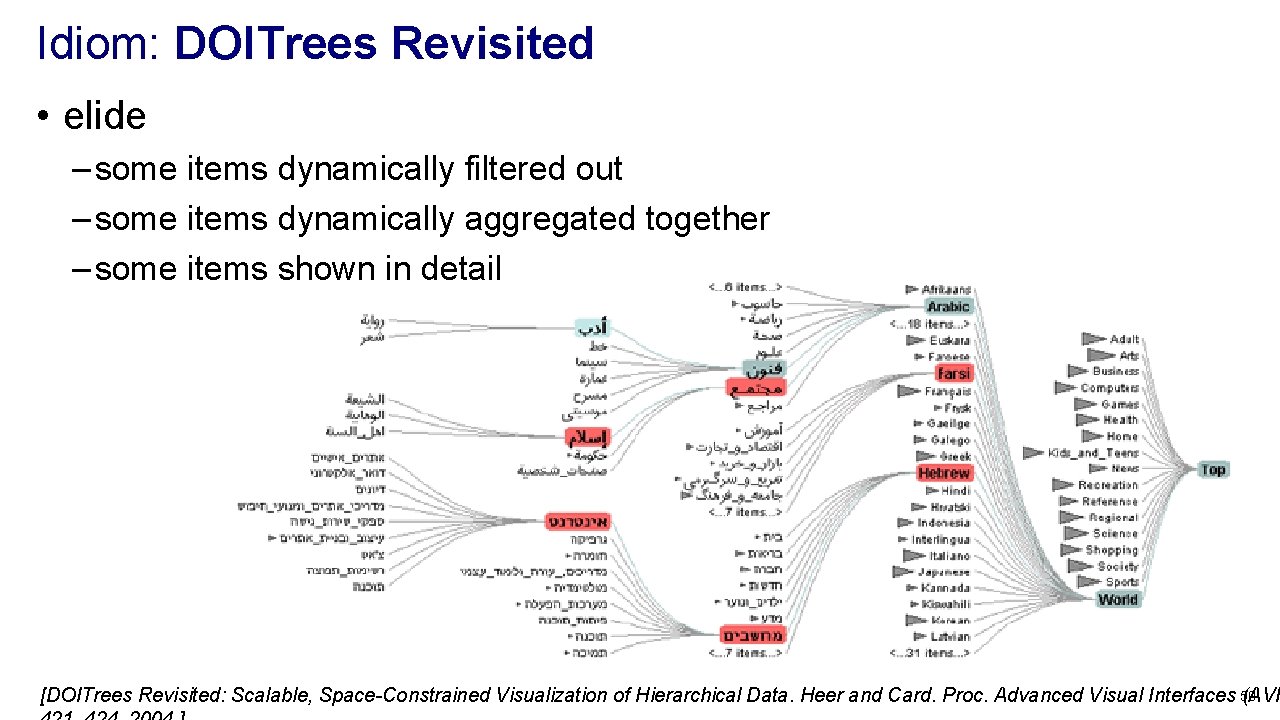
Idiom: DOITrees Revisited • elide – some items dynamically filtered out – some items dynamically aggregated together – some items shown in detail [DOITrees Revisited: Scalable, Space-Constrained Visualization of Hierarchical Data. Heer and Card. Proc. Advanced Visual Interfaces 50 (AVI
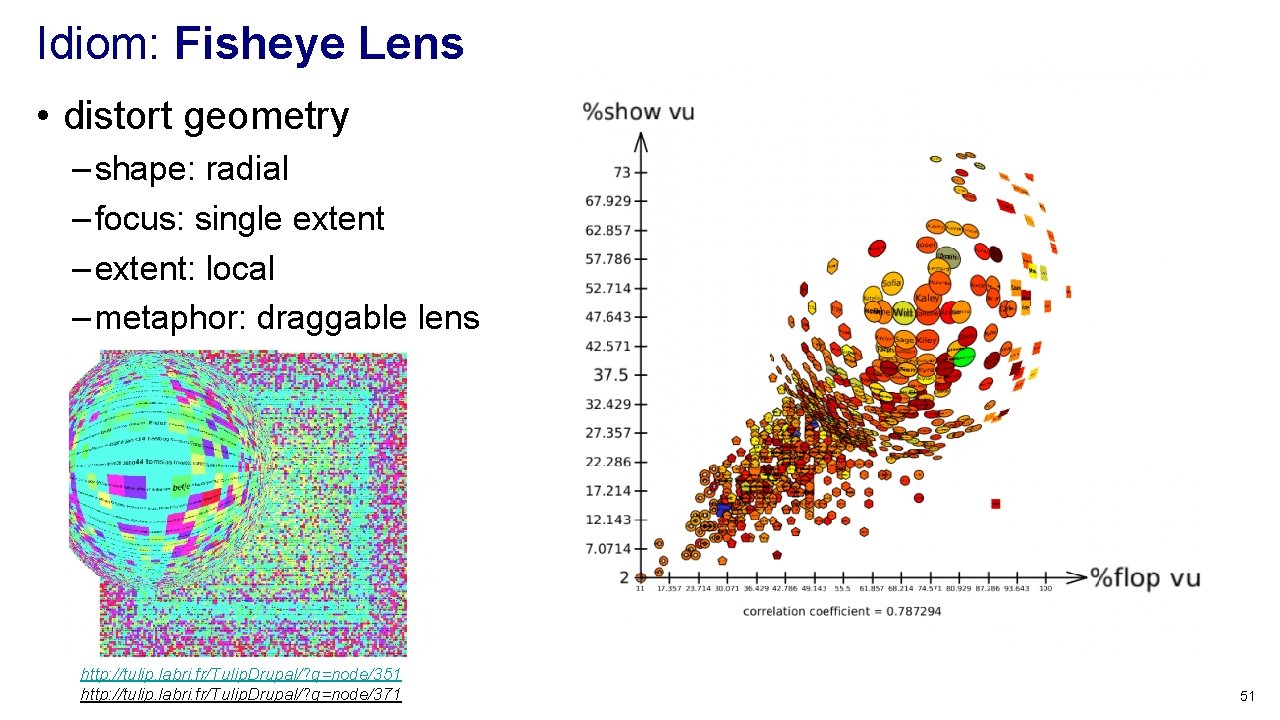
Idiom: Fisheye Lens • distort geometry – shape: radial – focus: single extent – extent: local – metaphor: draggable lens http: //tulip. labri. fr/Tulip. Drupal/? q=node/351 http: //tulip. labri. fr/Tulip. Drupal/? q=node/371 51
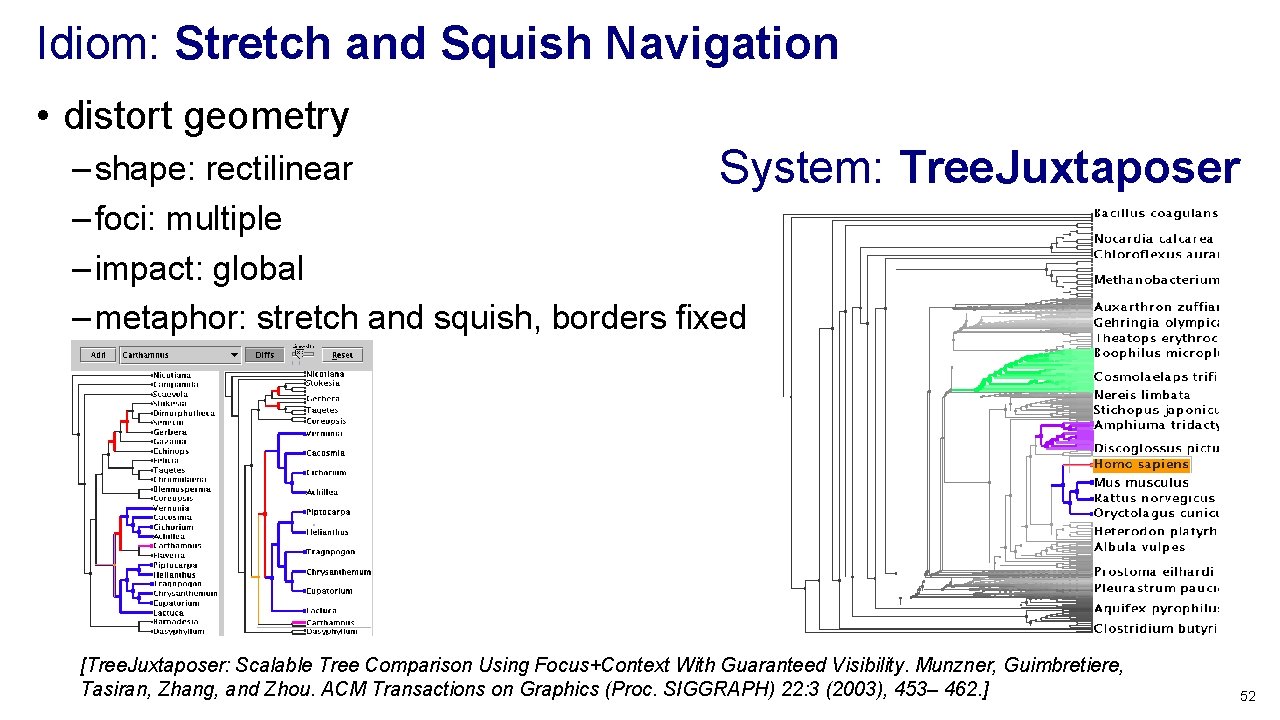
Idiom: Stretch and Squish Navigation • distort geometry – shape: rectilinear System: – foci: multiple – impact: global – metaphor: stretch and squish, borders fixed Tree. Juxtaposer [Tree. Juxtaposer: Scalable Tree Comparison Using Focus+Context With Guaranteed Visibility. Munzner, Guimbretiere, Tasiran, Zhang, and Zhou. ACM Transactions on Graphics (Proc. SIGGRAPH) 22: 3 (2003), 453– 462. ] 52
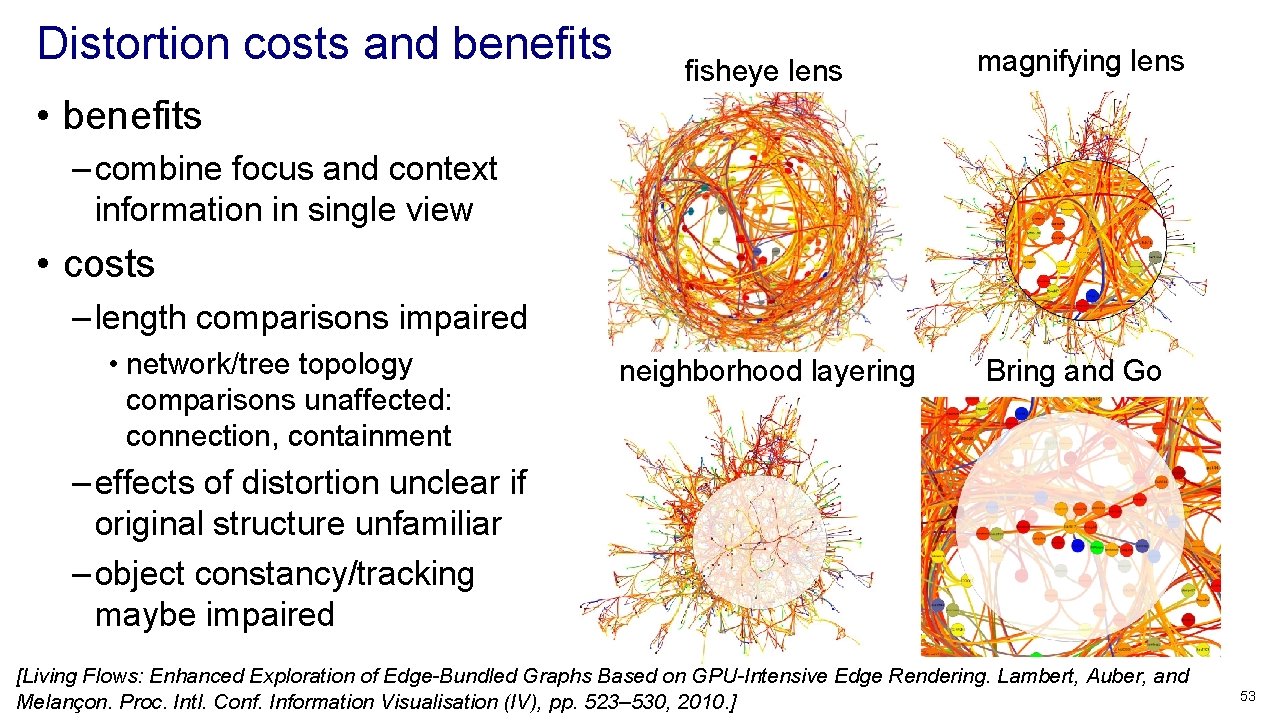
Distortion costs and benefits fisheye lens magnifying lens neighborhood layering Bring and Go • benefits – combine focus and context information in single view • costs – length comparisons impaired • network/tree topology comparisons unaffected: connection, containment – effects of distortion unclear if original structure unfamiliar – object constancy/tracking maybe impaired [Living Flows: Enhanced Exploration of Edge-Bundled Graphs Based on GPU-Intensive Edge Rendering. Lambert, Auber, and Melançon. Proc. Intl. Conf. Information Visualisation (IV), pp. 523– 530, 2010. ] 53
Further reading • Visualization Analysis and Design. Munzner. AK Peters / CRC Press, Oct 2014. – Chap 14: Embed: Focus+Context • A Review of Overview+Detail, Zooming, and Focus+Context Interfaces. Cockburn, Karlson, and Bederson. ACM Computing Surveys 41: 1 (2008), 1– 31. • A Guide to Visual Multi-Level Interface Design From Synthesis of Empirical Study Evidence. Lam and Munzner. Synthesis Lectures on Visualization Series, Morgan Claypool, 2010. • Hierarchical Aggregation for Information Visualization: Overview, Techniques and Design Guidelines. Elmqvist and Fekete. IEEE Transactions on Visualization and Computer Graphics 16: 3 (2010), 439 – 454. 54