
VISUAL STUDIO 2010 TEAM SYSTEM CAPABILITIES WITH DYNAMICS

VISUAL STUDIO 2010 TEAM SYSTEM CAPABILITIES WITH DYNAMICS AX Advisor - Simanta Mitra Client - Shawn Hanson & Dave Froslie (Microsoft) Group - Dec 10 -08 Ian Dallas Jacob Grimm Yuriy Gritsenko Matt Smith
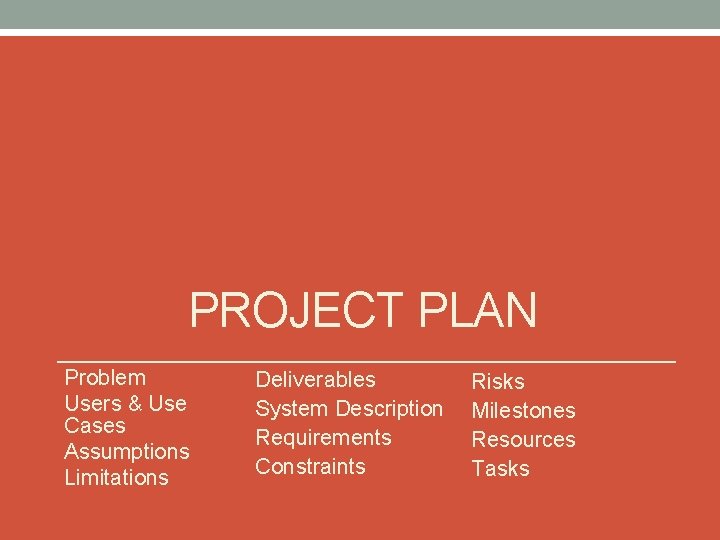
PROJECT PLAN Problem Users & Use Cases Assumptions Limitations Deliverables System Description Requirements Constraints Risks Milestones Resources Tasks
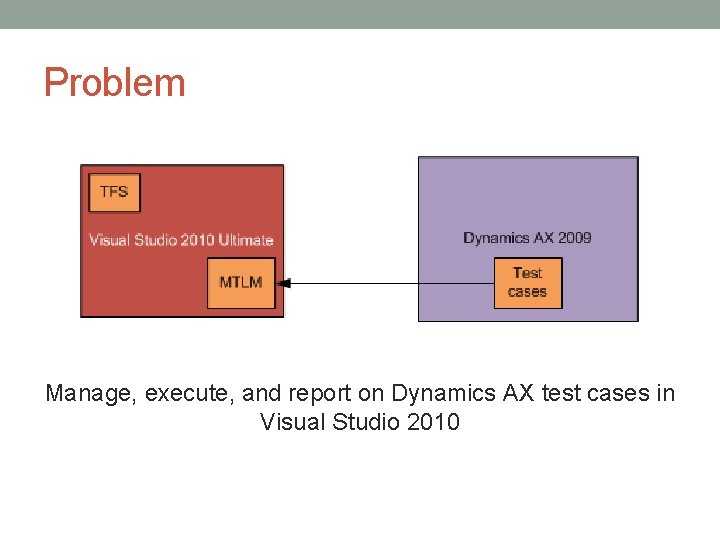
Problem Manage, execute, and report on Dynamics AX test cases in Visual Studio 2010
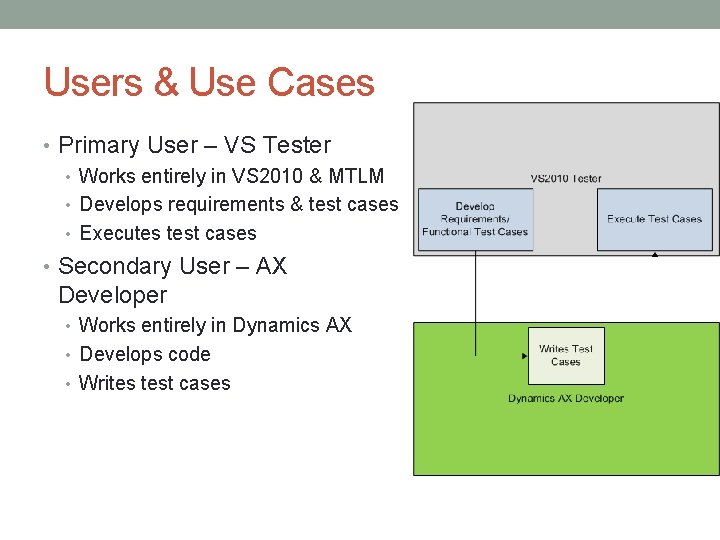
Users & Use Cases • Primary User – VS Tester • Works entirely in VS 2010 & MTLM • Develops requirements & test cases • Executes test cases • Secondary User – AX Developer • Works entirely in Dynamics AX • Develops code • Writes test cases
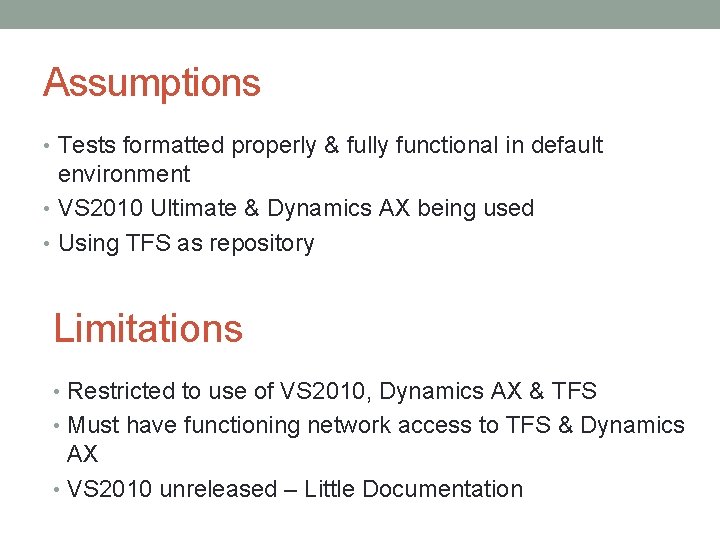
Assumptions • Tests formatted properly & fully functional in default environment • VS 2010 Ultimate & Dynamics AX being used • Using TFS as repository Limitations • Restricted to use of VS 2010, Dynamics AX & TFS • Must have functioning network access to TFS & Dynamics AX • VS 2010 unreleased – Little Documentation
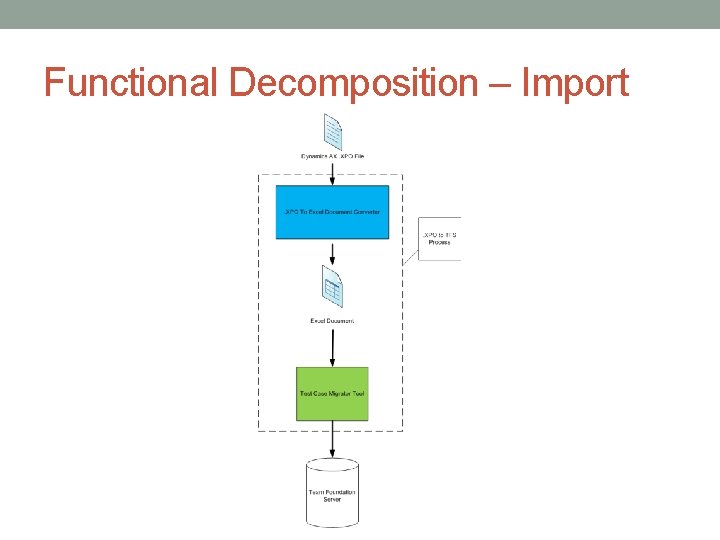
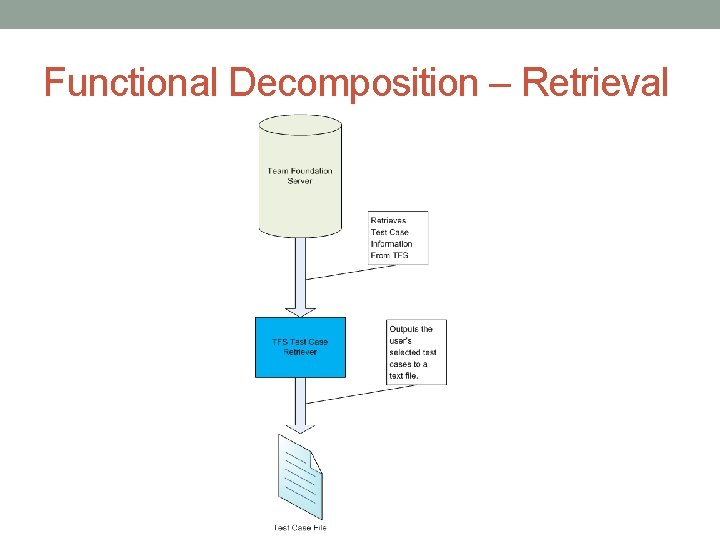
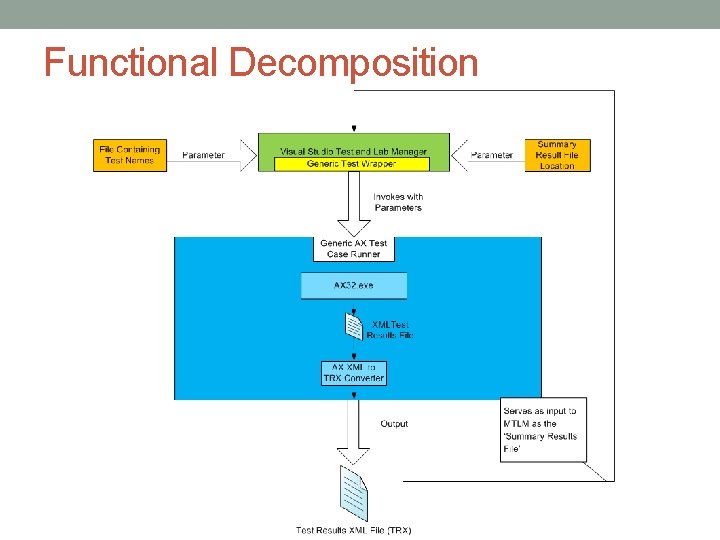
Deliverables • A process to: • Import Dynamics AX test case information into TFS • Retrieve test case information from TFS • Execute Dynamics AX Tests through VS 2010 • Report on Dynamics AX Tests run through VS 2010 • A detailed tutorial illustrating how to perform the above process
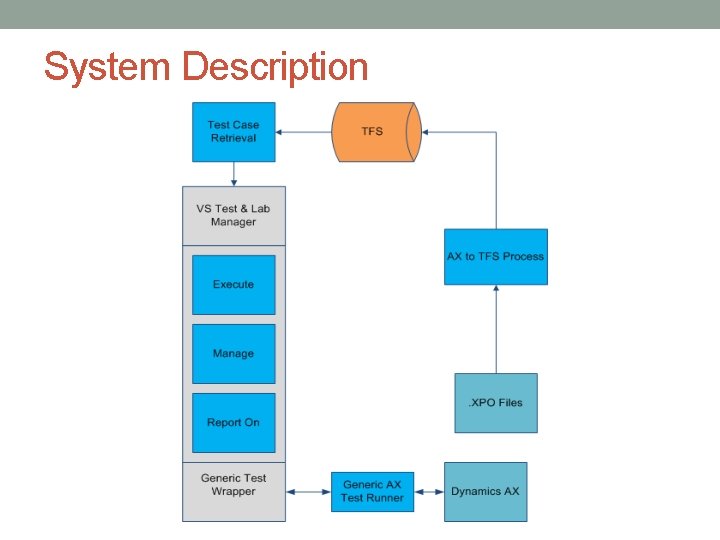
System Description
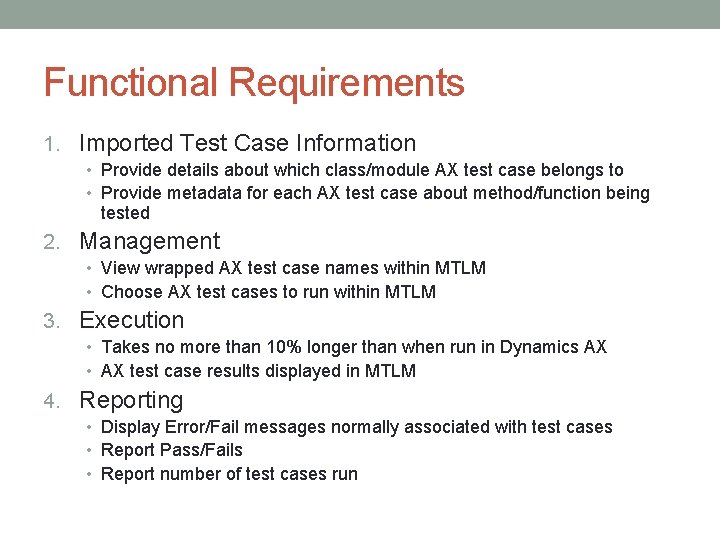
Functional Requirements 1. Imported Test Case Information • Provide details about which class/module AX test case belongs to • Provide metadata for each AX test case about method/function being tested 2. Management • View wrapped AX test case names within MTLM • Choose AX test cases to run within MTLM 3. Execution • Takes no more than 10% longer than when run in Dynamics AX • AX test case results displayed in MTLM 4. Reporting • Display Error/Fail messages normally associated with test cases • Report Pass/Fails • Report number of test cases run
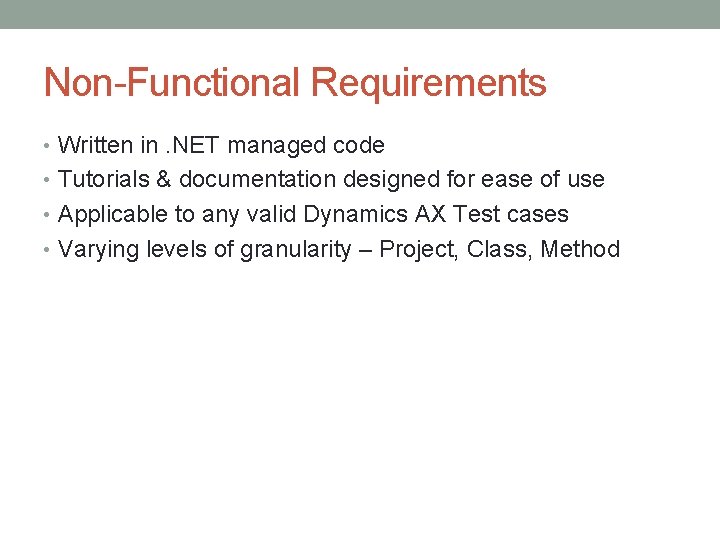
Non-Functional Requirements • Written in. NET managed code • Tutorials & documentation designed for ease of use • Applicable to any valid Dynamics AX Test cases • Varying levels of granularity – Project, Class, Method
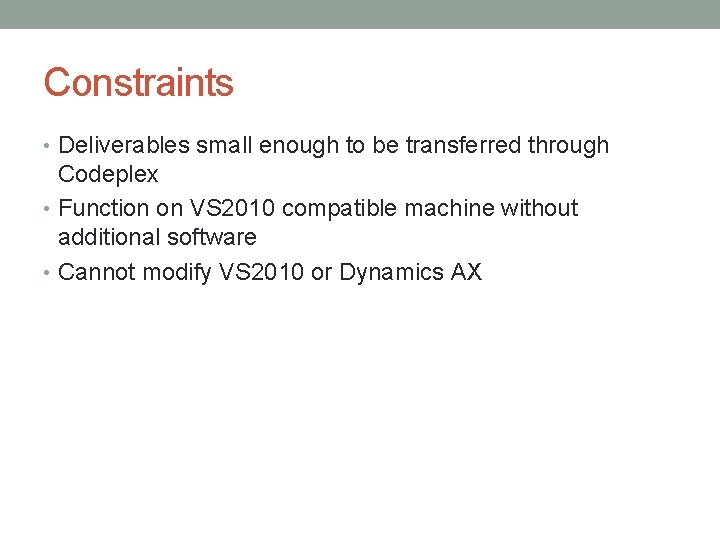
Constraints • Deliverables small enough to be transferred through Codeplex • Function on VS 2010 compatible machine without additional software • Cannot modify VS 2010 or Dynamics AX
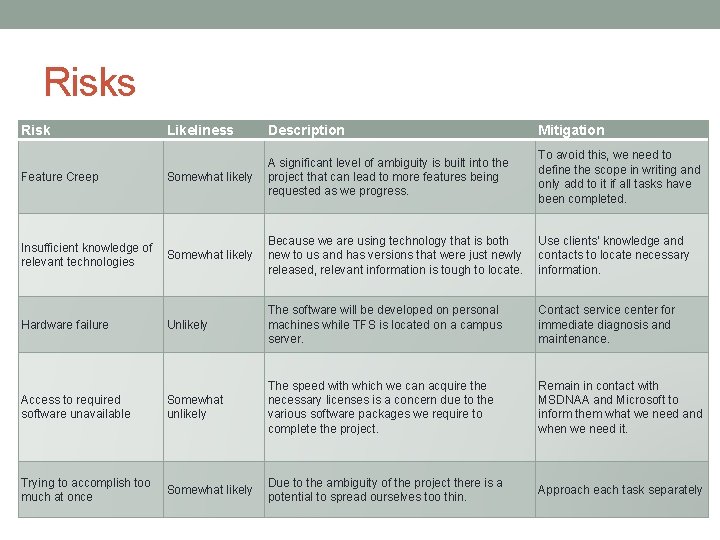
Risks Risk Likeliness Description Mitigation Feature Creep Somewhat likely A significant level of ambiguity is built into the project that can lead to more features being requested as we progress. To avoid this, we need to define the scope in writing and only add to it if all tasks have been completed. Insufficient knowledge of relevant technologies Somewhat likely Because we are using technology that is both new to us and has versions that were just newly released, relevant information is tough to locate. Use clients' knowledge and contacts to locate necessary information. Hardware failure Unlikely The software will be developed on personal machines while TFS is located on a campus server. Contact service center for immediate diagnosis and maintenance. Access to required software unavailable Somewhat unlikely The speed with which we can acquire the necessary licenses is a concern due to the various software packages we require to complete the project. Remain in contact with MSDNAA and Microsoft to inform them what we need and when we need it. Trying to accomplish too much at once Somewhat likely Due to the ambiguity of the project there is a potential to spread ourselves too thin. Approach each task separately
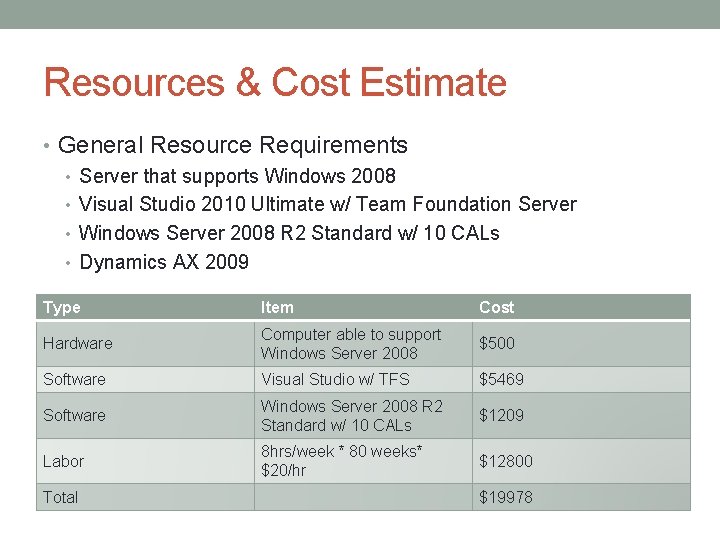
Resources & Cost Estimate • General Resource Requirements • Server that supports Windows 2008 • Visual Studio 2010 Ultimate w/ Team Foundation Server • Windows Server 2008 R 2 Standard w/ 10 CALs • Dynamics AX 2009 Type Item Cost Hardware Computer able to support Windows Server 2008 $500 Software Visual Studio w/ TFS $5469 Software Windows Server 2008 R 2 Standard w/ 10 CALs $1209 Labor 8 hrs/week * 80 weeks* $20/hr $12800 Total $19978

Schedules
DESIGN Functional Decomposition User Interface Specification Test Plan
Functional Decomposition – Import
Functional Decomposition – Retrieval
Functional Decomposition
User Interface Specification
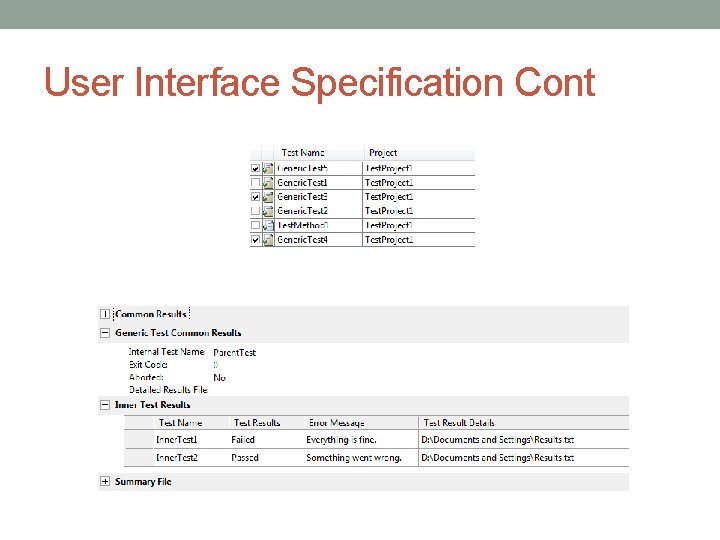
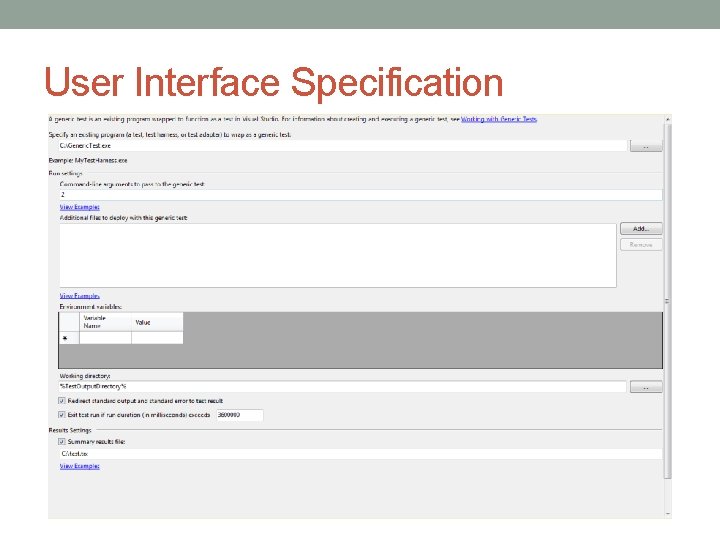
User Interface Specification Cont
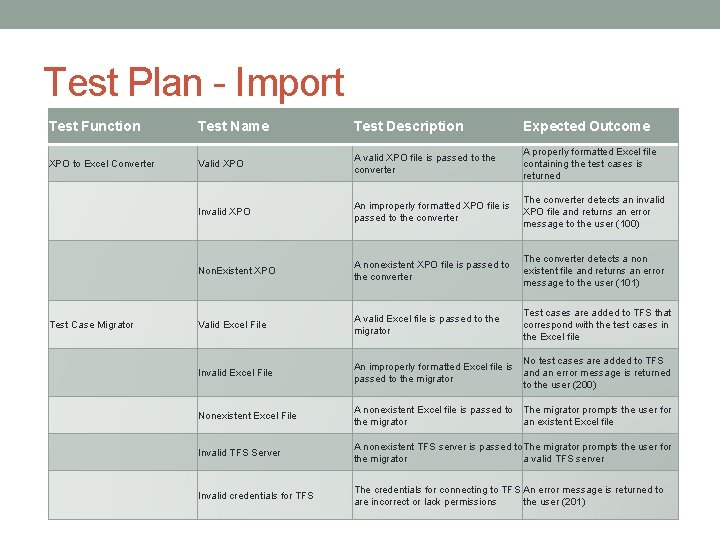
Test Plan - Import Test Function Test Name Test Description Expected Outcome XPO to Excel Converter Valid XPO A valid XPO file is passed to the converter A properly formatted Excel file containing the test cases is returned Invalid XPO An improperly formatted XPO file is passed to the converter The converter detects an invalid XPO file and returns an error message to the user (100) Non. Existent XPO A nonexistent XPO file is passed to the converter The converter detects a non existent file and returns an error message to the user (101) Valid Excel File A valid Excel file is passed to the migrator Test cases are added to TFS that correspond with the test cases in the Excel file Invalid Excel File No test cases are added to TFS An improperly formatted Excel file is and an error message is returned passed to the migrator to the user (200) Nonexistent Excel File A nonexistent Excel file is passed to The migrator prompts the user for the migrator an existent Excel file Invalid TFS Server A nonexistent TFS server is passed to The migrator prompts the user for the migrator a valid TFS server Invalid credentials for TFS The credentials for connecting to TFS An error message is returned to are incorrect or lack permissions the user (201) Test Case Migrator
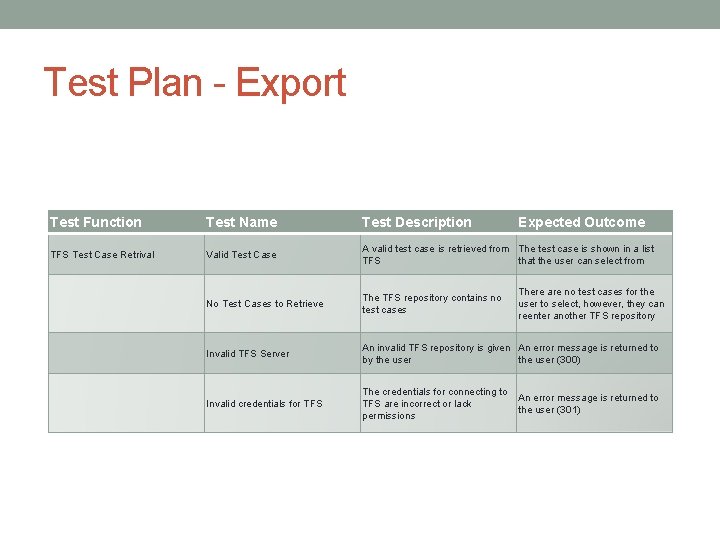
Test Plan - Export Test Function Test Name Test Description Expected Outcome TFS Test Case Retrival Valid Test Case A valid test case is retrieved from The test case is shown in a list TFS that the user can select from No Test Cases to Retrieve The TFS repository contains no test cases Invalid TFS Server An invalid TFS repository is given An error message is returned to by the user (300) Invalid credentials for TFS The credentials for connecting to TFS are incorrect or lack permissions There are no test cases for the user to select, however, they can reenter another TFS repository An error message is returned to the user (301)
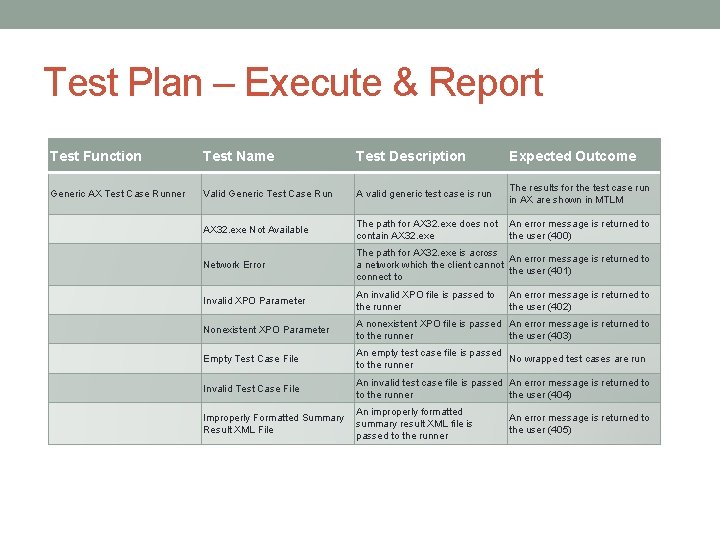
Test Plan – Execute & Report Test Function Test Name Test Description Expected Outcome Generic AX Test Case Runner Valid Generic Test Case Run A valid generic test case is run The results for the test case run in AX are shown in MTLM AX 32. exe Not Available The path for AX 32. exe does not contain AX 32. exe An error message is returned to the user (400) Network Error The path for AX 32. exe is across An error message is returned to a network which the client cannot the user (401) connect to Invalid XPO Parameter An invalid XPO file is passed to the runner Nonexistent XPO Parameter A nonexistent XPO file is passed An error message is returned to to the runner the user (403) Empty Test Case File An empty test case file is passed No wrapped test cases are run to the runner Invalid Test Case File An invalid test case file is passed An error message is returned to to the runner the user (404) Improperly Formatted Summary Result XML File An improperly formatted summary result XML file is passed to the runner An error message is returned to the user (402) An error message is returned to the user (405)
CONCLUSION Current Status Team Contributions Individual Contributions Future Plan
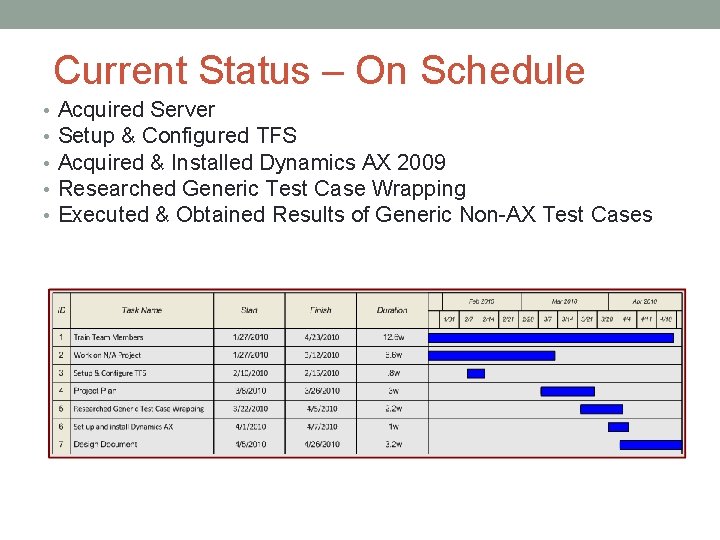
Current Status – On Schedule • • • Acquired Server Setup & Configured TFS Acquired & Installed Dynamics AX 2009 Researched Generic Test Case Wrapping Executed & Obtained Results of Generic Non-AX Test Cases
Team Contributions • Research on: • Visual Studio 2010 • Generic Test Wrapping • Generic Test Experimentation • Deliverables • Project Plan • Design Document • Weekly Meetings • Team • With Microsoft
Individual Breakdown • Ian Dallas • Communications Liaison • Jacob Grimm • System Administrator • Yuriy Gritsenko • Team Lead • Compiled Documents • Matt Smith • Webmaster
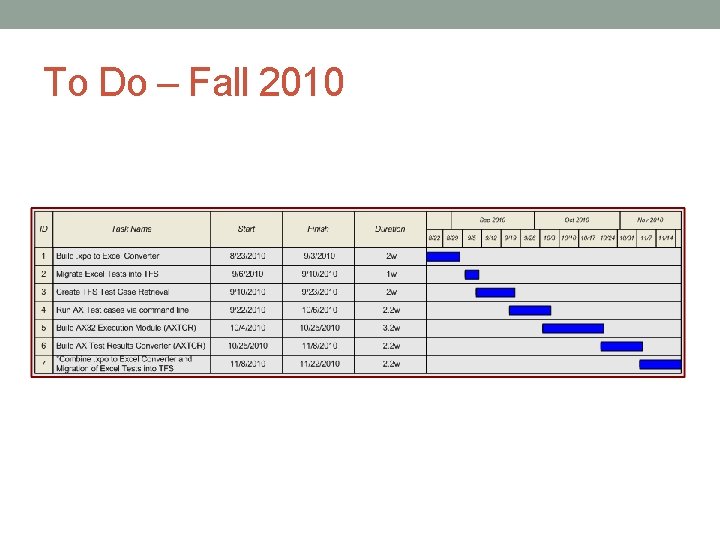
To Do – Fall 2010
Questions?
- Slides: 28