
Visual Output 1 Albrecht Schmidt Learning Goals Understand

Visual Output 1 Albrecht Schmidt
Learning Goals § Understand … § Technical parameters for visual displays § The impact of display resolution on the user experience § The benefits and issues of large screen setups § Know § How 3 D content can be presented § About different technologies that can be used to create a real 3 D output Visual Output 2 Albrecht Schmidt
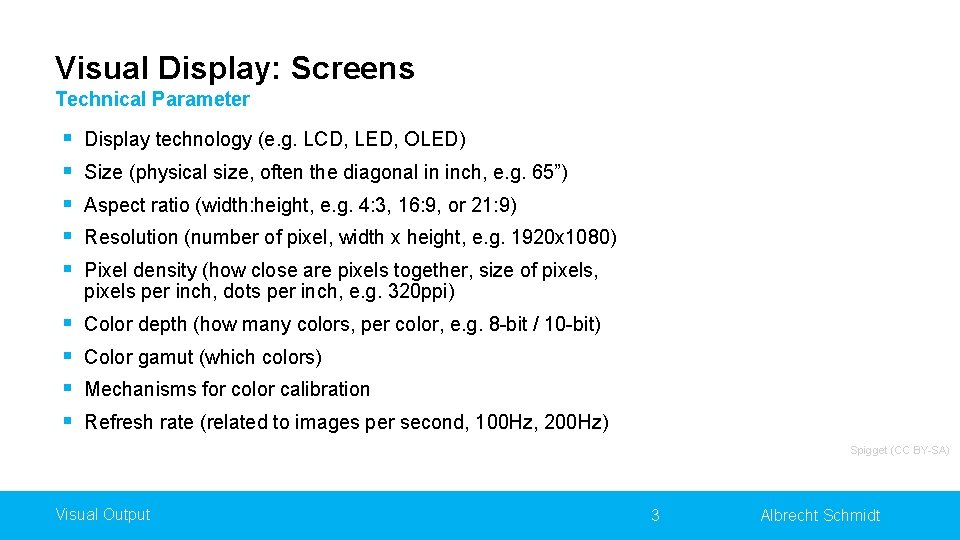
Visual Display: Screens Technical Parameter § § § Display technology (e. g. LCD, LED, OLED) § § Color depth (how many colors, per color, e. g. 8 -bit / 10 -bit) Size (physical size, often the diagonal in inch, e. g. 65”) Aspect ratio (width: height, e. g. 4: 3, 16: 9, or 21: 9) Resolution (number of pixel, width x height, e. g. 1920 x 1080) Pixel density (how close are pixels together, size of pixels, pixels per inch, dots per inch, e. g. 320 ppi) Color gamut (which colors) Mechanisms for color calibration Refresh rate (related to images per second, 100 Hz, 200 Hz) Spigget (CC BY-SA) Visual Output 3 Albrecht Schmidt
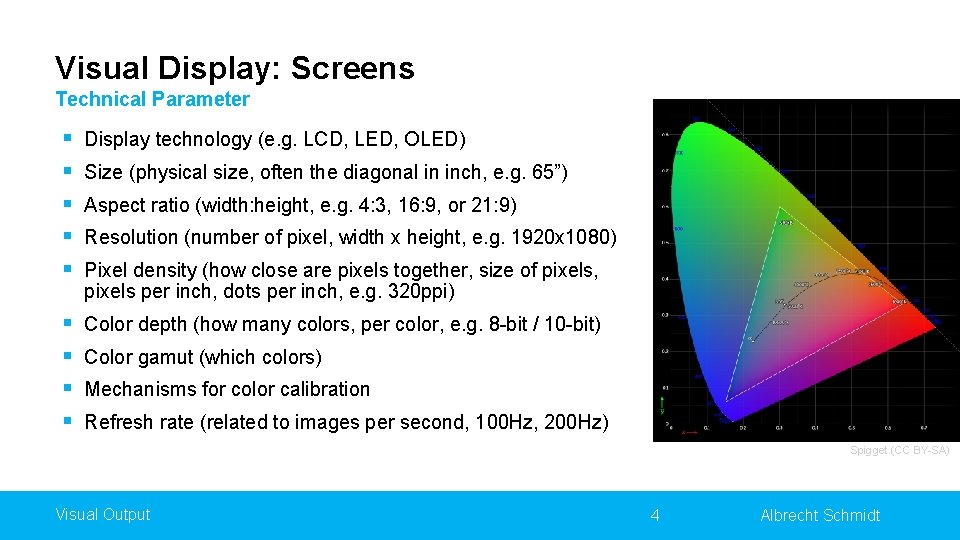
Visual Display: Screens Technical Parameter § § § Display technology (e. g. LCD, LED, OLED) § § Color depth (how many colors, per color, e. g. 8 -bit / 10 -bit) Size (physical size, often the diagonal in inch, e. g. 65”) Aspect ratio (width: height, e. g. 4: 3, 16: 9, or 21: 9) Resolution (number of pixel, width x height, e. g. 1920 x 1080) Pixel density (how close are pixels together, size of pixels, pixels per inch, dots per inch, e. g. 320 ppi) Color gamut (which colors) Mechanisms for color calibration Refresh rate (related to images per second, 100 Hz, 200 Hz) Spigget (CC BY-SA) Visual Output 4 Albrecht Schmidt
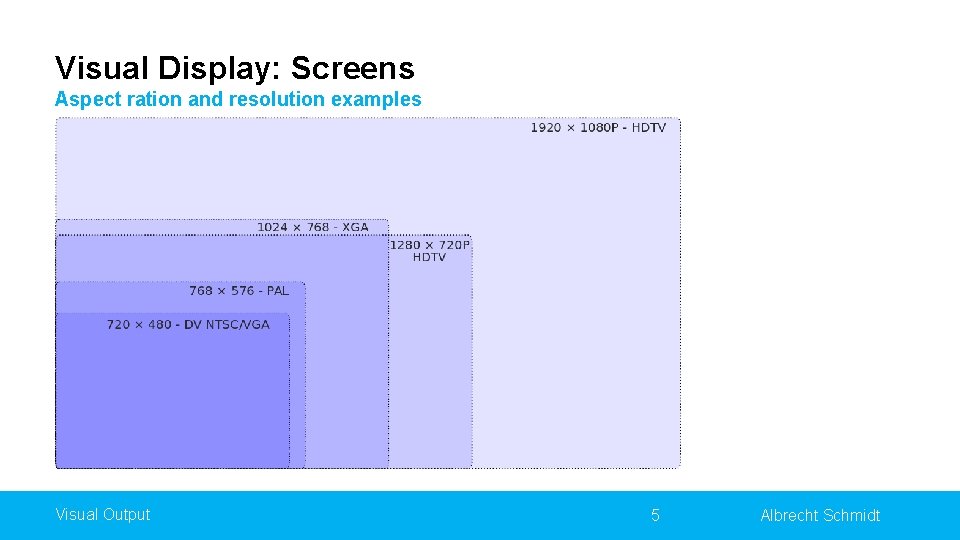
Visual Display: Screens Aspect ration and resolution examples Visual Output 5 Albrecht Schmidt
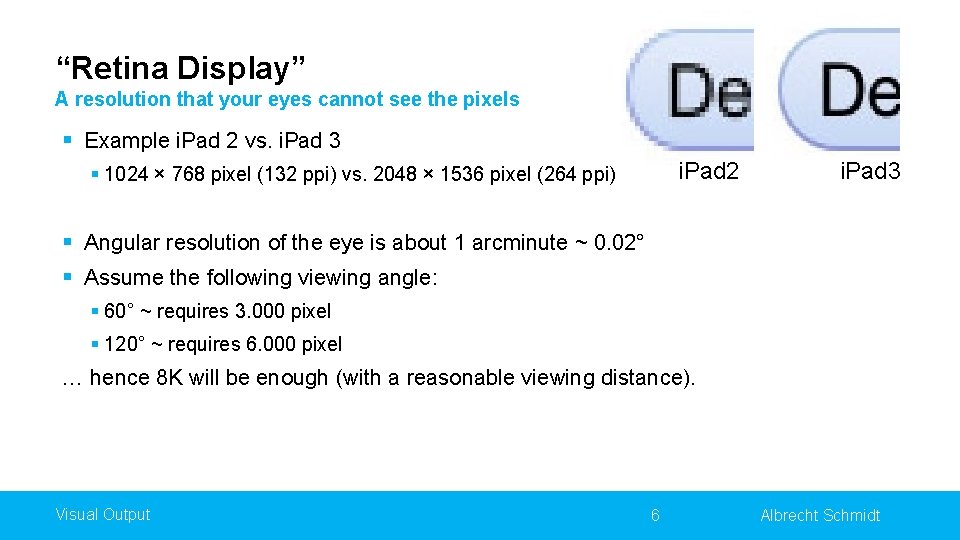
“Retina Display” A resolution that your eyes cannot see the pixels § Example i. Pad 2 vs. i. Pad 3 i. Pad 2 § 1024 × 768 pixel (132 ppi) vs. 2048 × 1536 pixel (264 ppi) i. Pad 3 § Angular resolution of the eye is about 1 arcminute ~ 0. 02° § Assume the following viewing angle: § 60° ~ requires 3. 000 pixel § 120° ~ requires 6. 000 pixel … hence 8 K will be enough (with a reasonable viewing distance). Visual Output 6 Albrecht Schmidt
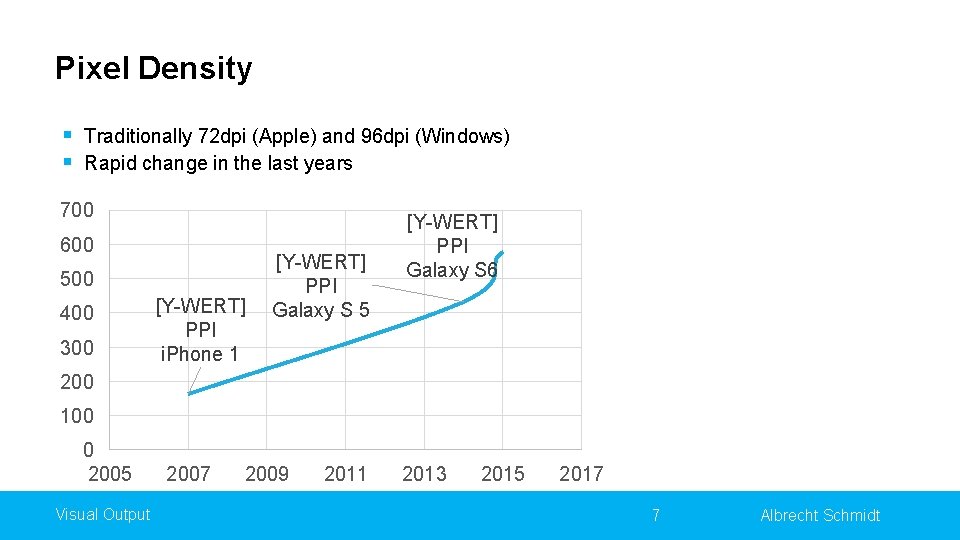
Pixel Density § Traditionally 72 dpi (Apple) and 96 dpi (Windows) § Rapid change in the last years 700 600 500 400 300 [Y-WERT] PPI i. Phone 1 [Y-WERT] PPI Galaxy S 5 [Y-WERT] PPI Galaxy S 6 200 100 0 2005 Visual Output 2007 2009 2011 2013 2015 2017 7 Albrecht Schmidt
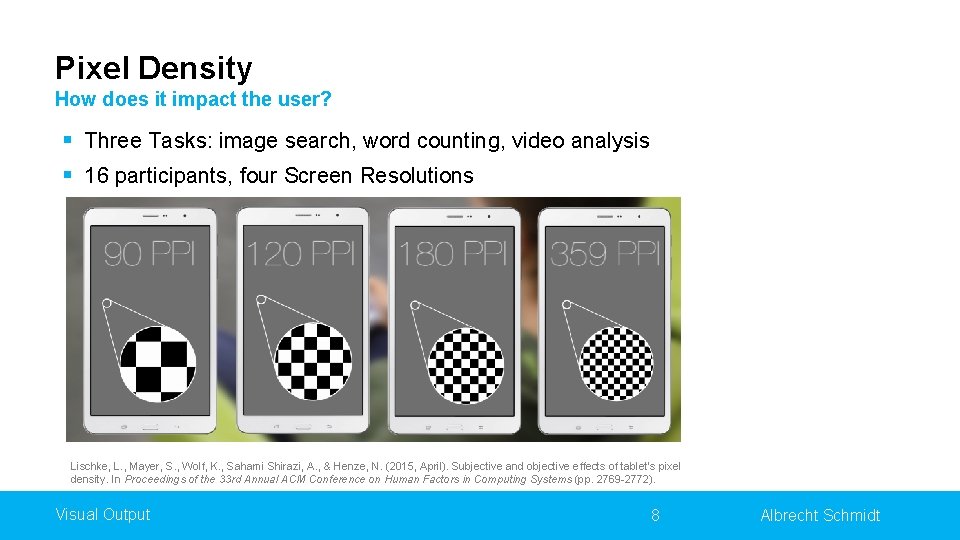
Pixel Density How does it impact the user? § Three Tasks: image search, word counting, video analysis § 16 participants, four Screen Resolutions Lischke, L. , Mayer, S. , Wolf, K. , Sahami Shirazi, A. , & Henze, N. (2015, April). Subjective and objective effects of tablet's pixel density. In Proceedings of the 33 rd Annual ACM Conference on Human Factors in Computing Systems (pp. 2769 -2772). Visual Output 8 Albrecht Schmidt
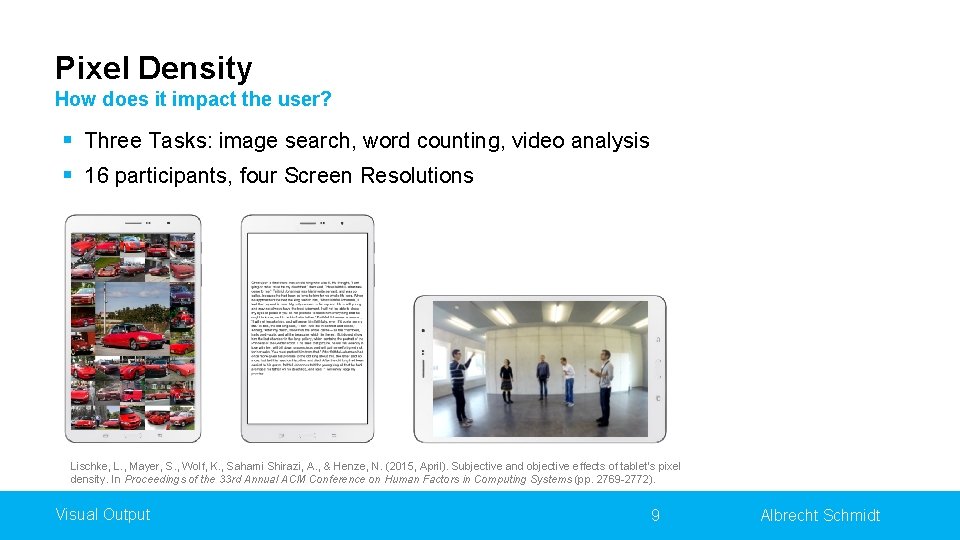
Pixel Density How does it impact the user? § Three Tasks: image search, word counting, video analysis § 16 participants, four Screen Resolutions Lischke, L. , Mayer, S. , Wolf, K. , Sahami Shirazi, A. , & Henze, N. (2015, April). Subjective and objective effects of tablet's pixel density. In Proceedings of the 33 rd Annual ACM Conference on Human Factors in Computing Systems (pp. 2769 -2772). Visual Output 9 Albrecht Schmidt
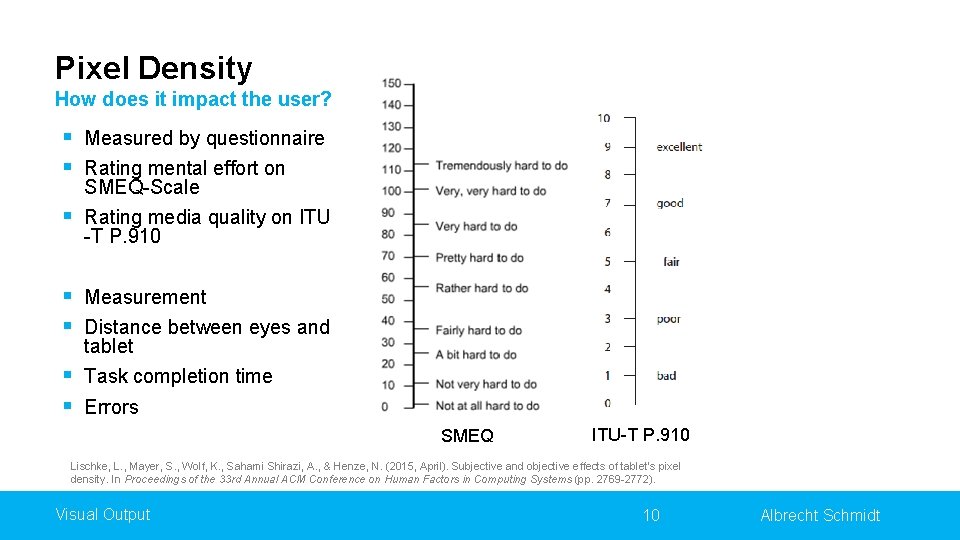
Pixel Density How does it impact the user? § Measured by questionnaire § Rating mental effort on SMEQ-Scale § Rating media quality on ITU -T P. 910 § Measurement § Distance between eyes and tablet § Task completion time § Errors SMEQ ITU-T P. 910 Lischke, L. , Mayer, S. , Wolf, K. , Sahami Shirazi, A. , & Henze, N. (2015, April). Subjective and objective effects of tablet's pixel density. In Proceedings of the 33 rd Annual ACM Conference on Human Factors in Computing Systems (pp. 2769 -2772). Visual Output 10 Albrecht Schmidt
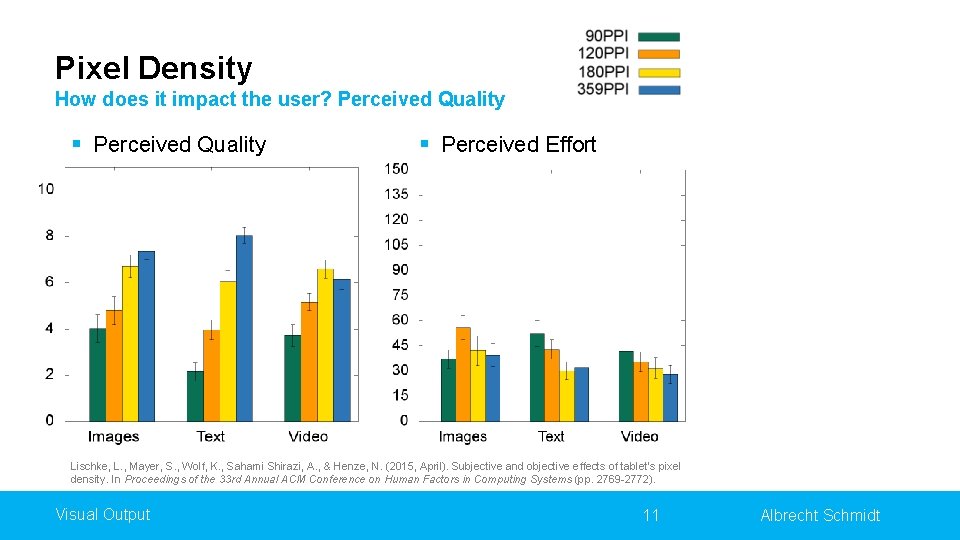
Pixel Density How does it impact the user? Perceived Quality § Perceived Effort Lischke, L. , Mayer, S. , Wolf, K. , Sahami Shirazi, A. , & Henze, N. (2015, April). Subjective and objective effects of tablet's pixel density. In Proceedings of the 33 rd Annual ACM Conference on Human Factors in Computing Systems (pp. 2769 -2772). Visual Output 11 Albrecht Schmidt
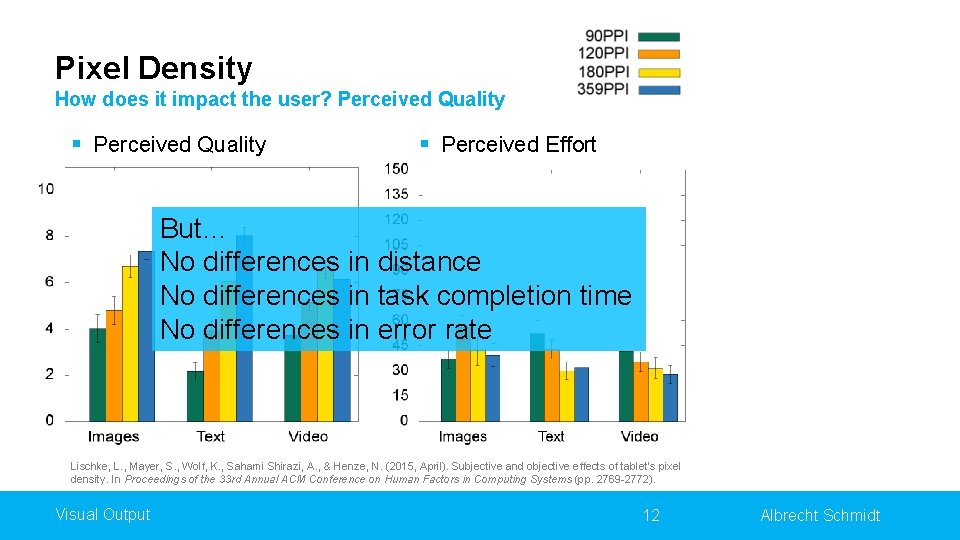
Pixel Density How does it impact the user? Perceived Quality § Perceived Effort But… No differences in distance No differences in task completion time No differences in error rate Lischke, L. , Mayer, S. , Wolf, K. , Sahami Shirazi, A. , & Henze, N. (2015, April). Subjective and objective effects of tablet's pixel density. In Proceedings of the 33 rd Annual ACM Conference on Human Factors in Computing Systems (pp. 2769 -2772). Visual Output 12 Albrecht Schmidt
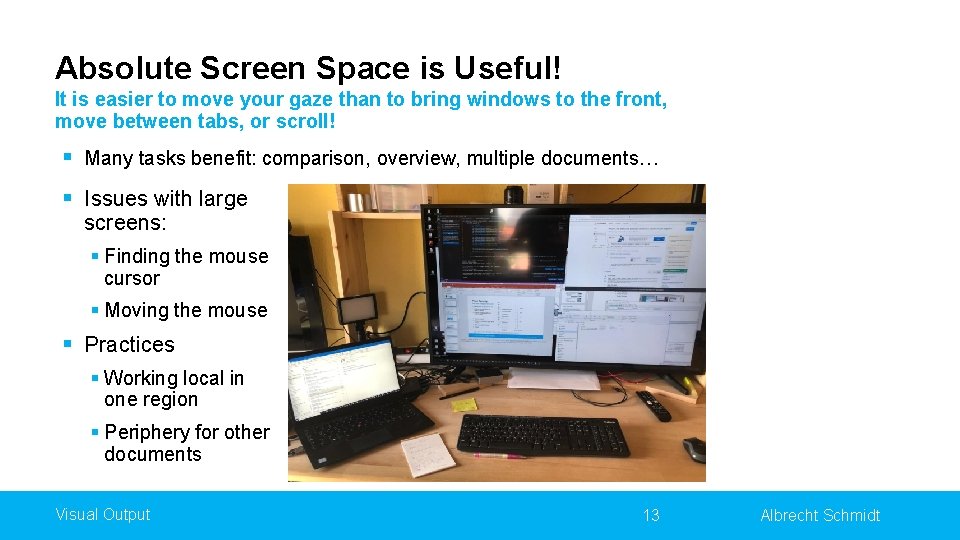
Absolute Screen Space is Useful! It is easier to move your gaze than to bring windows to the front, move between tabs, or scroll! § Many tasks benefit: comparison, overview, multiple documents… § Issues with large screens: § Finding the mouse cursor § Moving the mouse § Practices § Working local in one region § Periphery for other documents Visual Output 13 Albrecht Schmidt
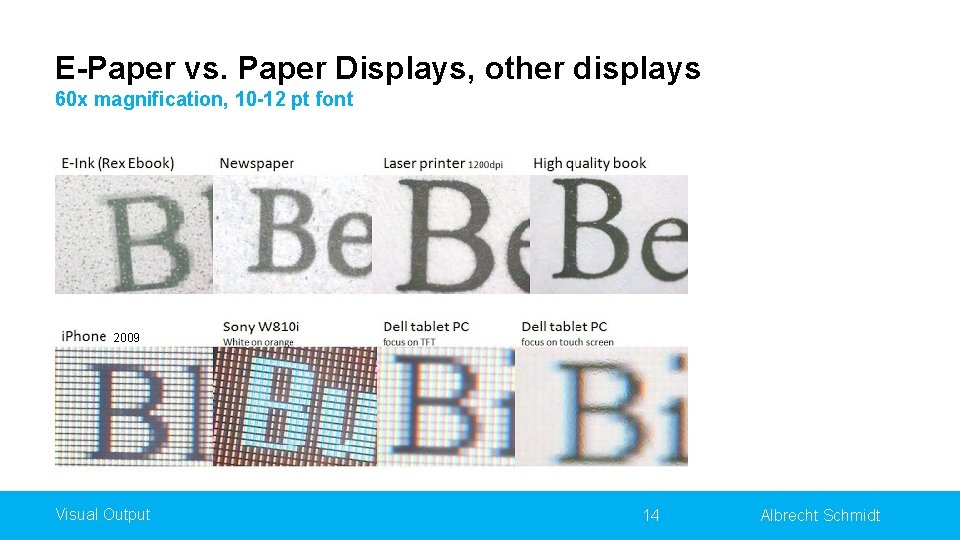
E-Paper vs. Paper Displays, other displays 60 x magnification, 10 -12 pt font 2009 Visual Output 14 Albrecht Schmidt
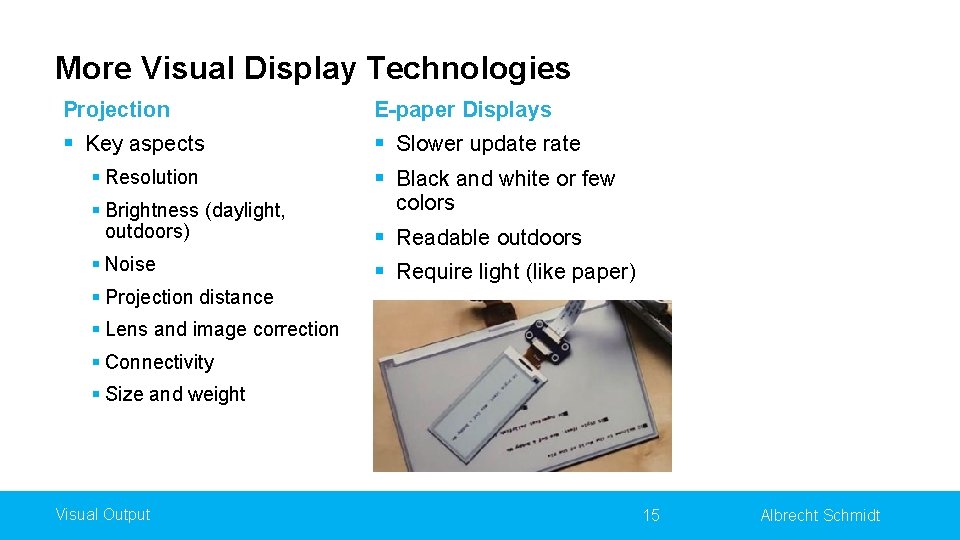
More Visual Display Technologies Projection E-paper Displays § Key aspects § Slower update rate § Black and white or few § Resolution § Brightness (daylight, outdoors) § Noise colors § Readable outdoors § Require light (like paper) § Projection distance § Lens and image correction § Connectivity § Size and weight Visual Output 15 Albrecht Schmidt
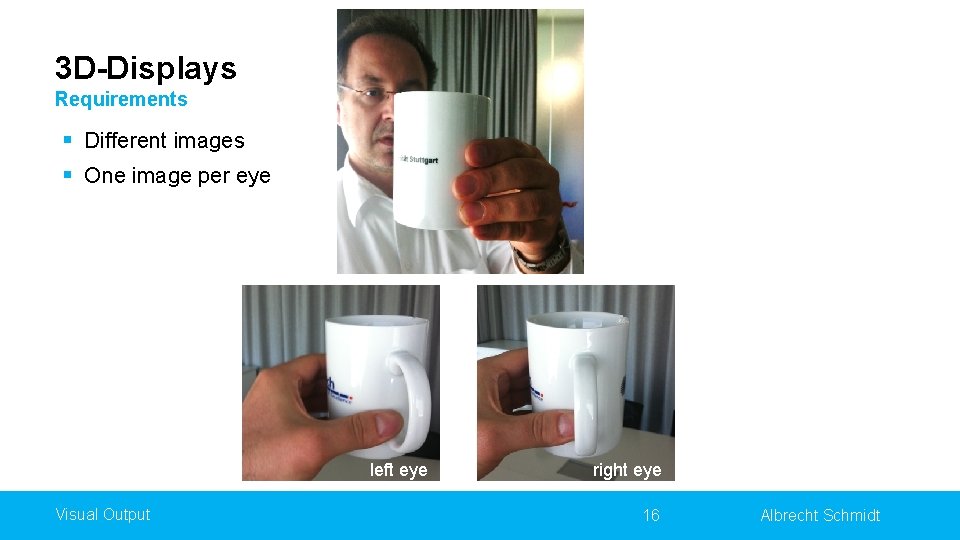
3 D-Displays Requirements § Different images § One image per eye left eye Visual Output right eye 16 Albrecht Schmidt
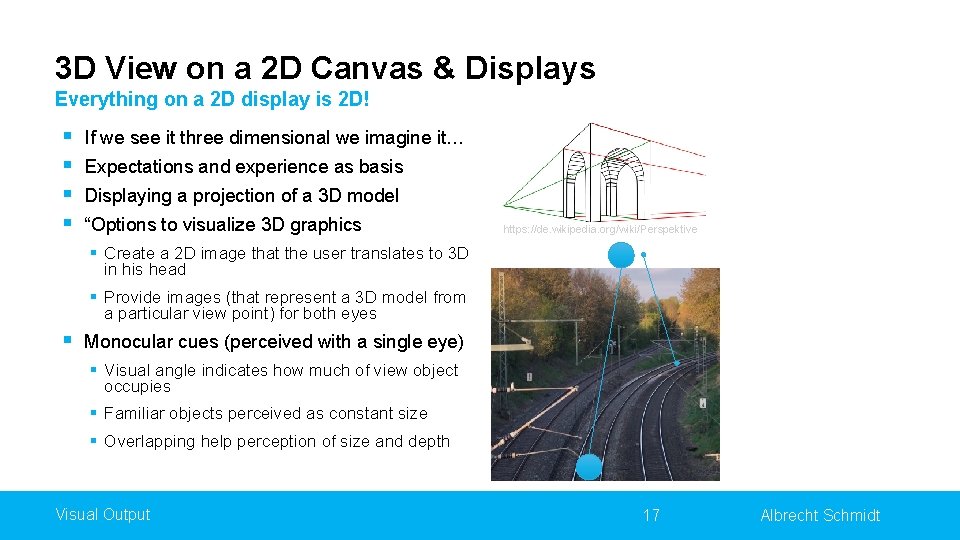
3 D View on a 2 D Canvas & Displays Everything on a 2 D display is 2 D! § § If we see it three dimensional we imagine it… Expectations and experience as basis Displaying a projection of a 3 D model “Options to visualize 3 D graphics https: //de. wikipedia. org/wiki/Perspektive § Create a 2 D image that the user translates to 3 D in his head § Provide images (that represent a 3 D model from a particular view point) for both eyes § Monocular cues (perceived with a single eye) § Visual angle indicates how much of view object occupies § Familiar objects perceived as constant size § Overlapping help perception of size and depth Visual Output 17 Albrecht Schmidt
Real 3 D Displays Real 3 D requires an image for each eye § Real physical objects § Providing a display for each eye (headset) § Overlaying images an separating them for each eye § Time synchronized, e. g. shutter glasses § Polarization filter on projector and glasses § Color anaglyph systems § Autostereoscopic displays § Volumetric displays Visual Output 18 Albrecht Schmidt
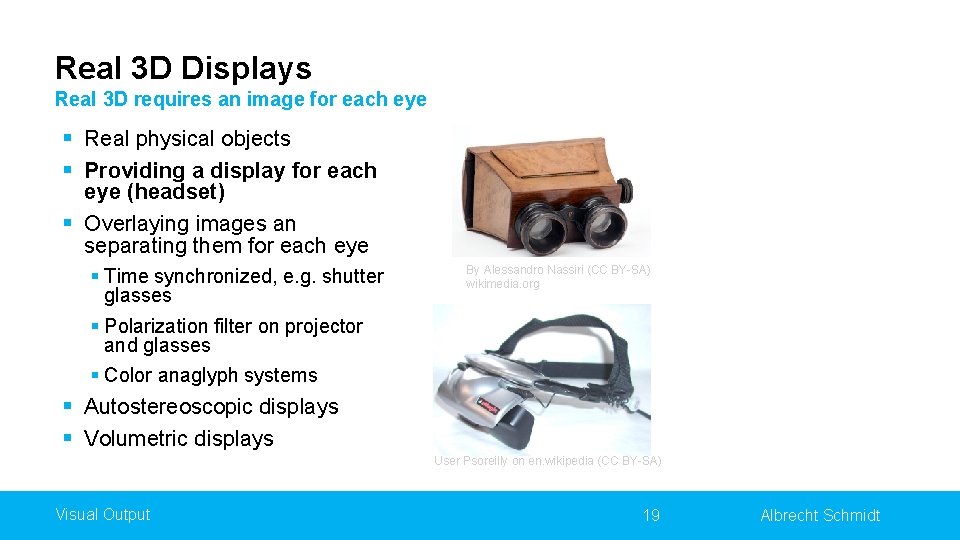
Real 3 D Displays Real 3 D requires an image for each eye § Real physical objects § Providing a display for each eye (headset) § Overlaying images an separating them for each eye § Time synchronized, e. g. shutter glasses § Polarization filter on projector and glasses § Color anaglyph systems By Alessandro Nassiri (CC BY-SA) wikimedia. org § Autostereoscopic displays § Volumetric displays User Psoreilly on en. wikipedia (CC BY-SA) Visual Output 19 Albrecht Schmidt
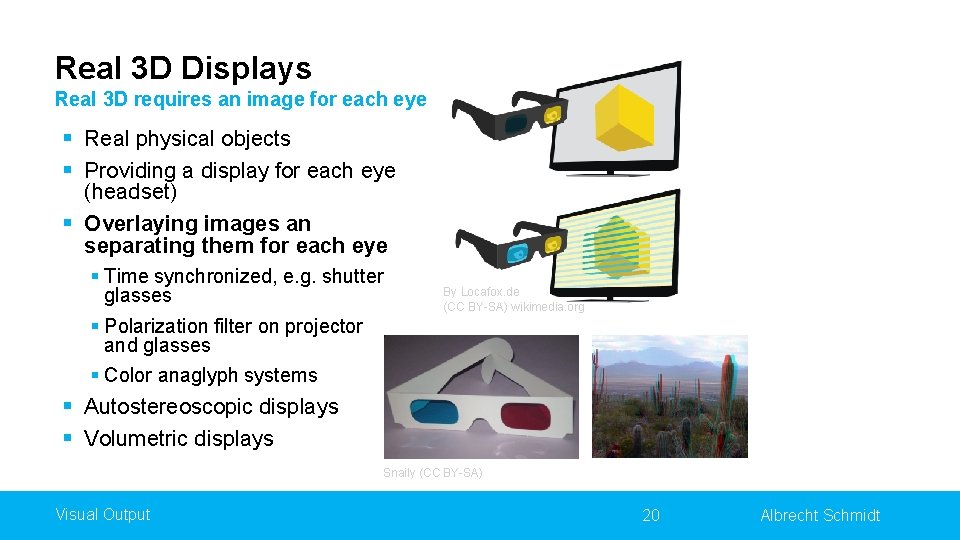
Real 3 D Displays Real 3 D requires an image for each eye § Real physical objects § Providing a display for each eye (headset) § Overlaying images an separating them for each eye § Time synchronized, e. g. shutter glasses § Polarization filter on projector and glasses § Color anaglyph systems By Locafox. de (CC BY-SA) wikimedia. org § Autostereoscopic displays § Volumetric displays Snaily (CC BY-SA) Visual Output 20 Albrecht Schmidt
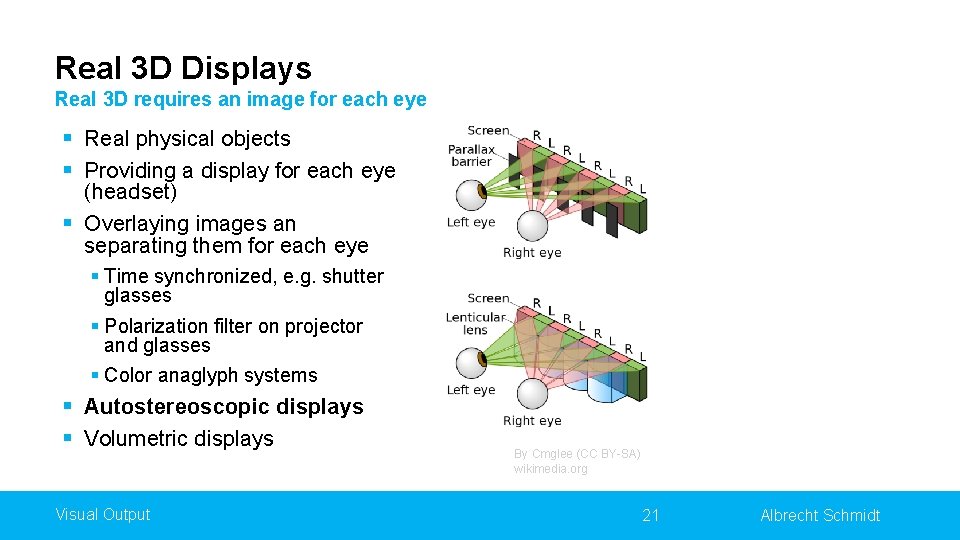
Real 3 D Displays Real 3 D requires an image for each eye § Real physical objects § Providing a display for each eye (headset) § Overlaying images an separating them for each eye § Time synchronized, e. g. shutter glasses § Polarization filter on projector and glasses § Color anaglyph systems § Autostereoscopic displays § Volumetric displays Visual Output By Cmglee (CC BY-SA) wikimedia. org 21 Albrecht Schmidt
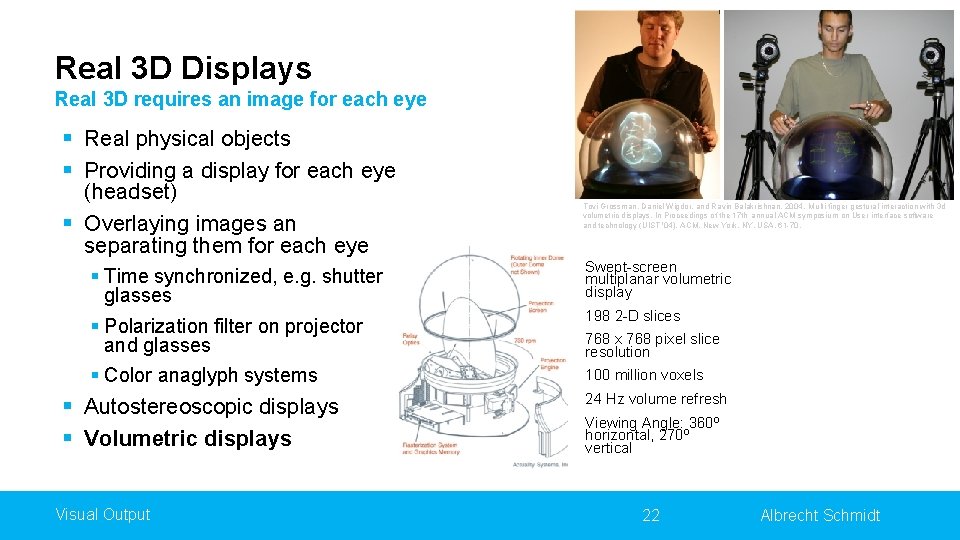
Real 3 D Displays Real 3 D requires an image for each eye § Real physical objects § Providing a display for each eye (headset) § Overlaying images an separating them for each eye § Time synchronized, e. g. shutter glasses § Polarization filter on projector and glasses § Color anaglyph systems § Autostereoscopic displays § Volumetric displays Visual Output Tovi Grossman, Daniel Wigdor, and Ravin Balakrishnan. 2004. Multi-finger gestural interaction with 3 d volumetric displays. In Proceedings of the 17 th annual ACM symposium on User interface software and technology (UIST '04). ACM, New York, NY, USA, 61 -70. Swept-screen multiplanar volumetric display 198 2 -D slices 768 x 768 pixel slice resolution 100 million voxels 24 Hz volume refresh Viewing Angle: 360º horizontal, 270º vertical 22 Albrecht Schmidt
Did you understand this block? Can you answer these questions? § Discuss technical parameters that are relevant for visual displays? § What is the difference between a tablet screen and an e-paper display with regard to different parameters? § How does an autostereoscopic display work? § How does the shutter technology work in principle? § Why can we “see” 3 D images on 2 D screens? Visual Output 23 Albrecht Schmidt
Reference § Lischke, L. , Mayer, S. , Wolf, K. , Sahami Shirazi, A. , & Henze, N. (2015, April). Subjective and objective effects of tablet's pixel density. In Proceedings of the 33 rd Annual ACM Conference on Human Factors in Computing Systems (pp. 2769 -2772). § Tovi Grossman, Daniel Wigdor, and Ravin Balakrishnan. 2004. Multi-finger gestural interaction with 3 d volumetric displays. In Proceedings of the 17 th annual ACM symposium on User interface software and technology (UIST '04). ACM, New York, NY, USA, 61 -70. Visual Output 24 Albrecht Schmidt
License This file is licensed under the Creative Commons Attribution-Share Alike 4. 0 (CC BY-SA) license: https: //creativecommons. org/licenses/by-sa/4. 0 Attribution: Albrecht Schmidt For more content see: https: //hci-lecture. de 25 Albrecht Schmidt
- Slides: 25