
Visual Management Info Centres Lean Training Schneider IO




- Slides: 38
Visual Management – Info Centre's Lean Training, Schneider IO 8 th December 2010
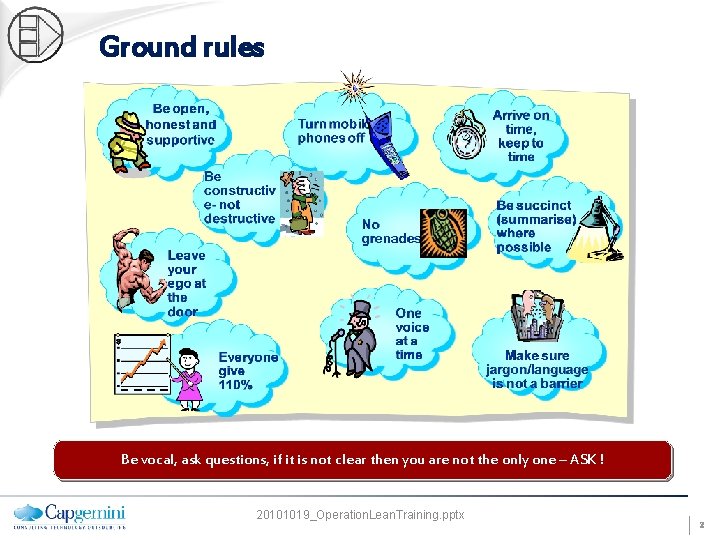
Ground rules Be vocal, ask questions, if it is not clear then you are not the only one – ASK ! 20101019_Operation. Lean. Training. pptx 2
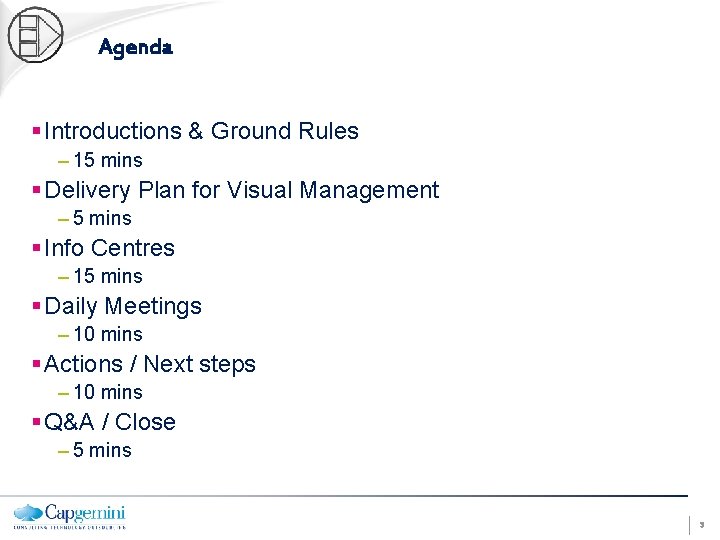
Agenda § Introductions & Ground Rules – 15 mins § Delivery Plan for Visual Management – 5 mins § Info Centres – 15 mins § Daily Meetings – 10 mins § Actions / Next steps – 10 mins § Q&A / Close – 5 mins 3
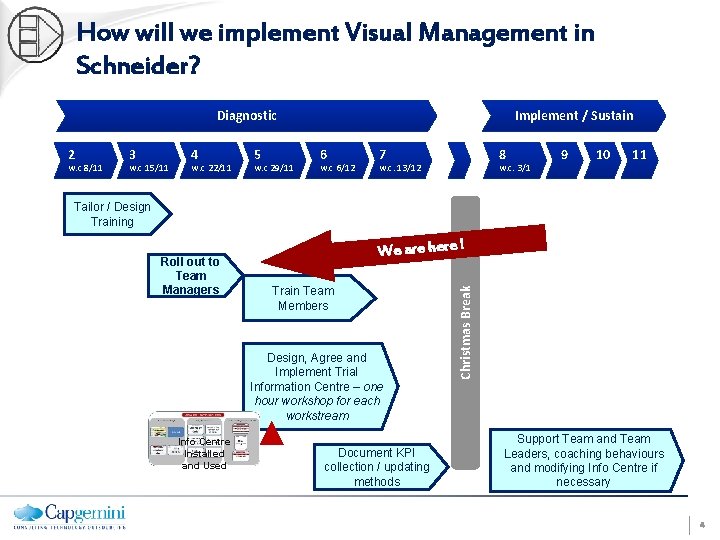
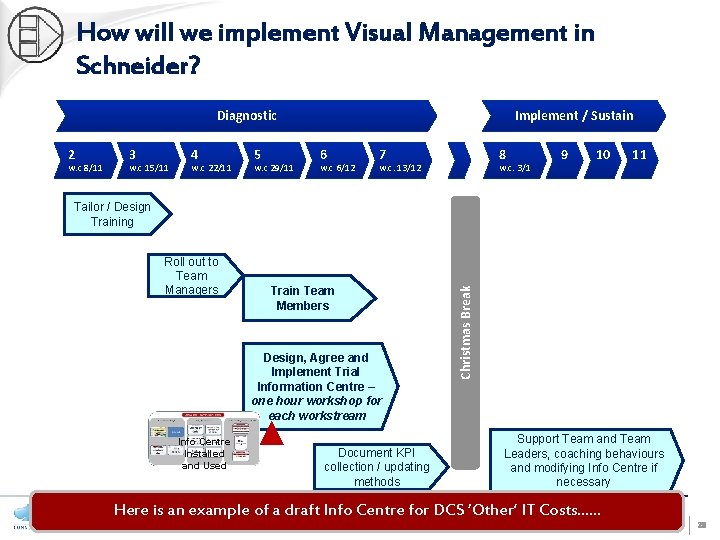
How will we implement Visual Management in Schneider? Diagnostic 2 w. c 8/11 3 w. c 15/11 4 w. c 22/11 5 w. c 29/11 Implement / Sustain 6 w. c 6/12 7 8 w. c. 13/12 w. c. 3/1 9 10 11 Tailor / Design Training Train Team Members Design, Agree and Implement Trial Information Centre – one hour workshop for each workstream Info Centre Installed and Used Document KPI collection / updating methods Christmas Break Roll out to Team Managers We are here ! Support Team and Team Leaders, coaching behaviours and modifying Info Centre if necessary 4
Discussion topic – What are potential issues around communication within your team or the organisation? – What types of communication would you like to see / would be of benefit? 5
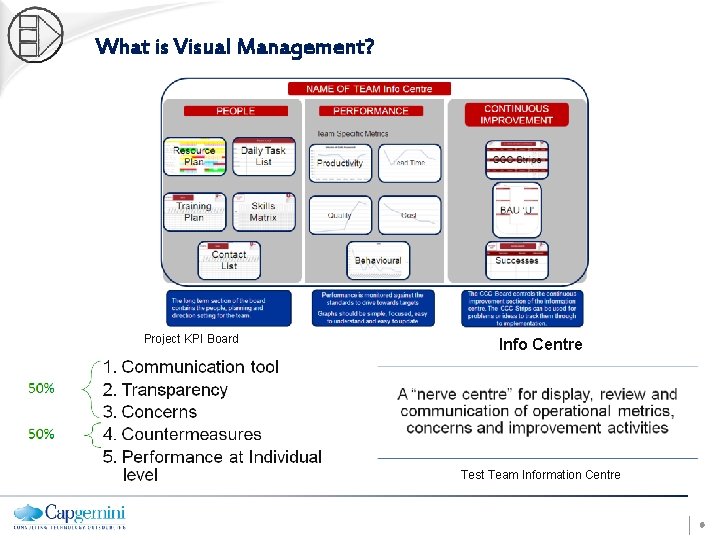
What is Visual Management? Project KPI Board Info Centre Test Team Information Centre 6
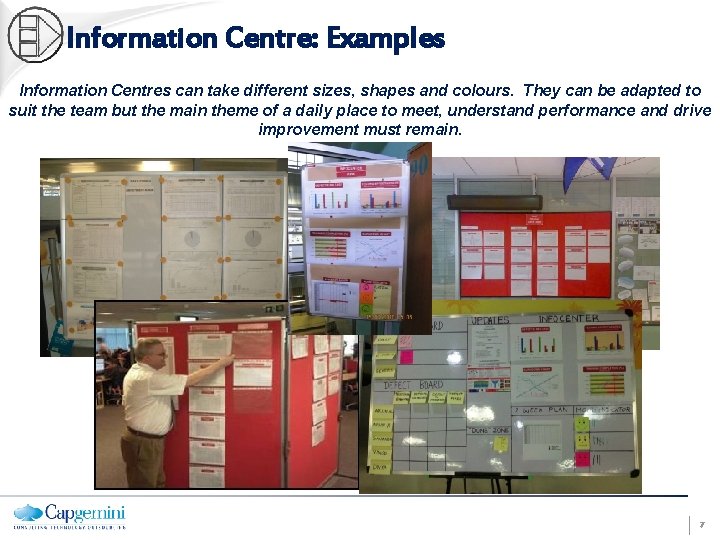
Information Centre: Examples Information Centres can take different sizes, shapes and colours. They can be adapted to suit the team but the main theme of a daily place to meet, understand performance and drive improvement must remain. 7
What’s in it for me? “Make your workplace into a showcase that can easily be understood by anyone at a glance”. Taiichi Ohno • Seeing your process clearly • Bottom up and Top Down communication through Layered Approach • Having a method to improve issues • Having a method to escalate issues quickly • Being able to see your own performance • Choosing your own KPI’s, including customer service • Choosing your own levels at which to react Quality - An info centre seeks to make errors and issues immediately apparent. Quantity - An info centre shows progress or delays against plans 8
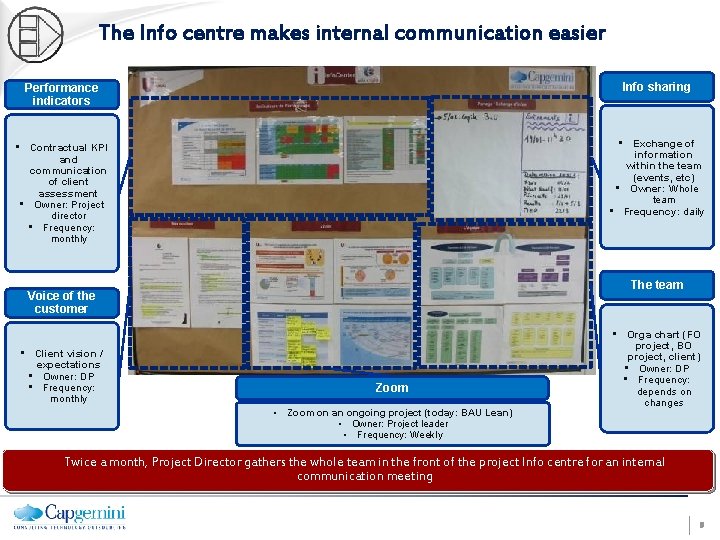
The Info centre makes internal communication easier Performance indicators Info sharing • Contractual KPI and communication of client assessment • Owner: Project director • Frequency: monthly • Exchange of information within the team (events, etc) • Owner: Whole team • Frequency: daily The team Voice of the customer • Client vision / expectations • Owner: DP • Frequency: monthly Zoom • Zoom on an ongoing project (today: BAU Lean) • Owner: Project leader • Frequency: Weekly • Orga chart (FO project, BO project, client) • Owner: DP • Frequency: depends on changes Twice a month, Project Director gathers the whole team in the front of the project Info centre for an internal communication meeting 9
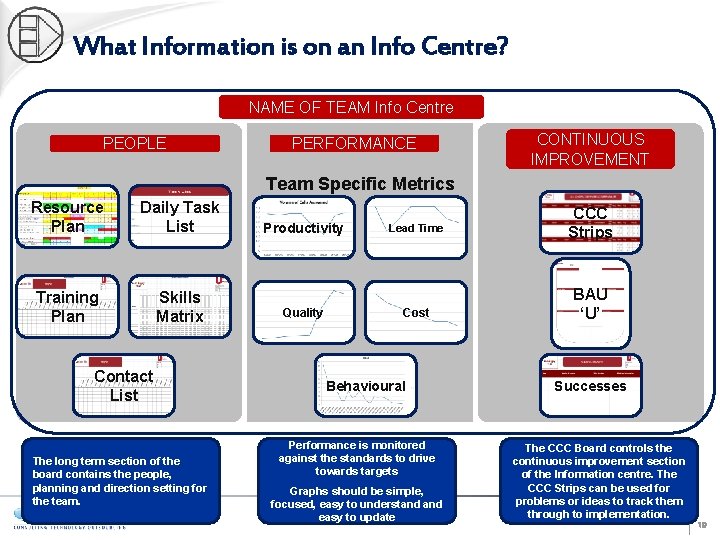
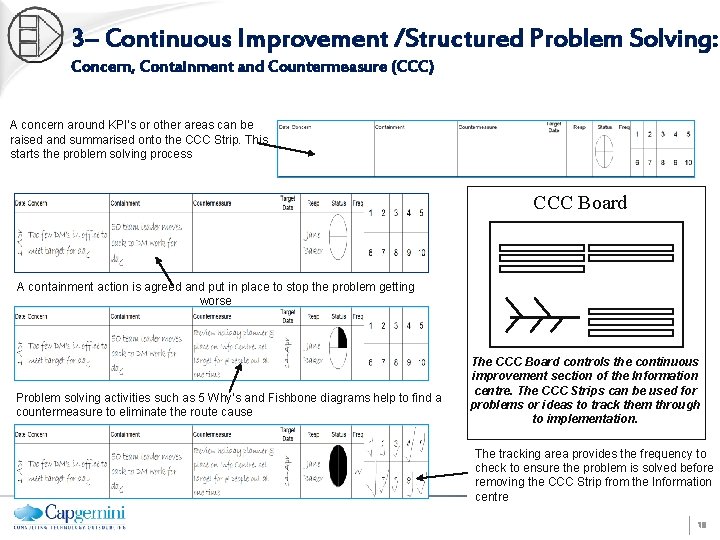
What Information is on an Info Centre? NAME OF TEAM Info Centre PEOPLE PERFORMANCE CONTINUOUS IMPROVEMENT Team Specific Metrics Resource Plan Daily Task List Training Plan Skills Matrix Contact List The long term section of the board contains the people, planning and direction setting for the team. Productivity Quality Lead Time Cost Behavioural Performance is monitored against the standards to drive towards targets Graphs should be simple, focused, easy to understand easy to update CCC Strips BAU ‘U’ Successes The CCC Board controls the continuous improvement section of the Information centre. The CCC Strips can be used for problems or ideas to track them through to implementation. 10
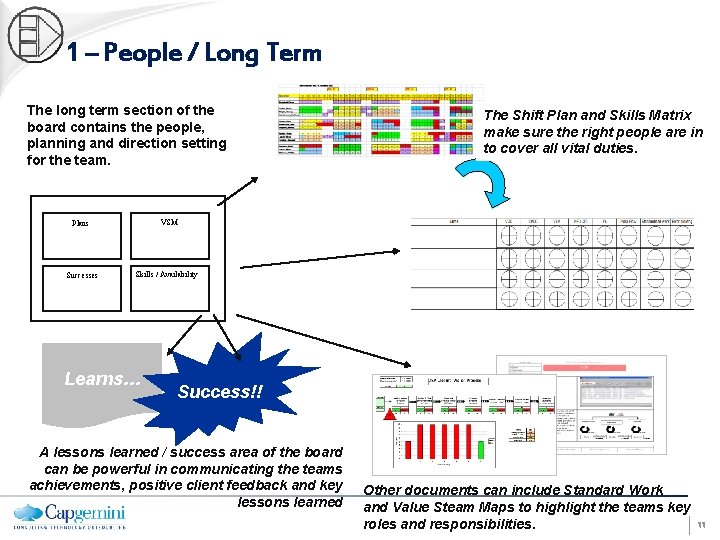
1 – People / Long Term The long term section of the board contains the people, planning and direction setting for the team. VSM Plans Successes The Shift Plan and Skills Matrix make sure the right people are in to cover all vital duties. Skills / Availability Learns… Success!! A lessons learned / success area of the board can be powerful in communicating the teams achievements, positive client feedback and key lessons learned Other documents can include Standard Work and Value Steam Maps to highlight the teams key roles and responsibilities. 11
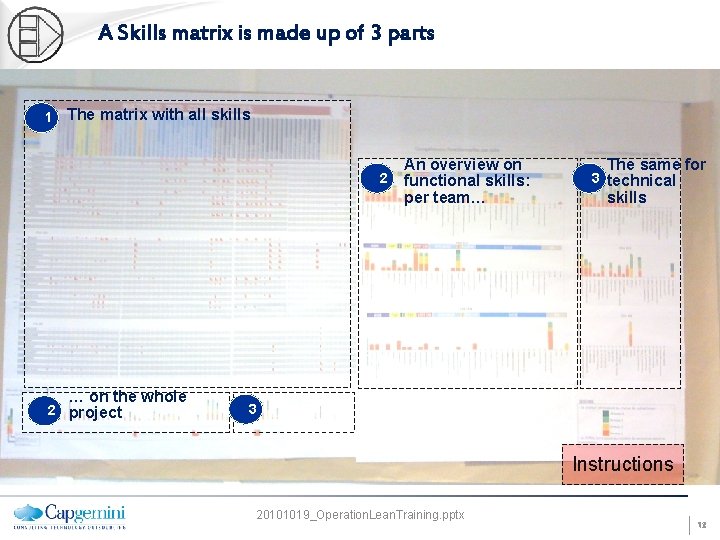
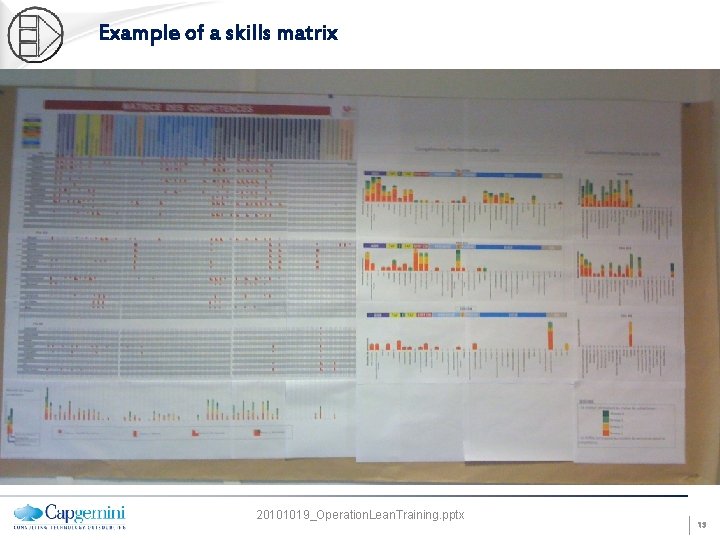
A Skills matrix is made up of 3 parts 1 The matrix with all skills 2 … on the whole 2 project An overview on functional skills: per team… The same for 3 technical skills 3 Instructions 20101019_Operation. Lean. Training. pptx 12
Example of a skills matrix 20101019_Operation. Lean. Training. pptx 13
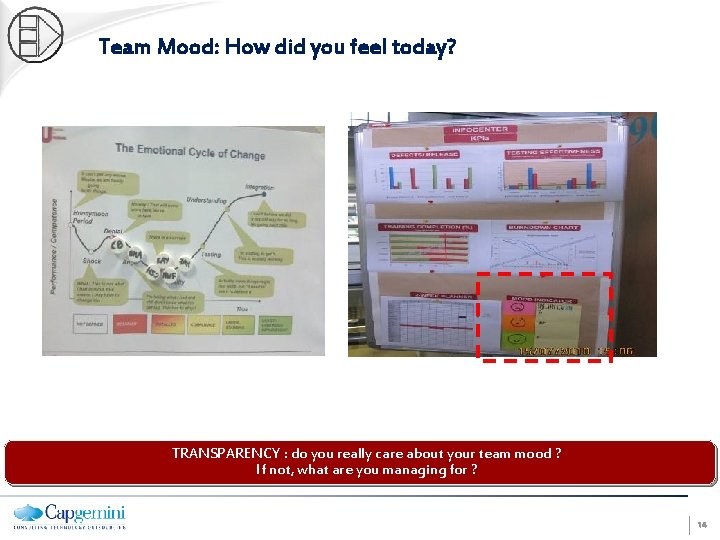
Team Mood: How did you feel today? TRANSPARENCY : do you really care about your team mood ? If not, what are you managing for ? 14
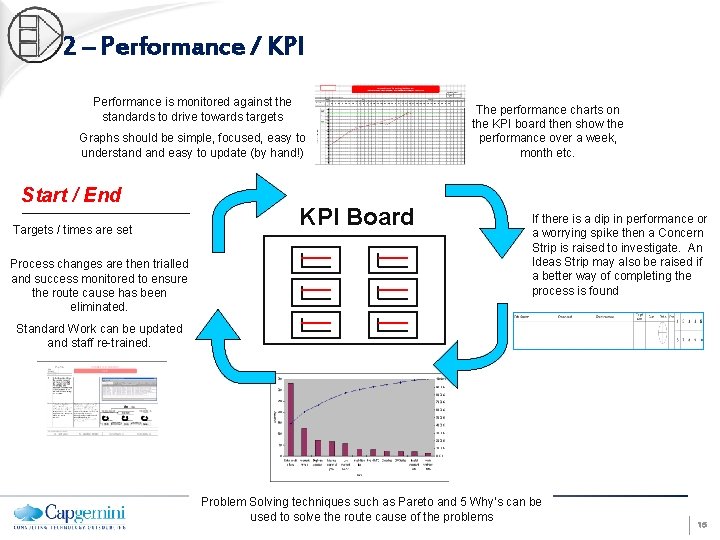
2 – Performance / KPI Performance is monitored against the standards to drive towards targets Graphs should be simple, focused, easy to understand easy to update (by hand!) Start / End Targets / times are set Process changes are then trialled and success monitored to ensure the route cause has been eliminated. KPI Board The performance charts on the KPI board then show the performance over a week, month etc. If there is a dip in performance or a worrying spike then a Concern Strip is raised to investigate. An Ideas Strip may also be raised if a better way of completing the process is found Standard Work can be updated and staff re-trained. Problem Solving techniques such as Pareto and 5 Why’s can be used to solve the route cause of the problems 15
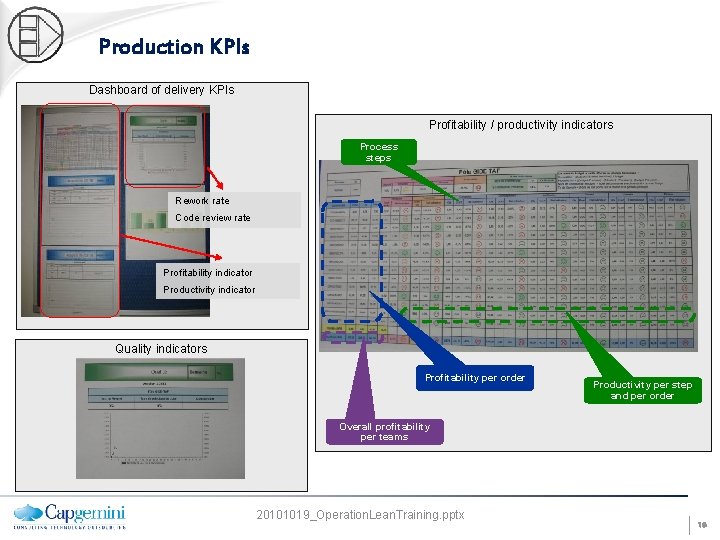
Production KPIs Dashboard of delivery KPIs Profitability / productivity indicators Process steps Rework rate Code review rate Profitability indicator Productivity indicator Quality indicators Profitability per order Productivity per step and per order Overall profitability per teams 20101019_Operation. Lean. Training. pptx 16
Examples of delivery boards Production Board Daily tasks Schedule Demand list Week days Cycle phases Team members Problems met Daily task plan by a programmer, supporting the daily stand-up meeting Info. on progress 20101019_Operation. Lean. Training. pptx 17
3– Continuous Improvement /Structured Problem Solving: Concern, Containment and Countermeasure (CCC) A concern around KPI’s or other areas can be raised and summarised onto the CCC Strip. This starts the problem solving process CCC Board A containment action is agreed and put in place to stop the problem getting worse Problem solving activities such as 5 Why’s and Fishbone diagrams help to find a countermeasure to eliminate the route cause The CCC Board controls the continuous improvement section of the Information centre. The CCC Strips can be used for problems or ideas to track them through to implementation. The tracking area provides the frequency to check to ensure the problem is solved before removing the CCC Strip from the Information centre 18
Discussion topic § Visual Management is… – The use of displays and controls as a communication tool to ensure that key information is always at hand. – It enables you to identify any issues or problems that arise and ensure that they are acted upon quickly § Question: – Where you have seen examples of Visual Management being used 19
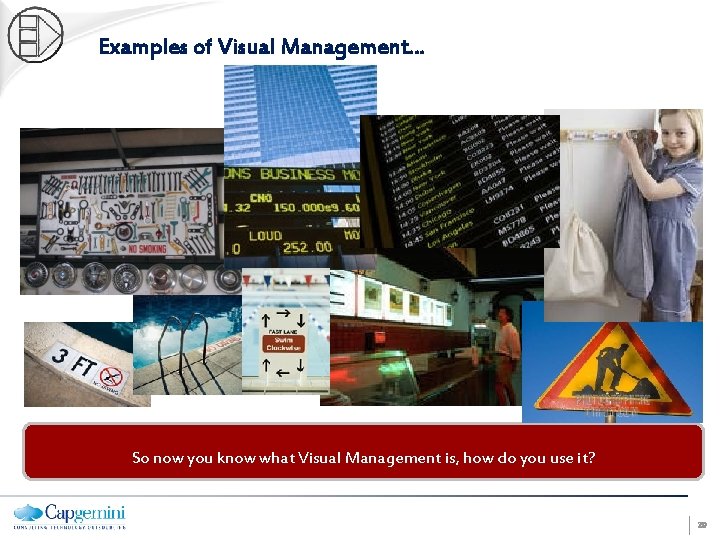
Examples of Visual Management… So now you know what Visual Management is, how do you use it? 20
Daily Meetings A short and focused day to day meeting provides a vehicle for : 1. Team communication 2. Business performance management 3. Continuous improvement Correct use of Information centres & meetings provide the foundation for: 1. Target reviewing and setting 2. Communicating key information 3. Capturing concerns about performance and process 4. Solving concerns at the appropriate level 5. Informing, involving, and engaging all employees 6. Showcasing to other areas/visitors the active management of the area 21
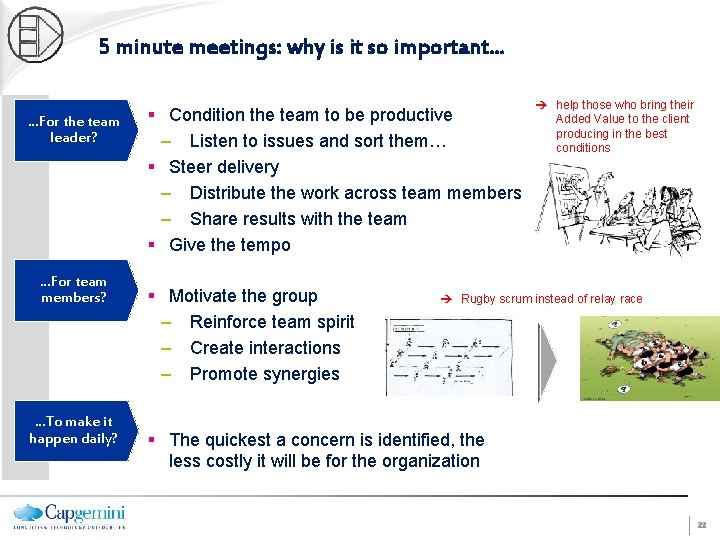
5 minute meetings: why is it so important. . . …For the team leader? …For team members? …To make it happen daily? § Condition the team to be productive – Listen to issues and sort them… § Steer delivery – Distribute the work across team members – Share results with the team § Give the tempo § Motivate the group – Reinforce team spirit – Create interactions – Promote synergies help those who bring their Added Value to the client producing in the best conditions Rugby scrum instead of relay race § The quickest a concern is identified, the less costly it will be for the organization 22
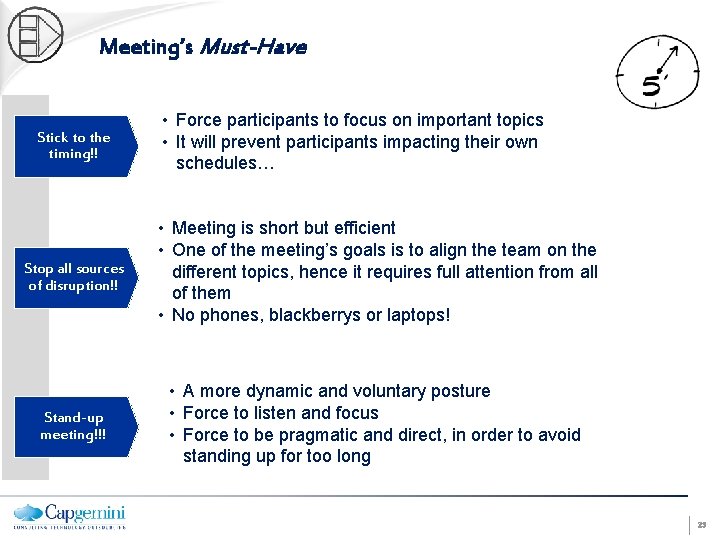
Meeting’s Must-Have Stick to the timing!! • Force participants to focus on important topics • It will prevent participants impacting their own schedules… Stop all sources of disruption!! • Meeting is short but efficient • One of the meeting’s goals is to align the team on the different topics, hence it requires full attention from all of them • No phones, blackberrys or laptops! Stand-up meeting!!! • A more dynamic and voluntary posture • Force to listen and focus • Force to be pragmatic and direct, in order to avoid standing up for too long 23
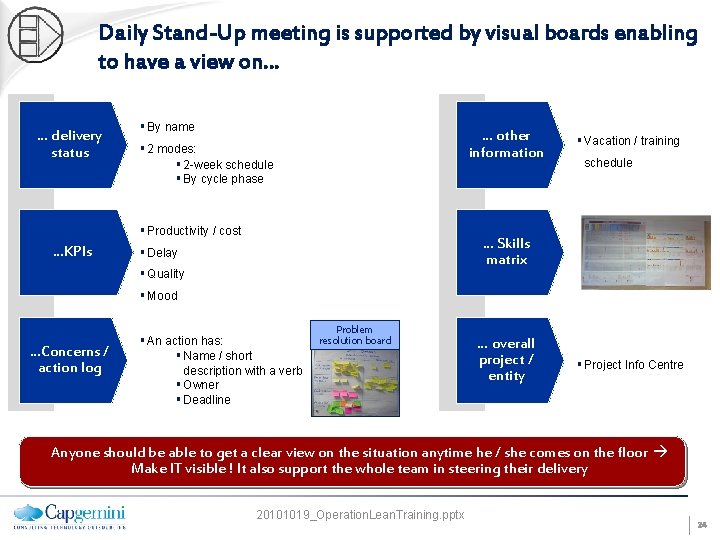
Daily Stand-Up meeting is supported by visual boards enabling to have a view on… … delivery status § By name … other information § 2 modes: § 2 -week schedule § By cycle phase § Productivity / cost …KPIs § Vacation / training schedule … Skills matrix § Delay § Quality § Mood …Concerns / action log § An action has: § Name / short description with a verb § Owner § Deadline Problem resolution board … overall project / entity § Project Info Centre Anyone should be able to get a clear view on the situation anytime he / she comes on the floor Make IT visible ! It also support the whole team in steering their delivery 20101019_Operation. Lean. Training. pptx 24
Standard structure of a daily stand-up meeting (Proposal) How did you feel yesterday? (Mood reporting) What did you do / deliver yesterday? What are you going to do / deliver today What concerns did you meet? Progress status on action plan This daily meeting is action-oriented. It happens in the front of visual supports. They enable to display the progress status and give an overview of the situation in a flash. 20101019_Operation. Lean. Training. pptx 25
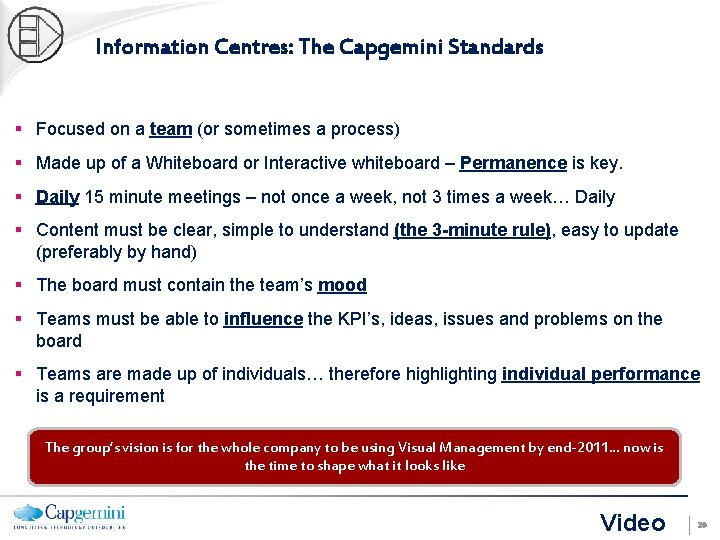
Information Centres: The Capgemini Standards § Focused on a team (or sometimes a process) § Made up of a Whiteboard or Interactive whiteboard – Permanence is key. § Daily 15 minute meetings – not once a week, not 3 times a week… Daily § Content must be clear, simple to understand (the 3 -minute rule), easy to update (preferably by hand) § The board must contain the team’s mood § Teams must be able to influence the KPI’s, ideas, issues and problems on the board § Teams are made up of individuals… therefore highlighting individual performance is a requirement The group’s vision is for the whole company to be using Visual Management by end-2011… now is the time to shape what it looks like Video 26
What do we need to do to make Visual Management successful? Get the process right • Meeting structure, attendance, frequency, team reviews, countermeasure close-out, 3 minute mgt. Have appropriate content • Appropriate KPI’s in place i. e. measures that the teams can affect, linked to company cascaded KPI’s Ensure right behaviours • Respect for individual, follow-up/process confirmation outside of meetings (Go, Look & See), structured problem solving 27
How will we implement Visual Management in Schneider? Diagnostic 2 w. c 8/11 3 w. c 15/11 4 w. c 22/11 5 w. c 29/11 Implement / Sustain 6 w. c 6/12 7 8 w. c. 13/12 w. c. 3/1 9 10 11 Roll out to Team Managers Train Team Members Design, Agree and Implement Trial Information Centre – one hour workshop for each workstream Info Centre Installed and Used Document KPI collection / updating methods Christmas Break Tailor / Design Training Support Team and Team Leaders, coaching behaviours and modifying Info Centre if necessary Here is an example of a draft Info Centre for DCS ‘Other’ IT Costs. . . 28
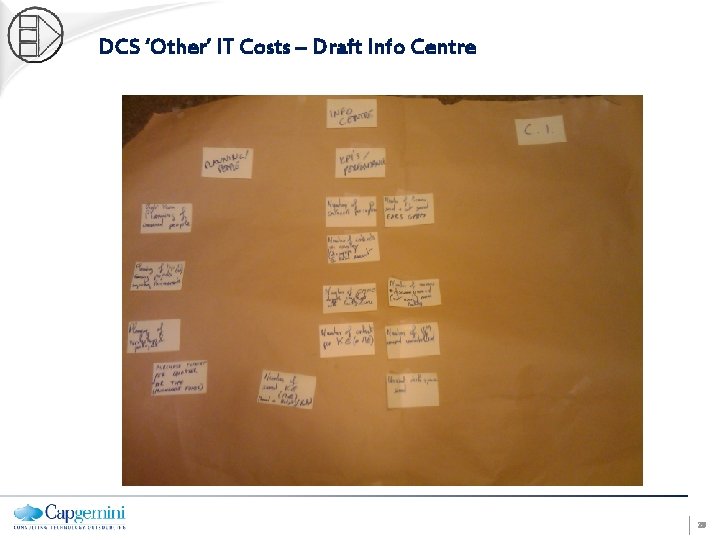
DCS ‘Other’ IT Costs – Draft Info Centre 29
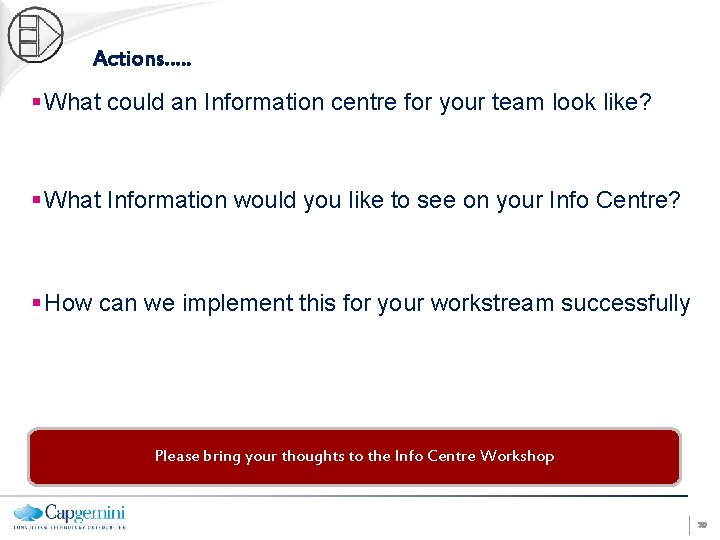
Actions…. . § What could an Information centre for your team look like? § What Information would you like to see on your Info Centre? § How can we implement this for your workstream successfully Please bring your thoughts to the Info Centre Workshop 30
Any questions? . . 31
Appendices 32
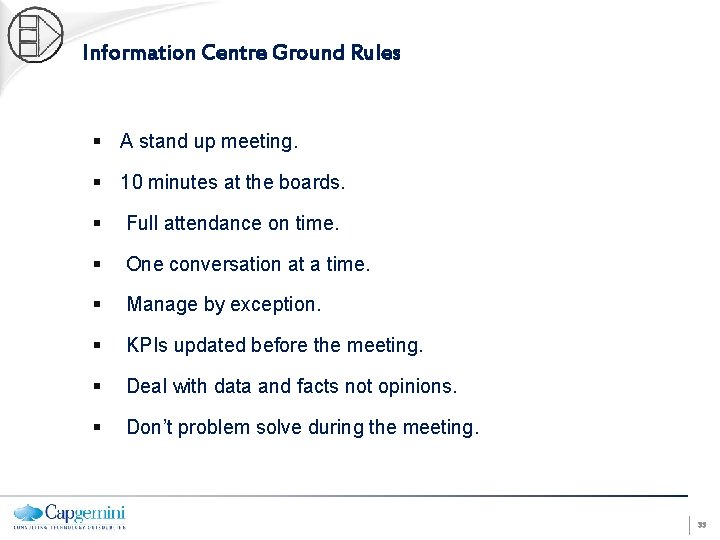
Information Centre Ground Rules § A stand up meeting. § 10 minutes at the boards. § Full attendance on time. § One conversation at a time. § Manage by exception. § KPIs updated before the meeting. § Deal with data and facts not opinions. § Don’t problem solve during the meeting. 33
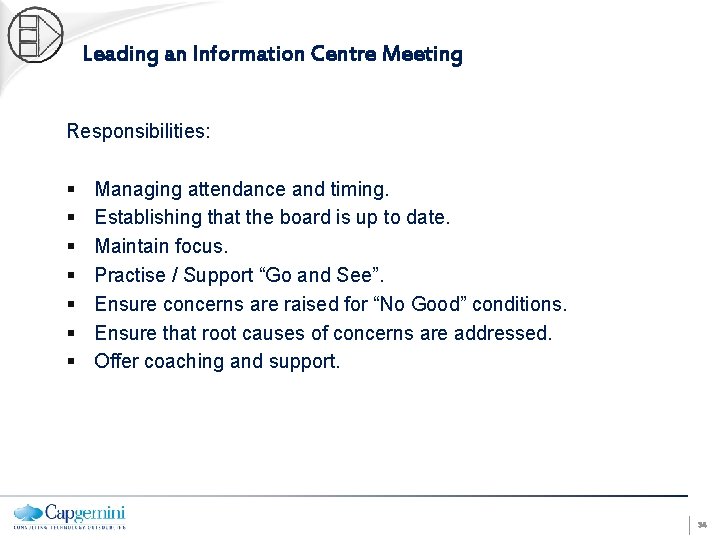
Leading an Information Centre Meeting Responsibilities: § § § § Managing attendance and timing. Establishing that the board is up to date. Maintain focus. Practise / Support “Go and See”. Ensure concerns are raised for “No Good” conditions. Ensure that root causes of concerns are addressed. Offer coaching and support. 34
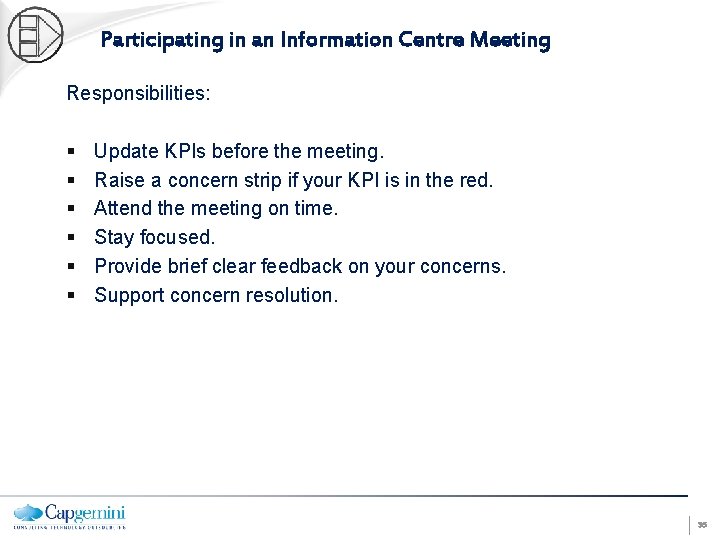
Participating in an Information Centre Meeting Responsibilities: § § § Update KPIs before the meeting. Raise a concern strip if your KPI is in the red. Attend the meeting on time. Stay focused. Provide brief clear feedback on your concerns. Support concern resolution. 35
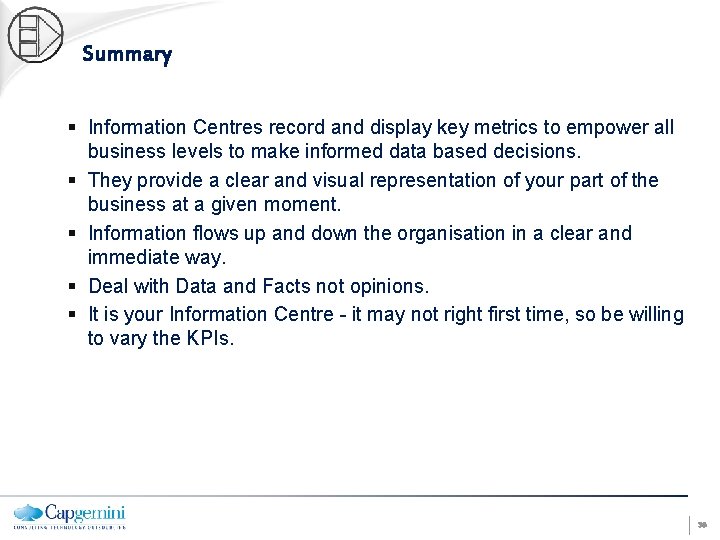
Summary § Information Centres record and display key metrics to empower all business levels to make informed data based decisions. § They provide a clear and visual representation of your part of the business at a given moment. § Information flows up and down the organisation in a clear and immediate way. § Deal with Data and Facts not opinions. § It is your Information Centre - it may not right first time, so be willing to vary the KPIs. 36
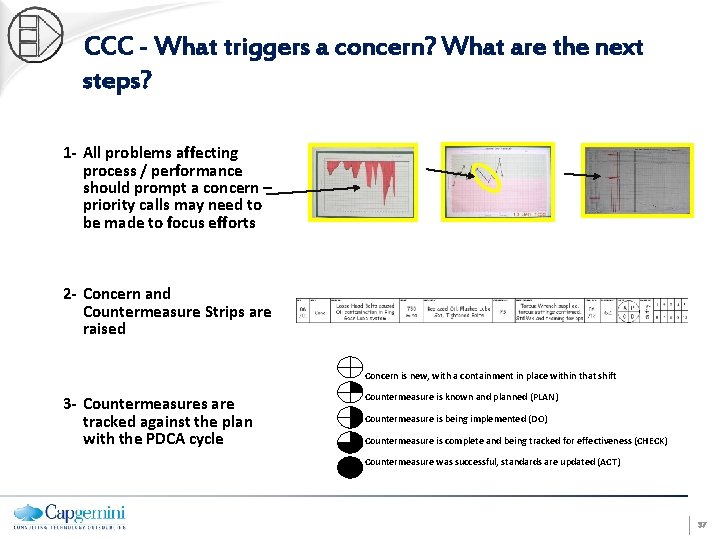
CCC - What triggers a concern? What are the next steps? 1 - All problems affecting process / performance should prompt a concern – priority calls may need to be made to focus efforts 2 - Concern and Countermeasure Strips are raised Concern is new, with a containment in place within that shift 3 - Countermeasures are tracked against the plan with the PDCA cycle Countermeasure is known and planned (PLAN) Countermeasure is being implemented (DO) Countermeasure is complete and being tracked for effectiveness (CHECK) Countermeasure was successful, standards are updated (ACT) 37
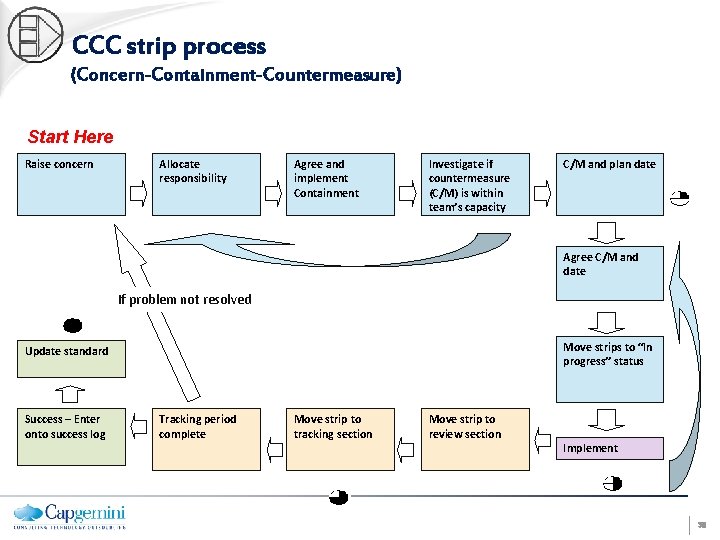
CCC strip process (Concern-Containment-Countermeasure) Start Here Raise concern Allocate responsibility Agree and implement Containment Investigate if countermeasure (C/M) is within team’s capacity C/M and plan date Agree C/M and date If problem not resolved Move strips to “In progress” status Update standard Success – Enter onto success log Tracking period complete Move strip to tracking section Move strip to review section Implement 38