
Visual C 2005 Looping Objectives Learn about the

Visual C# 2005 Looping
Objectives • Learn about the loop structure • Learn how to create loops using the while statement • Learn how to create loops using the for statement • Learn how to create loops using the do statement Visual C# 2005 2

Objectives (continued) • Use nested loops • Accumulate totals • Understand how to improve loop performance Visual C# 2005 3
Learning About the Loop Structure • Loop – Structure that allows repeated execution of a block of statements • Loop body – Block of statements within a looping structure • C# types of loops – while loop – for loop – do loop (or do-while loop) Visual C# 2005 4
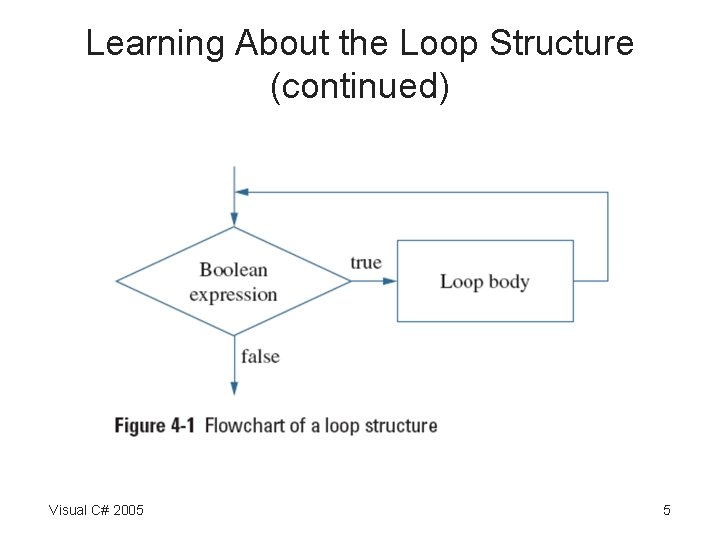
Learning About the Loop Structure (continued) Visual C# 2005 5
Using the while Loop • while loop – Used to execute a body of statements continuously as long as some condition continues to be true • Infinite loop – A loop that never ends • Making a while loop end correctly – Initialize the loop control variable – Test the control variable in the while expression – Alter the value of the control variable Visual C# 2005 6
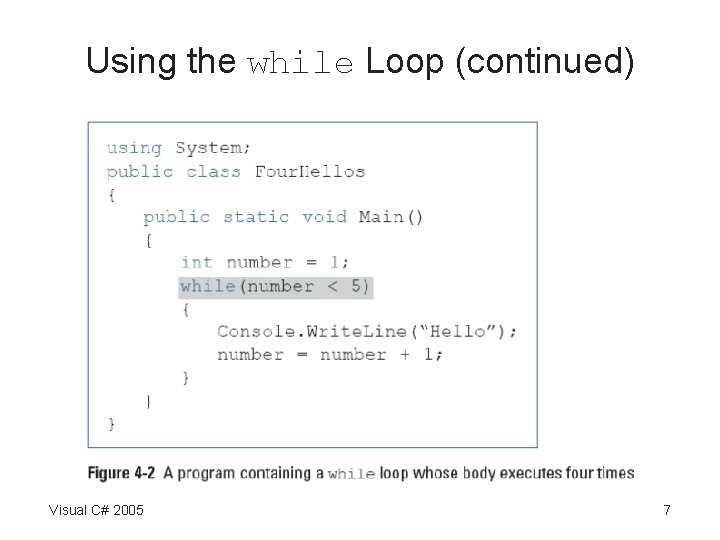
Using the while Loop (continued) Visual C# 2005 7
Using the while Loop (continued) • Empty body – Body with no statements in it • Altering the control variable by: – Incrementing, or adding to it – Decrementing it • Definite loop or counted loop – Loop for which the number of iterations is predetermined • Indefinite loop – Value of a loop control variable is not altered by arithmetic, but instead is altered by user input Visual C# 2005 8
Using the while Loop (continued) Visual C# 2005 9
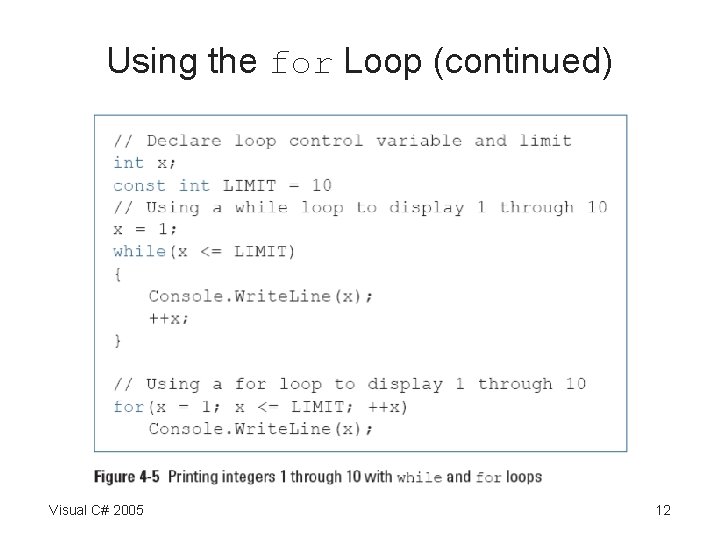
Using the for Loop • for loop – Shorthand way to create definite loops • Sections of the loop – Control variable initialization – Control variable testing – Control variable updating • Other tasks – Initialize more than one variable – Declare a new variable – Perform more than one test Visual C# 2005 10
Using the for Loop (continued) • Other tasks (continued) – Decrement or perform some other task at the end of the loop’s execution – Leave one or more portions of the for expression empty Visual C# 2005 11
Using the for Loop (continued) Visual C# 2005 12
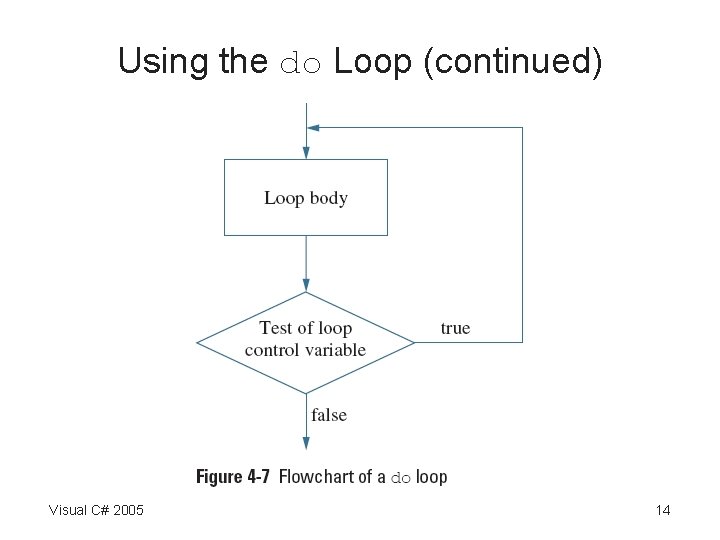
Using the do Loop • do loop – Checks at the bottom of the loop after one repetition has occurred • Convenient when you know you want to perform some task at least one time Visual C# 2005 13
Using the do Loop (continued) Visual C# 2005 14
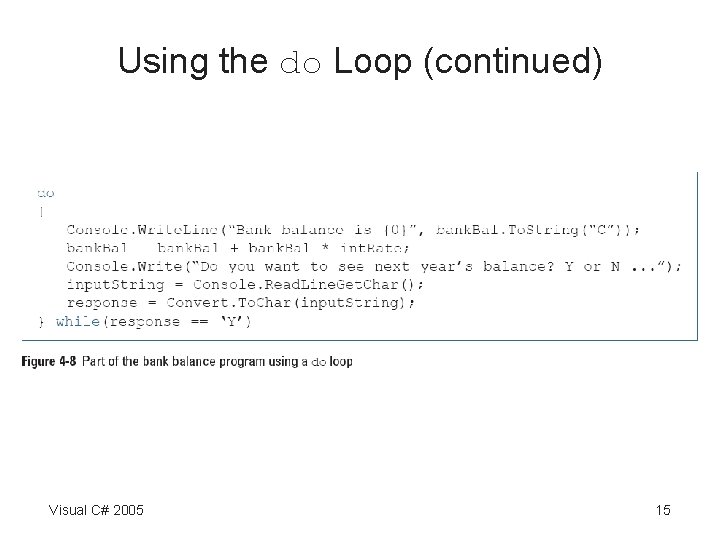
Using the do Loop (continued) Visual C# 2005 15
Using Nested Loops • When loops are nested, each pair contains an inner loop and an outer loop – The inner loop must be entirely contained within the outer loop – Loops can never overlap Visual C# 2005 16
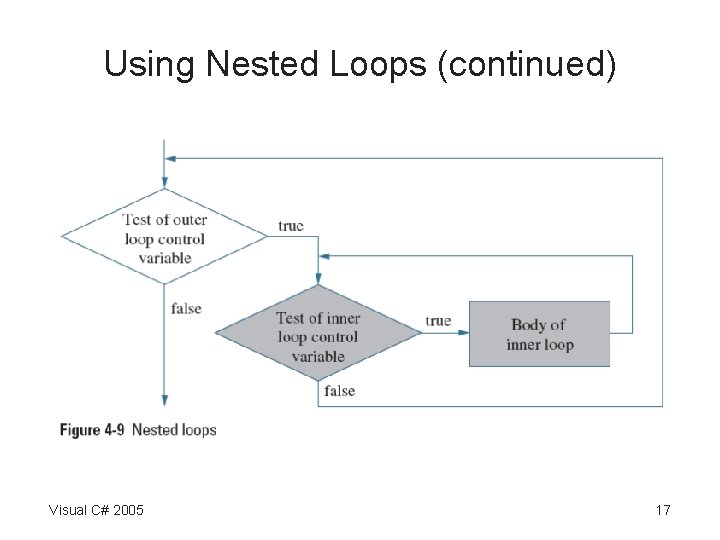
Using Nested Loops (continued) Visual C# 2005 17
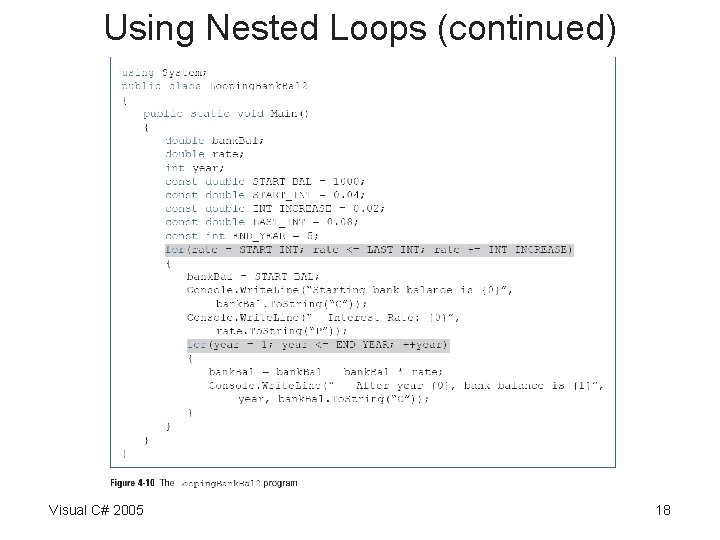
Using Nested Loops (continued) Visual C# 2005 18
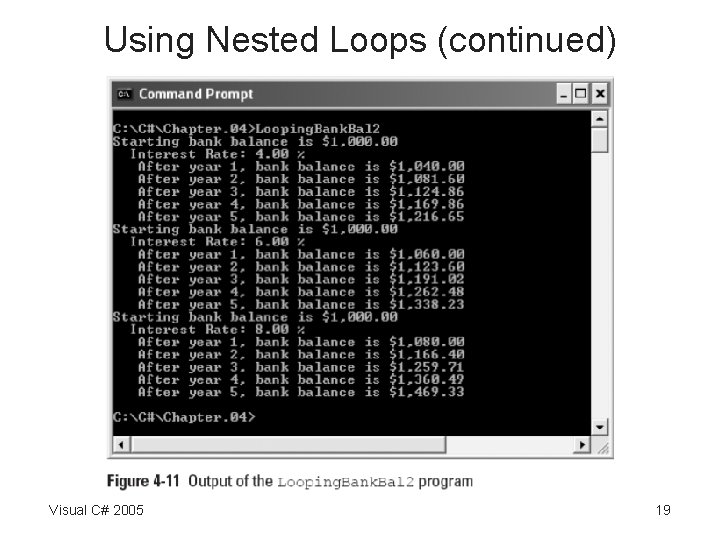
Using Nested Loops (continued) Visual C# 2005 19
Accumulating Totals • Totals are accumulated – Gathered together and added into a final sum • By processing individual records one at a time in a loop • Garbage – Unknown value – C# compiler helps to prevent seeing an incorrect total • By requiring you to provide a starting value Visual C# 2005 20
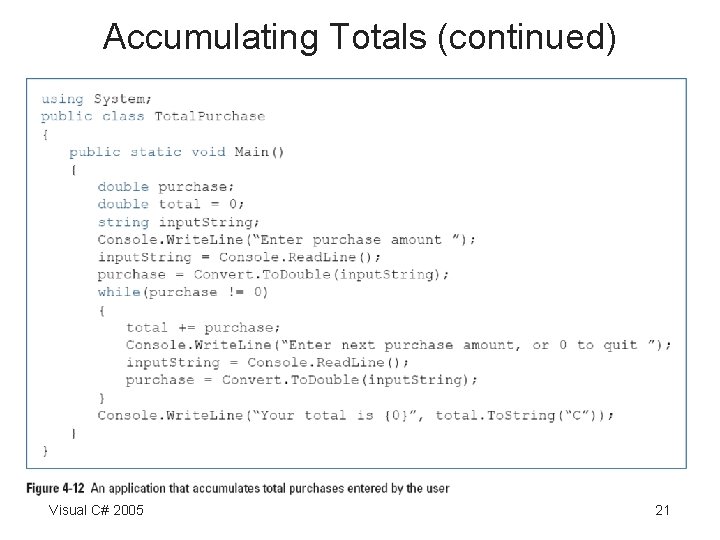
Accumulating Totals (continued) Visual C# 2005 21
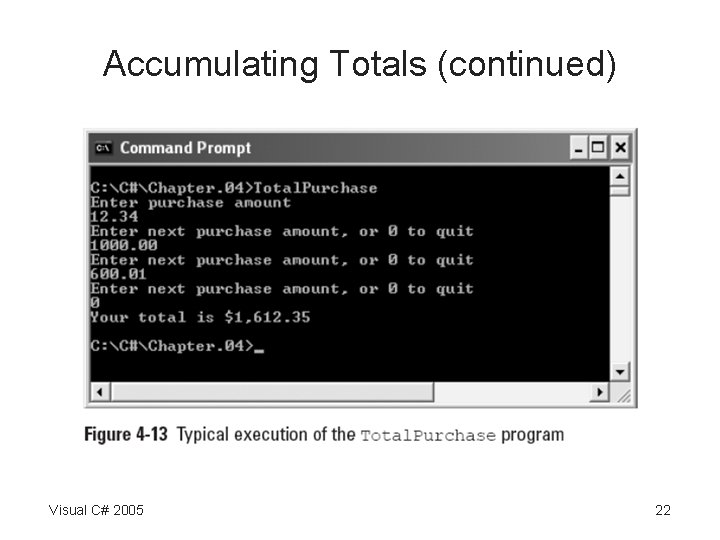
Accumulating Totals (continued) Visual C# 2005 22
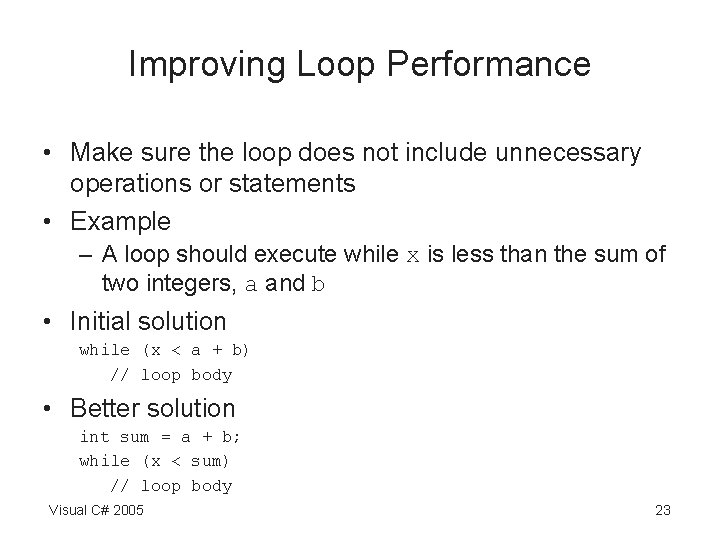
Improving Loop Performance • Make sure the loop does not include unnecessary operations or statements • Example – A loop should execute while x is less than the sum of two integers, a and b • Initial solution while (x < a + b) // loop body • Better solution int sum = a + b; while (x < sum) // loop body Visual C# 2005 23
You Do It • Activities to explore – Using a while loop – Using for loops Visual C# 2005 24
Summary • A loop is a structure that allows repeated execution of a block of statements • You can use a while loop to execute a body of statements continuously while some condition continues to be true • When you use a for statement, you can indicate the starting value for the loop control variable, the test condition that controls loop entry, and the expression that alters the loop control variable – All in one convenient place Visual C# 2005 25
Summary (continued) • The do loop checks the bottom of the loop after one repetition has occurred • You can nest any combination of loops to achieve desired results • In computer programs, totals frequently are accumulated • You can improve loop performance by making sure the loop does not include unnecessary operations or statements Visual C# 2005 26
- Slides: 26