
Visual Basic Lecture 4 Control Properties Width Height
Visual Basic: Lecture 4 Control Properties: Width, Height, Top, Left Control Events/Methods: Resize Code: Dynamic Arrays, Integer division, Mod 1
Height and Width w The size of a control is determined by its height and width properties w It can be set during development or during run time w (The timer control is never visible so it has no height or width) 2
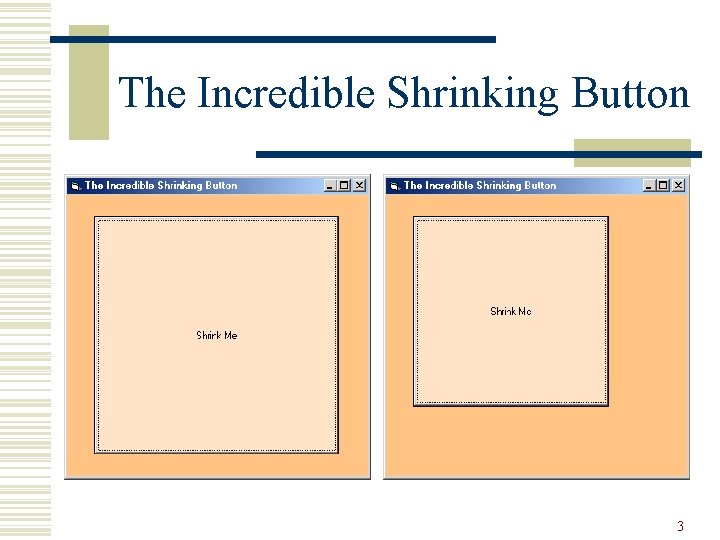
The Incredible Shrinking Button 3
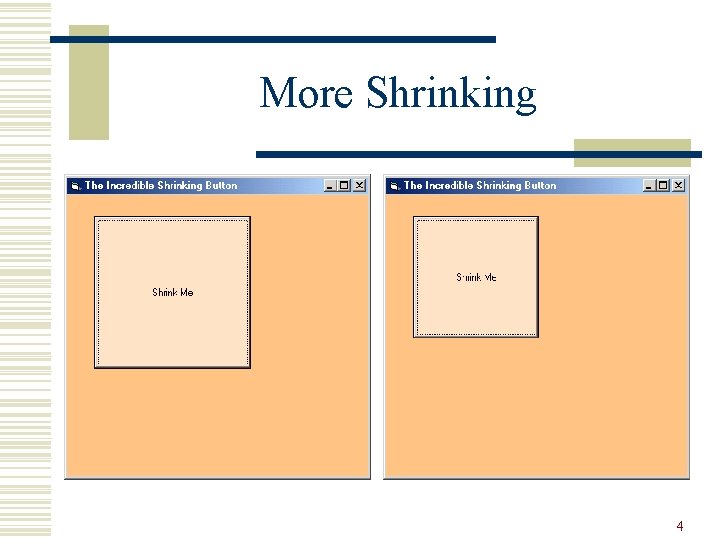
More Shrinking 4
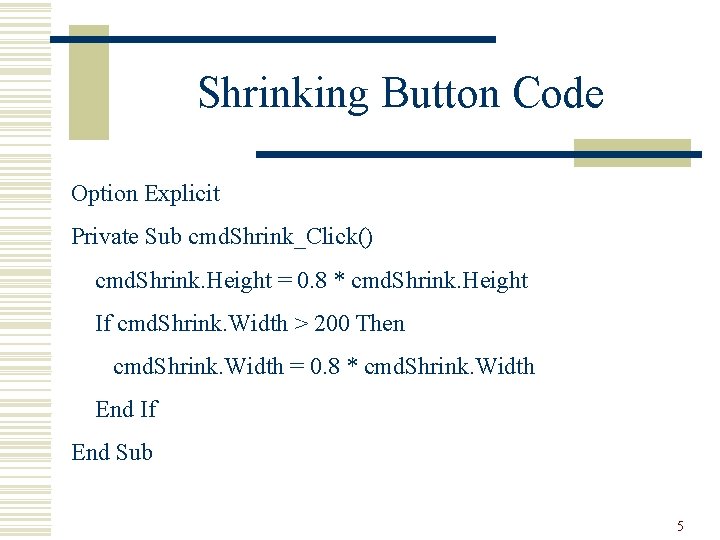
Shrinking Button Code Option Explicit Private Sub cmd. Shrink_Click() cmd. Shrink. Height = 0. 8 * cmd. Shrink. Height If cmd. Shrink. Width > 200 Then cmd. Shrink. Width = 0. 8 * cmd. Shrink. Width End If End Sub 5
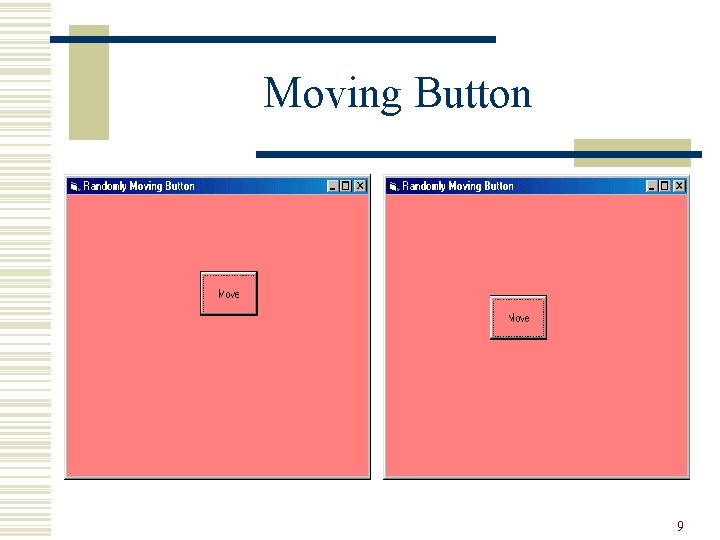
Top and Left w The Top and Left properties determine the position of a control within its container, which may be a Form, a Frame or a Picture. Box 6
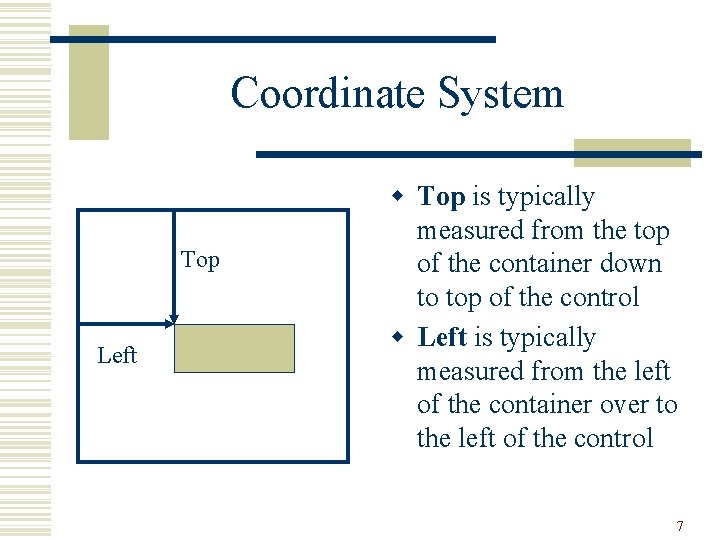
Coordinate System Top Left w Top is typically measured from the top of the container down to top of the control w Left is typically measured from the left of the container over to the left of the control 7
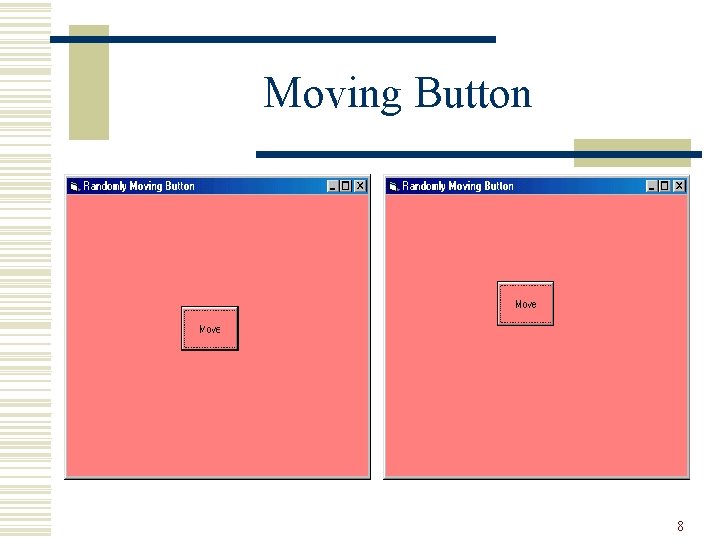
Moving Button 8
Moving Button 9
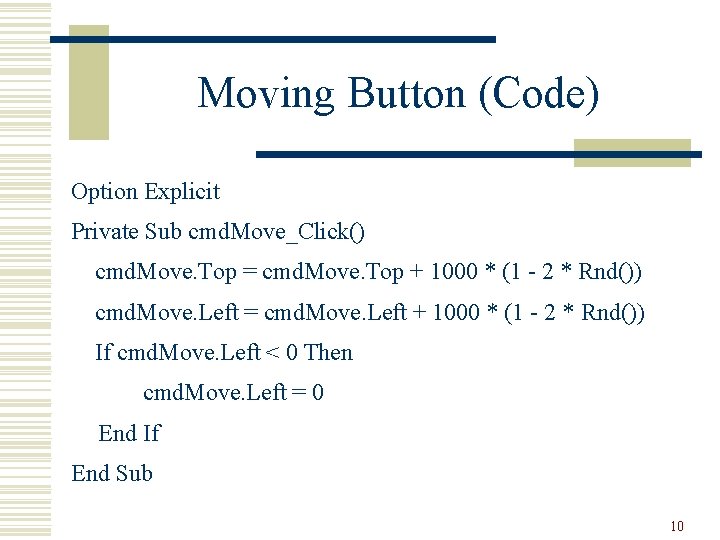
Moving Button (Code) Option Explicit Private Sub cmd. Move_Click() cmd. Move. Top = cmd. Move. Top + 1000 * (1 - 2 * Rnd()) cmd. Move. Left = cmd. Move. Left + 1000 * (1 - 2 * Rnd()) If cmd. Move. Left < 0 Then cmd. Move. Left = 0 End If End Sub 10
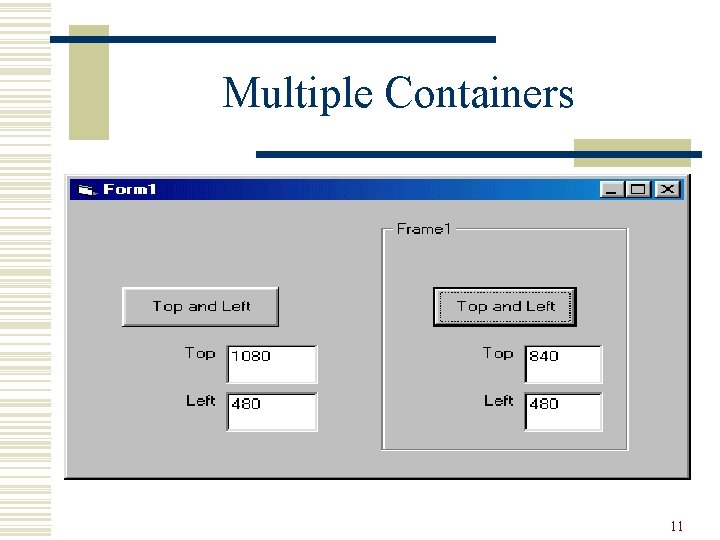
Multiple Containers 11
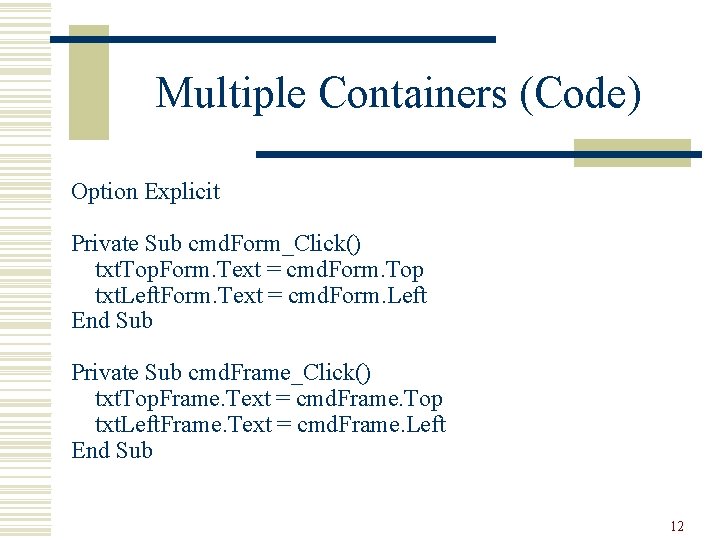
Multiple Containers (Code) Option Explicit Private Sub cmd. Form_Click() txt. Top. Form. Text = cmd. Form. Top txt. Left. Form. Text = cmd. Form. Left End Sub Private Sub cmd. Frame_Click() txt. Top. Frame. Text = cmd. Frame. Top txt. Left. Frame. Text = cmd. Frame. Left End Sub 12
Multiple Containers (Cont. ) w If Top and Left were always measured with respect to the form then in the previous example the Tops should be the same and the Lefts should be different, but this was not the case w The second button’s Top and Left are measured with respect to the frame it is in 13
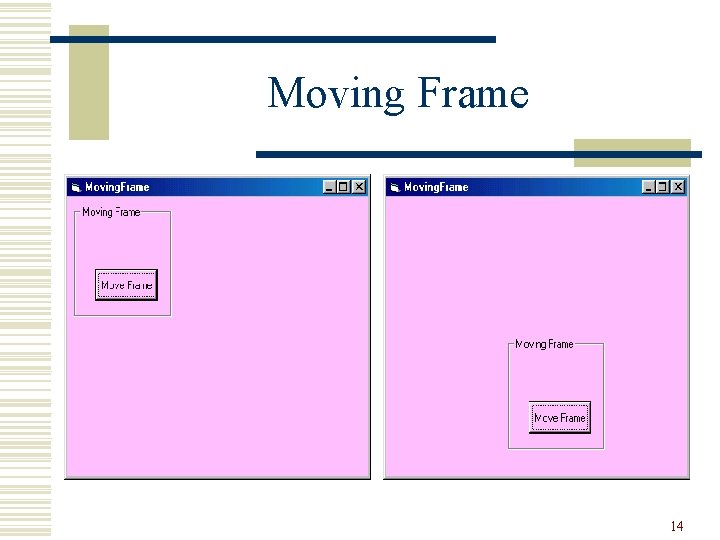
Moving Frame 14
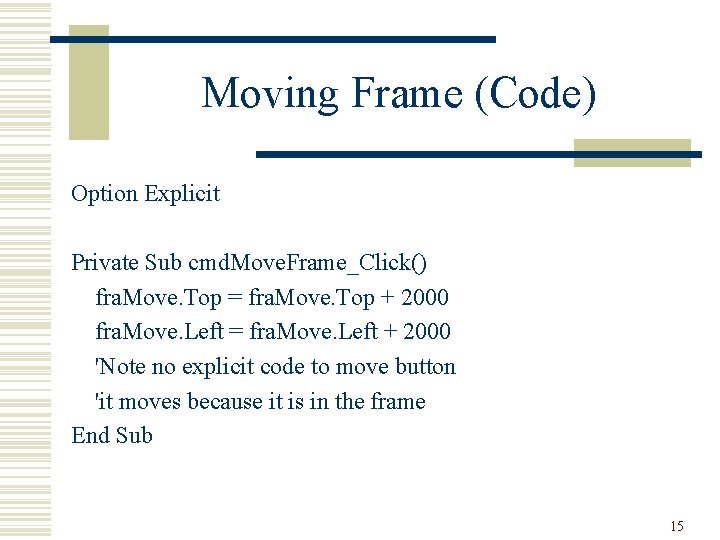
Moving Frame (Code) Option Explicit Private Sub cmd. Move. Frame_Click() fra. Move. Top = fra. Move. Top + 2000 fra. Move. Left = fra. Move. Left + 2000 'Note no explicit code to move button 'it moves because it is in the frame End Sub 15
Frame Use w Anytime controls are grouped together n n whether they are grouped by common function as with a set of radio buttons or just by positioning, associated textboxes and labels that are placed together w It is useful to put them in a frame, since only needs to move the frame w Note: a frame’s Border. Style can be set to None 16
Scale. Height and Scale. Width w Scale. Height and Scale. Width are the usable area of the form w Scale. Height is typically a bit less than Height n Title, borders w More important difference: n n Height is an external observable property that determines how tall the form is Scale. Height is an internal reference property that determines where things are within the form w (p. 40 Visual Basic Controls) 17
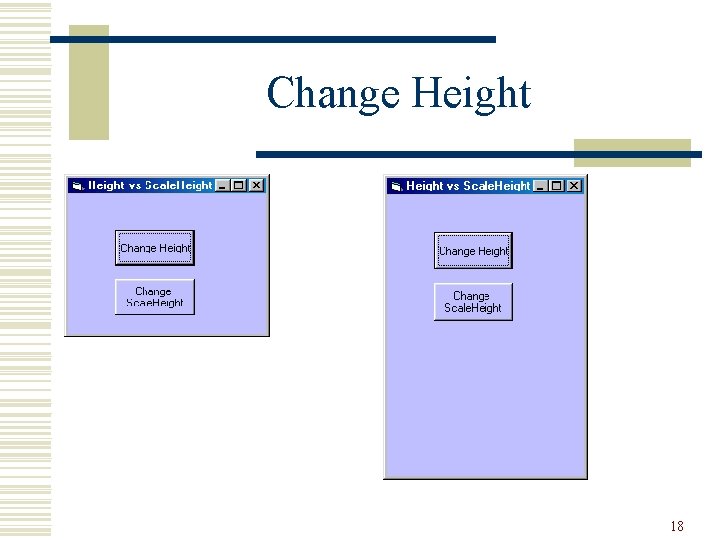
Change Height 18
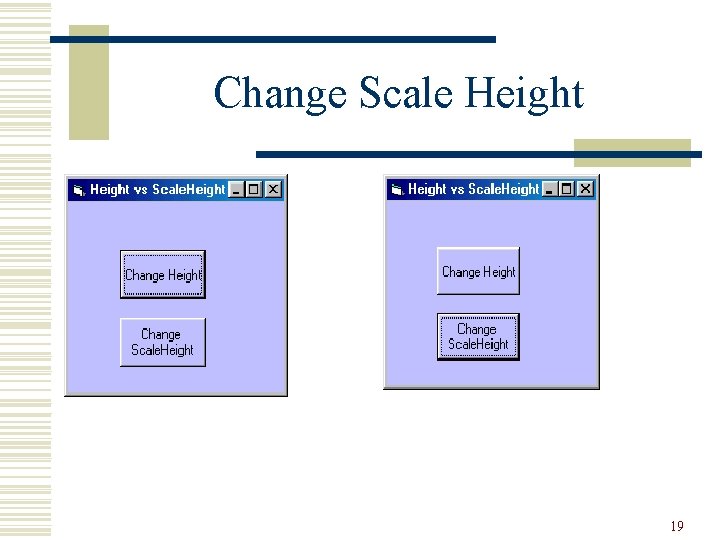
Change Scale Height 19
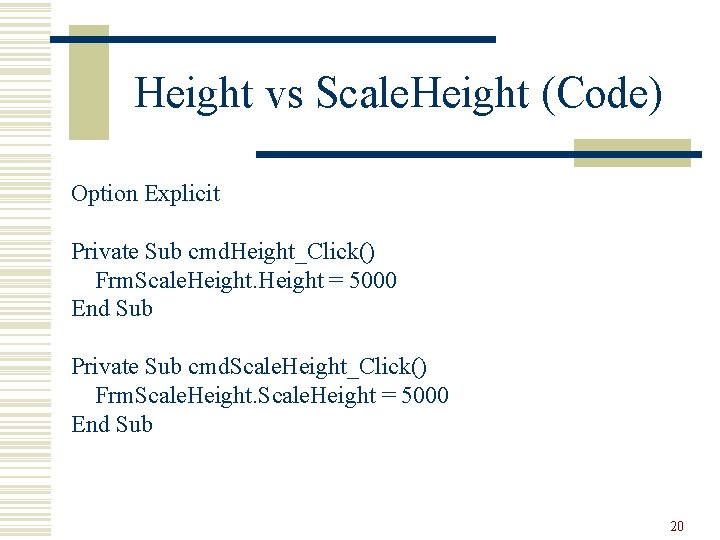
Height vs Scale. Height (Code) Option Explicit Private Sub cmd. Height_Click() Frm. Scale. Height = 5000 End Sub Private Sub cmd. Scale. Height_Click() Frm. Scale. Height = 5000 End Sub 20
Resize w Changing the size of the form is known as resizing w One can prevent resizing by setting the Form’s Border. Style property to Fixed instead of Sizable w One can only change the Border. Style at design time (not at run-time) 21

Border. Style Sizable Fixed 22

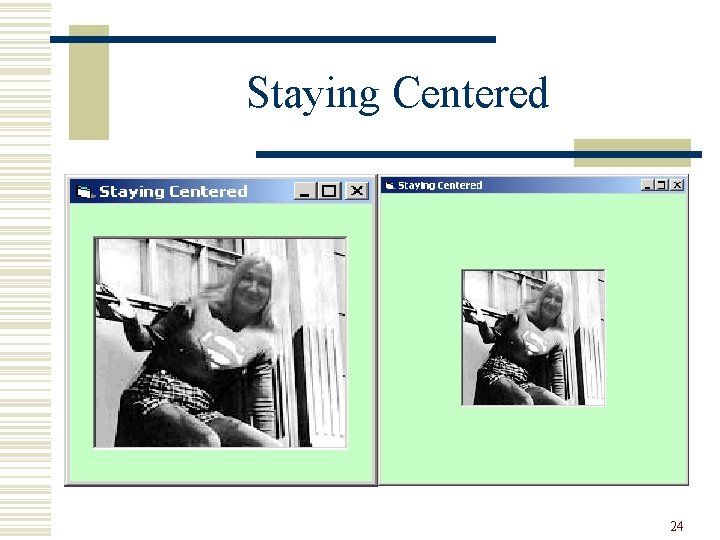
Allowing Resizing w Users like the freedom to minimize, maximize and resize forms w It is the programmer’s responsibility to ensure that a form continues to function and look presentable upon resizing w If the user resizes the Form, a Resize event is raised, and the programmers should write a Resize method to make any changes 23
Staying Centered 24
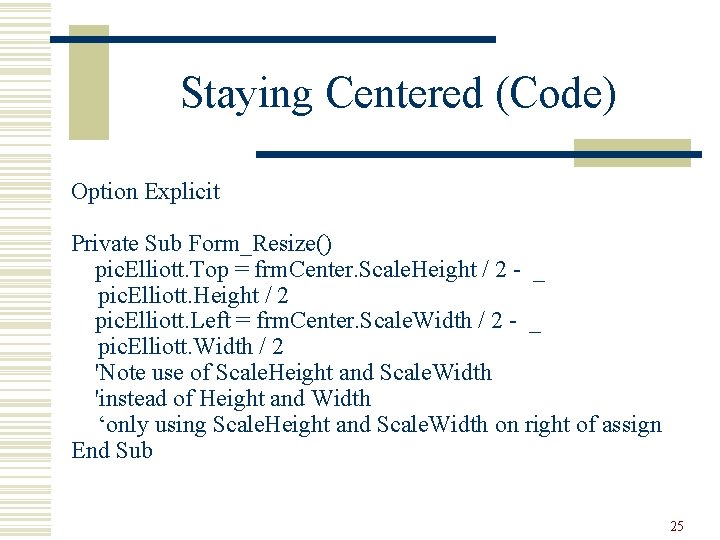
Staying Centered (Code) Option Explicit Private Sub Form_Resize() pic. Elliott. Top = frm. Center. Scale. Height / 2 - _ pic. Elliott. Height / 2 pic. Elliott. Left = frm. Center. Scale. Width / 2 - _ pic. Elliott. Width / 2 'Note use of Scale. Height and Scale. Width 'instead of Height and Width ‘only using Scale. Height and Scale. Width on right of assign End Sub 25
Aspect Ratio 26
Dynamic Array w When the size (the number of elements) of an array is not known until runtime, a dynamic array is required w When declaring the array (Dim) it has empty parentheses w When the array size is known, use the keyword Re. Dim to establish the size of the array 27
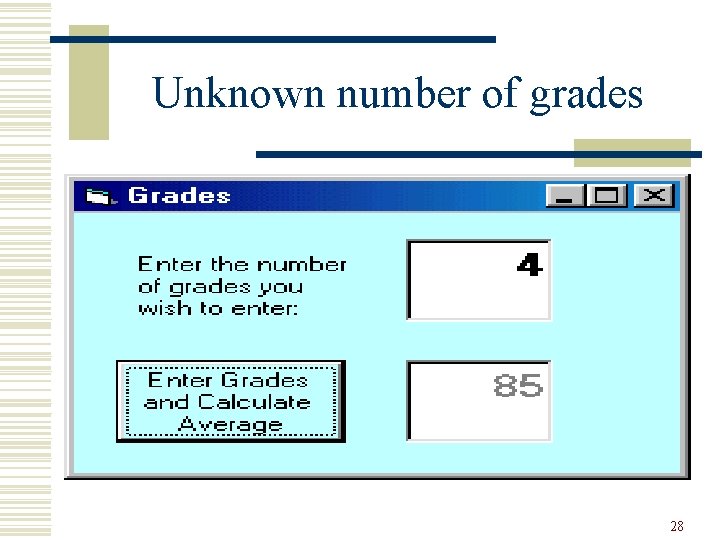
Unknown number of grades 28
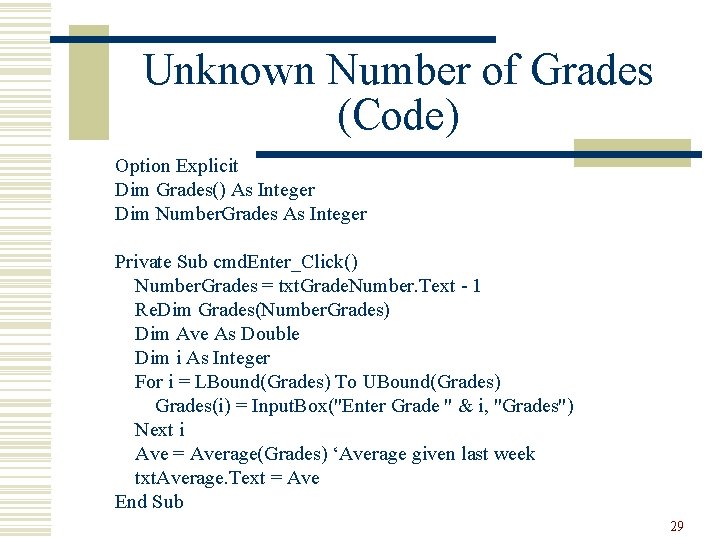
Unknown Number of Grades (Code) Option Explicit Dim Grades() As Integer Dim Number. Grades As Integer Private Sub cmd. Enter_Click() Number. Grades = txt. Grade. Number. Text - 1 Re. Dim Grades(Number. Grades) Dim Ave As Double Dim i As Integer For i = LBound(Grades) To UBound(Grades) Grades(i) = Input. Box("Enter Grade " & i, "Grades") Next i Ave = Average(Grades) ‘Average given last week txt. Average. Text = Ave End Sub 29
Dynamic Control Arrays w If there are unknown number of controls at design time, one needs a dynamic control array w One drags and drops the first one onto the form and add others when the desired number of controls is known 30
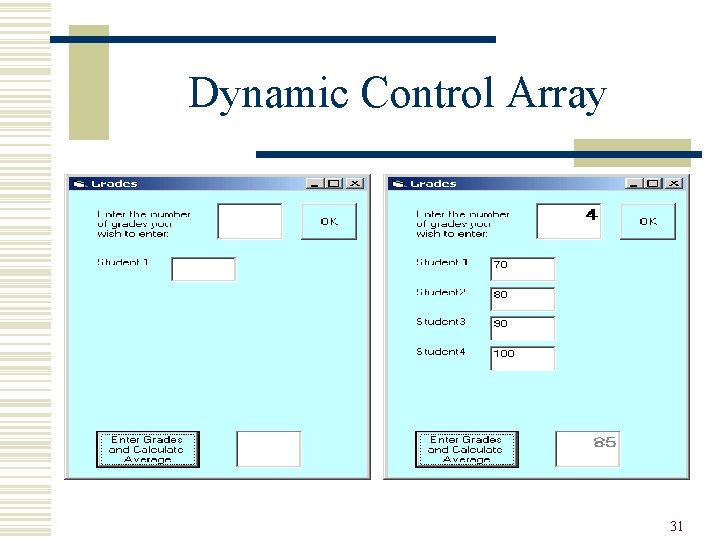
Dynamic Control Array 31
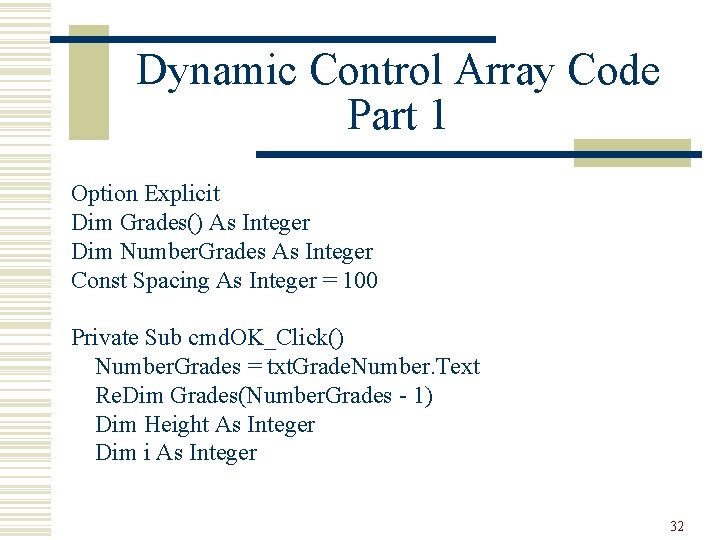
Dynamic Control Array Code Part 1 Option Explicit Dim Grades() As Integer Dim Number. Grades As Integer Const Spacing As Integer = 100 Private Sub cmd. OK_Click() Number. Grades = txt. Grade. Number. Text Re. Dim Grades(Number. Grades - 1) Dim Height As Integer Dim i As Integer 32
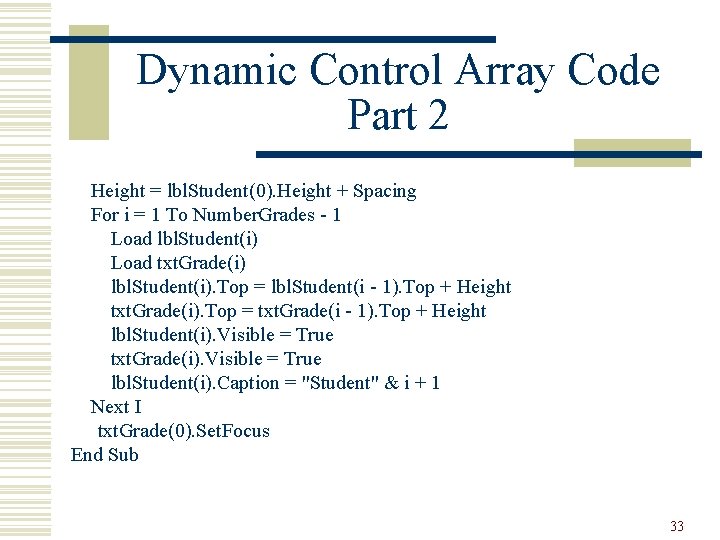
Dynamic Control Array Code Part 2 Height = lbl. Student(0). Height + Spacing For i = 1 To Number. Grades - 1 Load lbl. Student(i) Load txt. Grade(i) lbl. Student(i). Top = lbl. Student(i - 1). Top + Height txt. Grade(i). Top = txt. Grade(i - 1). Top + Height lbl. Student(i). Visible = True txt. Grade(i). Visible = True lbl. Student(i). Caption = "Student" & i + 1 Next I txt. Grade(0). Set. Focus End Sub 33
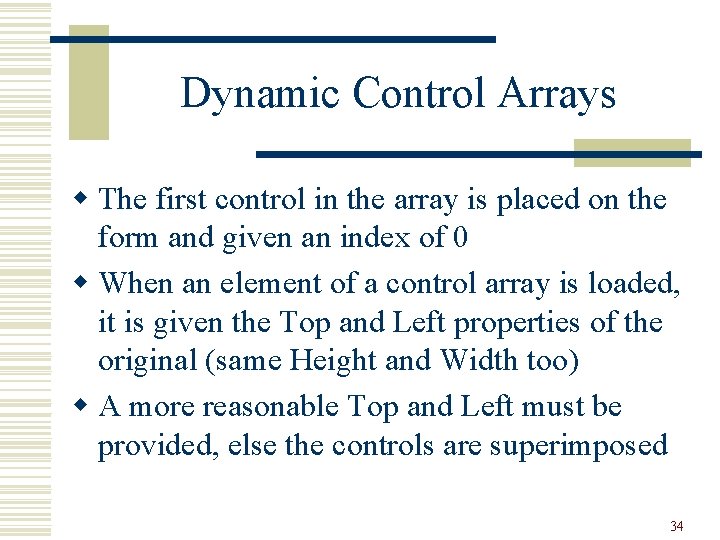
Dynamic Control Arrays w The first control in the array is placed on the form and given an index of 0 w When an element of a control array is loaded, it is given the Top and Left properties of the original (same Height and Width too) w A more reasonable Top and Left must be provided, else the controls are superimposed 34
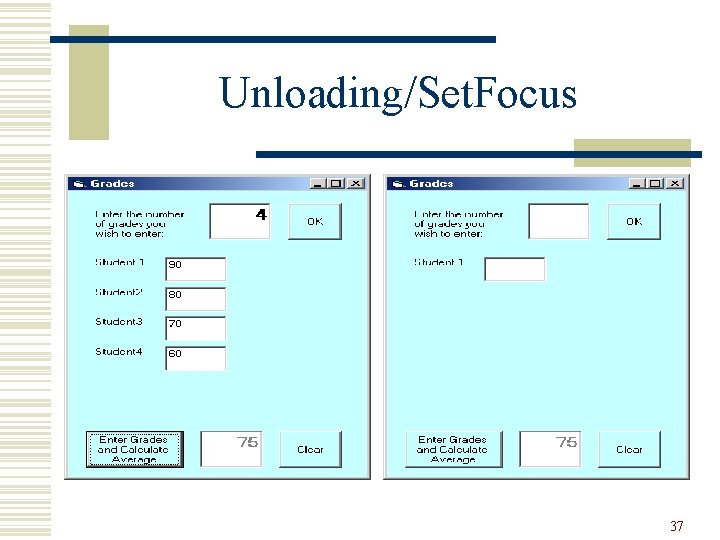
Dynamic Control Arrays w The newly loaded control has its Visible property set to False, so they must be made visible w If the program allows the size of the control array to be altered, then one might have to unload some of the controls n Unload them in reverse order 35
Got focus? w Suppose the first thing one wants the user to do is enter something into a Text. Box, then it is convenient for the user if the cursor is already in the Text. Box w A controls has a Set. Focus method that gives it the focus, in the case of a Text. Box, it places the cursor in there 36
Unloading/Set. Focus 37
Unloading/Set Focus (Code) Private Sub cmd. Clear_Click() Dim i As Integer For i = Number. Grades - 1 To 1 Step -1 Unload lbl. Student(i) Unload txt. Grade(i) txt. Grade. Number. Text = "" txt. Grade. Number. Set. Focus txt. Grade(0). Text = "" Next i End Sub 38
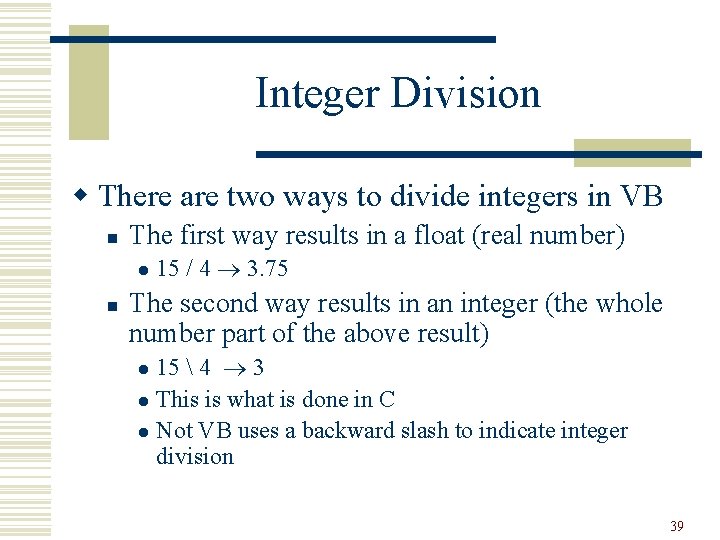
Integer Division w There are two ways to divide integers in VB n The first way results in a float (real number) l n 15 / 4 3. 75 The second way results in an integer (the whole number part of the above result) 15 4 3 l This is what is done in C l Not VB uses a backward slash to indicate integer division l 39
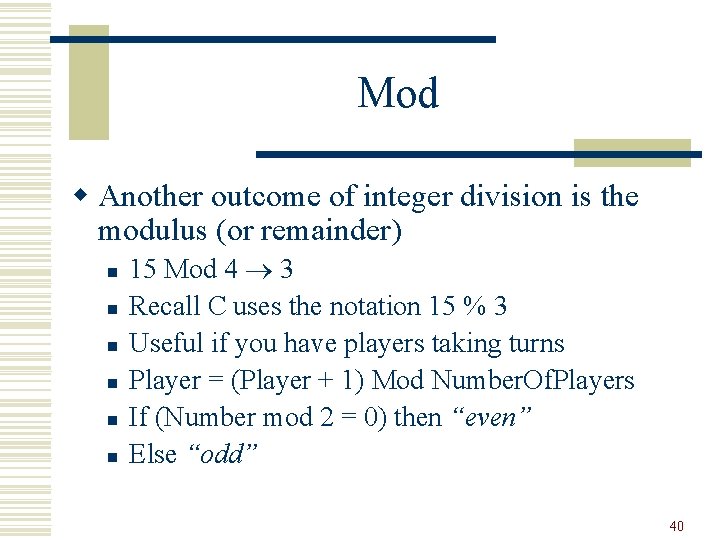
Mod w Another outcome of integer division is the modulus (or remainder) n n n 15 Mod 4 3 Recall C uses the notation 15 % 3 Useful if you have players taking turns Player = (Player + 1) Mod Number. Of. Players If (Number mod 2 = 0) then “even” Else “odd” 40
Rows and Columns w Control arrays are one dimensional arrays, i. e. there is only one index w Integer division and modulus can help one make a one-dimensional array look like a two -dimensional array n Internally multi-dimensional arrays are really single dim 41
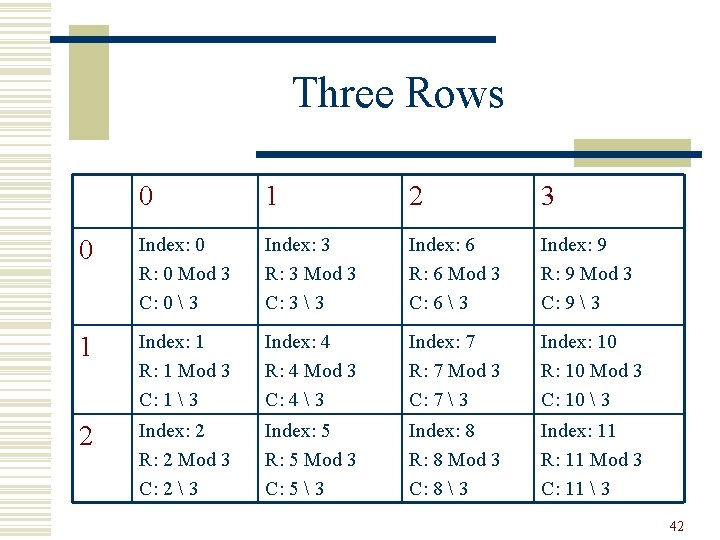
Three Rows 0 1 2 3 0 Index: 0 R: 0 Mod 3 C: 0 3 Index: 3 R: 3 Mod 3 C: 3 3 Index: 6 R: 6 Mod 3 C: 6 3 Index: 9 R: 9 Mod 3 C: 9 3 1 Index: 1 R: 1 Mod 3 C: 1 3 Index: 4 R: 4 Mod 3 C: 4 3 Index: 7 R: 7 Mod 3 C: 7 3 Index: 10 R: 10 Mod 3 C: 10 3 2 Index: 2 R: 2 Mod 3 C: 2 3 Index: 5 R: 5 Mod 3 C: 5 3 Index: 8 R: 8 Mod 3 C: 8 3 Index: 11 R: 11 Mod 3 C: 11 3 42
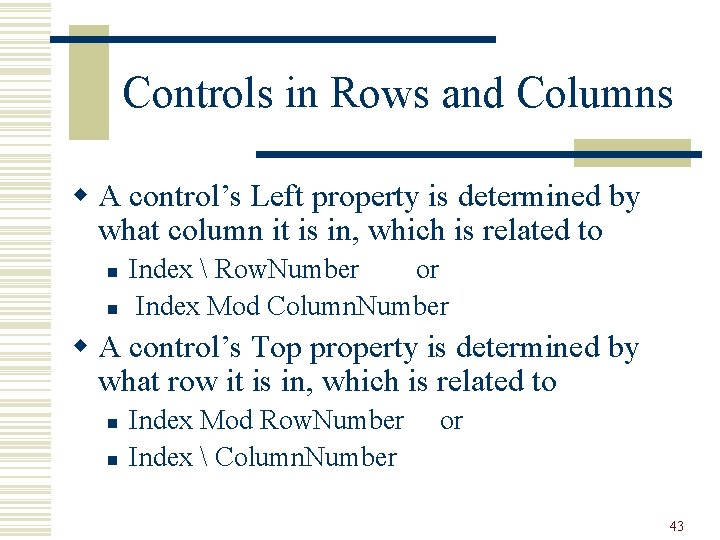
Controls in Rows and Columns w A control’s Left property is determined by what column it is in, which is related to n n Index Row. Number or Index Mod Column. Number w A control’s Top property is determined by what row it is in, which is related to n n Index Mod Row. Number Index Column. Number or 43
- Slides: 43