
Visual Basic IO Programs Proj Read 1 Proj
Visual Basic I/O Programs (Proj. Read 1, Proj. Read 2, Proj. Write 1, Proj. Pay) Please use speaker notes for additional information!
Proj. Read 1
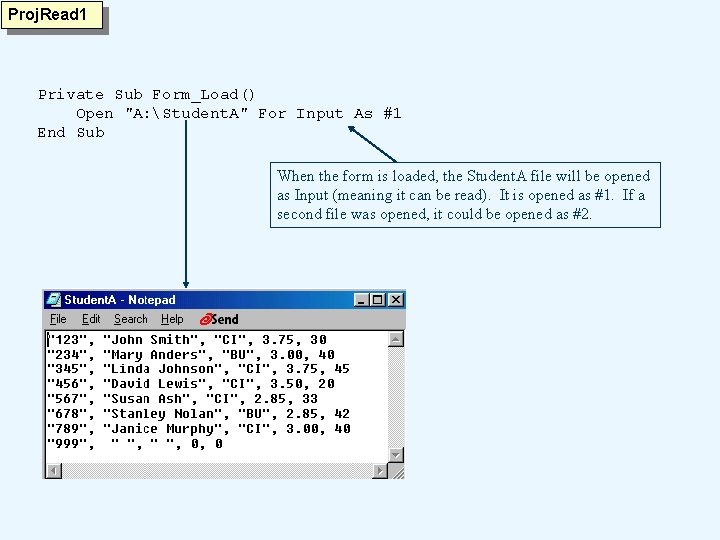
Proj. Read 1 Private Sub Form_Load() Open "A: Student. A" For Input As #1 End Sub When the form is loaded, the Student. A file will be opened as Input (meaning it can be read). It is opened as #1. If a second file was opened, it could be opened as #2.
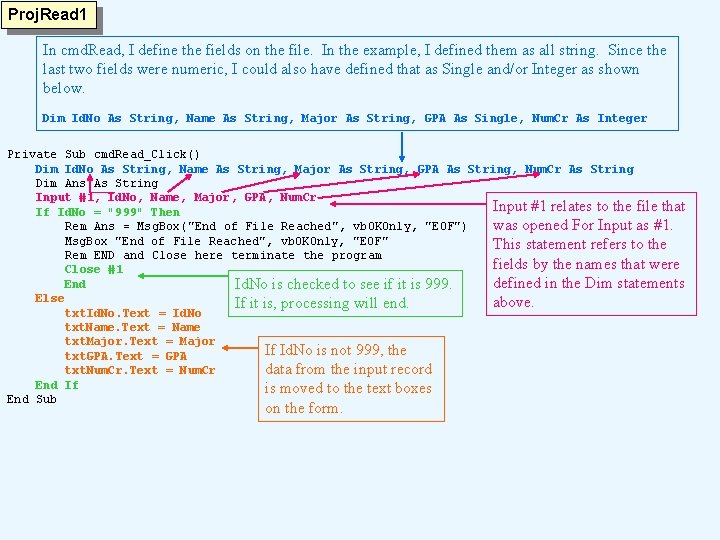
Proj. Read 1 In cmd. Read, I define the fields on the file. In the example, I defined them as all string. Since the last two fields were numeric, I could also have defined that as Single and/or Integer as shown below. Dim Id. No As String, Name As String, Major As String, GPA As Single, Num. Cr As Integer Private Sub cmd. Read_Click() Dim Id. No As String, Name As String, Major As String, GPA As String, Num. Cr As String Dim Ans As String Input #1, Id. No, Name, Major, GPA, Num. Cr Input #1 relates to the file that If Id. No = "999" Then Rem Ans = Msg. Box("End of File Reached", vb. OKOnly, "EOF") was opened For Input as #1. Msg. Box "End of File Reached", vb. OKOnly, "EOF" This statement refers to the Rem END and Close here terminate the program fields by the names that were Close #1 End defined in the Dim statements Id. No is checked to see if it is 999. Else above. If it is, processing will end. txt. Id. No. Text = Id. No txt. Name. Text = Name txt. Major. Text = Major If Id. No is not 999, the txt. GPA. Text = GPA txt. Num. Cr. Text = Num. Cr data from the input record End If is moved to the text boxes End Sub on the form.
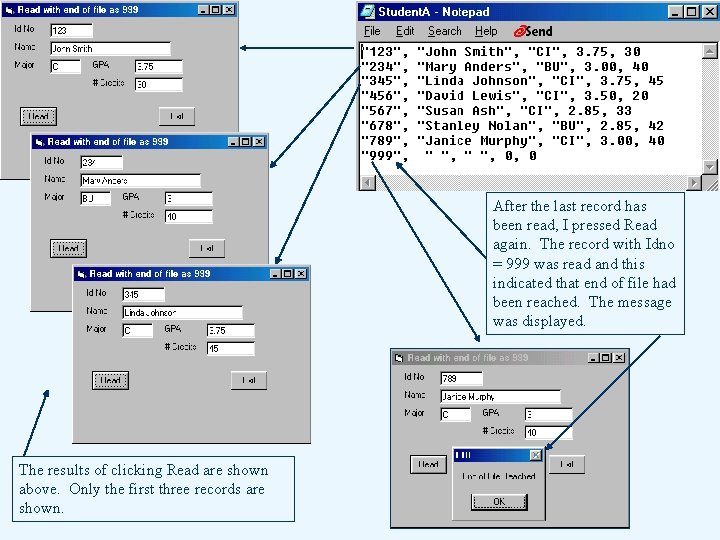
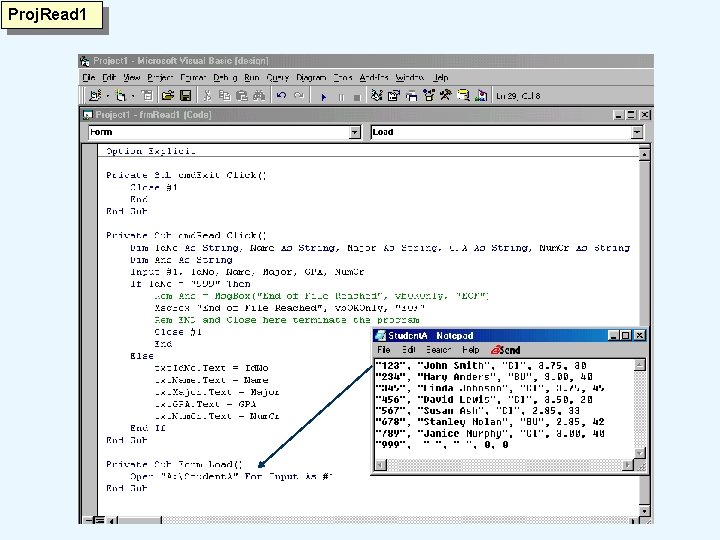
After the last record has been read, I pressed Read again. The record with Idno = 999 was read and this indicated that end of file had been reached. The message was displayed. The results of clicking Read are shown above. Only the first three records are shown.

Proj. Read 2 IF EOF(1) tests to see if end of file has been reached on the file opened as #1. Note that because I am testing for EOF(1) instead of Id. No=999, the 999 record will show. When I press Read with the 999 record on the screen, the EOF message is displayed.
Proj. Write 1
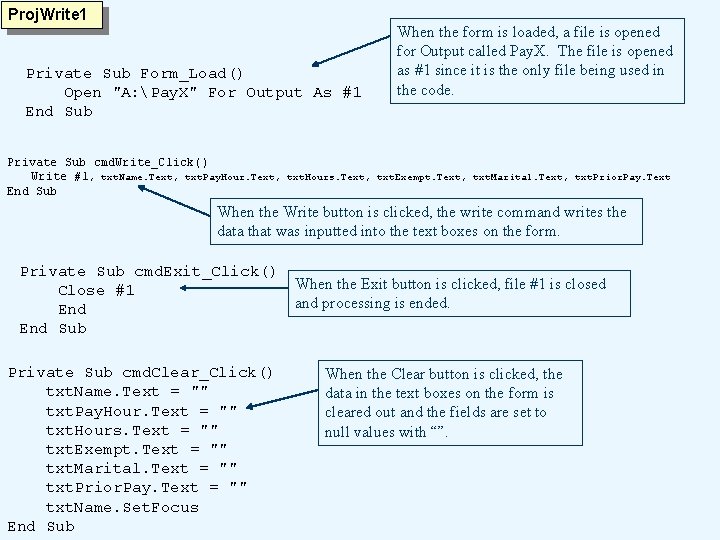
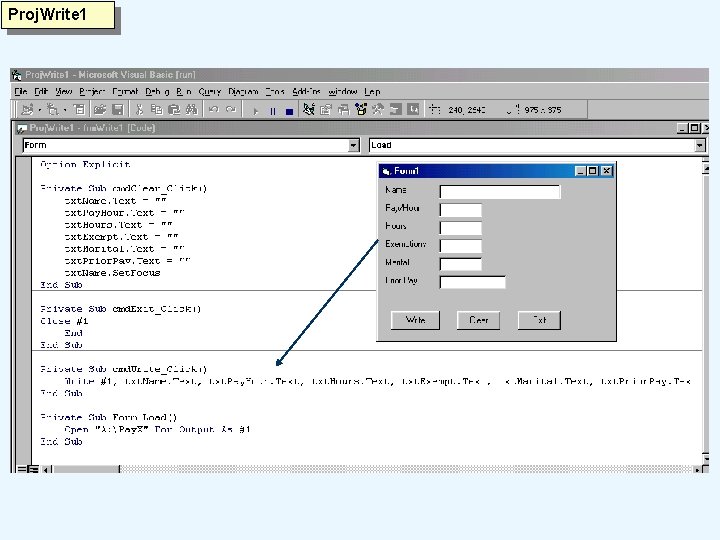
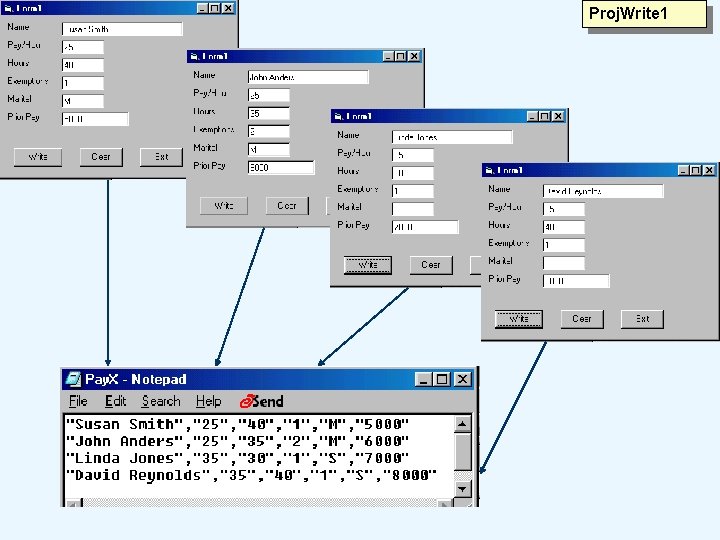
Proj. Write 1 Private Sub Form_Load() Open "A: Pay. X" For Output As #1 End Sub When the form is loaded, a file is opened for Output called Pay. X. The file is opened as #1 since it is the only file being used in the code. Private Sub cmd. Write_Click() Write #1 , txt. Name. Text, txt. Pay. Hour. Text, txt. Hours. Text, txt. Exempt. Text, txt. Marital. Text, txt. Prior. Pay. Text End Sub When the Write button is clicked, the write command writes the data that was inputted into the text boxes on the form. Private Sub cmd. Exit_Click() Close #1 End Sub Private Sub cmd. Clear_Click() txt. Name. Text = "" txt. Pay. Hour. Text = "" txt. Hours. Text = "" txt. Exempt. Text = "" txt. Marital. Text = "" txt. Prior. Pay. Text = "" txt. Name. Set. Focus End Sub When the Exit button is clicked, file #1 is closed and processing is ended. When the Clear button is clicked, the data in the text boxes on the form is cleared out and the fields are set to null values with “”.
Proj. Write 1
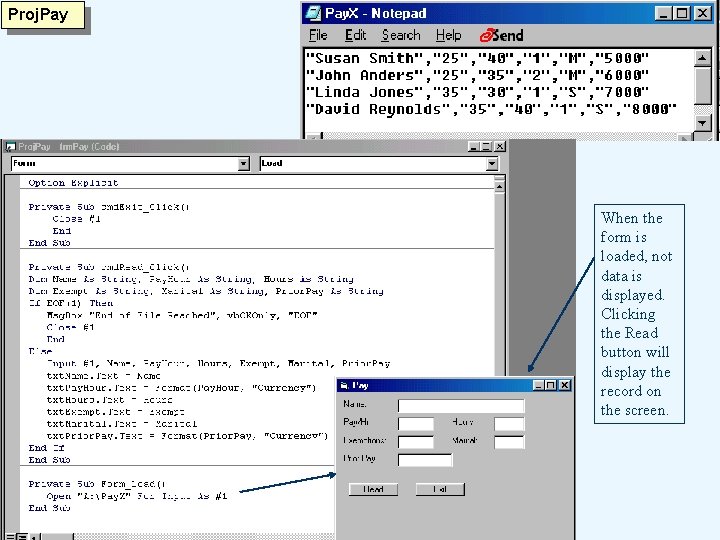
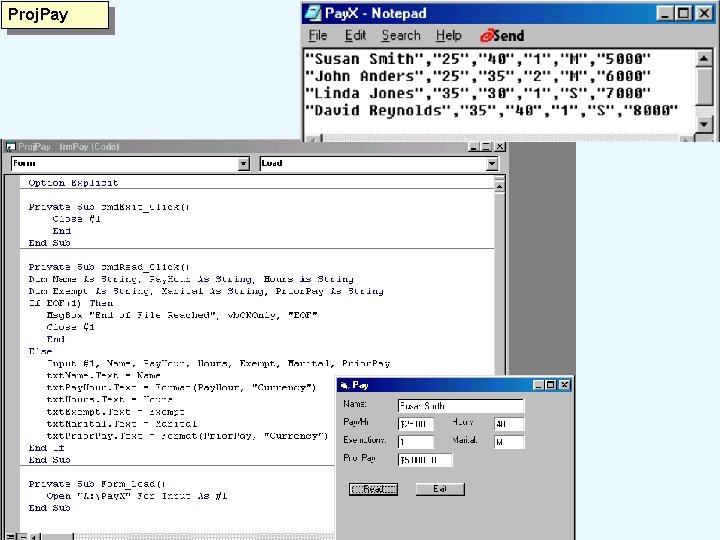
Proj. Pay When the form is loaded, not data is displayed. Clicking the Read button will display the record on the screen.
Proj. Pay
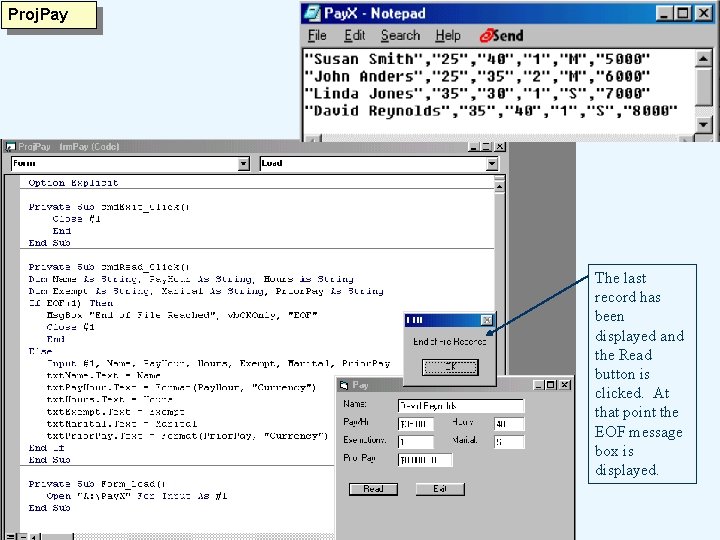
Proj. Pay The last record has been displayed and the Read button is clicked. At that point the EOF message box is displayed.
- Slides: 12