
Visual Basic Input Box Option Explicit Private Sub

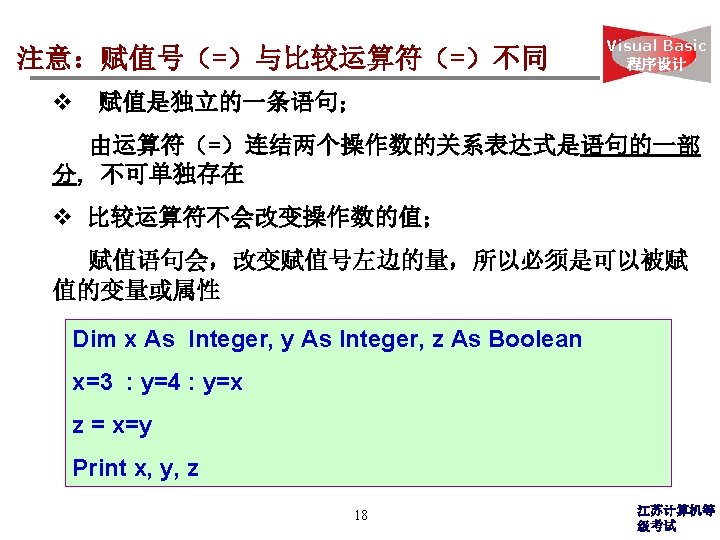
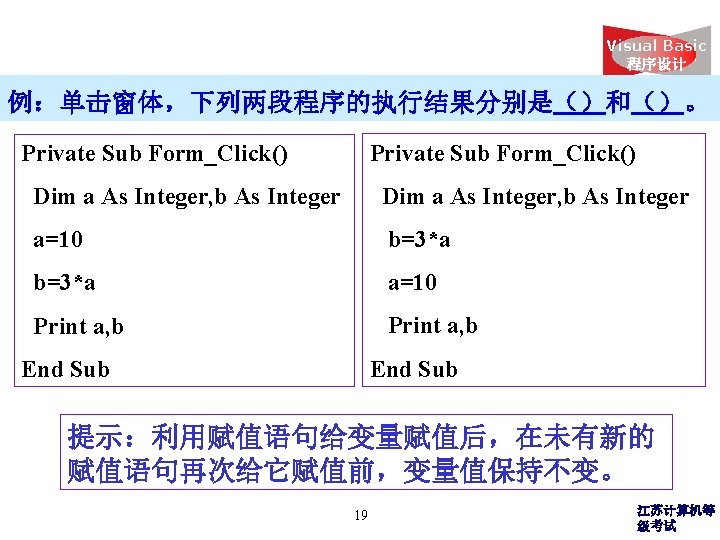
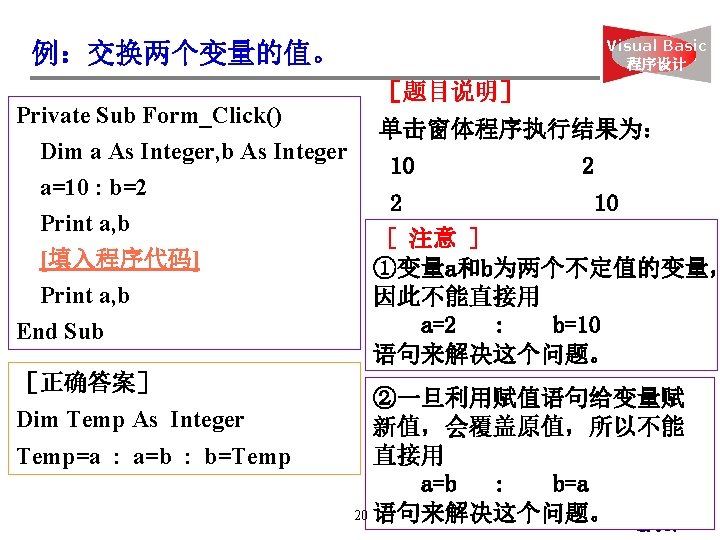
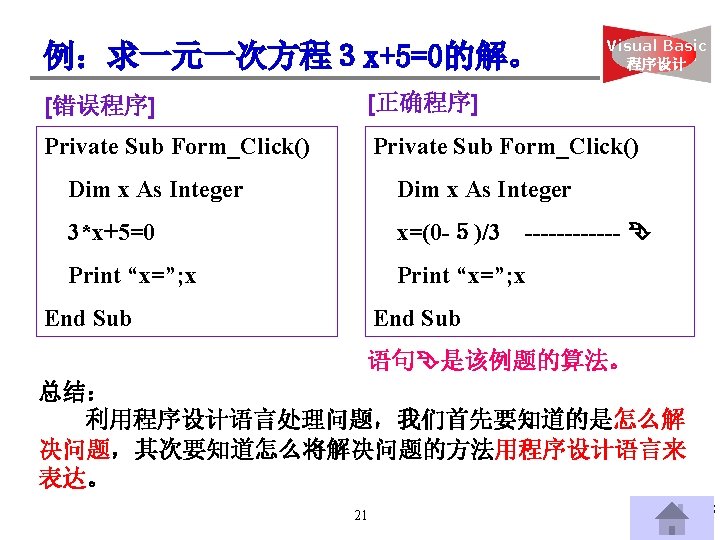
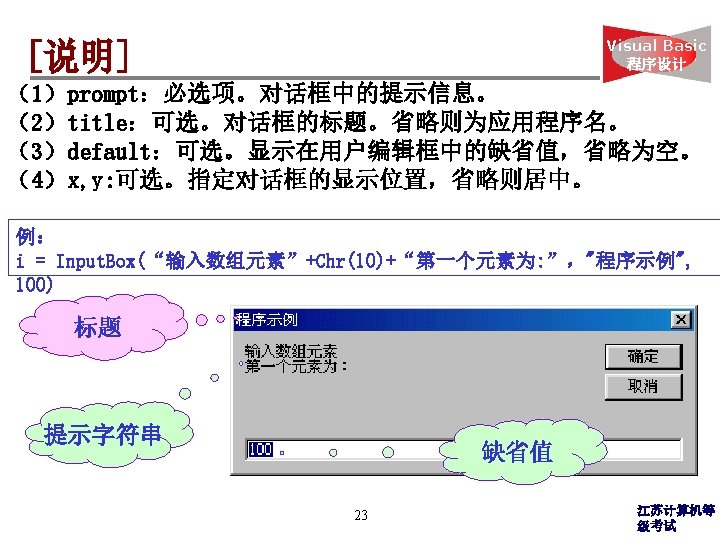
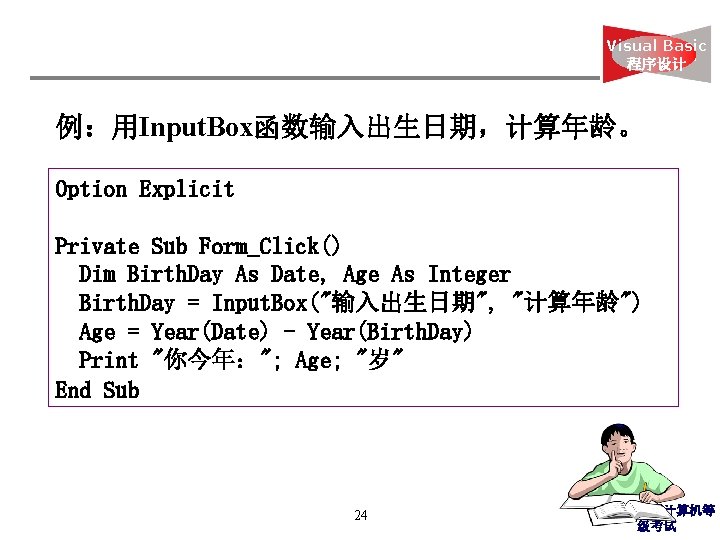
Visual Basic 程序设计 例:用Input. Box函数输入出生日期,计算年龄。 Option Explicit Private Sub Form_Click() Dim Birth. Day As Date, Age As Integer Birth. Day = Input. Box("输入出生日期", "计算年龄") Age = Year(Date) - Year(Birth. Day) Print "你今年:"; Age; "岁" End Sub 24 江苏计算机等 级考试
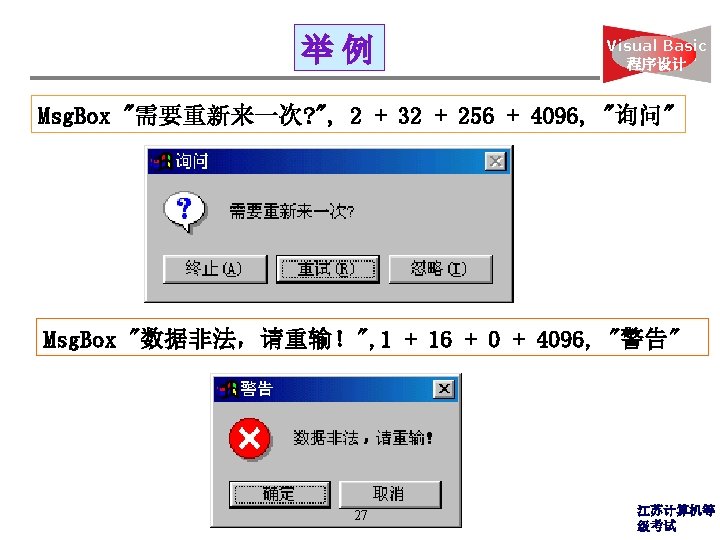
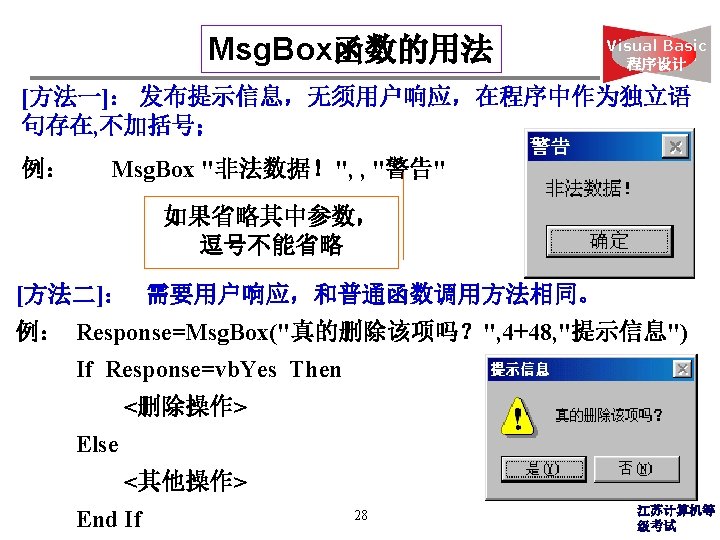
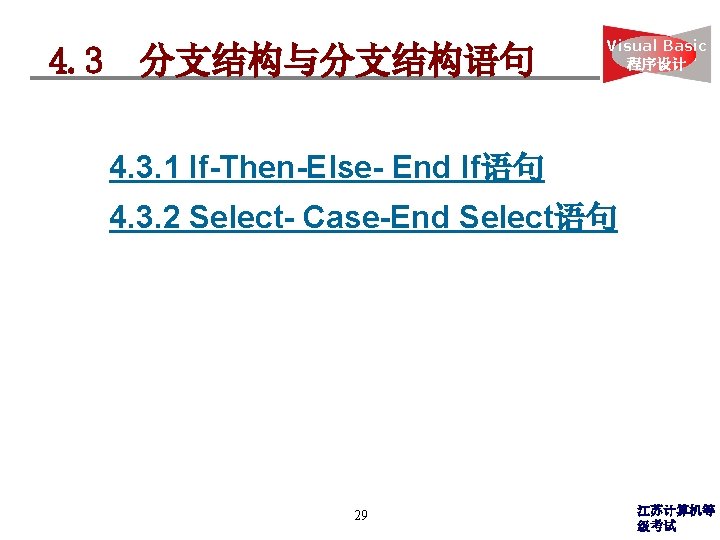
4. 3 分支结构与分支结构语句 Visual Basic 程序设计 4. 3. 1 If-Then-Else- End If语句 4. 3. 2 Select- Case-End Select语句 29 江苏计算机等 级考试
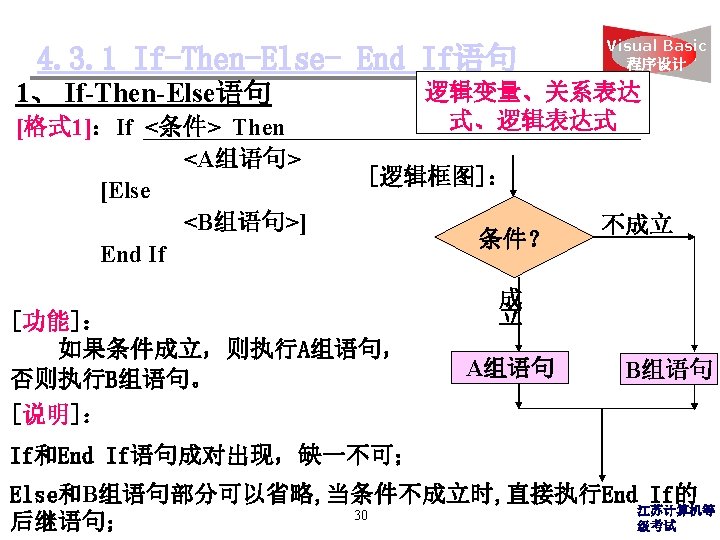
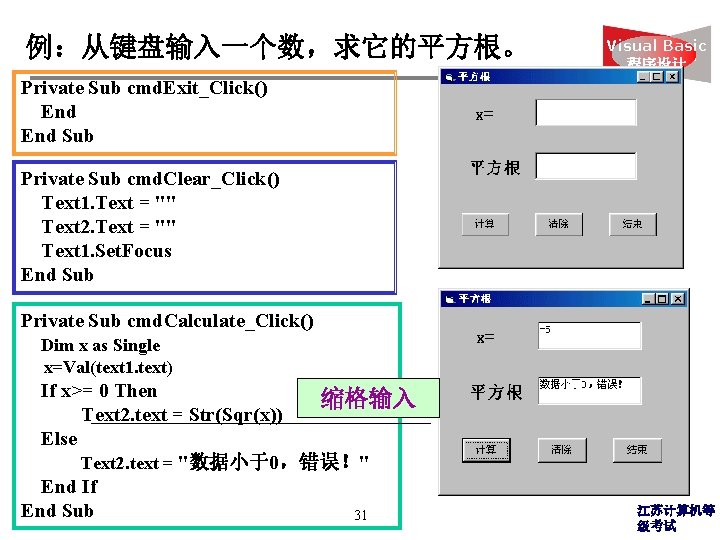
例:从键盘输入一个数,求它的平方根。 Visual Basic 程序设计 Private Sub cmd. Exit_Click() End Sub Private Sub cmd. Clear_Click() Text 1. Text = "" Text 2. Text = "" Text 1. Set. Focus End Sub Private Sub cmd. Calculate_Click() Dim x as Single x=Val(text 1. text) If x>= 0 Then 缩格输入 Text 2. text = Str(Sqr(x)) Else Text 2. text = "数据小于0,错误!" End If End Sub 31 江苏计算机等 级考试
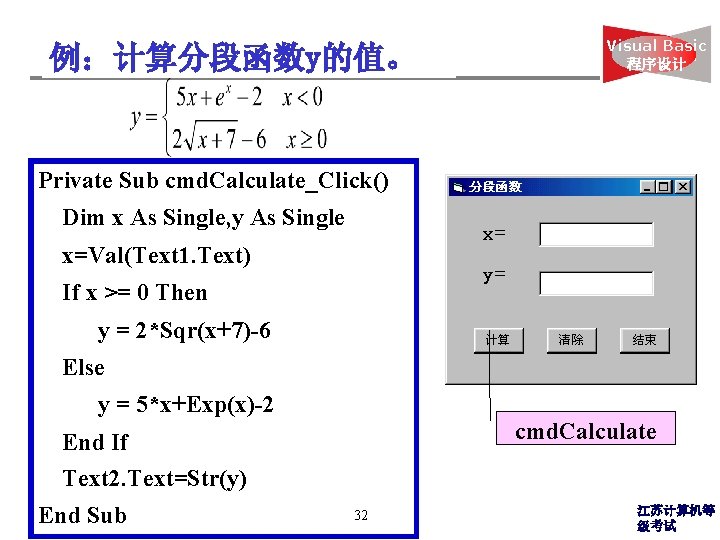
例:计算分段函数y的值。 Visual Basic 程序设计 Private Sub cmd. Calculate_Click() Dim x As Single, y As Single x=Val(Text 1. Text) If x >= 0 Then y = 2*Sqr(x+7)-6 Else y = 5*x+Exp(x)-2 cmd. Calculate End If Text 2. Text=Str(y) End Sub 32 江苏计算机等 级考试
![[格式 2]:单行If-Then-Else语句 If <条件> Then <语句 1> [Else Visual Basic 程序设计 <语句 2>] [说明]:](http://slidetodoc.com/presentation_image_h2/10319606250f7f03aa60bf5fe860347f/image-32.jpg "[格式 2]:单行If-Then-Else语句 If <条件> Then <语句 1> [Else Visual Basic 程序设计 <语句 2>] [说明]:")
[格式 2]:单行If-Then-Else语句 If <条件> Then <语句 1> [Else Visual Basic 程序设计 <语句 2>] [说明]: (1)在A组语句和B组语句都只有一个语句时,可使用该格式; (2)End If语句省略。 例:上例可改写为以下程序段。 Private Sub cmd. Calculate_Click() Dim y As Single, x As Single x=Val(Text 1. Text) If x >= 0 Then y = 2*Sqr(x+7)-6 Else y = 5*x+Exp(x)-2 Text 2. Text=Str(y) End Sub 33 江苏计算机等 级考试
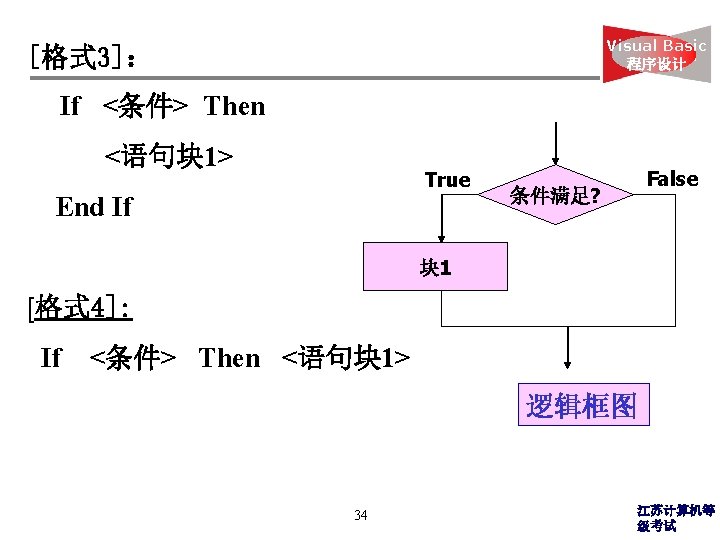
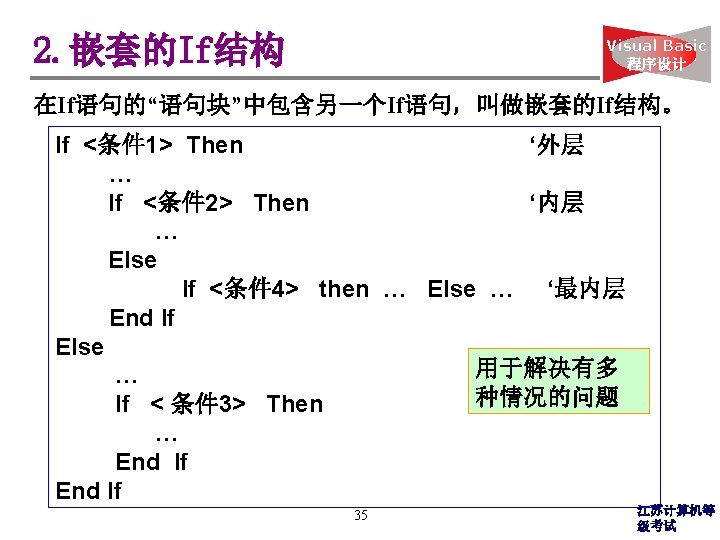
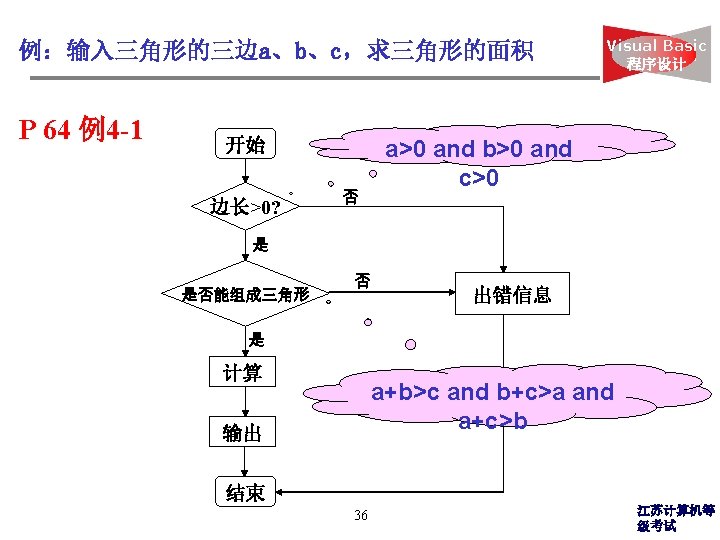
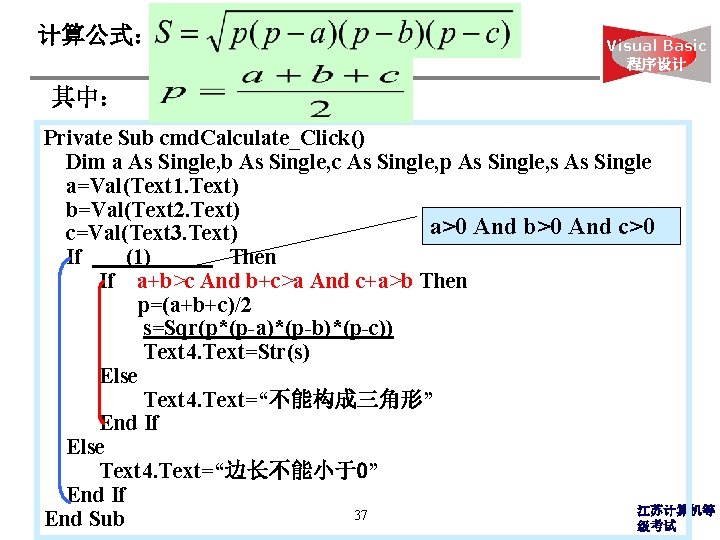
计算公式: Visual Basic 程序设计 其中: Private Sub cmd. Calculate_Click() Dim a As Single, b As Single, c As Single, p As Single, s As Single a=Val(Text 1. Text) b=Val(Text 2. Text) a>0 And b>0 And c>0 c=Val(Text 3. Text) If (1) Then If a+b>c And b+c>a And c+a>b Then p=(a+b+c)/2 s=Sqr(p*(p-a)*(p-b)*(p-c)) Text 4. Text=Str(s) Else Text 4. Text=“不能构成三角形” End If Else Text 4. Text=“边长不能小于0” End If 江苏计算机等 37 End Sub 级考试
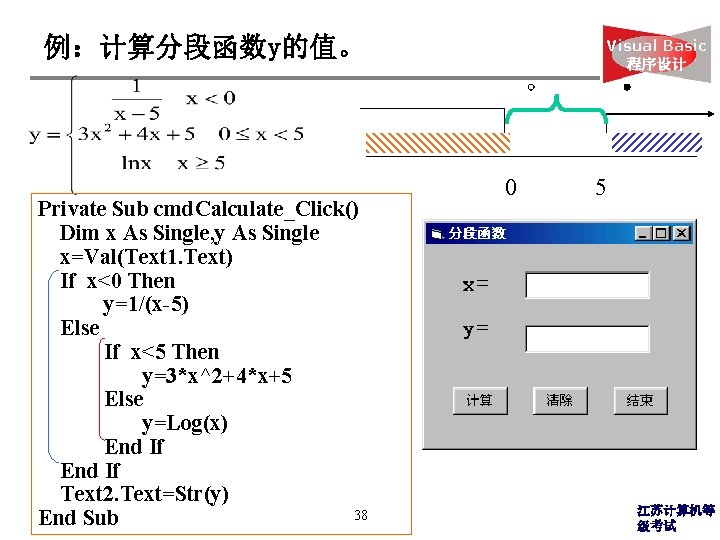
例:计算分段函数y的值。 Private Sub cmd. Calculate_Click() Dim x As Single, y As Single x=Val(Text 1. Text) If x<0 Then y=1/(x-5) Else If x<5 Then y=3*x^2+4*x+5 Else y=Log(x) End If Text 2. Text=Str(y) 38 End Sub Visual Basic 程序设计 0 5 江苏计算机等 级考试
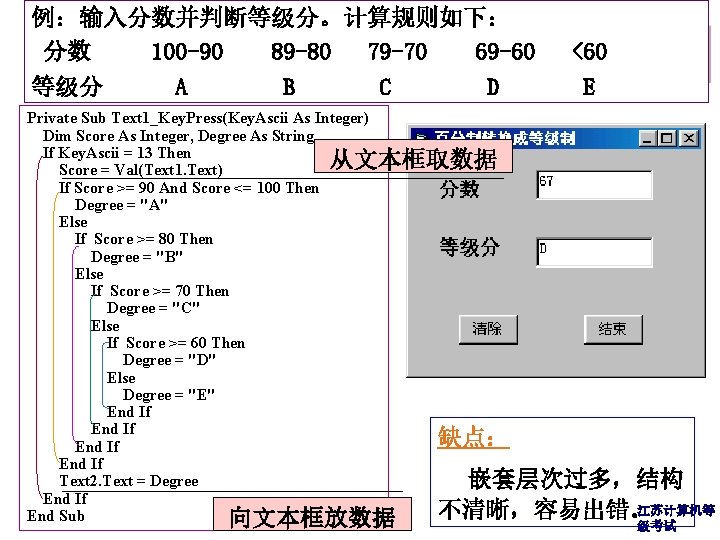
例:输入分数并判断等级分。计算规则如下: 分数 100 -90 89 -80 79 -70 69 -60 等级分 A B C D Basic <60 Visual 程序设计 E Private Sub Text 1_Key. Press(Key. Ascii As Integer) Dim Score As Integer, Degree As String If Key. Ascii = 13 Then 从文本框取数据 Score = Val(Text 1. Text) If Score >= 90 And Score <= 100 Then Degree = "A" Else If Score >= 80 Then Degree = "B" Else If Score >= 70 Then Degree = "C" Else If Score >= 60 Then Degree = "D" Else Degree = "E" End If 缺点: End If Text 2. Text = Degree 嵌套层次过多,结构 End If 江苏计算机等 不清晰,容易出错。 39 End Sub 向文本框放数据 级考试
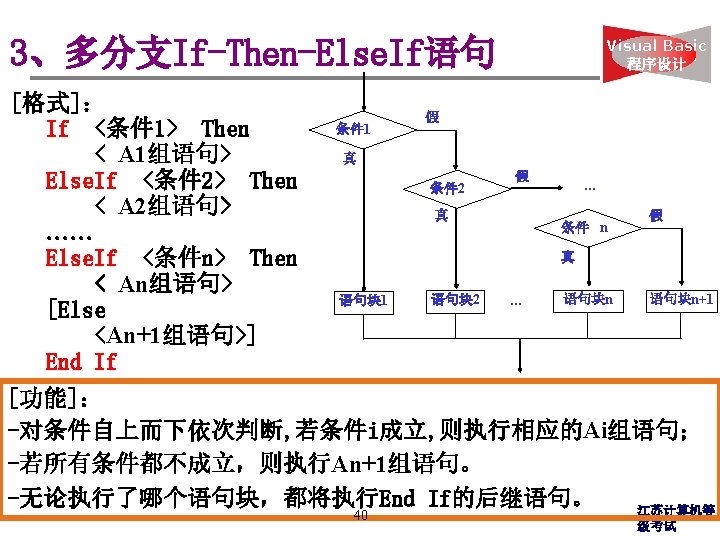
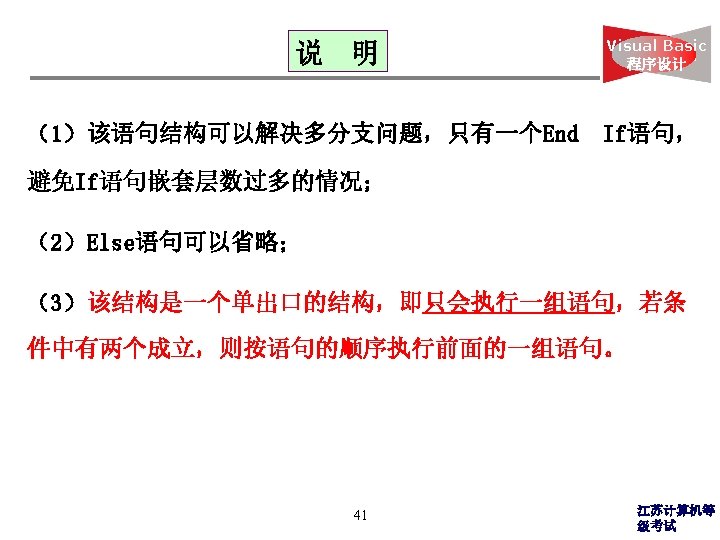
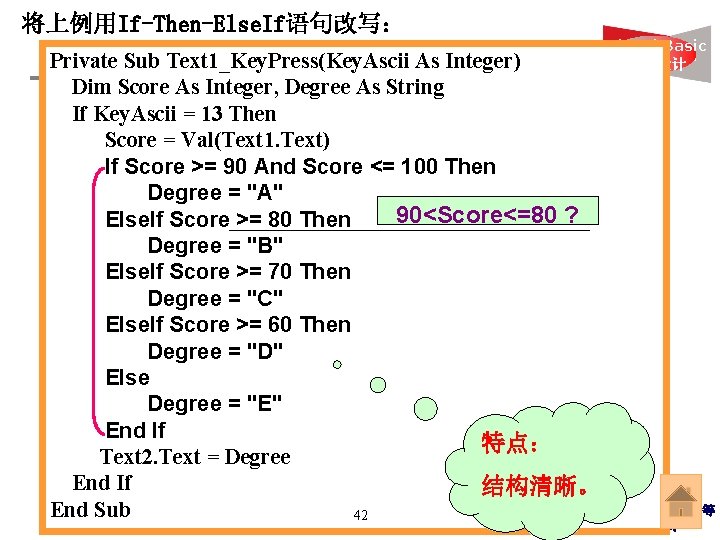
将上例用If-Then-Else. If语句改写: Private Sub Text 1_Key. Press(Key. Ascii As Integer) Dim Score As Integer, Degree As String If Key. Ascii = 13 Then Score = Val(Text 1. Text) If Score >= 90 And Score <= 100 Then Degree = "A" 90<Score<=80 ? Else. If Score >= 80 Then Degree = "B" Else. If Score >= 70 Then Degree = "C" Else. If Score >= 60 Then Degree = "D" Else Degree = "E" End If 特点: Text 2. Text = Degree End If 结构清晰。 End Sub 42 Visual Basic 程序设计 江苏计算机等 级考试
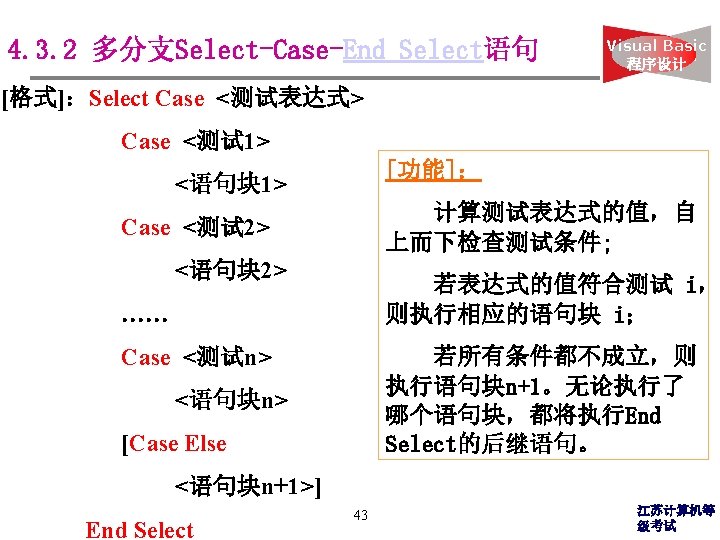
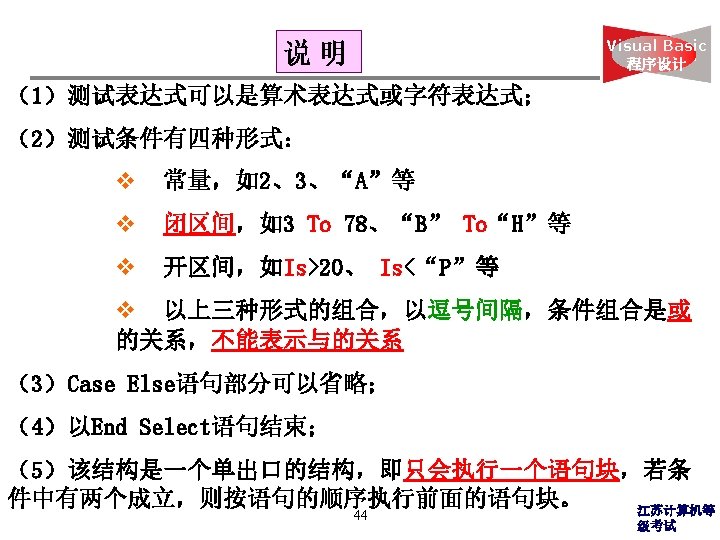
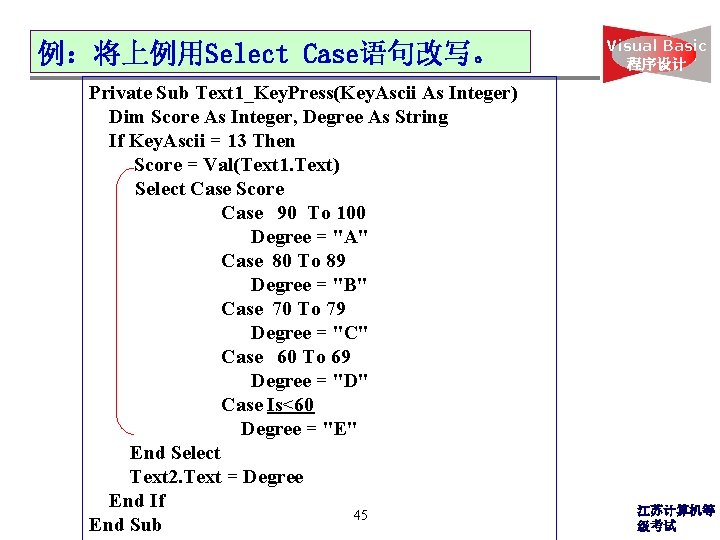
例:将上例用Select Case语句改写。 Private Sub Text 1_Key. Press(Key. Ascii As Integer) Dim Score As Integer, Degree As String If Key. Ascii = 13 Then Score = Val(Text 1. Text) Select Case Score Case 90 To 100 Degree = "A" Case 80 To 89 Degree = "B" Case 70 To 79 Degree = "C" Case 60 To 69 Degree = "D" Case Is<60 Degree = "E" End Select Text 2. Text = Degree End If 45 End Sub Visual Basic 程序设计 江苏计算机等 级考试
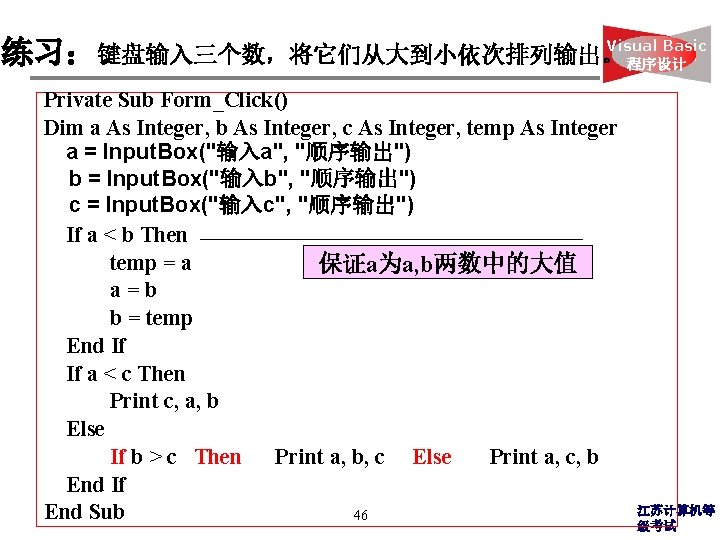
Visual Basic 练习:键盘输入三个数,将它们从大到小依次排列输出。 程序设计 Private Sub Form_Click() Dim a As Integer, b As Integer, c As Integer, temp As Integer a = Input. Box("输入a", "顺序输出") b = Input. Box("输入b", "顺序输出") c = Input. Box("输入c", "顺序输出") If a < b Then temp = a 保证a为a, b两数中的大值 a=b b = temp End If If a < c Then Print c, a, b Else If b > c Then Print a, b, c Else Print a, c, b End If End Sub 46 江苏计算机等 级考试
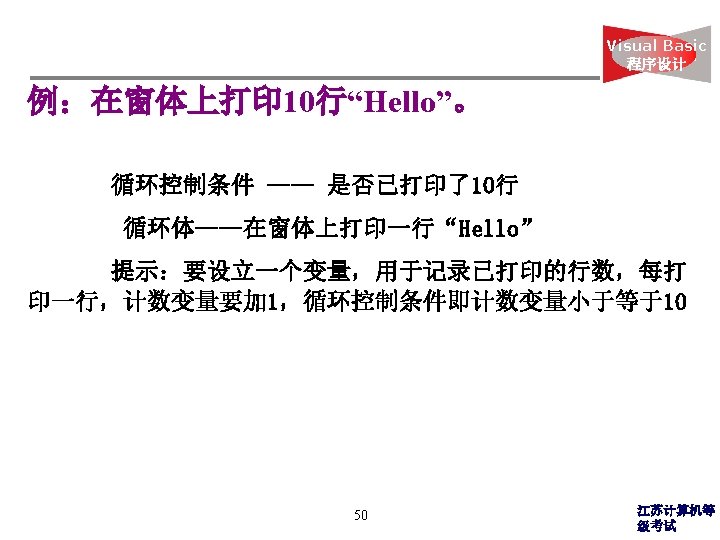
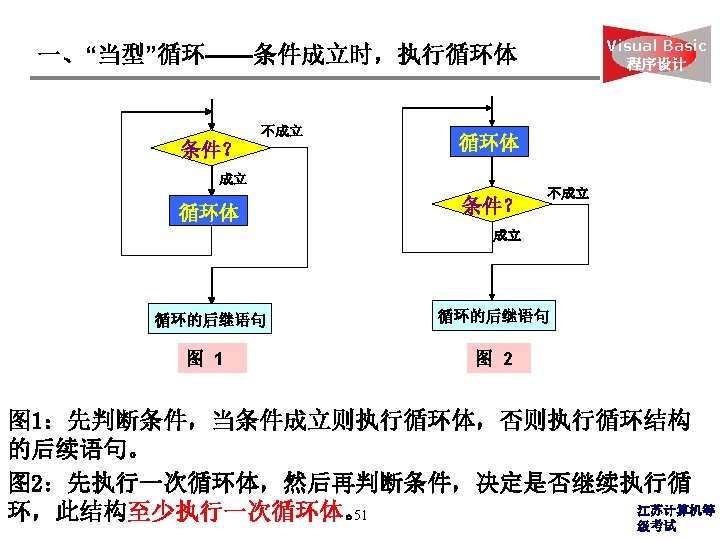
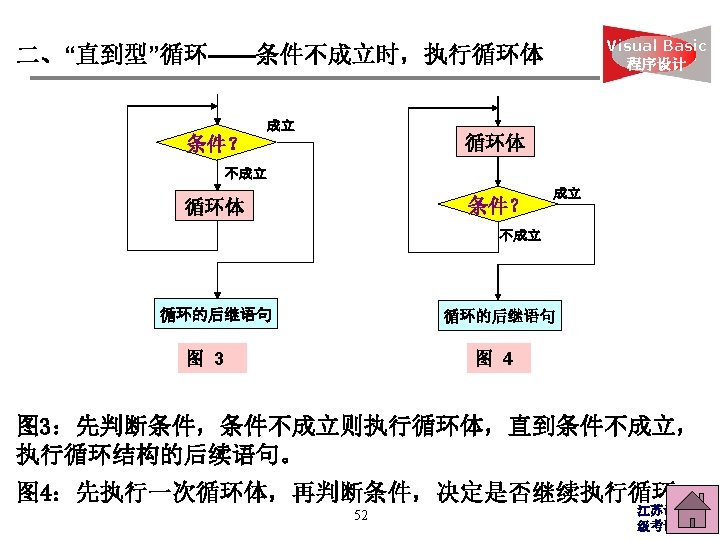
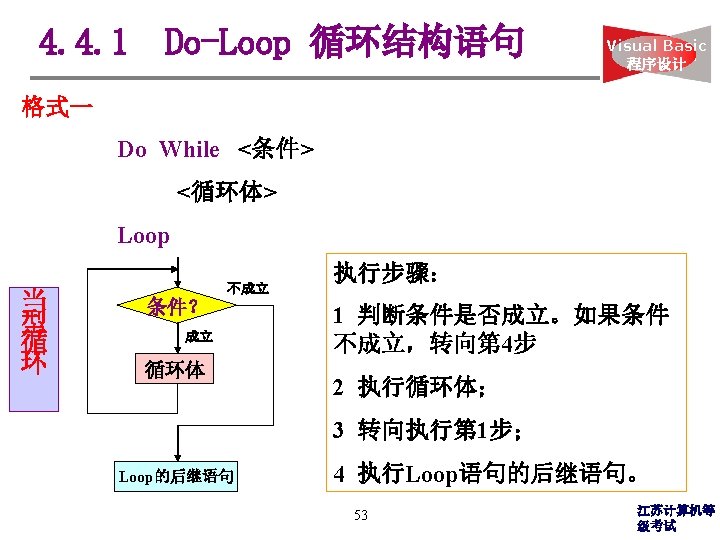
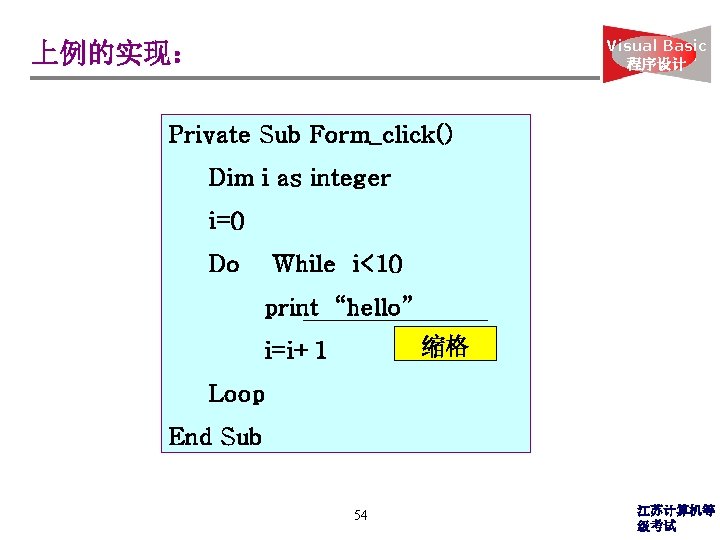
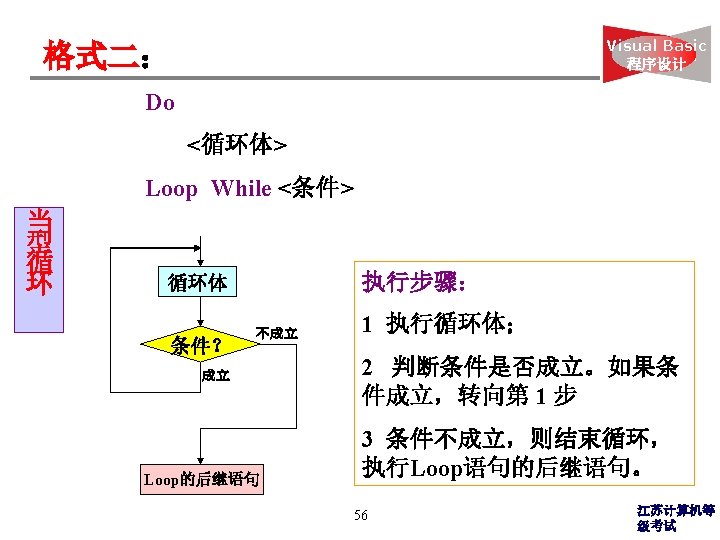
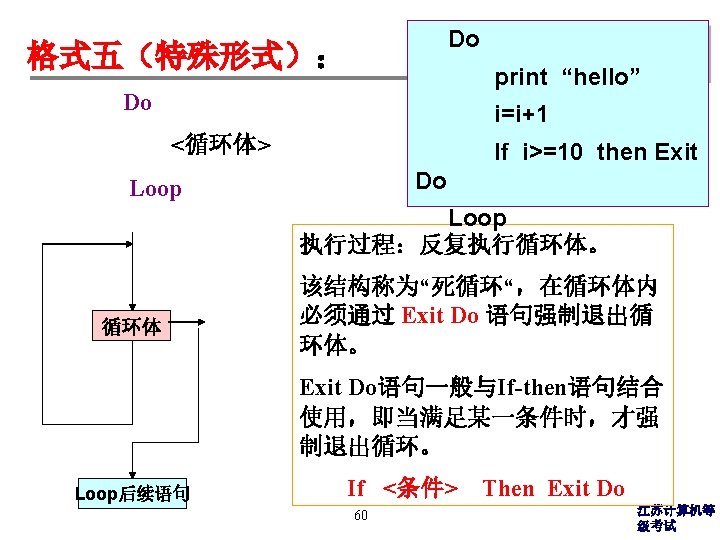
Visual Basic 程序设计 上例的实现: Private Sub Form_click() Dim i as integer i=0 Do While i<10 print “hello” 缩格 i=i+1 Loop End Sub 54 江苏计算机等 级考试
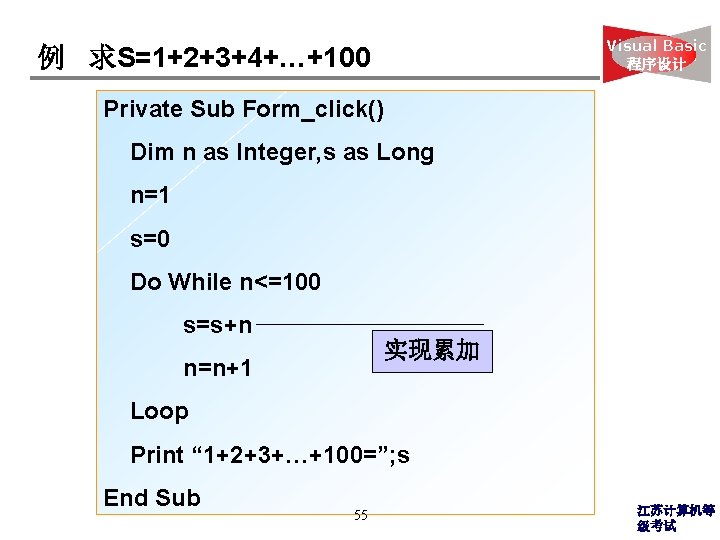
Visual Basic 程序设计 例 求S=1+2+3+4+…+100 Private Sub Form_click() Dim n as Integer, s as Long n=1 s=0 Do While n<=100 s=s+n 实现累加 n=n+1 Loop Print “ 1+2+3+…+100=”; s End Sub 55 江苏计算机等 级考试
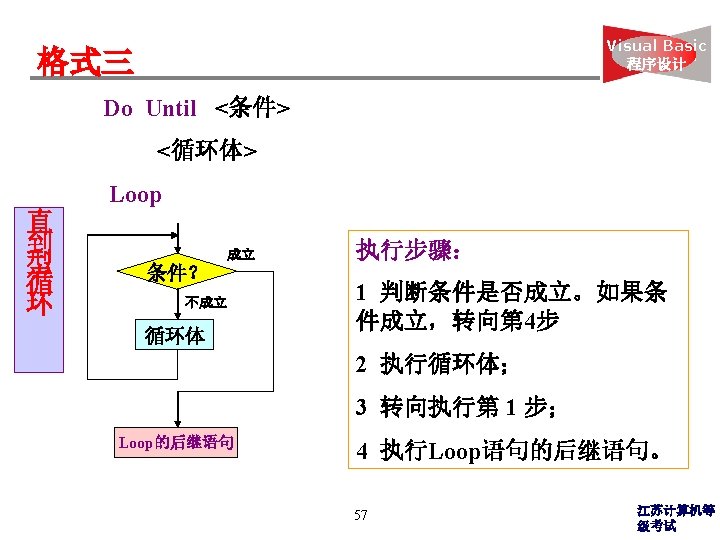
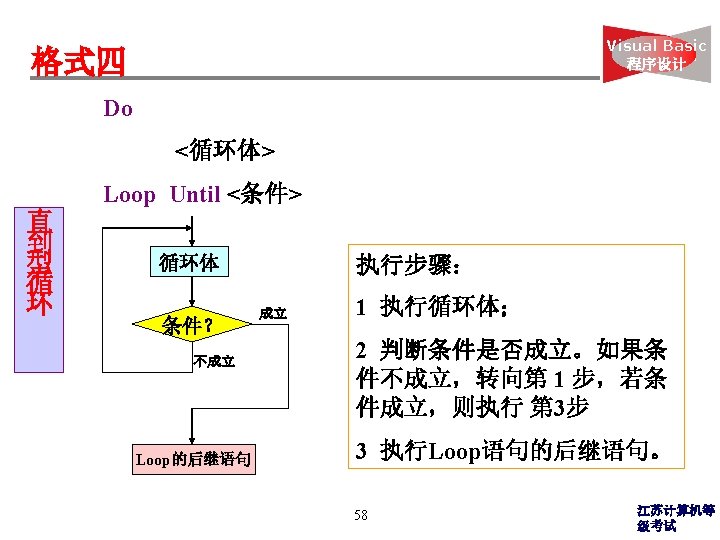
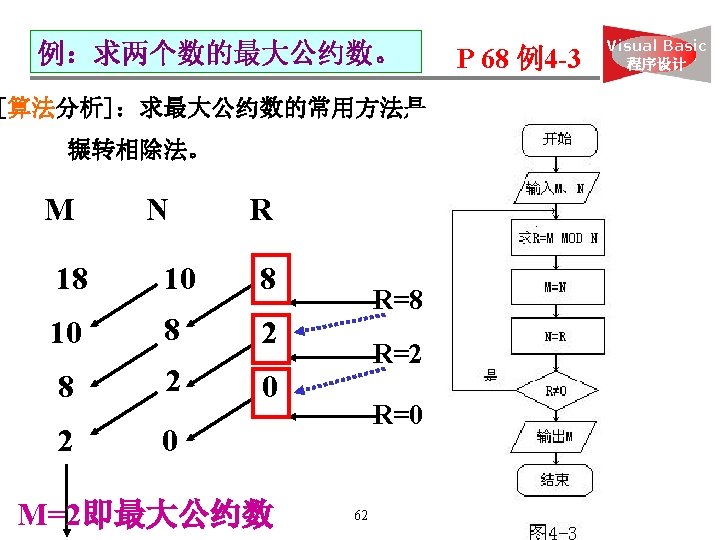
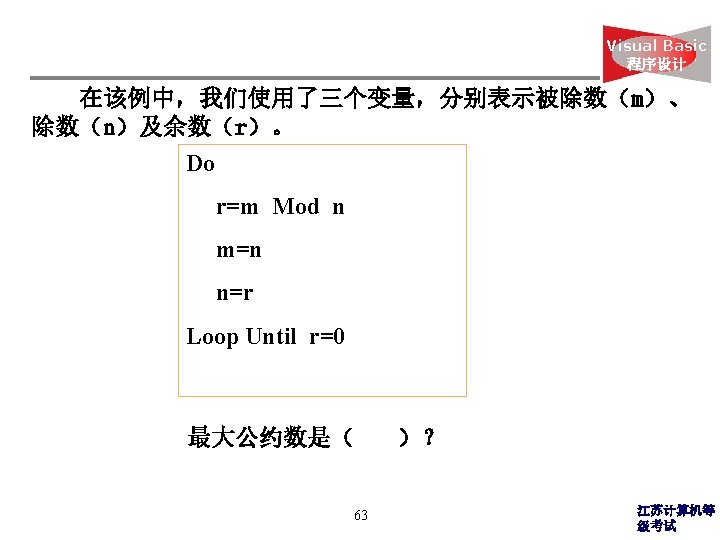
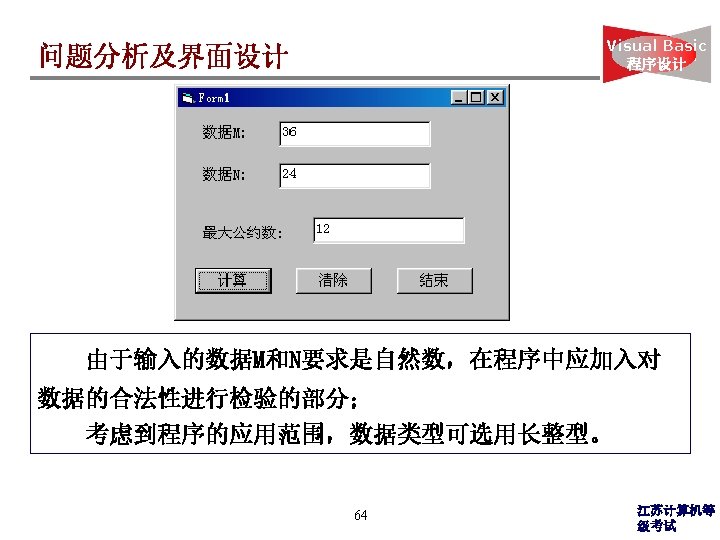
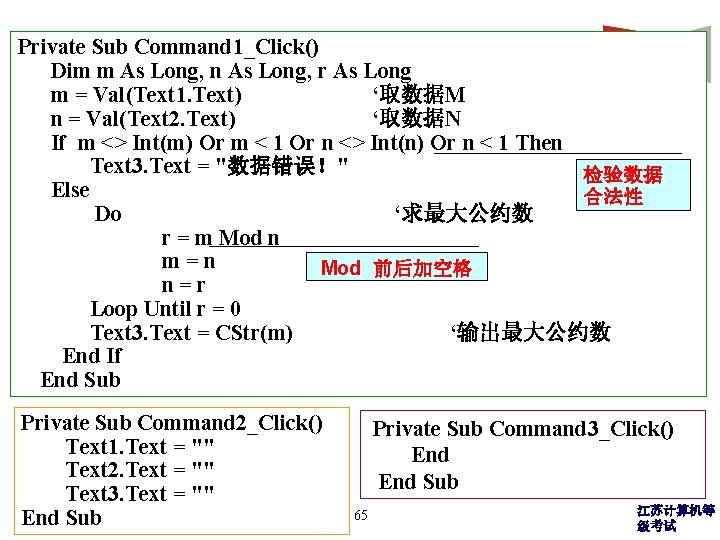
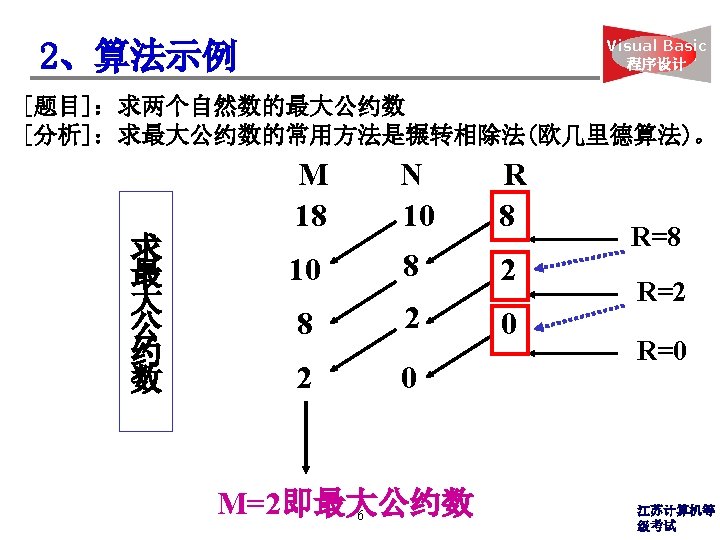
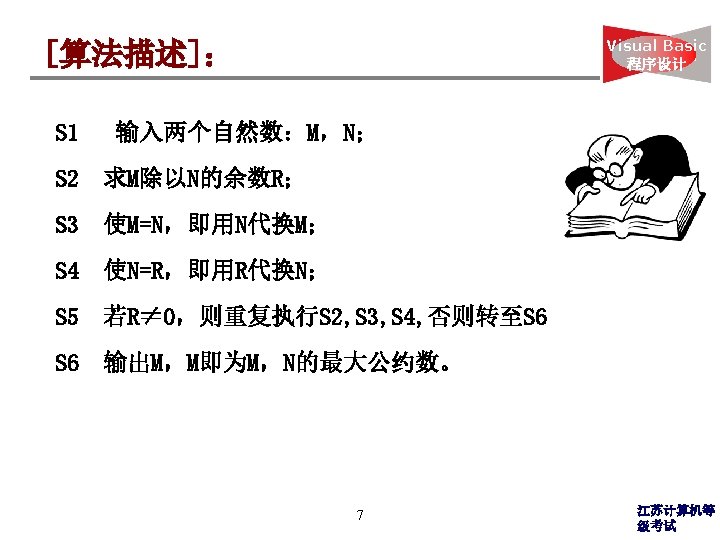
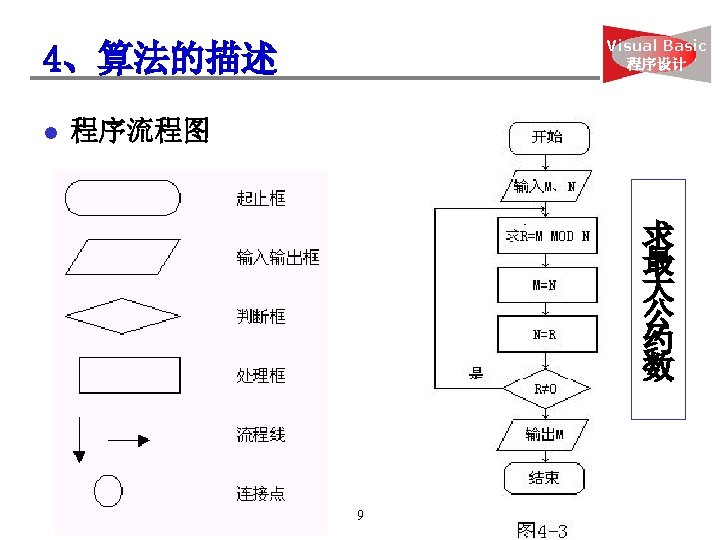
Visual Basic Private Sub Command 1_Click() 程序设计 Dim m As Long, n As Long, r As Long m = Val(Text 1. Text) ‘取数据M n = Val(Text 2. Text) ‘取数据N If m <> Int(m) Or m < 1 Or n <> Int(n) Or n < 1 Then Text 3. Text = "数据错误!" 检验数据 Else 合法性 Do ‘求最大公约数 r = m Mod n m=n Mod 前后加空格 n=r Loop Until r = 0 Text 3. Text = CStr(m) ‘输出最大公约数 End If End Sub Private Sub Command 2_Click() Text 1. Text = "" Text 2. Text = "" Text 3. Text = "" End Sub Private Sub Command 3_Click() End Sub 65 江苏计算机等 级考试
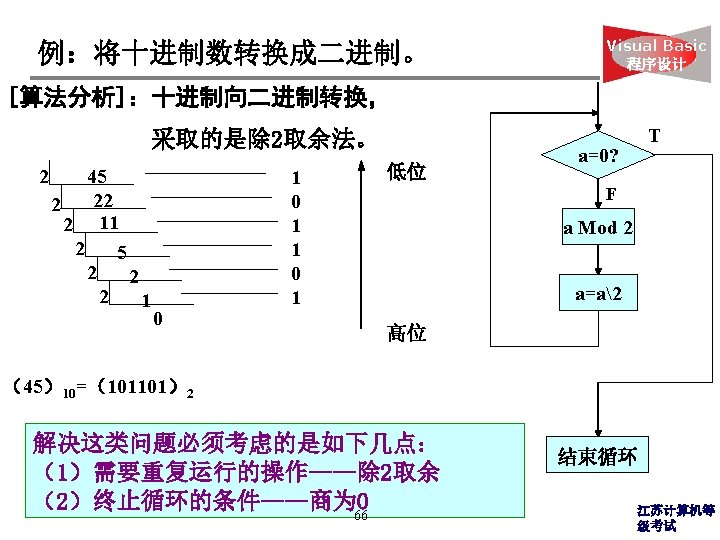
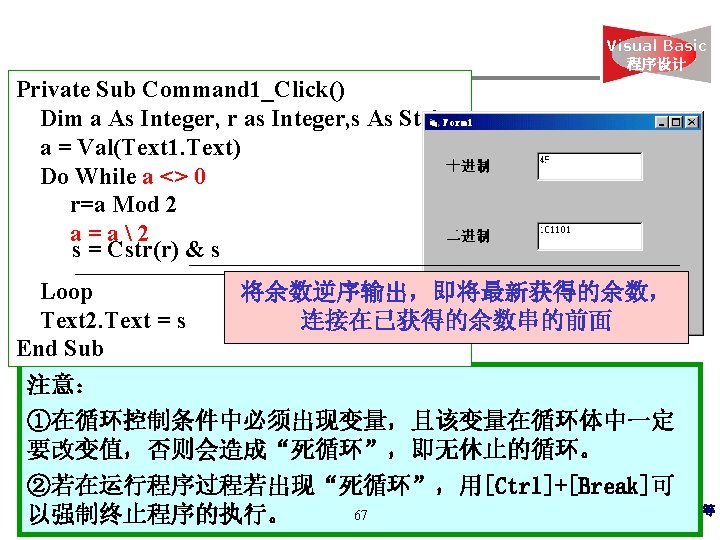
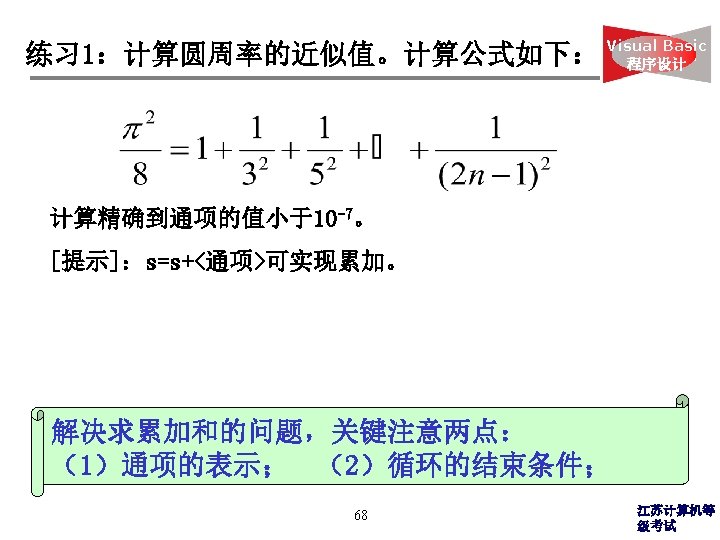
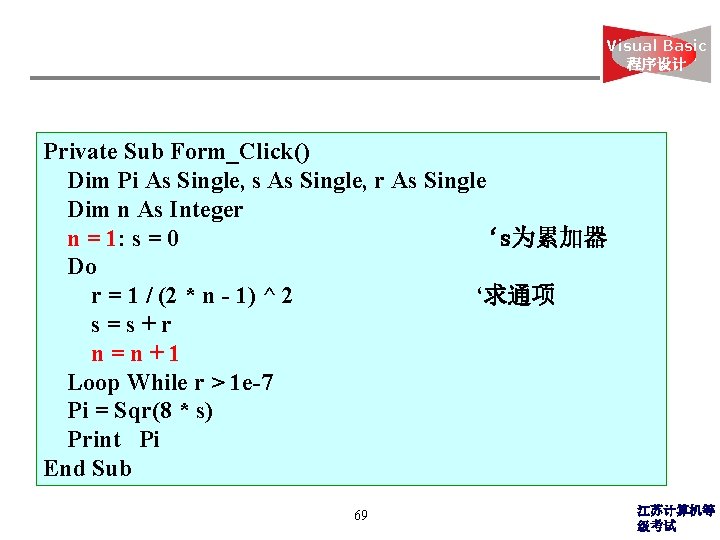
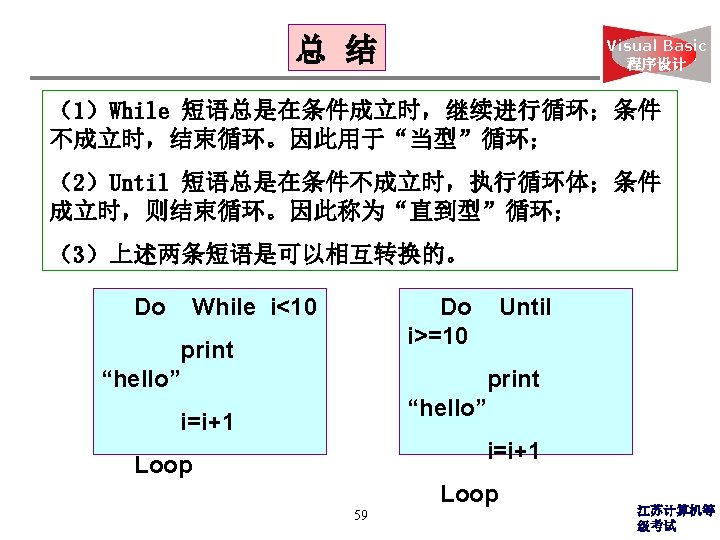
Visual Basic 程序设计 Private Sub Form_Click() Dim Pi As Single, s As Single, r As Single Dim n As Integer n = 1: s = 0 ‘s为累加器 Do r = 1 / (2 * n - 1) ^ 2 ‘求通项 s=s+r n=n+1 Loop While r > 1 e-7 Pi = Sqr(8 * s) Print Pi End Sub 69 江苏计算机等 级考试
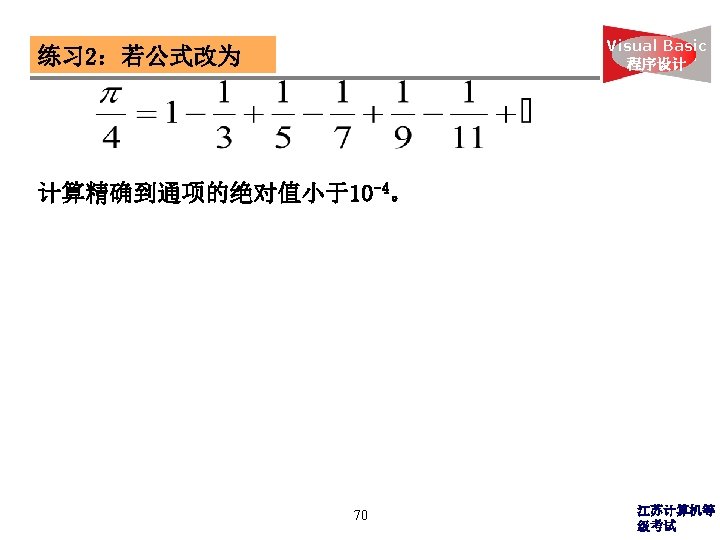
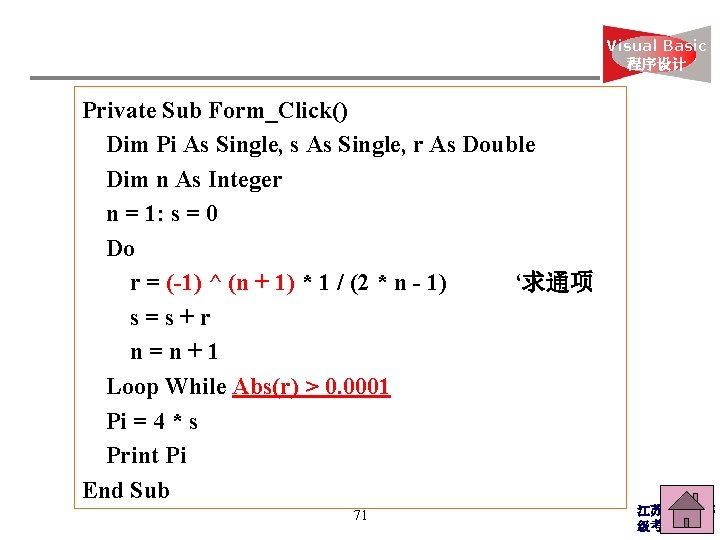
Visual Basic 程序设计 Private Sub Form_Click() Dim Pi As Single, s As Single, r As Double Dim n As Integer n = 1: s = 0 Do r = (-1) ^ (n + 1) * 1 / (2 * n - 1) ‘求通项 s=s+r n=n+1 Loop While Abs(r) > 0. 0001 Pi = 4 * s Print Pi End Sub 71 江苏计算机等 级考试
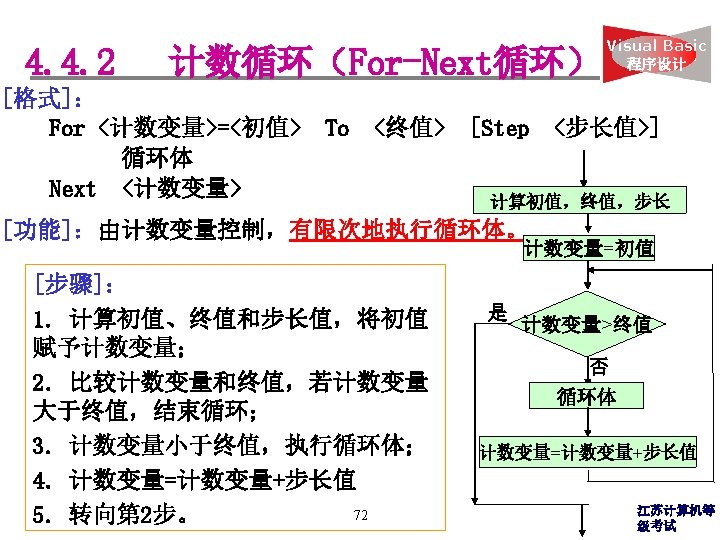
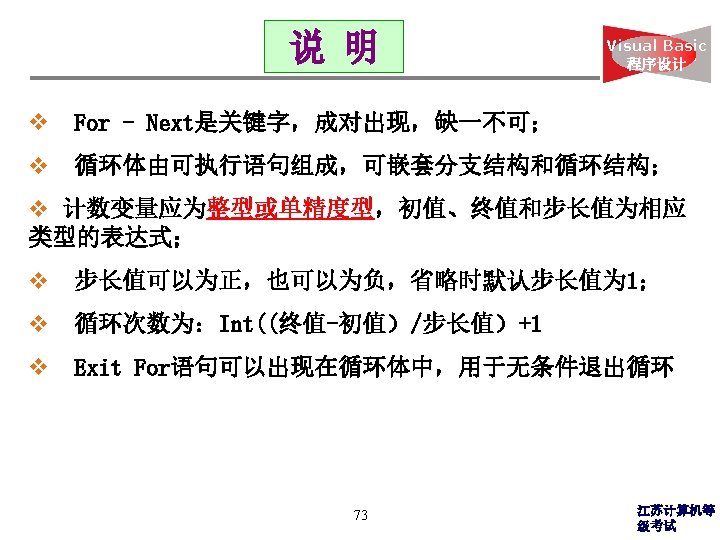
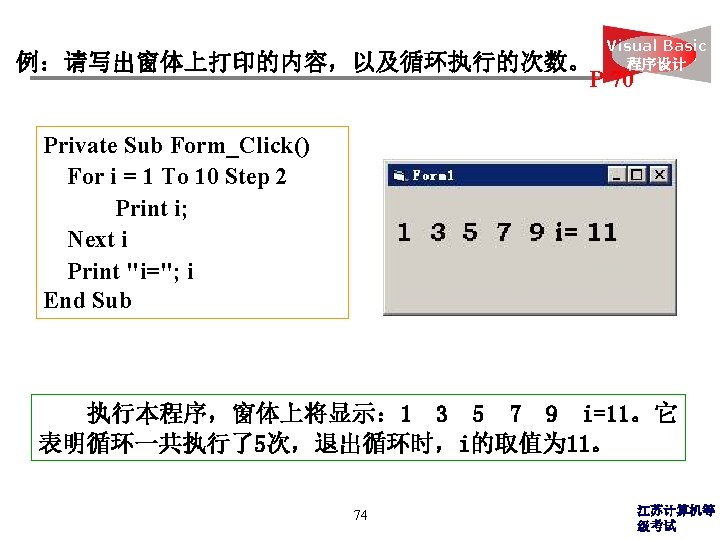
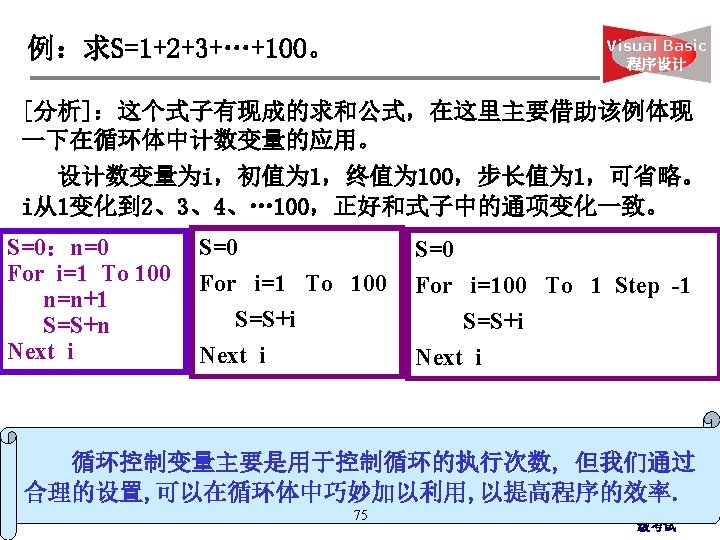
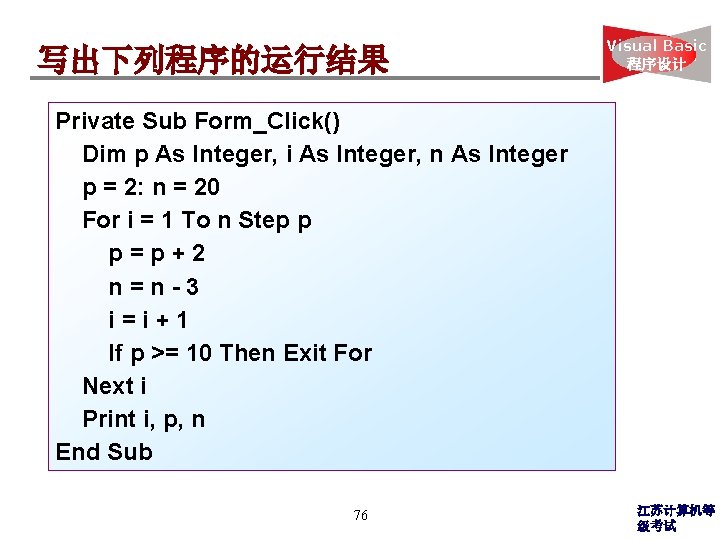
写出下列程序的运行结果 Visual Basic 程序设计 Private Sub Form_Click() Dim p As Integer, i As Integer, n As Integer p = 2: n = 20 For i = 1 To n Step p p=p+2 n=n-3 i=i+1 If p >= 10 Then Exit For Next i Print i, p, n End Sub 76 江苏计算机等 级考试
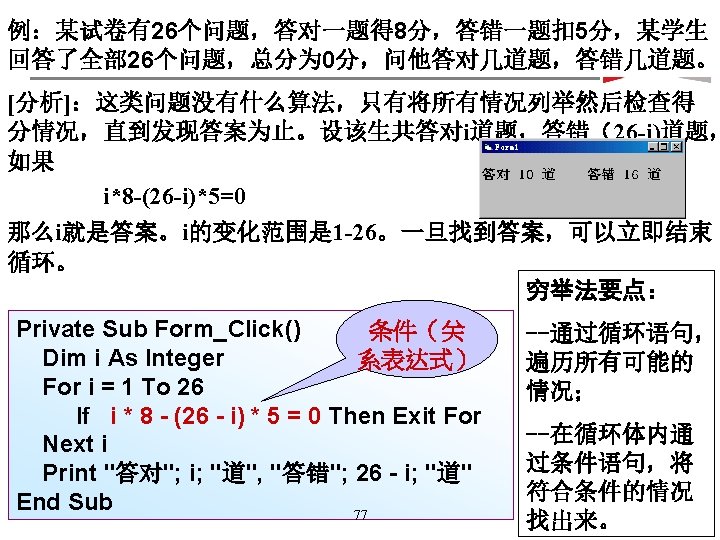
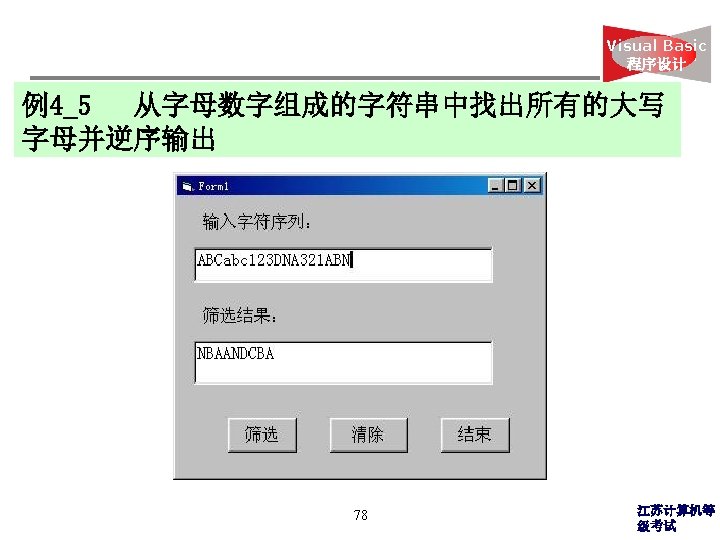
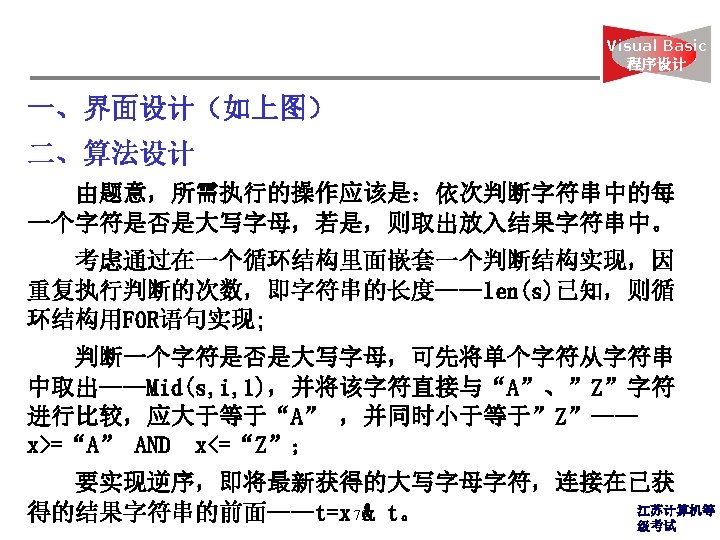
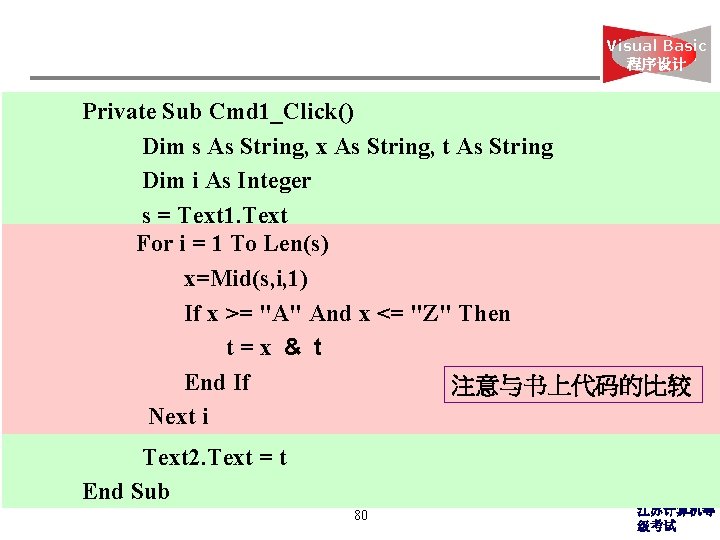
Visual Basic 程序设计 Private Sub Cmd 1_Click() Dim s As String, x As String, t As String Dim i As Integer s = Text 1. Text For i = 1 To Len(s) x=Mid(s, i, 1) If x >= "A" And x <= "Z" Then t=x & t End If 注意与书上代码的比较 Next i Text 2. Text = t End Sub 80 江苏计算机等 级考试
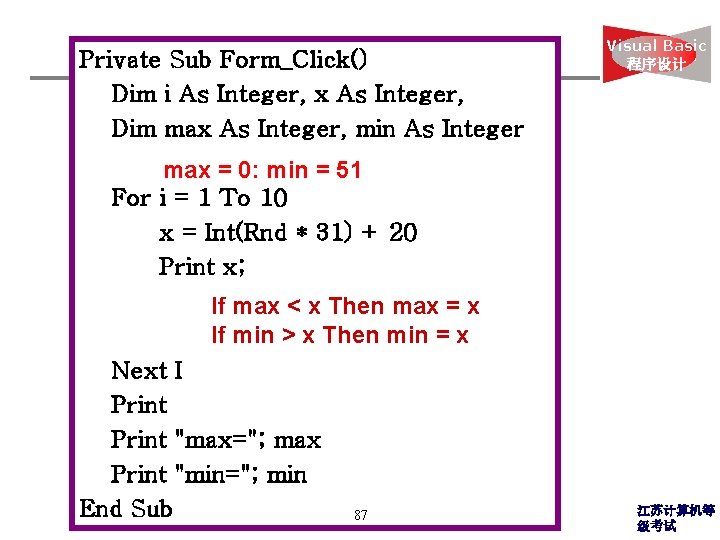
Private Sub Form_Click() Dim i As Integer, x As Integer, Dim max As Integer, min As Integer Visual Basic 程序设计 max = 0: min = 51 For i = 1 To 10 x = Int(Rnd * 31) + 20 Print x; If max < x Then max = x If min > x Then min = x Next I Print "max="; max Print "min="; min End Sub 87 江苏计算机等 级考试
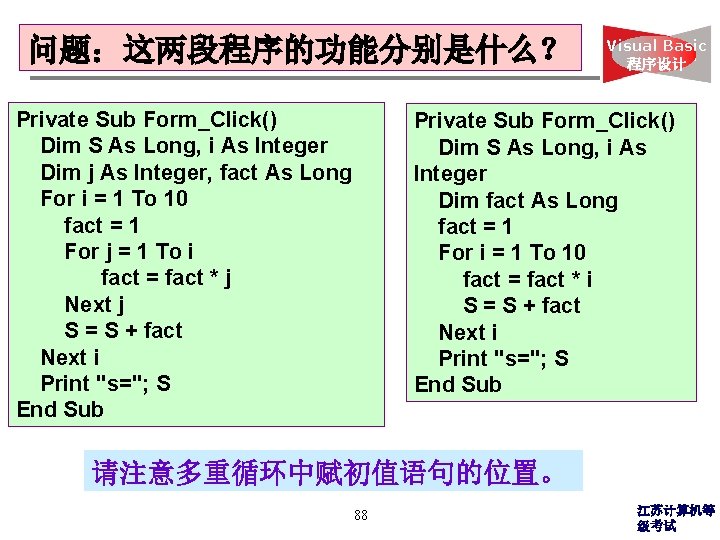
问题:这两段程序的功能分别是什么? Private Sub Form_Click() Dim S As Long, i As Integer Dim j As Integer, fact As Long For i = 1 To 10 fact = 1 For j = 1 To i fact = fact * j Next j S = S + fact Next i Print "s="; S End Sub Visual Basic 程序设计 Private Sub Form_Click() Dim S As Long, i As Integer Dim fact As Long fact = 1 For i = 1 To 10 fact = fact * i S = S + fact Next i Print "s="; S End Sub 请注意多重循环中赋初值语句的位置。 88 江苏计算机等 级考试
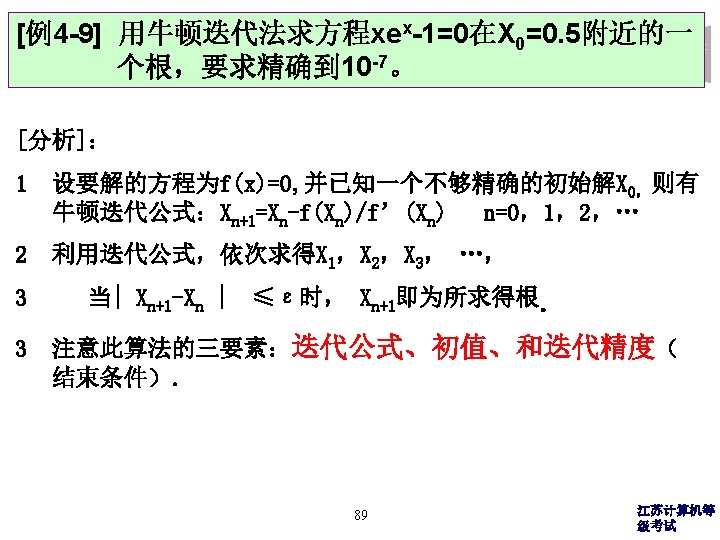
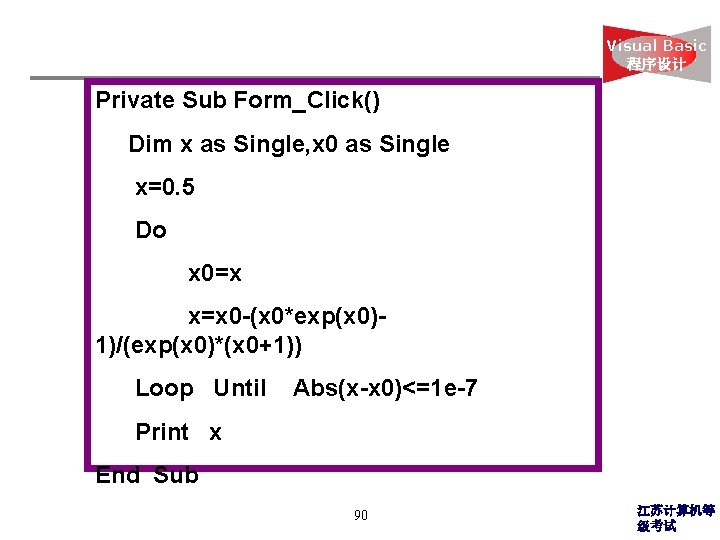
Visual Basic 程序设计 Private Sub Form_Click() Dim x as Single, x 0 as Single x=0. 5 Do x 0=x x=x 0 -(x 0*exp(x 0)1)/(exp(x 0)*(x 0+1)) Loop Until Abs(x-x 0)<=1 e-7 Print x End Sub 90 江苏计算机等 级考试
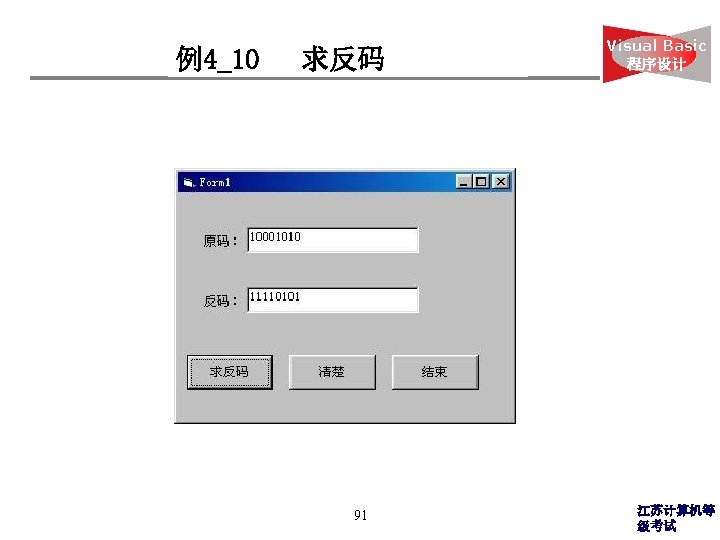
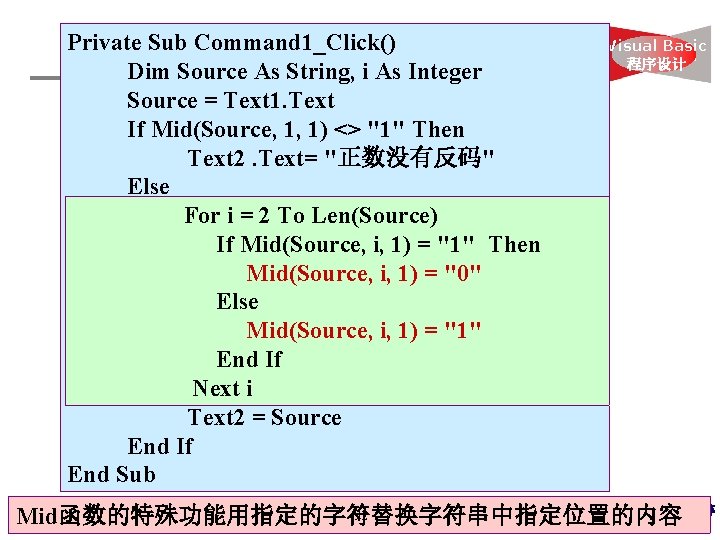
Private Sub Command 1_Click() Dim Source As String, i As Integer Source = Text 1. Text If Mid(Source, 1, 1) <> "1" Then Text 2. Text= "正数没有反码" Else For i = 2 To Len(Source) If Mid(Source, i, 1) = "1" Then Mid(Source, i, 1) = "0" Else Mid(Source, i, 1) = "1" End If Next i Text 2 = Source End If End Sub Visual Basic 程序设计 江苏计算机等 92 Mid函数的特殊功能用指定的字符替换字符串中指定位置的内容 级考试
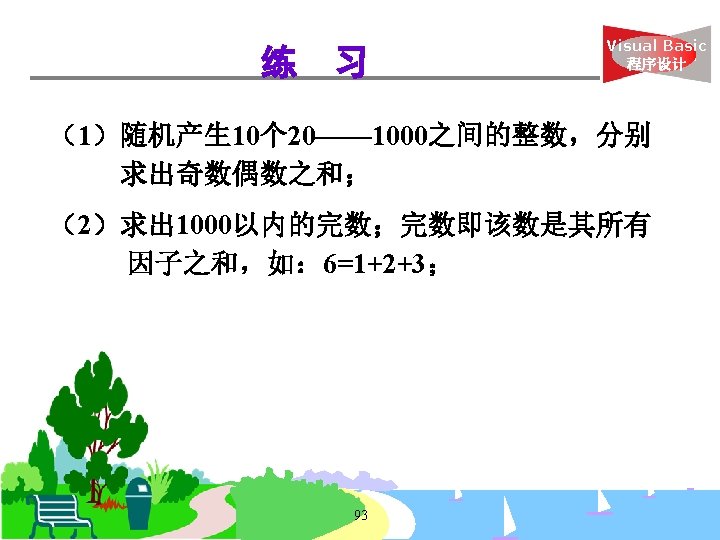
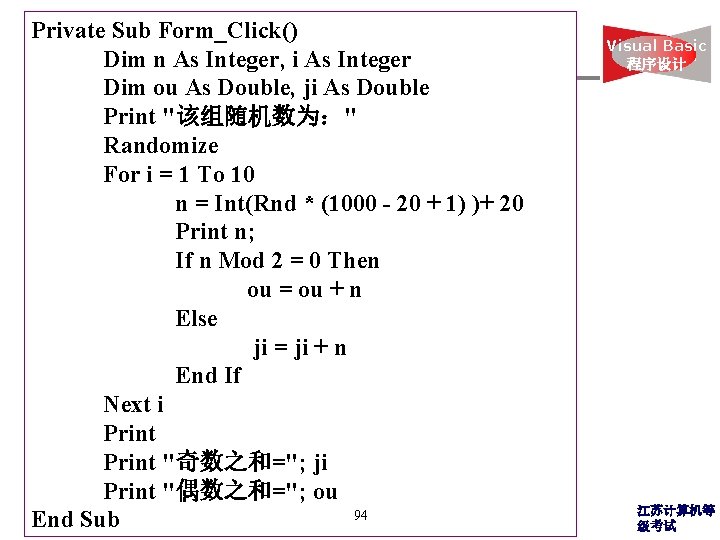
Private Sub Form_Click() Dim n As Integer, i As Integer Dim ou As Double, ji As Double Print "该组随机数为:" Randomize For i = 1 To 10 n = Int(Rnd * (1000 - 20 + 1) )+ 20 Print n; If n Mod 2 = 0 Then ou = ou + n Else ji = ji + n End If Next i Print "奇数之和="; ji Print "偶数之和="; ou 94 End Sub Visual Basic 程序设计 江苏计算机等 级考试
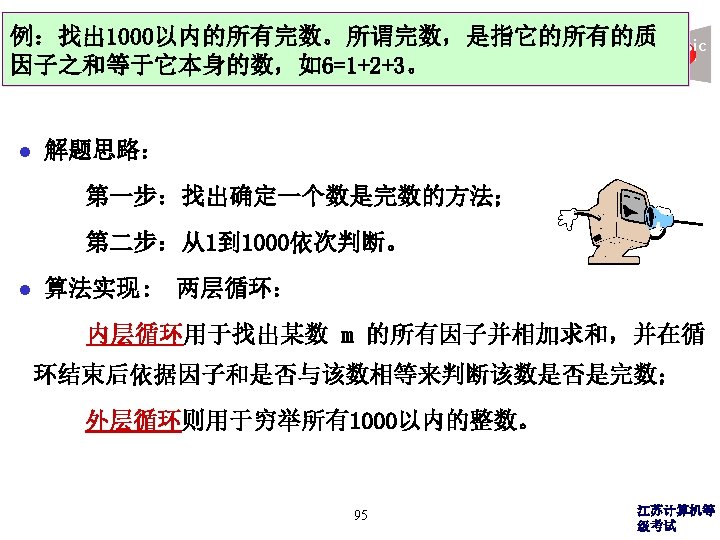
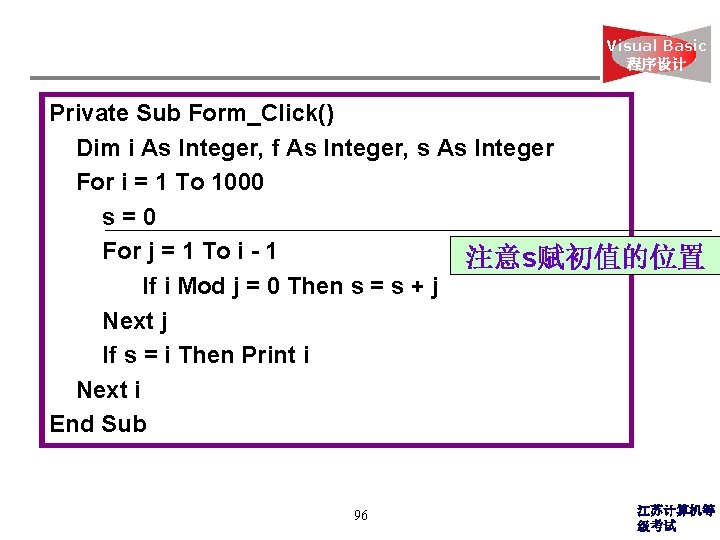
Visual Basic 程序设计 Private Sub Form_Click() Dim i As Integer, f As Integer, s As Integer For i = 1 To 1000 s=0 For j = 1 To i - 1 注意s赋初值的位置 If i Mod j = 0 Then s = s + j Next j If s = i Then Print i Next i End Sub 96 江苏计算机等 级考试
- Slides: 95