
Visual Basic 89 l Set Desktop Location 200
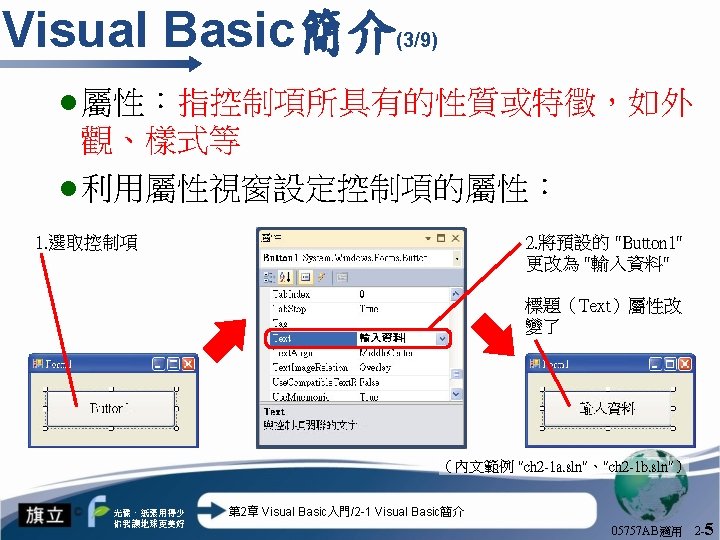
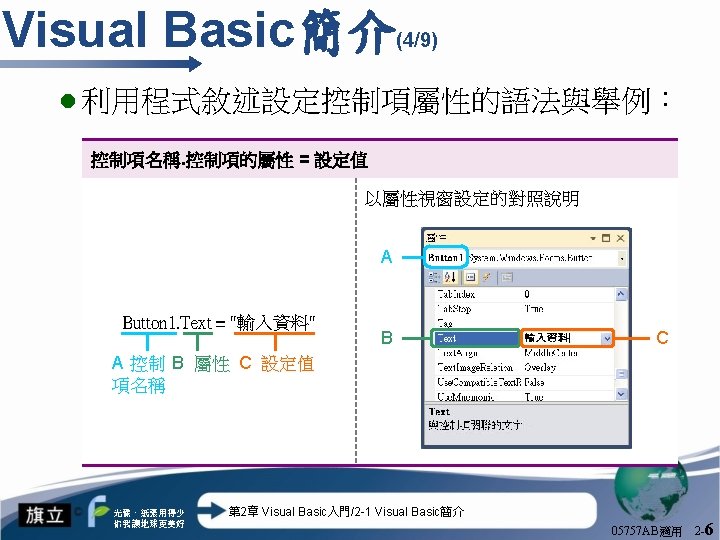
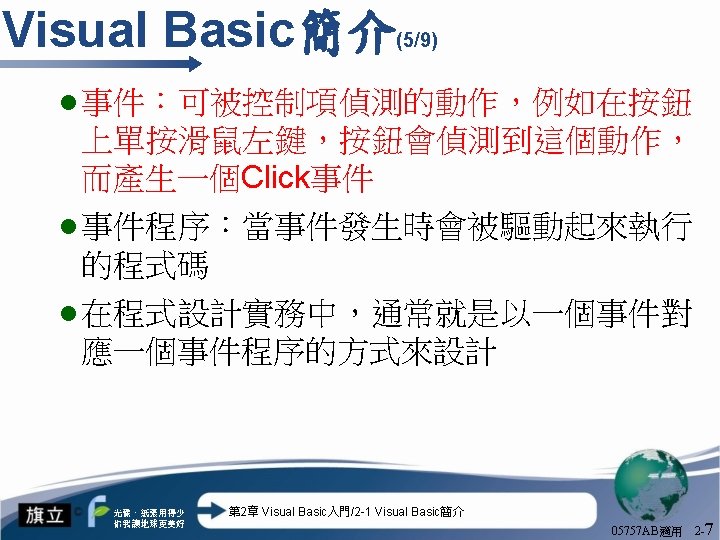
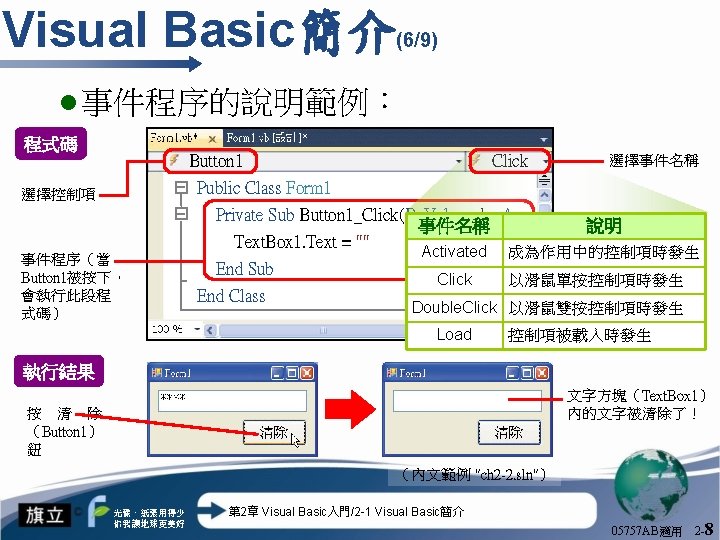
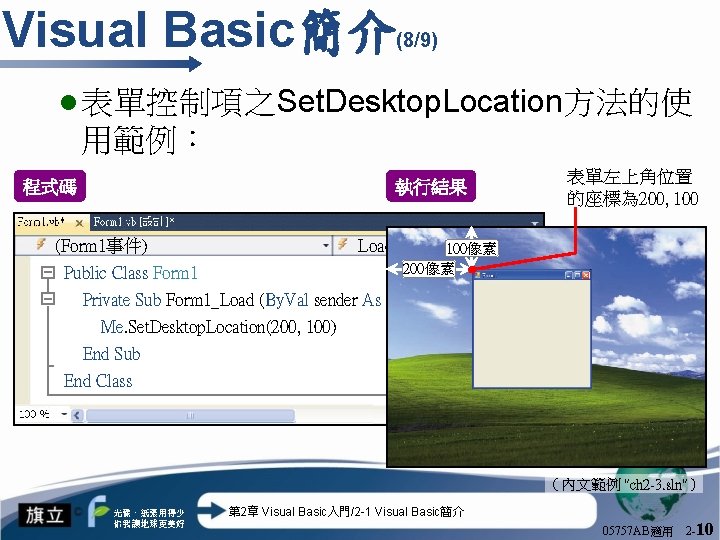
Visual Basic簡介 (8/9) l 表單控制項之Set. Desktop. Location方法的使 用範例: 執行結果 程式碼 表單左上角位置 的座標為 200, 100 (Form 1事件) Load 100像素 200像素 Public Class Form 1 Private Sub Form 1_Load (By. Val sender As System. Object, By Me. Set. Desktop. Location(200, 100) End Sub End Class (內文範例 "ch 2 -3. sln") 光碟、紙張用得少 你我讓地球更美好 第 2章 Visual Basic入門/2 -1 Visual Basic簡介 05757 AB適用 2 -10
輸入與輸出函數 (7/12) l 常用的訊息圖示設定值: 訊息圖示 光碟、紙張用得少 你我讓地球更美好 VB內建常數 代表值 Msg. Box. Style. Critical 16 Msg. Box. Style. Question 32 Msg. Box. Style. Exclamation 48 Msg. Box. Style. Information 64 第 2章 Visual Basic入門/2 -4 輸入與輸出函數 05757 AB適用 2 -32
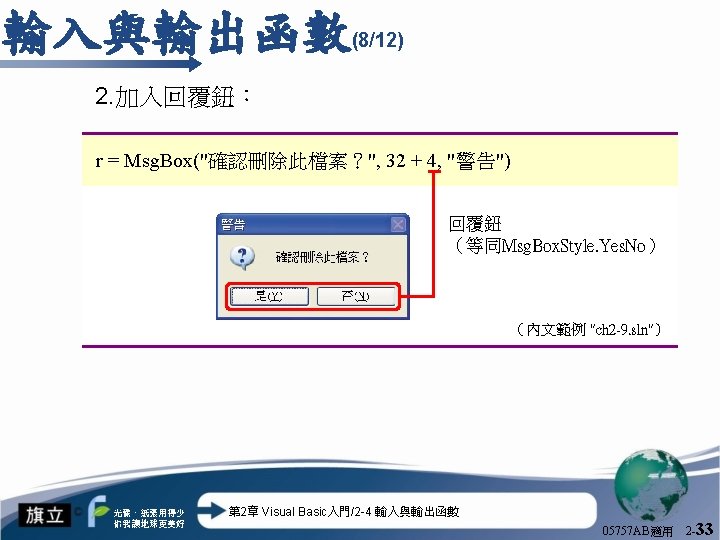
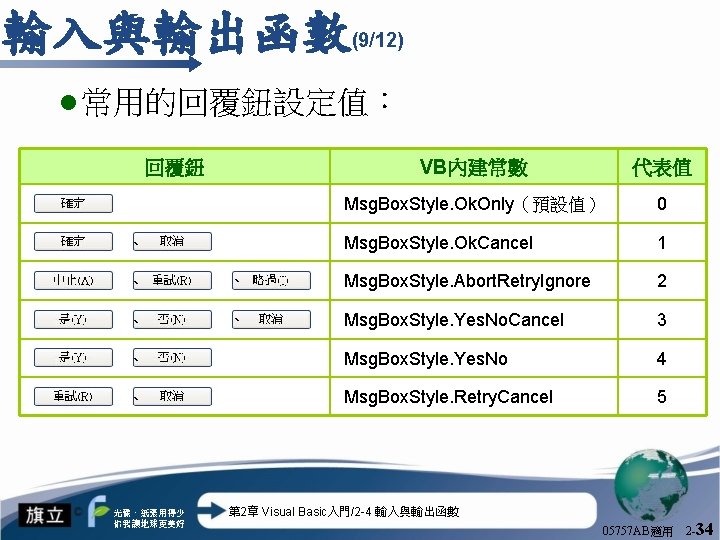
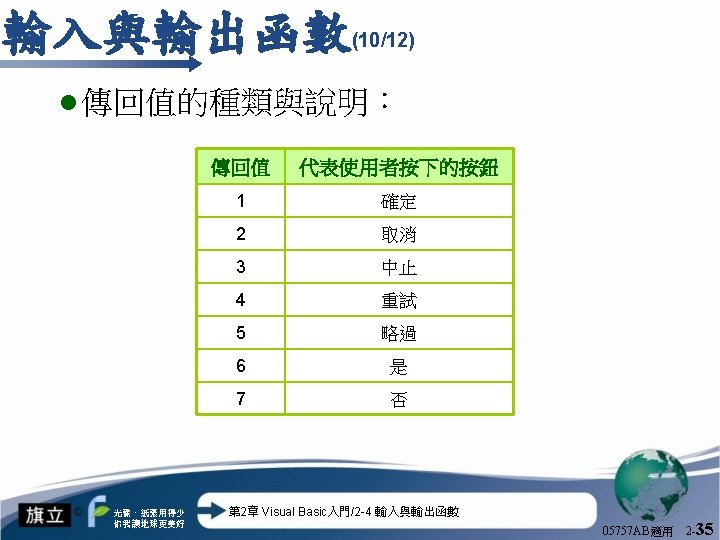
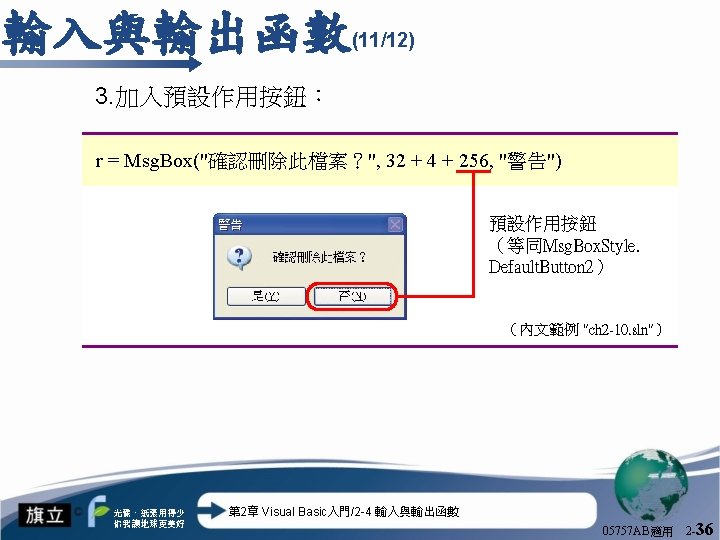
輸入與輸出函數 (9/12) l 常用的回覆鈕設定值: 回覆鈕 、 VB內建常數 代表值 Msg. Box. Style. Ok. Only(預設值) 0 Msg. Box. Style. Ok. Cancel 1 、 、 Msg. Box. Style. Abort. Retry. Ignore 2 、 、 Msg. Box. Style. Yes. No. Cancel 3 、 Msg. Box. Style. Yes. No 4 、 Msg. Box. Style. Retry. Cancel 5 光碟、紙張用得少 你我讓地球更美好 第 2章 Visual Basic入門/2 -4 輸入與輸出函數 05757 AB適用 2 -34
- Slides: 37