
Visual Bash Yet Another Framework Paul Flint Barre
Visual. Bash Yet Another Framework? Paul Flint - Barre Open Systems Institute
Musical Introduction 1. 2. 3. 4. 5. My favorite Frameworks are found in Music. While we are here to examine the Visual. Bash Framework, sometimes Music Focuses me. The “Blues” Musical Framework is simple and compelling. The “Blues” Framework reminds me that while life and technology go on and on, there are some structures that seem to endure. Also, Automatic Data Processing Equipment gives us all the “Blues” 10/16/2021 Visual Bash Flint 2
Technical Introduction Greetings, I am, for what I think are very good reasons, a Mainframer. Currently, I write command line scripts in Bash, Python, Perl, C, VM-CMS, VSE-JCL, and Rexx. I started in Basic Fortran and Pascal but wish to share with you tricks collected into the topic “Visual Bash” Well thought out questions at the end of this presentation will be rewarded with cans of delicious Ice Cold, Dark Beer. 10/16/2021 Visual Bash Flint 3
What Is a Mainframer doing at The South East Regional Linux Conference? One Friday evening in 2000 at the IBM Development Lab in Böeblingen, Germany, Management told the software engineers to either make OS 390 Unix System Services (USS) work better or else… The way I heard the story is that during this weekend the junior developers got the GNU C complier running on IBM VM (now z. VM). Hard on the heals of this, a Linux Kernel and user space was compiled and ran under VM Linux on a Mainframe was born! 10/16/2021 Visual Bash Flint 4
Management Was Not Happy… By 2001 in Vienna Virginia, David Boyes, (no IBM’er) writes a recursive Rexx script and cranks up 41, 400 Functional Linux instances. This takes place 16 years ago on 10% of Nortel’s VM, may it rest in peace No longer are Mainframers allowed the sidelines and the Priesthood of the Virtual Machine. 100, 000 Linux instances is a fairly standard load for an IBM z-13 – “No Pets all Cattle” Currently, it turns out that Mainframers are responsible for a great deal of Linux based code. What tools does the community have to operate and manage all of this Linux? 10/16/2021 Visual Bash Flint 5
Is Programming Less of a Science and More of an Art? . . . and if done right, it has a personal creative resonance that you can - dance to… For the next few minutes, I would like all of us to tune in to a particular tool, we are going to look at the realized potential of: BASH – Bourne Again SHell Bash is one of many command processors that typically run in a Unix or Linux text window. Over the years it has developed advantages… 10/16/2021 Visual Bash Flint 6
Bash Is Portable! 10/16/2021 IBM z. OS Windows Macintosh Linux Unix Visual Bash Flint 7
Visual Bash’s Legacy In a bygone day, the DOS based program QBASIC had a framework that allowed you to conveniently access individual subroutines. The big ticket was the editor. Is QBASIC essentially the first Integrated Development Environment, and can we get back to it's essence? . Visual Basic and it's successors seem to all be based upon the idea of an Graphic User Interface Integrated Development Environment. Is this really the basis of a good framework? 10/16/2021 Visual Bash Flint 8
Why Not Build a Command Line Interface Framework Around BASH? 1. In the Microsoft Universe, Visual Basic's successors all seem to all be based upon this idea of a Graphical User Interface based Integrated Development Environment being the central element of the development process. 2. Is the Graphic User Interface based Integrated Development Environment really the basis of a good framework? 3. Mainframes are not designed around GUIs at all. 10/16/2021 Visual Bash Flint 9

Managing the Future 1. Can we build the bash-based operating components capable of supporting modern tools such as Chef, Puppet, Zoom, Open. Stack, and Ju. Ju "charms"? 2. In order to do this, could a framework be developed that would allow for extensive use of bash as the go to general purpose information management system automation tool? 3. How about an example? 10/16/2021 Visual Bash Flint 10
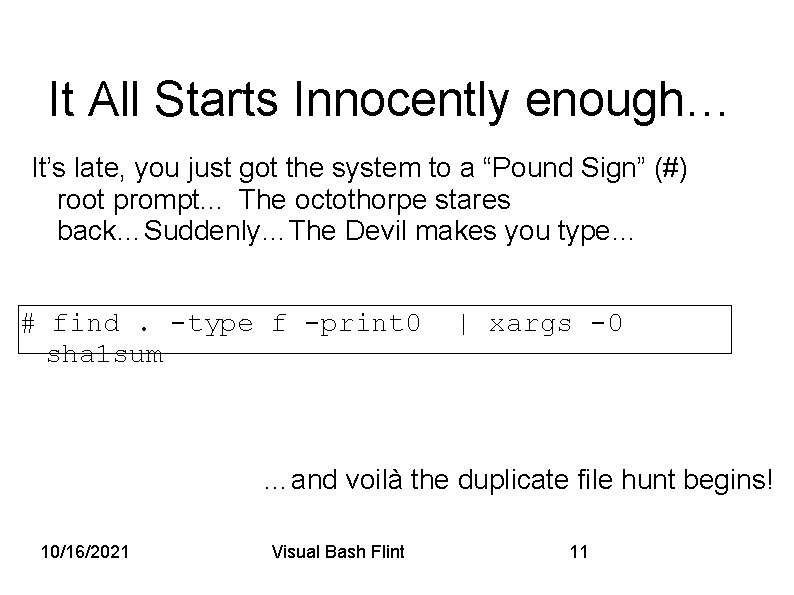
It All Starts Innocently enough… It’s late, you just got the system to a “Pound Sign” (#) root prompt. . . The octothorpe stares back…Suddenly…The Devil makes you type… # find. -type f -print 0 sha 1 sum | xargs -0 …and voilà the duplicate file hunt begins! 10/16/2021 Visual Bash Flint 11
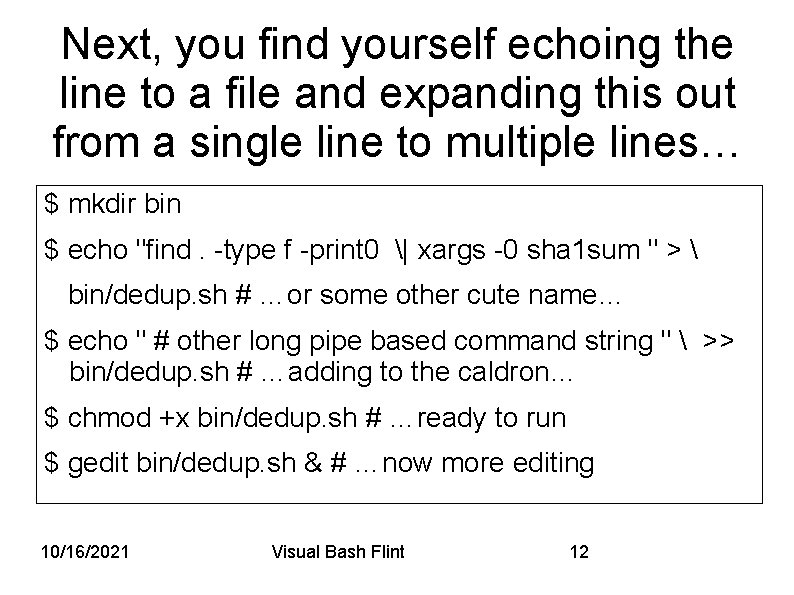
Next, you find yourself echoing the line to a file and expanding this out from a single line to multiple lines… $ mkdir bin $ echo "find. -type f -print 0 | xargs -0 sha 1 sum " > bin/dedup. sh # …or some other cute name… $ echo " # other long pipe based command string " >> bin/dedup. sh # …adding to the caldron… $ chmod +x bin/dedup. sh # …ready to run $ gedit bin/dedup. sh & # …now more editing 10/16/2021 Visual Bash Flint 12
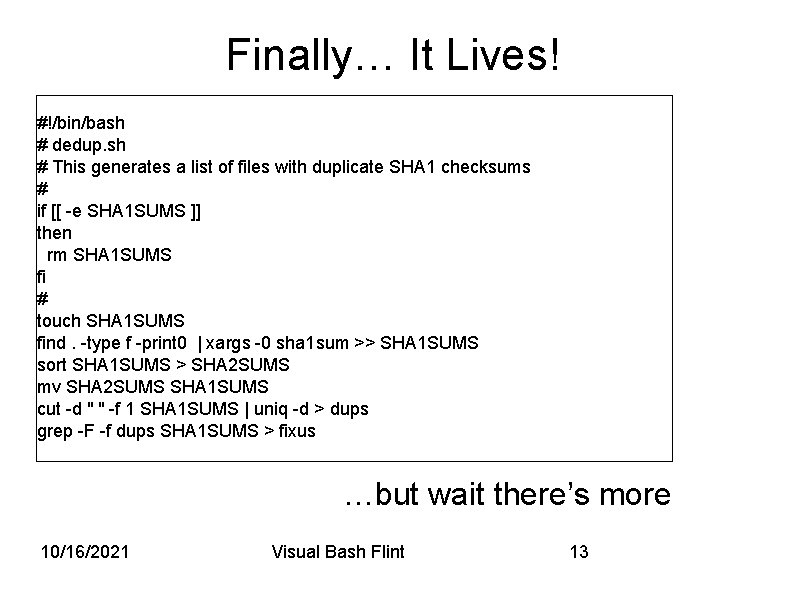
Finally… It Lives! #!/bin/bash # dedup. sh # This generates a list of files with duplicate SHA 1 checksums # if [[ -e SHA 1 SUMS ]] then rm SHA 1 SUMS fi # touch SHA 1 SUMS find. -type f -print 0 | xargs -0 sha 1 sum >> SHA 1 SUMS sort SHA 1 SUMS > SHA 2 SUMS mv SHA 2 SUMS SHA 1 SUMS cut -d " " -f 1 SHA 1 SUMS | uniq -d > dups grep -F -f dups SHA 1 SUMS > fixus …but wait there’s more 10/16/2021 Visual Bash Flint 13
The Visual Bash Precipice You christen your effort dudup. sh , dadup. sh dedup. sh…whatever But wait – how do you really animate it? It needs a shebang, author, date… Does it need a help section? Does it need parameters? You bet it needs a way to convey argument… Do you do it over in Python? GOODNESS NO! 05/11/17
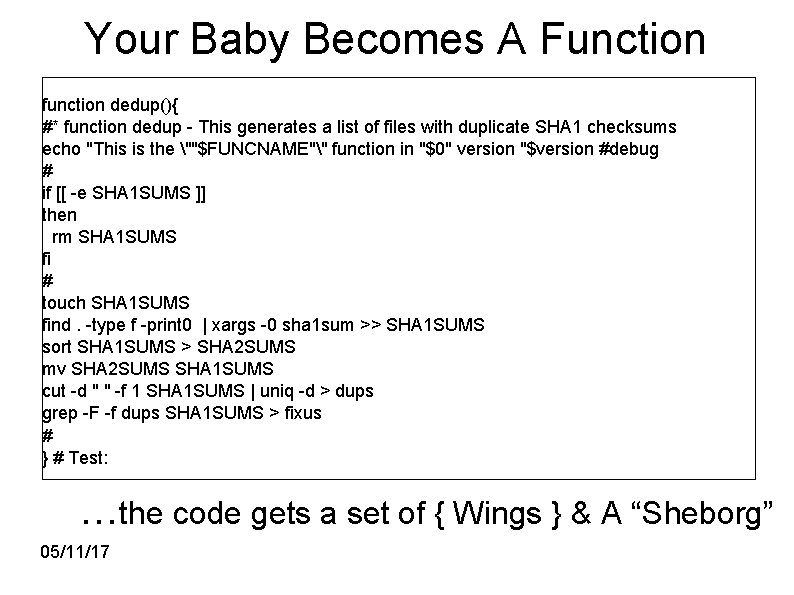
Your Baby Becomes A Function function dedup(){ #* function dedup - This generates a list of files with duplicate SHA 1 checksums echo "This is the ""$FUNCNAME"" function in "$0" version "$version #debug # if [[ -e SHA 1 SUMS ]] then rm SHA 1 SUMS fi # touch SHA 1 SUMS find. -type f -print 0 | xargs -0 sha 1 sum >> SHA 1 SUMS sort SHA 1 SUMS > SHA 2 SUMS mv SHA 2 SUMS SHA 1 SUMS cut -d " " -f 1 SHA 1 SUMS | uniq -d > dups grep -F -f dups SHA 1 SUMS > fixus # } # Test: …the code gets a set of { Wings } & A “Sheborg” 05/11/17
What’s So Special? Beyond the Shebang, These Three Elements: FUNCTIONS - lots and lots of functions An EVALUATOR – the inbound command line argument counter/parser A DISPATCHER - The over provisioned case statement… Let us not overlook the Shebang. What the heck is a Shebang? You ask. It is a bit of bash lore which we have hacked… 10/16/2021 Visual Bash Flint 16
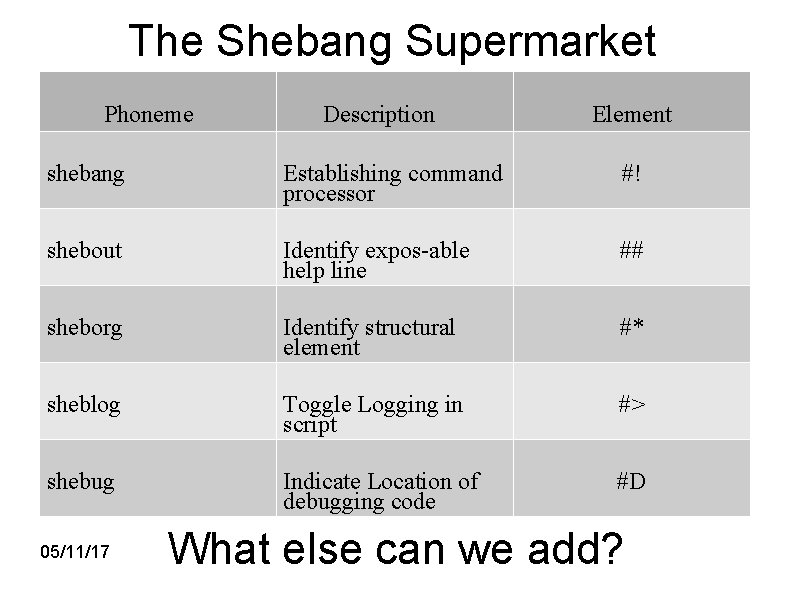
The Shebang Supermarket Phoneme Description Element shebang Establishing command processor #! shebout Identify expos-able help line ## sheborg Identify structural element #* sheblog Toggle Logging in script #> shebug Indicate Location of debugging code #D 05/11/17 What else can we add?
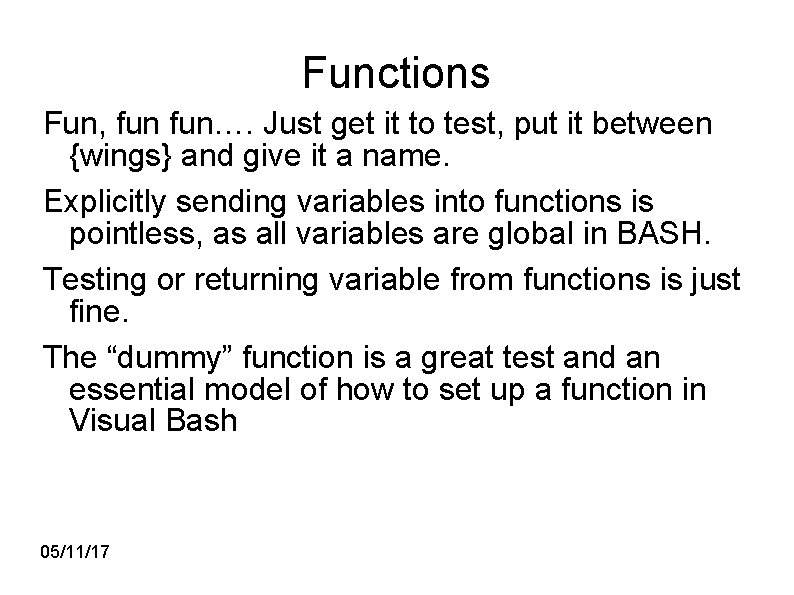
Functions Fun, fun…. Just get it to test, put it between {wings} and give it a name. Explicitly sending variables into functions is pointless, as all variables are global in BASH. Testing or returning variable from functions is just fine. The “dummy” function is a great test and an essential model of how to set up a function in Visual Bash 05/11/17
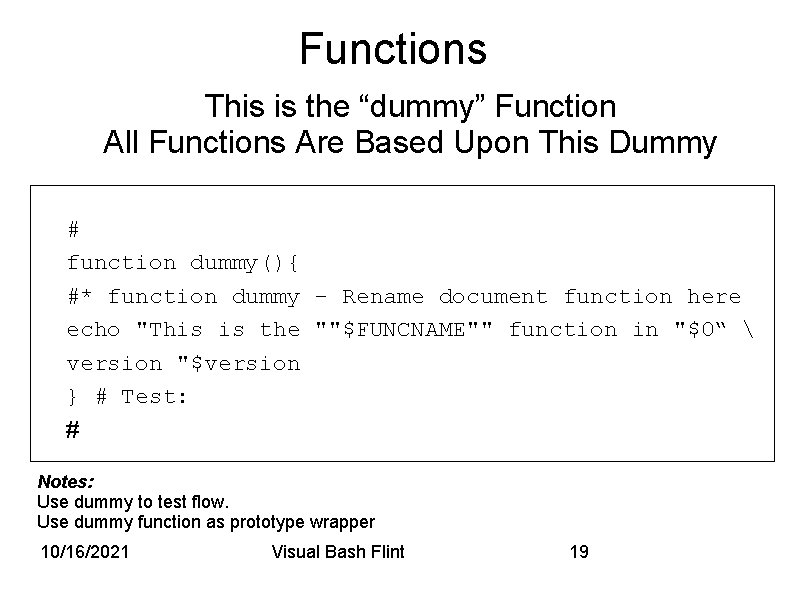
Functions This is the “dummy” Function All Functions Are Based Upon This Dummy # function dummy(){ #* function dummy - Rename document function here echo "This is the ""$FUNCNAME"" function in "$0“ version "$version } # Test: # Notes: Use dummy to test flow. Use dummy function as prototype wrapper 10/16/2021 Visual Bash Flint 19

Evaluator The Evaluator: Is ballistic, it is the first piece of code encountered in any Visual Bash script after the shebang. It has two goals: 1. Figure out the number of incoming variables, zero to infinity 2. Based upon number and type of inbound variables, assign an Argument to properly dispatch the command. Note: Default Values – use multiple cases to land on Pipe Support – use keyword (e. g. pipe) 10/16/2021 Visual Bash Flint 20
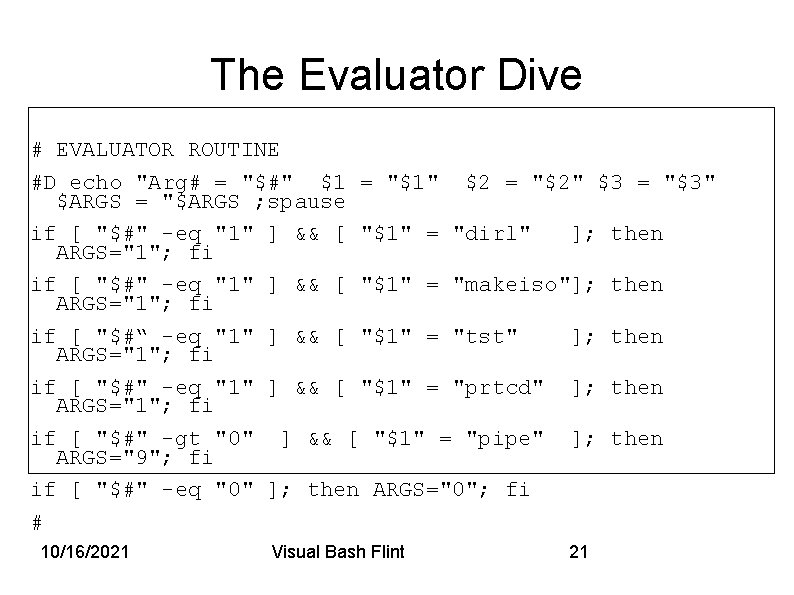
The Evaluator Dive # EVALUATOR ROUTINE #D echo "Arg# = "$#" $1 = "$1" $2 = "$2" $3 = "$3" $ARGS = "$ARGS ; spause if [ "$#" -eq "1" ] && [ "$1" = "dirl" ]; then ARGS="1"; fi if [ "$#" -eq "1" ] && [ "$1" = "makeiso"]; then ARGS="1"; fi if [ "$#“ -eq "1" ] && [ "$1" = "tst" ]; then ARGS="1"; fi if [ "$#" -eq "1" ] && [ "$1" = "prtcd" ]; then ARGS="1"; fi if [ "$#" -gt "0" ] && [ "$1" = "pipe" ]; then ARGS="9"; fi if [ "$#" -eq "0" ]; then ARGS="0"; fi # 10/16/2021 Visual Bash Flint 21
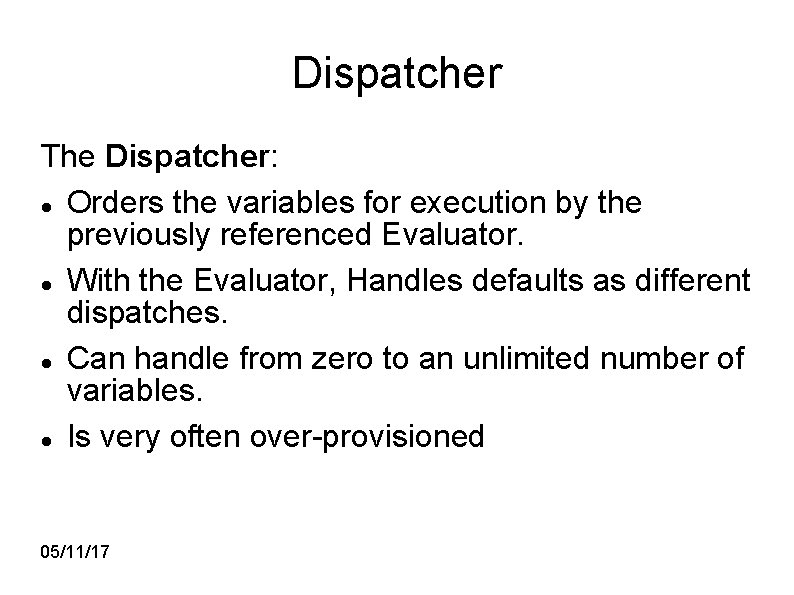
Dispatcher The Dispatcher: Orders the variables for execution by the previously referenced Evaluator. With the Evaluator, Handles defaults as different dispatches. Can handle from zero to an unlimited number of variables. Is very often over-provisioned 05/11/17
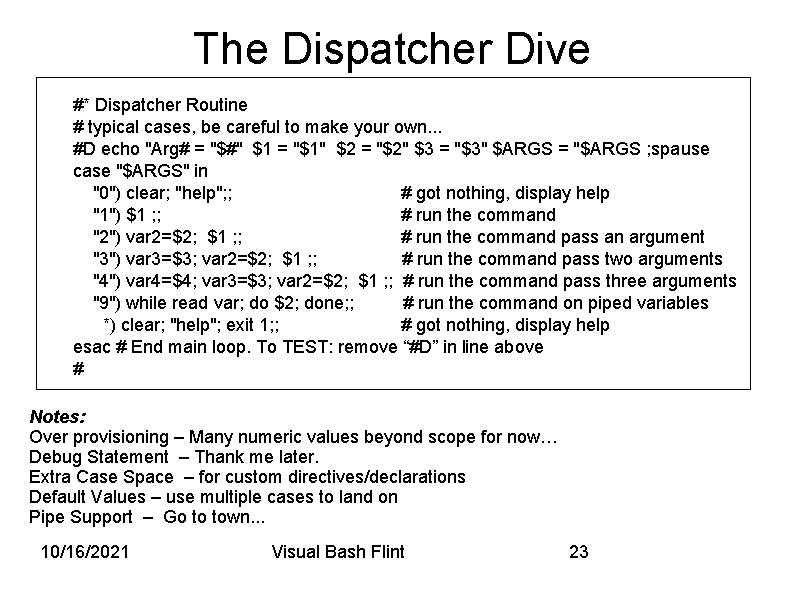
The Dispatcher Dive #* Dispatcher Routine # typical cases, be careful to make your own. . . #D echo "Arg# = "$#" $1 = "$1" $2 = "$2" $3 = "$3" $ARGS = "$ARGS ; spause case "$ARGS" in "0") clear; "help"; ; # got nothing, display help "1") $1 ; ; # run the command "2") var 2=$2; $1 ; ; # run the command pass an argument "3") var 3=$3; var 2=$2; $1 ; ; # run the command pass two arguments "4") var 4=$4; var 3=$3; var 2=$2; $1 ; ; # run the command pass three arguments "9") while read var; do $2; done; ; # run the command on piped variables *) clear; "help"; exit 1; ; # got nothing, display help esac # End main loop. To TEST: remove “#D” in line above # Notes: Over provisioning – Many numeric values beyond scope for now… Debug Statement – Thank me later. Extra Case Space – for custom directives/declarations Default Values – use multiple cases to land on Pipe Support – Go to town. . . 10/16/2021 Visual Bash Flint 23
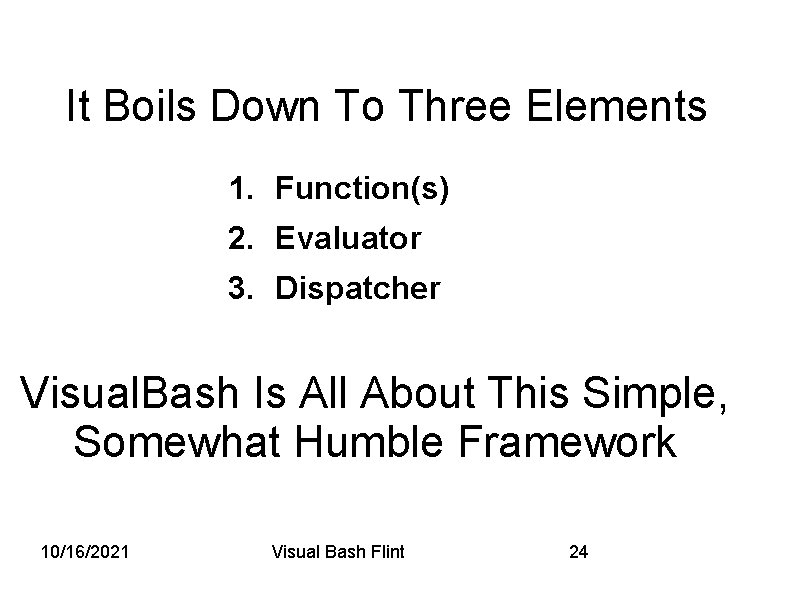
It Boils Down To Three Elements 1. Function(s) 2. Evaluator 3. Dispatcher Visual. Bash Is All About This Simple, Somewhat Humble Framework 10/16/2021 Visual Bash Flint 24
Questions & A Modest Proposal For Discussion. . . 05/11/17
The Python-ification of Bash? The whole point of the Visual. Bash Journey was the command line being the programming environment. The Bash Shell lets you feel your way through the tasks you need to accomplish and allows you to seamlessly preserve and string together the result. Thus the common weakness of Python, Go, C, Rexx etc is that they do not allow you to probe and then save the programming possibilities as you go along. This is the powerful strength of Bash. This can also be the weakness of Bash, but if you add a framework similar to Python – like Visual Bash you get the best of both worlds. 10/16/2021 Visual Bash Flint 26
Acknowledgements I would like to thank the following coders: • Kevin Cole • Chris Yarger • Robert Melton • Eric Howard • Jeff Elkner • Michael Mac. Isaac For their help in developing Visual. Bash and in review of this document 10/16/2021 Visual Bash Flint 27

End of Part I Questions? Note if you are of age, you get a cold beer for a good question …. Yes, being young sucks. 05/11/17
Part II Visual Bash Display In Part I we described and detailed how Visual Bash can make your life better through the use of a Command Line Interface (CLI). Mainframes appreciate Command Line Interfaces other systems rely on other interfaces… • WIndows • Mice • Pointer Systems WIMPS 10/16/2021 Visual Bash Flint 29

Visual Bash Supports Four Output Choices …Including CGI, BOSI Research is concentrating on Four Interface Types: 1. Character Graphics Interface 2. Whiptail 3. Web 4. Zenity All are based on the concept of Secure Graphic Dispatch… 10/16/2021 Visual Bash Flint 30
Secure Graphic Dispatch Most of the following display methods depend on Secure Graphic Dispatch (SGD), wherein we: • Graphically Build a Visual Bash command element. • Send it off in it’s own shell to execute. • If necessary, somehow get the results back. NOTE: This is the research concept, is a work in progress, likely involves TMUX, and finally, this whole framework, is something the community can contribute to – drop us an email. 10/16/2021 Visual Bash Flint 31
Character Graphics Interface Covered extensively in the previous section, Visual Bash Framework Part I. • Demonstrated Advantages v. A natural consequence of using BASH v. Extremely Comfortable for the Developer • Disadvantage v. Intimidating for the GUI based operator/user 10/16/2021 Visual Bash Flint 32
Whiptail • A mature display system • Operates (kind of) in CGI based systems • Used extensively in Linux Setups • Under Active Development for use in Visual Bash 10/16/2021 Visual Bash Flint 33

Whiptail Example SOURCE: Redneck Language Option in Red Hat Linux Version 5. 1. 10/16/2021 Visual Bash Flint 34

Web Based Interface • There are Many ways to skin this cat • Most preferred way at BOSI is to use Sphinx. • Sphinx puts out restructured web sites and documentation • re. Structured. Text is human readable • Thus Sphinx Doubles as a documentation tool • Intend to Develop documentation/control elements in re. Structured. Text • Still under active research & development 10/16/2021 Visual Bash Flint 35
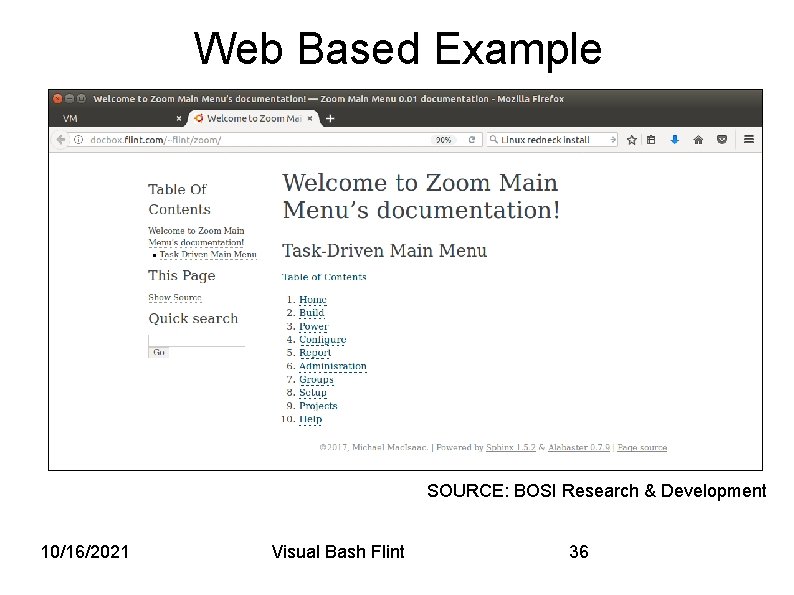
Web Based Example SOURCE: BOSI Research & Development 10/16/2021 Visual Bash Flint 36
Zenity Ideal for use as a Graphic User Interface on a locally windowing Console. Operates in all environment except CGI only systems. Allows for the coolest name in the Visual Bash universe… 10/16/2021 Visual Bash Flint 37
Bzinga Bash/Zenity Integration • The Bash/Zenity integration has a separate web site http: //bzinga. net • The Visual. Bash project / community references this site. • Currently in development for “trantor” project 10/16/2021 Visual Bash Flint 38
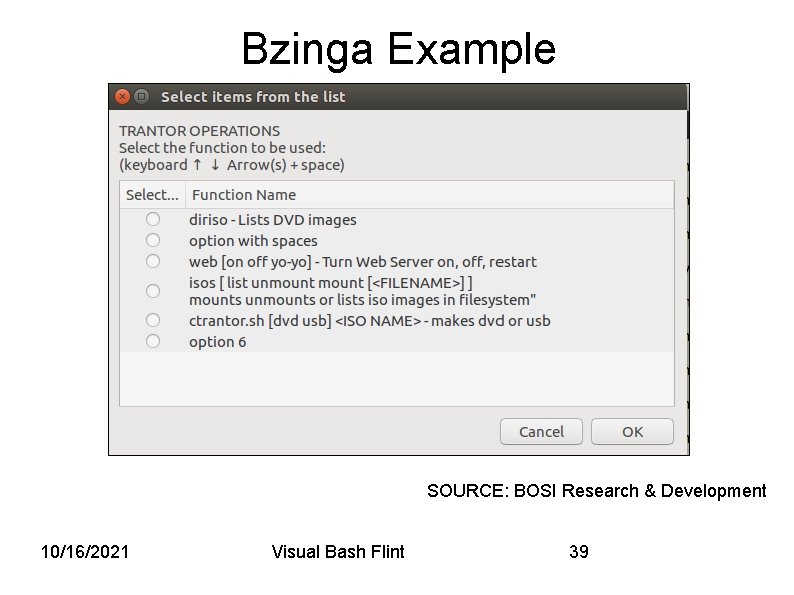
Bzinga Example SOURCE: BOSI Research & Development 10/16/2021 Visual Bash Flint 39

…But Remember A Graphic User Interface is useless without some function. Visual Bash is the place to start. There is nothing wrong with a good and functional Character Generated Interface, especially if your target audience are Linux systems. The Consultants Creed: Take your watch out of your pocket, tell you what time it is, keep the watch… Finally, be aware that I only use Linux and thus “your mileage may vary” in other operating systems. 05/11/17
Try to say something nice… …In the evaluation of this session… The Barre Open Systems Institute in Vermont continues to meet, teach and research the areas covered by part I, Visual. Bash & part II Graphic Software Dispatch, of this presentation This both of these are works in progress, and with encouragement will be worked upon. If invited back next year there will be a new and most dazzling presentation. . .
Thank You For Your Time Visit http: //visualbash. org Final Questions? Contact: Paul Flint, Director Barre Open Systems Institute 40 Washington Street Barre Vermont 05346 Flint@flint. com. 10/16/2021 Visual Bash Flint 42

05/11/17
- Slides: 43