
Virtuel Instrumentation Lab View Introduktion 2 Samuel Alberg
Virtuel Instrumentation: Lab. View Introduktion 2 Samuel Alberg Thrysøe, Ph. D, Assistant Professor, Contact info: Email: sat@iha. dk, Phone: +45 25533552
Repetition 2
Where do you ”program” in Lab. View? 1. Front Panel 2. Block Diagram
Where would you insert Waveform Charts? 1. Front Panel 2. Block Diagram
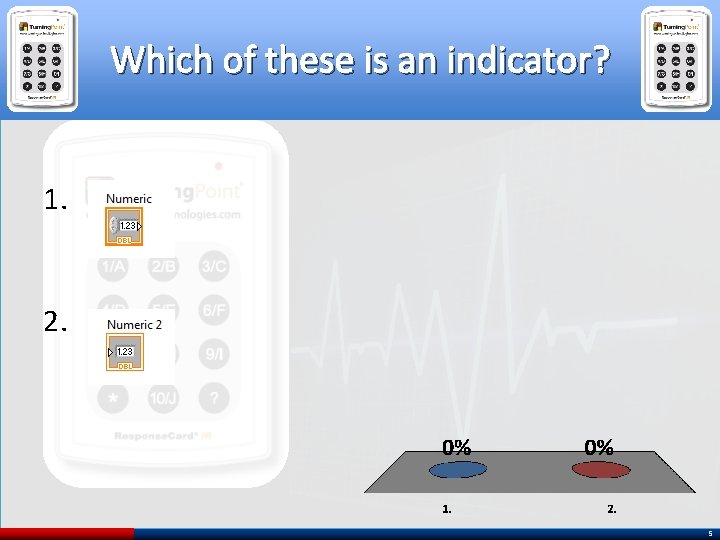
Which of these is an indicator? 1. 2. 5
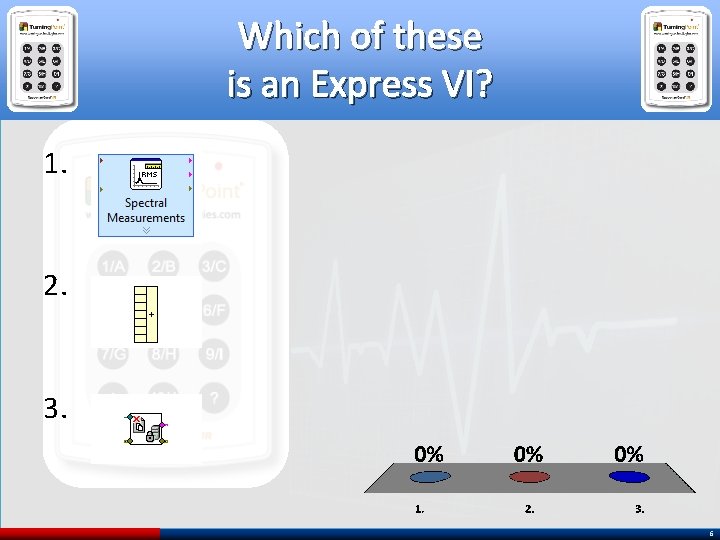
Which of these is an Express VI? 1. 2. 3. 6
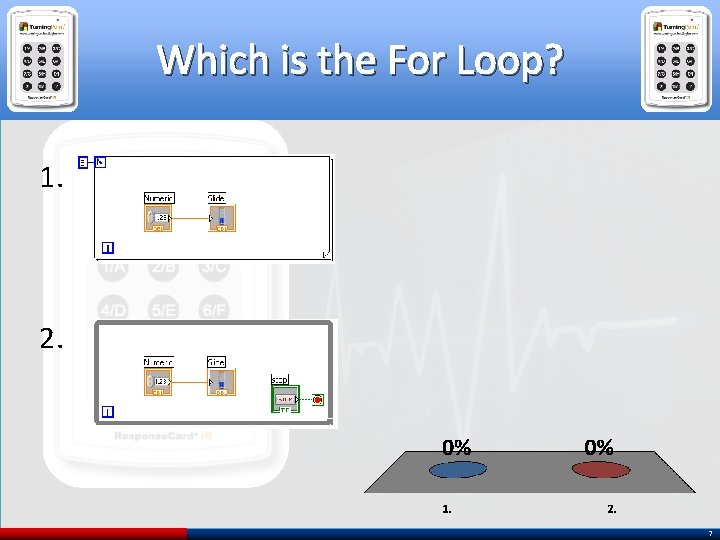
Which is the For Loop? 1. 2. 7
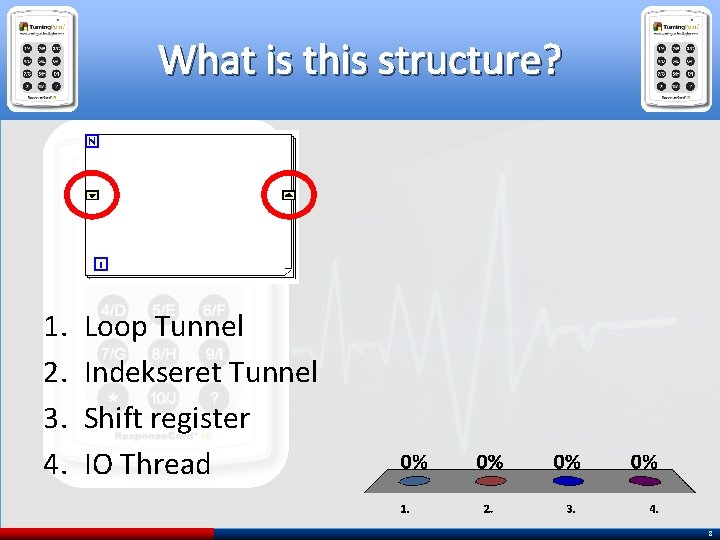
What is this structure? 1. 2. 3. 4. Loop Tunnel Indekseret Tunnel Shift register IO Thread 8
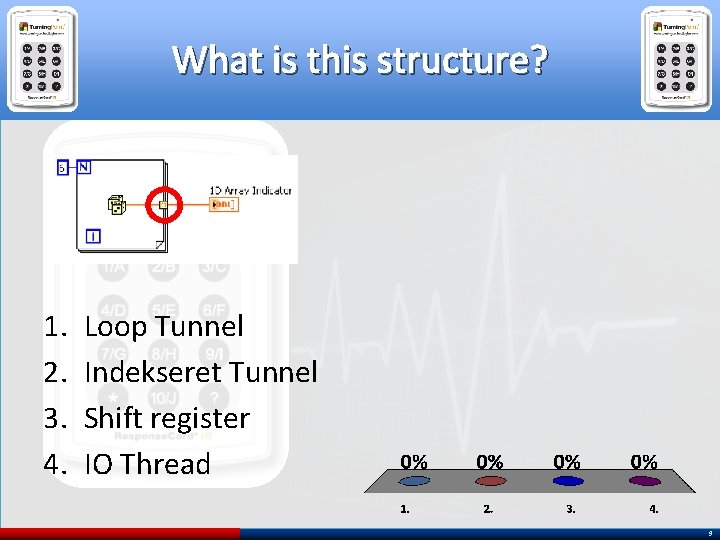
What is this structure? 1. 2. 3. 4. Loop Tunnel Indekseret Tunnel Shift register IO Thread 9
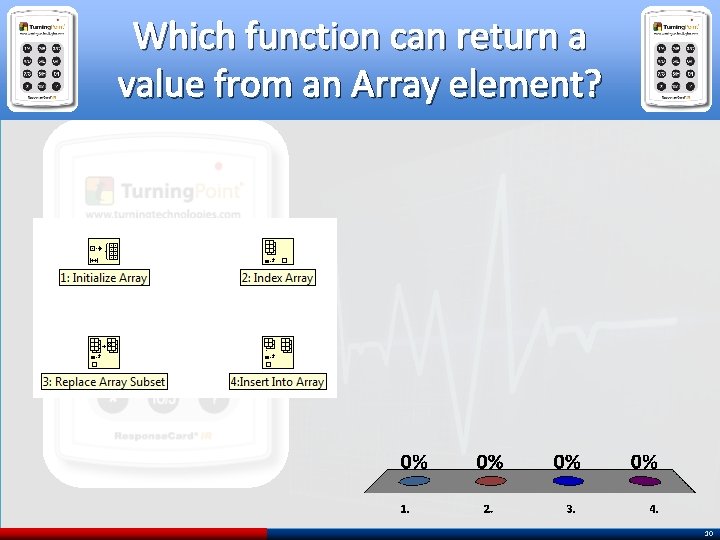
Which function can return a value from an Array element? 1. 2. 3. 4. 10
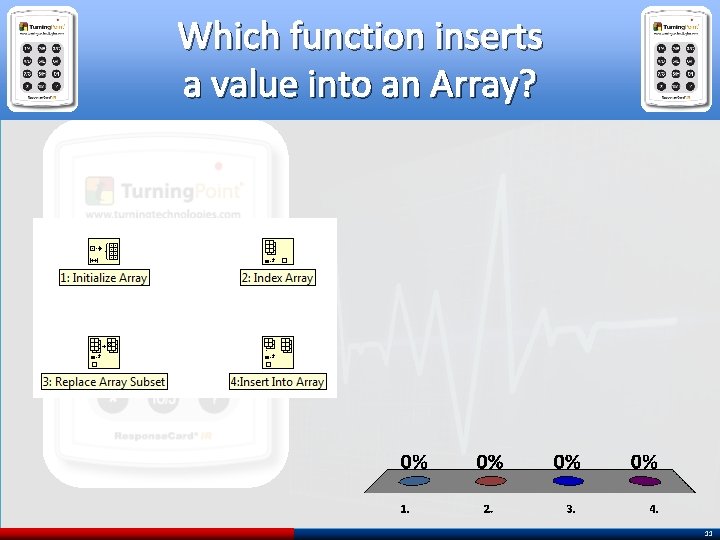
Which function inserts a value into an Array? 1. 2. 3. 4. 11
Lab. View Graphs 12
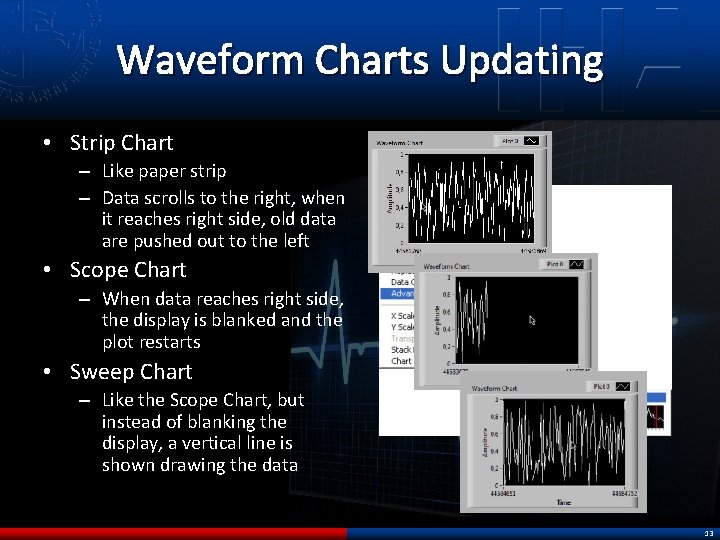
Waveform Charts Updating • Strip Chart – Like paper strip – Data scrolls to the right, when it reaches right side, old data are pushed out to the left • Scope Chart – When data reaches right side, the display is blanked and the plot restarts • Sweep Chart – Like the Scope Chart, but instead of blanking the display, a vertical line is shown drawing the data 13
Waveform Charts vs Graphs Waveform Chart • One datapoint at a time • Shows history of received values • The chart is updated whenever a new datapoint is received • Only receives data Waveform Graph • Shows many datapoints at a time • Shows data arrays • The graph is updated when alle datapoints are available – All points plotted simultaneously – X-axis is time 14
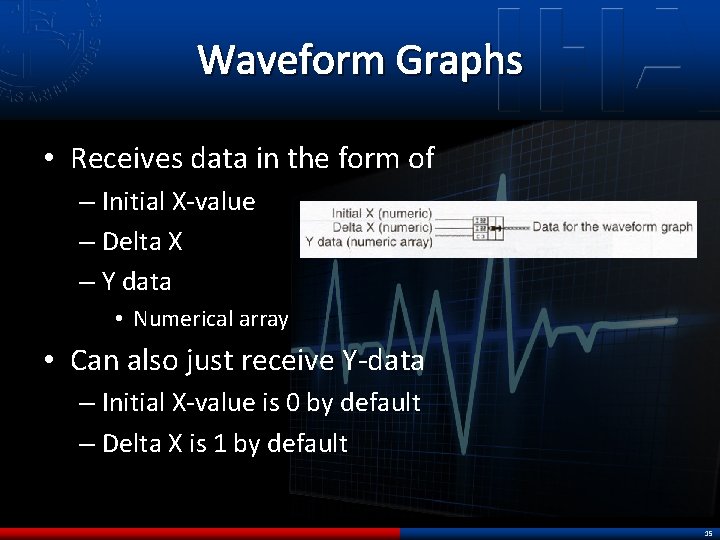
Waveform Graphs • Receives data in the form of – Initial X-value – Delta X – Y data • Numerical array • Can also just receive Y-data – Initial X-value is 0 by default – Delta X is 1 by default 15
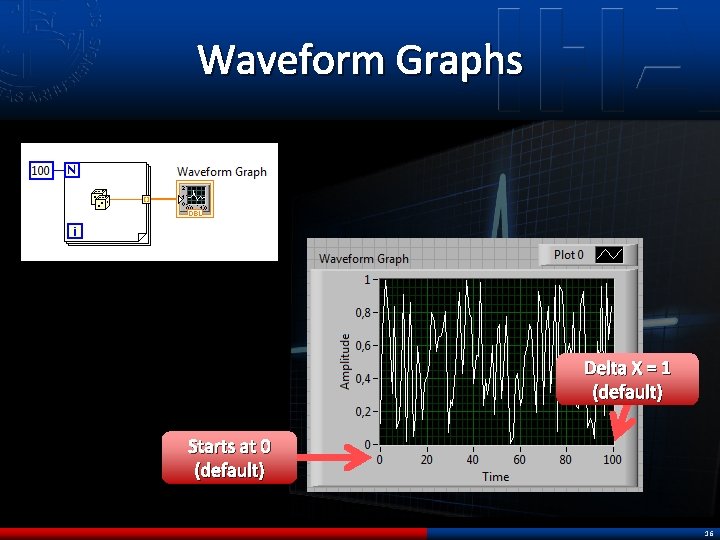
Waveform Graphs Delta X = 1 (default) Starts at 0 (default) 16
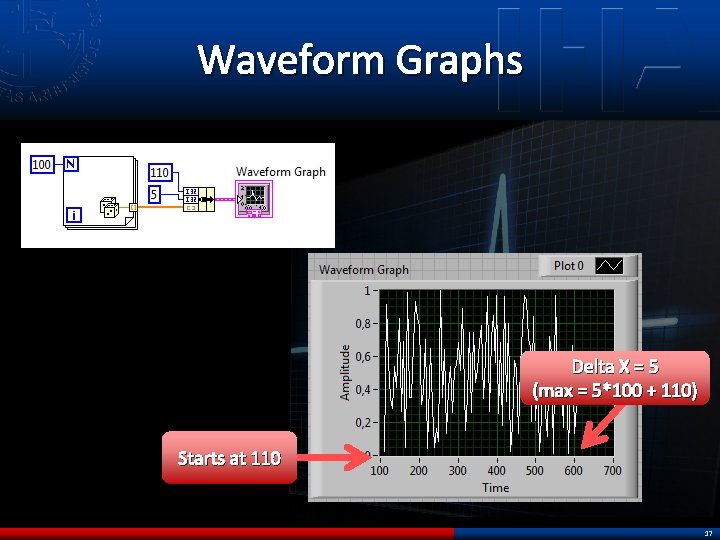
Waveform Graphs Delta X = 5 (max = 5*100 + 110) Starts at 110 17
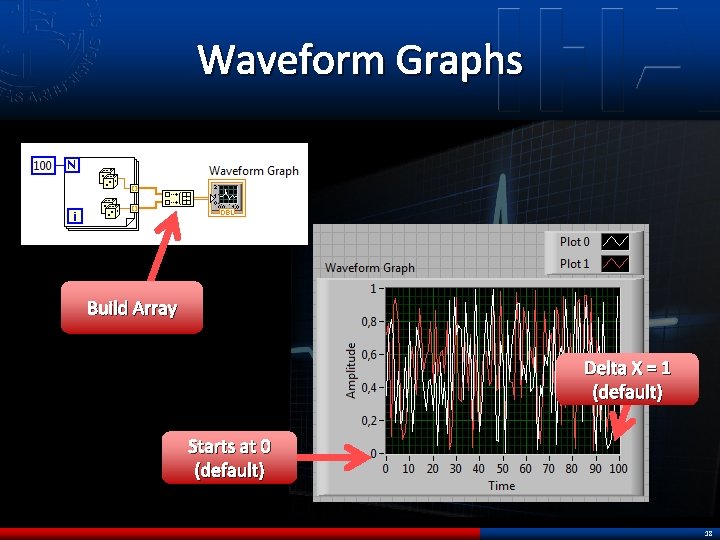
Waveform Graphs Build Array Delta X = 1 (default) Starts at 0 (default) 18
XY graphs • Cartesian plots • Waveform graphs – Plots data with constant sampling • Eg every 5 seconds • XY graphs – Plots X, Y coordinates • Expects inputs of bundled X + Y arrays 19
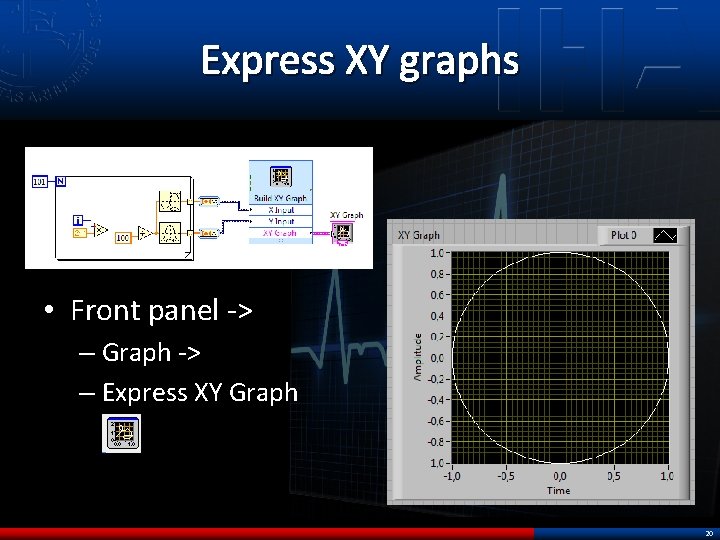
Express XY graphs • Front panel -> – Graph -> – Express XY Graph 20
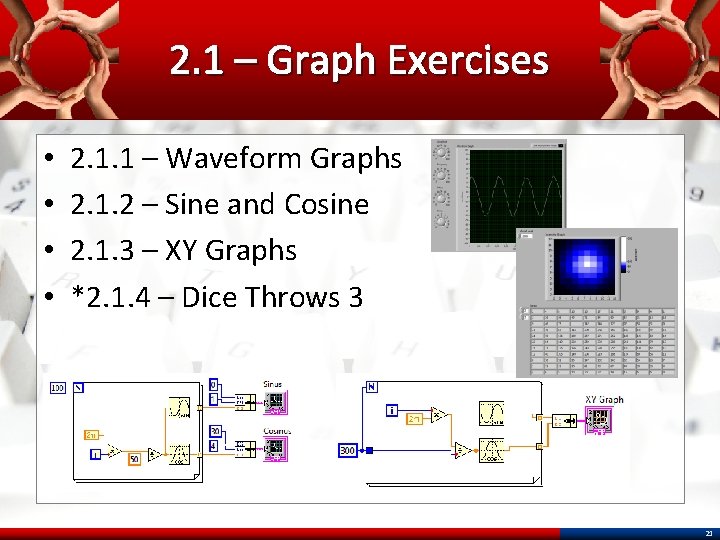
2. 1 – Graph Exercises • • 2. 1. 1 – Waveform Graphs 2. 1. 2 – Sine and Cosine 2. 1. 3 – XY Graphs *2. 1. 4 – Dice Throws 3 21
Lab. View File I/O 22
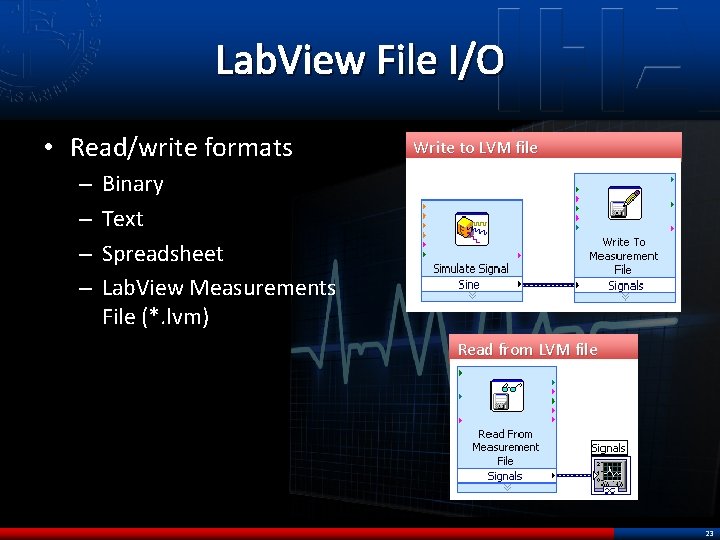
Lab. View File I/O • Read/write formats – – Write to LVM file Binary Text Spreadsheet Lab. View Measurements File (*. lvm) Read from LVM file 23
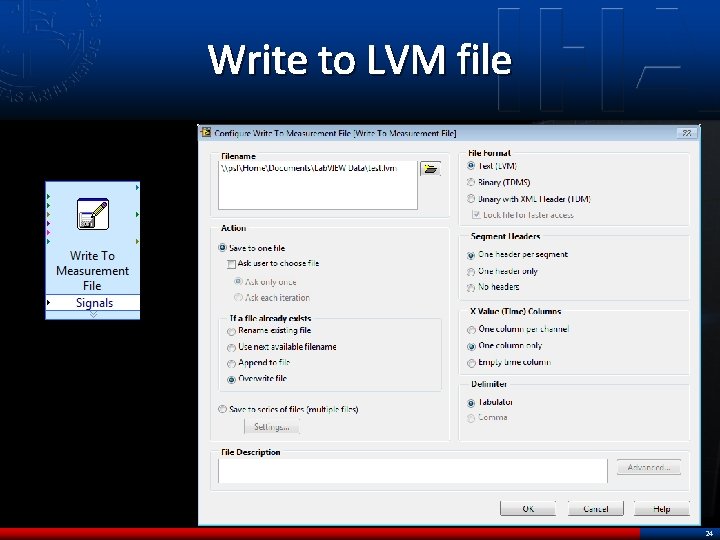
Write to LVM file 24
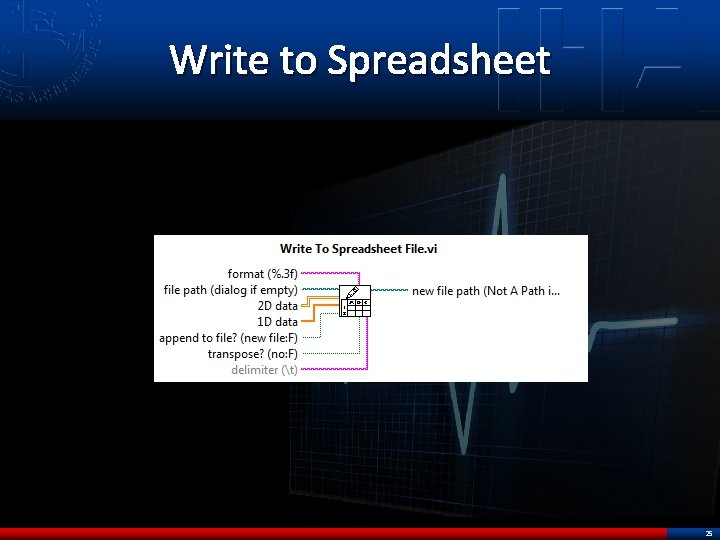
Write to Spreadsheet 25
2. 2 – File I/O • 2. 2. 1 – Save to LVM • 2. 2. 2 – Save to Spreadsheet • • *2. 3 – Advanced Graphs *2. 3. 1 – Sampling and Reconstruction *2. 3. 2 – Lissajous Curves *2. 3. 3 – Eindhovens Triangle 26

27
- Slides: 27