
VirtualMachineBased Network Exercises for Introductory Computer Networking Courses
Virtual-Machine-Based Network Exercises for Introductory Computer Networking Courses Robert Montante Bloomsburg University of Pennsylvania Encore Presentation CCSC-Northeastern April 7, 2017
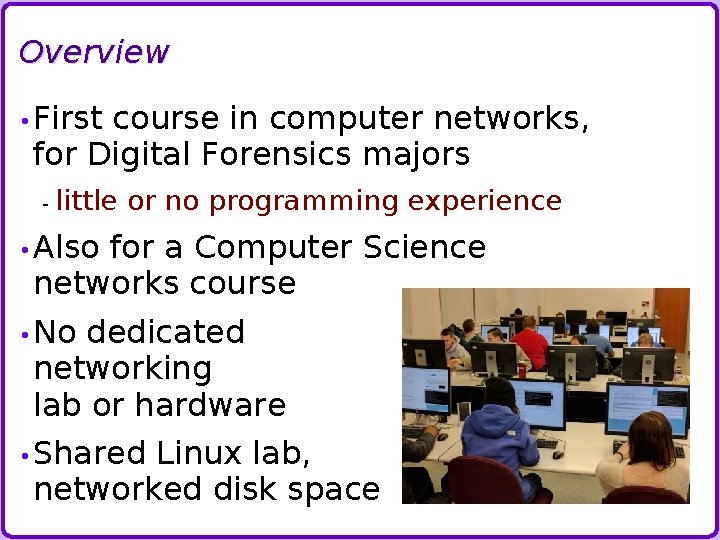
Overview • First course in computer networks, for Digital Forensics majors - little or no programming experience • Also for a Computer Science networks course • No dedicated networking lab or hardware • Shared Linux lab, networked disk space
Lab Activity Goals - Networking • Hands-on - work with networking concepts not the same as configuring a router • Experience - configuring network clients Linux – Ubuntu 16. 04 » some students prefer Fedora, Kali, … - Windows 7 – un-activated copy - no Mac OSX (it's not legal) • Command-line - router configuration Open-source Vy. OS router software
Lab Activity Goals - Additional • Exercises - featuring network servers FTP, web server • Wireshark practice • Exposure to Linux usage, virtual-machine usage - helpful for other courses as well
Hands-on with Networking Concepts: • Examination • Progression - of LAN protocols of configurations change IP assignments, routing • Network - DHCP - DNS services • Routing • Examination - of higher-layer protocols Client-server architectures

Software Options • Virtual. Box - Free, students can install on their own computers for home use - Available in some classroom/labs on campus • VMware - Workstation Pro isn't free • GNS 3 - needs (Cisco) router images, - needs virtual machines for "normal" hosts
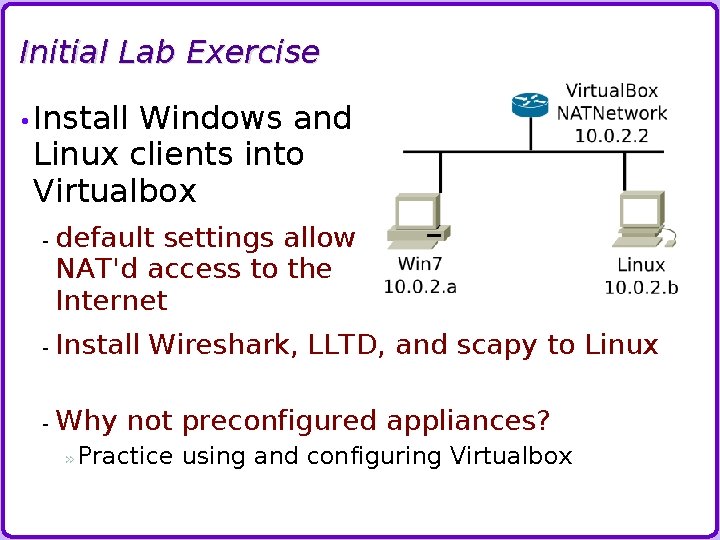
Initial Lab Exercise • Install Windows and Linux clients into Virtualbox - default settings allow NAT'd access to the Internet - Install Wireshark, LLTD, and scapy to Linux - Why not preconfigured appliances? » Practice using and configuring Virtualbox
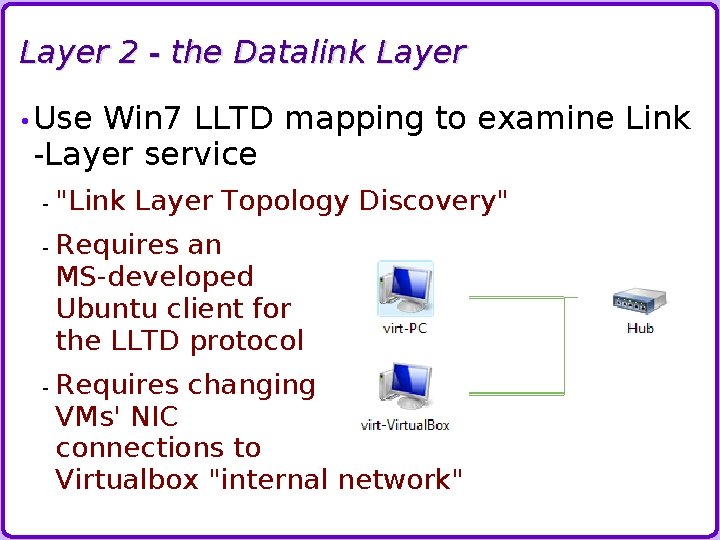
Layer 2 - the Datalink Layer • Use Win 7 LLTD mapping to examine Link -Layer service - "Link Layer Topology Discovery" - Requires an MS-developed Ubuntu client for the LLTD protocol - Requires changing VMs' NIC connections to Virtualbox "internal network"
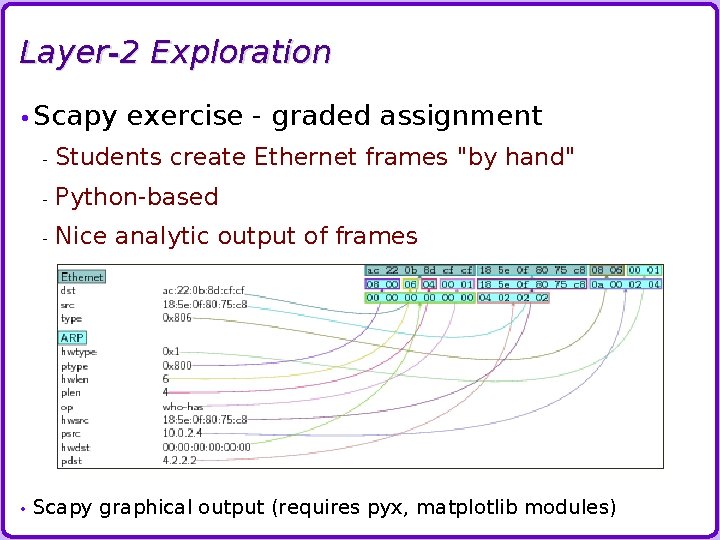
Layer-2 Exploration • Scapy • exercise - graded assignment - Students create Ethernet frames "by hand" - Python-based - Nice analytic output of frames Scapy graphical output (requires pyx, matplotlib modules)
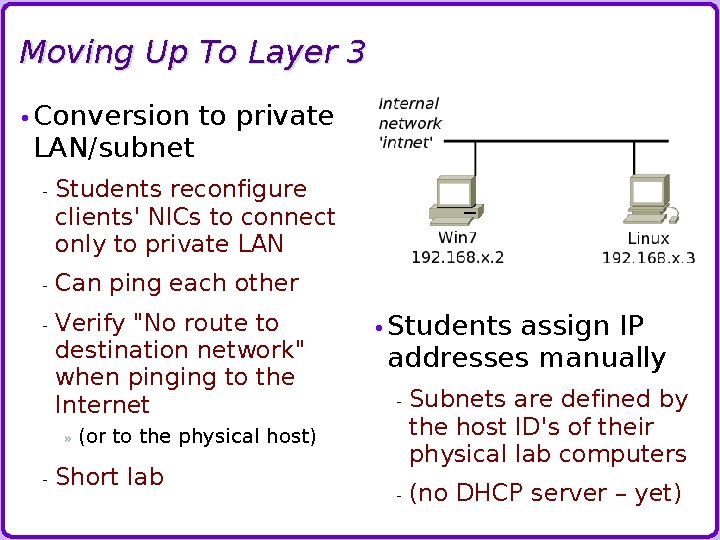
Moving Up To Layer 3 • Conversion LAN/subnet to private - Students reconfigure clients' NICs to connect only to private LAN - Can ping each other - Verify "No route to destination network" when pinging to the Internet » - • Students assign IP addresses manually - Subnets are defined by the host ID's of their physical lab computers - (no DHCP server – yet) (or to the physical host) Short lab
Add a Router to the LAN Vy. OS open-source router software - Clone of the Vyatta router product - Linux-based distro - Provides routing, firewall, DHCP, DNS services - Command-line configuration » akin to Cisco IOS, although not compatible Exercise installs Vy. OS with two NICs - one on private subnet - other is bridged to the campus network, but with private addresses that provide connection to other students' routers - RIPv 2 finds the other routers Instructor provides “border” router that routes to the Internet
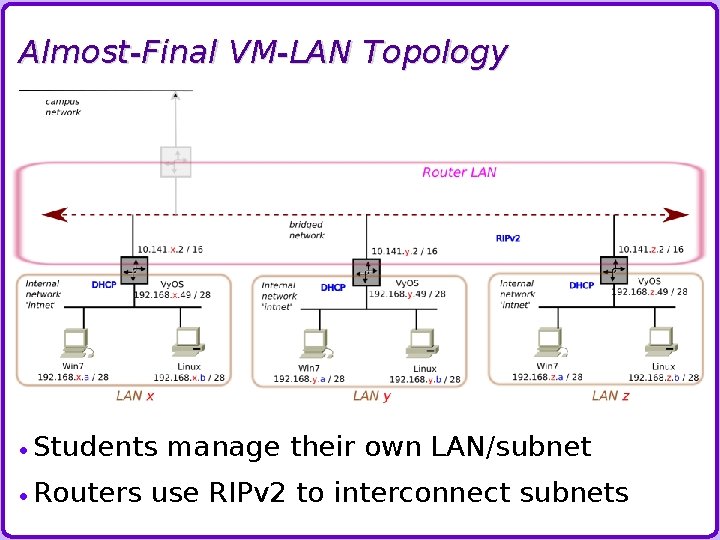
Almost-Final VM-LAN Topology Students Routers manage their own LAN/subnet use RIPv 2 to interconnect subnets
Network Services • Vy. OS - routers support many functions: DHCP » Students configure DHCP server with a subnet calculated as part of the exercise - DNS » Vy. OS router just forwards requests to the campus DNS server - (connected to the campus network through instructor's router) - optional Firewall » Desirable Internet… if the clients will be exposed to the Big Bad
DHCP Server Initial student exercise: develop subnet mask and subnet ID, and range of client addresses Cover subnetting in class, prior to exercise Binary-oriented needed values - approach to determination of Worksheet steps students through process Review worksheet in class before moving on to DHCP-server configuration - Make sure they have the right answers
DNS Server and Firewall • Simple DNS server, merely passes requests on to upstream DNS server - Optional: discuss DNS in more depth, add caching • Firewall Internet recommended if VMs are exposed to the - Good practice to always install a firewall in any case - Supports and controls forwarding - Include rules to drop "foreign" source IP addresses - prevent any compromised machines from participating in spoofed DDo. S attacks - Optional, can be omitted
Exercises with Applications In-class activities: Python on Linux includes a simple web server - Classic, basic server-client transaction Windows 7 includes an FTP server - Students configure FTP, transfer a file between Linux ftp client and Windows ftp server • TCP ports and FTP - Graded VM-LAN assignment - Explore three-way handshake, sequence and acknowledgment values, plaintext logins - Examine use of data channel for file transfers
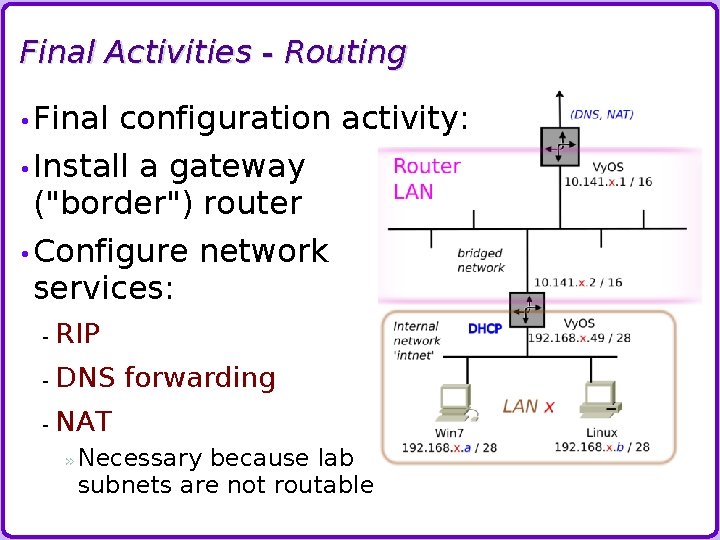
Final Activities - Routing • Final configuration activity: • Install a gateway ("border") router • Configure services: network - RIP - DNS forwarding - NAT » Necessary because lab subnets are not routable
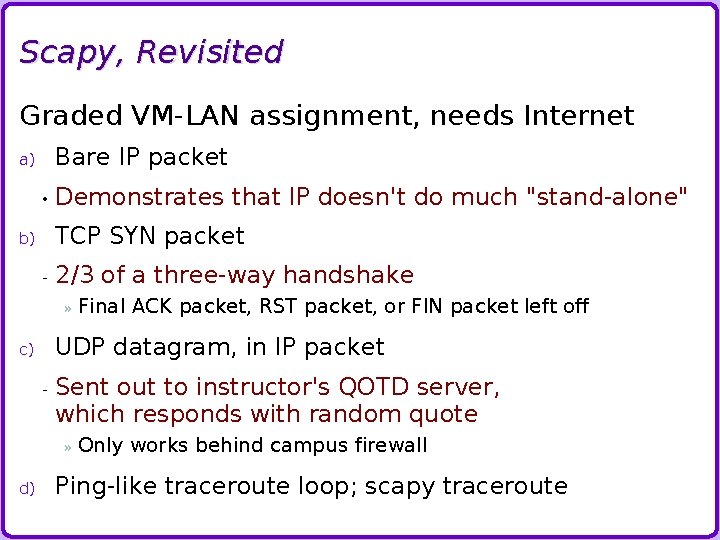
Scapy, Revisited Graded VM-LAN assignment, needs Internet Bare IP packet a) • Demonstrates that IP doesn't do much "stand-alone" TCP SYN packet b) - 2/3 of a three-way handshake » UDP datagram, in IP packet c) - Sent out to instructor's QOTD server, which responds with random quote » d) Final ACK packet, RST packet, or FIN packet left off Only works behind campus firewall Ping-like traceroute loop; scapy traceroute
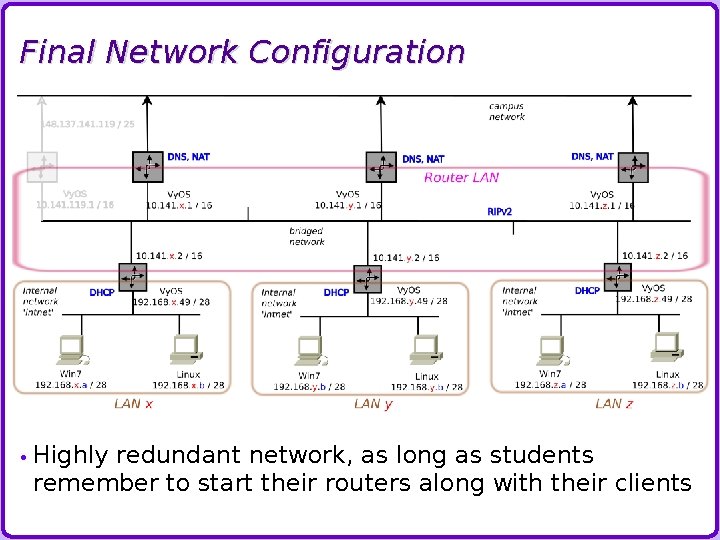
Final Network Configuration • Highly redundant network, as long as students remember to start their routers along with their clients
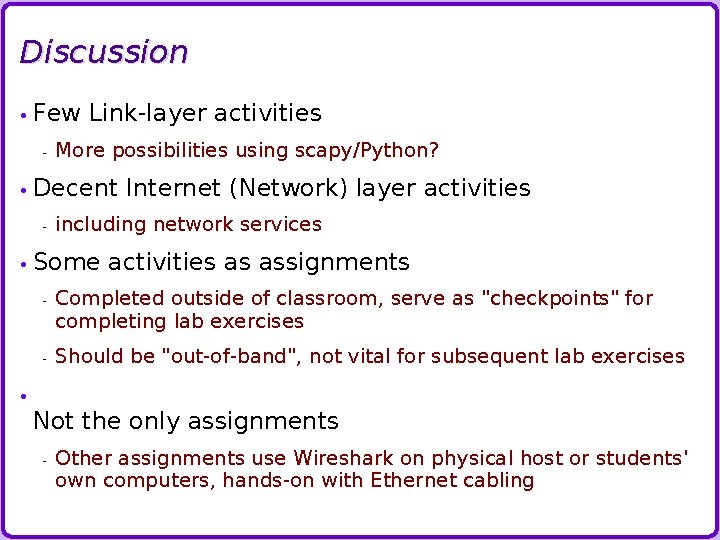
Discussion • Few - Link-layer activities More possibilities using scapy/Python? • Decent - Internet (Network) layer activities including network services • Some activities as assignments - Completed outside of classroom, serve as "checkpoints" for completing lab exercises - Should be "out-of-band", not vital for subsequent lab exercises • Not the only assignments - Other assignments use Wireshark on physical host or students' own computers, hands-on with Ethernet cabling
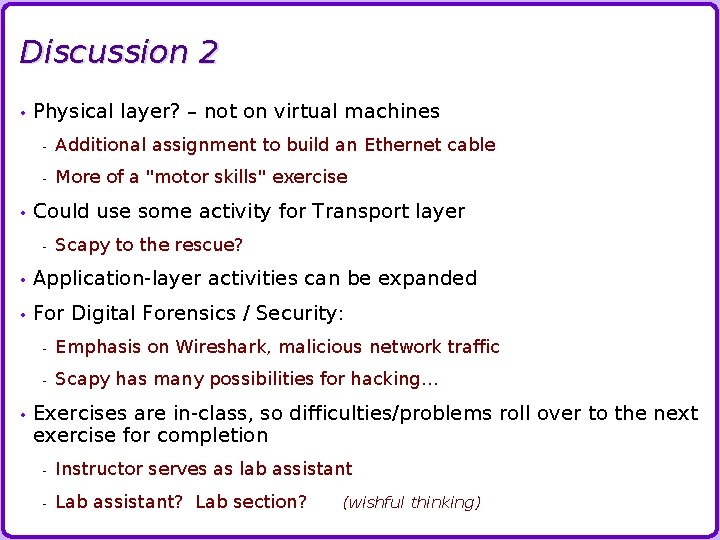
Discussion 2 • • Physical layer? – not on virtual machines - Additional assignment to build an Ethernet cable - More of a "motor skills" exercise Could use some activity for Transport layer - Scapy to the rescue? • Application-layer activities can be expanded • For Digital Forensics / Security: • - Emphasis on Wireshark, malicious network traffic - Scapy has many possibilities for hacking… Exercises are in-class, so difficulties/problems roll over to the next exercise for completion - Instructor serves as lab assistant - Lab assistant? Lab section? (wishful thinking)
Future Work • Email - Send emails between students' subnets • Scapy - / SMTP exercise / LLTD exercise Good candidate for an out-of-class assignment • Convert • Proxy routers from RIP to OSPF servers • Coding exercise for C. S. majors?
Thank You!
- Slides: 23