
Virtualization what is the real return on investment
- Slides: 24
Virtualization what is the real return on investment for a company ? Stefan Verbist – IRIS ICT
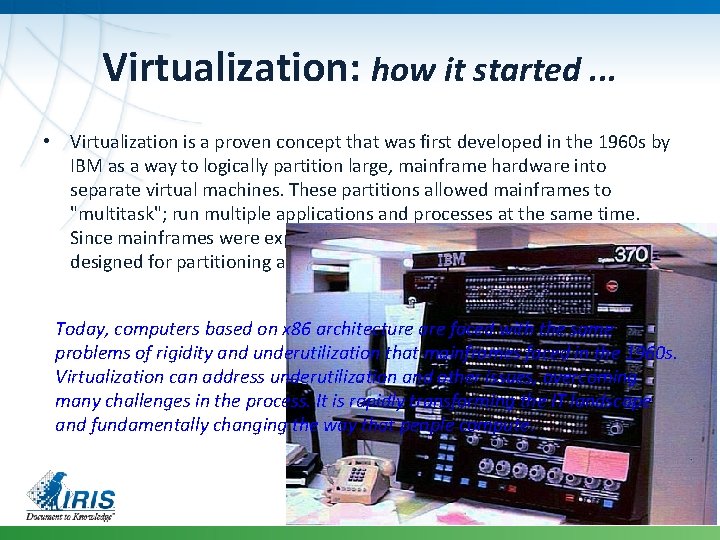
Virtualization: how it started. . . • Virtualization is a proven concept that was first developed in the 1960 s by IBM as a way to logically partition large, mainframe hardware into separate virtual machines. These partitions allowed mainframes to "multitask"; run multiple applications and processes at the same time. Since mainframes were expensive resources at the time, they were designed for partitioning as a way to fully leverage the investment. Today, computers based on x 86 architecture are faced with the same problems of rigidity and underutilization that mainframes faced in the 1960 s. Virtualization can address underutilization and other issues, overcoming many challenges in the process. It is rapidly transforming the IT landscape and fundamentally changing the way that people compute.
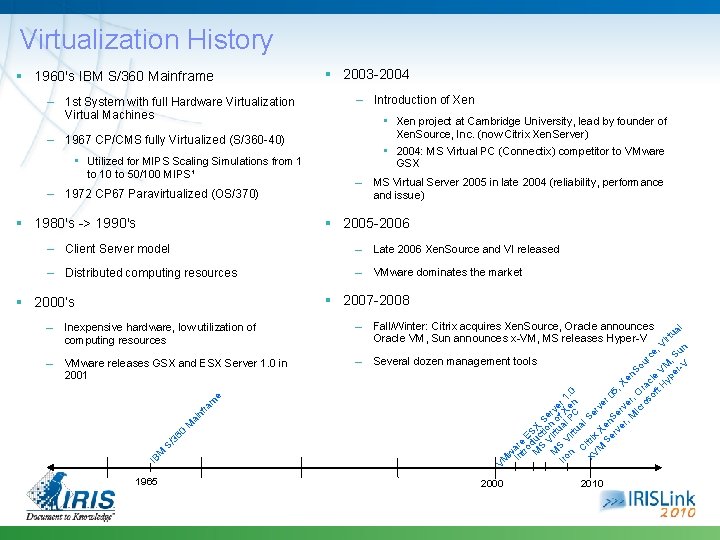
Virtualization History 1960's IBM S/360 Mainframe – 1 st System with full Hardware Virtualization Virtual Machines 2003 -2004 – Introduction of Xen • Xen project at Cambridge University, lead by founder of Xen. Source, Inc. (now Citrix Xen. Server) – 1967 CP/CMS fully Virtualized (S/360 -40) • Utilized for MIPS Scaling Simulations from 1 to 10 to 50/100 MIPS¹ – 1972 CP 67 Paravirtualized (OS/370) 1980's -> 1990's – MS Virtual Server 2005 in late 2004 (reliability, performance and issue) 2005 -2006 – Client Server model – Late 2006 Xen. Source and VI released – Distributed computing resources – VMware dominates the market 2007 -2008 2000’s – Fall/Winter: Citrix acquires Xen. Source, Oracle announces Oracle VM, Sun announces x-VM, MS releases Hyper-V – VMware releases GSX and ESX Server 1. 0 in 2001 – Several dozen management tools VM nf ra m M ai 36 0 S/ M IB w In are tro E M duc SX S ti S V o e M irt n o rve Iro S V ual f X r 1 n irt PC en. 0 ua C l x. V itrix Se rv M X Se en er 0 5, rv Se er rv , M er Xen So ic , O ro ra so cl urce ft e V H M , Vi yp , r er Su tua l -V n Inexpensive hardware, low utilization of computing resources e – 1965 3 • 2004: MS Virtual PC (Connectix) competitor to VMware GSX 2000 2010
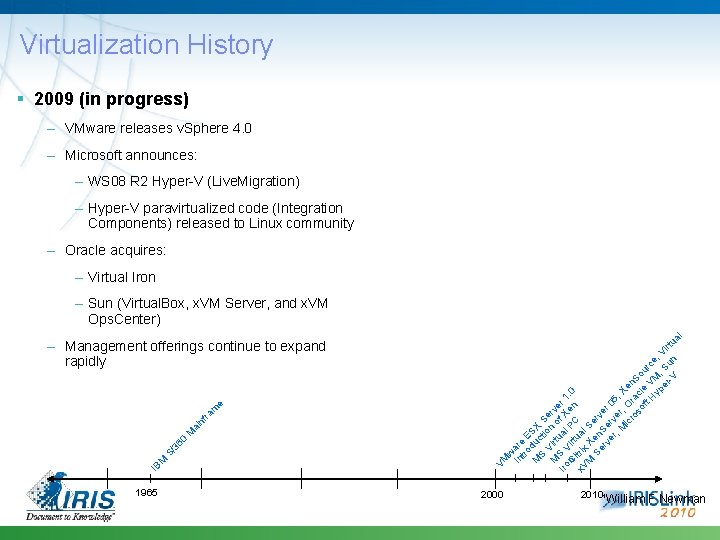
Virtualization History 2009 (in progress) – VMware releases v. Sphere 4. 0 – Microsoft announces: – WS 08 R 2 Hyper-V (Live. Migration) – Hyper-V paravirtualized code (Integration Components) released to Linux community – Oracle acquires: – Virtual Iron 1965 4 w In are tro E M duc SX S ti S V o e M irt n o rve Iro S V ual f X r 1 n irt PC en. 0 C x. V itrix ual M X Se Se en rv rv Se er er rv 05 , M er , ic , O Xen ro ra S so cl o ft e V urc H M e yp , , V er Su ir -V n tu VM IB M S/ 36 0 M ai nf ra m e – Management offerings continue to expand rapidly al – Sun (Virtual. Box, x. VM Server, and x. VM Ops. Center) 2000 2010 ¹William F Newman
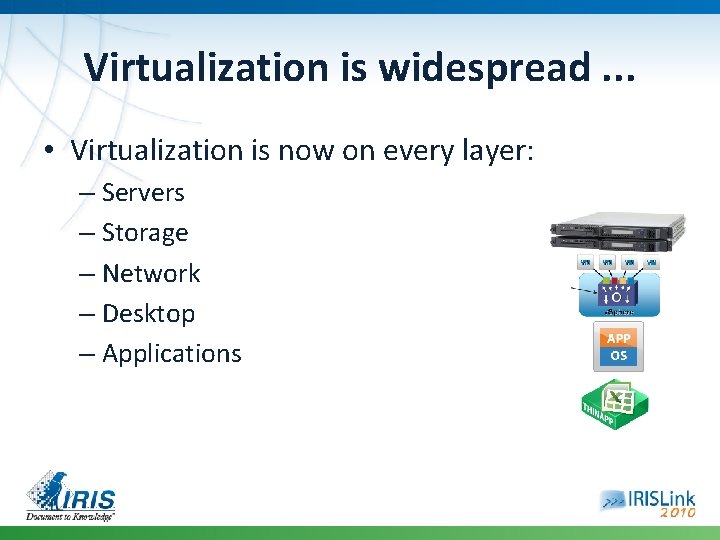
Virtualization is widespread. . . • Virtualization is now on every layer: – Servers – Storage – Network – Desktop – Applications
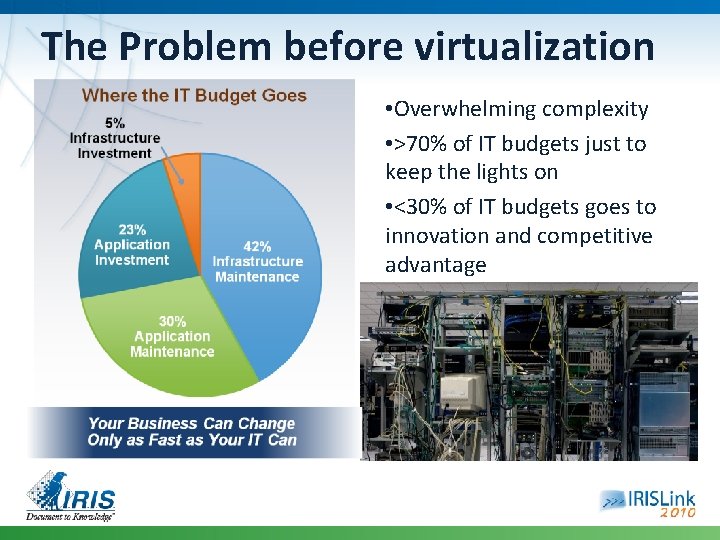
The Problem before virtualization • Overwhelming complexity • >70% of IT budgets just to keep the lights on • <30% of IT budgets goes to innovation and competitive advantage
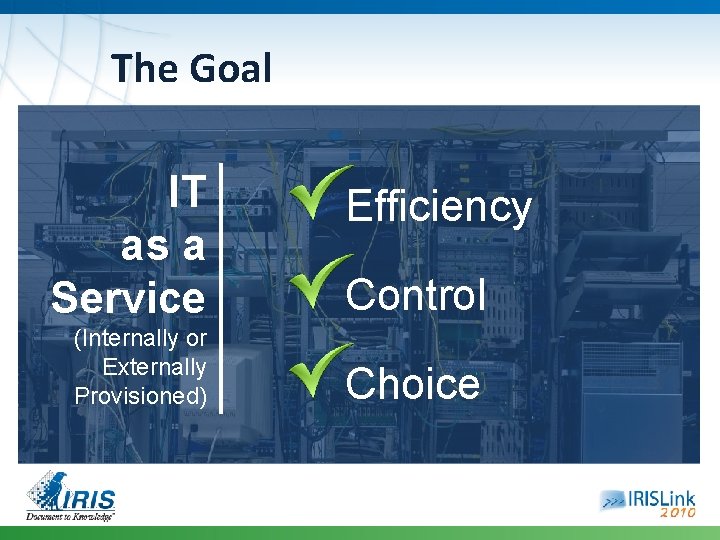
The Goal IT as a Service (Internally or Externally Provisioned) Efficiency Control Choice
How to measure virtualization impact ? • Have much have you saved ? – Used less HW – Used current storage more efficient – Reduced network complexity – Reduces carbon footprint
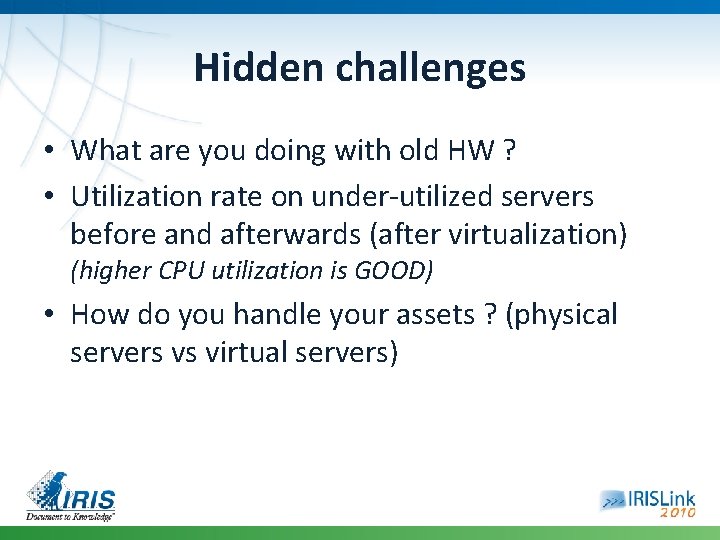
Hidden challenges • What are you doing with old HW ? • Utilization rate on under-utilized servers before and afterwards (after virtualization) (higher CPU utilization is GOOD) • How do you handle your assets ? (physical servers vs virtual servers)
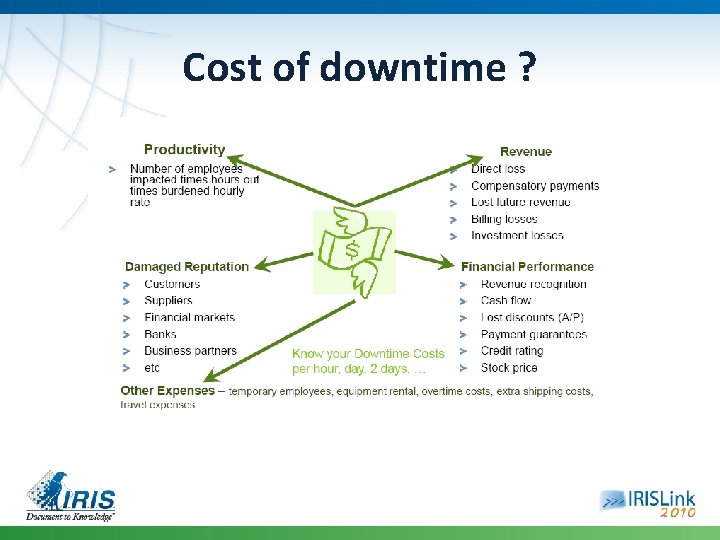
Cost of downtime ?
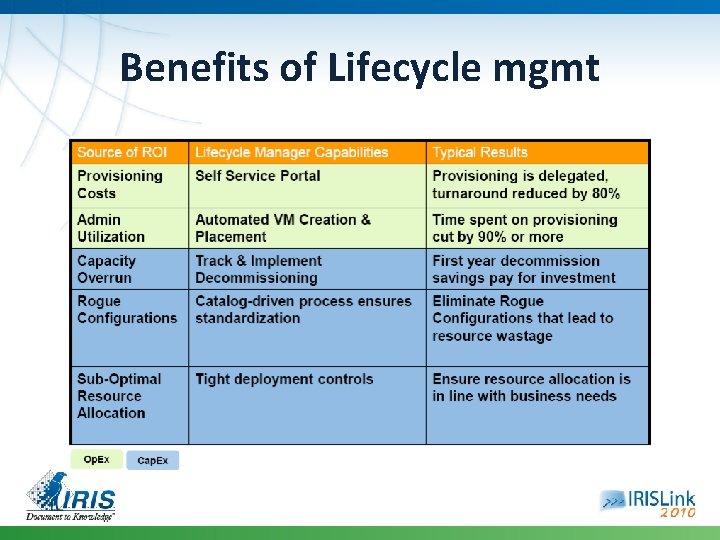
Benefits of Lifecycle mgmt
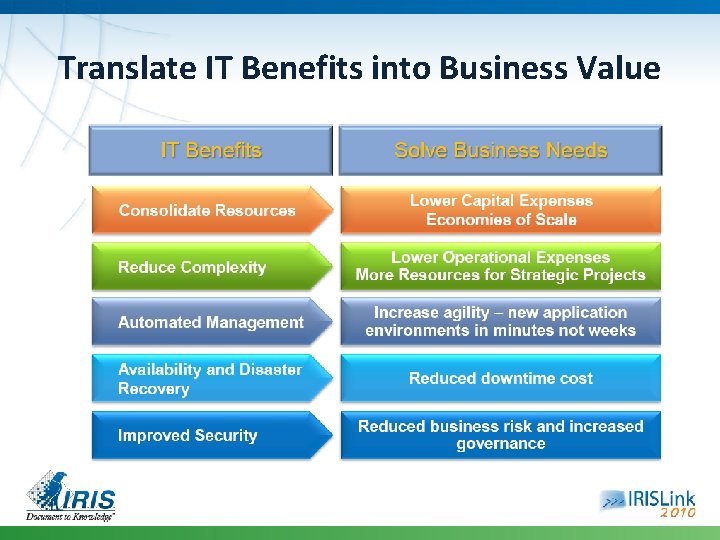
Translate IT Benefits into Business Value
Think beyond hardware and energy costs • Companies must look beyond the costs of servers, storage and network infrastructure, she says: Too many IT organizations fail to measure how virtualization changes spending on security technology, staffing, training, application development, testing, consulting needs and support contracts.
Costs & Saving related to virtualization How Virtualization Delivers Cost Savings: • The most obvious benefit of virtualization is reduced server infrastructure costs. (consolidation ratio from 10: 1 to 5: 1) • Increased administrator productivity • Reclaimed network ports • Reclaimed data center capacity
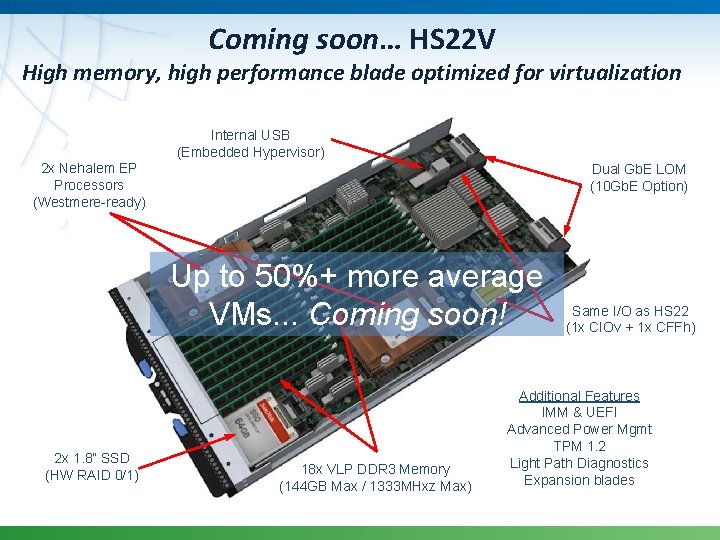
Coming soon… HS 22 V High memory, high performance blade optimized for virtualization Internal USB (Embedded Hypervisor) 2 x Nehalem EP Processors (Westmere-ready) Dual Gb. E LOM (10 Gb. E Option) Up to 50%+ more average VMs. . . Coming soon! 2 x 1. 8” SSD (HW RAID 0/1) 18 x VLP DDR 3 Memory (144 GB Max / 1333 MHxz Max) Same I/O as HS 22 (1 x CIOv + 1 x CFFh) Additional Features IMM & UEFI Advanced Power Mgmt TPM 1. 2 Light Path Diagnostics Expansion blades
Coming soon… IBM Blade. Center HX 5
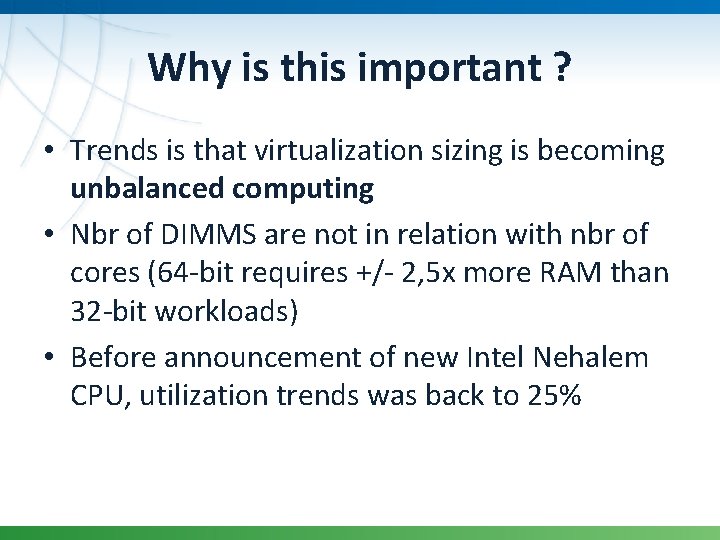
Why is this important ? • Trends is that virtualization sizing is becoming unbalanced computing • Nbr of DIMMS are not in relation with nbr of cores (64 -bit requires +/- 2, 5 x more RAM than 32 -bit workloads) • Before announcement of new Intel Nehalem CPU, utilization trends was back to 25%
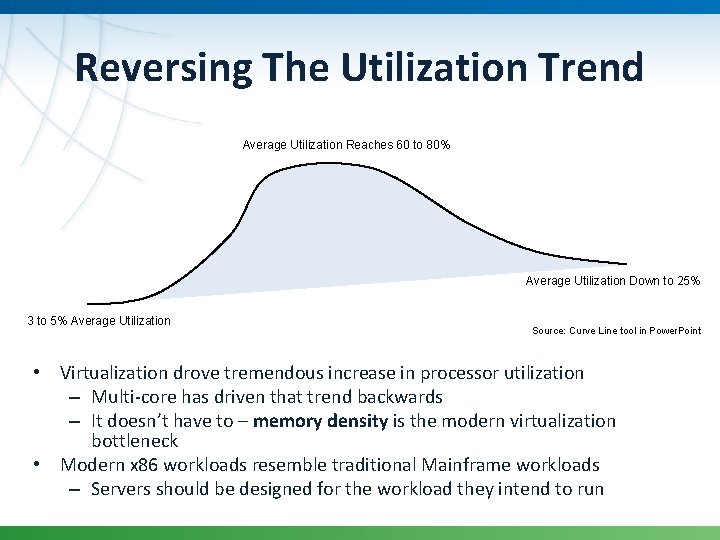
Reversing The Utilization Trend Average Utilization Reaches 60 to 80% Average Utilization Down to 25% 3 to 5% Average Utilization Source: Curve Line tool in Power. Point • Virtualization drove tremendous increase in processor utilization – Multi-core has driven that trend backwards – It doesn’t have to – memory density is the modern virtualization bottleneck • Modern x 86 workloads resemble traditional Mainframe workloads – Servers should be designed for the workload they intend to run
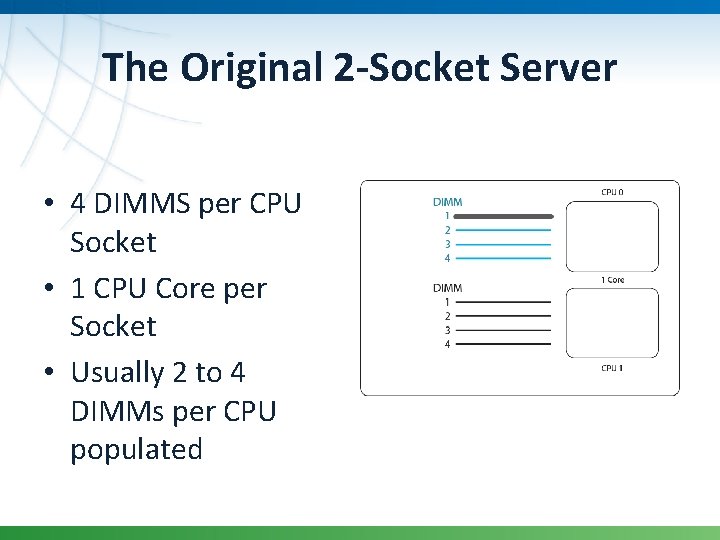
The Original 2 -Socket Server • 4 DIMMS per CPU Socket • 1 CPU Core per Socket • Usually 2 to 4 DIMMs per CPU populated
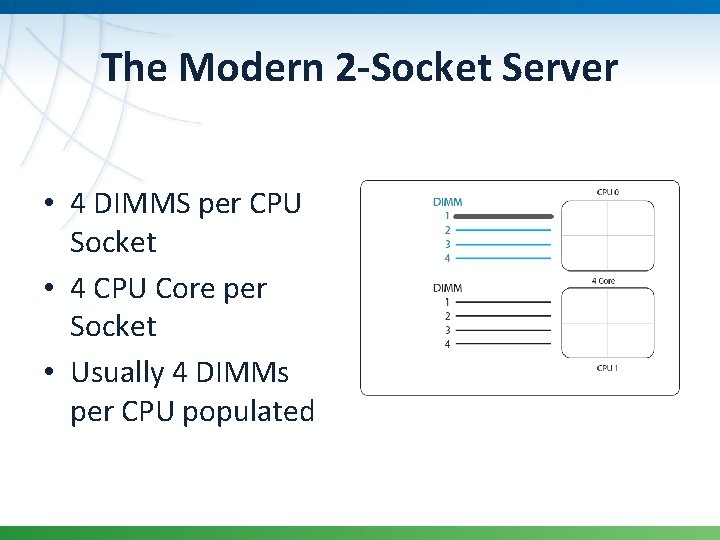
The Modern 2 -Socket Server • 4 DIMMS per CPU Socket • 4 CPU Core per Socket • Usually 4 DIMMs per CPU populated
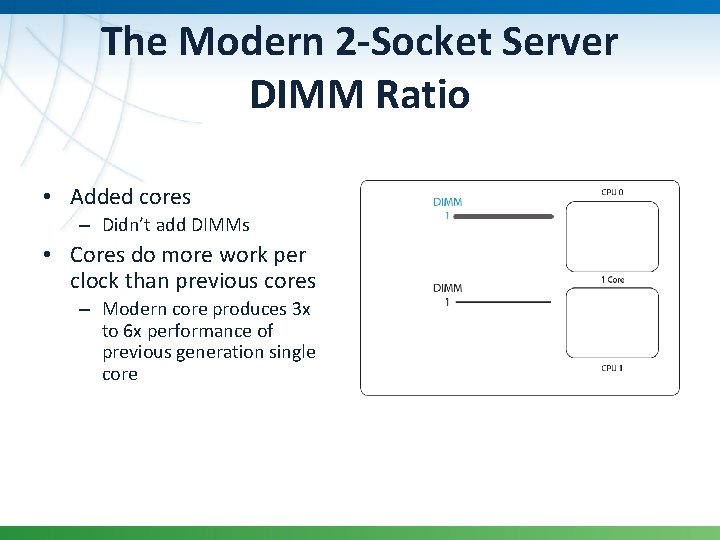
The Modern 2 -Socket Server DIMM Ratio • Added cores – Didn’t add DIMMs • Cores do more work per clock than previous cores – Modern core produces 3 x to 6 x performance of previous generation single core
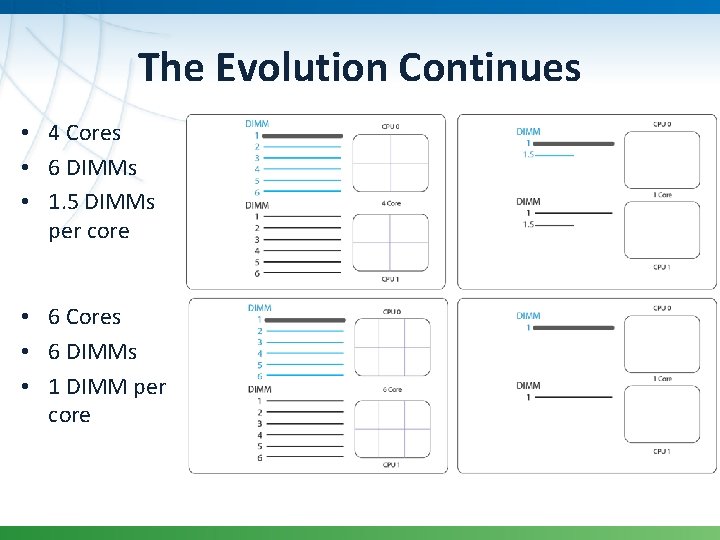
The Evolution Continues • 4 Cores • 6 DIMMs • 1. 5 DIMMs per core • 6 Cores • 6 DIMMs • 1 DIMM per core
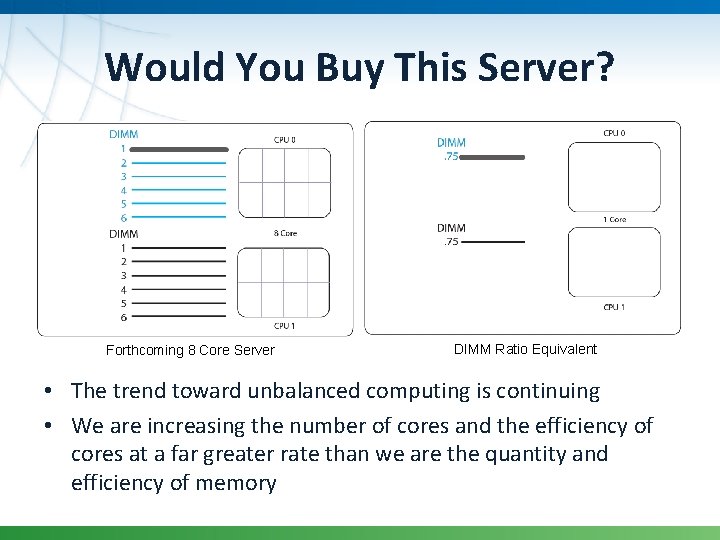
Would You Buy This Server? Forthcoming 8 Core Server DIMM Ratio Equivalent • The trend toward unbalanced computing is continuing • We are increasing the number of cores and the efficiency of cores at a far greater rate than we are the quantity and efficiency of memory
Thank You