
Virtualization and physical infrastructure Integrations with Microsoft and
- Slides: 39
Virtualization and physical infrastructure – Integrations with Microsoft and VMware Schneider Electric Foundational BUSINESS OVERVIEW Rev 2 1
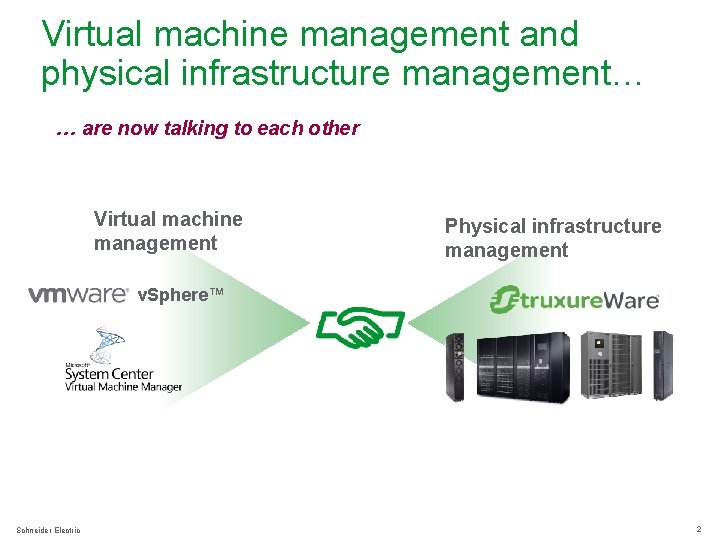
Virtual machine management and physical infrastructure management… … are now talking to each other Virtual machine management Physical infrastructure management v. Sphere™ Schneider Electric 2
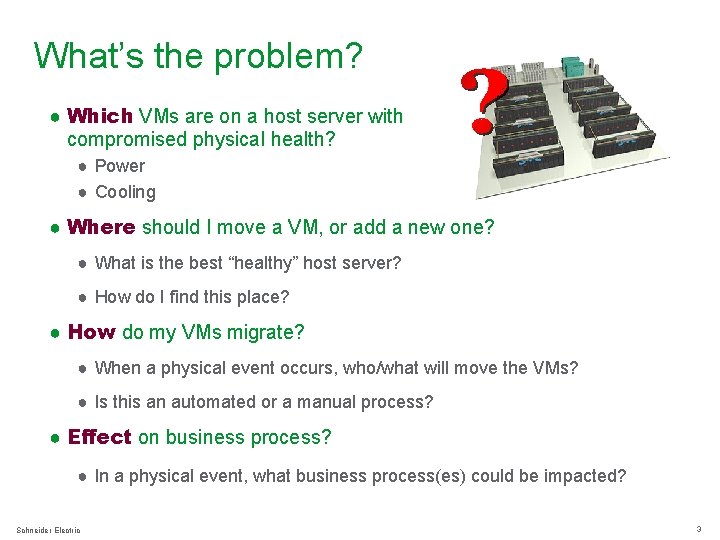
What’s the problem? ● Which VMs are on a host server with compromised physical health? ● Power ● Cooling ● Where should I move a VM, or add a new one? ● What is the best “healthy” host server? ● How do I find this place? ● How do my VMs migrate? ● When a physical event occurs, who/what will move the VMs? ● Is this an automated or a manual process? ● Effect on business process? ● In a physical event, what business process(es) could be impacted? Schneider Electric 3
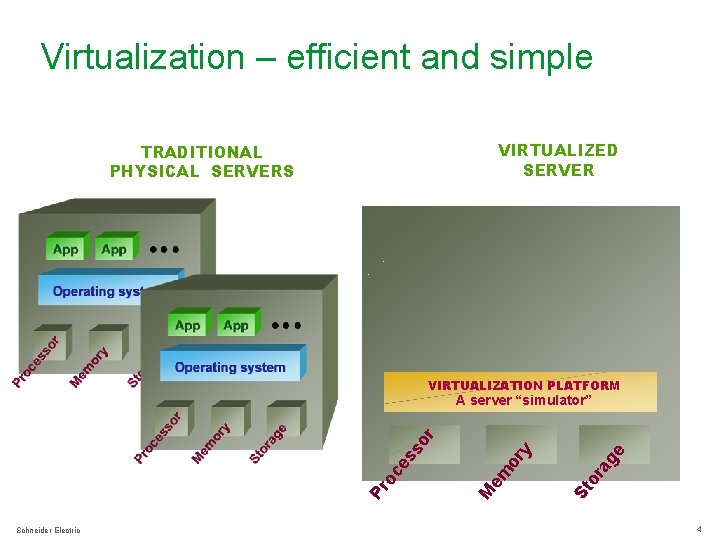
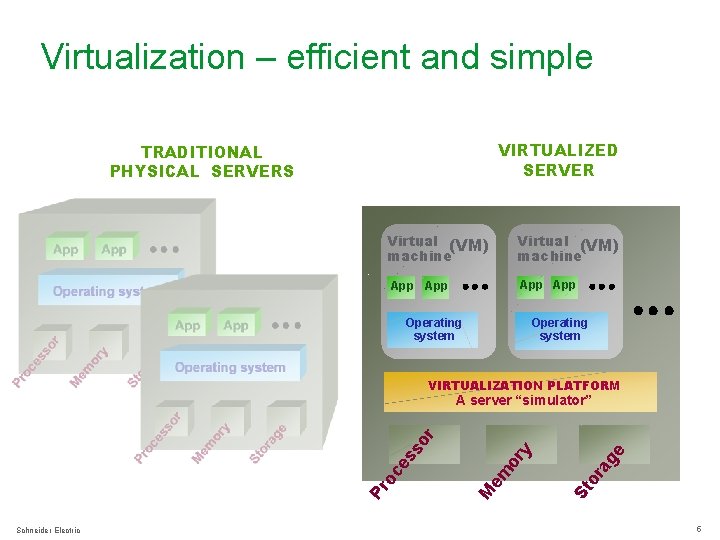
Virtualization – efficient and simple VIRTUALIZED SERVER TRADITIONAL PHYSICAL SERVERS VIRTUALIZATION PLATFORM Schneider Electric ge or a St or y em M Pr oc e ss o r A server “simulator” 4
Virtualization – efficient and simple VIRTUALIZED SERVER TRADITIONAL PHYSICAL SERVERS Virtual (VM) machine App App Operating system VIRTUALIZATION PLATFORM Schneider Electric ge or a St or y em M Pr oc e ss o r A server “simulator” 5
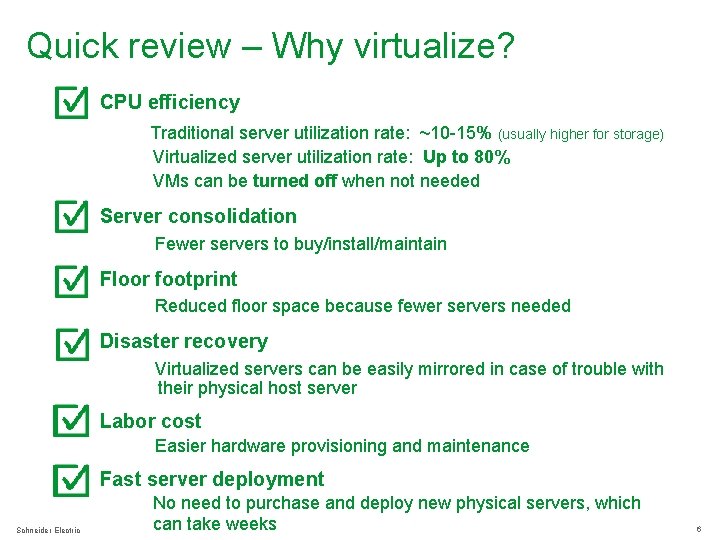
Quick review – Why virtualize? ● CPU efficiency Traditional server utilization rate: ~10 -15% (usually higher for storage) Virtualized server utilization rate: Up to 80% VMs can be turned off when not needed ● Server consolidation Fewer servers to buy/install/maintain ● Floor footprint Reduced floor space because fewer servers needed ● Disaster recovery Virtualized servers can be easily mirrored in case of trouble with their physical host server ● Labor cost Easier hardware provisioning and maintenance Fast server deployment Schneider Electric No need to purchase and deploy new physical servers, which can take weeks 6
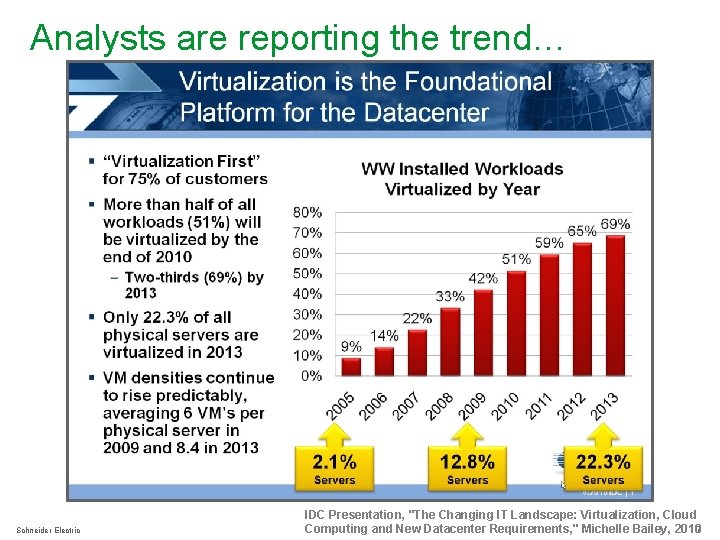
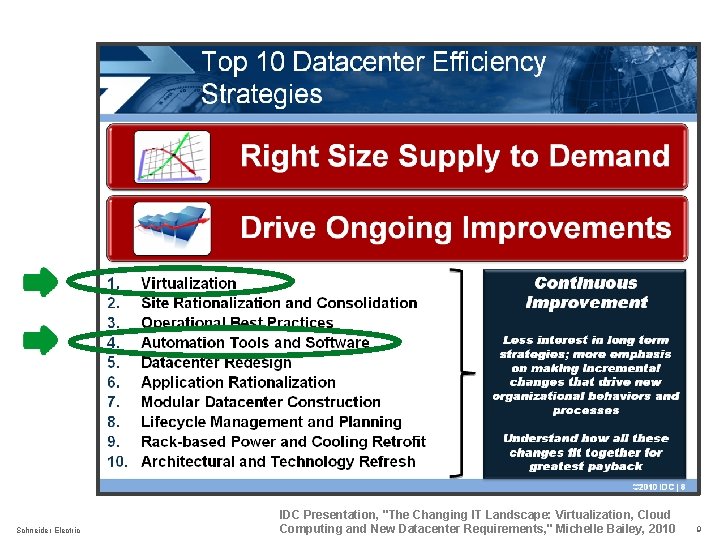
Analysts are reporting the trend… Schneider Electric IDC Presentation, "The Changing IT Landscape: Virtualization, Cloud Computing and New Datacenter Requirements, " Michelle Bailey, 20107
Virtualization and automation tools are among the top 5 efficiency strategies … Schneider Electric 8
Schneider Electric IDC Presentation, "The Changing IT Landscape: Virtualization, Cloud Computing and New Datacenter Requirements, " Michelle Bailey, 2010 9
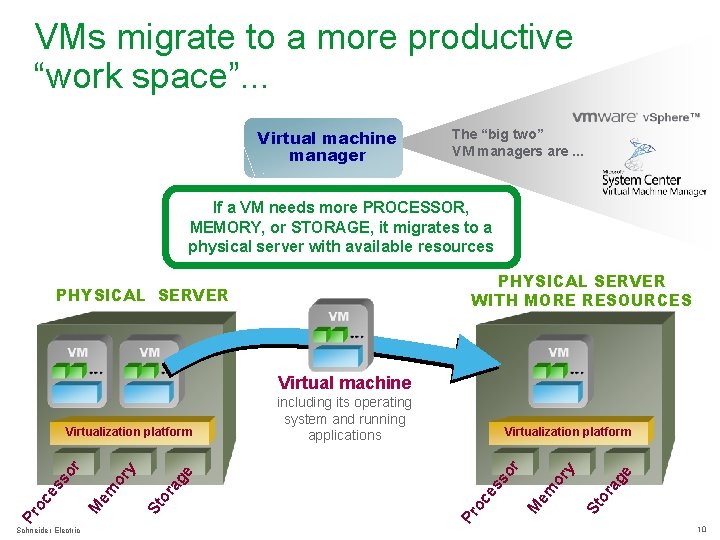
VMs migrate to a more productive “work space”. . . Virtual machine manager The “big two” VM managers are. . . If a VM needs more PROCESSOR, MEMORY, or STORAGE, it migrates to a physical server with available resources PHYSICAL SERVER WITH MORE RESOURCES PHYSICAL SERVER Virtual machine Schneider Electric e ag or St em M es oc Pr or so y r Virtualization platform e ag or St or em M Pr oc es so y r Virtualization platform including its operating system and running applications 10
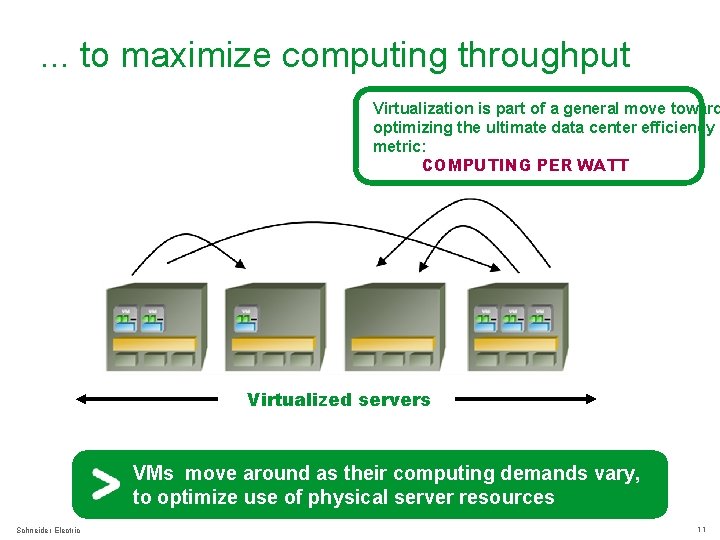
. . . to maximize computing throughput Virtualization is part of a general move toward optimizing the ultimate data center efficiency metric: COMPUTING PER WATT Virtualized servers VMs move around as their computing demands vary, to optimize use of physical server resources Schneider Electric 11
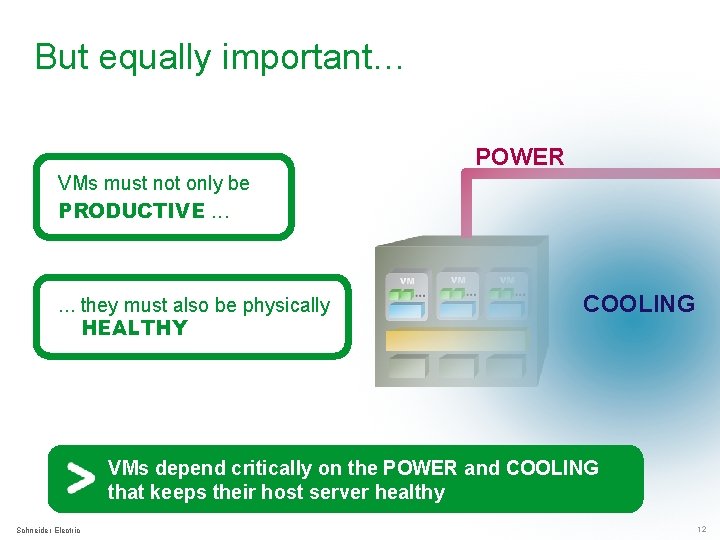
But equally important… POWER VMs must not only be PRODUCTIVE. . . they must also be physically HEALTHY COOLING VMs depend critically on the POWER and COOLING that keeps their host server healthy Schneider Electric 12
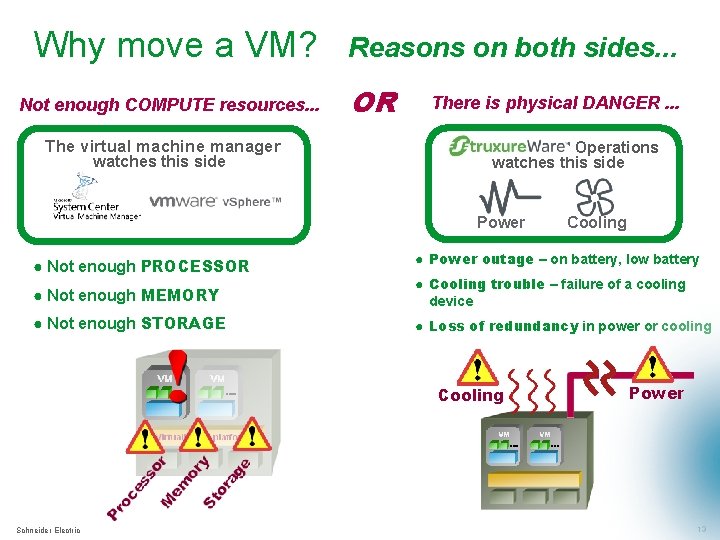
Why move a VM? Not enough COMPUTE resources. . . The virtual machine manager watches this side Reasons on both sides. . . OR There is physical DANGER. . . Operations watches this side ™ Power ● Not enough PROCESSOR Cooling ● Power outage – on battery, low battery ● Not enough MEMORY ● Cooling trouble – failure of a cooling device ● Not enough STORAGE ● Loss of redundancy in power or cooling Cooling Schneider Electric Power 13
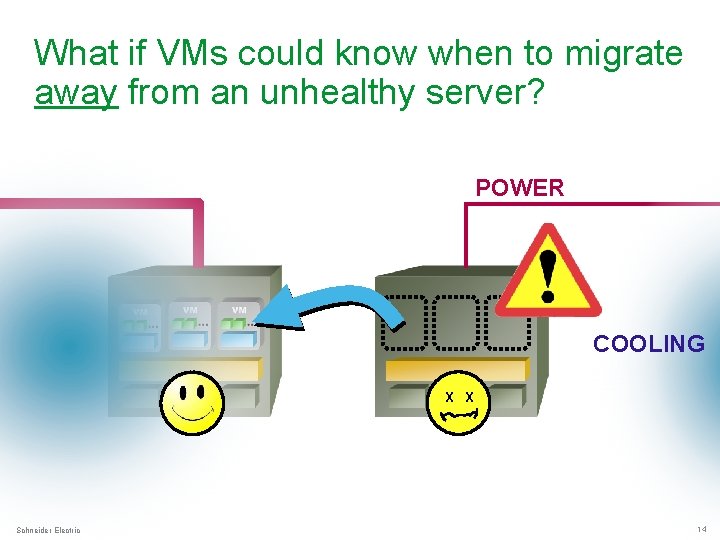
What if VMs could know when to migrate away from an unhealthy server? POWER COOLING X X Schneider Electric 14
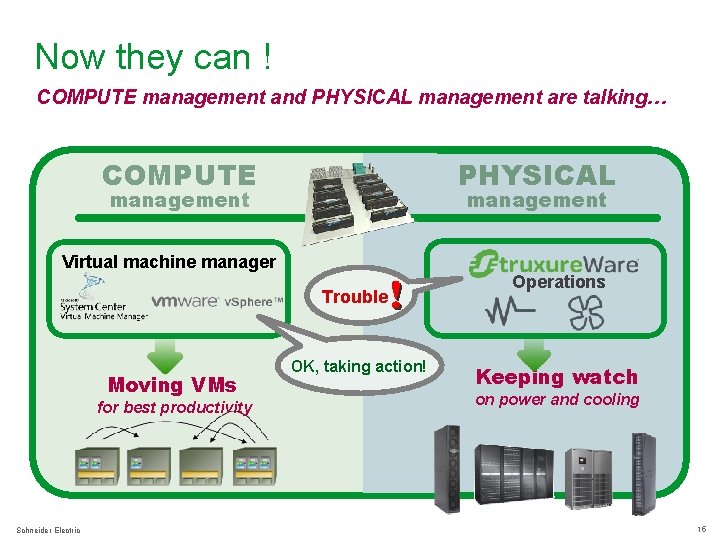
Now they can ! COMPUTE management and PHYSICAL management are talking… COMPUTE PHYSICAL management Virtual machine manager Trouble Moving VMs for best productivity Schneider Electric OK, taking action! Operations Keeping watch on power and cooling 15
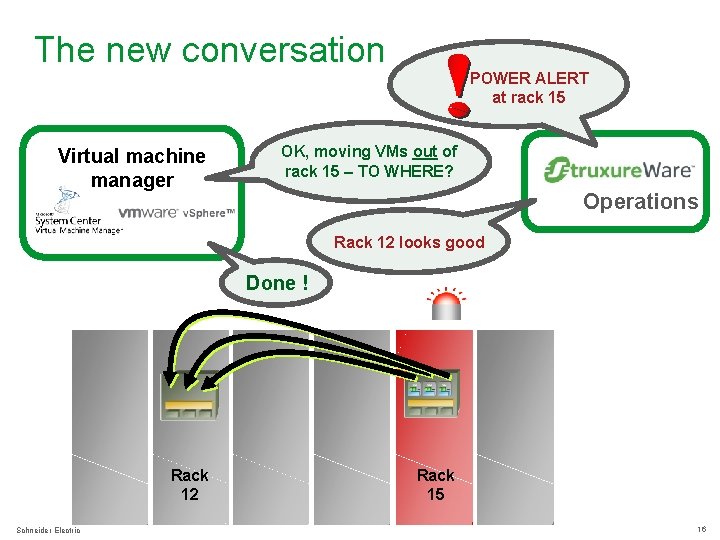
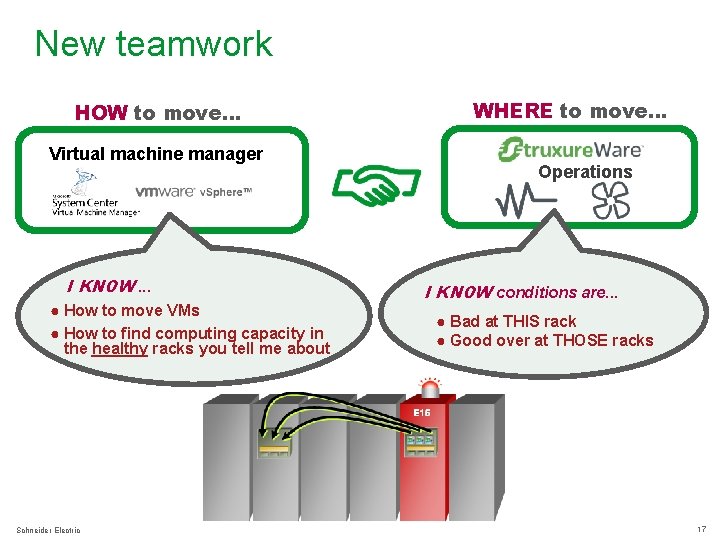
The new conversation POWER ALERT at rack 15 Virtual machine manager OK, moving VMs out of rack 15 – TO WHERE? Operations Rack 12 looks good Done ! Rack 12 Schneider Electric Rack 15 16
New teamwork HOW to move… Virtual machine manager I KNOW. . . ● How to move VMs ● How to find computing capacity in the healthy racks you tell me about Schneider Electric WHERE to move… Operations I KNOW conditions are. . . ● Bad at THIS rack ● Good over at THOSE racks 17
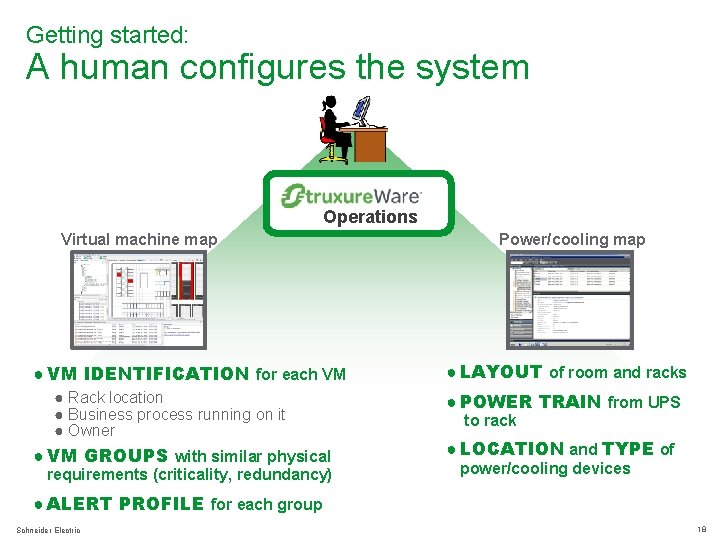
Getting started: A human configures the system Operations Virtual machine map ● VM IDENTIFICATION for each VM ● Rack location ● Business process running on it ● Owner ● VM GROUPS with similar physical requirements (criticality, redundancy) Power/cooling map ● LAYOUT of room and racks ● POWER TRAIN from UPS to rack ● LOCATION and TYPE of power/cooling devices ● ALERT PROFILE for each group Schneider Electric 18
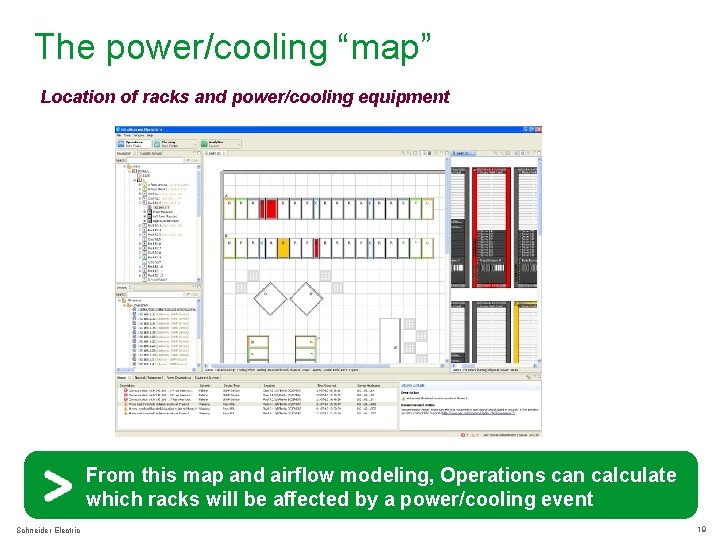
The power/cooling “map” Location of racks and power/cooling equipment From this map and airflow modeling, Operations can calculate which racks will be affected by a power/cooling event Schneider Electric 19
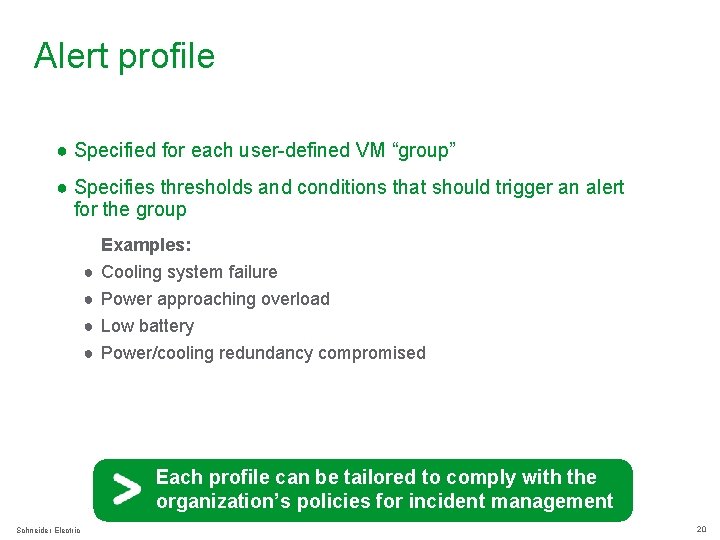
Alert profile ● Specified for each user-defined VM “group” ● Specifies thresholds and conditions that should trigger an alert for the group ● ● ● Examples: Cooling system failure Power approaching overload Low battery Power/cooling redundancy compromised Each profile can be tailored to comply with the organization’s policies for incident management Schneider Electric 20
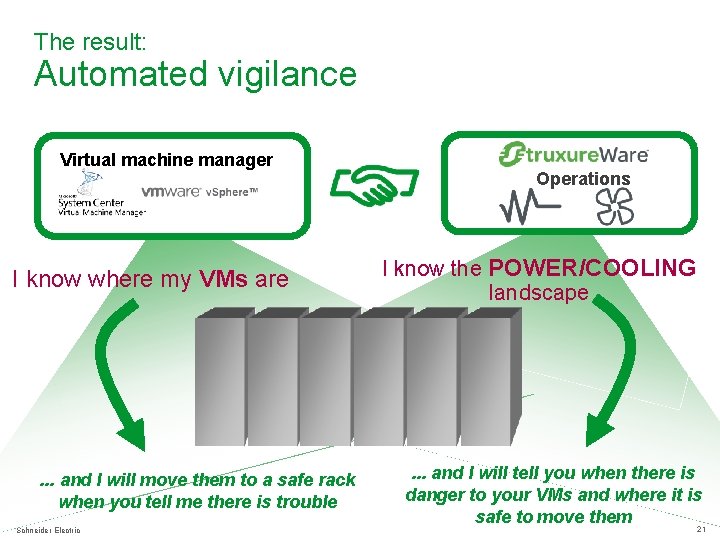
The result: Automated vigilance Virtual machine manager I know where my VMs are . . . and I will move them to a safe rack when you tell me there is trouble Schneider Electric Operations I know the POWER/COOLING landscape . . . and I will tell you when there is danger to your VMs and where it is safe to move them 21
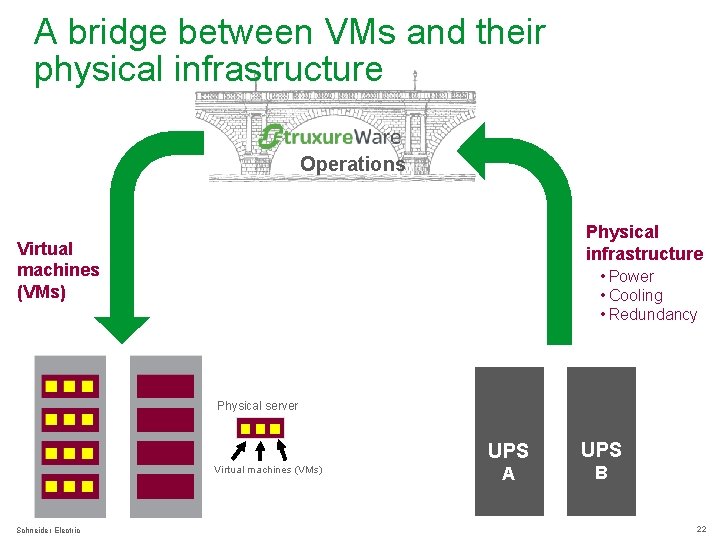
A bridge between VMs and their physical infrastructure Infrastru. Xure Operations Physical infrastructure Virtual machines (VMs) • Power • Cooling • Redundancy Physical server Virtual machines (VMs) Schneider Electric UPS A B 22
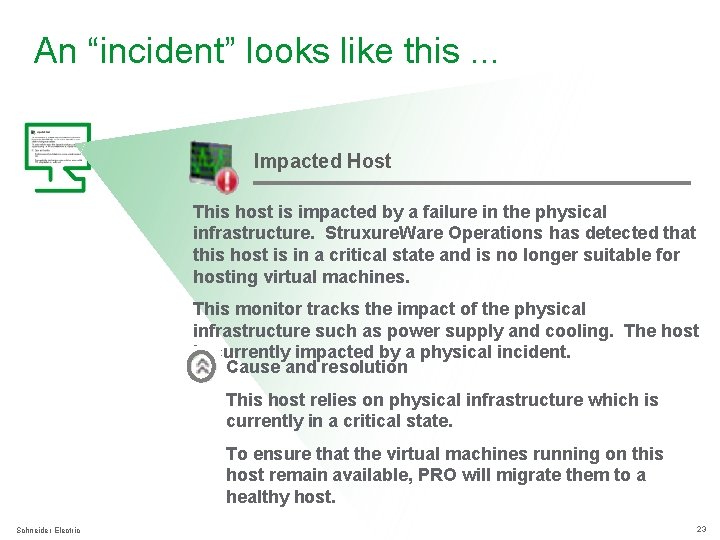
An “incident” looks like this. . . Impacted Host This host is impacted by a failure in the physical infrastructure. Struxure. Ware Operations has detected that this host is in a critical state and is no longer suitable for hosting virtual machines. This monitor tracks the impact of the physical infrastructure such as power supply and cooling. The host is currently impacted by a physical incident. Cause and resolution This host relies on physical infrastructure which is currently in a critical state. To ensure that the virtual machines running on this host remain available, PRO will migrate them to a healthy host. Schneider Electric 23
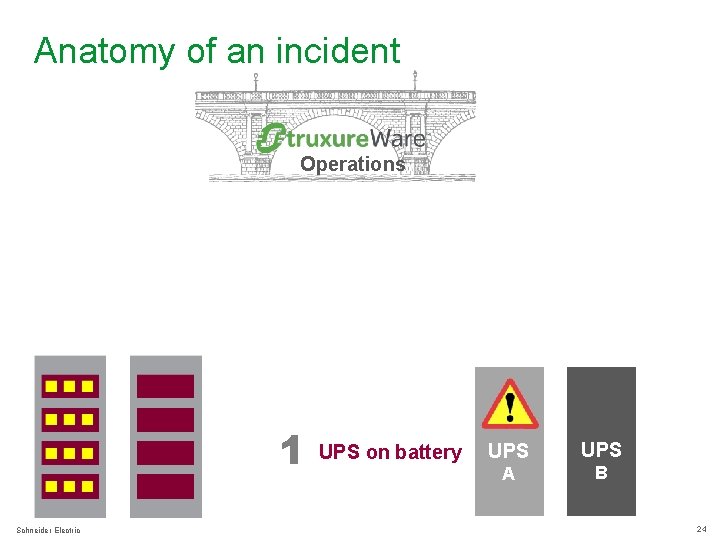
Anatomy of an incident Infrastru. Xure Operations 1 Schneider Electric UPS on battery UPS A B 24
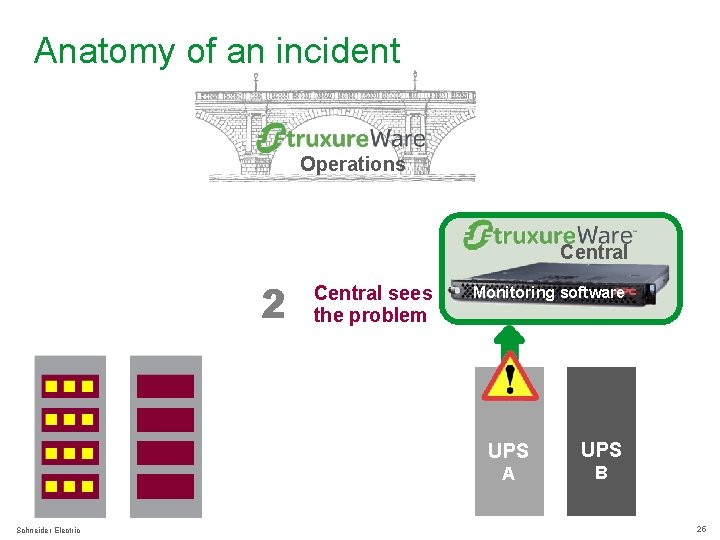
Anatomy of an incident Infrastru. Xure Operations Central 2 Schneider Electric Central sees the problem Monitoring software UPS A B 25
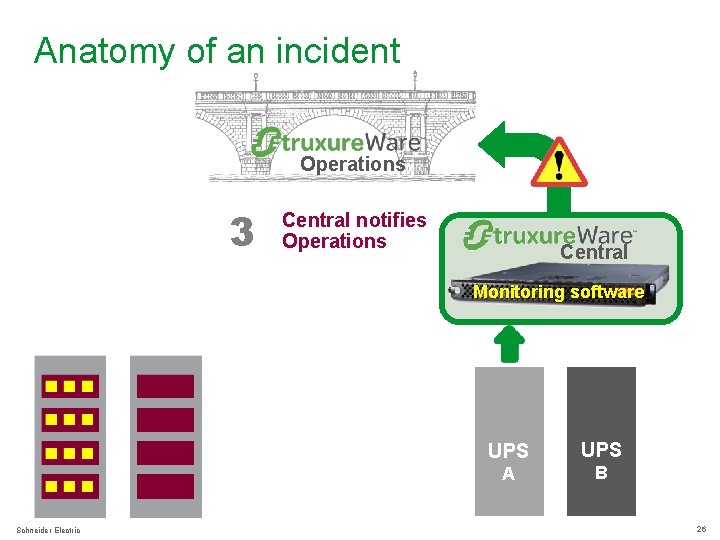
Anatomy of an incident Infrastru. Xure Operations 3 Central notifies Operations Central Monitoring software Schneider Electric UPS A B 26
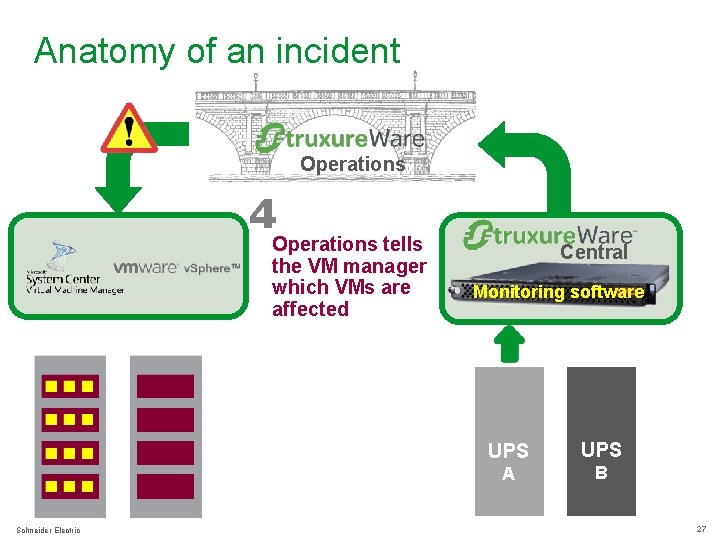
Anatomy of an incident Infrastru. Xure Operations 4 Operations tells the VM manager which VMs are affected Schneider Electric Central Monitoring software UPS A B 27
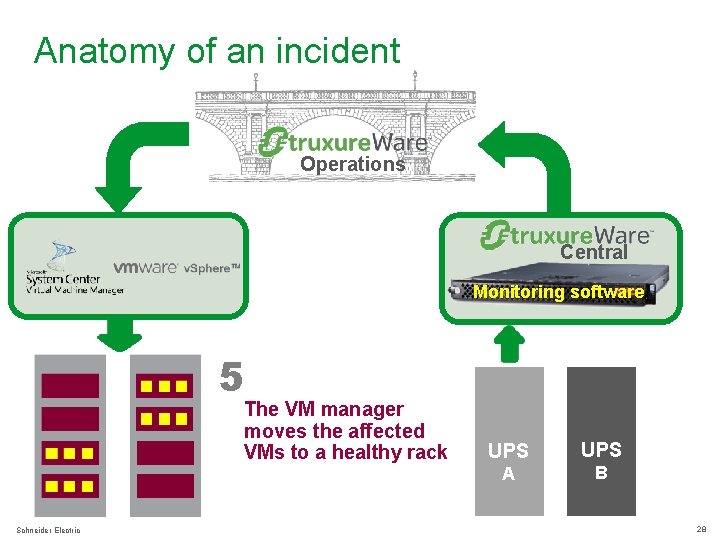
Anatomy of an incident Infrastru. Xure Operations Central Monitoring software 5 The VM manager moves the affected VMs to a healthy rack Schneider Electric UPS A B 28
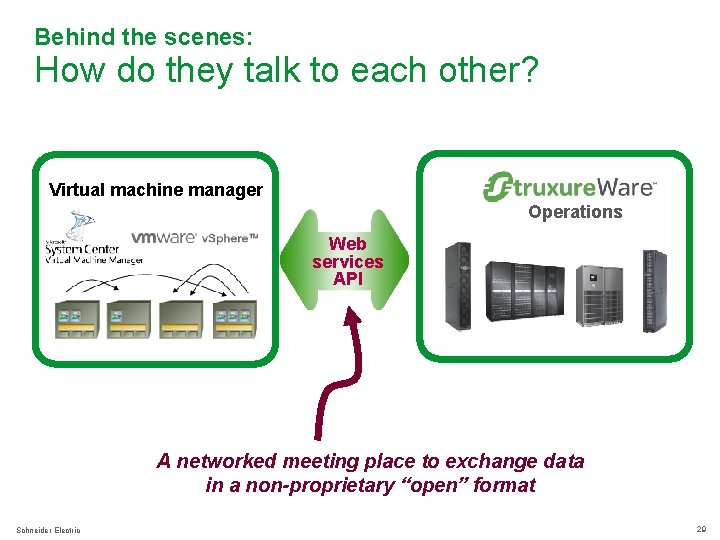
Behind the scenes: How do they talk to each other? Virtual machine manager Operations Web services API A networked meeting place to exchange data in a non-proprietary “open” format Schneider Electric 29
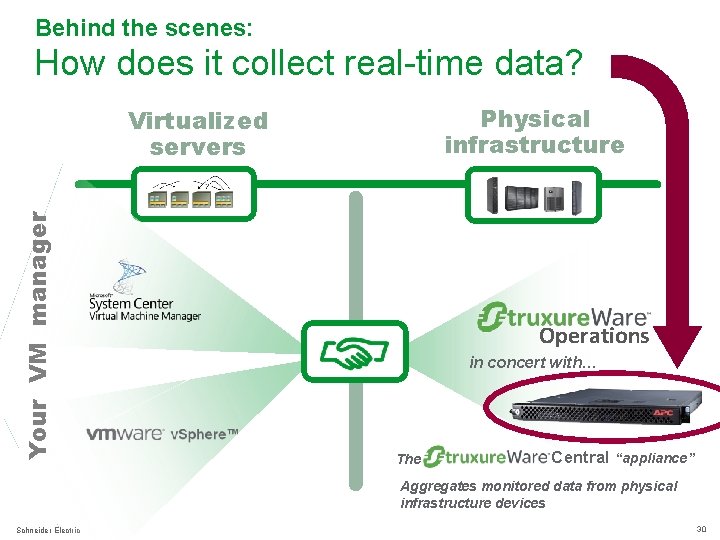
Behind the scenes: How does it collect real-time data? Physical infrastructure Your VM manager Virtualized servers Operations in concert with… The Central “appliance” Aggregates monitored data from physical infrastructure devices Schneider Electric 30
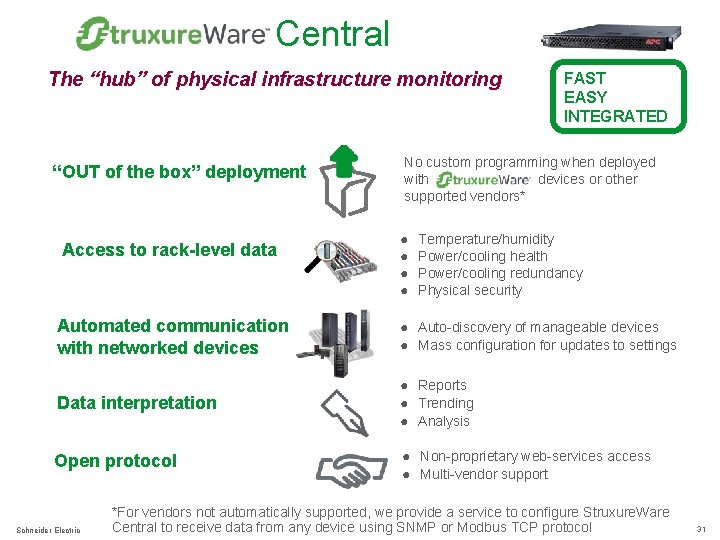
Central The “hub” of physical infrastructure monitoring “OUT of the box” deployment Access to rack-level data FAST EASY INTEGRATED No custom programming when deployed with devices or other supported vendors* ● ● Temperature/humidity Power/cooling health Power/cooling redundancy Physical security Automated communication with networked devices ● Auto-discovery of manageable devices ● Mass configuration for updates to settings Data interpretation ● Reports ● Trending ● Analysis Open protocol ● Non-proprietary web-services access ● Multi-vendor support Schneider Electric *For vendors not automatically supported, we provide a service to configure Struxure. Ware Central to receive data from any device using SNMP or Modbus TCP protocol 31
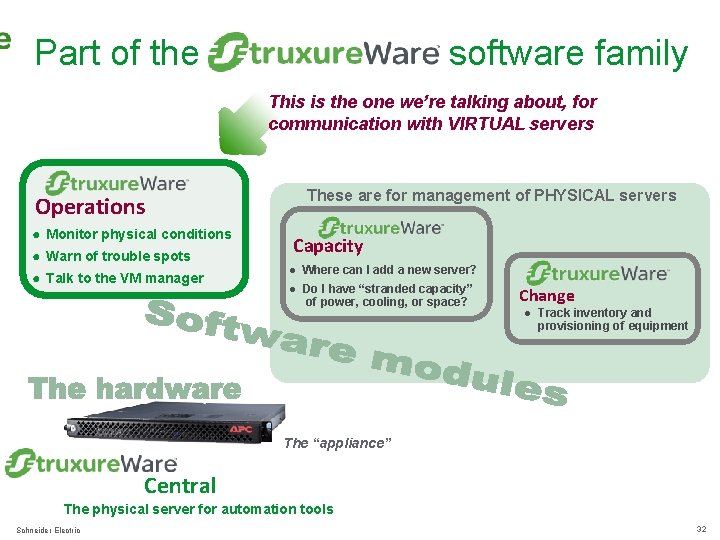
Part of the software family This is the one we’re talking about, for communication with VIRTUAL servers Operations ● Monitor physical conditions ● Warn of trouble spots ● Talk to the VM manager These are for management of PHYSICAL servers Capacity ● Where can I add a new server? ● Do I have “stranded capacity” of power, cooling, or space? Change ● Track inventory and provisioning of equipment The “appliance” Central The physical server for automation tools Schneider Electric 32
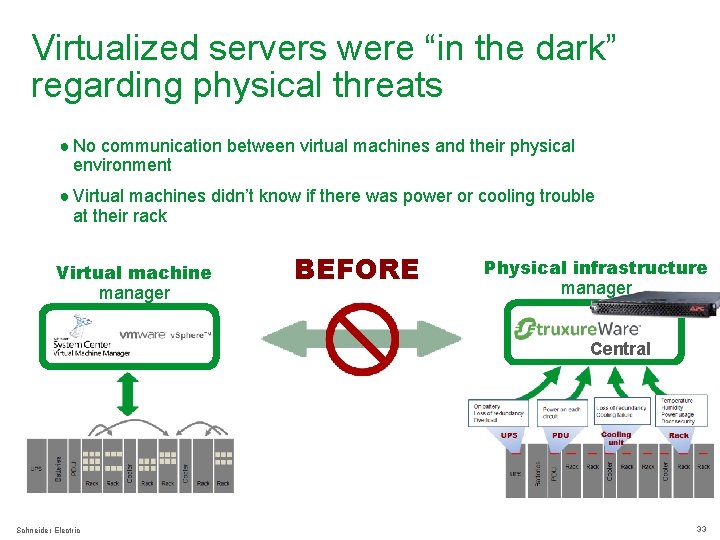
Virtualized servers were “in the dark” regarding physical threats ● No communication between virtual machines and their physical environment ● Virtual machines didn’t know if there was power or cooling trouble at their rack Virtual machine manager BEFORE Physical infrastructure manager Central Schneider Electric 33
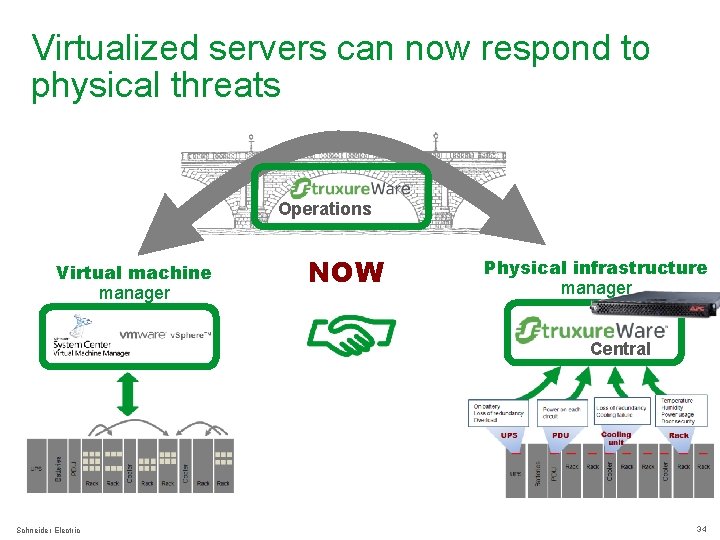
Virtualized servers can now respond to physical threats Infrastru. Xure Operations Virtual machine manager NOW Physical infrastructure manager Central Schneider Electric 34
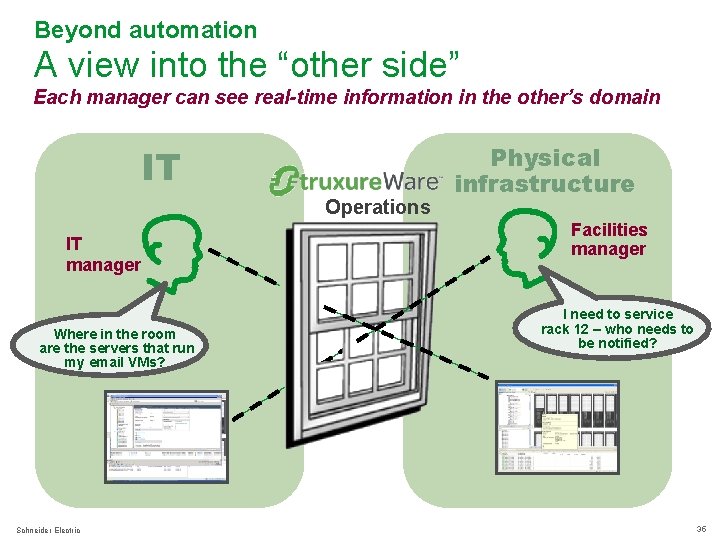
Beyond automation A view into the “other side” Each manager can see real-time information in the other’s domain IT Operations IT manager Where in the room are the servers that run my email VMs? Schneider Electric Physical infrastructure Facilities manager I need to service rack 12 – who needs to be notified? 35
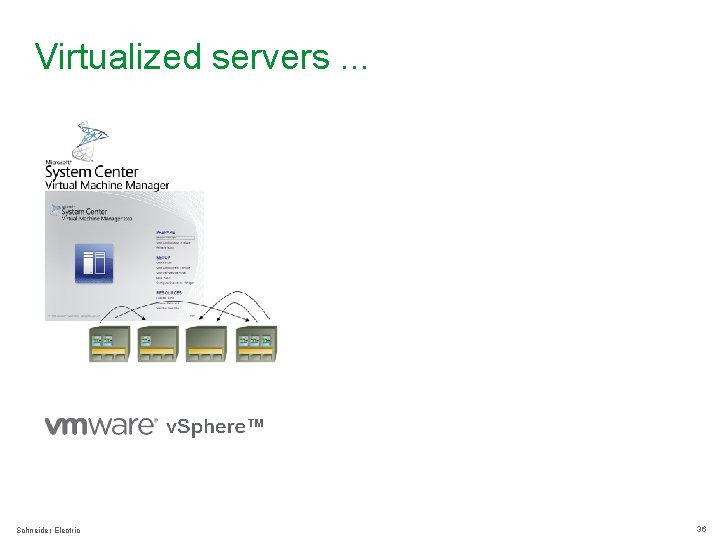
Virtualized servers. . . Schneider Electric 36
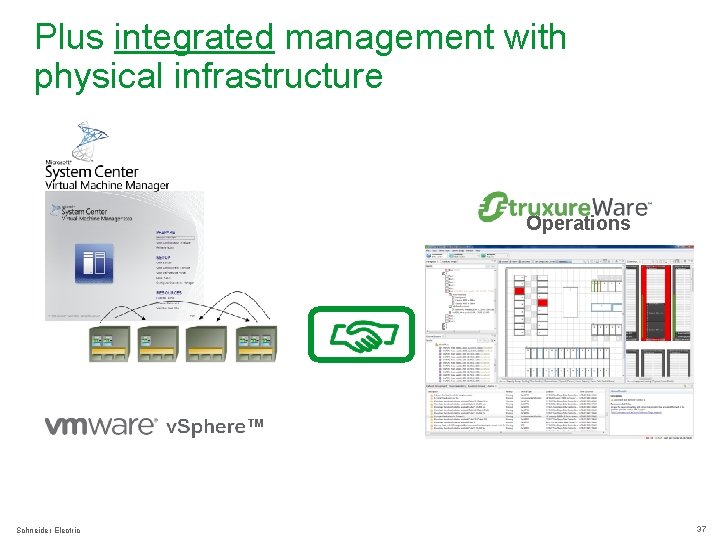
Plus integrated management with physical infrastructure Operations Schneider Electric 37
Will save you. . . ● Energy ● Staff time to “babysit” physical threats ● VM downtime from physical events ● Damage to business relationships ● Lost sleep due to worrying what might happen next All affecting. . . Schneider Electric 38
Questions? Schneider Electric 39