
Virtual LANS VLANS 1 Introduction to VLANs 2
- Slides: 25
Virtual LANS (VLANS) 1
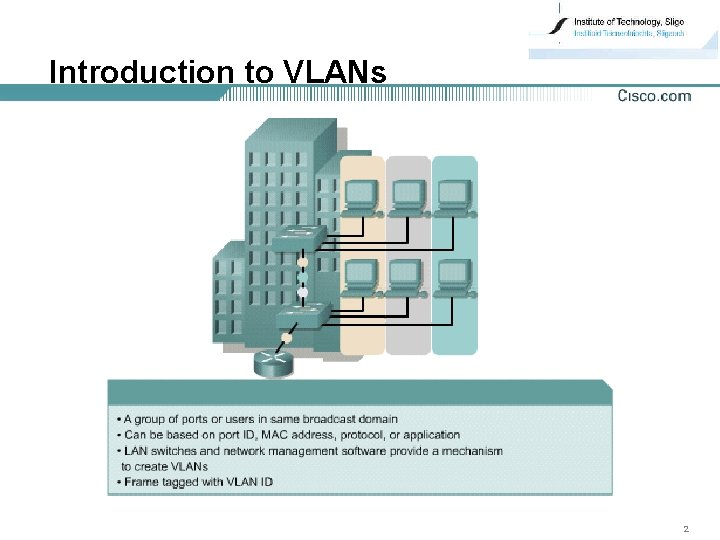
Introduction to VLANs 2
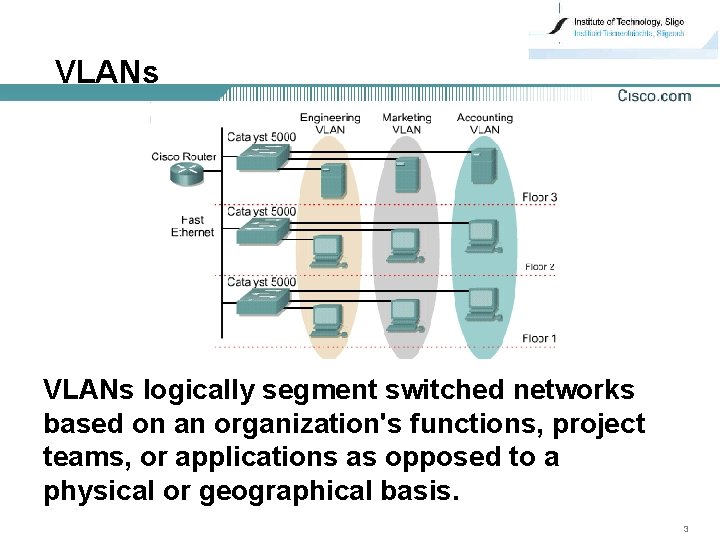
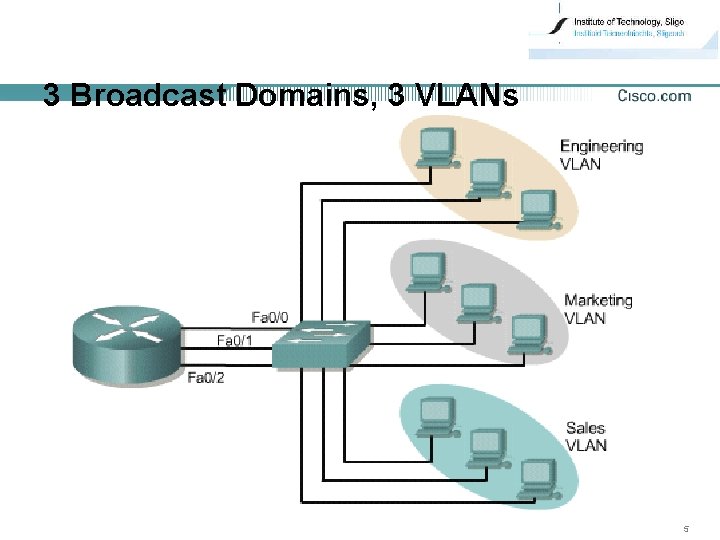
VLANs logically segment switched networks based on an organization's functions, project teams, or applications as opposed to a physical or geographical basis. 3
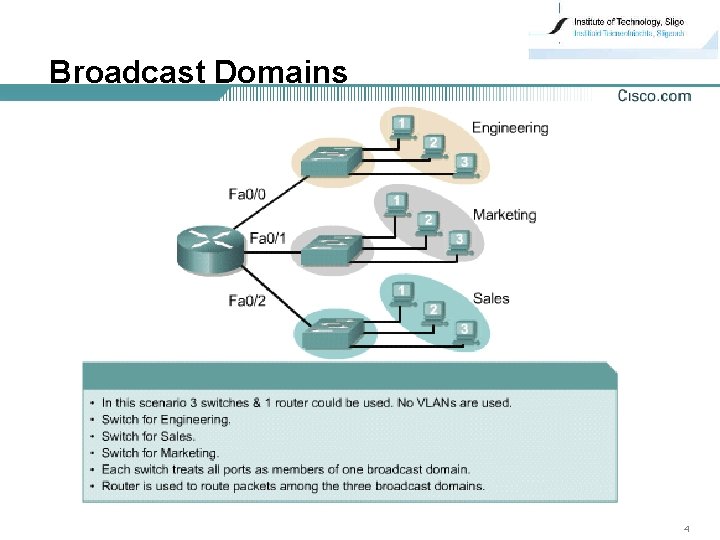
Broadcast Domains 4
3 Broadcast Domains, 3 VLANs 5
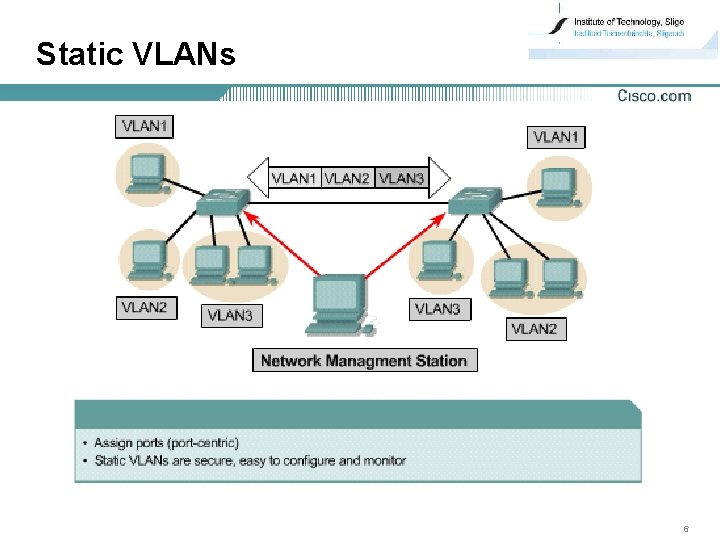
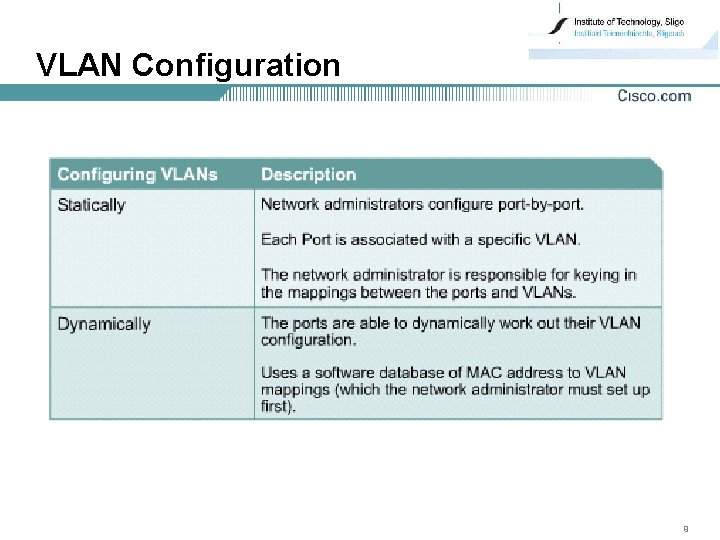
Static VLANs 6
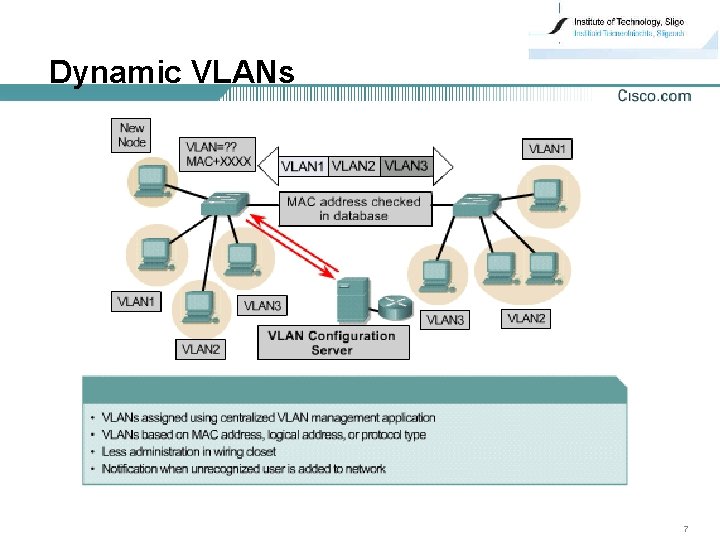
Dynamic VLANs 7
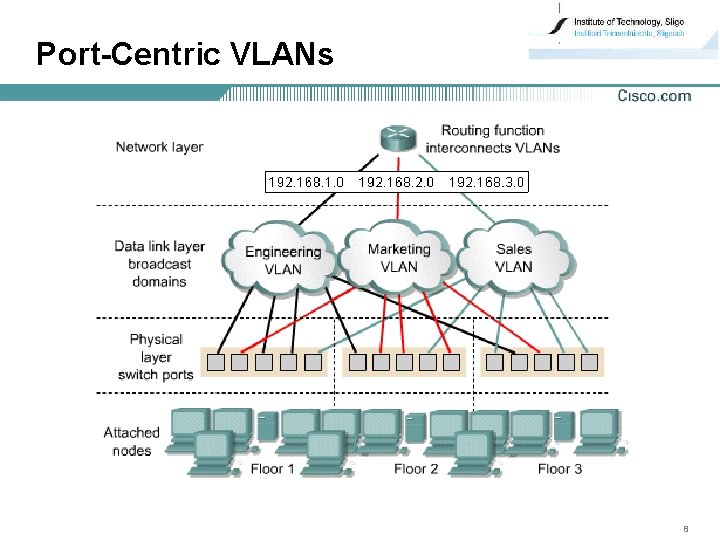
Port-Centric VLANs 8
VLAN Configuration 9
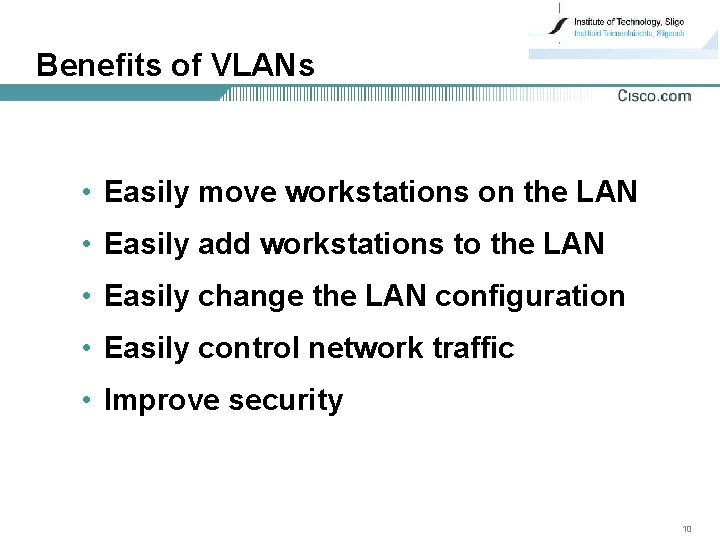
Benefits of VLANs • Easily move workstations on the LAN • Easily add workstations to the LAN • Easily change the LAN configuration • Easily control network traffic • Improve security 10
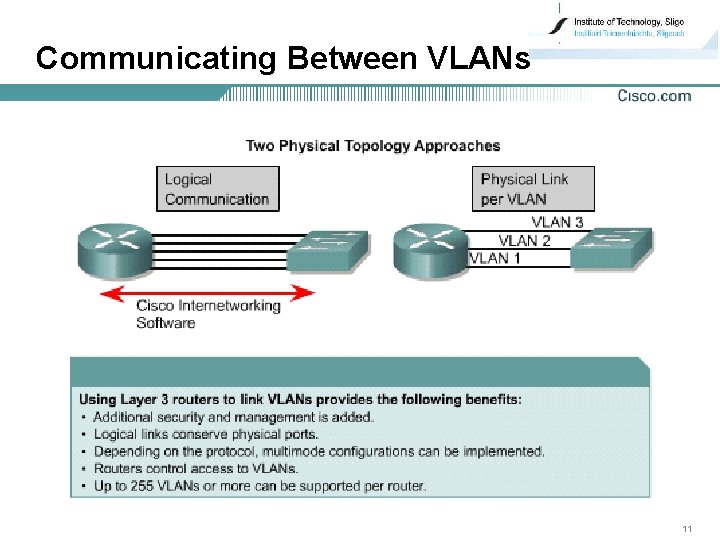
Communicating Between VLANs 11
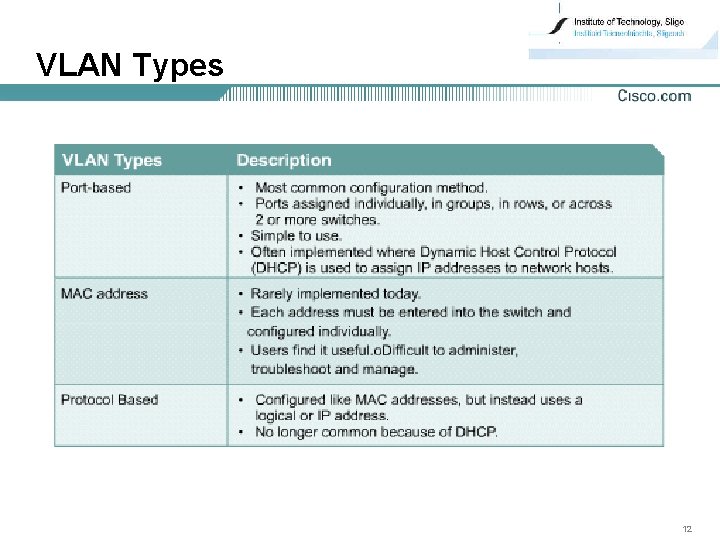
VLAN Types 12
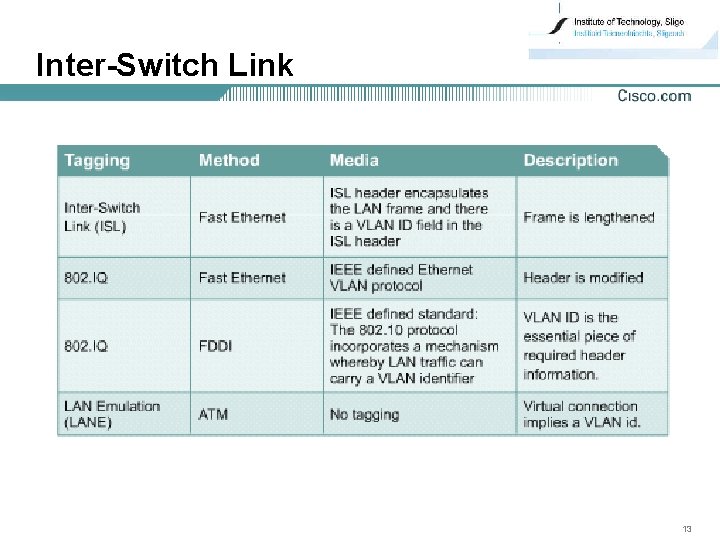
Inter-Switch Link 13
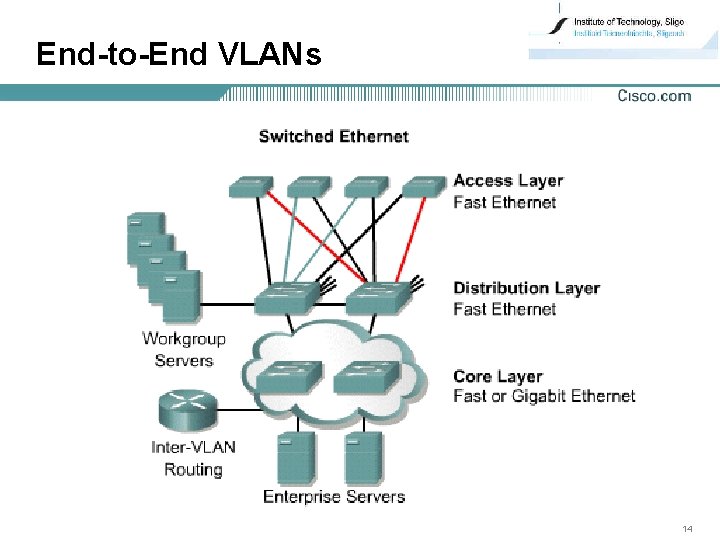
End-to-End VLANs 14
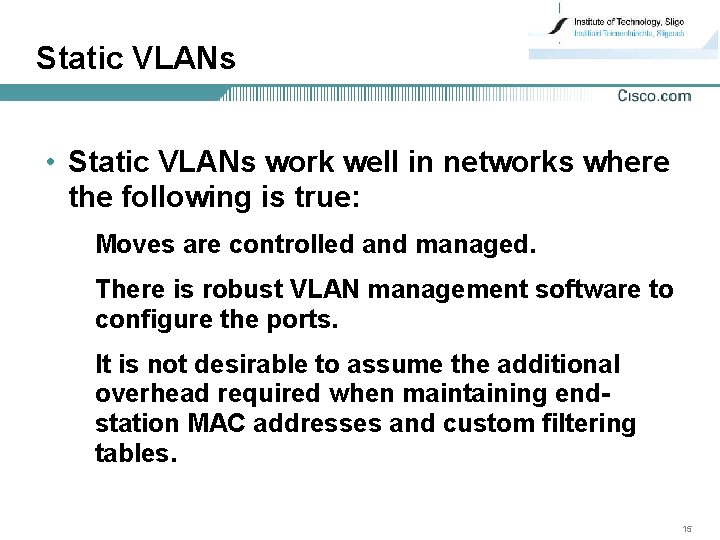
Static VLANs • Static VLANs work well in networks where the following is true: Moves are controlled and managed. There is robust VLAN management software to configure the ports. It is not desirable to assume the additional overhead required when maintaining endstation MAC addresses and custom filtering tables. 15
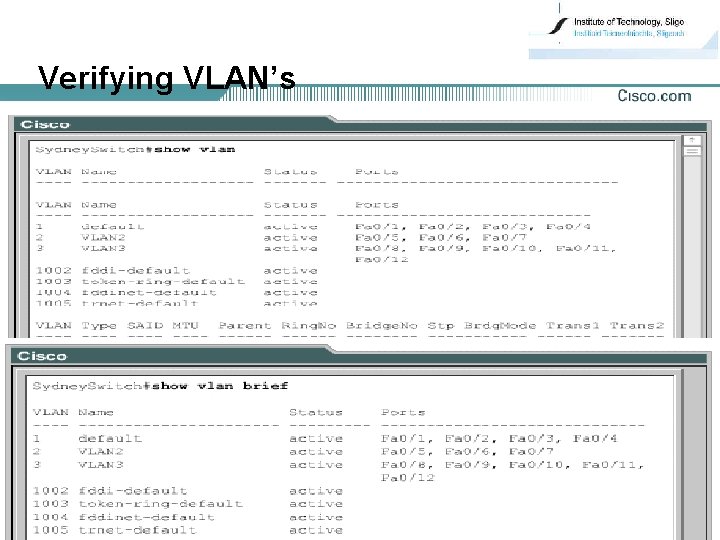
Verifying VLAN’s 16
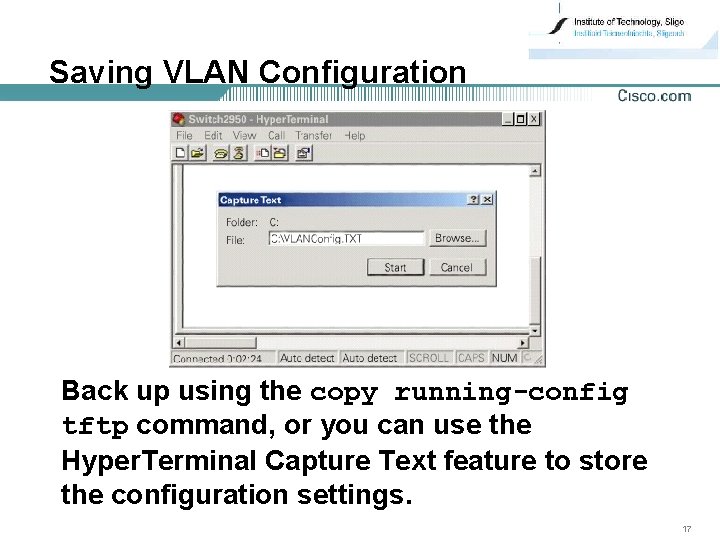
Saving VLAN Configuration Back up using the copy running-config tftp command, or you can use the Hyper. Terminal Capture Text feature to store the configuration settings. 17
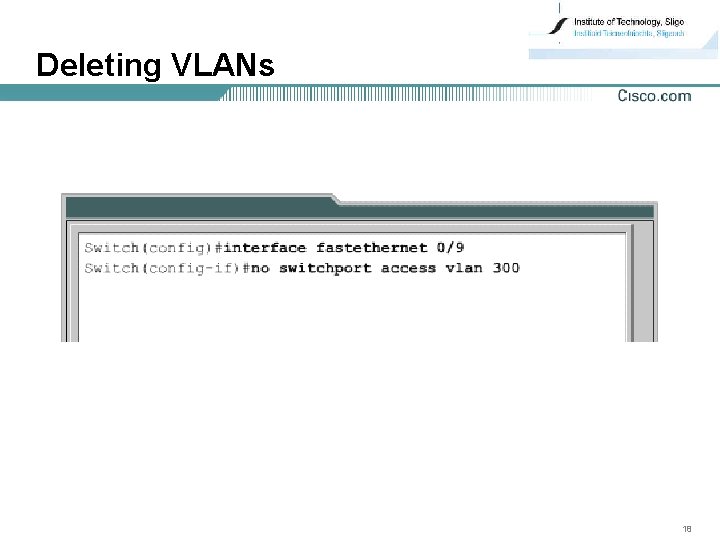
Deleting VLANs 18
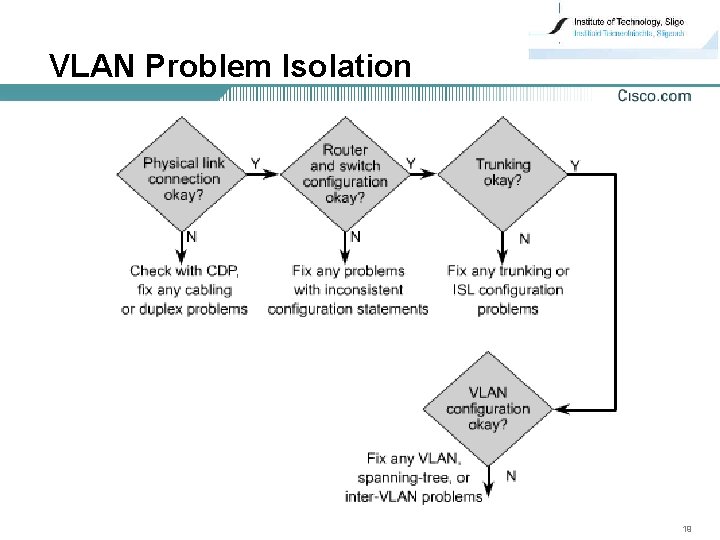
VLAN Problem Isolation 19
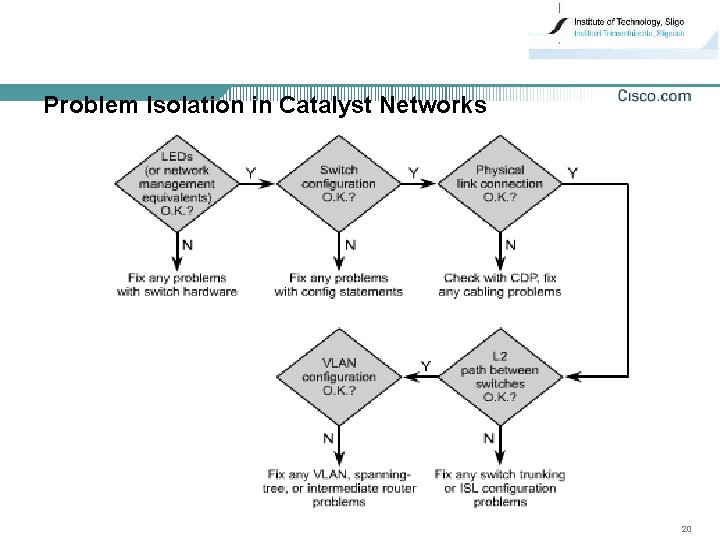
Problem Isolation in Catalyst Networks 20
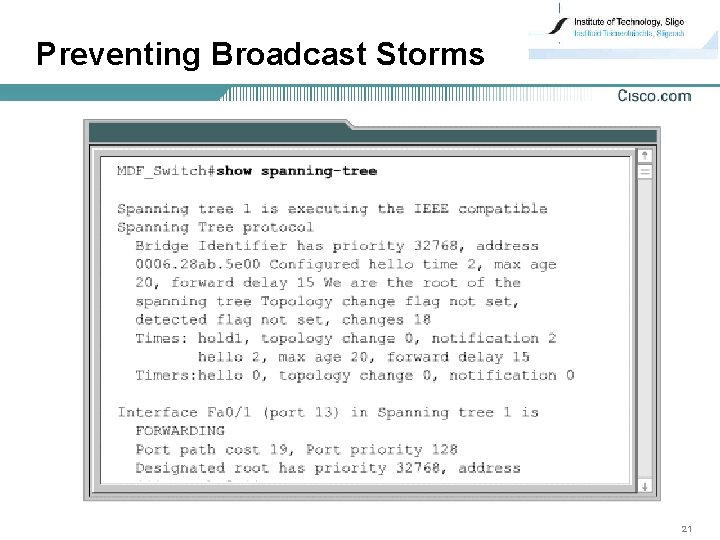
Preventing Broadcast Storms 21
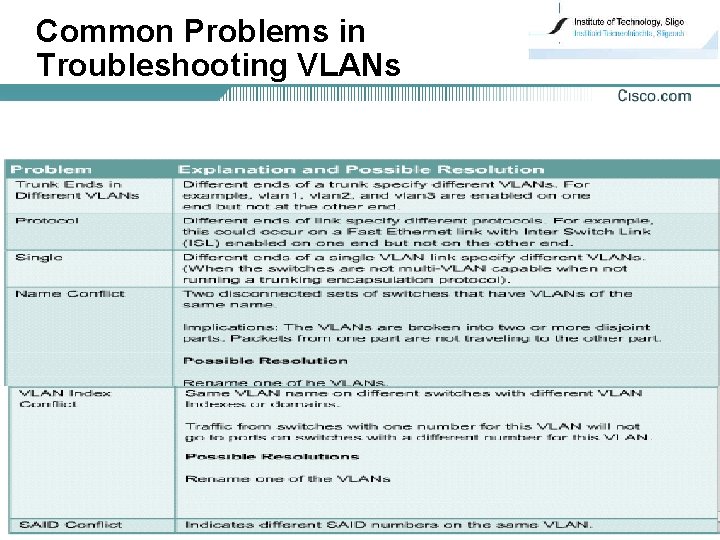
Common Problems in Troubleshooting VLANs 22
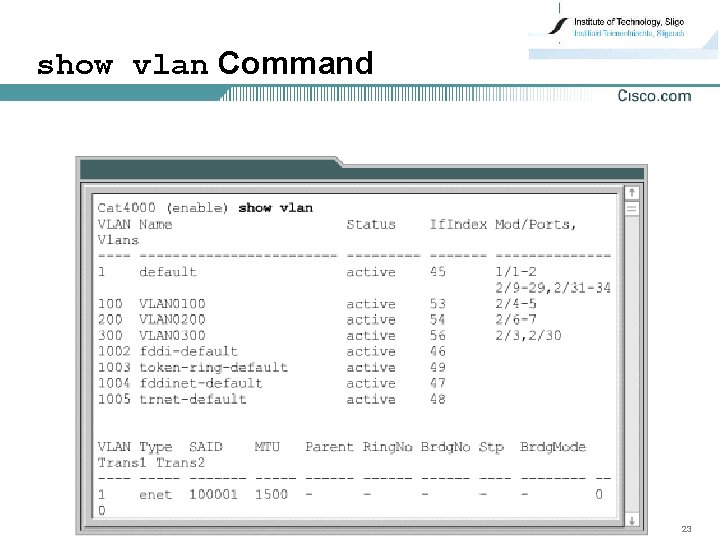
show vlan Command 23
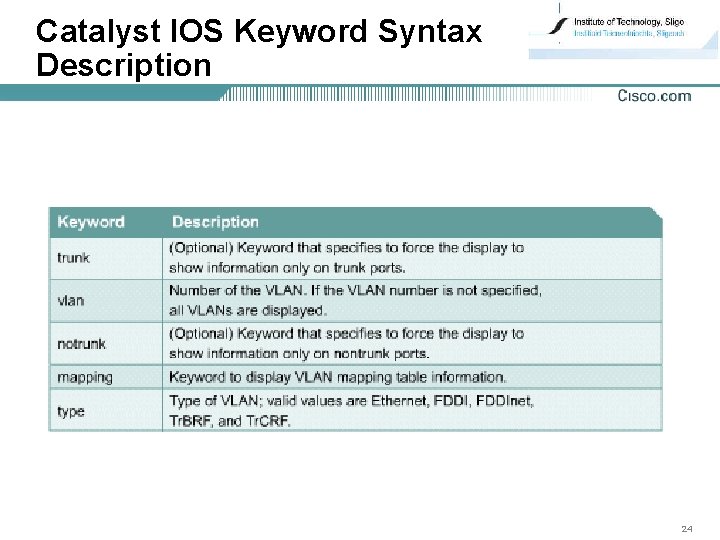
Catalyst IOS Keyword Syntax Description 24
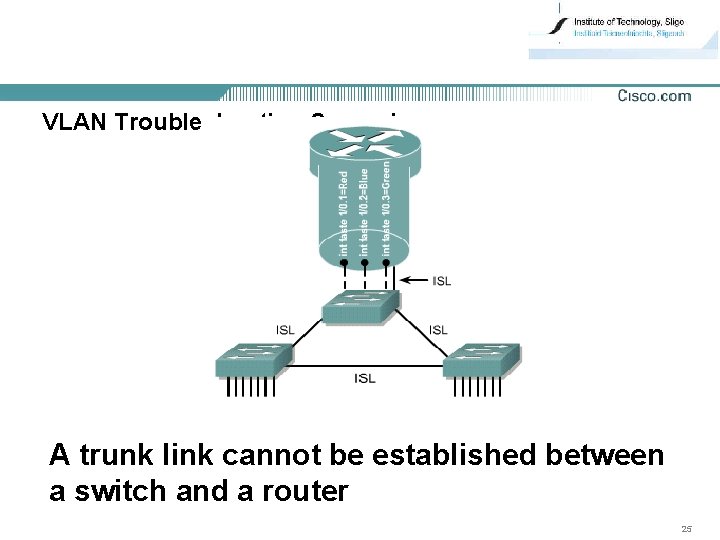
VLAN Troubleshooting Scenarios A trunk link cannot be established between a switch and a router 25