
Virtual Club Speech Contest Training District 6 Agenda
Virtual Club Speech Contest Training District 6
Agenda Welcome/Club Mission TT and International Speech Contests How to set up Zoom with Breakout Rooms Toastmaster and Chief Judge Scripts Electronic Ballots Awards Thank you!
Club Mission We provide a supportive and positive learning experience in which members are empowered to develop communication and leadership skills, resulting in greater self-confidence and personal growth.
Contest Spring 2021 District 6 ▸ Table Topics ▸ International Speech Contest ▸ Need Breakout Rooms for: - Judges Briefing - Contestants Briefing - Table Topics Contestants ▸ Preferable 2 Breakout Rooms or the Toastmaster can Brief the Contestants in the Main Room. ▸ Link on D 6 Virtual Contest Help page to www. Random. org to get Speaking Order for Contestants
How to Set Up Breakout Rooms ▸ Enable Breakout Rooms in Settings. ▸ Host or Co-Host can See. ▸ Click on Button for How Many Breakout Rooms. ▸ Only the Host can Assign Participants to Breakout Rooms. ▸ Set Timer for Amount of Time until the Breakout Rooms Shut Down. ▸ Click Open All Breakout Rooms to send People to their Rooms.
What can a Co-Host do? ▸ Start Closed Captioning and assign someone or a third -party to provide closed captioning. ▸ Start Live Streaming. ▸ End Meeting for all Participants. ▸ Start Breakout Rooms or move Participants from one Breakout Room to another. ▸ Start Waiting Room (Co-Hosts can place participants in Waiting Room or admit/remove Participants from the Waiting Room). ▸ Co-Hosts also cannot start a meeting. If a Host needs someone else to be able to start the meeting, they can assign an Alternative Host.
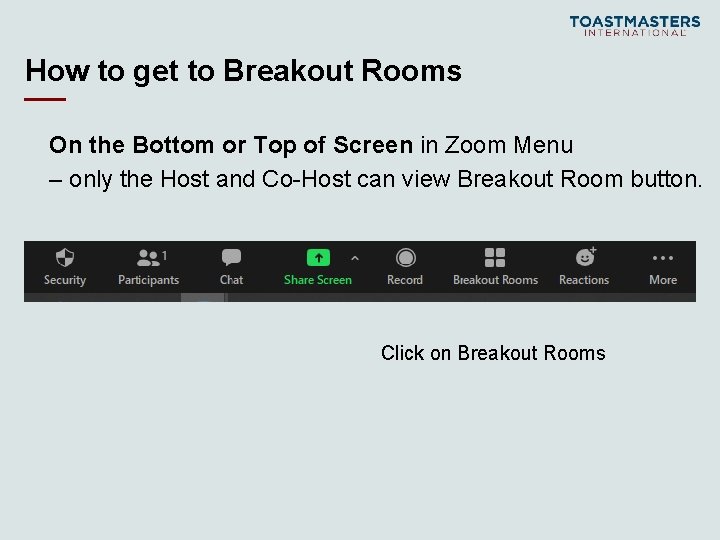
How to get to Breakout Rooms On the Bottom or Top of Screen in Zoom Menu – only the Host and Co-Host can view Breakout Room button. Click on Breakout Rooms
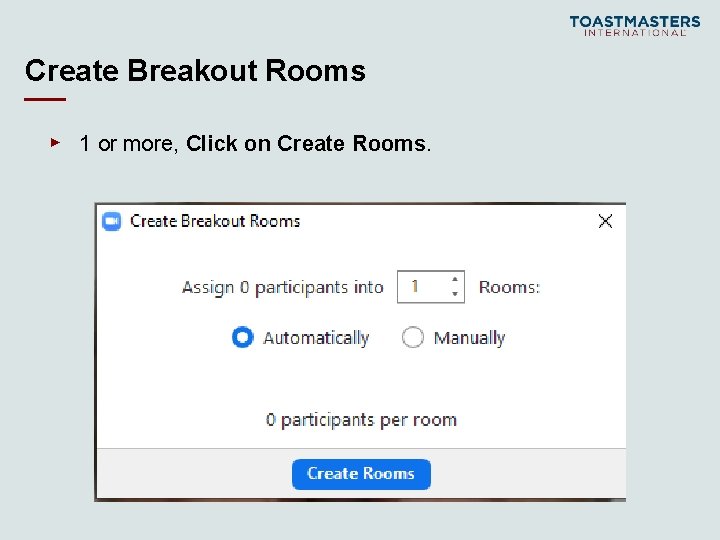
Create Breakout Rooms ▸ 1 or more, Click on Create Rooms.
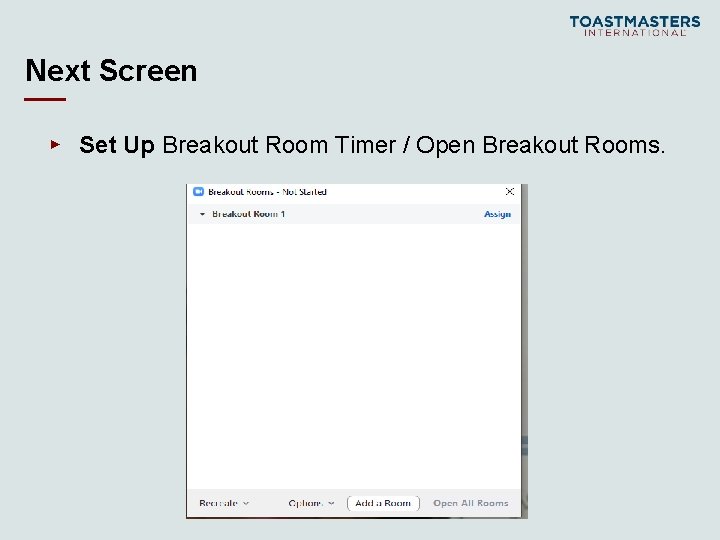
Next Screen ▸ Set Up Breakout Room Timer / Open Breakout Rooms.
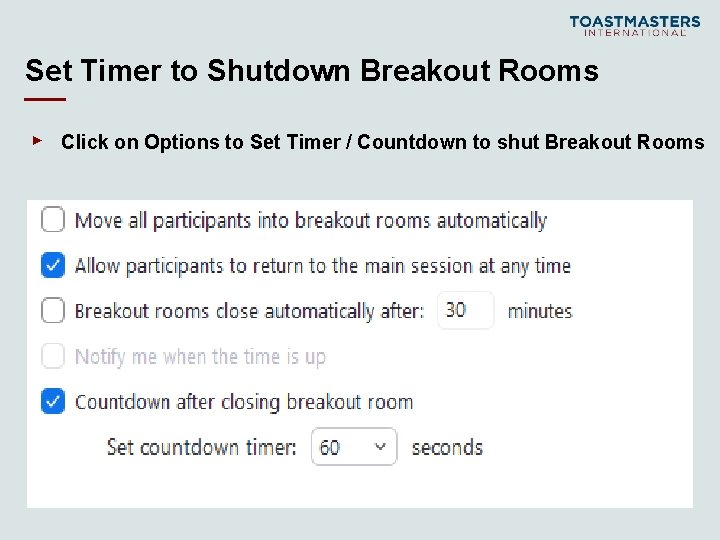
Set Timer to Shutdown Breakout Rooms ▸ Click on Options to Set Timer / Countdown to shut Breakout Rooms
Electronic Ballots for Judges ▸ Ballots allows you to type in Contestants Names ▸ Put in score for individual criteria ▸ It will add total score for each Contestant and place the top scores 1, 2 and 3 on the bottom of the ballot.
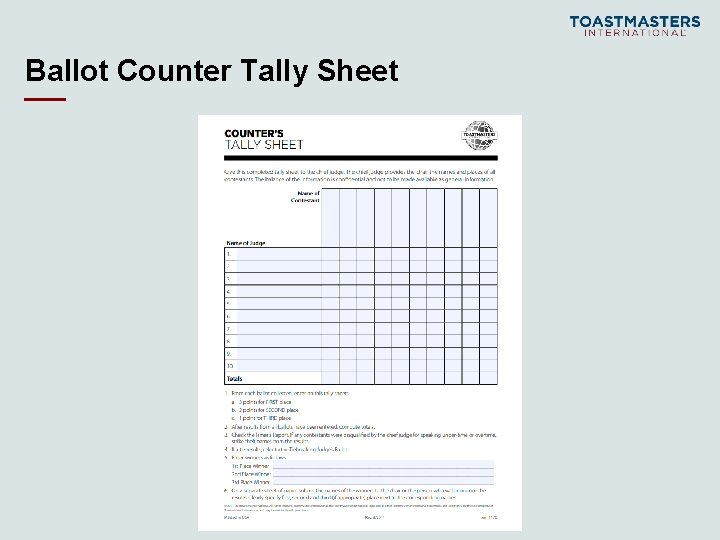
Ballot Counter Tally Sheet

Timer Sheets
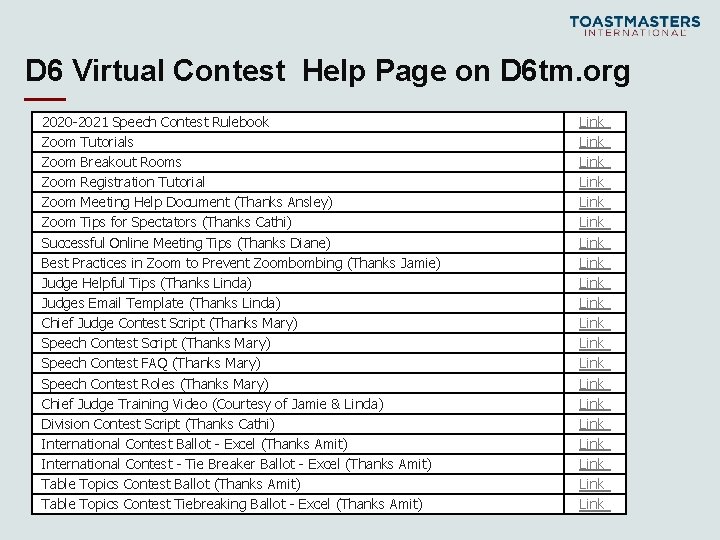
D 6 Virtual Contest Help Page on D 6 tm. org 2020 -2021 Speech Contest Rulebook Zoom Tutorials Zoom Breakout Rooms Zoom Registration Tutorial Zoom Meeting Help Document (Thanks Ansley) Zoom Tips for Spectators (Thanks Cathi) Successful Online Meeting Tips (Thanks Diane) Best Practices in Zoom to Prevent Zoombombing (Thanks Jamie) Judge Helpful Tips (Thanks Linda) Judges Email Template (Thanks Linda) Chief Judge Contest Script (Thanks Mary) Speech Contest FAQ (Thanks Mary) Speech Contest Roles (Thanks Mary) Chief Judge Training Video (Courtesy of Jamie & Linda) Division Contest Script (Thanks Cathi) International Contest Ballot - Excel (Thanks Amit) International Contest - Tie Breaker Ballot - Excel (Thanks Amit) Table Topics Contest Ballot (Thanks Amit) Table Topics Contest Tiebreaking Ballot - Excel (Thanks Amit) Link Link Link Link Link
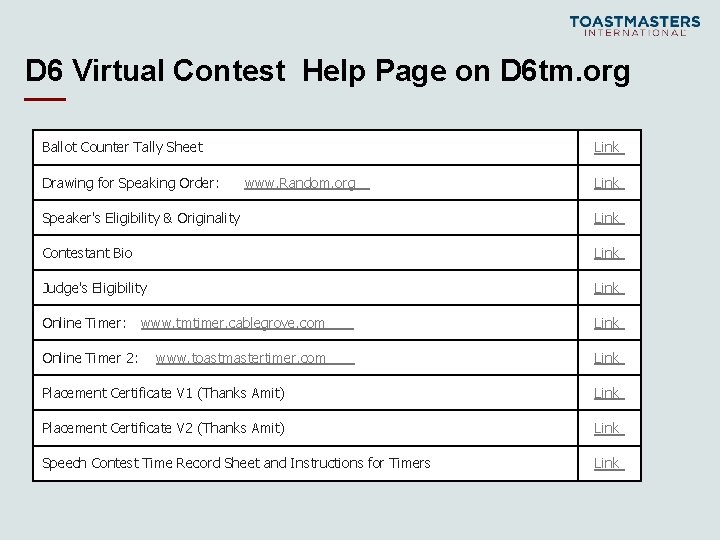
D 6 Virtual Contest Help Page on D 6 tm. org Ballot Counter Tally Sheet Drawing for Speaking Order: Link www. Random. org Link Speaker's Eligibility & Originality Link Contestant Bio Link Judge's Eligibility Link Online Timer: www. tmtimer. cablegrove. com Link www. toastmastertimer. com Link Online Timer 2: Placement Certificate V 1 (Thanks Amit) Link Placement Certificate V 2 (Thanks Amit) Link Speech Contest Time Record Sheet and Instructions for Timers Link

- Slides: 16