
Virtual Box What you need to know to
Virtual. Box What you need to know to build a Virtual Machine
What is a Virtual Machine? • A software implementation of a machine (i. e. a computer) that executes programs like a physical machine. • A Virtual Machine can run a completely isolated guest operating system installation within a normal host operating system.
What would you use a Virtual Machine for? • Testing out a Operating System without erasing or dual booting your existing OS. • Running software that is not compatible with your current OS. • Creating a secure environment for web browsing. • Resurrecting an old computer in a virtual environment on a modern system.
Emulation vs. Virtualization • Emulation involves emulating the virtual machines hardware and architecture, adding a layer of indirection and translation at the guest level. – An emulator can run on different chipsets than what the guest OS natively runs on. – However, that layer of indirection slows down the virtual machine significantly. • Virtualization involves isolating the virtual machine within memory, while the host instance passes the execution of the guest virtual machine directly to native hardware. – Without the translation layer, the performance of a virtualization virtual machine is much faster and approaches native speeds. – Since the native hardware is used, the chipset of the virtual machine must match.

Virtual. Box • Virtual. Box is virtualization software for the x 86 architecture (Intel) • Cross platform support – Will run on Windows, Linux and Macintosh • Integration features with Linux, Windows, Mac Guest OSs • Support for Virtualization Technology built in most modern CPUs • Support for virtualization of base I/O ports, optical drives, removable storage and network controllers. • Support VPN and Remote Desktop functions as well as Java based remote management through a web interface. • Supports translation of Open. GL and Direct 3 D extensions to the guest OS (YOU CAN GAME!)
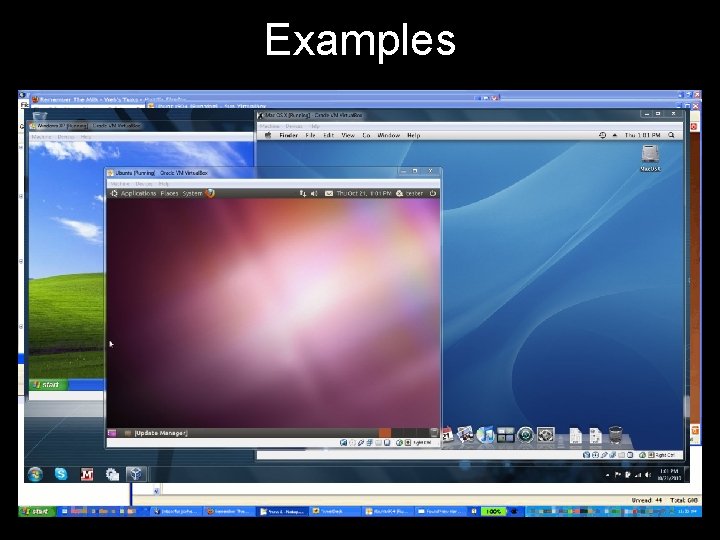
Examples
Live Demonstration
- Slides: 7