
VIM Roy Osherove http key boapps16 vim 7
VIM @Roy. Osherove http: //key. bo/apps/16 -vim 7 enn. com
Why VIM? • • • Lightweight Everywhere Remote coding via ssh Pair programming (ssh + tmux) Important skill (like regex) Feel Stupid, Learn Something
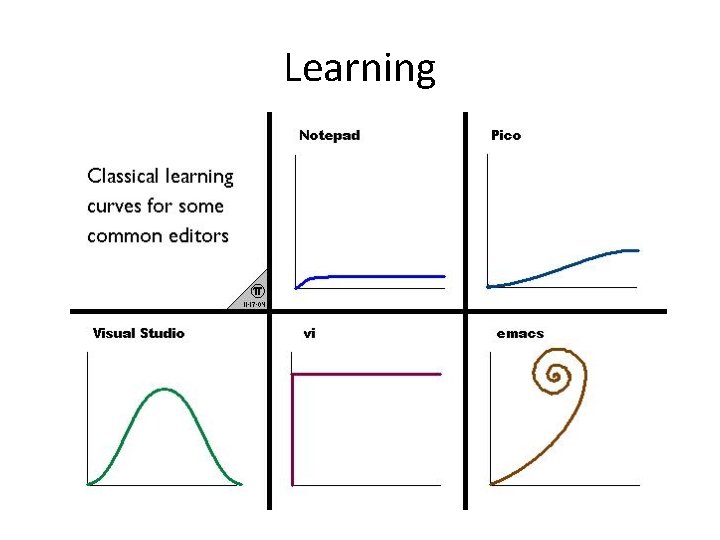
Learning
versions • 7. 3+ • Vi (vim) • Gui-vim (macvim, gvim on windowslinux)
Configuration • • • . vim file. vim directory Vim scripts and plugins Google “vim Janus” Github astrails dotvim
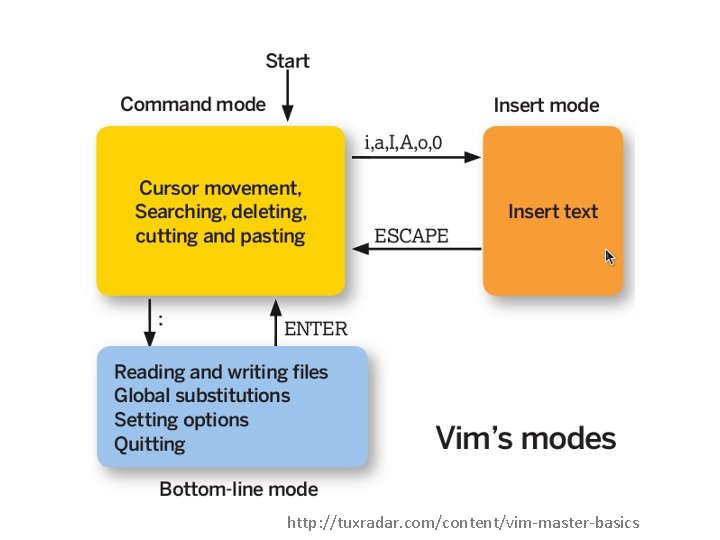
http: //tuxradar. com/content/vim-master-basics
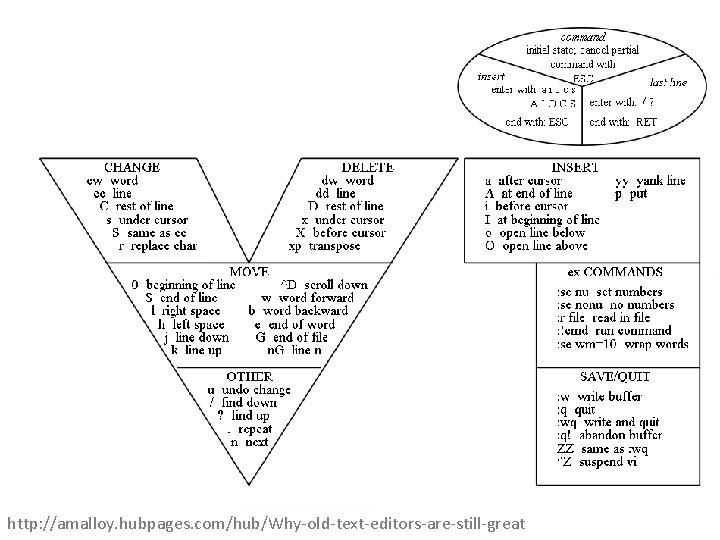
http: //amalloy. hubpages. com/hub/Why-old-text-editors-are-still-great
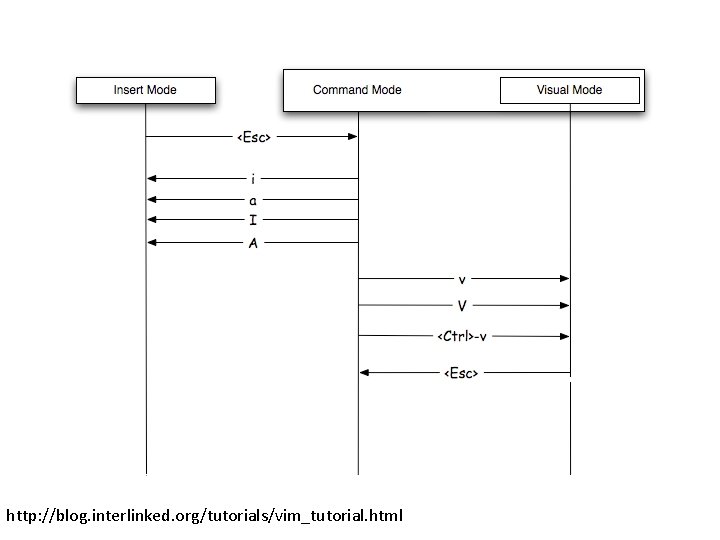
http: //blog. interlinked. org/tutorials/vim_tutorial. html
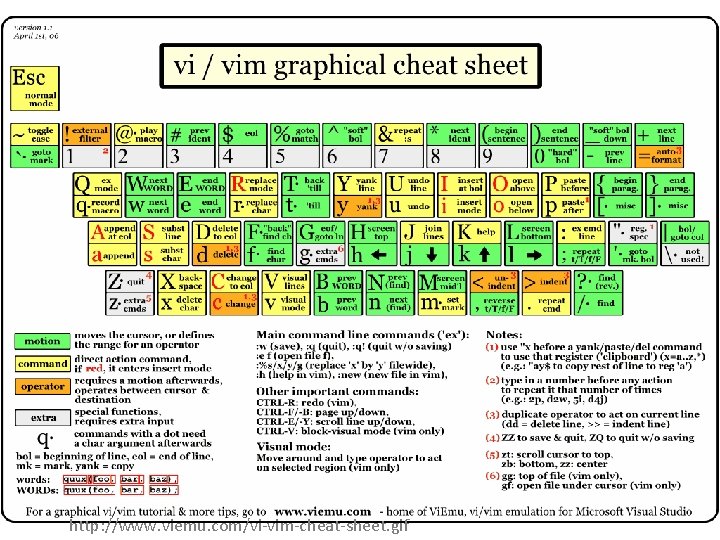
http: //www. viemu. com/vi-vim-cheat-sheet. gif
Favorite Plugins • • Surround plugin Rails Nerdtree Command-t (fuzzy finding)
Favorite keys • • • Cw and ciw S) Shift-v to line selection Cc to change line Dd to delete line
Practice cw • • • Load up piece of text Use / to find instance of ‘the’ Use ‘cw’ to change ‘the’ to ‘your’ Use ‘esc’ and then ‘n’ to move to next find Use ‘. ’ to repeat Use ‘n’ and ‘. ’ to repeat as many times as possible
Practice ciw • • • Load up piece of text Use / to find instance of ‘he’ Use ‘ciw’ to change ‘the’ to ‘your’ Use ‘esc’ and then ‘n’ to move to next find Use ‘. ’ to repeat Use ‘n’ and ‘. ’ to repeat as many times as possible
Practice o and O • Load up piece of text • Use j to go to 2 nd line • For each line use shift O to enter a line above and o to insert a line below • Use. To repeat actions
Other vims • vs. Vim for visual studio • Vi. Emu for Word • Vimium and vimperator firefox and chrome • Vi-like command line in zsh (configure yourself)
- Slides: 16