
Viking Pump Flow Manager Phase 2 Senior Design

- Slides: 28
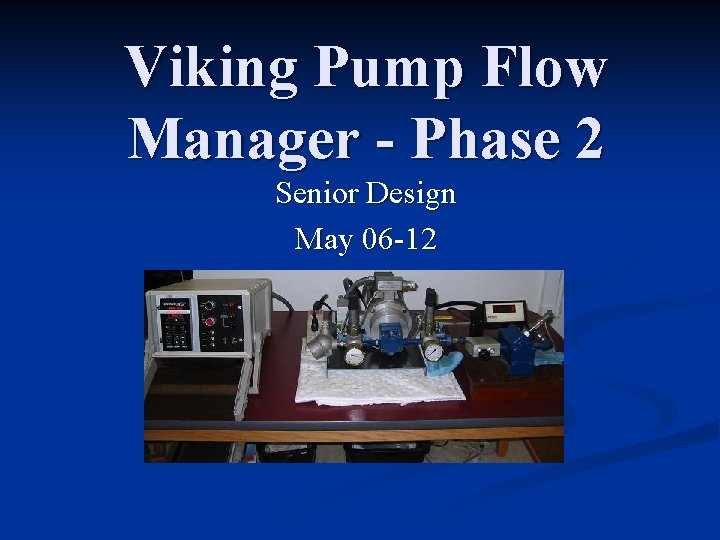
Viking Pump Flow Manager - Phase 2 Senior Design May 06 -12
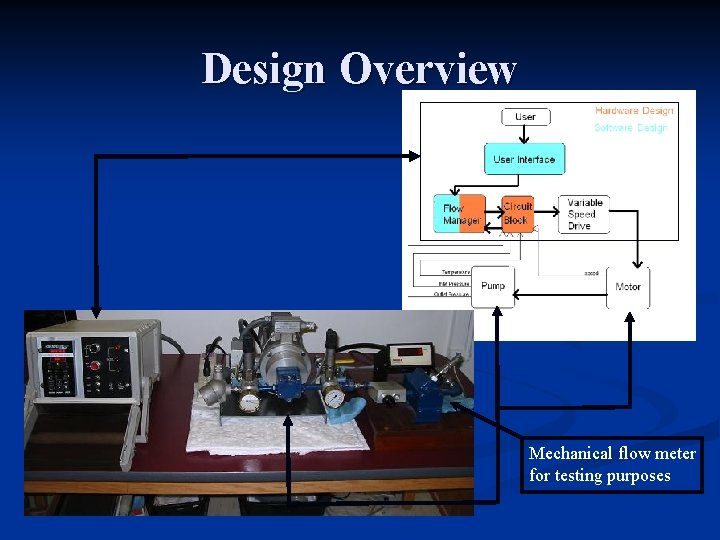
Flow Manager Overview Idea - to produce a specified the flow of a viscous liquid using a positive displacement pump without using mechanical means of measurement. n Method - using inputs from sensors on the pump setup, and characteristics about the liquid itself as inputs to an algorithm, a specified pump speed is defined to produce the specified flow. n
Disadvantages of the Current Pump Controller n User interface n n Lack of parts for the Flow Manager system n n Lacks the intuitiveness of common updated human interface Input to and from the user is limited in scope. is difficult to use Some of the parts are custom to the device, this makes the parts dependent on one manufacturer and increases cost of the product PC to Flow Manager interface n This interface is limited in scope and ability, will not be compatible with new Flow Manager
Main Project Goals n Redesign the user interface so that it is easier to use and understand n n Use eggs that can move between baskets n n n Using a touch screen, custom menus may be made to fit special case making the Flow Manager easier to use Portable software is not confined to one specific hardware device. Making the software portable will allow it to be used on other touch screens with only minor modifications. Use readily available components so that supply of parts is not limited by one manufacture or company. Update current features of the Flow Manager n n Update computer interface to more user-friendly, aesthetically pleasing Possibly improve the control of the pump by using better software techniques
Design Overview Mechanical flow meter for testing purposes
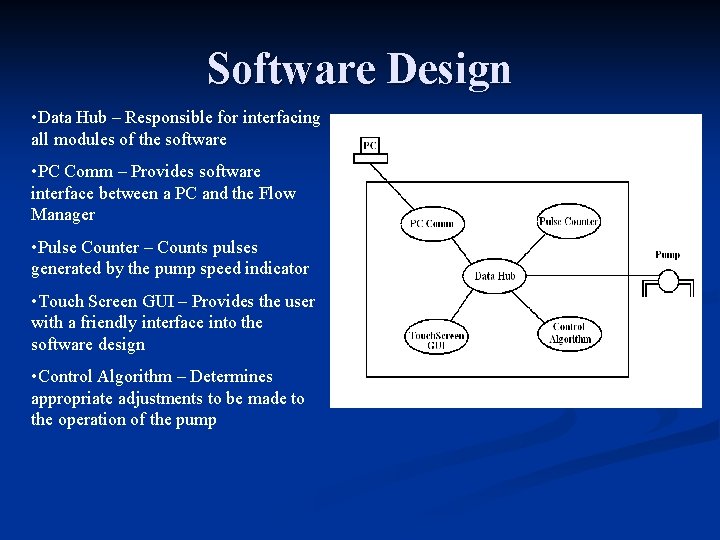
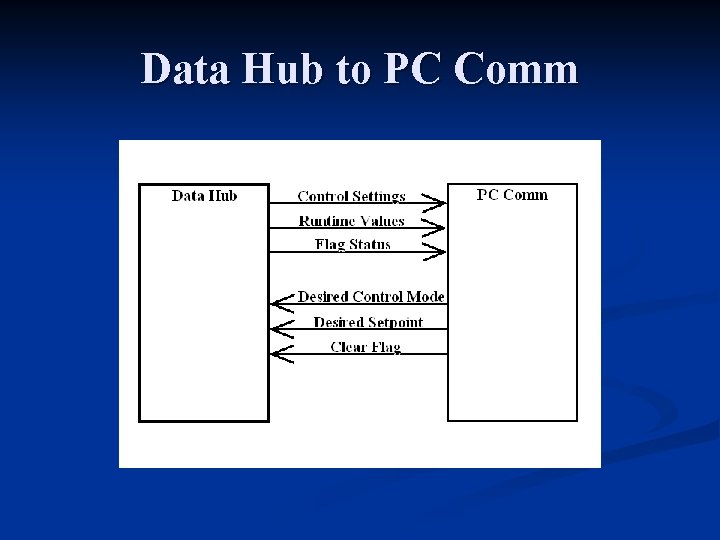
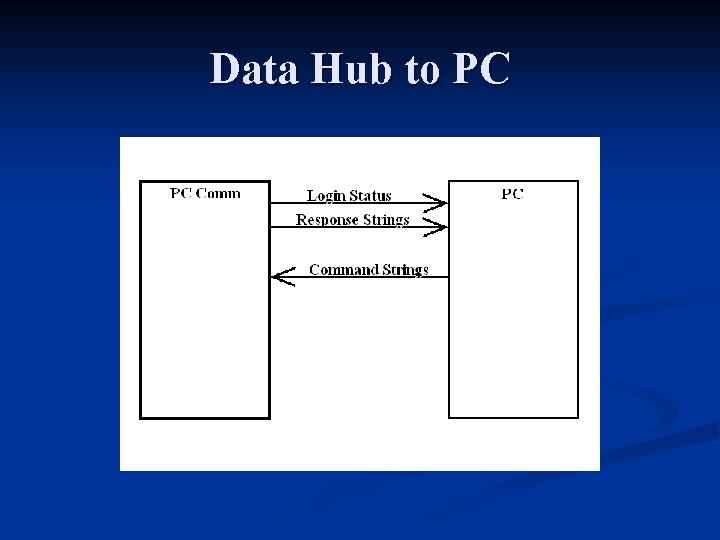
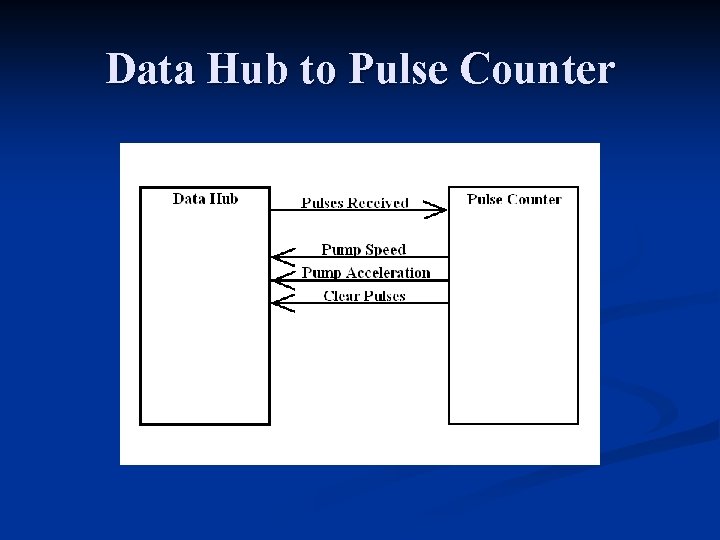
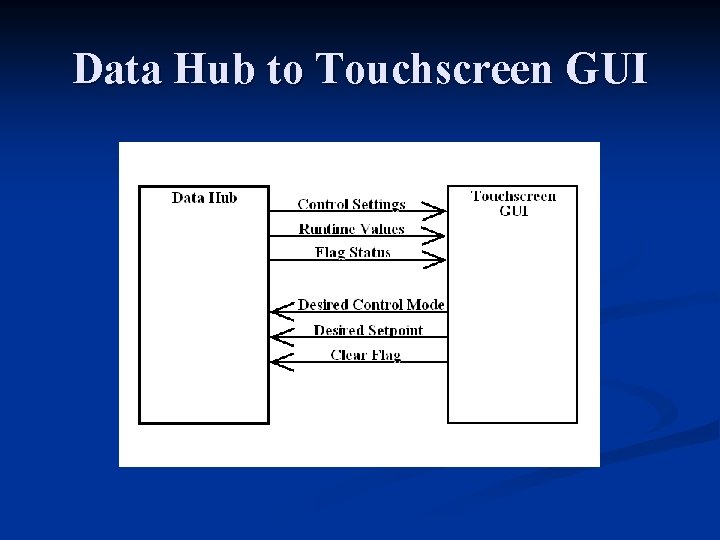
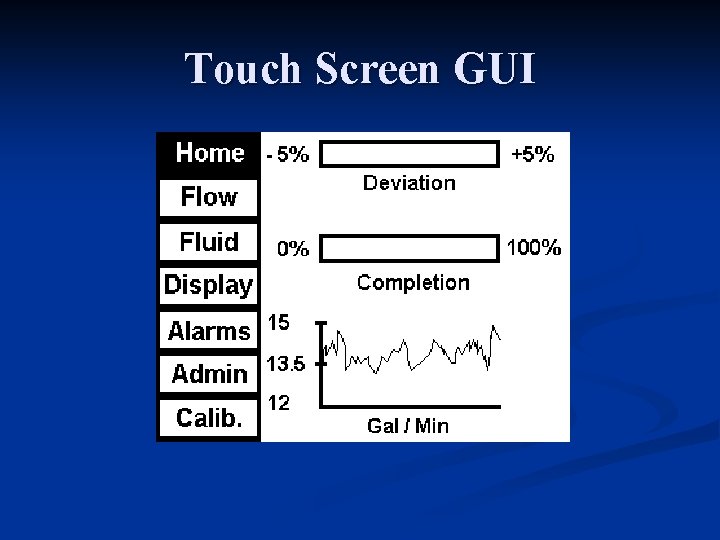
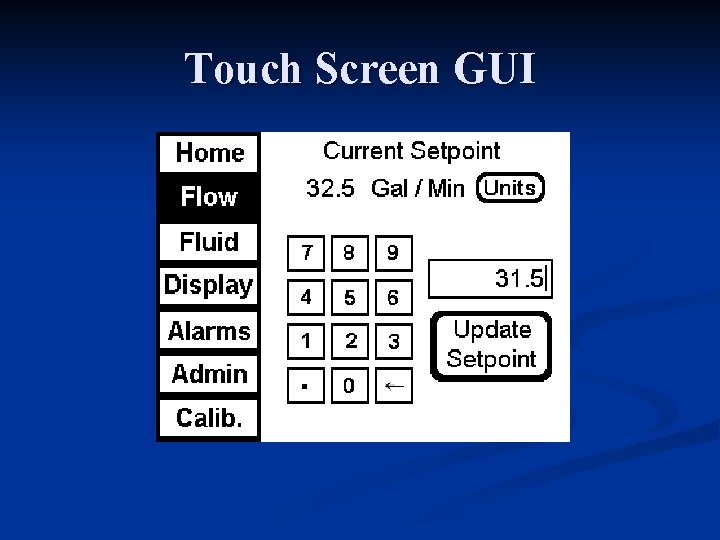
Software Design • Data Hub – Responsible for interfacing all modules of the software • PC Comm – Provides software interface between a PC and the Flow Manager • Pulse Counter – Counts pulses generated by the pump speed indicator • Touch Screen GUI – Provides the user with a friendly interface into the software design • Control Algorithm – Determines appropriate adjustments to be made to the operation of the pump
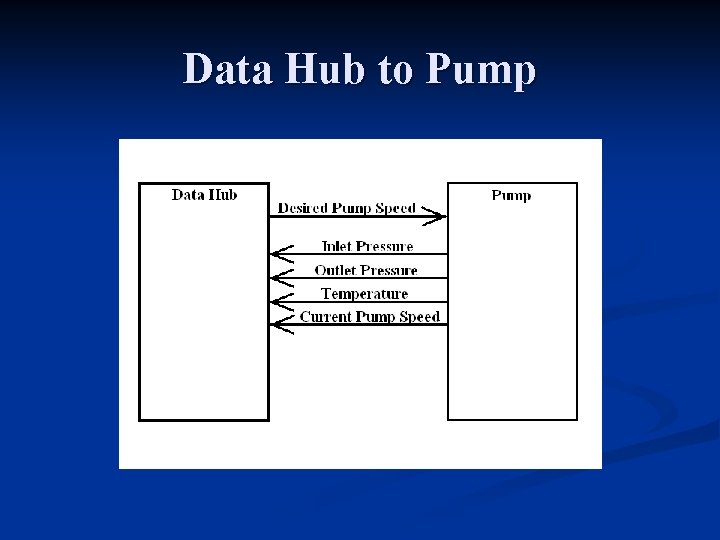
Data Hub to Pump
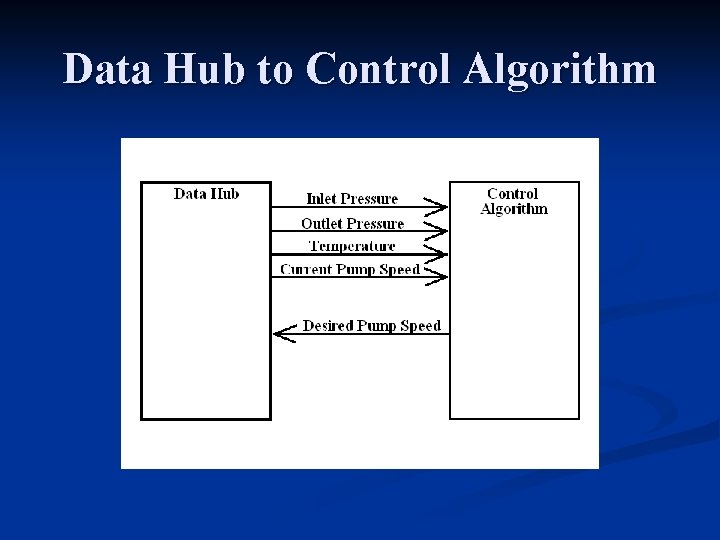
Data Hub to Control Algorithm
Data Hub to PC Comm
Data Hub to PC
Data Hub to Pulse Counter
Data Hub to Touchscreen GUI
Touch Screen GUI
Touch Screen GUI
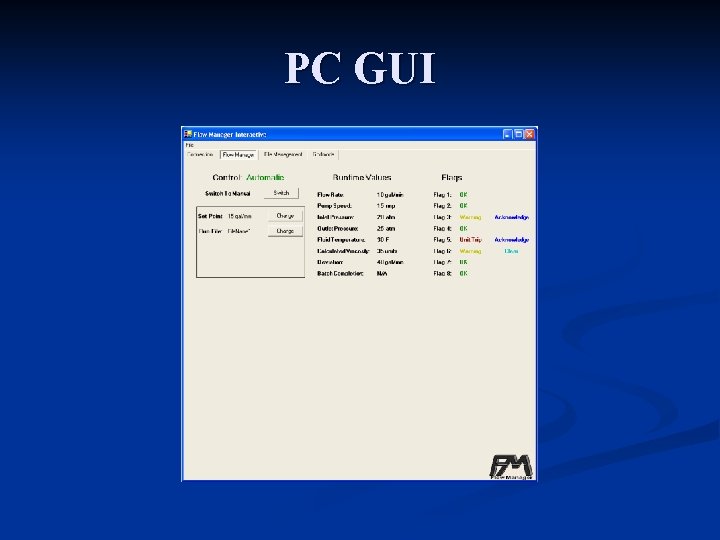
PC GUI
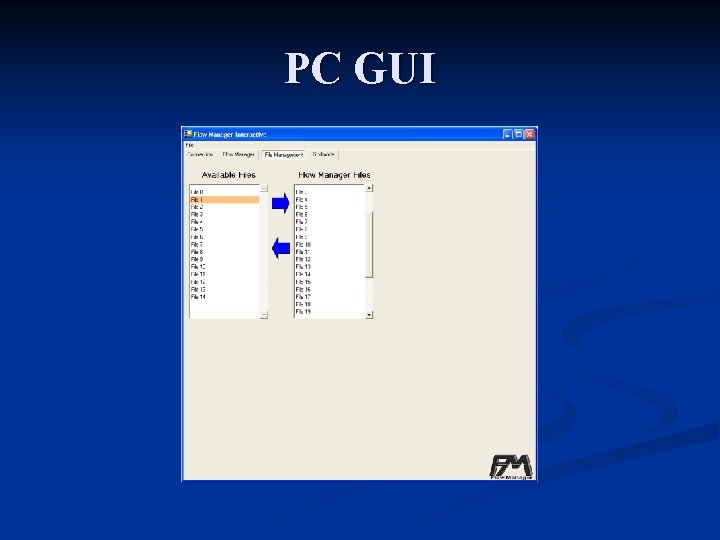
PC GUI
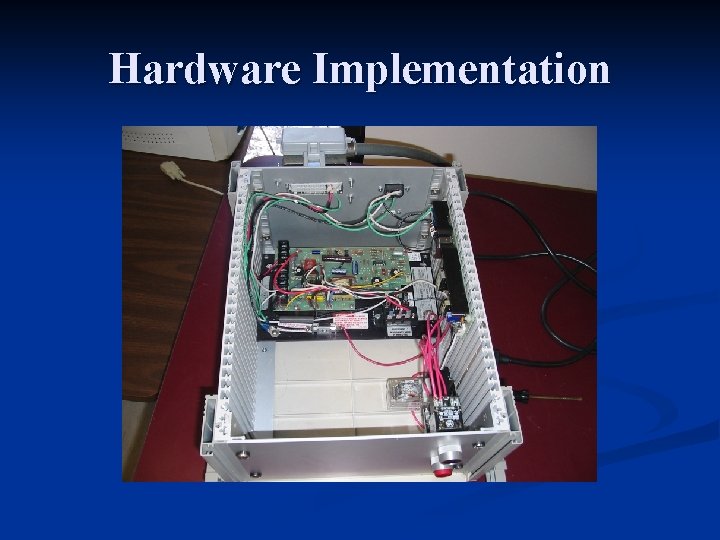
Hardware Implementation
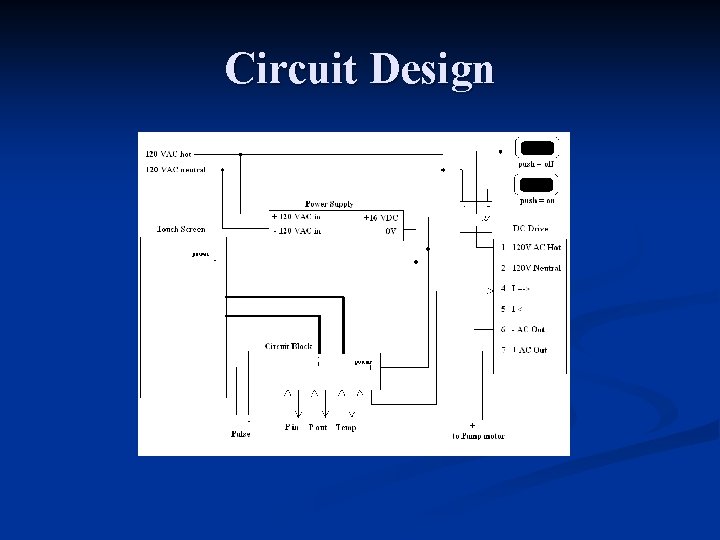
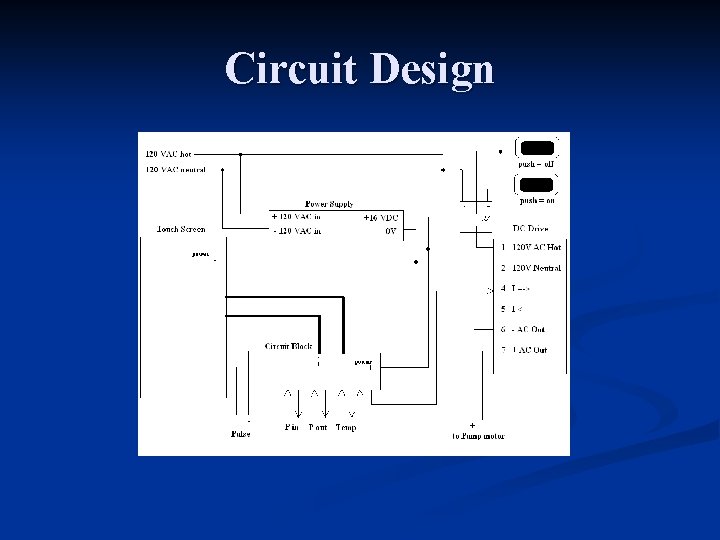
Circuit Design
Power Supply n Supplies DC power To touch screen n To Circuit block n
Push Buttons/Relay Don’t allow DC to function unless switch is close n Mounted and functioning correctly n
Touch screen User interface & input /output signals n Input /output signals function well when testing with an external power supply n n however difficulty exist with interfacing with drive n Functionality the DC
Circuit Design
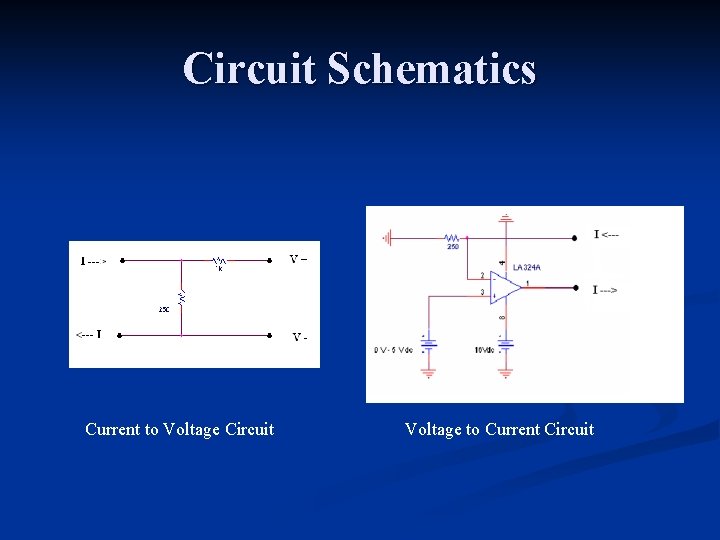
Circuit block Convert current input to voltages n Convert voltage outputs to currents n Built on breadboard; actual circuit need to be made. n
Circuit Schematics Current to Voltage Circuit Voltage to Current Circuit
DC Drive Controls speed through variable frequency AC signal n Mounted in the box n Functions correctly when tested with external power supply and circuit block n Problems exist when connecting to touch screen through circuitry n
Next Step Obtain several DACs to independently figure out how and why the team’s design failed. n Understand how the current Flow Manager interfaces with the DC Dive n Understand the circuitry of the DC Drive n
Possible Solutions New QED Board ($250) n Solder new DAC ($12) n Use discrete outputs to control an external DAC n Use pulse width modulator on card n
Questions?