
Videoconferencing Network Tools Troubleshooting Dave DevereauxWeber University of
Videoconferencing: Network Tools & Troubleshooting Dave Devereaux-Weber University of Wisconsin-Madison Internet 2 Commons Site Coordinator Training March 31, 2005
Delay and Jitter Delay is the elapsed time from send to receive Jitter is variation in delay for each packet 2
• Lost Packets When a packet arrives too late to be displayed, the codec assumes it is lost. If network issues delay a packet, the codec calls it lost, but the router does not. 3
• TCP and UDP Transmission Control Protocol • This protocol guarantees receipt Universal Datagram Protocol • This protocol does NOT guarantee receipt Video is so time sensitive that retransmission does not help, so UDP is used Email, WWW and file transfer use TCP can mask a poor connection, video shows all the network faults. 4

• Duplex Mismatch Using thicknet Ethernet, the same wire was used for sending and receiving; if more than 1 talker at same time, packet errors. Using twisted pair or fiber, different wire for transmit and receive, but ports need to be told to wait for quiet (half duplex) or talk anytime (full duplex). Mismatch when 1 at half, 1 at full. 5
• Auto Speed, Duplex Ports can be told to automatically set speed & duplex. The standard says: if you are in auto and the other end is not auto, drop to default of 10/half. The danger is that if 1 end is set for 100/full and the other is auto, the auto end, detecting non-auto on the other end must drop to 10/half 6
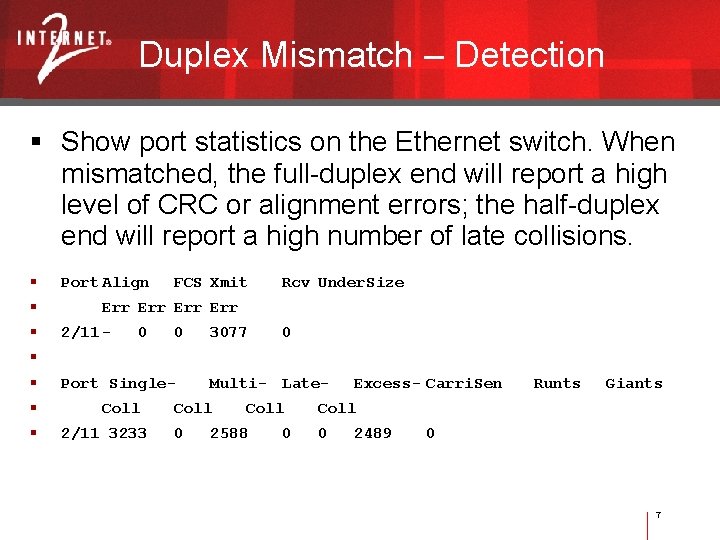
Duplex Mismatch – Detection Show port statistics on the Ethernet switch. When mismatched, the full-duplex end will report a high level of CRC or alignment errors; the half-duplex end will report a high number of late collisions. Port Align FCS Xmit Rcv Under. Size Err Err 2/11 - 0 0 3077 0 Port Single- Coll 2/11 3233 Multi- Late- Coll 0 Coll 2588 0 Excess- Carri. Sen Runts Giants Coll 0 2489 0 7
• Firewall Consult your vendor website for firewall recommendations 8
Ping Test for availability, loss, and roundtrip time ICMP Echo Request • Plus optional dummy payload – only in the direction of the ping, i. e. , source to destination 9
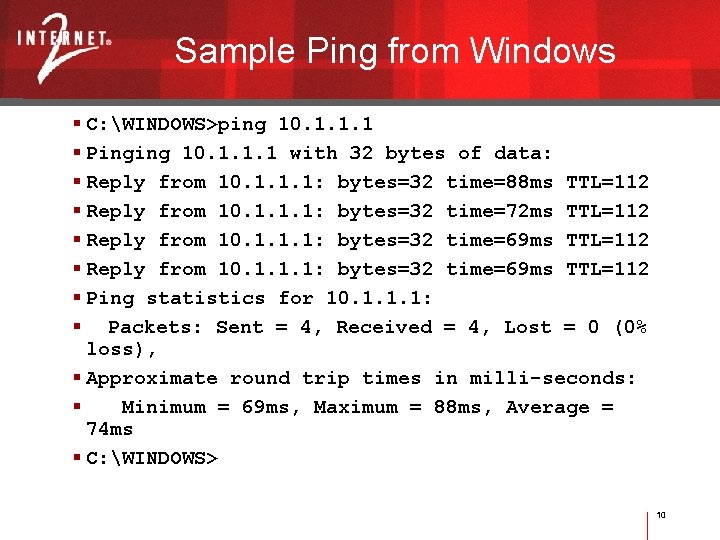
Sample Ping from Windows C: WINDOWS>ping 10. 1. 1. 1 Pinging 10. 1. 1. 1 with 32 bytes of data: Reply from 10. 1. 1. 1: bytes=32 time=88 ms TTL=112 Reply from 10. 1. 1. 1: bytes=32 time=72 ms TTL=112 Reply from 10. 1. 1. 1: bytes=32 time=69 ms TTL=112 Ping statistics for 10. 1. 1. 1: Packets: Sent = 4, Received = 4, Lost = 0 (0% loss), Approximate round trip times in milli-seconds: Minimum = 69 ms, Maximum = 88 ms, Average = 74 ms C: WINDOWS> 10
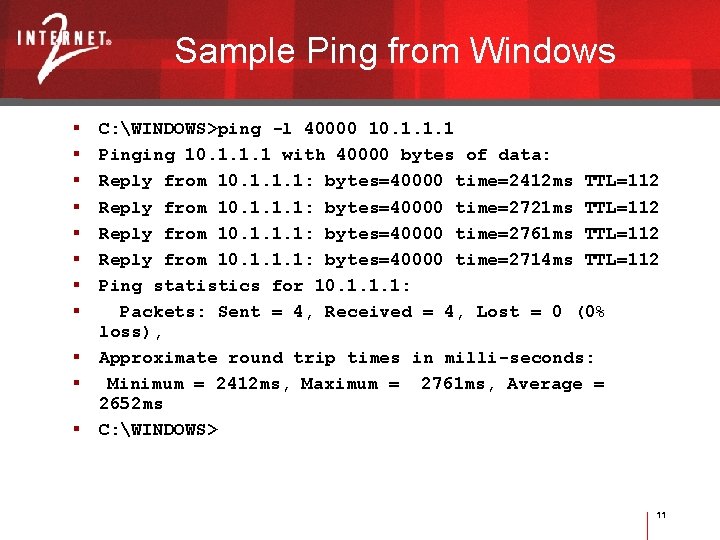
Sample Ping from Windows C: WINDOWS>ping -l 40000 10. 1. 1. 1 Pinging 10. 1. 1. 1 with 40000 bytes of data: Reply from 10. 1. 1. 1: bytes=40000 time=2412 ms TTL=112 Reply from 10. 1. 1. 1: bytes=40000 time=2721 ms TTL=112 Reply from 10. 1. 1. 1: bytes=40000 time=2761 ms TTL=112 Reply from 10. 1. 1. 1: bytes=40000 time=2714 ms TTL=112 Ping statistics for 10. 1. 1. 1: Packets: Sent = 4, Received = 4, Lost = 0 (0% loss), Approximate round trip times in milli-seconds: Minimum = 2412 ms, Maximum = 2761 ms, Average = 2652 ms C: WINDOWS> 11
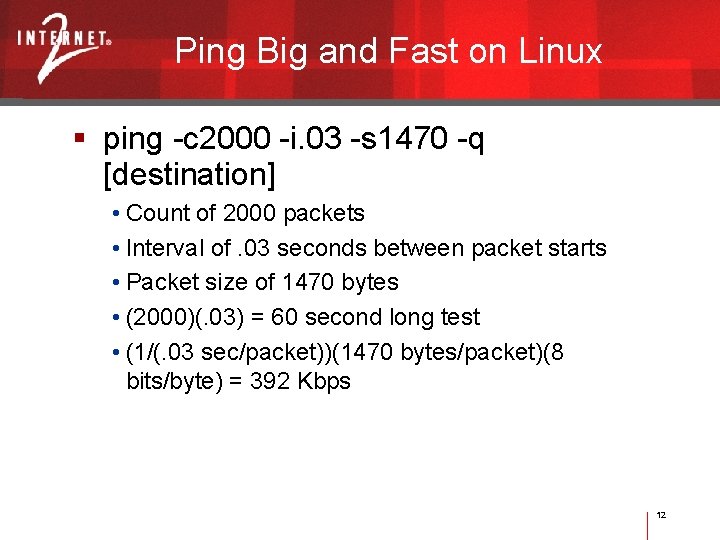
Ping Big and Fast on Linux ping -c 2000 -i. 03 -s 1470 -q [destination] • Count of 2000 packets • Interval of. 03 seconds between packet starts • Packet size of 1470 bytes • (2000)(. 03) = 60 second long test • (1/(. 03 sec/packet))(1470 bytes/packet)(8 bits/byte) = 392 Kbps 12
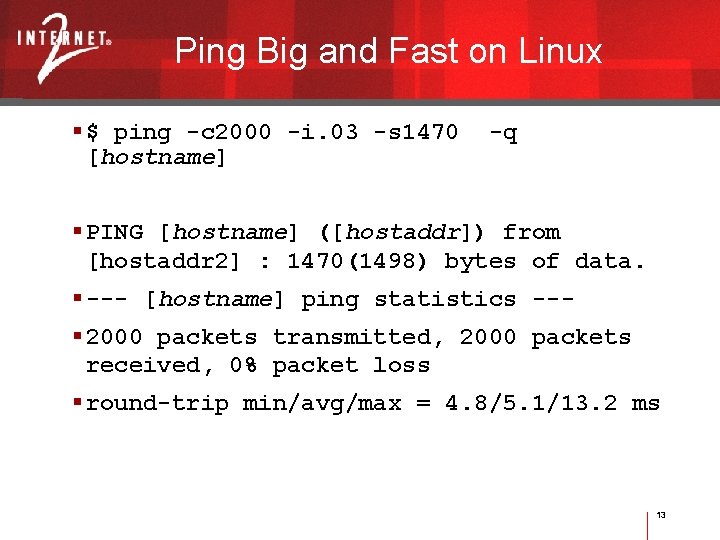
Ping Big and Fast on Linux $ ping -c 2000 -i. 03 -s 1470 [hostname] -q PING [hostname] ([hostaddr]) from [hostaddr 2] : 1470(1498) bytes of data. --- [hostname] ping statistics -- 2000 packets transmitted, 2000 packets received, 0% packet loss round-trip min/avg/max = 4. 8/5. 1/13. 2 ms 13
Traceroute Used to discover the layer-3 network path (routers) between the two endpoints Doesn’t identify layer-2 devices (switches) Take baselines – know what your path should be in advance of trouble 14
Traceroute Microsoft Windows tracert uses ICMP Unix traceroute uses UDP If Microsoft Windows tracert appears to show continuous timeouts, the router may be filtering ICMP traffic – try a Unix/Linux traceroute. 15
![Traceroute; Sample Output [dodpears@huck dodpears]$ traceroute www. internet 2. edu traceroute to www. internet](http://slidetodoc.com/presentation_image/c5ed3b84baf5899f3a361b8831115e8a/image-16.jpg "Traceroute; Sample Output [dodpears@huck dodpears]$ traceroute www. internet 2. edu traceroute to www. internet")
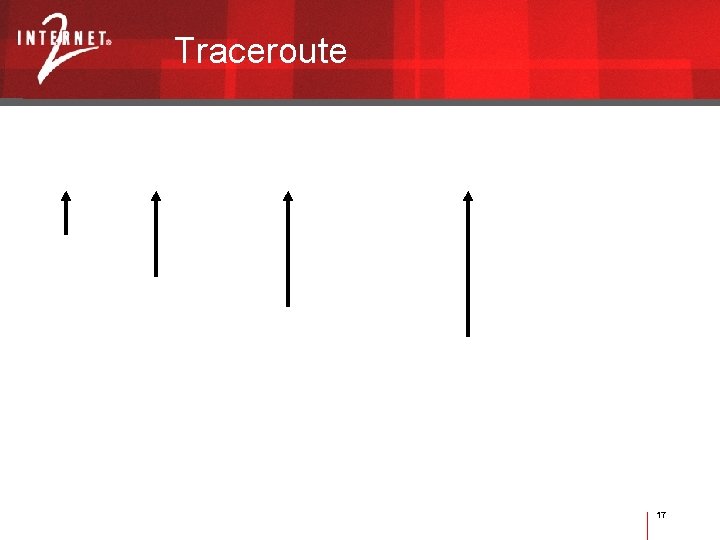
Traceroute; Sample Output [dodpears@huck dodpears]$ traceroute www. internet 2. edu traceroute to www. internet 2. edu (209. 211. 239. 208), 30 hops max, 38 byte packets 1 wcc-sub 5 -hp 1 (129. 79. 5. 253) 11. 726 ms 0. 627 ms 0. 571 ms 2 iub-gw (129. 79. 8. 10) 3. 133 ms 0. 717 ms 0. 651 ms 3 156. 249. 22 (156. 249. 22) 2. 544 ms 3. 138 ms 2. 538 ms 4 abilene-iupui. abilene. ucaid. edu (198. 32. 11. 13) 5. 245 ms 3. 402 ms 3. 493 ms 5 clev-ipls. abilene. ucaid. edu (198. 32. 8. 26) 9. 381 ms 9. 586 ms 9. 244 ms 6 nycm-clev. abilene. ucaid. edu (198. 32. 8. 30) 23. 198 ms 21. 963 ms 21. 775 ms 7 border-abilene-oc 3. advanced. org (209. 211. 237. 97) 23. 448 ms 23. 268 ms 23. 052 ms 8 www. internet 2. edu (209. 211. 239. 208) 23. 559 ms 23. 478 ms 23. 234 ms 16
Traceroute 17
Traceroute – Example Uses Identify the path, and then perform pings along the path segments to isolate troublesome segments. Insure that Internet 2 is being used for a connection, rather than commercial Internet. 18

Looking Glass These network tools work from your vantage point out; what if you want to measure from some other vantage point back in? You want a looking glass: See traceroute. org 19
Ping Plotter Shareware tool; $15 • http: //www. pingplotter. com Performs a visual traceroute and ping tests along the entire path Permits identification of bottlenecks along a path 20
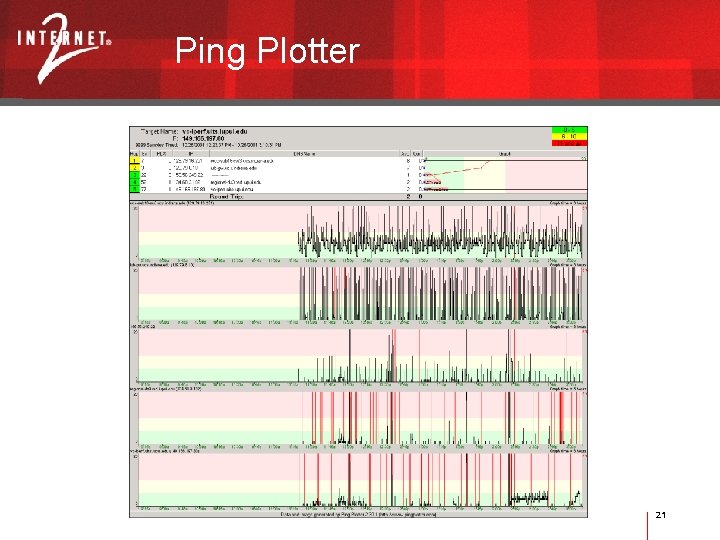
Ping Plotter 21
MRTG. ORG Multi Router Traffic Grapher Open Source Collect and graph scalar, time-based data, e. g. , router and link performance data. 22
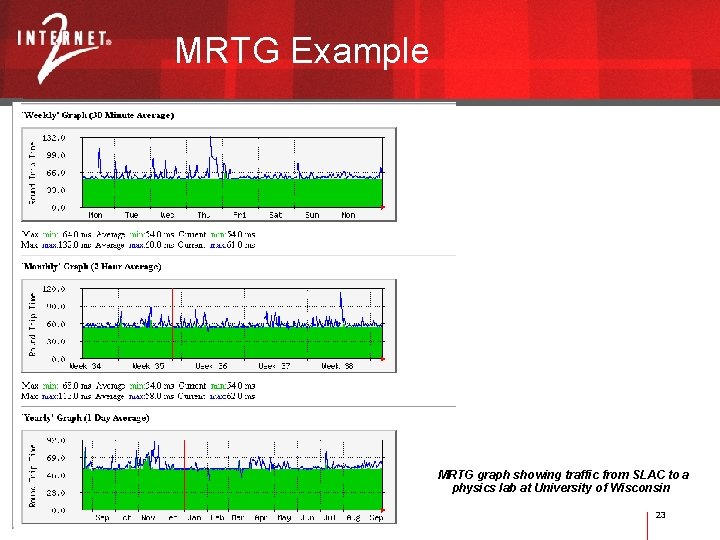
MRTG Example MRTG graph showing traffic from SLAC to a physics lab at University of Wisconsin 23
Iperf Client/server application that • Measures maximum TCP bandwidth • Facilitates tuning of TCP and UDP parameters • Reports bandwidth, jitter, and packet loss http: //dast. nlanr. net/Projects/Iperf/ 24
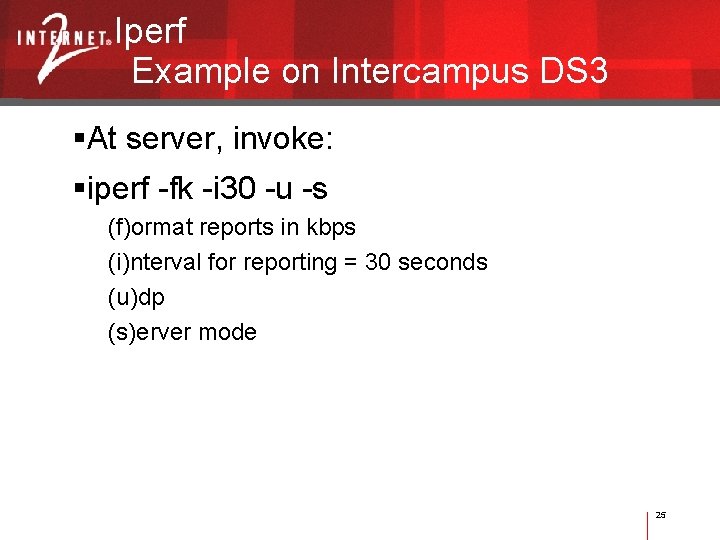
Iperf Example on Intercampus DS 3 At server, invoke: iperf -fk -i 30 -u -s (f)ormat reports in kbps (i)nterval for reporting = 30 seconds (u)dp (s)erver mode 25
Gnuplotping Pings multiple hosts in parallel with graphical display (gnuplot) of the delay distribution. Runs on Unix/X-Windows http: //www. gnuplot. info/ 26
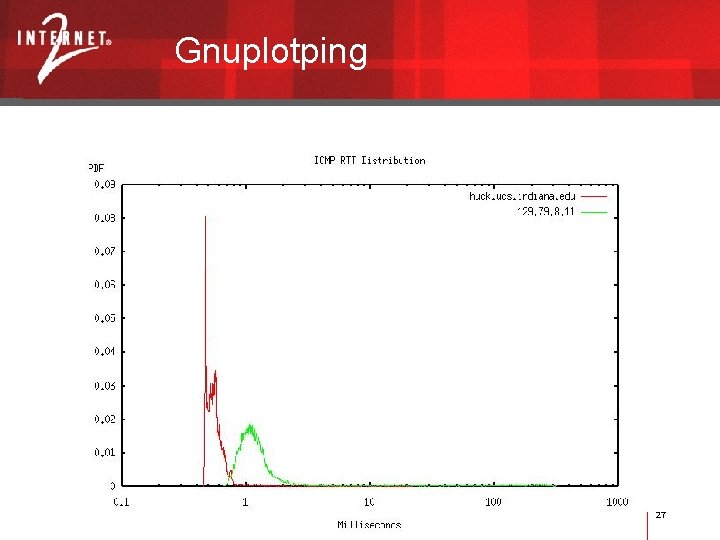
Gnuplotping 27
Network Traffic Analyzer Reveals the traffic on a LAN Protocol analysis Reports such as utilization, protocols, conversations, nodes, etc. 28
Network Traffic Analyzer: Software Ethereal http: //ethereal. com/ Ether. Peek http: //wildpackets. com/ 29
Network Traffic Analyzer: Commercial Hardware Fluke Networks Net. Tool http: //www. flukenetworks. com/us/LAN/Handheld+Testers/Net. Tool/Overview. htm This is a technician-oriented tool to perform diagnostics and testing. Fluke has an excellent white paper on auto-negotiation problems. Highly recommended. Network Associates Sniffer http: //nai. com/ This is an engineer-oriented tool to analyze packets and traffic- often needs interpretation. 30
Internet 2 Detective I 2 Detective is a small application. Very easy to use Detects Internet 2 connection. Measures connection bandwidth (using Iperf). Detects multicast connection. • http: //detective. internet 2. edu/ 31
ANL Web 100 based Network Diagnostic Tester (NDT) Highly recommended http: //miranda. ctd. anl. gov: 7123/ • Located at Argonne National Laboratory; 100 Mbps Fast. Ethernet network connection This java applet was developed to test the reliability and operational status of your desktop computer and network connection. It does this by sending data between your computer and this remote NDT server. These tests will determine: • The slowest link in the end-to-end path (Dial-up modem to 10 Gbps Ethernet/OC-192) • The Ethernet duplex setting (full or half); • If congestion is limiting end-to-end throughput. It can also identify 2 serious error conditions: • Duplex Mismatch • Excessive packet loss due to faulty cables. 32
H. 323 Beacon Open Source Software Used to measure, monitor and qualify the performance of an H. 323 Videoconference session. Provides H. 323 -protocol specific evidence and other information necessary to troubleshoot H. 323 application performance problems in the network and at the host (end -to-end) • http: //www. itecohio. org/beacon/ 33

Other Tools CAIDA Internet Measurement Tool Taxonomy http: //www. caida. org/tools/taxonomy/measurement/ A comprehensive list of internet measurement tools 34
Vi. De Videoconferencing Cookbook http: //videnet. gatech. edu/cookbook/ All about videoconferencing 35
Network Performance Advisor From National Laboratory for Applied Network Research (NLANR) http: //dast. nlanr. net/projects/advisor/ The NLANR Network Performance Advisor is an easily customizable framework that provides a single application to integrate the measurement, analysis, and display of network performance statistics. Free, open-source software 36
Chariot Now Ix. Chariot http: //www. ixiacom. com/products/performance_applications/pa_display. php? skey=pa_ixchar iot§ion=perftest Computer-based, distributed measurement with central control Commercial software 37
- Slides: 37