
Victron Global Remote Victron Ethernet Remote Contents System
Victron Global Remote Victron Ethernet Remote
Contents • • System overview diagrams Detailed connection schematics Examples of Text messages (SMS) vrm. victronenergy. com: free online portal Configuring GPRS VGR Configure software Remote VEConfigure
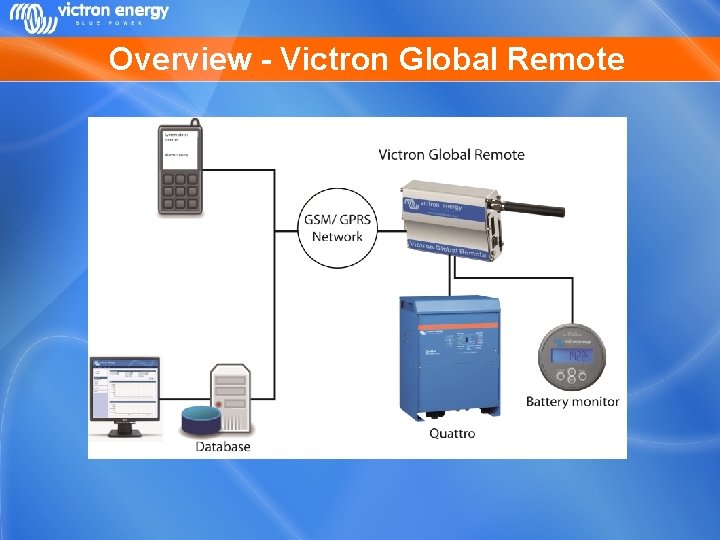
Overview - Victron Global Remote
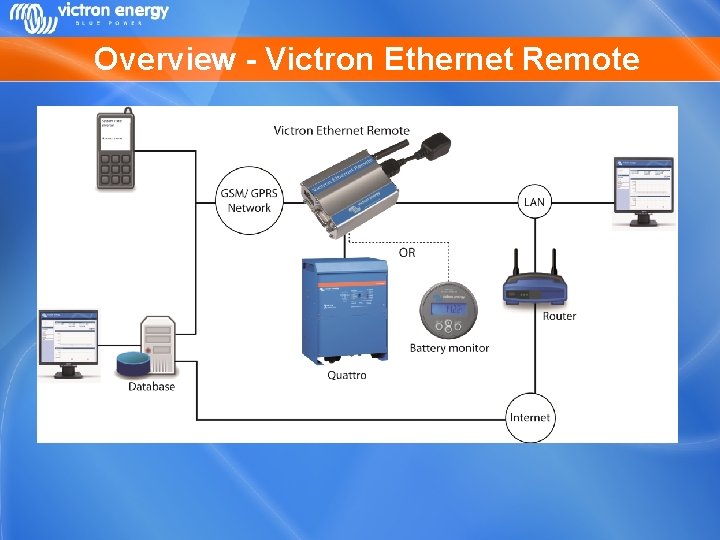
Overview - Victron Ethernet Remote
System schematics There are four main different configurations possible: • • VGR with BMV and/or VE. Bus and IO Extender VER with BMV VER with VE. Bus
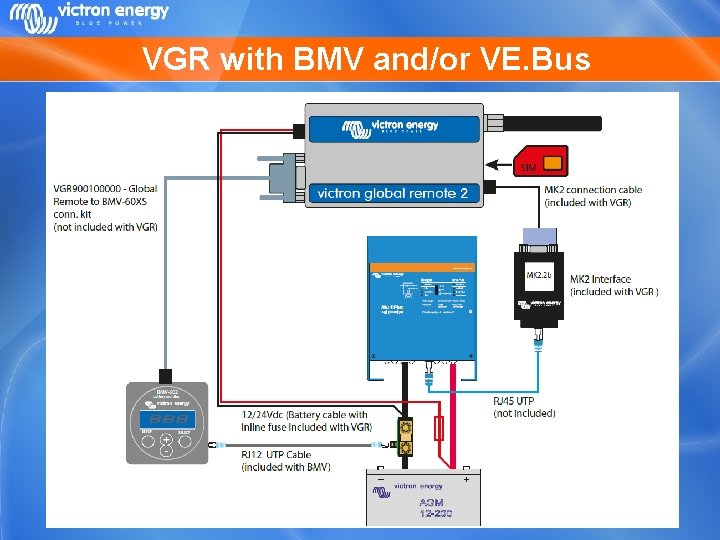
VGR with BMV and/or VE. Bus
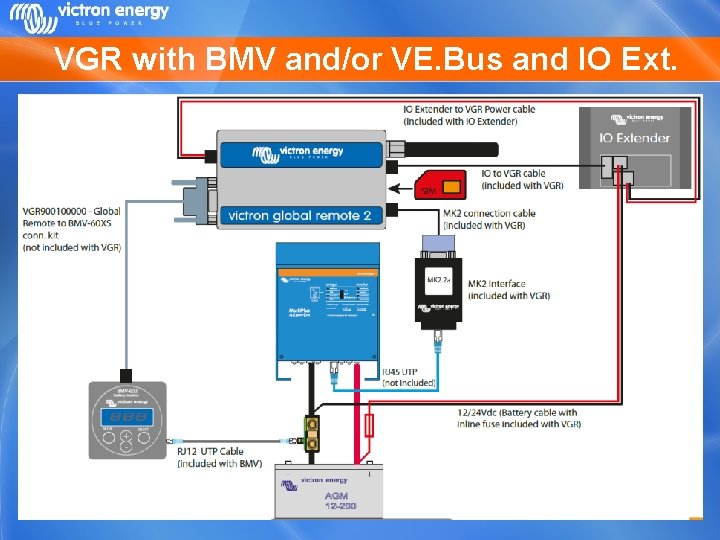
VGR with BMV and/or VE. Bus and IO Ext.
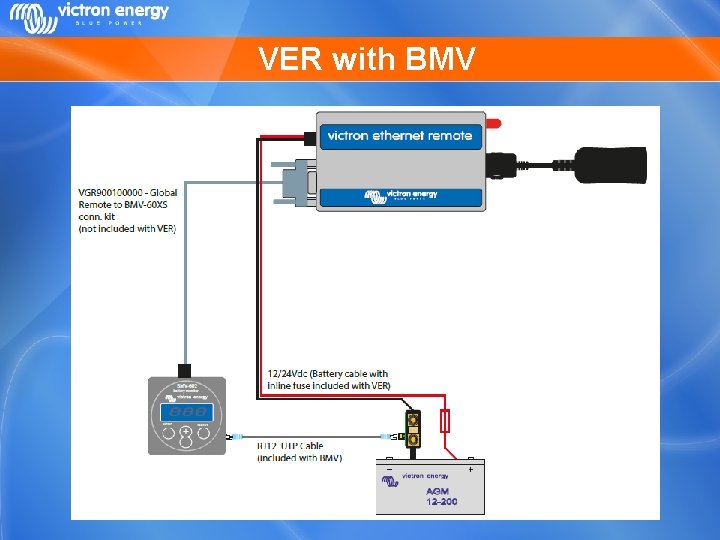
VER with BMV
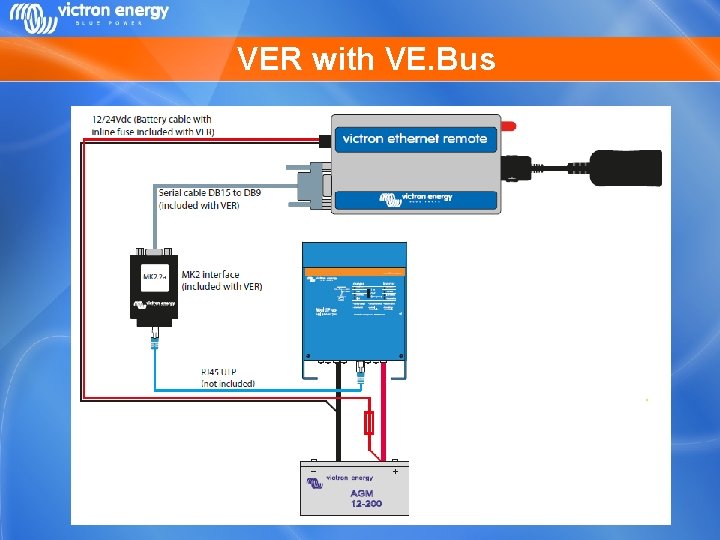
VER with VE. Bus
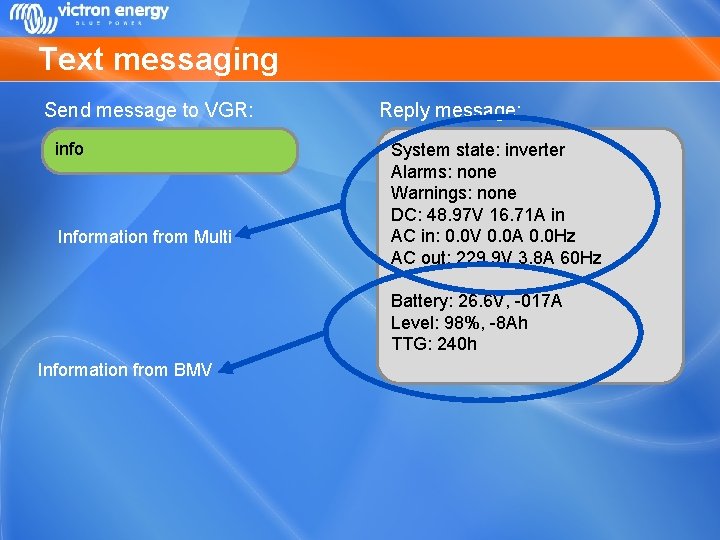
Text messaging Send message to VGR: info Information from Multi Reply message: System state: inverter Alarms: none Warnings: none DC: 48. 97 V 16. 71 A in AC in: 0. 0 V 0. 0 A 0. 0 Hz AC out: 229. 9 V 3. 8 A 60 Hz Battery: 26. 6 V, -017 A Level: 98%, -8 Ah TTG: 240 h Information from BMV
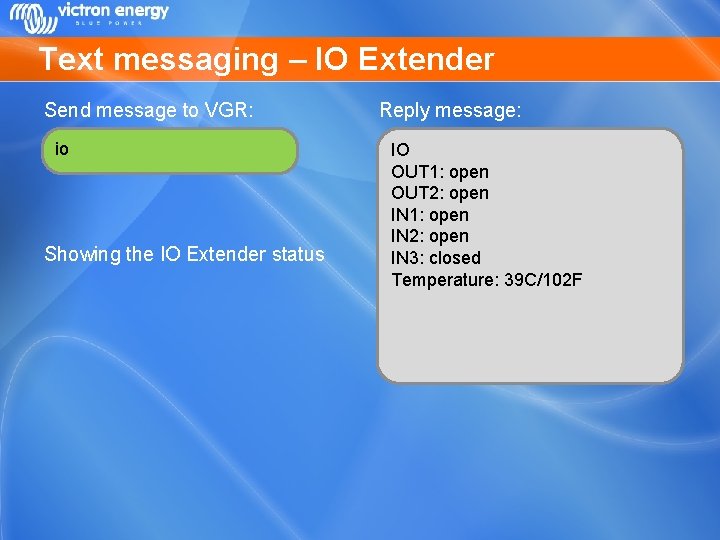
Text messaging – IO Extender Send message to VGR: io Showing the IO Extender status Reply message: IO OUT 1: open OUT 2: open IN 1: open IN 2: open IN 3: closed Temperature: 39 C/102 F
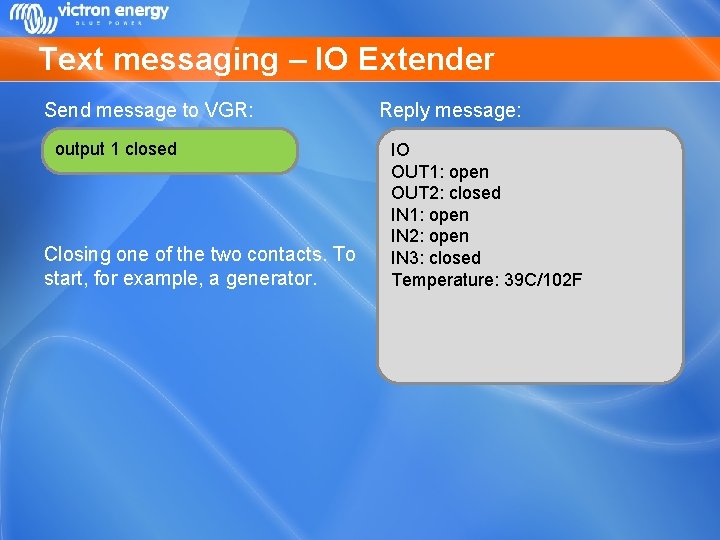
Text messaging – IO Extender Send message to VGR: output 1 closed Closing one of the two contacts. To start, for example, a generator. Reply message: IO OUT 1: open OUT 2: closed IN 1: open IN 2: open IN 3: closed Temperature: 39 C/102 F
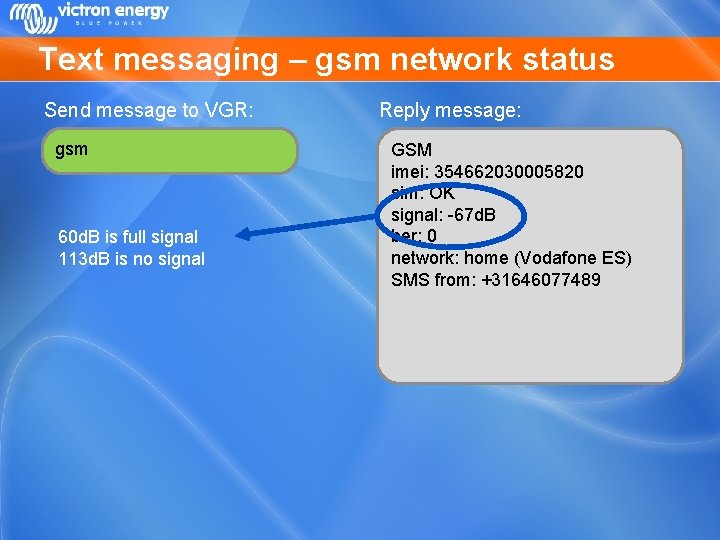
Text messaging – gsm network status Send message to VGR: gsm 60 d. B is full signal 113 d. B is no signal Reply message: GSM imei: 354662030005820 sim: OK signal: -67 d. B ber: 0 network: home (Vodafone ES) SMS from: +31646077489
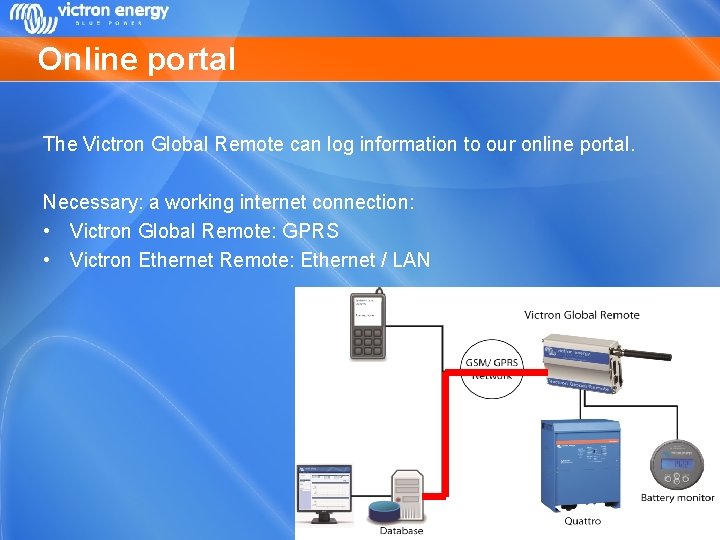
Online portal The Victron Global Remote can log information to our online portal. Necessary: a working internet connection: • Victron Global Remote: GPRS • Victron Ethernet Remote: Ethernet / LAN
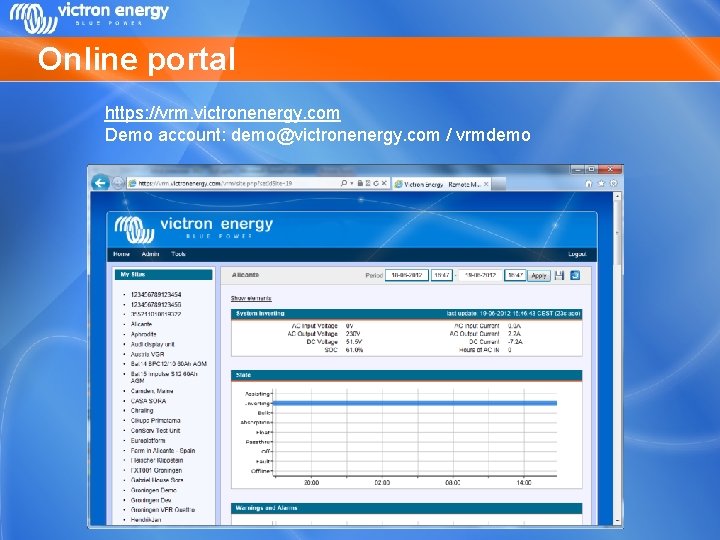
Online portal https: //vrm. victronenergy. com Demo account: demo@victronenergy. com / vrmdemo
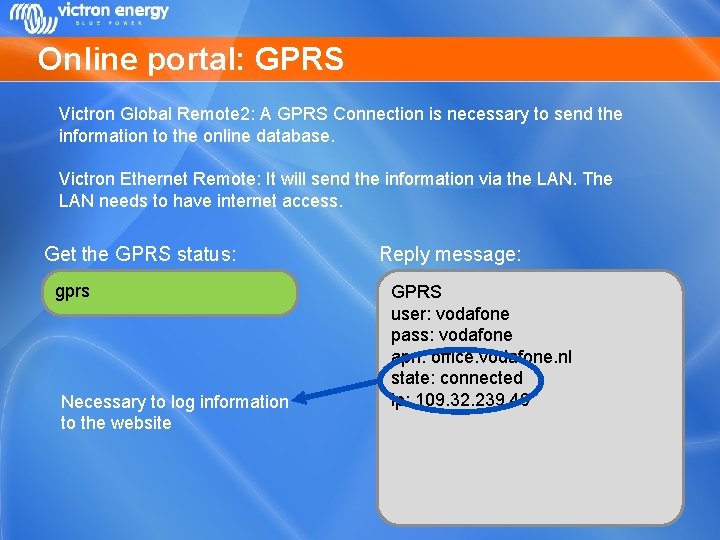
Online portal: GPRS Victron Global Remote 2: A GPRS Connection is necessary to send the information to the online database. Victron Ethernet Remote: It will send the information via the LAN. The LAN needs to have internet access. Get the GPRS status: gprs Necessary to log information to the website Reply message: GPRS user: vodafone pass: vodafone apn: office. vodafone. nl state: connected ip: 109. 32. 239. 49
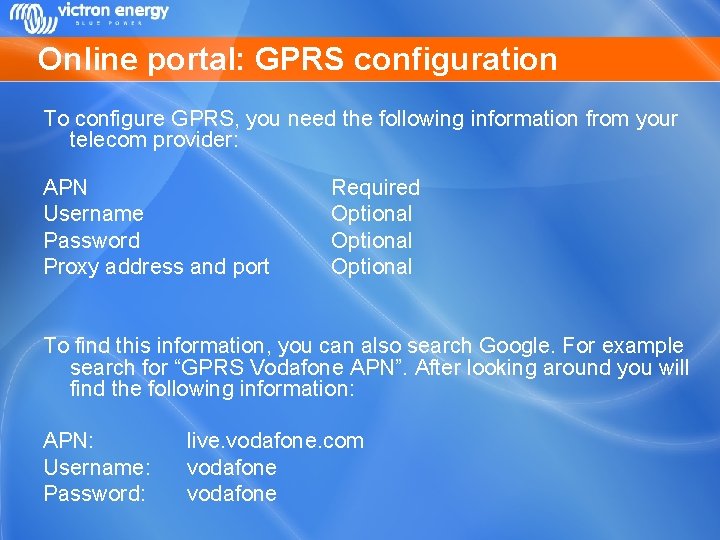
Online portal: GPRS configuration To configure GPRS, you need the following information from your telecom provider: APN Username Password Proxy address and port Required Optional To find this information, you can also search Google. For example search for “GPRS Vodafone APN”. After looking around you will find the following information: APN: Username: Password: live. vodafone. com vodafone
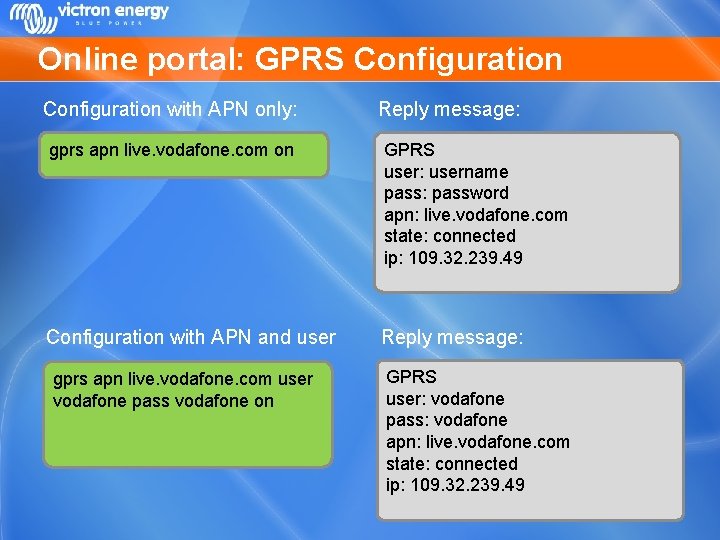
Online portal: GPRS Configuration with APN only: Reply message: gprs apn live. vodafone. com on GPRS user: username pass: password apn: live. vodafone. com state: connected ip: 109. 32. 239. 49 Configuration with APN and user Reply message: gprs apn live. vodafone. com user vodafone pass vodafone on GPRS user: vodafone pass: vodafone apn: live. vodafone. com state: connected ip: 109. 32. 239. 49
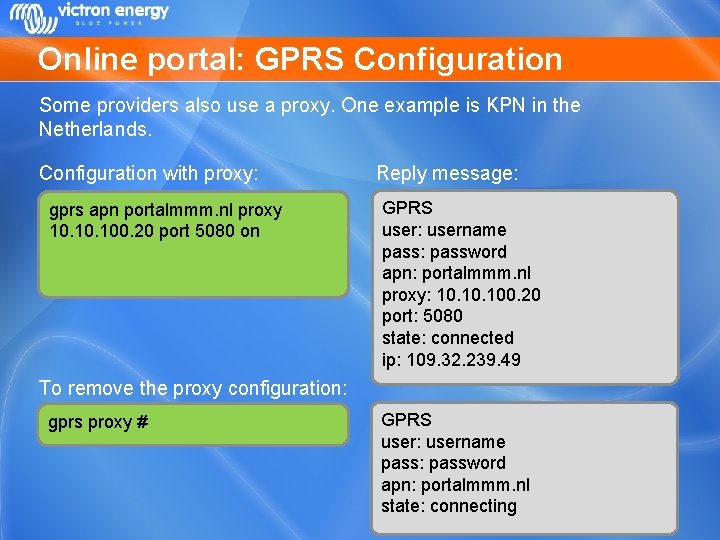
Online portal: GPRS Configuration Some providers also use a proxy. One example is KPN in the Netherlands. Configuration with proxy: gprs apn portalmmm. nl proxy 10. 100. 20 port 5080 on Reply message: GPRS user: username pass: password apn: portalmmm. nl proxy: 10. 100. 20 port: 5080 state: connected ip: 109. 32. 239. 49 To remove the proxy configuration: gprs proxy # GPRS user: username pass: password apn: portalmmm. nl state: connecting
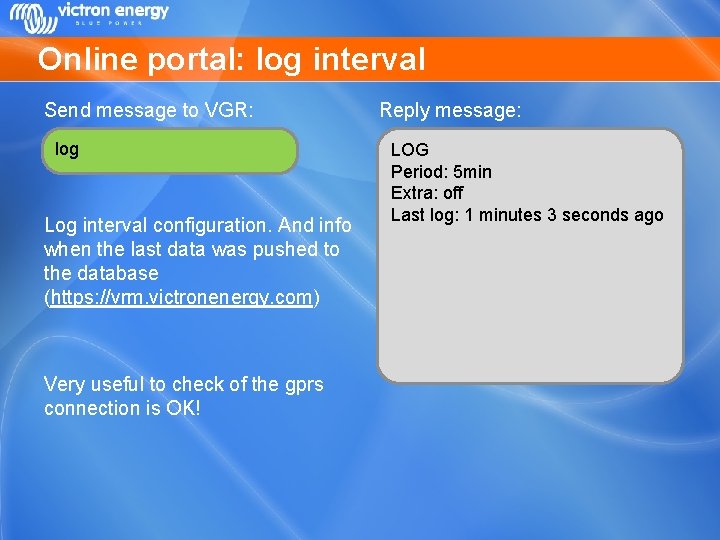
Online portal: log interval Send message to VGR: log Log interval configuration. And info when the last data was pushed to the database (https: //vrm. victronenergy. com) Very useful to check of the gprs connection is OK! Reply message: LOG Period: 5 min Extra: off Last log: 1 minutes 3 seconds ago
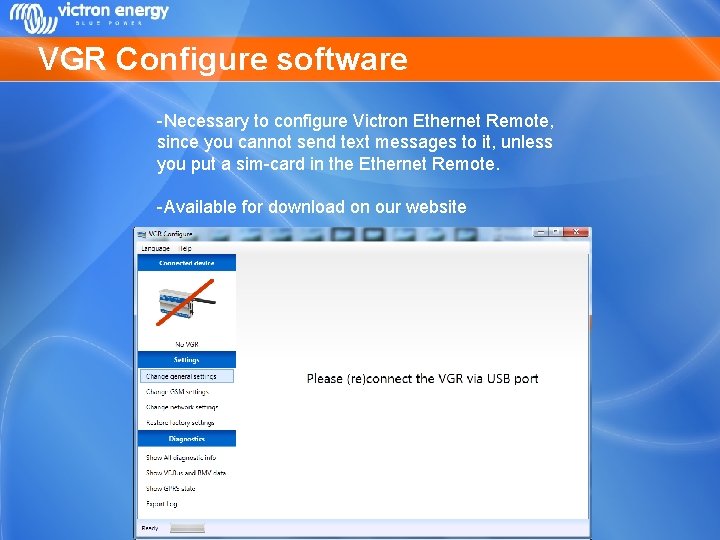
VGR Configure software -Necessary to configure Victron Ethernet Remote, since you cannot send text messages to it, unless you put a sim-card in the Ethernet Remote. -Available for download on our website
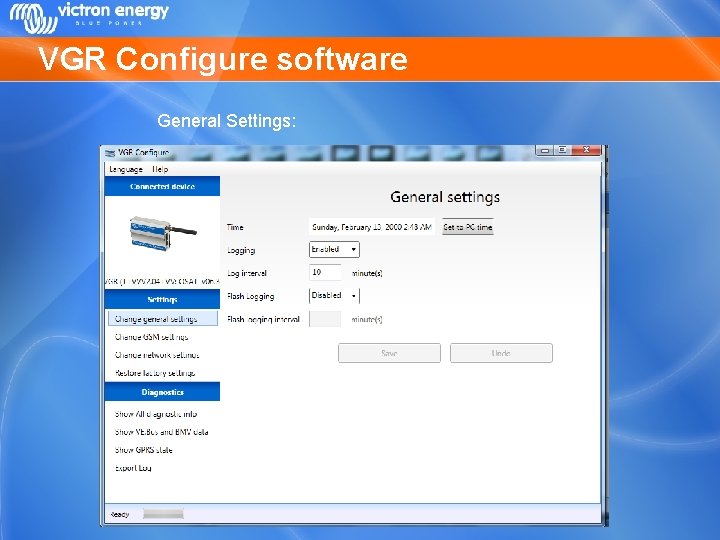
VGR Configure software General Settings:
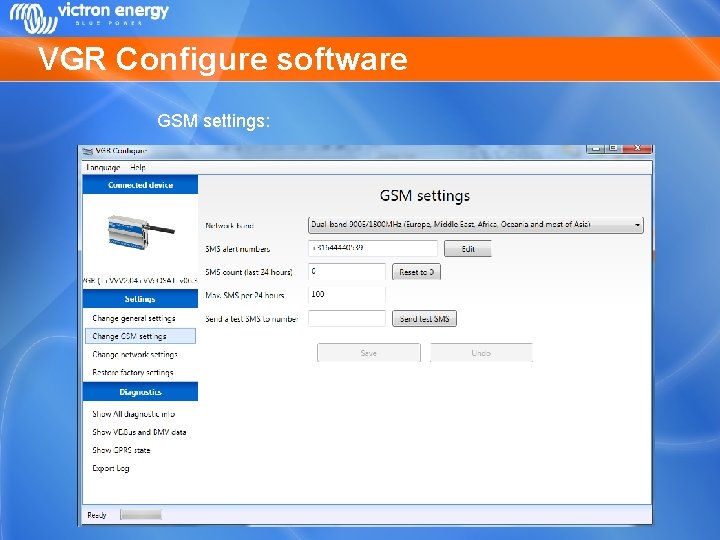
VGR Configure software GSM settings:
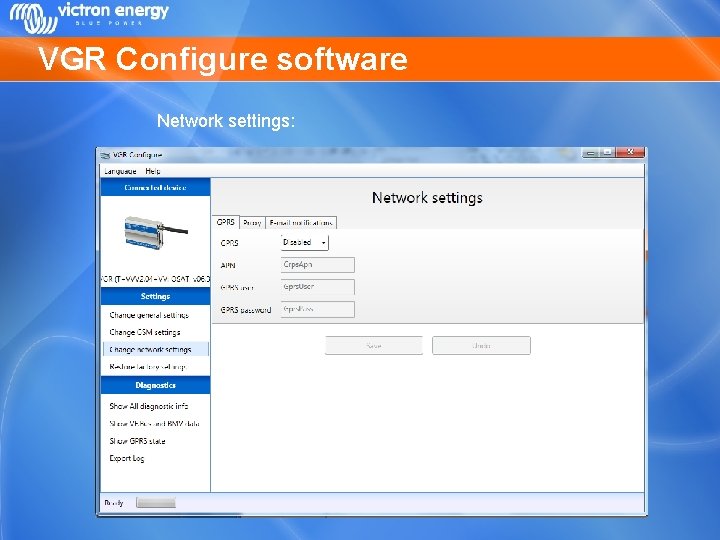
VGR Configure software Network settings:
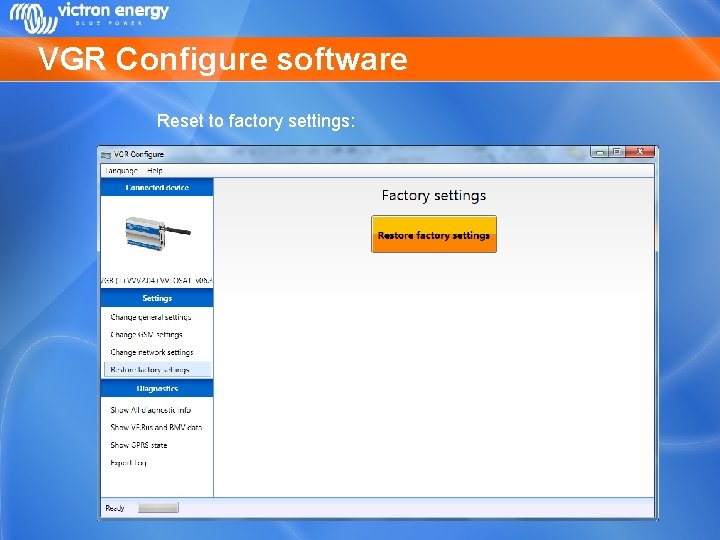
VGR Configure software Reset to factory settings:
Remote VEConfigure • Change VEConfigure settings over the air • Can be done with the Victron Global Remote 2 and the Victron Ethernet Remote • This is not possible with old Global Remote’s (“Victron Global Remote”) • Make sure to use the latest version of VEConfigure 2 • See also the manual on our website at the VGR and VER pages: “Manual – Remote VEConfigure”.
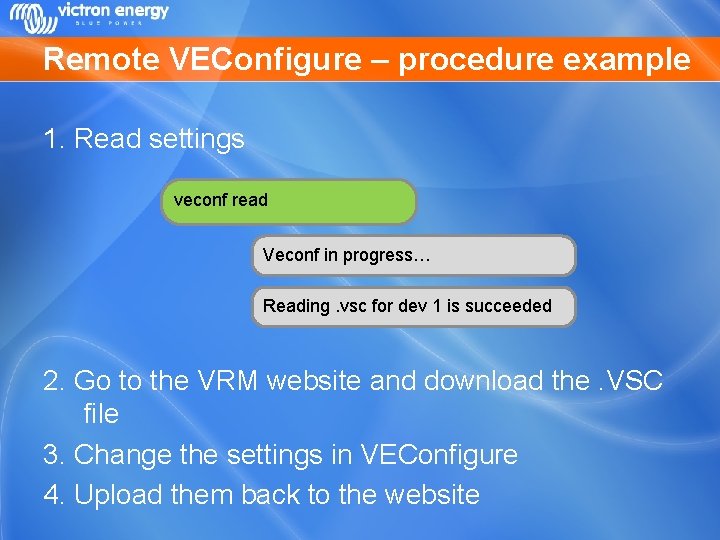
Remote VEConfigure – procedure example 1. Read settings veconf read Veconf in progress… Reading. vsc for dev 1 is succeeded 2. Go to the VRM website and download the. VSC file 3. Change the settings in VEConfigure 4. Upload them back to the website
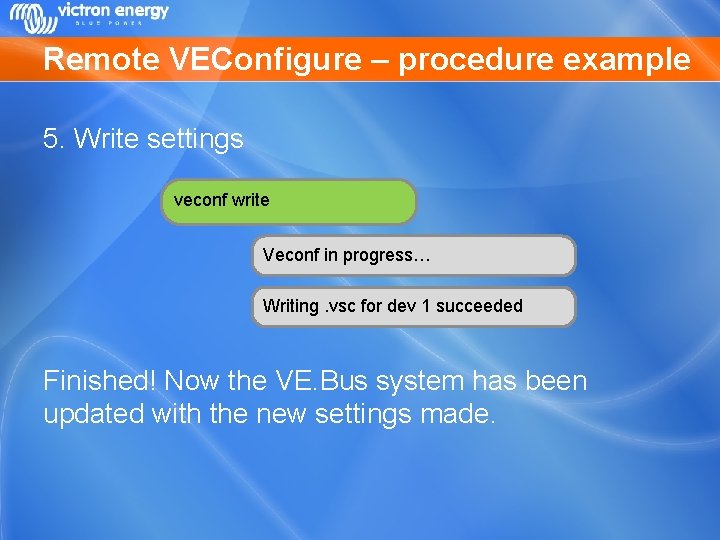
Remote VEConfigure – procedure example 5. Write settings veconf write Veconf in progress… Writing. vsc for dev 1 succeeded Finished! Now the VE. Bus system has been updated with the new settings made.
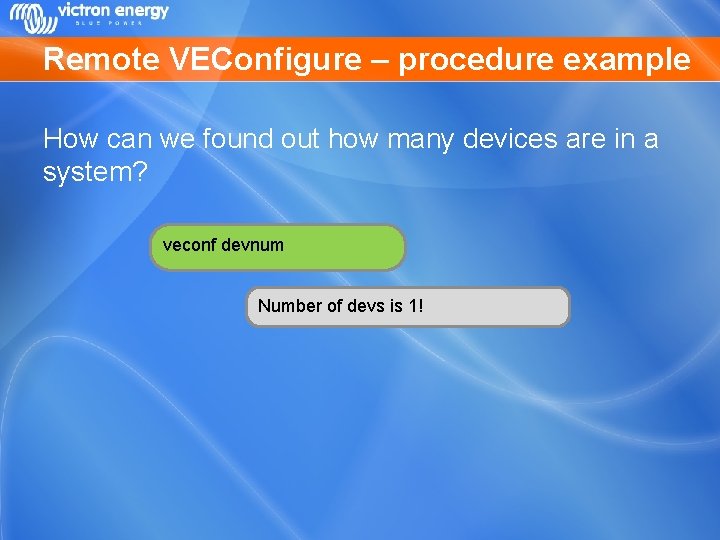
Remote VEConfigure – procedure example How can we found out how many devices are in a system? veconf devnum Number of devs is 1!
- Slides: 29