
Vicon Net 3 0 Unveiling the True Power
- Slides: 17
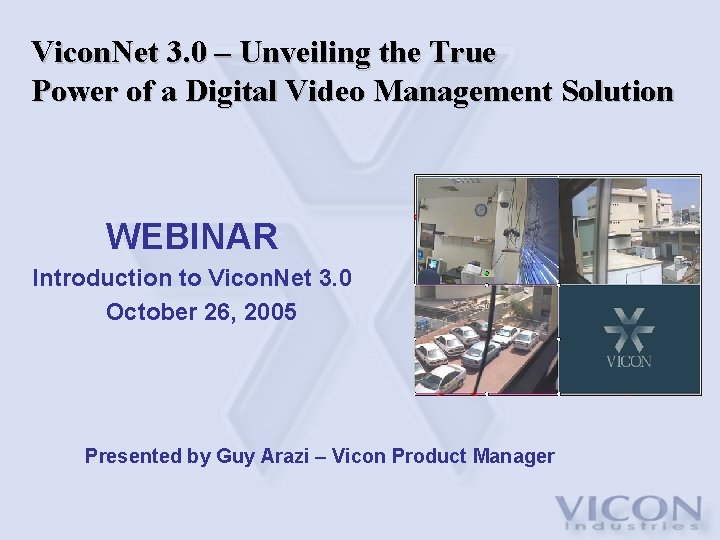
Vicon. Net 3. 0 – Unveiling the True Power of a Digital Video Management Solution WEBINAR Introduction to Vicon. Net 3. 0 October 26, 2005 Presented by Guy Arazi – Vicon Product Manager
Webinar Agenda • • • Introduction to Vicon. Net 3. 0 New Features VNWeb – Viewer using Web Browser Upgrade from 2. X to 3. 0 IP Video Industry Overview Q&A
Introduction to Vicon. Net 3. 0 • Vicon. Net is more than digital recording software – it is an enterprise platform for managing all network video components. Platform features include: – Flexibility – Unlimited Scalability – Advanced Security Capabilities – Intuitive User Interface – Centralized Management System – Interoperability
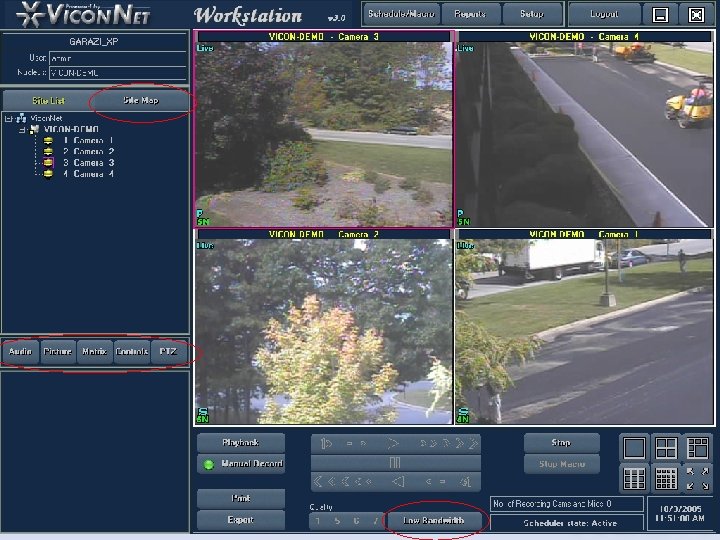
New Features- Main GUI • Picture settings are permanently changed – Existing version returned to default when display ended • Improved audio handling for efficient audio file size – Better compression, VOX level • Playback operation from main screen – Select a date, time and database • LTU application – Translate any text on the application to your language • Graphical map user interface
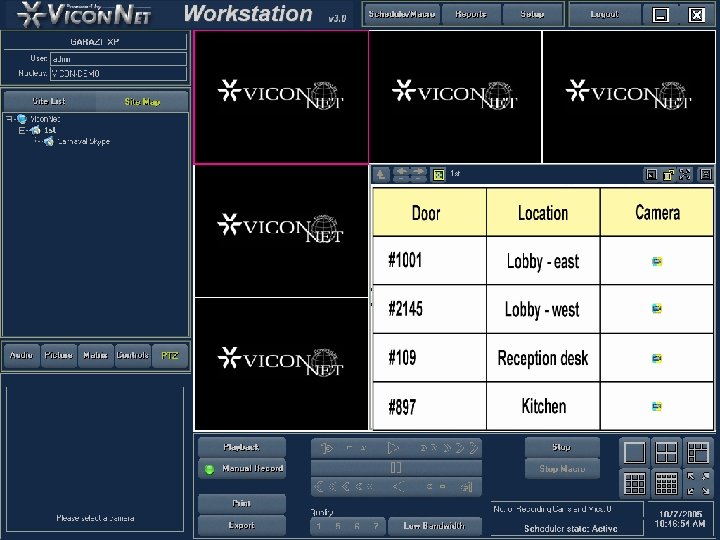
New Features- MAP GUI • • Import any JPEG file as a map Place and rename camera icons on maps Drill down into next level maps Control camera live and playback view from icons on the map • Resize and position the map anywhere on the main window • Support dual monitor for map full screen view • Group cameras under maps for easier control
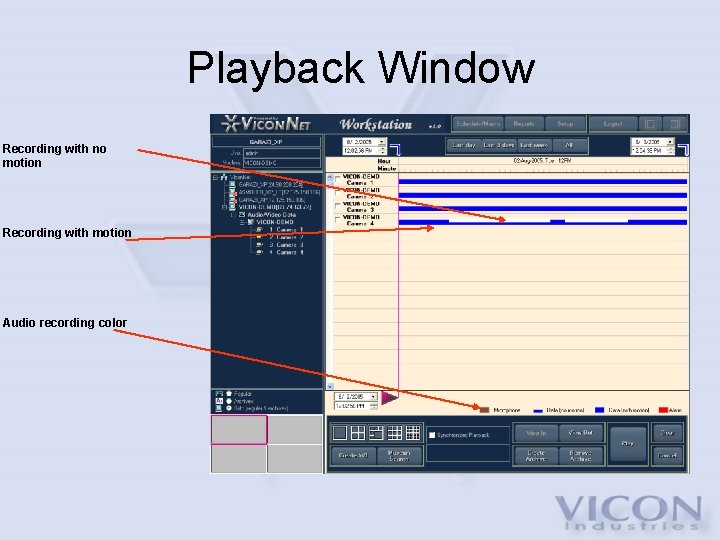
New Features- Playback Screen • Indicate recording with and without motion – Allows quick review of recorded data content • Audio will show up as a different color – Visual indication for video and audio • Create AVI file on Kollector local drive – Ease of use when creating AVI • Enhanced “museum search” capabilities – Quick and accurate search
Playback Window Recording with no motion Recording with motion Audio recording color
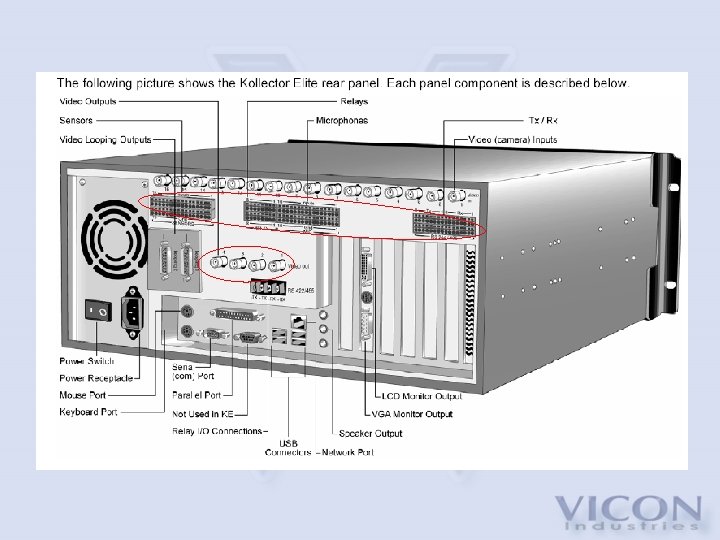
New Features - Hardware • New back panel with the following: – Phoenix connector directly on the back panel eliminates the need to use a Telco box – 8 relay outputs added and controlled by the software – Local switcher to allow switching any of the local 16 cameras to 4 local analog outputs (this feature is standard on Elite and optional on Pro) – Separate COM port for the PTZ connector and terminal screws to improve communication
Additional New Features • Stability and Reliability – Better and faster database algorithm – Better network performance • Storage methods – Local – internal drives in the DVR or NVR – RAID – SCSI connected to the DVR or NVR – NAS – a mapped drive over the network (requires testing for performance on specific network) • Future support – SAN – using fiber/i. SCSI link to storage
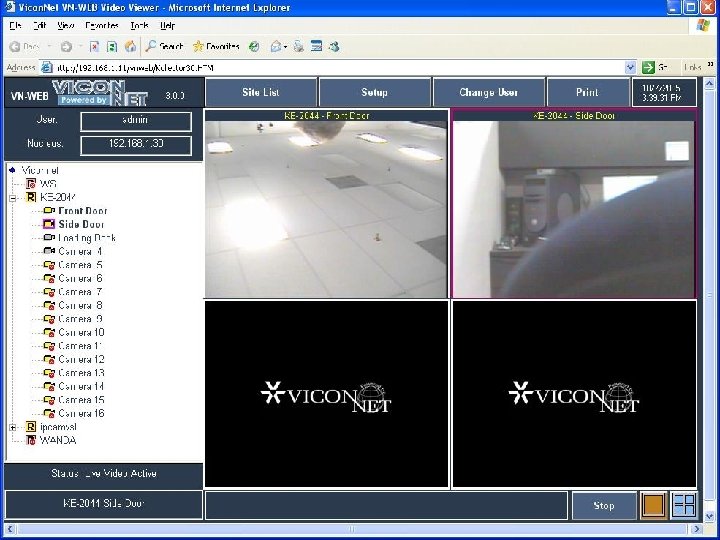
VNWeb – Web Browser • Vicon. Net client software running on Internet Explorer™ 6 web browser • 4 cameras display • Browser application logs on to the Nucleus and shares the same user right as any Vicon. Net application • First use will download and install the application components and from there on normal browsing to the website will connect to the Vicon. Net system • No direct browsing-to-camera option
Upgrade from 2. X to 3. 0 • Vicon. Net version 3. 0 is not compatible with any other Vicon. Net version (2. 18 D and lower) • Systems running 2. X version can be upgraded to 3. 0 without losing data • Both software revisions can run on both back panel models • IP cameras will also have to be upgraded to new firmware supporting Vicon. Net 3. 0
Overview – IP Video Industry • Industry Snapshot – Integration with Analog • IP Video Advantages – Functionality – Scalability – Operating Costs
Q & A Session • Questions • Thank you for attending Vicon’s webinar! Vicon. Net 3. 0 – Connecting Your Enterprise